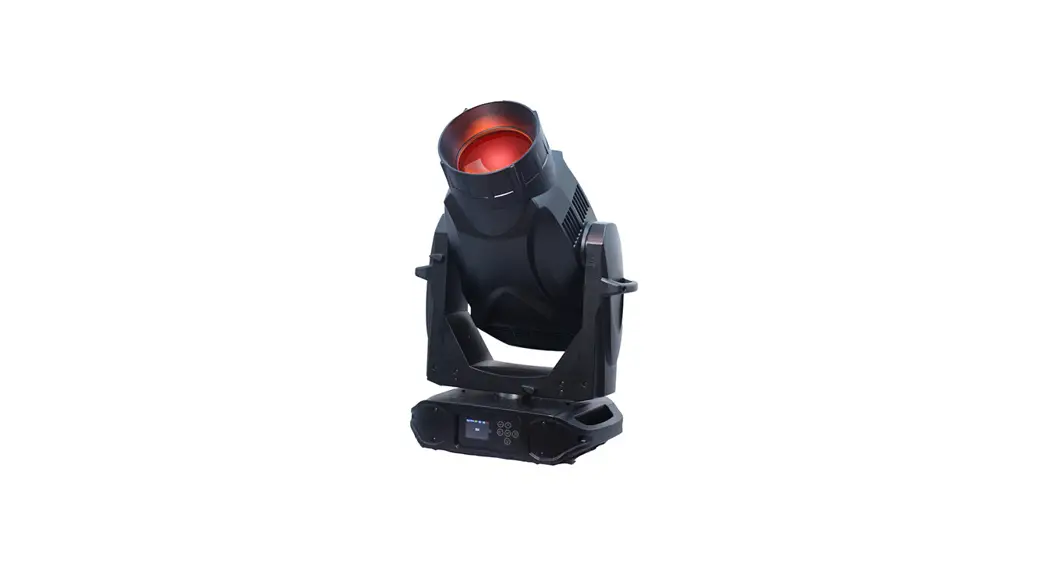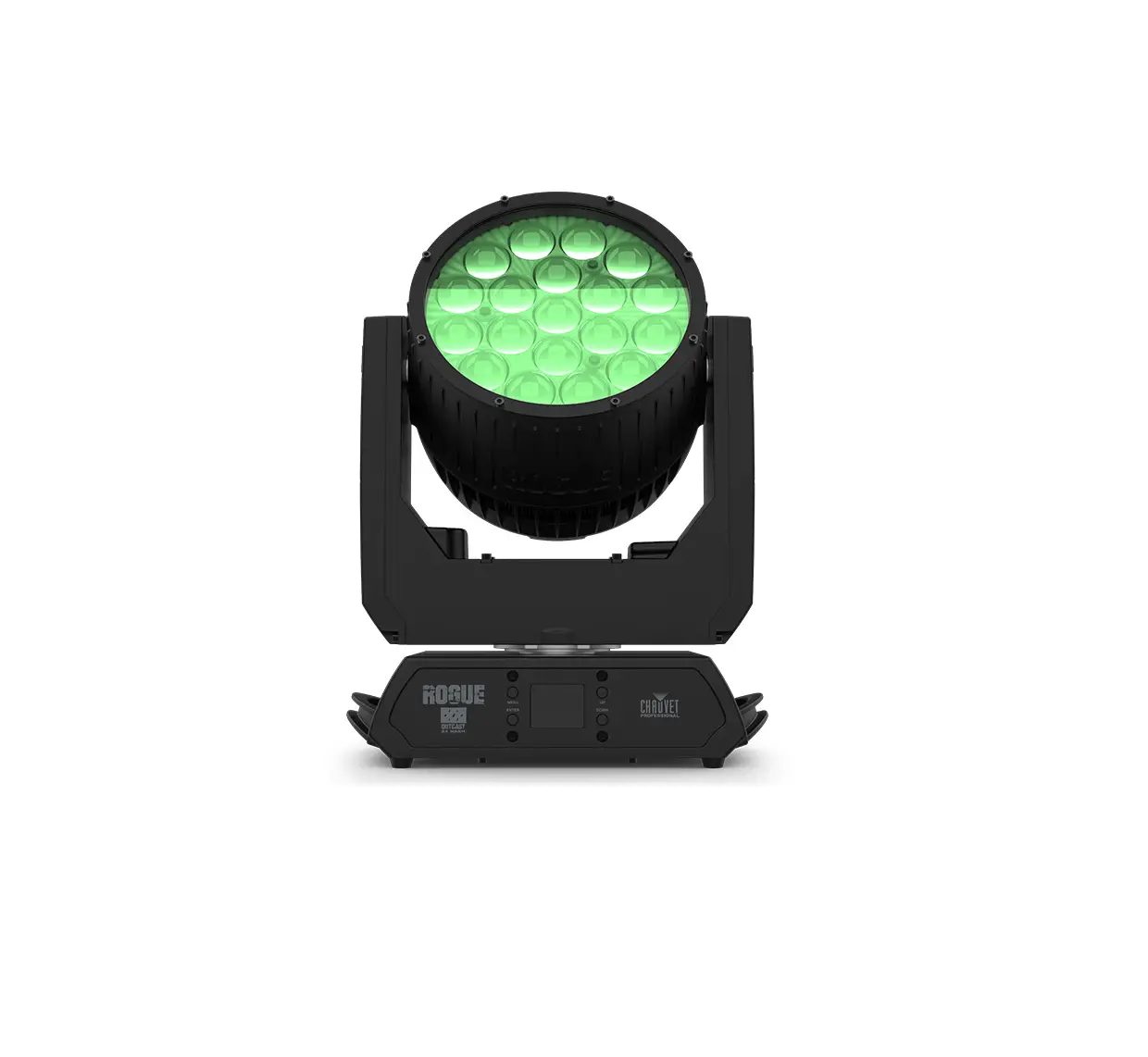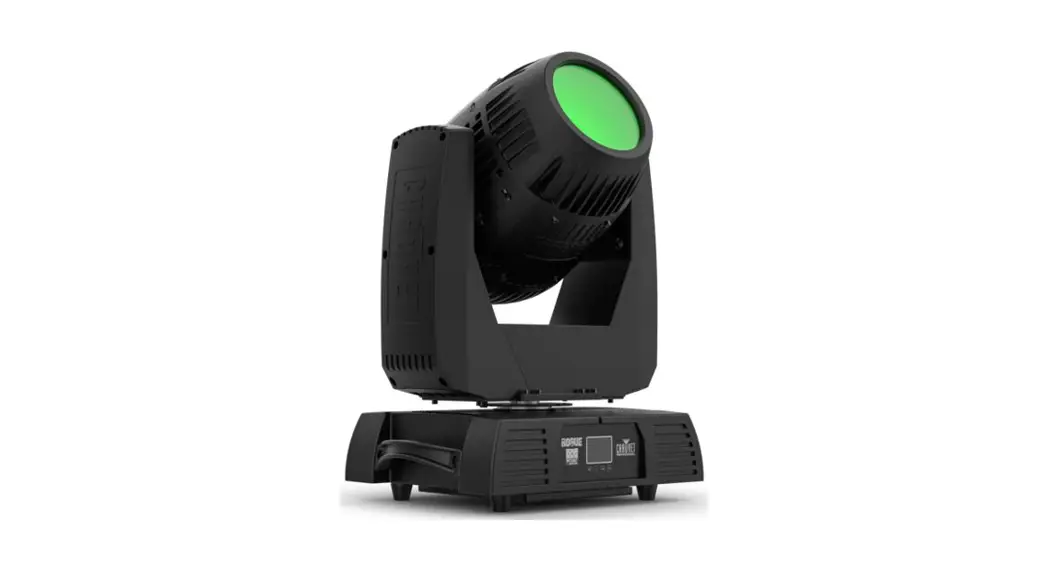
 IP65 Moving Head
User Guide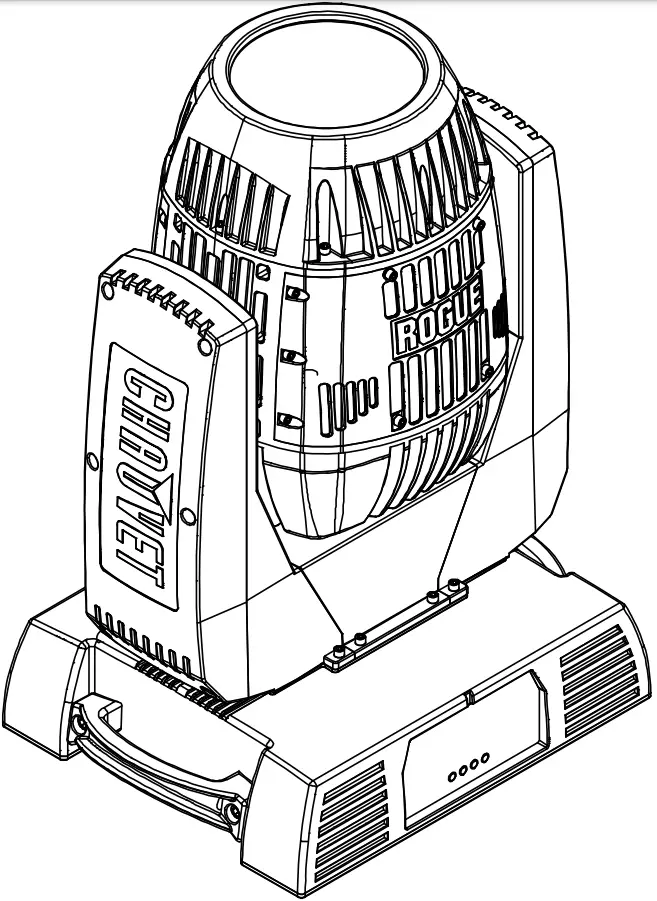
About This Guide
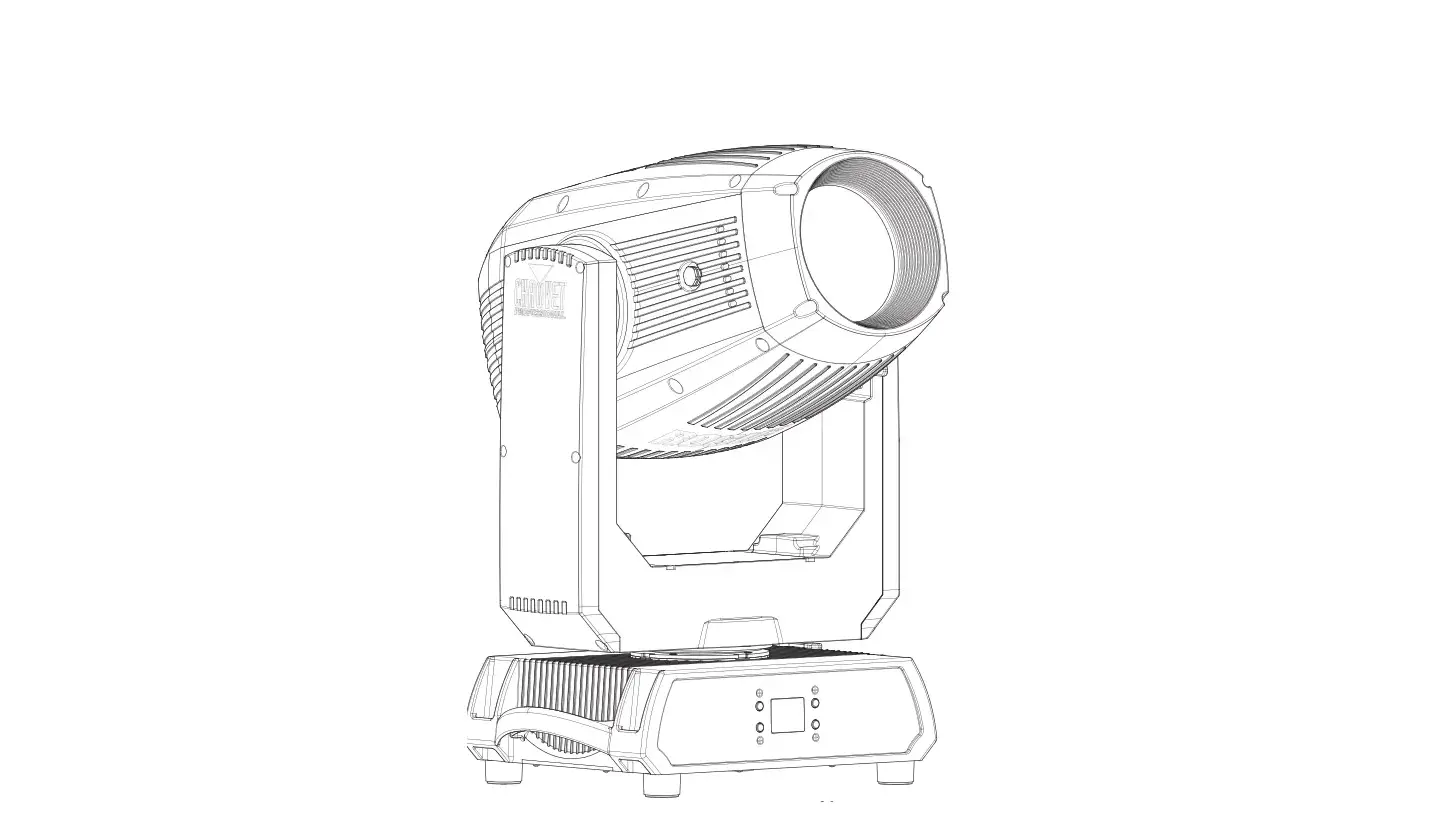
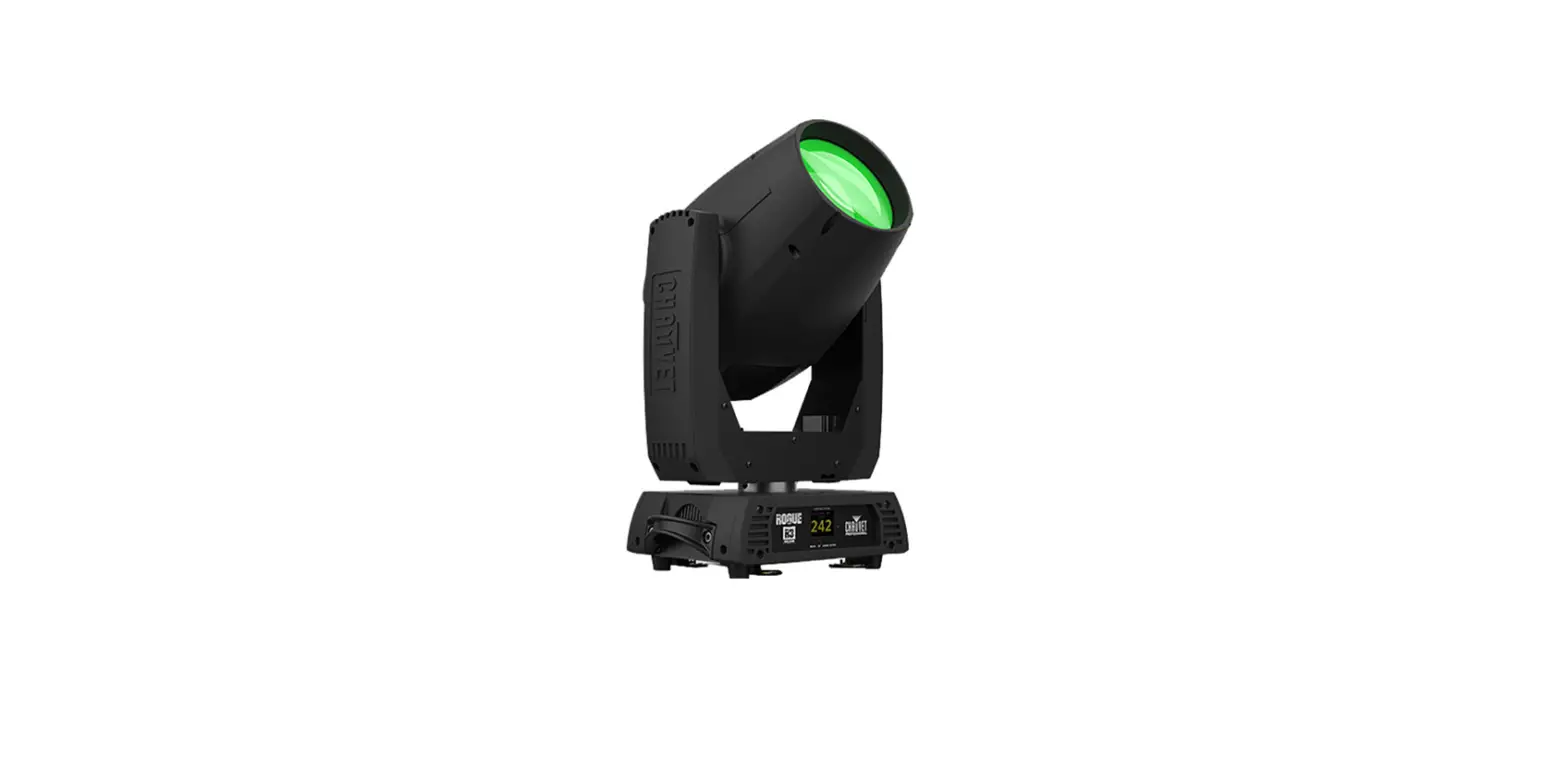
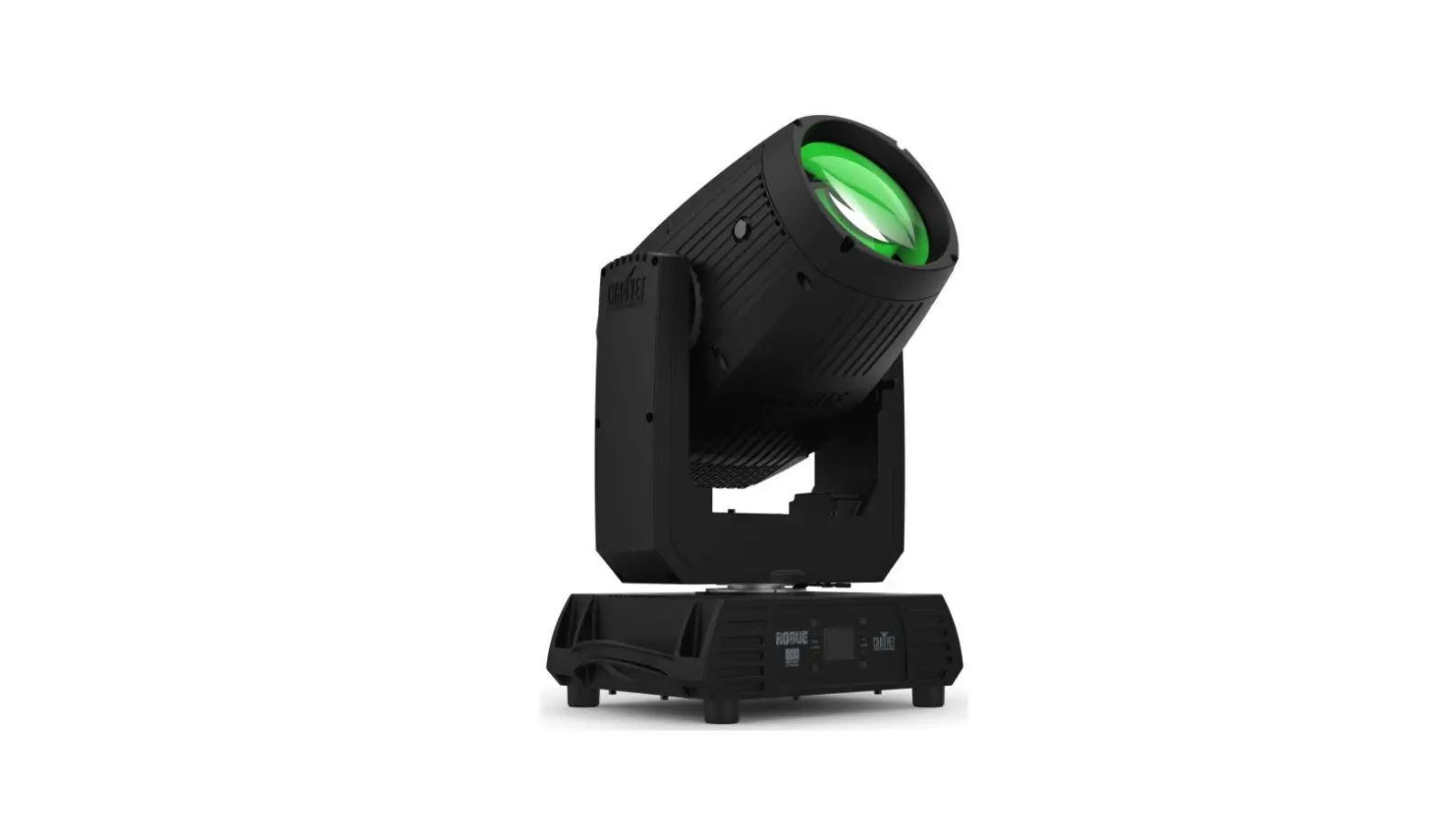
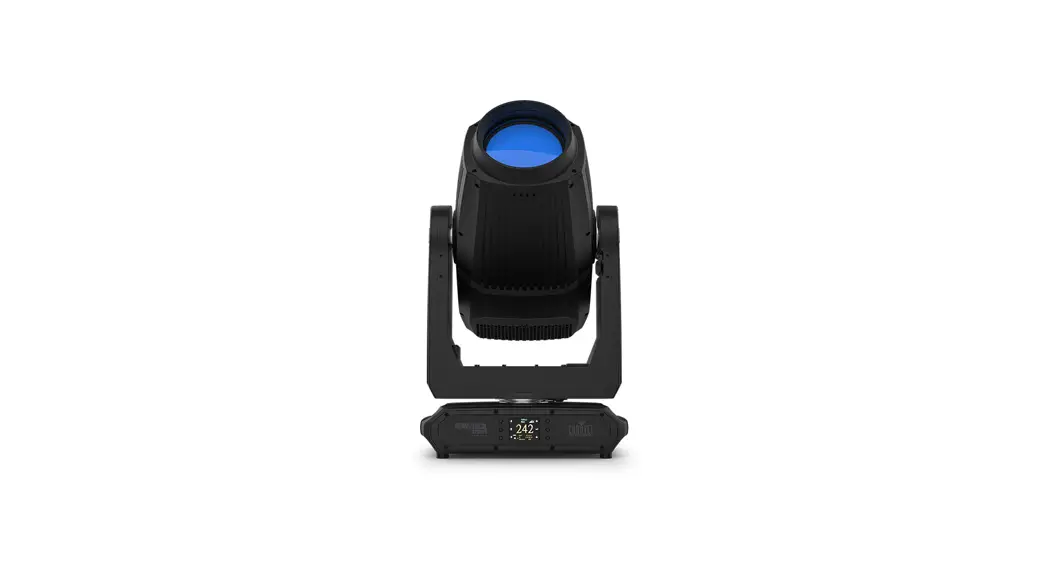
The Rogue Outcast 1 Beam Quick Reference Guide (QRG) has basic product information such as connection, mounting, menu options, and DMX values. Download the User Manual from www.chauvetprofessional.com for more details.
Disclaimer
The information and specifications contained in this QRG are subject to change without notice.
LIMITED WARRANTY
FOR WARRANTY REGISTRATION AND COMPLETE TERMS AND CONDITIONS PLEASE VISIT OUR WEBSITE.
For Customers in the United States and Mexico: www.chauvetlighting.com/warranty-registration.
For Customers in the United Kingdom, the Republic of Ireland, Belgium, the Netherlands, Luxembourg, France, and Germany: www.chauvetlighting.eu/warranty-registration.
Chauvet warrants that this product shall be free from defects in material and workmanship under normal use, for the period specified in, and subject to the exclusions and limitations set forth in the full limited warranty on our website. This warranty extends only to the original purchaser of the product and is not transferable. To exercise rights under this warranty, you must provide proof of purchase in the form of an original sales receipt from an authorized dealer that shows the product name and date of purchase. THERE ARE NO OTHER EXPRESS OR IMPLIED WARRANTIES. This warranty gives you specific legal rights. You may also have other rights that vary from state to state and country to country. This warranty is valid only in the United States, the United Kingdom, the Republic of Ireland, Belgium, the Netherlands, Luxembourg, France, Germany, and Mexico. For warranty terms in other countries, please consult your local distributor.
Safety Notes
These Safety Notes include important information about installation, use, and maintenance.
- DO NOT open this product. It contains no user-serviceable parts.
- DO NOT look at the light source when the product is on.
- DO NOT operate this product if the housing, lenses, or cables appear damaged.
- DO NOT connect this product to a dimmer or rheostat.
- DO NOT leave any flammable material within 80 cm of this product while operating or connected to power.
- DO NOT submerge this product. Temporary outdoor operation is fine (IP65).
- Not for permanent outdoor installation in locations with extreme environmental conditions. This includes, but is not limited to:
- Exposure to a marine/saline environment (within 3 miles of a saltwater body of water).
- Where the normal high or low temperatures of the location exceed the temperature ranges in this manual.
- Locations that are prone to flooding or being buried in snow.
- Other areas where the product will be subject to extreme radiation or caustic substances.
- CAUTION: When transferring product from extreme temperature environments, (e.g. cold truck to warm humid ballroom) condensation may form on the internal electronics of the product. To avoid causing a failure, allow the product to fully acclimate to the surrounding environment before connecting it to power.
- CAUTION: This product’s housing may be hot when the lights are operating.
- USE a safety cable when mounting this product overhead.
- ONLY connect this product to a grounded and protected circuit.
- ONLY use the hanging/mounting bracket or the handles to carry this product. Do not carry by the moving head.
- To eliminate unnecessary wear and improve its lifespan, during periods of non-use completely disconnect the product from power via a breaker or by unplugging it.
- Mount this product in a location with adequate ventilation, at least 20 in (50 cm) from adjacent surfaces.
- The maximum ambient temperature is 104 °F (40 °C). Do not operate this product at higher temperatures.
- The luminaire should be positioned so that prolonged staring into the luminaire at a distance closer than 34.4 ft (10.5 m) is not expected.
- If the external flexible cable or cord of this luminaire is damaged, it shall be replaced by a special cord or cord exclusively available from the manufacturer or his service agent.
- The light source contained in this luminaire shall only be replaced by the manufacturer or his service agent or a similarly qualified person.
- The luminaire is intended for professional use only.
- In the event of a serious operating problem, stop using it immediately.
Contact
Outside the U.S., U.K., Ireland, Benelux, France, Germany, or Mexico, contact your distributor to request support or return a product. Refer to Contact Us at the end of this QRG for contact information.
What is Included
- Rogue Outcast 1 Beam
- Seetronic Powerkon IP65 power cord
- 2 Omega brackets with mounting hardware
- Quick Reference Guide
QUICK REFERENCE GUIDE
AC Power
This product has an auto-ranging power supply that can work with an input voltage range of 100–240 VAC, 50/60 Hz.
AC Plug
| Connection | Wire (U.S.) | Wire (Europe) | Screw Color |
| AC Live | Black | Brown | Yellow/Brass |
| AC Neutral | White | Blue | Silver |
| AC Ground | Green/Yellow | Green/Yellow | Green |
 To eliminate unnecessary wear and improve its lifespan, during periods of non-use completely disconnect the product from power via a breaker or by unplugging it.
Replacing the Fuse
- Disconnect the product from power.
- Using a flat-head screwdriver, unscrew the fuse holder cap from the housing.
- Remove the blown fuse and replace it with a good fuse of the same type and rating.
- Screw the fuse holder cap back in place and reconnect the power.
DMX Linking
The Rogue Outcast 1 Beam will work with a DMX controller using a 5-pin IP-rated DMX serial connection. A DMX Primer is available from www.chauvetprofessional.com.
DMX Connection
The Rogue Outcast 1 Beam uses a 5-pin IP-rated DMX data connection for its DMX personalities: 16CH and 19CH. See the User Manual for information about connecting and configuring the product for DMX operation.
RDM (Remote Device Management)
Remote Device Management, or RDM, is a standard for allowing DMX-enabled devices to communicate bi-directionally along existing DMX cabling. Check the DMX controller’s User Manual or with the manufacturer, as not all DMX controllers have this capability. The Rogue Outcast 1 Beam supports the RDM protocol that allows feedback to make changes to menu map options. Download the User Manual from www.chauvetprofessional.com for more details.
Mounting
Before mounting this product, read the Safety Notes. Use at least one mounting point per product. Make sure the mounting clamps are capable of supporting the weight of the product. For Chauvet’s line of mounting clamps, go to http://trusst.com/productcategory/truss-clamps/.
Mounting Diagram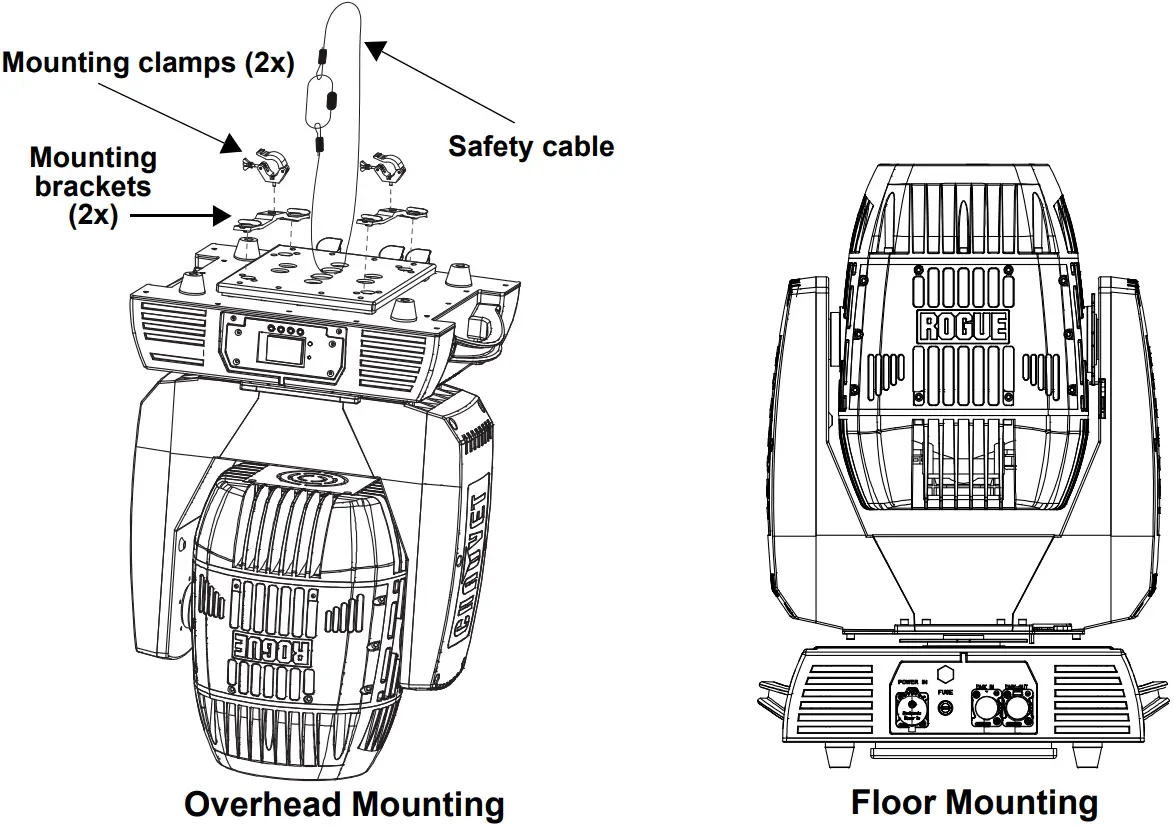 Rogue Outcast 1 Beam QRG Rev. 2
Control Panel Description
| Button | Function |
| <MENU> | Exits from the current menu or function |
| <ENTER> | Enables the currently displayed menu or sets the currently selected value into the selected function |
| <UP> | Navigates upwards through the menu list and increases the numeric value when in a function |
| <DOWN> | Navigates downwards through the menu list and decreases the numeric value when in a function |
Menu Map
Refer to the Rogue Outcast 1 Beam product page on www.chauvetprofessional.com for the latest menu map.
Main Level | Programming Levels | Description | |||
| Address | 001–497 | Sets the starting address | |||
| Run Mode | DMX | 16CH | Selects the DMX personality | ||
| 19CH | |||||
| Auto Test | Auto-test all functions | ||||
| Manual Test | Pan | 0–255 | Manually control and test all settings through the control panel | ||
| Pan Fine | |||||
| Tilt | |||||
| Tilt Fine | |||||
| P/T Speed | |||||
| Dimmer | |||||
| Dimmer Fine | |||||
| Shutter | |||||
| Color | |||||
| Gobo | |||||
| Prism1 | |||||
| Prism1 Rotate | |||||
| Prism2 | |||||
| Prism2 Rotate | |||||
| Focus | |||||
| Frost | |||||
| P/T Macro | |||||
| P/T Ma. Speed | |||||
| Special Function | |||||
|
Setup | Pan Reverse | YES | Reversed pan | ||
| NO | Normal pan | ||||
| Tilt Reverse | YES | Reversed tilt | |||
| NO | Normal tilt | ||||
| Screen Reverse | YES | Inverted screen display | |||
| NO | Normal screen display | ||||
| AUTO | Automatic screen display | ||||
| Pan Angle | 540 | 540° pan range | |||
| 360 | 360° pan range | ||||
| 180 | 180° pan range | ||||
| Tilt Angle | 270 | 270° tilt range | |||
| 180 | 180° tilt range | ||||
| 90 | 90° tilt range | ||||
| BL. O. P/T Move | YES | Blackout while panning/tilting | |||
| NO | Disable blackout while panning/tilting | ||||
| BL. O. Color Move | YES | Blackout while the color wheel is moving | |||
| NO | Disable blackout while the color wheel is moving | ||||
| BL. O. Gobo Move | YES | Blackout while gobo wheels are moving | |||
| NO | Disable blackout while gobo wheels are moving | ||||
Main Level | Programming Levels | Description | ||
| Setup (continuation) | Lamp Settings | On/Off | ON | Turns lamp on/off |
| OFF | ||||
| State/ Power On | ON | Defines the status of the lamp when powering up the product | ||
| OFF | ||||
| Off via DMX | YES | Turns off the unit via the DMX controller | ||
| NO | ||||
| If DMX On | YES | Turns lamp on when DMX signal is detected | ||
| NO | ||||
| Off if DMX Off | YES | Turns lamp off when DMX signal is lost | ||
| NO | ||||
| Ignition Delay | 0–255 | Selects duration of delay between product power on and lamp power on | ||
| Low Power Delay | 0–255 | Selects the duration of delay when the shutter is closed and the lamp enters a lower power state | ||
| Reset Lamp Time | YES | Resets lamp timer to 0 | ||
| NO | Leaves lamp time unchanged | |||
| Maintenance Timer | Interval | 10–250 | Defines the number of hours between maintenance | |
| Remain Time | NO | Resets the amount of time remaining in the maintenance cycle | ||
| RESET | ||||
| Reset Function | Pan/Tilt | YES/NO | Reset individual functions or all functions from the start-up | |
| Shutter/ Prism | ||||
| Color | ||||
| Gobo | ||||
| Frost/ Focus | ||||
| All | ||||
| Factory Settings | YES | Reset to factory default settings | ||
| NO | ||||
| Sys Info | Disp Ver | V_ | Shows display version | |
| P&T Ver | V_ | Shows the pan/tilt version | ||
| Gobo Ver | V_ | Shows gobo version | ||
| Prism Ver | V_ | Shows prism version | ||
| other Ver | V_ | Shows base version | ||
| Running Mode | _ _ _ | Shows current running mode | ||
| DMX Address | _ _ _ | Shows the current DMX address | ||
| Lamp On Time | _ _ _ _ | Shows lamp on time | ||
| Remain Time | _ _ _ _ | Shows lamp maintenance time | ||
| Temperature1 | _ _ C | Shows the product’s temperature in °C | ||
| Temperature2 | _ _ C | |||
| Lamp Voltage | _ _ V | Shows lamp voltage | ||
| Lamp Current | _ _ A | Shows lamp current | ||
| Lamp Power | _ _ _W | Shows lamp power | ||
| Base Fan 1 | It shows the base fan speed | |||
| Base Fan 2 | _ _ _ _ | |||
| Base Fan 3 | _ _ _ _ | |||
| DefogFan5 | _ _ _ _ | Shows fan speed | ||
| Lamp Fan 6 | _ _ _ _ | |||
| Lamp Fan 7 | _ _ _ _ | |||
| Lamp Fan 8 | _ _ _ _ | |||
| UID | _ _ _ | Shows product UID | ||
DMX Values 19CH
| Channel | Function | Value | Percent/Setting |
| 1 | Pan | 000 ⇔255 | 0–100% |
| 2 | Pan fine | 000 ⇔ 255 | Fine control (16-bit) |
| 3 | Tilt | 000 ⇔ 255 | 0–100% |
| 4 | Tilt fine | 000 ⇔ 255 | Fine control (16-bit) |
| 5 | Pan/tilt speed | 000 ⇔ 255 | Fast to slow |
| 6 | Dimmer | 000 ⇔ 255 | 0–100% |
| 7 | Dimmer fine | 000 ⇔ 255 | Fine control (16-bit) |
| 000 ⇔ 007 | No function | ||
| 008 ⇔ 015 | On | ||
| 016 ⇔ 131 | Synchronized strobe, slow to fast | ||
| 8 | Strobe | 132 ⇔167 168 ⇔ 203 | Fast off, slow on (slow to fast) Slow off, fast on (slow to fast) |
| 204 ⇔ 239 | Pulse strobe, slow to fast | ||
| 240 ⇔ 250 | Random strobe, slow to fast | ||
| 251 ⇔ 255 | On | ||
| 000 ⇔ 004 | Open | ||
| 005 ⇔ 008 | Red | ||
| 009 ⇔ 012 | Orange | ||
| 013 ⇔ 016 | Cyan | ||
| 017 ⇔ 020 | Light green | ||
| 021 ⇔ 024 | Light yellow | ||
| 025 ⇔ 028 | Lavender | ||
| 029 ⇔ 032 | Pink | ||
| 033 ⇔ 036 | Dark yellow | ||
| 9 | Color wheel | 037 ⇔ 040 | Magenta |
| 041 ⇔ 044 | Bright blue | ||
| 045 ⇔ 048 | CTO 5600K | ||
| 049 ⇔ 052 | CTO 6500K | ||
| 053 ⇔ 056 | White | ||
| 057 ⇔ 060 | Blue | ||
| 061 ⇔ 127 | Split colors | ||
| 128 ⇔ 189 | Clockwise color scroll, fast to slow | ||
| 190 ⇔ 193 | Stop | ||
| 194 ⇔ 255 | Counterclockwise color scroll, slow to fast |
| Channel | Function | Value | Percent/Setting |
| 000 ⇔ 003 | Open | ||
| 004 ⇔ 006 | Gobo 1 | ||
| 007 ⇔ 009 | Gobo 2 | ||
| 010 ⇔ 012 | Gobo 3 | ||
| 013 ⇔ 015 | Gobo 4 | ||
| 016 ⇔ 018 | Gobo 5 | ||
| 019 ⇔ 021 | Gobo 6 | ||
| 022 ⇔ 024 | Gobo 7 | ||
| 025 ⇔ 027 | Gobo 8 | ||
| 028 ⇔ 030 | Gobo 9 | ||
| 031 ⇔ 033 | Gobo 10 | ||
| 034 ⇔ 036 | Gobo 11 | ||
| 037 ⇔ 039 | Gobo 12 | ||
| 040 ⇔ 042 | Gobo 13 | ||
| 043 ⇔ 045 | Gobo 14 | ||
| 046 ⇔ 048 | Gobo 15 | ||
| 049 ⇔ 051 | Gobo 16 | ||
| 052 ⇔ 055 | Gobo 17 | ||
| 056 ⇔ 059 | Open | ||
| 10 | Gobo wheel | 060 ⇔ 063 | Gobo 1 shaking, slow to fast |
| 064 ⇔ 067 | Gobo 2 is shaking, slow to fast | ||
| 068 ⇔ 071 | Gobo 3 is shaking, slow to fast | ||
| 072 ⇔ 075 | Gobo 4 shaking, slow to fast | ||
| 076 ⇔ 079 | Gobo 5 is shaking, slow to fast | ||
| 080 ⇔ 083 | Gobo 6 shaking, slow to fast | ||
| 084 ⇔ 087 | Gobo 7 shaking, slow to fast | ||
| 088 ⇔ 091 | Gobo 8 is shaking, slow to fast | ||
| 092 ⇔ 095 | Gobo 9 is shaking, slow to fast | ||
| 096 ⇔ 099 | Gobo 10 shaking, slow to fast | ||
| 100 ⇔ 103 | Gobo 11 is shaking, slow to fast | ||
| 104 ⇔ 107 | Gobo 12 is shaking, slow to fast | ||
| 108 ⇔ 111 | Gobo 13 is shaking, slow to fast | ||
| 112 ⇔ 115 | Gobo 14 shaking, slow to fast | ||
| 116 ⇔ 119 | Gobo 15 shaking, slow to fast | ||
| 120 ⇔ 123 | Gobo 16 is shaking, slow to fast | ||
| 124 ⇔ 127 | Gobo 17 is shaking, slow to fast | ||
| 128 ⇔ 189 | Clockwise gobo scroll, fast to slow | ||
| 190 ⇔ 193 | Stop | ||
| 194 ⇔ 255 | Counterclockwise gobo scroll, slow to fast | ||
| 11 | Prism 1 | 000 ⇔ 004 005 ⇔ 255 | No function Prism insert |
| 000 ⇔ 127 | Prism index | ||
| 12 | Rotating prism 1 | 128 ⇔ 189 190 ⇔ 193 | Clockwise rotation, fast to slow Stop |
| 194 ⇔ 255 | Counterclockwise rotation, slow to fast | ||
| 13 | Prism 2 | 000 ⇔ 004 005 ⇔ 255 | No function Prism index |
| 000 ⇔ 127 | Prism index | ||
| 14 | Rotating prism 2 | 128 ⇔ 189 190 ⇔ 193 | Clockwise rotation, fast to slow Stop |
| 194 ⇔ 255 | Counterclockwise rotation, slow to fast | ||
| 15 | Focus | 000 ⇔ 255 | 0–100% |
| 16 | Frost | 000 ⇔ 255 | 0–100% |
Channel | Function | Value | Percent/Setting |
| 000 ⇔ 007 | No function | ||
| 008 ⇔ 015 | Effect 1 | ||
| 016 ⇔ 023 | Effect 2 | ||
| 024 ⇔ 031 | Effect 3 | ||
| 032 ⇔ 039 | Effect 4 | ||
| 040 ⇔ 047 | Effect 5 | ||
| 048 ⇔ 055 | Effect 6 | ||
| 056 ⇔ 063 | Effect 7 | ||
| 064 ⇔ 071 | Effect 8 | ||
| 072 ⇔ 079 | Effect 9 | ||
| 080 ⇔ 087 | Effect 10 | ||
| 088 ⇔ 095 | Effect 11 | ||
| 096 ⇔ 103 | Effect 12 | ||
| 104 ⇔ 111 | Effect 13 | ||
| 112 ⇔ 119 | Effect 14 | ||
| 17 | Movement macros | 120 ⇔ 127 128 ⇔ 135 | Effect 15 Effect 16 |
| 136 ⇔ 143 | Effect 17 | ||
| 144 ⇔ 151 | Effect 18 | ||
| 152 ⇔ 159 | Effect 19 | ||
| 160 ⇔ 167 | Effect 20 | ||
| 168 ⇔ 175 | Effect 21 | ||
| 176 ⇔183 | Effect 22 | ||
| 184 ⇔ 191 | Effect 23 | ||
| 192 ⇔ 199 | Effect 24 | ||
| 200 ⇔ 207 | Effect 25 | ||
| 208 ⇔ 215 | Effect 26 | ||
| 216 ⇔ 223 | Effect 27 | ||
| 224 ⇔ 231 | Effect 28 | ||
| 232 ⇔ 239 | Effect 29 | ||
| 240 ⇔ 247 | Effect 30 | ||
| 248 ⇔ 255 | Effect 31 | ||
| 18 | Movement macro speed | 000 ⇔ 255 | Fast to slow |
| Channel | Function | Value | Percent/Setting |
| 000 ⇔ 009 | No function | ||
| 010 ⇔ 019 | Defogging fan on, slow to fast | ||
| 020 ⇔ 029 | Defogging fan off | ||
| 030 ⇔ 039 | No function | ||
| 040 ⇔ 049 | No function | ||
| 050 ⇔ 059 | Pan/tilt fast mode | ||
| 060 ⇔ 069 | Pan/tilt normal mode | ||
| 070 ⇔ 079 | Blackout during pan/tilt (3-sec hold) | ||
| 080 ⇔ 089 | Disable pan/tilt blackout (3-sec hold) | ||
| 090 ⇔ 099 | Blackout while the color wheel is moving (3-sec hold) | ||
| 100 ⇔ 109 | Disable color wheel blackout (3-sec hold) | ||
| 110 ⇔ 119 | Blackout while gobo wheels are moving (3-sec hold) | ||
| 19 | Control | 120 ⇔ 129 | Disable gobo wheel blackout (3-sec hold) |
| 130 ⇔ 139 | Lamp on | ||
| 140 ⇔ 149 | Pan/tilt reset | ||
| 150 ⇔ 159 | Color wheel reset | ||
| 160 ⇔ 169 | Gobo wheel reset | ||
| 170 ⇔ 179 | Strobe/prism reset | ||
| 180 ⇔ 189 | No function | ||
| 190 ⇔ 199 | Frost/focus reset | ||
| 200 ⇔ 209 | All reset | ||
| 210 ⇔ 219 | Blackout all functions during pan/tilt | ||
| 220 ⇔ 229 | Disable blackout of all functions during pan/tilt | ||
| 230 ⇔ 239 | Lamp off | ||
| 240 ⇔ 255 | No function |
16CH
Channel | Function | Value | Percent/Setting |
| 1 | Pan | 000 ⇔ 255 | 0–100% |
| 2 | Pan fine | 000 ⇔ 255 | Fine control (16-bit) |
| 3 | Tilt | 000 ⇔ 255 | 0–100% |
| 4 | Tilt fine | 000 ⇔ 255 | Fine control (16-bit) |
| 5 | Pan/tilt speed | 000 ⇔ 255 | Fast to slow |
| 6 | Dimmer | 000 ⇔ 255 | 0–100% |
| 000 ⇔ 007 | No function | ||
| 008 ⇔ 015 | On | ||
| 016 ⇔ 131 | Synchronized strobe, slow to fast | ||
| 7 | Strobe | 132 ⇔ 167 168 ⇔ 203 | Fast off, slow on (slow to fast) Slow off, fast on (slow to fast) |
| 204 ⇔ 239 | Pulse strobe, slow to fast | ||
| 240 ⇔ 250 | Random strobe, slow to fast | ||
| 251 ⇔ 255 | On | ||
| 000 ⇔ 004 | Open | ||
| 005 ⇔ 008 | Red | ||
| 009 ⇔ 012 | Orange | ||
| 013 ⇔ 016 | Cyan | ||
| 017 ⇔ 020 | Light green | ||
| 021 ⇔ 024 | Light yellow | ||
| 025 ⇔ 028 | Lavender | ||
| 029 ⇔ 032 | Pink | ||
| 033 ⇔ 036 | Dark yellow | ||
| 8 | Color wheel | 037 ⇔ 040 | Magenta |
| 041 ⇔ 044 | Bright blue | ||
| 045 ⇔ 048 | CTO 5600K | ||
| 049 ⇔ 052 | CTO 6500K | ||
| 053 ⇔ 056 | White | ||
| 057 ⇔ 060 | Blue | ||
| 061 ⇔ 127 | Split colors | ||
| 128 ⇔ 189 | Clockwise color scroll, fast to slow | ||
| 190 ⇔ 193 | Stop | ||
| 194 ⇔ 255 | Counterclockwise color scroll, slow to fast |
Channel | Function | Value | Percent/Setting |
| 000 ⇔ 003 | Open | ||
| 004 ⇔ 006 | Gobo 1 | ||
| 007 ⇔ 009 | Gobo 2 | ||
| 010 ⇔ 012 | Gobo 3 | ||
| 013 ⇔ 015 | Gobo 4 | ||
| 016 ⇔ 018 | Gobo 5 | ||
| 019 ⇔ 021 | Gobo 6 | ||
| 022 ⇔ 024 | Gobo 7 | ||
| 025 ⇔ 027 | Gobo 8 | ||
| 028 ⇔ 030 | Gobo 9 | ||
| 031 ⇔ 033 | Gobo 10 | ||
| 034 ⇔ 036 | Gobo 11 | ||
| 037 ⇔ 039 | Gobo 12 | ||
| 040 ⇔ 042 | Gobo 13 | ||
| 043 ⇔ 045 | Gobo 14 | ||
| 046 ⇔ 048 | Gobo 15 | ||
| 049 ⇔ 051 | Gobo 16 | ||
| 052 ⇔ 055 | Gobo 17 | ||
| 056 ⇔ 059 | Open | ||
| 9 | Gobo wheel 1 | 060 ⇔ 063 | Gobo 1 shaking, slow to fast |
| 064 ⇔ 067 | Gobo 2 is shaking, slow to fast | ||
| 068 ⇔ 071 | Gobo 3 is shaking, slow to fast | ||
| 072 ⇔ 075 | Gobo 4 shaking, slow to fast | ||
| 076 ⇔ 079 | Gobo 5 shaking, slow to fast | ||
| 080 ⇔ 083 | Gobo 6 shaking, slow to fast | ||
| 084 ⇔ 087 | Gobo 7 shaking, slow to fast | ||
| 088 ⇔ 091 | Gobo 8 is shaking, slow to fast | ||
| 092 ⇔ 095 | Gobo 9 is shaking, slow to fast | ||
| 096 ⇔ 099 | Gobo 10 shaking, slow to fast | ||
| 100 ⇔ 103 | Gobo 11 is shaking, slow to fast | ||
| 104 ⇔ 107 | Gobo 12 is shaking, slow to fast | ||
| 108 ⇔ 111 | Gobo 13 is shaking, slow to fast | ||
| 112 ⇔ 115 | Gobo 14 shaking, slow to fast | ||
| 116 ⇔ 119 | Gobo 15 shaking, slow to fast | ||
| 120 ⇔ 123 | Gobo 16 is shaking, slow to fast | ||
| 124 ⇔ 127 | Gobo 17 is shaking, slow to fast | ||
| 128 ⇔ 189 | Clockwise gobo scroll, fast to slow | ||
| 190 ⇔ 193 | Stop | ||
| 194 ⇔ 255 | Counterclockwise gobo scroll, slow to fast | ||
| 10 | Prism 1 | 000 ⇔ 004 005 ⇔ 255 | No function Prism insert |
| 000 ⇔ 127 | Prism index | ||
| 11 | Rotating prism 1 | 128 ⇔ 189 190 ⇔ 193 | Clockwise rotation, fast to slow Stop |
| 194 ⇔ 255 | Counterclockwise rotation, slow to fast | ||
| 12 | Prism 2 | 000 ⇔ 004 005 ⇔ 255 | No function Prism index |
| 000 ⇔ 127 | Prism index | ||
| 13 | Rotating prism 2 | 128 ⇔ 189 190 ⇔ 193 | Clockwise rotation, fast to slow Stop |
| 194 ⇔ 255 | Counterclockwise rotation, slow to fast | ||
| 14 | Focus | 000 ⇔ 255 | 0–100% |
| 15 | Frost | 000 ⇔ 255 | 0–100% |
Channel | Function | Value | Percent/Setting |
| 000 ⇔ 009 | No function | ||
| 010 ⇔ 019 | Defogging fan on, slow to fast | ||
| 020 ⇔ 029 | Defogging fan off | ||
| 030 ⇔ 039 | No function | ||
| 040 ⇔ 049 | No function | ||
| 050 ⇔ 059 | Pan/tilt fast mode | ||
| 060 ⇔ 069 | Pan/tilt normal mode | ||
| 070 ⇔ 079 | Blackout during pan/tilt (3-sec hold) | ||
| 080 ⇔ 089 | Disable pan/tilt blackout (3-sec hold) | ||
| 090 ⇔ 099 | Blackout while the color wheel is moving (3-sec hold) | ||
| 100 ⇔ 109 | Disable color wheel blackout (3-sec hold) | ||
| 110 ⇔ 119 | Blackout while gobo wheels are moving (3-sec hold) | ||
| 16 | Control | 120 ⇔ 129 | Disable gobo wheel blackout (3-sec hold) |
| 130 ⇔ 139 | Lamp on | ||
| 140 ⇔ 149 | Pan/tilt reset | ||
| 150 ⇔ 159 | Color wheel reset | ||
| 160 ⇔ 169 | Gobo wheel reset | ||
| 170 ⇔ 179 | Strobe/prism reset | ||
| 180 ⇔ 189 | No function | ||
| 190 ⇔ 199 | Frost/focus reset | ||
| 200 ⇔ 209 | All reset | ||
| 210 ⇔ 219 | Blackout all functions during pan/tilt | ||
| 220 ⇔ 229 | Disable blackout of all functions during pan/tilt | ||
| 230 ⇔ 239 | Lamp off | ||
| 240 ⇔ 255 | No function |
Contact Us
| General Information | Technical Support |
| Chauvet World Headquarters | |
| Address: 5200 NW 108th Ave. Sunrise, FL 33351 Voice: (954) 577-4455 Fax: (954) 929-5560Toll Free: (800) 762-1084 | Voice: (844) 393-7575 Fax: (954) 756-8015 Email: [email protected] Website: www.chauvetprofessional.com |
Visit the applicable website above to verify our contact information and instructions to request support. Outside the U.S., U.K., Ireland, Mexico, France, Germany, or Benelux, contact the dealer of record.