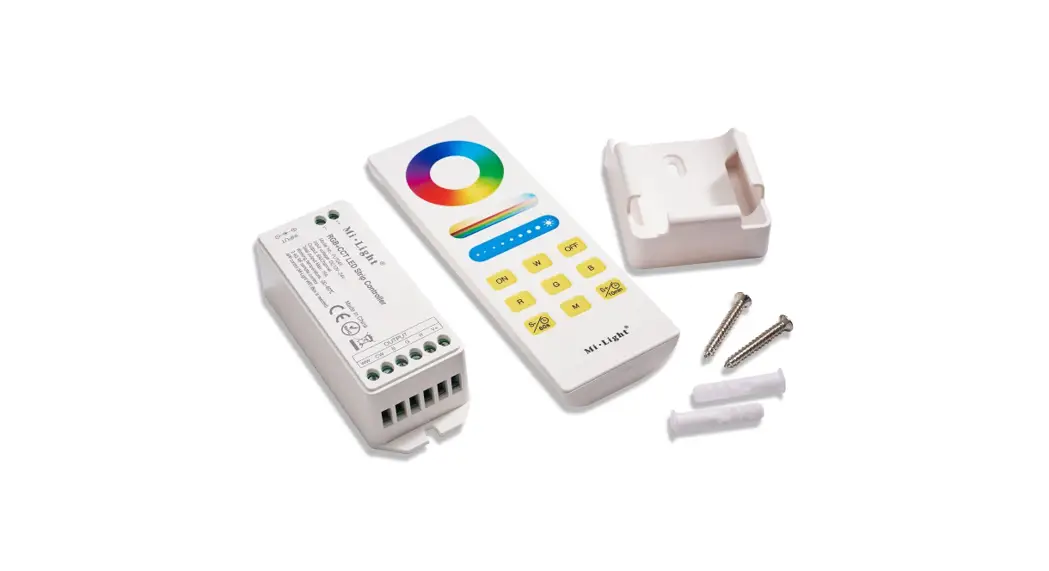

OPERATING INSTRUCTIONS FOR LED-WRGBW-CR
Introduction
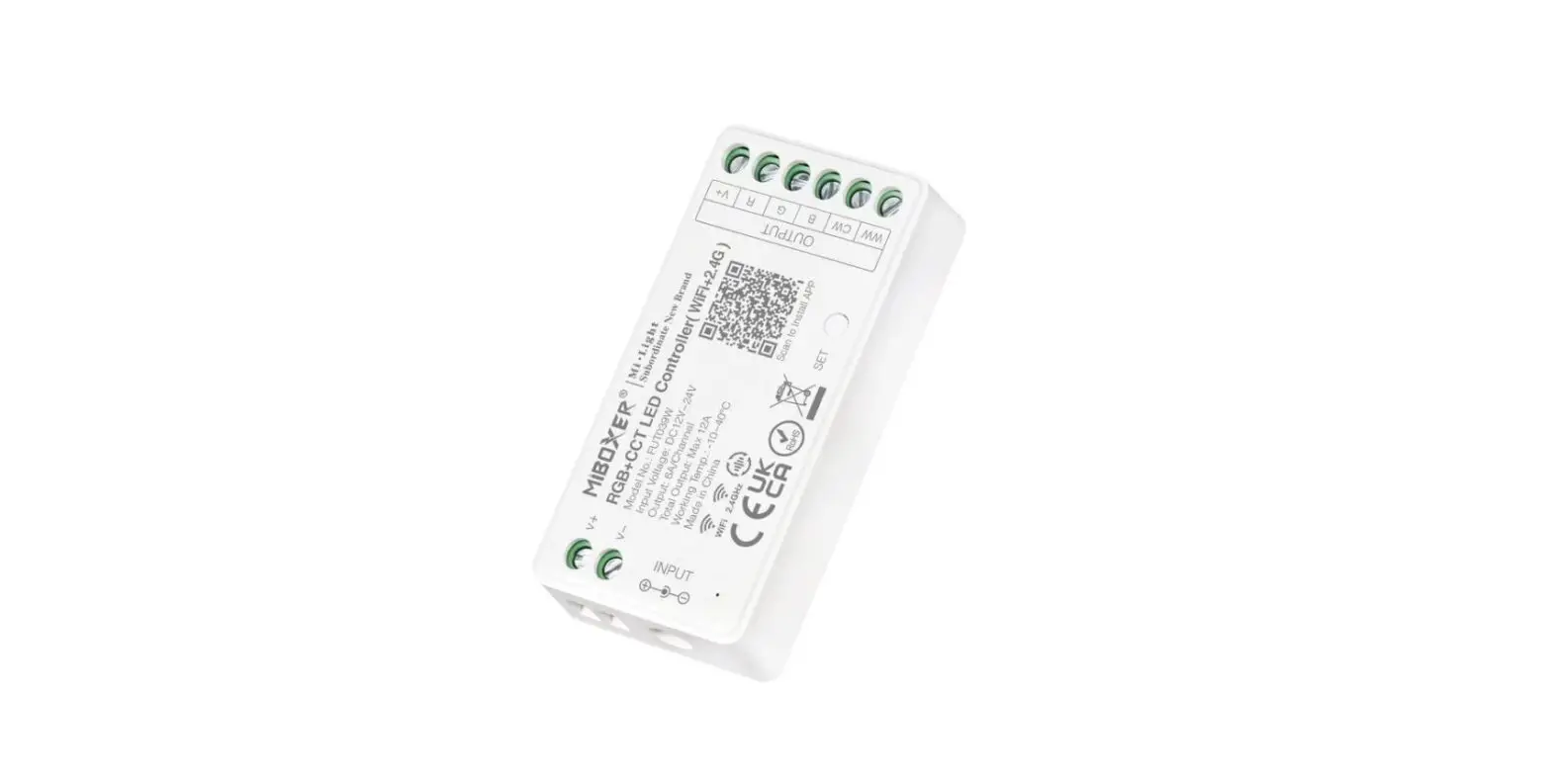
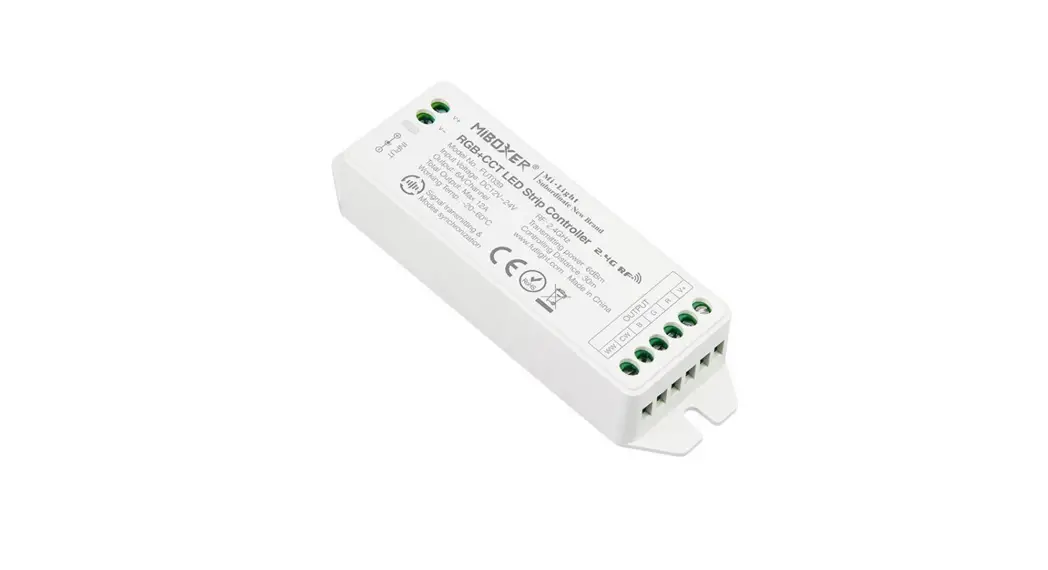
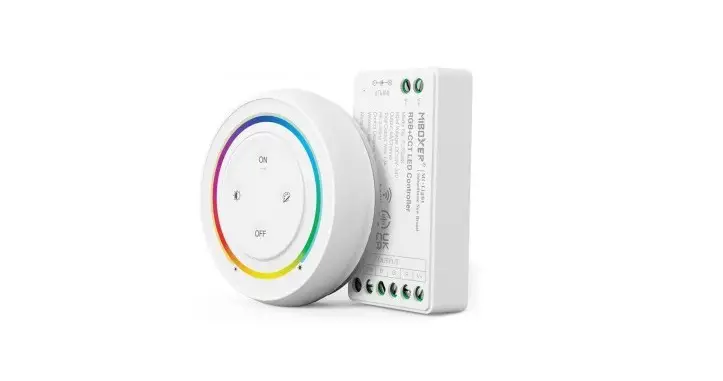
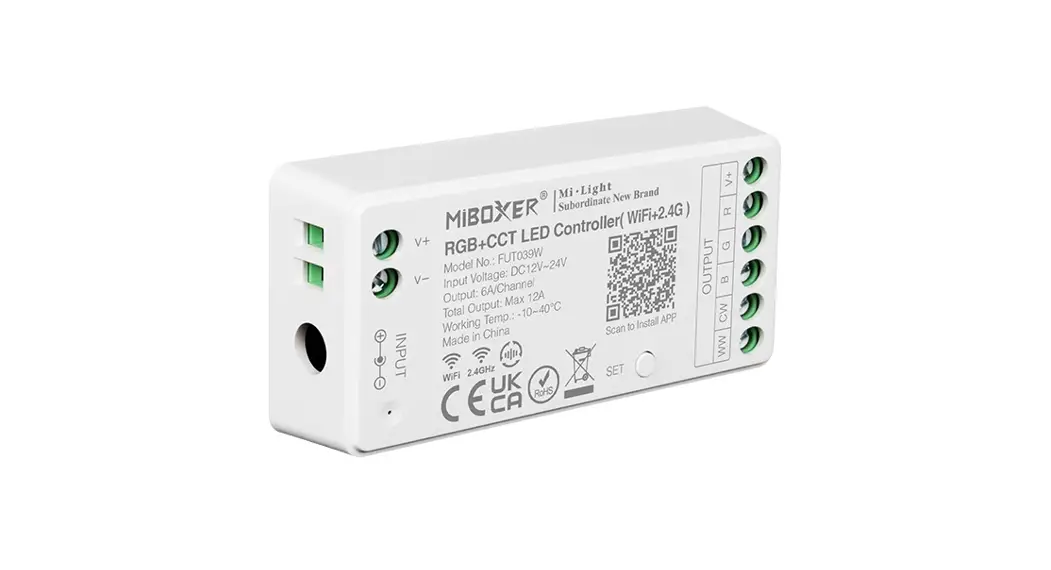
Smart(set) LED strip control system is our newly developed high-end LED controller which can be controlled by wireless remote controller, smart phone, and 4G long distance control (2.4GHz gateway required). The controller has an auto-transmitting and auto-synchronizing function with RGB, RGBW, and RGB+CCT output modes.
This controller adopts the widely used 2.4GHz wireless technology and features low power consumption, long signal transmitting, strong anti-interference, etc. One compatible remote control can control many controllers at the same time. Widely used for controlling hotel and residential lighting applications.
Technical Data
Controller
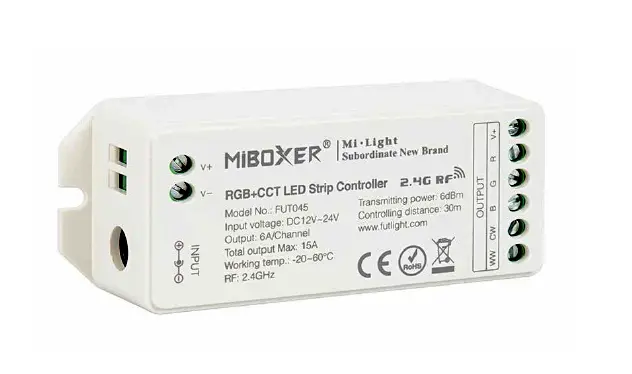
Model No.: FUT043 / FUT044 / FUT045
Working Voltage: DC 12V~24V
Output Max: 6A/Channel
Total Output Max: 15A
Working Temperature: -20~60°C
RF: 2.4GHz
Max Controlling Distance: 30m
Output Connection: Common anode
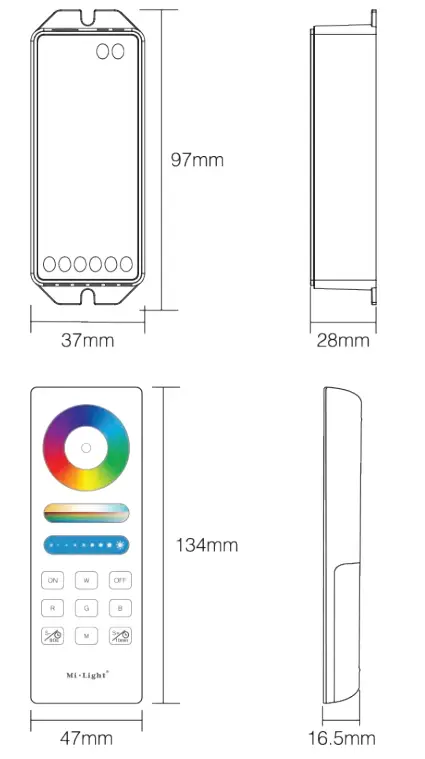
Size: 37 x 28 x 97mm
Remote Control
Model No.: FUT088
Working Voltage: 3V (2x AAA Battery)
Transmitting Power: 6dBm
Standby Power: 20uA
Working Temperature: -20~60°C
Radio Frequency: 2400-2483.5MHz
Modulation Method: GFSK
Control Distance: 30m
Size: 47 x 16.5 x 134mm
Product Key Diagram
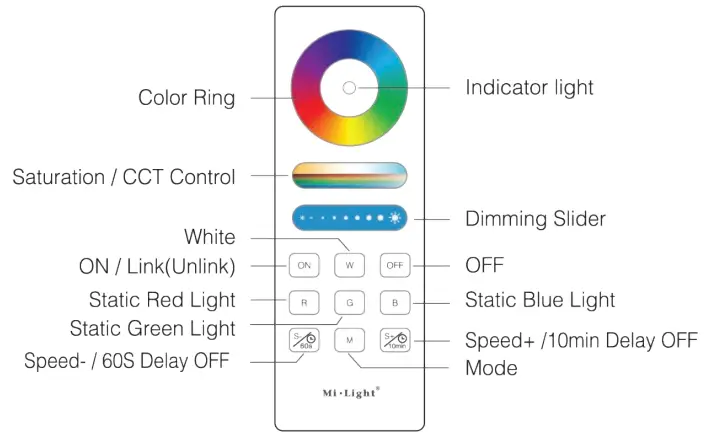
 | Touch the color ring to change colors. |
 | Under white light mode, adjusts color temp. Under color light mode, changes color saturation. |
 | Slide the brightness slider to adjust the brightness. |
ON | Touch ON button, turns on the linked device |
OFF | Touch OFF button, turns off the linked device |
W | Press for white light. |
R | Static red light. |
G | Static green light. |
B | Static blue light. |
M | Switch between dynamic modes |
 | Slow the speed in dynamic mode. In static mode, press and hold for 2 secs. The light shines for 60 secs. |
 | Increases the speed in dynamic mode. In static mode, press and hold for 2 secs. The light shines for 10 mins. |
Auto-synchronization Function
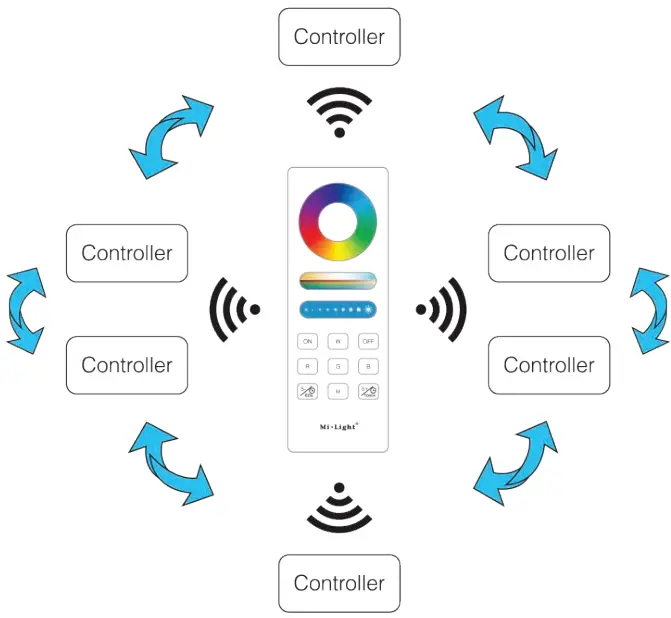
Different controllers can work synchronously when they are started at different times, controlled by the same remote, under the same dynamic mode and with the same speed.
Note:
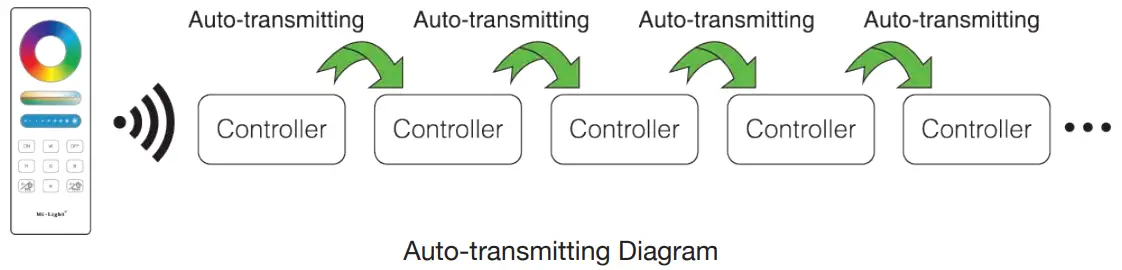
 Indicates auto-transmitting.
- Controller will be auto-synchronizing in the same dynamic modes and within 30m controlling distance.
 Indicates auto-transmitting.
Auto-transmitting Function
One strip controller can transmit the signals from the remote control to another controller within 30m, as long as there is a strip controller within 30m, the remote control distance can be limitless.
Dynamic Modes
| No. | Dynamic Mode | Brightness/Speed | Saturation |
| 1 | Seven colors gradually change | Adjustable | Adjustable |
| 2 | White light gradually changes | Not Adjustable | |
| 3 | RGB gradually changes | Adjustable | |
| 4 | Seven color jump to change | ||
| 5 | Jump to change randomly | ||
| 6 | Red light gradually changes + flashes 3 times | ||
| 7 | Green light gradually changes + flashes 3 times | ||
| 8 | Blue light gradually changes + flashes 3 times | ||
| 9 | White light gradually changes + flashes 3 times | Not Adjustable |
Linking & Unlinking
Note: The light can work after linking with the remote controller.
Linking Instructions
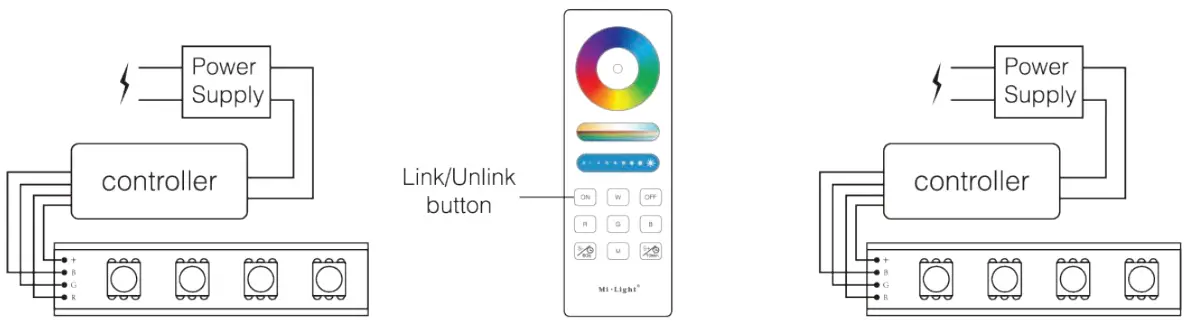 | ||
| Switch OFF the light. Wait 10 seconds and switch ON again. | When the light is on, press ON 3 times within 3 seconds. | The light will blink 3 times slowly indicating linking was successful. |
 If the light does not blink slowly, linking has failed. Please switch OFF the light and follow the above steps again.
Unlinking Instructions
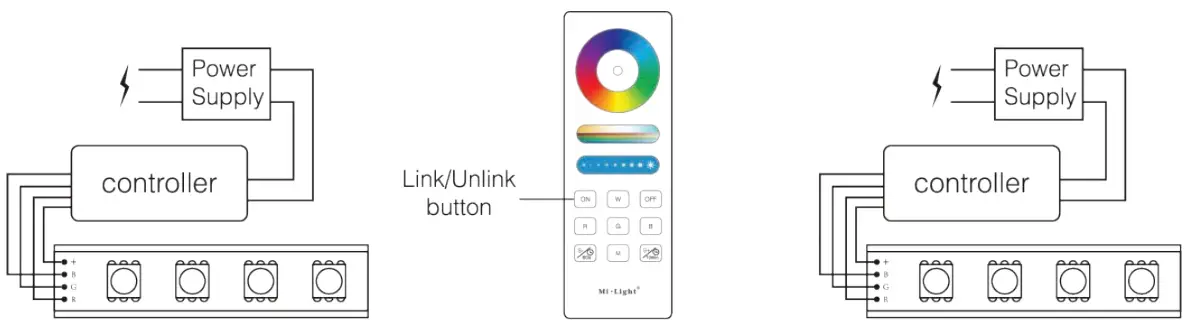 | ||
| Switch OFF the light. Wait 10 seconds and switch ON again. | When the light is on, press ON 5 times within 3 seconds. | The light will blink 10 times quickly indicating unlinking was successful. |
If the light does not blink quickly, unlinking has failed. Please switch OFF the light and follow the above steps again.
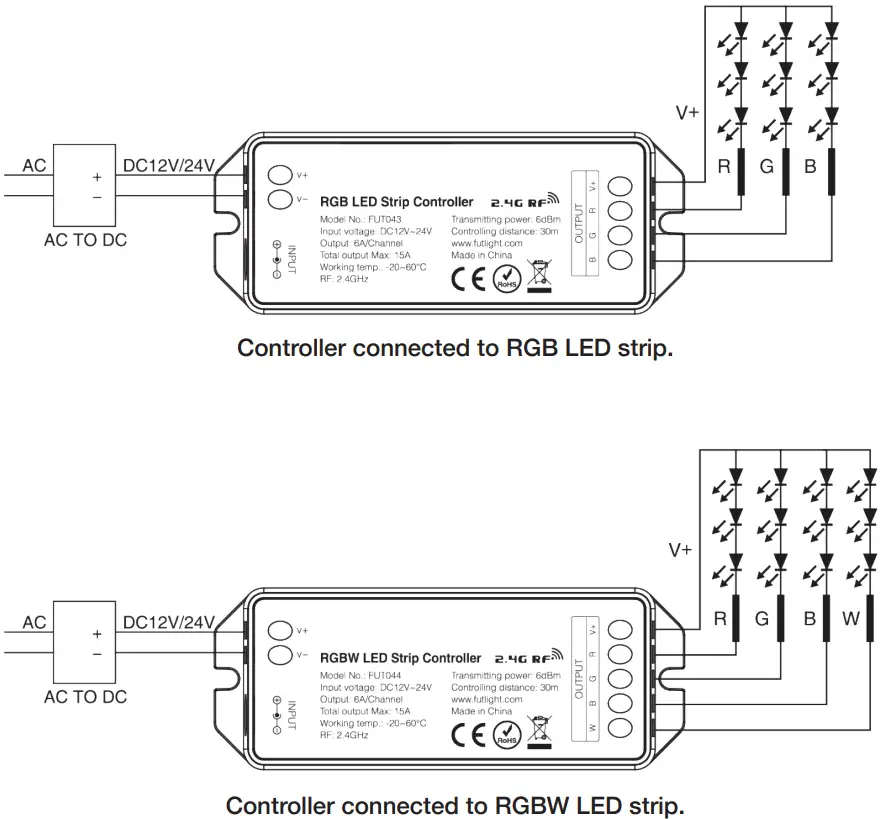
Connection Diagrams
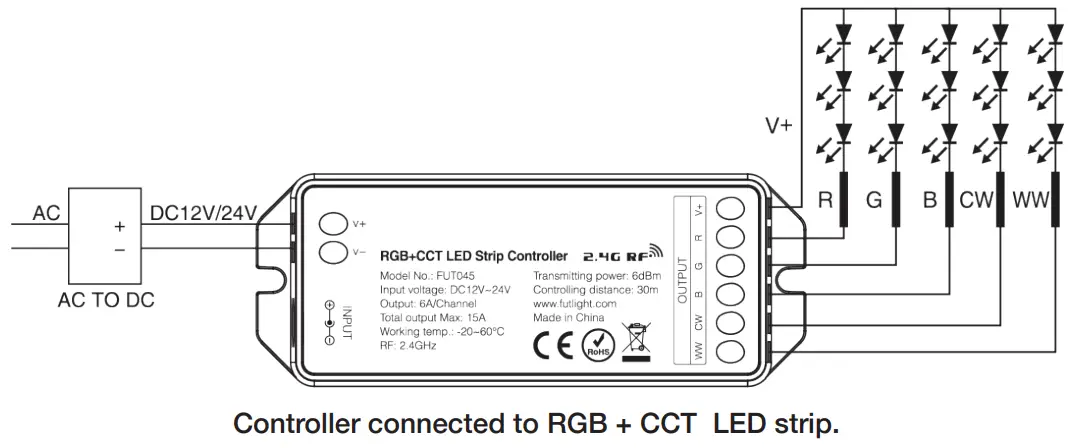
Attention
- Please check whether the input voltage of that constant voltage power supply is in accordance with the controller.
Please check the connection of both the cathode and anode, otherwise the controller will be broken. - DO NOT connect wires with the power ON. Only switch the power ON when the wires are properly connected to avoid a short circuit.
- DO NOT use the controller in areas with lots of metal or strong electromagnetic waves as the remotes distance can be seriously affected.
Web: www.outwater.com
Phone: 1-800-631-8375
 Outwater Industries