
USER
MANUAL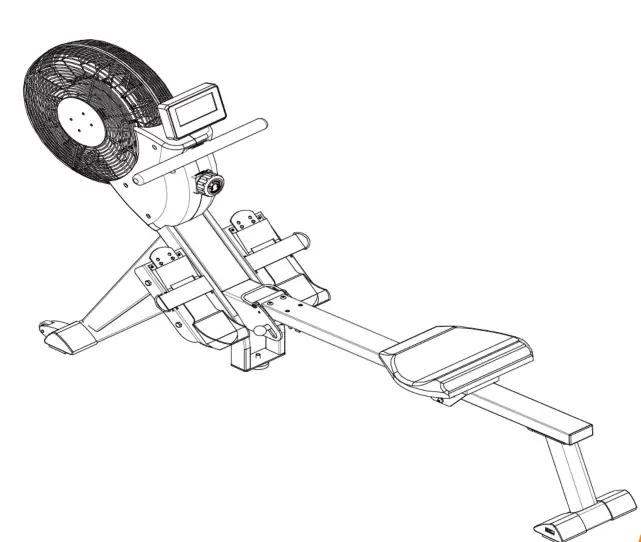 TP-DH-8619
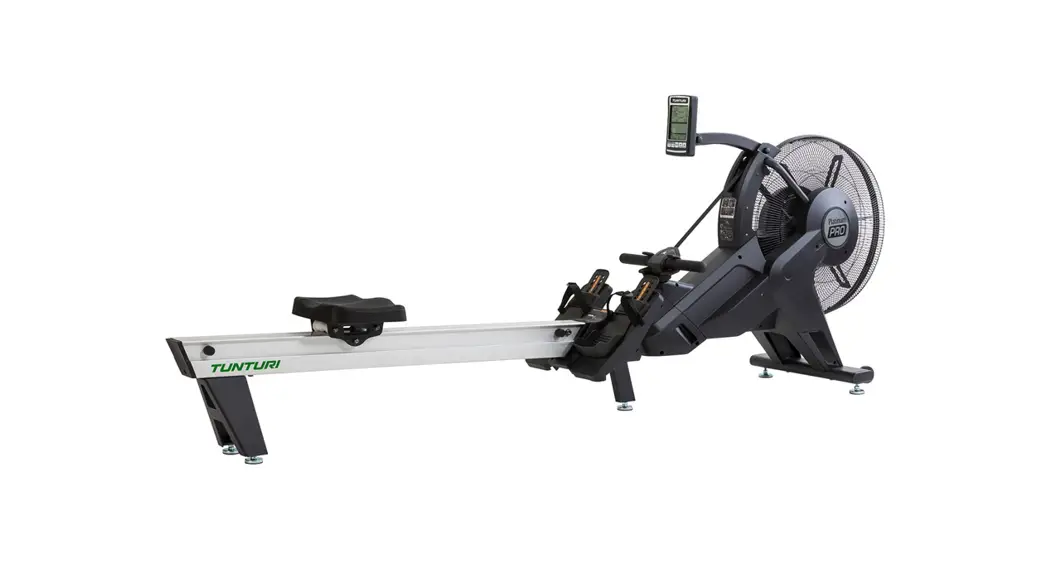
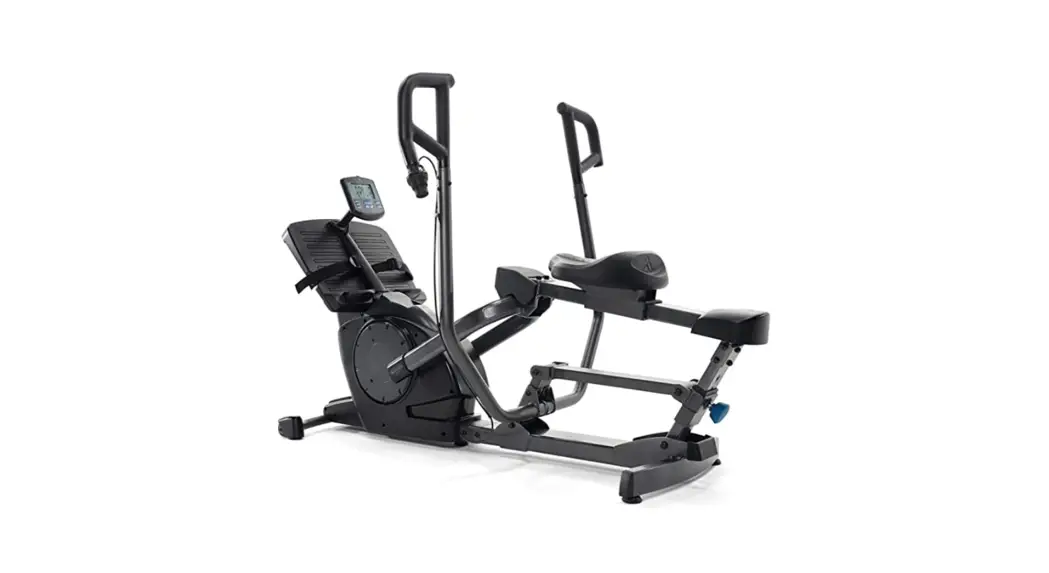
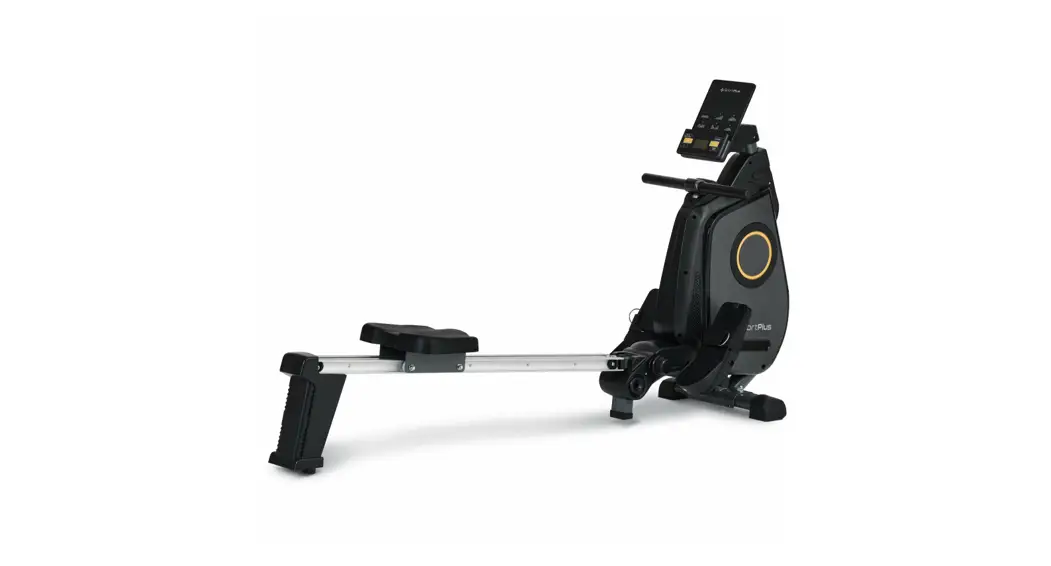
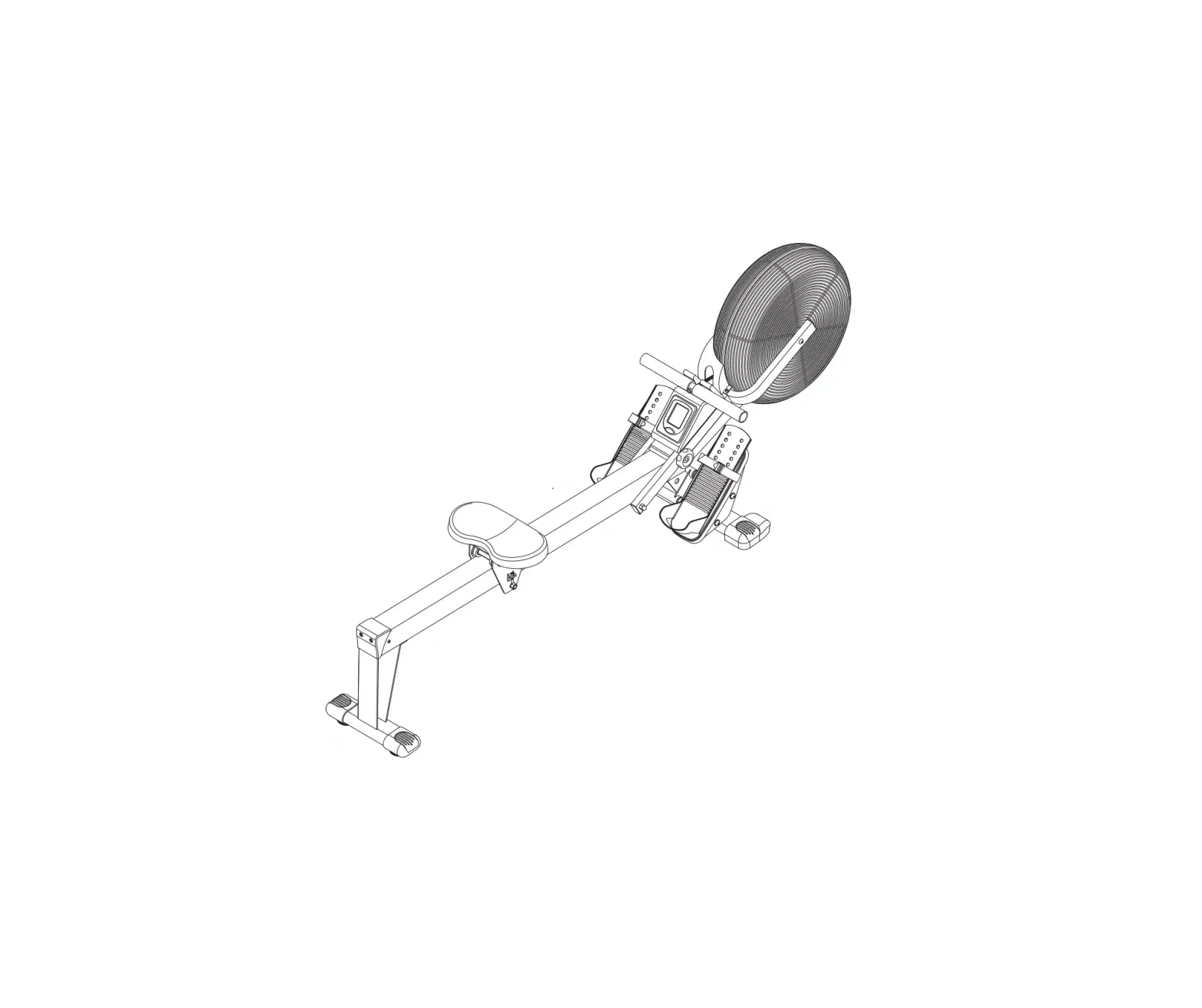
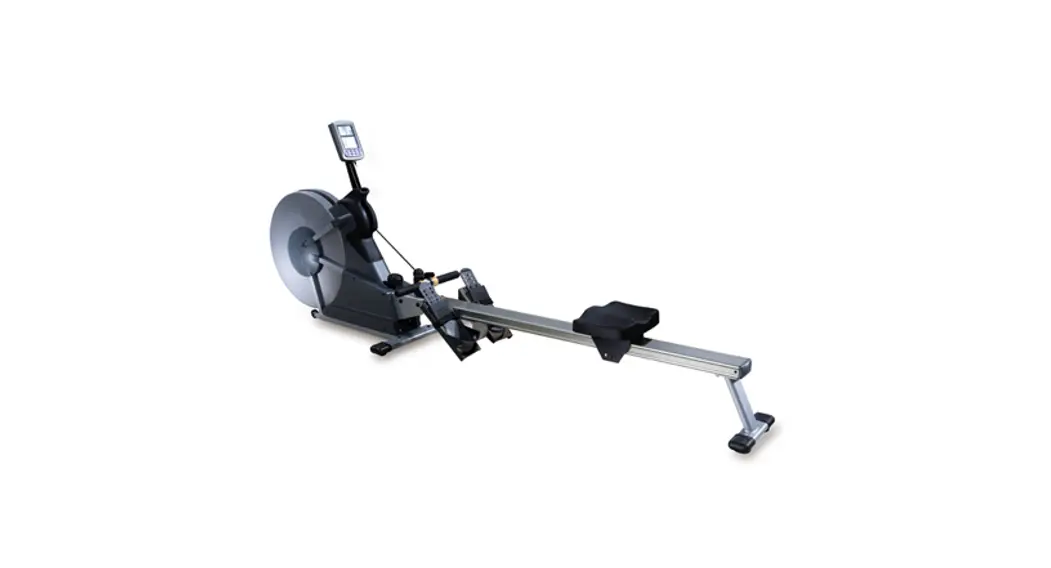
AIR ROWER
A brand of Johnson Health Tec h
https://www.jhta.com.au/consumer-support/
Safety instructions
Thank you for purchasing our products. The correct use of this equipment is your guarantee of safety and health. Please read this manual carefully before installing and using this equipment! Exercises can be made safe and effective only if they are properly installed, maintained, and used.
- Before starting a practice program, consult your doctor to determine your current physical condition and whether it will be hazardous to your health when using this equipment. If you are doing some treatment about heart rate, blood pressure, and cholesterol, then the doctor’s advice is very important.
- Pay attention to some signals from your own body. Incorrect and excessive exercise will hurt your health. If you feel the following discomfort: pain, chest tightness, fast heartbeat, shortness of breath, top-heavy, dizzy, and nausea, stop practicing immediately. If you want to continue your practice program, please consult your doctor first.
- Keep children and pets away from this equipment. This equipment is designed for adults.
- Put a sturdy, flat material at the bottom of the equipment to protect your floor and carpet. For your safety, please ensure that there is at least 0.6m of free space around the equipment.
- Please ensure that the screws and nuts are tightly locked before use and check the product regularly.
- Please use the machine carefully. If you notice any defects when installing or using the equipment, or if you hear any abnormal noise, stop the exercise immediately.Do not continue to use the machine until the problem is resolved.
- Wear fitted clothing during exercise to prevent loose clothing from being shackled or restricting movement.
- Do not put your fingers or other objects in the equipment.
- The maximum load of this product is 136KG (300 lbs).
- This product cannot be used as a medical device.
- Be careful when handling this equipment to avoid unnecessary injury.
- This product is suitable for use in a cool, dry environment. Do not store in extremely cold, hot or humid places as this may corrode the product or cause other problems.
- This product is for indoor use only and is not suitable for commercial use.
Spare parts lists: 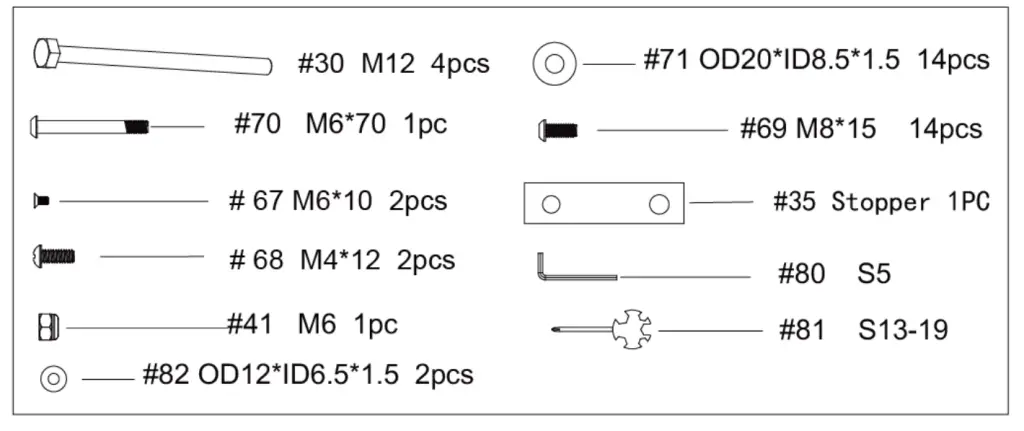
EXPLODED-VIEW & PARTS LIST 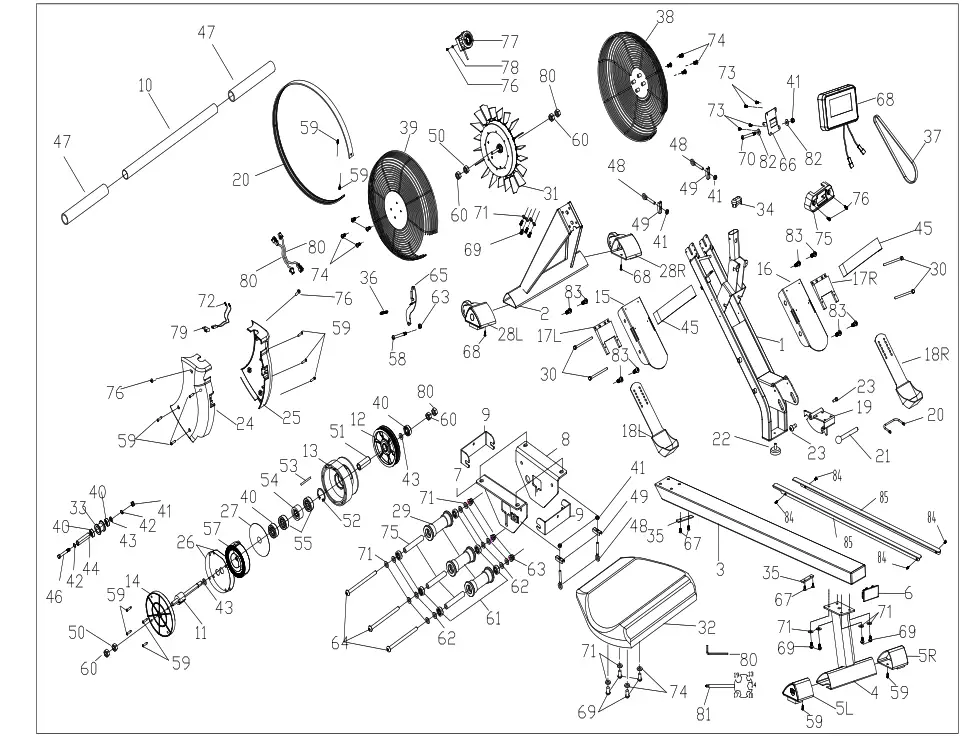
| NO | DES. | Specification | Qt y | NO | DES. | Specification | Qt y | |
| 1 | Main Frame | 1 | 43 | Wave washer | d10*Φ15*0.3 | 2 | ||
| 2 | Front Stabilizer | 1 | 44 | Wheel casing | Ø10*Ø6.2*40 | 1 | ||
| 3 | Seat Bracket | 1 | 45 | Pedal webbing | 2 | |||
| 4 | Rear Stabilizer | 1 | 46 | Hex Bolts | M6*55*15*S10 | 1 | ||
| 5 | rearfoot tube plug | 2pcs=1set | 2 | 47 | Form Grip | 2 | ||
| 6 | Seat Bracket plug | 1 | 48 | Adjustment lever 1 | 4 | |||
| 7 | Connecter for Seat right support plate | 1 | 49 | Chained U shape | 30*10*T1.5 | 4 | ||
| 8 | Seat right support plate | 1 | 50 | Hex nuts | M10*1.0 | 4 | ||
| 9 | U-shaped baffle | 2 | 51 | One-way bearing sleeve | ф17*44 | 1 | ||
| 10 | Handrail tube | 1 | 52 | washer | d36 | 1 | ||
| 11 | connecter for Ribbon and wheel axle | Φ22*130 | 1 | 53 | Webbing fixed shaft | Φ5*43 | 1 | |
| 12 | Belt pulley | Φ26*104 | 1 | 54 | One-way bearing | ф35*d17*16 | 1 | |
| 13 | Ribbon wheel assembly | Φ35*110 | 1 | 55 | Bearing | 16003-2RS Φ35*Φ10*11 | 2 | |
| 14 | Scroll spring cover | Φ PA66+20%纤 | 1 | 56 | Bearing | 6300-2RS Φ35*Φ10*11 | 1 | |
| 15 | Fixed foot pedal | 1 | 57 | Scroll spring | t0.5*22*5080 | 1 | ||
| 16 | Fixed foot pedal 1 | 1 | 58 | Hexagon socket head screw | M8*40*15*S5 | 1 | ||
| 17 | Pedal connecter | 2 | 59 | Cross recessed pan head tapping screws | ST4.2*16*Φ8 | 12 | ||
| 18 | Pedals | 2 | 60 | Hex flange nut | M12*1.0 | 4 | ||
| 19 | Rotating connector | 1 | 61 | Bearing | 6008-2Z | 6 | ||
| 20 | Pull handle | 1 | 62 | Roller spacer | d8*φ15*4 | 6 | ||
| 21 | plug | 1 | 63 | Nut | M8*H7.5*S13 | 4 | ||
| 22 | Footpad | Φ52*40*M10 | 1 | 64 | Hex bolts | M8*125*15 *S14 | 3 | |
| 23 | Hexagon socket head screw | 2 | 65 | Magnetic plate | 1 | |||
| 24 | Protective cover left | 1 | 66 | Electronic watch fixed piece | 1 | |||
| 25 | Protective cover right | 1 | 67 | Countersunk Phillips screw | M6*10 | 4 | ||
| 26 | Outside cover for the wheel | Φ89*Φ16.5*0.5 | 1 | 68 | Console | 1 | ||
| 27 | Board of Ribbon wheel | Φ111*Φ16*0.5 | 1 | 69 | Hexagon socket head cap screws | M8*15*S5 | 18 | |
| 28 | front foot tube plug | 2pcs=1set | 2 | 70 | Roundhead hexagon socket head cap bolt | M6*70 | 1 | |
| 29 | Roller wheel | 3 | 71 | Flat gasket | ф16*ф8.5*1.5 | 26 | ||
| 30 | Hex bolts | M12*155*25 *S19 | 4 | 72 | Sensor with strip | 2 | ||
| 31 | Fan leaf | 1 | 73 | Roundhead Phillips screw | M5*12 | 4 | ||
| 32 | Seat | 1 | 74 | Hexagon socket head screw | M6*35*15*S5 | 8 | ||
| 33 | wheel for Ribbon belt | 115*110*34.5 | 1 | 75 | Armrest fixing pad | 104*50*18 | 1 | |
| 34 | elliptical tube plug | 60*30*1.5 | 1 | 76 | Roundhead Phillips screw | M5*12 | 4 | |
| 35 | Rubber pad | 2 | 77 | Sixteen fine-tuning | 1 | |||
| 36 | spring | 1 | 78 | washer | D6*Φ12*1.5 | 1 | ||
| 37 | Belt | 1 | 79 | Sensor seat | 1 | |||
| 38 | Net cover Right | 1 | 80 | hexagonal wrench | S5 | 1 | ||
| 39 | Net cover Left | 1 | 81 | Open-end wrench | S10-S19 | 1 | ||
| 40 | Bearing | 6000 | 3 | 82 | washer | d6.5*Φ12*1.5 | 2 | |
| 41 | Nut | M6*H6*S10 | 5 | 83 | Cross recessed flat head screw | M4*15 | 10 | |
| 42 | Shaft circlip | D10 | 2 | 84 | Strake | 1 |
Assembly instructions 
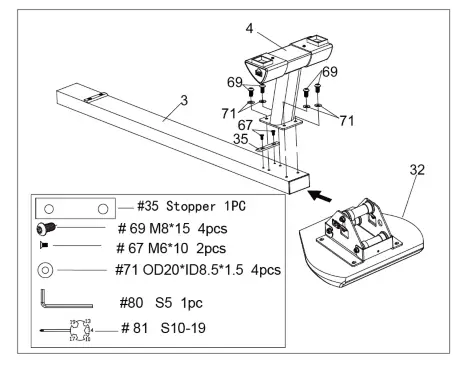
Step 1:
Turn over the Seat Bracket (#3) and Seat ( #32) like the picture show. Use 2pcs M6*10(#67) to lock 1pc(#35) to with the Seat Bracket(#3). Then connect the Rear Stabilizer (# 4) with the Seat Bracket (#3) by using 4pcs M8*15(#60) and 4pcs Flat gasket (#71) 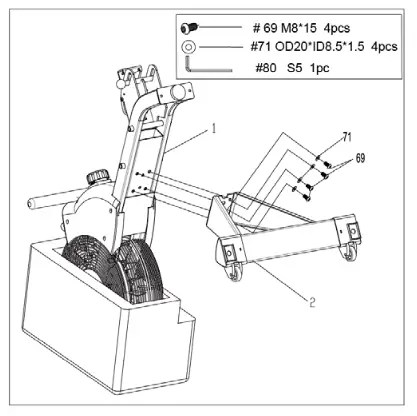
Step 2:
Connect the Front Stabilizer (#2 )with Main Frame (#1 )by using 4 pcs M8*15(#69) and 4pcs Flat gasket (#71), and locked by S5 (#80)
Note: The frame has a package of Styrofoam in the middle of the assembly. When assembling, the front roller is facing downwards. After tightening the screws, standing up and removing the Styrofoam 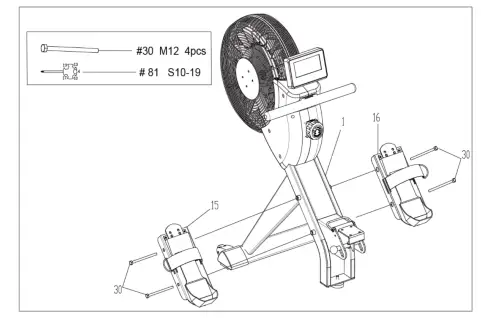
Step 3:
Use M12 Hex flange nut(#30) to through the panels and then lock on the Main Frame (#1 ), and then use the wrench(#81) to lock.
Note: Please distinguish the left and right foot pedals
Assembly instructions 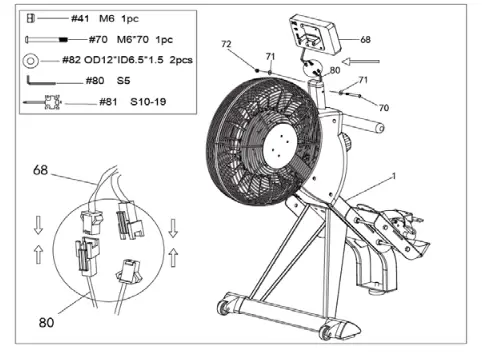
Step 4:
First, connect the two wire terminals, and then connect the Console ( #68 ) with the Main Frame (#1). Insert the M6*70 screw (#70) and OD12*ID6.5*1.5 washer (#82) into the hole, screw the Nut (#41 )into the screw (#70). Finally, using the S5(#80) and S10-19(#81) to lock. 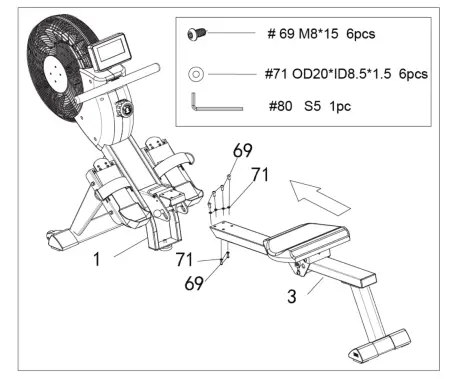
Step 5:
Firstly, put the Seat Bracket (#3 ) into Main The frame (#1), and then put the 6pcs M8*15 (#69 ) and 6pcs OD20*ID8.5*1.5 (#71 )into the hole, lock them with wrench S5 (#80 ) Assembly is complete! Please confirm if all screws are tightened
Adjustment guide 


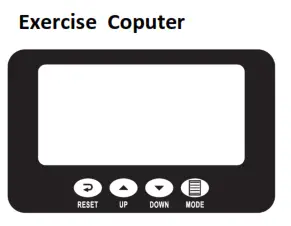
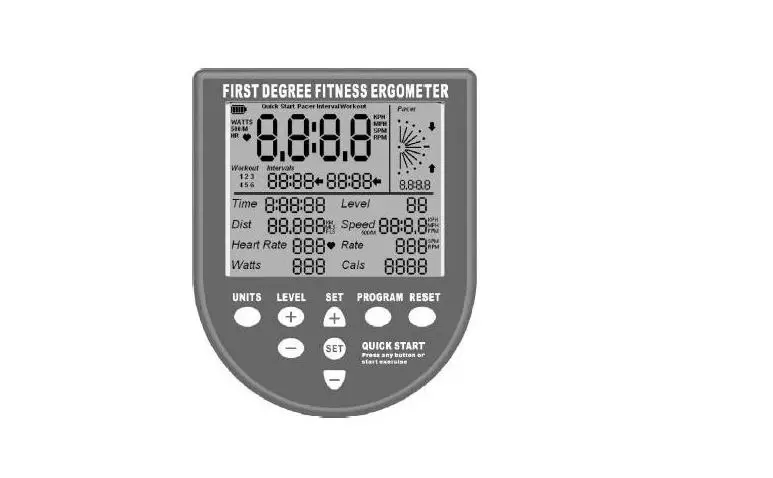
FUNCTIONAL BUTTONS:
MODE – Push down for selecting functions.
UP – In setting status, press this button to increase the setting value in the relevant flashing window for TIME, COUNT, CAL, DIST
DOWN – In setting status, press this button to decrease the setting value in the relevant flashing window for TIME, CONT, CAL,
DIST
RESET – Push down for resetting count 、time 、dist and calories.
FUNCTION AND OPERATIONS:
- COUNT: (1)Accumulate the steps while exercising. (2)Press the “MODE” button until“Count” appears, Press the “UP/DOWN” button to set exercise Count. When the SET is zero, the computer will stop about 1 second after the start of the time.
- RPM: Display the steps per minute while exercising.
- TIME: (1) Count the total time from exercise start to end. (2)Press the “MODE” button until“TIME” appears, press the “UP/DOWN” button to set exercise time.
When the“SET” is zero, the computer will stop 1 second after the start of the time - DIST: (1) Count the distance from exercise start to end. (2)Press the “MODE” button until“DIST” appears, press the “UP/DOWN” button to set exercise distance.
When the“SET” is zero, the computer will stop about 1 second after the start of the time. - CALORIES: (1) Count the total calories from exercise start to end. (2)Press the “MODE” button until“CAL” appears, press the “UP/DOWN” button to set exercise calories. When the SET is zero, the computer will stop about 1 second after the start of the time
- TEMP: (1) The monitor will display current room temperature when the monitor is in sleep mode. (2)Press the “MODE” button until“TEMP” appears, Press the “UP/DOWN” button to set ℉/ ℃
NOTE:
- If the display is faint or shows no figures, please replace the batteries.
- The monitor will automatically shut off if there is no signal received after 4 minutes.
- The monitor will be auto-powered on when starting to exercise push-button w/signal in.
- The monitor will automatically start calculating when you start to exercise and will stop calculating when you stop exercising for 4 seconds
SPECIFICATIONS:
| COUNT | 0-999 | |
| RPM | 0-999 | |
| TIME | 00:00’~99:59’ | |
| DIST | 0.00~999(ML)KM | |
| CALORIES | 0.0~999kCAL | |
| BATTERY TYPE | 2pcs of SIZE –AAA or UM –4 | |
| OPERATING TEMPERATURE | 0°C ~ +40°C | |
| STORAGE TEMPERATURE | -10°C ~ +60°C | |
Beginners Guidelines
If you’re beginning an exercise program, you should check with your doctor if:
You have been diagnosed with heart problems, high blood pressure or other medical conditions.
You have not exercised for over a year.
If you are over 35 and do not currently exercise.
You are pregnant.
You have diabetes.
You have chest pain, or experience dizziness or fainting spells.
You are recovering from an injury or illness.
WORKOUT TIPS
Always perform stretching exercises both before and after your workout. Start slowly, doing too much or too soon can lead to injuries. If you are sore or tired, give yourself a few extra days to recover.
HOW TO BEGIN
Start with two or three 15 minute sessions per week with a rest day between workouts. Warm up for 5 to 10 minutes with gentle movements like walking or swinging your arms in a circle and then stretch the muscles that you’ll use during your workout. Increase the pace and resistance to a little harder than comfortable and exercise as long as you
can. You may only be able to exercise for a few minutes at a time, but that will change quickly you exercise regularly. End each workout with a 5-minute cool-down period at a gradually reducing pace. You should then stretch the muscles you’ve just worked to prevent injury and cramp. Increase your workout time by a few minutes each week until you can work continuously for 30 minutes per session. Don’t worry about distance or pace. For the first few weeks, focus on endurance and conditioning.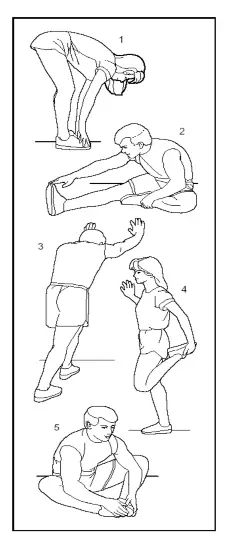 Stretching Tips
Before running, the user should do 5-10 minute’s warm-up exercise as follows:
Toe touches
Slowly bend forward from your waist, letting your back and shoulder relax as you stretch toward your toes. Reach down as far as you can and hold for 15 seconds.
Hamstring stretches
Sit with your right leg straight in front of you. Straighten your leg out while trying to hold on to your outstretched leg with your hand. Starting up with your back straight. Slowly exhale and try to bring your chest to the knee of your outstretched leg. Hold, then repeat on the other side for 15 seconds. Calf/Achilles stretch
Lean against a wall with your left leg in front of the right and your arms forward. Keep your right leg straight and the left foot on the floor; then bend the left leg and lean forward by moving your hips toward the wall. Hold, then repeat on the other side for 15 seconds.
Quadriceps stretch
With one hand against a wall for balance, reach behind you and pull your right foot up. Bring your heel as close to your buttocks as possible. Hold for 15 counts and repeat with left foot up.
Inner thigh stretch
Sit with the soles of your feet together with your knees pointing outward. Pull your feet as close to your groin as possible. Gently push your knees toward the floor. Hold for 15 counts.
Johnson Health Tech Australia
78 Logis Boulevard
Dandenong South VIC 3175
For any customer service support,
please call 1300 760 601 or
log on to https://www.jhta.com.au/consumer-support/
© 2018 Johnson Health Tech Australia.
All Rights Reserved.
Product specifications subject to change without notice.