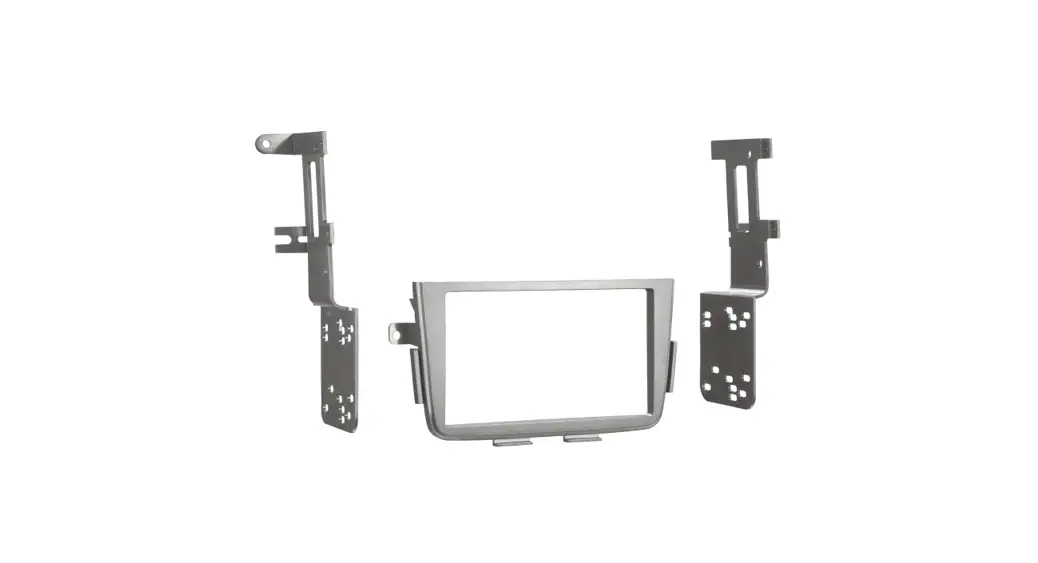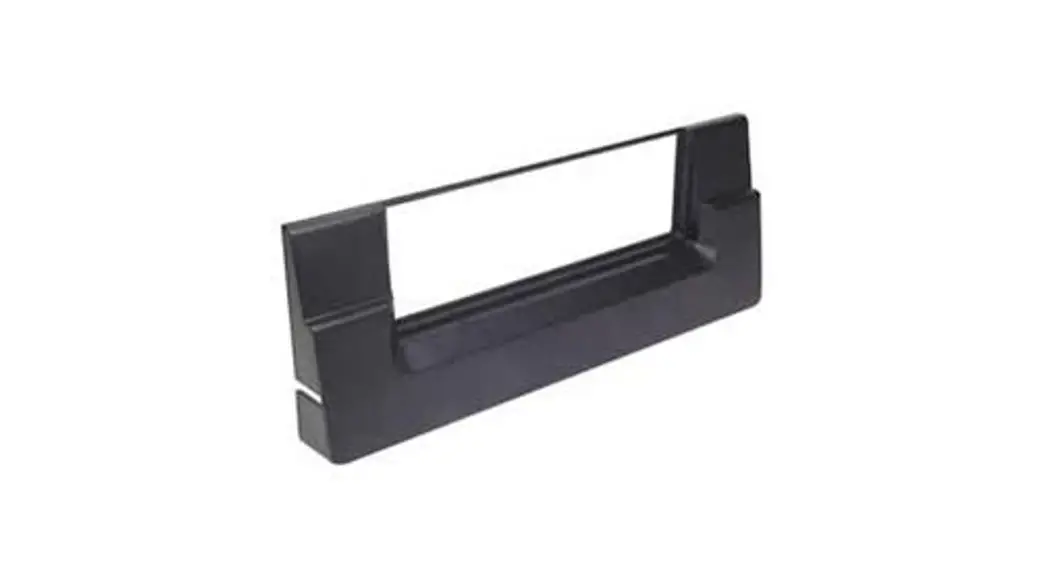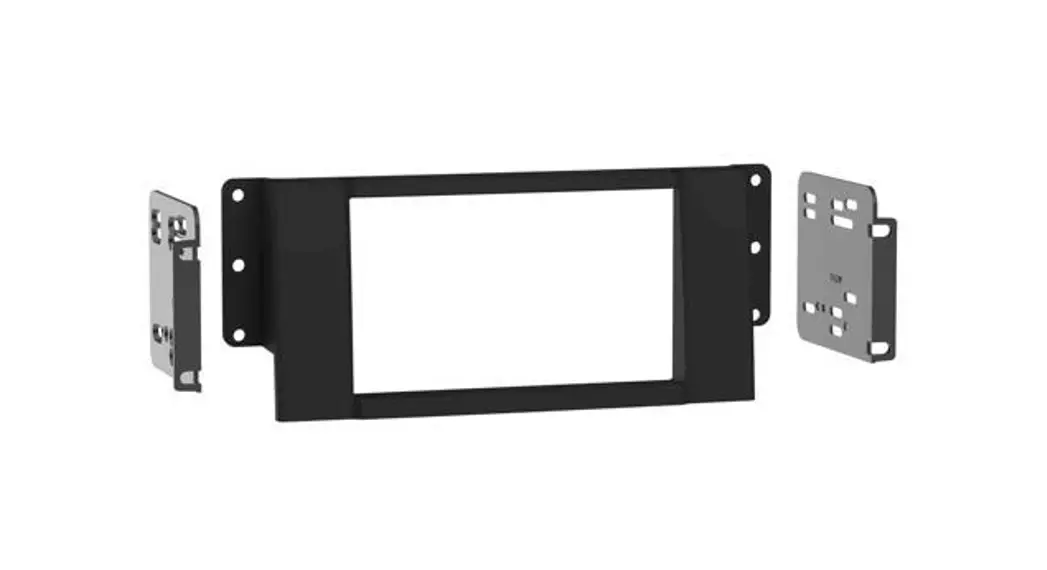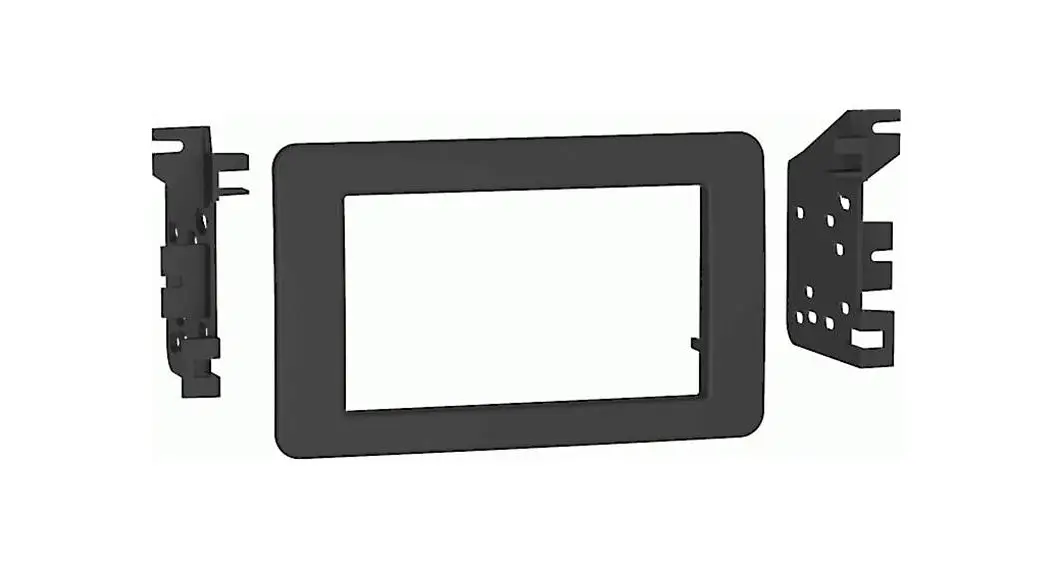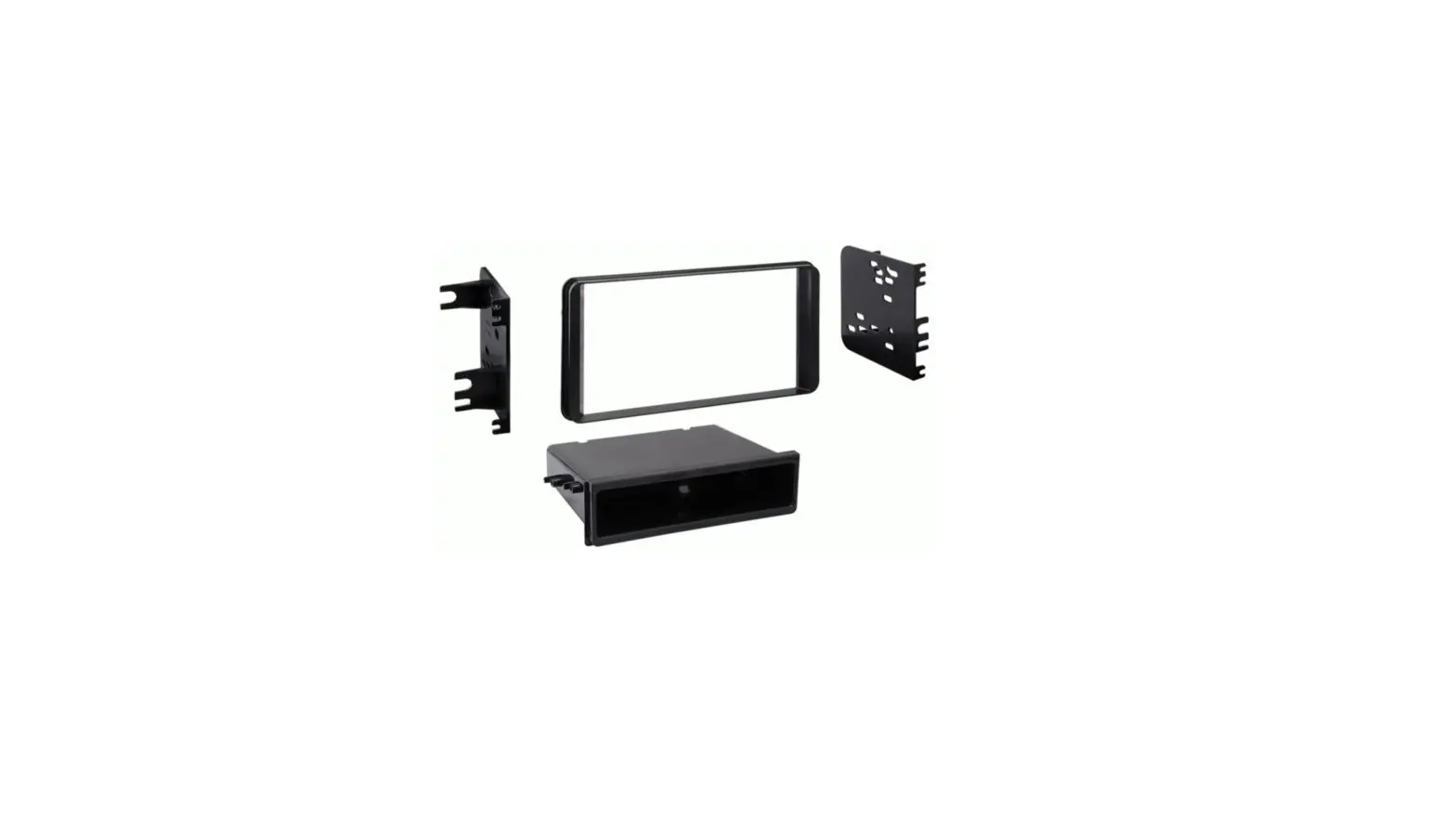
 DW-7401 Dash Kit
Instruction Manual
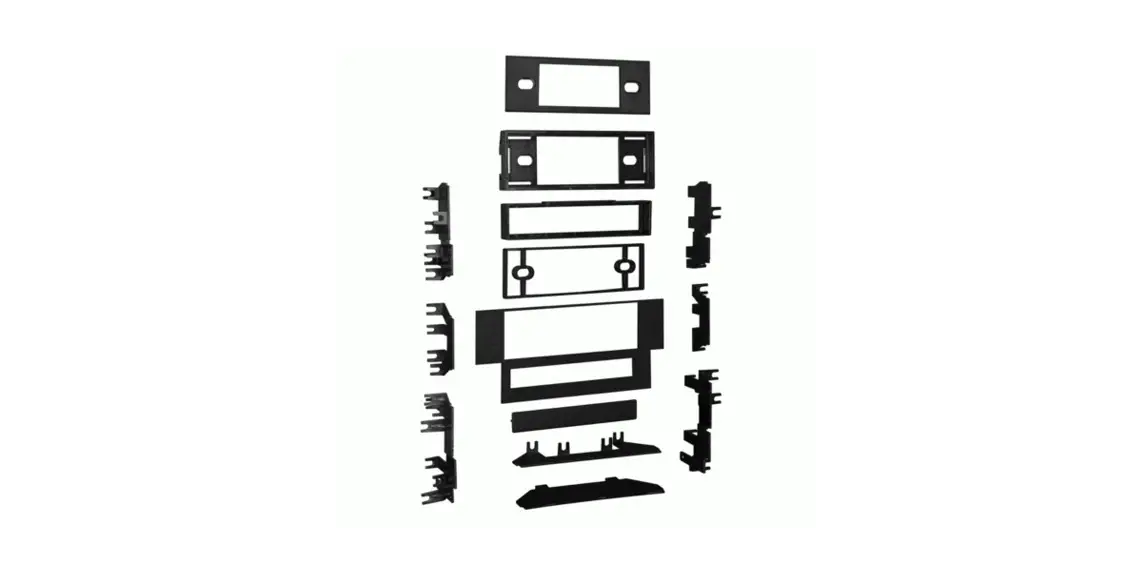
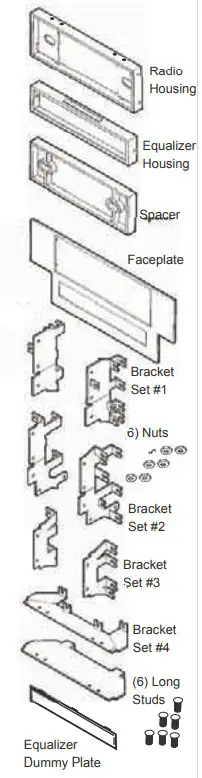
KIT COMPONENTS
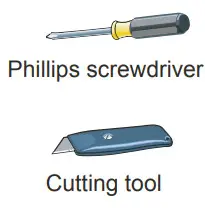
TOOLS REQUIRED
NISSAN 200SX 1984-88
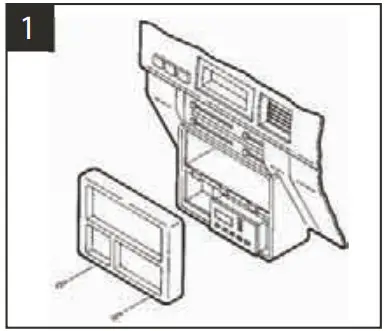
Disconnect the negative battery terminal to prevent an accidental short circuit. Remove (1) #10 Phillips screws from each side of the center console. Unsnap the coin tray and remove (2) #10 Phillips screws exposed. Lift the storage box carpet out and remove (2) #10 Phillips screws exposed. Remove the ashtray and (2) #8 Phillips screws exposed. Remove the dash trim bezel. Remove (4) screws securing the factory head unit and disconnect the wiring.
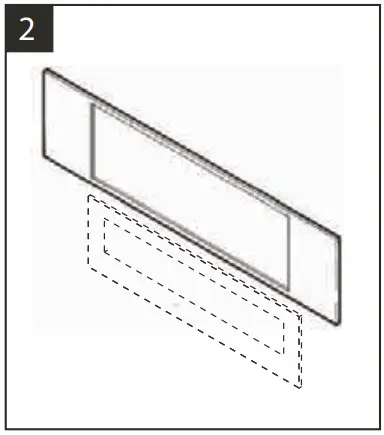
Using the scored lines as a guide, cut and remove the dashed portions of the Faceplate.
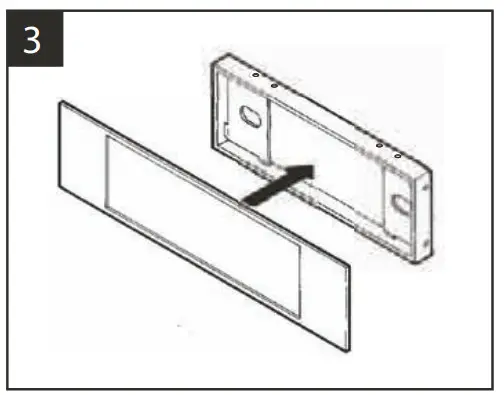
Snap the converted Faceplate onto the front of the Radio Housing.
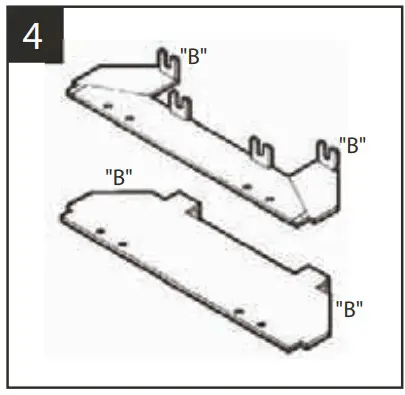
Cut and remove all mounting tabs on Bracket Set #4 EXCEPT tabs “B”. The mounting tabs can be identified by the stamped letter on the back of each tab.
Skip to the Installation Instructions for ALL VEHICLES on Page #14.
NISSAN Altima 1993-97
(IF KEEPING THE FACTORY CUPHOLDER IS NOT DESIRED)
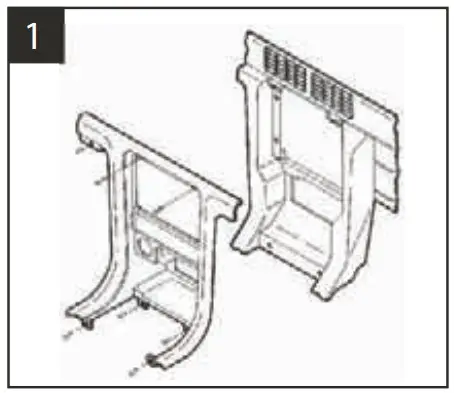
Disconnect the negative battery terminal to prevent an accidental short circuit. Remove the gear shifter cover and (4) the Phillips screws exposed. Remove (2) Phillips screws from the driver’s side knee bolster and lower the panel. Remove (1) screw exposed on the left corner of the dash trim bezel. Remove (2) screws above the radio opening and gently unclip the bezel. Remove (4) screws securing the factory head unit and disconnect the wiring.
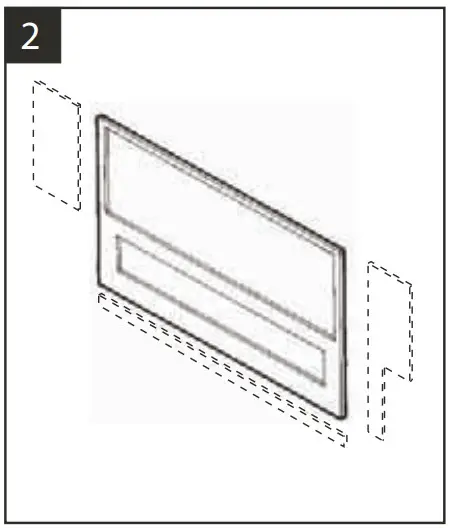
Using the scored lines as a guide, cut and remove the dashed portions of the Faceplate.
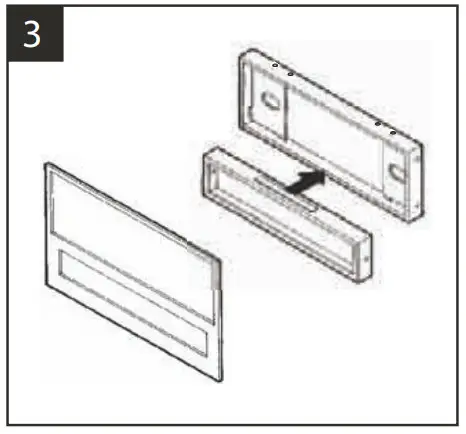
Slide the Equalizer Housing onto the bottom of the Radio Housing and snap the converted Faceplate onto the front of the Housing.
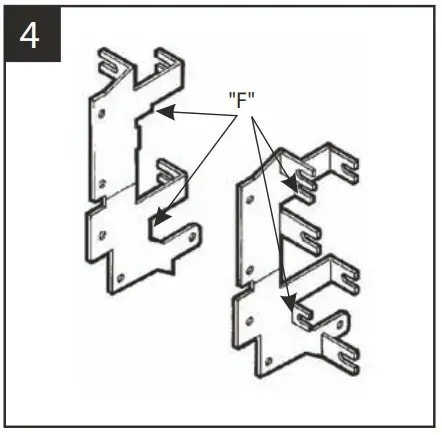
Cut and remove all mounting tabs on Bracket Set #2 EXCEPT tabs “F”. The mounting tabs can be identified by the stamped letter on the back of each tab. Skip to the Installation Instructions for ALL VEHICLES on Page #14.
NISSAN Altima 1993-97
(IF KEEPING THE FACTORY CUPHOLDER IS DESIRED)
Disconnect the negative battery terminal to prevent an accidental short circuit. Remove the gear shifter cover and (4) the Phillips screws exposed. Remove (2) Phillips screws from the driver’s side knee bolster and lower the panel. Remove (1) screw exposed on the left corner of the dash trim bezel. Remove (2) screws above the radio opening and gently unclip the bezel. Remove (4) screws securing the factory head unit and disconnect the wiring.
Using the scored lines as a guide, cut and remove the dashed portions of the Faceplate.
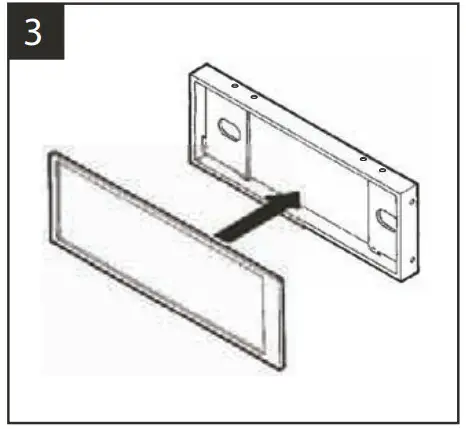
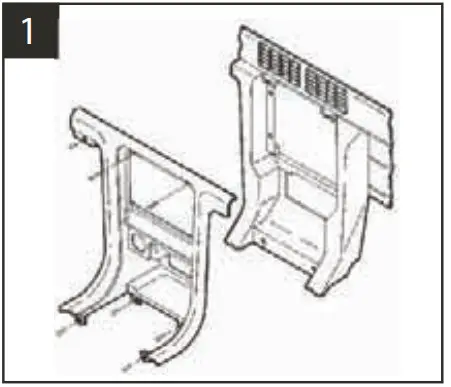
Snap the converted Faceplate onto the front of the Housing.
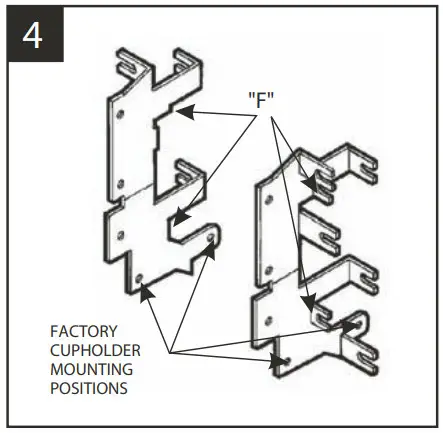
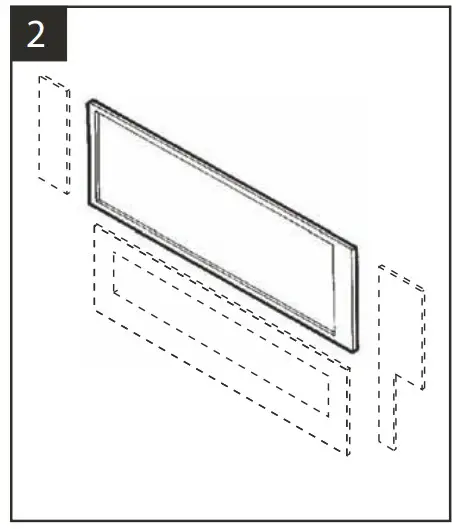
Cut and remove all mounting tabs on Bracket Set #2 EXCEPT tabs “F”. The mounting tabs can be identified by the stamped letter on the back of each tab.
Mount the cupholder to the Brackets during the kit assembly in step #5 using the mounting positions indicated above. Skip to the Installation Instructions for ALL VEHICLES on Page #14.
NISSAN Hardbody Pickup / Pathfinder 1986-85
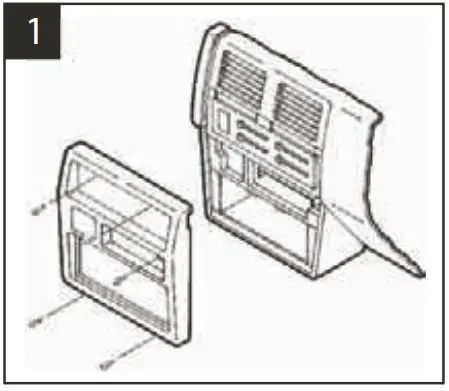
Disconnect the negative battery terminal to prevent an accidental short circuit. Remove the ashtray and (1) screw exposed in the top-right corner. Remove (2) Phillips screws above the climate controls. Remove (2) Phillips screws from the bottom of the dash trim bezel. Unsnap the bezel and disconnect the cigarette lighter wiring.
Remove (4) screws securing the factory head unit and disconnect the wiring.
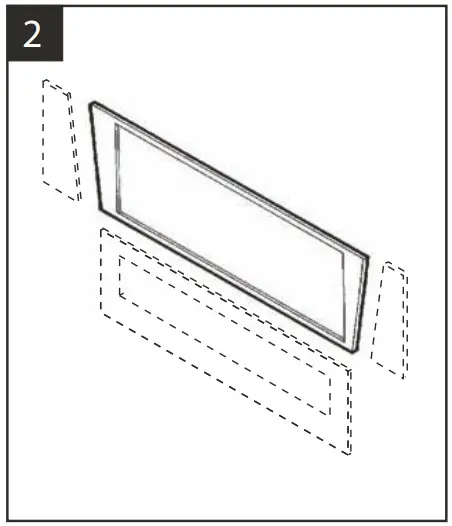
Using the scored lines as a guide, cut and remove the dashed portions of the Faceplate.
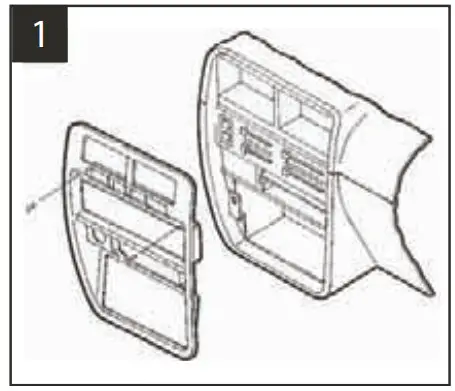
Snap the converted Faceplate onto the front of the Radio Housing.
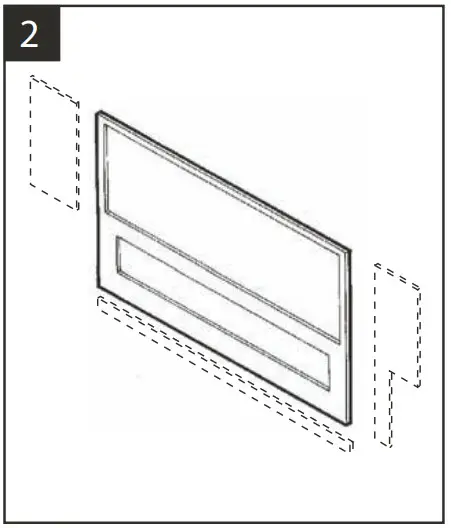
Cut and remove all mounting tabs on Bracket Set #4 EXCEPT tabs “A”. The mounting tabs can be identified by the stamped letter on the back of each tab. Skip to the Installation Instructions for ALL VEHICLES on Page #14.
NISSAN Hardbody Pickup / Pathfinder 1994-97
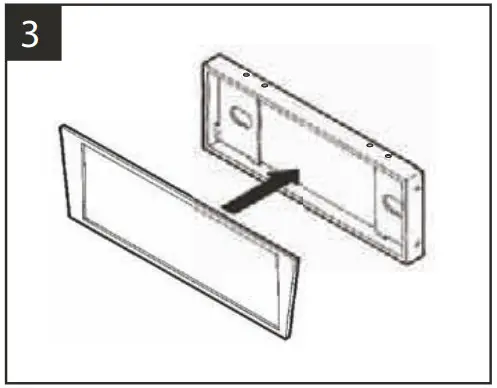
Disconnect the negative battery terminal to prevent an accidental short circuit. Remove (2) screws above the radio opening. Remove the ashtray. Unclip the dash trim bezel and remove it. Remove (4) screws securing the factory head unit and disconnect the wiring.
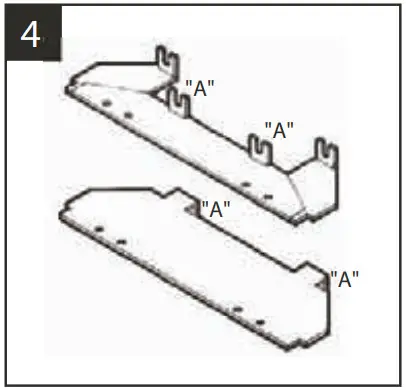
Using the scored lines as a guide, cut and remove the dashed portions of the Faceplate.
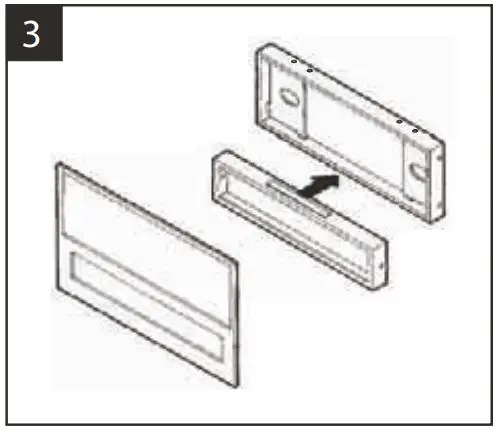
Slide the Equalizer Housing onto the bottom of the Radio Housing and snap the converted Faceplate onto the front of the Housing.
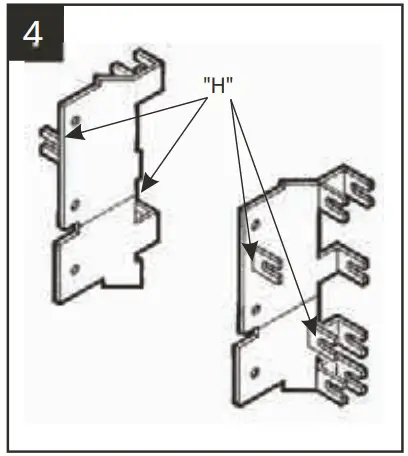
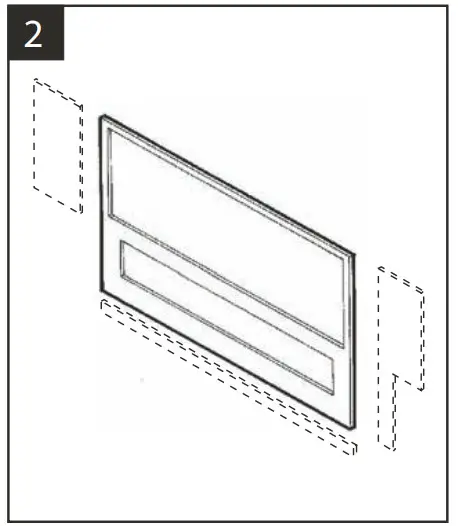
Cut and remove all mounting tabs on Bracket Set #1 EXCEPT tabs “H”. The mounting tabs can be identified by the stamped letter on the back of each tab.
Skip to the Installation Instructions for ALL VEHICLES on Page #14.
NISSAN Maxima 1987-88
Disconnect the negative battery terminal to prevent an accidental short circuit. Remove (2) Phillips screws from the bottom of the dash trim bezel. Remove (2) Phillips screws above the radio opening. Unsnap the dash trim bezel and disconnect the defroster and rear wiper wiring. Remove (4) screws securing the factory head unit and disconnect the wiring.
Using the scored lines as a guide, cut and remove the dashed portions of the Faceplate.
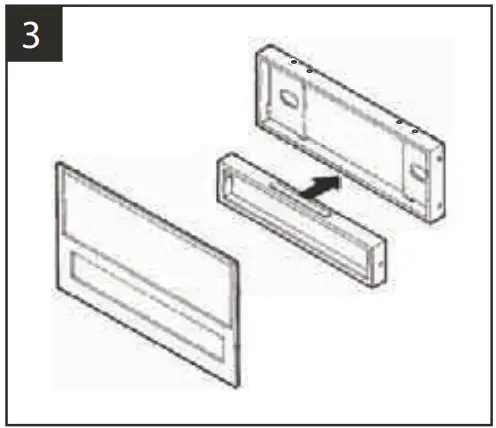
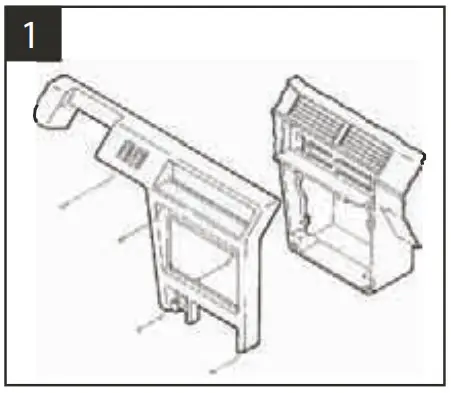
Slide the Equalizer Housing onto the bottom of the Radio Housing and snap the converted Faceplate onto the front of the Housing.
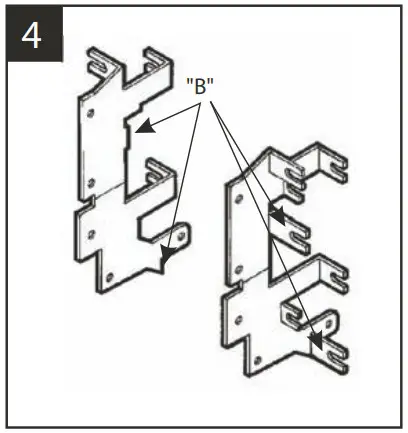
Cut and remove all mounting tabs on Bracket Set #2 EXCEPT tabs “B”. The mounting tabs can be identified by the stamped letter on the back of each tab. Skip to the Installation Instructions for ALL VEHICLES on Page #14.
NISSAN Maxima 1989-91
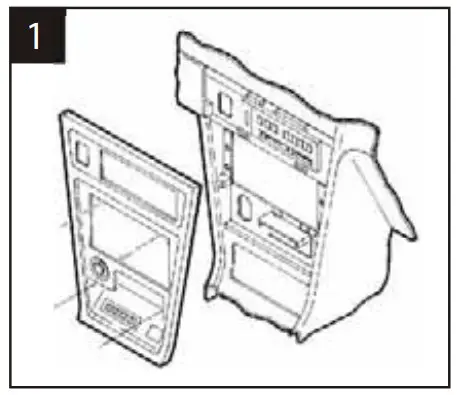
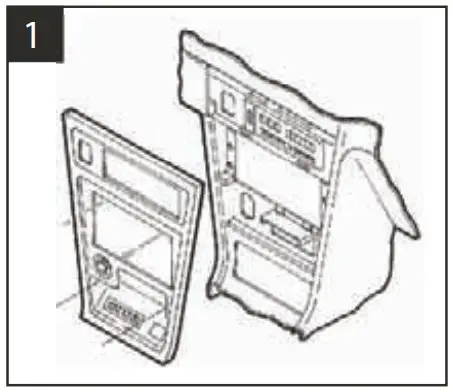
Disconnect the negative battery terminal to prevent an accidental short circuit. Remove (2) Phillips screws above the radio opening. Remove the ashtray and (1) screw in the right corner of the ashtray housing. Remove (1) screw below the cigarette lighter and unclip the dash trim bezel. Remove (4) screws securing the factory head unit and disconnect the wiring.
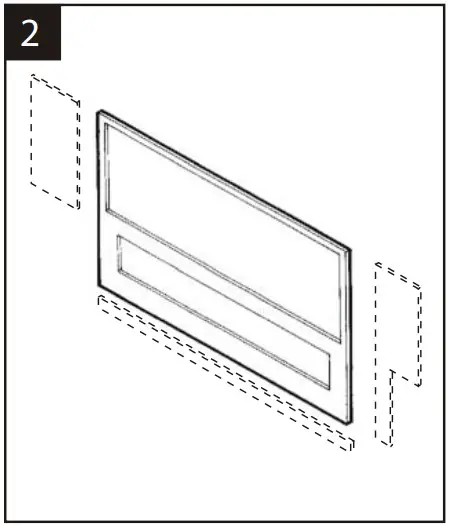
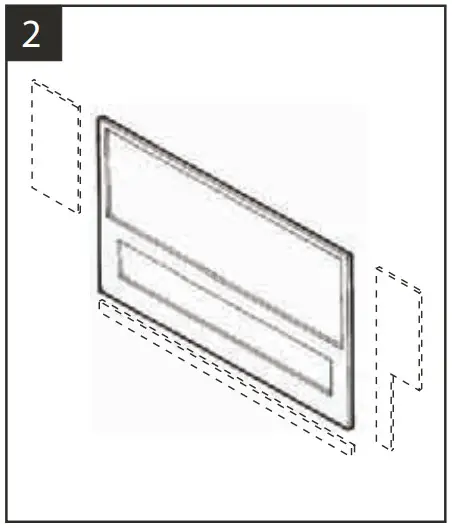
Using the scored lines as a guide, cut and remove the dashed portions of the Faceplate.
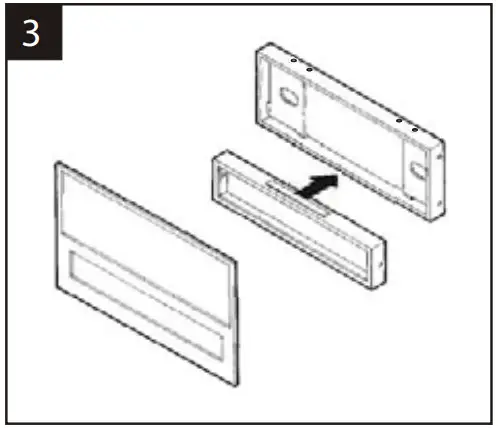
Slide the Equalizer Housing onto the bottom of the Radio Housing and snap the converted Faceplate onto the front of the Housing.
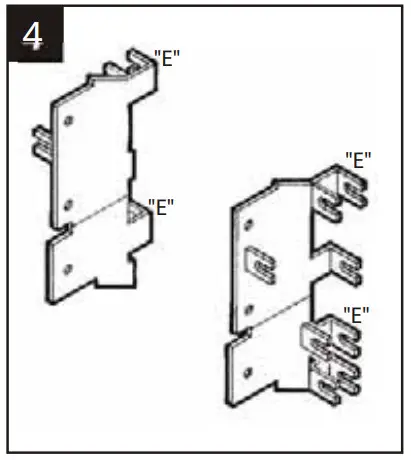
Cut and remove all mounting tabs on Bracket Set #1 EXCEPT tabs “E”. The mounting tabs can be identified by the stamped letter on the back of each tab.
Skip to the Installation Instructions for ALL VEHICLES on Page #14.
NISSAN Maxima 1992-94
Disconnect the negative battery terminal to prevent an accidental short circuit. Pry up on the gear shifter trim panel and remove it. Remove the ashtray and (1) screw exposed in the right corner of the ashtray housing. If equipped with an automatic transmission power/comfort switch: unsnap the switch from the dash trim bezel. Unclip the bezel. Disconnect the cigarette lighter and flasher wiring. Remove (4) screws securing the factory head unit and disconnect the wiring.
Using the scored lines as a guide, cut and remove the dashed portions of the Faceplate.
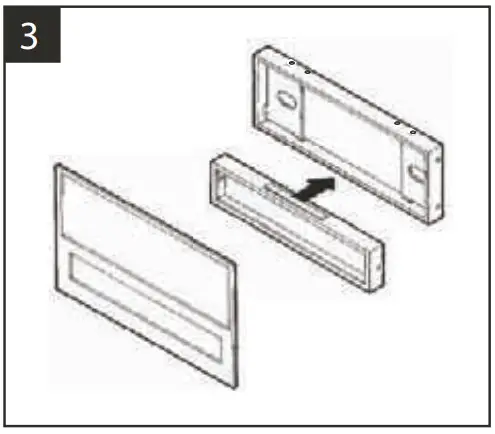
Slide the Equalizer Housing onto the bottom of the Radio Housing and snap the converted Faceplate onto the front of the Housing.
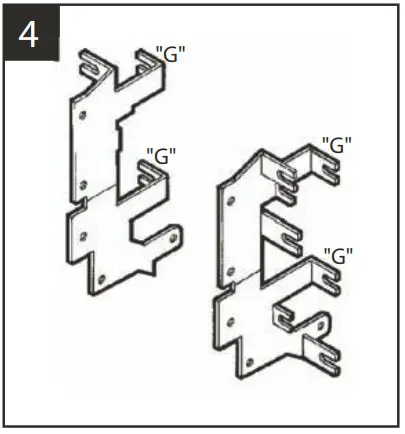
Cut and remove all mounting tabs on Bracket Set #2 EXCEPT tabs “G”. The mounting tabs can be identified by the stamped letter on the back of each tab.
Skip to the Installation Instructions for ALL VEHICLES on Page #14.
NISSAN Pulsar 1987-90
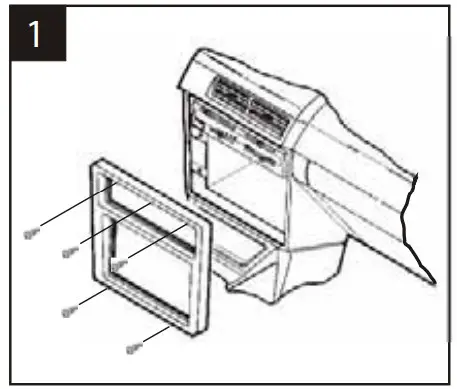
Disconnect the negative battery terminal to prevent an accidental short circuit. Remove (3) screws above the climate controls and (2) screws from the bottom edge of the dash trim bezel. Unclip the bezel and remove it. Remove (4) screws from the factory head unit and disconnect the wiring.
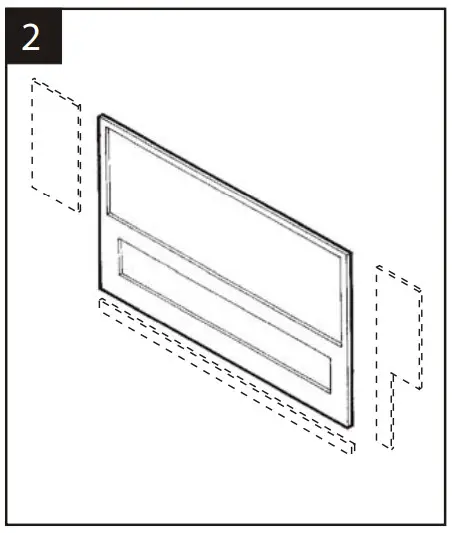
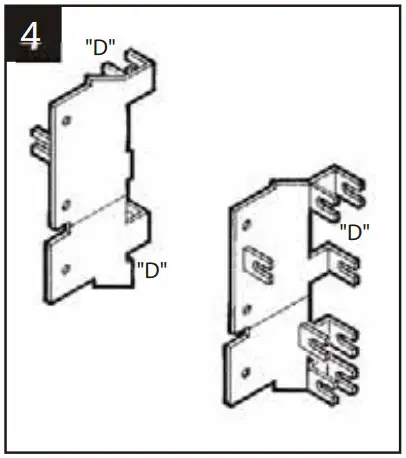
Using the scored lines as a guide, cut and remove the dashed portions of the Faceplate.
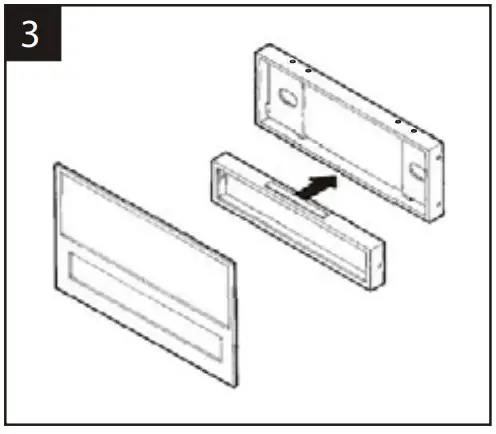
Slide the Equalizer Housing onto the bottom of the Radio Housing and snap the converted Faceplate onto the front of the Housing.
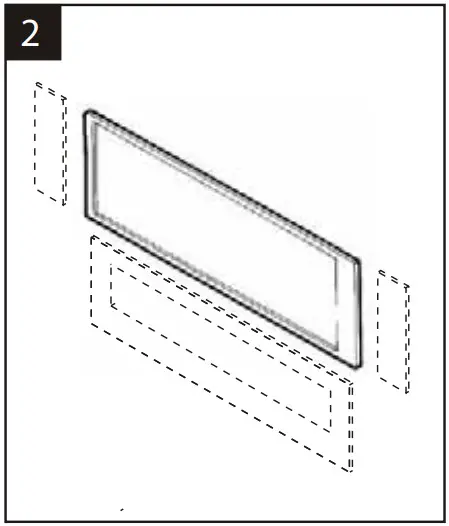
Cut and remove all mounting tabs on Bracket Set #1 EXCEPT tab “D”. The mounting tabs can be identified by the stamped letter on the back of each tab.
Skip to the Installation Instructions for ALL VEHICLES on Page #14.
NISSAN Sentra 1987-90
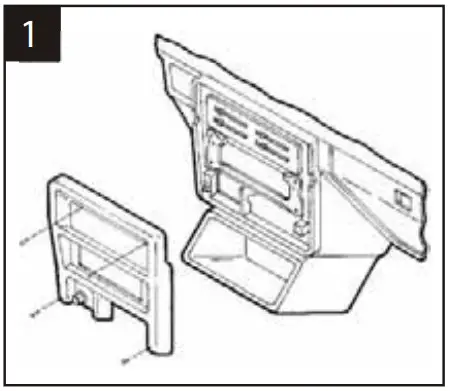
Disconnect the negative battery terminal to prevent an accidental short circuit. Remove the ashtray. Remove (2) screws above the climate controls. Remove (2) screws from the base of the dash trim bezel and remove the bezel. Remove the screws securing the factory head unit and disconnect the wiring.
Using the scored lines as a guide, cut and remove the dashed portions of the Faceplate.
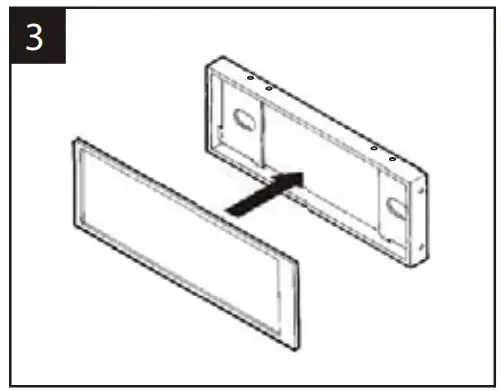
Snap the converted Faceplate onto the front of the Radio Housing.
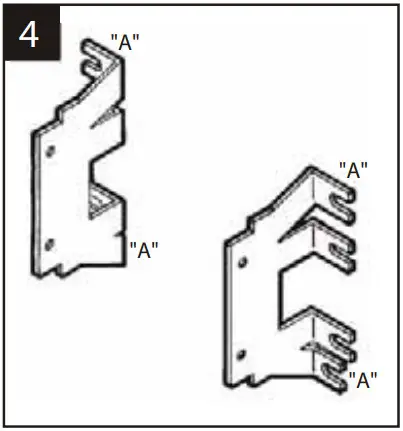
Cut and remove all mounting tabs on Bracket Set #3 EXCEPT tabs “A”. The mounting tabs can be identified by the stamped letter on the back of each tab. Skip to the Installation Instructions for ALL VEHICLES on Page #14.
NISSAN Sentra (upper dash) 1991-94
NX (upper dash) 1991-93
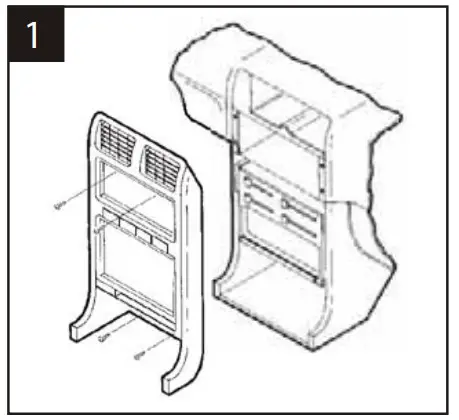
Disconnect the negative battery terminal to prevent an accidental short circuit. Remove the ashtray and (2) screws exposed in the ashtray cavity. Remove (2) screws above the radio opening. Pull the a/c vents out and remove (1) screw behind each one. (The left vent secures the vent control cable). Unclip the dash trim bezel. Disconnect the cigarette lighter, illumination, and switch wiring.
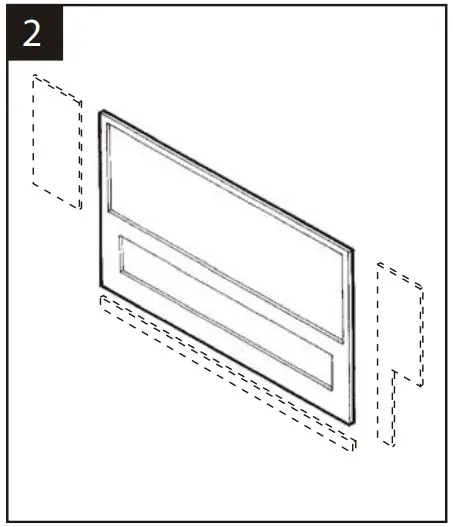
Using the scored lines as a guide, cut and remove the dashed portions of the Faceplate.
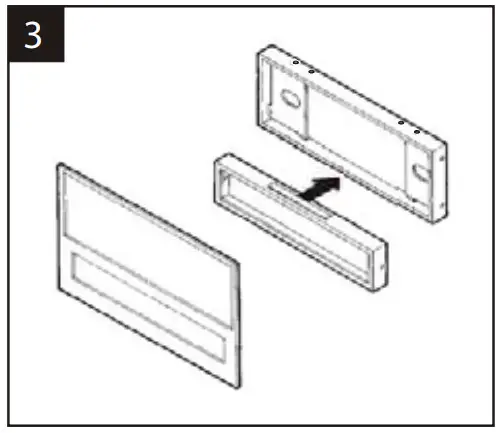
Slide the Equalizer Housing onto the bottom of the Radio Housing and snap the converted Faceplate onto the front of the Housing.
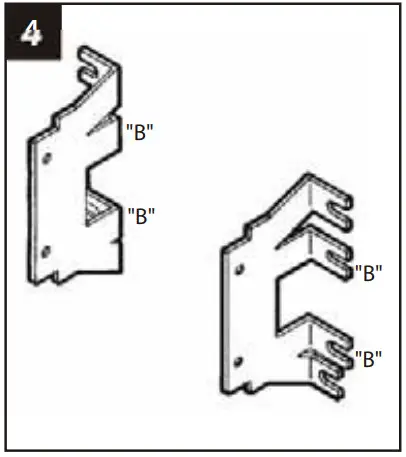
Cut and remove all mounting tabs on Bracket Set #3 EXCEPT tabs “B”. The mounting tabs can be identified by the stamped letter on the back of each tab.
Skip to the Installation Instructions for ALL VEHICLES on Page #14.
NISSAN Stanza 1987-89
Disconnect the negative battery terminal to prevent an accidental short circuit. Remove the ashtray and (2) screws exposed at the base of the dash trim bezel. Remove (2) screws above the climate controls and unclip the bezel. Remove (4) screws securing the factory head unit and disconnect the wiring.
Using the scored lines as a guide, cut and remove the dashed portions of the Faceplate.
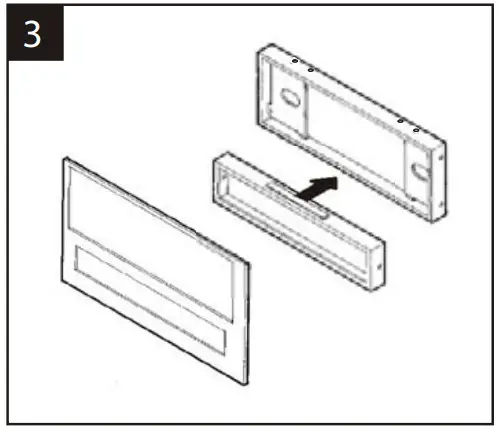
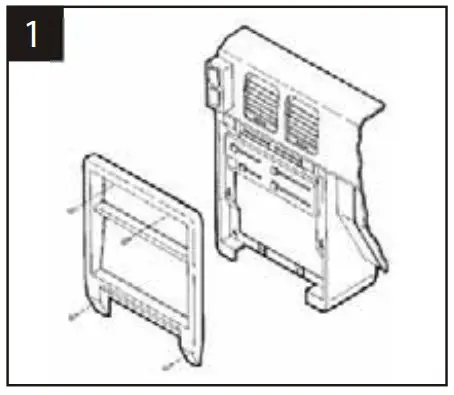
Slide the Equalizer Housing onto the bottom of the Radio Housing and snap the converted Faceplate onto the front of the Housing.
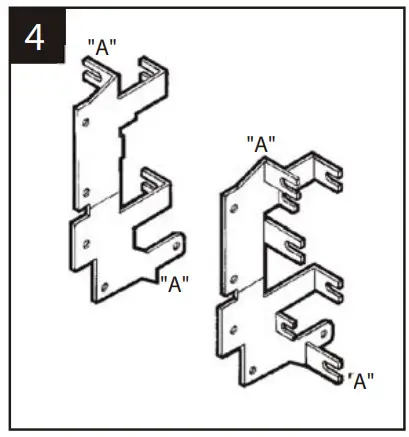
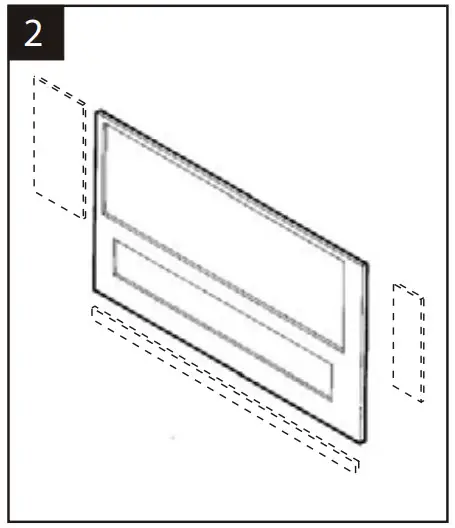
Cut and remove all mounting tabs on Bracket Set #2 EXCEPT tabs “A”. The mounting tabs can be identified by the stamped letter on the back of each tab. Skip to the Installation Instructions for ALL VEHICLES on Page #14.
NISSAN Stanza 1990-92
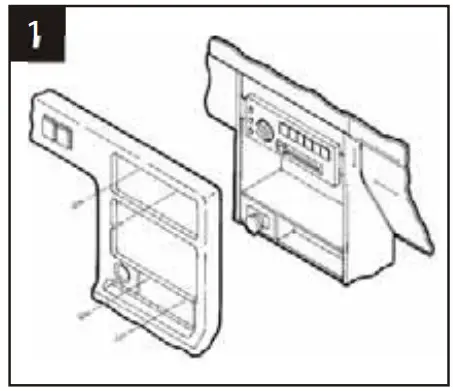
Disconnect the negative battery terminal to prevent an accidental short circuit. Remove the ashtray and (2) screws exposed in the ashtray cavity. Remove (2) screws above the radio opening. Remove (2) screws from the left side of the steering column and (1) screw from the right side. Unclip the dash trim bezel. Disconnect the flasher, rear defroster and headlight wiring.
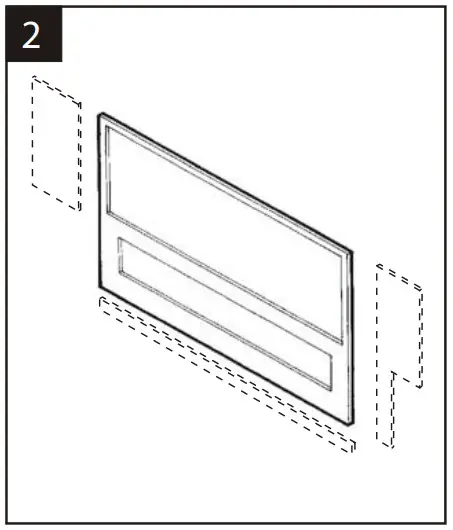
Using the scored lines as a guide, cut and remove the dashed portions of the Faceplate.
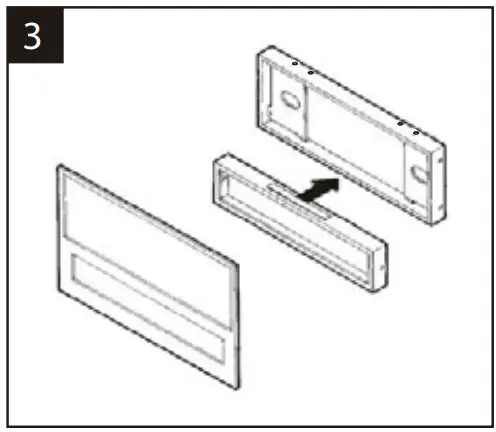
Slide the Equalizer Housing onto the bottom of the Radio Housing and snap the converted Faceplate onto the front of the Housing.
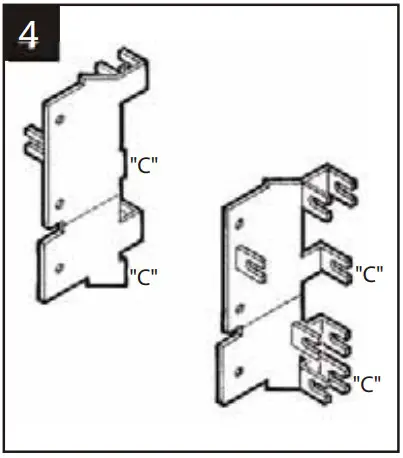
Cut and remove all mounting tabs on Bracket Set #1 EXCEPT tabs “C”. The mounting tabs can be identified by the stamped letter on the back of each tab. Skip to the Installation Instructions for ALL VEHICLES on Page #14.
ALL VEHICLES
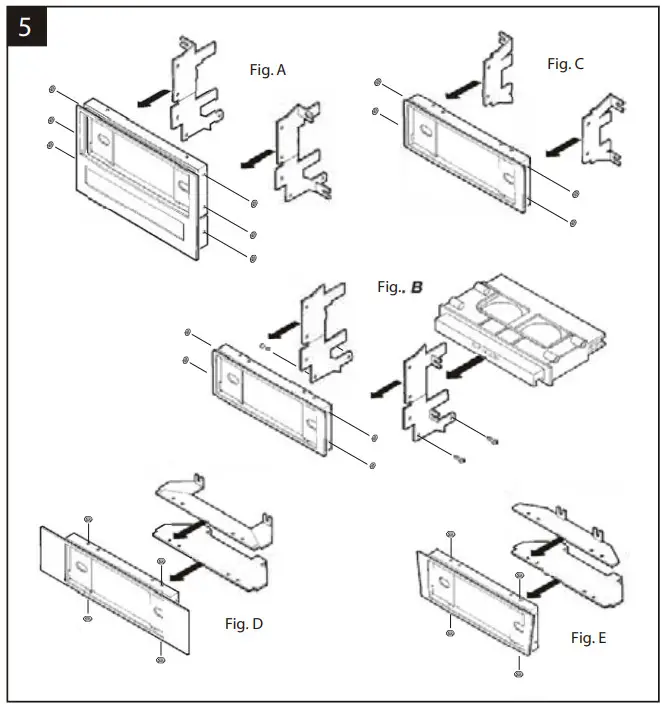
HARDBODY 1994-95, PA PATHFINDER 1994-95, ALTIMA (no cupholder), MAXIMA, PULSAR, STANZA:
Slide the Brackets into the Radio Housing (along the inner walls) and mount them to the Housing with (6) Long Studs and (6) Nuts. (see Fig. A) ALTIMA (cupholder):
Slide the Brackets into the Radio Housing (along the inner walls).
Mount the Brackets to the Housing with (4) Long Studs and (4) Nuts. Mount the cupholder to the Brackets with (4) screws previously removed from the factory assembly. (see Fig. B) NX, SENTRA:
Slide the Brackets into the Radio Housing (along the inner walls) and mount them to the Housing with (4) Long Studs and (4) Nuts. (see Fig. C)
200SX: Slide the Brackets into the Radio Housing (along the inner walls) and mount through the outer holes of the Housing with (4) Long Studs and (4) Nuts. (see Fig. D)
HARDBODY 1987-93, PA THFINDER 1987-93:
Slide the Brackets into the Radio Housing (along the inner walls) and mount them through the inner holes of the Housing with (4) Long Studs and (4) Nuts. (see Fig. E)
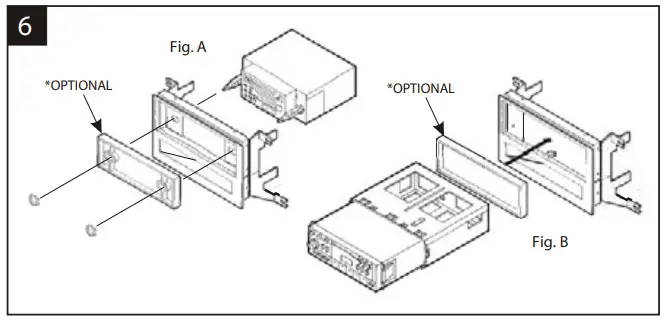
2-SHAFT HEAD UNITS: Attach the Spacer* to the Radio Housing. Slide the aftermarket head unit into the kit and secure it with shaft nuts. (see Fig. A)
DIN HEAD UNITS: Cut and remove the shaft supports from the Spacer* and Radio Housing. Slide the DIN cage into the Radio Housing and secure it by bending the metal locking tabs down. Slide the aftermarket head unit into the cage until secure. (see Fig. B) (If an equalizer will be included, slide the unit into the back of the Radio Housing and secure. If an equalizer will NOT be included, snap the Equalizer Dummy Plate into the opening).
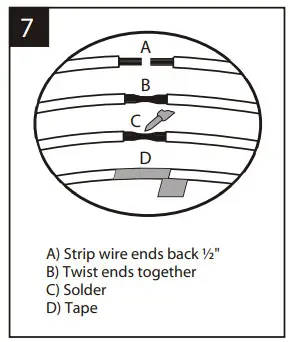
Locate the factory wiring harness in the dash. Metra recommends using the proper mating adaptor and making connections as shown. (Isolate and individually tape off the ends of any unused wires to prevent electrical short circuits).
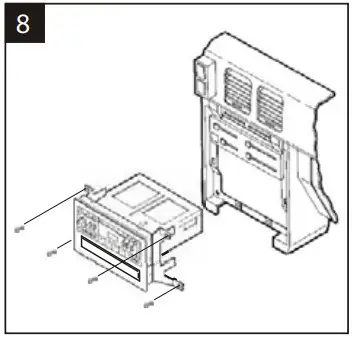
Re-connect the battery terminal and test the unit for proper operation. Mount the head unit/kit assembly to the sub-dash with those screws previously removed.
 Metra Online | Welcome to Metra Auto Parts Online Warehouse