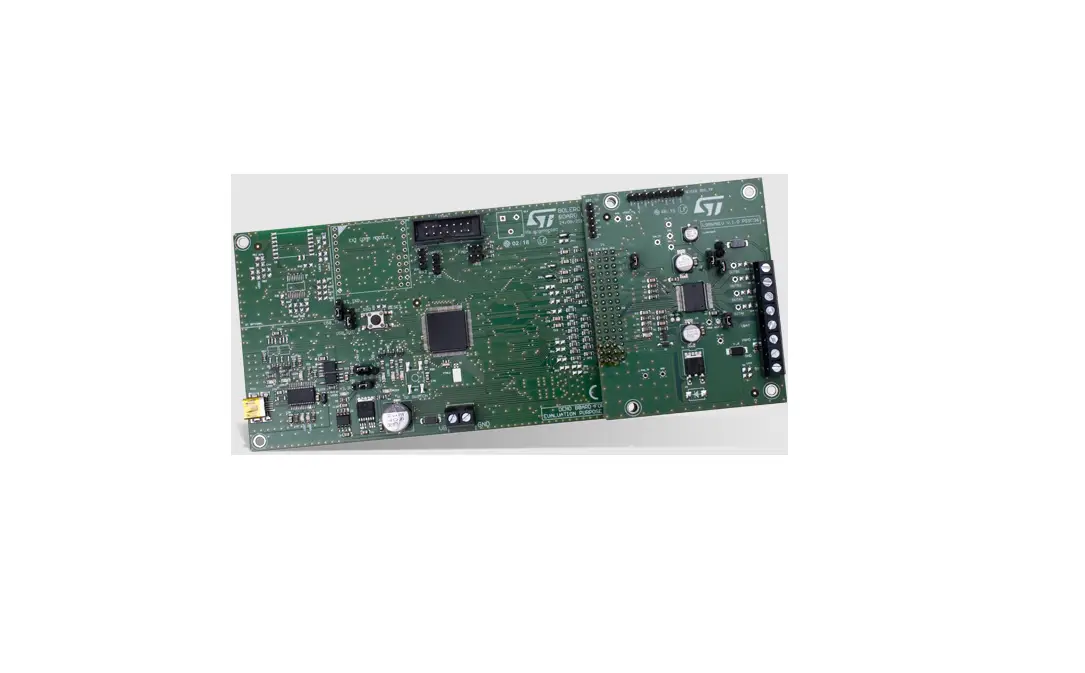
UM3175 STEVAL FSM01M1 evaluation board
Product Information
Product Name: STSW-FSM01 software expansion package for
STEVAL-FSM01M1 evaluation board
Model Number: UM3176
Revision: Rev 1 – June 2023
Manufacturer: STMicroelectronics
Website: www.st.com
Architecture
The software is based on the STM32CubeHAL (hardware abstraction
layer) for STM32 microcontrollers. The STSW-FSM01 package extends
the STM32Cube framework by providing the board support package
(BSP) for the STEVAL-FSM01M1 expansion board.
Folder Structure
The software package includes the following folders:
- Binaries: Contains compiled binary files ready for upload and
execution on an STM32 Nucleo board. - Documentation: Contains a comprehensive help file with key
information about the code function. - Drivers: Contains hardware abstraction layer code for the STM32
MCUs. This folder comes unchanged from the STM32Cube
framework. - Project folders (STM32CubeIDE, EWARM, and MDK-ARM): Contains
project files and file system structures for the supported
development toolchains. - STM32CubeMX files (STSW-FSM01.ioc, .Mxproject): Used for CubeMX
project configuration. - Inc folder: Contains STM32Cube generated header files.
- Src folder: Contains STM32Cube generated source files as well
as modified main file. - Libc folder: Contains implementations of C library functions
for better cross toolchain compatibility.
System Setup Guide
Hardware Components
The following hardware components are required:
- STM32 Nucleo board NUCLEO-F401RE (in default
configuration) - USB cable (type A to Mini-B USB) to connect the STM32 Nucleo
and PC - +24VDC power supply and the associated wires to supply the
STEVAL-FSM01M1 expansion board - Windows PC
Refer to STEVAL-FSM01M1 User manual UM3175 for all information
about the hardware components and its connection.
Software Components
The STSW-FSM01 firmware package includes native UART
communication protocol allowing access to the STEVALFSM01M1 board
from PC through UART (USB running as a virtual COM port). It can
also be connected by STLINK and programmed using one of the
supported STM32 IDEs.
In order to communicate with STM32 Nucleo onboard ST-LINK
in-circuit debugger, it is mandatory to install the ST-LINK USB
driver for Windows (available at www.st.com).
In order to access the board through UART, a serial
communication terminal application has to be installed on the PC.
The PuTTY console is described in this document, but any other
application with configurable serial communication can be used.
The following software components are required to set up the
suitable development and testing environment for STM32 Nucleo and
STEVAL-FSM01M1 industrial digital I/O expansion board:
- STEVAL-FSM01M1 firmware BSP package (STSW-FSM01)
- One of the following supported toolchains can be used:
UM3176
User manual
STSW-FSM01 software expansion package for STEVAL-FSM01M1 evaluation board
Introduction
STSW-FSM01 is the software package enabling communication, control, and programming of the dual channel digital I/O board STEVAL-FSM01M1. It is compatible with a STM32 Nucleo board NUCLEO-F401RE. This package provides a complete set of program routines to control all onboard functions and to monitor system conditions during runtime. The existing code can be easily extended by a user-specific application programs thanks to a simple and clearly defined API. Additionally, the firmware has its native UART communication protocol implemented. Therefore it is also easy to control the board from PC even without any programing.
UM3176 – Rev 1 – June 2023 For further information contact your local STMicroelectronics sales office.
www.st.com
UM3176
Architecture
1
Architecture
The software is based on the STM32CubeHAL (hardware abstraction layer) for STM32 microcontrollers. The STSW-FSM01 package extends the STM32Cube framework by providing the board support package (BSP) for the STEVAL-FSM01M1 expansion board.
Figure 1. STSW-FSM01 software architecture
UM3176 – Rev 1
page 2/15
2
Folder structure
Figure 2. STSW-FSM01 package folder structure
UM3176
Folderstructure
The following folders are included in the software package:
·
Binaries contains compiled binary files ready for upload and execution on an STM32 Nucleo board.
·
Documentation contains comprehensive help file with key information about the code function.
·
Drivers contain:
STM32Cube HAL located in its subfolder STM32F4xx_HAL_Driver. These files are not specific to the STEVAL-FSM01M1 software but come directly from the STM32Cube framework and represent the
hardware abstraction layer code for the STM32 MCUs.
CMSIS folder that contains the Cortex® microcontroller software interface standard files from Arm. These files are vendor-independent hardware abstraction layer for the Cortex-M processor series.
This folder comes also unchanged from the STM32Cube framework.
BSP folder with the support package required for STEVAL-FSM01M1 configuration, control, and monitoring.
·
Project folders (STM32CubeIDE, EWARM, and MDK-ARM) contain project files and file system structures
for the supported development toolchains.
·
STM32CubeMX files (STSW-FSM01.ioc, .Mxproject) are used for CubeMX project configuration
·
Inc folder contains STM32Cube generated header files.
·
Src folder contains STM32Cube generated source files as well as modified main file.
·
Libc folder contains implementations of C library functions for better cross toolchain compatibility.
UM3176 – Rev 1
page 3/15
3
System setup guide
UM3176
System setup guide
3.1
Hardware components
The following hardware components are required:
1. STM32 Nucleo board NUCLEO-F401RE (in default configuration)
2. USB cable (type A to Mini-B USB) to connect the STM32 Nucleo and PC
3. +24VDC power supply and the associated wires to supply the STEVAL-FSM01M1 expansion board
4. Windows PC
Refer to STEVAL-FSM01M1 User manual UM3175 for all information about the hardware components and its connection.
3.2
Software components
STSW-FSM01 firmware package includes native UART communication protocol allowing to access the STEVALFSM01M1 board from PC through UART (USB running as a virtual COM port). It can be also connected by STLINK and programmed using one of the supported STM32 IDEs (listed below).
In order to communicate with STM32 Nucleo onboard ST-LINK in-circuit debugger, it is mandatory to install the following driver (available at www.st.com):
·
STSW-LINK009 ST-LINK USB driver for Windows
UART control access
In order to access board through UART a serial communication terminal application has to be installed on the PC. In this document we describe the connection procedure using the PuTTY console but the process is similar also with any other application with configurable serial communication.
Programming access using IDE for STM32
The following software components are required to set up the suitable development and testing environment for STM32 Nucleo and STEVAL-FSM01M1 industrial digital I/O expansion board:
1. STEVAL-FSM01M1 firmware BSP package (STSW-FSM01)
2. One of the following supported toolchains can be used:
STM32CubeIDE
IAR Embedded Workbench for ARM® (EWARM)
RealView microcontroller development kit (MDK-ARM-STR) toolchain
UM3176 – Rev 1
page 4/15
4
UART control access
UM3176
UART control access
4.1
PuTTY console setup guide
This section will explain in steps how to correctly configure PuTTY console for communication with board over STLINK. You can follow an analogous configuration steps also with any other console application. It is advised to use your console application in fullscreen mode on a larger display for better output formatting.
Step 1. Download and install PuTTY and STSW-LINK009 (use administrative privileges when necessary).
Step 2.
Connect the Nucleo board by a USB cable and open Windows Device Manager to inspect Ports (COM & LPT) section as shown in Figure 3. Look for the port designated as STMicroelectronics STLink Virtual COM Port. Take a note of its identifier (COMx). In our case (see Figure 3) it is COM5.
Figure 3. Inspection of virtual COM ports using Device Manager
UM3176 – Rev 1
page 5/15
UM3176
PuTTY console setup guide Step 3. Open PuTTY and check options on the Terminal page as highlighted in Figure 4.
Figure 4. Settings of Terminal section
Step 4. Check options on the Serial page according to Section 4.1. Figure 5. Settings of Serial connection section
UM3176 – Rev 1
page 6/15
Step 5.
Check options on the Session page highlited in Section 4.1. Step 5a. Check Serial option Step 5b. Enter port identifier in the Serial line field Step 5c. Enter 115,200Bd in the Speed field Step 5d. Choose name of the configuration in Saved Sessions field Step 5e. Click Save and Open Step 5f. To configure another serial port repeat steps 3 to 5
Figure 6. Session settings
UM3176
PuTTY console setup guide
UM3176 – Rev 1
page 7/15
UM3176
Commands for interactive boardcontrol
4.2
Commands for interactive board control
When the serial connection is set up according to previous steps and opened you will be presented by terminal interface. This package provides console application for executing commands. It is advised to reset MCU board when serial connection is already opened, however it is not mandatory.
The board is operated by transmitting text based commands through UART. In general, every command starts with specification of a function keyword followed by a parameter keyword specifying what action should be applied upon that function.
Action on
off
state level states levels help clear
Table 1. Description and usage of commands
Turns function on
Description
Turns function off (when functions are not specified, turns off all functions) Returns state of function in logical format (on/off) Returns state of function in number format Returns state of all functions in logical format (on/off) Returns state of all functions in number format Displays help with information about all commands and their usage Clears text from terminal window
Usage function on function off off function state function level states levels help clear
vcc vcc1 vcc1_dsc vcc2 vcc2_dsc out1 out1_dsc out2 out2_dsc in1 in2 coff1 coff2 tp1 tp2
Function
Table 2. Description of functions
Description VCC voltage VCC1 voltage VCC1 discharge switch VCC2 voltage VCC2 discharge switch OUT1 voltage OUT1 discharge switch OUT2 voltage OUT2 discharge switch IN1 detection IN2 detection Cut-off feature switch (output channel 1) Cut-off feature switch (ouput channel 2) Test Pulse feature switch (input channel 1) Test Pulse feature switch (input channel 2)
An example of using commands on a serial console is shown in Figure 7.
UM3176 – Rev 1
page 8/15
UM3176
Commands for interactive boardcontrol
Figure 7. Control command usage examples
UM3176 – Rev 1
page 9/15
UM3176
Programming access using IDE forSTM32
5
Programming access using IDE for STM32
5.1
Board setup
Step 1. Step 2. Step 3.
Step 4. Step 5. Step 6. Step 7.
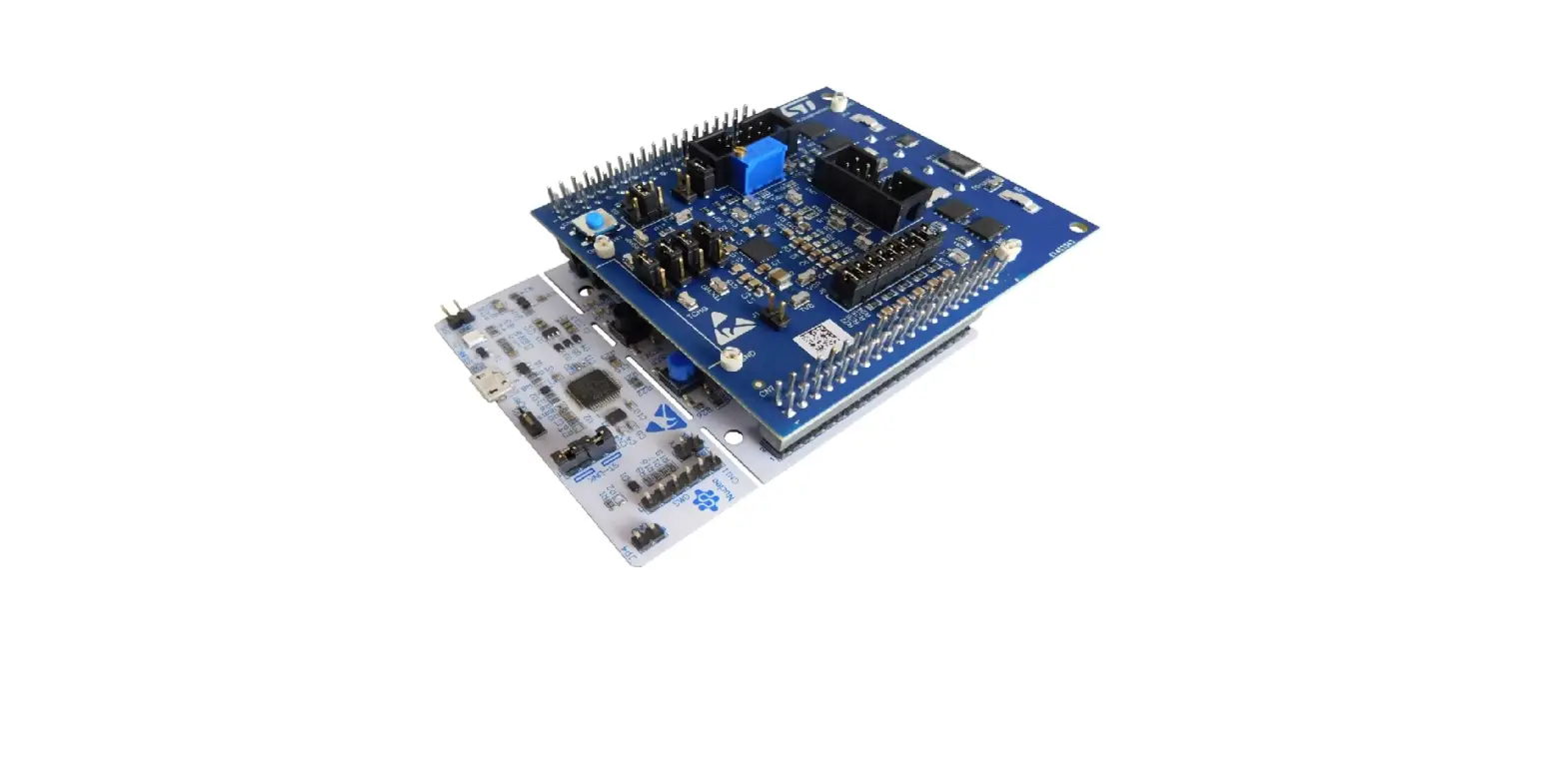
Plug the STM32-F401RE board on top of the STEVAL-FSM01M1 expansion board using the ST Morpho connector pin headers CN7 and CN10.
Power on the STM32 Nucleo development board by connecting a USB cable between the Nucleo board CN1 connector and a PC USB port.
Power on the STEVAL-FSM01M1 expansion board by properly connecting CN1 connector pin 5 (VCC) and 6 or 7 (GND) to the DC power supply (24V). Refer to STEVAL-FSM01M1 User manual UM3175 for any details.
Open your preferred toolchain (STM32CubeIDE, EWARM from IAR, or MDK-ARM from Keil). Open project in STSW-FSM01 folder from its dedicated subfolder.
Build the project and load its image into target STM32 memory.
Run the program from inside your toolchain.
5.2
User application programming
This firmware package provides users with a programmable interface (API) allowing arbitrary program code modifications or even development of additional application layers using all existing functionality. Functions are structured in standard source (.c) and header (.h) files with key code features annotated. Excerpt examples of the API implementation are shown in Figure 8 and Figure 9.
For a comprehensive overview of how the source code is structured please refer to the compiled help file inside the Documentation folder.
Figure 8. Header file excerpt example
Figure 9. Source file excerpt example
UM3176 – Rev 1
page 10/15
Revision history
Date 16-Jun-2023
Table 3. Document revision history
Revision 1
Initial release.
Changes
UM3176
UM3176 – Rev 1
page 11/15
UM3176
Contents
Contents
1 Architecture . . . . . . . . . . . . . . . . . . . . . . . . . . . . . . . . . . . . . . . . . . . . . . . . . . . . . . . . . . . . . . . . . . . . . . .2 2 Folder structure . . . . . . . . . . . . . . . . . . . . . . . . . . . . . . . . . . . . . . . . . . . . . . . . . . . . . . . . . . . . . . . . . . .3 3 System setup guide. . . . . . . . . . . . . . . . . . . . . . . . . . . . . . . . . . . . . . . . . . . . . . . . . . . . . . . . . . . . . . . .4
3.1 Hardware components . . . . . . . . . . . . . . . . . . . . . . . . . . . . . . . . . . . . . . . . . . . . . . . . . . . . . . . . . . 4 3.2 Software components . . . . . . . . . . . . . . . . . . . . . . . . . . . . . . . . . . . . . . . . . . . . . . . . . . . . . . . . . . . 4 4 UART control access . . . . . . . . . . . . . . . . . . . . . . . . . . . . . . . . . . . . . . . . . . . . . . . . . . . . . . . . . . . . . .5 4.1 PuTTY console setup guide. . . . . . . . . . . . . . . . . . . . . . . . . . . . . . . . . . . . . . . . . . . . . . . . . . . . . . 5 4.2 Commands for interactive board control. . . . . . . . . . . . . . . . . . . . . . . . . . . . . . . . . . . . . . . . . . . . 8 5 Programming access using IDE for STM32 . . . . . . . . . . . . . . . . . . . . . . . . . . . . . . . . . . . . . . . .10 5.1 Board setup . . . . . . . . . . . . . . . . . . . . . . . . . . . . . . . . . . . . . . . . . . . . . . . . . . . . . . . . . . . . . . . . . . 10 5.2 User application programming. . . . . . . . . . . . . . . . . . . . . . . . . . . . . . . . . . . . . . . . . . . . . . . . . . . 10 Revision history . . . . . . . . . . . . . . . . . . . . . . . . . . . . . . . . . . . . . . . . . . . . . . . . . . . . . . . . . . . . . . . . . . . . . . .11 List of tables . . . . . . . . . . . . . . . . . . . . . . . . . . . . . . . . . . . . . . . . . . . . . . . . . . . . . . . . . . . . . . . . . . . . . . . . . .13 List of figures. . . . . . . . . . . . . . . . . . . . . . . . . . . . . . . . . . . . . . . . . . . . . . . . . . . . . . . . . . . . . . . . . . . . . . . . . .14
UM3176 – Rev 1
page 12/15
UM3176
List of tables
List of tables
Table 1. Table 2. Table 3.
Description and usage of commands . . . . . . . . . . . . . . . . . . . . . . . . . . . . . . . . . . . . . . . . . . . . . . . . . . . . . . 8 Description of functions . . . . . . . . . . . . . . . . . . . . . . . . . . . . . . . . . . . . . . . . . . . . . . . . . . . . . . . . . . . . . . . 8 Document revision history . . . . . . . . . . . . . . . . . . . . . . . . . . . . . . . . . . . . . . . . . . . . . . . . . . . . . . . . . . . . . 11
UM3176 – Rev 1
page 13/15
UM3176
List of figures
List of figures
Figure 1. Figure 2. Figure 3. Figure 4. Figure 5. Figure 6. Figure 7. Figure 8. Figure 9.
STSW-FSM01 software architecture . . . . . . . . . . . . . . . . . . . . . . . . . . . . . . . . . . . . . . . . . . . . . . . . . . . . . 2 STSW-FSM01 package folder structure . . . . . . . . . . . . . . . . . . . . . . . . . . . . . . . . . . . . . . . . . . . . . . . . . . . 3 Inspection of virtual COM ports using Device Manager . . . . . . . . . . . . . . . . . . . . . . . . . . . . . . . . . . . . . . . . 5 Settings of Terminal section . . . . . . . . . . . . . . . . . . . . . . . . . . . . . . . . . . . . . . . . . . . . . . . . . . . . . . . . . . . 6 Settings of Serial connection section . . . . . . . . . . . . . . . . . . . . . . . . . . . . . . . . . . . . . . . . . . . . . . . . . . . . . 6 Session settings . . . . . . . . . . . . . . . . . . . . . . . . . . . . . . . . . . . . . . . . . . . . . . . . . . . . . . . . . . . . . . . . . . . 7 Control command usage examples . . . . . . . . . . . . . . . . . . . . . . . . . . . . . . . . . . . . . . . . . . . . . . . . . . . . . . 9 Header file excerpt example . . . . . . . . . . . . . . . . . . . . . . . . . . . . . . . . . . . . . . . . . . . . . . . . . . . . . . . . . . 10 Source file excerpt example . . . . . . . . . . . . . . . . . . . . . . . . . . . . . . . . . . . . . . . . . . . . . . . . . . . . . . . . . . 10
UM3176 – Rev 1
page 14/15
UM3176
IMPORTANT NOTICE READ CAREFULLY STMicroelectronics NV and its subsidiaries (“ST”) reserve the right to make changes, corrections, enhancements, modifications, and improvements to ST products and/or to this document at any time without notice. Purchasers should obtain the latest relevant information on ST products before placing orders. ST products are sold pursuant to ST’s terms and conditions of sale in place at the time of order acknowledgment. Purchasers are solely responsible for the choice, selection, and use of ST products and ST assumes no liability for application assistance or the design of purchasers’ products. No license, express or implied, to any intellectual property right is granted by ST herein. Resale of ST products with provisions different from the information set forth herein shall void any warranty granted by ST for such product. ST and the ST logo are trademarks of ST. For additional information about ST trademarks, refer to www.st.com/trademarks. All other product or service names are the property of their respective owners. Information in this document supersedes and replaces information previously supplied in any prior versions of this document.
© 2023 STMicroelectronics All rights reserved
UM3176 – Rev 1
page 15/15
References
 STMicroelectronics: Our technology starts with you
-
STMicroelectronics Trademark List - STMicroelectronics
 Download PuTTY: latest release (0.78)
-
STM32CubeIDE - Integrated Development Environment for STM32 - STMicroelectronics
-
STSW-LINK009 - ST-LINK, ST-LINK/V2, ST-LINK/V2-1, STLINK-V3 USB driver signed for Windows7, Windows8, Windows10 - STMicroelectronics
-
NUCLEO-F401RE - STM32 Nucleo-64 development board with STM32F401RE MCU, supports Arduino and ST morpho connectivity - STMicroelectronics
-
STM32F401RE - STM32 Dynamic Efficiency MCU, Arm Cortex-M4 core with DSP and FPU, up to 512 Kbytes of Flash memory, 84 MHz CPU, Art Accelerator - STMicroelectronics
-
NUCLEO-F401RE - STM32 Nucleo-64 development board with STM32F401RE MCU, supports Arduino and ST morpho connectivity - STMicroelectronics
-
STEVAL-FSM01M1 - Advanced dual channel digital I/O module for safe automation - STMicroelectronics
-
STSW-FSM01 - STSW-FSM01 software expansion package for the STEVAL-FSM01M1 evaluation board - STMicroelectronics
 STMicroelectronics: Our technology starts with you
 Download PuTTY: latest release (0.78)