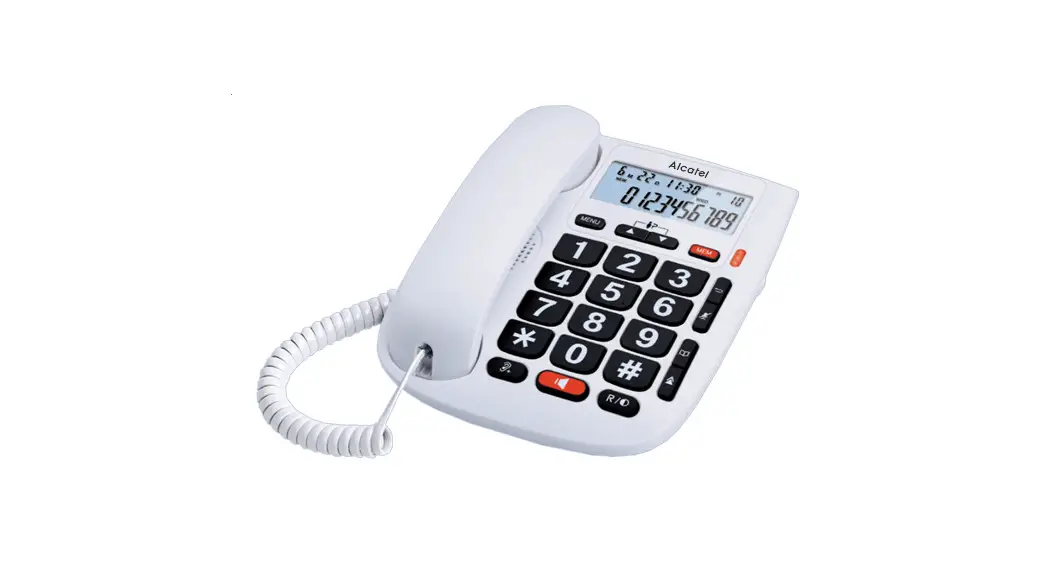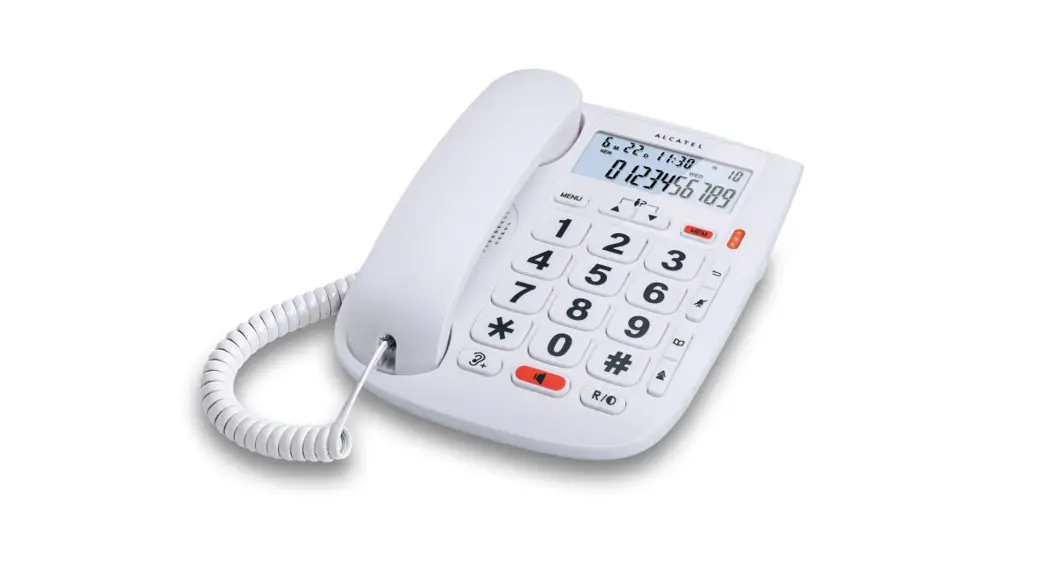
 ALCATEL TMAX 20
GUIDE D’UTILISATION
USER’S GUIDE
Please, read this user’s guide before using your phone
www.alcatel-home.com
PLEASE READ THIS USER’S GUIDE BEFORE USING YOUR PHONE
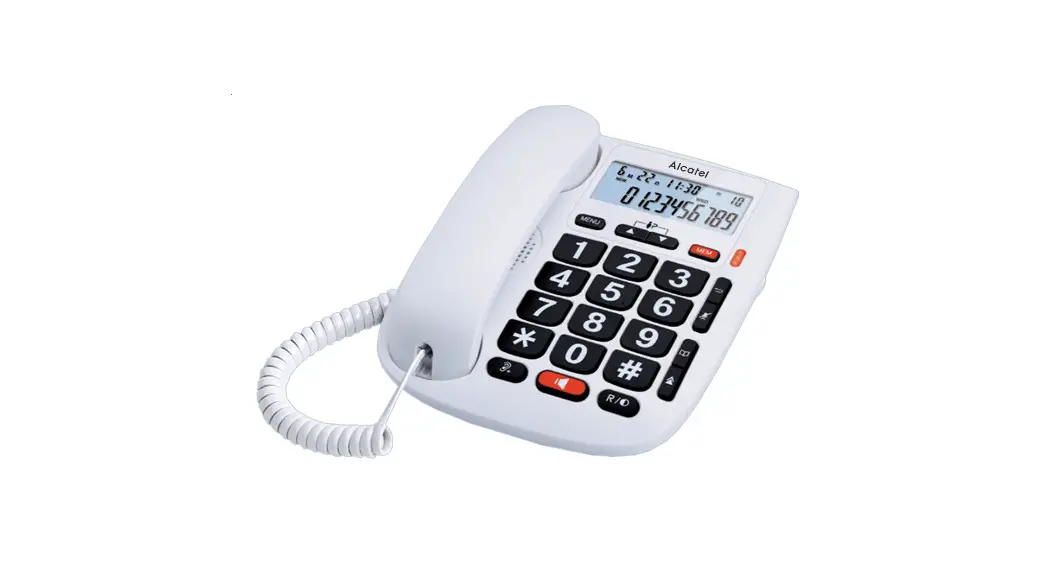
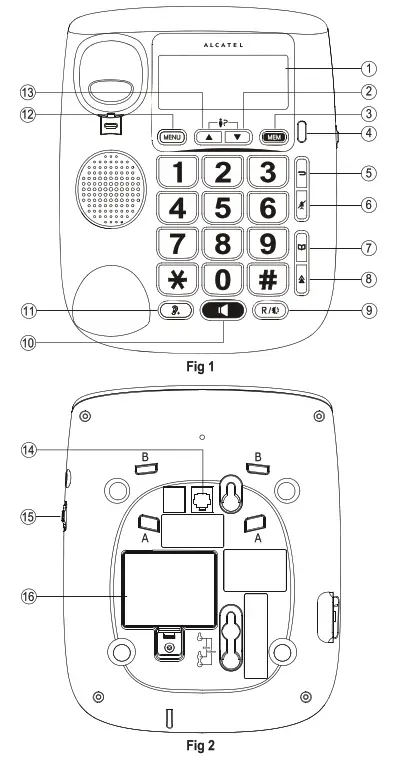
THE KEYS AND THE FEATURES :
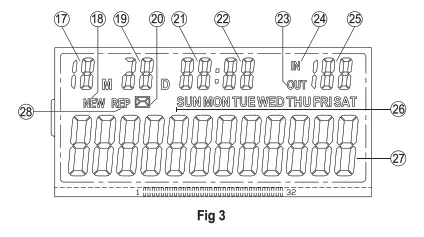
| 1: LCD Display 2: Down Key 3: Mem Key 4: Mute/New/Ringer Indicator 5: Delete/Exit Key 6: Microphone Mute Key 7: Phonebook Key 8: Redial Key 9: Flash/Contrast Key 10: Handsfree Key 11: Vol Key 12: Menu Key 13: Up Key 14: Line Jack 15: Ringer Volume Switch 16: Battery Cover A and B (Fig.2): Holes for the base | DISPLAY ICONS: 17: Month 18: New CID 19: Day 20: Voice mail 21: Hour 22: Minute 23: Outgoing Call 24: Incoming Call 25: Call-log Number 26: Day Of The Week 27: Phone Number Display 28: Repeat |
INSTALLING AND REPLACING THE BATTERIES
Your phone uses 3 AA-size alkaline batteries (not supplied) which are necessary to see the menu in idle mode, to program, and to save memories. But, it is still possible to receive and place calls without batteries or when out of use.
IMPORTANT: If you are not going to use the telephone for more than 30 days, remove the batteries because they may leak and damage the unit.
BATTERY
- If the telephone line cord is connected, disconnect it from the base unit.
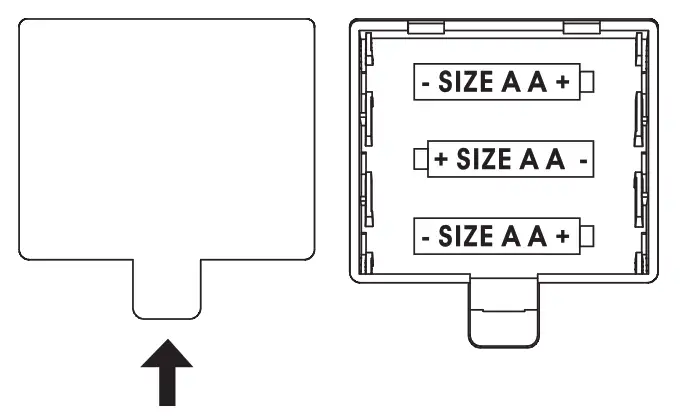
- Carefully turn over the phone, use a pen or paper clip to lose the battery cover. Open the battery compartment by pushing on the battery cover and sliding it away from the unit.
- Insert 3 AA-size alkaline batteries (not included} as shown on the diagram in the battery compartment.
- Snap the battery compartment door back into place.
- If the line cord was previously connected, reattach it to the unit and check your memory locations.

INSTALLATION AND SETUP AND ITS BASE
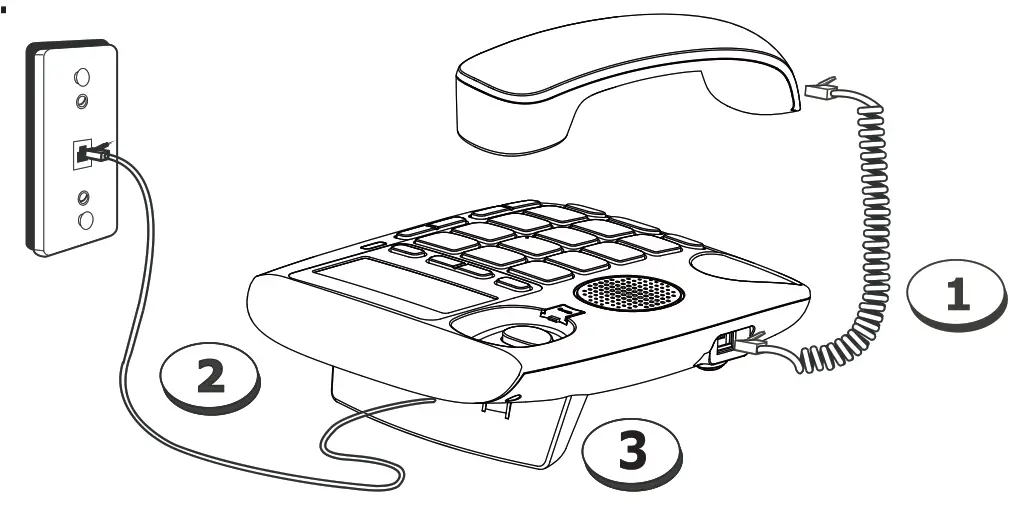
- Connecting the handset.
- Connecting the telephone line and turning it towards the top part of the telephone.
- Install the telephone foot: its curve part towards the bottom side, insert it in the 2 A recess (Fig.2), and place the line cord through a small hole. Then, press to place the foot inside recess B.
SET FLASH TIME TO OPERATE CORRECTLY ON YOUR NETWORK:
– Press MENU key /  select SET 6 FLASH / MENU / to select flash time 110 / 300 / 600 1000 / MENU/>
 .
.
USING THE PHONE
RECEIVE AND END A CALL.
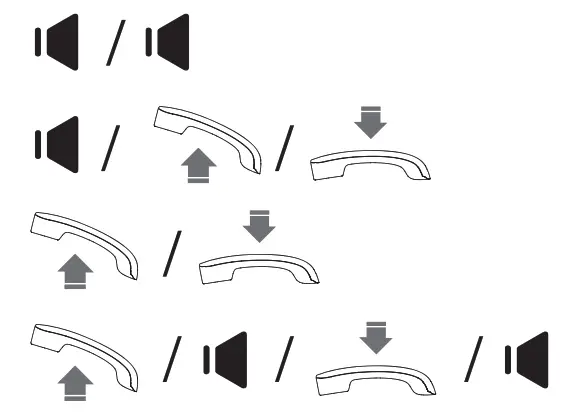
– To increase hearing volume during conversation, press
MAKE A CALL either before or after dialing your number
– From the redial list: – From call log list*: to select the caller number
– From direct memories:
LCD CONTRAST ADJUSTMENT:
In the on-hook state, the user can press the  button to select the LCD Contrast (1~5 choice).
REVIEW CALLER ID NUMBER
* Subject to subscription and availability of the service from the fixed line operator.
DELETE CALLER ID NUMBER:
– Delete a Caller ID number: to select the number
– Delete all Caller ID numbers: to select the number /
Press key for 3 seconds to delete all Caller ID number
STORE NUMBER:
– Store a telephone number: 0…9 to input number / MENU / 0…9 to select memory location or MEM.
– Store an incoming call number:to select the number / MENU / Q….9) to select a memory location or MEM.
– Store an outgoing number: Press to select the number / MENU / Q…9 to select memory location or MEM.
REVIEW AND DIAL BACK AN OUTGOING NUMBER:
– Review an outgoing number: Press
– Dial back an outgoing number: Press
DELETE AN OUTGOING NUMBER:
– Delete an outgoing number: Press 
– Delete all outgoing numbers: Press Press key for 3 seconds to delete all outgoing numbers.
GENERAL SETTINGS
SETTING DATE AND TIME:
- Press MENU key /
 select SET 1 DATE /MENU/ to enter Year, Month, Day, Hour and Minute / MENU /
 .
. - Press as many times as needed on
 to reach the number desired. Press MENU to save. Press again MENU to reach the next step.