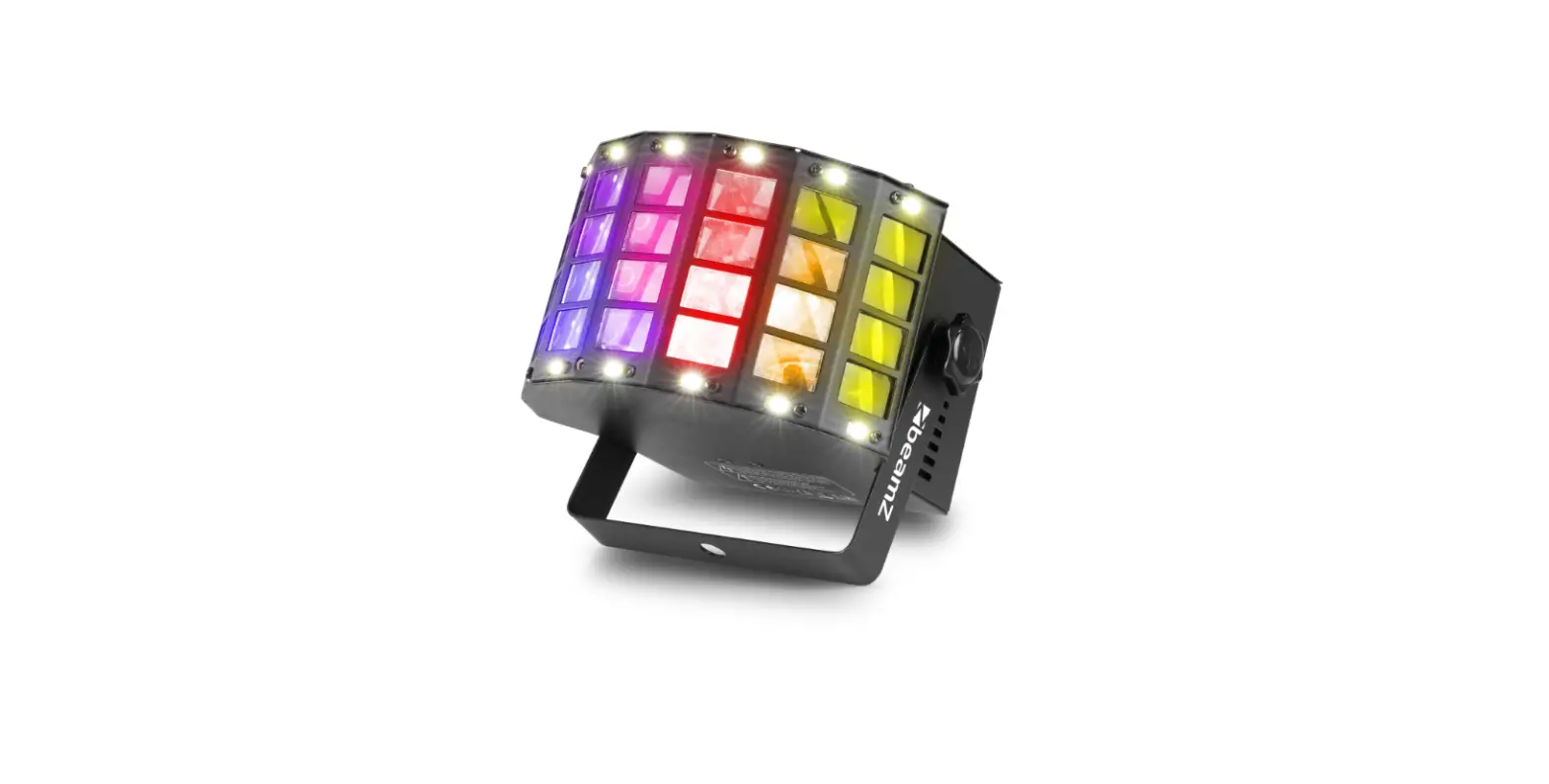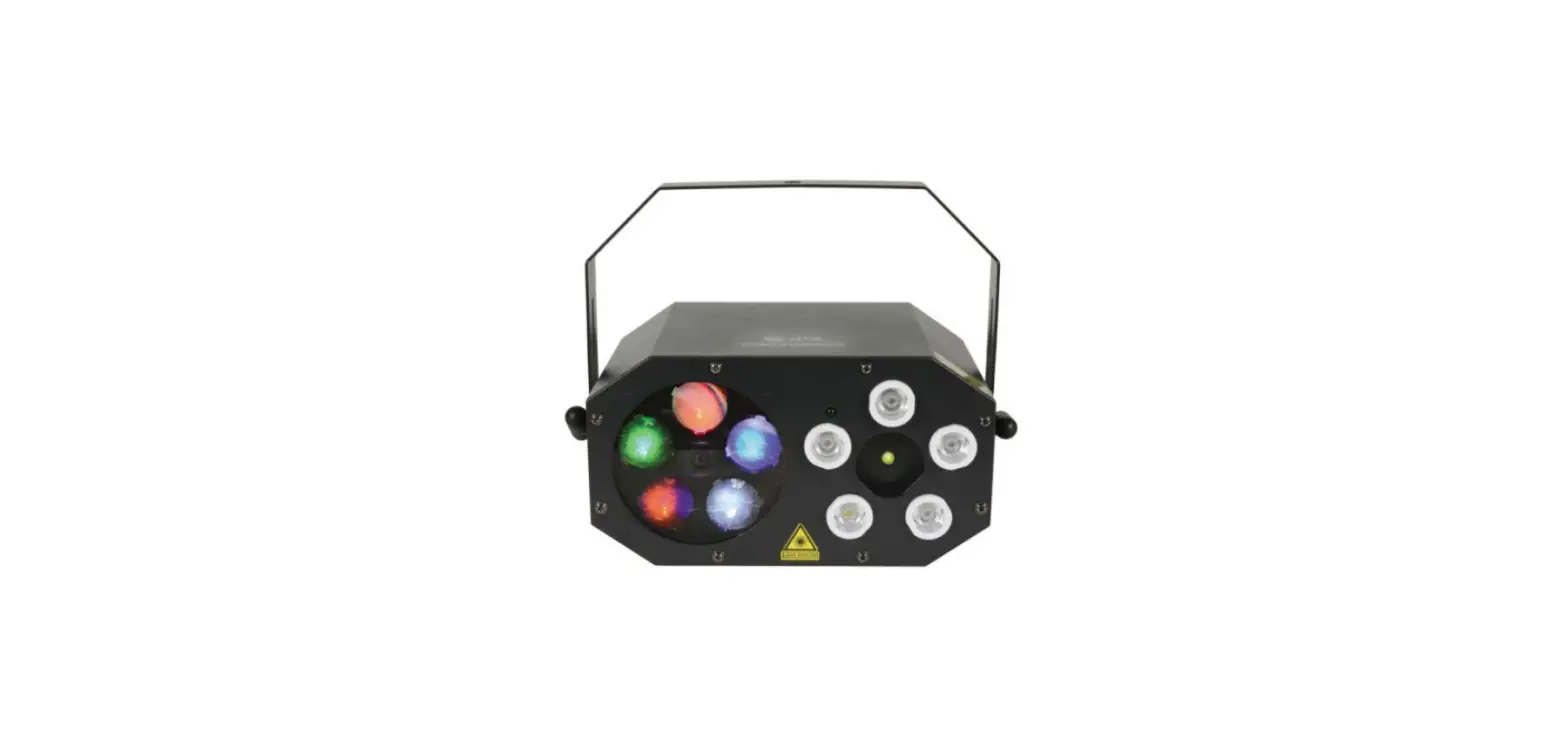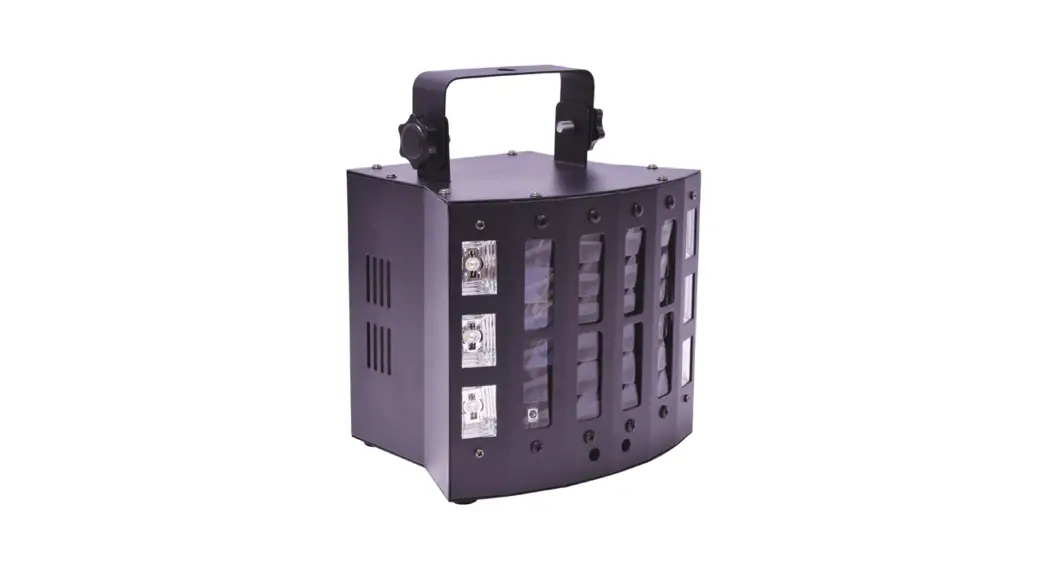

SURGE
DERBY + LASER/UV/STROBE EFFECT
SURGE
Item ref: 151.597UK
User Manual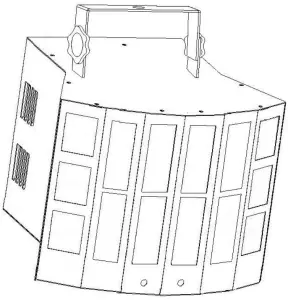
 Caution: Please read this manual carefully before operating Damage caused by misuse is not covered by the warranty
Introduction
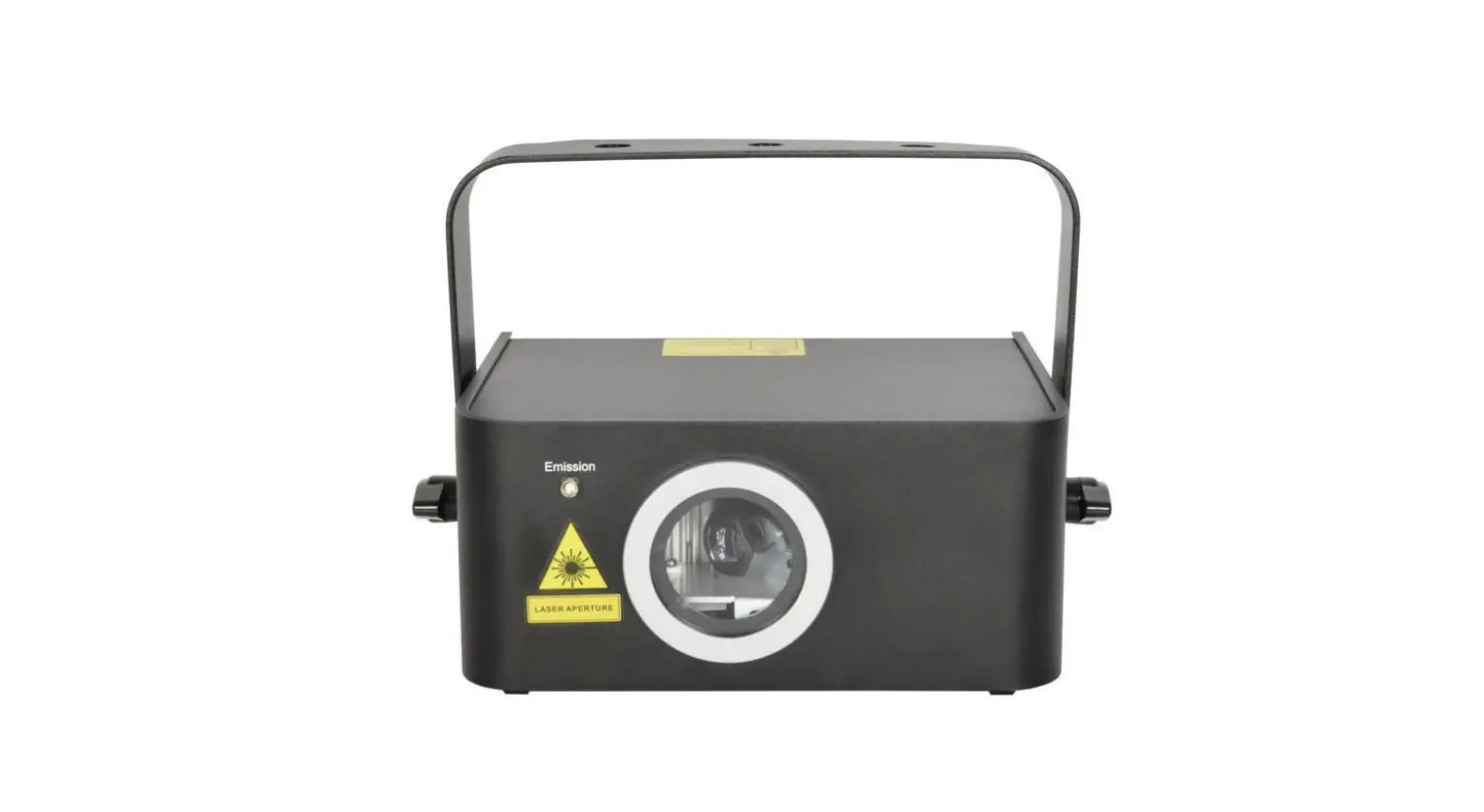
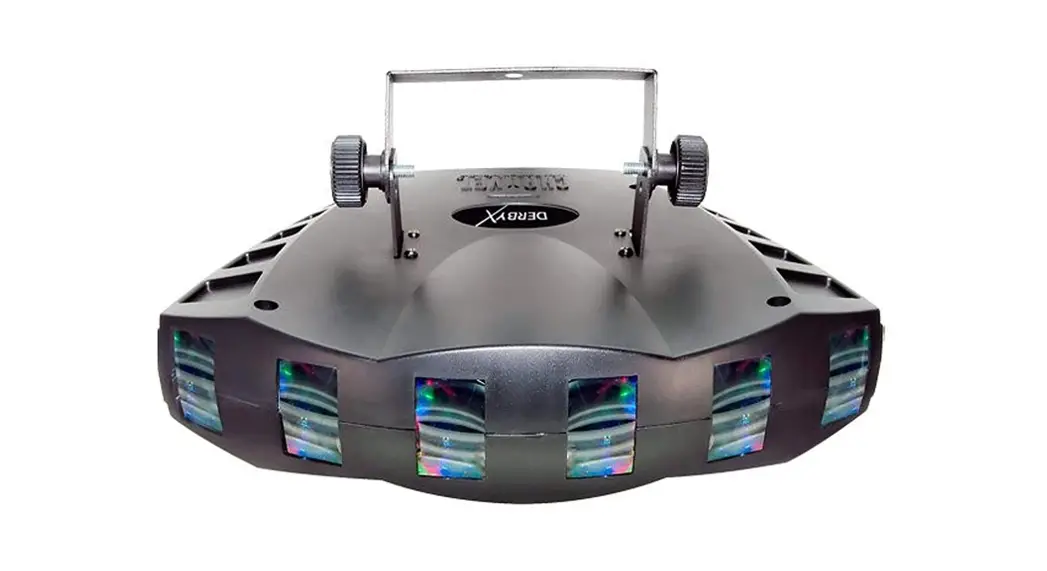
Thank you for choosing the SURGE effect light as part of your light show. This compact fixture is a complete lighting effects solution in a single fixture, featuring LED Derby with Strobe, UV, and Red/Green Laser functions, all controllable from DMX, internal or remote control. Please read and keep the following instructions for future reference.
SAFETY SYMBOL AND MESSAGE CONVENTIONS
| CAUTION RISK OF ELECTRIC SHOCK DO NOT OPEN | AVIS RISQUE DE CHOC ELECTRIQUE NE PAS OUVRIR |
 This symbol indicates that dangerous voltage constitutes a risk of electric shock is present within this unitThis symbol indicates that there are important operating and maintenance instructions in the literature accompanying this unit.
Warning
To prevent the risk of fire or electric shock, do not expose any components to moisture.
If liquids are spilled on the housing, stop using immediately, allow the unit to dry out, and have checked by qualified personnel before further use. Avoid impact, extreme pressure or heavy vibration to the case. No user-serviceable parts inside – Do not open the case – refer all servicing to qualified service personnel.
Safety
Check for correct mains voltage and condition of IEC lead before connecting to a power outlet. Do not allow any foreign objects to enter the case or connectors.
Placement
- Keep away from damp or dusty environments
- Use the included tripod stand for installation onto a stable surface
- Ensure adequate air-flow around the fixture housings
- Ensure adequate access to controls and connections
Caution: Laser radiation
 Avoid pointing directly towards eyes. Laser output can cause injury if viewed directly.
This product is a Class 3B laser and should only be installed and used by personal who are trained in the management of laser radiation and are able to operate in accordance with the guidance given by the Health and Safety Executive (HSE) in HS(G)95: “The Radiation Safety of Lasers used for Display purposes”.
Copies of this guide can be downloaded from the HSE website: www.hse.gov.uk/pubns/priced/hsg95.pdf
Cleaning
- Use a soft cloth with a neutral detergent to clean the casing as required
Use a vacuum cleaner to clear ventilation grilles of any dust or debris build-ups
Do not use strong solvents for cleaning the unit
In the box
Please open the package carefully and check that all contents are present and in good condition. Contact your retailer if any part is missing or broken.
- SURGE LED + Laser light effect unit
- Mounting bracket
- IR remote control
- IEC mains lead(s)
- Laser switch key
Rear panel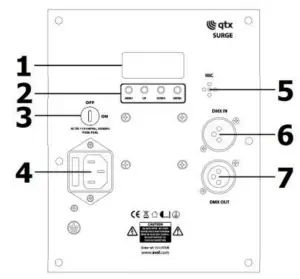
- LED display
- Control panel
- Laser safety switch
- IEC mains inlet & fuse holder
- Microphone
- DMX input
- DMX output
Internal Settings
Using the four control panel buttons (2), the SURGE can be set to various modes.
Press the MENU button to display the different functions (see table below). Use the UP/DOWN arrow buttons to make your selection and press the ENTER button to [enter] a value or confirm the selection.
Note: for Laser effects to be enabled, the safety key switch (3) must be set to the ON position.
| Menu | Value | Function |
| LR** | 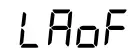 | Laser off |
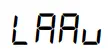 | Laser auto mode | |
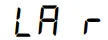 | Red laser on | |
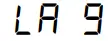 | Green laser on | |
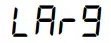 | Red + green laser on | |
 | Laser auto colour change speed slow to fast | |
 | Laser strobe speed slow to fast | |
| LE** | 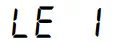 | Derby red LED on |
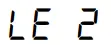 | Derby green LED on | |
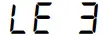 | Derby blue LED on | |
 | Derby single colour jump | |
 | Derby mixed colour jump | |
 | Derby strobe effect | |
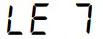 | Derby auto mode (LE 4 – LE 5 – LE 6 sequence) | |
| 5d** |  | Speed adjustment for derby colour change |
| 5P** | | Speed adjustment for derby rotation |
| FL** | 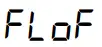 | Strobe LEDs off |
 | LED strobe speed slow to fast | |
| Pu ** |  | UV LEDs off |
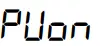 | UV LEDs on (also applies to LA, LE, and FL modes) | |
| Au** | 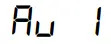 | Auto mode 1 (fast) |
| | 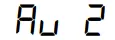 | Auto mode 2 (slow) |
| 5 1** | 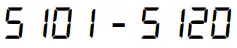 | Sound mode 1 (no sound = slow) beat count 1 to 20 |
 | Microphone sensitivity 1 – 9 | |
| 52** |  | Sound mode 2 (no sound = stop) beat count 1 to 20 |
| Microphone sensitivity 1 – 9 | |
| R*** |  | DMX address 001 – 512 (slave mode = RHO : ) |
Standalone operation
The SURGE can be operated without external control by selecting one of the Internal show modes from the control panel menu. These are shown in the Internal Settings section on the previous page.
Internal settings can also be selected via the included IR remote control as detailed below.
As supplied, the remote handset has a clear plastic tab inserted which should be removed to activate the CR2025 button cell. Point the handset toward the front of the SURGE unit at a range of no more than 5m for remote control.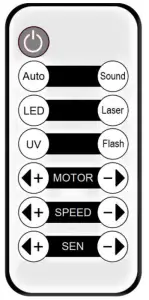
 Auto Sound LED Laser UV Flash MOTOR +/ SPEED +/- SEN +/- | Power on/standby Auto mode Sound-activated mode LED derby effect on/off Laser effect on/off UV LEDs on/off Strobe effect on/off Select motor rotation Adjust effect speed Adjust microphone sensitivity |
Master/slave operation
A SURGE fixture operating in one of the standalone modes may be connected by DMX lead (6, 7) to control further SURGE units by setting subsequent units to DMX address
In this mode, the slave SURGE units will mimic the master SURGE working in standalone mode.
DMX operation
The SURGE functions can be controlled by DMX signal by connecting DMX leads from the controller to the DMX input (6) and linking onto further units from the DMX output (7) using suitable XLR leads. In order to access the full DMX functions, the DMX start address will need to be set on the control panel.
When the display shows “600”, this means that the SURGE is operated starting from the DMX address
1. When the display shows “6203”, this means that the SURGE is operated starting from DMX address 203. The start address can be anywhere between 001 and 512.
There are 9 DMX channels – which are detailed on the following pages.
DMX mode (9 channels)
| Channel | Value | Function |
| 1 | 000-009 | UV LEDs off |
| 010-255 | UV LEDs on | |
| 2 | 000-009 | White LEDs off |
| 010-255 | White LEDs on | |
| 3 | 000-009 | Derby effect off |
| 010-044 | Derby effect red | |
| 045-079 | Derby effect green | |
| 080-114 | Derby effect blue | |
| 115-149 | Derby effect red + green | |
| 150-184 | Derby effect green + blue | |
| 185-219 | Derby effect red + blue | |
| 220-255 | Derby effect Red + green + blue | |
| 4 | 000-009 | Laser off |
| 010-099 | Laser on red | |
| 100-199 | Laser on green | |
| 200-255 | Laser on red + green | |
| 5 | 000-009 | LED strobe off |
| 010-255 | LED strobe speed fast to slow | |
| 6 | 000-016 | Enable UV + White + Derby + Laser |
| 017-033 | Enable UV LEDs only | |
| 034-050 | Enable White LEDs only | |
| 051-067 | Enable Derby only | |
| 068-084 | Enable Laser only | |
| 085-101 | Enable UV + White LEDs | |
| 102-118 | Enable Derby + Laser | |
| 119-135 | Enable White LEDs + Laser | |
| 136-152 | Enable UV LEDs + Laser | |
| 153-169 | Enable UV LEDs + Derby | |
| 170-186 | Enable White LEDs + Laser | |
| 187-203 | Enable UV + White LEDs + Derby | |
| 204-220 | Enable UV + White LEDs + Laser | |
| 221-237 | Enable UV LEDs + Derby + Laser | |
| 238-255 | Enable White LEDs + Derby + Laser | |
| 7 | 000-009 | Derby rotation off |
| 010-255 | Derby rotation fast to slow | |
| 8 | 000-009 | Laser rotation off |
| 010-127 | Laser forward rotation fast to slow | |
| 128-255 | Laser reverse rotation slow to fast | |
| 9 | 000-050 | DMX mode |
| 051-150 | Auto program Ru I | |
| 151-200 | Auto program Ru 2 | |
| 201-250 | Sound program S I** | |
| 251-255 | Sound program 52″ |
Specifications
| Power supply | 100-240Vac, 50/60Hz (IEC) |
| Power consumption max. | 60W |
| Fuse | T2A/250V |
| Operating temperature | 45°C max |
| LED power | 8 x 3W Derby, 2 x 3W strobe, 8 x 3W UV |
| LED color | 2 Red, 2 Green, 2 Blue, 2 Yellow, 2 White, 8 UV |
| Laser power | 80mW Red (650nm), 30mW Green (532nm) |
| DMX channels | 2ch or loch |
| DMX connection | 3-pin XLR in & out |
| Laser class | 3B |
| Internal programs | Master-Slave, Auto, Sound-activated |
| Dimensions | 255 x 230 x 195mm |
| Weight | 2.5kg |
This product is classed as Electrical or Electronic equipment and should not be disposed of with other household or commercial waste at the end of its useful life. The goods must be disposed of according to your local council guidelines.
Errors and omissions excepted. Copyright© 2021 AVSL Group Ltd, Unit 2 Bridgewater Park, Taylor Road, Trafford Park, Manchester. M41 73Q.
AVSL (Europe) Ltd, Unit 3D North Point House, North Point Bus. Park, New Mallow Road, Cork, Ireland.
151.597UK User Manual