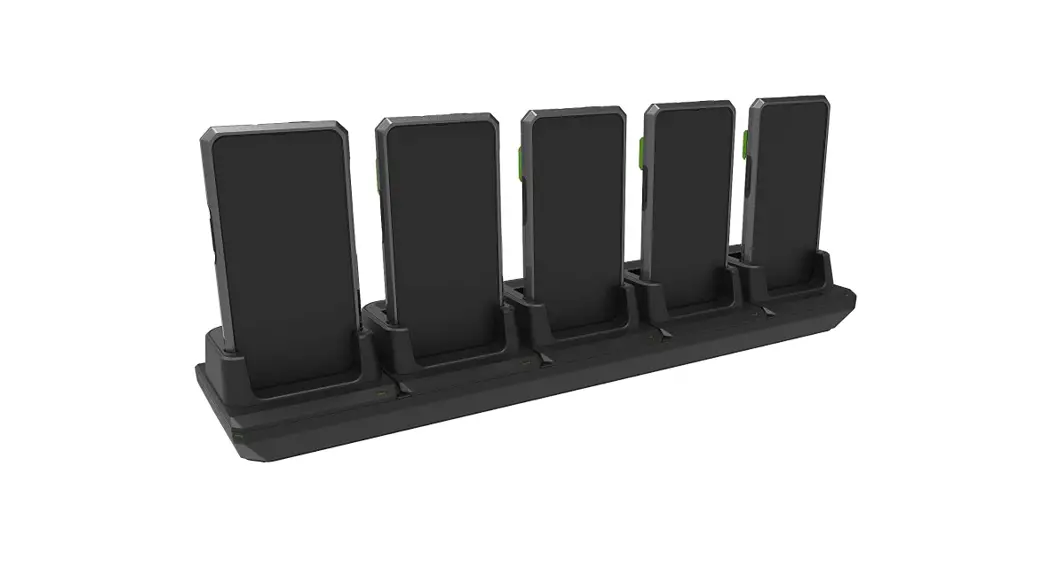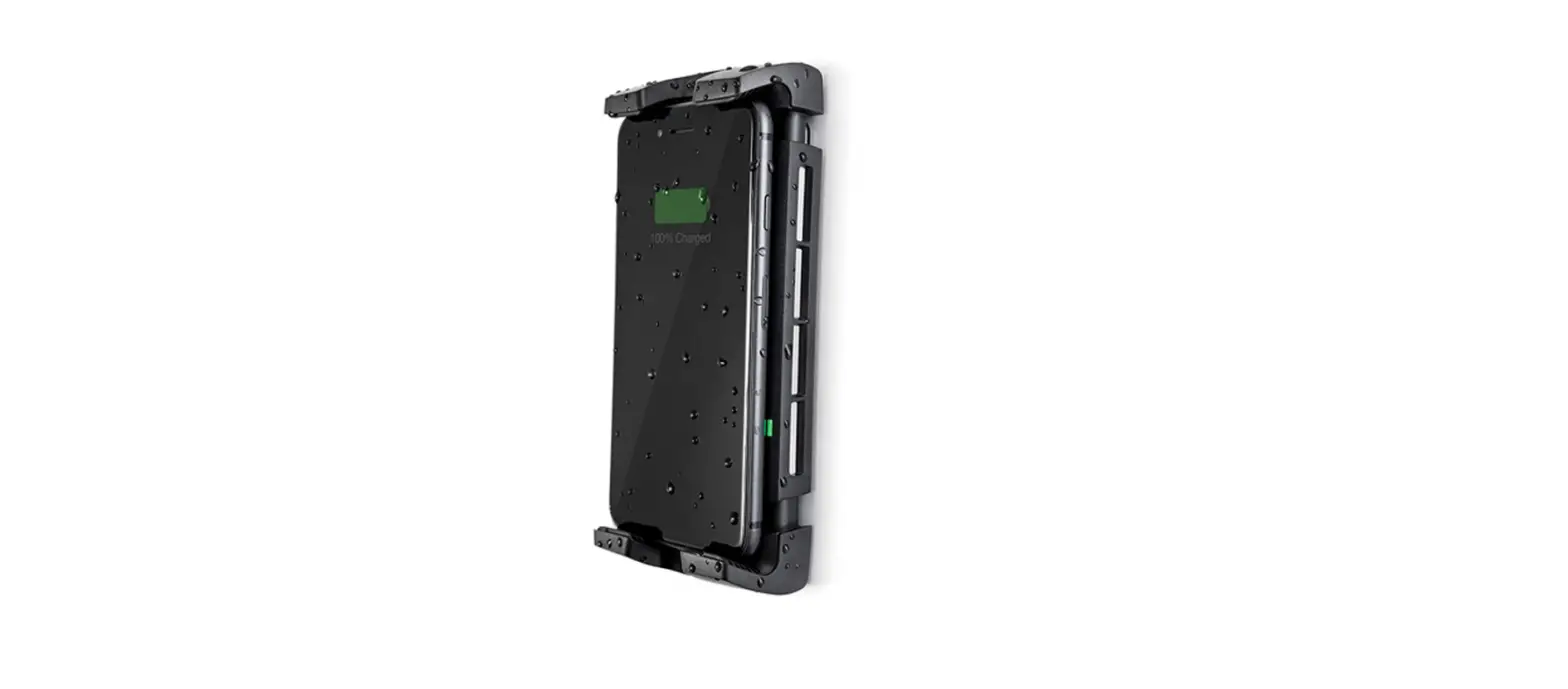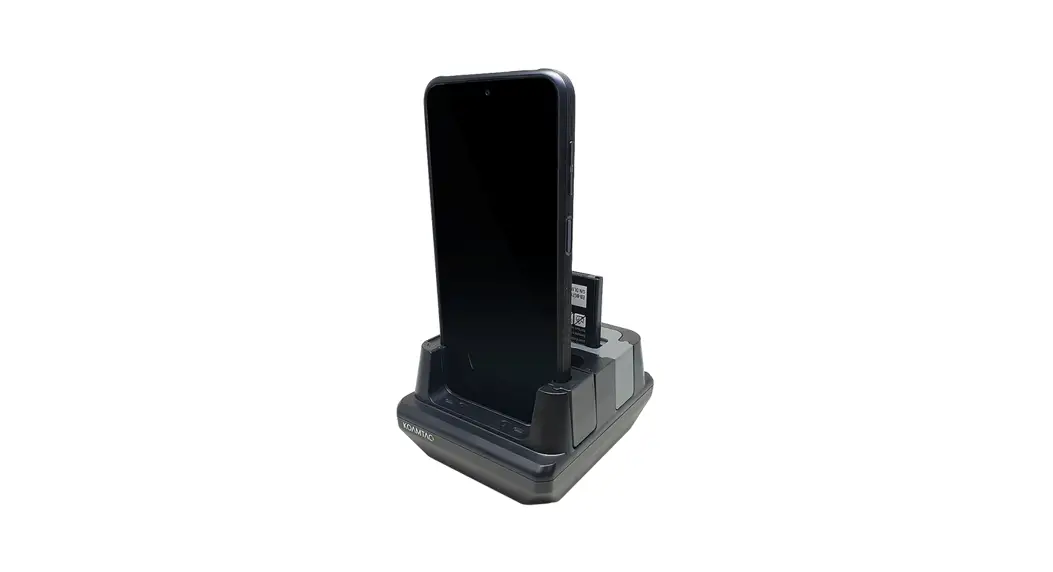

KOAMTAC 2SCC/10SCC Base
Charging Cradle Mini Guide
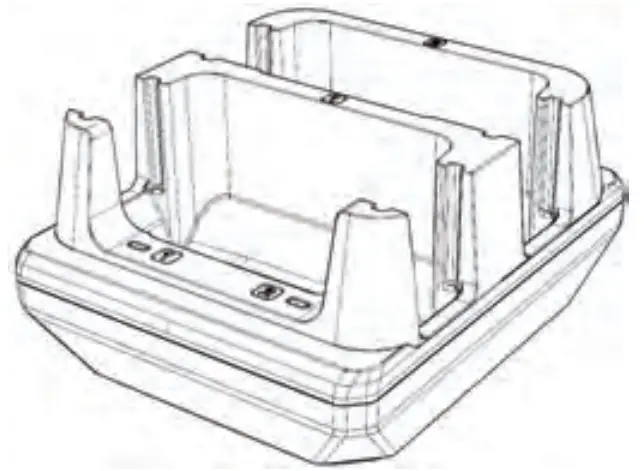
* Al pictures shown are for ilustration purpose only.
Actual product may vary.
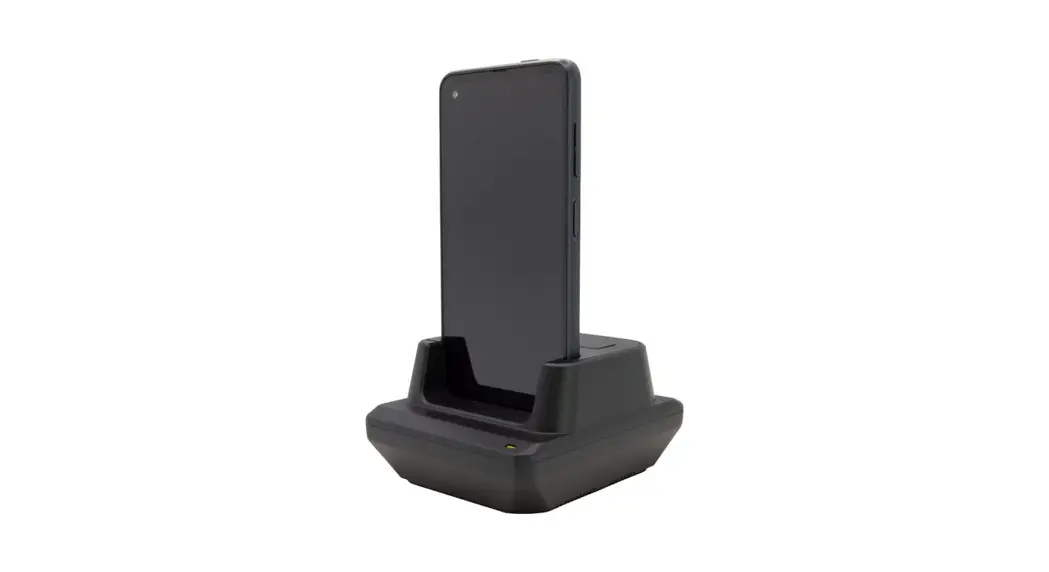
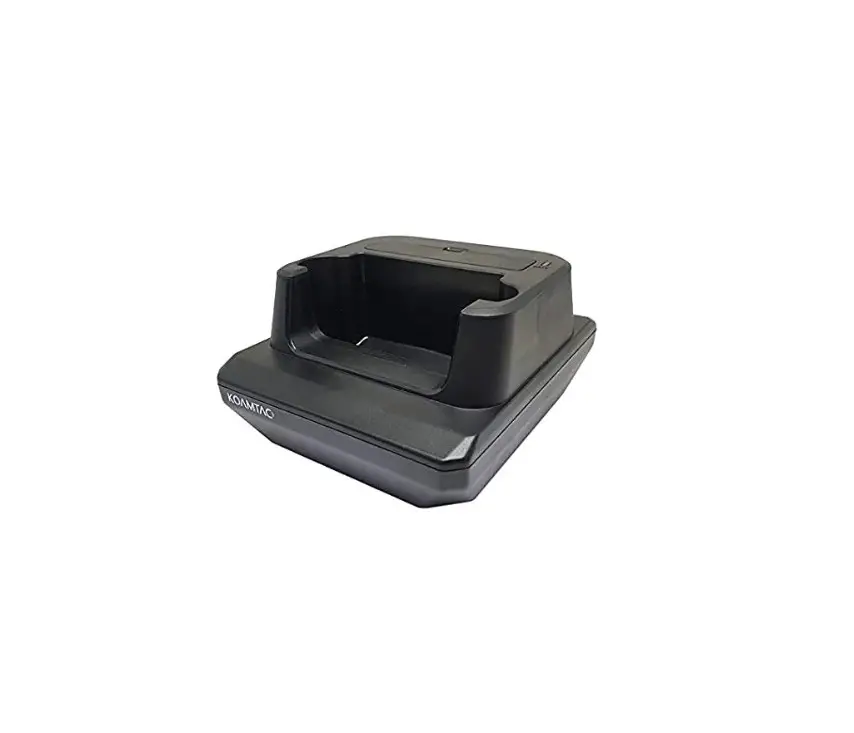
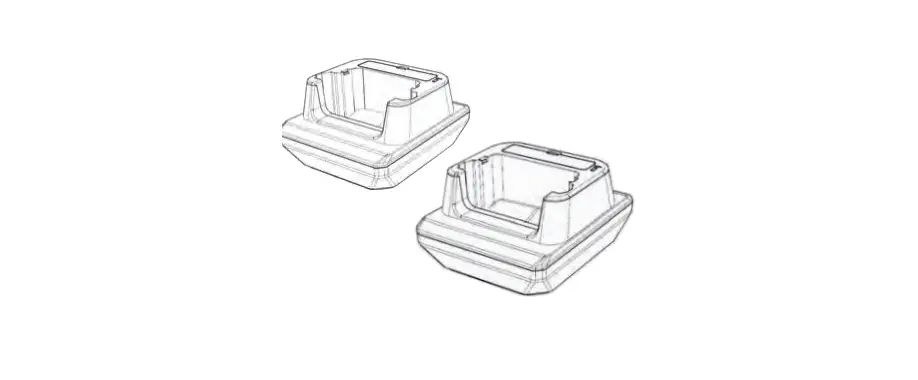
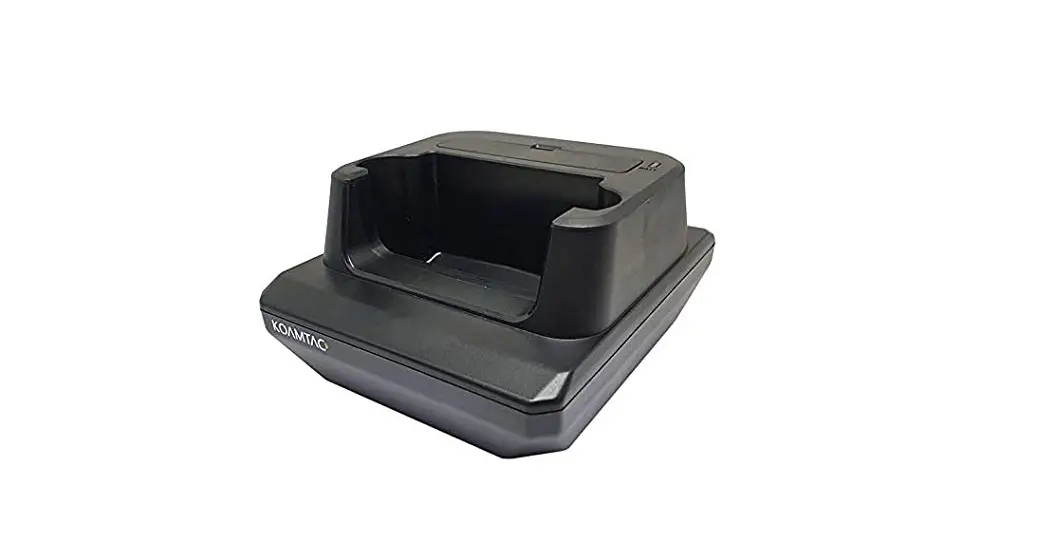
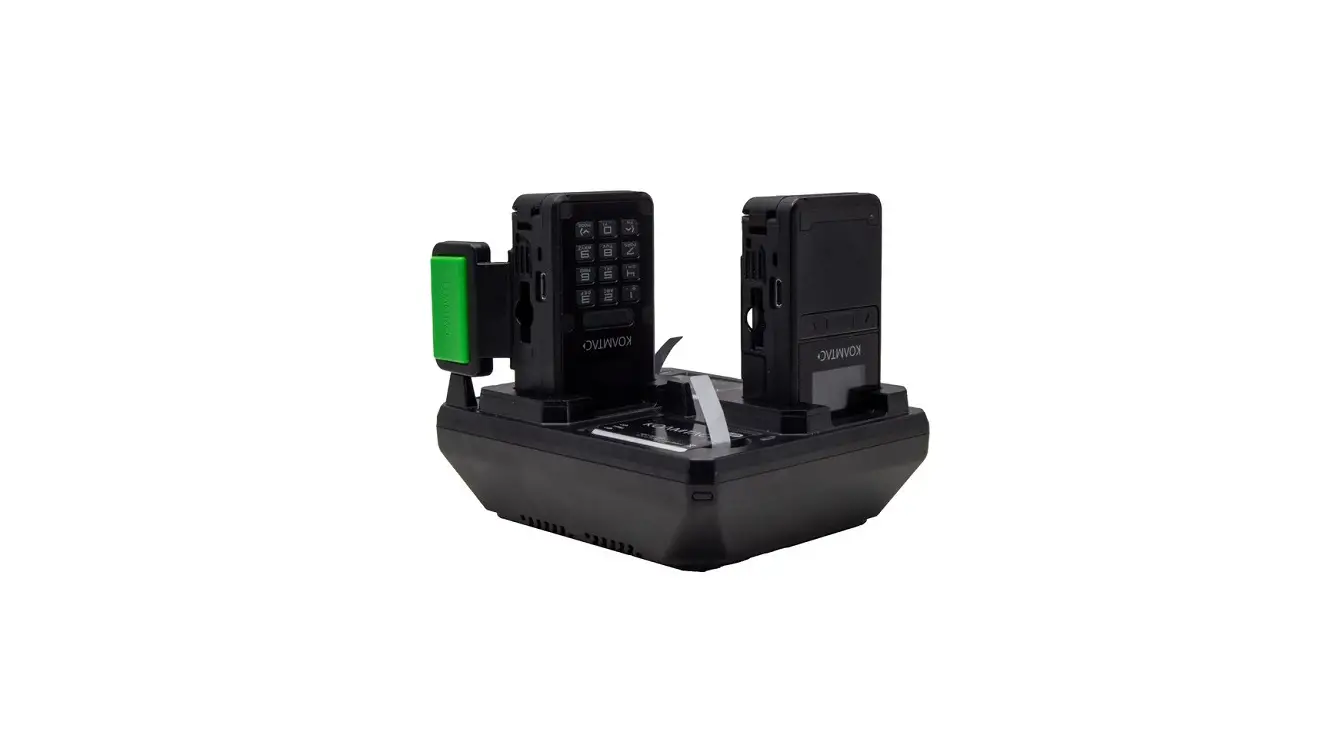
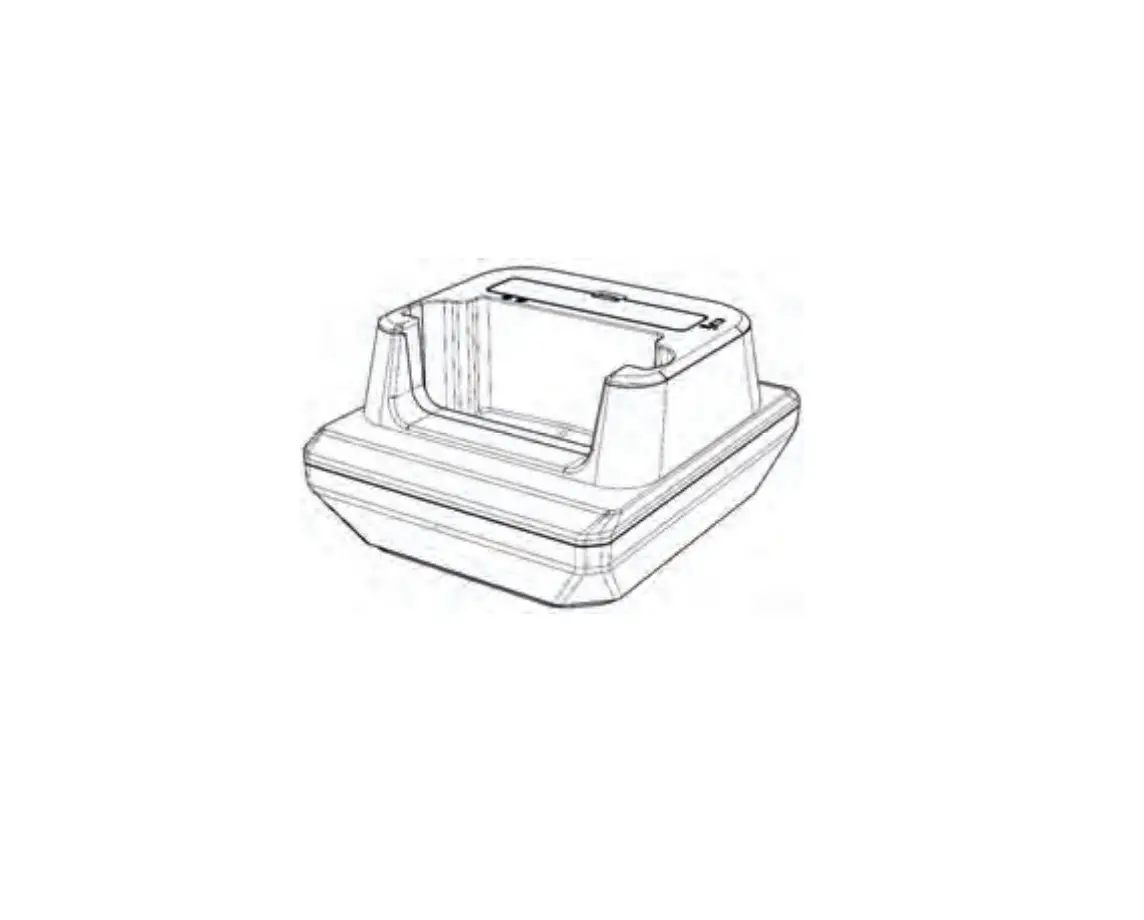
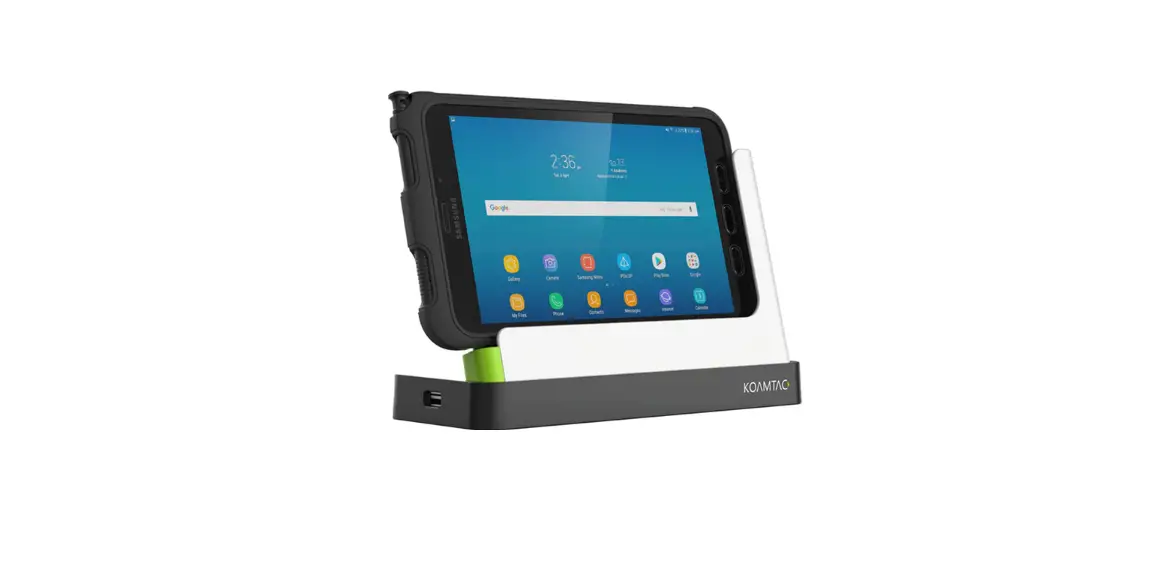
XCover6 Pro 1 Slot Charging Cradle
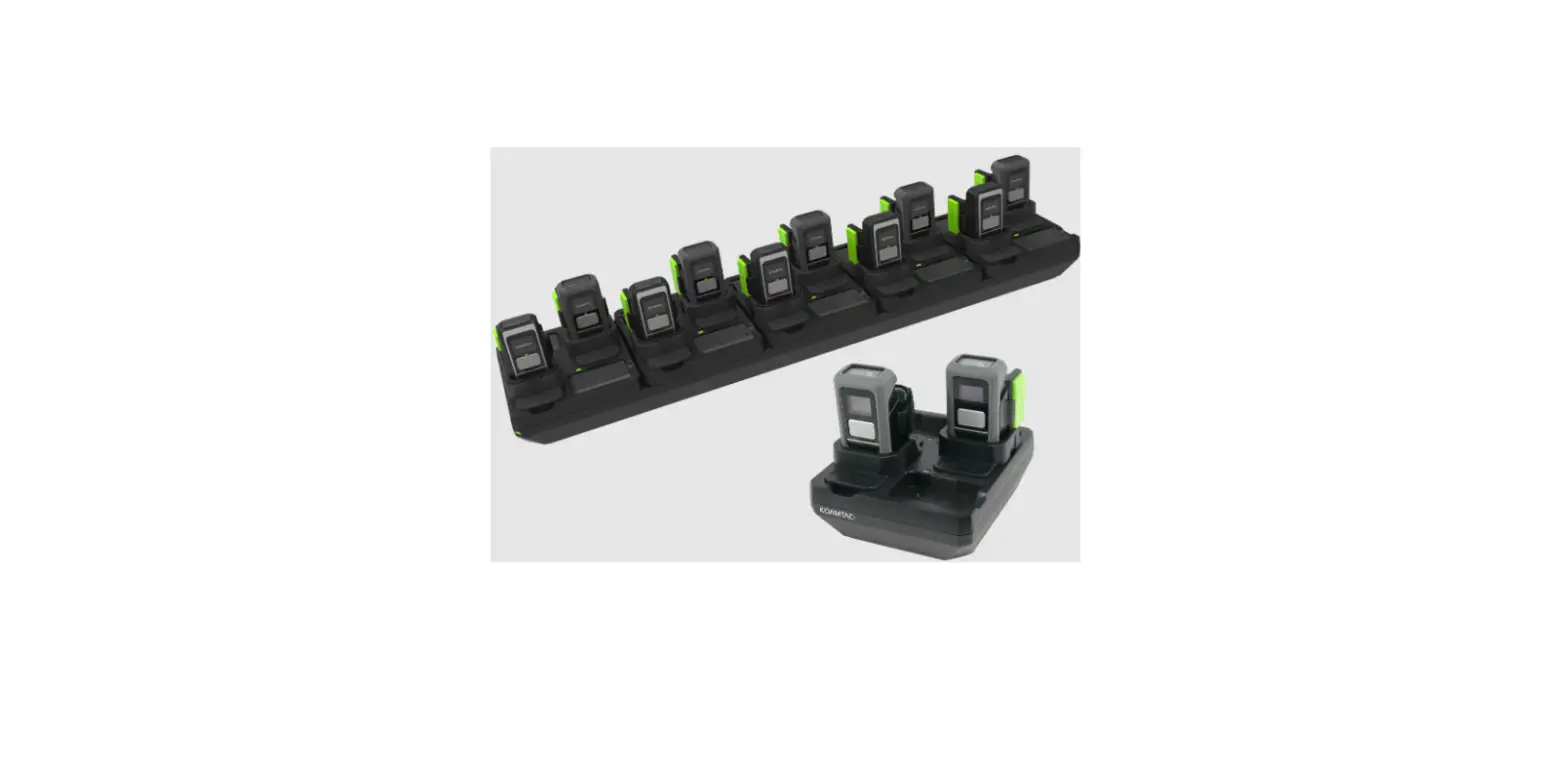
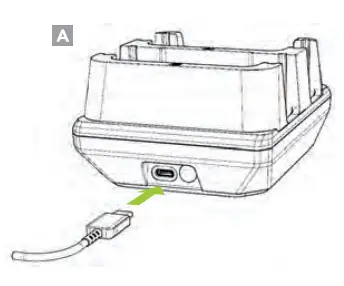
2-Slot Charging via USB Type-C
Charge the device using Samsung 25W PD Charger. (A)
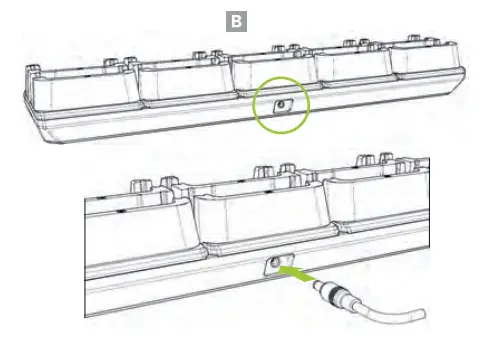
10-Slot Charging via DC Connector
Charge device(s) using the 12V/10A DC power adapter. (8)
Device Spacer Configuration
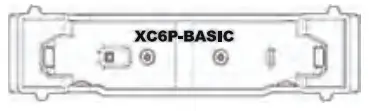 | XC6P-BASIC Spacer For XCoveré Pro |
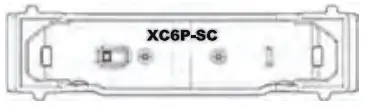 | XC6P-SC Spacer For XCoveré Pro with Samsung Case |
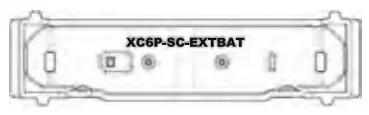 | XC6P-SC-EXTBAT Spacer ForXCovers Pro with Samsung Case + Samsung Case Extended Battery Pack |
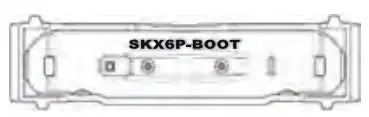 | SKX6P-BOOT Spacer For SKX6Pro wiith Protective Boot |
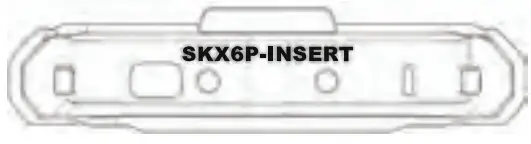 | SKX6P-INSERT Spacer For SKX6Pro without Protective Boot |
Battery Spacer Configuration
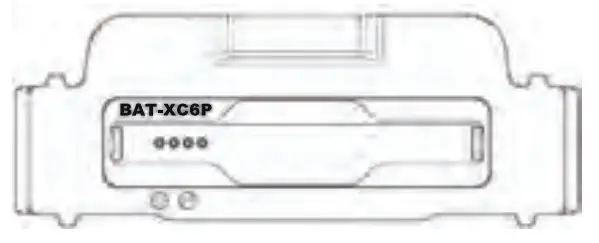 | BAT-XC6P Spacer For XCoveré Pro Genuine Spare Battery |
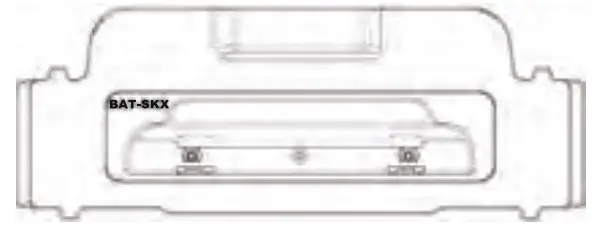 | BAT-SKX Spacer For SKX6Pro 2,000mAh Extended Battery |
Charging Configuration 1:
1x XCover6 Pro
1x Spare Battery
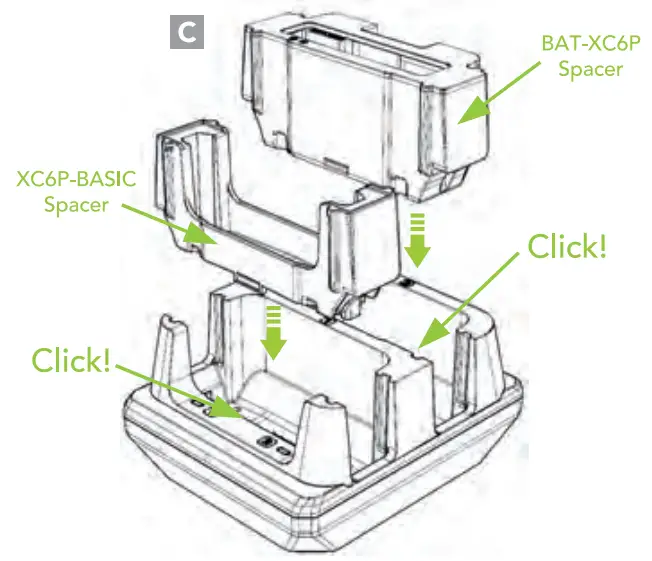
Insert the XC6P-BASIC spacer and the BAT-XC6P spacer until you hear clicks. (C)
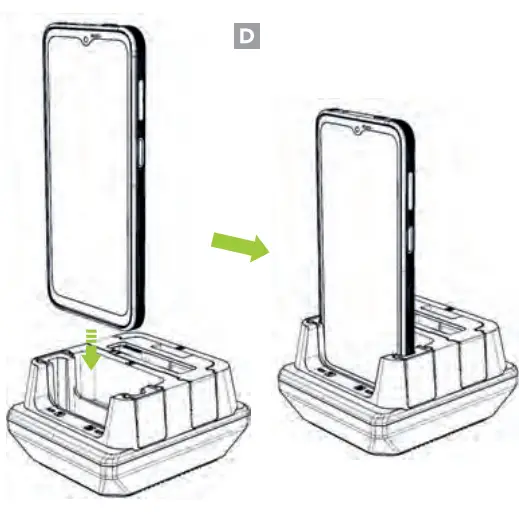
Insert XCoverb Pro into XC6P-BASIC spacer. (D)
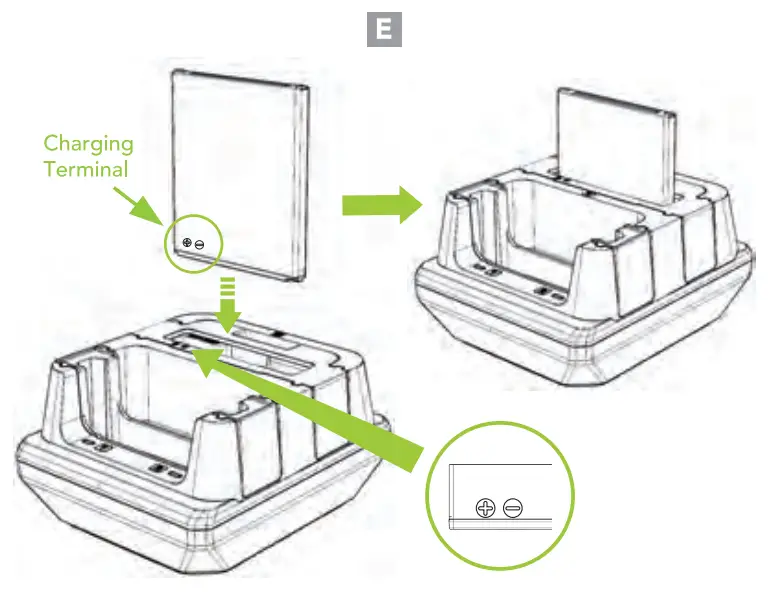
The charging terminal on the XCover6 Pro battery is located on the bottom left of the battery when viewed from the front. Align the left side of the battery with the left side of the BAT-XC6P spacer and insert the battery. (E)
Charging Configuration 2:
2x XCoveré Pro
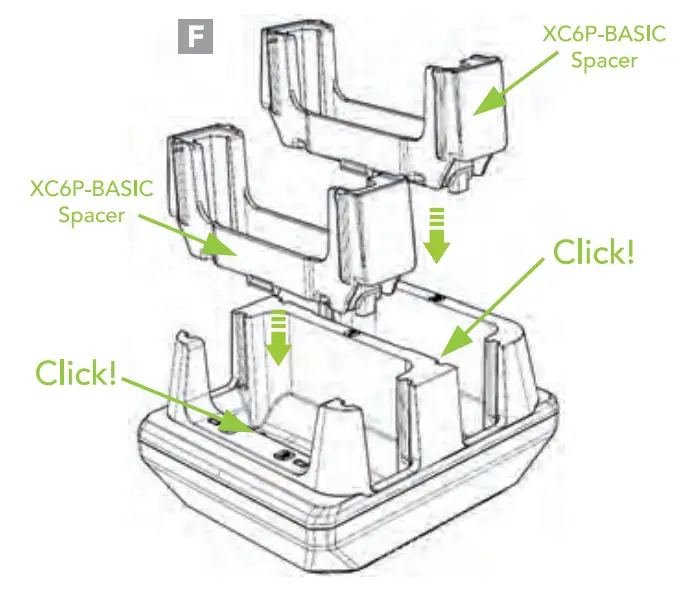
Insert XC6P-BASIC spacers into the front and rear slots until you hear clicks. (F)
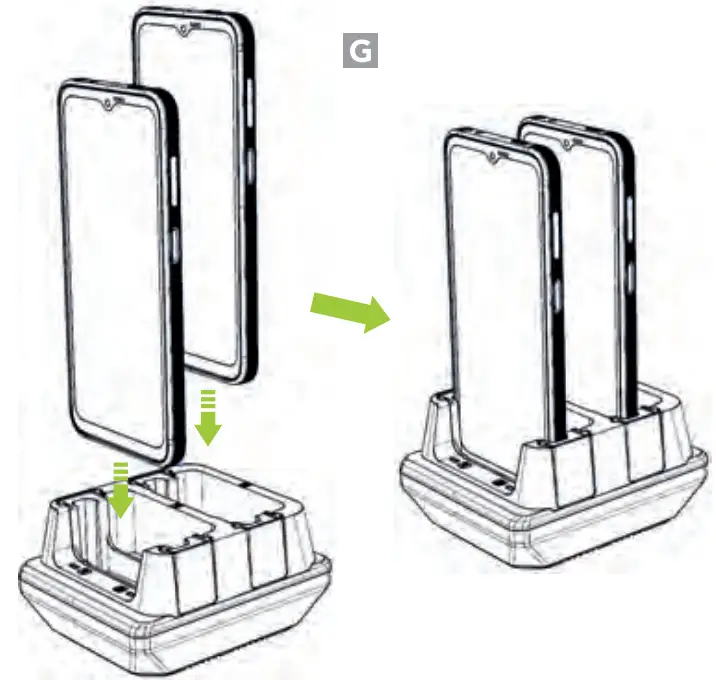
Insert XCoverb Pro into the front and rear XC6P-BASIC spacers. (G)
Charging Configuration 3:
1x XCoveré Pro with Samsung Case
1x XCover6 Pro with Samsung Case
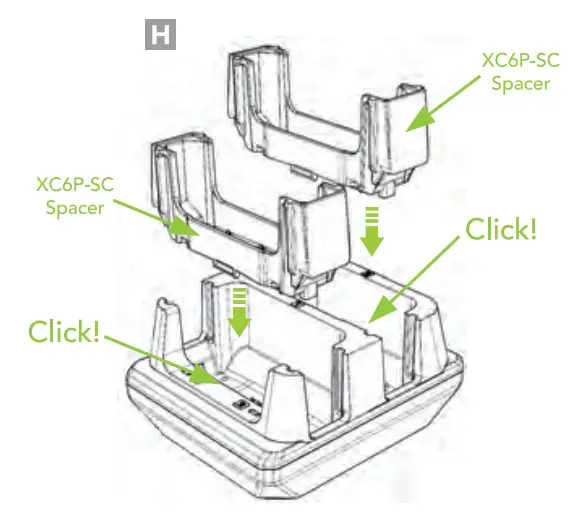
Insert the XC6P-SC spacer and the XC6P-SC spacer into the front and rear slots until you hear clicks. (H)
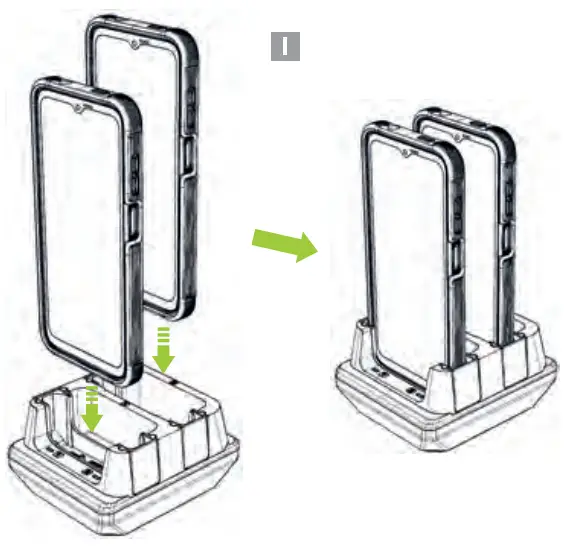
Insert XCoveré Pro with Samsung Case into the front spacer and XCoveré Pro with Samsung Case into the rear spacer. (I)
Charging Configuration 4:
2x XCoverb Pro with Samsung Case and Extended Battery Pack
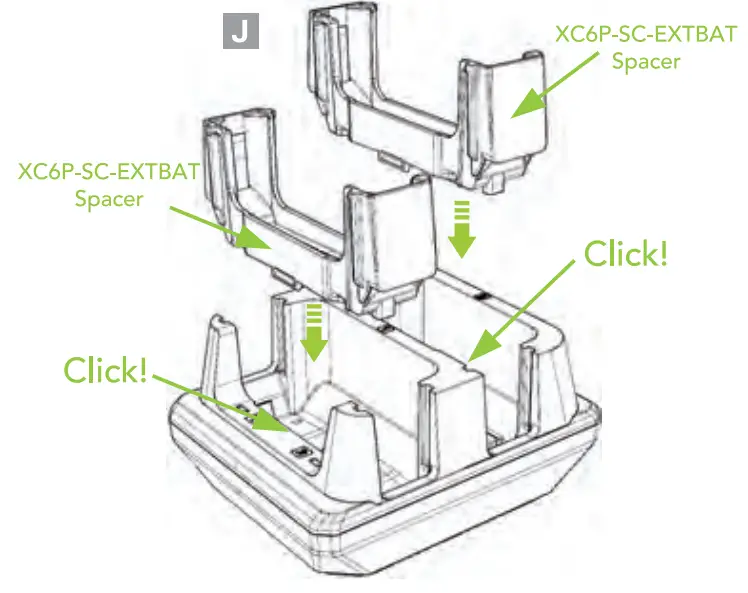
Insert XC6P-SC-EXTBAT spacers into the front and rear slots until you hear clicks. (J)
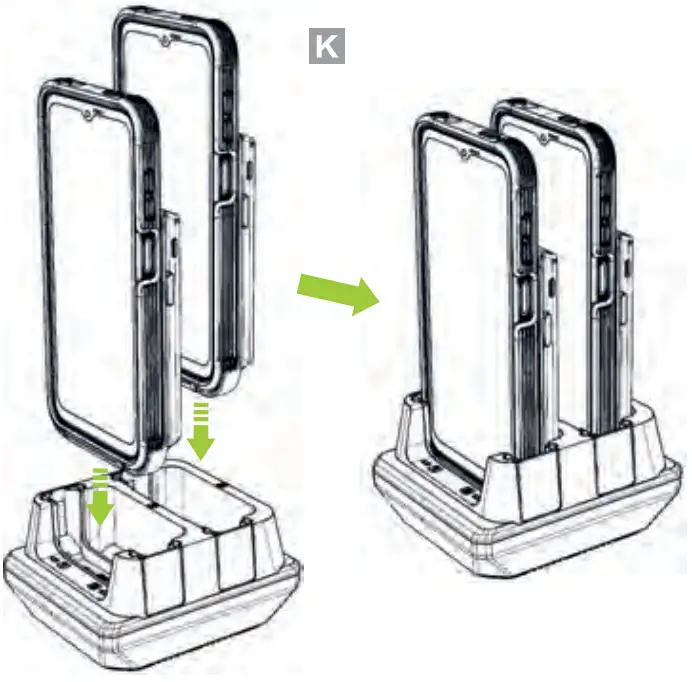
Insert XCoveré Pro with Samsung Case and Extended Battery Packs into the front and rear XC6P-SC-EXTBAT spacers. (K)
Charging Configuration 5:
1x XCoveré Pro with samsung case
1x XCoveré Pro with Samsung Case and Extended Battery Pack
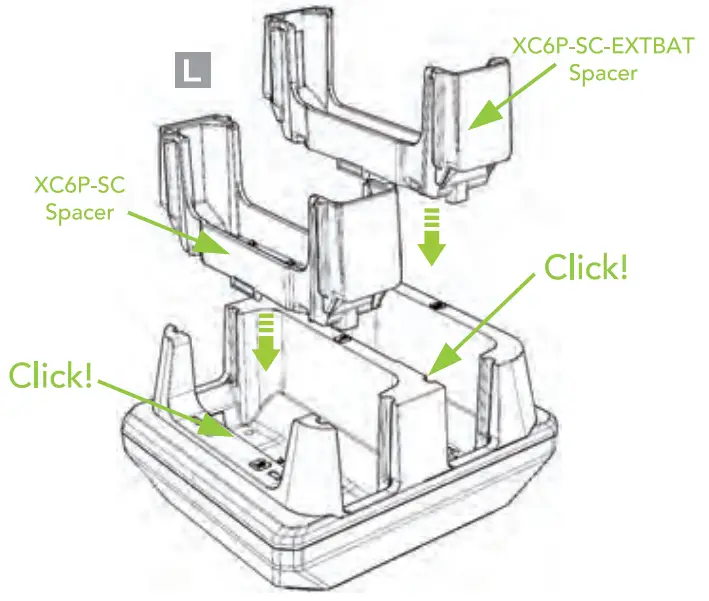
Insert the XC6P-SC spacer and the XC6P-SC-EXTBAT spacer until you hear clcks. (L)
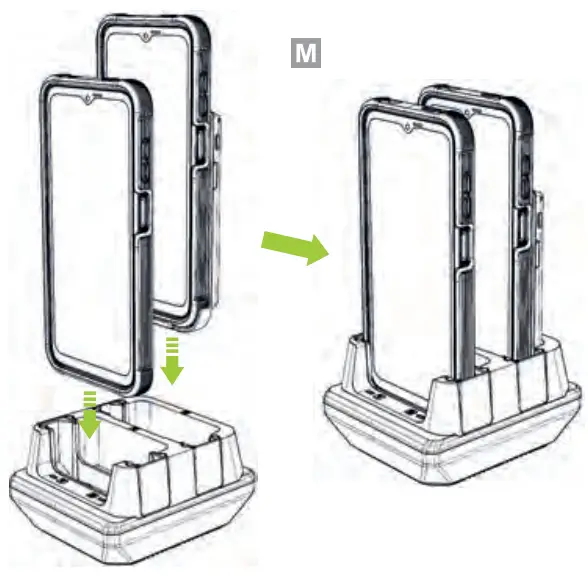
Insert XCoveré Pro with Samsung Case into the front spacer and XCover6 Pro with Samsung Case and Extended Battery Pack into the rear spacer. (M)
Charging Configuration 6:
1x SKX6Pro with Protective Boot
1x 2,000mAh Extended Battery
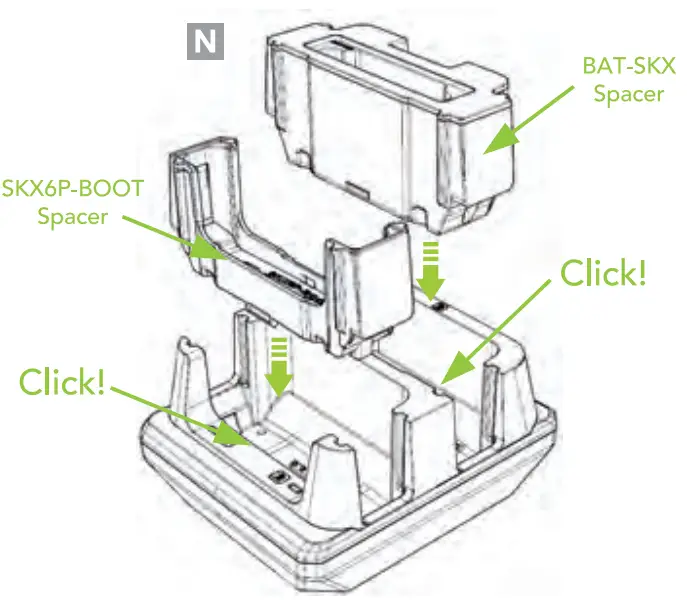
Insert the SKX6P-BOOT spacer and the BAT-SKX spacer until you hear clicks. (N)
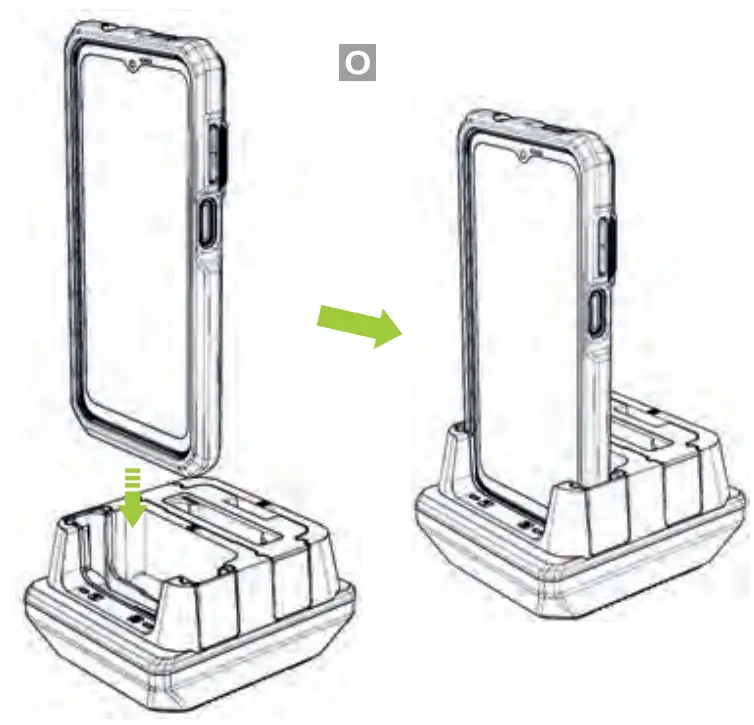
Insert SKX6Pro with Protective Boot into the SKX6P-BOOT spacer. (O)
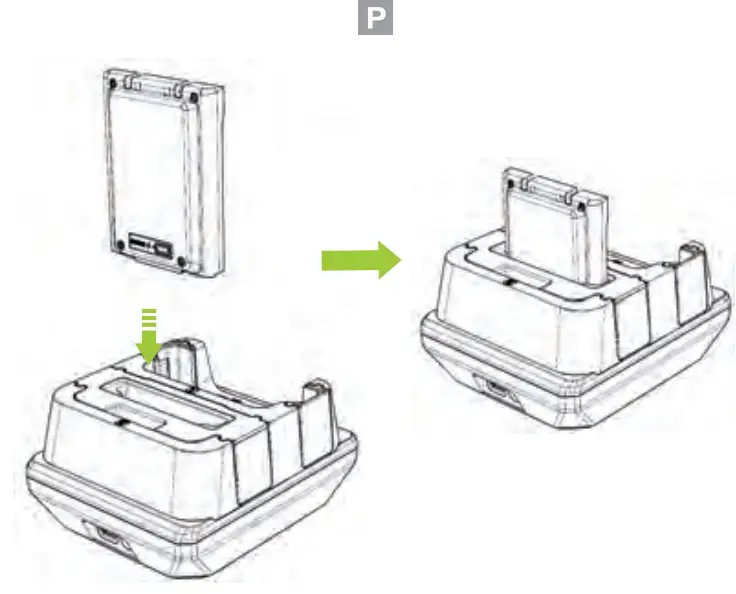
Insert the 2,000mAh Extended Battery into the extended battery slot on the cradle with the battery’s charging LED indicator facing towards the back of the cradle. (P)
Charging Configuration 6-1:
1x SKX6Pro without Protective Boot
1x 2,000mAh Extended Battery
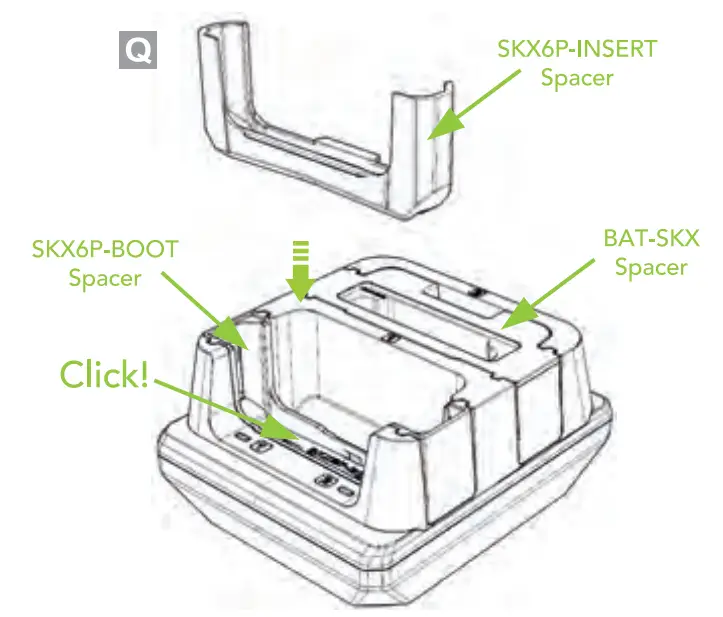
Insert the SKX6P-INSERT spacer into the SKX6P-BOOT spacer until you hear clicks. (Q)
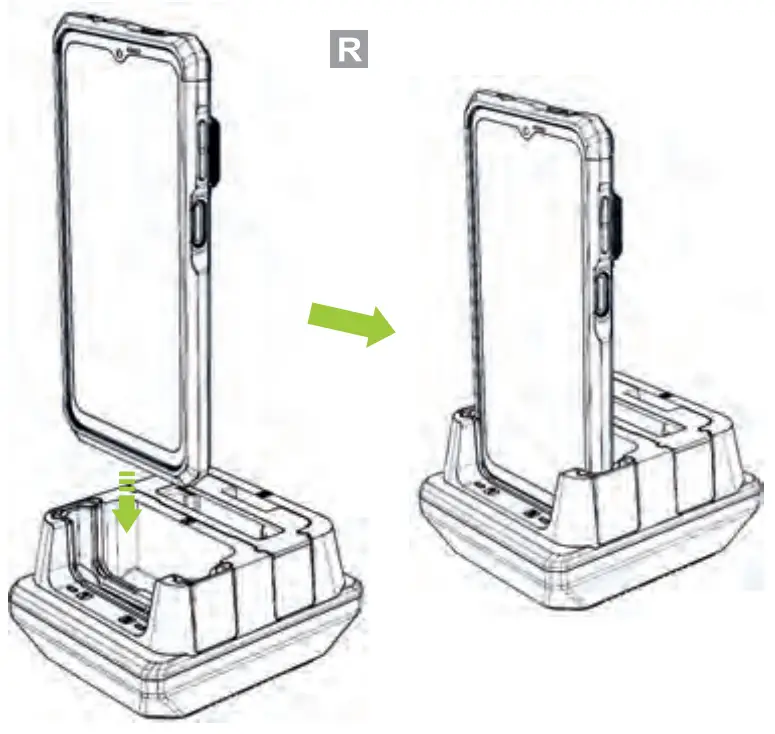
Insert SKX6Pro without Protective Boot into SKX6P-INSERT spacer. (R)
Charging Configuration 7:
2x SKX6Pro with Protective Boot
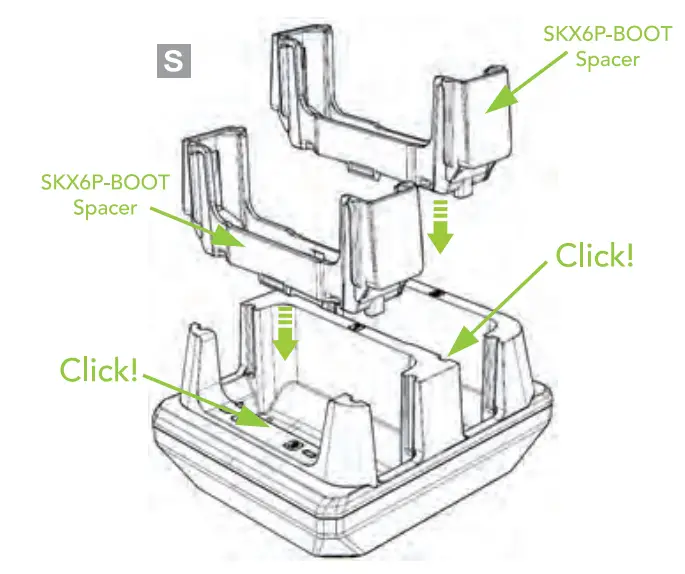
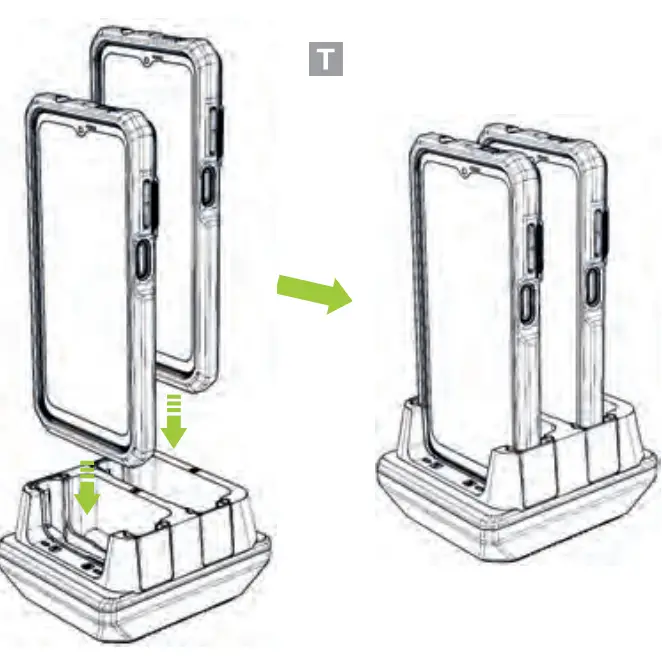
Insert SKX6P-BOOT spacers into the front and rear slots until you hear clicks. (5)
Insert SKX6Pro with Protective Boot into the front and rear SKX6P-BOOT spacers. (T)
Charging Configuration 8:
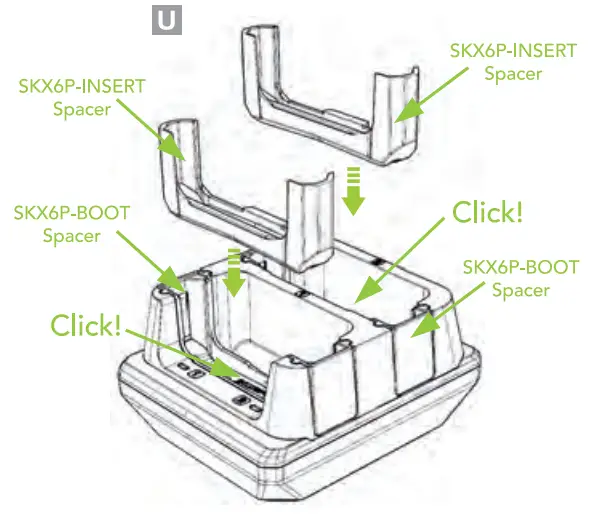
2x SKX6Pro without Protective Boot
Insert SKX6P-INSERT spacers into the front and rear SKX6P-BOOT spacers until you hear clicks. (U)
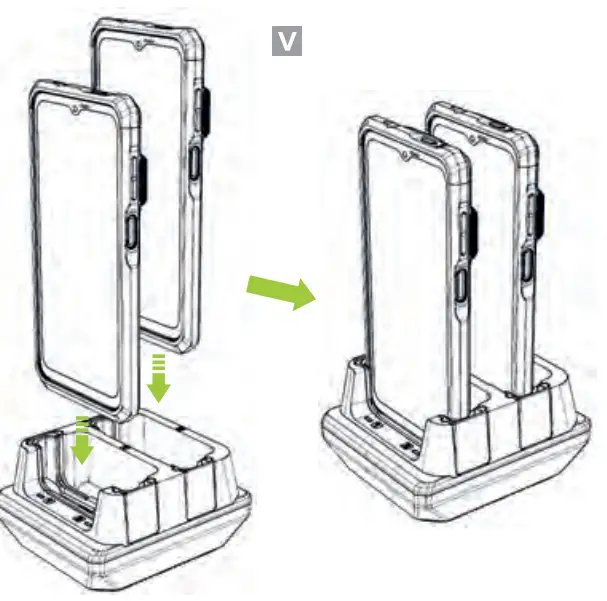
Insert an SKX6Pro without Protective Boot into the front and rear SKX6P-INSERT spacers. (V)
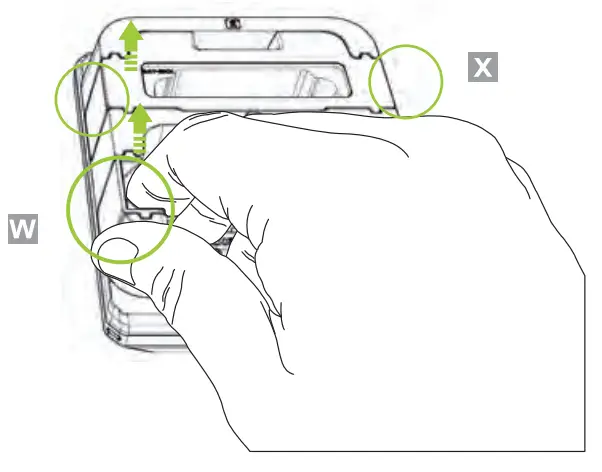
Removing Device Spacers
2:Slot Cradles: Put your finger inside and against the side of the spacer, then lift the spacer out of the cradle. (W) 10-Slot Cradles: Remove the spacer by griping the spacer on the outsides and lfting it up. (X)
Removing Battery Spacers
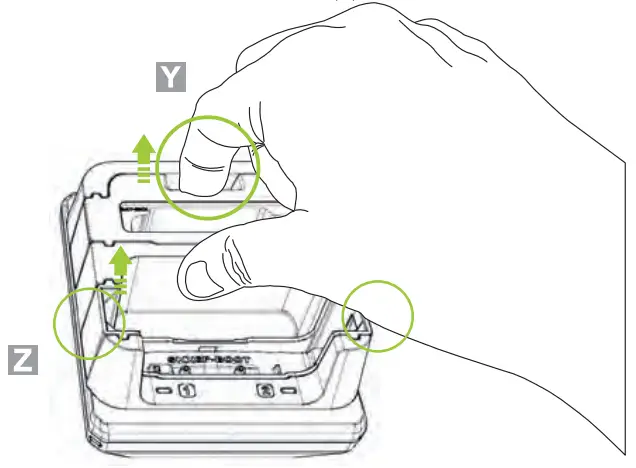
2:Slot & 10-Slot Cradles: Remove the spacer by placing your finger in the hole near the back of the battery spacer and lft the spacer out of the cradle. (Y)
2:Slot Cradles: Remove the spacer by griping the spacer on the outsides and lifting it up. (Z)
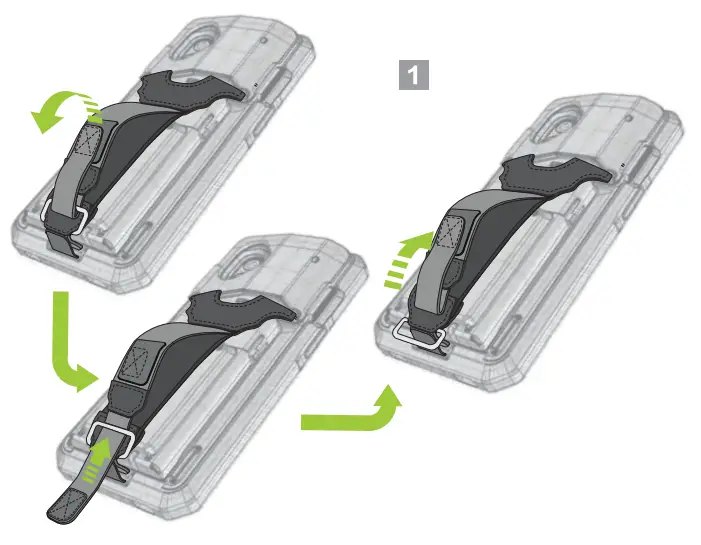
Charging the SKX6Pro/2,000mAh Battery Companion With Hand Strap
Please adjust the hand strap band as shown in the image below. Do not feed the band through the metal buckle. (1)
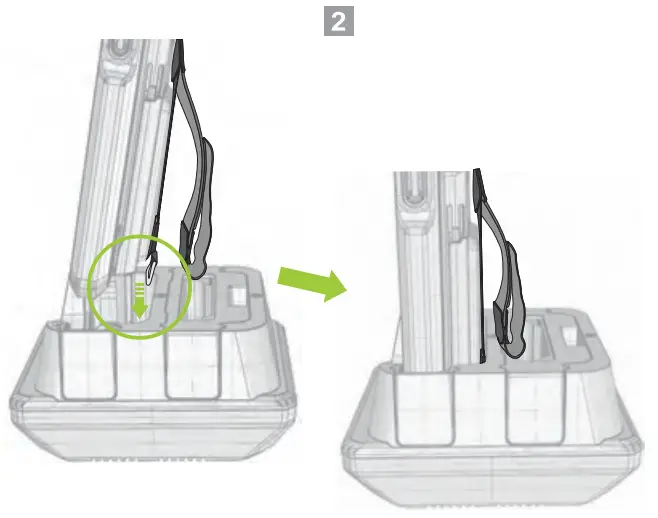
Insert the device with the metal buckle of the hand strap facing down as shown in the image below. (2)
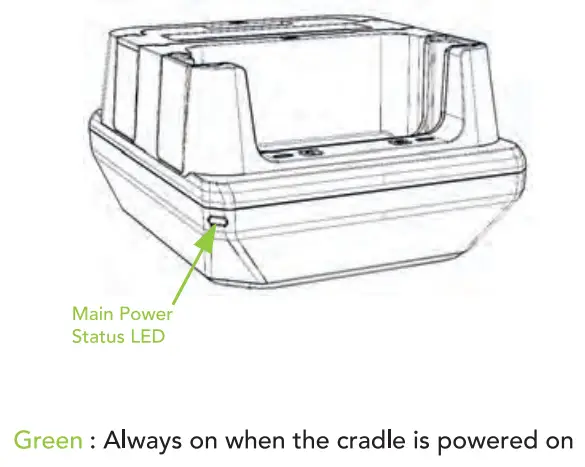
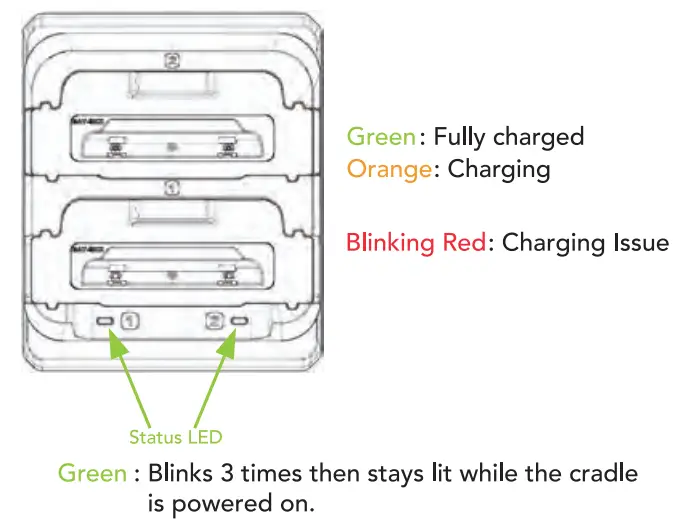
Cradle Power LED Status
Battery LED Status
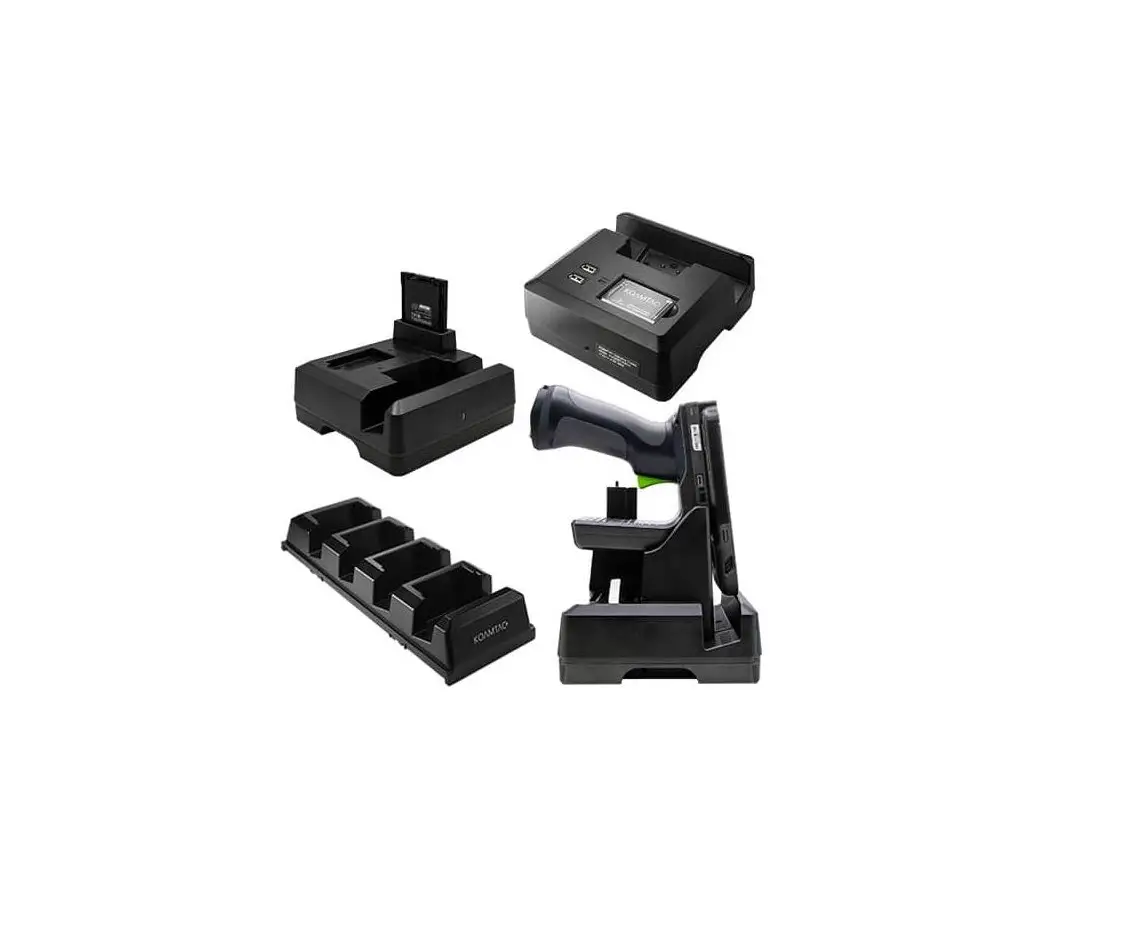
Additional Accessories
- SKX™ SmartSled”
- 0.5W UHF Reader Companion
- 1.0W UHF Reader Companion
- 2000mAh Extended Battery Companion
- SLED-mPOS/SLED-MSRIC Companion
- Pistol Grip Companion (battery optional)
116 Village Blvd, Ste 305, Princeton, NJ 08540
+1609-256-4700 p
+1 609-228-4373
[email protected]
www.koamtac.com