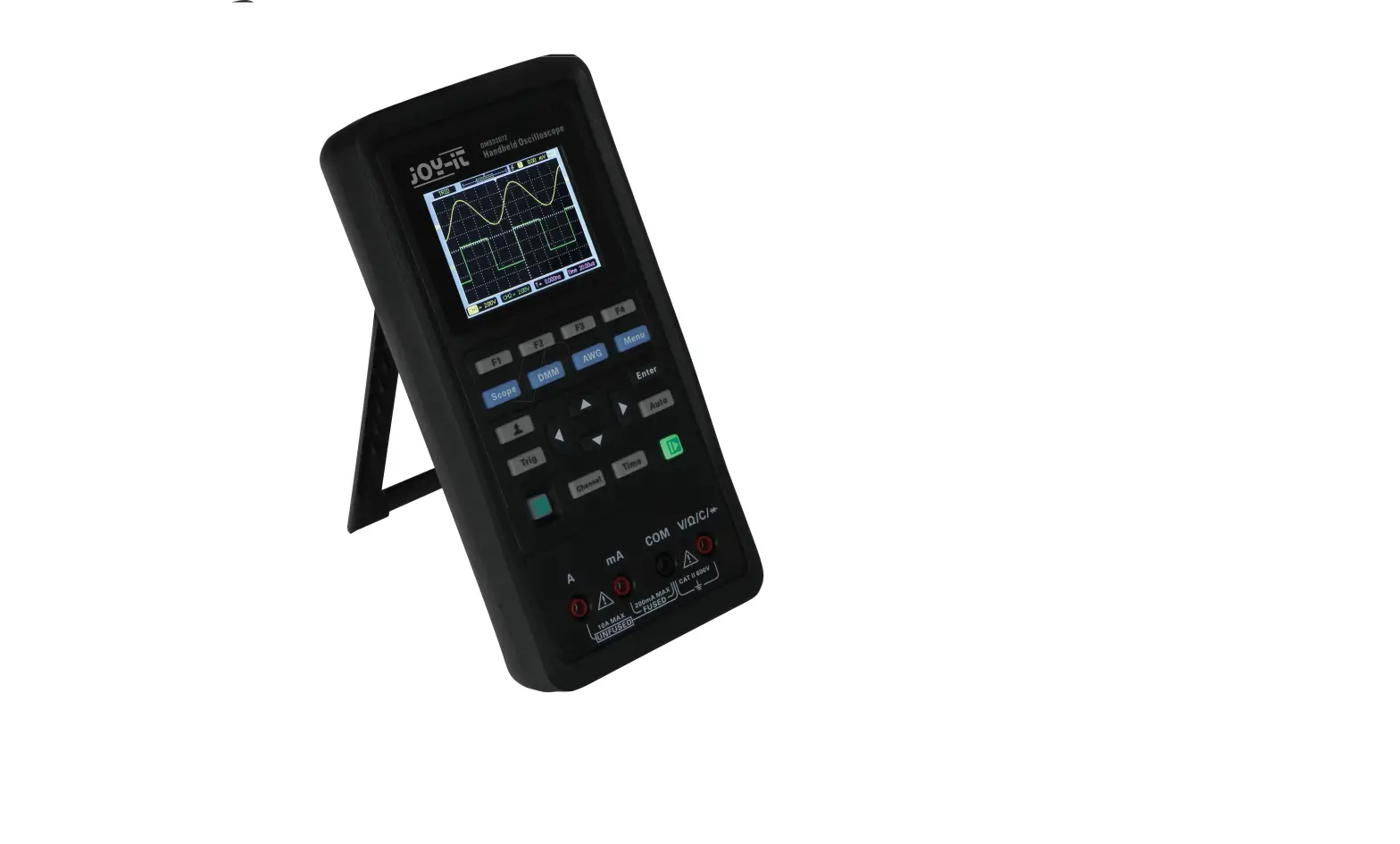
DSO138-MINI Digital Oscilloscope
Product Information
The DSO138-MINI is a mini digital oscilloscope manufactured by
Joy-IT and powered by SIMAC Electronics GmbH. It is designed to
provide users with a compact and portable solution for measuring
and analyzing electronic signals.
Features:
- Number of channels: 1
- Analog bandwidth: 0 – 200 kHz
- Sensitivity range: 10 mV/div – 5 V/div
- Sensitivity deviation: N/A
- Resolution: N/A
- Input impedance: N/A
- Maximum input voltage: N/A
- Coupling: N/A
- Max. real-time sampling rate: N/A
- Timebase: N/A
- Record length: N/A
- Trigger modes: N/A
- Trigger types: N/A
- Trigger position: N/A
- Display: N/A
- Voltage & power supply: N/A
Product Usage Instructions
Setup:
- Open the device following the instructions in section 5.
- If using an external battery unit, connect it as described in
section 6. - Perform the trimmer calibration as outlined in section 7.
- Connect any external trigger and other required connections as
specified in section 8.
Configuration:
Refer to section 4 for detailed instructions on how to configure
the DSO138-MINI oscilloscope.
Additional Functions:
Section 9 of the user manual provides information on additional
functions that the DSO138-MINI oscilloscope offers. Please refer to
this section for more details.
Safety Instructions:
Ensure to follow the safety instructions provided in section 10
to prevent any accidents or damage while using the DSO138-MINI
oscilloscope.
Support:
If you encounter any unexpected problems or require further
assistance, please feel free to contact us. Information on how to
get support can be found in section 12 of the user manual.
DSO138-MINI
Mini digital oscilloscope
Joy-IT powered by SIMAC Electronics GmbH – Pascalstr. 8 – D-47506 Neukirchen-Vluyn – www.joy-it.net
TABLE OF CONTENTS
1. General Information 2. Overview 3. Setup 4. Configuration 5. Opening the device 6. Connecting an external battery unit 7. Trimmer calibration 8. External trigger connection, reset & other connections 9. Additional functions 10. Safety instructions 11. Other Information 12. Support
1. GENERAL INFORMATION
Dear customer,
thank you for choosing our product. In the following, we will show you what to pay attention to during commissioning and use. If you encounter any unexpected problems, please feel free to contact us.
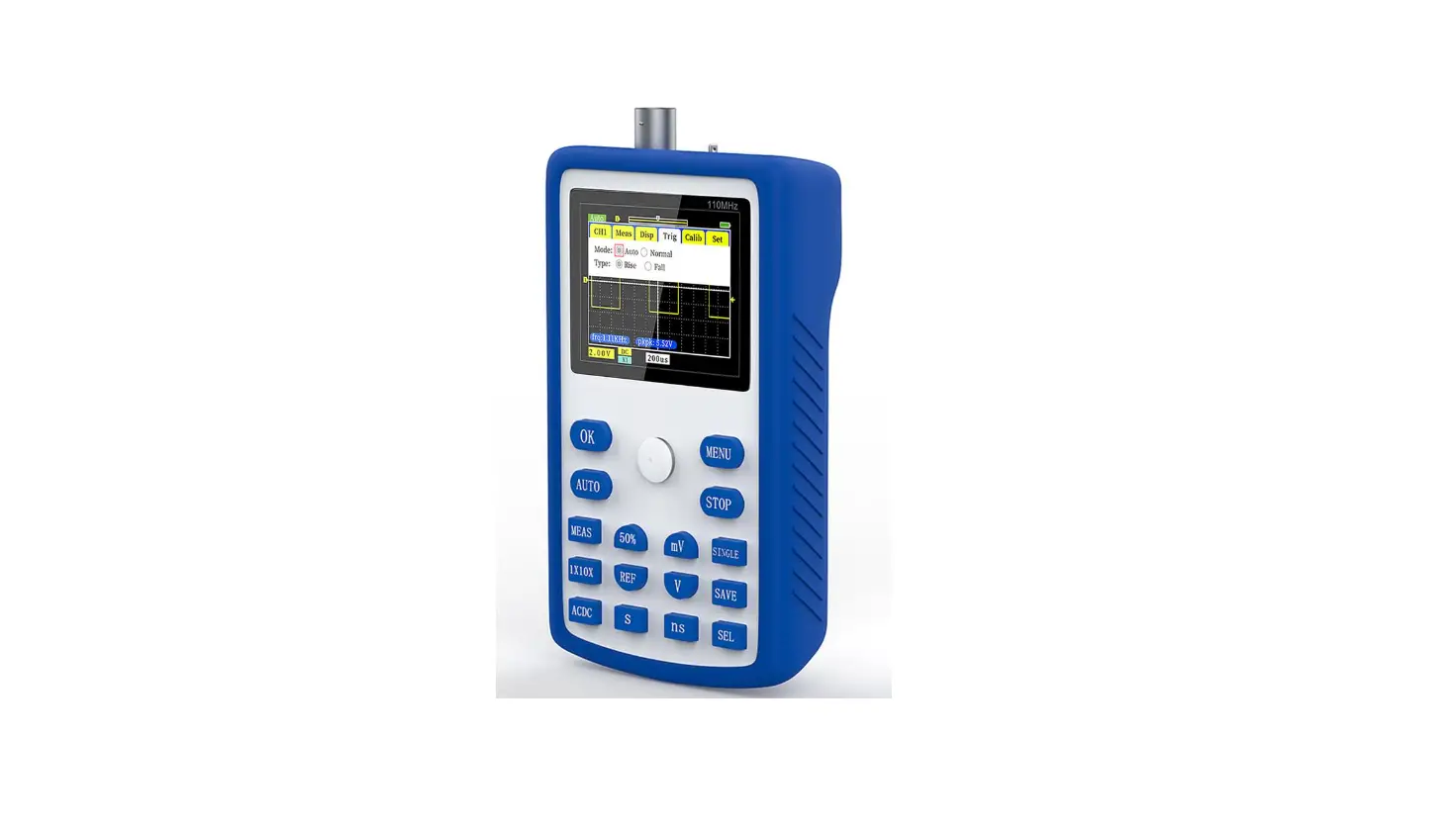
The new Joy-IT oscilloscope set DSO-138-Mini is the improved successor of the DSO-138, which is the ideal complement to the multimeter and can also be used mobile with the help of an optionally available battery. The DSO-138-Mini is ideal for ambitious tinkerers, because it allows you to measure and evaluate time-dependent signals without having to invest in more expensive hardware. Our device has all the basic functions of a digital storage oscilloscope, including: automatic/manual trigger mode, singleshot recording with signal analysis and restoring stored signal waveforms.
2. OVERVIEW
Horizontal indicator Active mode Vertical indicator
Trigger status Trigger indicator
Sensitivity Coupling
Timebase Trigger mode
Rising/falling edge
Number of channels Analog bandwith Sensitivity range Sensitivity deviation Resolution Input impedance Maximum input voltage Coupling Max. real-time sampling rate Timebase Record length Trigger modes Trigger types Trigger position Display Voltage & power supply
1 0 – 200 kHz 10 mV/div – 5 V/div <5 % 12 bit 1 M 50 VPk DC, AC, GND 1 MSa/s 10 µs/Div – 500 s/Div 1024 Points Auto, Normal, Single Rising/falling edge 1/2 2,4″ TFT LCD – 320×240 3.5 V – 6 V DC, 120 mA @5 V
3. SETUP
First, connect a microUSB cable to the power supply input as shown in the following picture. The DSO138-Mini requires approx. 120 mA at a voltage of 5 V. Make sure that your power supply is rated for this. Now also connect the lead to the signal input of your device.
After you have established the power supply, the device starts automatically. As an alternative to the microUSB power supply, a 3.7 V lithium-ion battery can also be used for mobile use. For more information on battery-powered use, see Chapter 6 – Connecting an external battery unit. To check the function of the device, you can connect the test line to the test signal. Connect the red test lead for this purpose. The black test lead remains unconnected, as measurements are only made in the circuit of the test device. The ground connection is already given by the circuit board of the device. A signal of 1 kHz is output via the test signal.
4. CONFIGURATION
As soon as the device is supplied with voltage, it starts up automatically. The sensitivity and the coupling can be adjusted via the switches next to the signal input:
CPL: INPUT COUPLING Here the coupling mode can be set to DC, AC or ground. With DC coupling, all components of the input signal are displayed. With AC coupling, the DC portion of the signal is suppressed and the signal is displayed centered at the vertical ground reference. With GND coupling, all components are filtered to display the zero line. SEN1: SENSITIVITY The sensitivity can be set between 10 mV, 0.1 V and 1 V. The sensitivity here indicates the vertical scale. SEN2: SENSITIVITY (MULTIPLICATOR) An additional multiplier for the sensitivity between X1, X2 and X5 can be set here. The multiplier can be used to reduce the signal in order to display a larger section on the screen. The coupling and the sensitivity are additionally also shown on the display:
Sensitivity (SEN1 x SEN2)
Coupling
All other configuration options can be set using the buttons below the display:
THE FOLLOWING CONFIGURATIONS CAN BE MADE:
DISPLAY MODE The active mode can be set between Running and Hold. Running describes the normal measuring mode. Hold pauses the current measurement at the current time. The display mode can be changed with the OK key.
TIMEBASE The time base can be set between 500 s, 200 s, 100 s, 50 s, 20 s, 10 s, 5 s, 2 s, 1 s, 0.5 s, 0.2 s, 0.1 s, 50 ms, 20 ms, 10 ms, 5 ms, 2 ms, 1 ms, 0.5 ms, 0.2 ms, 0.1 ms, 50 µs, 20 µs and 10 µs and indicates the horizontal resolution.
To set the time base, the time base must first be selected via the SEL key. Afterwards, the time base can be set to the corresponding value via the “-” key and the “+” key.
TRIGGERMODUS The trigger mode can be set between Auto, Normal and Single and describes when a measurement sequence is triggered. In Auto mode, the recording is executed permanently. In Normal mode, the recording is held as soon as no trigger signal is present. In Single mode, the recording is held immediately as soon as a trigger signal is detected.
To set the trigger mode, the trigger mode must first be selected via the SEL key. Afterwards, the mode can be set to the corresponding mode via the “-” key and the “+” key.
RISING/FALLING EDGE The signal is triggered by an edge. The measuring sequence can be triggered either by a rising or a falling edge.
To set the edge, the edge mode must first be selected via the SEL key. Then the mode can be set to the corresponding mode via the “-” key and the “+” key.
SHOW/HIDE MEASUREMENT VALUES Additionally, it is possible to show or hide the measured values, such as the frequency or the voltage values. To do so, press and hold the OK key for three seconds.
5. OPENING THE DEVICE Under certain circumstances it may be necessary to open the device, for example to connect an external battery, to adjust the trimmers or to expose the other, optional connections. To do this, first, open the housing by removing the screws on the back of the device:
Now remove the cover from the housing and pull the motherboard off the device so that only the display unit remains in the housing.
If necessary, the display can additionally be removed by removing the screws on the front of the device. Afterwards, the display can be removed from the front of the case.
6. CONNECTING AN EXTERNAL BATTERY UNIT The DSO138-Mini can also be powered by a 3.7 V lithium-ion battery as an alternative to the power supply via the micro USB connector. Attention! An external battery unit must either be charged externally or a JYE118 module must also be installed. After that, internal charging is also possible. First, open your device as described in Chapter 5 – Opening the device. After you have separated the mainboard from the display unit and removed it from the housing, you can now connect a battery to the mainboard.
The housing can then be reassembled. The voltage supply via the connected battery unit can now be controlled from the side via the “Bat-Switch”.
7. TRIMMER CALIBRATION
If necessary, the capacitor trimmers can be adjusted to calibrate the instrument. To do this, first, open the device as described in Chapter 5 Opening the device.
After you have removed both the mainboard and the display from the housing, you can first place the display unit back on the mainboard. The two trimmer capacitors are now freely accessible.
C6
C4
Testsignal
Now connect the lead to the connector of the device and connect the red test clamp to the test signal. The black test clamp remains unconnected.
Now set the switch [SEN1] to 0.1 V and the switch [SEN2] to X5. The [CPL] switch can be set to AC or DC.
Now set the time base to 0.2 ms. The test signal should now be displayed similar to the following figure:
Now adjust the trimmer capacitor C4 with a screwdriver so that an even, rectangular waveform is created. Now set the switch [SEN1] to 1 V and the switch [SEN2] to X1. Now repeat the setting procedure with capacitor C6. You can use the following illustrations as a guide for calibrating the trimmer capacitors:
Not set properly
Not set properly
Correctly set
After you have adjusted the trimmers, you can put the display unit and the mainboard back into the housing.
8. EXTERNAL TRIGGER CONNECTION, RESET & OTHER CONNECTIONS Alternatively, an external trigger signal can also be connected to the device. To do this, first, open the device as described in Chapter 5 – Opening the device. After you have removed both the mainboard and the display from the housing, you can first place the display unit back on the mainboard. The additional connections are now accessible on the display unit.
RESET – Short-circuit both pins to reset. 3,3 V PB15 – External trigger signal Ground, 3,3 V
After you have used the desired connections, the device can be put back into the housing.
9. ADDITIONAL FUNCTIONS
VERTICAL POSITION ALIGNMENT Move the cursor to the vertical position indicator via the [SEL] key. Now press and hold the [OK] key for three seconds and follow the instructions on the screen.
SHOW/HIDE MEASUREMENT VALUES To show or hide the measured values, move the cursor to the time base using the [SEL] key. Now press and hold the [OK] key for three seconds.
SAVE WAVEFORM Press the [SEL] key and the [+] key simultaneously. The currently displayed waveform is stored in the EEPROM. Previously stored data will be overwritten.
LOAD WAVEFORM A previously stored waveform can be loaded from the EEPROM by simultaneously pressing the [SEL] key and the [-] key.
CENTER HORIZONTAL POSITION To center the horizontal position, move the cursor to the horizontal position indicator via the [SEL] key. Now hold down the [OK] key for three seconds.
CENTER TRIGGER LEVEL Select the trigger level via the [SEL] key and then hold down the [OK] key for three seconds. The trigger level is now automatically set to the average value of the signal amplitude.
SEND WAVEFORM Press and hold the [SEL] key for three seconds to send the waveform data in text form via serial port J5. The data is transmitted in the format 8N1 and with a baud rate of 115200.
TOGGLE TEST SIGNAL AMPLITUDE Move the cursor to the rising/falling edge setting via the [SEL] key. Now press and hold the [OK] key for three seconds to set the test signal amplitude to 3.3 V or 0.14 V. The amplitude is displayed via the symbol. The amplitude is displayed here via the symbol in the upper screen area.
CALIBRATE ANALOG GAIN Move the cursor to the trigger source setting (Int/Ext) via the [SEL] key. Now press and hold the [OK] key for three seconds to start the calibration. Now follow the instructions on the screen.
10. SAFETY INSTRUCTIONS
Please be sure to observe the following safety instructions. Failure to observe the safety instructions may result in serious injuries due to electric shocks / heat generation / fire, which may also lead to death:
Keep the operating instructions and safety instructions in a safe place! If the device is passed on to third parties, it is essential that these are also handed over.
Only use this device for the respective area of application and in accordance with the operating instructions. Follow our instructions for assembly and use. Read the instructions completely before you start using the device.
Before commissioning, make sure that the available mains voltage corresponds to the specified mains voltage. The specified mains voltage must not be deviated from under any circumstances during use.
The device is only intended for use in dry rooms, it must not get wet or damp.
This product is not a toy and therefore must not be used by children. Therefore, always keep the product away from children and store it in a place inaccessible to children.
The device is only suitable for measuring extra-low voltages below 50 V. It must not be connected to higher voltages.
11. OTHER INFORMATION
Our information and take-back obligations under the Electrical and Electronic Equipment Act (ElektroG)
Symbol on electrical and electronic equipment: This crossed-out trash can means that electrical and electronic equipment does not belong in the household trash. You must hand in the old equipment at a collection point. Before handing in, you must separate used batteries and accumulators that are not enclosed in the old device from the old device.
Return options: As an end user, when you purchase a new appliance, you can return your old appliance (which performs essentially the same function as the new one purchased from us) for disposal free of charge. Small appliances with no external dimensions larger than 25 cm can be returned in normal household quantities, regardless of the purchase of a new appliance.
Possibility return to our company location during opening hours: SIMAC Electronics GmbH, Pascalstr. 8, D-47506 Neukirchen-Vluyn
Possibility return in your area: We will send you a parcel stamp with which you can return the device to us free of charge. To do this, please contact us by e-mail at [email protected] or by phone.
Packaging information: Please pack your old device securely for transport. If you do not have suitable packaging material or do not wish to use your own, please contact us and we will send you suitable packaging.
12. SUPPORT
We also support you after your purchase. If any questions remain or problems arise, we are available to assist you via e-mail, telephone and ticket support system.
E-Mail: [email protected] Ticket-System: http://support.joy-it.net Phone: +49 (0)2845 98469 66 (9 – 17 Uhr)
For more information visit our website: www.joy-it.net
Published: 21.10.2022
www.joy-it.net SIMAC Electronics GmbH Pascalstr. 8, D-47506 Neukirchen-Vluyn
 ITnet | Servizi di Colocation e Cloud
 Joy-IT Helpdesk
 For Makers and Professionals | Joy-IT