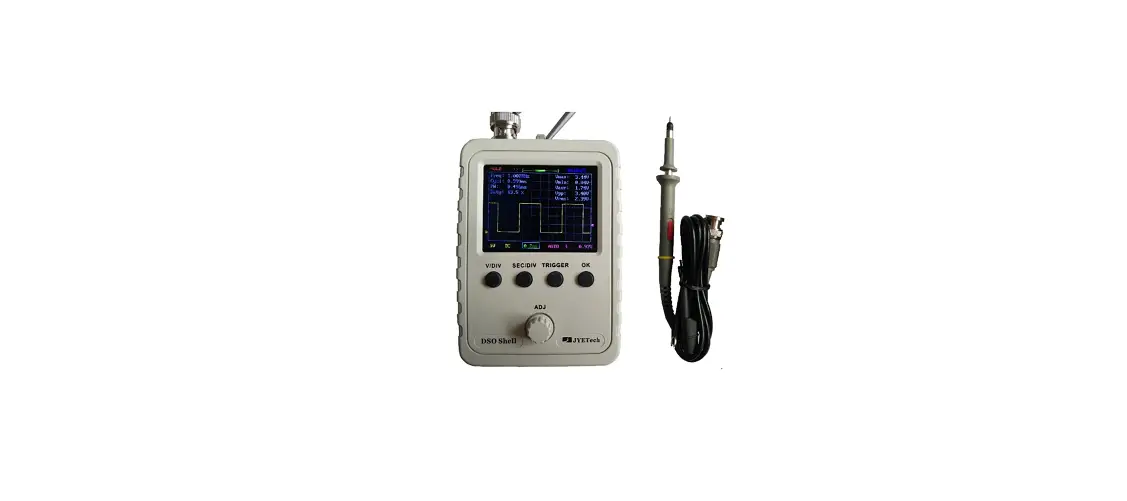
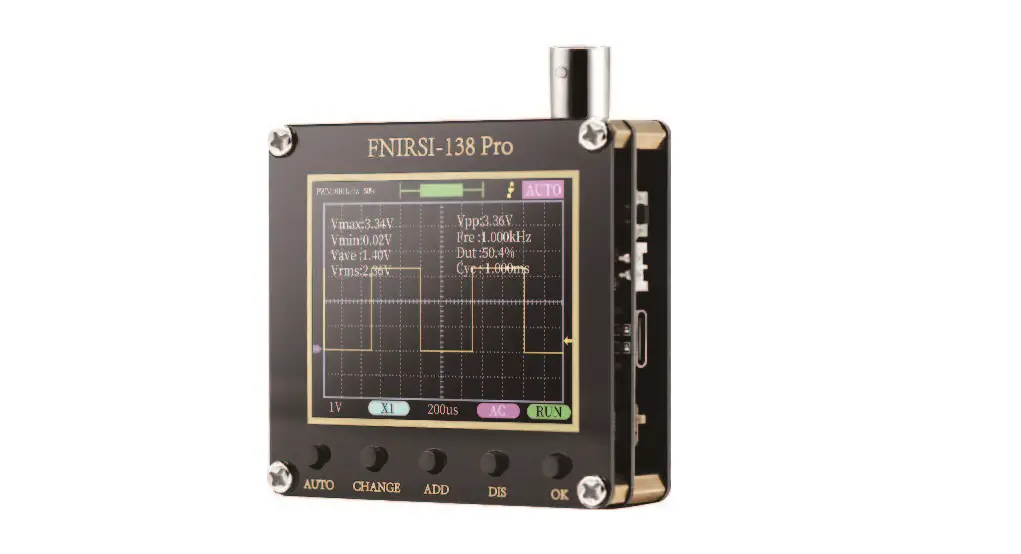
DSO 138 Oscilloscope DIY Kit
Product Information
The DSO 138 Oscilloscope DIY Kit is a DIY oscilloscope kit that
allows users to assemble their own oscilloscope. It includes a main
board, LCD board, and various components such as resistors,
transistors, diodes, capacitors, regulators, connectors, switches,
and more. The kit is available in two models: 13803K and
13804K.
Tools Required:
- Iron (20W)
- Screwdriver
- Solder wire
- Flush cutter
- Multimeter
- Tweezers
Before You Start:
- Check part values & quantities against part list
- Always meter resistor values before soldering
- Understand all part polarities and orientations
Important Note:
If you purchased kit 13804K, make sure to install all SMD parts
before proceeding to Step 1.
Product Usage Instructions
Step 1: Assembly Main Board and LCD Board
Note: Follow the order as numbered.
- Resistors: Solder the specified resistors according to their
values. - USB Socket: Solder the USB socket (optional).
- Pin header (for power): Solder the pin header for power.
- Tact Switches: Solder the tact switches, making sure to face
the opening outward. - Transistors: Solder the specified transistors, making sure not
to mix up their packages. - HF-Chokes: Solder the specified HF-Chokes.
- Diodes: Solder the specified diodes, making sure to align the
cathode correctly. - Ceramic Capacitors: Solder the specified ceramic
capacitors. - LED: Solder the specified LED.
- Regulators: Solder the specified regulators, making sure not to
mix up their packages. - Capacitor trimmers: Solder the specified capacitor
trimmers. - Crystal: Solder the specified crystal.
- Power inductor: Solder the specified power inductor.
- Electrolytic capacitors: Solder the specified electrolytic
capacitors, making sure to align the positive pole correctly. - Power connector: Solder the power connector.
- Pin-header (male): Solder the specified pin-headers
(optional). - Pin-header (female): Solder the specified pin-headers.
- Slide switches: Solder the specified slide switches.
- BNC connector: Solder the specified BNC connector.
- Test signal ring: Make a small ring with a lead cut-off and
solder it to the two holes of J2. - JP3: Short JP3 with solder.
- LCD Board: Install the LCD board to the side opposite to the
LCD panel, plugging it into the specified female headers on the
main board.
Step 2: Test and Use
Note: You need a 9V DC power supply (at least 200mA
capacity) to run the scope. This power supply is not included in
the kit.
A. Check Voltages
- Apply 9V power to J10 (or J9).
- Check voltage at TP22. It should be around +3.3V.
- If voltage at TP22 is good, disconnect power.
- Short JP4 with solder permanently.
B. Attach LCD Board
Plug the LCD board into the specified female headers on the main
board (J3, J7, and J8).
C. Verify
- Connect the power supply again.
- You should see the LCD lights up and the oscilloscope panel
displayed.
Soldering Hints
1 Put leads through mounting holes from the side with part outline. Ensue component evenly touch PCB.
2 Solder leads at the other side. Solder should fully fill and cover soldering pads. Avoid bridges between neighbering pads.
3 Cut unused leads flush with cutter.
DSO 138 Oscilloscope DIY Kit
User Manual Rev.04 Applicable models: 13803K, 13804K
Tools you need
1 Iron (20W) 4 Screw driver 2 Solder wire 5 Flush cutter 3 Multimeter 6 Tweezers
Before you start
1 Check part values & quantities against part list 2 Always meter resistor values before soldering 3 Understand all part polarities and orientations
Important !!!
Step 1 Assembly Main Board and LCD board (follow the order as numbered) Install all SMD parts before proceeding to Step1 if you purchased kit 13804K.
1. Resistors
5. USB Socket *
9. Pin header (for power)
Note: Always meter resistor values before soldering
R1, R14, R16 : 100K
R2
: 1.8M
R3
: 200K
R4
: 2M
R5
: 20K
R6
: 300
R7, R36 : 180
R8, R12, R13 : 120
R9, R15, R26 : 1K
R10
: 3K
R11
: 150
R38
: 1.5K
R28, R40 : 470
R37, R39 : 10K
J4
: USB mini – B
Note:
This connector is optional.
6. Tact Switches
SW4, SW5, : 6 X 6 X 5mm SW6, SW7, SW8
Face the opening outward
J9 : 2 Pin
10. Transistors
Q1
: 8550
Q2
: 9014
Attention! Packages are similar. Do not mix up!
2. HF-Chokes
L1,L3,L4 : 100H
3. Diodes
Cathode
D1
: 1N5819
D2
: 1N4004
(or 1N4007)
7. Ceramic Capacitors
C1, C9, C10, C11, C14, C15, C16, C17, C18, C20, C23
: 0.1F
C2
: 330pF
C7, C8
: 120pF
C3
: 3pF
C12, C13 : 22pF
C5
: 1pF
8. LED
11. Regulators
U4
: 79L05
U5
: 78L05
Attention! Packages are similar. Do not mix up!
12. Capacitor trimmers
C4, C6 : 5 – 30pF
4. Crystal
13. Power inductor
Y1
: 8MHz
JYE Tech Ltd. – www.jyetech.com –
Solder positive pole (the longer lead) to the square pad
D3
:3mm, green
L2
: 1mH/0.5A
14. Electrolytic capacitors
Solder positive pole (the longer lead) to the square pad
C19, C21, : 100F / 1 6 V C22, C24, C25, C26
15. Power connector
J10
: DC005
16. Pin-header (male) *
J5
: 1 X 3 pin
J6
: 1 X 4 pin
Note: These pin-headers are optional.
17. Pin-header (female)
J7, J8 J3
18. Slide switches
: 1 X 2 pin : 2 X 20 pin
SW1, SW2, : 2P3T SW3
19. BNC connector
J1
: BNC
Note: The thicker pins need to heat up longer to get good soldering result.
Page 1
20. Test signal ring
1 ) Make a small ring with a lead cut-off.
2 ) Solder the ring to the two holes of J2 (as shown in the photo).
21. JP3
Short JP3 with solder
22. LCD Board
Note: Install to the side opposite to LCD panel.
J1 J2, J3
: 2 X 20 pin : 1 X 2 pin
Step 2 Test and Use
NOTE: You need a 9V DC power supply (at least 200mA capacity) to run the scope. This power supply is not included in the kit.
A. Check voltages
1 Apply 9V power to J10 (or J9). 2 Check voltage at TP22. It should be around +3.3V. 3 If voltage at TP22 is good disconnect power. Short JP4
with solder permanently . 1
B. Attach LCD board
Plug LCD board into the female headers J3, J7, and J8 on the main board.
2
The assembly should look like this after you have finished all parts
C. Verify
1 Connect power supply again. You should see LCD lights up and oscilloscope panel displayed.
2 Press various buttons and move switches to verify their functions.
A. Use
1 Attach probe clips to J1. 2 Touch the red clip with your finger. Do you see signal
from your finger?
1
2
“Trigger” LED blinking twice
3
indicates booting-up is good.
Troubleshooting
NOTE 1: The voltages in the photo are for reference only.
LCD Dark (No backlight)
No Display
NOTE 2: LED will be blinking constantly if MCU
The voltages on your board could be different. But they should be close to the values shown.
-5.0V 4.99V 3.3V 5.02V
Vo l t a g e References
Is voltage at V+ No Check power
good?
supply
Short JP4 if it has not been done. See Step 2 above.
(U1) can not detect valid LCD controller. Check LCD pin-header soldering.
* * * 0.19V 6.43V 9.39V (Input Voltage)
Yes Is R36 value correct No Fix R36 and soldered good?
Yes
Do you get about 3V between J1 pin 16 & 18 on LCD board?
No Check R36 and power again
Yes
No Check +3.3V voltage
Press SW8. Does LED blink?
Check Y1, C12, C13
NOTE 3:
* -8.11V
Yes Check J3 soldering for
Check LED installation
Make sure U1 and LED working (you see LED blinks twice at pressing
* -8.08V
possible opens or shorts
Test Mode
RESET) before using Test Mode.
Check J1 soldering on LCD What it is and how it works
PIN 1
board for possible opens
Test Mode is used to find out possible opens (for all port pins) and shorts
or shorts (use Test Mode)
(for pins PB0 – 15 and PC13-15). When entered it first checks PB and PC
* 8.60V
3.3V
* 8.34V
-1.39V
Check LCD board
No Trace No
pins with special patterns to find out possible shorts. If found LED will be fast blinking. Otherwise, it generate 3.3V and 0V alternatively at each port pins (PA, PB, PC and PD) in cycle of about 4 seconds. These signals can be used to check for opens.
2.16V 0.81V
Are the values of AV+ and AV- correct?
Visit forum for detailed troubleshooting guide
Yes
Set CPL switch to GND No Check U2B, U2C and
and measure V1 and V2. related parts around
Are they correct?
these two amplifiers
Yes
Check R12 and C8
How to use 1. Hold down SW4 and press RESET to enter Test Mode. 2. If you see LED fast blinking that means there are shorts on PB or PC pins.
You need to find out the shorts first. 3. If you see LED slowly blinking use a volt-meter to check each pin related
connections that are suspected open. When you don’t see voltage change at a spot which is supposed being connected to a port pin there may be open between the spot and the port pin.
** ** 0V
1.66V
NOTES:
*: These voltages are input voltage dependent. The values
shown were measured when input voltage was 9.39V.
Place the negative pen of volt-meter **: These voltages are measured when CPL switch (SW1)
here to do voltage measurements.
is set to GND position.
JYE Tech Ltd. – www.jyetech.com –
Tech Support: www.jyetech.com/forum
Page 2
How to Use
Display and Controls
Connector for Probe
Oscilloscope Mode
Horizontal Position
Trigger Level Readout
Connectors for Power Supply
[OK]: HOLD / RUN Selection
Couple Selection [+] or [-]:
Parameter Adjustment [SEN1]: Sensitivity Selection 1
[SEN2]: Sensitivity Selection 2 [SEL]:
Parameter Selection
Trigger Level Indicator
Sensitivity Vertical (V/div)
Timebase (s/div)
Position
Couple
Indicator
Trigger Slope
Trigger Mode
“Trigged” Indicator
Reset Button
Connections
Power Supply: Connect DC power supply to J9 or J10. The power
supply voltage must be in the range of 8 – 12V.
Probe:
Connect probe to J1.
Attention 1. Power supply voltage must not exceed
12V. Otherwise U5 will get hot. 2. Allowed maximum signal input voltage
is 50Vpk (100Vpp) with the clip probe.
Operations
Press on [SEL] button: Select parameter to be adjusted. The selected parameter will be highlighted. Press on [+] or [-] button: Adjust the parameter selected by [SEL] button. Press on [OK] button: Freeze waveform refresh (entering HOLD state). Press on it again will de-freeze. Change [CPL] switch: Set couple to DC, AC, or GND. When GND is selected the scope input is isolated from input
signal and connected to ground (0V input).
Change [SEN1] or [SEN2] switch: Adjust sensitivity. The product of [SEN1] and [SEN2] settings makes the
actual sensitivity which is displayed at the lower-left corner of the panel.
Press on [Reset] button: Perform a system reset and re-boots the oscillscope.
0V Line Alignment
Sometimes you may find the 0V line (the trace corresponding to 0V input voltage) does not match with the VPOS indicator at the screen left border. This can easily be fixed by performing the “0V line alignment” function. First, set the couple switch [CPL] to GND position. Then press on [SEL] button to make VPOS indicator highlighed and hold down [OK] button for about 2 seconds. You will set the trace aligned to VPOS indicator when you release [OK] button. You may see some residue mismatch remains at the highest sensitivity settings. This is normal.
JYE Tech Ltd. – www.jyetech.com –
Probe Calibration
Because there is always some capacitance between scope input and ground probe needs to be calibrated to achieve better measurement results for high frequency signals. This can be done with the help of the built-in test signal. To do this please follow the steps below.
Leave black clip un-connected
1. Connect the red clip to the test signal terminal and leave the black clip un-connected (see photo at right).
2. Set [SEN1] switch to 0.1V and [SEN2] switch to X5.
Set [CPL] switch to AC or DC.
C6
3. Adjust timebase to 0.2ms. You should see waveform similar
to that shown in photos below. If traces are not stable adjust
trigger level (the pink triangle on right screen border) so as
C4
you get a stable display.
4. Turn C4 (capacitor trimmer) with a small screw driver so that the waveform displays sharp rightangle (photo C).
5. Set [SEN1] switch to 1V and [SEN2] switch to X1while keep all other settings unchanged. Adjust C6 so that sharp rightangle waveform is displayed.
Connect red clip to test signal output
A Not enough
B Too much
C Good
Turn On/Off Readouts Press [SEL] so that timebase is highlighted. Hold down [OK] button for about 2 seconds. This will turn on/off measurement readouts.
Waveform Save/Recall Press [SEL] & [+] simultaneously: Save currently displayed waveform to non-volatile memory. Press [SEL] & [-] simultaneously: Recall saved waveform
Triggers and Their Modes
Triggers are events that indicate signal voltage acrossing a set level (i.e. trigger level) along a specified direction (i.e. trigger slope, rising or falling). Oscilloscope uses triggers as reference points in time for stable waveform display and measurements.
Auto Mode In auto mode oscilloscope will perform display refresh no matter triggers happen or not. When triggers are detected waveform display will be displayed with reference to trigger points. Otherwise, display waveform at ramdom reference points.
Normal Mode In normal mode oscilloscope will only perform display refresh when there are triggers. If no triggers happen waveform display will stay unchanged.
Single Mode Single mode is the same as normal mode except that oscilloscope will enter HOLD state after a trigger has been detected and waveform display has been updated.
Normal and single modes are useful for capturing sparse or single waveform.
Specifications
Max realtime sample rate 1MSa/s
Analog bandwidth
0 — 200KHz
Sensitivity range
10mV/div – 5V/div
Max input voltage
50Vpk (1X probe)
Input impedance
1M ohm/20pF
Resolution
12 bits
Record length
1024 points
Timebase range
500s/Div — 10us/Div
Trigger modes
Auto, Normal, and Single
Trigger position range 50%
Power supply
9V DC (8 12V)
Current consumption ~120mA
Dimension
117 x 76 x 15mm
Weight
70 gram (without probe)
Tech Support: www.jyetech.com/forum
JYT Tech Ltd.
Tel. +86-0773-2113856 www.jyetech.com
Page 3
5
4
3
2
AIN TP1
CPL
** These voltages were measured
J1
DC 1
SW1A
when SW1 is at GND position.
BNC
C1
AC 3
2
C2
220pF
SEN1
U2B
AV+
0 .1u
GND 4
R1
100K
10mV 1
TL084 / SO
SW2A
C3
3pF
0.1V 3
2
5+
7
D
R2 1.8M 1%
1V 4
6-
V1 TP2
R6 300
R7
**
0V
X1 1 X2 3 X5 4
SEN2
U2C
SW3A TL084 / SO
2
10 +
9-
AV+
**
1.6V
V2 TP3
8
R12
C8
120
120pF
AV+
R3
C4
200K 1%
180 AV –
AV –
R9
1K
U2A TL084 / SO
3+ 1
2-
AV –
30pF
C5
1pF
R4 2M 1%
AV+
R20
10K
5
7
SW2B 6
R8 120
VSENSEL1 TP7
R10 R11
3K
AV –
R15 1K
C6 30pF
R5 R21
20K 1%
8 3 .3K
R22 1 .5K
R14
100K
V3
TP4 AV+
R17
C R18
AV+
10K
5
7
8 3 .3K
SW1B 6
R19 1 .5K
C7 120pF
CPLSEL TP6
AV+
R23
10K
5
7
8
R24
3 .3K
SW3B 6
VSENSEL2 TP8
R25 1 .5K
C10
AV+
12 + 14
R13 120
13 –
U2D
TL084 / SO
0 .1u
TP5
AV –
Analog Channel
TLVL
JP3
C11
C9
R16
0 .1u
AV –
Trigg er Level
0 .1u
100K
USB
J4 USB_mini_B
TP33 R31 1.5K
VBUS DD+ ID
GND
1 2 3 4 5
R29 R30
22 USBDM 22 USBDP
TP14 TP15
B
J5
1
Uart 2 3
R32 R33
1K
RX1 TP16
1K
TX1
TP17
Buttons
OK + SEL
SW4 SW5 SW6 SW7
BTN1 BTN2 BTN3 BTN4
Test Signal Terminal
1 J2 2
R26
TESTSIG 1K
SWD Port
USE SWD DEBUG MODE ONLY
J6 1 2 3 4
+3 .3V R34
10K SWDIO SWCLK
R35 10K
Power Supply
TP21 U3
TP22 JP4 +3 .3V
V+
*
8 . 6V
Q1
8550
*
0 . 2V D1
* -8.1V TP25 V-
TP26
*
– 5V
Caution :
Power supply voltage can not be higher than 12V.
J9
3 VIN
VOUT VOUT
2 4
GND 1
+ C22 100uF
TP23 3 . 3V
1 R37
3
*
8.3V
2
1
1N5819
L2
L1 100uH C24
2 IN
OUT 3
AV –
U4 79L05 /TO92
+
+
+1 -2
A
J10
+ –
*
9 . 3V
D2 1N4004
TP20 V+
*
8 . 6V U5
LM1117 -3.3 /TO263
L3
TP24 5V
+5V
100uH
1 3
3 VIN VOUT 1
AV+
2
C19 +
2 GND
C20 C21
+
100uF
100uF
LM78L05 /T92
0 .1u
10K R38
1 .5K
* 6.4V
TP27 TP28 TP29 TP30
Q2 9014
1mH /1A
100uF
C25 100uF
– 1 . 4V
2
VGEN
R41
10K
V -MON
C23 R39 0.1u
10K
R40 470
+3.3V
0 . 8V
R42
1K
TP31
DC 9V
* These voltages are power voltage dependent. The
TP32
values shown were measured at 9.3V power voltage.
5
4
3
2
JYE Tech Ltd. – www.jyetech.com –
1
MCU
TP9
ADCIN
TP11 TP12 TP13 TRIG
10 VSENSEL2 11 VSENSEL1 12 CPLSEL 13
14
15 V-MON 16 TESTSIG 17
29
TX1
30
RX1
31
USBDM
32
USBDP
33
SWDIO 34
SWCLK 37
LED
38
JP2
DB0 DB1
18 19
DB2
20
DB3
39
DB4
40
DB5
41
DB6
42
DB7
43
TL_PWM
45
VGEN
46
LCD_nRD 21
LCD_nRESET 22
BTN4 25
BTN3 26
BTN2 27
BTN1 28
LCD_nCS
2
LCD_RS
3
LCD_nWR
4
U1
PA0 PA1 PA2 PA3 PA4 PA5 PA6 PA7 PA8 PA9 PA 10 PA 11 PA 12 PA 13 PA 14 PA 15
PD1 /OSC_OUT PD0 /OSC_IN BOOT0 nRST
PB0 PB1 PB2 PB3 PB4 PB5 PB6 PB7 PB8 PB9 PB10 PB11 PB12 PB13 PB14 PB15
VBAT
VDDA VSSA
VDD_1 VDD_2 VDD_3
PC13 /TEMPER / RTC VSS_1 PC14 /OSC32_IN VSS_2 PC15 /OSC32_OUT VSS_3
C12
6
22pF
Y1 8MHZ
5
C13
22pF JP1
+3.3V
D
44
R27
1K
TP10 7
C14
SW8
1 +3 .3V 0.1u
C15
L4 100uH
9
0 .1u
+3 .3V
+ C26
8
100uF
24
36
+3.3V
C
48
23
C16
C17
C18
35
47
0.1u 0.1u 0.1u
STM32F103Cx
LED R28
470
D3 +3.3V
LCD Module Connector
J3
1
2
3
4
LCD_nCS
5
6
LCD_RS +3.3V
+3.3V
LCD_nWR IM0
7
8
9
10
11 12
LCD_nRD
B
JP5
13 14
LED – K1
15 16
JP6
LED – K3 IM3
17 18 19 20
DB0
21 22
DB2 DB4 DB6 LCD_nRESET
23 24 25 26 27 28 29 30 31 32
LED – A LED – K2 LED – K4
DB1 DB3 DB5 DB7
+3.3V
V+
R36 180
+3 .3V
33 34
35 36
J7
J8
37 38 39 40
1
1
2
2
LCD HEADER
Notes :
1. Part values used could be different to
the values shown. Please refer to part
list .
A
2. Parts in dash-line boxes are SMD devices.
JYE Tech Ltd. WWW . JYETECH .COM
jyetek@ gma il.com
1
Page 4
 JYE Tech | Handheld Digital Oscilloscopes, Portable Oscilloscopes, DIY Oscilloscope Kits