NOVASTAR CVT4K-M Fiber Converter  Change History
 Change History
| Document Version | Release Date | Description |
| V1.0.3 | 2021-09-28 | l Updated the appearance diagrams. l Updated the dimensions diagram. l Added the PowerCON, installation, certification and power consumption related description. |
| V1.0.2 | 2021-02-06 | l Updated the dimensions diagram. l Updated the quantity of screws in the accessories. l Deleted the certificate of approval in the accessories. l Updated the certification information. |
| V1.0.1 | 2020-11-20 | l Updated the document template. l Added the certification information. l Optimized the feature description. l Optimized the appearance description. l Optimized the dimensions diagram. |
| V1.0.0 | 2018-05-17 | First release |
Introduction
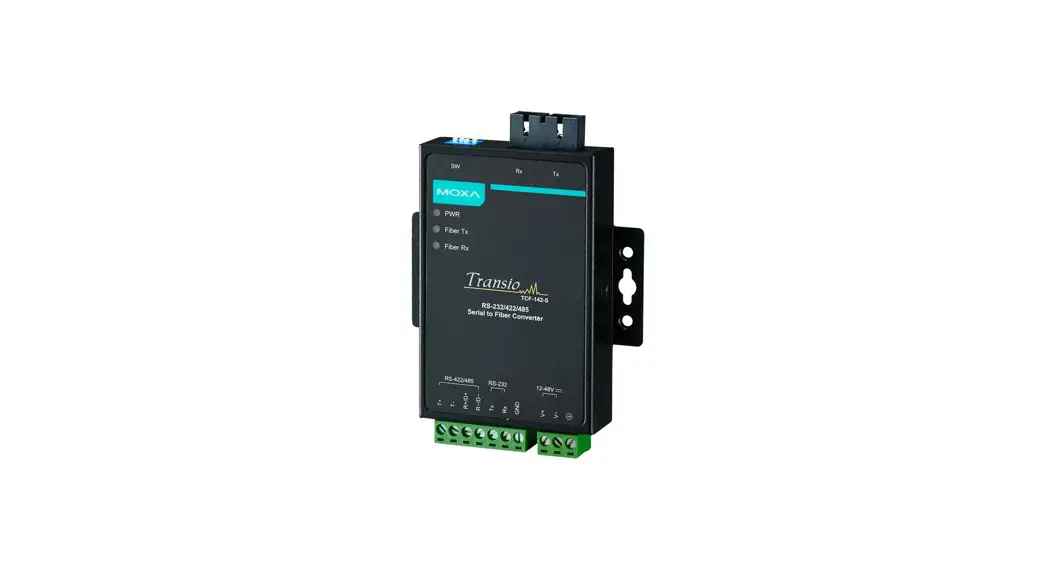
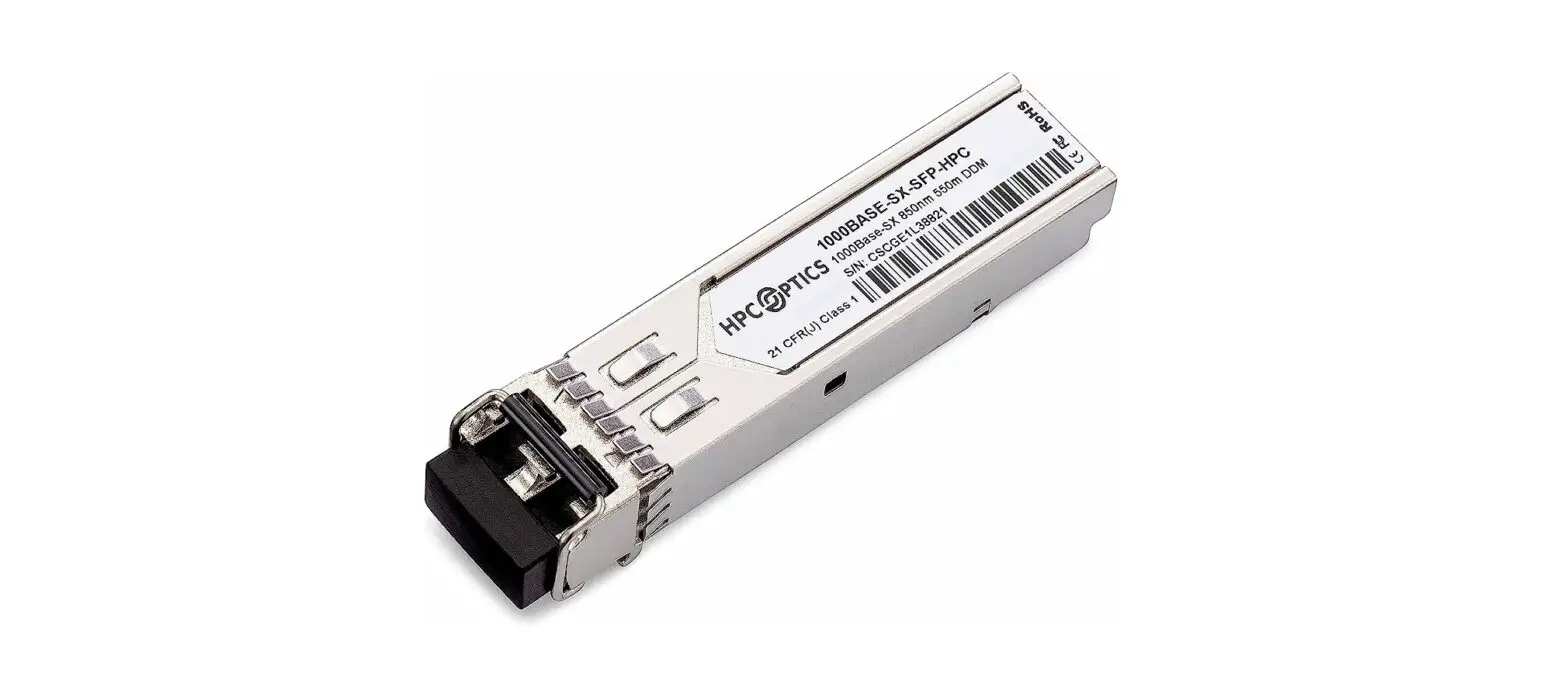
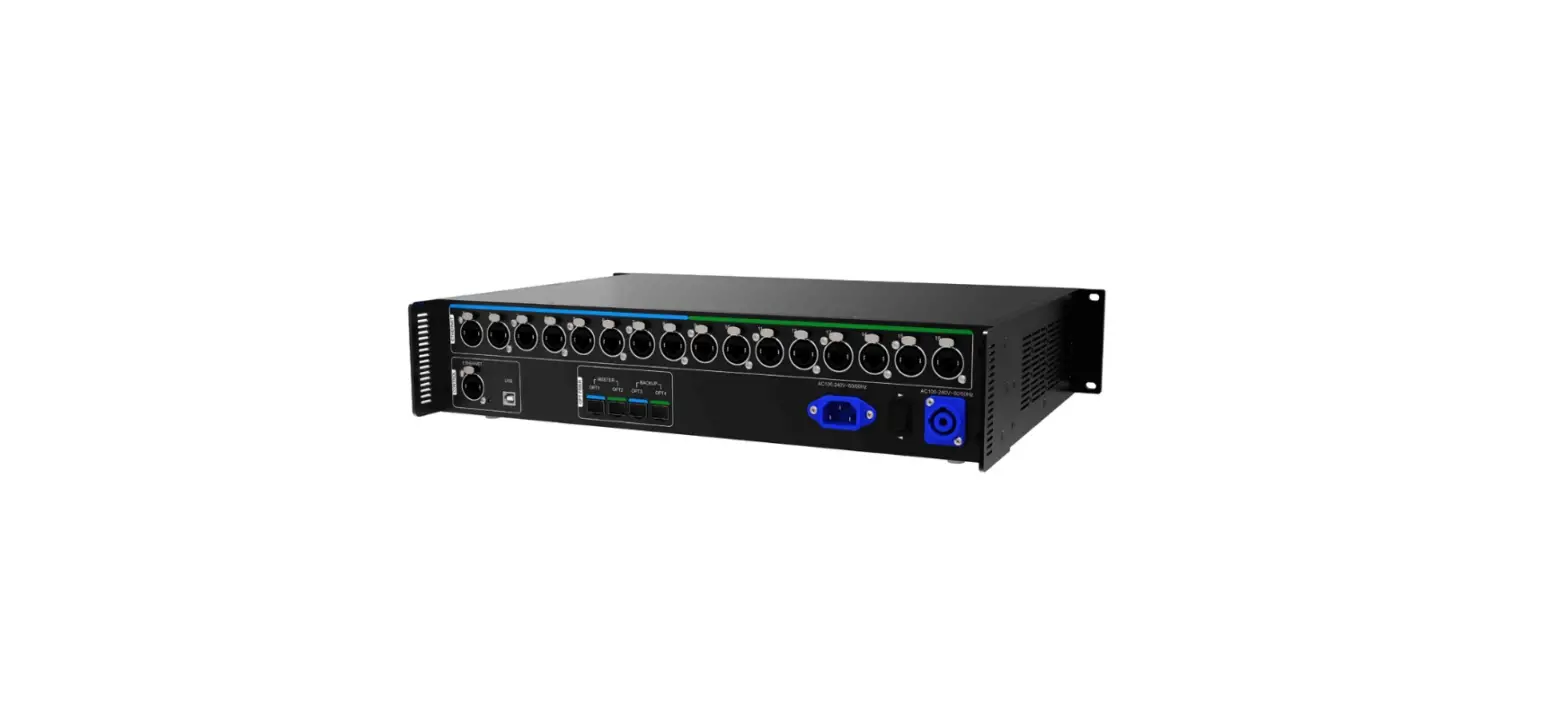
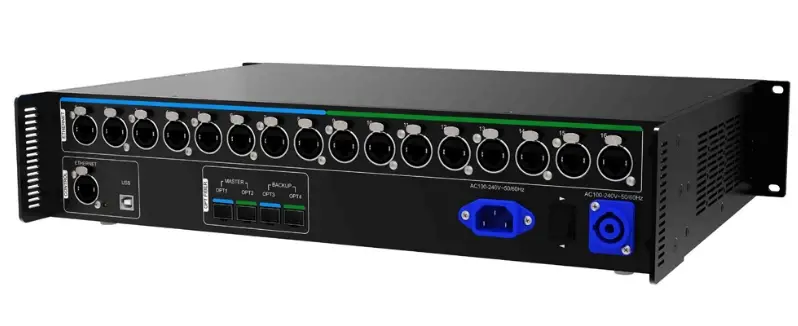
The CVT4K-M is a high-performance fiber converter developed by NovaStar. It is used for conversion between optical signals and electrical signals, allowing for long-distance signal transmission that is stable and not easily interfered with. Easy to use, the CVT4K-M makes it convenient to connect terminal devices and simplifies on-site wiring connections.
Certifications
CE, RoHS, FCC, UL&CUL, EAC, CB, IC, RCM
If the product does not have the relevant certifications required by the countries or regions where it is to be sold, please contact NovaStar to confirm and address the problem. Otherwise, the customer shall be responsible for the legal risks caused or NovaStar has the right to claim compensation.
Features
- 16x Neutrik Ethernet inputs or outputs
- 4x Multi-mode twin-core LC optical ports, two as master inputs or outputs and the others as backup
- Dual redundant power supplies, more stable and reliable
- 2 types of power connectors (3-pin power socket and PowerCON), satisfying different customer needs
- 2 types of control ports (type-B USB and Ethernet), more flexible and convenient to connect a control computer
- Various indicators on the front panel to show device status clearly
Appearance
Front Panel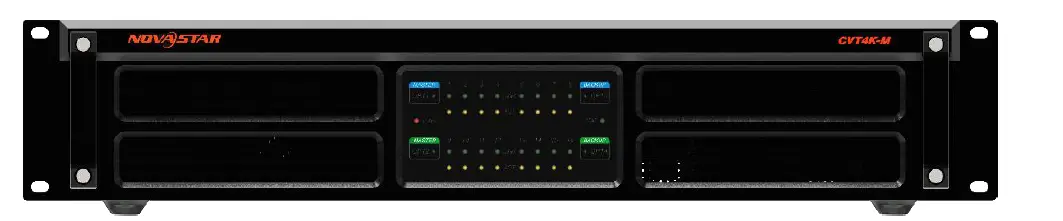
| Indicator | Color | Status | Description |
| 1–16 | Green | Always on | The Ethernet cable connection is normal. |
| Yellow | Flashing | There is data transmission. | |
| Always on | There is no data transmission. | ||
| OPT1–OPT4 | Green | Always on | The optical fiber connection is normal. |
| PWR | Red | Always on | The power supply is normal. |
| STAT | Green | Flashing | The device is functioning normally. |
Rear Panel 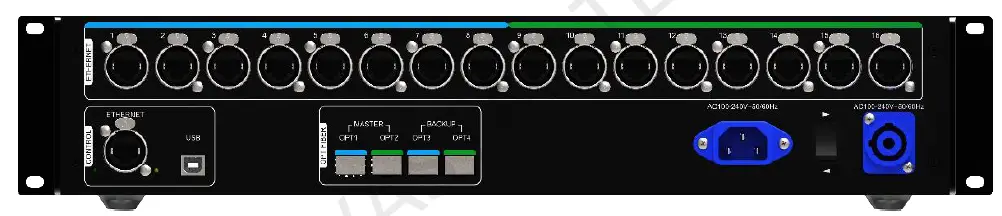
| Input and Output | ||
|
OPT1–OPT4 | 4x optical ports for data input or output OPT1 corresponds to Ethernet ports 1–8 and OPT2 corresponds to Ethernet ports 9–16. OPT3 is the backup of OPT1 and OPT4 is the backup of OPT2. | |
| Description of the optical module: l Installed at the factory, hot pluggable l Transmission rate: 9.95 Gb/s to 11.3 Gb/s l Wavelength: 850 nm l Transmission distance: 300 m | Optical fiber selection: l Model: OM3/OM4 l Transmission mode: Multi-mode twin-core l Cable diameter: 50/125 μm l Connector type: LC l Insertion loss: ≤ 0.2 dB l Return loss: ≥ 45 dB | |
| 1–16 | 16x Neutrik Gigabit Ethernet ports for data input or output | |
| Control | ||
| ETHERNET | Ethernet port for control computer connection | |
| USB | Type-B USB port for control computer connection, not for cascading | |
| Power | |
| AC 100- 240V~50/60Hz | Power input connectors, including a 3-pin power socket and a PowerCON socket For the PowerCON connector, users are not allowed to plug in hot. Pour le connecteur PowerCON, les utilisateurs ne sont pas autorisés à se connecter à chaud. |
The product can be mounted in a standard 19-inch rack capable of withstanding at least four times the total weight of the mounted equipment. Four M5 screws should be used to fix the product.
Caution: The equipment must be installed in a restricted access location.
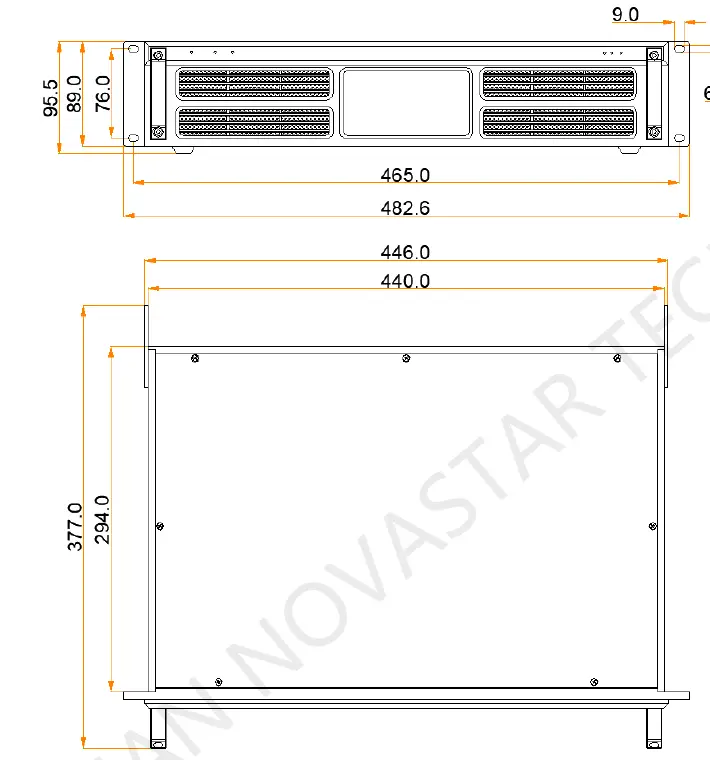
Dimensions 
Specifications
| Electrical Specifications | Input voltage | AC 100 V to 240 V |
| Rated power consumption | 10 W | |
| Operating Environment | Temperature | –20°C to +60°C |
| Humidity | 10% RH to 90% RH, non-condensing | |
| Storage Environment | Temperature | –20°C to +70°C |
| Physical | Dimensions | 482.6 mm × 377.0 mm × 96.0 mm |
| Specifications | Net weight | 4.6 kg |
| Packing Information | Carrying case | 530.0 mm × 193.0 mm × 420.0 mm, white cardboard box |
| Accessory box | 405.0 mm × 290.0 mm × 48.0 mm, white cardboard box Accessories: 1x Power cord, 1x Ethernet cable, 1x USB cable, 12x M4*10 screws | |
| Packing box | 550.0 mm × 440.0 mm × 210.0 mm, craft paper box |
The amount of power consumption may vary depending on factors such as product settings, usage, and environment.
FCC Caution
Any changes or modifications not expressly approved by the party responsible for compliance could void the user’s authority to operate the equipment.
This device complies with part 15 of the FCC Rules. Operation is subject to the following two conditions: (1) This device may not cause harmful interference, and (2) this device must accept any interference received, including interference that may cause undesired operation.
Note: This equipment has been tested and found to comply with the limits for a Class A digital device, pursuant to part 15 of the FCC Rules. These limits are designed to provide reasonable protection against harmful interference when the equipment is operated in a commercial environment. This equipment generates, uses, and can radiate radio frequency energy and, if not installed and used in accordance with the instruction manual, may cause harmful interference to radio communications. Operation of this equipment in a residential area is likely to cause harmful interference in which case the user will be required to correct the interference at his own expense.
Copyright 2021 Xi’an NovaStar Tech Co., Ltd. All Rights Reserved.
No part of this document may be copied, reproduced, extracted or transmitted in any form or by any means without the prior written consent of Xi’an NovaStar Tech Co., Ltd.
Trademark
 is a trademark of Xi’an NovaStar Tech Co., Ltd.
Statement
Thank you for choosing NovaStar’s product. This document is intended to help you understand and use the product. For accuracy and reliability, NovaStar may make improvements and/or changes to this document at any time and without notice. If you experience any problems in use or have any suggestions, please contact us via the contact information given in this document. We will do our best to solve any issues, as well as evaluate and implement any suggestions.
Official website
www.novastar.tech
Technical support
[email protected]