NTT-AT NEOCLEAN-F Series Pen Type Optical Fiber Connector Cleaner User Manual
Introduction
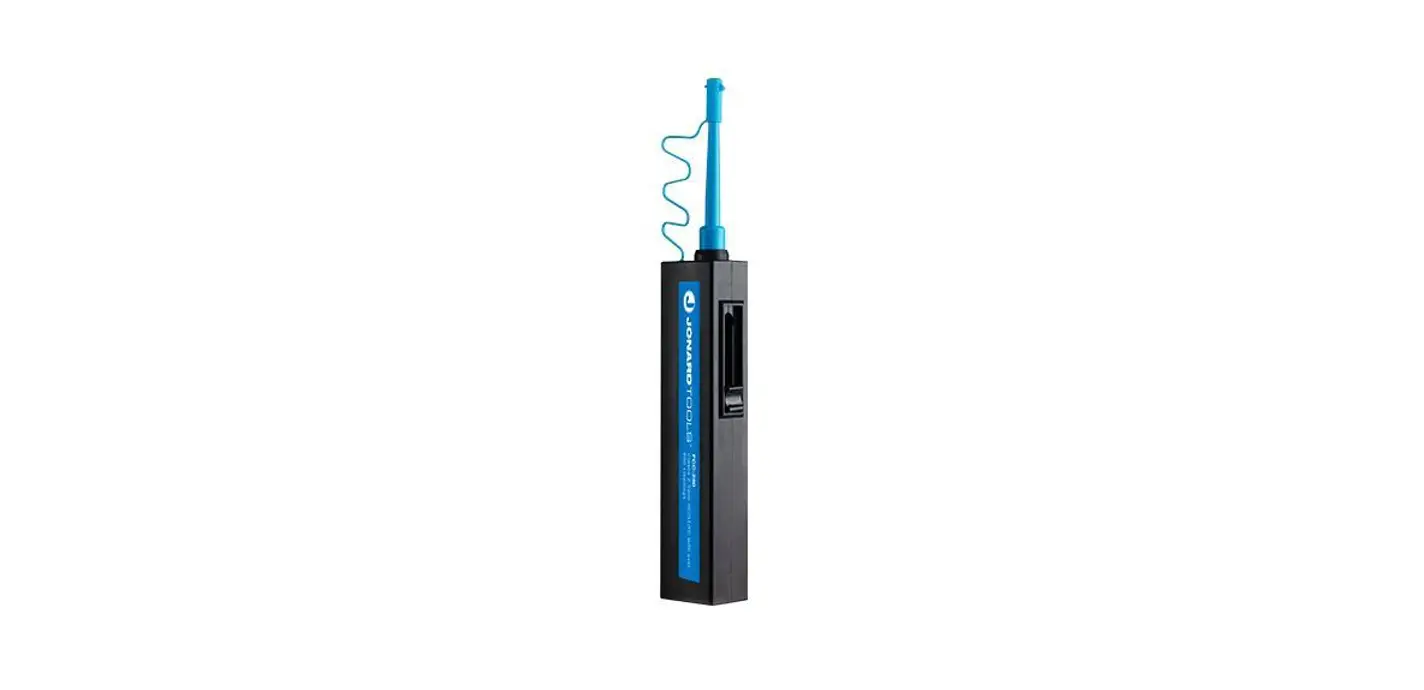
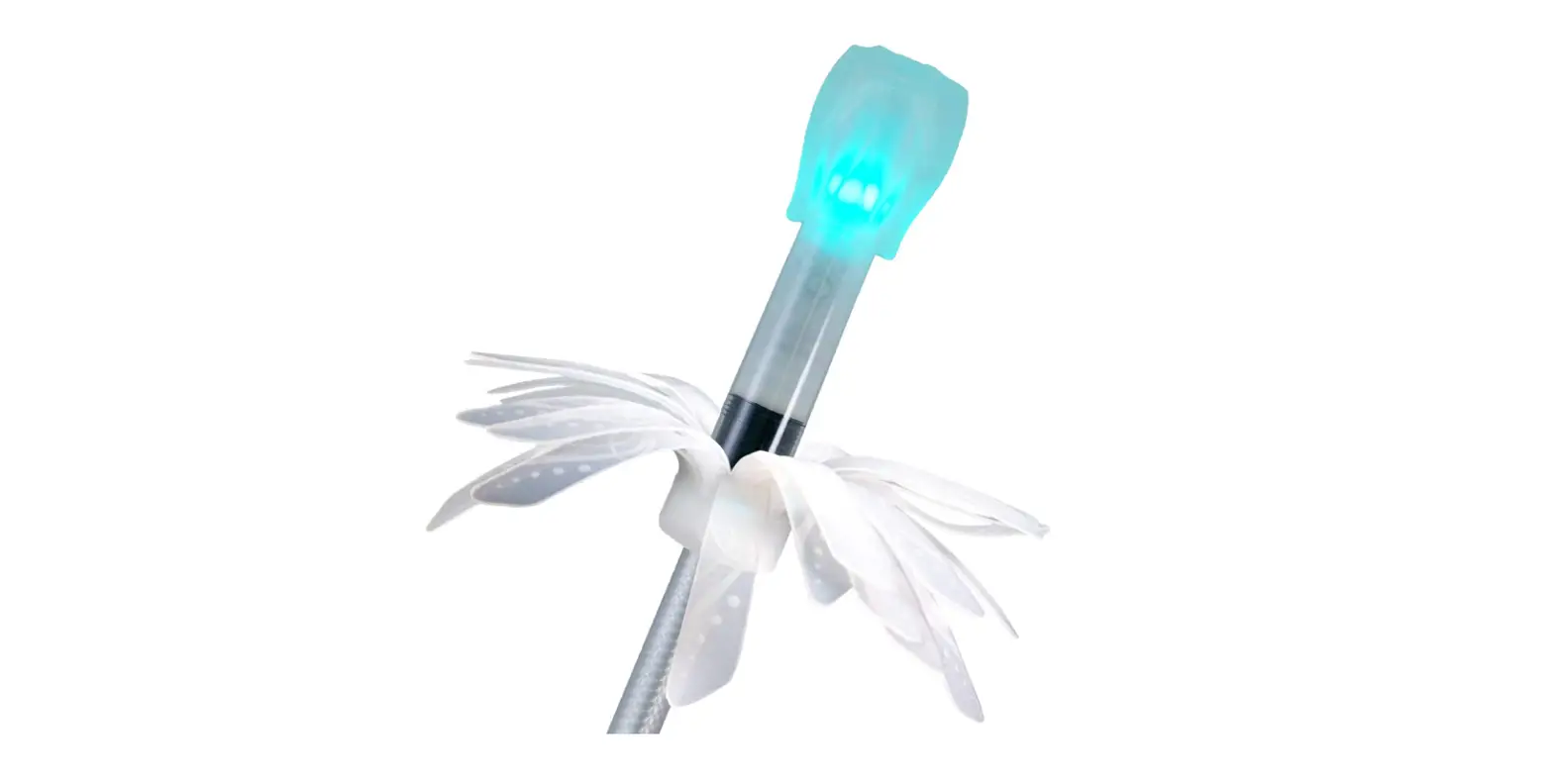
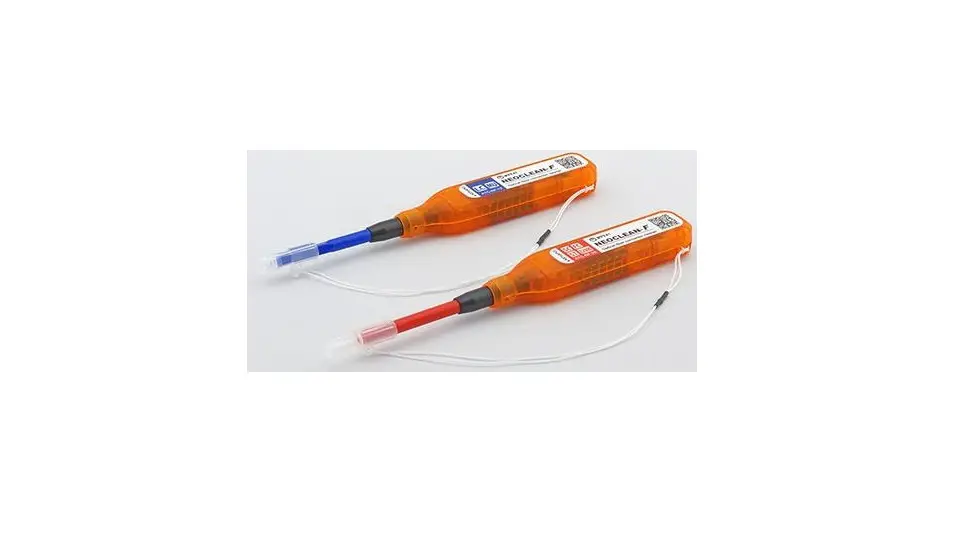
Thank you for choosing the “NEOCLEAN-F” optical connector cleaner. This product is a pen-type optical fiber connector cleaner that cleans the ferrule end face of the optical connector. Please read this instruction manual carefully to ensure proper use.
Safety Instructions
 Caution |
|
 Prohibited |
|
※”NEOCLEAN” is a registered trademark of NTT Advanced Technology Corporation.
Part Names and Features
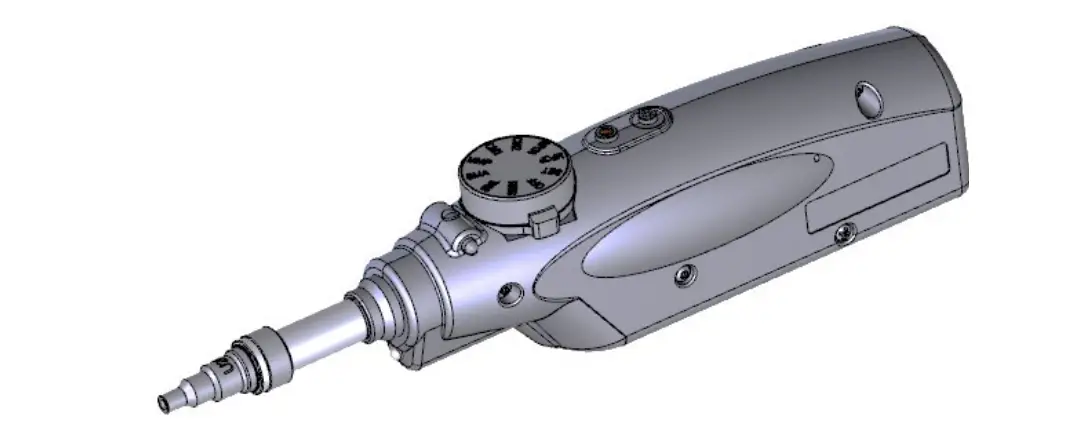
Part Names
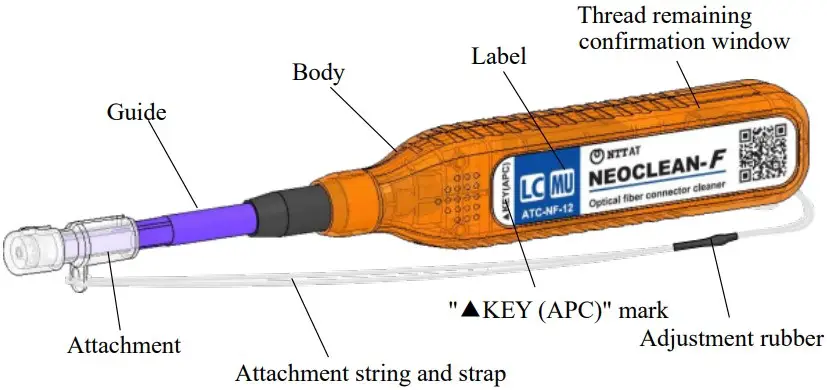
Features and Specifications
Despite its light weight and compact size, it can clean over 1000 connector end face with one unit. The cleaning ability is enhanced by using a special thread for cleaning optical connectors. Antistatic materials are used for plastic parts. It is also easy to use, with its excellent shape for portability and the attachment of a simple strap.
Specifications
| Product name | NEOCLEAN-F12 | NEOCLEAN-F25 |
| Model No. | ATC-NF-12 | ATC-NF-25 |
| Compatible connector | LC, MU | SC, FC, ST, E2000 |
| Guide color | Blue | Red |
| Size | 163(L) x 22(H) x 15(W) mm without attachment | |
| Weight | Approx. 20 g | |
| Usages | More than 1000 times (In case of LC/PC for F12 and SC/PC for F25) | |
How To Use
Checking the remaining thread
Check the remaining amount of thread from the confirmation window on the side of the body before use.
When the thread is little, the yellow stop tape will be visible. At that time stop using the cleaner and prepare another cleaner. If used up to the limit, the adhesive on the stop tape may adhere to the connector.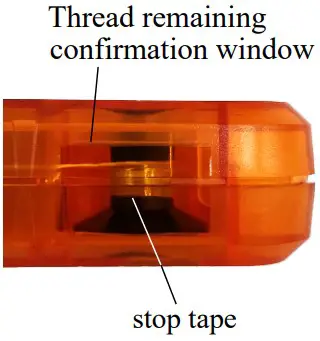
How to clean the optical connector inside the device (in the adapter)
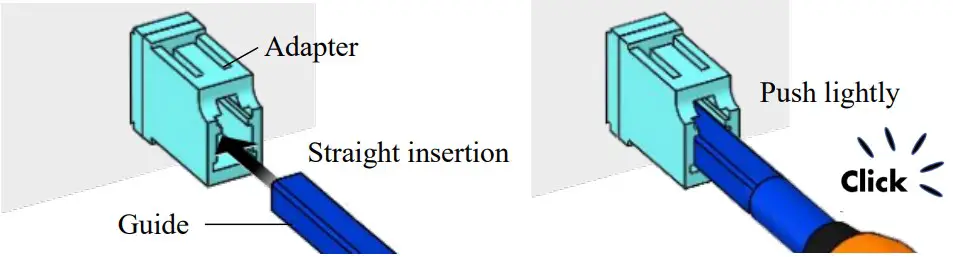
- Remove the attachment and insert the guide straight into the adapter.
- Lightly push the cleaner in until the body stops. Cleaning is completed with a “click” sound.

How to clean the single optical connector (plug)
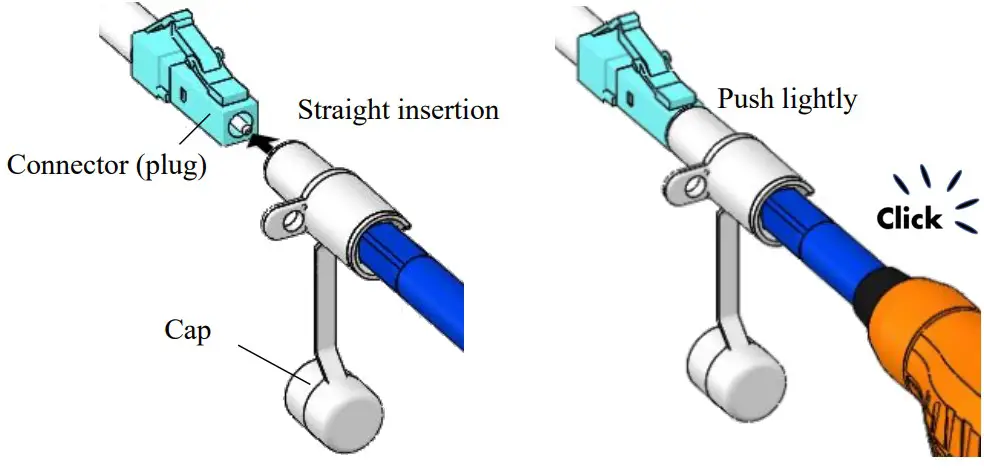
- Remove the cap of the attachment, and insert the cleaner straight into the ferrule of the connector (plug) so that the ferrule enters the tip hole.
- Lightly push cleaner in until the body stops. Cleaning is completed with a “click” sound.

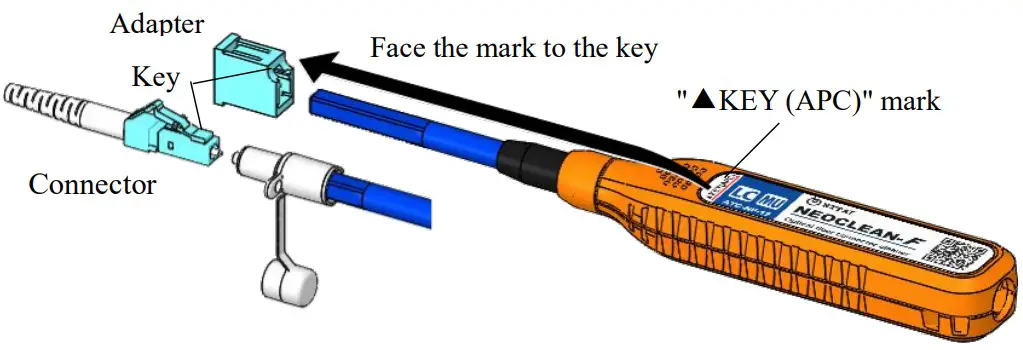
※ When cleaning the APC connector (Angled polished connector)
- Align the ” ▲ Key (APC)” mark on the label with the key on the connector/adapter.
- After that, clean in the same way as described in 4-2 and 4-3 above.

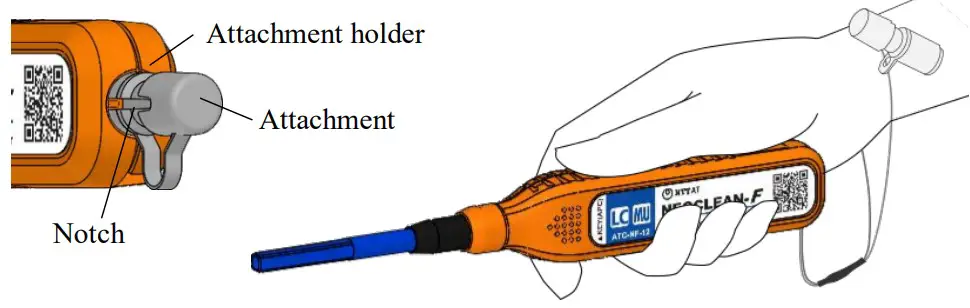
How to hold the attachment
When cleaning the optical connector inside the device (in the adapter), hold the attachment which is took off so that it will not get entangled with the device or optical cable. The attachment can be held in the following two ways.
- It can be held in the attachment holder at the rear end of the body. With the notch on the attachment facing toward the label, push the opposite side of the top of the cap into the holder.
- When using the attachment string as a wrist strap, put it on your wrist it.

How to adjust ring size of the attachment string and strap
One of the two strings through the strap’s adjustment rubber can be moved. Adjust the size properly so that the circle through which the hands are passed.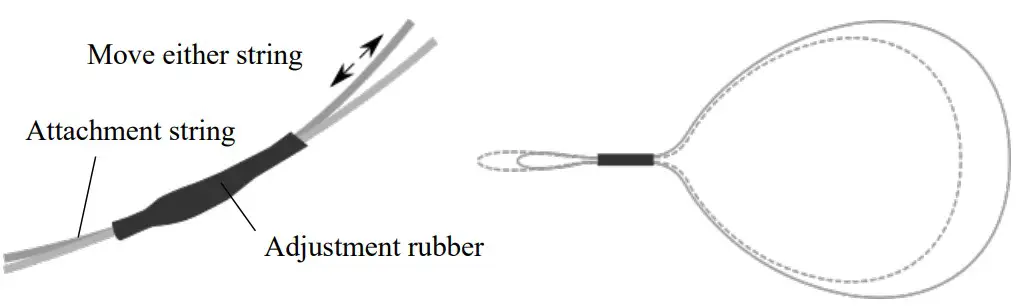
Storage and disposal of products
Store away from direct sunlight, high temperatures and high humidity.
When disposing of the product, follow the regulations in your area.
Why do I need to clean and inspect the end face now?
White paper of the effects of contamination on the end face of the optical connector and countermeasures is available.
https://www.ntt-at.com/product/special_cleaner01/
Contact
NetPeppers GmbH – Brunnleitenstr. 12
82284 Grafrath Tel.: +49-89-219097300
E-Mail: [email protected]
URL: https://www.netpeppers.com/
NTT Advanced Technology Corporation
Optical Products Business Unit
E-Mail: [email protected]
URL: http://www.ntt-at.com/product/neoclean/
 Optical connector cleaner, NEOCLEAN® | NTT-AT
 Netzwerk-Distributor | NetPeppers GmbH