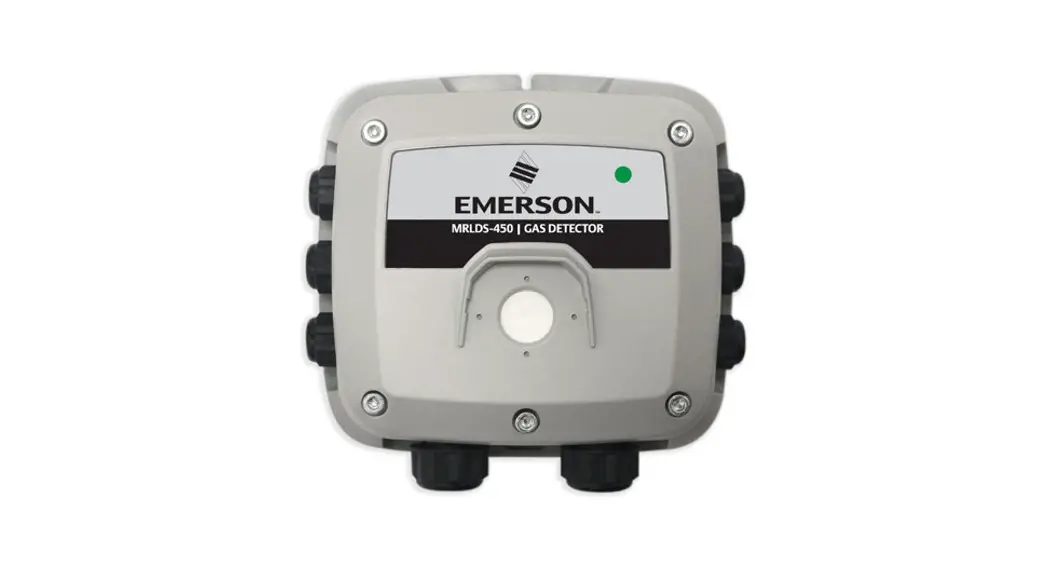
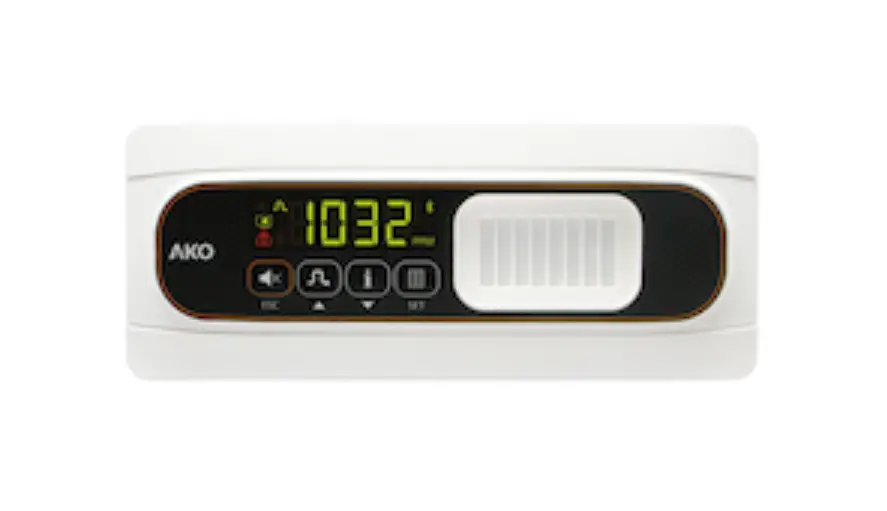
MRLDS 450 Gas Detector
Product Information
The MRLDS-450 Gas Detector is a device that continuously
monitors ambient air for various types of gases. It is not
certified or approved for operation in oxygen-enriched atmospheres
and should not be used in hazardous (classified) locations. This
product must be re-calibrated if installed in a non-room condition
environment and the gas diffusion path should be routinely
inspected to ensure proper gas detection and alarm function.
Table 1.1 – Icons
The safety icons used in this manual are:
- Imminently hazardous situation: If not
avoided, will result in serious injury or death. - Potentially hazardous situation: If not
avoided, could result in serious injury or death. - Potential electrical shock hazard: If not
avoided, could result in serious injury or death. - Potentially hazardous situation: If not
avoided, could result in physical injury or damage to the product
or environment. It may also be used to alert against unsafe
practices.
Product Usage Instructions
General Safety Requirements
- Use this product only for the purposes specified in the manual
and under the listed conditions. - If an alarm or over-range condition occurs, re-calibrate the
sensor to ensure continued accuracy. - If installed in a non-room condition environment, re-calibrate
the product. - Routine visual inspection of the gas detector and bump testing
are suggested to ensure proper gas detection and alarm
function. - Only authorized Emerson Technical Support personnel should open
and/or service the product, except for maintenance detailed in the
manual. Failure to comply may void the warranty.
Safe Connection of Electrical Devices
Consult the manufacturer or a qualified professional before
connecting this instrument to electrical devices not mentioned in
the manual to avoid personal injury and/or damage to the
product.
MRLDS 450
User Guide
026-1316 Rev 5
Contents
1 Introduction …………………………………………………………………………………………1 1.1 About Manual ……………………………………………………………………………………… 1 1.2 General Safety Requirements…………………………………………………………………. 1 1.3 Safe Connection of Electrical Devices ……………………………………………………… 2
2 Product Description ……………………………………………………………………………….3 2.1 Intended Uses/Applications …………………………………………………………………… 3 2.2 MRLDS-450………………………………………………………………………………………… 3 2.2.1 MRLDS-450 Product Overview ……………………………………………………. 3 2.2.2 MRLDS-450 Design Features ………………………………………………………. 4 2.2.3 MRLDS-450 Component Overview………………………………………………. 4
3 Installation……………………………………………………………………………………………5 3.1 General Information……………………………………………………………………………… 5 3.2 Restrictions………………………………………………………………………………………… 5 3.3 Mechanical Installation ………………………………………………………………………… 5 3.4 Electrical Installation……………………………………………………………………………. 6 3.4.1 Preparations…………………………………………………………………………….. 6 3.4.2 Power and Signal Wiring…………………………………………………………….. 6 3.4.3 Avoiding an Open-Loop Fault Alarm Condition on Power Up…………….. 7 3.4.3.1 Procedure ………………………………………………………………….. 7 3.4.4 Relay Wiring…………………………………………………………………………….. 7 3.4.5 Modbus RTU RS-485 Interface…………………………………………………….. 8 3.4.6 Conclusion ………………………………………………………………………………. 10
4 Operation …………………………………………………………………………………………….11 4.1 Overview of Normal Operation………………………………………………………………. 11 4.1.1 Applying Power and the Start-up Sequence…………………………………… 11 4.1.2 Verifying Analog Signals…………………………………………………………….. 11 4.1.3 Verifying the Modbus Signal……………………………………………………….. 12 4.1.4 Status Indication ………………………………………………………………………. 12 4.1.5 Switch Functions ………………………………………………………………………. 12 4.1.6 Reset System to Factory Default Settings ……………………………………… 13 4.2 MRLDS-400 Series Application ………………………………………………………………. 14 4.2.1 Enable Bluetooth® Connection…………………………………………………… 14 4.2.2 Checking Status ……………………………………………………………………….. 14 4.2.3 Instrument Configuration………………………………………………………….. 15 4.2.3.1 Change Alias ………………………………………………………………. 15 4.2.3.2 Change Unlock Code …………………………………………………… 15 4.2.3.3 Change Bluetooth® Passcode……………………………………….. 16 4.2.3.4 Reset to Factory Defaults ……………………………………………… 16 4.2.3.5 Alarm Configuration ……………………………………………………. 16 4.2.3.6 Modbus Configuration ………………………………………………… 17 4.2.3.7 Output Configuration ………………………………………………….. 18
ii
5 Care and Maintenance…………………………………………………………………………….19 5.1 Maintenance Intervals…………………………………………………………………………… 19 5.2 Adjustments ……………………………………………………………………………………….. 19 5.2.1 Introduction ……………………………………………………………………………… 19 5.2.2 General Calibration Procedure …………………………………………………….. 20 5.2.3 Zero Adjustment ……………………………………………………………………….. 21 5.2.4 Span Adjustment ……………………………………………………………………….. 21 5.2.5 System Bump Test……………………………………………………………………… 22 5.3 Troubleshooting ………………………………………………………………………………….. 22 5.3.1 Hexadecimal Format ………………………………………………………………….. 22 5.3.2 Fault Codes ………………………………………………………………………………. 23 5.4 Sensor Maintenance …………………………………………………………………………….. 25 5.4.1 Replacing Sensor Module ……………………………………………………………. 26 5.5 Cleaning the Instrument ……………………………………………………………………….. 26
6 Additional Information……………………………………………………………………………27 6.1 Sensor Principle …………………………………………………………………………………… 27 6.1.1 Electrochemical Sensors …………………………………………………………….. 27 6.1.2 Catalytic Bead Sensors ……………………………………………………………….. 27 6.1.3 Semiconductor Sensors ……………………………………………………………… 27 6.1.4 Infrared Sensors ………………………………………………………………………… 28 6.2 Disposing of the Instrument ………………………………………………………………….. 28 6.2.1 Disposing of the Electrical and Electronic Equipment ………………………. 28 6.2.2 Disposing of Sensors ………………………………………………………………….. 28 6.3 Technical Specifications ………………………………………………………………………… 29 6.3.1 General Specifications………………………………………………………………… 29
7 Ordering Information……………………………………………………………………………..31
iii
Safety Icon Explanation
Imminently hazardous situation which, if not avoided, will result in serious injury or death. Potentially hazardous situation which, if not avoided, could result in serious injury or death. Potential electrical shock hazard which, if not avoided, could result in serious injury or death. Potentially hazardous situation which, if not avoided, could result in physical injury or damage to the product or environment. It may also be used to alert against unsafe practices.
Additional information on how to use the product.
Table 1.1 – Icons
1 Introduction
1.1 About Manual
Thank you for investing in an MRLDS-450 Gas Detector. To ensure operator safety and the proper use of the gas detector, please read the contents of this manual for important information about the operation and maintenance of the instrument.
NOTICE: Before installing this product, carefully read and strictly follow the instructions in the manual.
1.2 General Safety Requirements
NOTICE: Before using this product, carefully read and strictly follow the instructions in the manual. Ensure that all product documentation is retained and available to anyone operating the instrument. DANGER! This instrument is neither certified nor approved for operation in oxygen-enriched atmospheres. Failure to comply may result in personal injury or death. DANGER! This instrument has not been designed to be intrinsically safe for use in areas classified as being hazardous locations. For your safety, DO NOT use it in hazardous (classified) locations.
WARNING! Use this product only for the purposes specified in this document and under the conditions listed.
CAUTION! In the event of an alarm or over-range condition, the sensor must be re-calibrated to ensure continued accuracy.
CAUTION! This product must be re-calibrated if installed in a non-room condition environment (For example, temperature or humidity extremes).
CAUTION! The gas diffusion path can become occluded (moisture, dust, debris, frozen condensation) over time resulting in reduced or complete lack of gas detection and alarming function. Routine visual inspection of the gas detector and bump testing are suggested to ensure proper gas detection and alarm function.
CAUTION! Except for maintenance detailed in this manual, these products should only be opened and/or serviced by authorized Emerson Technical Support personnel. Failure to comply may void the warranty.
1
CAUTION! Operator assumes responsibility for complying with all laws, rules and regulations governing the use of this product. CAUTION! Use only genuine Emerson parts and accessories. Failure to comply may impair the operation of the product and/or void the warranty. CAUTION! Only operate the product within the framework of a risk-based alarm signaling concepts. WARNING! The gas diffusion path can become occluded (moisture, dust, debris, frozen condensation) over time, resulting in reduced or complete lack of gas detection and alarming function. Routine visual inspection of the gas detector and bump testing are recommended to ensure proper gas detection and alarm function. For information on calibrating the sensor, refer to the “Care and Maintenance” section of this manual.
1.3 Safe Connection of Electrical Devices
WARNING! Before connecting this instrument to electrical devices not mentioned in this manual, consult the manufacturer or a qualified professional. Failure to comply may result in personal injury and/or damage to the product.
2
2 Product Description
2.1 Intended Uses/Applications
MRLDS-450 Gas Detection Series instruments continuously monitor ambient air (indoor or outdoor) for the following gas types:
· Refrigerants · Oxygen · Toxic and combustible gases The MRLDS-450 refrigerant gas detector is designed for use in refrigeration applications and with the integrated audio-visual alarm indication, can be operated as a stand-alone unit (with additional local alarm signaling as required), or it may be connected to a facility’s building management system (BMS). It enables compliance with refrigerant safety codes (ASHRAE 15 and EN378) and alarms to alert personnel in the event of a refrigerant leak.
DANGER! This instrument is neither certified nor approved for operation in oxygen-enriched atmospheres. Failure to comply may result in EXPLOSION. DANGER! This instrument has not been designed to be intrinsically safe for use in areas classified as being hazardous locations. For your safety, DO NOT use it in hazardous (classified) locations.
2.2 MRLDS-450 2.2.1 MRLDS-450 Product Overview
The Emerson MRLDS-450 continuously monitors indoor or outdoor ambient air for the following gases: · Refrigerants · Oxygen · Toxic and combustible gases
With the integrated Modbus communication, analog output and relays, the instrument can be operated as a stand-alone unit or as a third-party device capable of accepting digital and/or analog outputs from the gas detectors, such as a Building Management System (BMS) or a Supervisory Controller. The instrument is designed to be installed in non-classified, non-hazardous, permanent locations.
Figure 2.1 – MRLDS-450
3
2.2.2 MRLDS-450 Design Features
· Transmitter: IP66 rated ABS enclosure · Power options:
» 24VAC » 19.5 to 28.5VDC · Diagnostic/Status LED (3 color): Green, Orange, and Red · Configurable output signal options » 3× Relays (high alarm/low alarm/fault) » 1× Analog Output (4 to 20mA, 0 to 5V, 0 to 10V, 1 to 5V, 2 to 10V) » Digital Output (Modbus RTU signal) Bluetooth communication allows for full instrument configuration, initiation of calibration, bump test and functional test mode, and viewing of status information via the corresponding MRLDS-450 iOS/Android app.
Non-intrusive magnetic wand can be used to initiate calibration of the device.
2.2.3 MRLDS-450 Component Overview
# 1 2 3 4 5 6 7 8 9 10 11 12 13 14 15
4
Figure 2.2 – MRLDS-450 Component Locations
Component Description M16 Cable Glands (x6) Rubber Gasket Internal Alarm Buzzer Power Connections (x2) Digital Connection (Modbus) Analog Connection Tactile Switch #1 Ribbon Cable Connection (To Sensor) Tactile Switch #2 Relay 3 Connection (FAULT) Relay 2 Connection (HIGH) Relay 1 Connection (LOW) Magnetic (Mag) Switch #1 Magnetic (Mag) Switch #2 M20 Cable Glands (x2)
Table 2.1 – MRLDS-450 Component Descriptions
3 Installation
CAUTION! The manufacturer of this product requires that a bump test or calibration be performed following installation to verify instrument functionality.
3.1 General Information
Every detail of installation site selection is critical to ensure overall system performance and effectiveness. Strict compliance and considerable thought must be given to every detail of the installation process, including, but not limited to the following:
· Regulations as well as local, state, and national codes that govern the installation of gas monitoring equipment.
· Electrical codes that govern the routing and connection of electrical power and signal cables to gas monitoring equipment.
· The full range of environmental conditions to which the instruments will be exposed. · The physical characteristics of the gas or vapor to be detected. · The specifics of the application (For example, possible leaks, air movement/draft, etc.) · The degree of accessibility required for maintenance purposes. · The types of optional equipment and accessories that will be used with the system. · Any limiting factors or regulations that would affect system performance or installations. · Wiring details, including:
» The MRLDS-450 enclosure provides the following cable gland openings: – 2×, M20, supports 10-14mm cable outer diameter – 6×, M16, supports 4-8mm cable outer diameter
» Secondary circuit must be supplied from an isolating source. » The wiring for the relays must be selected and fused according to the rated voltages,
currents, and environmental conditions. » If stranded conductions are used, ferrule should be used. » To comply with RFI immunity regulations, it is necessary to ground the shield of the
communications cable at the PLC, GDA controller, front-end controller or Building Management System (For example, the chassis, the ground bus-bar, etc.).
3.2 Restrictions
The installation location must have appropriate supply power available for the instrument (For example, 19.5 to 28.5VDC or 24VAC). This ultimately determines the distance the instrument can be mounted from the controller or power supply.
3.3 Mechanical Installation
WARNING! DO NOT allow the lid/sensor to hang from the ribbon cable. Failure to comply may result in damage to the product.
1. Using the provided hardware, securely mount the MRLDS-450 Gas Detector according to the product dimensions, maximum wiring lengths and following considerations: a. Environment: the full range of environmental conditions when selecting a location. b. Application: the specifics of the application (possible leaks, air movement/draft, etc.) when selecting a location. c. Accessibility: the degree of accessibility required for maintenance purposes when selecting a location. d. Target Gas: the specific gravity of the target gas when selecting the height of the instrument.
2. Using a 5/32″ (4mm) hex key/allen wrench (not included) remove the lid and disconnect the ribbon cable from the base.
3. Set the lid and rubber gasket aside to be reinstalled later.
5
3.4 Electrical Installation
3.4.1 Preparations
NOTICE: The MRLDS-450 has a jumper on the analog output. This jumper MUST be removed to use the analog 4-20mA output signal. If the jumper is removed AND the 4-20mA output signal is not used, the unit will go into fault. NOTICE: If analog output is configured for 4 to 20mA output, ensure that the current loop is connected to a sinking current loop monitor before powering on the instrument. Otherwise, a fault may be displayed indicating an open loop condition. If analog output is unused, ensure it is configured as a voltage output (1-5V) to prevent an open loop fault condition. The analog output is designed as sourcing.
WARNING! Ensure wiring for relays and connections for sensor(s) are made before applying power.
CAUTION! This product uses semiconductors which can be damaged by electrostatic discharge (ESD). When handling the printed circuit boards (PCBs), observe proper ESD precautions so that the electronics are not damaged.
3.4.2 Power and Signal Wiring
The product comes with cable glands and plugs pre-installed. The power entry cable gland is without a gland plug. Use the appropriate cable glands to insert and connect the wires for power and signal to the appropriate terminals as indicated in the figure and wiring table that follow. The PCB terminal blocks are a pluggable type and may be removed to aid termination.
NOTICE: · For 24VAC installations sharing a transformer in a daisy-chain configuration,
neutral polarity must be maintained for all instruments. · 24VAC power polarity must not be reversed. · For a more robust system, a dedicated transformer for each MRLDS is
recommended to prevent damage caused by wiring errors. · Fasten terminal screws.
Power Power
Description
24VDC/VAC IN
24VDC/VAC OUT (power daisy chain terminal)
Digital Output
MODBUS Network Communications
Analog Output
Voltage or Current Output
Label 24V IN: 24V IN: + 24V OUT: 24V OUT: + MODBUS: B MODBUS: A MODBUS: GND MODBUS: SH ANALOG: ANALOG: +
Wiring Termination 24VDC ground/24VAC neutral 24VDC +/24VAC + 24VDC ground/24VAC neutral
24VDC +/24VAC + RS-485 (-E2E), (+Site Supervisor) RS-485 (+E2E), (-Site Supervisor) RS-485 GND RS-485 Shield Analog output ground Analog output signal (+)
Table 3.1 – Power and Signal Wiring 6
3.4.3 Avoiding an Open-Loop Fault Alarm Condition on Power Up
To avoid powering up into an Open Loop-Fault. The MRLDS-450 Gas Detector by default has the analog output configured to 4-20mA. One of the features of the 4-20mA analog output is to alarm the sensor when an open-loop is detected on the 4-20mA circuit. If the +24VDC power is connected and the circuit is energized, the MRLDS-450 will detect an open-loop fault and alarm if:
· The 4-20mA circuit is not connected before the sensor is powered, or · A jumper is not installed and tightened onto the analog output terminal block
3.4.3.1 Procedure
To avoid the open-loop fault on power up, the 4-20mA circuit can be deployed (wiring and configured to BMS or other) or install a jumper on the analog output terminal block as follows:
Figure 3.1 – Jumper Installation The fault can also be cleared by changing the Analog Output to a voltage (0-5V, 1-5V, 0-10V or 2-10V).
3.4.4 Relay Wiring
WARNING! Relays are rated for 0 to 30V AC/DC. DO NOT apply main power onto these relays.
Using appropriate cable glands, connect the wires for relay 1, relay 2, and relay 3 to the terminals as indicated in Table 3-1.
Relay 1 2 3
Function Low Alarm High Alarm Fault Alarm Table 3-1 – Relay Wiring Configuration
7
When configured according to the factory default settings, the relays are de-energized during normal operation (not fail-safe). Fail-safe mode can be configured. When configured for Failsafe operation, relays are energized during normal operation. Failsafe operation ensures reays are triggered in cases of power failure at
the instrument. In Failsafe operation, normally open and normally closed terminals are reversed as indicated
in Table 3-2:
Terminal 1
COM NO
Normal Operation Normally Closed Common Normally Open
Table 3-2 – Relay Wiring Terminal Configuration
Failsafe Operation Normally Closed Common Normally Open
3.4.5 Modbus RTU RS-485 Interface
For the Modbus RS-485 network use a 16 to 24 AWG (0.5 to 1mm2) 3-core, 2 twisted pair + ground, shielded cable with 120 characteristic impedance.
NOTICE: Recommended: Belden 3105A (or equivalent).
The Modbus address, baud rate, stop bit, parity and slave termination is configured through the setup menu. No jumpers or hardware switch settings are required. Ensure that the communication parameters within the network, including the BMS, are configured identically.
To ensure optimal performance of the Modbus network ensure the following guidelines are implemented:
· Ensure instruments are configured in a single bus topology, connecting multiple buses in parallel or branching multiple units from the main bus, may introduce impedance mismatches, reflections and/or signal distortions.
· Avoid long stubs when connecting instruments to the bus, stubs should be less than one (1) meter in length.
· Ensure A/B signal polarity is maintained throughout RS-485 network. · Connect cable shield drain to physical earth or ground at the controller only. · Ensure cable shield integrity is maintained throughout RS-485 network.
For Modbus end-of-line termination, use 150 ohm resistor or termination block P/N 537-2711. Do not use MRLDS 120 ohm on-board termination with Site Supervisor or E2.
8
Site Supervisor Setup – Device and COMM
Figure 3-2 – Site Supervisor Network Setup 9
E2 Setup – Device and COMM
Figure 3-3 – E2 Network Setup
3.4.6 Conclusion After all wiring is completed, power the transmitter and confirm operation, and then prepare to seal the enclosure. Align the enclosure gasket (primary transmitter and remote sensor if equipped), replace the lid, and tighten the six (6) screws. Tightening torque should be limited to tightening by hand, and should be uniform in pattern.
10
4 Operation
4.1 Overview of Normal Operation
CAUTION! Before leaving the instrument for normal operation, check the configuration for proper settings and check calibration.
4.1.1 Applying Power and the Start-up Sequence
After applying power, the instrument will go through a start-up sequence (initialization, audible/visual test and self-test sequence). After the start-up sequence completes, the instrument will enter a warm-up period to allow the sensor element to stabilize before reporting a valid output.
Step 1 2
3
Description
Switch power on.
Observe start-up sequence and warm-up phase: · Green LED will blink at 0.5 Hz for about five (5) minutes · Modbus flag for warm-up is set · Buzzer is off · Relay state is “no alarm” · Gas reading invalid
Observe normal operation: · Green LED is steady on · Modbus flag for warm-up is cleared · Buzzer is off · Relay state is “no alarm” · Gas reading valid
Table 4-1 – Instrument Start-up Sequence
4.1.2 Verifying Analog Signals
The MRLDS-450 gas detector features a single configurable analog output. During normal operation, the analog output of the instrument is proportional to the detected gas concentration and can be selected from the following:
· 1 to 5V · 0 to 5V · 2 to 10V · 0 to 10V · 4 to 20mA (default)
The MRLDS-450 Gas Detector uses different voltage/current values to indicate various modes of operation. In normal operation the relative gas concentration output is indicated by the analog output level. Output level is proportional to the gas level as shown in Table 4-2:
Gas Concentration 0% 50%
100%
1-5V 1V 3V 5V
0-5V
2-10V
0V
2V
2.5V
6V
5V
10V
Table 4-2 – Gas Concentration Levels
0-10V 0V 5V 10V
4-20mA 4mA 12mA 20mA
11
The instrument may also enter several special states, these are indicated by the specific analog output levels indicated in Table 4-3
Mode of Operation Instrument Fault Offline Mode Maintenance Drift below zero Normal operation Measuring range exceeded Fault on analog interface
1-5V
0-5V
2-10V
0.3V
N/A
0.6V
0.75V
N/A
1.5V
0.95V
N/A
1.9V
1-5V
0-5V
2-10V
5.12V
5.12V
10.25V
> 5.25V
> 5.25V
> 10.5V
Table 4-3 – Analog Output Levels
0-10V N/A N/A N/A
0-10V 10.25V > 10.5V
4-20mA 1.2mA
3mA 3.8mA 4-20mA 20.5mA > 21mA
4.1.3 Verifying the Modbus Signal
The MRLDS-450 Gas Detector provides a Modbus RTU digital interface. All status messages and most parameters that can be accessed and/or configured through the Bluetooth® interface can also be accessed and/or configured via RS485 for Modbus RTU.
4.1.4 Status Indication
The MRLDS-450 gas detections provide external indication of its current operational state via audible and visual feedback. Visual indication of the instrument status is provided by a single tri-color LED (Green/ Red/Orange). MRLDS-450 gas detection instruments also provide relays outputs. Instrument states and
corresponding outputs are shown in Table 4-4.
State
LED
Buzzer
Relay 1 (LOW)
Relay 2 (HIGH)
Relay 3 (FAULT)
Warm-up
OFF
OFF
OFF
Normal
OFF
OFF
OFF
Low Alarm
ON
OFF
OFF
High Alarm
ON
ON
OFF
Offline
OFF
OFF
OFF
Fault
OFF
OFF
ON
Negative Gas Fault
OFF
OFF
ON
Zero Cal. Fault
OFF
OFF
OFF
Span Cal. Fault
OFF
OFF
OFF
4.1.5 Switch Functions
Table 4-4 – Status Indicators
User interaction with the MRLDS-450 gas detector is accomplished through the use of two magnetic switches located on the bottom of each unit. To actuate a magnetic switch, apply the supplied magnetic wand to the relevant switch location as shown in Figure 4-1.
12
Figure 4-1 – Magnetic Switches
Switch locations above are referred to in this document as MAG#1 and MAG#2. Depending on the duration the switch is held, a short “tap” or long “hold” will be detected.
· To carry out a tap function, tap the relevant switch location for one (1) second, until a single “chirp” is heard and remove the wand to confirm a “tap.”
· To carry out a hold function, do not remove the magnetic wand after the first “chirp” but continue to hold for more than five (5) seconds, until a double “chirp” is heard, and remove wand to confirm a “hold.” If either switch is held for more than 30 seconds, a stuck switch fault will be indicated.
· To interact with the instrument without use of the magnetic wand, two internal push button tactile switches may be used. Remove the lid without removing the ribbon cable to access. Internal switches TACT#1 and TACT#2 mirror the functions of MAG#1 and MAG#2.
The function of each switch depends on the current state of the instrument. Refer to Table 4-1 for switch functions in each instrument state.
State Warm-up
Normal
Low Alarm High Alarm Offline Fault Negative Gas Fault
Zero Cal. Fault
Span Cal. Fault
Switch 1 Tap
Switch 1 Hold
Switch 2 Tap
Enable Bluetooth® Connectivity
Start Zero Calibration Mute Buzzer Mute Buzzer
Mute Buzzer
Mute Buzzer
Acknowledge Fault
Disable Bluetooth® Connectivity
Table 4-1 – Switch Functions
Switch 2 Hold
Start Span Calibration Ack. Latched Alarm Ack. Latched Alarm
Ack. Latched Fault Start Zero Calibration
Acknowledge Fault
4.1.6 Reset System to Factory Default Settings
To reset system to factory defaults, remove lid and hold TACT#1 and TACT#2 simultaneously for 30 seconds. Instrument will restart to confirm factory reset. Alternatively, see Section 4.2.3.4., Reset to Factory Defaults, for instructions on resetting instrument configuration via the MRLDS-400 Series App.
13
4.2. MRLDS-400 Series Application
Download the MRLDS-400 Series App. The companion smartphone application allows users to perform a variety of functions to configure and interact with the MRLDS-450 gas detector, including:
· View real-time measurements · Configure instrument · Test outputs · Calibrate/Bump test instrument · Generate customizable calibration certificates
4.2.1. Enable Bluetooth® Connection
1. Enable Bluetooth® discovery by tapping MAG#1 for 1-second. (After 10 seconds, the device will indicate that it is discoverable with audible heartbeat until it has been paired, discovery has timed-out, or has been canceled.)
2. Launch the MRLDS-400 Series App and select the Bluetooth® icon at the bottom of the screen to initiate a scan.
3. Select MRLDS-450 default alias is “18TMAE” from the list of available gas detectors. 4. When prompted, enter the passkey (default is “123456”).
4.2.2. Checking Status
NOTICE: Default alias, passkey, and unlock code can be changed via the MRLDS-400 Series App’s configuration menu. Default values should be changed after instrument installation for security purposes.
Current Instrument status can be viewed from the Home tab. The Home tab displays the following status information:
No. 1 2 3 4 5 6
14
Figure 4-2 – MRLDS-400 Series App Home Tab
Description Alias, user-configured instrument name. Serial, instrument 8-digit serial number. Gas, gas type currently detected by instrument. Status ring, provides visual indication of various instrument states (expanded on Table 4-2) Live measurement, current measurement in given measurement units. Measurement unit, displayed measurement unit (PPM/PPB/%LEL/%VOL) Measurement unit, displayed measurement unit (PPM/PPB/%LEL/%VOL)
Table 4-1 – MRLDS-400 Series App Home Tab Features
State Warm-up Normal Low Alarm High Alarm Offline Fault Negative Gas Fault
Zero Cal. Fault
Span Cal. Fault
Status Ring Green Green Yellow Red Orange Orange Orange
Orange
Orange
Description Gas detector stabilizing after power on or restart.
Normal Operation.
Gas measurement has exceeded low alarm setpoint.
Gas measurement has exceeded high alarm setpoint.
Gas Detector in maintenance mode and is not actively monitoring gas.
A fault has been detected. Gas Detector calibration has drifted below zero, requires zero calibration. Error occurred during zero calibration. Zero calibration has not be updated. Zero calibration required.
Error occurred during span calibration. Span calibration has not be updated. Span calibration required.
Table 4-2 – Status Ring of Various Instrument States
4.2.3. Instrument Configuration
For security, access to configuration and calibration options are restricted to authorized users only. Access to these functions require use of an unlock code. To unlock instrument configuration, go to the Configure tab to set up the device. When prompted, enter unlock code to access device configuration. (The instrument’s default code is “1234”). Instrument will remain unlocked until Bluetooth® connection has ended.
NOTICE: Default alias, passkey, and unlock code can be changed via the MRLDS-400 Series App’s configuration menu. Default values should be changed
after instrument installation for security purposes.
4.2.3.1. Change Alias
To allow easy identification of a given instrument, an alias can be assigned to each instrument. This alias is displayed when searching for an instrument via Bluetooth®, on Calibration Cert and in the Home tab. To set the alias:
· On the Configure tab select Alias. Enter the required alias for instrument and select OK. · The instrument must be restarted for change to take effect. Selecting the Home tab then Restart will
reboot device. · Reconnect to instrument to confirm the alias has been updated.
4.2.3.2. Change Unlock Code
To prevent unauthorized access to instrument configuration and calibration, the default instrument unlock code should be changed during commissioning. To change unlock code:
· On the Configure tab select Modbus Unlock Code. Enter the new 4-digit unlock code for instrument and select OK.
· The instrument must be restarted for changes to take effect. Selecting the Home tab, then Restart will reboot the device.
· Reconnect to instrument to confirm the unlock code has been updated.
NOTICE: If the custom unlock code is forgotten, the unlock code may be reset to default value (1234) by resetting system to factory defaults. Refer to Section 4.1.6., Reset System to Factory Default Settings for the system reset procedure. Note that a system reset will return all custom system configurations to defaults.
15
4.2.3.3. Change Bluetooth® Passcode
To prevent unauthorized access to instrument status, the default instrument Bluetooth® passcode code should be changed during commissioning. To change Bluetooth® passcode:
· On the Configure tab select Bluetooth Passcode. Enter new 6-digit passcode for the instrument and select OK.
· The instrument must be restarted for changes to take effect. Selecting the Home tab, then Restart will reboot the device.
· Reconnect to instrument to confirm the Bluetooth® Passcode has been updated.
NOTICE: If the custom passcode is forgotten, the unlock code may be reset to default value (123456) by resetting system to factory defaults. Refer to Section 4.1.6., Reset System to Factory Default Settings for system reset procedure. Note that a system reset will return all custom system configurations to defaults.
4.2.3.4. Reset to Factory Defaults
Instrument configuration may be reset to factory defaults via the smartphone application: · On the Configure tab select Reset to Factory Default and select OK to confirm. · The instrument will automatically restart and disconnect from the smartphone application.
WARNING! Resetting system to factory defaults will remove all custom system configuration including unlock code and Bluetooth passcode. After system reset custom unlock and Bluetooth passcodes should be configured to prevent unauthorized access and reconfiguration of instrument.
4.2.3.5. Alarm Configuration
Low Alarm Setpoint
The value above which a low alarm condition occurs. The low alarm setpoint must be less than the high alarm setpoint and greater than the low alarm limit. The low alarm limit is the fixed minimum limit that is sensor specific and not editable.
Range of acceptable setpoints is displayed when updating the parameter. To update the setpoint:
· On the Configure tab select Alarm then Low Alarm Setpoint. Enter the new setpoint and select OK to confirm.
NOTICE: In instruments with an oxygen sensor installed, low alarm behavior operates in a depletion mode where gas measurements BELOW the low alarm setpoint initiate a low alarm. This allows monitoring of oxygen displacement and enrichment scenarios.
NOTICE: To prevent intermittent alarm operation at the setpoint due to measurement noise this instrument implements hysteresis at the setpoint. Once the alarm level is exceeded, the gas measurement must return a fixed percentage below the alarm threshold before the alarm is disabled. Typical hysteresis value is set at 5% of full scale; however, this is sensor-specific and non-editable.
High Alarm Setpoint
The value above which a high alarm condition occurs. The high alarm setpoint must be less than the sensor full scale range and greater than the low alarm setpoint.
Range of acceptable setpoints is displayed when updating the parameter. To update setpoint:
· On the Configure tab select Alarm then High Alarm Setpoint. Enter the new setpoint and select OK to confirm.
NOTICE: To prevent intermittent alarm operation at the setpoint due to measurement noise, this instrument implements hysteresis at the setpoint. Once the alarm level is exceeded, the gas measurement must return a fixed percentage below the alarm threshold before the alarm is disabled. Typical hysteresis value is set at 5% of full scale; however, this is sensor-specific and non-editable.
16
Alarm Latching Enabling alarm latching will maintain alarm or fault condition even after the alarm or fault condition is no longer active. When latched, the alarm or fault condition must be manually acknowledged before the condition will be cleared. This allows transient alarm or fault conditions to be identified. If an alarm is latched, for example, the condition has occurred but is no longer active, an acknowledgment button will appear on the Home screen. Select this button to acknowledge the latched condition and clear the alarm or fault. When disabled, the alarm or fault status clears automatically as soon as the condition is no longer active. To configure:
· On the Configure tab select Alarm then Alarm Latching. Select Enable/Disable and OK to confirm. 4.2.3.6. Modbus Configuration
Address Sets instrument address for connection to RS-485 Modbus interface. (Default: 1). To set address:
· On the Configure tab select Modus, then Address. Select 1-247 and OK to confirm.
NOTICE: Ensure all instruments on RS-485 bus have been configured with unique node addresses. If two instruments have been configured with same address, bus contention will occur preventing communications with these instruments via the RS-485 interface.
Baud Rate Sets instrument baud rate for connection to RS-485 Modbus interface baud). To set baud rate:
· On the Configure tab select Modus then Baud Rate. Select 9600/19200 (default) and OK to confirm. Stop Bits Sets instrument stop bits for connection to RS-485 Modbus interface (Default: 1 stop bits). To set number of stop bits:
· On the Configure tab select Modus then select Stop Bits. Select 1 or 2 and OK to confirm. Parity Sets instrument parity for connection to RS-485 Modbus interface (None, Odd, or Even (default). To set parity:
· On the Configure tab select Modus then select Parity. Select None/Odd/Even and OK to confirm.
NOTICE: Stop bits must be set to 1 where parity is Odd or Even.
Enable 120 Termination For optimal communication reliability, in RS-485 Modbus networks the last instrument physically connected to the RS-485 bus must include a 120 termination resistor. This is to reduce the potential for electrical signal reflection on long buses due to impedance mismatches. Typically, this requires a physical resistor with the same characteristic impedance of the bus cable to be installed on the bus. MRLDS-450 instruments include this termination resistor on all instruments and allow this termination to be enabled via this configuration setting without the need for an external physical resistor. To enable this termination resistor:
· On the Configure tab select Modbus then select Enable 120 Termination. Select Enable/Disable and select OK to confirm.
NOTICE: Termination resistor should only be enabled on last instrument physically connected to RS-485 bus. An external resistor should not be connected where this is enabled on the instrument.
17
4.2.3.7. Output Configuration
Analog Output Range Sets instrument analog output range. Available ranges: 1-5V, 0-5V, 0-10V, 2-10V, 4-20mA (default). To set range:
· On the Configure tab select Outputs, then select Analog Output Range. Select desired range and select OK to confirm.
Buzzer Enable or disable buzzer. Buzzer provides local audible alarm/fault indication. Buzzer is enabled by default. To enable/disable buzzer:
· On the Configure tab select Outputs, then Buzzer. Select Enable/Disable and select OK to confirm. Relay Failsafe Enable or disable Relay Failsafe operation. When configured for fail-safe operation, relays are energized during normal operation. Failsafe operation ensures relays are triggered in cases of power failure at the instrument. In Failsafe operation, normally open and normally closed terminals are reversed as indicated in Section 3.4.4., Relay Wiring. Relays are configured as non-Failsafe by default. To enable/disable relay Failsafe:
· On the Configure tab select Outputs then Relay Failsafe. Select Enable/Disable and OK to confirm. Alarm Delay Sets delay in minutes before instrument will indicate an alarm condition after low or high alarm threshold has been exceeded. May be used to prevent short transient alarm conditions from activating alarms. Alarm delays may be set for 0-15 minutes. Alarm delay is configured as 0 minutes by default. To set alarm delay:
· On the Configure tab select Outputs then Alarm Delay. Enter the desired delay in minutes (0-15)and OK to confirm.
Analog Zero Adjust Analog zero adjust applies a fixed offset to the analog output. This allows removal of small errors in the output between the gas detection instrument and the measurement at the controller due to cable resistance when using voltage outputs. To apply adjustment ensure instrument is outputting fixed voltage (default 1V at zero ppm or use output test function to set specific voltage value), monitor remote measurement and adjust zero offset until remote measurement matches expected voltage output. Adjustment is limited to ±10% full scale. To set analog zero adjustment:
· On the Configure tab select Outputs then Analog Zero Adjust. Use the slider to set desired offset adjustment.
· Alternatively, select “Analog Zero Adjust (X.X%)” text and enter specific offset required (-10 to 10). Analog Span Range Analog span range scales the FSD (full-scale deflection) of the analog output. The selected range determines the equivalent gas measurement at the analog output maximum range. Example: R134A 1000ppm, 0-5V analog output. If Analog Span Range is set to 20%, the full analog output range only covers the first 20% of the gas measurement range, for example, 0-200ppm will output 0-5V, above 200ppm the output will be truncated to 5V. Note that sensor resolution stays at the value for the max range. To set analog span range:
· On the Configure tab select Outputs then Analog Span Range. Use the slider to set desired range. · Alternatively, select “Analog Span Range (X.X%)” text and enter specific offset required.
18
5 Care and Maintenance
5.1. Maintenance Intervals
Interval During Commissioning
Every 6-12 Months**
As Required
Function
Check calibration
Check LEDs for proper operation* Check for proper buzzer and relay operation* Check signal transmission to the BMS.BAS (central controller) if connected*
Inspection by trained service personnel.
Check LEDs for proper operation* Check for proper buzzer and relay operation* Check signal transmission to the BMS/BAS (central controller) if connected*
Calibrate the sensor or contact Emerson Technical Support for sensor exchange with factory – calibrated sensor
Replace sensor module(s) As Required
Table 4-2 – Status Ring of Various Instrument States
* These can be activated via Modbus commands or via MRLDS-400 Series App. ** Typical maintenance frequency can vary by sensor type.
Sensor Type Electrochemical* Catalytic Bead
Semiconductor* Infrared
Recommended Maintenance Interval
12 months
Zero calibration -1-3 months Span calibration – 6 months
6 months after commissioning 12 months thereafter
12 months
Typical Sensor Lifetime 2-3 years 5-7 years
4-6 years 5-7 years
Table 5-2 – Maintenance Intervals and Functions
* Sensors should be checked after exposure to significant concentrations of gas, which can shorten the sensor lifetime and/or reduce its sensitivity.
5.2. Adjustments
5.2.1. Introduction
Adjustment of the detector must be performed at regular intervals as required by national standards or regulations (For example, EN 378, ASHRAE 15, BREEAM, etc.).
Breathing Hazard: Calibration gas MUST NOT be inhaled! See appropriate Safety Data Sheets. Calibration gas should be vented into a fume hood or to the outside of the building.
Zero First, Then Span: For proper operation, never adjust the span before completing a zero adjustment. Performing these operations out of order will cause faulty calibration.
19
NOTICE: Emerson recommends calibrating detectors within the applicationspecific condition and with target gas. This method of zeroing the detector in the application environment and performing a target gas calibration is more accurate. A surrogate gas calibration may only be performed as an alternative if a target gas calibration is not possible. NOTICE: The sensor should be fully stabilized (at least 2 hours, preferably 24 hours). NOTICE: When entering the functions for zero or span adjustment, the detector will automatically enter OFFLINE mode, and will remain OFFLINE until either the OFFLINE mode is canceled by tapping the respective magnetic switch, or the OFFLINE mode times out within 6 minutes (typical) after the adjustment has ended. 5.2.2. General Calibration Procedure NOTICE: The MRLDS-450 Gas Detector MAY NOT be in an alarm or fault condition during calibration. Acknowledge any alarms or faults BEFORE attempting to begin the calibration process. NOTICE: Except for CO2 or O2 sensors, calibration gas must be in a balance of air, not nitrogen (N2). NOTICE: Calibration and/or bump testing requires the MRLDS-450 Calibration Adapter Kit (P/N 809-1190). NOTICE: At elevations higher than 6,560′ (ft) (3,000 m), calibration will result in a lower reading. Above 6,560′ (ft), the instrument should be calibrated in the environment of operation. 1. Fit calibration adapter to the gas detector lid.
Figure 5-1 – Calibration Adapter Fitting 2. If using a variable flow regulator, adjust the gas flow to approximately 0.3 L/min.
20
5.2.3. Zero Adjustment
Ambient air can be used to zero the sensor instead of synthetic air only if the area is known to be free of the target gas or any gas to which the sensor may be cross-sensitive. In this case, no cylinder or calibration adapter is needed for the zero adjustment.
NOTICE: The MRLDS-450 MAY NOT be in an alarm or fault condition during calibration. Acknowledge any alarms or faults BEFORE attempting to begin the calibration process.
NOTICE: Except for CO2 or O2 sensors, ambient air may be used instead of zero gas if the area is known to be free of the target gas or any gases to which the sensor may be cross-sensitive.
1. Begin zero adjustment: a. MRLDS-400 App: On the Home tab select Calibrate then scan the barcode on gas cylinder or manually enter values for zero gas. b. Manual: Hold MAG#1 for more than five (5) seconds. The LED will blink GREEN-GREEN-RED when the instrument is ready.
2. Apply zero gas (or ambient air per warning above). 3. Confirm the start of calibration:
a. MRLDS-400 App: Press the Start Zero button. Manual: Tap MAG#1 within 30 seconds or the instrument will time-out and return to normal operation.
4. Complete zero adjustment: a. MRLDS-400 App: App will countdown to completion. If calibration is successful, proceed to Step 5. If calibration is unsuccessful, return to the Home screen and press the Acknowledge button to clear the zero calibration fault. b. Manual: The LED will blink GREEN-RED, GREEN-RED-RED, GREEN-RED-RED-RED, etc. until calibration is complete. To abort, hold MAG#1 for >5-seconds, turn off gas flow and remove the calibration adapter. If calibration is successful (green LED), proceed to Step 5. If calibration is unsuccessful (LED blinks orange @ 2 Hz), tap MAG#1 to discard the calibration attempt.
5. Turn off gas flow from zero gas. 6. Replace zero gas with calibration gas in preparation for span adjustment.
5.2.4. Span Adjustment
NOTICE: Except for CO2 or O2 sensors, calibration gas must be in a balance of air, not nitrogen (N2).
NOTICE: At elevations higher than 6,560′ (ft) (2,000 m), calibration will result in a lower reading. Above 6,560′ (ft) the instrument should be calibrated in the environment of operation.
1. Begin span adjustment: a. MRLDS-400 App: Scan barcode on gas cylinder or manually enter values for zero gas. b. Manual: Hold MAG#2 for more than five (5) seconds. The LED will blink GREEN-GREENORANGE when the instrument is ready.
2. Apply calibration gas at the concentration listed on the calibration gas concentration label (located on top of the instrument). · Part Number · Serial Number · Sensor Type · Maximum Range
3. Confirm the start of calibration: a. MRLDS-400 App: Press the Start Span button. b. Manual: Tap MAG#2 within 30 seconds or the instrument will time-out and return to normal operation.
21
4. Complete zero adjustment: a. MRLDS-400 App: App will countdown to completion. If calibration is successful, proceed to Step 5. If calibration is unsuccessful, return to the Home screen and press the Acknowledge button to clear the zero calibration fault. b. Manual: The LED will blink GREEN-ORANGE, GREEN-ORANGE-ORANGE, GREEN-ORANGEORANGE-ORANGE, etc. until calibration is complete. To abort, hold MAG#2 for >5-seconds, turn off gas flow and remove the calibration adapter. If calibration is successful (LED blinks greenorange-red), proceed to Step 5. If calibration is unsuccessful (LED blinks orange @ 2 Hz), tap MAG#2 to discard the calibration attempt.
5. Turn off gas flow from calibration gas and remove the calibration adapter.
6. Allow sensor to recover/stabilize before the instrument returns to normal operation (green LED).
5.2.5. System Bump Test
A bump test is a live test of the system to verify that the detector responds to gas and all connected alarm devices, BMS, etc. are operating accordingly. It is recommended that all involved persons are informed about the test and certain alarms might have to be inhibited (For example, shutdown valves, notification of authorities, etc.).
NOTICE: The manufacturer of this product requires that a bump test or calibration be performed following installation to verify instrument functionality.
1. Connect adapter and gas cylinder according to the instructions in the General Calibration Procedure. 2. If desired, disable/silence external annunciators (For example, shutdown valves, notification of
authorities, etc.):
a. MRLDS-400 App: On the Home tab select Calibrate then Bump. Toggle TAKE OFFLINE to disable communications to external devices.
b. Manual: Inform building personnel of test so that external devices can be disabled/silenced. 3. Apply a sufficiently high concentration of the target gas to trigger alarms, but NOT pure refrigerant or
hydrocarbons (For example, do not use a butane lighter).
4. Once thresholds have been exceeded, relays should activate, digital outputs should transmit the gas concentration and: a. MRLDS-400 App: Gas concentration should be displayed, the instrument status should be LOW ALARM or HIGH ALARM and alarms states should be ON. b. Manual: LED status should display LOW ALARM or HIGH ALARM.
5. Turn off gas flow and remove the calibration adapter. 6. Allow sensor to recover/stabilize before the instrument returns to normal operation (green LED).
5.3. Troubleshooting
5.3.1. Hexadecimal Format
All fault codes can be retrieved through the Modbus interface and are shown in hexadecimal (hex) format. A hex digit can represent multiple codes as shown below:
Hex Code
0 1 2 3 4 5
Equivalent Error Code(s)
0 1 2 1+2 4 1+4
22
Hex Code
6 7 8 9 A B
Equivalent Error Code(s)
1+2+3 1+2+4
8 1+8 2+8 1+2+8
Table 5-1 – Hexadecimal Code Format
Hex Code
6 7 8 9 A B
Equivalent Error Code(s)
1+2+3 1+2+4
8 1+8 2+8 1+2+8
5.3.2. Fault Codes
NOTICE: If a sensor fault occurs during a gas alarm condition, then the fault overrides the alarm condition.
Sensor faults may be decoded using the following table. Note that several faults may be reported at the same time. For example, fault code “00000003” is a combination of fault codes 00000001 (No sensor signal) and 00000002 (Voltage out of specification 1V).
NOTICE: If a “last fault” attribute indicates that a fault has occurred at some point in time, but the corresponding “current fault” attribute shows no fault, then the problem has self-healed and no service action is required.
Fault Bit 0x00000001 0x00000002 0x00000004 0x00000008 0x00000010 0x00000020 0x00000040 0x00000080 0x00000100 0x00000200 0x00000400 0x00000800 0x00001000 0x00002000 0x00004000
System Fault
Software fault
Voltage out of specification 1V Voltage out of specification 3.3V Voltage out of specification 5V Voltage out of specification 5.4V Voltage out of specification 12V Voltage out of specification VIN System Flash Memory Read Fault System Flash Memory Write Fault System Flash Memory CRC fault System Invalid Configuration
GPIO fault
Modbus Fault
Analog Output Fault (MGS-450 Only)
Bluetooth Fault
Possible Cause
Firmware error (e.g. unexpected state)
Required Action(s)
Power-cycle. If it re-occurs, call product support
Voltage rail out of range
Voltage rail out of range
Voltage rail out of range Voltage rail out of range
Call product support
Voltage rail out of range
Voltage rail out of range
Error reading from internal Flash
Error writing to internal Flash
Error in internal Flash CRC
Error in system configuration
Error detected on GPIO pin
Error detected in Modbus Communications
Error updating DAC value
Error detected in Bluetooth module
Power-cycle. If it re-occurs, call product support
Call product support
Power-cycle. If it re-occurs, call product 0x00002000 support
Table 5-2 – Sensor Fault Codes
23
Fault Bit 0x00008000 0x00010000 0x00020000 0x00040000 0x00080000 0x00100000 0x00200000 0x00400000 0x00800000 0x01000000 0x02000000 0x04000000 0x08000000
0x10000000
0x20000000 0x40000000
0x80000000
System Fault
Stuck switch
Sensor Element Out
Sensor Element Fault
Sensor ADC Sensor Read Fault Sensor ADC Current Read Fault Sensor AFE Read Fault (EC only) Sensor AFE Write Fault (EC only) Sensor AFE Status Fault (EC only)
Sensor EEPROM Read Fault
Sensor EEPROM Write Fault Sensor EEPROM CRC Fault Sensor EEPROM Configuration Fault
Sensor UART Read Fault
Sensor Temperature Fault
Negative Gas Concentration Fault
Zero Calibration failure
Span Calibration failure
Possible Cause
Magnetic and/or Tactile switch activated for > 1 minute
Cannot detect sensor element
Fault detected in sensor element
Cannot read from sensor ADC
Cannot read from sensor ADC
Cannot read from EC sensor AFE
Cannot read from EC sensor AFE
Required Action(s) Call product support Check sensor connection Replace sensor nodule
Check sensor connection/ Replace Sensor Module
Error in EC sensor AFE
Error in reading from sensor EEPROM
Error in reading from sensor EEPROM Error in reading from sensor EEPROM Error in sensor EEPROM data
Cannot read from sensor UART
Temperature cannot be read or is out of specification
Sensor output has drifted too negative
Zero calibration failed
Zero calibration failed
Power-cycle / check sensor connection / replace sensor module
Call product support
Power-cycle / replace sensor module
Replace sensor module
Check sensor connection / replace sensor module
Ensure sensor is operating within specified temperature range / check sensor connections
Initiate zero calibration (Via App / Hold MAG#2)
Acknowledge failed calibration (Via App / Hold MAG#1)
Acknowledge failed calibration (Via App / Hold MAG#2)
Table 5-2 – Sensor Fault Codes
24
5.4. Sensor Maintenance
CAUTION! This product uses semiconductors that can be damaged by electrostatic discharge (ESD). When handling the PCB, care must be taken so that the electronics are not damaged.
Figure 5-2 – MRLDS-450 Components
Figure 5-3 – IP66 Sensor Configuration IP66 Product arrangement shown for reference; Remote Daughterboard PCB shown (used for Remote IP66 Sensor Configurations). Note: Cable Glands and labeling are factory installed.
25
5.4.1. Replacing Sensor Module CAUTION! This product uses semiconductors that can be damaged by electrostatic discharge (ESD). When handling the PCB, care must be taken so that electronics are not damaged.
To replace the gas detector’s sensor module: 1. Power-down the gas detector. 2. Using a 5/32″ (4mm) hex key/allen wrench (not included), remove the lid and disconnect the ribbon cable from the sensor module. 3. Remove installed sensor module from the lid by holding onto the housing and turning counterclockwise 90°. Take care not to apply excessive force to the sensor module’s circuit board. When the square tab of the sensor housing is aligned with the lock icon, firmly pull the module to remove it from the housing. 4. Install the new sensor module by aligning the square tab with the lock icon before firmly pressing it into the enclosure. Taking care not to apply excessive force to the sensor module’s circuit board, rotate the sensor module clockwise 90° (or until the triangle icon aligns with the lock icon on the lid). 5. Connect the ribbon cable (to the sensor module and transmitter) and close the lid. 6. Ensure gasket is aligned correctly and tighten the lid using the supplied hardware in an “X”pattern. Tightening torque should be limited to hand tight and should be uniform.
Figure 5-4 – Tightening Pattern 7. Power-up the gas detector. 8. After the start-up sequence has finished, check sensor response (bump test).
5.5. Cleaning the Instrument
Clean the detector with a soft cloth using water and a mild detergent. Rinse with water. Do not use any alcohols, cleaning agents, sprays, polishes, detergents, etc.
26
6 Additional Information
6.1. Sensor Principle
6.1.1. Electrochemical Sensors
Electrochemical sensors measure the partial pressure of gases under atmospheric conditions. The monitored ambient air diffuses through a membrane into the liquid electrolyte in the sensor. The electrolyte contains a measuring electrode, a counter-electrode, and a reference electrode. An electronic “potentiostat” circuit ensures a constant electrical voltage between measuring electrode and reference electrode. Voltage, electrolyte, and electrode material are selected to suit the gas being monitored so that it is transformed electrochemically on the measuring electrode and a current flows through the sensor. This current is proportional to the gas concentration. At the same time, oxygen from the ambient air reacts at the counter electrode electrochemically. The current flowing through the sensor is amplified electronically, digitized and corrected for several parameters (For example, the ambient temperature).
6.1.2. Catalytic Bead Sensors
A catalytic bead sensor measures the partial pressure of combustible gases and vapors in ambient air. It uses the heat-of-combustion principle. The monitored air diffuses through the sintered metal disc into the sensor. The mixture of combustible gases, vapors, and air are catalytically combusted at a heated detector element (called a pellistor). The oxygen content in the air must be greater than 12 Vol%. Due to the resulting heat-of-combustion, the temperature of the detector element rises. This increase in temperature causes a change of resistance in the detector element, which is proportional to the concentration of the mixture of combustible gases and vapors in the monitored air. In addition to the catalytically active detector element, there is a compensator element. Both elements are parts of a Wheatstone bridge. Thus environmental effects like changes in ambient temperature or humidity are almost entirely compensated.
NOTICE: Certain substances in the atmosphere to be monitored may impair the sensitivity of the sensors. Such substances include, but are not limited to:
1. Polymerizing substances such as acrylonitrile, butadiene, and styrene. 2. Corrosive compounds such as halogenated hydrocarbons (releasing halogens
such as bromine, chlorine or fluorine when oxidized) and halogen hydride acids as well as acidic gaseous compounds such as sulfur dioxide and nitrogen oxides, Catalyst poisons such as sulfurous and phosphorous compounds, silicon compounds (especially silicones), and metal-organic vapors.
It may be necessary to check the calibration if the sensor has been exposed for a long time to a high concentration of flammable gases, vapors, or the above-mentioned contaminating substances. The nature of catalytic bead sensor technology means that sensor drift may typically be up to ±5% LEL per month. Instruments using these sensors should be zeroed regularly following the instructions in Section 5, Care and Maintenance.
6.1.3. Semiconductor Sensors
Semiconductor or metallic oxide sensors (MOSs) are among the most versatile of all broad-range sensors. They can be used to detect a variety of gases and vapors in low ppm or even combustible ranges. The sensor is made up of a mixture of metallic oxides. They are heated to a temperature between 302ºF and 572ºF (150ºC and 300ºC) depending on the gas(es) to be detected. The temperature of operation as well as the “recipe” of mixed oxides determines the sensor selectivity to various toxic gases, vapors, and refrigerants. Electrical conductivity greatly increases as soon as a diffusion process allows the gas or vapor molecules to come in contact with the sensor surface. Water vapor, high ambient humidity, temperature fluctuations, and low oxygen levels can result in higher readings.
27
NOTICE: Certain substances in the environment to be monitored may impair the sensitivity of the sensors: 1. Materials containing silicone or silicone rubber/putty. 2. Corrosive gases such as hydrogen sulfide, sulfur oxide, chlorine, hydrogen
chloride, etc. 3. Alkaline metals, saltwater spray.
6.1.4. Infrared Sensors The infrared (IR) gas sensor is designed to measure the concentration of combustible gases and vapors in the ambient air. The sensor principle is based on the concentration-dependent absorption of infrared radiation in measured gases. The monitored ambient air diffuses through a sintered metal material into the enclosure of an optical “bench.” The broadband light emitted by an IR source passes through the gas in the optical bench and is reflected by the walls from where it is directed towards a dual-element detector. One channel of the detector measures the gas-dependent light transmission, while the other channel is used as a reference. The ratio between measurement and reference signal is used to determine the gas concentration. Internal electronics and software calculate the concentration and produce an output signal.
6.2. Disposing of the Instrument 6.2.1. Disposing of the Electrical and Electronic Equipment
EU-wide regulations governing the disposal of electrical and electronic appliances which have been defined in the EU Directive 2012/19/EU and in national laws have been effective since August 2012 and apply to this device. Common household appliances can be disposed of using special collecting and recycling facilities. However, this device has not been registered for household usage. Therefore it must not be disposed of through these channels. The device can be returned to Emerson for disposal. Please do not hesitate to contact Emerson Technical Support if you have any further questions on this issue. 6.2.2. Disposing of Sensors Dispose of sensors in accordance with local laws.
DANGER! Do not dispose of sensors in fire due to the risk of explosion and resulting chemical burns.
WARNING! Do not force open electrochemical sensors.
NOTICE: Observe the applicable local waste disposal regulations. For information, consult your local environmental agency, local government offices or appropriate waste disposal companies.
28
6.3. Technical Specifications 6.3.1. General Specifications
Category
Specifications Normal operation: 4 to 20mA (default) Drift below zero: 3.8mA
Analog Current
Measuring range exceeded: 20.5mA Instrument fault: 1.2mA
Signals to Central Controller
Analog Voltage
Fault on analog interface: > 21mA
Offline mode/Maintenance signal: 3mA steady signal
0 to 5V; 1 to 5V; 0 to 10V; 2 to 10V (selectable) During fault condition, 1 to 5V and 2 to 10V outputs are 0V.
Baud rate: 9,600 or 19,200 (default) (selectable)
Start bits: 1
Modbus RTU over RS-485
Data bits: 8 Parity: None, Odd, Even (default) (selectable) Stop bits: 1 or 2 (selectable)
Retry time: 500 ms, min time between retries
Operating voltage
End of message: Silent 3.5 characters 19.5 to 28.5VDC; 24VAC ± 20%, 50/60 Hz
Inrush current
1.5 A
Power Supply and Relays
Operating power (max) Relay rating
Audible alarm
MRLDS-450: 4W, 170mA @ 24VDC
3 SPDT 1 A at 24VAC/VDC, resistive load
Internal Buzzer 72 dB at 4″ (10cm)
Wiring
Alarm delay
0 to 15 minutes (selectable)
Power and analog signal
2-core shielded cable, 16 to 20 AWG (0.5 to 1.5mm2)
Modbus network
3-core, 2 twisted pair + ground, shielded cable with 120 characteristic impedance, 16 to 24 AWG (0.5 to 1.5 mm2)
Cable gland
M20, 10-14mm cable outer diameter M16, 4-8mm cable outer diameter
Table 6-1 – General Specifications
29
Category Physical Specifications
Environmental
Agency Approvals
Specifications
Enclosure protection
Enclosure Size (W×H×D) (Approx.)
Weight (Approx.)
IP66
MRLDS-450 IP66: 6.5×6.5×3.4″ (165×165×87mm)
MRLDS-450: 1lb, 1oz (480g)
Temperature
– 40 to 120ºF (-40 to 50ºC)
Storage temperature Humidity
– 5 to 100ºF (-20 to 40ºC)
5 to 90% RH, non-condensing (15 to 90% RH, non-condensing, EC sensors excl. O2)
Pressure
23.6 to 32.5 inch Hg/800 to 1,100 mbar
Elevation Influences
0 to 10,000 ft. (3,000 m) altitude
For influences on the measurement performance and restrictions of a particular sensor, see sensor data sheet.
CE, EN 50270:2015, UL/CSA/IEC/EN 61010-1 Table 6-1 – General Specifications
30
7 Ordering Information
Emerson P/N
809-1040 809-1041 809-1046 809-1047 809-1048 809-1049 809-1050 809-1051 809-1053 809-1054 809-1056 809-1057 809-1058 809-1059 809-1061 809-1063 809-1064 809-1065 809-1066 809-1067 809-1068 809-1069 809-1080 809-1081 809-1082 809-1083 809-1084 809-1085 809-1086 809-1088
IP66, 3 x Relays, Analog Output, Modbus Output, Audible & Visual Alarms
Gas Type and Detection Range
Emerson P/N
Replacement Sensor
Pre-calibrated Sensor Modules
CO2, 0-5,000ppm
809-1140
CO2, 0-5,000ppm
CO2, 0-10,000ppm
809-1141
CO2, 0-10,000ppm
R134A, 0-1,000ppm
809-1146
R134A, 0-1,000ppm
R404A, 0-1,000ppm
809-1147
R404A, 0-1,000ppm
R407A, 0-1,000ppm
809-1148
R407A, 0-1,000ppm
R410A, 0-1,000ppm
809-1149
R410A, 0-1,000ppm
R22, 0-1,000ppm
809-1150
R22, 0-1,000ppm
R507A, 0-1,000ppm
809-1151
R507A, 0-1,000ppm
R407F, 0-1,000ppm
809-1153
R407F, 0-1,000ppm
R1234ZE 0-1,000ppm
–
R1234ZE, 0-1,000ppm
R448A, 0-1,000ppm
809-1156
R448A, 0-1,000ppm
R452A, 0-1,000ppm
809-1157
R452A, 0-1,000ppm
R513A, 0-1,000ppm
809-1158
R513A, 0-1,000ppm
R434A, 0-1,000ppm
–
R434A, 0-1,000ppm
R1234YF, 0-1,000ppm
–
R1234YF, 0-1,000ppm
R452B, 0-1,000ppm
809-1163
R452B, 0-1,000ppm
R454A, 0-1,000ppm
–
R454A, 0-1,000ppm
R422A, 0-1,000ppm
–
R422A, 0-1,000ppm
R422D, 0-1,000ppm
809-1166
R422D 0-1,000ppm
R427A, 0-1,000ppm
–
R427A, 0-1,000ppm
R449A, 0-1,000ppm
809-1168
R449A, 0-1,000ppm
R454C, 0-1000ppm
–
R454C, 0-1,000ppm
R450A, 0-1,000ppm
–
R450A, 0-1,000ppm
R454B, 0-1000 ppm
–
R454B, 0-1,000ppm
R455A, 0-1,000ppm
–
R455A, 0-1,000ppm
R407C, 0-1,000ppm
809-1183
R407C, 0-1,000ppm
R290, 0-5,000ppm
809-1184
R290, 0-5,000ppm
R32, 0-1,000ppm R600, 0-100% LEL R290, 0-100% LEL
809-1185 –
R32, 0-1,000ppm R600, 0-100% LEL R290, 0-100% LEL
Table 7-1 – Part Numbers and Ordering Information
Emerson P/N 809-1190
MRLDS-450 Accessories Calibration Adapter Kit
Table 7-2 – Accessory Part Numbers and Ordering Information
Sensor Type
IR IR SC SC SC SC SC SC SC SC SC SC SC SC SC SC SC SC SC SC SC SC SC SC SC SC IR SC IR IR
31
The contents of this publication are presented for informational purposes only and they are not to be construed as warranties or guarantees, express or implied, regarding the products or services described herein or their use or applicability. Emerson reserves the right to modify the designs or specifications of such products at any time without notice. Responsibility for proper selection, use and maintenance of any product remains solely with the purchaser and end-user. ©2023 Emerson is a trademark of Emerson Electric Co.
For Technical Support, email [email protected] Emerson Commercial & Residential Solutions
1065 Big Shanty Road NW, Suite 100 Kennesaw, GA 30144 USA T: 833 409 7505
32