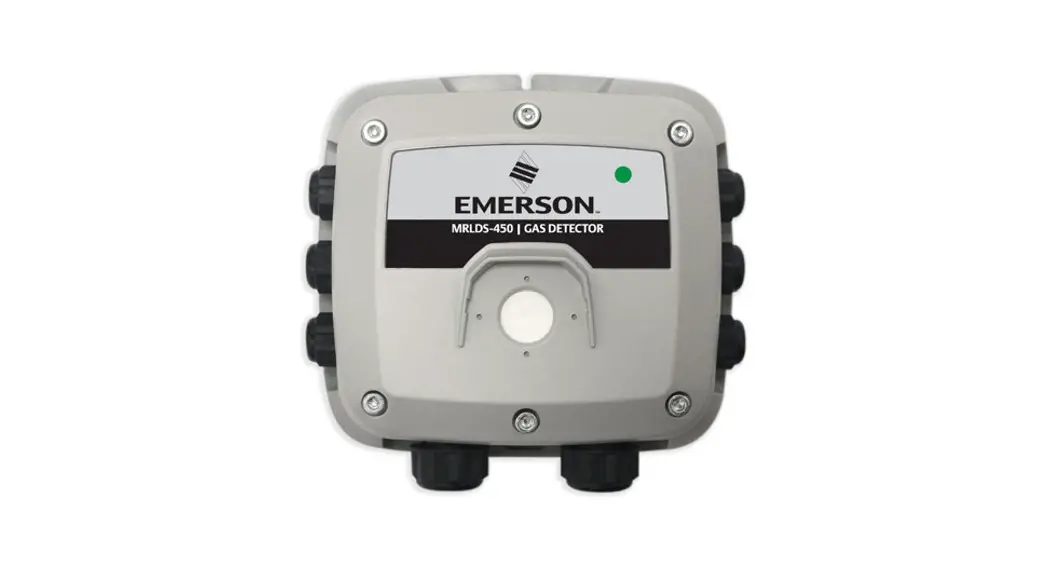
MRLDS-250 Infrared Gas Detector
Product Information
Product Name: MRLDS-250 Infrared Gas Detector
Model Number: 026-1315
Manufacturer: Digital Solutions
Address: 1065 Big Shanty Road NW, Suite 100
Website: www.climate.emerson.com
Email: [email protected]
Product Usage Instructions
1. Introduction
The MRLDS-250 Infrared Gas Detector is designed for installation
and operation. This section provides an overview of the product and
detection options.
2. Mounting the Gas Detector
Before mounting the gas detector, make sure to read the warnings
and prerequisites. This section also provides information on
suitable mounting locations.
3. Wiring and Configuration
This section provides instructions on wiring and configuring the
gas detector for optimal performance.
4. Operation and Stabilization
This section provides an overview of the gas detector’s
operation and information on non-critical and critical faults.
5. Configure the Gas Detector
This section provides an overview of the user interface and
instructions on setting parameters and configuration options.
6. Functional Tests and Adjustments
This section provides instructions on conducting functional
tests and making necessary adjustments.
7. Modbus Communications
This section provides information on Modbus communications for
the gas detector.
8. Troubleshooting
If you encounter any issues with the gas detector, refer to this
section for troubleshooting tips.
9. Replacement Parts and Accessories
If you need to replace any parts or require additional
accessories for the gas detector, this section provides information
on available options.
Appendix: E2 Setup
This appendix provides additional information on E2 setup for
the gas detector.
MRLDS-250 Infrared Gas Detector Installation and Operation Manual
026-1315 Rev 6
Digital Solutions 1065 Big Shanty Road NW, Suite 100
Kennesaw, GA 30144 USA 770-425-2724 · 1-800-829-2724
www.climate.emerson.com Email: [email protected]
Contents
1 INTRODUCTION ……………………………………………………………………………………………………………… 1
1.1. OVERVIEW ………………………………………………………………………………………………………………………. 1 1.2. DETECTION OPTIONS ………………………………………………………………………………………………………… 1
1.2.1. Broadband vs. Gas Specific………………………………………………………………………………………… 1 1.2.2. Broadband Gas Detection ………………………………………………………………………………………….. 1 1.2.3. Detecting Specific Gases ……………………………………………………………………………………………. 3 1.3. REMOTE CONTROLLER OPTIONS…………………………………………………………………………………………. 4 1.4. PARTS LIST ……………………………………………………………………………………………………………………… 4 1.5. SPECIFICATIONS ……………………………………………………………………………………………………………….. 5
2 MOUNTING THE GAS DETECTOR ………………………………………………………………………………… 6
2.1. WARNINGS AND PREREQUISITES ………………………………………………………………………………………… 6 2.2. MOUNTING LOCATIONS …………………………………………………………………………………………………….. 6
2.2.1. General Placement Guidelines……………………………………………………………………………………. 6 2.2.2. Machinery Rooms……………………………………………………………………………………………………… 6 2.2.3. Refrigerated Spaces…………………………………………………………………………………………………… 7 2.2.4. Chillers ……………………………………………………………………………………………………………………. 7 2.3. MOUNTING PROCEDURE ……………………………………………………………………………………………………. 7
3 WIRING AND CONFIGURATION …………………………………………………………………………………… 9
3.1. OVERVIEW ………………………………………………………………………………………………………………………. 9 3.2. WIRING SUPPLY POWER (24VAC OR 24VDC) …………………………………………………………………….. 9 3.3. WIRING ALARM OUTPUT (ANALOG SIGNAL) ……………………………………………………………………… 10 3.4. WIRING THE DIGITAL ALARM OUTPUT RELAY …………………………………………………………………… 10 3.5. MODBUS NETWORK CONFIGURATION …………………………………………………………………………….. 11 3.6. FINISH INSTALLATION……………………………………………………………………………………………………… 12
4 OPERATION AND STABILIZATION …………………………………………………………………………….. 13
4.1. POWER UP AND WARMUP………………………………………………………………………………………………… 13 4.2. STABILIZATION ………………………………………………………………………………………………………………. 13 4.3. PERFORM A MANUAL ZERO……………………………………………………………………………………………… 13 4.4. ALARMS ………………………………………………………………………………………………………………………… 13 4.5. GAS DETECTOR FAULTS ………………………………………………………………………………………………….. 14
4.5.1. Overview………………………………………………………………………………………………………………… 14 4.5.2. Non-Critical Faults …………………………………………………………………………………………………. 14 4.5.3. Critical Faults ………………………………………………………………………………………………………… 14
5 CONFIGURE THE GAS DETECTOR …………………………………………………………………………….. 15
5.1. USER INTERFACE OVERVIEW……………………………………………………………………………………………. 15 5.2. SETTING PARAMETERS…………………………………………………………………………………………………….. 15
5.2.1. Overview………………………………………………………………………………………………………………… 15 5.2.2. Configuration Parameters………………………………………………………………………………………… 15
MRLDS-250 Infrared Gas Detector I&O Manual
Table of Contents · v
5.3. COMPLETING SETUP ……………………………………………………………………………………………………….. 19
6 FUNCTIONAL TESTS AND ADJUSTMENTS………………………………………………………………… 20
6.1. INTRODUCTION ………………………………………………………………………………………………………………. 20 6.2. BUMP TESTING VS. ADJUSTING DETECTOR RESPONSE ………………………………………………………… 21 6.3. BUMP TESTING ………………………………………………………………………………………………………………. 21 6.4. ADJUSTMENT USING CALIBRATION GAS …………………………………………………………………………… 22
7 MODBUS COMMUNICATIONS…………………………………………………………………………………….. 24
7.1. INTRODUCTION ………………………………………………………………………………………………………………. 24 7.2. COMMUNICATIONS SETTINGS…………………………………………………………………………………………… 24 7.3. ANALOG INPUT REGISTERS ……………………………………………………………………………………………… 24 7.4. ANALOG OUTPUT REGISTERS…………………………………………………………………………………………… 25 7.5. INPUT STATUS FLAGS……………………………………………………………………………………………………… 26 7.6. OUTPUT STATUS FLAGS ………………………………………………………………………………………………….. 26
8 TROUBLESHOOTING …………………………………………………………………………………………………… 27
8.1. FAULT CODES………………………………………………………………………………………………………………… 27 8.2. DIAGNOSTIC ATTRIBUTES (P.-18) …………………………………………………………………………………….. 28 8.3. RESETTING THE MRLDS-250 TO DEFAULT VALUES…………………………………………………………… 29 8.4. OTHER SYMPTOMS …………………………………………………………………………………………………………. 29
9 REPLACEMENT PARTS AND ACCESSORIES …………………………………………………………….. 30
APPENDIX: E2 SETUP ……………………………………………………………………………………………………… A-1
vi · Table of Contents
026-1315 Rev 6
1 Introduction
1.1. Overview
The MRLDS-250 NDIR (non-dispersive infrared) is a state-of-the-art fixed gas detector that can detect a wide range of refrigerant gases. The MRLDS-250 can be used on a stand-alone basis or integrated into controls or a Building Management System (BMS). The MRLDS-250 can be used in locations that require continuous monitoring and to add gas detection solutions to an existing system.
Figure 1-1 – MRLDS-250 Components
1.2. Detection Options
1.2.1. Broadband vs. Gas Specific
The MRLDS-250 NDIR refrigerant gas detectors are available in two versions: broadband and gas-specific.
1.2.2. Broadband Gas Detection
The broadband gas detector (P/N 809-0030) is used as a general purpose gross leak detector and is factory tested and certified. It is shipped from the factory with accuracy as shown in Table 1-1 (gas dependent). If
more accurate detection is needed, gas specific versions are available, which are factory certified and calibrated to the target refrigerant. The broadband gas detector combines refrigerants into 4 groups shown in Figure 1-2. Measurement performance is based on an average response profile for all of the gases within the group.
Group# 1
2 3 4
Value for
Param 111
P.-11 = 1
P.1-11 = 2 P.-11 = 3 P.-11 = 4
Refrigerant
R134a R404a R407a R407c R407f R410a R427a R452B R507 HFO1233ZD R448A R449A R422a R422d HFO1234YF HFO1234Ze R452A R513A R514A R22 R32
Table 1-1 Broadband Gas Groups
As Shipped Accuracy
±25% ±35% ±25% ±20% ±20% ±20% ±15% ±40% ±35% ±35% ±40% ±40% ±25% ±20% ±25% ±25% ±25% ±35% ±20%² ±25% ±35%
Overview
Introduction · 1
NOTE: Greater accuracy may be achieved through the use of calibration gas and the adjustment procedure detailed in Section 6, Functional Tests and Adjustments. 1See Section 5, Configure the Gas Detector for Information on Parameter 11 and other configuration instructions.
Figure 1-2 – Broadband Gas Groups 1-4 2 · MRLDS-250 Infrared Gas Detector I&O Manual
026-1315 Rev 6
1.2.3. Detecting Specific Gases
Each gas-specific gas detector is shipped factory calibrated to its specific target refrigerant. Refer to Figure 1-3 and Table 1-2.
Part Number 809-0031 809-0034 809-0035 809-0040 809-0041 809-0042 809-0043 809-0044
Refrigerant1 R22 R404a R407a R422d
R448A R449A R513A R507
Accuracy ±5% ±5% ±3% ±5% ±5% ±5% ±5% ±5%
Table 1-2 Gas-specific Detector Measurement Performance
1See Section 5, Configure the Gas Detector for Information on Parameter 11 and other configuration instructions.
Figure 1-3 – Gas-Specific MRLDS-250 Gas Detectors NOTE: Emerson recommends not re-calibrating gas-specific detectors in the field to a new target gas; purchase a new gas-specific detector instead. In the event you prefer not to purchase a new gas-specific detector, use optional
calibration instructions in Chapter 6 for increased accuracy when detecting a new target that is different from the “as shipped” target gas. Refer to the example in Table 1-3.
Detection Options
Introduction · 3
As Shipped Part number 809-0031 (R22) is factory calibrated to R22.
Changed Gas Type
(Reduced Accuracy)
The gas detector may be changed to respond to any of the other listed refrigerants (see parameter P.-11, in Section 5.2., Setting Parameters). If changed, the gas detector will have a lower accuracy for the target refrigerant (without calibration).
Optional Recalibration
(For Improved Accuracy)
By applying calibration gas containing the new target refrigerant, and via the routine described in Section 6.4., the gas detector may then be adjusted to respond with the calibrated accuracy as shown in Table 1-2 for the new target refrigerant.
Table 1-3 Changing Gas Types and Accuracy
1.4. Parts List
Table 1-4 shows a list of components that are available.
Part Number 809-0030 809-0031 809-0034 809-0035 809-0040 809-0041 809-0042 809-0043 809-0044 603-1100 026-1315
Description
MRLDS, Broadband MRLDS, Calibrated to R22 MRLDS, Calibrated to R404A MRLDS, Calibrated to R407A MRLDS, Calibrated to R422D MRLDS, Calibrated to R448A MRLDS, Calibrated to R449A MRLDS, Calibrated to R513A MRLDS, Calibrated to R507 Splash Guard Installation and Operation Manual
Table 1-4 Parts List
1.3. Remote Controller Options
The MRLDS-250 can connect to any controller through the standard analog output (voltage and current; see Table 1-4 for options), the standard alarm relay, or the digital Modbus RTU communications interface.
4 · MRLDS-250 Infrared Gas Detector I&O Manual
026-1315 Rev 6
1.5. Specifications
For default values, refer to Section 5.2., Setting Parameters.
Specification Power Supply Power Monitoring Visual Alarm Audible Alarm Fault Monitoring Analog Outputs Relay Range Squelch1 Communication: MODBUS RTU over RS-485
Alarm Delay
IP Rating
Description 24 VDC @ 0.15 A min; 24 VAC, 5 VA min @ 50/60 Hz, 2.5 W max
Green LED
Red 4-digit LED display Buzzer (audible alarm), enable/disable (Default enabled)
Fault codes presented to user
4-20 mA; 0-5V; 0-10V; 1-5V; 2-10V (Default 1-5V) 1 relay rated 1 A @ 24 VAC// VDC (0.5A, 125V AC UL rating) 0-3500 PPM Readings below 75 PPM are squelched by default Baud rate: 9,600 or 19,200 (selectable) Start bits: 1 Data bits: 8 Parity: None, odd, even (programmable) Stop bits: 1 or 2, programmable Retry time: 500 ms (min time between retries) End of msg; Silent 3.5 characters Selectable: 0 to 15 minutes (Default, 0) Not IP rated. An accessory splash guard is available for areas requiring additional protection from wash down.
Table 1-5 – Specifications
Specification Response Time, T90 Temperature Rating Humidity and Elevation Standard Dimensions and Weights Enclosure Approvals
Description T90 < 5 minutes -22°F to 104°F (-30°C to 40°C) 5-90% relative humidity, non-condensing, 0-10,000ft. altitude 4.0″ x 5.5″ x 1.5″ 6.3oz. 102 x 140 x 37mm 180g ABS plastic; UL flammability rating of 94V-0 CE, MET/IEC/EN 61010-1
Table 1-5 – Specifications
1When filtering is disabled (see Configuration Parameters P.-19), the unit will respond to concentrations sub-10 PPM.
Specifications
Introduction · 5
2 Mounting the Gas Detector
2.1. Warnings and Prerequisites
WARNING: Explosion hazard! Do not mount the MRLDS-250 in an area that may contain flammable liquids, vapors, or aerosols. Operation of any electrical equipment in such an environment constitutes a safety hazard. CAUTION: The MRLDS-250 contains sensitive electronic components that can be easily damaged. Do not touch or disturb any of these components.
CAUTION: Connect monitor power and signaling terminals using wiring that complies with local electrical codes or regulations for the intended application.
CAUTION: Do NOT mount the MRLDS-250 directly to vibrating machinery as the vibrations may degrade the gas detector’s performance.
2.2.
2.2.1.
Mounting Locations
General Placement Guidelines
NOTE: The MRLDS-250 should be installed plumb and level and securely fastened to a rigid mounting surface.
NOTE: The mounting location of the monitor should allow it to be easily accessible for visual monitoring and servicing. NOTE: The gas detector must be connected to a marked, suitably located and easily reached switch or circuit breaker as means of disconnection.
NOTE: When installed in areas that may be subjected to water spray, the optional splash guard (P/N 6031100) should be used in conjunction with the MRLDS-250.
Gas detectors must be located within the appropriate wire lengths from the central controller (if used).
2.2.2. Machinery Rooms
There is no absolute rule in determining the number of gas detectors and their locations. However, a number of simple guidelines can help in making a decision. Gas detectors monitor a point as opposed to an area. If the gas leak does not reach the detector, no alarm will be triggered. Therefore, it is extremely important to select the gas detector location carefully. Also consider ease of access for maintenance.
6 · MRLDS-250 Infrared Gas Detector I&O Manual
026-1315 Rev 6
The size and nature of the site can help in deciding which method is the most appropriate to use. Locations requiring the most protection in a machinery or plant room would be in close proximity to compressors, pressurized storage vessels, refrigerant cylinders, storage rooms, or pipelines. The most common leak sources are valves, gauges, flanges, joints (brazed or mechanical), and filling or draining connections.
·In machinery rooms where there is little or no airflow, placement options are:
·Point Detection: where gas detectors are located as near as possible to the most likely sources of leakage, such as the compressor, expansion valves, mechanical joints, or cable duct trenches. ·Perimeter Detection: where gas detectors completely surround the area or equipment. ·Halocarbon and hydrocarbon refrigerants are heavier-than-air gases and as such, the gas detectors should be located near ground level (6 to 18 inches from the floor).
NOTE: Gas detectors should be positioned just far enough back from any high-pressure parts to allow gas clouds to form and be detected. Otherwise, a gas leak might pass by in a high-speed airflow area and go undetected by the gas detector. ·Make sure that pits, stairwells, and trenches are monitored since they may fill with stagnant pockets of gas. ·For racks or chillers pre-fitted with refrigerant gas detectors, these should be mounted so as to monitor the compressors. ·Do not mount the gas detector directly to pipes or structures that are subject to strong vibration.
2.2.4. Chillers
In the case of small water- or air-cooled enclosed chiller units, mount the gas detector to monitor airflow to the extract fans. With larger models also place a gas detector inside the enclosure under or adjacent to the compressors. For enclosed air-cooled chillers or the outdoor unit for variable refrigerant volume and variable refrigerant flow (VRV/VRF) systems, mount the gas detector to monitor airflow to the extract fan. With large units also place a gas detector inside the enclosure under or adjacent to the compressors.
2.3. Mounting Procedure
To open the housing as received, use a flat blade screwdriver and depress the top latch. While pushing the latch, grasp the back edge of the housing near the latch and pull the back away. When mounted, the housing is simply opened by pressing the top latch with a suitable screwdriver or other flat blade. With the top latch depressed, pull the housing apart by grasping the sides and pulling straight out. With the housing separated, the mounting base with terminal blocks will be visible. See Figure 2-1.
CAUTION: Do not apply caulking or other material around the gas detector base. The gas detector relies on air exchange through the spaces between the base and the gas detector housing. Do not obstruct the small gap around the housing and the base with any material.
2.2.3. Refrigerated Spaces
In refrigerated spaces, gas detectors should be located away from doors, in the return airflow to the evaporators on a sidewall (below head-high is preferred), or on the ceiling, not directly in front of an evaporator, nor in any direct airflow. In large rooms with multiple evaporators, gas detectors should be mounted on the central line between two adjacent evaporators, as turbulence will result in airflows mixing.
Mounting Procedure
Mounting the Gas Detector · 7
Step 1 2
3
4
Mounting Procedure Open the housing (see Figure 2-1). Position the base to the predetermined (acceptable) mounting location. Use the gas detector base to mark the mounting locations as needed. The hole pattern on the backplate is sized to mount the gas detector onto various electrical junction boxes. The other holes may be used as needed to mount the gas detector to other structures, or onto a wall. For Wall Mount, attach the MRLDS-250 base to the mounting surface using two #6 screws (provided) through two of the 7 mounting holes, and be careful not to over-tighten the screws. Refer to Figure 2-2 for the locations of mounting holes on the base. For Junction Box Mount, attach the MRLDS-250 base to the junction box (using mounting hardware provided with your junction box) through the two junction box holes. Refer to Figure 2-2 for the locations of the two junction box mounting holes on the base. Unless you are ready to wire the device (see Section 3, Wiring and Configuration), carefully snap the cover onto the base unit.
Figure 2-1 – Initial Housing Separation
Table 2-1 Mounting Procedures
Figure 2-2 – Front and Back Views of MRLDS-250 Base
8 · MRLDS-250 Infrared Gas Detector I&O Manual
026-1315 Rev 6
3 Wiring and
Configuration
3.2.
Wiring Supply Power (24VAC or 24VDC)
3.1. Overview
Prior to wiring and configuring the MRLDS-250, ensure the following conditions have been met: ·MRLDS-250 backplate is mounted in an appropriate location. ·The cover panel is removed. ·If the cover panel was reattached after mounting, open the gas detector enclosure by pressing the top latch with a suitable screwdriver or other flat blade. With the top latch depressed pull the housing apart by grasping the sides and pulling straight out. Align and press together to close.
CAUTION: Incorrect wiring may permanently damage the gas detector and void the warranty. Double check all terminations before applying power. Either 24VAC or 24VDC may be used to power the MRLDS-250. Connect wiring to the appropriate terminal locations (see Table 3-1. Use two wires, between 14 and 22 AWG. Refer to Figure 3-2 for (AC wiring left) or DC wiring (right).
Figure 3-2 – Supply Power Wiring Options
Figure 3-1 – Terminal Blocks and Cable Glands NOTE: The pre-installed cable gland (left) and the optional cable on the gland (right) have a 1/4 cable capacity (each).
NOTE: Install the optional cable gland in the right side of the base unit if needed. Otherwise, install the blanking plug that is included in the mounting kit.
Power Option
Pin
Label
Wiring Termination
1
L
24 VAC
2
N
24V AC line 24V AC neutral
3 24 VDC
4
+ GND
24V DC positive 24V DC ground
Table 3-1 – Power Options and Terminal Block Connections
Overview
Wiring and Configuration · 9
WARNING: The MRLDS-250 must be powered by either: · A suitable UL 60950/CSA certified power supply that is isolated from line voltage by double insulation, or · An appropriately rated UL listed/CSA Class 2 transformer. Failure to comply can result in personal injury or death.
Connect two 18 to 20 AWG wires to terminal block positions 5 and 6 (see Figure 3-4), noting ground and signal polarity per Table 3-2.
WARNING: Neutral polarity must be maintained across units. Refer to Figure 3-3.
Figure 3-4 – Analog Output Wiring
Figure 3-3 – Maintaining Neutral Polarity
Function Analog Output
Pin 5 6
Wiring Termination Analog output ground Analog output signal (+)
Table 3-2 – Alarm Output Terminal Block Connections
The type of output signal on pins 5 and 6 is programmable using the analog output type parameter P.-03. Refer to Section 5, Configure the Gas Detector for details.
3.3. Wiring Alarm Output (Analog Signal)
The MRLDS-250 provides an analog output signal that is proportional to the level of gas detected.
NOTE: No jumpers or hardware switch settings are required to configure the analog output. This is done electronically from the front panel display.
3.4. Wiring the Digital Alarm Output Relay
An alarm setpoint may be programmed from the front panel of the MRLDS-250. When the level of the detected gas exceeds the alarm setpoint, the MRLDS250 enters the alarm state. An on-board relay is tied to the alarm state, so you may activate (or deactivate) external equipment based on the MRLDS-250’s current alarm status.
10 · MRLDS-250 Infrared Gas Detector I&O Manual
026-1315 Rev 6
3.5. MODBUS Network Configuration
If your application includes a MODBUS network, make network connections (RS-485 A and RS-485 B) using 18 to 24 AWG shielded twisted pair wires (with 120 ohm characteristic impedance) to terminal block positions 7 and 8 Figure 3-6 noting inverted B (-) and non-inverted A (+) signal connectors per Table 3-4.
Figure 3-5 – Sample Relay Output Wiring NOTE: The relay can be programmed to be failsafe (normally energized). By default, the relay is set to be normally de-energized. This can be set using
parameter P-06.
Make relay connections (NO, NC, or both) using 18 to 20 AWG wires to terminal block positions 10, 11, and 12 (see Figure 3-5), noting normally open, normally closed, and common connectors per Table 3-3.
Function
Pin
10
Relay (Alarm) Output
11
12
Mounting Procedure Relay NC contact Relay common contact Relay NO contact
Table 3-3 – Relay Output Terminal Block Connections
Figure 3-6 – MODBUS Network Wiring
Function MODBUS Network Communications
Pin
Wiring Termination
7 RS-485 “B” (inverted)
8
RS-485 “A”
(non-inverted)
9
RS-485 shield
Table 3-4 – MODBUS Network Communications Connections
CAUTION: For MODBUS network communications wiring, use only 18-24 AWG shielded twisted pair wire with 120 ohm characteristic impedance.
MODBUS Network Configuration
Wiring and Configuration · 11
CAUTION: Connect the RS-485 cable shield to pin 9 (board ground).
NOTE: Selection of the MODBUS
Address and Baud Rate is completed through the gas detector setup menu, described later. No jumpers or hardware switch settings are required to configure the MODBUS communications network. This is done electronically from the front panel display.
NOTE: For MODBUS communications with the MRLDS250, the default communications parameters are as follows. Baud rate = 9600 Parity = no parity Stop bits = 1 Confirm that all devices on the MODBUS communications network (including a Building Management System) are configured similarly.
If the MRLDS-250 is at the end of the RS-485 network, be sure to set the RS-485 terminator on the printed circuit board (PCB) to IN. This applies a terminating resistor to the end of the wires per the requirements of the RS-485 protocol. The terminator should be set to OUT for all other installation conditions.
NOTE: Be sure to enable the termination resistor on the device at each end of the network (See Figure 3-7). This includes the Building Management System (if used).
CAUTION: Care should be exercised when changing the terminator switch. Before powering the gas detector, use a fine pointed device or paper clip to slide the switch position. Do not apply force to the switch or push on the switch with any device. The switch changes position up and down along the access slot direction.
Figure 3-7 – Setting Network Termination Resistors
3.6. Finish Installation
Once the base is mounted and all wiring is complete, align the gas detector housing and press it onto the base. The gas detector will snap into position, completing all electrical connections. Ensure the top and bottom snap locks are engaged.
NOTE: If the right cable gland was not needed during installation and wiring, be sure to install the blanking plug.
CAUTION: Do not apply caulking or other material around the gas detector base. The gas detector relies on air exchange through the spaces between the base and the gas detector housing. Do not obstruct the small gap around the housing and the base with any material.
12 · MRLDS-250 Infrared Gas Detector I&O Manual
026-1315 Rev 6
4 Operation and Stabilization
NOTE: A manual zero should be performed in the environment of operation and at the typical operating temperature.
4.1. Power Up and Warmup
On powering up, the MRLDS-250 will sense for the presence of gas after an initial warm-up period of two to five minutes. The green LED will flash at a one-second interval during the warm up.
4.2. Stabilization
NOTE: Subsequent manual zeros may be performed, provided the atmosphere around the gas detector is free of all background concentrations of refrigerant. Clean air or nitrogen applied to the calibration port for five minutes may be used to ensure the gas detector is clear of all background gas. Re-zeroing with background refrigerant present will cause the gas detector to report incorrect readings.
CAUTION: It is vital when first installing the gas detector that it warms up in an atmosphere that is known not to contain any background concentrations of refrigerant. Emerson offers portable gas detectors for this purpose. Contact Technical Support for more information.
4.3. Perform a Manual Zero
After the gas detector stabilizes, the power LED stops flashing and is lit continuously. Emerson recommends manually zeroing the MRLDS-250 after a 1-hour stabilization period. Increase this stabilization period to 3 hours for freezer applications. To manually zero the gas detector, press and hold the UP and DOWN buttons simultaneously for 5 seconds. The gas detector will beep and the display will show zEro when zeroing is complete. The display will show fAiL if the temperature is changing too quickly or there is an active alarm condition. Additionally, certain system faults (F.-08, F.-10 through 14, and/or F.-16) will prevent a manual zero from being performed.
4.4. Alarms
The following occurs during an alarm condition:
Item Green LED
Display
Audible Alarm Relay Output Analog Output Modbus Registers
Behavior During Alarm State
On (solid)
On (blinks); reports detected PPM concentration On (if enabled and after programmed delay expires) Activates (after any programmed delay expires) Changes proportionally with gas concentration (as configured) Registers indicate the alarm condition, ppm, concentration, etc.
Table 4-1 – MRLDS-250 Behavior During Alarm Conditions
Power Up and Warmup
Operation and Stabilization · 13
NOTE: The alarm feature includes a 20% deadband to prevent alarm “chatter” if the concentration hovers near the alarm setpoint. Once the alarm has been triggered, it will remain latched until the concentration drops below 80% of the alarm setpoint.
4.5. Gas Detector Faults
4.5.1. Overview
There are two levels of fault monitoring built into the gas detector:
1. Non-critical 2. Critical
4.5.2. Non-Critical Faults
Non-critical faults typically recover by allowing the gas detector surroundings to stabilize, for example, after a defrost cycle. The gas detector continues to monitor its surroundings during non-critical faults, but may report inaccurate readings. The following occurs when a non-critical fault condition exists.
4.5.3. Critical Faults
Critical faults may indicate an unrecoverable condition. Please refer to Section 7, MODBUS Communications for more information. The following occurs when a critical fault condition exists:
Item Green LED Display
Analog Output
Modbus Registers
Behavior During Alarm State
Off (indicating the gas detector is offline)
Shows the appropriate fault code
4-20 mA output 1- 5V output 2-10V output
Changes to 2 mA Changes to 0.5V Changes to 1.0V
Modbus registers indicate the fault
Table 4-3 – MRLDS-250 Behavior During a Critical Fault
Item Green LED Display
Analog Output
Modbus Registers
Behavior During Alarm State
Off (indicating the gas detector is offline)
Shows the appropriate fault code
4-20 mA output 1- 5V output 2-10V output
Changes to 2 mA Changes to 0.5V Changes to 1.0V
Modbus registers indicate the fault
Table 4-2 – MRLDS-250 Behavior During a Non-Critical Fault
14 · MRLDS-250 Infrared Gas Detector I&O Manual
026-1315 Rev 6
5 Configure the Gas Detector
5.1. User Interface Overview
The gas detector is configured through the built-in menu system. Once mounting is complete, attach the gas detector to the base and apply power.
Button
Description When pressed together and held for five seconds, this key combination manually zeros the gas detector.
Saves the currently displayed parameter to memory.
Table 5-1 – Button Functionality
5.2. Setting Parameters
5.2.1. Overview
Press and hold the information button for five seconds to activate the parameter list:
Figure 5-1 – The User Interface of the MRLDS-250 The user interface consists of four pushbuttons, a 4-digit LED numeric display, and a power LED. The four buttons allow the gas detector to be adjusted based on a parameter list shown below. Button functions are listed in Table 5-1.
Button
Description Used to access the parameter list. Used to back up one level without writing to memory when the parameter list is active. Used to mute the audible alarm for the time period configured in parameter P.-12.
Used to increment the value or parameter displayed.
Used to decrement the value or parameter displayed. Table 5-1 – Button Functionality
Each parameter is shown in turn by using the UP or DOWN buttons. The parameter is shown as P.-XX, with XX being the parameter value. Pressing Enter while a parameter is displayed allows the attributes of the parameter to be set. Each Parameter has its own attributes, as shown in the following table. Set the attributes as desired, and then press Enter to save the setting.
5.2.2. Configuration Parameters
Parameter
Description Maintenance Mode Sets gas detector to offline mode for 30 minutes. 00 Gas detector is online, with normal response to its surroundings (default). 01 Gas detector is offline, and suppresses all outputs. Display reads oFFL (offline) during 30-minute timeout.
Table 5-2 – Parameter Numbers, Names, and Descriptions
User Interface Overview
Configure the Gas Detector · 15
Parameter
Description Alarm Setpoint Sets desired PPM value (range 75 to 3500 ppm) above which alarm occurs. Use UP or DOWN buttons. For faster “coarse” adjustment, hold either button to sweep through the adjustment range quickly. Default setpoint is 200 ppm. Analog Output Type Selects output type: 00 Selects 0-5V 01 Selects 1-5V (default) 02 Selects 0-10V 03 Selects 2-10V 04 Selects 4-20 mA Alarm ON Delays Sets the ON delay time (0-15 minutes) for the alarm output signals (relay, Modbus). The default delay is 0 minutes. Alarm OFF Delays Sets the OFF delay time for the alarm output signals (relay, Modbus) in minutes (0-15). The default delay is 0 minutes. Relay Contact Behavior (Failsafe Mode) Sets the default relay power state so that power loss can be detected. The behavior of the relay changes from energizing when an alarm condition occurs (default) to energizing at power up (Failsafe). In both cases the relay changes state when an alarm occurs, failsafe is simply inverted. This allows power failures to be detected as alarms. 00 NO (default mode) 01 Failsafe mode
Table 5-2 – Parameter Numbers, Names, and Descriptions
Parameter
Description Relay Latching Controls the relay latching behavior. 00 OFF (default). Relay does not latch, and resets once the alarm condition is removed. 01 ON. Relay remains latched; reset by BMS command by pressing and holding the Enter button for five seconds. Audible Alarm The units have an internal audible alarm. You can disable this, but the default setting is “enabled” in compliance with EN378. 00 OFF 01 ON (default) Display Mode The display can be turned on by using this parameter. When set to ON the display never shuts off (all operating modes). When ON the display shows the current gas concentration (or 0 if below the squelch). Note that P.-09 is disabled if P.-19=0. 00 OFF during normal operation when the ppm value is below the alarm setpoint (default) 01 ON In either case, the display will blink the measured PPM value during an alarm state. RS485 Node Address Sets the RS485 node address (0001 to 0255)
Table 5-2 – Parameter Numbers, Names, and Descriptions
16 · MRLDS-250 Infrared Gas Detector I&O Manual
026-1315 Rev 6
Parameter
Description Gas Groups / Specific Gas Selection Selects either gas group number for broadband operation or specific gas name for gas-specific mode. Broadband: Select from 4 groups of gases: 1. R134a, R404a, R407a, R407c, R407f, R427a, R507, R514A, HFO1233ZD 2. R448a, R449a, R422a, R422d HFO1234YF, and HFO1234Ze, R513a, R452a, R452B 3. R22 (by itself) 4. R32 (by itself). Specific Gas: The actual refrigerant name is shown. Select the appropriate refrigerant. NOTE: Gas-specific detectors are factory calibrated to a single refrigerant using specialized manufacturing equipment. If another refrigerant is selected which differs from the factory calibrated setting, the built in calibration no longer applies. Further improvement in detector accuracy may be gained by applying calibration gas containing the newly selected refrigerant and adjusting the gas detector reading to match (see Parameter P.-17). Buzzer Mute Time Sets a time (0-59 minutes) during which the active buzzer remains muted: · after the “I” button is pressed, or · after Modbus register 4000 is set to 0. Baud Rate Sets the baud rate for Modbus (RS-485) communications. 00 9,600 baud (default).
Table 5-2 – Parameter Numbers, Names, and Descriptions
Parameter
Description Stop Bits Sets the number of stop bits required to match the controlling communications equipment (for example, building management system, etc.). 01 1 stop bit (default) 02 2 stop bits Parity Sets Modbus parity option. 00 None (default) 01 Odd parity 02 Even parity Analog Output Scaling Allows the user to select the full-scale PPM value that represents maximum analog output (for example, 20 mA) for scaling the analog output. Adjustment range is from 100 PPM to 3500 PPM. Default = 3500 PPM. (The setting cannot be adjusted above 3500.) Use the UP and DOWN buttons to set the desired full scale value. All outputs will be scaled to the indicated full scale value. NOTE: Alarm values are not scaled, but are absolute values. Setting a smaller full scale does not correspondingly scale the alarm setting. NOTE: When the PPM level is greater than the programmed analog output Full Scale PPM (P.-16), the analog output will go to a 10% over range state (indicating that the concentration is too high for the analog output to achieve). For example, for a 1-5V setting the analog output would go to 5.5V, for 4-20 mA it would go to 22 mA and so on.
Table 5-2 – Parameter Numbers, Names, and Descriptions
Setting Parameters
Configure the Gas Detector · 17
NOTE: The analog output signal range is from 100 PPM to the default value of 3500 PPM, which is scaled across the actual output range selected by the analog output type parameter P.-03. The upper PPM limit is programmable using analog output scaling parameter P.-16. This parameter sets the full scale PPM value creating a PPM range across which the analog output is scaled. See Figure 5-2 for more details. Figure 5-2 – Analog Output Scaling Options
Parameter
Description Gas Test Mode Places the gas detector in gas test mode. 00 Disabled (default) 01 Enabled When enabled, the display continuously cycles through the following: · CAL is displayed briefly. · Next, the gas group number or gas type (based on product code) is displayed. · Then four dashes (—-) are displayed.
After gas is applied and the 75 PPM squelch level is exceeded, the live concentration replaces the four dashes. See Section 6.4., Adjustment Using Calibration Gas if using Gas Test Mode to initiate the calibration procedure. NOTE: To prevent false alarms, all outputs are suspended while Test Mode is active. The only live indication is the 4-digit display. Once the gas test mode is enabled to perform a gas test or calibration, the unit will automatically go offline for a 10- minute period after the parameter list is exited. (This allows time for the test gas to clear before the unit becomes active) If no activity occurs for ten minutes, the unit exits the Gas Test Mode
Table 5-2 – Parameter Numbers, Names, and Descriptions
18 · MRLDS-250 Infrared Gas Detector I&O Manual
026-1315 Rev 6
Parameter
Description Diagnostics Menu Parameter 18 provides access to the self diagnostic information. The LED display shows DIAG until the Enter button is pressed. Use the UP and DOWN buttons to scroll through the list of diagnostic attributes. A.-01 Current fault condition A.-02 Last fault A.-03 Days in service A.-04 Days since last adjust/test A.-05-A.-07 Factory Use Only A.-08 Detector temperature in °C A.-09 Temperature rate of change A.-10-A.-17 Factory Use Only To aid in troubleshooting, the operator may choose to reset the gas detector to its default state by holding both the UP and DOWN buttons for 5 seconds while in the Diagnostics Menu. All settings, including the alarm setpoint, gas adjustments, the selected gas curve, calibration data, the Modbus address, etc. revert to specific default values after a reset. IMPORTANT: Calibrations on either gas-specific or broadband models are lost after a reset. This returns the gas detector to an uncalibrated condition. See parameter P.-17 for information on how to recalibrate the gas detector. See Section 9, Replacement Parts and Accessories for a complete list of codes and details on the reset option.
Table 5-2 – Parameter Numbers, Names, and Descriptions
Parameter
Description Response Filtering This parameter is used to turn filtered output ON (01) or OFF (00). The default setting is ON (01). The Modbus and analog output are filtered so that responses below 75 ppm are squelched. If the display mode (P.-09) is set to ON (01) the display shows 0 for any signal level below 75 ppm. Some installations may wish to monitor the small analog output changes that may be created by the detector environment. Turning filtering OFF (00) allows these small variations around the minimum analog output (for example, 4 mA, 1V, etc.) to be transmitted via Modbus and the analog output terminals. NOTE: The detector display is OFF when filtering is OFF (P.-09 is disabled). NOTE: Whenever filtering is OFF the detector display will turn ON for 10 minutes if the detector is re-zeroed (see Section 4.3., Perform a Manual Zero). This is intended to aid maintenance testing. The analog outputs continue to transmit the full, unfiltered range, and the alarm setpoint remains active. NOTE: If filtering is turned off (00), Analog Output Scaling (P.-16) should be adjusted to 500 ppm.
Table 5-2 – Parameter Numbers, Names, and Descriptions
5.3. Completing Setup
To complete the setup after all parameters are set as needed, simply press and hold the information button for 5 seconds to exit the Parameter list: The gas detector is now actively monitoring its surroundings.
NOTE: If no buttons are pressed for two minutes, the MRLDS-250 exits setup mode automatically.
Completing Setup
Configure the Gas Detector · 19
6 Functional Tests and Adjustments
6.1. Introduction
To comply with the requirements of EN378 and the European F-GAS regulation, gas detectors must be tested annually. However, local regulations may specify the nature and frequency of this test.
CAUTION: Check local regulations on calibration or testing requirements.
CAUTION: The MRLDS-250 contains sensitive electronic components that can be easily damaged. Do not touch or disturb any of these components. WARNING: Annual checks and adjustment using calibration gas is recommended. Calibration gas adjustment frequency may be extended based on application, but should never exceed a time period of two years. WARNING: In applications where life safety is critical, calibration gas adjustment should be completed quarterly (every three months) or on a more frequent basis. Emerson is not responsible for setting safety practices and policies. Safe work procedures including calibration policies are best determined by company policy, industry standards, and local codes.
WARNING: Failure to test or adjust the unit in accordance with applicable instructions and with industry guidelines may result in serious injury or death. The manufacturer is not liable for any loss, injury, or damage arising from improper testing, incorrect adjustment, or inappropriate use of the unit.
WARNING: Before testing the gas detectors on-site, the MRLDS-250 must be powered up and allowed to stabilize.
WARNING: After initial installation, the MRLDS-250 should be gas tested to ensure proper operation.
WARNING: The testing and/or adjustment of the unit must be carried out by a suitably qualified technician, and must be completed: · In accordance with this manual. · In compliance with locally applicable guidelines and regulations. Suitably qualified operators of the unit should be aware of the regulations and standards set down by the industry/country for the testing or calibration of this unit. This manual is only intended as a guide and, insofar as permitted by law, Emerson accepts no responsibility for the calibration, testing, or operation of this unit. The frequency and nature of testing or calibration may be determined by local regulation or standards. EN378 and the F-GAS Regulation require an annual check in accordance with the manufacturer’s recommendation.
20 · MRLDS-250 Infrared Gas Detector I&O Manual
026-1315 Rev 6
6.2. Bump Testing vs. Adjusting Detector Response
There are two concepts that need to be differentiated: · bump test · gas detector response adjustment A bump test exposes the gas detector to a gas. The operator then observes the gas detector’s response to the gas. The objectives are two-fold: · establishes if the gas detector is reacting to the gas · determines if all of the detector outputs are working correctly There are two types of bump test: · quantified: A known concentration of gas is used. · non-quantified: A gas of unknown concentration is used. Adjusting gas detector response exposes the gas detector to a calibration gas as well (like a quantified bump test), but additionally sets the actual gas detector response level (via parameter P.-17) to ensure that the gas detector activates at the specified gas concentration. Refer to the following sections for addition information on bump testing and gas detector response adjustment.
6.3. Bump Testing
WARNING: Notify others that testing is underway. During bump testing, the alarm outputs are active and will trigger the intended response. It is the operator’s responsibility to ensure that such actions are acceptable and can be performed safely. After installation and parameter setup (see Section 5, Configure the Gas Detector, the units should be bump tested. Expose the gas detector to test gas. The gas selected should be a high enough concentration to put the system into alarm and light the LED display. With a bump test you can see the functions of the gas detector: · the LED display will light and show the detected PPM concentration once the alarm setpoint is reached. · the relay and audible alarm will function as configured including any delays set (ON or OFF). · the output (0-10V, for example) will show the gas level. Ideally bump tests are conducted on-site in a clean air atmosphere.
CAUTION: Before you carry out the test or adjustment: · Advise occupants, plant operators, and supervisors. · Check if the gas detector is connected to external systems such as sprinkler systems, plant shut down, external sirens and beacons, ventilation, etc., and disconnect as instructed by the customer. · For bump test or calibration, the MRLDS-250 should be powered up and fully stabilized (see Section 4, Operation and Stabilization).
Step 1 2
3
Bump Testing Using Calibration Gas Cylinders
Remove the Splash Guard accessory if one is used. Connect the regulator to the test gas port using 3 mm or 1/8″ inside diameter tubing (see below). Expose the gas detector to gas from the cylinder. Monitor the LED display reading. Refer to the Section 1.5., Specifications for acceptance criteria.
Table 6-1 – Bump Testing Using Calibration Gas Cylinders
Bump Testing vs. Adjusting Detector Response
Functional Tests and Adjustments · 21
Figure 6-1 – Using Calibration Gas
6.4. Adjustment Using Calibration Gas
Adjustment Using Calibration Gas requires a gas cylinder with the appropriate gas and concentration. Note that a calibration kit if offered that consists of a calibration gas cylinder and a flow regulation valve with flexible non-absorbent tubing.
NOTE: For improved accuracy and response, the gas detector should be protected from excess drafts while performing the adjustment. Excess air circulation may dilute the applied calibration gas and lead to a lower than expected response.
Step 1
Adjustment Using Calibration Gas Cylinders
Connect the regulator to the test gas port using 3 mm or 1/8″ inside diameter tubing.
Table 6-2 – Bump Testing
Step 2
Adjustment Using Calibration Gas Cylinders
Enable parameter P.-17 Gas Test Mode (see Section 5, Configure the Gas Detector). When enabled, the display continuously cycles through the following: · CAL is displayed briefly. · Next, the gas group number or gas type (based on product code) is displayed. · Then four dashes (—-) are displayed.
After gas is applied and the 75 PPM squelch level is exceeded, the live concentration replaces the four dashes. NOTE: The analog outputs, relay activity, and RS-485 ppm reporting are suspended in Gas Test Mode to prevent false alarms.
Expose the gas detector to gas from
3
the cylinder. Monitor the 4-digit LED
display reading.
Wait for the PPM reading to stabilize.
This should take approximately 4-6
minutes. Minor changes (less than 5
4
PPM in 10 seconds) are considered
stable readings. Compare the
response value with the calibration
gas concentration.
Adjust the gas detector displayed
value by using the UP or DOWN
buttons to increase or decrease the
value shown. Adjust until the reading
5
is within ± 2% of the calibration gas. For example, if the calibration gas is
1000 PPM, the gas detector is
adjusted properly when the displayed
reading is between 980 and 1020
PPM.
Press the Enter button to store the
new adjustment. Turn off the
calibration gas and remove the tubing
6
from the calibration port. If no further changes to the other Parameters are
required, press and hold the
information button for 5 seconds to
exit the Parameter list.
Table 6-2 – Bump Testing
22 · MRLDS-250 Infrared Gas Detector I&O Manual
026-1315 Rev 6
Step
Adjustment Using Calibration Gas Cylinders
If no further changes to the other parameters are required, press and
hold the button for 5 seconds to
exit the Parameter list. Upon exiting
the parameters list, the gas detector
7
will enter offline mode for a period of
10 minutes. This allows time for the
calibration gas to dissipate after
testing. During offline mode, the gas
detector suppresses all outputs. The
display reads oFFL (offline) during
10 minute timeout.
Table 6-2 – Bump Testing
NOTE: All calibration gas mixtures have a blend tolerance. The tolerance will limit the actual adjustment accuracy that is achievable.
Adjustment Using Calibration Gas
Functional Tests and Adjustments · 23
7 MODBUS
Communications
7.1. Introduction
The MRLDS-250 gas detector can be configured to communicate on an RS-485 network using MODBUS-RTU protocol. Before configuring the gas detector for MODBUS communications, be sure your network connection is complete and your network termination switches are set appropriately. Refer to Section 3, Wiring and Configuration for details.
7.2. Communications Settings
There are 255 selections available to be set electronically, from addresses 1 to 255 inclusive. MODBUS data with a zero in the address field is received by all detectors (regardless of the address selected) to enable the master device to broadcast simultaneously to all the detectors. Refer to the specifications section for information on RS-485 network communications parameters such as data bits, stop bits, and more.
7.3. Analog Input Registers
Analog input registers are read only and use function code 04.
Reg 1000 1001 1002 1003 1004
1005 1006 1007 1008 1009 1010 1011 1012
Description Concentration gas level Concentration gas level Reserved Full scale detector level Alarm setpoint (% full scale) Gas detector timer Node address Software version Reserved Reserved Reserved Reserved 16-bit fault code
Table 7-1 – Analog Input Registers
Range 0-100 0-65, 535 0-65, 535 0-100 0-65, 535 1-247
0-65535
Units %FS PPM
PPM %
P.-## ——
hours none none
none
-P.-10 ——-
24 · MRLDS-250 Infrared Gas Detector I&O Manual
026-1315 Rev 6
7.4. Analog Output Registers
Analog output registers are readable (using function code 03) and writable (using function code 06).
Reg 2000 2001
2002 2003 2004 2005 2006 2007 2008
2009 2010 2011
2012 2013
Description
Range
Alarm setpoint
75-3500
Alarm ON delay
0-15
(Alarm flag register
3000 is set to 1)
Buzzer mute time
0-59
Alarm OFF delay
0-15
Relay action
0=NO 1=Failsafe
Relay latching enable 0=Disable 1=Enable
Buzzer enable
0=Disable 1=Enable
Display mode
0=Off 1=On
Analog output type
0=0-5 V 1=1-4 V 2=0-10 V 3=2-10 V 4=4-20 ma
Baud rate
0=9600 1=19200
Stop bits
1 or 2
Gas curve number
1 to 4 (broadband unit) or gas type (gas specific)
Analog output full scale 100-3500 PPM (R/O)
Parity
0=None 1=Odd 2=Even
Table 7-2 – Analog Output Registers
Units PPM min
min min none none none none none
none none none
PPM none
P.-## P.-02 P.-04
P.-12 P.-05 P.-06 P.-07 P.-08 P.-09 P.-03
P.-13 P.-14 P.-11
P.-16 P.-15
Analog Output Registers
MODBUS Communications · 25
7.5. Input Status Flags
Input Status Flags are readable (using function code 02).
Reg 3000 3001 3002 3003 3004
3005 3006
3007 3008
Description Alarm flag (0 or 1=Alarm) Relay state (0 or 1=energized) Detector fault (0 or 1=fault) Red LED state (0 or 1=ON) Green LED state (0 or 1=powered on) Reserved Start up (0=normal operation, 1=warming up) Reserved Reserved
Table 7-3 – Input Status Flags
Range 0-1 0-1 0-1 0-1 0-1
P.-## – – – – – –
– –
0-1
– –
– – –
7.6. Output Status Flags
Output Status Flags are readable (using function code 01) and writable (using function code 05).
Reg
Description
4000 Buzzer flag (0 or 1=ON)
4001 Test required (If operating for >1 year). (1=requires testing)
Table 7-4 – Output Status Flags
Range 0=Off 1=On 0=Okay 1=Test
P.-## – –
– –
26 · MRLDS-250 Infrared Gas Detector I&O Manual
026-1315 Rev 6
8 Troubleshooting
Description
Fault Code
8.1. Fault Codes
To comply with the requirements of EN378 and the European F-GAS regulation, gas detectors must be tested annually. However, local regulations may specify the nature and frequency of this test. The MRLDS-250 features sophisticated internal status monitoring and will indicate whether a fault condition exists on the front display (F.-XX, with XX being the fault number). There are two classes of fault conditions: critical and non-critical. In general, non-critical faults occur when environmental conditions exist that are outside the product’s specified operating range, or if an installation error has occurred (for example, incorrect wiring). The gas detector will typically continue to monitor its surroundings (except for fault F.-08), and may report inaccurate readings and false alarms. Correcting non-critical faults is a matter of waiting for the environmental conditions to return to a more typical condition, correcting wiring mistakes, or in some cases, relocating the gas detector. For example, placing the gas detector near a forced air heater may cause temperature faults. The non-critical fault range is F.-01 to F.-08. Critical faults indicate a functional problem that results in the gas detector no longer monitoring its surroundings for refrigerant. The fault number is displayed and the power LED is turned off, indicating that the gas detector is offline. The critical fault range is F.-09 to F.-16. If any of these faults occur, first try to clear the faults by cycling power to the sensor. The easiest way to do this is by removing the sensor from the base and reattaching. If the fault returns after cycling power, the gas detector should be removed from service and replaced. Additionally, the faults are stored as a hex number and can be accessed in the Diagnostics menu P.-18. The associated hex codes are listed next to the Fault Code in (Table 8-1). Refer to Diagnostics Menu P.-18 in Section 8.2., Diagnostic Attributes (P.-18) for additional information.
Gas Detector Temperature Fault Gas Detector Temperature Rate of Change Fault RS485 RX Fault RS485 CRC Fault
Open Loop Fault
Table 8-1 – Fault Codes
Hex Code 0x00 01 0x00 02 0x00 04 0X00 08
0x00 10
Possible Causes Gas Detector temperature reports > 55°C or < 35°C. Temperature rate of change exceeds ~1°C/min for more than 15 minutes. Message too long for receive buffer. Transmission is corrupted (computed CRC doesn’t match transmitted CRC). Possible wiring, connection, and/or termination issue exists. When analog output type is 4-20ma and loop is open, use 18-24AWG shielded twisted pair with 120 ohm characteristic impedance for Modbus connections.
Fault Codes
Troubleshooting · 27
Description MODBUS Fault
Fault Code
PPM Overrange Fault
Input Voltage Fault
Critical Faults
:
Table 8-1 – Fault Codes
Hex Code 0x00 20 0x00 40
0x00 80
:
Possible Causes MODBUS message was truncated or timed out early. PPM exceeds 9999. This may indicate a gross (very large) leak. If no leak is present, it indicates a gas detector error. Input supply power to the MRLDS-250 is out of range (i.e., 24V ±20%). IMPORTA NT: If this fault is active, the gas detector is offline and not monitoring. Correct the input supply voltage to restore normal operation.
Critical fault. Cycle power to the sensor and see of the fault clears. If not, contact Emerson technical support for additional guidance.
IMPORTANT: Fault F.-15 may be caused by rapid changes in temperature and other environmental effects. If the F.-15 fault remains after the ambient temperature has stabilized, perform a manual re-zero to clear the fault. See Section 4.3., Perform a Manual Zero.
8.2. Diagnostic Attributes (P.-18)
Use this option to review the built-in diagnostic attributes. Access the parameter list (see Section 5, Configure the Gas Detector) and select P.-18. Press the Enter button to access the diagnostics, and then use the UP or DOWN button to select each attribute. The following information is available.
Attribute
Description Displays the current fault condition code in hex format:
0000 = no faults are active XXXX = HEX number
See Table 8-1 for the HEX format cross reference. Displays a hex format code that corresponds to any faults that occurred since the internal fault record was last erased. See Table 8-1 for the HEX format cross reference. The records may be erased by pressing the ENTER button. Displays the number of days that the MRLDS-250 has been in service. The value of this attribute rolls over after 9999.
Table 8-2 – Diagnostics Attributes
28 · MRLDS-250 Infrared Gas Detector I&O Manual
026-1315 Rev 6
Attribute
Description Displays the elapsed time (in days) from the last gas adjustment or test. This value is automatically reset to 0000 after completing a gas adjustment via Test Mode P.-17. (Note that the new adjustment is stored using the Enter button.) The value may be reset to 0000 by pressing the ENTER button.
broadband sensor option (P/N 809-0030) resets to gas group 1. Gas specific products (P/Ns 809-0031 to 809-0044) are reset to the R134a gas curve. NOTE: Calibrations on either gas-specific or broadband models are lost after a reset. This returns the gas detector to an uncalibrated condition. See parameter P.-17 for information on how to recalibrate the gas detector.
NOTE: Before performing this operation, it is advisable to write down all the parameter settings so they can be re-programmed.
:
Reserved
Step
Description
1
Access diagnostics menu P.-18.
Displays the sensor
temperature in °C.
2
Displays the sensor’s
approximate rate of
temperature change per half
minute interval (°C change
over 30 seconds).
3
Press and hold both the UP and DOWN buttons for 5 seconds. This will cause the following to occur: · All the LED segments will then light for 3 seconds. · The gas detector resets to the default settings. · The gas detector beeper sounds for 3 seconds. After 3 seconds, the user is returned to the parameter list at parameter P.-18.
:
Reserved
The gas detector may now be
4
re-programmed for further
troubleshooting if needed.
Table 8-3 – Resetting MRLDS-250 to Default Values
Table 8-2 – Diagnostics Attributes
8.3. Resetting the MRLDS250 to Default Values
The gas detector may be reset to its default state, if needed, to aid in troubleshooting. All settings, including alarm setpoint, gas adjustments, selected gas curve, calibration data, Modbus address, etc. revert to specific default values after a reset. The
8.4. Other Symptoms
Other common wiring problems can also cause the gas detector to malfunction. Check below for additional conditions that will cause gas detector issues.
Symptom Green power LED off
Possible Cause(s) Check power supply. Check Wiring.
Table 8-4 – Other Symptoms and Possible Causes
Resetting the MRLDS-250 to Default Values
Troubleshooting · 29
Symptom Alarms in the absence of a leak
Possible Cause(s) If you experience alarms in the absence of a leak, try setting an alarm delay. Perform a bump test to ensure proper operation.
Table 8-4 – Other Symptoms and Possible Causes
9 Replacement Parts and Accessories
The following items are available as replacement parts:
NOTE: All modules come ready to mount to the original mounting base provided.
Part Number 809-0030 809-0031 809-0034 809-0035 809-0040 809-0041 809-0042 809-0043 890-0044 603-1100
026-1315
Description Gas Detector Module, Broadband Gas Detector Module, Calibrated to R22 Gas Detector Module, Calibrated to R404a Gas Detector Module, Calibrated to R407a Gas Detector Module, Calibrated to R422d Gas Detector Module, Calibrated to R448A Gas Detector Module, Calibrated to R449A Gas Detector Module, Calibrated to R513A Gas Detector Module, Calibrated to R507 Splash Guard Kit (Accessory): Provides additional protection for wash down or impact. Includes mounting hardware for attaching to walls. NOTE: The gas detector response time will lengthen when the Splash Guard is used. The installer is responsible for determining whether the response time is suitable for the application. Installation and Operation Manual
Table 9-1 – Replacement Parts and Accessories
30 · MRLDS-250 Infrared Gas Detector I&O Manual
026-1315 Rev 6
Appendix: E2 Setup
The Modular Refrigeration Leak Detection Sensor is
the housing near the latch and pull the back
Emerson’s state-of-the-art infrared refrigerant gas detector that can detect a wide range of gases. The MRLDS-250 can be used on a stand-alone basis or integrated into supervisory controls. The
away. 4. Position the base to the pre-determined
mounting location.
MRLDS-250 can be used in locations that require
5. For Wall Mount, attach the MRLDS-250 base
continuous monitoring and to add gas detection solutions to an existing system. The MRLDS-250 is available in two versions:
· The broadband gas detector is used as a general purpose gross leak detector and is factory tested and certified to +/- 35% accuracy.
· The gas specific versions come factory certified
to the mounting surface using two #6 screws (provided) through two of the seven mounting holes (see Figure A-2). For Junction Box Mount, attach the MRLDS-250 base to the junction box through the two junction box holes.
and calibrated with +/- 3% accuracy to the
target refrigerant when there is a need for more
accurate detection.
Figure A-1 – MRLDS-250 Components
For complete part number and installation information, see the full MRLDS-250 manual (P/N 026-1315).
MRLDS-250 Installation
Mounting the MRLDS-250
3. To open the housing as received, use a flat blade screwdriver and depress the top latch. While pushing the latch, grasp the back edge of
Figure A-2 – Front and Back of the MRLDS-250 Base
Appendix: E2 Setup
A- 1
Wiring and Configuration
Either 24VAC or 24VDC may be used to power the MRLDS-250. Connect wiring to the appropriate terminal locations. Use two wires, between 14 and 22 AWG. Refer to Figure A-3 for AC wiring (left) or DC wiring (right):
Figure A-5a – Analog Output Wiring
Figure A-3 – Supply and Power Wiring Options WARNING: The MRLDS-250 must be powered by:
· A suitable UL 60950/CSA certified power supply that is isolated from line voltage by double insulation.
· An appropriately rated UL listed/CA Class 2 Transformer; a 10VA Transformer is recommended.
· For multiple devices cascaded, a 50VA Class 2 Transformer is recommended and neutral polarity MUST be maintained across units.
Figure A-4- Power Wiring of a Device Network The MRLDS-250 provides an analog output signal that is proportional to the level of gas detected. Connect two 18 to 20 AWG wires to terminal block positions 5 and 6 (see Figure A-5a), noting ground and signal polarity. Make relay connections (NO, NC, or both) using 18 to 20 AWG wires to terminal block positions 10, 11, and 12 (see Figure A-5b), noting normally open, normally closed, and common connectors.
Figure A-5b – Sample Relay Output Wiring
MODBUS Network Configuration
NOTE: For MODBUS network communications wiring, use only 18-24 AWG shielded twisted pair wire with 120 ohm characteristic impedance. When connecting MRLDS-250 to an E2 or Site Supervisor via MODBUS, make network connections (RS-485 A and RS-485 B) using 18 to 24 AWG shielded twisted pair wires to terminal block positions 7 and 8 as shown in Figure A-6.
A-2 · MRLDS-250 Infrared Gas Detector I&O Manual
026-1315 Rev 6
Figure A-6 – MODBUS Network Configuration
For MODBUS communications with the MRLDS250, the default communications parameters are as follows:
· Baud rate = 9600 · Parity = none · Stop bits = 1
If the MRLDS-250 is at the end of an RS-485 network, be sure to set the RS-485 Terminator on the inside of the cover panel PCB, to IN. When set to IN, a terminating resistor is applied to the end of the line. The terminator should be set to OUT for all other installation conditions as shown in Figure A-7.
Figure A-7 – RS-485 Termination Resistor Setting
Appendix: E2 Setup
A- 3
Set Up Analog Output Type and Scaling
6. For Analog Output, look for P.-03 on the
parameter list then press the Enter
button.
7. Set the desired output by pressing Up
or
Down
to select the type designated as
follows:
· 00 Selects 0-5V
· 01 Selects 1-5V (Default)
· 02 Selects 0-10V
· 03 Selects 2-10V
· 04 Selects 4-20mA
8. Press the Enter
button to save.
9. For Scaling, look for P.-16 on the parameter list
then press the Enter
button.
10. This will allow you to select the full scale PPM
value that represents the maximum analog
output (for example: 1000PPM = 5V when
1-5V output range was selected for P.-03). Use
Up
or Down
set it to 1000PPM.
o adjust the value and
11. Press the Enter
button to save the setting.
MRLDS-250 Modbus Setup
Setting Up Modbus Address and Baud Rate
1. Press and hold the information button for five seconds to activate the parameter list.
2. For the Address, look for P.-10 on the
parameter list then press the Enter
button.
3. Set the desired address by pressing Up
or
5. Select 00 for 9600 Baud or 01 for 19200 Baud.
Press the Enter
button to save.
How to Add an MRLDS-250 to the E2 Controller
1. MRLDS-250 is only native and licensed for up to 15 devices on E2 Controllers with firmware version 4.09 and above; otherwise you must add a description file and License Key.
2. Contact Customer Service to obtain the License Key: P/N 527-0476.
a. Phone Number: 770-425-2724 Option 4 b. Email: [email protected] 3. Add the description file using UltraSite. 4. Reboot the controller after the upload. 5. Load the License Key on the E2 by logging in
and then press , ,.
6. Press F1 for ADD FEATURE and enter the
License Key.
7. Add the MRLDS-250 by pressing
,
, , to access Connected I/O Boards
and Controllers.
8. Press F2 to select C4: Third Party tab.
9. Scroll down to MRLDS-250 and enter the
quantity of MRLDS-250 devices up to the
maximum indicated.
10. Press the
button to save.
11. Press , ,, for Network
Summary or +.
12. Scroll down to the MRLDS-250 and press F4
to COMMISSION. Repeat for each MRLDS-
250 added.
13. Select the address the MRLDS-250 is set to and
press
to confirm.
14. The MRLDS-250 should be Online on the E2
Network Summary (press + ).
Down
and press the Enter
button to
save.
4. For the Baud Rate, look for the P.-13 parameter
then press the Enter
button.
A-4 · MRLDS-250 Infrared Gas Detector I&O Manual
026-1315 Rev 6
How to Configure Alarm Setup on the E2 Controller
1. Press
, and then select MRLDS-
250. 2. Press F5 for SETUP and F2 to select C2: Set
Points.
3. Set the parameters depending on the System
Requirement and press the
button to
save.
MRLDS to MultiFlex I/O
How to Set a MultiFlex Input Point
An input point on a MultiFlex board consists of two terminals. One of these terminals labeled as SIG reads the signal from the sensor, while the other, labeled 0v is where the sensor ground wire is connected:
How to Set the Input Type on the E2 Controller
1. Press
, , to go to the Input Status
Screen.
2. Select the input point where the MRLDS-250 is
connected, and press F1 for SETUP. Press
for Analog.
3. Highlight Sensor Type and press F4 for
LOOK UP. Select Linear and press
to
confirm.
4. Navigate down to Eng Units and press F4 for LOOK UP. Select PPM 33 and press e to
confirm.
5. Set the Low End Point and HighEnd Point equivalent to the range set on P-.03 for Analog
Output.
6. Set the Low End EU and the High End EU equivalent to PPM Scaling set on P.-16.
7. For the Low End Limit, set it to -10% of Low
End EU and for the HighEnd Limit, set it to
+10% of High End EU.
8. Press the
button to save.
Figure A-8- MultiFlex Input Point
The Analog Output Signal(+) should go to (SIG) terminal of the MultiFlex board and the Ground (GND) should go to (0v) terminal of the board. The DIP switch setting of the MultiFlex board terminal for the MRLDS-250 should be in the OFF position (see Figure A-9) because it supplies its own voltage signal to the point:
Figure A-9 – MultiFlex Input Dip Switches
Appendix: E2 Setup
A- 5
The contents of this publication are presented for informational purposes only and they are not to be construed as warranties or guarantees, express or implied, regarding the products or services described herein or their use or applicability. Emerson Climate Technologies Retail Solutions, Inc. and/or its affiliates (collectively “Emerson”), reserves the right to modify the designs or specifications of such products at any time without notice. Emerson does not assume responsibility for the selection, use or maintenance of any product. Responsibility for proper selection, use and maintenance of any product remains solely with the purchaser and end-user.
Emerson is a trademark of Emerson Electric Co. ©2020 Emerson Climate Technologies Retail Solutions, Inc. All rights reserved.
 Copeland Worldwide | Copeland US
 Emerson Global | Emerson