Vaporizer True On Demand Convection Dry Herb
Product Information:
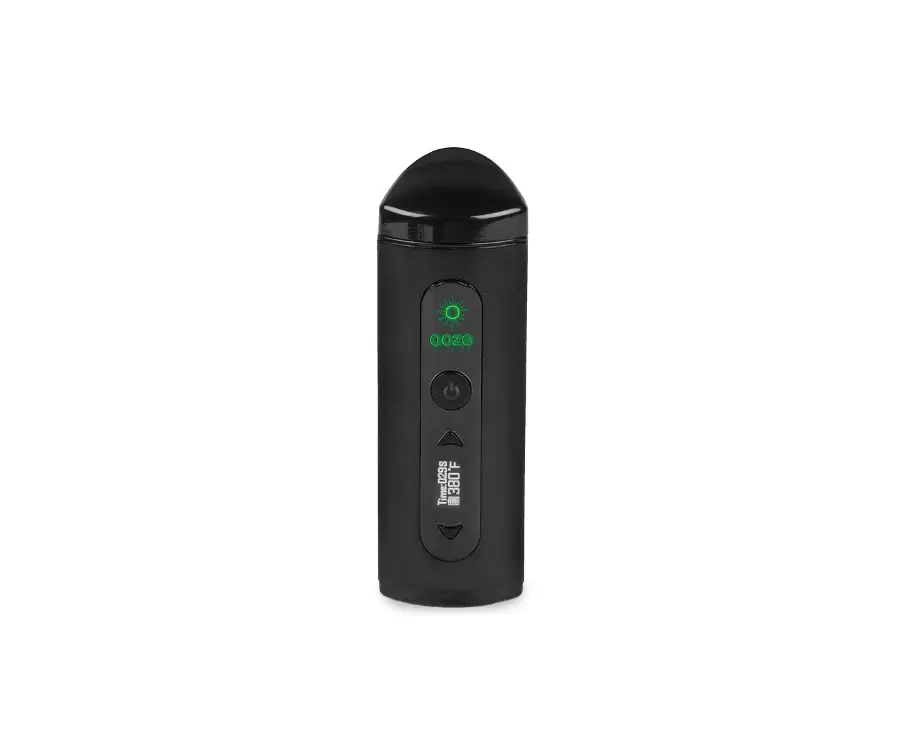
The product is a portable device that is used for heating and
vaporizing the contents of a capsule. It features a rechargeable
battery, preset temperature settings, and a button for controlling
various functions. The device also includes a glass mouthpiece,
removable ceramic parts, and an oven for holding the capsule.
Battery:
To charge the battery, pull back on the lock tabs to remove it
from the device. Then, use a standard USB-C cable to connect the
battery for charging. A green light will turn off when the battery
is fully charged.
Loading Battery:
To load the battery into the main unit, pull back on the lock
tabs and push the battery down as shown. Release the lock tabs to
secure the battery in place.
Loading Contents:
Pack the contents into the capsule for optimal results. Drop the
capsule into the oven and ensure it is seated properly. If needed,
tap or nudge the capsule to ensure it is fully inserted.
Inserting Plug:
Insert the plug into the device as shown. Push it down and
rotate it clockwise to tighten. The fully closed position may vary
slightly from unit to unit.
Product Usage Instructions:
Check Battery Level:
Click the button 1 time quickly to check the battery level. The
device will buzz between 1 and 5 times to indicate the battery
level:
- 5 buzzes: High (above 4.1V)
- 4 buzzes: Medium-High (3.95V – 4.1V)
- 3 buzzes: Medium (3.7V – 3.95V)
- 1 buzz: Low (below 3.7V)
Turn Heater On & Draw:
Hold the button down to turn the heater on and start heating up.
The device will buzz quickly to indicate the current preset. When
the unit is close to the preset temperature, it will buzz once to
indicate it is ready for a draw. Keep holding the button throughout
the draw as the heater maintains the preset temperature. Release
the button to turn off the heater, and it will buzz once shortly
thereafter to indicate shutdown.
Change Preset and Turn Heater On:
Click the button 1, 2, or 3 times quickly to select preset 1, 2,
or 3. Then, hold down the button to save the selected preset and
turn on the heater.
Check Current Preset:
Click the button 2 times quickly to check the current preset.
The device will buzz quickly to indicate the preset number (1, 2,
or 3).
Check Temperature for Current Preset:
Click the button 3 times quickly to check the temperature for
the current preset. The device will give two sets of buzzes. The
first buzz indicates the hundreds place, and the second buzz
indicates the tens place (in degrees Fahrenheit).
Set Temperature for Current Preset:
Click the button 4 times quickly to set the temperature for the
current preset. The device will buzz back 4 times quickly. Use the
provided table to determine the number of clicks needed to set the
desired temperature. For example, to set the temperature to 390°F,
click 4 times and wait for 4 buzzes, then click 3 times and wait
for 3 buzzes back. Finally, click 9 times to finish the temperature
setting.
Cleaning:
To clean the device, remove the glass mouthpiece and removable
ceramic parts. Clean them with hot water and/or alcohol as needed.
The oven can be cleaned using compressed air and/or by wiping with
a cotton swab when cool.
8
IMPORTANT SAFETY INSTRUCTIONS MISUSE CAN CAUSE INJURY AND PROPERTY DAMAGE! Read instructions before use and only use according to instructions. · Never use a battery that has been damaged. · Charge using standard USB-C (5V) only. · Only use with Firewood Batteries Packs. · Remove battery when traveling by air or mailing. · Do not use near water or if wet. · The oven, capsule, and plug can get HOT while in use. Please use caution and allow a few minutes for cooling before handling.
Charge Battery: Pull back on lock tabs to remove battery then charge using a standard USB-C cable.
Green light turns
2
off when charge is complete
1
Load Battery: Pull back on lock tabs, and push
2
battery down into main unit as
shown, then release lock tabs to
lock battery in place.
1
Load Contents: Pack contents down into capsule for best results.
Load the capsule
Drop the capsule into the oven
Make sure the capsule is seated all the way into the oven. Tap or nudge the capsule if needed.
Insert plug as shown. Push down and rotate clockwise to tighten.
Fully closed position may vary slightly from unit to unit:
Button Summary (details follow):
Click:
Function:
1x Quick
Check battery level
Hold
Turn heater on
1x Quick & Hold
Change to preset 1 & turn heater on
2x Quick & Hold
Change to preset 2 & turn heater on
3x Quick & Hold
Change to preset 3 & turn heater on
2x Quick
Check current preset
3x Quick
Check temperature for current preset
4x Quick
Set Temperature for Current Preset
Check Battery Level: Click the button 1 time quickly. The device will buzz between 1 and 5 times to indicate the
Buzzes
Battery Level
5
High (above 4.1V)
4 Medium-High (3.95V – 4.1V)
3
Medium (3.8V 3.95V)
battery level. 3 sets of 3
2 Medium-Low (3.7V 3.8V)
buzzes indicates the
1
Low (below 3.7V)
charge level is too low
(<3.5V) Recharge
immediately to prevent battery damage! 3 sets of 4 buzzes indicates
the charge level is too high (>4.3V), please check charger!
Turn Heater On & Draw: Hold the button down. The device will buzz quickly 1, 2, or 3 times to indicate the current preset as the heater starts to heat up. When it is close to the preset temperature it will buzz 1 time again to indicate that the unit is ready for a draw. Continue to hold the button throughout the draw as the heater will hold the temperature at the preset level. The heater turns off whenever the button is released and will buzz once shortly thereafter to indicate shutdown.
Change to Preset 1, 2, or 3 and Turn Heater On: Click the button 1, 2 or 3 times quickly to select preset 1, 2, or 3 then
hold down the button. The
selected preset will be saved and
the heater will turn on.
Temperature vs.
Check Current Preset: Click the button 2 times quickly. The device will buzz quickly 1, 2, or 3 times to indicate the current preset.
Check Temperature for Current Preset: Click the button 3 times quickly. The device will give 2 sets of buzzes. The 1st buzz gives the hundreds place and the 2nd buzz gives the tens place (in degrees F) as shown in the table to the right.
Buzzes/Clicks:
Buzzes/Clicks Temp F (C)
2 then 5
250
2 then 6
260
2 then 7
270
2 then 8
280
2 then 9
290
3 then 0
300
3 then 1
310
3 then 2
320
3 then 3
330
3 then 4
340
Set Temperature for Current
3 then 5
350
Preset:
3 then 6
360
Click the button 4 times quickly. 3 then 7
370
The device will buzz back 4
3 then 8
380
times quickly. Using the table above, select the temperature by
3 then 9
390
clicking as indicated. For
4 then 0
400
example, to set the temperature 4 then 1
410
to 390, click 4 times to start and 4 then 2
420
wait for 4 buzzes. Then click 3 times and wait for 3 buzzes back.
4 then 3
430
Then click 9 times to finish.
4 then 4
440
Cleaning: The glass mouthpiece and removable ceramic parts should be removed and cleaned with hot water and/or alcohol as needed. The oven can be cleaned with compressed air and/or wiping with a cotton swab when cool.
Reassembling The Mouthpiece: Before assembling, remove the capsule from the oven.
Slide ceramic joint into body
Place wire spring into place as shown. Note spring orientation
make sure wire spring is down into gap between ceramic and wood
Push down the wire spring while sliding in the wooden cover
Finishing & Maintaining the Wood Surface: Firewood aromatherapy devices come with 100% natural Beeswax and Mineral Oil or unfinished For best results, unfinished wood should be sanded and finished with a natural oil/wax finish. Finished wood can be restored by lightly sanding and reapplying a fresh oat of the original finish.
Warranty: Firewood Aroma Tech Inc. One (1) Year Limited Warranty Information Firewood Aroma Tech Inc. grants purchasers of the Firewood a warranty against defects in materials and workmanship under normal use of the device for a period of one (1) year from the date of retail purchase by the original purchaser of the unit. If a physical defect arises and a claim is received within the Warranty Period Firewood Aroma Tech Inc. will either (1) repair the device, (2) exchange the device, or (3) refund the purchase price of the device, at the discretion of the company. Exclusions and Limitations : The Limited Warranty applies only to devices manufactured by Firewood Aroma Tech Inc. This warranty does not apply to: (a) to damage caused by accident, abuse, misuse, or other external causes; (b) to damage caused by operating the device outside the permitted or intended uses; (c) to a device or part that has been modified to alter functionality or capability; (d) to cosmetic damage, including but not limited to scratches, dents, and discolored wood; (e) to damage caused by use of unapproved batteries, charger or power supply; (f) damage to ceramic parts after 1 month from the purchase date. The Warranty does not apply to normal performance degradation of batteries, neglecting to adhere to cleaning instructions, or heat damage due to improper use of the device. Intentionally disassembling or attempting repairs on your device will void the warranty.
Please email [email protected] for warranty service. Please include a description of the problem and the Name and Date of purchase.