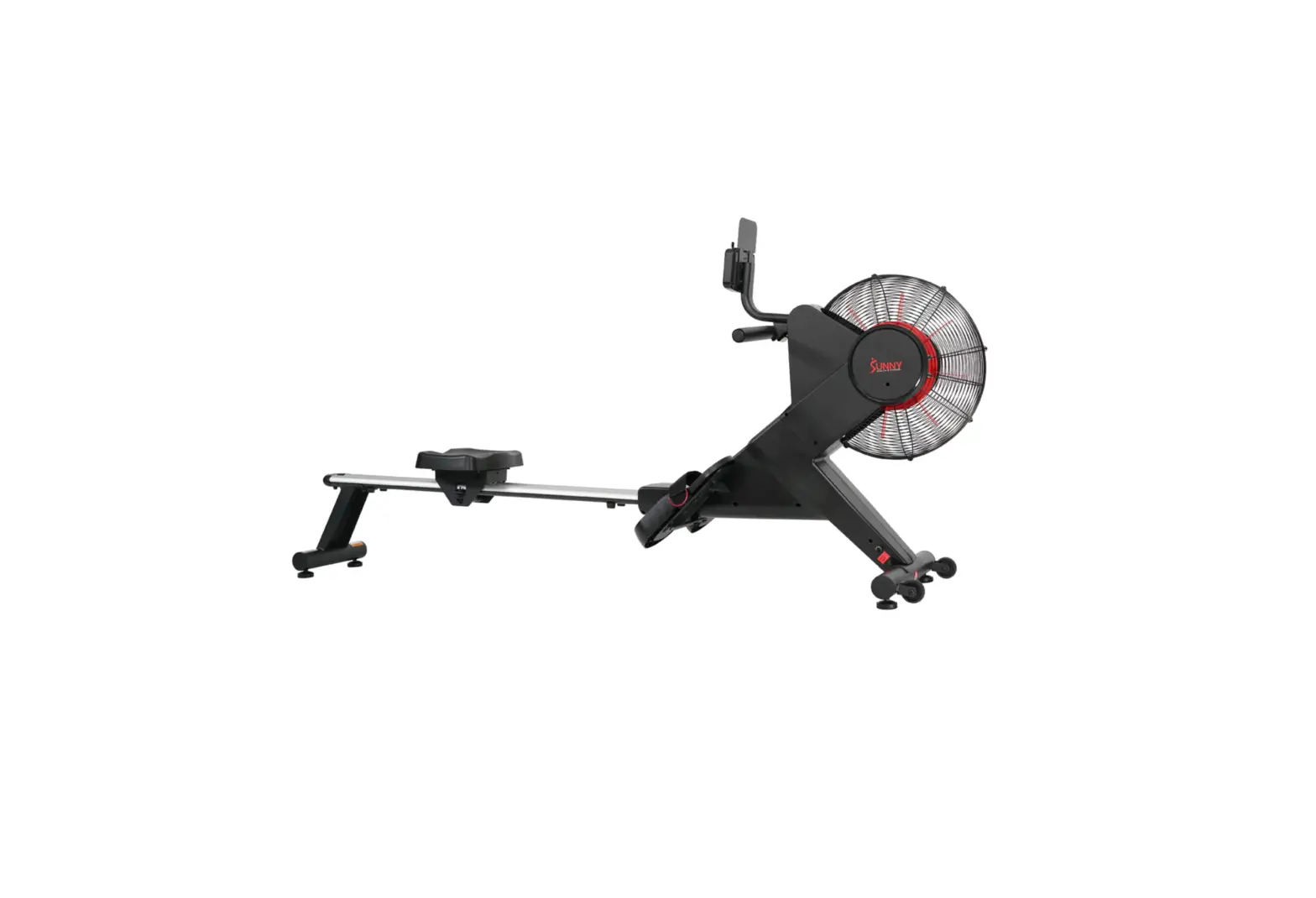
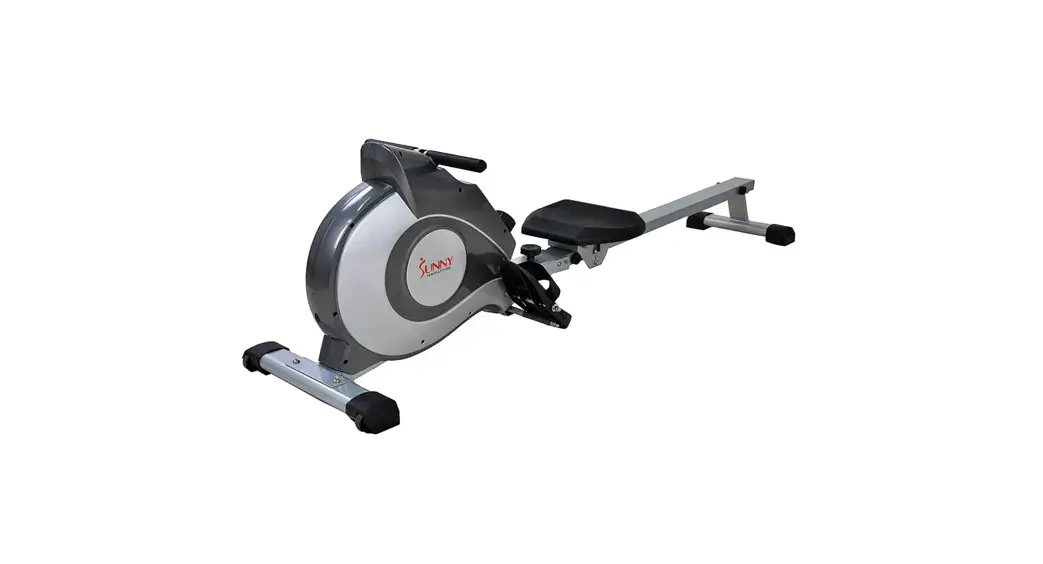
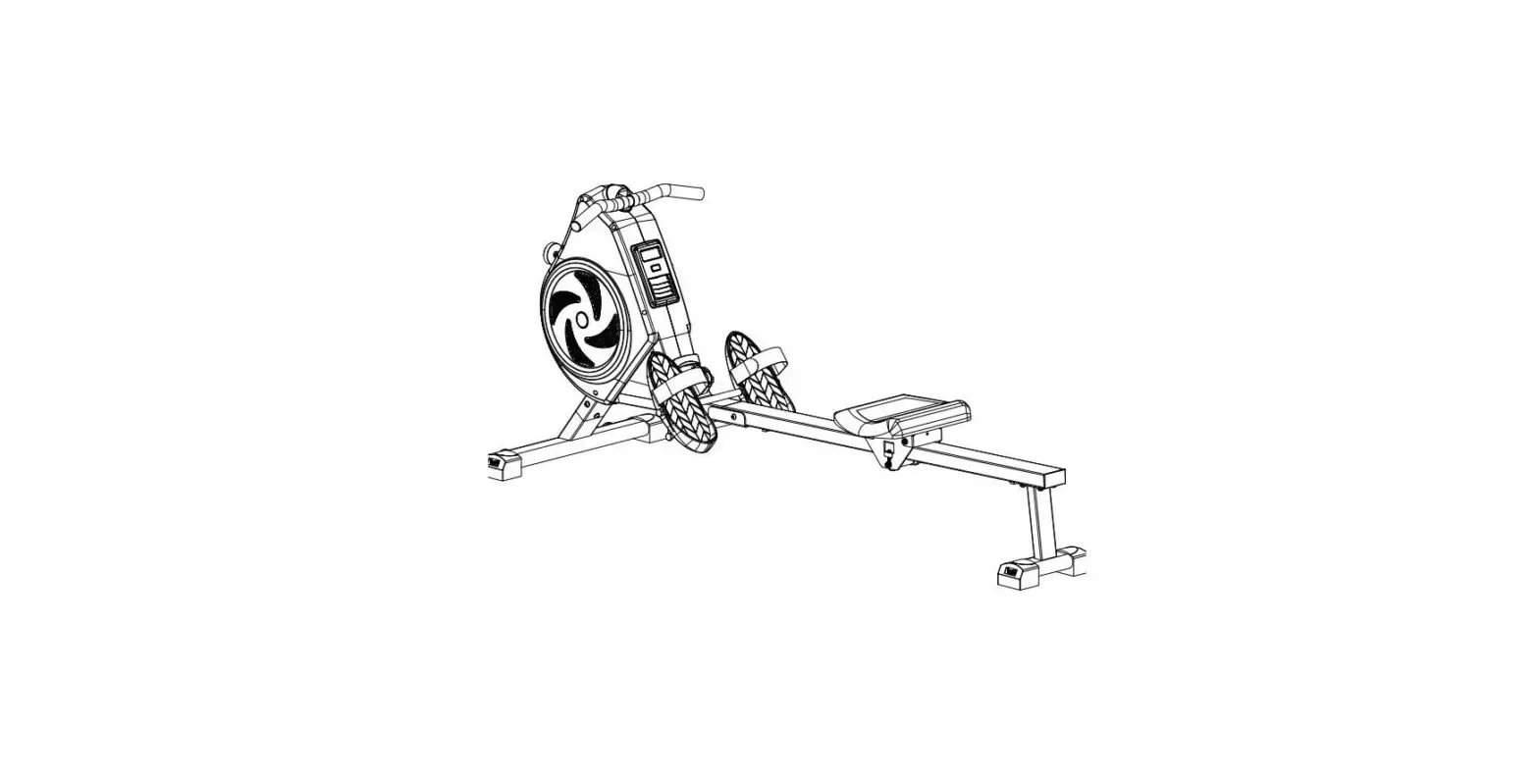
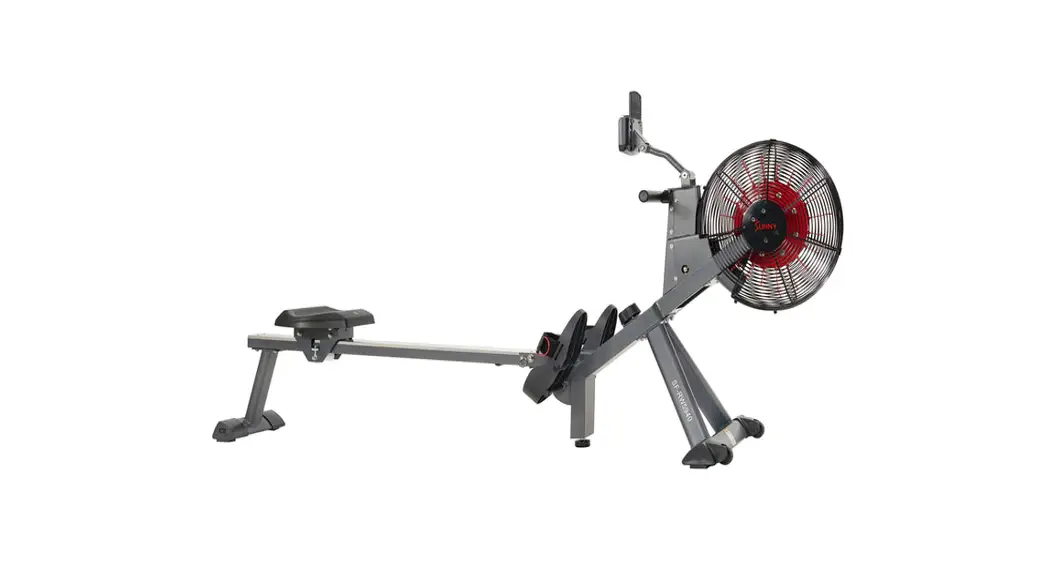
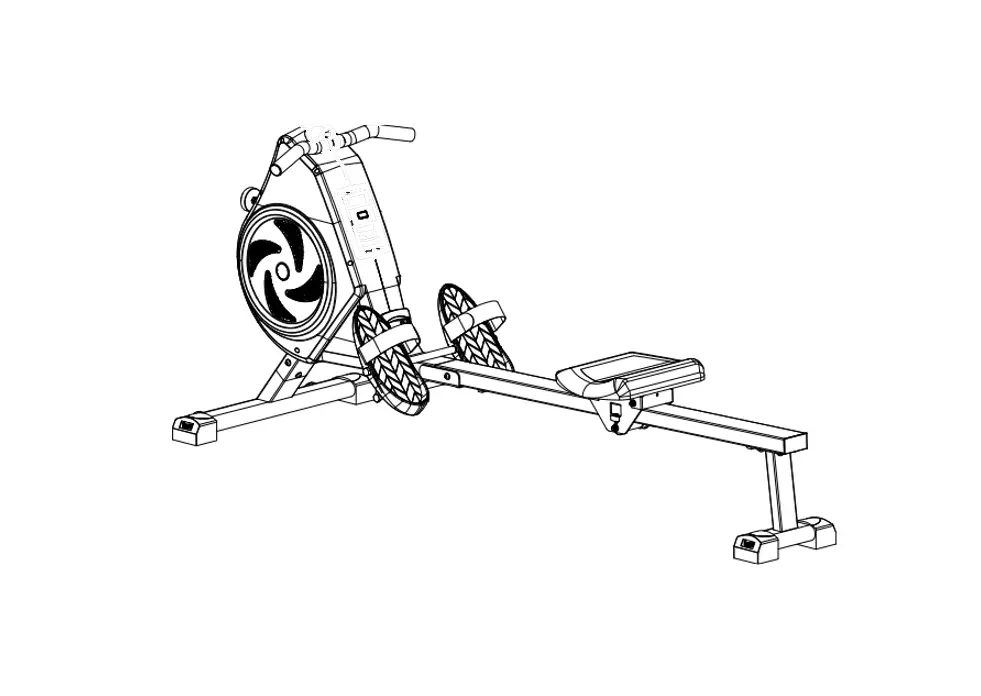
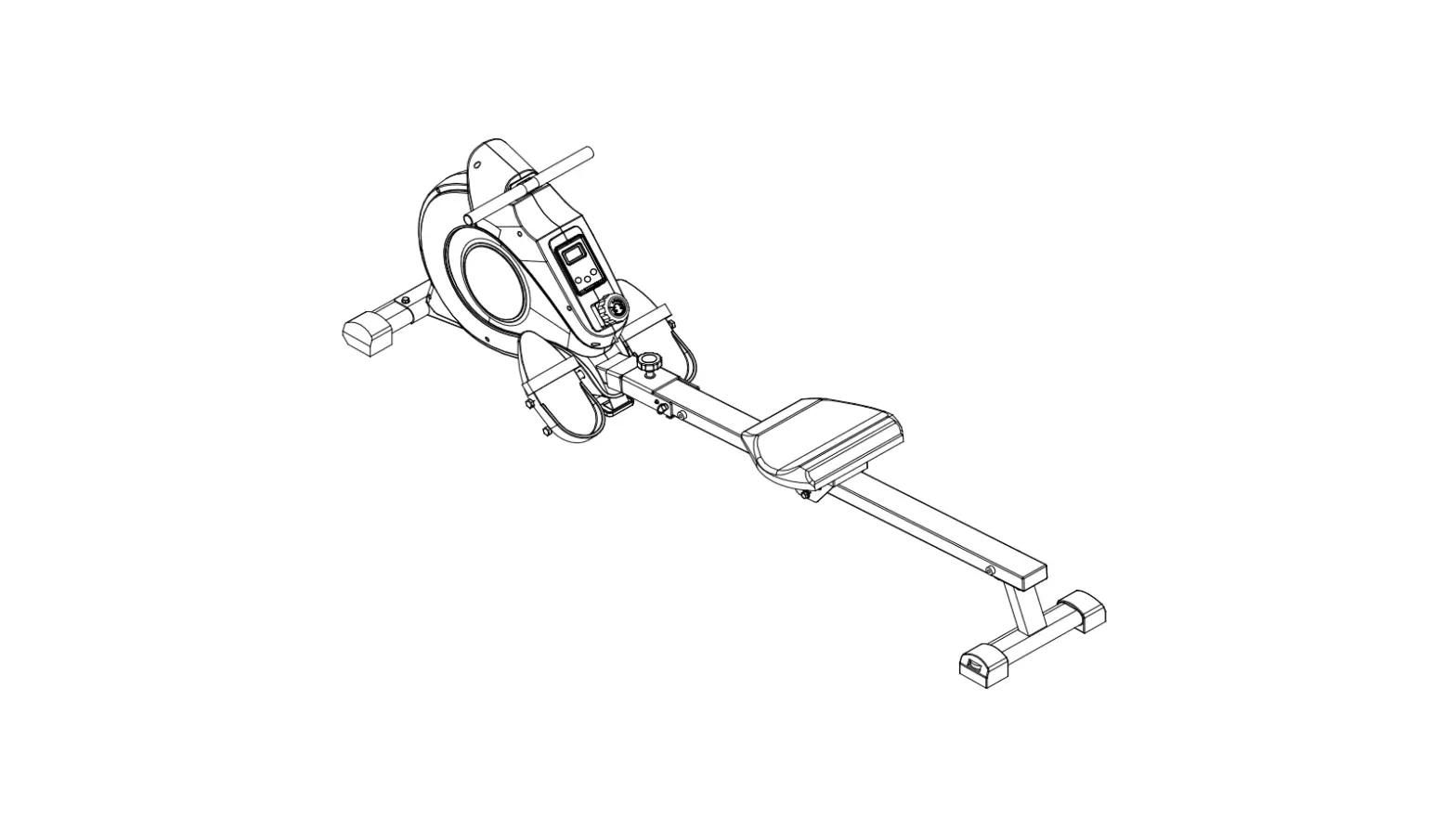
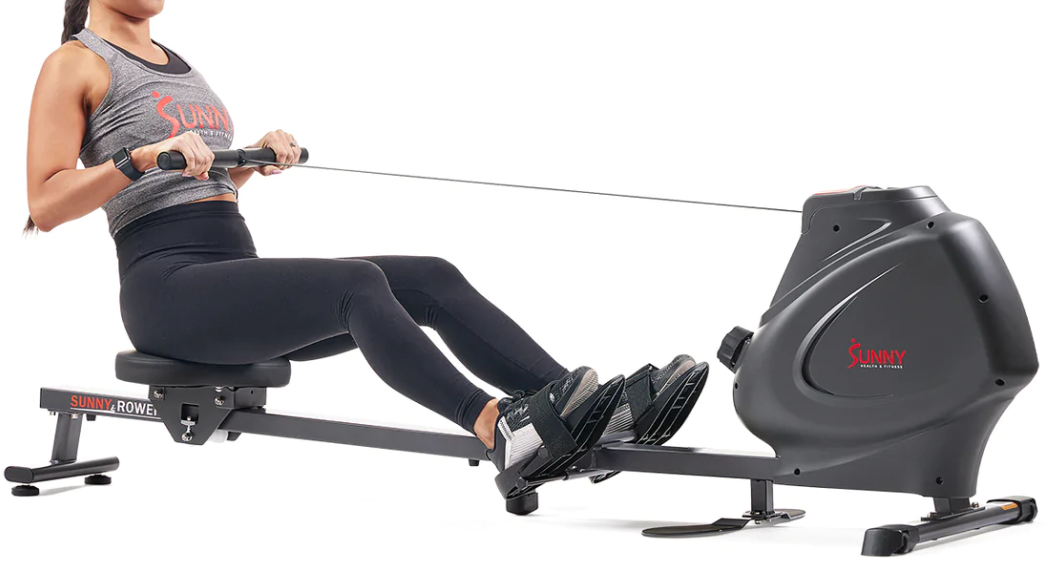
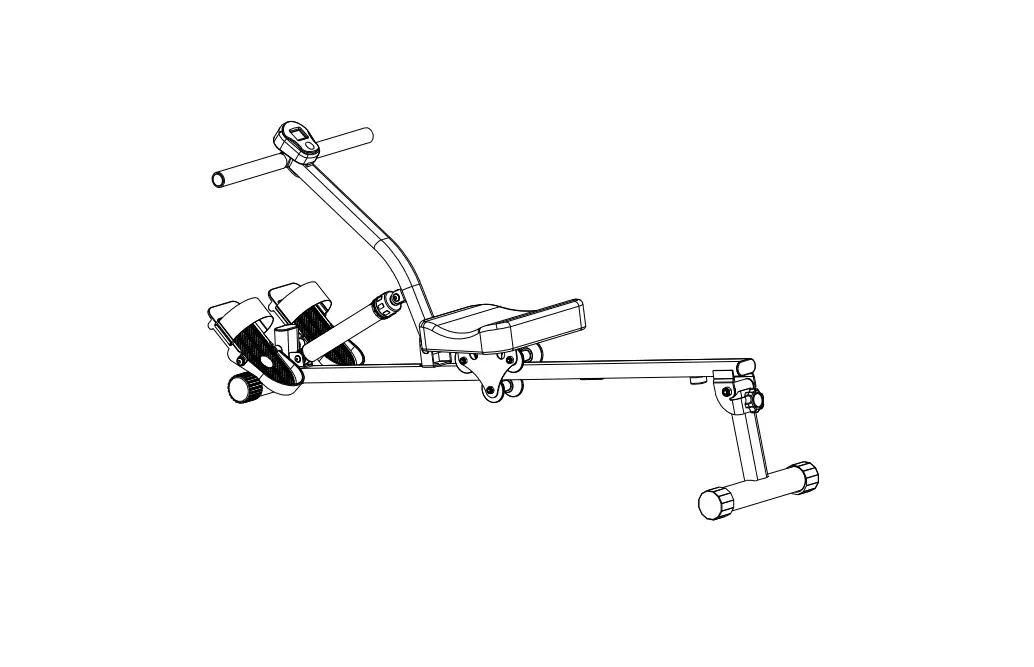
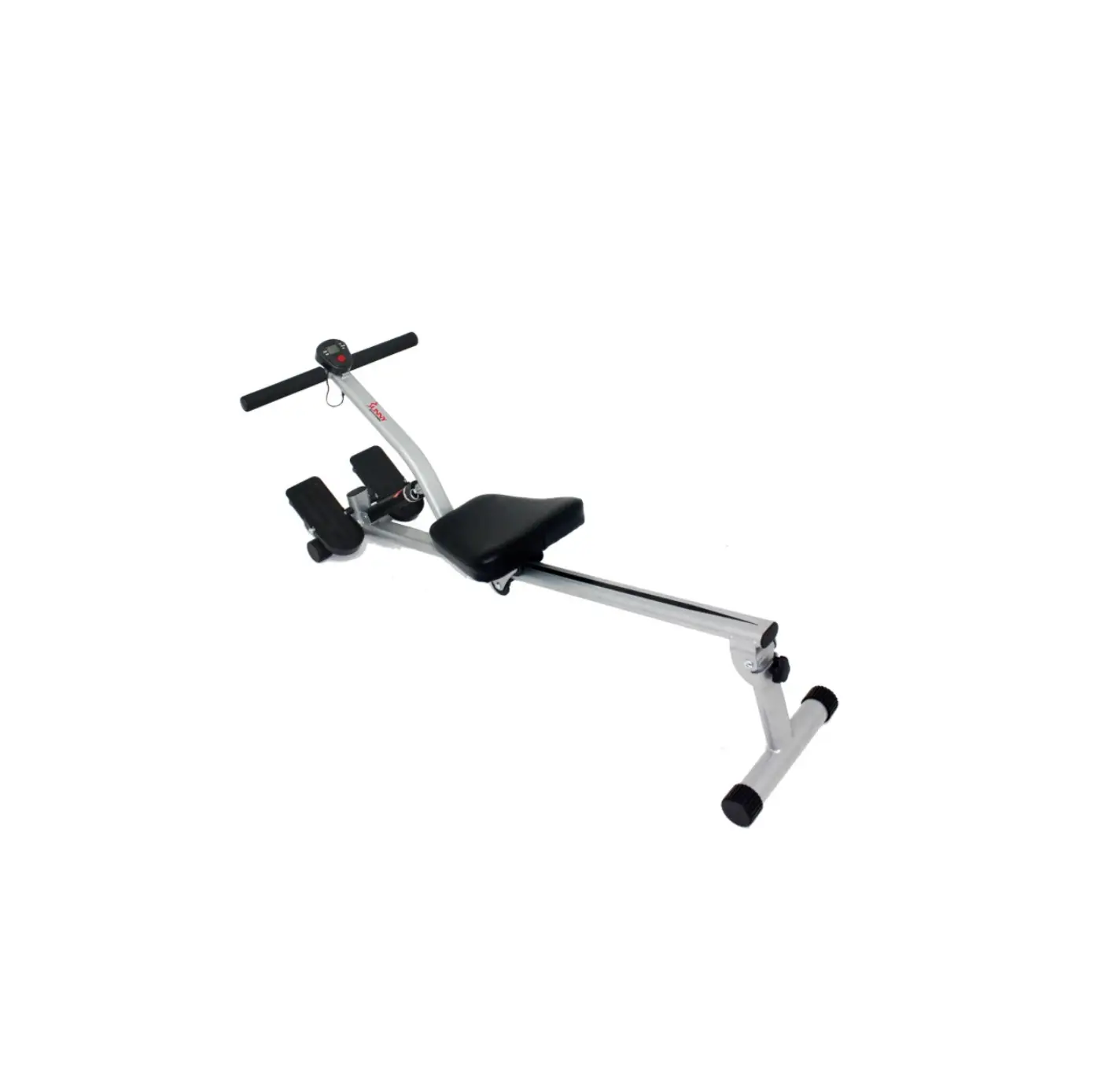
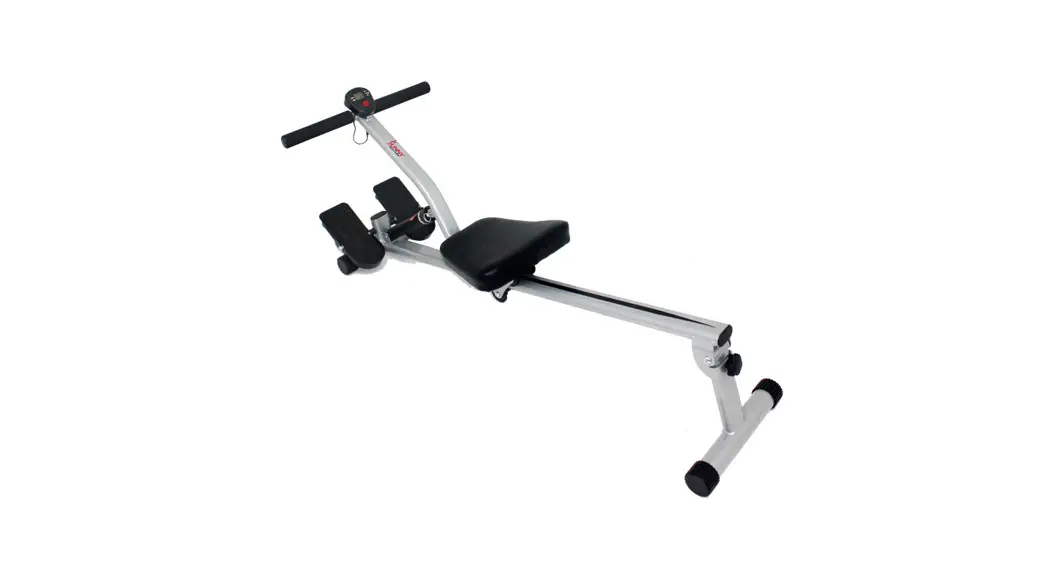
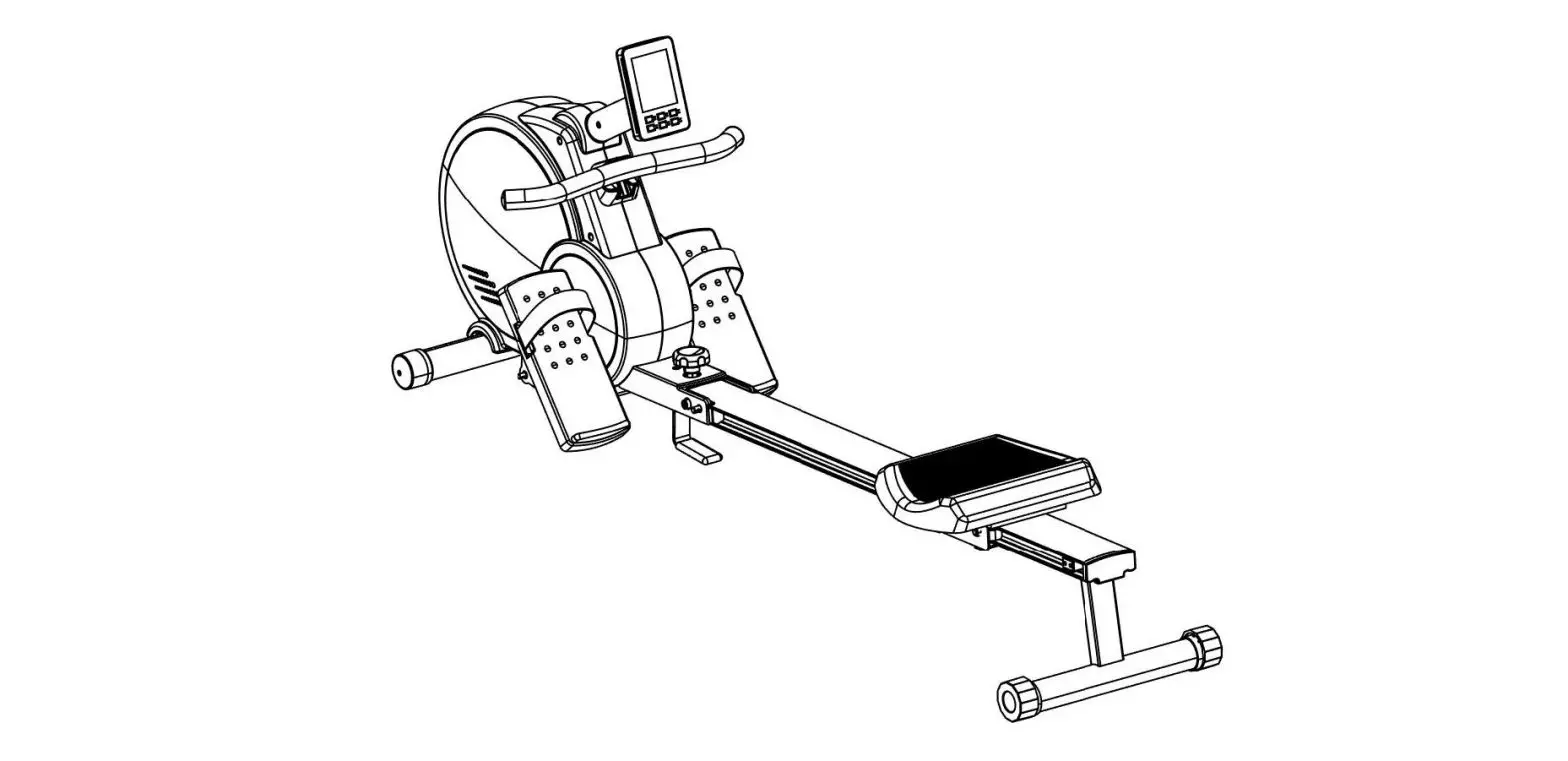
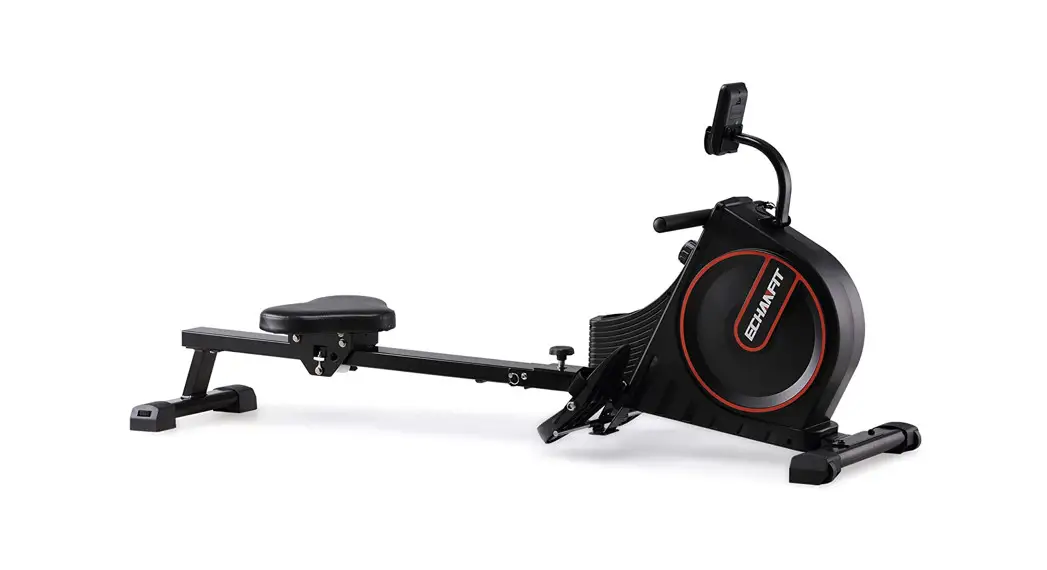
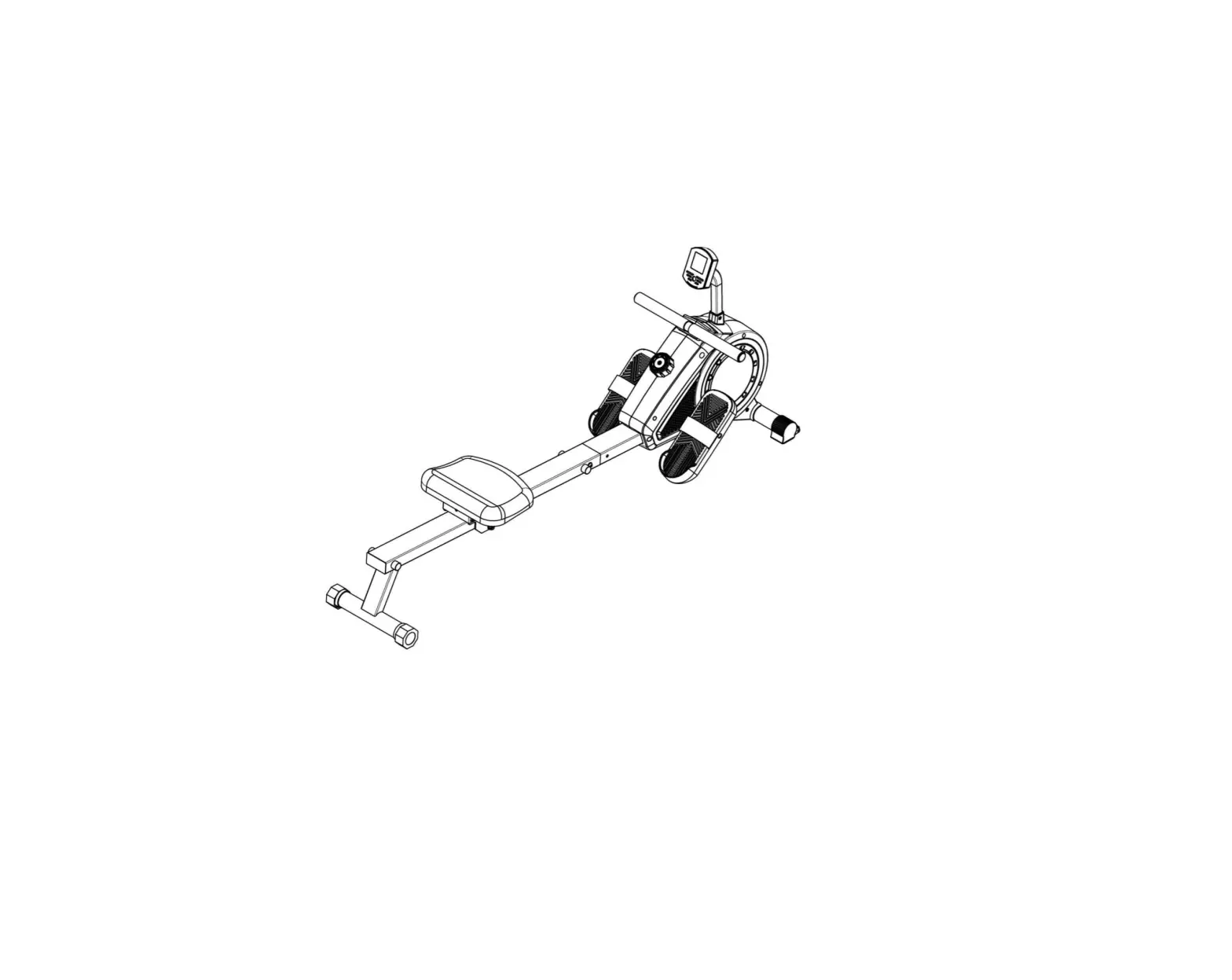
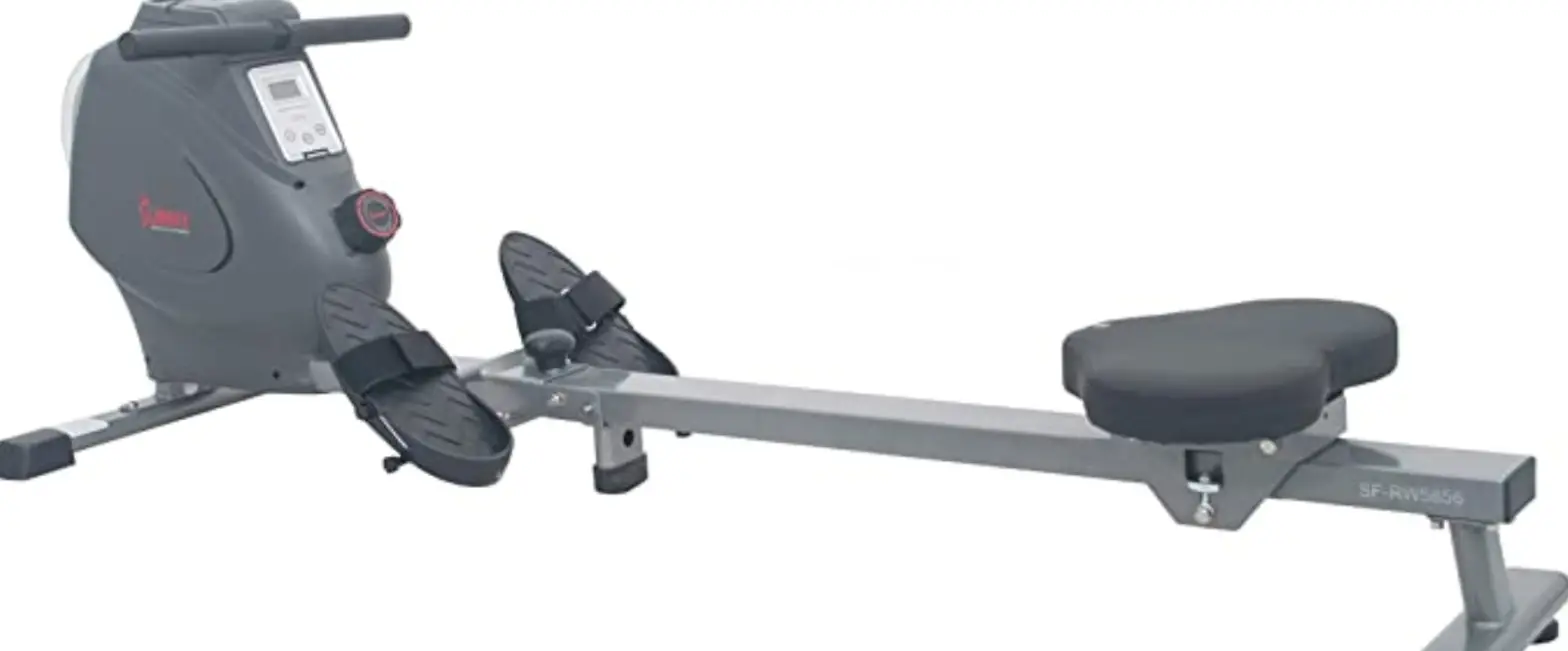
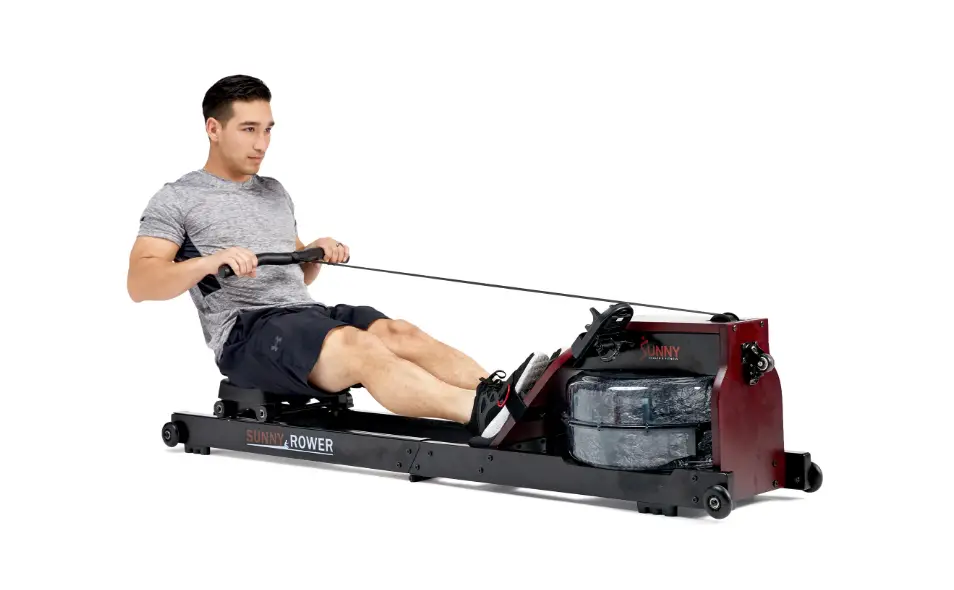
SUNNY SF-RW5983 Carbon Premium Air Magnetic Rowing Machine
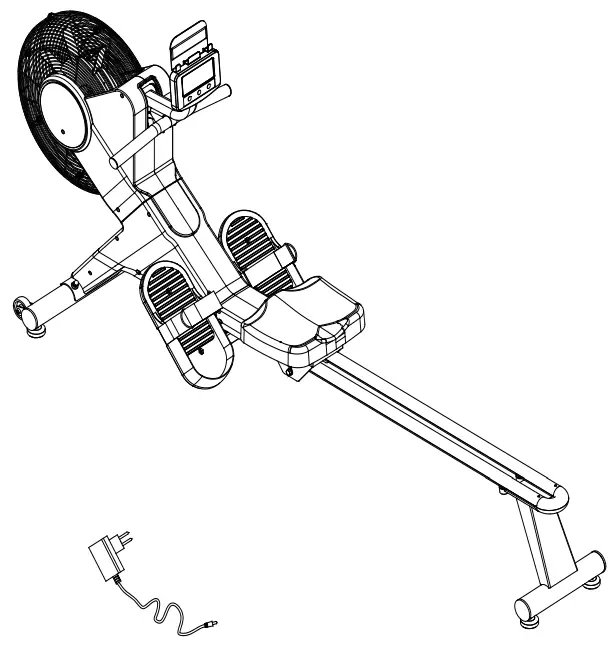
IMPORTANT! Please retain owner’s manual for maintenance and adjustment instructions. Your satisfaction is very important to us, PLEASE DO NOT RETURN UNTIL YOU HAVE CONTACTED US: [email protected] or 1- 877 – 90SUNNY (877-907-8669).
IMPORTANT SAFETY INFORMATION
We thank you for choosing our product. To ensure your safety and health, please use this equipment correctly. It is important to read this entire manual before assembling and using the equipment. Safe and effective use can only be achieved if the equipment is assembled, maintained, and used properly. It is your responsibility to ensure that all users of the equipment are informed of all warnings and precautions.
- Before starting any exercise program, you should consult your physician to determine if you have any medical or physical conditions that could put your health and safety at risk or prevent you from using the equipment properly. Your physician’s advice is essential if you are taking medication that affects your heart rate, blood pressure, or cholesterol level.
- Be aware of your body’s signals. Incorrect or excessive exercise can damage your health. Stop exercising if you experience any of the following symptoms: pain, tightness in your chest, irregular heartbeat, shortness of breath, lightheadedness, dizziness, or feelings of nausea. If you do experience any of these conditions, you should consult your physician before continuing with your exercise program.
- Keep children and pets away from the equipment. The equipment is designed for adult use only.
- Use the equipment on a solid, flat level surface with a protective cover for your floor or carpet. To ensure safety, the equipment should have at least 2 feet (60 CM) of free space all around it.
- Ensure that all nuts and bolts are securely tightened before using the equipment. The safety of the equipment can only be maintained if it is regularly examined for damage and/or wear and tear.
- Always use the equipment as indicated. If you find any defective components while assembling or checking the equipment, or if you hear any unusual noises coming from the equipment during exercise, discontinue use of the equipment immediately and do not use until the problem has been rectified.
- Wear suitable clothing while using the equipment. Avoid wearing loose clothing that may become entangled in the equipment.
- Do not place fingers or objects into the moving parts of the equipment.
- The maximum weight capacity of this unit is 265 pounds (120 KG).
- The equipment is not suitable for therapeutic use.
- To avoid bodily injury and/or damage to the product or property, proper lifting and moving are required. 1
- Your product is intended for use in cool and dry conditions. You should avoid storage in extreme cold, hot or damp areas as this may lead to corrosion and other related problems.
- This equipment is designed for indoor and home use only; it is not intended for commercial use.
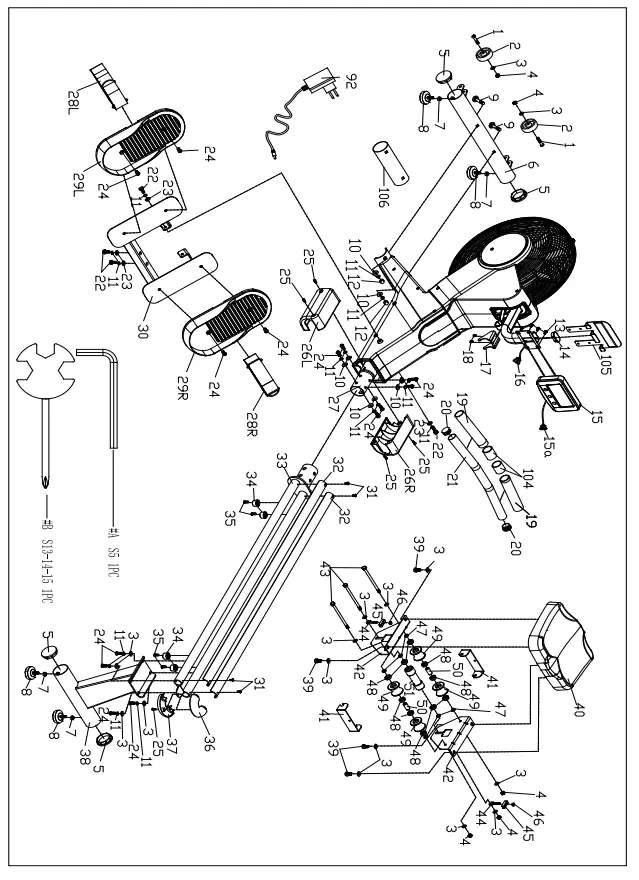
EXPLODED DIAGRAM 1
EXPLODED DIAGRAM 2
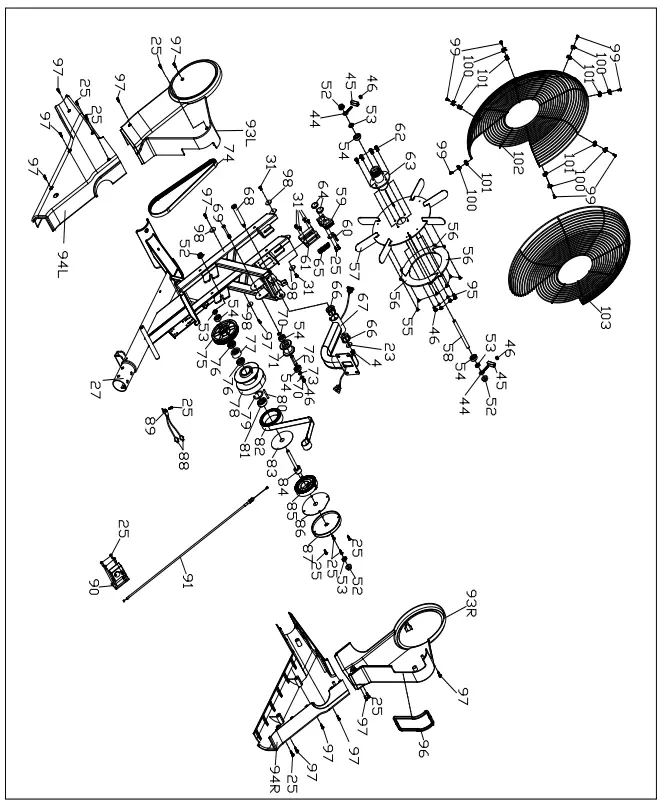
PARTS LIST
| No. | Description | Spec. | Qty. |
| 1 | Inner Hex Pan Head Bolt | M8*42*15*S6 | 2 |
| 2 | Transportation Wheel | 2 | |
| 3 | Washer | d8*Φ16*1.5 | 16 |
| 4 | Nylon Nut | M8*H7.5*S13 | 6 |
| 5 | End Cap | Φ60.5*17 | 4 |
| 6 | Front Stabilizer | 1 | |
| 7 | Nut | M8 | 4 |
| 8 | Adjustable Foot Pad | Φ52*18 | 4 |
| 9 | Carriage Bolt | M8*73*20*H5 | 2 |
| 10 | Arc Washer | d8*Φ20*2*R30 | 8 |
| 11 | Spring Washer | d8 | 16 |
| 12 | Nut | M8*H16*S13 | 2 |
| 13 | Cross Pan Head Screw | M5*10 | 4 |
| 14 | End Cap | 1 | |
| 15 | Computer | 1 | |
| 15a | Computer Wire | 1 | |
| 16 | Extension Wire | 1 | |
| 17 | Handlebar Seat | 1 | |
| 18 | Screw | M5*10*Ф8.5 | 2 |
| 19 | Foam Grip | 2 | |
| 20 | End Cap | Φ32*17 | 2 |
| 21 | Handlebar | 1 | |
| 22 | Bolt | M8*20*S13 | 4 |
| 23 | Washer | d8*Φ20*2 | 5 |
| 24 | Bolt | M8*20*S5 | 14 |
| 25 | Screw | ST4.2*16*Φ8 | 21 |
| 26L/R | Sliding Rail Cover | 2 | |
| 27 | Main Frame | 1 | |
| 28L/R | Pedal Strap | 2 | |
| 29L/R | Pedal | 2 | |
| 30 | Pedal Seat | 1 | |
| 31 | Cross Pan Head Screw | M5*10*Φ8 | 10 |
| 32 | Aluminum Sliding Rail | 2 | |
| 33 | Sliding Rail | 1 | |
| 34 | Limiter | Φ27*Φ23*16*Φ 6 | 4 |
| No. | Description | Spec. | Qty. |
| 35 | Inner Hex Pan Head Bolt | M6*16*Φ10 | 4 |
| 36 | Upper Sliding Rail Cover | 1 | |
| 37 | Bottom Sliding Rail Cover | 1 | |
| 38 | Rear Support | 1 | |
| 39 | Bolt | M8*16*S14 | 4 |
| 40 | Seat | 1 | |
| 41 | U Baffle Plate | 2 | |
| 42 | Seat Support | 2 | |
| 43 | Bolt | M8*135*15*S1 4 | 3 |
| 44 | Adjusting Bolt | M6*40*Φ10*2.5 | 4 |
| 45 | Adjusting U Seat | 4 | |
| 46 | Nylon Nut | M6*H6*S10 | 9 |
| 47 | Spacer | d8*Φ15*4 | 6 |
| 48 | Bearing | 608Z | 10 |
| 49 | Roller | Φ45*38*Φ22 | 4 |
| 50 | Spacer | Φ14*Φ8.3*30 | 2 |
| 51 | Roller | Φ33*106*Φ22 | 1 |
| 52 | Flange Nut | M10*1*H9.5*S1 5 | 4 |
| 53 | Hexagonal Thin Nut | M10*1*H5*S17 | 4 |
| 54 | Bearing | 6000-2RS | 5 |
| 55 | Cross Pan Head Screw | M5*8 | 6 |
| 56 | Aluminum Sheet | 3 | |
| 57 | Fan Wheel | 1 | |
| 58 | Fan Wheel Axle | 1 | |
| 59 | Magnetic Plate | 1 | |
| 60 | L Sheet Metal | 1 | |
| 61 | Magnetic Plate Seat | 1 | |
| 62 | Hex Bolt | M6*16*S10 | 4 |
| 63 | Fan Wheel Axle Sleeve | 1 | |
| 64 | Round Magnet | Φ24*5 | 2 |
| 65 | Spring | Φ1.2*Φ15*48*N 9 | 1 |
| 66 | Bushing | Φ32*3.3*Φ28*1 6*Φ14 | 2 |
| 67 | Computer Support | 1 | |
| 68 | Bolt | Φ14*81.5*M8*S 6 | 1 |
| 69 | Bolt | M6*55*15*S10 | 1 |
| No. | Description | Spec. | Qty. |
| 70 | Circlip for Shaft | 2 | |
| 71 | Pulley | Φ45*35 | 1 |
| 72 | Belt Wheel Shaft | 1 | |
| 73 | Washer | D10 | 1 |
| 74 | Belt | 6PJ290 | 1 |
| 75 | Belt Wheel | Φ112*61.5 | 1 |
| 76 | Bearing | 16003-2RS | 2 |
| 77 | Bearing | Φ35*d17*16 | 1 |
| 78 | Mesh Belt Wheel | 1 | |
| 79 | Circlip | d35 | 1 |
| 80 | Fixing Axle for Mesh Belt | 1 | |
| 81 | Bearing | 6300-2RS | 1 |
| 82 | Mesh Belt | 1 | |
| 83 | PC Board for Mesh Belt Wheel | 1 | |
| 84 | Axle for Mesh Belt Wheel | 1 | |
| 85 | Volute Spring | 1 | |
| 86 | Outer PC Board | 1 | |
| 87 | Outer Cover for Mesh Belt Wheel | 1 | |
| 88 | Sensor Wire | 2 | |
| 89 | Sensor Holder | 1 | |
| No. | Description | Spec. | Qty. |
| 90 | Motor | 1 | |
| 91 | Tension Wire | 1 | |
| 92 | Adapter | 1 | |
| 93L/R | Front Cover | 2 | |
| 94L/R | Rear Cover | 2 | |
| 95 | Spring Washer | d6 | 4 |
| 96 | Rubber Ring | 1 | |
| 97 | Screw | ST4.2*16*Φ8 | 12 |
| 98 | Washer | d5*Φ16*1.5 | 4 |
| 99 | Cross Pan Head Screw | M4*10*Φ8 | 7 |
| 100 | Chuck for Steel Net Cover | 7 | |
| 101 | Chuck for Steel Net Cover | 7 | |
| 102 | Left Steel Net Cover | 1 | |
| 103 | Right Steel Net Cover | 1 | |
| 104 | Rubber Ring | 2 | |
| 105 | Device Holder | 1 | |
| 106 | Shipping Tube | 1 | |
| A | Allen Wrench | S5 | 1 |
| B | Spanner | S13-14-15 | 1 |
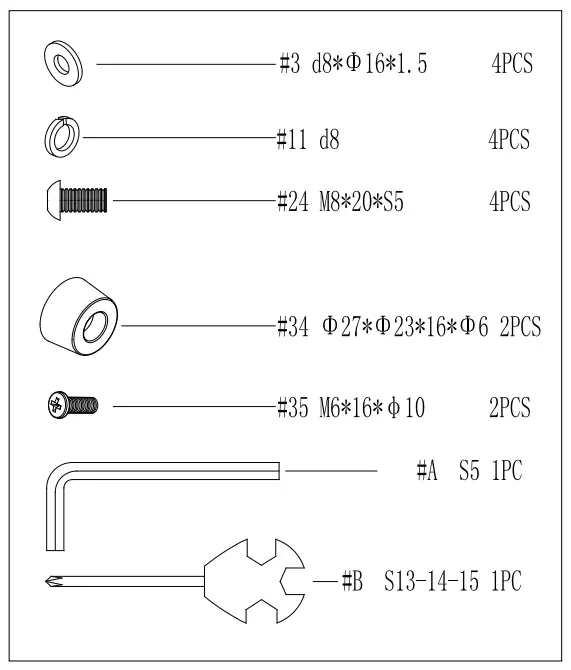
HARDWARE PACKAGE
Ordering Replacement Parts (U.S. and Canadian Customers only)
Please provide the following information in order for us to accurately identify the part(s) needed:
✔ The model number (found on cover of manual)
✔ The product name (found on cover of manual)
✔ The part number found on the “EXPLODED DIAGRAM” and “PARTS LIST” (found near the front of the manual) Please contact us at [email protected] or 1- 877 – 90SUNNY (877-907-8669).
ASSEMBLY INSTRUCTIONS
We value your experience using Sunny Health and Fitness products. For assistance with parts or troubleshooting, please contact us at [email protected]
or 1-877-90SUNNY (877-907-8669).
STEP 1: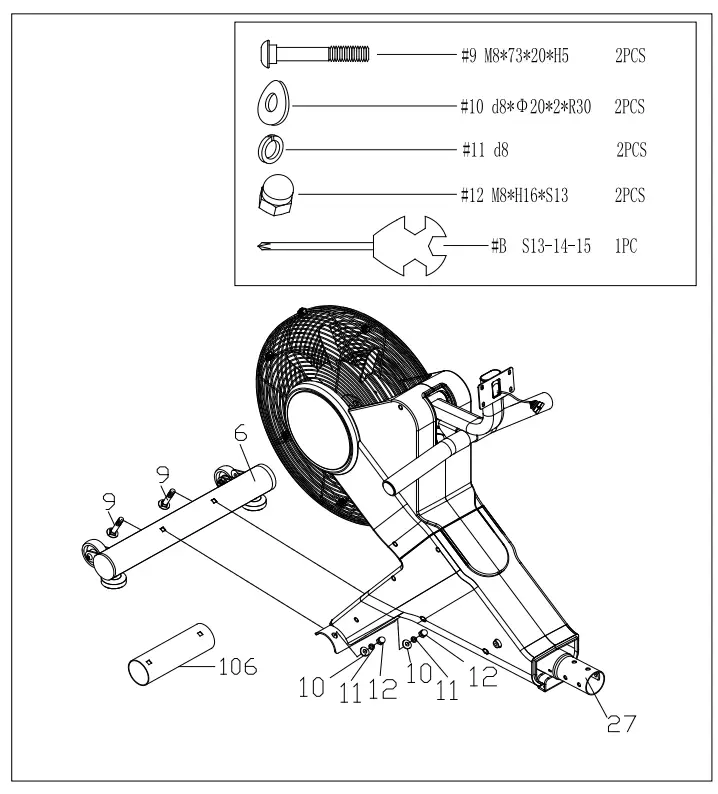
Remove 2 Carriage Bolts (No. 9), 2 Arc Washers (No. 10), 2 Spring Washers (No. 11), 2 Nuts (No. 12) and Shipping Tube (No. 106) from the Main Frame (No. 27) by Spanner (No. B).
Attach the Front Stabilizer (No. 6) to the Main Frame (No. 27) using 2 Carriage Bolts (No. 9), 2 Arc Washers (No. 10), 2 Spring Washers (No. 11) and 2 Nuts (No. 12) that were removed. Tighten and secured with Spanner (No. B).
You may save the Shipping Tube (No. 106) in case you’d like to repackage and transport this rower in the future.
STEP 2: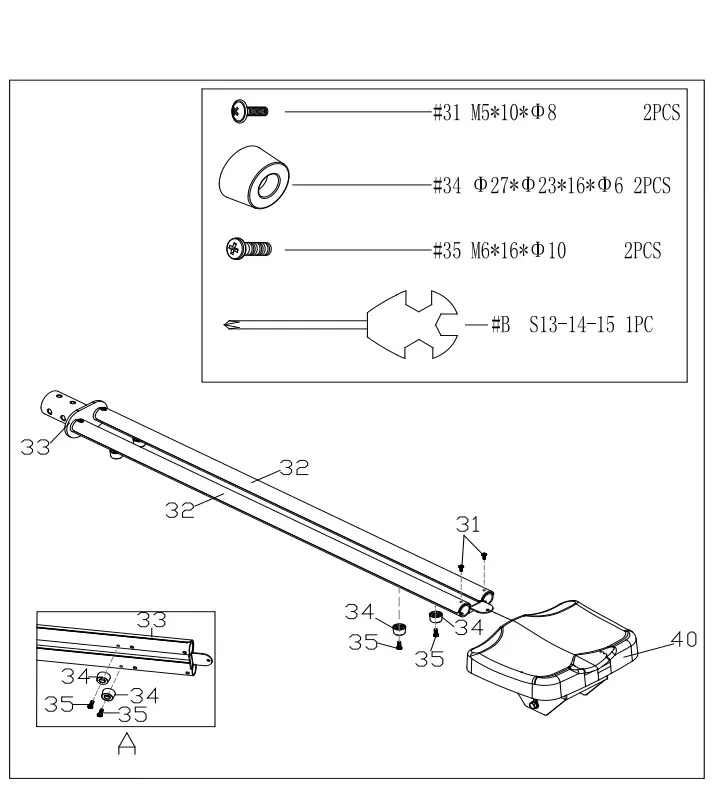
Remove 2 Cross Pan Head Screws (No. 31) from Sliding Rail (No. 33) by Spanner (No. B);
Insert Seat (No. 40) into Sliding Rail (No. 33);
Secure 2 Aluminum Sliding Rails (No. 32) to the Sliding Rail (No. 33) with 2 Cross Pan Head Screws (No. 31) that were removed. Tighten with Spanner (No. B);
Attach 2 Limiters (No. 34) to the Sliding Rail (No. 33) using 2 Inner Hex Pan Head Bolts (No. 35). Tighten and secure with Spanner (No. B). We value your experience using Sunny Health and Fitness products. For assistance with parts or troubleshooting, please contact us at [email protected] or 1-877-90SUNNY (877-907-8669).
STEP 3: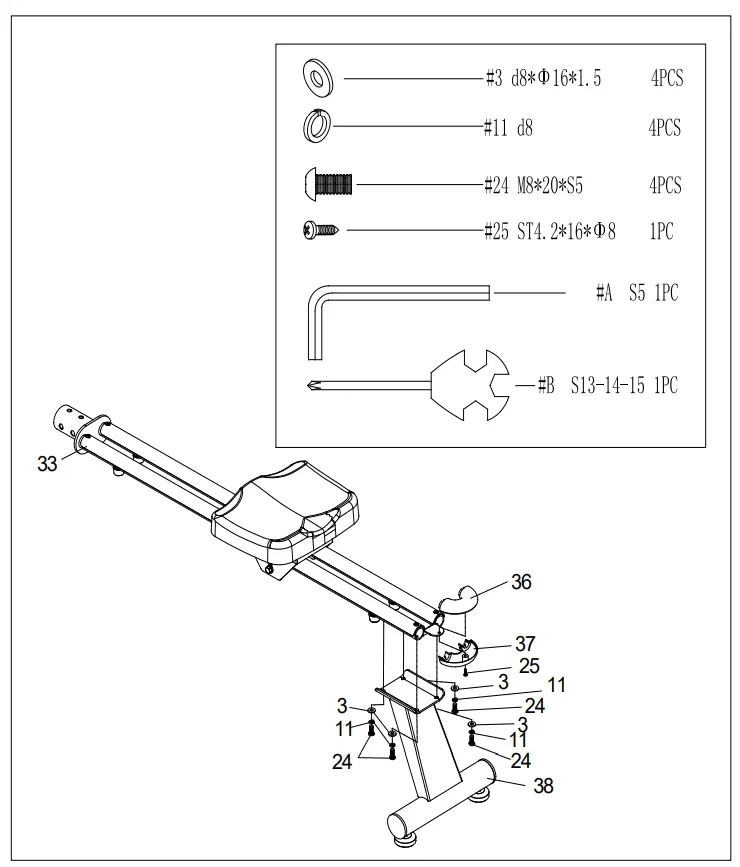
Remove 1 Screw (No. 25) from Upper and Bottom Sliding Rail Covers (No. 36 & No. 37) by Spanner (No. B).
Attach Upper and Bottom Sliding Rail Covers (No. 36 & No. 37) to the Sliding Rail (No. 33) with 1 Screw (No. 25) that was removed. Tighten and secure with Spanner (No. B);
Attach Rear Support (No. 38) to Sliding Rail (No. 33) with 4 Washers (No. 3), 4 Spring Washers (No. 11) and 4 Bolts (No. 24). Tighten and secure with Allen Wrench (No. A).
STEP 4: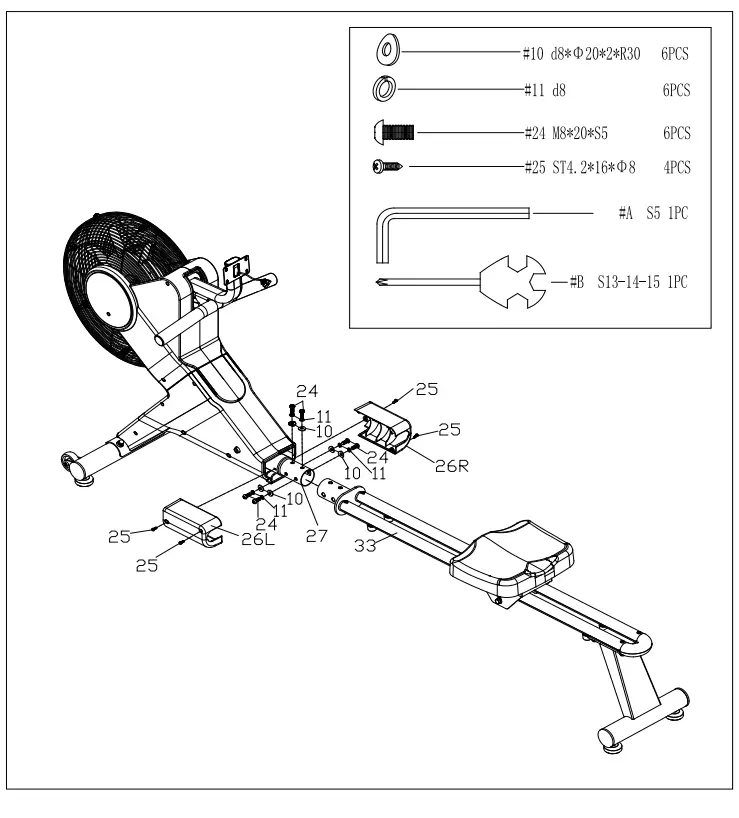
Remove 6 Arc Washers (No. 10), 6 Spring Washers (No. 11) and 6 Bolts (No. 24) from Main Frame (No. 27) by Allen Wrench (No. A);
Remove the 4 Screws (No. 25) from the Left & Right Sliding Rail Covers (No. 26L/R) and Main Frame (No. 27) with Spanner (No. B);
Attach Sliding Rail (No. 33) to Main Frame (No. 27) using 6 Arc Washers (No. 10), 6 Spring Washers (No. 11) and 6 Bolts (No. 24) that were removed. Tighten and secure with Allen Wrench (No. A);
Attach the Left & Right Sliding Rail Covers (No. 26L/R) to the Main Frame (No. 27) using 4 Screws (No. 25) that were removed. Tighten and secure with Spanner (No. B).
We value your experience using Sunny Health and Fitness products. For assistance with parts or troubleshooting, please contact us at [email protected] or 1-877-90SUNNY (877-907-8669).
STEP 5: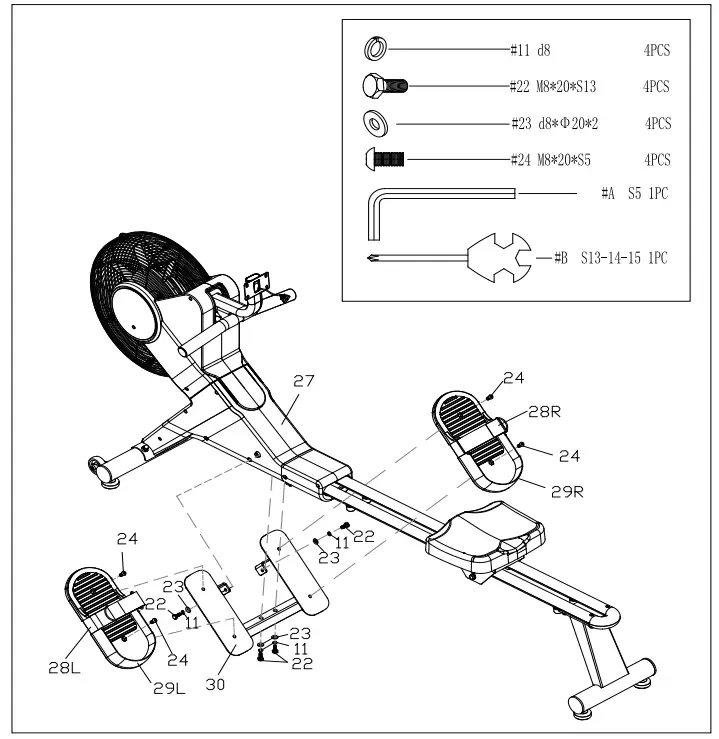
Remove 4 Spring Washers (No. 11), 4 Bolts (No. 22) and 4 Washers (No. 23) from Main Frame (No. 27) by Spanner (No. B); Attach Pedal Seat (No. 30) to Main Frame (No. 27) using 4 Washers (No. 23), 4 Spring Washers (No. 11) and 4 Bolts (No. 22) that were removed. Tighten and secure with Spanner (No. B); Remove 4 Bolts (No. 24) from Pedal Seat (No. 30) with Allen Wrench (No. A). Attach 2 Pedals (No. 29L/R) to the Pedal Seat (No. 30) using 4 Bolts (No. 24) that were removed. Tighten and secure with Allen Wrench (No. A);
Attention: The 2 Pedal Straps (No. 28L/R) should be put in the long groove which is at the bottom of 2 Pedals (No. 29L/R). And don’t press the 2 Pedals (No. 29L/R) against the 2 Pedal Straps (No. 28L/R), so that the 2 Pedal Straps (No. 28L/R) could be freely to pull up and down.
We value your experience using Sunny Health and Fitness products. For assistance with parts or troubleshooting, please contact us at [email protected] or 1-877-90SUNNY (877-907-8669).
STEP 6: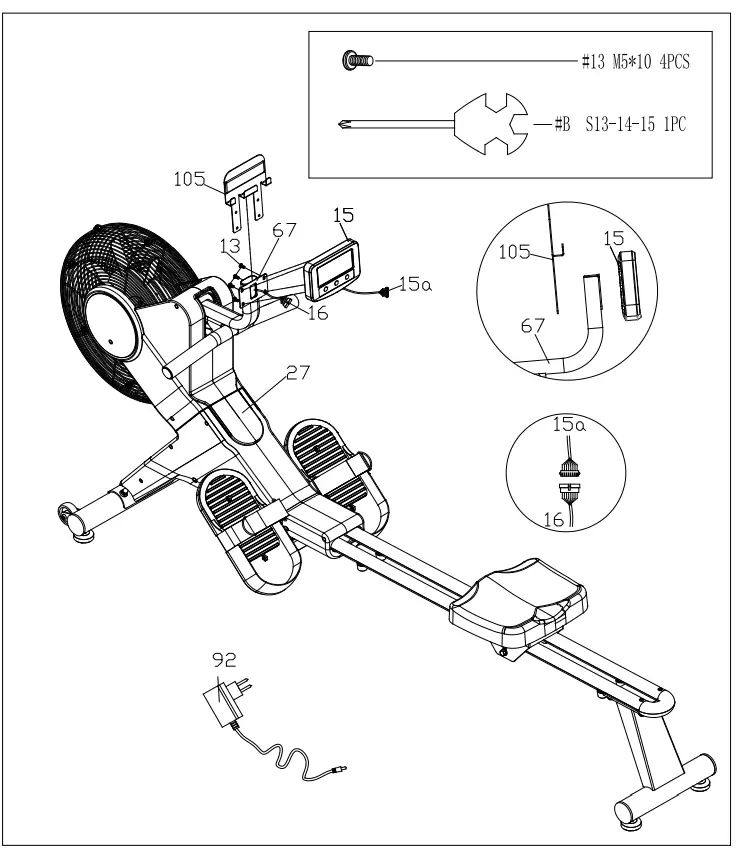
Remove 4 Cross Pan Head Screws (No. 13) from Computer (No. 15), then pull out the Extension Wire (No. 16) from Computer Support (No. 67), then connect Extension Wire (No. 16) with Computer Wire (No. 15a), and put back these wires into the Computer Support (No. 67); Fix Device Holder (No. 105) and Computer (No. 15) onto the Computer Support (No. 67) with 4 Cross Pan Head Screws (No. 13) that were removed. Tighten and secure with Spanner (No. B); Insert the link wire of Adapter (No. 92) to the adapter input hole on the front of Main Frame (No. 27) and plug the Adapter (No. 92) into an outlet. Attention Switch off the power when not in use.
The assembly is complete!
ADJUSTMENTS & USAGE GUIDE
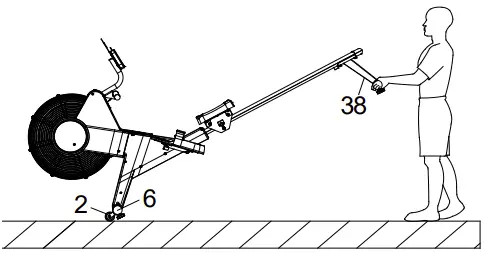 | MOVING THE ROWER To move the rower, lift up the Rear Support (No. 38) until the Transportation Wheels (No. 2) on the Front Stabilizer (No. 6) touch the ground. With the Transportation Wheels (No. 2) on the ground, you can transport the rower to the desired location with ease. |
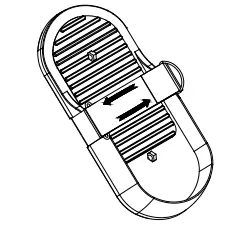 | PEDAL ADJUSTMENT The pedal strap is adjustable and can be personalized to fit the user’s foot size. |
|
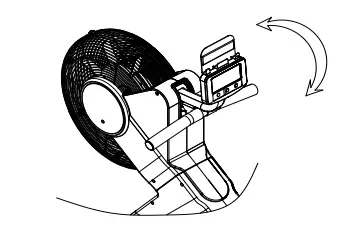
| COMPUTER ANGLE ADJUSTMENT The rotation angle of computer support can be adjusted to obtain the best view of the computer LCD screen. |
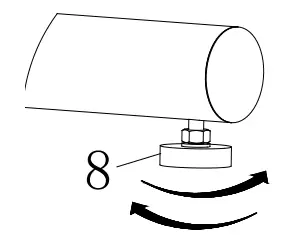 | ADJUSTING THE BALANCE When this product is on an uneven surface, please adjust both Adjustable Foot Pads (No. 8) according to the left instruction picture. |
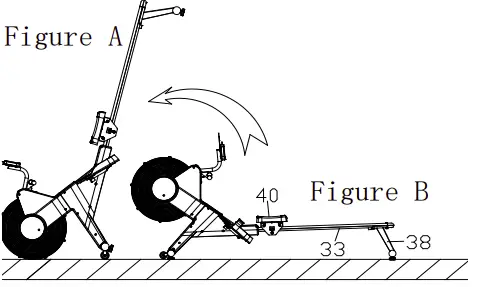 | STORAGE Attention! Before you lift up the rower, please move the Seat (No. 40) to the front end of the Sliding Rail (No. 33). (Figure B) This rower can be stored vertically, you can lift it up to save storage space. (Figure A) |
EXERCISE COMPUTER
DISPLAY INFORMATION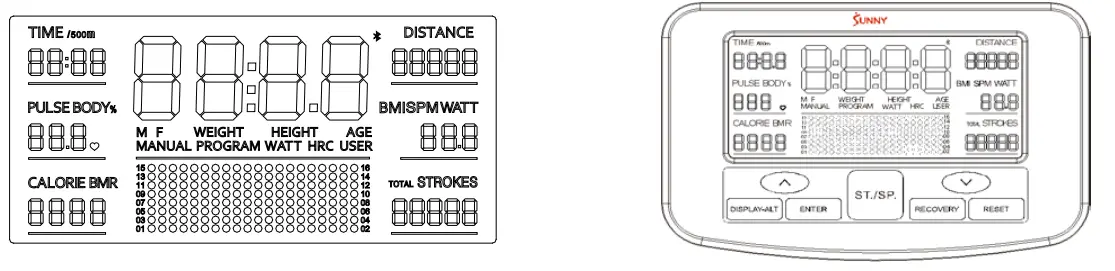
- The main window displays the exercise status: a. Scan mode: Display and switch among functions every 6 seconds: TIME (TIME/500m) ->DISTANCE->PLUSE->SPM (WATT)->CALORIE->STROKES (TOTAL STROKES); b. Press “Display-ALT” to select and lock on any specific function.
- TIME (TIME/500m), DISTANCE, PULSE, SPM (WATT), CALORIE, STROKES (TOTAL STROKES) display window.
- TIME (TIME/500m), SPM/WATT, STROKES/TOTAL STROKES display window. Press “ENTER” to switch display TIME (TIME/500m), SPM (WATT), STROKES (TOTAL STROKES) during use.
- Resistance level : 16 levels.
SPECIFICATIONS
| TIME. | 0m:00s ~ 99m:59s | SPM | 0 ~ 999 RPM |
| TIME/500m | 0m:00s ~ 99m:59s | WATT | 0~899 W |
| DISTANCE | 0.0 ~ 99999 M | STROKES | 0~9999 |
| CALORIE | 0 ~ 9999 KCAL | TOTAL STROKES | 0~99999 |
| PULSE | 40-240 BPM |
FUNCTION DESCRIPTION
| TIME | The time of each workout ,when starting exercise. |
| DISTANCE | The distances of each workout ,when starting exercise. |
| TIME/500m | The time of each 500 meters at the current pulp velocity. |
| PULSE | Heart beat . |
| CALORIE | The calorie burned of each workout, when starting exercise. |
| SPM | The strokes per minute, when starting exercise. |
| STROKES | The strokes of each workout, when staring exercise. |
| TOTAL STROKES | The total strokes of all workout. |
| MANUAL MODE | PRORGAM 1: The resistance value is adjusted manually. |
| PROGRAM MODE | PROGRAM 2~12 : The exercise is adjusted with preset value automatically. |
| BODY FAT | PROGRAM 13: Calculate body fat percentage, Body Mass Index (BMI) and Basal Metabolic Rate (BMR). |
| WATT MODE | PROGRAM 14: The exercise is controlled by target watt. |
| H.R.C MODE | PROGRAM 15~18: The exercise is controlled by target heartbeat value -65% ,75%,85%, user setting value. |
| USER MODE | PROGRAM19~22: The exercise is set by resistance value. |
| RECOVERY MODE | Based on the level of recovery heart rate. |
| WIRELESS PULSE | Wireless pulse receiver. |
KEY FUNCTION
| UP |
|
| DOWN |
|
| RESET |
|
| START/STOP |
|
| RECOVERY |
|
| ENTER |
|
| Display-ALT |
|
UNIT
| HEIGHT | WEIGHT | PULSE | CAL | DISTANCE | SPM | WATT |
| Ft ’in | LB | BPM | KCAL | M (Meter) | STROKES/ MIN | W |
MANUAL MODE (PROGRAM 1)
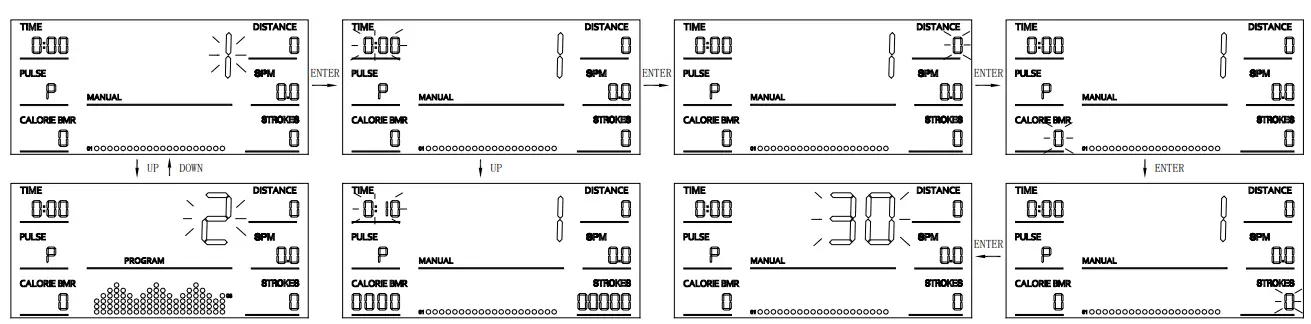
- Press “UP” or “DOWN” to select any functions;
- Press “START/STOP” to start the exercise, or press “ENTER” to enter Setting Mode.
- In Setting Mode, press “ENTER” to choose setting items with relevant flashing window for TIME, DISTANCE, CALORIE, STROKES, AGE.
- Press “UP” or “DOWN” to increase or decrease the value, and press “ENTER” to skip to next item.
- When all operations are complete, it will exit the Setting Mode automatically. Or press “START/STOP” in the settings status to start.
- Resistance level can be adjusted during use, with “UP” or “DOWN” button.
- Once user begin the exercise, it will count down from the set value. When any of setting value count to 0, it will beep and stop the workout automatically.
- Press “START/STOP” to stop the exercise automatically at any point during use.
PROGRAM MODE (PROGRAM 2-12)
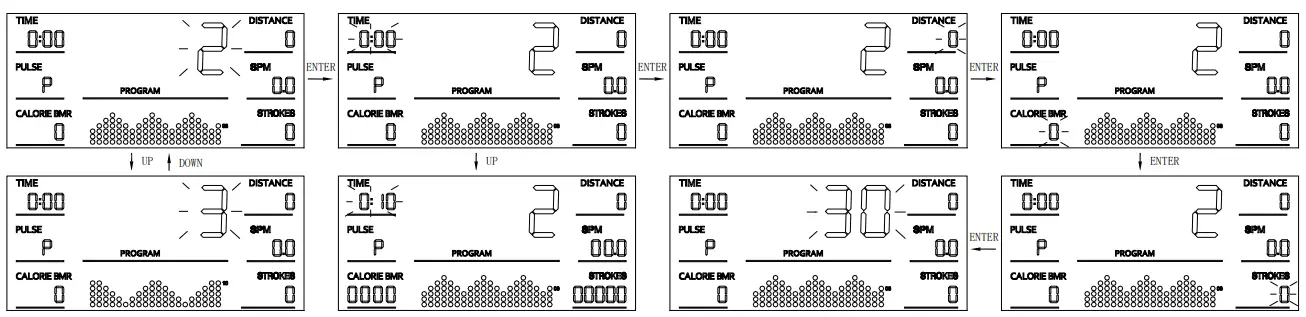
- Press “UP” or “DOWN” to select any functions.
- Press “START/STOP” to start the exercise, or press “ENTER” to enter Setting Mode.
- In Setting Mode, press “ENTER” to choose setting items with relevant flashing window for TIME, DISTANCE, CALORIE, STROKES, AGE.
- Press “UP” or “DOWN” to increase or decrease the value, and press “ENTER” to skip to next item.
- When all operations are complete, it will exit the Setting Mode automatically. Or press “START/STOP” in the settings status to start.
- Resistance level is adjusted automatically during workout for each program, or press “UP” / “DOWN” to make adjustment manually.
- Once user begin the exercise, it will count down from the set value. When any of setting value count to 0, it will beep and stop the workout automatically.
- Press “START/STOP” to stop the exercise automatically at any point during use.
BODY FAT (PROGRAM 13)
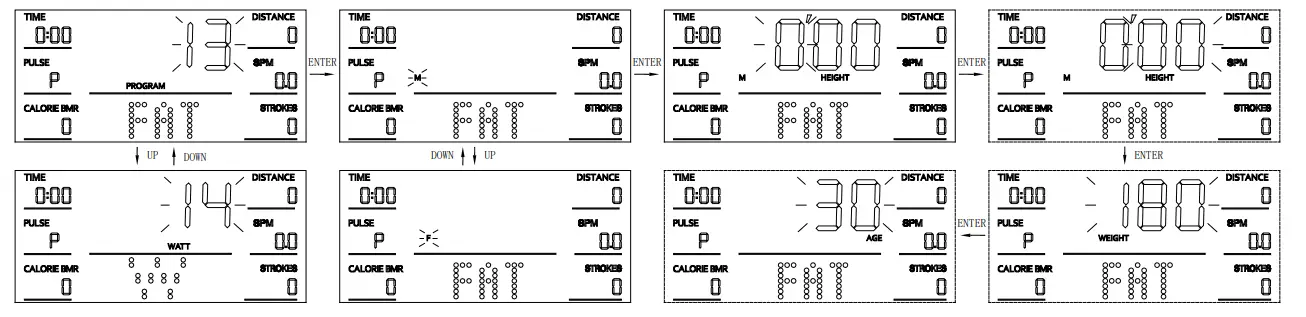
- Press “UP” or “DOWN” to select any functions
- Press “ENTER” to enter the Setting Mode.
- In Setting Mode, press “ENTER” to choose setting items with relevant flashing window for GENDER→HEIGHT(FOOT)→HEIGHT(INCH)→WEIGHT→AGE.
- Press “UP” or ‘DOWN” to increase or decrease the value, and press “ENTER” to skip to next item.
- Press “START/STOP’ to start the test and hold the pulse sensors. Then the display will show your body fat within 8 seconds.
- You should keep your body relaxed to get the most accurate value.
B.M.I. (Body Mass Index)
| Gender/Age | Underweight | Healthy | Slightly Overweight | Overweight | Obese |
| Male/ ≤ 30 | < 14 | 14~20 | 20.1~25 | 25.1~35 | > 35 |
| Male/ > 30 | < 17 | 17~23 | 23.1~28 | 28.1~38 | > 38 |
| Female/≤ 30 | < 17 | 17~24 | 24.1~30 | 30.1~40 | > 40 |
| Female/ > 30 | < 20 | 20~27 | 27.1~33 | 33.1~43 | > 43 |
BODY FAT
| Gender | Low | Medium | Slightly High | High |
| Male | <13% | 13%-25.9% | 26%-30% | >30% |
| Female | <23% | 23%-35.9% | 36%-40% | >40% |
B.M.R (Basal Metabolic Rate)
The average number of calories burned per day for basic survival
Ref:1300±100 (22-40years)
BODY TYPE:
| B1 | B2 | B3 | B4 | B5 | B6 | B7 | B8 | B9 |
| Severely Underweight | Underweight | Thin | Slightly Thin | Healthy | Slightly Overweight | Overweight | Obese | Extremely Obese |
WATT MODE (PROGRAM 14)
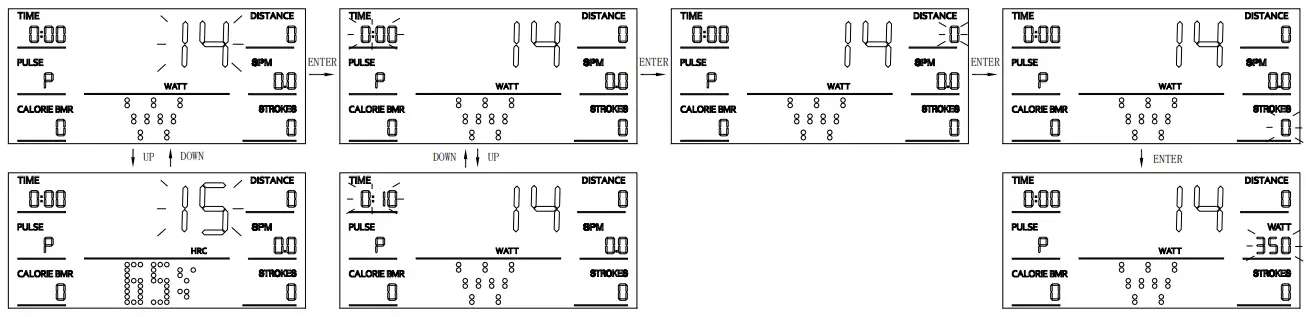
- Press “UP” or “DOWN” to select any functions;
- Press “ENTER” to enter Setting Mode.
- In Setting Mode, press “ENTER” to choose setting items with relevant flashing window for TIME→DISTANCE→STROKES→WATT.
- Press “UP” or “DOWN” to increase or decrease the value, and press “ENTER” to skip to next item.
- Press “START/STOP” to start.
- Resistance level is adjusted automatically with WATT target value during workout.
- Once user begin the exercise, it will count down from the set value. When any of setting value count to 0, it will beep and stop the workout automatically.
- Press “START/STOP” to stop the exercise automatically at any point during use.
Note: the WATT value is decided by the TORQUE and RPM. In this program, the watt value will keep at constant value. It means that if you peddle quickly, the load resistance will decrease and if you peddle slowly, the load resistance will increase to ensure you at the same watt value.
H.R.C MODE (PROGRAM 15-18)
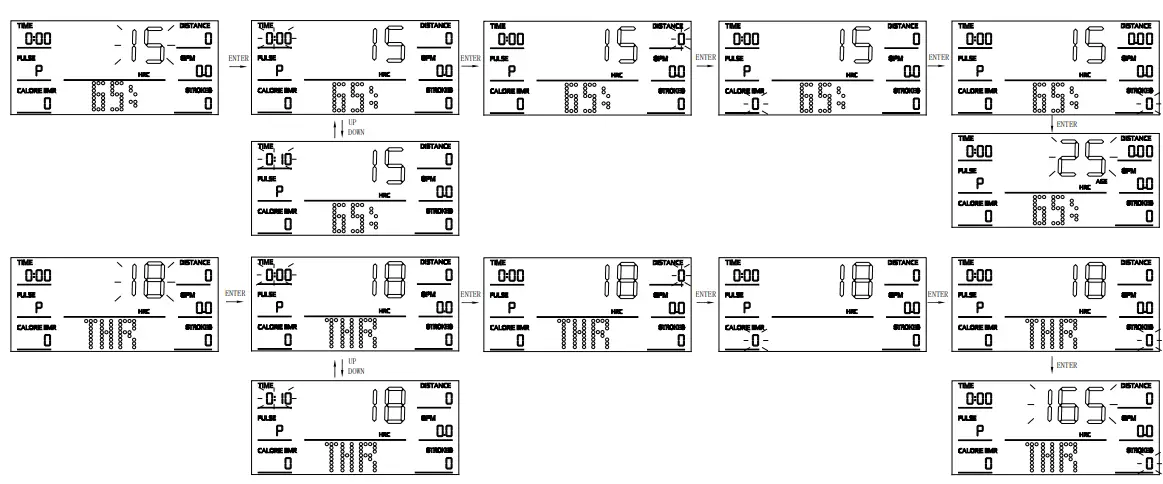
- Press “UP” or “DOWN” to select any functions.
- Press “START/STOP” to start the exercise, or press “ENTER” to enter Setting Mode.
- In Setting Mode, press “ENTER” to choose setting items with relevant flashing window for TIME→DISTANCE→CALORIE→STROKES→AGE (only PROGRAM 15 17) → T.H.R(only PROGRAM 18).
- Press “UP” or “DOWN” to increase or decrease the value, and press “ENTER” to skip to next item.
- Press “START/STOP” to start.
- Resistance level is adjusted automatically during workout with target T.H.R value.
- Once user begin the exercise, it will count down from the set value. When any of setting value count to 0, it will beep and stop the workout automatically.
- Press “START/STOP” to stop the exercise automatically at any point during use.
NOTICE: you must hold the pulse sensors during exercise.
USER MODE (PROGRAM 19-22)
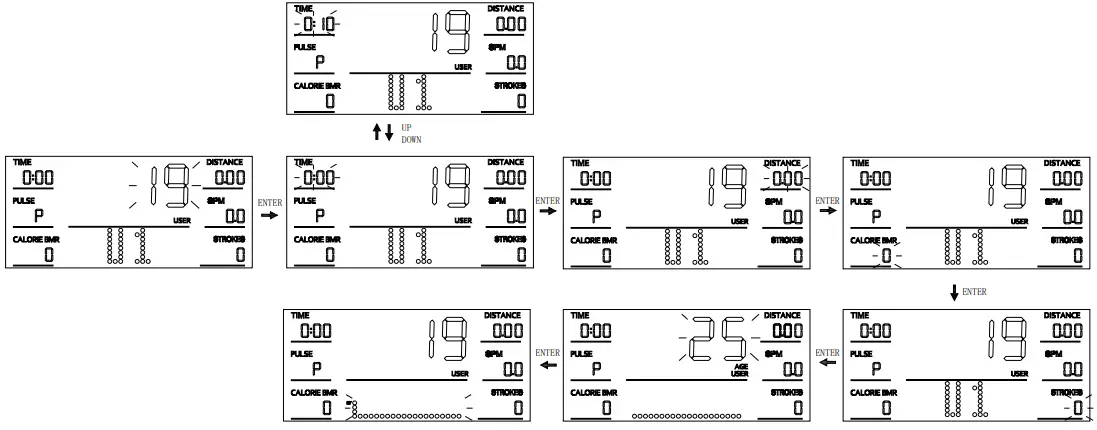
- Press “UP” or “DOWN” to select U1-U4 mode.
- Press “START/STOP” to start the exercise, or press “ENTER” to enter Setting Mode.
- In Setting Mode, press “ENTER” to choose setting items with relevant flashing window for TIME→DISTANCE→CALORIE→STROKIES→AGE →Resistance Value.
- Press “UP” or “DOWN” to increase or decrease the value, and press “ENTER” to skip to next item.
- Press “START/STOP” to start.
- Resistance level is adjusted automatically during workout in this program, or press “UP” / “DOWN” to make adjustment manually.
- Once user begin the exercise, it will count down from the set value. When any of setting value count to 0, it will beep and stop the workout automatically.
- Press “START/STOP” to stop the exercise automatically at any point during use
RECOVERY MODE

During use,
first test your pulse as above mentioned. Then press “RECOVERY” key to enter pulse recovery function. The display will show 1 minute count-down as well as your pulse rate. Then, it will pop up your pulse recovery level from F1 to F6, which is from the fastest recovery to slowest. The fastest recovery F1 shows the best.
| F1 | BEST STATE |
| F2 | WELL |
| F3 | GOOD |
| F4 | ORDINARY |
| F5 | RELATIVELY POOR |
| F6 | BAD |
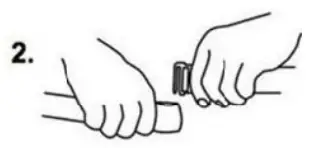
The computer supports the standard 5.3Khz wearing heart rate detector.
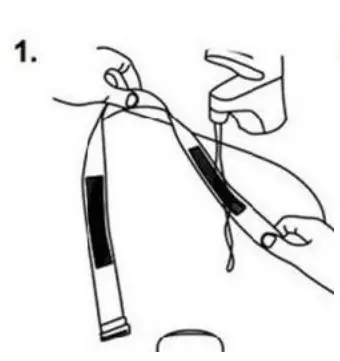
- Please wet the two electrodes of the heart rate detector.

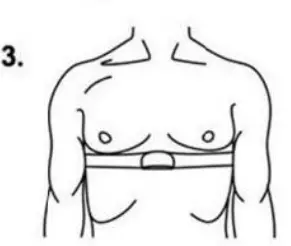
- Wear the heart rate detector on your chest.


FAULT CODE DESCRIPTION
| FAULT CODE | POSSIBLE CAUSE | CHECK | SOLUTION |
| E1 | The motor doesn’t work. | Check if the motor wires are plugged in or check if the motor is stuck. | Plug in the motor wires again or change the motor. |
| There is something wrong with the wires. | Check if the wires are damaged. | Change the wires or plug in again. | |
| The computer cannot supply normal voltage to the motor. | Test whether the voltage of the motor is normal when pressing UP and DOWN. | Change the computer. | |
| E2 | When starting the test in the BODY FAT mode, the heart rate detector isn’t worn on your chest immediately. | Please wear the heart rate detector on your chest within 3 seconds after the test is started. | |
| The computer cannot display the heart rate value. | Check if there is heart rate value displayed in other modes. | If there is no heart rate value displayed in other modes, replace the heart rate detector. |
NOTE:
- This computer uses a 9V/1A power adapter.
- When the computer is abnormal, please pull out the power plug and re-insert.
- Without any operation, the computer will enter standby mode after five minutes.