
Carry-on CAR-FP88TWH Folding Piano 88 Touch
Product Information: Carry-on Folding Piano 88 TOUCH
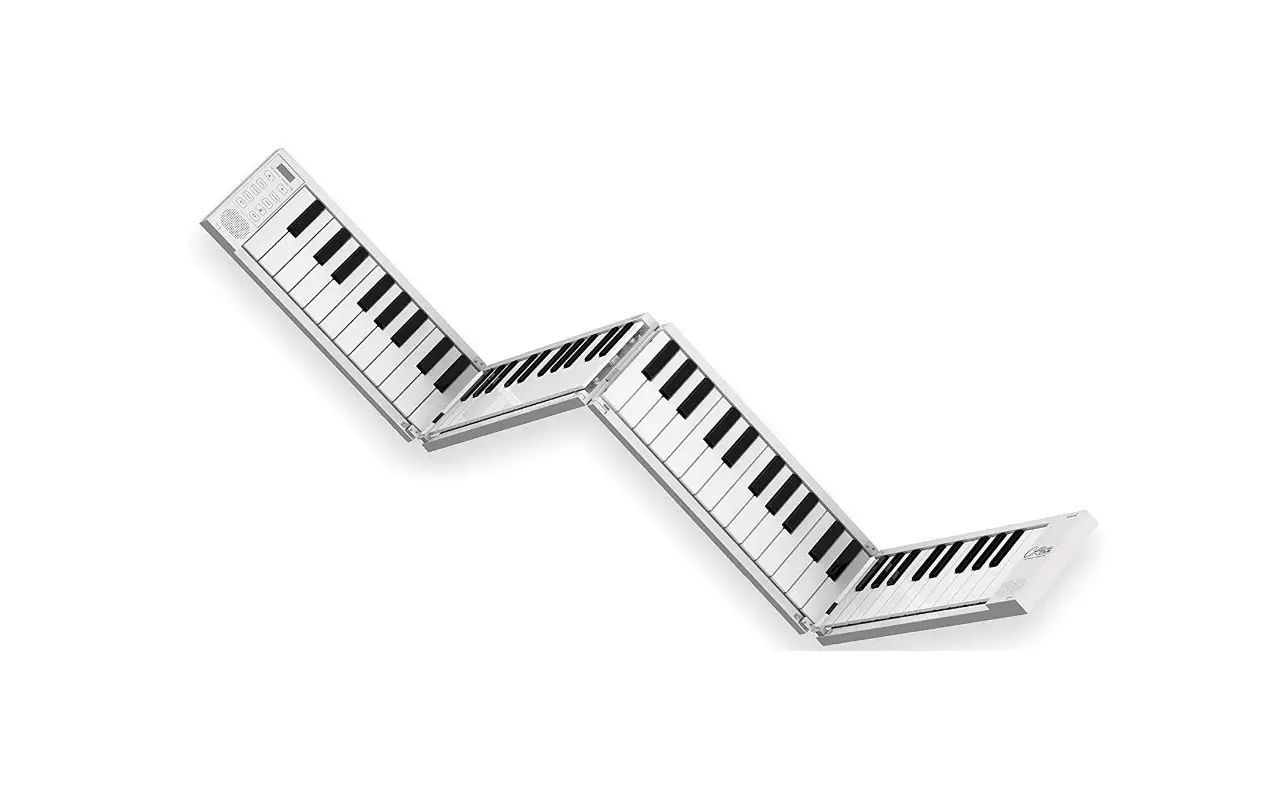
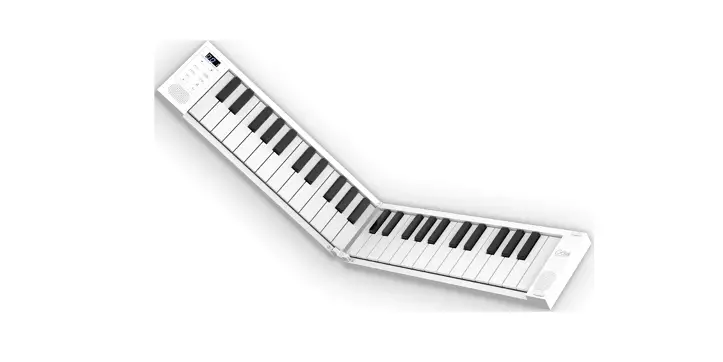
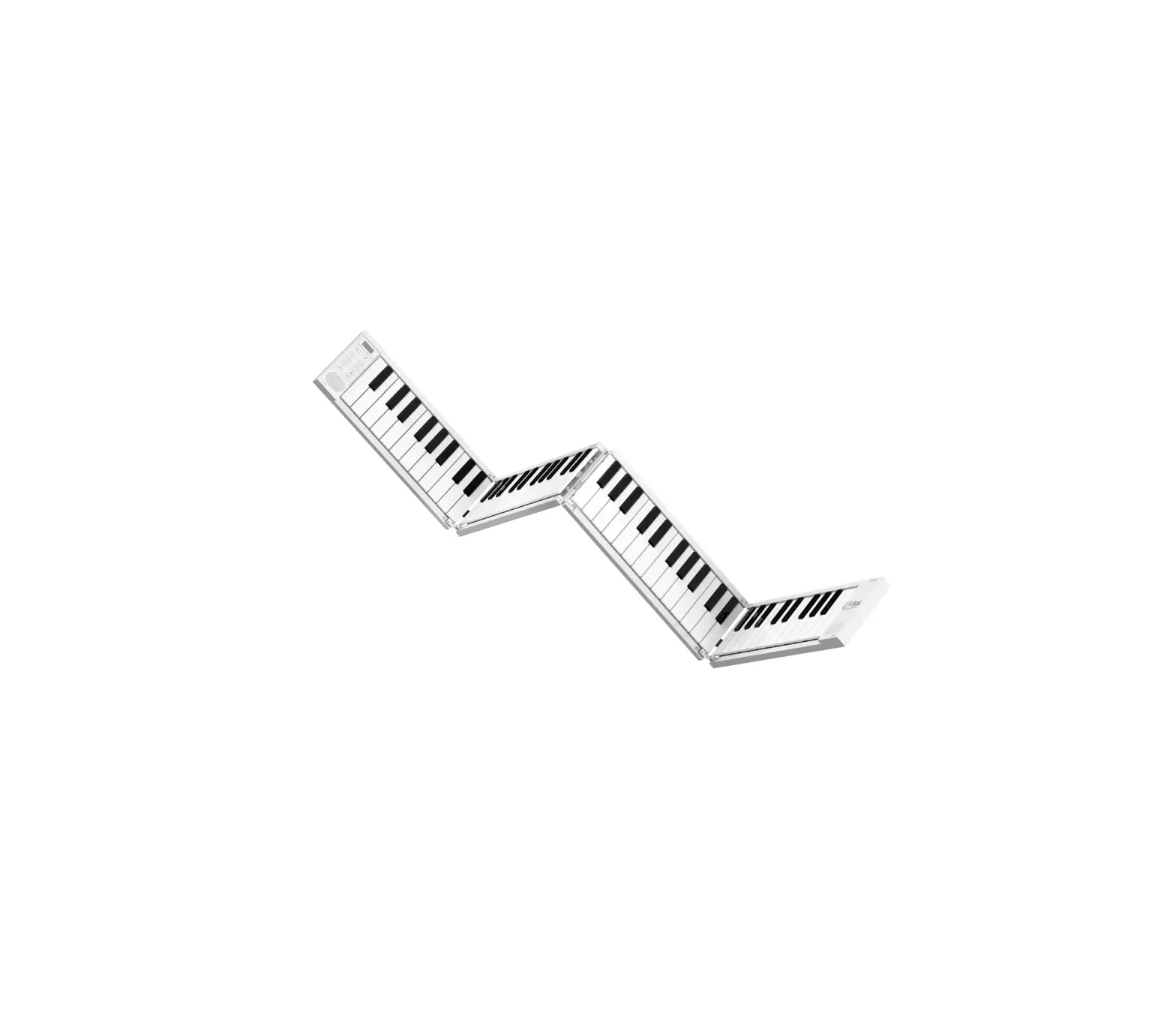
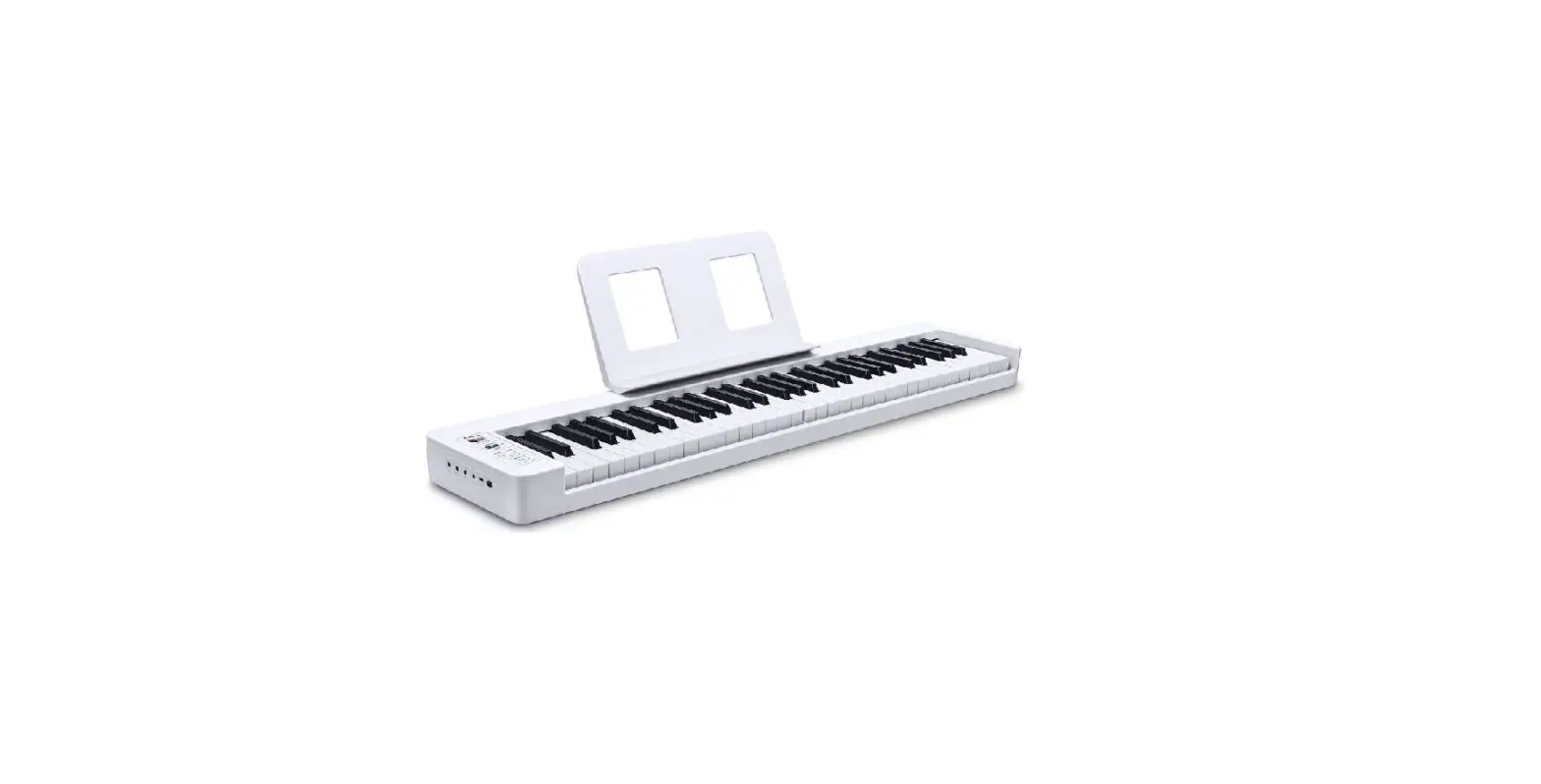
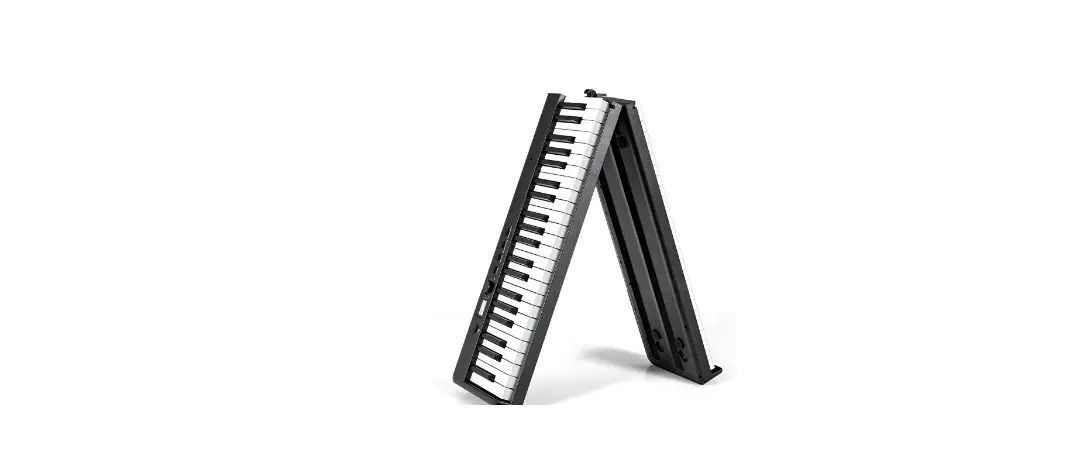
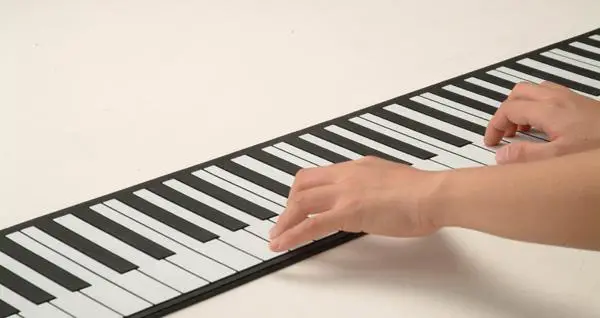
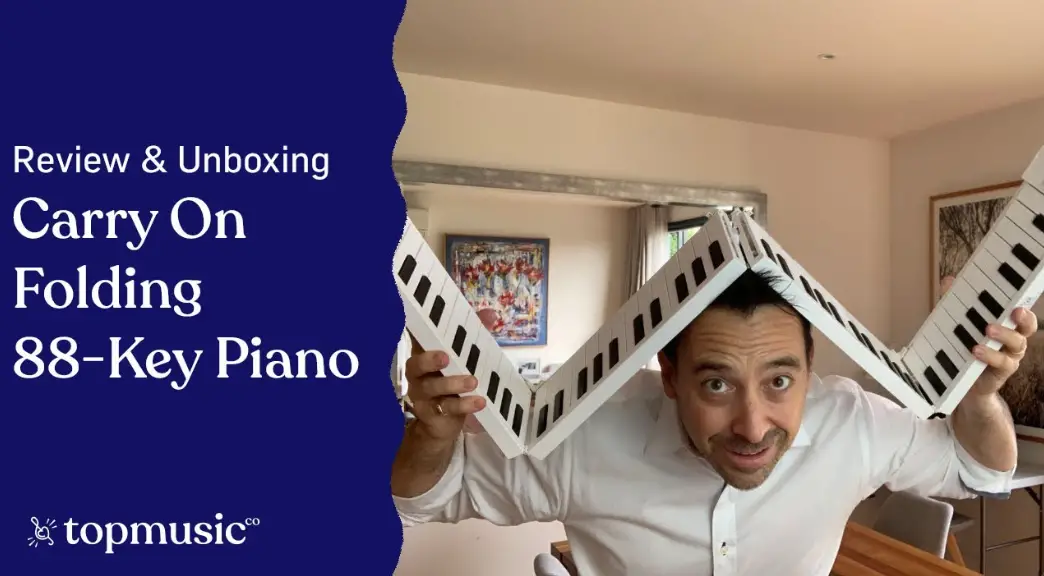
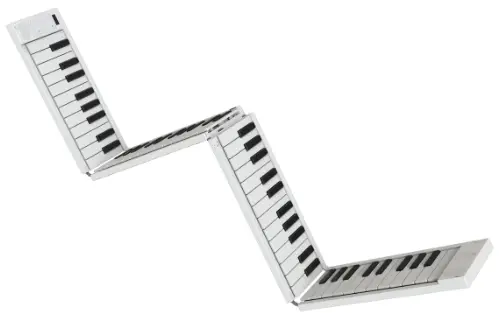
The Carry-on Folding Piano 88 TOUCH is a compact and portable piano that unfolds into a full-length 88-note piano, making it easy to play anywhere. It is designed in partnership with Blackstar Amplification UK and is an ideal tool for beginners, music educators, and traveling musicians. The piano has various functions, including voice selection, transposition, automatic accompaniment, and tempo adjustment.
Product Usage Instructions: Carry-on Folding Piano 88 TOUCH
Unfolding the Piano
Before unfolding the piano, make sure to place it on a flat surface to prevent damage.
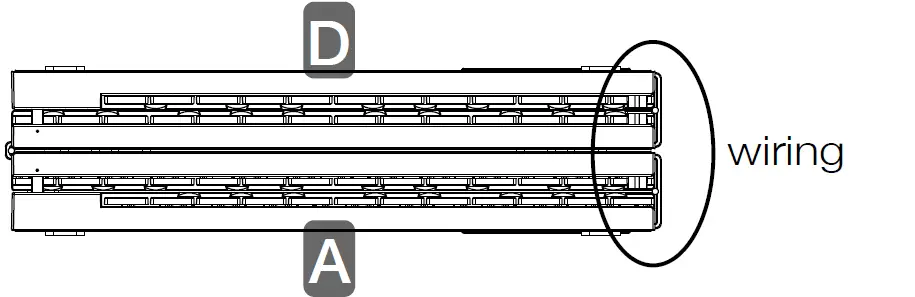
- Place the Folding Piano to the left of your flat playing surface, with the keys facing towards you and the wiring connector on the right side.
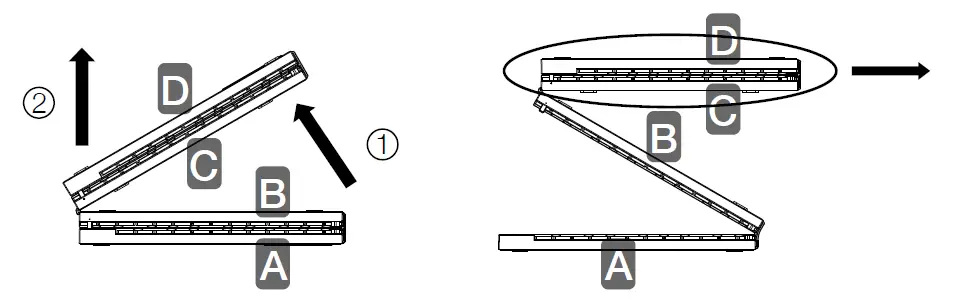
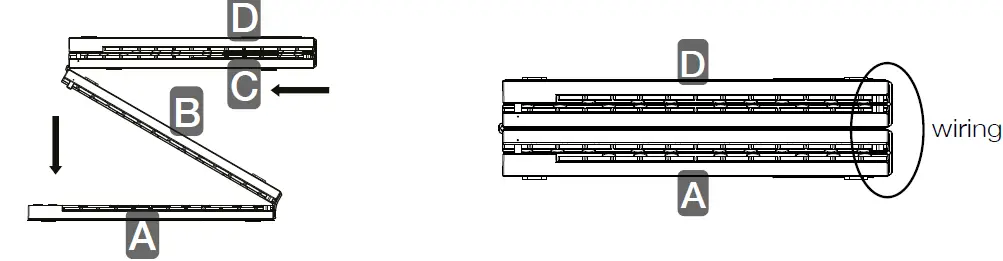
- Lift up parts C and D together, then lift up part B, move them towards the right and lay them flat as shown below.
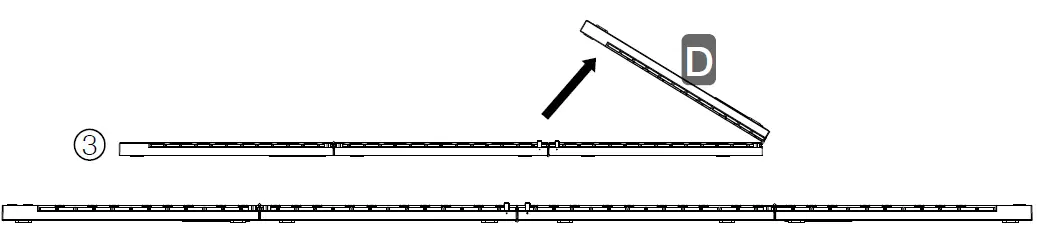
- Lift up the remaining section (part D), unfold it to the right and lay flat.
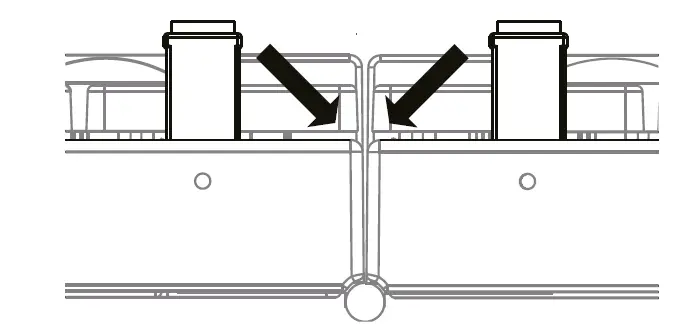
- Fold the supports down.
Your piano is now ready for use.
Folding the Piano
- Extend the two small fold-out supports located between sections B and C.
- Lift part D and fold on top of part C.
- Lift up parts C and D and fold over to part A.
Your piano is now safely folded for transport or storage.
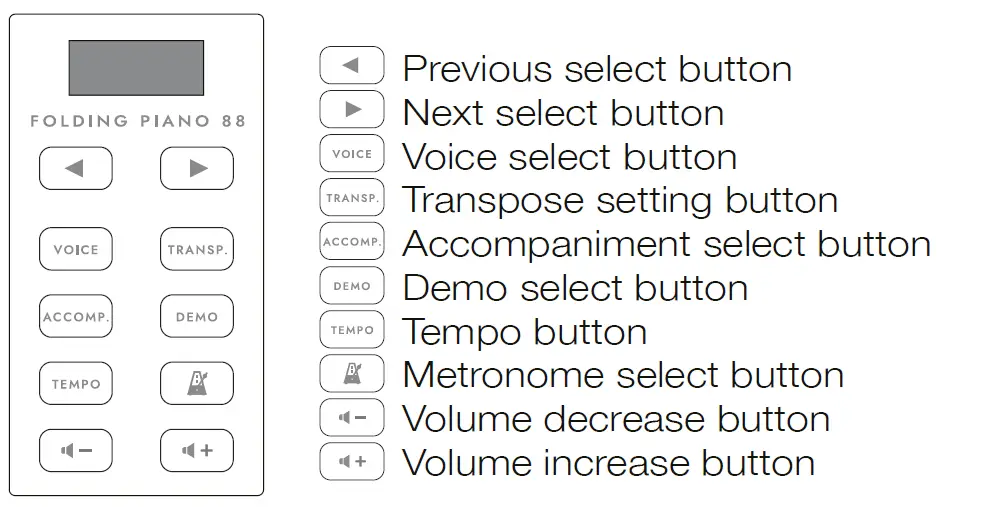
Front Panel Buttons
- Previous select button
- Next select button
- Voice select button
- Transpose setting button
- Accompaniment select button
- Demo select button
- Tempo button
- Metronome select button
- Volume decrease button
- Volume increase button
Rear Panel
- Sustain pedal socket: Used for connecting the supplied sustain pedal.
- Power switch: Turn the Piano On/Off.
- Micro USB port: Connect the supplied USB charging cable to power and charge the device. Connect to a USB port on your computer to use as a MIDI controller.
- Headphone: Connect headphones or a speaker with a quality screened cable (not supplied).
Instructions
- Power On/Off: Press
 button for 0.5s to turn on the power, long press button to turn off the power.
 - Voice selection: Press the VOICE button to enter the Voice selection menu. Use the arrow buttons to select the voice (see Voice table at end of Manual).
- Transpose: Press the TRANSP. button to enter the transposition menu. Use the arrow buttons to transpose up or down. Range: -6, +6 semitones.
- Play Accompaniment (automatic accompaniment): Press the ACCOMP. button to play the current selected rhythm. Use the arrow buttons to select the rhythm, then press any piano key from A0 to F#2 to play the automatic accompaniment. Press the ACCOMP. button again to stop the rhythm playing. Range: 1-128.
- Adjust the tempo of Accompaniment (automatic accompaniment) and Metronome: Press the TEMPO button to enter the tempo adjustment menu. Use the arrow buttons to adjust the tempo of the automatic accompaniment and demo songs. Range: 1-16 (30-180 BPM).
 button for 0.5s to turn on the power, long press
 Introduction
Congratulations on buying this Carry-on Folding Piano 88 TOUCH.
Your Folding Piano 88 TOUCH is compact, portable and unfolds into a full-length 88-note piano allowing you the freedom to play anywhere.
The Folding Piano 88 TOUCH is easy to use and is an ideal tool for beginners, music educators and travelling musicians. In order to utilize its many functions, please read this manual carefully before use and keep it safe for future reference.
Unfolding and folding instructions
How to unfold your Carry-on Folding Piano 88 TOUCH:
Important: Lay the piano on a flat surface before unfolding. To prevent damage, Do not unfold the Piano on an uneven surface.

- STEP 1:
Place the Folding Piano to the left of your flat playing surface, with the keys facing towards you and the wiring connector on the right side.
- STEP 2:
Lift up parts C and D together, then lift up part B, move them towards the right and lay them flat as shown below.
- STEP 3:
Lift up the remaining section (part D), unfold it to the right and lay flat.
- STEP 4:
Fold the supports down
Your piano is now ready for use.
How to fold your Carry-on Folding Piano 88 TOUCH:
- STEP 1:
Extend the two small fold-out supports located between sections B and C. Lift part D and fold on top of part C as shown.
- STEP 2:
Lift up parts C and D and fold over to part A. Your piano is now safely folded for transport or storage.

Front panel buttons
Rear panel
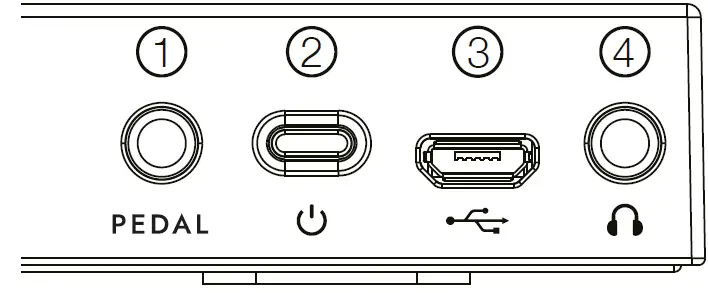
- Sustain pedal socket: Used for connecting the supplied sustain pedal.
- Power switch: Turn the Piano On/Off.
- Micro USB port: Connect the supplied USB charging cable to power and charge the device. Connect to a USB port on your computer to use as a MIDI controller.
- Headphone: Connect headphones or a speaker with a quality screened cable (not supplied).
Product Instructions
- Power On/Off
Press button for 0.5s to turn on the power, long press button to turn off the power. - Voice selection
Press the VOICE button to enter the Voice selection menu.
Use the arrow buttons to select the voice (see Voice table at end of Manual). - Transpose
Press the TRANSP. button to enter the transposition menu.
Use the arrow buttons to transpose up or down.
Range: -6, +6 semitones. - 4. Play Accompaniment (automatic accompaniment)
Press the ACCOMP. button to play the current selected rhythm. Use the arrow buttons to select the rhythm, then press any piano key from A0 to
F#2 to play the automatic accompaniment. Press the ACCOMP. button again to stop the rhythm playing. Range: 1-128. - Adjust the tempo of Accompaniment (automatic accompaniment) and Metronome
Press the TEMPO button to enter the tempo adjustment menu. Use the arrow buttons to adjust the tempo of the automatic accompaniment and demo songs. Range: 1-16 (30-180 BPM). - Play demo song
Press the DEMO button to play the current selected demo song. Use the arrow buttons to select the demo song. Press the DEMO button again to stop the demo song playing. Range: 1-30. - Metronome
Press the METRONOME button to turn on the metronome. Use the arrow buttons to adjust the accent of the Metronome. Press the METRONOME button again to turn off the metronome.1 No accent 2 2/4 3 3/4 4 4/4 5 5/4 6 6/4 - Adjust volume
Press the VOLUME DOWN button to turn down the volume. Press the VOLUME UP button to turn up the volume. Range: 0-10.
Charging instructions
- The Carry-on Folding Piano 88 TOUCH’s built-in rechargeable lithium battery can provide up to 8 hours of normal performance when fully charged.
- The Carry-on Folding Piano 88 TOUCH is powered or charged
via the Micro USB port and a suitable 5V connected power supply. - When the battery power is low, the screen will blink once per second, and will then turn off after 3 minutes (unless a power supply is connected).
- Continual use of the Carry-on Folding Piano 88 TOUCH while the battery power is low may impair its performance and can decrease the life-span of the battery. Please connect and charge the piano with a suitable power supply immediately.
- While the Carry-on Folding Piano 88 TOUCH is charging,
three flashing indicators will appear at the bottom of the screen. The three indicators will stop flashing once the piano is fully charged. - To save power, the Carry-on Folding Piano 88 TOUCH will automatically turn off after 30 minutes of no operation. Unplug the charging cable when the Carry-on Folding Piano 88 TOUCH will not be used for a long period of time or during a thunderstorm.
Bluetooth® pairing instructions
Your Carry-on Folding Piano 88 TOUCH has MIDI over Bluetooth. When switched on it will automatically be in pairing mode.
To connect your mobile device to your instrument, please do not try to connect through your standard Bluetooth settings, instead you will need to connect via your chosen music app to pair with your device. Go to the Settings menu in your chosen music app to pair with your smartphone. Using Garage band as an example, go to:
Settings – Advanced – Bluetooth MIDI Devices – Find ‘FOLDING PIANO TOUCH’ in the Devices list and tap to pair.
WARNING!
In order to avoid electric shock, short circuit, accidents, fire, or other hazards, please pay attention to the following important information:
Please do not open the Carry-on Folding Piano 88 TOUCH, disassemble its parts or make any changes to the internal components. This product has no parts that can be repaired or altered by users themselves (the Carry-on Folding Piano 88 TOUCH has its own tuning stability system, which never needs tuning).
If you notice abnormal behavior in your Carry-on Folding Piano 88 TOUCH’s functions, please contact an official service center.
Please keep your Carry-on Folding Piano 88 TOUCH away from rain, water, or any other wet environment.
Do not place containers of liquids on top of your Carry-on Folding Piano 88 TOUCH as accidental spillage may cause damage.
If the charging cable or plug is worn or damaged, if there is a sudden power failure during use, or if there is an abnormal smell or smoke from your Carry-on Folding Piano 88 TOUCH, you should turn off the power and unplug the charging cable immediately.
Before cleaning your Carry-on Folding Piano 88 TOUCH, turn off the power and unplug it. Do not clean your Carry-on Folding Piano 88 TOUCH with a corrosive solvent.
Ensure that the internal battery pack is not exposed to excessive heat. Keep away from fire, hot surfaces, direct sunlight or other ignition sources.
If the product freezes due to static electricity, restart the machine manually.
Precautions
The following, but not limited to, precautions should always be observed at all times to avoid possible injury to the user or others, as well as possible damage to the Carry-on Folding Piano 88 TOUCH or other external equipment:
- Do not over bend the charging cable, do not place heavy objects on the charging cable, do not place the charging cable in a place where people can pass, and do not wrap the charging cable around other objects to avoid damaging the charging cable.
- When unplugging the charging cable, hold the plug itself instead of pulling the wire.
- The charging cable should be removed when the Carry-on Folding Piano 88 is not in use for a long time, or during thunder storms.
- Do not place the Carry-on Folding Piano 88 TOUCH in dusty, vibrating, cold or hot conditions (such as direct sunlight or transportation in the sun) to avoid damage to the appearance and internal components of the Carry-on Folding Piano 88 TOUCH.
- Before moving the Carry-on Folding Piano 88 TOUCH, unplug the charging cable and all cables from it to other equipment.
- When cleaning the Carry-on Folding Piano 88 TOUCH, wipe it with a soft and dry fabric. Do not use a cloth soaked in paint thinners, organic solvents, cleaning agents, or other corrosive chemicals to wipe the Carry-on Folding Piano 88 TOUCH, to avoid fading the panel or keyboard.
- When turning on the instrument, first set the volume to the minimum and then gradually increase the volume until it is suitable.
- Do not place the Carry-on Folding Piano 88 TOUCH near other electrical appliances, such as a TV, radio, etc. Placing the piano near other electrical appliances may cause mutual interference between them.
- Do not put the Carry-on Folding Piano 88 TOUCH on an unstable surface, so as not to cause damage.
- Do not place heavy objects on the Carry-on Folding Piano 88 TOUCH or use excessive force to press keys or toggle control switches.
- If you use an unreasonably high volume for a long time, it may cause hearing damage or damage to the speakers.
- Avoid strong collisions and shaking of the Carry-on Folding Piano 88 TOUCH, as they may cause damage to the Carry-on Folding Piano 88 TOUCH and cause personal injury.
- Avoid use in areas where the piano is uneven, to avoid damage.
- Before using a charger to power this product, check the charger carefully for breakage, tearing, stripped wires, and any other damage.
- Children under 3 years old should not use this product.
Specifications
- Keyboard: 88 note standard keyboard
- Voice: 128
- Accompaniments: 128
- Transpose: -6, +6 semitones
- Demo songs: 30
- Tempo adjustment: 1-16
- Metronome: 1-6
- Volume adjustment: 0-10
- Display: digital display
- Speakers: 2 x 2W (stereo)
- Power: Built-in rechargeable battery (1000 mAh) can provide up to 8 hours of normal use when fully charged
- Connections: Micro USB, 3.5mm headphone output, sustain pedal input
- Dimensions: 331mm x 126mm x 85mm (Folded), 1324mm x 126mm x 21mm (Expanded)
- Net weight: 1.6kg
What’s in the box
- Carry-on Folding Piano 88 TOUCH
- Owner’s Manual
- Micro USB charging cable
- Sustain pedal
- Carry bag
Voice List
| Num. | Voice name | Num. | Voice name | Num. | Voice name | Num. | Voice name |
| 1. | Piano 1 | 33. | Acoustic Bass | 65. | Soprano Sax | 97. | FX 1 (Rain) |
| 2. | Piano 2 | 34. | Electric Bass (Finger) | 66. | Alto Sax | 98. | FX 2 (Sound-track) |
| 3. | Piano 3 | 35. | Electric Bass (Pick) | 67. | Tenor Sax | 99. | FX 3 (Crystal) |
| 4. | Honky-Tonk Piano | 36. | Fretless Bass | 68. | Baritone Sax | 100. | FX 4 (Atmo-sphere) |
| 5. | Rhodes Piano | 37. | Slap Bass 1 | 69. | Oboe | 101. | FX 5 (Bright-ness) |
| 6. | Chorused Piano | 38. | Slap Bass 2 | 70. | English Horn | 102. | FX 6 (Goblins) |
| 7. | Harpsichord | 39. | Synth Bass 1 | 71. | Bassoon | 103. | FX 7 (Echoes) |
| 8. | Clavinet | 40. | Synth Bass 2 | 72. | Clarinet | 104. | FX 8 (Sci-fi) |
| 9. | Celesta | 41. | Violin | 73. | Piccolo | 105. | Sitar |
| 10. | Glockenspiel | 42. | Viola | 74. | Flute | 106. | Banjo |
| 11. | Music Box | 43. | Cello | 75. | Recorder | 107. | Shamisen |
| 12. | Vibraphone | 44. | Contrabass | 76. | Pan Flute | 108. | Koto |
| 13. | Marimba | 45. | Tremolo Strings | 77. | Bottle Blow | 109. | Kalimba |
| 14. | Xylophone | 46. | Pizzicato Strings | 78. | Shakuhachi | 110. | Bagpipes |
| 15. | Tubular Bells | 47. | Orchestral Harp | 79. | Whistle | 111. | Fiddle |
| 16. | Santur | 48. | Timpani | 80. | Ocarina | 112. | Shanai |
| 17. | Hammond Organ | 49. | String Ensemble 1 | 81. | Lead 1 (Square) | 113. | Tinkle Bell |
| 18. | Percussive Organ | 50. | String Ensemble 2 | 82. | Lead 2 (Sawtooth) | 114. | Agogo |
| 19. | Rock Organ | 51. | Synth Strings 1 | 83. | Lead 3 (Calliope Lead) | 115. | Steel Drums |
| 20. | Church Organ | 52. | Synth Strings 2 | 84. | Lead 4 (Chiff Lead) | 116. | Woodblock |
| 21. | Reed Organ | 53. | Choir Aahs | 85. | Lead 5 (Brass) | 117. | Taiko Drum |
| 22. | Accordion | 54. | Voice Oohs | 86. | Lead 6 (Voice) | 118. | Melodic Tom |
| 23. | Harmonica | 55. | Synth Voice | 87. | Lead 7 (Fifths) | 119. | Synth Drum |
| 24. | Bandoneon | 56. | Orchestra Hit | 88. | Lead 8 (Bass + Lead) | 120. | Reverse Cymbal |
| 25. | Acoustic Guitar (Nylon) | 57. | Trumpet | 89. | Pad 1 (New Age) | 121. | Guitar Fret Noise |
| 26. | Acoustic Guitar (Steel) | 58. | Trombone | 90. | Pad 2 (Warm) | 122. | Breath Noise |
| 27. | Electric Guitar (Jazz) | 59. | Tuba | 91. | Pad 3 (Polysynth) | 123. | Seashore |
| 28. | Electric Guitar (Clean) | 60. | Muted Trumpet | 92. | Pad 4 (Choir) | 124. | Bird Tweet |
| 29. | Electric Guitar (Muted) | 61. | French Horn | 93. | Pad 5 (Bowed) | 125. | Telephone Ring |
| 30. | Overdriven Guitar | 62. | Brass Section | 94. | Pad 6 (Metallic) | 126. | Helicopter |
| 31. | Distortion Guitar | 63. | Synth Brass 1 | 95. | Pad 7 (Halo) | 127. | Applause |
| 32. | Guitar Harmonics | 64. | Synth Brass 2 | 96. | Pad 8 (Sweep) | 128. | Gun Shot |
Style List
| Num. | Style name | Num. | Style name | Num. | Style name | Num. | Style name |
| 1. | Beguine Swing 1 | 33. | 8 bit 2 | 65. | Boogie 3 | 97. | Dance 1 |
| 2. | Beguine 1 | 34. | 16 bit 1 | 66. | Shuffle 1 | 98. | Dance 2 |
| 3. | Beguine 2 | 35. | Offbeat Bounce | 67. | Shuffle 2 | 99. | Dance 3 |
| 4. | Pop Hit | 36. | Ballad 16T | 68. | Dream Shuffle | 100. | Rap |
| 5. | Pop | 37. | Country 16T | 69. | Country Shuffle | 101. | The Village |
| 6. | Pop Medley | 38. | Tango 1 | 70. | Quick Shuffle | 102. | Country Shuffle |
| 7. | Bossa Nova | 39. | Tango 2 | 71. | Reggae Shuffle | 103. | Electric Keys |
| 8. | Disco 1 | 40. | Polka 1 | 72. | R&B | 104. | Dark Keys |
| 9. | Disco 2 | 41. | Polka 2 | 73. | Reggae Pulse | 105. | Easy Walk |
| 10. | Bluegrass Disco | 42. | Pop Swing | 74. | Reggae 1 | 106. | Destiny |
| 11. | Waltz 1 | 43. | Easy Swing | 75. | Reggae 2 | 107. | Comedy |
| 12. | Waltz 2 | 44. | Soft Swing | 76. | Salsa 1 | 108. | Drive |
| 13. | True Ballad Waltz | 45. | Rock 1 | 77. | Salsa 2 | 109. | Liquid Nova |
| 14. | Ballroom Waltz | 46. | Rock 2 | 78. | Salsa 3 | 110. | Folk |
| 15. | Easy Waltz | 47. | Rock 3 | 79. | Techno 1 | 111. | Slow Pure |
| 16. | Shuffle Waltz | 48. | Airy Rock | 80. | Techno 2 | 112. | Simple Jam |
| 17. | Reggae Waltz | 49. | Heart Rock | 81. | Funky 1 | 113. | Synth Ethix |
| 18. | Rhumba Waltz | 50. | Rock & Roll | 82. | Funky 2 | 114. | Feel |
| 19. | March 1 | 51. | Funk Rock | 83. | Dixie 1 | 115. | Accelerate |
| 20. | March 2 | 52. | Ballad | 84. | Dixie 2 | 116. | Beach Night |
| 21. | Rhumba 1 | 53. | Jazz Ballad | 85. | Foxtrot 1 | 117. | Irish |
| 22. | Rhumba 2 | 54. | C. Ballad | 86. | Foxtrot 2 | 118. | Tarantella |
| 23. | Slow 1 | 55. | J. Ballad | 87. | R. Roll 1 | 119. | Big Band |
| 24. | Slow 2 | 56. | Slow Ballad | 88. | R. Roll 2 | 120. | Dandut |
| 25. | Cha Cha | 57. | Piano Ballad | 89. | Fast Beat | 121. | Fusion |
| 26. | Woodwind Cha Cha | 58. | S. Ballad | 90. | Quick Beat | 122. | Horse 2 |
| 27. | Charleston | 59. | 8 Bar Blues | 91. | Smooth Beat | 123. | Polka |
| 28. | Samba 1 | 60. | Happy Blues | 92. | Square Beat | 124. | Latin |
| 29. | Samba 2 | 61. | Old Blues | 93. | Euro Beat | 125. | Mambo |
| 30. | Retro Circus | 62. | Bluegrass | 94. | Alpha Dance | 126. | New Age |
| 31. | 8 bit | 63. | Boogie 1 | 95. | Beta Dance | 127. | Playful |
| 32. | Pina Colada | 64. | Boogie 2 | 96. | Dream Dance | 128. | Soul |
Demo Song List
| Num. | Song name | Num. | Song name | Num. | Song name | Num. | Song name |
| 1. | Back To My Heart | 9. | Thank You For The Flowers | 17. | Step It Up | 25. | Iron Dragonfly |
| 2. | Dusty | 10. | Afternoon Drive | 18. | Blue | 26. | Wind Tether |
| 3. | Ripples | 11. | Cafe Unknown | 19. | Sky Lullaby | 27. | Twilight Courtyard |
| 4. | Adrift | 12. | I’m With You | 20. | In The Study | 28. | Spirals |
| 5. | Water Steel | 13. | Coco Island | 21. | Village Of The Sun | 29. | Summer Breeze |
| 6. | Lead The Way | 14. | Rainy Colours | 22. | Through The Ages | 30. | Moonlight Lullaby |
| 7. | Between Sea And Sky | 15. | Rolling Thunder | 23. | Pink Cyan | ||
| 8. | Ode To Dusk | 16. | Jamais Vu | 24. | Time |
Tempo
| 1. | 30bpm | 5. | 70bpm | 9. | 110bpm | 13. | 150bpm |
| 2. | 40bpm | 6. | 80bpm | 10. | 120bpm | 14. | 160bpm |
| 3. | 50bpm | 7. | 90bpm | 11. | 130bpm | 15. | 170bpm |
| 4. | 60bpm | 8. | 100bpm | 12. | 140bpm | 16. | 180bpm |
Blackstar Amplification Ltd, Beckett House, 14 Billing Road, Northampton, NN1 5AW, UK
For the latest information go to: www.carryonpiano.com
Whilst the information contained herein is correct at the time of publication, due to our policy of constant improvement and development, Blackstar Amplification Ltd reserves the right to alter specifications without prior notice.
 carryonpiano.com