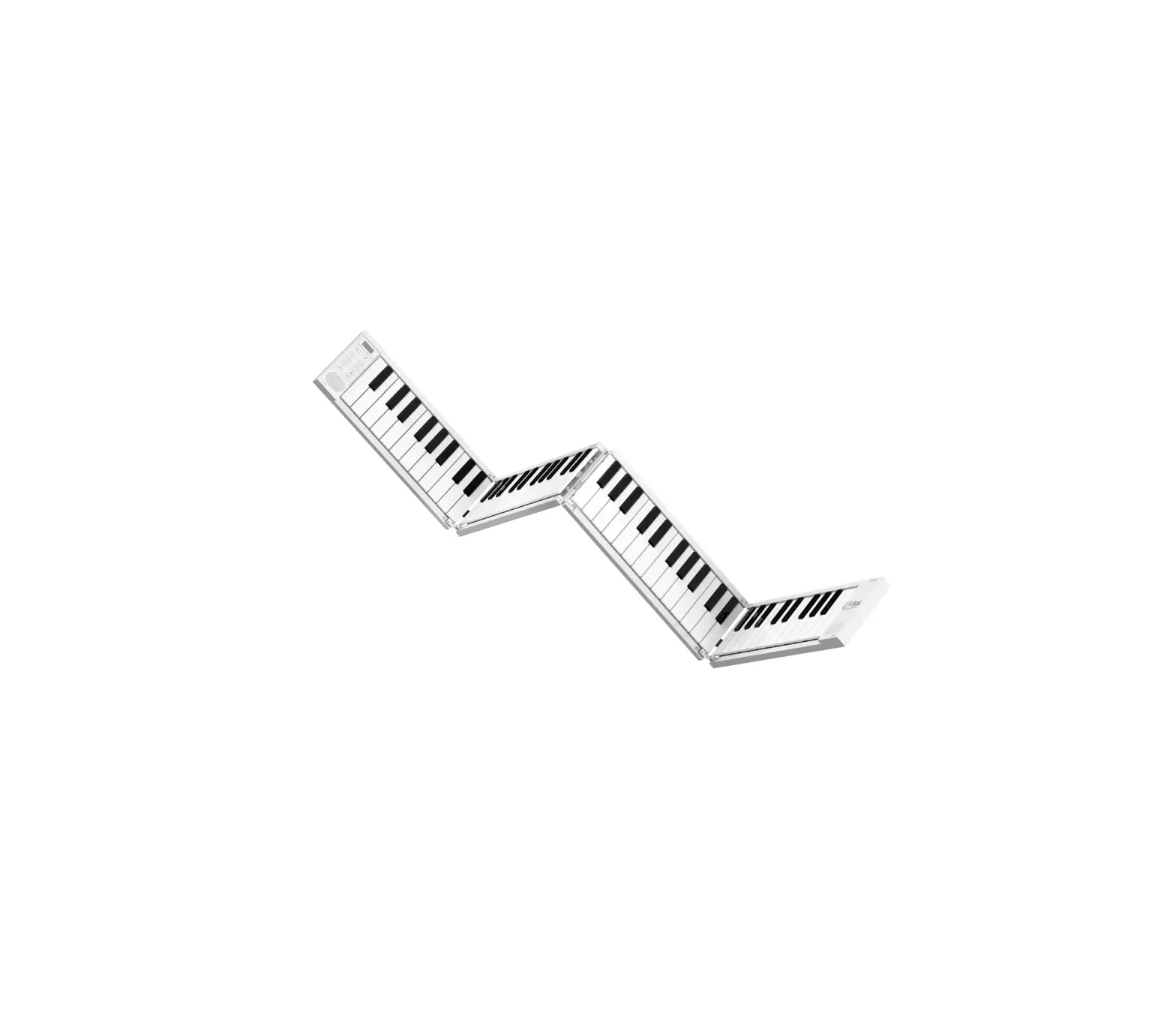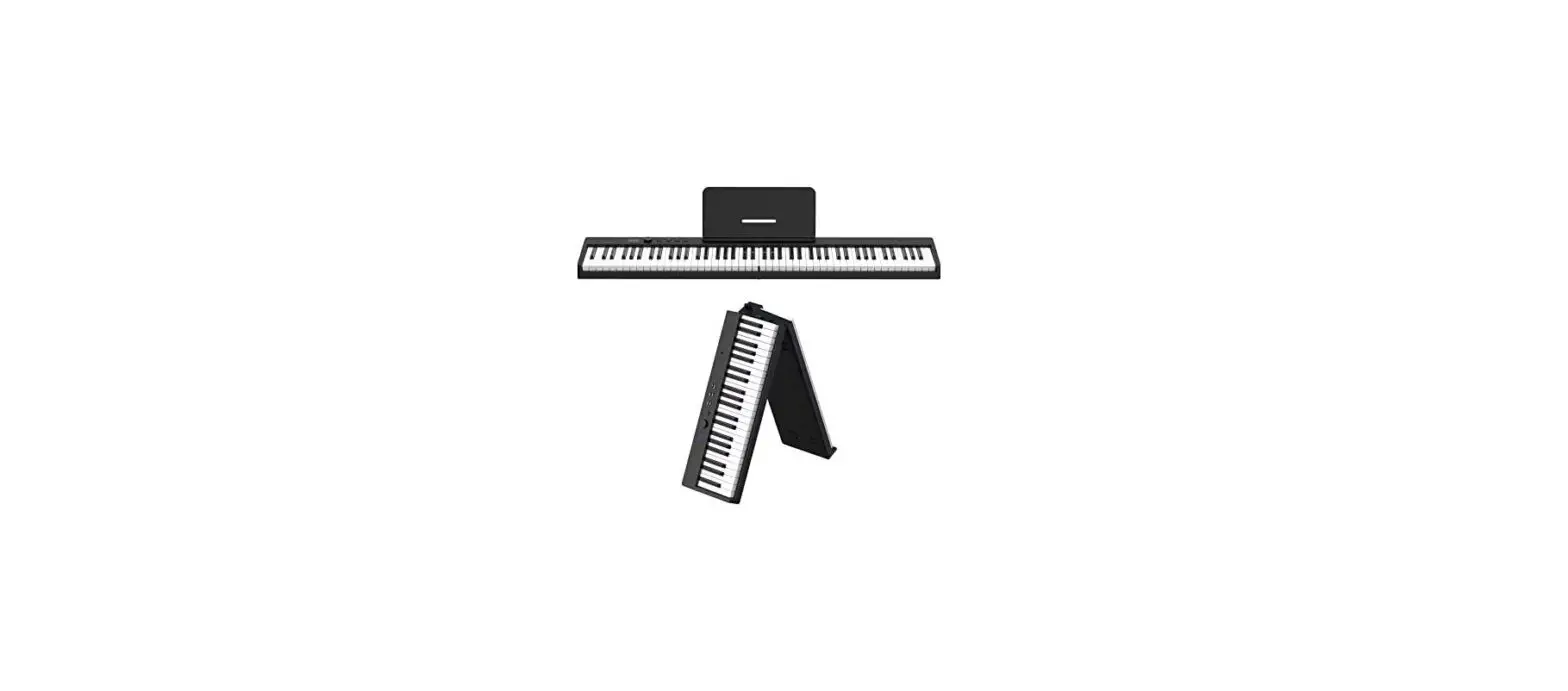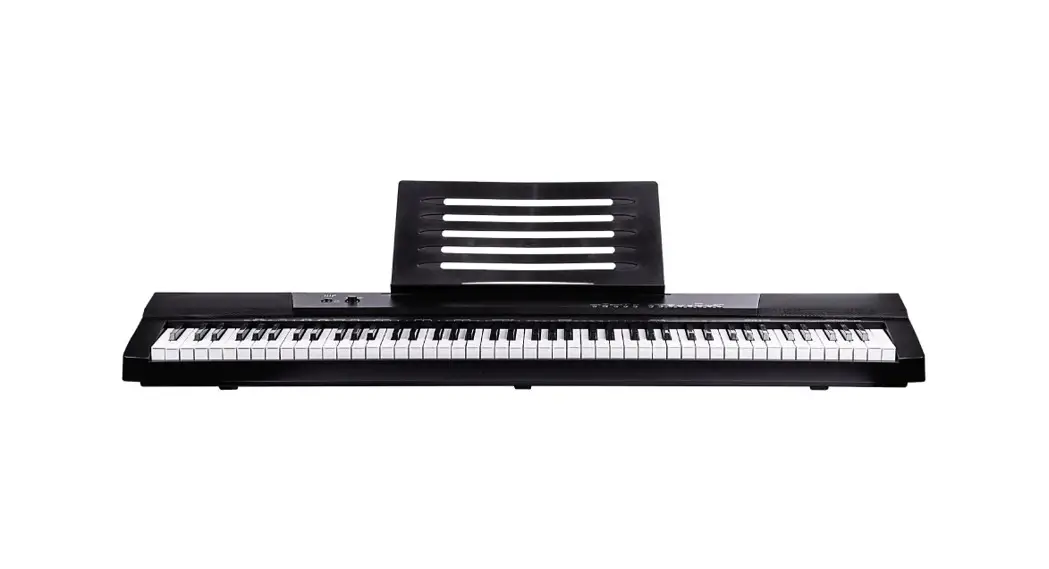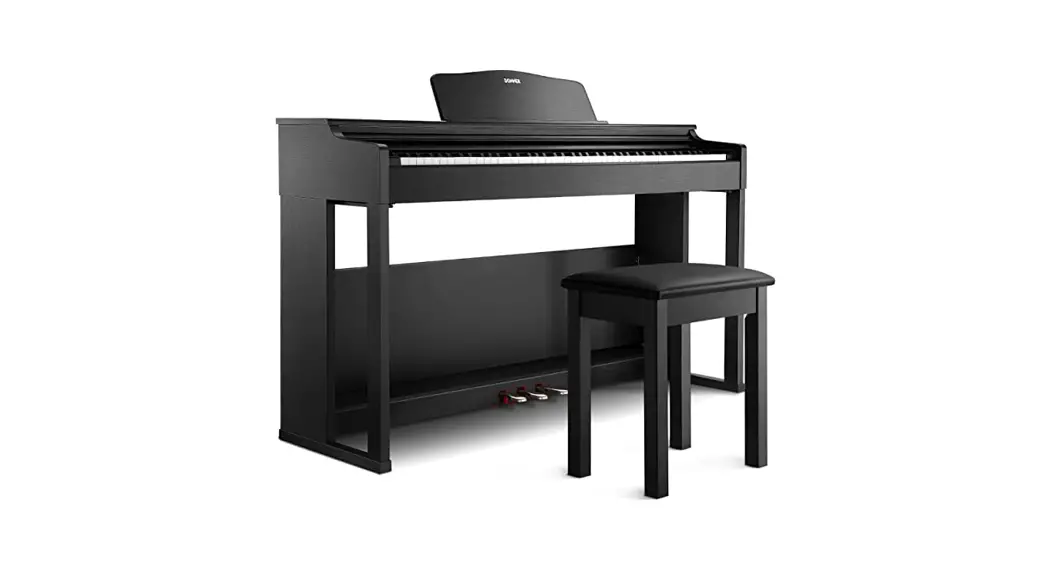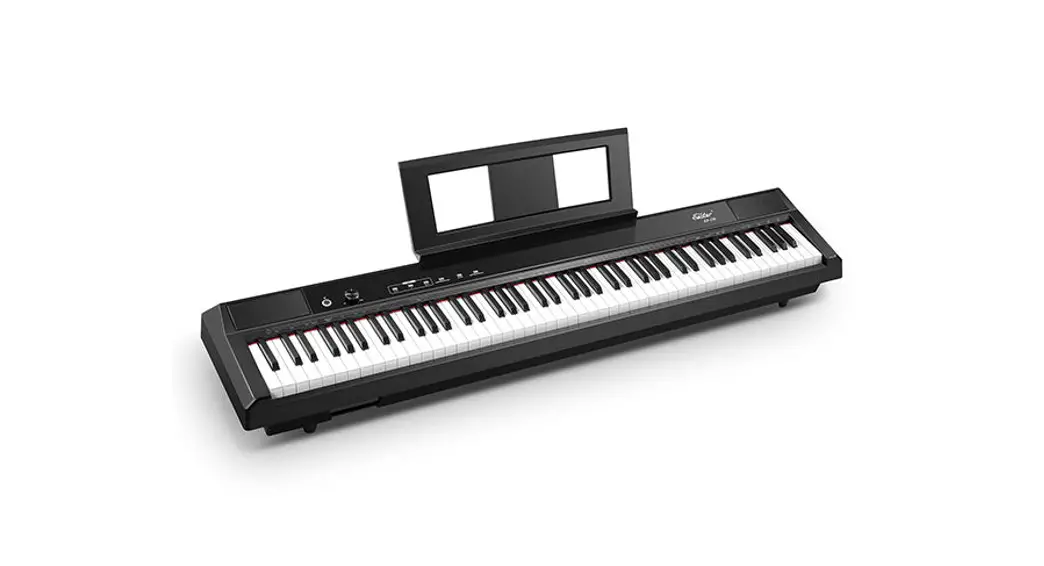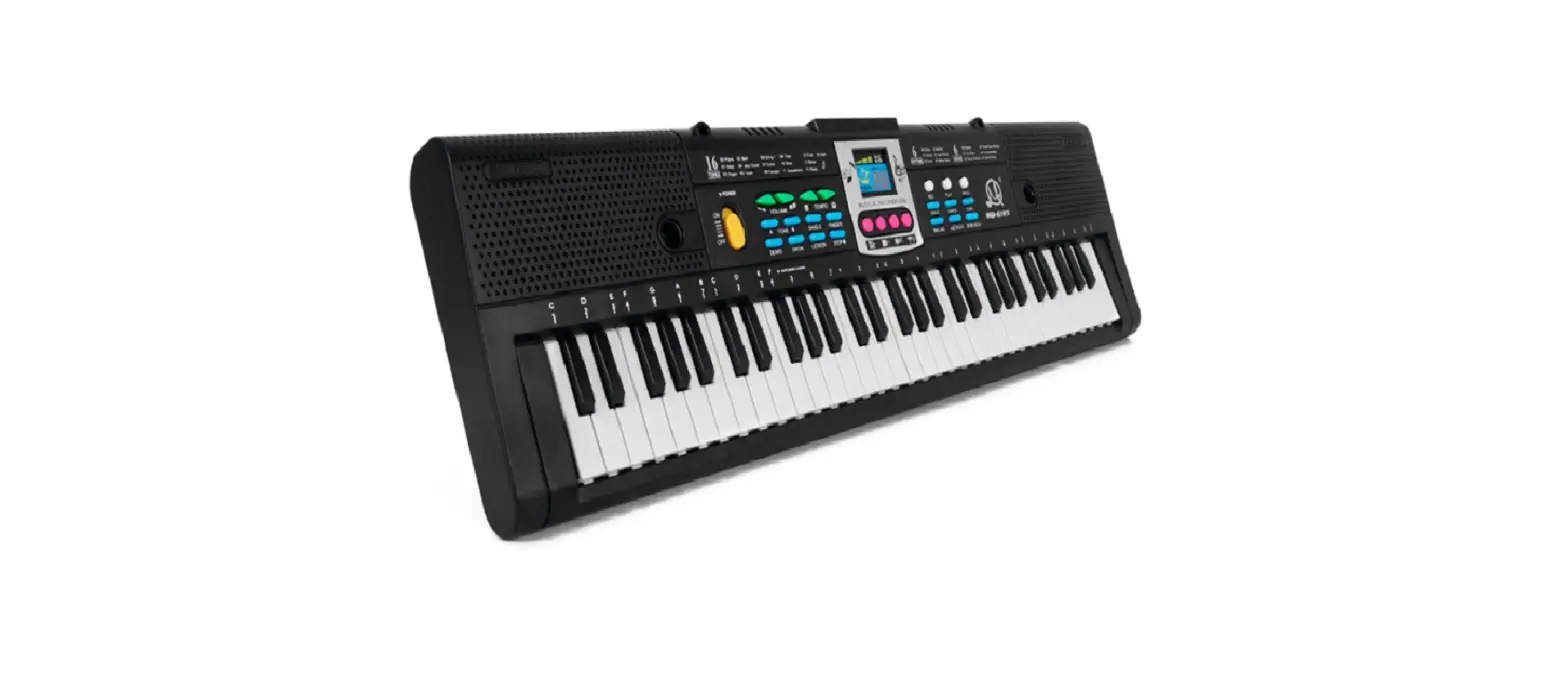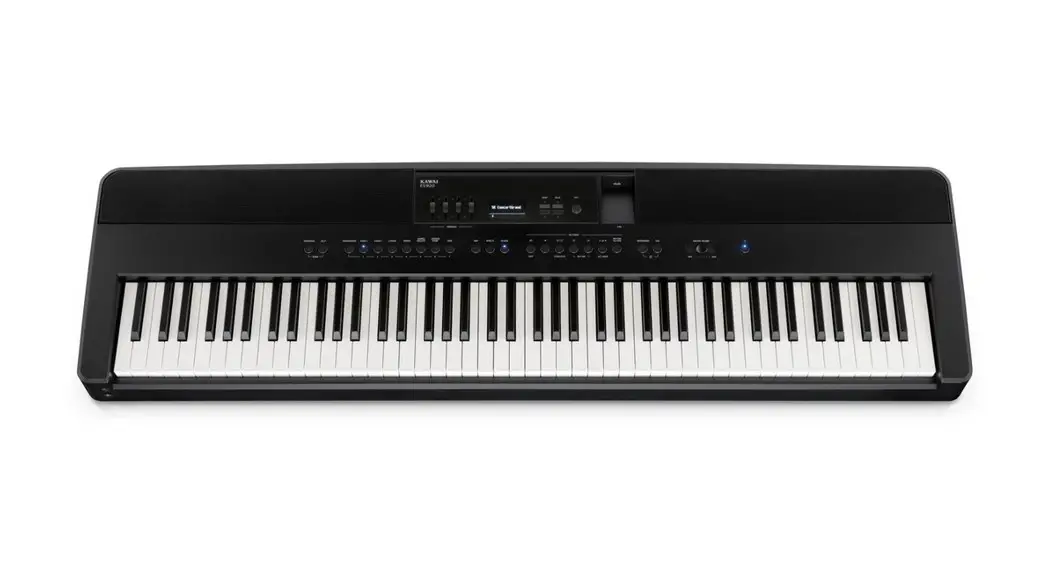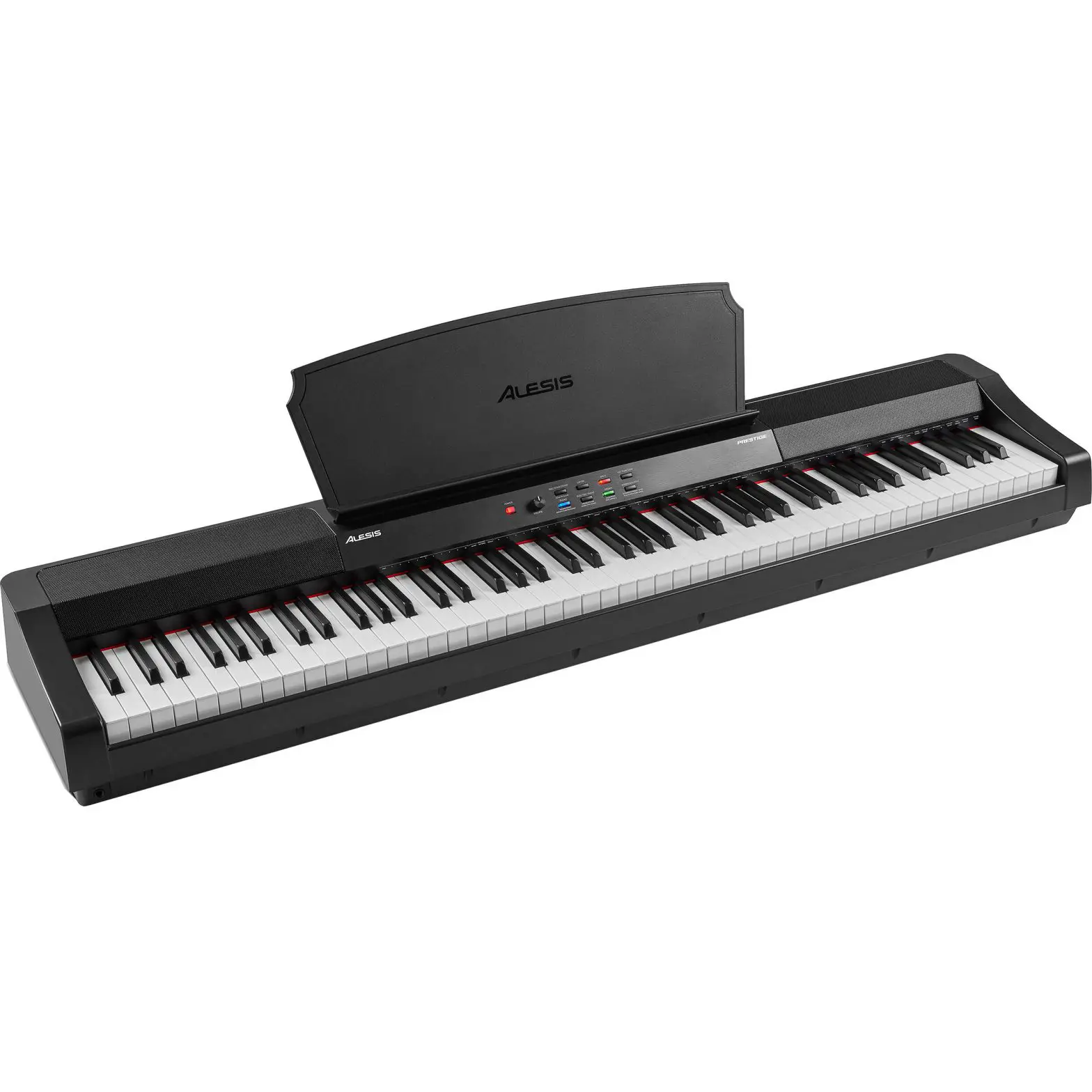

DIGITAL PIANO
Operation Instructions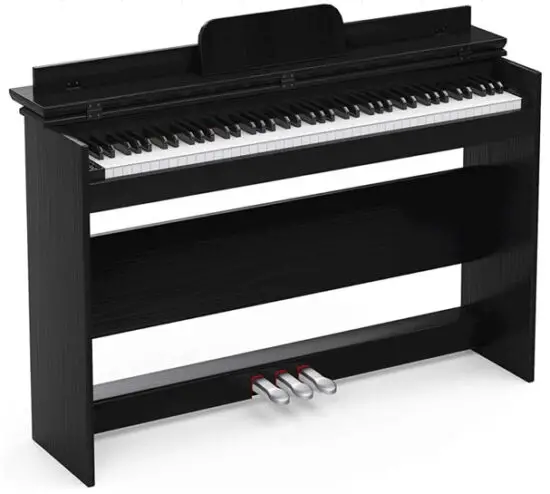 This product is subject to change without notice!
FEATURES
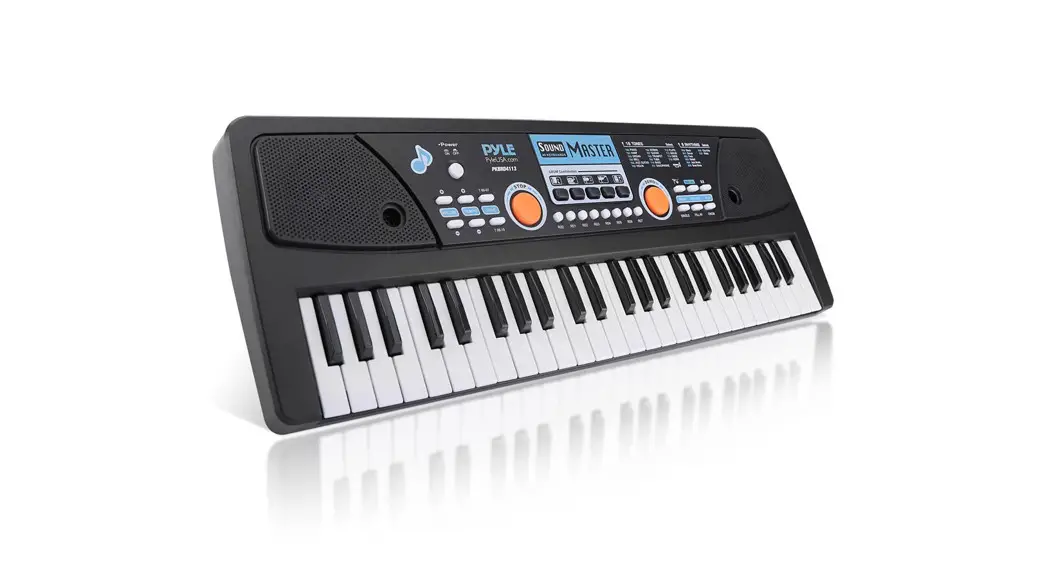
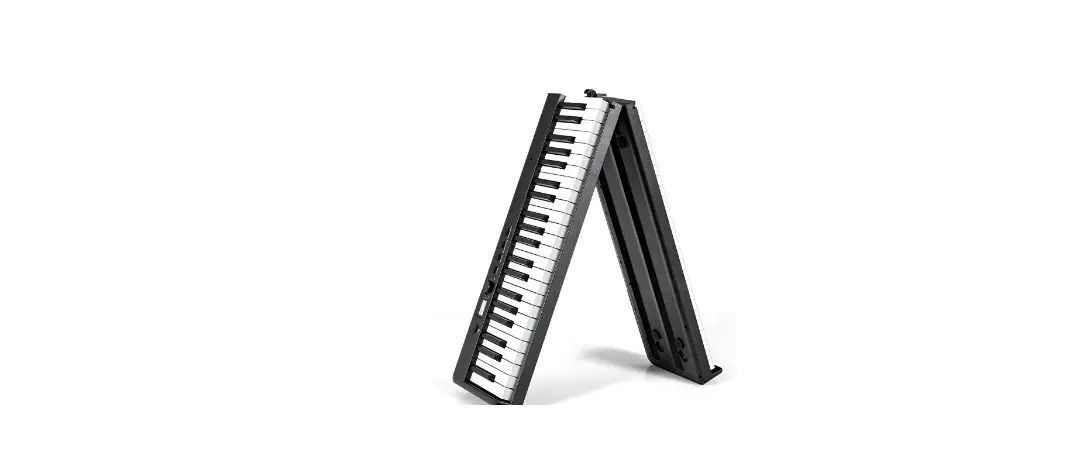
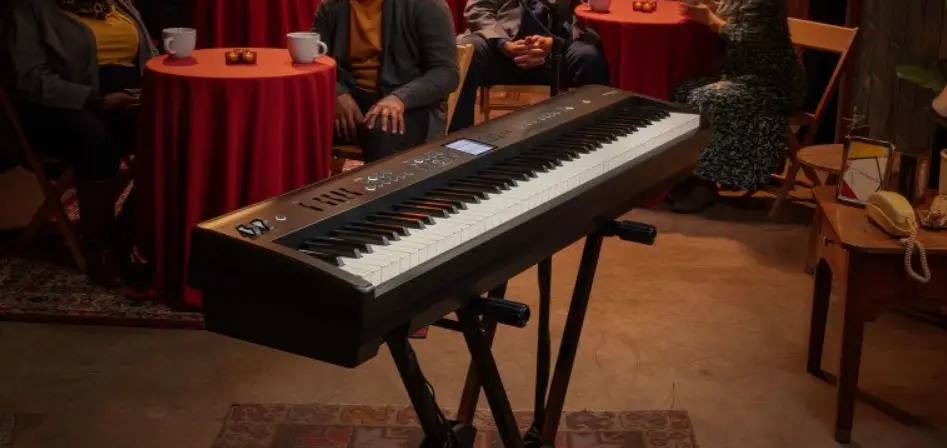
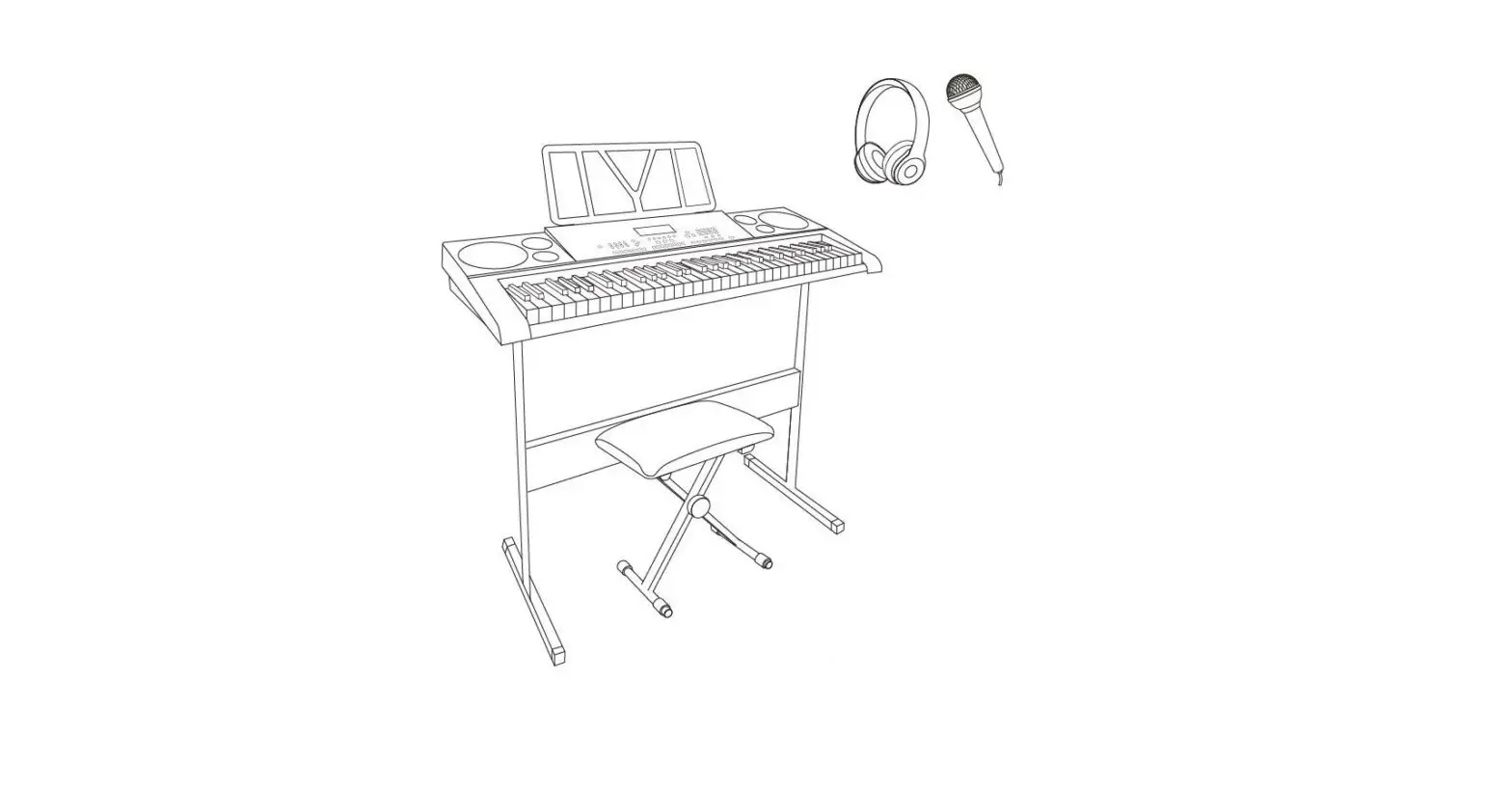
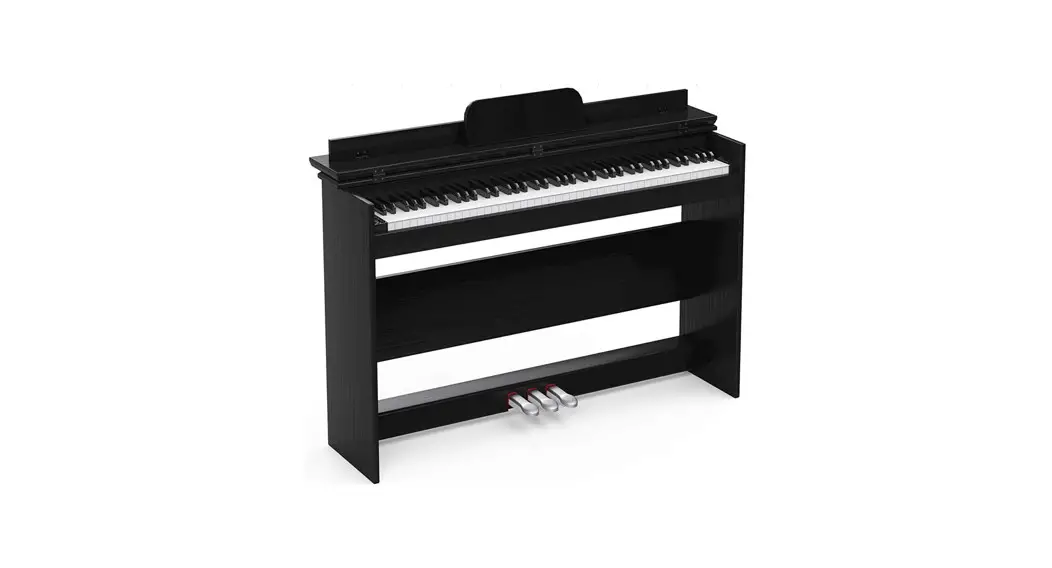
Thank you for choosing and purchasing this digital piano. This digital piano is elegant and exquisite, and it is the perfect combination of the latest electronic technology in the contemporary era.
♦ This manual must be read in detail before using this instrument.
♦ Please be sure to keep all user documents ki good custody so that they can be consulted when needed in the future. Using DREAM sound source
Its core uses the French DREAM top sound source, the digital sampling, which brings a lifelike auditory experience to your performance.88 progressive heavy hammer keys
The 88-key progressive lever hammer keyboard gives you the real touch of playing co the grand piano. Headphone Jack
External double headphone Jack. can be easily played without affecting others. REMIND:
This product is an electronic acoustic music product. It is normal that there is a Mlle current sound in the horn (two speakers or one of them, or headphones) after power on. Please keep away from ‘the radio. television. antenna receiver, router, refrigerator. televisions electrical appliances with motor and other RF electrical interference sources” during use.
JACK SOCKET
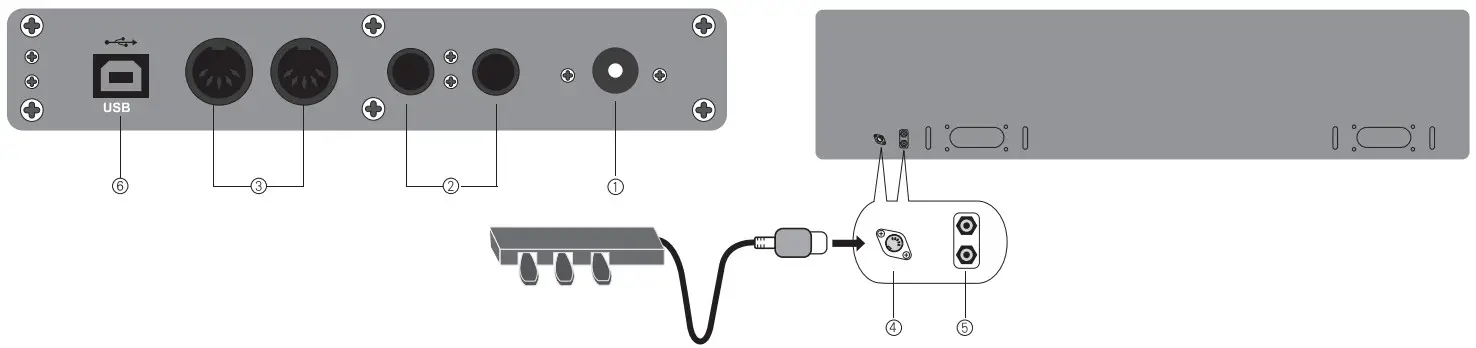
1. Power Cord Connection
- When using, connect the power cord as shown in the figure, insert one end into the electrical socket in the operation panel at the bottom of the piano, and the other end into the 220V household power socket. (Fig. 1)
- If you do not use this product for a long time, please pull out the power cord plug and keep it properly.
2. Audio input/output plug
- The audio output sockets can be connected to large speaker equipment. (Fig.2)
- The audio input socket connects the external sound source to the electric piano for playback. (Fig. 2)
3. MIDI input/output socket
The MIDI interface of the digital piano can be used to interact with the music device with MIDI. Through the music software pre-installed on the computer and tablet, we can learn or play the keyboard to perform, compose, store, and other functions. (Fig.3)
4. pedal Jack
The foot pedal connector is located on the bottom left of the piano. Insert the pedal wire end plug into the circular socket at the bottom of the piano, and you can connect three kinds of pedal sound effect functions! The order is: weak tone, delayed sound, delayed sound. (Fig.4)
5. Double headphone Jack
The headphone jack is located on the bottom left side of the piano. Connecting headphones will automatically cut off the output of the built-in speakers of the electronic organ so that you don’t bother others while playing. There are two headphone sockets in this product, which can be inserted into two headphones at the same time. (Fig.5)
6. USB Transport interface
Using the USB transmission interface to connect with the computer Through the computer installed Music software, to learn or play the keyboard to play, composition, storage, and other functional operations. Edited music and built-in accompaniment to music software.lt can be played by software connected to the digital piano or played by accompaniment music (Fig.6)
INSTALLATION
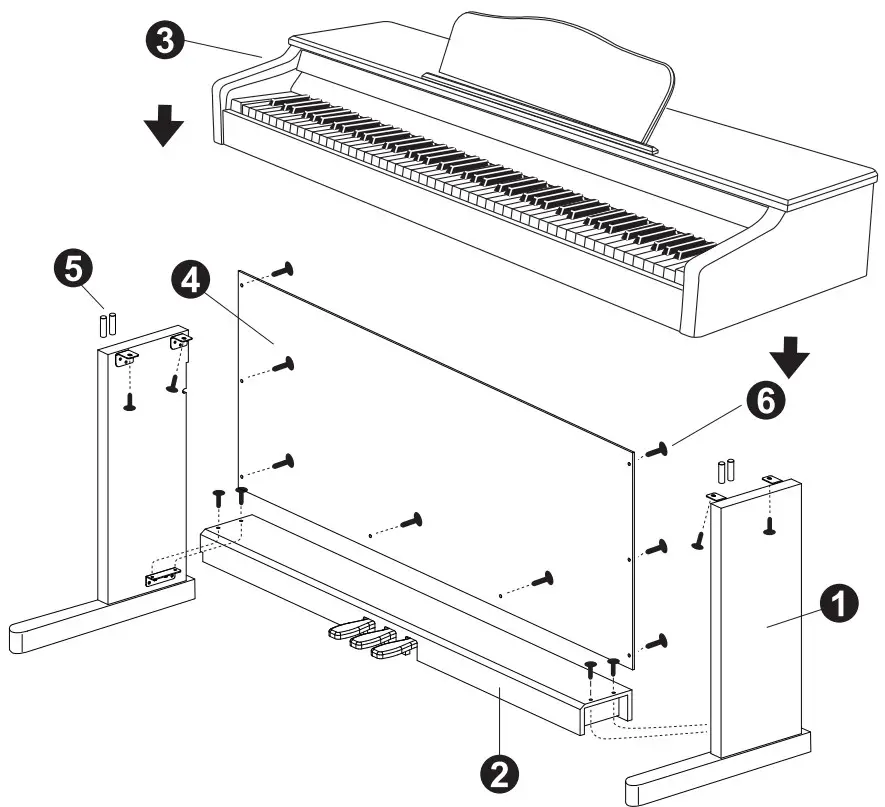
- Left / Right Support Plate
- Pedal Beam
- Organ Body
- Back Fixing Plate
- Wood bolt
- Screw
OPERATION GUIDE
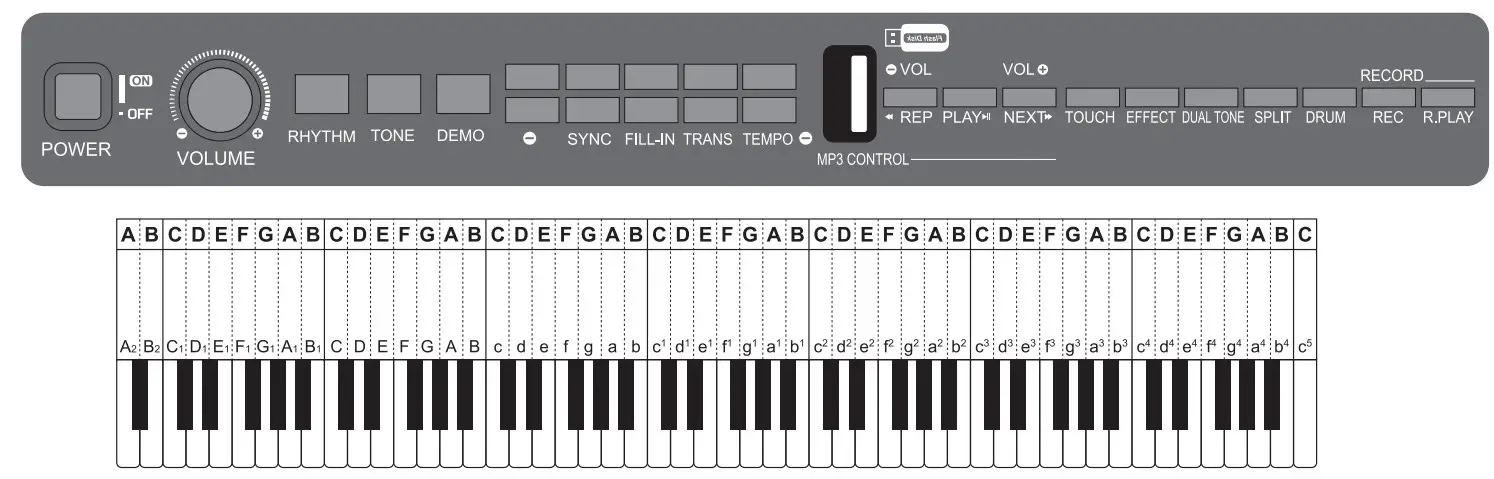
1. Power ON
Connect the power adapter to the power socket and turn on the power switch to operate normally. The default voice is grand piano.
2. Master Volume
Adjust the main volume knob on the control panel, turn the knob clockwise to increase the volume, and turn the knob anticlockwise to decrease the volume.
3. Tone Setting
- This machine contains 238 kinds of voice colors.
- The default voice is grand piano (000). Press the [voice] button, the display will change the voice through the [+ / -] button. (see Appendix 1 for timbre table)
- Double click the voice to return to the piano voice.
OPERATION GUIDE
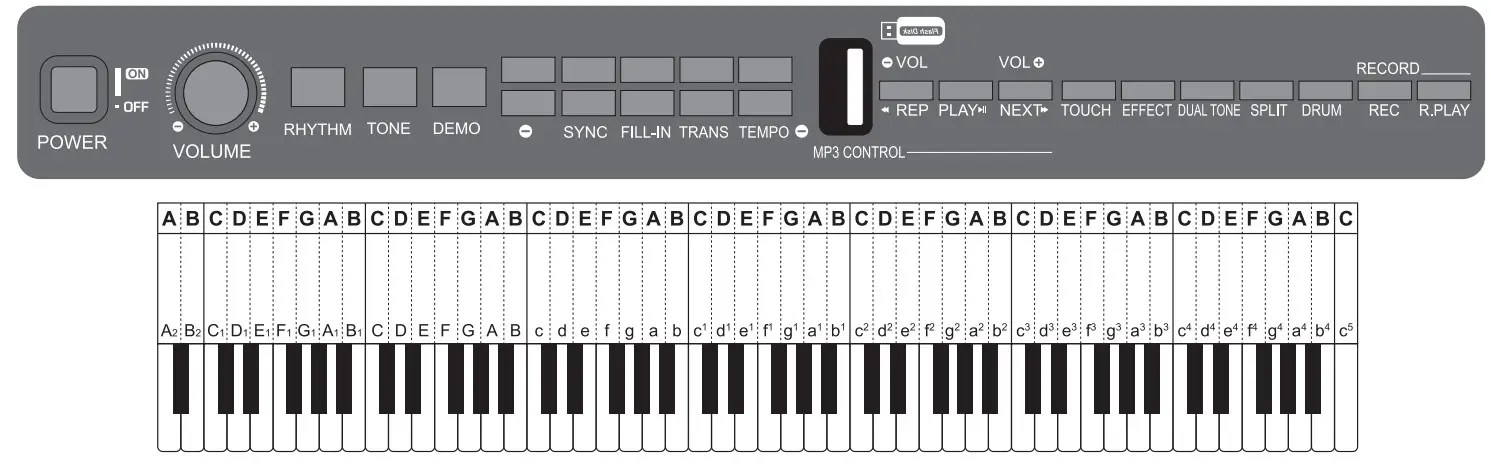
1. Demonstration Song
Demonstration music playing: Press the [demo] button to start playing the demo. Select the track with the [+ / -] key, and press the [demo] key again to stop playing the demo (see Appendix 2 for the list of demo tracks)
2. Strength Curve
- Three force curves can be set: light, standard, heavy (t00402) and force switch. The default power is TO1
- Press the [force] button repeatedly to enter the force curve setting, and select the corresponding curve: t00402, TOF.
3. Accompaniment Function
rhythm selector
- There are 200 rhythms, 000-200. (refer to Appendix 3 for rhythm table) after power on, the default is No. 000 rhythm. Press the [rhythm] key to enter the rhythm selection state, and use the [+ /] key to select the corresponding rhythm.
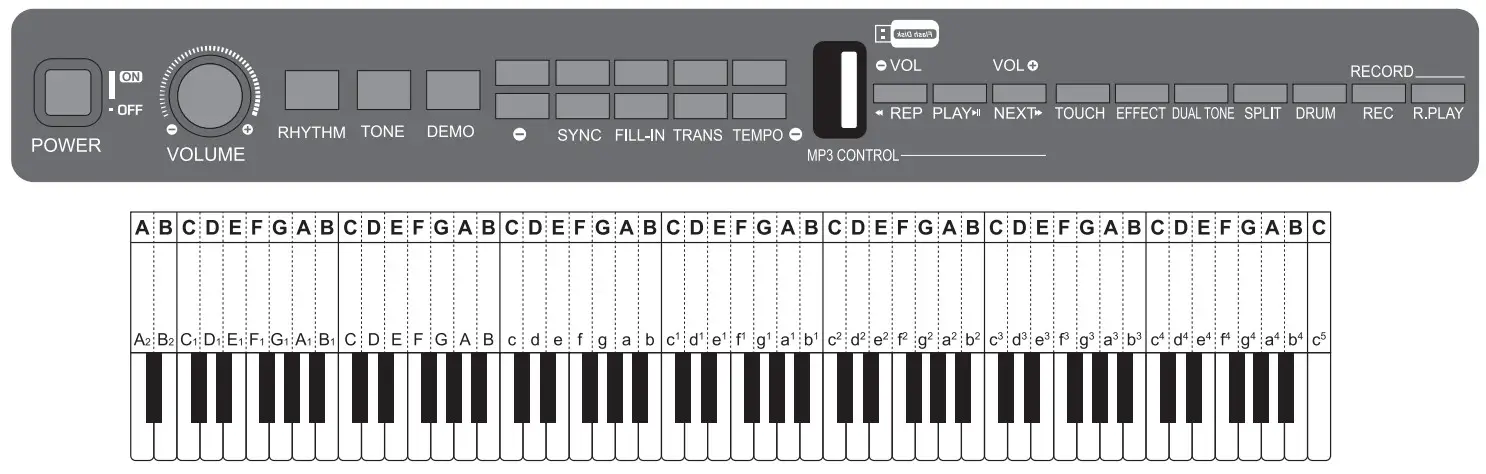
1. Adjust Style Speed
- Use the [metronome + / -] key to adjust the accompaniment speed. The adjustable range is 20-280 beats/min.
- When the accompaniment stops, select the rhythm, and the speed is automatically set as the preset value of the rhythm; when the rhythm is played, switch the rhythm, and the speed does not return to the preset value.
- Press + – at the same time to return to the default
2. Opening Accompaniment
There are two modes of accompaniment on Press the [sync/start] key to enter the accompaniment preparation status. Start playing, and the accompaniment will start automatically, press the [start/stop] button, and the accompaniment will stop.
- Manual start Press the [start/stop] key, and the style will start immediately; press the [start/stop] key again, and the style will stop immediately.
3. Insert Settings
In style mode, press the [insert] key to insert an interval in the rhythm. Long press will continue to insert the style. After releasing the key, the interlude will play for a while and enter the rhythm. 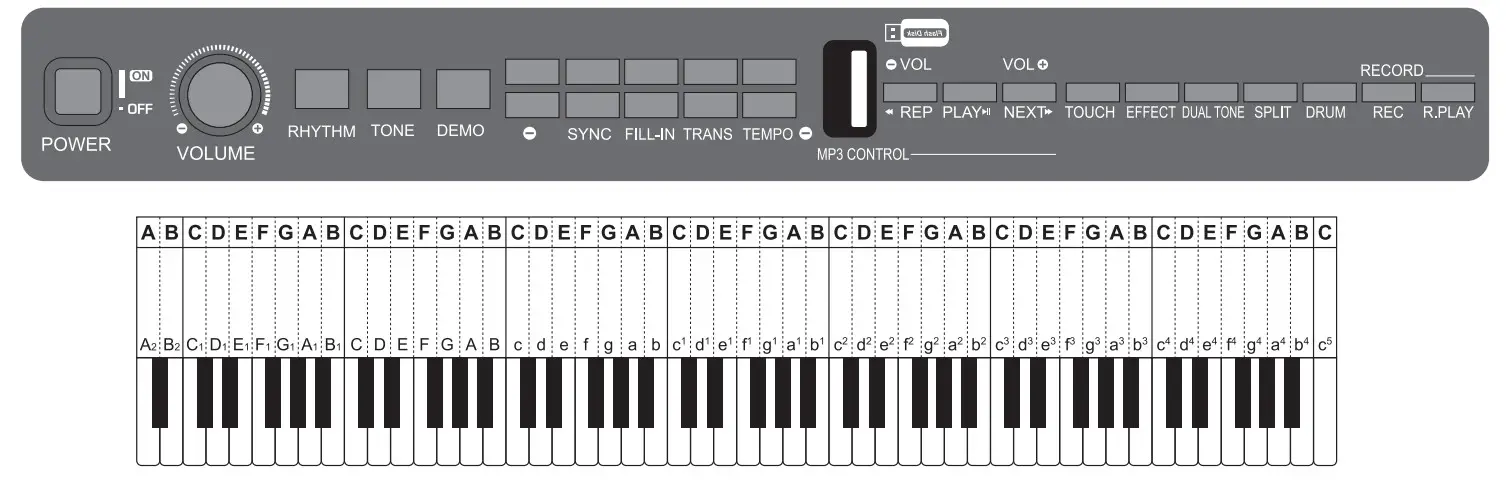
1. Automatic Chord
This machine contains two-chord modes: single finger and multi-finger. Press the [integrated chord] key to turn on the automatic chord function. At this time, playing the left half of the keyboard will automatically identify single fingers and multi-finger, and match the corresponding chord. Press the [integrated chord] button again to close the automatic chord function.
2. Metronome
- Press the [metronome] key, the metronome function starts, and the default speed is the speed of the first rhythm.
- Use the [metronome + / -] key to adjust the metronome speed range: 20-280 beats / min.
- Press the [metronome] key again to exit the metronome function, and the current speed will be saved.
Note: restarting the electric piano will restore the default speed.
3. Beat Settings
Long press the [metronome] key to enter the metronome type selection state. Use the [4- / -] key to select the corresponding beat type: (1-4, 2-4, 3-4, 4-4, 3-8, 6-8). After selection, press the [metronome] key or there is no operation for more than 2 seconds to confirm the metronome type selection.
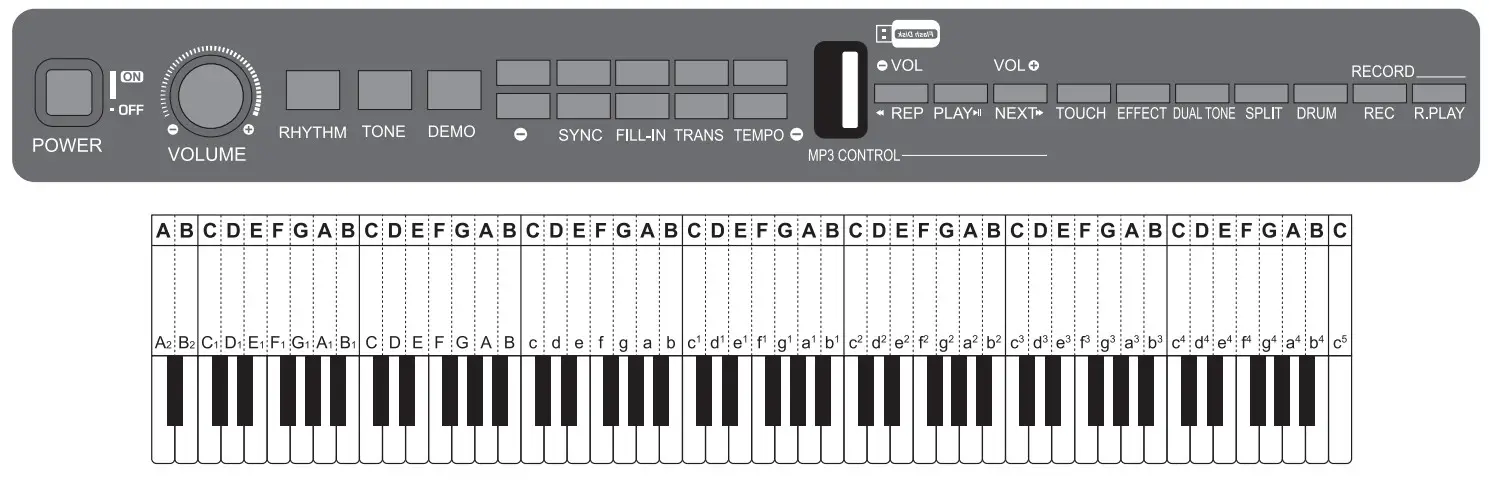
1. Transpose Settings
At the same time, press the [+] and [-] keys to enter the transfer selection status. Press the [+ / -] key to select the corresponding transfer plus or minus 12 levels. Press [voice] or [rhythm] to exit the mode or wait for 2 seconds to exit the mode automatically
2. Dual Voice Settings
This function key is an on / off sequential function Select the first tone by pressing the [+ / -] key, and then press the [dual tone] key to enter the second tone selection [+ / -] key to select the second tone.
3. Dual Keyboard Settings
When the function key on/off sequence function is on, the scale of piano keys al-b4 will be played as a scale of a2-b5, and the scale of C5-C9 will be played as a scale of C4-C8. You can use the [+ / -] key to select the main voice to replace the original voice of the C5 — C9 keys. 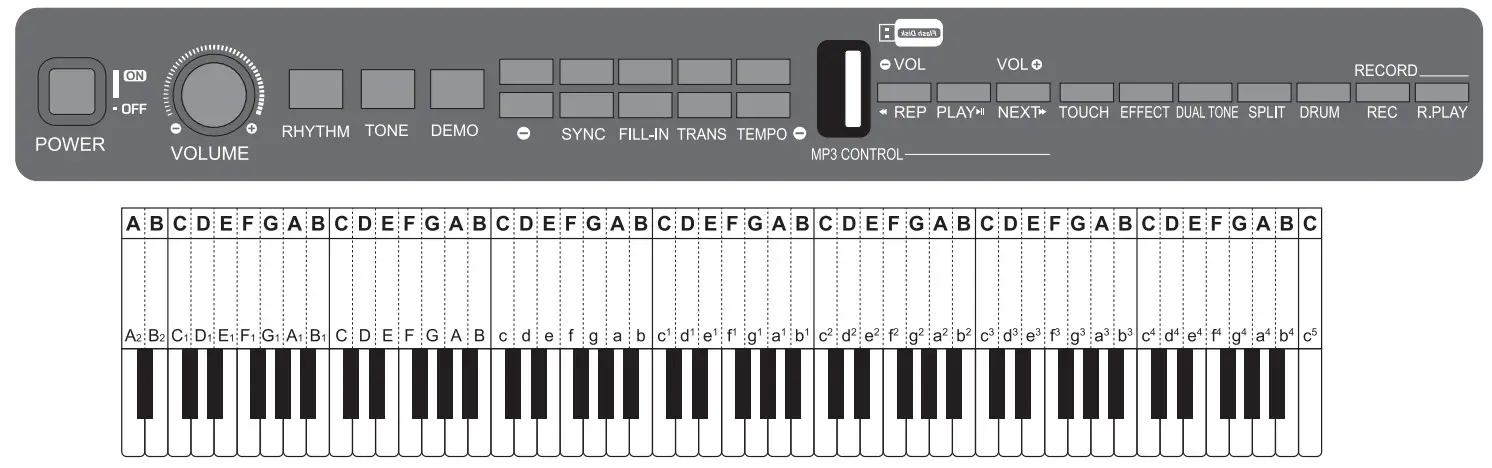
1. Dual Keyboard Settings
This function key is on / off sequential function. Press this key to get the drum beating tone on the corresponding piano key.
2. Recording Settings
Press the [record] key to enter the recording mode, and make a metronome sound. If you do not need a metronome, you can use the [metronome] key to turn it off. At this time, press any piano key to start recording, and then press the [record] key to stop recording.
3. Playback Settings
After recording the track, press the [Play] button to start playing the recorded track. 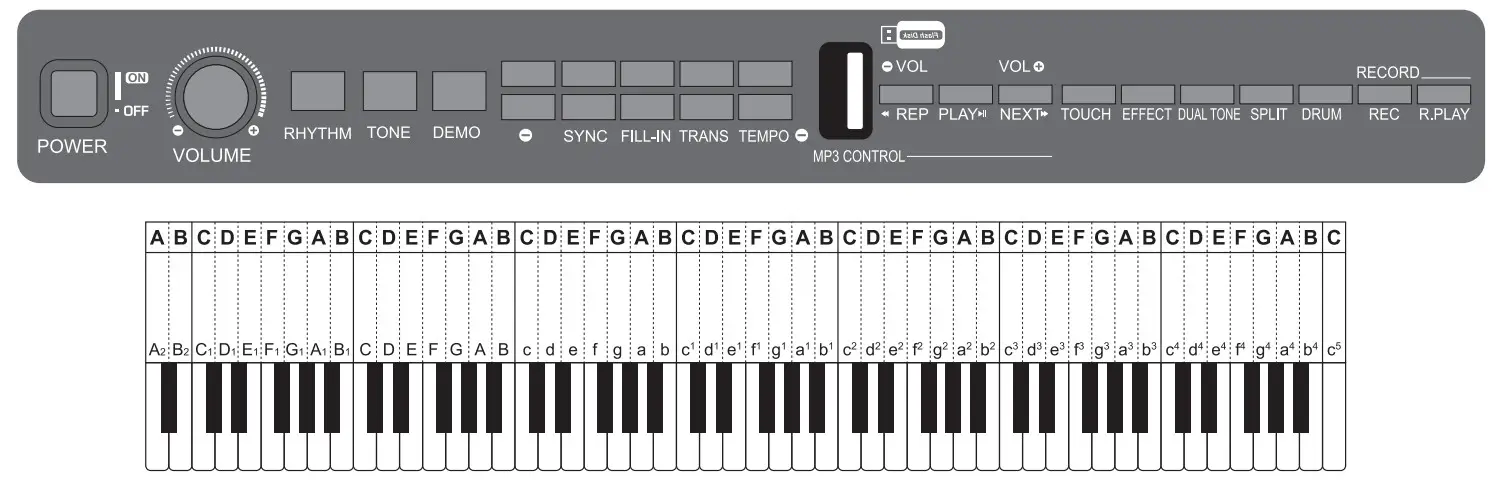
1. Effect Settings
This function key is on/off sequential function Press this key to turn on the DSP effect.
2. MP3 Settings
Press the [MP3 play] key to play or pause the MP3 song
Press the short [MP3 previous] button to play the previous MP3 song
Press the long [last MP3] button to reduce the volume of the MP3
Press the short [next MP3] button to play the next MP3 song
Press the long [next MP3] button to increase the volume of MP3
APPENDIX
| CATEGORY | TIMBRE | MIDI PG# | MIDI BANK | NAME |
| Piano | 1 | 1 | 0 | Acoustic Grand Piano |
| 2 | 2 | 0 | Bright Acoustic Piano | |
| 3 | 3 | 0 | Electric Grand Piano | |
| 4 | 4 | 0 | Honky-tonk Piano | |
| 5 | 5 | 0 | Electric Pianol | |
| 6 | 6 | 0 | Electric Piano2 | |
| 7 | 7 | 0 | Harpsichord | |
| 8 | 8 | 0 | Clavichord | |
| Percussion Instruments | 9 | 9 | 0 | Celesta |
| 10 | 10 | 0 | Glockenspiel | |
| 11 | 11 | 0 | Music box | |
| 12 | 12 | 0 | Vibraphone | |
| 13 | 13 | 0 | Marimba | |
| 14 | 14 | 0 | Xylophone | |
| 15 | 15 | 0 | Tubular Bells | |
| 16 | 16 | 0 | Dulcimer | |
| Organ | 17 | 17 | 0 | Hammond Organ |
| 18 | 18 | 0 | Percussive Organ | |
| 19 | 19 | 0 | Rock Organ | |
| 20 | 20 | 0 | Church Organ | |
| 21 | 21 | 0 | Reed Organ | |
| 22 | 22 | 0 | Accordian | |
| 23 | 23 | 0 | Harmonica | |
| 24 | 24 | 0 | Tango Accordian | |
| Guitar | 25 | 25 | 0 | Acoustic Guitar (nylon) |
| 26 | 26 | 0 | Acoustic Guitar (steel) | |
| 27 | 27 | 0 | Electric Guitar (jazz) | |
| 28 | 28 | 0 | Electric Guitar (clean) | |
| 29 | 29 | 0 | Electric Guitar (muted) | |
| 30 | 30 | 0 | Overdriven Guitar | |
| 31 | 31 | 0 | Distortion Guitar | |
| 32 | 32 | 0 | Guitar Harmonics | |
| Bass | 33 | 33 | 0 | Acoustic Bas |
| 34 | 34 | 0 | Electric Bass (finger) | |
| 35 | 35 | 0 | Electric Bass (pick) | |
| 36 | 36 | 0 | Fretless Bass | |
| 37 | 37 | 0 | Slap Bass 1 | |
| 38 | 38 | 0 | Slap Bass 2 | |
| 39 | 39 | 0 | Synth Bass 1 | |
| 40 | 40 | 0 | Synth Bass 2 |
| CATEGORY | TIMBRE | MIDI PG# | MIDI BANK | NAME |
| String Music | 41 | 41 | 0 | Violin |
| 42 | 42 | 0 | Viola | |
| 43 | 43 | 0 | Cello | |
| 44 | 44 | 0 | Contrabass | |
| 45 | 45 | 0 | Tremolo Strings | |
| 46 | 46 | 0 | Pizzicato Strings | |
| 47 | 47 | 0 | Orchestral Harp | |
| 48 | 48 | 0 | Timpani | |
| Instrumental Ensemble | 49 | 49 | 0 | String Ensemble 1 |
| 50 | 50 | 0 | String Ensemble 2 | |
| 51 | 51 | 0 | Synth Strings 1 | |
| 52 | 52 | 0 | Synth Strings 2 | |
| 53 | 53 | 0 | Choir Aahs | |
| 54 | 54 | 0 | Voice Oohs | |
| 55 | 55 | 0 | Synth Voice | |
| 56 | 56 | 0 | Orchestra Hit | |
| Brass | 57 | 57 | 0 | Trumpet |
| 58 | 58 | 0 | Trombone | |
| 59 | 59 | 0 | Tuba | |
| 60 | 60 | 0 | Muted Trumpet | |
| 61 | 61 | 0 | French Horn | |
| 62 | 62 | 0 | Brass Section | |
| 63 | 63 | 0 | Synth Brass 1 | |
| 64 | 64 | 0 | Synth Brass 2 | |
| Reed | 65 | 65 | 0 | Soprano Sax |
| 66 | 66 | 0 | Alto Sax | |
| 67 | 67 | 0 | Tenor Sax | |
| 68 | 68 | 0 | Baritone Sax | |
| 69 | 69 | 0 | Oboe | |
| 70 | 70 | 0 | English Horn | |
| 71 | 71 | 0 | Bassoon | |
| 72 | 72 | 0 | Clarinet | |
| Pipe | 73 | 73 | n | Piccolo |
| 74 | 74 | 0 | Flute | |
| 75 | 75 | 0 | Recorder | |
| 7R | 76 | () | Pan Flute | |
| 77 | 77 | 0 | Pottle Blow | |
| 78 | 78 | 0 | Shakuhachi | |
| 79 | 79 | 0 | Whistle | |
| 80 | 80 | 0 | Ocarina |
| CATEGORY | TIMBRE | MIDI PG# | MIDI BANK | NAME |
| Polyphonic Theme | 81 | 81 | 0 | Lead 1 (square) |
| 82 | 82 | 0 | Lead 2 (sawtooth) | |
| 83 | 83 | 0 | Lead 3 (calliope lead) | |
| 84 | 84 | 0 | Lead 4 (chiff lead) | |
| 85 | 85 | 0 | Lead 5 (charang) | |
| 86 | 86 | 0 | Lead 6 (voice) | |
| 87 | 87 | 0 | Lead 7 (fifths) | |
| 88 | 88 | 0 | Lead 8 (bass+lead) | |
| Synth Substrate | 89 | 89 | 0 | Pad 1 (new age) |
| 90 | 90 | 0 | Pad 2 (warm) | |
| 91 | 91 | 0 | Pad 3 (polysynth) | |
| 92 | 92 | 0 | Pad 4 (choir) | |
| 93 | 93 | 0 | Pad 5 (bowed) | |
| 94 | 94 | 0 | Pad 6 (metallic) | |
| 95 | 95 | 0 | Pad 7 (halo) | |
| 96 | 96 | 0 | Pad 8 (sweep) | |
| Polyphonic Effect | 97 | 97 | 0 | FX 1 (rain) |
| 98 | 98 | 0 | FX 2 (soundtrack) | |
| 99 | 99 | 0 | FX 3 (crystal) | |
| 100 | 100 | 0 | FX 4 (atmosphere) | |
| 101 | 101 | 0 | FX 5 (brightness) | |
| 102 | 102 | 0 | FX 6 (goblins) | |
| 103 | 103 | 0 | FX 7 (echoes) | |
| 104 | 104 | 0 | FX 8 (sci-fi) | |
| Nation | 105 | 105 | 0 | Sitar |
| 106 | 106 | 0 | Banjo | |
| 107 | 107 | 0 | Shamisen | |
| 108 | 108 | 0 | Koto | |
| 109 | 109 | 0 | Kalimba | |
| 110 | 110 | 0 | Bagpipe | |
| 111 | 111 | 0 | Fiddle | |
| 112 | 112 | 0 | Shanai | |
| Percussion | 113 | 113 | 0 | Tinkle Bell |
| 114 | 114 | 0 | Agoqo | |
| 115 | 115 | 0 | Steel Drums | |
| 116 | 116 | 0 | Woodblock | |
| 117 | 117 | 0 | Taiko Drum | |
| 118 | 118 | 0 | Melodic Tom | |
| 119 | 119 | 0 | Synth Drum | |
| 120 | 120 | 0 | Reverse Cymbal |
| CATEGORY | TIMBRE | MIDI PG# | MIDI BANK | NAME |
| Sound Effects | 121 | 121 | 0 | Guitar Fret Noise |
| 122 | 122 | 0 | Breath Noise | |
| 123 | 123 | 0 | Seashore | |
| 124 | 124 | 0 | Bird Tweet | |
| 125 | 125 | 0 | Telephone Ring | |
| 126 | 126 | 0 | Helicopter | |
| 127 | 127 | 0 | Applause | |
| 128 | 128 | 0 | Gunshot | |
| Piano Group 2 | 129 | 1 | 8 | Piano w |
| 130 | 1 | 16 | Piano d | |
| 131 | 4 | 1 | HonkyTonk w | |
| 132 | 5 | 8 | Detuned EP | |
| 133 | 5 | 24 | 60s E.Piano | |
| 134 | 7 | 1 | Harpsichord 2 | |
| 135 | 8 | 1 | Clavichord 2 | |
| Percussion Instruments 2 | 136 | 9 | 8 | Celesta 2 |
| 137 | 10 | 8 | Glocknspiel2 | |
| 138 | 11 | 8 | Music Box 2 | |
| 139 | 12 | 8 | Vibraphone 2 | |
| 140 | 13 | 8 | Marimba 2 | |
| 141 | 13 | 8 | Marimba 2 | |
| 142 | 14 | 8 | Xylophone 2 | |
| 143 | 15 | 8 | Tubular-bell 2 | |
| Organ 2 | 144 | 17 | 8 | Detuned Or |
| 145 | 17 | 16 | 60’s Organ | |
| 146 | 24 | 1 | Bandoneon | |
| Guitar 2 | 147 | 25 | 8 | Ukulele |
| 148 | 26 | 16 | Mandolin | |
| 149 | 27 | 8 | Hawaiian Gt | |
| 150 | 28 | 8 | Chorus Gt | |
| 151 | 29 | 8 | Funk Gt | |
| 152 | 31 | 8 | Feedback Gt | |
| Bass & Electronic sound | 153 | 33 | 1 | Synth 1 |
| 154 | 33 | 2 | Synth 2 | |
| 155 | 35 | 1 | Synth 3 | |
| 156 | 35 | 2 | Synth 4 | |
| 157 | 36 | 1 | Synth 5 | |
| 158 | 36 | 2 | Synth 6 | |
| 159 | 36 | 3 | Synth 7 |
| CATEGORY | TIMBRE | MIDI PG# | MIDI BANK | NAME |
| String Music 2 | 160 | 41 | 1 | Violin 2 |
| 161 | 43 | 1 | Cello 2 | |
| 162 | 47 | 1 | Harp 2 | |
| 163 | 49 | 8 | Strings | |
| Instrumental Ensemble 2 | 164 | 53 | 1 | Choir Aahs2 |
| 165 | 54 | 1 | Voice doo 2 | |
| Brass 2 | 166 | 57 | 1 | Trumpet 2 |
| 167 | 58 | 1 | Trombone 2 | |
| 168 | 60 | 1 | MuteTrumpet 2 | |
| 169 | 61 | 1 | French Horn 2 | |
| 170 | 62 | 1 | Brass 2 | |
| Reed 2 | 171 | 65 | 1 | Soprano Sax 2 |
| 172 | 69 | 1 | Oboe 2 | |
| 173 | 70 | 1 | EnglishHorn 2 | |
| 174 | 72 | 1 | Clarinet 2 | |
| Pipe 2 | 175 | 73 | 1 | Piccolo 2 |
| 176 | 74 | 1 | Flute 2 | |
| 177 | 76 | 1 | Pan Flute 2 | |
| 178 | 78 | 1 | Shakuhachi 2 | |
| Polyphonic Theme 2 | 179 | 81 | 1 | Square 2 |
| 180 | 81 | 8 | Sine Wave | |
| 181 | 86 | 8 | Vox Lead | |
| Polyphonic Effect 2 | 182 | 92 | 8 | Space Voice |
| 183 | 99 | 1 | Syn Mallet | |
| 184 | 103 | 1 | Echo Bell | |
| 185 | 103 | 2 | Echo Pan | |
| Nation 2 | 186 | 105 | 1 | Sitar 2 |
| Percussion 2 | 187 | 116 | 8 | Castanets |
| 188 | 117 | 8 | Concert BD | |
| 189 | 119 | 8 | 808 Tom | |
| 190 | 119 | 9 | Electric Percussion | |
| Sound Effects 2 | 191 | 121 | 1 | Gt.CutNoise |
| 192 | 121 | 2 | String Slap | |
| 193 | 122 | 1 | FI.KeyClick | |
| 194 | 123 | 2 | Thunder | |
| 195 | 123 | 3 | Wind | |
| 196 | 123 | 4 | Stream | |
| 197 | 123 | 5 | Bubble | |
| 198 | 124 | 1 | Doq | |
| 199 | 125 | 2 | Creaking |
| CATEGORY | TIMBRE | MIDI PG# | MIDI BANK | NAME |
| Sound Effects 2 | 200 | 125 | 3 | Door |
| 201 | 126 | 9 | Burst Noise | |
| 202 | 127 | 1 | Laughing | |
| 203 | 127 | 2 | Screaming | |
| 204 | 127 | 4 | Heart Beat | |
| 205 | 127 | 5 | Footsteps | |
| 206 | 128 | 3 | Explosion | |
| Folk Percussion Instrument | 207 | 9 | 100 | Luo |
| 208 | 13 | 100 | Pal Gu | |
| 209 | 14 | 100 | Qin | |
| 210 | 15 | 100 | Bian Zhong | |
| 211 | 16 | 100 | Yang Qin | |
| Folk Plucked String Instrument | 212 | 25 | 100 | Liu Qin |
| 213 | 26 | 100 | Pi Pa | |
| 214 | 27 | 100 | Zhong Ruan | |
| 215 | 28 | 100 | Da Ruan | |
| 216 | 29 | 100 | Yue Qin | |
| 217 | 107 | 100 | San Xian | |
| 218 | 108 | 100 | Gu Zheng | |
| 219 | 108 | 101 | Gu Qin | |
| Folk Musical Instrument 1 | 220 | 22 | 100 | Shen |
| 221 | 65 | 100 | Na Zi | |
| 222 | 69 | 100 | Bi Li | |
| 223 | 70 | 100 | Guan Zi | |
| 224 | 72 | 100 | Ba Wu | |
| Folk Musical Instrument 2 | 225 | 73 | 100 | Di Zi |
| 226 | 75 | 100 | Hu Lu Si | |
| 227 | 76 | 100 | Pai Xiao | |
| 228 | 77 | 100 | South Xiao | |
| 229 | 78 | 100 | Xiao | |
| 230 | 79 | 100 | Kou Di | |
| 231 | 80 | 100 | Xun | |
| Folk Bowstring Instrument | 232 | 41 | 100 | Gao Hu |
| 233 | 42 | 100 | Er Hu | |
| 234 | 43 | 100 | Zhonq Hu | |
| 235 | 43 | 101 | Ma Tou Qin | |
| 236 | 81 | 100 | Ban Hu | |
| 237 | 82 | 100 | Jinq Hu | |
| 238 | 49 | 100 | Hu Ensemble |
APPENDIX 2
| TIMBRE | NAME |
| 1 | FUNK |
| 2 | RIVER OF DREAM |
| 3 | DANCING QUEEN |
| 4 | DONNA LEE |
| 5 | FORGET |
| 6 | CHOPIN:GRANDE VALSE BRILLANTE |
| 7 | ACROSS THE SEA |
| 8 | XAVER SCHARWENKA:POLISH DANCE Op.3 No.1 |
| 9 | RED CHERRY AND WHITE APPLE BLOSSOM |
| 10 | COUNTRY GARDEN |
| 11 | COURANTE |
| 12 | JUST DRUNK |
| 13 | CARRY ME BACK TO OLD VIGINNY |
| 14 | EARLY AUTUMN |
| 15 | TWIST VARIATION |
| 16 | DANSE NEGRE Op.58 |
| 17 | PALM LEAF |
| 18 | D MAJOR TANGO |
| 19 | SYMPHONY NO.94 SURPRISE |
| 20 | KATYUSHA |
| 21 | DESAFINADO |
| 22 | BEETHOVEN BAGATELLES |
| 23 | IN THE HALL OF THE MOUNTAIN KING |
| 24 | EXPLORING |
| 25 | PERELUDE III |
| 26 | GRAND MARCH |
| 27 | PARAPHRASE |
| 28 | DANGEROUS AREA |
| 29 | FUTURE |
| 30 | SUNSHINE BEACH |
| 31 | JUNE SAMBA |
| 32 | KENNY:SONGBIRD |
| 33 | L’INVERNO IN F MINOR |
| 34 | WINE |
| 35 | BLUES |
| 36 | FEELING |
| 37 | TURKEY |
| 38 | ETUDE IN F SHARP MAJOR |
| 39 | FUNNY GENTLEMAN |
| 40 | I DO IT FOR YOU |
| TIMBRE | NAME |
| 41 | BEETHOVEN PIANO SONTA No.30 |
| 42 | CARMEN |
| 43 | AMERICAN PATROL |
| 44 | MENDELSSOHN:RONDO IN D MAJOR |
| 45 | AURORA OF CITY |
| 46 | WISH U CHRISTMAS |
| 47 | NO STOPPING GALOP |
| 48 | LAST SUMMER |
| 49 | JAZZ |
| 50 | RHYTHM OF THE RAIN |
| 51 | TWINKLE TWINKLE VARIATION |
| 52 | ATLANTIS |
| 53 | FLYING TRAPEZE |
| 54 | TROIS ECOSSAISES Op.72,No.3-5 |
| 55 | ALLEGRO CON BRIO |
| 56 | LEMON TREE |
| 57 | ARABESQUE |
| 58 | CHILDHOOD |
| 59 | JUST THE TWO OF US |
| 60 | SEE SHORE |
| 61 | ALL KIND OF MY EVERYTHING |
| 62 | NOCTURNE Op.9 No2 |
| 63 | SOMETHING IN THE AIR |
| 64 | COMFORT |
| 65 | LET IT SNOW |
| 66 | BINGO |
| 67 | LIEBESTRAUM |
| 68 | PERFECT HAPPINESS |
| 69 | TOCCATA |
| 70 | LA BAMBA |
| 71 | RANDO CAPRICCIO |
| 72 | SCHERZO |
| 73 | LA CAMPANELLA |
| 74 | LOCKOUT |
| 75 | ROMANCE DE AMOR |
| 76 | BARCAROLE |
| 77 | CHOPIN:ETUDE IN C MINOR Op.10 No.12 |
| 78 | DANCE OF YOUTH |
| 79 | GRIEG AIR |
| 80 | THE HOMECOMING |
| TIMBRE | NAME |
| 81 | LAZY BIRD |
| 82 | RED RIVER VALLEY |
| 83 | ENTERTAINMENT |
| 84 | CHOPIN: MAZURKA Op.39 No.10 |
| 85 | THE BEAR IN THE FOREST |
| 86 | PRIMITIVE DANCE STEPS |
| 87 | MODERN GRAY |
| 88 | MOONLIGHT |
| 89 | LOVE FOREVER |
| 90 | JARDIN SECRET |
| 91 | BALL |
| 92 | COUNTRY |
| 93 | SOMALILAND |
| 94 | MAPLE LEAF RAG |
| 95 | BRAHMS_CONCERTO |
| 96 | WALTZ IN D FLAT,OP.64 NO.1 |
| 97 | COBWEB |
| 98 | HAPPY BOSSA |
| 99 | SILENT NIGHT |
| 100 | CURIOUS STORY |
APPENDIX 3
| SORT | TIMBRE | NAME | SORT | TIMBRE | NAME | SORT | TIMBRE | NAME |
| BLUES | 1 | 6.8BLUES | JAZZ | 41 | DIXIELAND2 | LATIN | 81 | LATINO |
| 2 | 4.4BLUES | 42 | FUSION | 82 | TANGO1 | |||
| 3 | 5.4BEAT1 | 43 | LANGE | 83 | TANGO2 | |||
| 4 | 5.4BEAT2 | 44 | SOUL1 | 84 | RUMBA1 | |||
| 5 | BOOGIE-WOOGIE | 45 | SOUL2 | 85 | RUMBA2 | |||
| 6 | SOULSHUFFLE | 46 | SOUL3 | 86 | RUMBA3 | |||
| 7 | RAGTIME1 | FOXTROT | 47 | FOXTROT1 | 87 | CHACHA1 | ||
| 8 | RAGTIME2 | 48 | FOXTROT2 | 88 | CHACHA2 | |||
| 9 | SHUFFLE1 | 49 | FOXTROT3 | 89 | CHACHA3 | |||
| 10 | SHUFFLE2 | 50 | FOXTROT4 | 90 | CHACHA4 | |||
| 11 | SHUFFLE3 | 51 | FOXTROTS | 91 | CHACHAS | |||
| 12 | SHUFFLE4 | 52 | FOXTROT6 | 92 | CHACHA6 | |||
| 13 | BLUES1 | 53 | FOXTROT7 | Bossanova | 93 | BOSSANOVA1 | ||
| 14 | BLUES2 | 54 | FOXTROTS | 94 | BOSSANOVA2 | |||
| 15 | BLUES3 | 55 | FOXTROT9 | 95 | BOSSANOVA3 | |||
| 16 | BLUES4 | COUNTRY | 56 | COUNTRY1 | 96 | SAMBA1 | ||
| 17 | TWIST1 | 57 | COUNTRY2 | 97 | SAMBA2 | |||
| 18 | TWIST2 | 58 | COUNTRY3 | 98 | SAMBA3 | |||
| 19 | TWIST3 | 59 | COUNTRY4 | 99 | MAMB01 | |||
| 20 | TWIST4 | 60 | COUNTRY5 | 100 | MAMB02 | |||
| 21 | GOSPELI | 61 | COUNTRY6 | 101 | MAMB03 | |||
| 22 | GOSPEL2 | 62 | COUNTRY7 | 102 | REGGAE1 | |||
| 23 | GOSPEL3 | 63 | COUNTRY8 | 103 | REGGAE2 | |||
| 24 | R&B | 64 | COUNTRY9 | 104 | SALSA1 | |||
| 25 | SWING1 | 65 | COUNTRY10 | 105 | SALSA2 | |||
| 26 | SWING2 | 66 | COUNTRY11 | 106 | MODERN1 | |||
| 27 | BLUEBOOGIE | 67 | COUNTRY12 | 107 | MODERN2 | |||
| JAZZ | 28 | JAZZ1 | 68 | COUNTRY13 | DANCE | 108 | DANCE1 | |
| 29 | JAZZ2 | 69 | COUNTRY14 | 109 | DANCE2 | |||
| 30 | JAZZ3 | 70 | COUNTRY15 | 110 | DANCE3 | |||
| 31 | JAZZ4 | 71 | COUNTRY16 | 111 | DANCE4 | |||
| 32 | JAZZ5 | 72 | COUNTRY POP | 112 | DANCES | |||
| 33 | JAZZBALLAD | 73 | COUNTRYSHUFFLE1 | 113 | DANCE6 | |||
| 34 | JAZZWALTZ | 74 | COUNTRYSHUFFLE2 | 114 | DANCE7 | |||
| 35 | JAZZBAND1 | 75 | COUNTRY SWING | 115 | 7ODISCO1 | |||
| 36 | JAZZBAND2 | LATIN | 76 | LATIN1 | 116 | 70DISCO2 | ||
| 37 | JAZZBAND3 | 77 | LATIN2 | 117 | DISCO1 | |||
| 38 | SWING JAZZ | 78 | LATIN3 | 118 | DISCO2 | |||
| 39 | COOL JAZZ | 79 | LATIN4 | 119 | DISCO3 | |||
| 40 | DIXIELAND1 | 80 | LATINS | 120 | VAPORWAVE |
| SORT | TIMBRE | NAME | SORT | TIMBRE | NAME |
| FUNK | 121 | FUNK1 | ROCK | 161 | 8BEAT4 |
| 122 | FUNK2 | 162 | 8BEAT5 | ||
| 123 | FUNK3 | 163 | 8BEAT6 | ||
| 124 | FUNK4 | 164 | 8BEAT7 | ||
| 125 | FUNK5 | 165 | 8BEAT8 | ||
| 126 | FUNK6 | 166 | 8BEAT9 | ||
| 127 | FUNK? | 167 | 8BEATROCK1 | ||
| R&B | 128 | R&B1 | 168 | 8BEATROCK2 | |
| 129 | R&B2 | 169 | Rock1 | ||
| 130 | R&B3 | 170 | Rock2 | ||
| 131 | R&B4 | 171 | Rock3 | ||
| 132 | R&B5 | 172 | Rock4 | ||
| 133 | R&B6 | 173 | RockS | ||
| Pop | 134 | 16BEAT1 | 174 | INDIEROCK1 | |
| 135 | 16BEAT2 | 175 | INDIEROCK2 | ||
| 136 | 16BEAT3 | 176 | 60thRock | ||
| 137 | 16BEAT4 | 177 | GlamMetal1 | ||
| 138 | 16BEAT5 | 178 | GlamMetal2 | ||
| 139 | 16BEAT6 | 179 | GlamMetal3 | ||
| 140 | 16BEAT7 | 180 | PunkRockl | ||
| 141 | 16BEAT8 | 181 | PunkRock2 | ||
| 142 | POP1 | 182 | PunkRock3 | ||
| 143 | POP2 | 183 | PunkRock4 | ||
| 144 | POP3 | 184 | PunkRock5 | ||
| 145 | POP4 | 185 | LIVE ROCK | ||
| 146 | POPS | 186 | ROCKSHUFFLE | ||
| 147 | POPE | 187 | ROCK’N’ROLL1 | ||
| 148 | POP7 | 188 | ROCK’N’ROLL2 | ||
| 149 | POPE | ORIENTAL | 189 | BEGUINE1 | |
| 150 | VINTAGE1 | 190 | BEGUINE2 | ||
| 151 | VINTAGE2 | 191 | CARIBBEAN | ||
| 152 | FOLK-POP | 192 | BOLERO | ||
| 153 | NEW | 193 | DANGDUT | ||
| 154 | POPBOSSA1 | 194 | CHINA | ||
| 155 | POPBOSSA2 | 195 | JIANGNAN | ||
| 156 | POP RAP | 196 | XIZANG | ||
| 157 | POPSAMBA | 197 | YUNNAN | ||
| ROCK | 158 | 8BEAT1 | 198 | HAWAII | |
| 159 | 8BEAT2 | 199 | GUARACHA | ||
| 160 | 8BEAT3 | 200 | CHARLESTON |
PRODUCT CARE
Doing a good job in the maintenance and protection of this product plays a very important role in prolonging the service life and reducing the health of the product.
1. Avoid Heat, Moisture, Or Direct Sunlight
Do not overexpose the product to direct sunlight, or place it near the air conditioner, or in an extremely hot place.
2. Not To Be Used Near A Television Or Radio
This product may cause video or audio interference to the reception of television and radio. If this happens, the product should be removed from the TV or radio.
3. Paint, Diluent, Or Similar Chemicals Shall Not Be U
Clean the product with a soft piece of cloth that is wet with a weak aqueous solution and a neutral washing agent. Soak the cloth in the bath and screw a thousand until it is close to drying.
4. Do Not Shake, Avoid Collision
The product should be careful and light when moving, and strictly forbid severe vibration and collision, so as not to make the shell damaged or the internal electronic components damaged.
Accessories List
| Name | QUANTITY |
| Power Cord | 1 PCS |
| Piano Subject | 1 PCS |
| Pedal Beam | 1PCS |
| Left / Right Support Plate | 2 PCS |
| Left / Right Bracing Column | 2 PCS |
| Back Fixing Plate | 1 PCS |
| Wood Bolt | 4 PCS |
| Screw | 16 POS |
| Manual | 1 COPY |
Instrument Parameter
| Key: 88 | Pitch: 5 3 points |
| Range: A2—05 | Output power: Z 25Wx 2 |
| Style: vertical piano | Power parameters: DC 18V 50/60Hz |
PRECAUTIONS
POWER SUPPLY This product can be powered by standard indoor wall socket. Please use only the power cord specified by this product. Please turn off the power supply when it is not used temporarily. When it is not used for a long time, please unplug the power cord and keep it properly.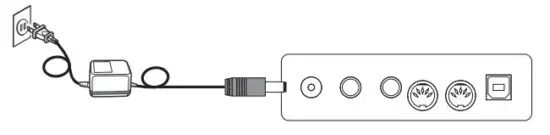 SIGN In order to ensure your safe and correct use of the product, to prevent injury to users and others and financial damage, this manual and the product are marked with a series of safety signs. Various signs and their meanings are as follows:
 Warning
This sign indicates that there is a potential risk of death or serious injury if the sign is ignored and the product is misoperated. Be careful
This sign indicates that if this sign is ignored and the product is misoperated, there is a potential risk of personal injury or other financial damage.
LOGO EXAMPLE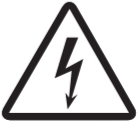 This triangle flag 0 indicates what the user should pay attention to. (the left case is careful to be electrocuted)
 circular sign with a slash, (
  ), indicates the prohibition. A diagram in or next to a logo. Express the content6f of the specific prohibition. (on the left, disassembly is prohibited)
 A black dot (
 ) indicates what must be observed. The illustrations in this sign indicate the specific contents that must be observed. (in the left example, the power plug must be unplugged from the socket)
WARNING
Smoke, Odour, Overheat
In case of smoke, peculiar smell or overheating, continued use of the product may cause fire and electric shock. In case of the above situation, the following operations shall be performed immediately.
- switch it off.
- Unplug the plug from the power outlet.
- Contact your dealer
Power cord Improper use of power cord may cause fire and electric shock. The following precautions must be observed. The special power cord specified for this product must be used. The AC power supply with the output voltage within the rated voltage range of the household must be used. Do not overload the power socket and extension cord.
Improper handling of the power line, resulting in damage or breakage, may cause fire and electric shock. The following precautions must be observed. Do not place heavy objects or heat them on the power line.
Do not attempt to modify or over bend the power cord. Do not twist or pull the power cord. If the power cord or plug is damaged,, replace the power cord of the same specification type. Do not touch the power cord and plug it with wet hands, otherwise, it may cause an electric shock. Please use the power cord where there is no splashing. There is a risk of fire and electric shock caused by water.
 Do not place vases or any other containers containing water on this product. There is a risk of fire and electric shock caused by water. Do not allow minors to plug in or touch the power cord or connecting board. Minors are useless in safety knowledge of electricity, which may cause the risk of electric shock. BE CAREFUL Improper use of power cord may cause fire and electric shock. The following precautions must be observed. Do not place the power cord near the furnace or other heat sources Do not pull the power cord when unplugging from the power outlet. The plug body must be grasped. The power cord must be plugged into the power outlet. Make sure the power is off before connecting or disconnecting the power cord. In case of a thunderstorm or before traveling or other long-term departure, the power cord shall be unplugged from the power socket on the wall. At least once a year, unplug the power cord from the power socket on the wall and clean the dust accumulated around the plug.Don’t Bum Away This Product
Do not place this product in the fire. Otherwise, it will lead to the burning of wooden products and the explosion of internal electronic components, which may cause fire and personal injury. Water And Foreign Bodies
Water, other liquids and (metal sheets, etc.) entering the product may cause fire and electric shock. In the case of the above situation, the following operations shall be performed immediately.
- switch it off.
- If you are using a power cord for power, unplug it from the wall outlet.
- Contact your dealer.
Disassembly And Transformation
Do not disassemble or modify the product in any way. Otherwise, there is a risk of electric shock, scald, or another personal injury. All internal inspection, adjustment, and maintenance work shall be entrusted to your dealer. Fall Or Impact
The product is in danger of falling, fire, and electric shock. In case of any damage caused by the above-mentioned or strong impact, the following operations shall be carried out immediately.
- switch it off.
- If you are using a power cord for power, unplug it from the wall outlet.
- Contact your dealer.
Plastic Bag
Do not let anyone cover the plastic bag used for packaging this product on the head or put it into the mouth, otherwise, there is a risk of suffocation. Families with children should pay special attention to it. Keep Distance From The Product Bracket
Climbing on the piano body or its bracket may cause its overturning or damage. Families with young children should pay special attention to it. Placement
Climbing on the piano body or its bracket may cause its overturning or damage. Families with young children should pay special attention to it. Avoid placing the product on an uneven surface or any other unstable place. Otherwise, it will cause falling of this product may cause personal injury. Movement Of Products
Before moving this product, you must unplug the power cord from the power socket on the wall and all other cables and connecting wires. Otherwise, it may cause damage to the wire, fire, and electric shock. Cleaning
Before cleaning this product, you must unplug the power cord plug from the power socket on the wall, otherwise, it may cause fire and electric shock. Interface
Only specified equipment and devices can be connected on the interface of this product. Connecting nondesignated equipment or devices may cause fire and electric shock. Position Selection
Avoid placing the product in the following places. Otherwise, it may cause fire and electric shock. A place where the temperature is high or dusty.Kitchen or another place with fumes. Places exposed to direct sunlight or any other places that may cause high temperature of this product. Volume
Do not play music at a high volume for a long time. Pay special attention when using headphones. Too high a volume can damage your hearing. Heavy Object
Do not place heavy objects on this product. Otherwise, the top of the product will be too heavy, which may cause the product to overturn or the objects on it to fall, thus causing the danger of personal injury. Correct Assembly Of Bracket
If the bracket is not assembled correctly, it will overturn, cause the product to fall, and cause the danger of personal injury. Therefore, the assembly must be carried out according to the instructions in the attached instructions to ensure that the product is correctly installed on its bracket.
Warranty Provisions:
- For the failure caused by normal use of this product, you can enjoy free warranty service for days from date of purchase (subject to the invoice date).
- Failure occurs during the warranty period, and this warranty card and shopping note must be shown during maintenance.
- No free warranty will be provided in the following cases:
a. You can’t show your warranty card and shopping bill at the same time.
b. The date of purchase of the bill has been changed.
c. Damage caused by improper use by the user.
d. Failure caused by irresistible factors such as fire, flood, earthquake, lightning strike, etc.
e. Failure caused by unauthorized self-disassembly. - After exceeding the warranty period, the company is responsible for maintenance, at the discretion of the cost.
Maintenance Point:……………..
Contact number:……………….
Manufacturer Information
Manufacturer: Quanzhou Jiewei Electronic Technology Co., LTD
Address: No. 596, Donghu Street, Dongshiyonghu Village,
Jinjiang City, Fujian Province
Maintenance Record
| DATE | MAINTENANCE RECORD | REPAIRMAN |