2.20F03 Update Advisory Supervisory Control Platform Firmware
Product Information
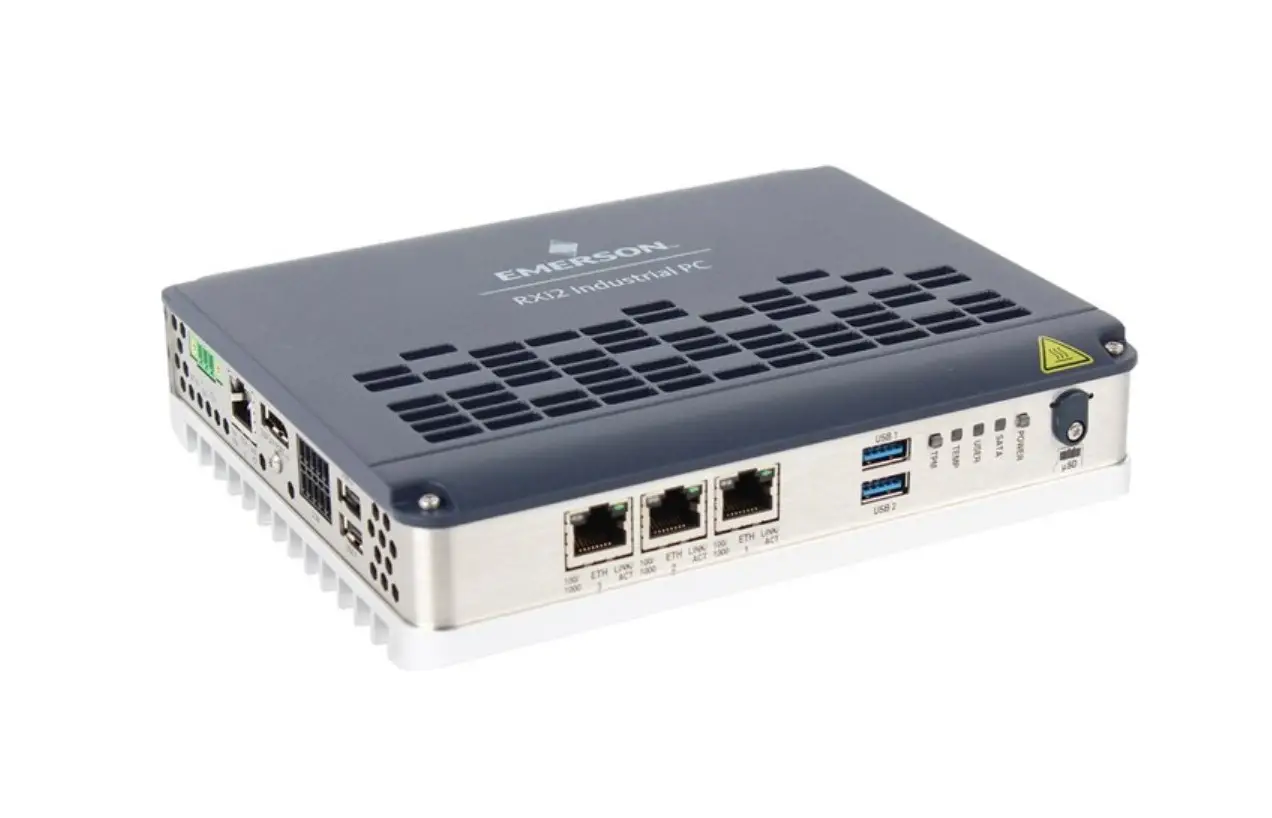
The product mentioned in the user manual is the Supervisory
Control Platform Firmware 2.20F03. It is a firmware version for
Supervisory controllers and PCs running Connect+. The firmware
update provides fixes and enhancements to improve the performance
and functionality of the product.
The firmware update is available for customer upgrade and can be
obtained from the Emerson website. The website link for more
information about the Supervisory Control page is:
Supervisory Control Page
Emerson recommends that all customers upgrade their Supervisory
controllers and PCs running Connect+ to the latest version to take
advantage of the latest fixes and enhancements.
The user manual also provides information on firmware
compatibility, features, and fixes included in the Supervisory
Controller 2.20F03 version.
Product Usage Instructions
To upgrade the Supervisory controllers, follow these steps:
- Download the firmware update file from the Emerson
website. - If you are upgrading E3 firmware, make sure to use the
“_Display_Update” file. - Install the firmware update on the Supervisory controllers and
PCs running Connect+. - After the firmware upgrade is complete, reset or power cycle an
upgraded E3 approximately 10 minutes later.
Note: It is recommended to upgrade Connect+ to the latest
version before updating the Supervisory controllers. Contact
Emerson for more information about upgrading both components
simultaneously.
For specific features and fixes included in the Supervisory
Controller 2.20F03 version, refer to Table 3 in the user manual.
The features and fixes listed in Table 3 are supported in the
Supervisory Controllers 2.20F03.
For additional technical documentation and updates, visit the
Emerson website at www.climate.emerson.com.
Update Advisory Supervisory Control Platform Firmware 2.20F03
Release Notes
A new general release version of the Supervisory controller firmware version 2.20F03 has been released and is available for customer upgrade. For more information, visit the Supervisory Control page on the Emerson website:
https://climate.emerson.com/en-us/products/controls-monitoring-systems/ facility-controls-electronics/facility-and-system-controls/lumity-supervisorycontrols-platform
IMPORTANT: 1. For E3 firmware upgrades, be sure to use the _Display_Update file.
2. Reset or power cycle an upgraded E3 approximately10 minutes after the upgrade is complete.
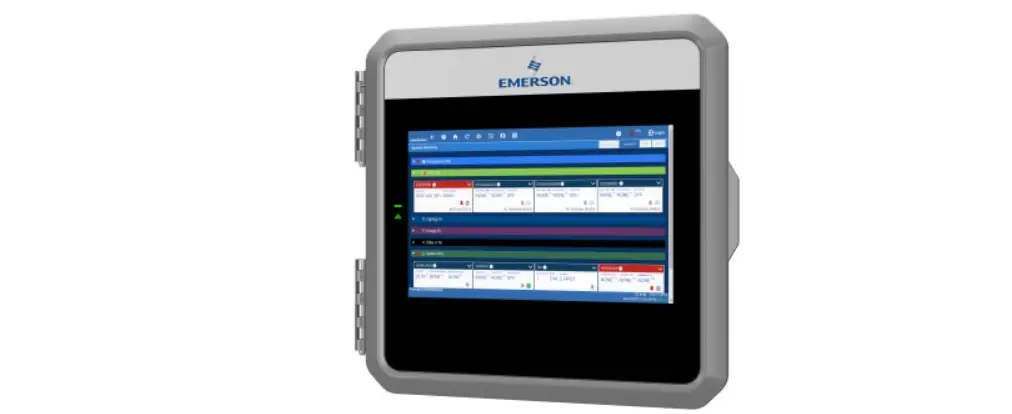
Figure 1 – E3 Controller
Who Should Update
Emerson recommends that all customers upgrade their Supervisory controllers and PCs running Connect+ to the latest version to take advantage of the latest fixes and enhancements listed in Table 3.
All customers who use any of the features below are advised to upgrade to Supervisory controller 2.20F03, and customers using any of the features listed in Table 3.
Square D Application XM Circuit Application Floorplans MRLDS-450 SOAP System Restore XM679 3.4 Online Help XM678 2.8 Online Help BACnet
Alarm Communications Online Help MODBUS Calculator R454C Refrigerant IPX Devices Standard Circuit Application XC1000 Device Flex Combiner Application System Time Settings AHU Large Application
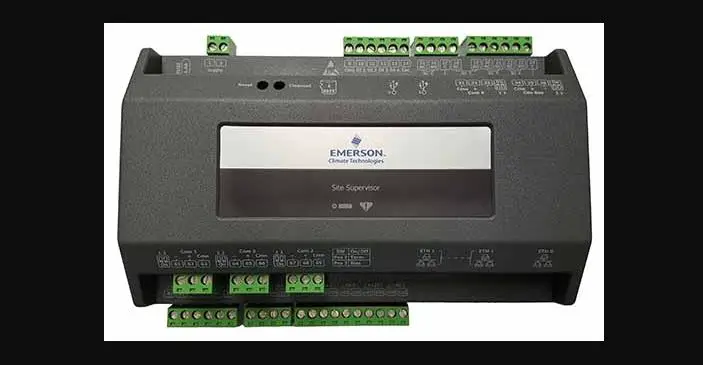
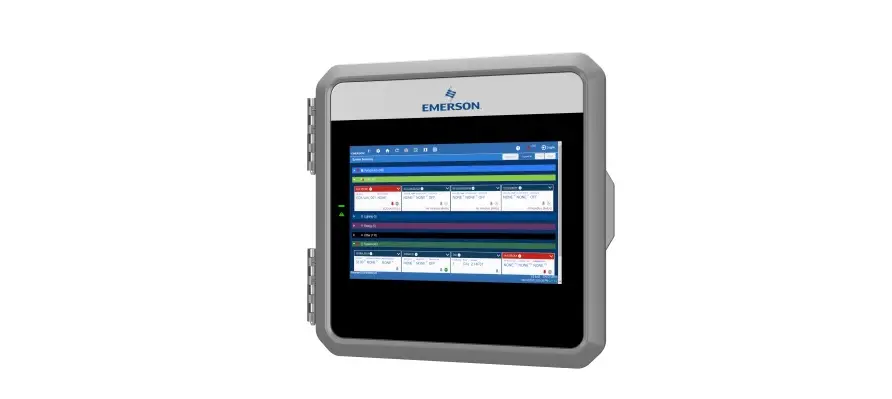
Figure 2 – Site Supervisor Controller
Document Part # 026-4081 Rev 1
Page 1 of 5
©2022 Emerson Digital Cold Chain, Inc. This document may be photocopied for personal use.
Visit our website at www.climate.emerson.com for the latest technical documentation and updates.
CONNECT+ UPDATE RECOMMENDED
Supervisory Controller Version 2.20F03
Recommended Connect+ Version 1.5.4F01
Table 1 – Supervisory Controller and Connect+ Compatibility Matrix
It is recommended to upgrade to the latest Connect+ version. If you plan to upgrade Supervisory controllers and Connect+ at the same time, upgrade Connect+ to the latest version first, then update the Supervisory controllers. Contact Emerson for more information about upgrading.
CONTROLLER FIRMWARE COMPATIBILITY
Firmware E3_#.#####_ Display_Update E3_#.#####_ Firmware_Update SS_#.#####_ Firmware_Update
Table 2 – Firmware Platform Mapping
Platform E3 only E3 and Site Supervisor Site Supervisor only
Features and Fix Descriptions
Features
Square D Application > Maximum allowed devices increased from 8 to 16.
Security > General enhancements.
ECT Modbus > Communication Stats section is now added to ECT Modbus Devices, such as Copeland Discus, CoreSense, and others.
Firmware Upgrade – Backup/Restore > A Site Supervisor or E3 configured as the site aggregator can now initiate firmware updates, backups, and restore backup files for E2 controllers.
Onboard IO Digital Input Active State (Site Supervisor only) > Active state parameters for Onboard I/O, are now user configurable.
AHU Air Handlers > Enhancements to the Air Handlers application, including Dehumidify strategies, minimum off time for cooling and dehumidification stages.
Table 3 – Supervisory Controller 2.20F03 Feature and Fix Matrix
Supported in Supervisory Controllers 2.20F03
Document Part # 026-4081 Rev 1 ©2022 Emerson Digital Cold Chain, Inc. This document may be photocopied for personal use. Visit our website at www.climate.emerson.com for the latest technical documentation and updates.
Page 2 of 5
Features and Fix Descriptions
Supported in Supervisory Controllers 2.20F03
Fixes
Static Route IP > The controller no longer needs to be rebooted when a USB stick is plugged in with the
delete_static_route file removed.
XM Circuit Application > The Mix Pct association was removed for all XM/XR devices when associated with an XM
Circuit.
Floorplans
> Customer Floorplans no longer show an error with the text “Standard Circuits Graphical Status does not exist.”
> Points value and status are now displayed correctly after overriding an E2 point that
cannot be overridden.
SOAP
> The interface SetPointValue is now functioning properly.
Online Help
· XM679 3.4
> General help enhancements and Min/Max values are now correct.
· XM678 2.8
> Help added for parameters that were missing definitions.
· Alarm Communications
> Help support added.
BACnet > BACnet IP Broadcast is now supported.
MODBUS Calculator
> If some of the devices are Unknown in the MODBUS Calculator, it can now be
determined if there is an overload of devices in the Site Supervisor configuration.
IPX Devices
> The IPX device AI Inputs’ values are no longer empty after changing CfgAI type from
NTC to Digital Input when these IPX devices are Offline.
Standard Circuit Application
> The start defrost cycle for the second circuit is now automatically scheduled to add 30 minutes after the start defrost cycle of the first circuit, when two circuits are the same
case type.
MRLDS-450 Application
> Sending the Application Command “Clear Calibration Command” will no longer result in
an error.
XC1000 Device
> The Site Supervisor parameter is no longer read from the device when CfgSyn Action is
set to Write to Device.
Table 3 – Supervisory Controller 2.20F03 Feature and Fix Matrix
Document Part # 026-4081 Rev 1 ©2022 Emerson Digital Cold Chain, Inc. This document may be photocopied for personal use. Visit our website at www.climate.emerson.com for the latest technical documentation and updates.
Page 3 of 5
Features and Fix Descriptions
Flex Combiner Application > Flex Combiner auto association now allows users to enter a colon “:” in the Description field manually.
Controller Offline (E3 Controller Only) > General code enhancements applied to reduce the probability of having to power cycle the controller.
System Time Settings > The order of the Time Zone and Time Setting fields has been reversed so that the Time Zone field now appears first. > System Time is now displayed when NTP is Enabled.
Refrigerant Support > R454C supported added.
Restore · UltraSite to Site Supervisor and E3 > The “+” is no longer missing in the Flexible Combiner’s equation after restoring the .003 file to Site Supervisor. > AHU Large parameters are now restoring correctly. > Analog Sensor Control parameters are now restoring correctly. · USB & SD Card > The progress bar is no longer showing 0% during file upload when restoring the setpoint file from a USB and SD card. · System > Restore verification will no longer fail when attaching customer setpoints.
Table 3 – Supervisory Controller 2.20F03 Feature and Fix Matrix
Supported in Supervisory Controllers 2.20F03
Document Part # 026-4081 Rev 1 ©2022 Emerson Digital Cold Chain, Inc. This document may be photocopied for personal use. Visit our website at www.climate.emerson.com for the latest technical documentation and updates.
Page 4 of 5
For more information on firmware upgrades, see the 026-4184 Upgrade Advisory: https://climate.emerson.com/documents/026-4184-upgrade-advisory-for-all-supervisory-controller-versions-before-2-19f01-en7981974.pdf
For more information on E3 firmware upgrades before 2.20F03, see the 026-4185 Upgrade Advisory https://climate.emerson.com/documents/026-4185-upgrade-advisory-for-e3-controller-versions-below-2-20f03-en-8070726.pdf Supported Browsers
· Microsoft Edge v88 and later · Mozilla Firefox 11 and later · Google Chrome 61.0 and later · Apple Safari® on iOS10 (iPhone® 5C, iPad® 4) and later · Webview on Android 5.0 (Samsung Galaxy S4) and later
For Emerson Digital Cold Chain Technical Support
· 833-409-7505 · [email protected]
Document Part # 026-4081 Rev 1
Page 5 of 5
This document may be photocopied for personal use. Visit our website at www.climate.emerson.com for the latest technical documentation and updates.
Join Emerson Technical Support on Facebook http://on.fb.me/WUQRnt For Technical Support call 833-409-7505 or email [email protected]
The contents of this publication are presented for informational purposes only and they are not to be construed as warranties or guarantees, express or implied, regarding the products or services described herein or their use or applicability. Emerson reserves the right to modify the designs or specifications of such products at any time without notice. Responsibility for proper selection, use and maintenance of any product remains solely with the purchaser and end-user. ©2022 Emerson is a trademark of Emerson Electric Co.
 Emerson Retail Solutions Tech Support | Facebook
 Copeland Worldwide | Copeland US
 Controls & Monitoring Systems | Copeland US