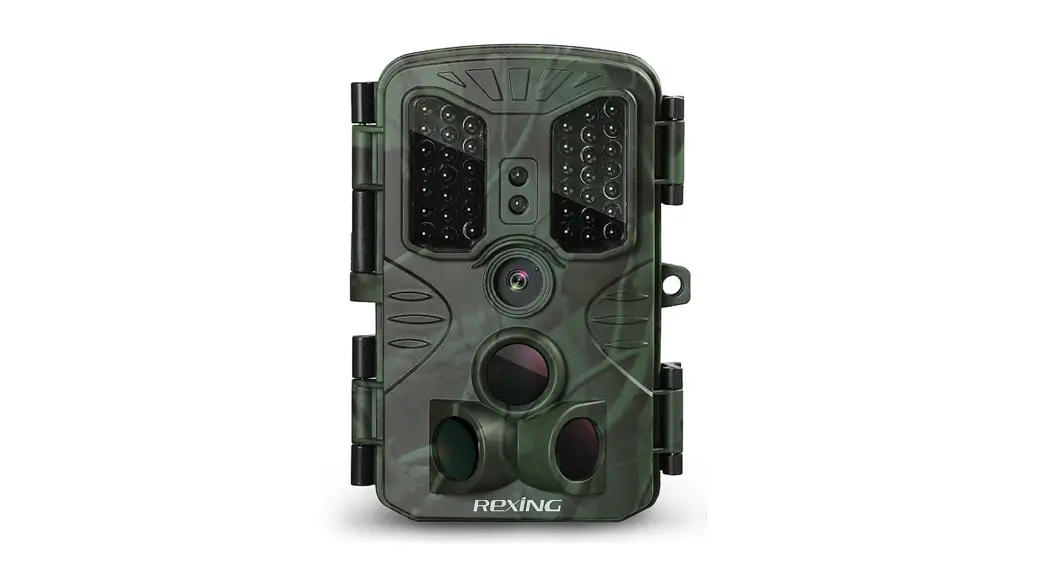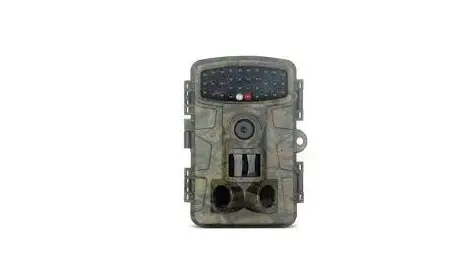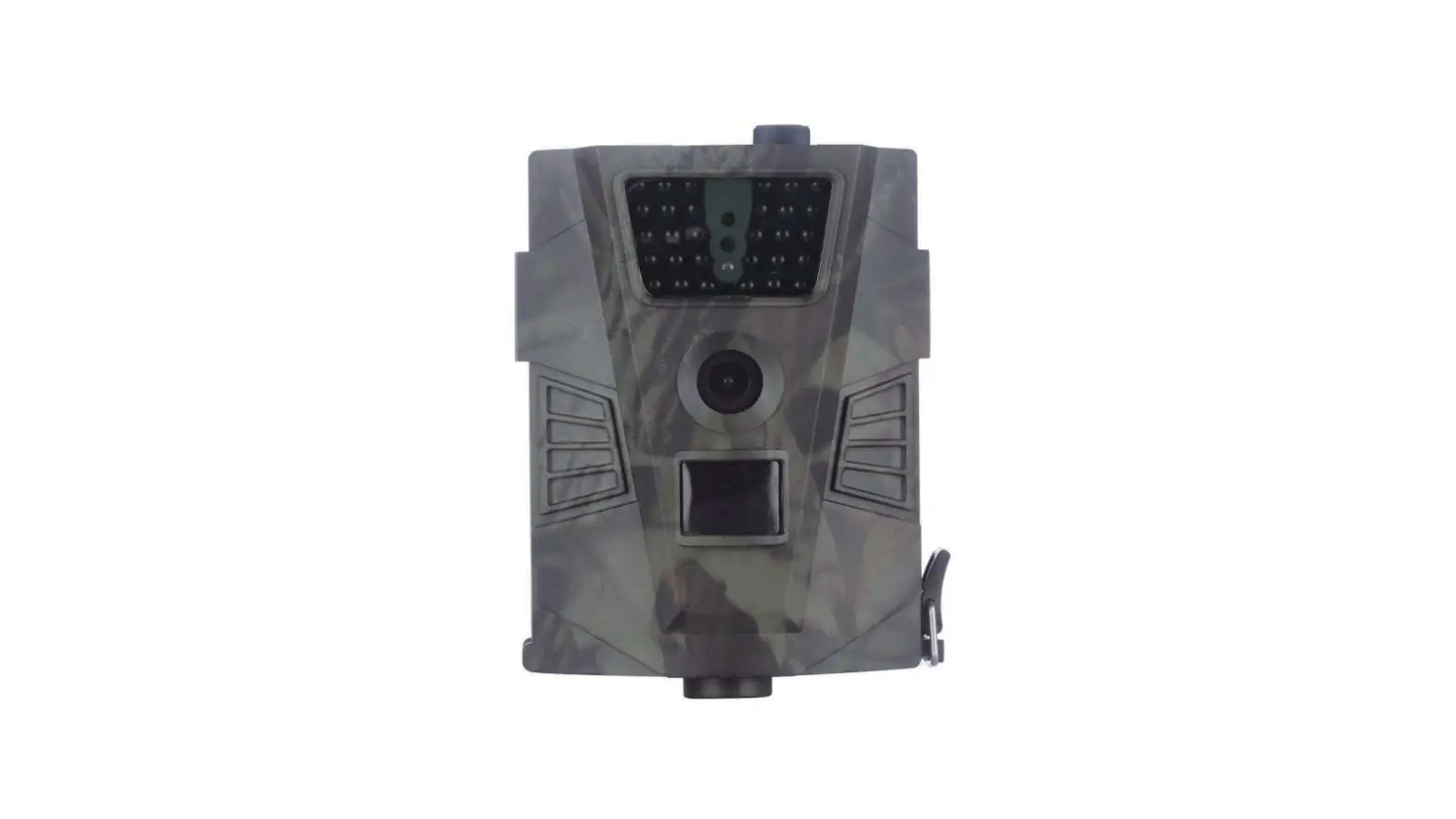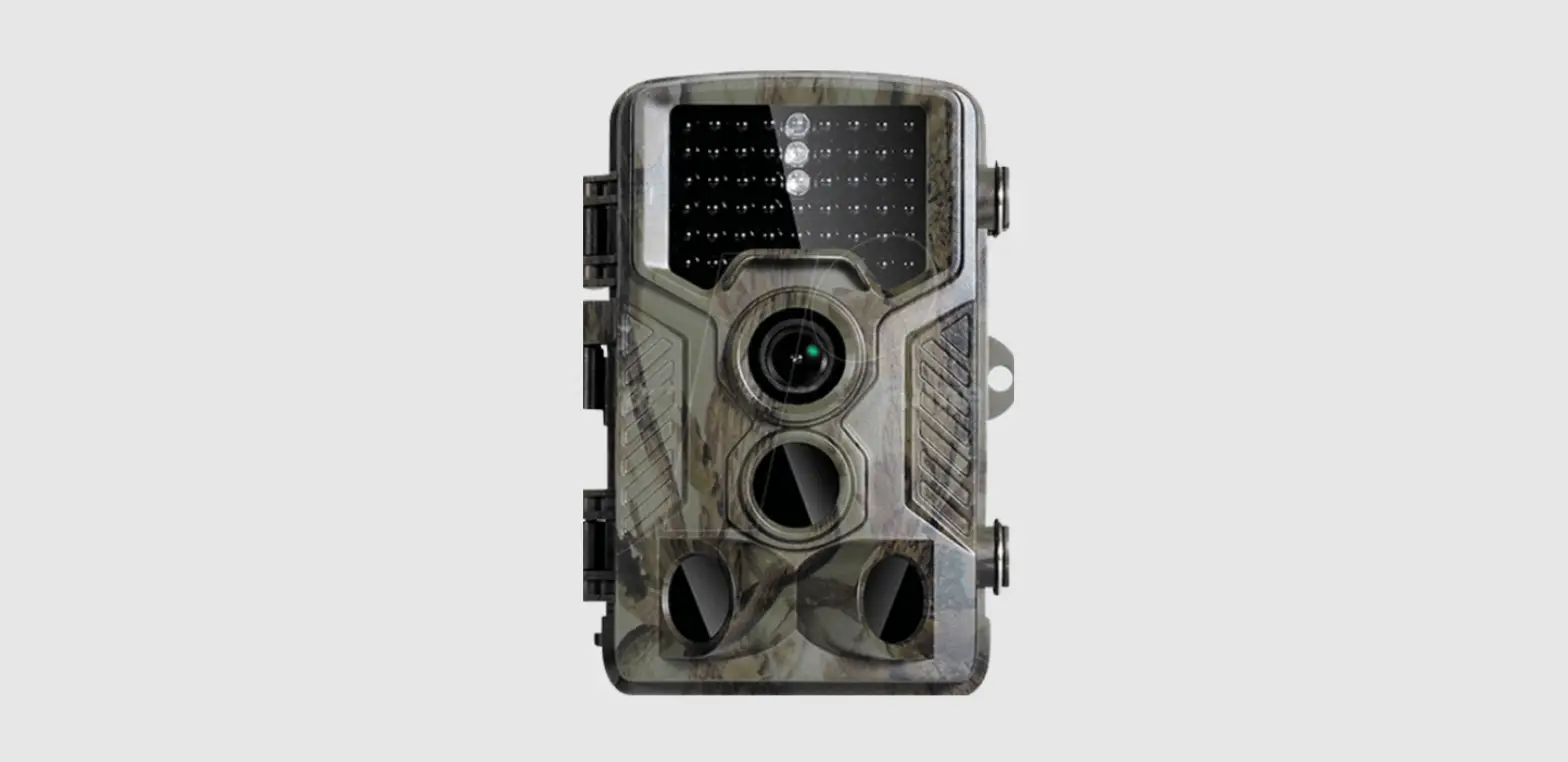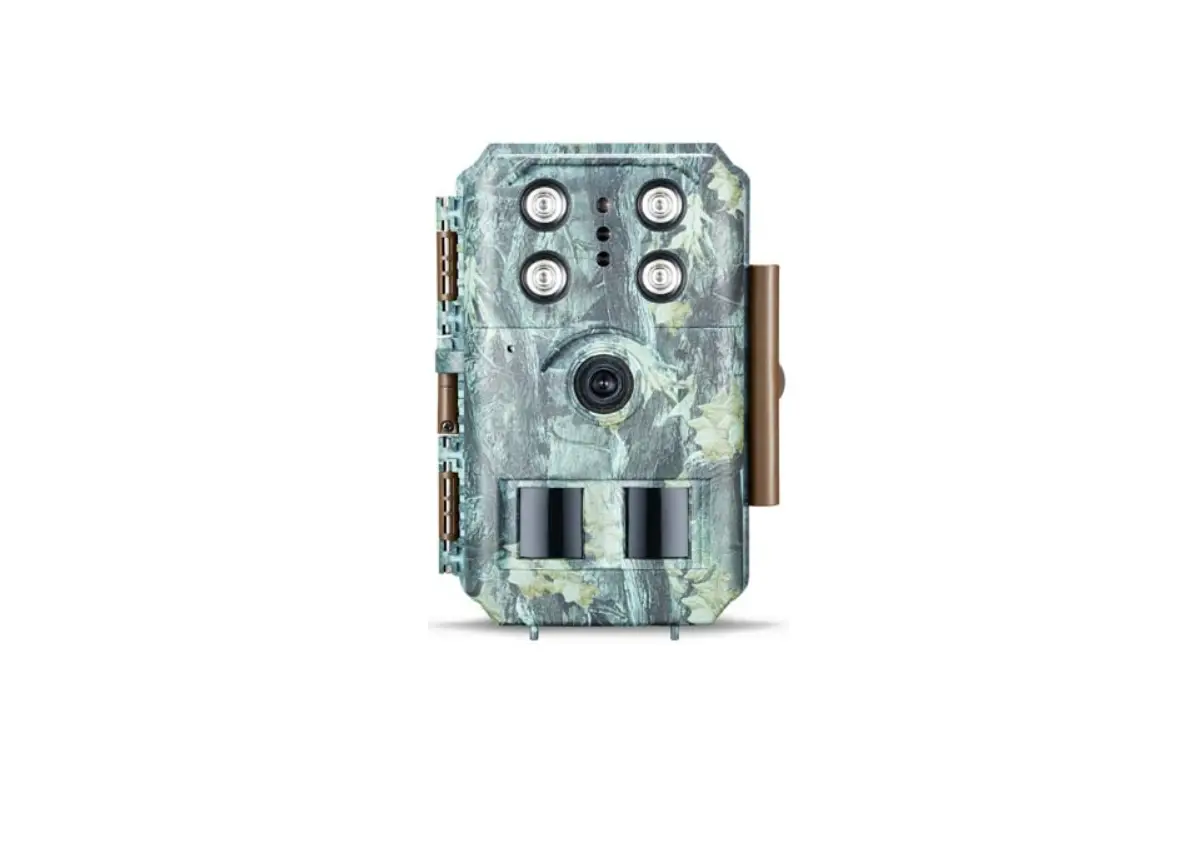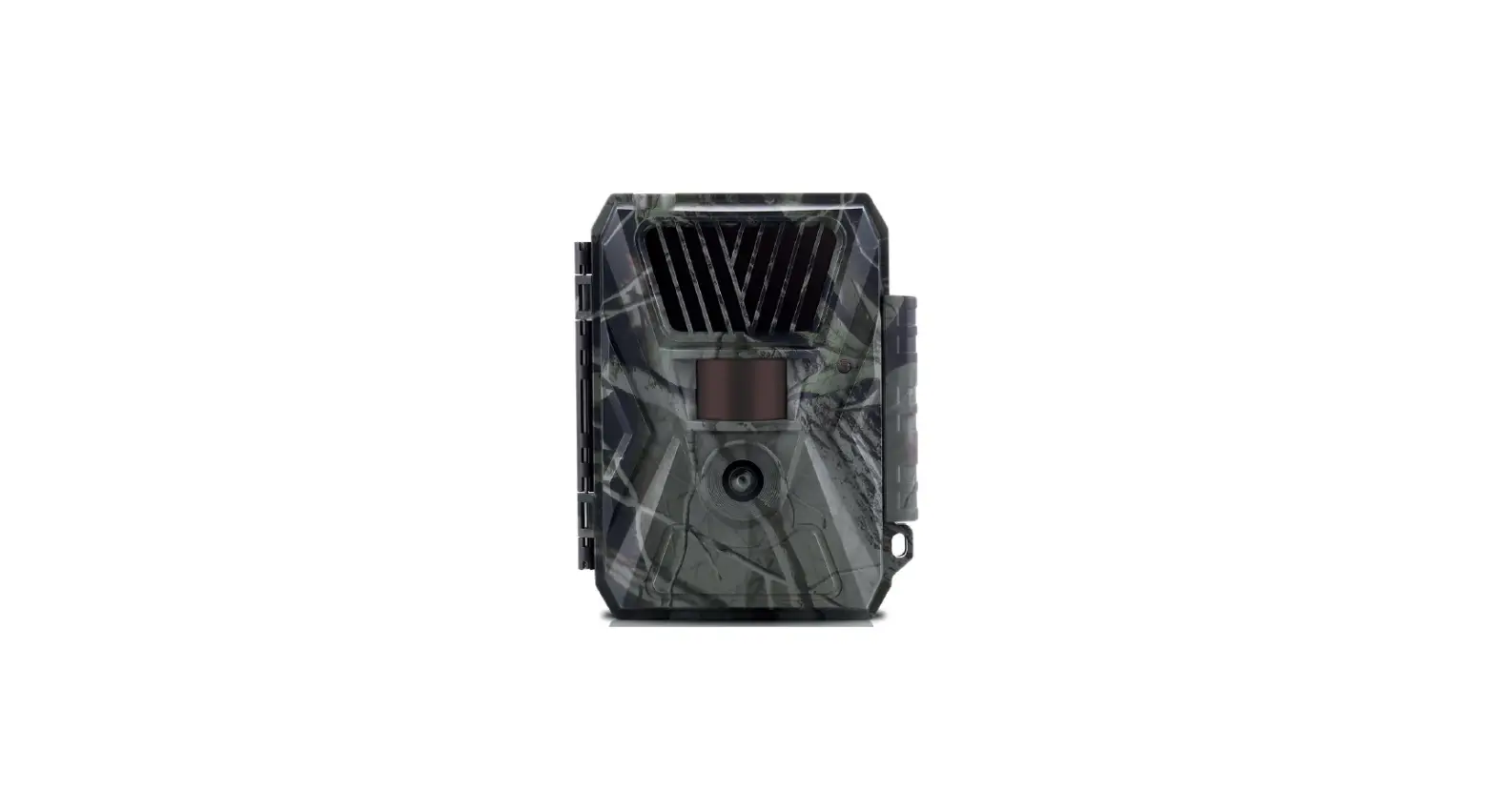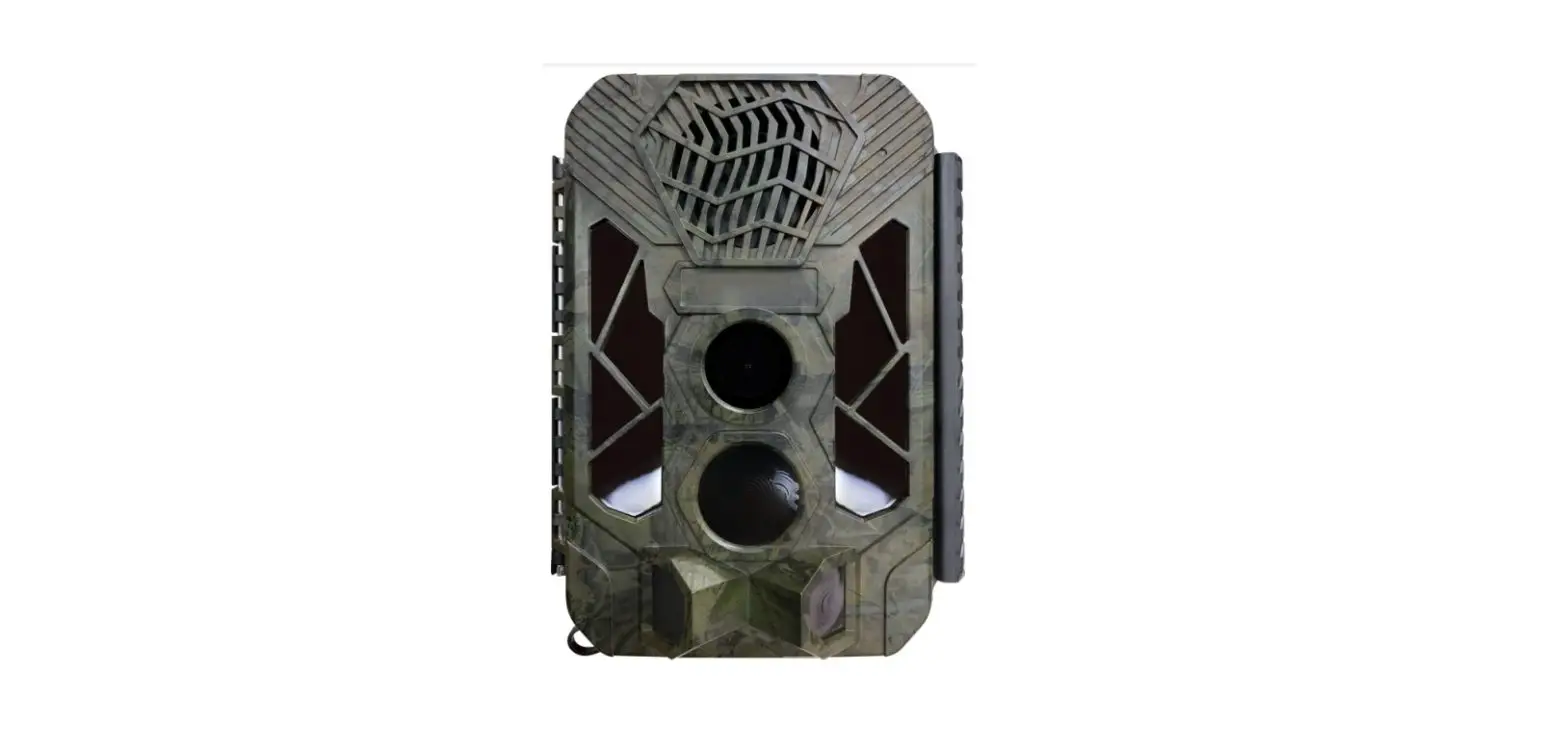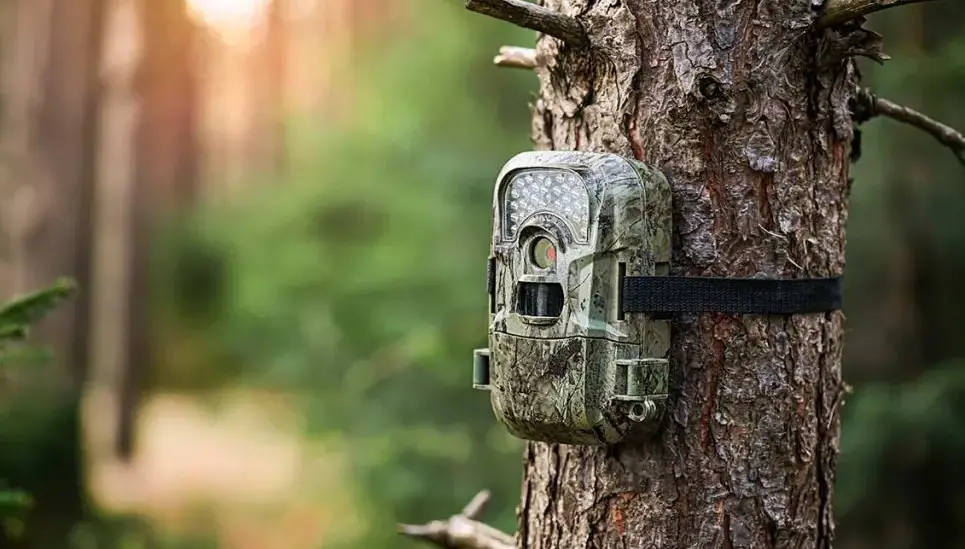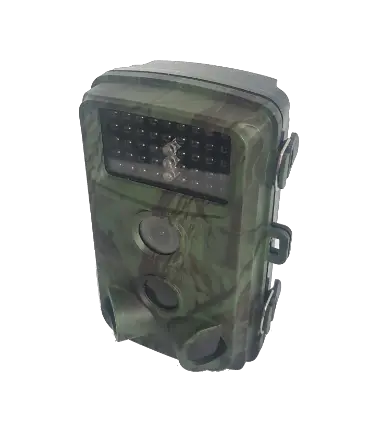

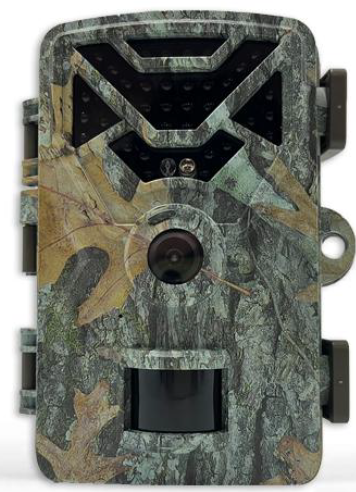
Hawkray T3 Hunting Camera
Packing List
Please unpack the camera carefully and check that the following accessories are included in the box.
- 1 hunting camera
- 1 data line
- 1 user’s manual
- 1 strap
- 1 bracket
- 1 screw pack (contains 3 screws + 3 expansion rubber plugs)
- 8 batteries
- 1 32G TF card
Product Information
This tracking camera (also called a search or hunting camera) is a search device. It is equipped with a high-sensitivity PIR pyroelectric infrared sensor. When a human (or animal) moves, the temperature change of the external environment will be triggered by induction, and it will automatically capture pictures or record high-definition videos. This camera can achieve more applications by setting the timing, interval interval and other functions.
Main Features of the Camera
- High-sensitivity PIR pyroelectric infrared sensor
- Automatic picture or video capture when triggered by motion
- Timing and interval functions for customized use
- Can be used for hunting, wildlife observation and research, action camera, and surveillance camera
Application
- Hunting and animal activity tracking
- Wildlife observation and research
- Action camera for cycling, driving, camping, or exploring
- Surveillance camera for home, office, and community use
Product Structure
- Infrared light
- Photodiode
- White/red light
- Lens
- Microphone
- PIR sensor
- Fixed buckle
- Strap through hole
- Lock
- LCD
- MENU key
- Up key
- OK key
- Left key
- Down key
- Switch ON/TEST/OFF
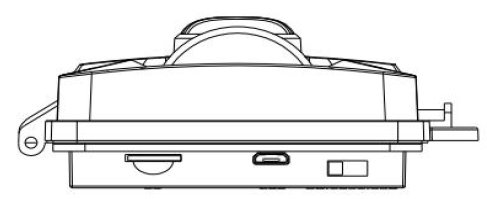
- USB interface
- Right key
- Trumpet
- TF card slot
- Battery compartment
- Battery cover
Illustrate 1: The camera provides the following device connections: USB interface, TF card slot, external DC power socket. Three-speed mode switch to select: OFF/TEST/ON; 2 LED light indication: White and red flashing in TEST mode indicates that PIR triggers monitoring, but does not enter shooting/recording mode; ON mode countdown flashes light.
Quick Start
Battery
In terms of power supply, it is recommended to use LR6 (AA) batteries of the same specification, and do not use old and new batteries at the same time; make sure that the positive and negative electrodes of the batteries match the symbols on the casing. If you do not use the camera for a long time, please remove the battery inside the camera to avoid the camera being damaged by leakage; In addition, the camera can also work with externally provided DC power (6V/2A), solar cells, etc. The interface plug specifications are 3.5MM (outer diameter) and 1.35MM (inner diameter). In TEST mode, Battery Low will appear on the display when the battery is low.
Insert TF Card
This camera has no built-in memory, so it cannot work without a TF card. The TF card supports a capacity of up to 128GB, and it is recommended to use a Class 10 TF card. Before inserting the TF card into the TF slot, please check whether the card capacity exceeds 128GB. It is recommended to format (as described below) and make sure that the card has been tested.
Set TEST Mode
Toggle the switch to the TEST position and enter the setting mode. In this mode, like a normal digital camera, you can take pictures or video, or enter the menu to set parameters. There are six shortcut function keys on the keyboard
Packing List
Please unpack the camera carefully and check that the following accessories are included in the box.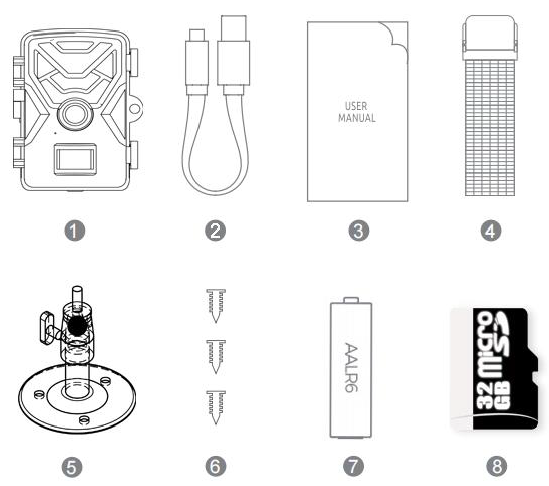
- hunting camera*1
- data line*1
- user’s manual*1
- straps*1
- bracket*1
- screw pack*1(Contains 3 screws + 3 expansion rubber plugs)
- Battery*8
- 32G TFCard*1
Product information
This tracking camera (also called a search or hunting camera) is a search device. It is equipped with a high-sensitivity PIR pyroelectric infrared sensor. When a human (or animal) moves, the temperature change of the external environment will be triggered by induction, and it will automatically capture pictures or record high-definition videos. This camera can achieve more applications by setting the timing, interval interval and other functions.
Main features of the camera
- CMOS sensor, camera lens with 79° viewing angle.
- Optional 12M, 16M, 20M, 30M pixel high resolution.
- It takes 0.2~0.6 seconds to trigger the capture to the picture
- Built-in 2.0-inch TFT color display that can display high-definition pictures and videos.
- Support TF card with capacity up to 128GB.
- Waterproof grade: IP65
- Operating temperature range: -20℃~60℃
- Built-in 34 850nm infrared lights; up to 15M (about 50 feet) infrared night vision range.
- Date, time, temperature and moon phase can be imprinted on the picture.
- In the “Photo + Video” mode, the camera can capture pictures and video at the same time every time it is triggered.
- By setting the time interval, the camera automatically captures pictures and video at the specified time interval. Useful for watching plants bloom, birds nesting, unattended lots or yards. This feature works with the timer to meet your time requirements.
- Long battery standby time (6 months in standby mode with 8 AA batteries)
- The serial number setting feature allows you to imprint a code on your photos, which helps many camera users identify their location when
browsing through photos. - Password lock protection can be set.
- Automatically switch between day and night, color photos are taken during the day, and black and white photos are taken at night.
Application
- It can be used as hunting, animal activity track or habit tracking.
- It can be used for wildlife observation and research, capturing pictures and videos of wild animals.
- Use as an action camera for cycling, driving, camping or exploring.
- Use as a surveillance camera for home, office and community use.
- It is used for indoor and outdoor places where evidence of intrusion needs to be obtained.
Product Structure
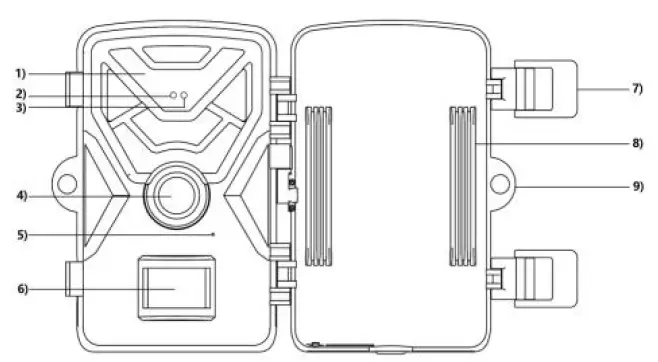
- Infrared light
- Photodiode
- white red light
- lens
- microphone
- PIR sensor
- Fixed buckle
- strap through hole
- lock
 LCD
LCD- MENU Key

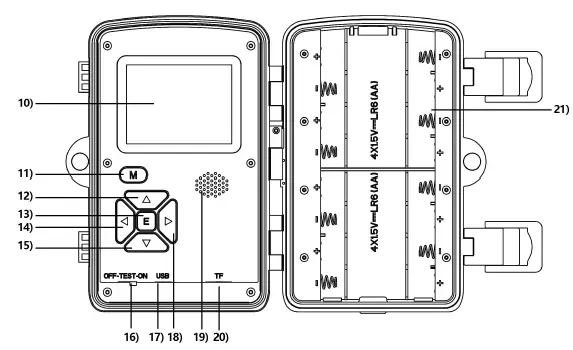 LCD
LCD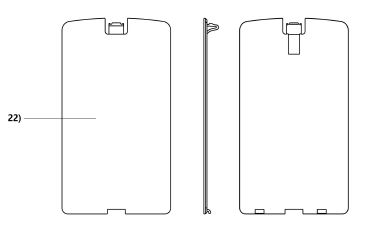
- up key
- OK key
- left key
- donw key
- switch(ON/TEST/OFF)
- USB interface
- right key
- trumpet
- TF card slot
- Battery compartment
- battery cover
Illustrate
- The camera provides the following device connections: USB interface, TFcard slot, external DC power socket. Three-speed mode switch to select: OFF/TEST/ON

- LED light indication: White and red flashing in TEST mode indicates that PIRtriggers monitoring, but doesn’t enters hooting/recording mode; ON mode countdown flashes light.
Quick start
Battery
In terms of power supply, it is recommended to use LR6 (AA) batteries of the same specification, and do not use old and new batteries at the same time; make sure that the positive and negative electrodes of the batteries match the symbols on the casing. If you do not use the camera for a long time, please remove the battery inside the camera to avoid the camera being damaged by leakage In addition, the camera can also work with externally provided DC power (6V/2A), solar cells, etc. The interface plug specifications are 3.5MM (outer diameter) and 1.35MM (inner diameter). In “TEST” mode, “Battery Low” will appear on the display when the battery is low.
Insert TF card
This camera has no built-in memory, so it cannot work without a TF card. The TF card supports a capacity of up to 128GB, and it is recommended to use a Class 10TF card. Before inserting the TF card into the TF slot, please check whether the card capacity exceeds 128GB. It is recommended to format (as described below) and make sure that the card has been tested.
(3)Set “TEST” mode
Toggle the switch to the “TEST” position and enter the setting mode. In this mode, like a normal digital camera, you can take pictures or video, or enter the menu to set parameters. There are six shortcut function keys on the keyboard.
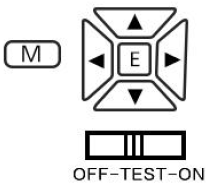
key map
Short press the “M” key to bring up menu options and exit the menu Short press the “▲” key to enter the recording mode, in the menu mode, it is to move up, and in the playback mode, short press the up to turn the page; Short press the “▼” key to enter the photo mode, in the menu mode, short press to move down; in the playback mode, short press to turn the page; “◀”: Short press to take photos/records in the photo/video state; press this key in the menu interface to move left; “▶” In the photo/video state, short press this key to enter the playback mode, in the playback state, short press this key to exit to the photo/video mode, in the menu state when setting parameters, short press this key to move right; “E” key: enter the menu mode to change the setting, short press “E” to confirm the setting change; when in the video file, short press to play the video;
OFF/TEST/ON: Dial to OFF to turn off the machine; Dial to TEST and the machine is in test mode to test various functions of the machine; Dial to ON mode and the machine automatically enters the standby state after 5 seconds, when the PIR detects that there is a pedestrian or object ahead It will work automatically when moving (photo/video), as shown in the figure:

USB: When the machine is turned to OFF and test or ON mode, the machine can be connected to the computer as a U disk mode.
Enter live mode
When the switch is in the “ON” position, it will enter the real-time mode, and it will start working without manual operation of the camera. When the prey or other objects enter the PIR sensing area, it will immediately start taking pictures or recording videos. If the prey wanders away from the PIR sensing area, the camera will power off and go into standby mode.
illustrate:
In general, it is recommended that you place the camera 3 to 6 feet off the ground.
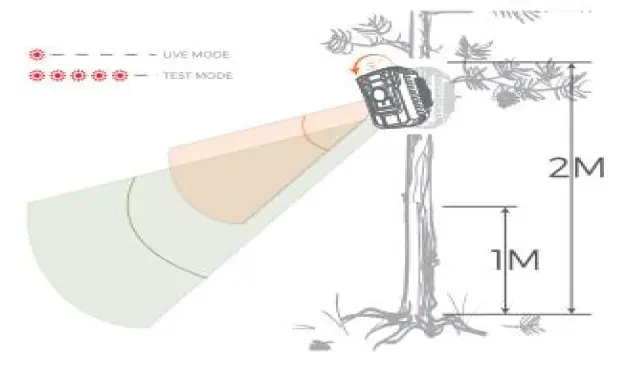
Note: To avoid potential false triggers due to temperature and monitoring interference, do not point the camera at a heat source (eg, the sun) or near tree branches. Ideally facing north or south, move away from branches close to the front of the camera.
Advanced settings
The tracking camera comes with factory settings, you can change the settings according to your needs, please make sure the camera is in the setting mode.
parameter setting
| parameter settings | Photograph video photo + video | Choose to take pictures or videos, in Cam+Video mode, take a snapshot first picture, then camera |
| language family | Enter | 8 kinds (can be customized) |
| Image size | 30MP 20MP 16MP 12M | Select the required picture pixels, 12MP ~ 30MP is optional, the higher the resolution, the better the picture quality, but the TF space occupied is larger, therefore, it takes a longer time to write a larger file to the TF card, and it will take a little longer. Decrease shutter speed |
| video size | 2K 2560 ×1440 1080FHD 1920 ×1080 720P 1280 ×720 VGA 640 ×480 | Select the video resolution (pixels per frame), the higher the resolution, the better the quality of the video, but the created file will occupy a larger space capacity of the TF card |
| Video length | AVI 10 seconds Options from 10 seconds to 10 minutes | Videos in AVI format can be played back on most video players |
| Shooting interval | 5 seconds Options from 5 seconds to 60 minutes | Choose the shortest time interval the camera waits, and the PIR sensor will be triggered as soon as the prey appears. During the selected interval, the camera will not take pictures or take pictures, which can prevent too many redundant pictures from being stored in the TF card |
| set date/time | Enter | Call up the menu to select the date/time, short press the “ENTER” key to set the date |
| time stamp | time/date date closure | If you want to have a date/time watermark on each image, you can select the time/date label setting. Select “Off” and there will be no watermark on the picture |
| timer | turn on closure | If you want to work within a specified time period every day, you can select “On” to set the machine working time range |
| password setting | turn on closure | Set a password to protect the camera from unauthorized use |
| camera name | turn on closure | Select “On” to name your camera. Can be named using a combination of 4 digits or letters |
| video sound | turn on closure | The default setting is on, when on, the camera can record audio, otherwise, only silent video |
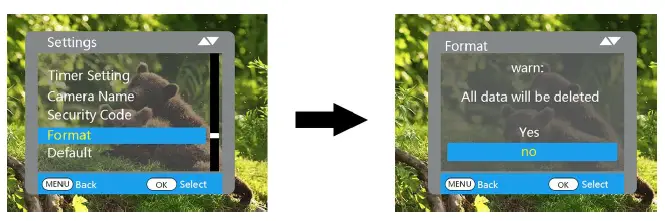
| format | Yes no | When formatting the TF card, all files will be deleted. When your TF card has been used on other devices, it is strongly recommended to format the TF card. |
| reset | Cancel confirm | Short press the “E” key to restore the factory settings |
| Version | Enter | View by camera version |
File formatting
The pictures and videos of the camera are stored in the \DCIM\100MEDIA folder in the TF card. picture The file name is saved as IMAG0001.JPG, and the video file name is as IMAG0001.AVI. In the “Open” mode, you can use the provided USB data cable to download these files to the computer, or you can put the TF card in the card reader, and insert it into the computer to browse the files in the U disk. AVI video files can be played on most multimedia devices, such as Windows Media Player, Quick Time, etc.
Guarantee
We take pride in our products. We always keep our word. We offer superior warranties and service. By purchasing our products, you will enjoy a warranty. We warrant our products to be free from defects in material and workmanship from the original date of purchase. This warranty does not cover damage caused by the user, such as misuse, abuse, improper operation or installation, or repairs by unauthorized technicians. During the warranty period, we will repair your camera free of charge or replace it with a camera of the same or similar model at our option. This warranty applies only to original retail buyers of our authorized dealers. Please ask for a warranty card when purchasing. The warranty for any replacement product provided under the original warranty shall be the warranty period applicable to the original product. This warranty applies only to failures resulting from defects in materials or workmanship under normal use. Does not include normal wear and tear of the product. If you return the product within the warranty period, please contact your dealer or our dealer.
Appendix I: Technical Parameters
| Image Sensor | 2 million pixel color CMOS |
| Max pixel | 4000×3000 |
| lens | 4MM fixed lens (angle 79°) |
| Infrared light | 850nm infrared light |
| LED display | 2.0-inch TFT color display |
| button | 6 keys, three-speed switch |
| memory | TF card (support up to 128GB capacity) |
| Image size | 30M, 20M, 16M, 12M |
| video size | 1920×1080, 1280×720, 640×480 |
| PIR sensing distance | ≤12 meters |
| Operating mode | day and night |
| Trigger time | 0.2~0.6 seconds |
| Number of continuous shots | 1 to 3 sheets |
| Video length | 10 seconds to 10 minutes |
| photo + video | Take a photo first, then take a photo |
| password | 4 letters or numbers |
| camera name | 4 letters or numbers |
| video sound | open close |
| language | English, Traditional, Simplified, Japanese, French, German Spain, Italy |
| power supply | 4 × AA, expandable to 8 × AA (eight batteries recommended) |
| stand-by current | ≤0.15mA |
| Standby time | 4~8 months (4×AA~8×AA) |
| screensaver | The system defaults to 2 minutes |
| Automatic shut-down | The system defaults to 5 minutes |
| Power consumption | 230mA (650mA when IR light is illuminated), at DC 6V2A |
| Low battery reminder | 3.9V automatic shutdown after 5 seconds |
| interface | USB, TF card slot |
| Install | Strap or tripod |
| Protection class | IP65 |
| Operating temperature | -20℃~+60℃ |
| Working humidity | 5%~95% |
| Version | DL005+date |
Appendix II: Frequently Asked Questions and Answers
- What should I do when I forget the camera power-on password?
A:You can enter the super password “open” to unlock, and the original setting password will be eliminated - The camera does not take pictures/videos, what should I do?
A:Check whether the mirco SD card can be used normally, make sure the battery is sufficient, can trigger motion detection within the effective range, and restore the factory settings.