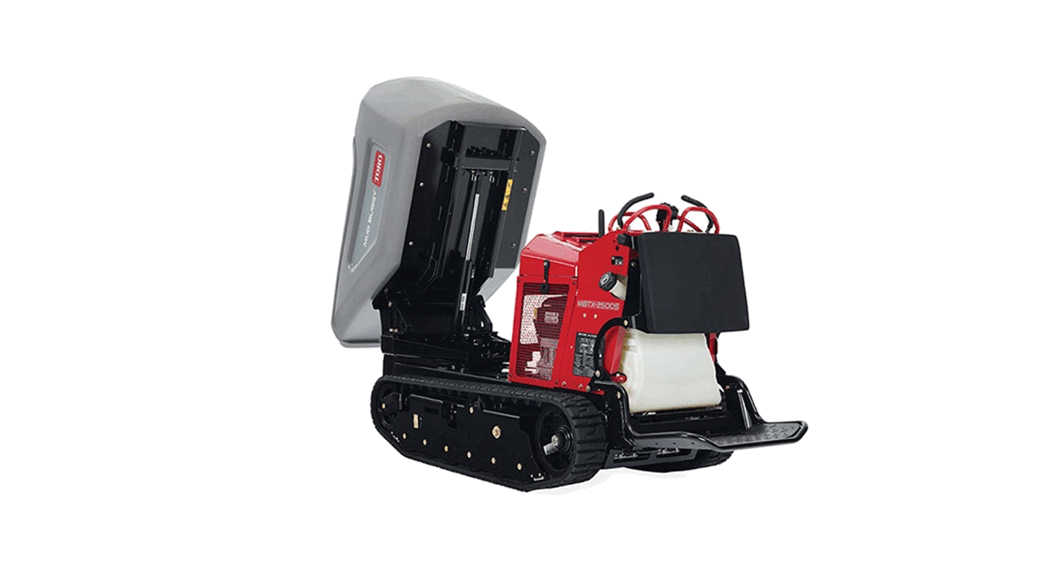
 MB TX 2500S Tracked Mud Buggy
Model No. 68141—Serial No. 400000000 and Up
Model No. 68141G—Serial No. 400000000 and Up
Form No. 3448-248 Rev A
Instruction Manual
Setup
Loose Parts
Use the chart below to verify that all parts have been shipped.
| Description | Qty. | Use |
| Tensioning tool | 1 | Adjust the track tension. |
Adjusting the Track Tension
Note: Check and adjust the tension prior to operating the machine.
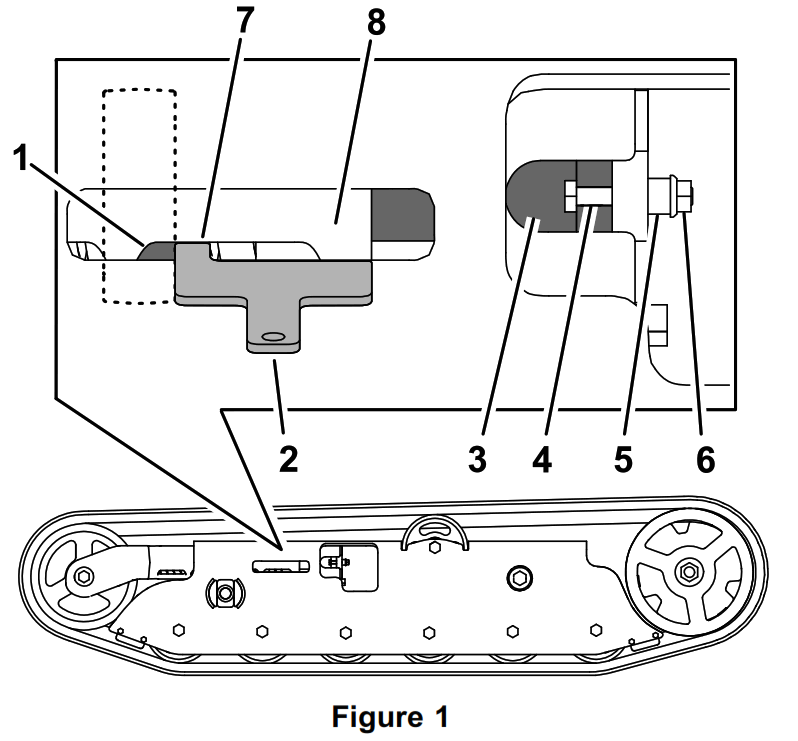
- Place the tab of the tensioning tool along the rear edge of the tension nut. Verify that the other end of the tensioning tool aligns with the edge of the tension arm. If necessary, continue the procedure to adjust the tension.

1. Tension nut 5. Spacer 2. Tensioning tool 6. Nut 3. Tensioning bolt 7. Tab 4. Bolt (1/4 x 1-5/8 inch) 8. Tension arm - Remove the bolt (1/4 x 1-5/8 inch), spacer, and nut (Figure 1).
- Turn the tensioning bolt to adjust the tension nut until the edges of the tensioning tool align with the edges of the tension nut and tension arm (Figure 1)
- Align the closest notch in the tensioning bolt to the bolt hole and secure the tensioning bolt with the bolt (1/4 x 1-5/8 inch), spacer, and nut (Figure 1).
- Repeat the procedure for the other track.
© 2021—The Toro® Company
8111 Lyndale Avenue South
Bloomington, MN 55420
Register at www.Toro.com.
Original Instructions (EN)
Printed in the USA
All Rights Reserved