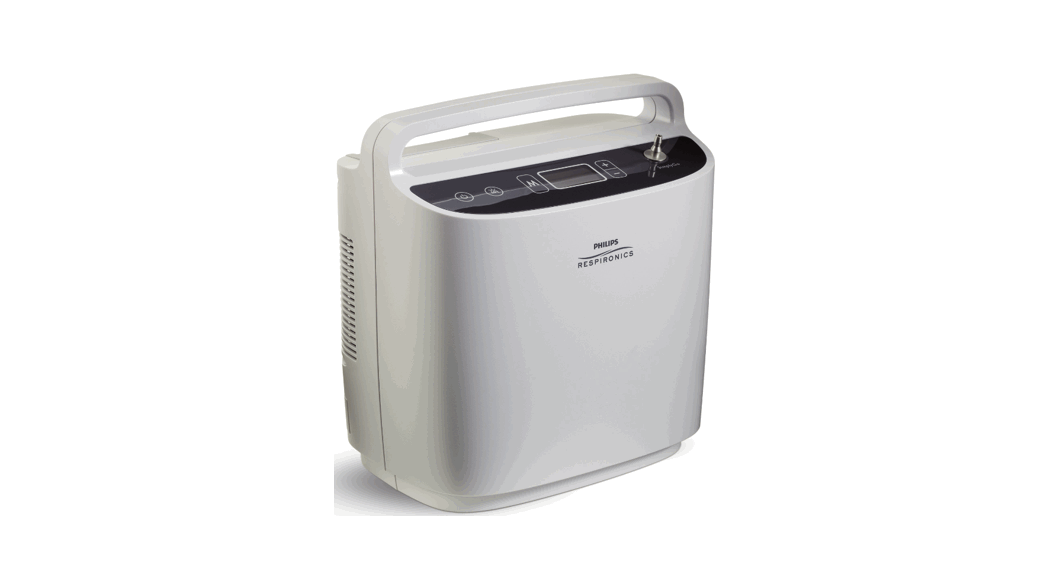
 SimplyGo
Quick-start guide
Getting started
This guide is intended to help you get started using the SimplyGo portable oxygen concentrator. If you have questions that are not answered in this guide, please consult the SimplyGo User Manual or contact your homecare provider.
Important: The first time you charge the battery, be sure to charge it fully. Do not use the DC power cord for initial charge; instead use AC power.
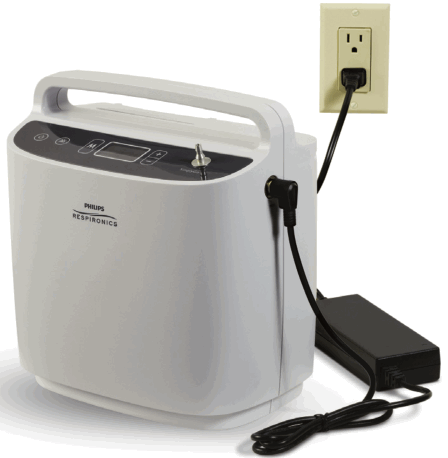
Charge the battery using the AC power cord.
Before using SimplyGo for the first time, the battery requires an initial uninterrupted charging time of four hours minimum. This can be accomplished by installing the battery (see step 2 of Quick-start instructions) and using the AC power cord.
To charge the battery using the AC power cord provided with your system, follow these steps:
- Connect the AC power supply’s output cable to the SimplyGo power input connector located on the upper right side of the unit.
- Connect the AC power cord’s connector to the AC power supply.
- Connect the AC power cord’s plug to an AC outlet.
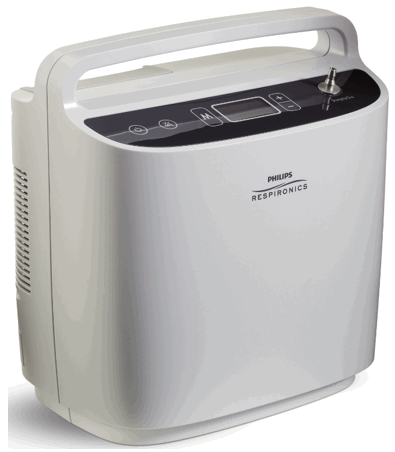
Control panel display
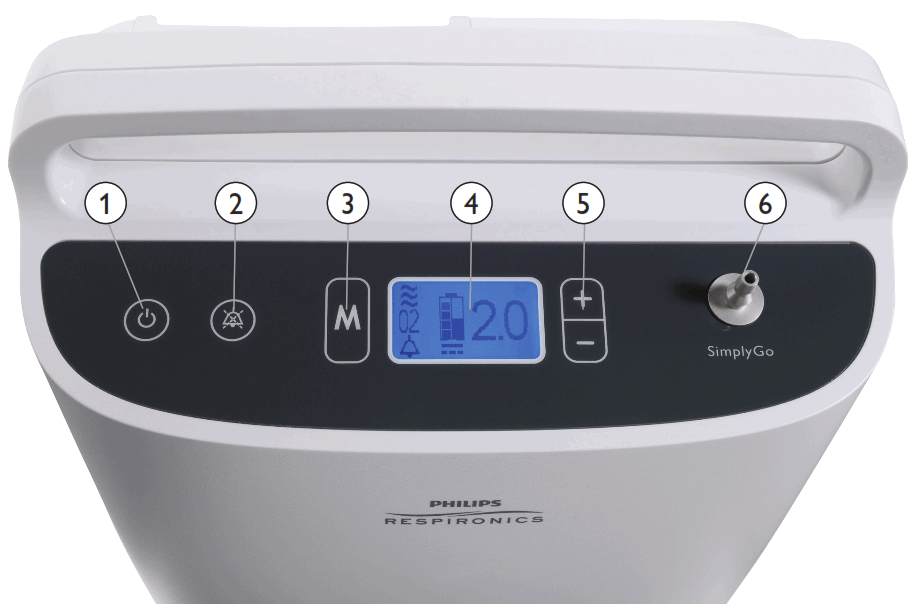
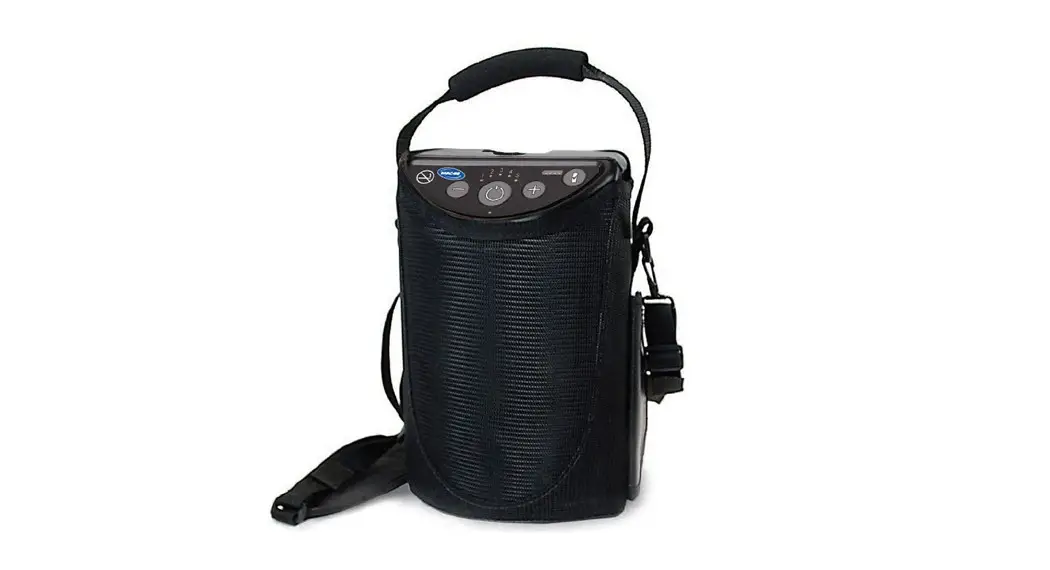
- Power Turns SimplyGo on and off
- Alarm silence Turns the audible alarm off
- Mode Selects one of the three possible operating modes
- Display screen Shows information about the operating status of the device
- Plus (+)/minus (-) + Increases the displayed setting; – Decreases the displayed setting
- Cannula connector Oxygen output and connection point for cannula
Quick-start instructions
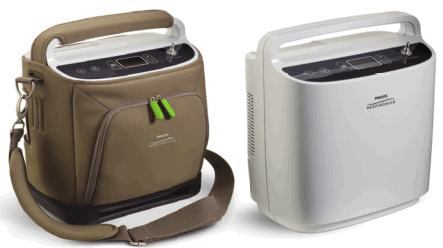
- Attach the shoulder strap to the carrying case.
Slide SimplyGo into carrying case, secure, and attach shoulder strap if desired. SimplyGo can be operated in or out of the case.
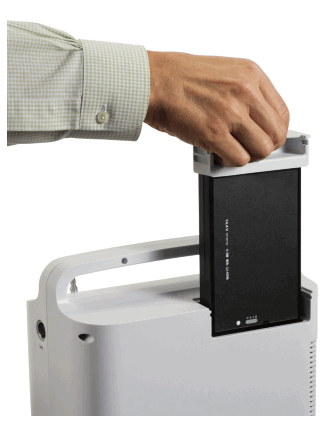
- Insert the charged battery into the device.
There is only one way the battery can be inserted into SimplyGo. Using its handle, position the battery over the battery compartment, lower into place, and press until it snaps into place. After the battery is inserted, check to make sure the battery handle is level with or slightly below the top of the plastic case.
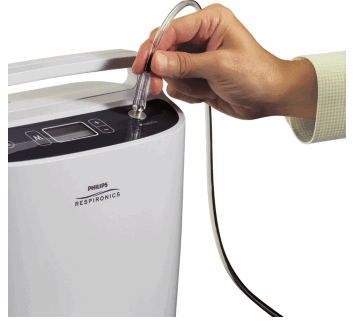
- Connect a nasal cannula to the oxygen outlet on top of the device.
Connect a nasal cannula to the top of SimplyGo. To avoid a disruption of oxygen, route the cannula so that it is not pinched or kinked. A standard single lumen nasal cannula and tubing should be used. SimplyGo works with cannula tubing up to 30 ft. (9 m).
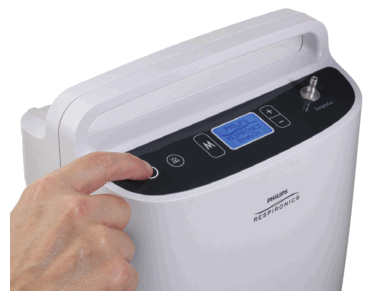
- Turn on SimplyGo.
Turn the device on by pressing the Power button twice. After the first press, the display screen and the button backlights turn on. Press the Power button a second time to place the device in operating mode. This second press helps prevent unwanted starts or inadvertent changes in oxygen flow. The introductory screen momentarily appears followed by the final operating mode screen.
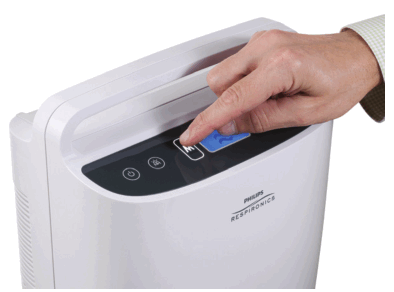
- Set the mode.
Press the Mode button. Note: If the device is operating and the screen is dark, the first press turns on the screen backlight. In this case, press the button a second time to select the mode. Continue pressing the Mode button to scroll through the Pulse, Continuous Flow, or Sleep modes. When the desired mode appears in the display, stop pressing the button and wait. The display will return to the run time screen of the mode you selected, and the device will operate in this mode.
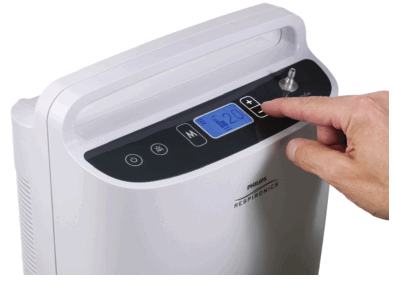
- Set the flow rate.
To set the device’s flow setting, press either the + or – button. To increase the flow setting, press the + button. To decrease the flow setting, press the – button. The device can be set to 1, 1.5, 2, 2.5, 3, 3.5, 4, 4.5, 5, 5.5, and 6 in Pulse or Sleep mode. SimplyGo can be set to 0.5, 1, 1.5, and 2 in Continuous Flow mode. Always verify the flow rate when turning on SimplyGo.
Mobile cart operation
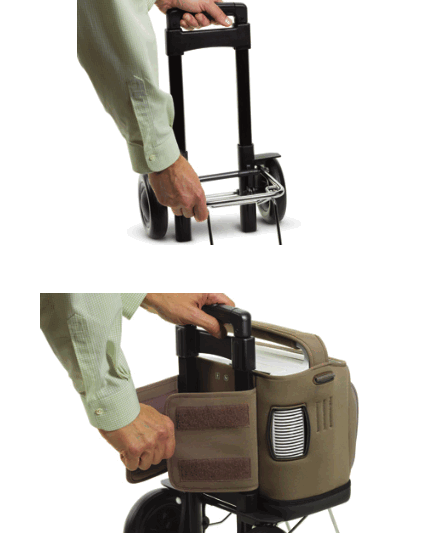
To set up and use the mobile cart, follow these easy steps.
- Set the mobile cart on a level surface, hold the handle with one hand, and open the base support.

- With SimplyGo properly positioned in its carrying case, place the device on the base of the cart and secure using the elastic strap on the back of the case.
Oxygen delivery modes Pulse mode
When SimplyGo is in the Pulse mode, it detects when the user begins to take a breath and then delivers a pulsed volume of oxygen determined by the setting number. Continuous Flow mode
In Continuous Flow mode, a constant flow of oxygen is supplied based on the setting number (in liters per minute). When the desired mode appears in the display, stop pressing the button and wait. The display will return to the run time screen of the mode you selected and the device will operate in this mode. Sleep mode
Sleep mode is similar to the Pulse mode; SimplyGo detects when the user begins to take a breath and then delivers a pulsed volume of oxygen determined by the setting number. The Sleep mode differs from Pulse mode in that it has a more sensitive triggering level and delivers a softer, more comfortable pulse for sleeping. If no breath
is detected for a period of time, the system automatically delivers a continuous flow of oxygen at a rate consistent with the last used Continuous Flow mode setting. - Press down on the “PUSH” button located at the top of the handle. Then pull the handle upward to extend the cart arm to the desired height.

- Attach the accessory bag around the cart handle using the bag’s elastic strap.
 Pulse mode
 Continuous Flow mode
 Sleep mode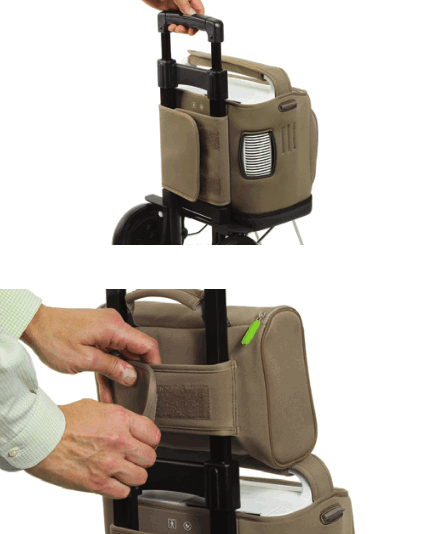
Philips Healthcare is part of Royal Philips Electronics
| How to reach us www.philips.com/healthcare [email protected] | Philips Respironics 1010 Murry Ridge Lane Murrysville, PA 15668 |
| Asia +49 7031 463 2254 Europe, Middle East, Africa +49 7031 463 2254 | Customer Service +1 724 387 4000 800 345 6443 (toll free, US only) |
| Latin America +55 11 2125 0744 North America +1 425 487 7000 800 285 5585 (toll free, US only) | Philips Respironics International Headquarters +33 1 47 28 30 82 www.philips.com/respironics |
Respironics and SimplyGo are trademarks of Respironics, Inc. and its affiliates.
All rights reserved.
 Please visit www.philips.com/simplygo
© 2011 Koninklijke Philips Electronics N.V.
All rights are reserved.
Philips Healthcare reserves the right to make changes in specifications and/or to discontinue any
product at any time without notice or obligation and will not be liable for any consequences resulting from the use of this publication.
Hoech WMB 11/21/11 MCI 4104502 PN 1094881