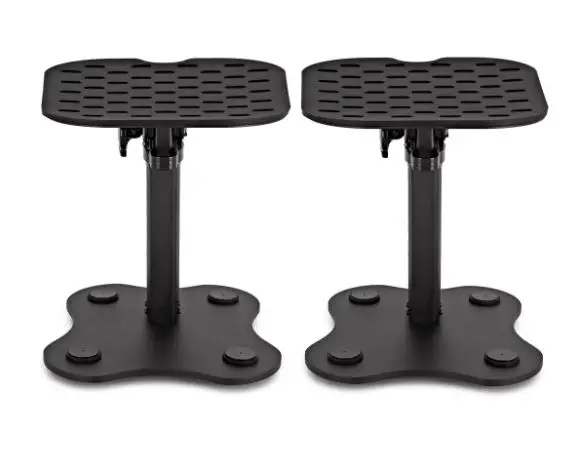
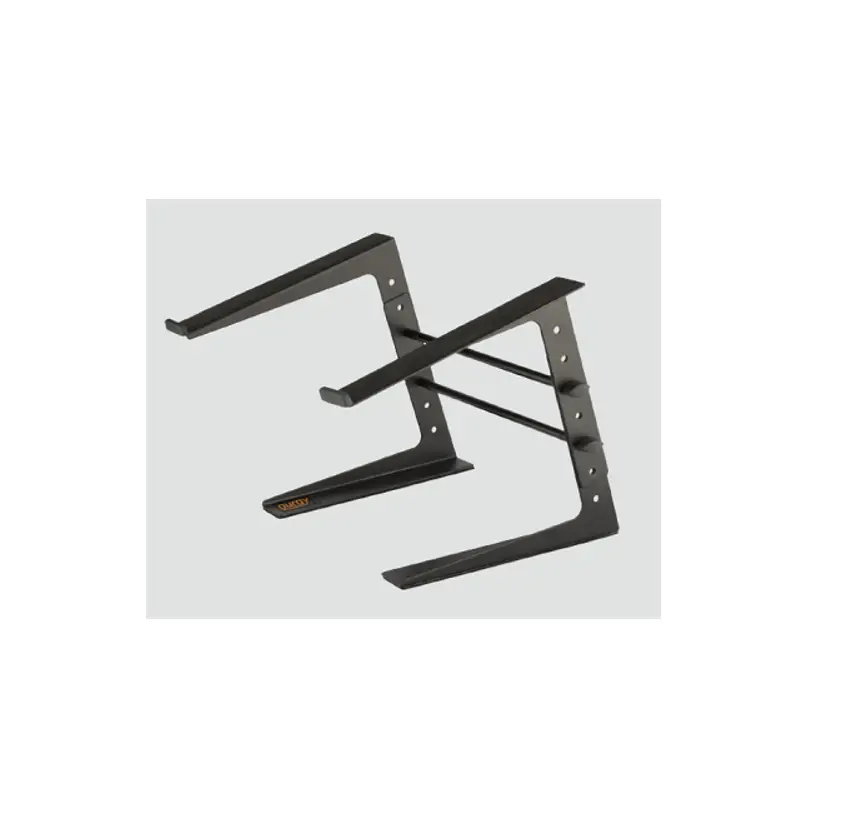
SP-S5 Desktop Studio Monitor Stand with Angle Adjust
Product Information
Product Name: Desktop Studio Monitor Stand with Angle
Adjust
Model: SP-S5/SP-M6/SP-L8
Brand: Auray
Weight (lbs):
– SP-S5: 2.24 lb. (1 kg)
– SP-M6: 3.2 lb. (1.45 kg)
– SP-L8: 4 lb. (1.8 kg)
Maximum Weight Capacity:
– SP-M6: 22 lb. (10 kg)
– SP-L8: 34 lb. (15.4 kg)
Warranty: One-Year Limited Warranty provided by the Gradus
Group
Warranty Coverage: Defects caused by manufacturing
Warranty Exclusions: Damage or defect caused by misuse, neglect,
accident, alteration, abuse, improper installation or
maintenance
Product Usage Instructions
- Lift the plate and align the crossbar with the desired angle
slot. - Press down gently to secure the crossbar.
- To collapse the stand, lift the plate and push the crossbar
towards the front slot. - Gently collapse the stand until it is flat.
- Take caution with your fingers when collapsing the stand.
For warranty coverage, follow these steps:
1. Contact Auray Customer Service Department to obtain a return
merchandise authorization (RMA) number.
2. Return the defective product to Auray along with the RMA number
and proof of purchase.
3. Shipment of the defective product is at the purchaser’s own risk
and expense.
For more information or to arrange service, visit aurayaudio.com or call Customer
Service at 212-594-2353.
Product warranty provided by the Gradus Group. Visit gradusgroup.com for more
information.
SP-S5/SP-M6/SP-L8
Desktop Studio Monitor Stand
with Angle Adjust
Owner’s Manual
Thank you for choosing Auray.
Auray’s Desktop Studio Monitor Stands with Angle Adjust are the ideal way to isolate your studio monitors on your desk and position them for better sound. Angle your studio monitors upward or downward with angle degrees of 5°, 10°, 13°, and 15°. This allows you to customize your setup for the best listening experience. Rubber pads and feet help to isolate your monitor’s sound and minimize rumble and vibrations, as well as keep the stand and monitor in place. Solid metal construction provides a monitor base that will last through many recording sessions.
Precautions !
· Please read and follow these instructions, and keep this manual in a safe place.
· Handle the unit with care. · This unit includes moving parts and could cause injury. · Do not attempt to disassemble or repair the
equipment–doing so will void the warranty, and Auray will not be responsible for any damages. · Use only parts provided by the manufacturer. · Clean the unit with a soft dry cloth. · Make sure this product is intact and that there are no missing parts. · Keep this unit away from children. · All images are for illustrative purposes only.
SP-S5/SP-M6/SP-L8
Instructions
Monitor Angle Positions
1. Lift the plate and gently align the crossbar with the desired angle slot.
2. Gently press down until the crossbar is secure.
15°
13°
10°
5°
Instructions (cont.)
Collapsing the Stand
! Warning: Be careful with your fingers
when collapsing the stand. Lift the plate and push the crossbar toward the front slot. Gently collapse the stand until flat.
Owner’s Manual
Specifications
Material: Aluminum, steel, and rubber Angle Adjustment: 5°, 10°, 13°, and 15° Mounts: SP-S5: 16 lb. (7.25 kg)
SP-M6: 22 lb. (10 kg) SP-L8: 34 lb. (15.4 kg)
Dimensions (H × W × D):
SP-S5: 2 × 7 × 11.3 in. (5.1 × 17.75 × 28.7 cm) SP-M6: 2 × 10.7 × 13.4 in. (5.1 × 27.2 × 34 cm) SP-L8: 2 × 11.3 × 15.7 in. (5.1 × 28.7 × 39.9 cm)
Weight: SP-S5: 2.24 lb. (1 kg)
SP-M6: 3.2 lb. (1.45 kg) SP-L8: 4 lb. (1.8 kg)
SP-S5/SP-M6/SP-L8
One-Year Limited Warranty
This AURAY product is warranted to the original purchaser to be free from defects in materials and workmanship under normal consumer use for a period of one (1) year from the original purchase date or thirty (30) days after replacement, whichever occurs later. The warranty provider’s responsibility with respect to this limited warranty shall be limited solely to repair or replacement, at the provider’s discretion, of any product that fails during normal use of this product in its intended manner and in its intended environment. Inoperability of the product or part(s) shall be determined by the warranty provider. If the product has been discontinued, the warranty provider reserves the right to replace it with a model of equivalent quality and function.
This warranty does not cover damage or defect caused by misuse, neglect, accident, alteration, abuse, improper installation or maintenance. EXCEPT AS PROVIDED HEREIN, THE WARRANTY PROVIDER MAKES NEITHER ANY EXPRESS WARRANTIES NOR ANY IMPLIED WARRANTIES, INCLUDING BUT NOT LIMITED TO ANY IMPLIED WARRANTY OF MERCHANTABILITY OR FITNESS FOR A PARTICULAR PURPOSE. This warranty provides you with specific legal rights, and you may also have additional rights that vary from state to state.
To obtain warranty coverage, contact the Auray Customer Service Department to obtain a return merchandise authorization (“RMA”) number, and return the defective product to Auray along with the RMA number and proof of purchase. Shipment of the defective product is at the purchaser’s own risk and expense.
For more information or to arrange service, visit aurayaudio.com or call Customer Service at 212-594-2353.
Product warranty provided by the Gradus Group. www.gradusgroup.com
AURAY is a registered trademark of the Gradus Group. © 2023 Gradus Group LLC. All Rights Reserved.
GG1
Owner’s Manual
 Auray | Pro Audio Accessories
 Gradus | Gradus Group