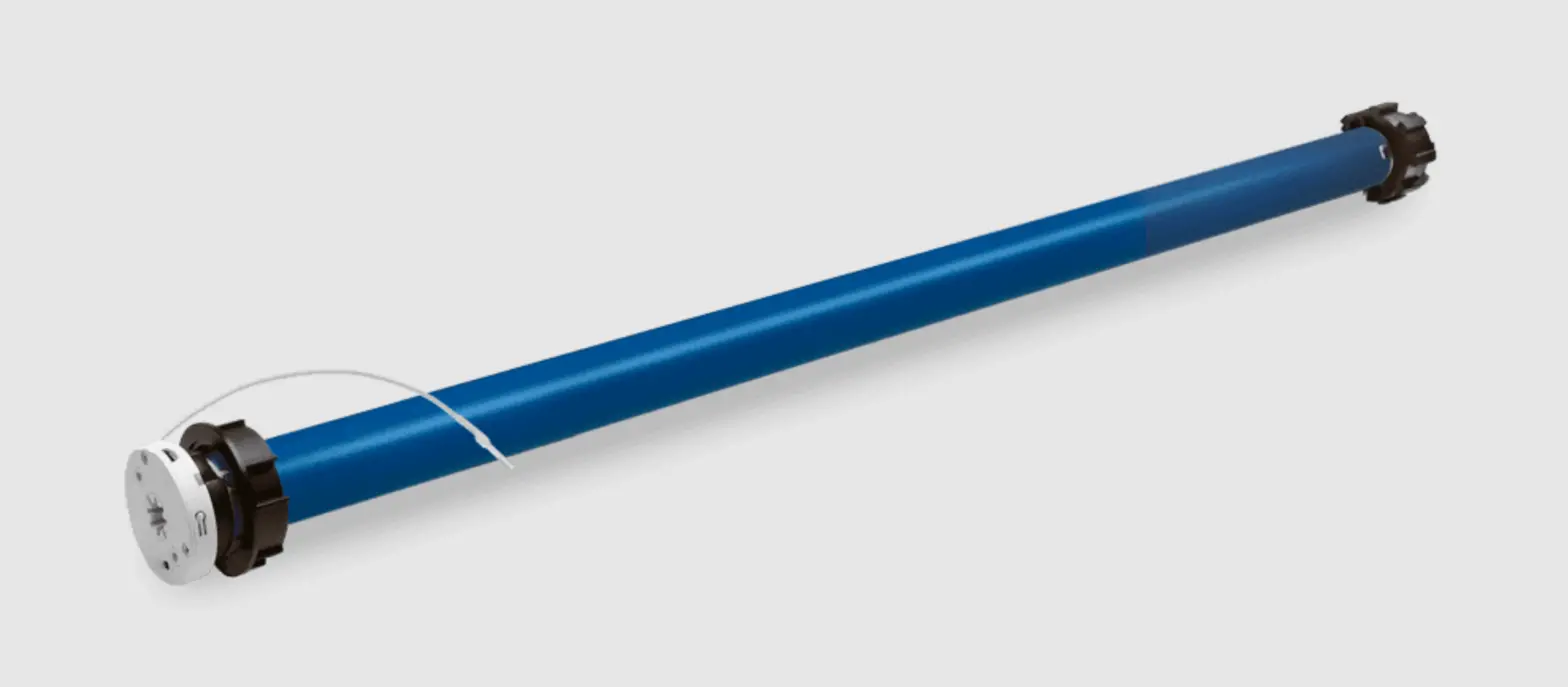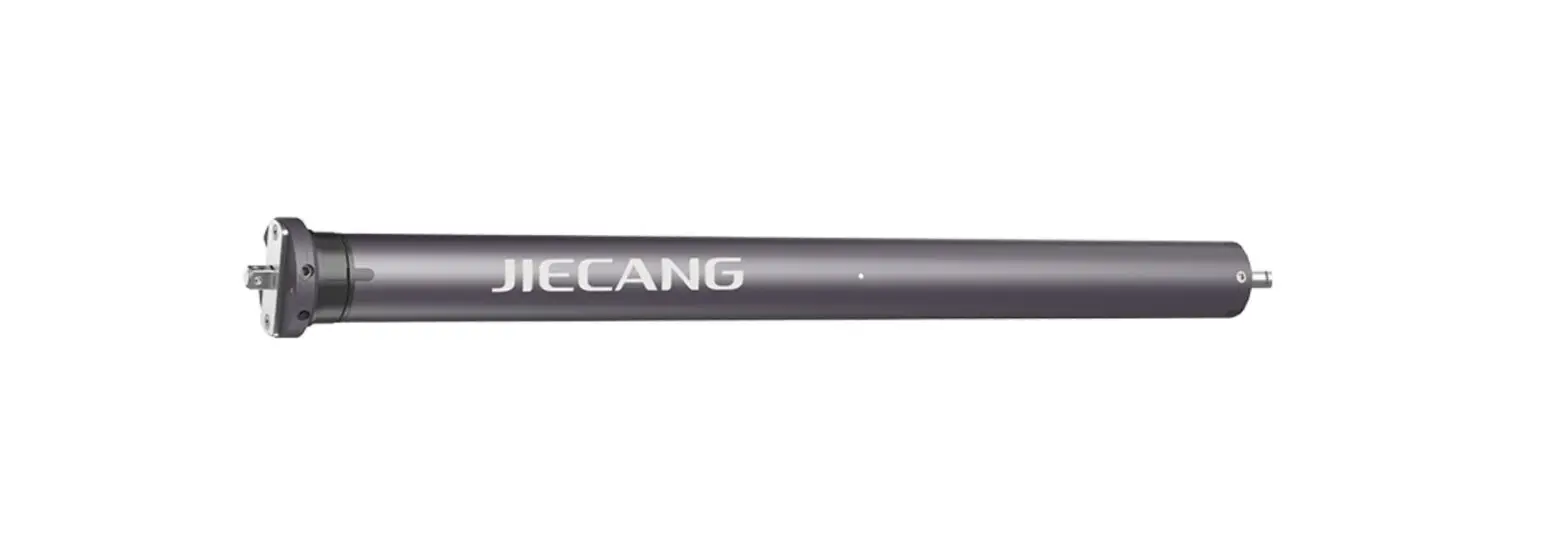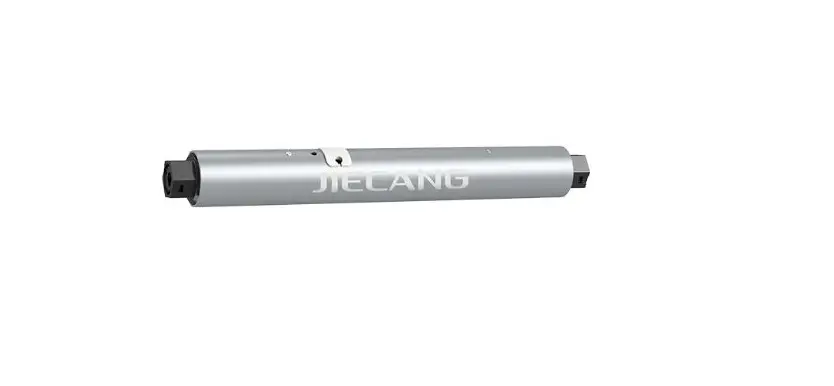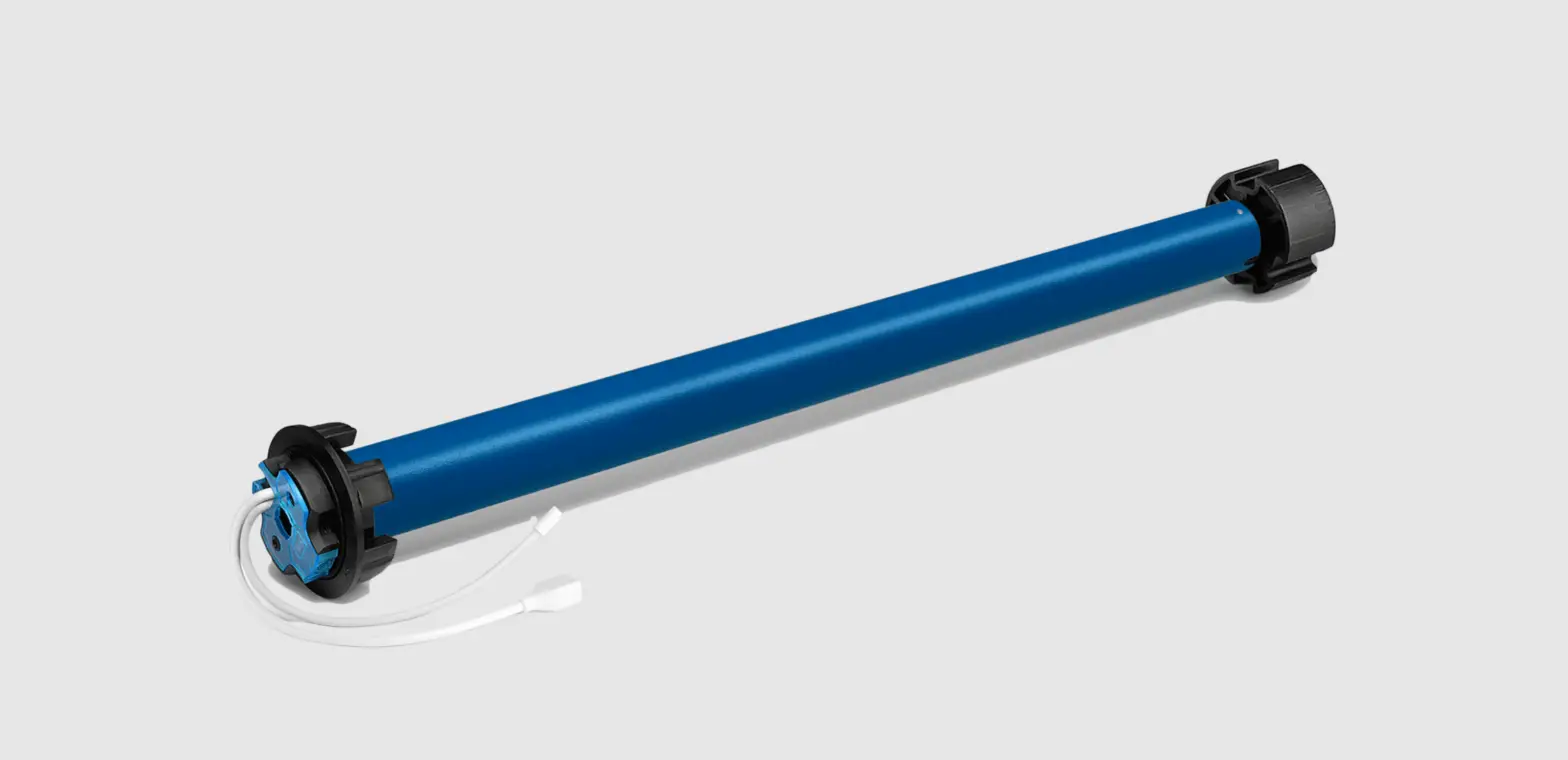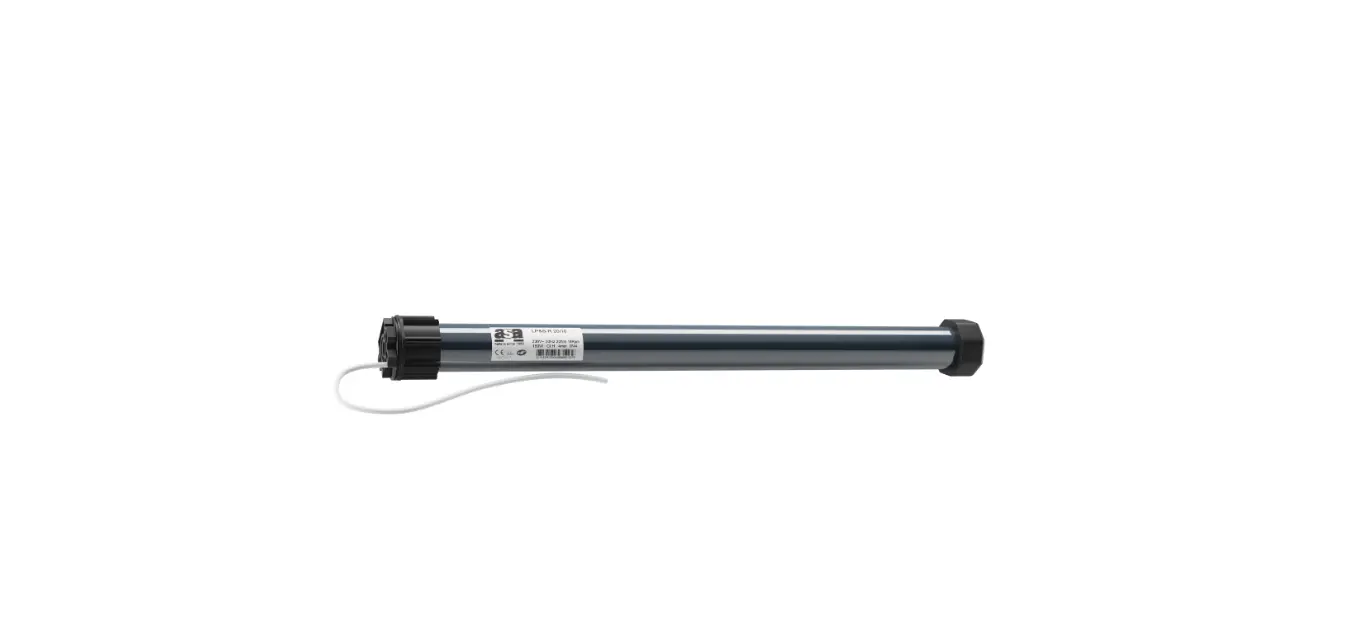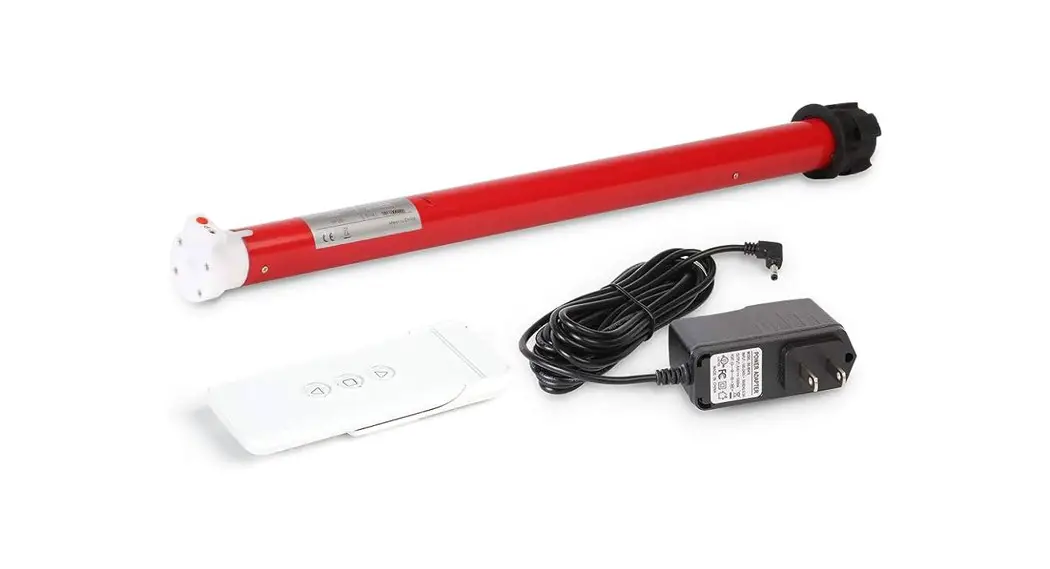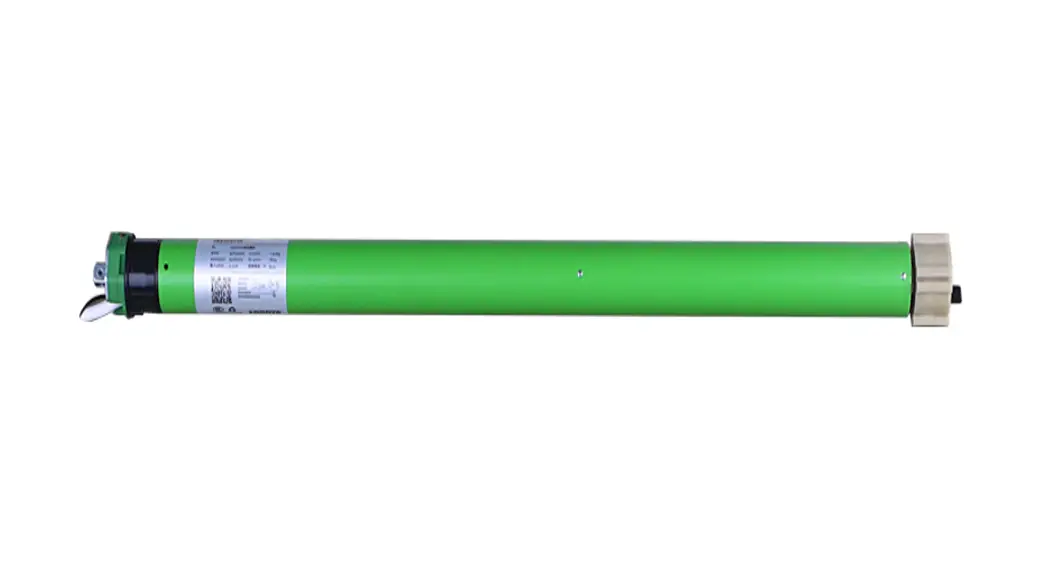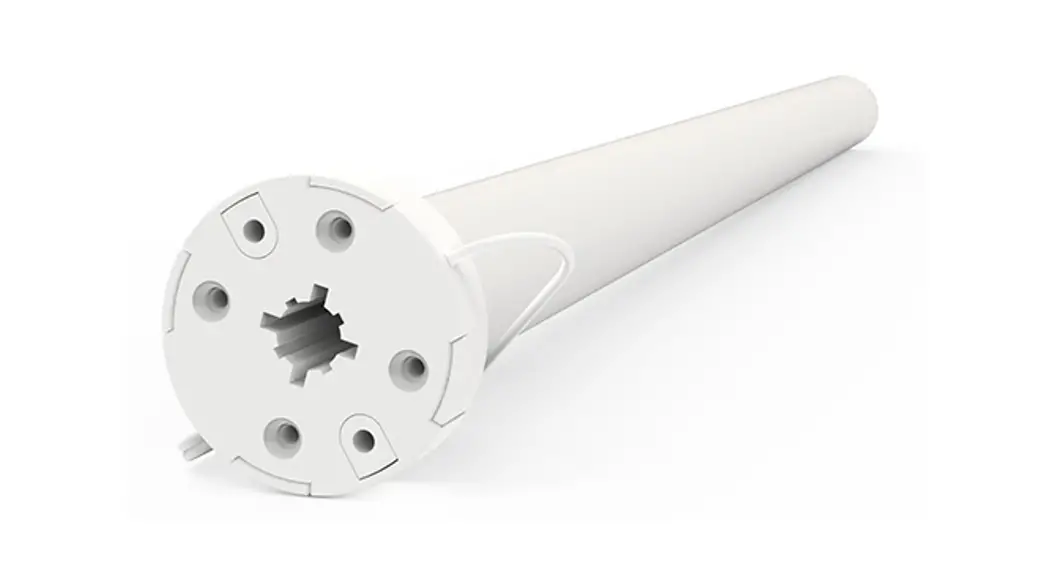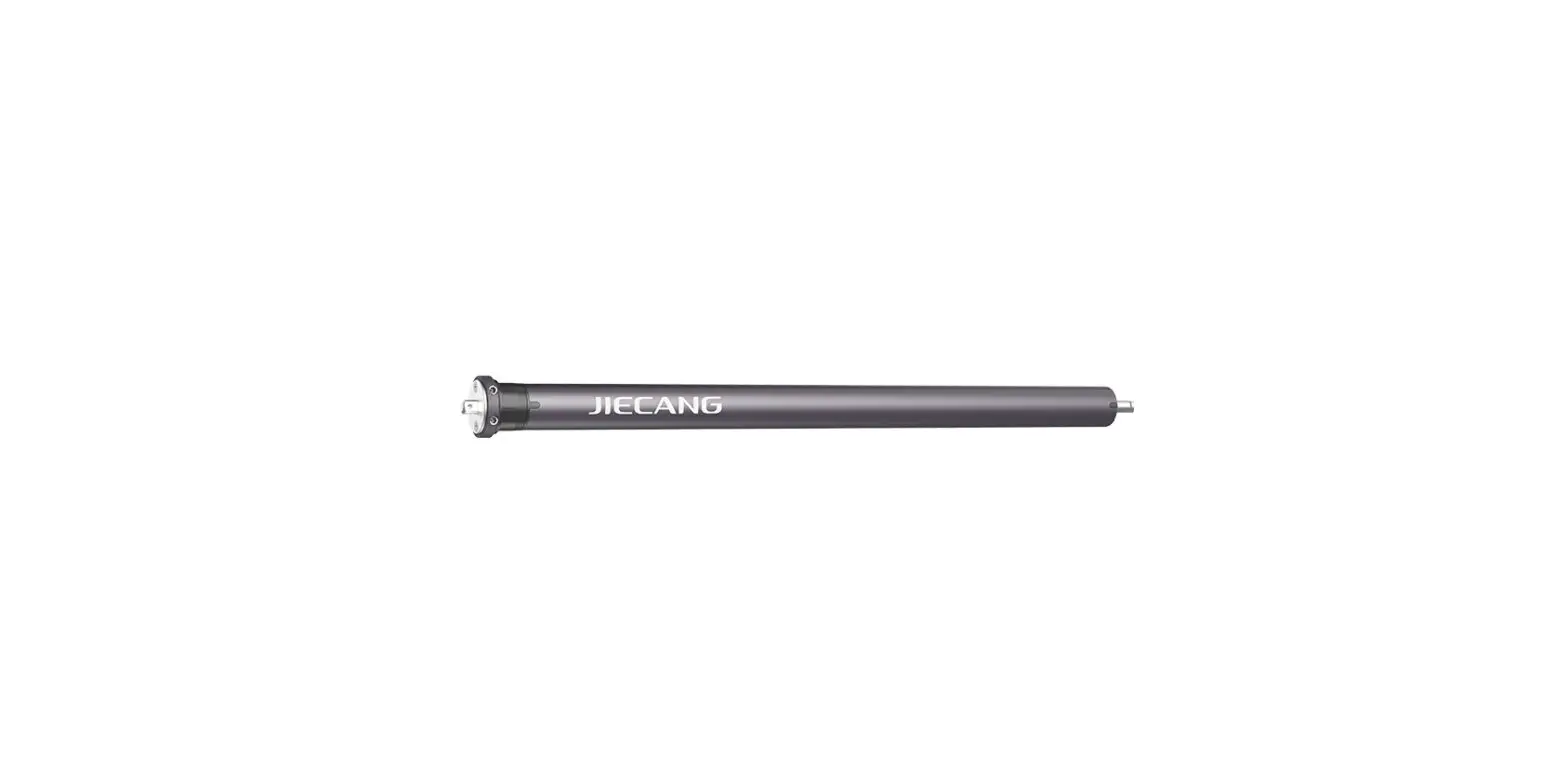

JIECANG 25SLE1130 Tubular Motor with Built-in Li-ion Battery

Product Info
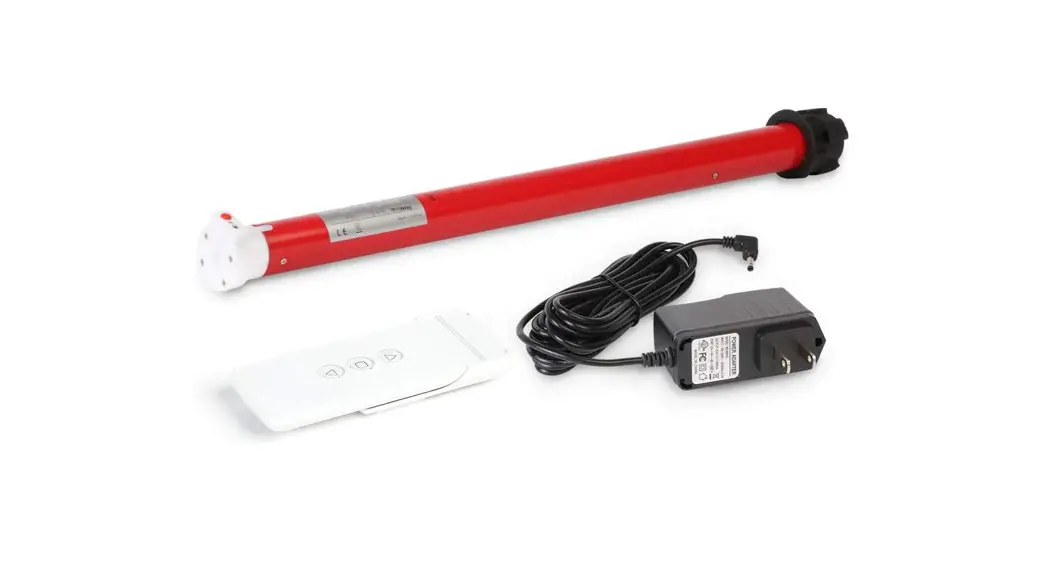
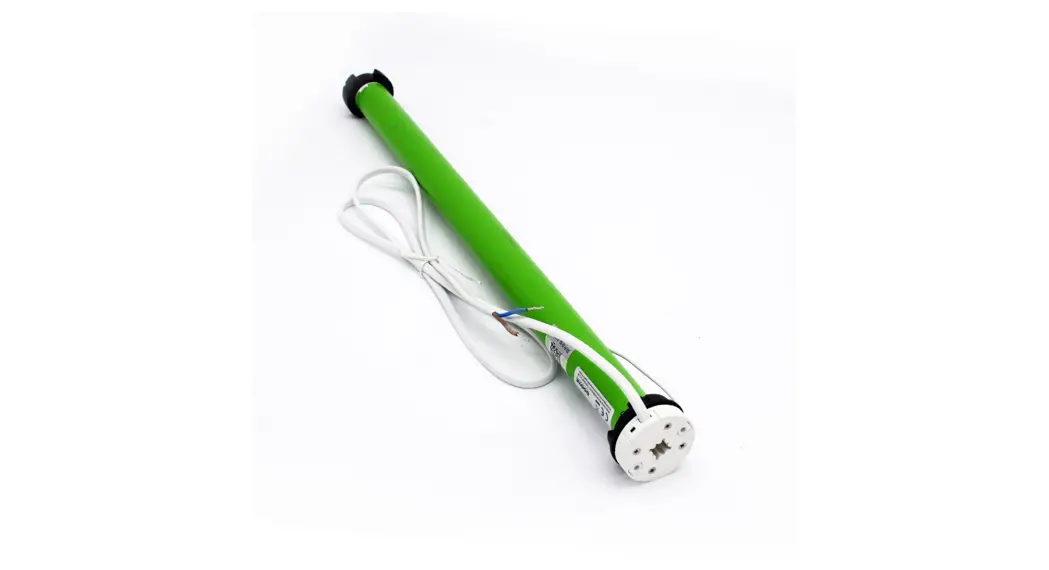
The Tubular Motor comes with a built-in Li-ion battery and can be charged with a 5V/2A adapter. The product model is JCD-25-S-LE-11-30-DC Motor and has the following parameters:
- Tube Diameter: 25mm
- S: Standard Q: Quiet P: Performance
- LE: With built-in Li-ion battery
- Torque: 1.1 N.m
- Speed: 30 rpm
Caution!
Read the following instructions carefully before operating the Tubular Motor.
Product Instructions
Motorhead button (H) functions
| Functions | Operation | Note |
|---|---|---|
| Control the UP/STOP/DOWN of the Shade | Short press / | Can only operate after the limits are set and motor is not in sleep mode |
| Adding/Removing Controller | Hold for 2s Jog*1 Flicker*1 | Operation needs to be done within 10s. Sleep mode, RF Control Inactive |
| Direction Reverse | Hold for 10s Jog*3 Flicker*3 | All settings saved after direction reversed |
| Reset | Hold for 16s Jog*4 Flicker*4 | All settings deleted |
Pairing Motor with Controller
There are two ways to pair the motor with a controller:
Way 1:
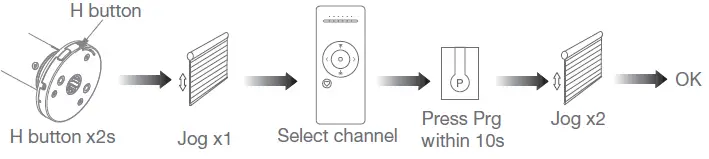
- Power on, add a new controller H button OK H button x2s Jog x1
- Press Prg Select channel within 10s Jog x2
Way 2:
Power on, add controller B via pre-existing controller A Press Prg on A Jog x1 Press Prg on A Jog x1 Press Stop on B OK Jog x2
Note: Pairing cannot be done under group channels or 0 channels.
Direction Reverse Correct
To reverse the direction:
- If the limits are not set, and the direction goes opposite: Fav & Stop x2s Jog x1
- If limits are set and direction goes opposite: Prg Jog x1 Up x1 Jog x1 OK Down x1 Jog x1
Note: Do reverse the direction when it goes opposite.
Upper&Lower Limits Setting
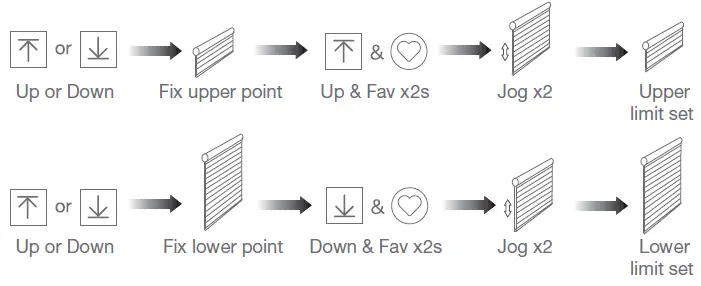
To set the upper and lower limits:
- Up or Down Fix upper point Up & Fav x2s Jog x2 Upper limit set
- Up or Down Fix lower point Down & Fav x2s Jog x2 Lower limit set
Note:
Upper & Lower limits cannot be set at the same point. Before limits set, the motor will run in one-touch mode by pressing Up or Down, hold Up or Down for 2s, motor runs in constant-touch mode. Once limits set, press Up or Down, motor runs in constant-touch mode.
One-touch/Constant-touch Mode
To switch between one-touch and constant-touch modes:
- Constant-touch ———–> One-touch Prg Jog x1 Stop Jog x1 Stop Jog x1 Same operation can toggle from one-touch to constant-touch mode.
Note: When the motor is in one-touch mode, hold Up or Down for more than 2s, it will run in constant-touch mode.
Setting and Cancelling Favorite Position
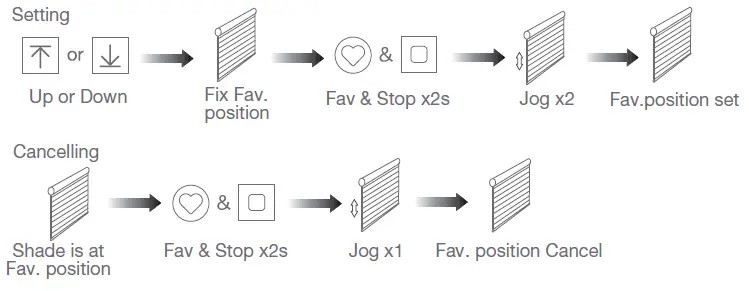
To set or cancel the favorite position:
- Up or Down Fix Fav. position Fav & Stop x2s Jog x2 Fav. position set Shade is at Fav. position Fav & Stop x2s Jog x1 Fav. position Cancel
Note: The Fav. position setting only can be done after the upper & lower limits are set.
Hotkey to the Fav. Position
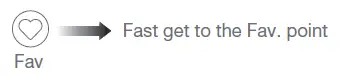
To get to the favorite position quickly:
- Fast get to the Fav. point Fav
Note: The hotkey to the favorite position can only be used after setting the favorite position.
Adjusting Upper & Lower Limits
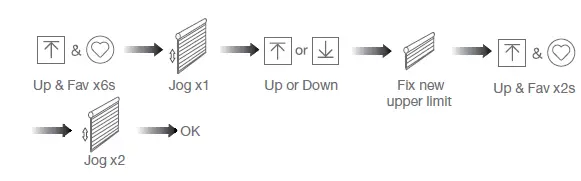
To adjust the upper and lower limits:
- Adjust Upper limit Up & Fav x6s Jog x1 OK Jog x2
- Adjust Lower limit Down & Fav x6s Jog x1 Up or Down Fix new upper limit Up & Fav x2s Down & Fav x2s Jog x1 Up or Down OK Jog x2
Note: The operation should be done within 4mins.
Adjusting Motor Speed
To adjust the motor speed:
- Speed increase Up Jog x1 Prg Jog x1 Stop Jog x1
- Speed decrease Down Jog x1
Note:
If the motor doesn’t jog, the max/min speed has already been reached. There are 3 speeds adjustable.
Introduction
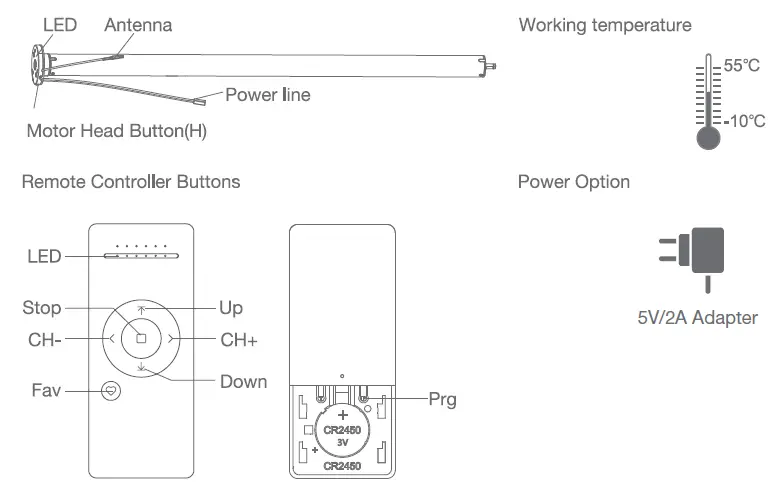
Models & Parameters (for details about other parameters, see the product nameplate)

Instructions And Functions
Motor head button (H) functions
| Functions | Operation | Jogging time | LED lamp flickers | Note |
| Control the UP/STOP/ DOWN of the Shade | Short press | / | / | Can only operate after the limits are set and motor is not in sleep mode |
| Adding/Removing Controller | Hold for 2s | Jog*1 | Flicker*1 | Operation needs be done within 10s |
| Sleep mode, RF Control Inactive |
Hold for 6s |
Jog*2 |
Flicker*2 | Hold H button for 6s, jog twice to show the motor RF control is inactive; Hold H button for 2s, the RF control is active again |
| Direction Reverse | Hold for 10s | Jog*3 | Flicker*3 | All settings saved alter direction reversed |
| Reset | Hold for 16s | Jog*4 | Flicker*4 | All settings deleted |
Pairing Motor with Controller
- Way 1: Power on, add a new controller
- Way 2: Power on, add controller B via pre-existing controller A
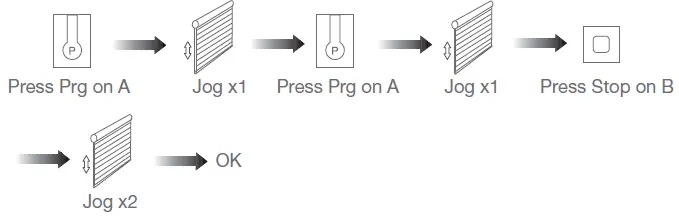
Note: Pairing can not be done under group channels or 0 channels.
Direction Reverse
Correct
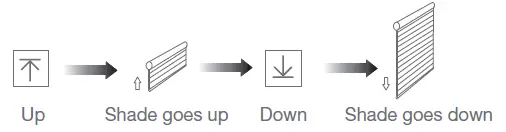
If the limits are not set, and the direction goes opposite.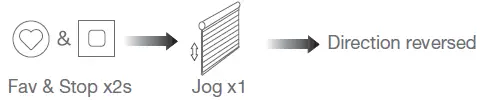
If limits are set and the direction goes opposite.
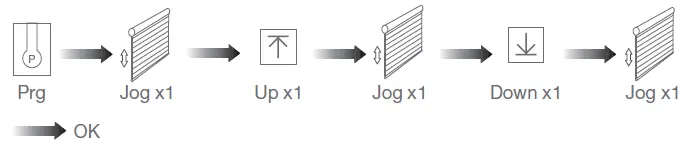
Note: Do reverse the direction when it goes opposite.
Upper & Lower Limits Setting
Note:
- Upper&Lower limits cannot be set at the same point.
- Before limits are set, the motor will run in one-touch mode by pressing Up or Down, holding Up or Down for 2s, motor runs in constant-touch mode.
- Once limits are set, press Up or Down, motor runs in constant-touch mode.
One-touch/Constant-touch Mode

The same operation can toggle from one-touch to constant-touch mode.
Note:
When the motor is in one-touch mode, hold it Up or Down for more than 2s, and it will run in constant-touch mode.
Setting and Cancelling Favorite Position
Hotkey to the Fav. Position
Note: The Fav. position setting only can be done after upper&lower limits are set.
Adjusting Upper & Lower Limits
Adjust Upper limit
Adjust Lower limit
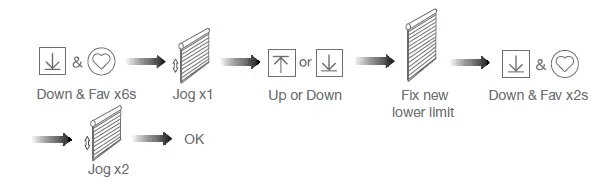
Note: The operation should be done within 4mins.
Adjusting Motor Speed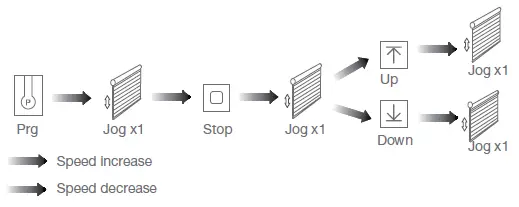
Note:
If the motor doesn’t jog, the max/min speed has already been reached. There are 3 speeds adjustable.
Removing Controllers
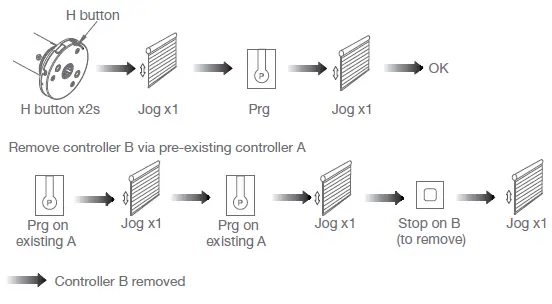
Remove all controllers
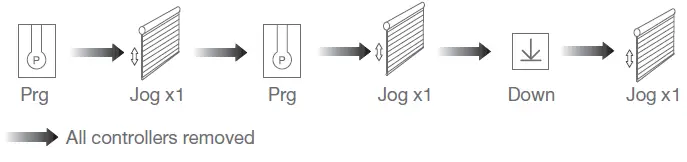
Note:
All the settings are saved even the controllers removed (limits set are saved). Controller A/B are already paired to the motor.
Canceling Limits
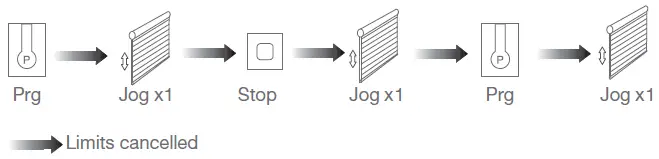
Note:
It is forbidden to run the motor if installed in the shade without limits. Limits should be set immediately to protect the shade.
Check Motor Battery Level(for Bi-directional motor only)
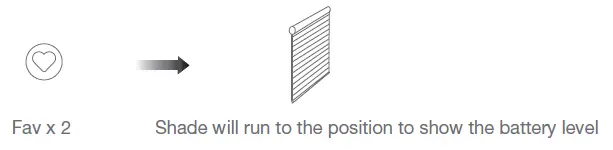
Note:
The shade running to the lower limit indicates that the battery power is 100%. The shade running to the upper limit indicates that the battery power is 0%. For example, if the shade is closed at 70%, it means the remaining battery power is 70%.
Troubleshooting
| Fault | Cause | Solution |
| Motor does not work | 1.Controller not paired 2.Motor inactive 3.Low battery | 1. Add controller 2. Hold H button for 2s to activate motor 3.Charging |
| Motor stops suddenly | 1. Upper & Lower limit set incorrectly 2. Shade exceed rated load 3.Low battery | 1.Re-set Upper & Lower limits 2.Adjust load 3.Charging |
| LED flickers 8 times on motor head when motor starts | Low battery | Charging |