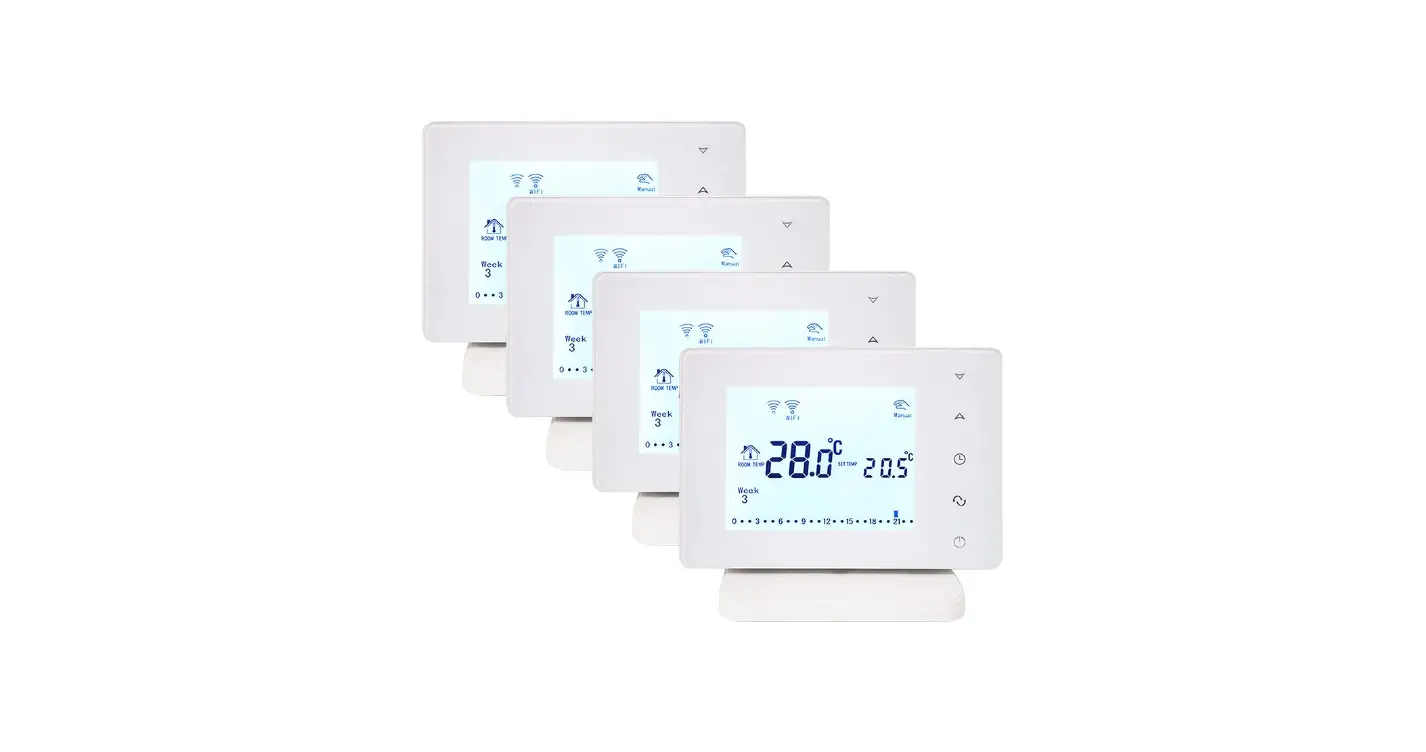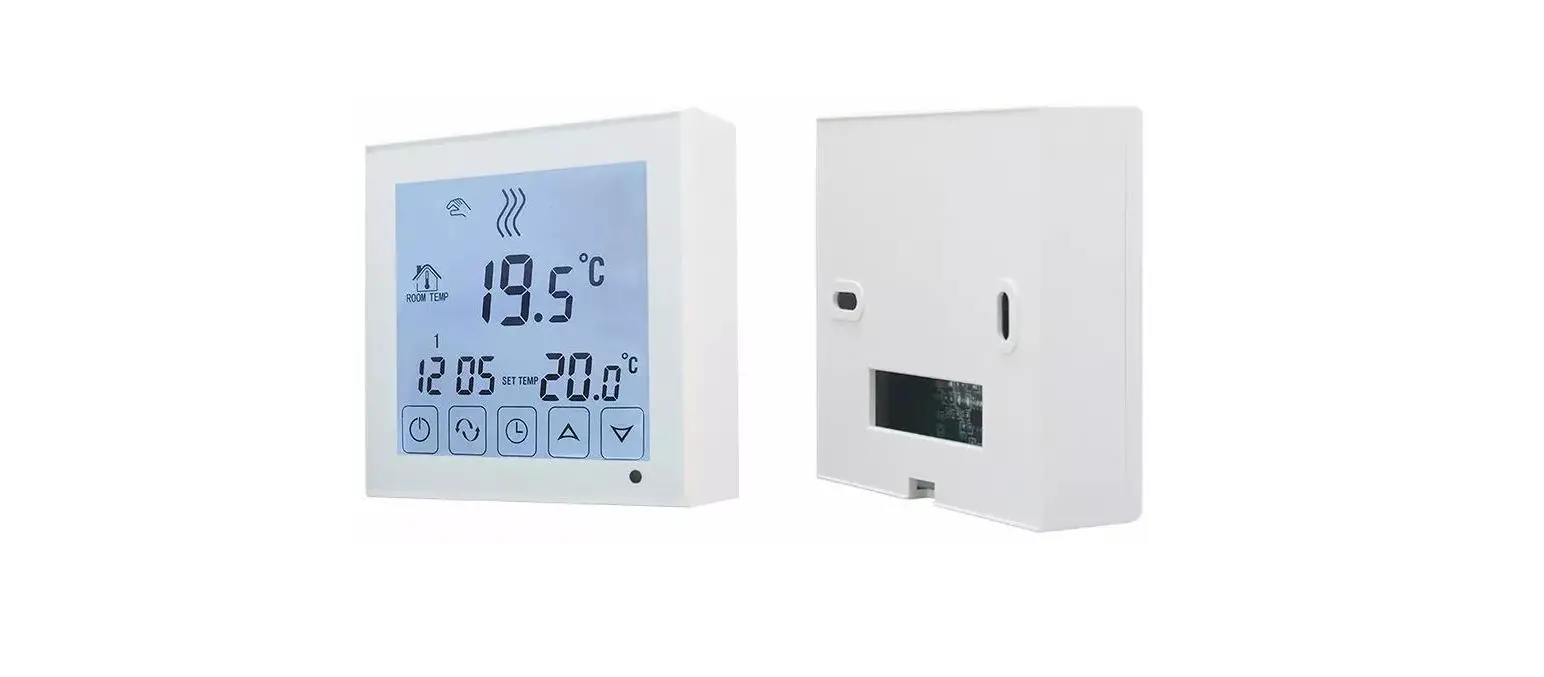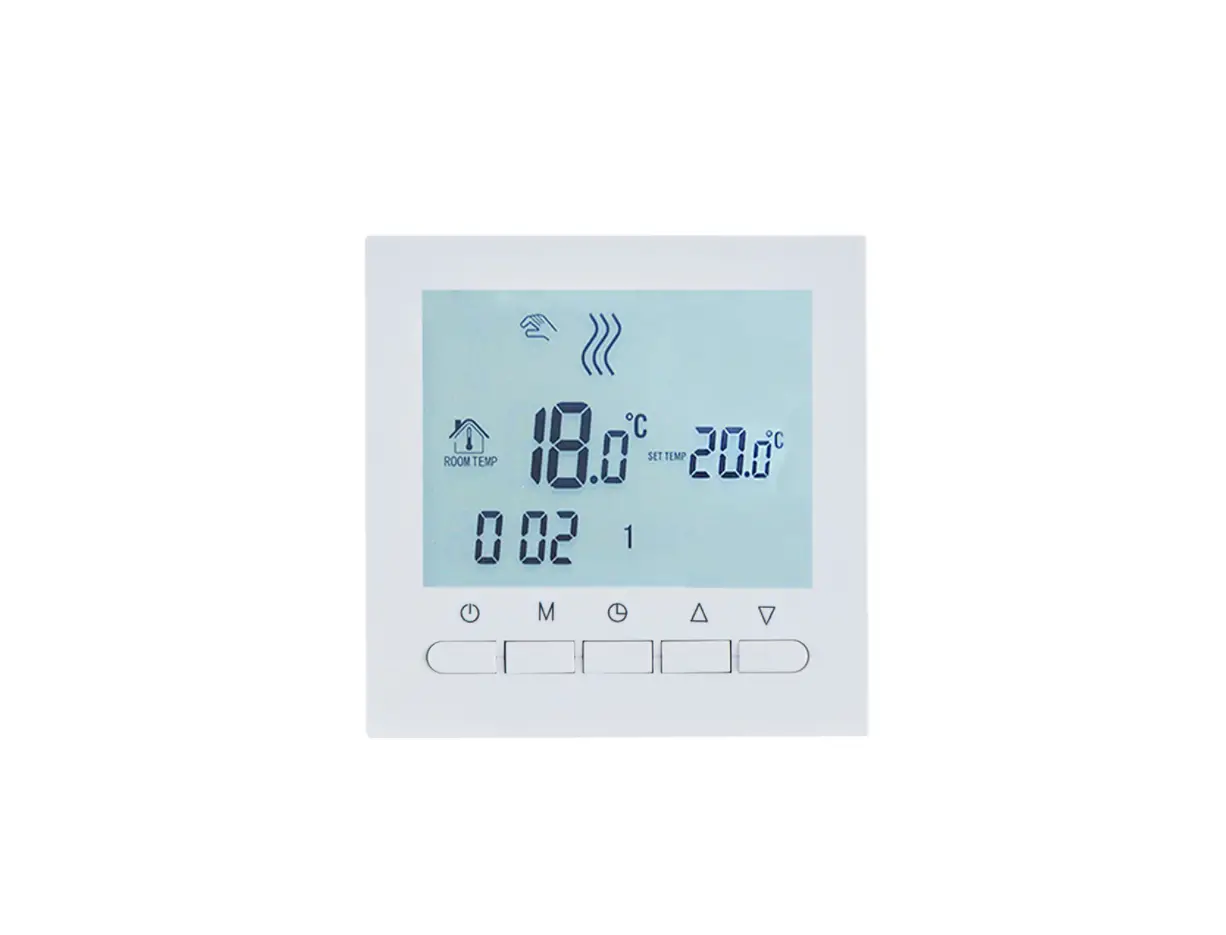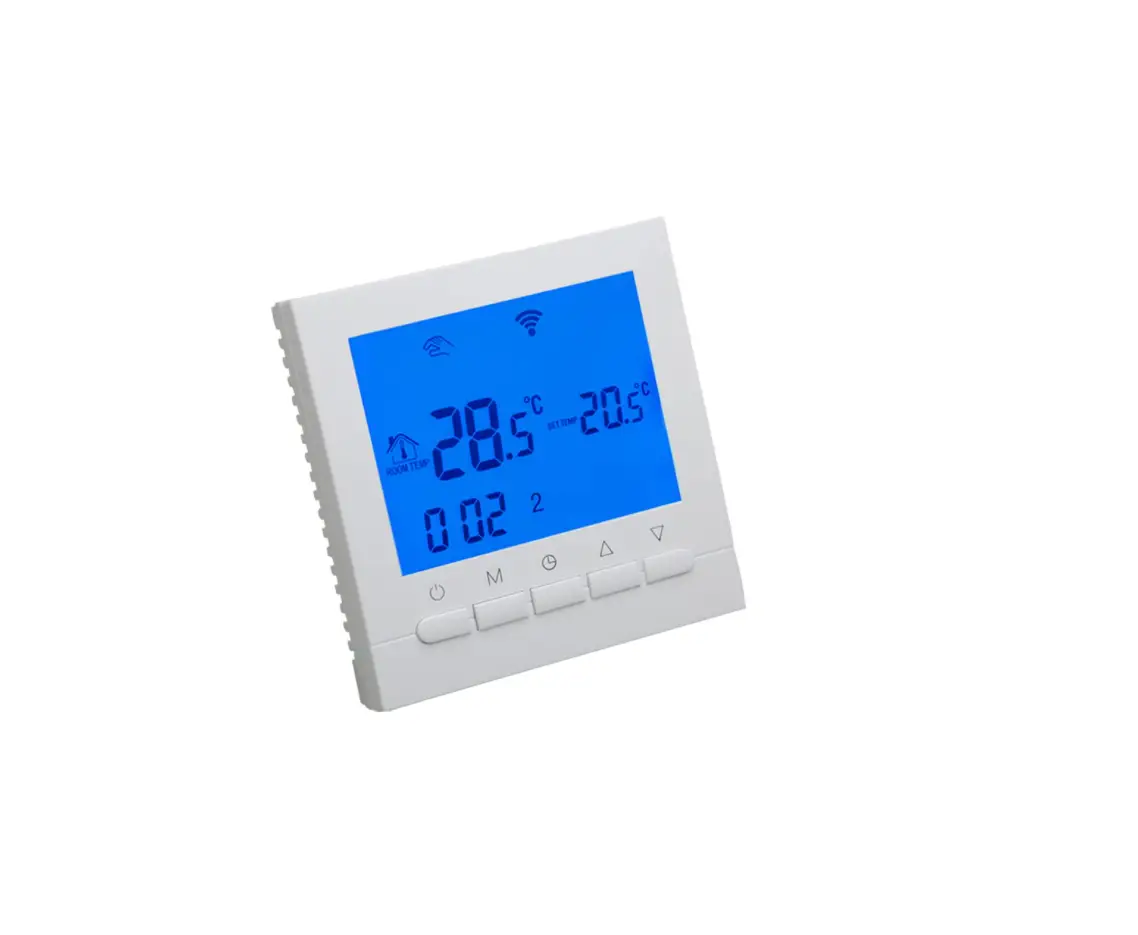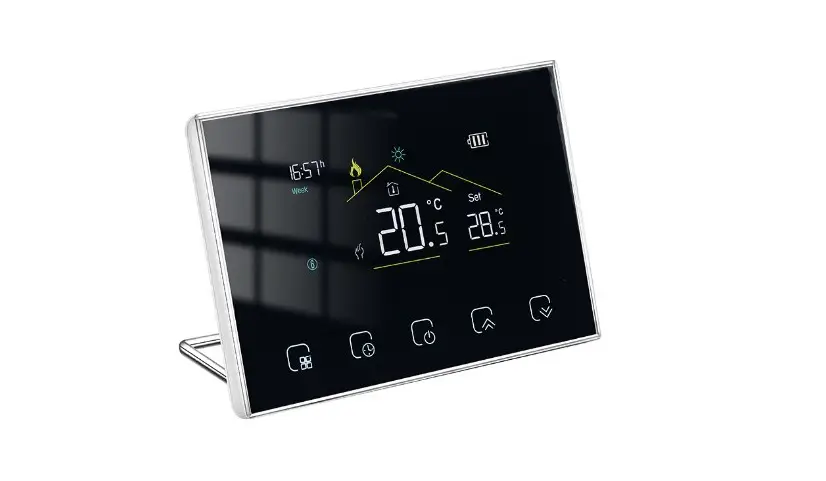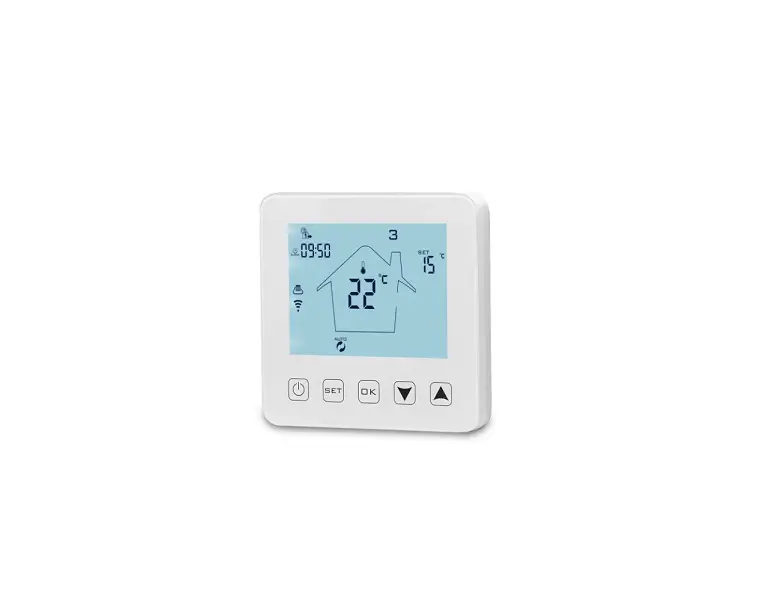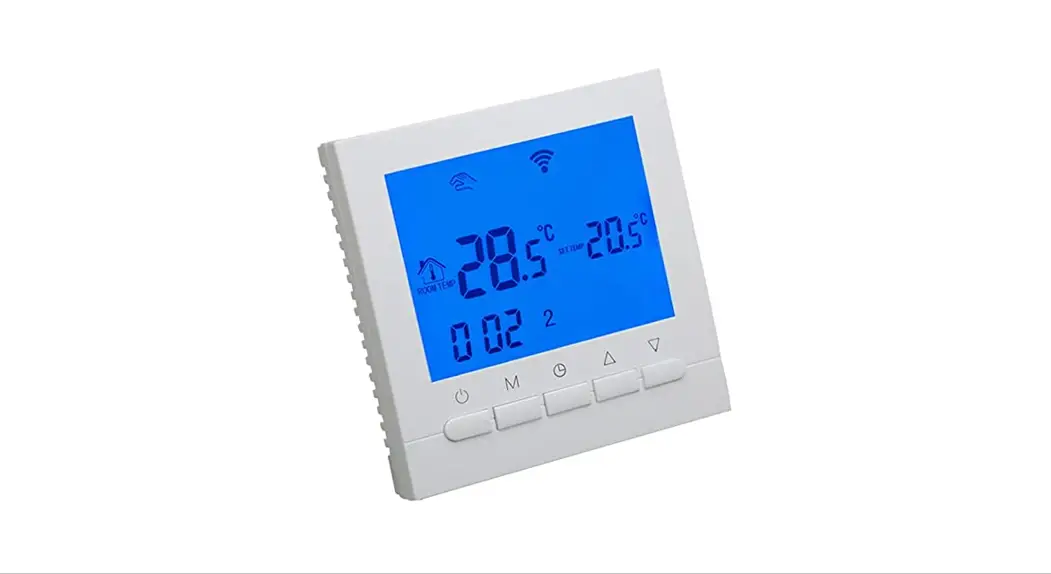

BOT-313 WiFi Boiler Thermostat
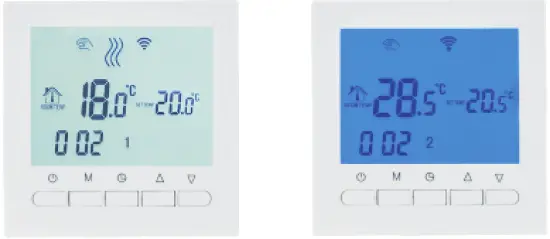
Product Summary
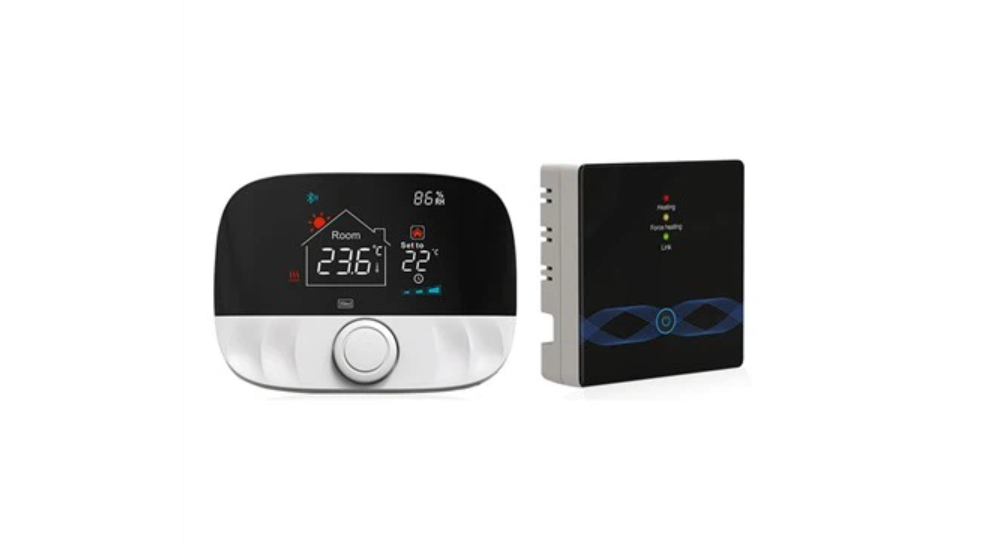
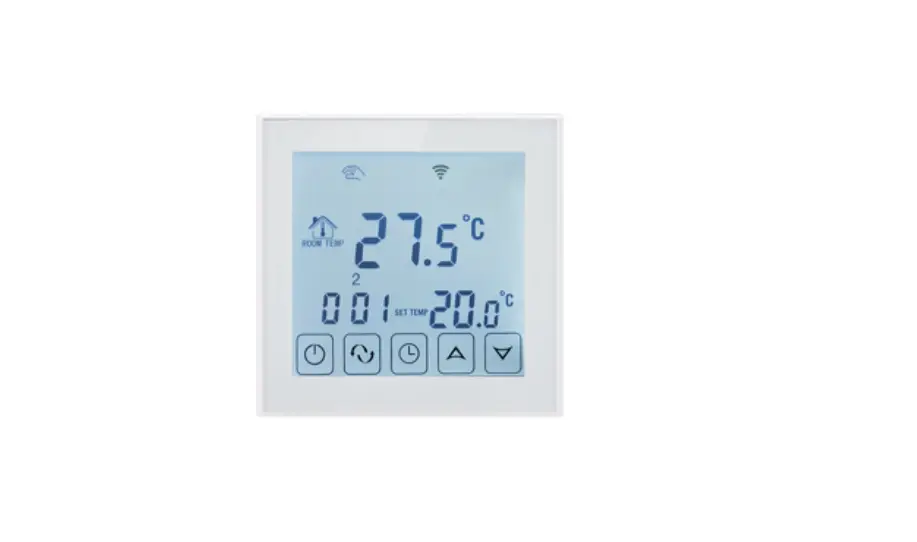
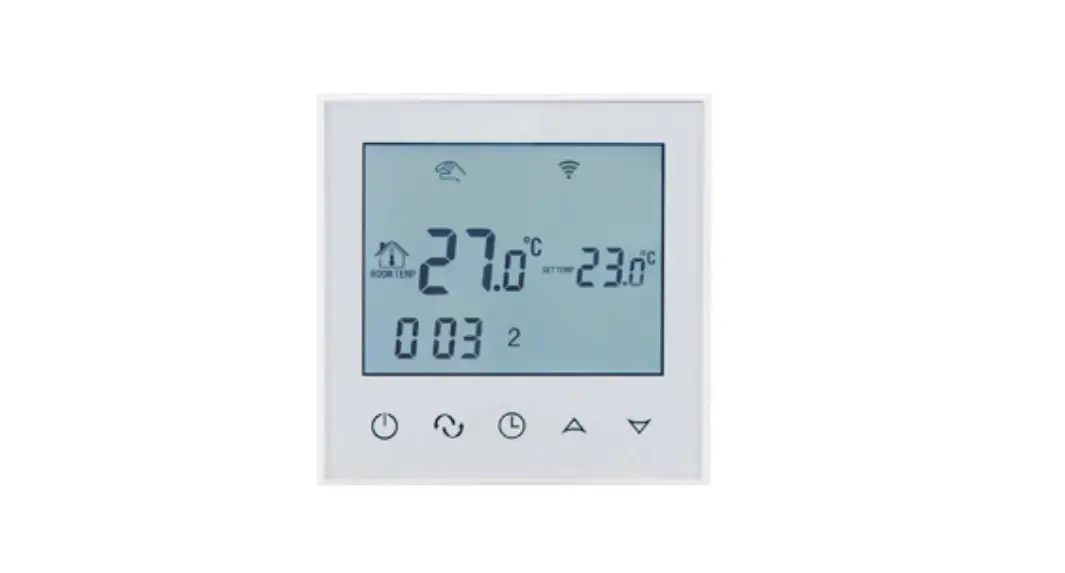
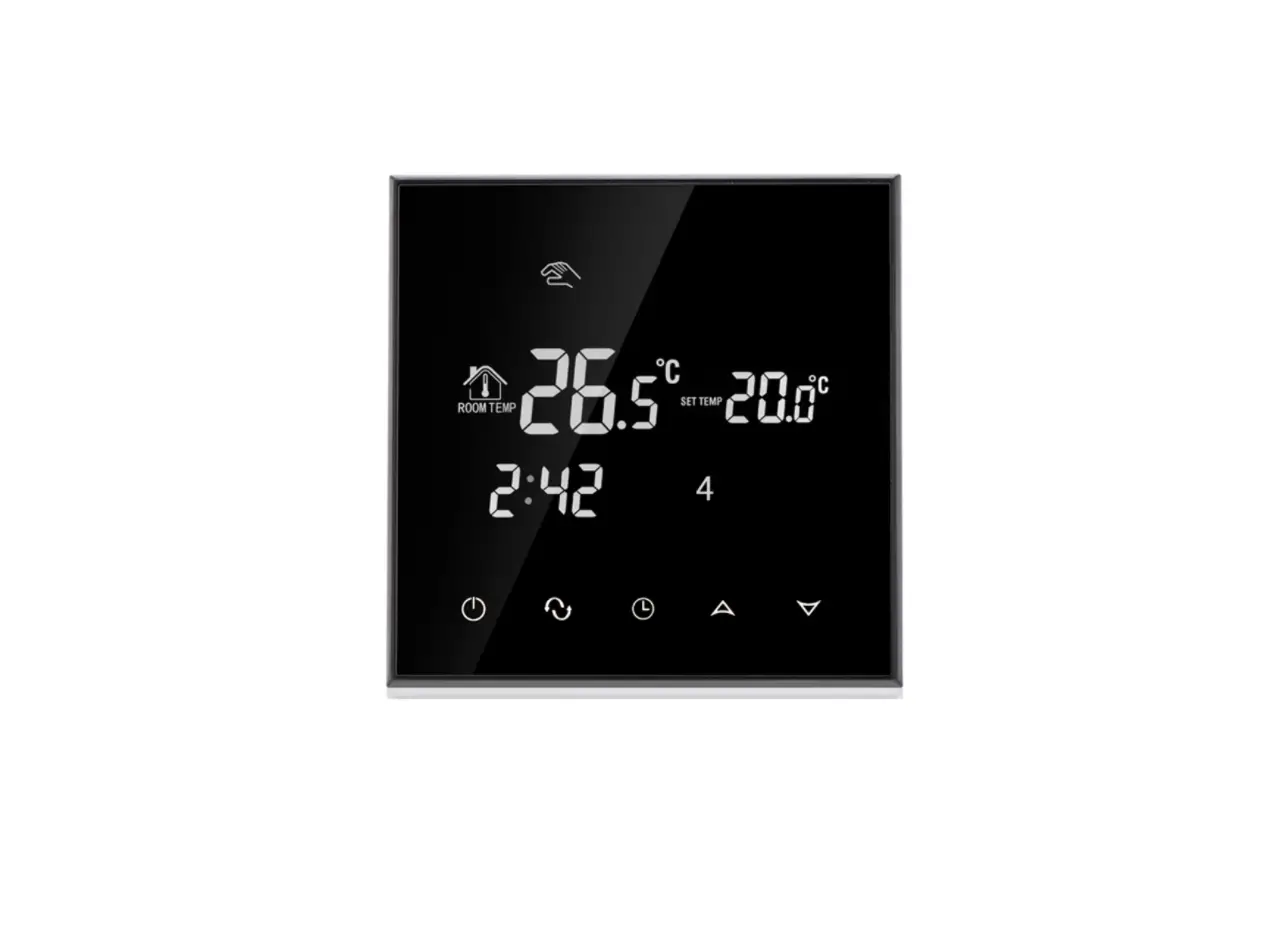
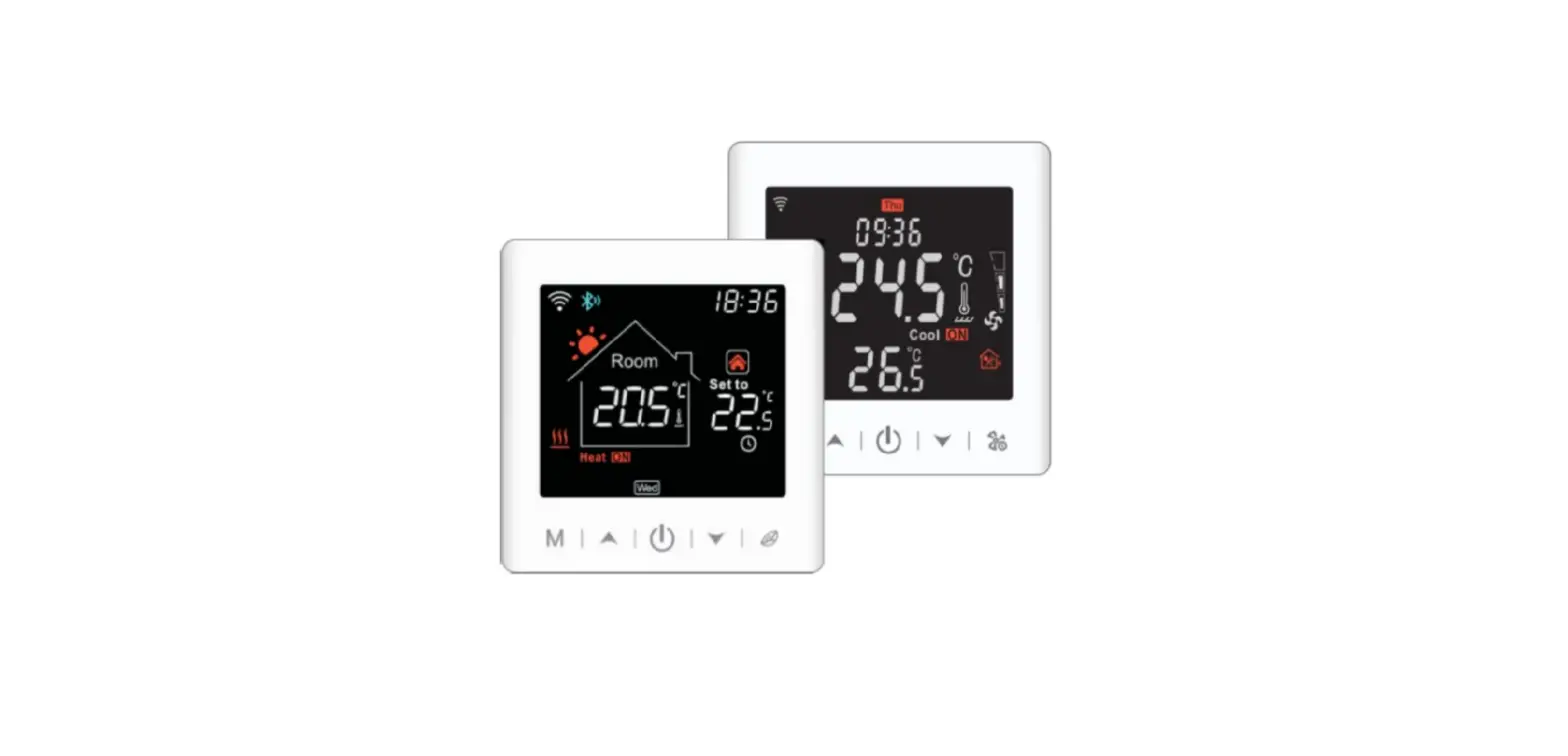
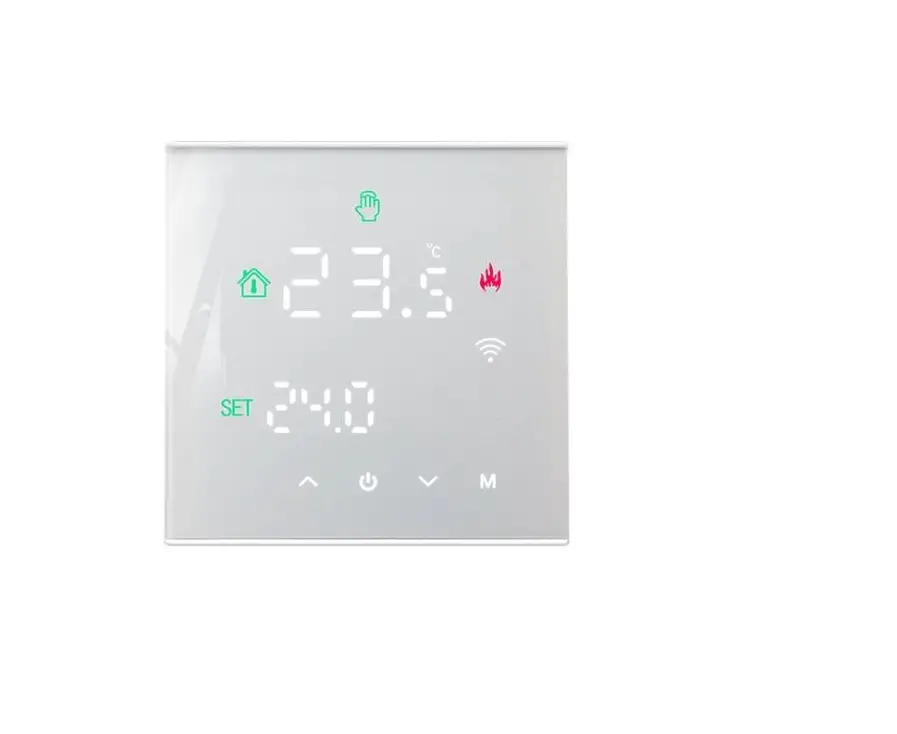
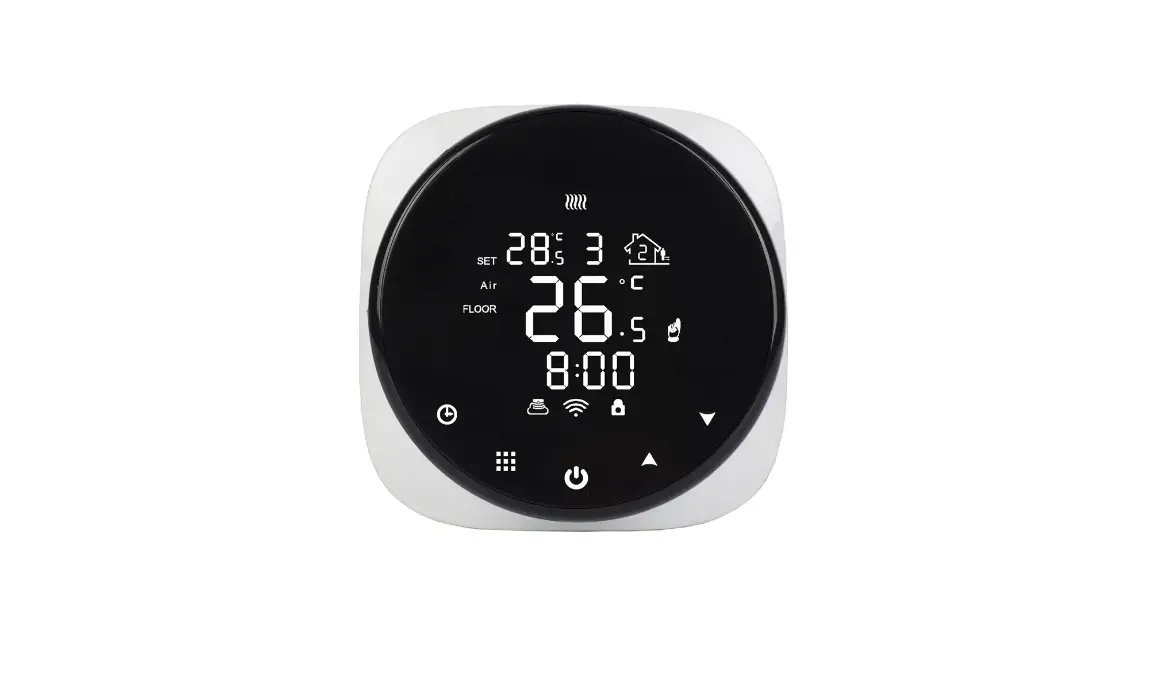
BOT-313WIF1 boiler thermostat is wifi control wireless thermostat. Users can download our phone Application to control this thermostat by phone. It is with LCD digital display big screen, and it is developed according to market’s requirements. This series of thermostats are easy to operate and with complete functions. It can be used to control boilers, motorized ball valves, motorized valves, electric valves, solenoid valves, etc.
Technical Parameter:
| Working voltage | 200-240V |
| Current load | 3A |
| Temperature control accuracy | 0.5-5°C adjustable. (factory set is 1°C) |
| Setting temperature range | 5-60 C. (factory default 5-35°C) |
| Limiting temperature range | 5-99 °C |
| Consumption | < 0.15W |
| Temperature sensor | NTC |
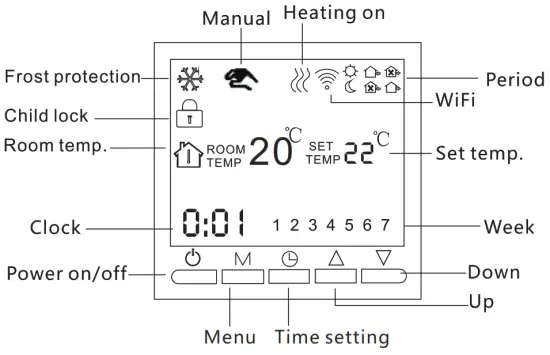
 ON/OFF Switch;
M Mode Button: Switch between manual mode and program mode Long press to enter the period setting. Time setting: Hour, minute, and week setting.
 Up button: To increase temperature.
 Down button: To reduce temperature.
User Interface Explanation (Thermostat Port)
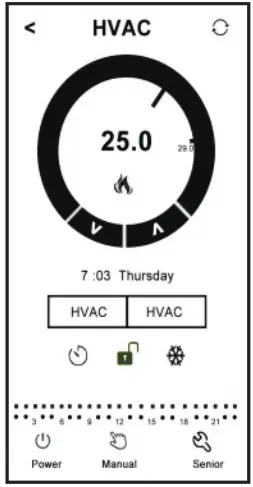
User Interface Explanation ( phone Port)
Model Spec
| Model | Program function | Wired function | Wifi function | Backlight | Terminal receiver |
| BOT-313WIFI-BL |  | | | blue | |
| BOT-313WIFI-WH | | | | white |
Wiring Diagram
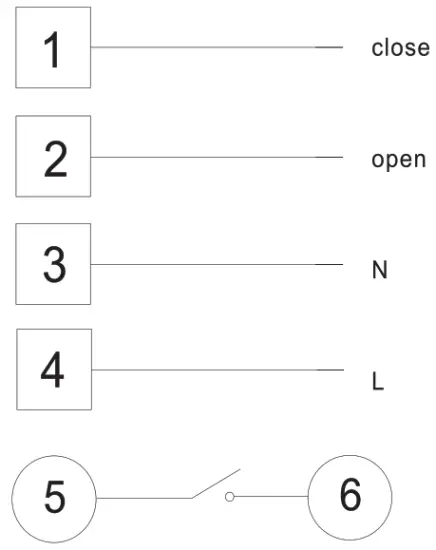
Please connect L and N to 220 voltage power, 5 and 6 to your gas boiler. 1 and 2 are for thermal actuators, please do not connect them to your gas boiler.
Remarks: please read the wiring diagram carefully before connecting. If you connect it wrongly, there will be a short circuit. Your gas boiler board will be damaged!!!
Thermostat Operation Instruction
- Setting Power on/off
Pressto turn off the power. - Setting Temperature
press to set the temperature.
 - Setting the Clock
Press to set the minute, hour and week.
pressfor adjusting. - Setting the Manual Mode. Manual mode means non-programmable mode.
Press M then . will display on the screen, it is in manual mode.
Pressto set the temperature.
Press to set the minute, hour and week. - Setting the Child Lock Long pressto enter into child lock mode, 6 will display. Long press again, the child lock will
 be disappeared.
 - Setting the Programmable Mode.
Press and hold M into programmable mode. LOOP and 12345 will display.
Press to select the control way: 5+2 or 6+1 or 7 days programmable. 12345 display in the position of the week means 5+2; 123456 display in the position of the week means 6+1; 1234567 display in the position of the week means 7 days programmable.
Press M to select the periods.
Pressto change the temperature;
Pressto do time adjustment.
Pressto changes the time;
Press M again to select the weekend’s temp. If you want to make a temporary adjustment in any period,
press M then. will flash. When finish the setting, all will confirm automatically.
 to set the temperature.
 . will display on the screen, it is in manual mode.
 be disappeared.
Press M to switch operation between manual mode and programmable mode.
| Period | Period Icon | Defaulted Time | Defaulted Temp. | |
| Week | 1 |  | 6:00 | 20°C |
| 2 |  | 8:00 | 15°C | |
| 3 |  | 11:30 | 15°C | |
| 4 | | 12:30 | 15°C | |
| 5 |  | 17:30 | 22°C | |
| 6 |  | 22:00 | 15°C | |
| Weekend | 1 | | 8:00 | 22°C |
| 2 | | 23:00 | 15°C | |
Remark: (1) The defaulted temperature of period3 and period4 is the same as period2. Please change it according to the request. (2) When the set temperature is 00, this period is powered off.
7. Advanced Setting
In the state of power-off, long press and hold  then press into advanced setting mode. Then press M to set relative item.
| Display Code | Function | Setting And Options | Factory Default |
| SVH | High limit temp. for internal sensor | 5-99°C | 35°C |
| SVL | Low limit temp. for internal sensor | 5-99°C | 5°C |
| ADJ | Temp.calibration | Check and calibrate the actual room temp. | 0.5°Caccuracy calibrate |
| FRE | Frost-protection | 00 : Close 01 : Open | 0 |
| PON | Power memory | 00 : Off 01 : On | 0 |
| DFI | Precision for room temp. | 0.5-3°C | 1°C |
| Opt | Linkage terminal output direction | 00:Set temp>Room temp, relay close 01:Set temp<Room temp, relay close | 00: Positive output |
| FAC | WIFI setting | 10 or 32: Wifi mode open 08: just display 00: factory reset | 8 |
For Opt: When the thermostat connects with gas boiler, the terminal short circuit is extinguished. the open circuit is ignition. Then Turn to the reverse output ’01’. When the Opt is adjusted to 00. the thermostat can also be used in the water floor heating system, the water temperature is too low will prohibit the output (relay output 3A/200W). this function only suits for wig linkage function thermostat.
DAI: Explanation: For example.lf Room temp is 22t. HysteresistIFF= 1. when room temp rise to 23t,the relay will stop outputting; when room temp down to 21 t, the relay will output again and start heating. 13FI is hysteresis for room temp, factory set is 1,if 1 is too big for you, it can be adjusted to 0.5.
Phone Port Operation Instruction
1. Install APP on phone For iOS system: Login in App Store, search’ Book Home’, you can download it on your iPhone.
Or scan below code to download:
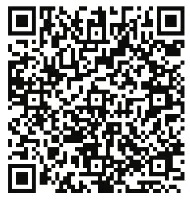
https://play.google.com/store/apps/details?id=com.beok.heat
For Android System: Login in Coolie Play. search ‘Book Home’. you can download it on your phone. Or scan below code to download:

https://itunes.apple.com/gb/app/beok-home/id1226485412?mt=8
2. Connection Thermostat with Phone Thermostat Setting
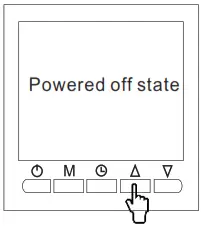
In the power Oft Slate. long-press the up button for 10 seconds 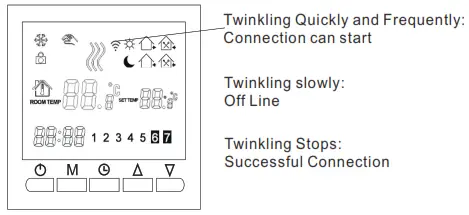
At this time, the wifi symbol will be twinkling quickly and frequently. It means you can connect the thermostat with your phone now.
When the wifi symbol stops twinkling, it means the thermostat is successfully connected to the phone.
Connection with Phone
Open Book Home APP on your phone, you can see APP welcome page

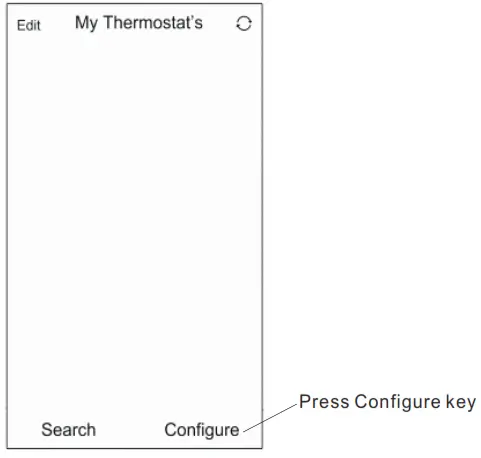
When the thermOStat Wilt Symbol twinkling fast, you Can start the Configure On your Phone.
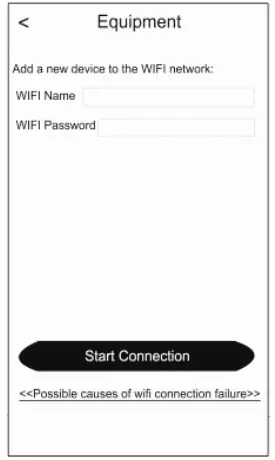
Enter your wifi name and paSSAMM. then Matt COnneCtiOn at below. When COnneCtiOn success will appeal ‘COmeCtiOn Success’.
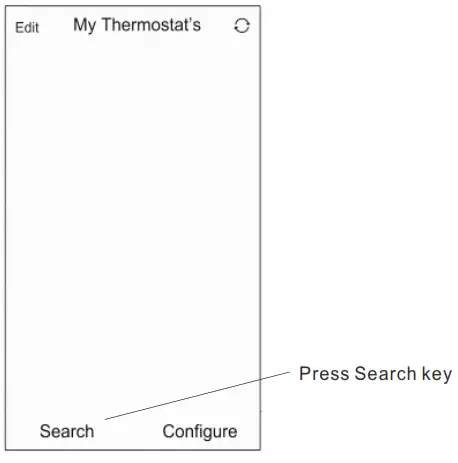
After connection success. you need press ‘The search key.
Then it will appear your wifi thermostat HVAC. HVAC Is the faCtOry setting name, when you have more than 2 thermostats. you Can Change tilt) any name you want
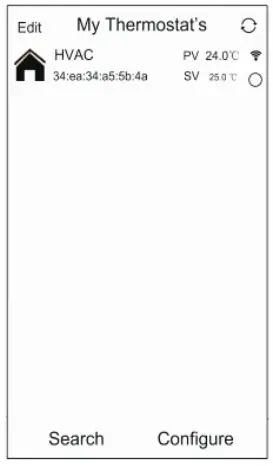
a Long press HVAC for 5 seconds, it will appear Edit Thermostat page.
b Press Modify Current Thermostat
c You can change HVAC to Mom 1, Bedroom Oath room, Or anylhing yOu like
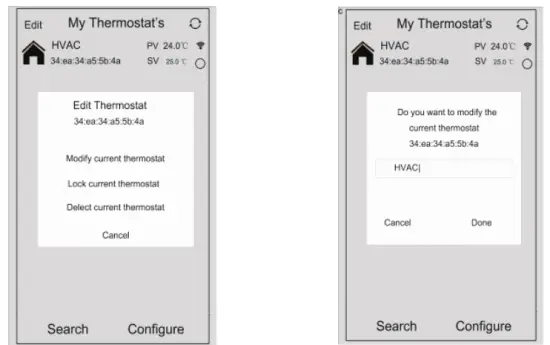
APP Interface on the Phone
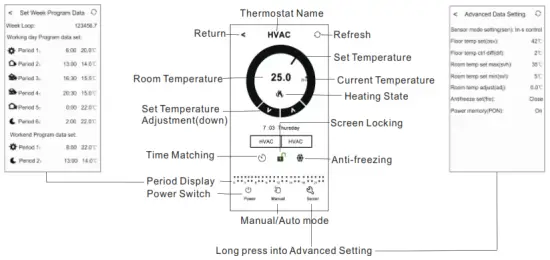
Thermostat Setting through Phone Operation
- Clock: You can press the Time Matching switches to match your phone clock with the thermostat clock.
- Children lock (screen locking): Press to lock the thermostat.
- Anti-Freezing: Press
 thermostat will show, on the screen. it means the Anti-freezing function open.
 - Temperature setting: You can directly drag the pointer
 on Temperature Setting Dial to set the temperature. Or press and V to set the temperature step.
 - Period setting: Long press Period Display
 then you will go into the Period Setting mode:
Touch work loop: you can choose the week program mode: 5+216+1 /7. Touch each time value: you can set the time of the period. Touch each temperature: you can set the temperature of the period. Notice: When you choose the program mode to 7, the Weekend program data set will no appear. - Advanced Setting: Long Press Senior,
 you will go into Advanced setting mode:
 thermostat will show
 on Temperature Setting Dial to set the temperature. Or press
  then you will go into the Period Setting mode: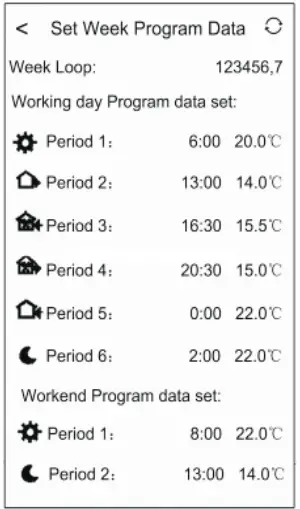
 you will go into Advanced setting mode: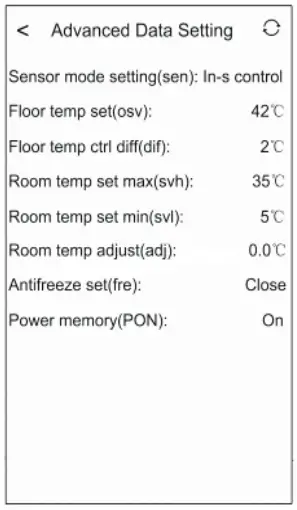
| Display Code | Function | Setting And Options | Factory Deful |
| SVH | High limit temp. for internal sensor | 5-99°C | 35°C |
| SVL | Low limit temp. for internal sensor | 5-99°C | 5°C |
| ADJ | Temp.calibration | Check and calibrate the actual room temp. | 0.5°Caccuracy calibrate |
| FRE | Frost-protection | 00 : Close 01 : Open | 00 |
| PON | Power memory | 00 : Off 01 : On | 00 |
7. Switch of Manual mode and Auto mode: Press  to switch manual mode or Auto mode.
8. Power off Press to turn on or off the thermostat.

Attention to Phone WiFi Connection:
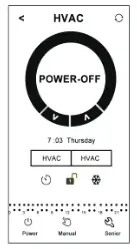
- After you press Configure if the connection fails: a. Please confirm your mobile phone is set to WLAN mode, and ensure its (mobile data)3019 is turned off. Please connect to 2.4G will, not 56 wifi.
b. Please add your will router name, we recommend it does not include spaces or Chinese symbols. c. Please check your will router password. We recommend not over 32 characters. no spaces. no blank password. no special symbols except letters and numbers.
d. Please check module is successfully reset. In the power-off state, press the Down key firstly, then press the Power key to enter Advanced Setting Find FAC mode, to change FAC to 10 or 32, then turn the thermostat off Press Down key within 2 minutes, then press the Power key again. This time, It will not enter the Advanced Setting. but the WIFI symbol on the LCD screen will be flashing quickly and frequently. This means the will module has been reset successfully. Then wait for APP to connect well.
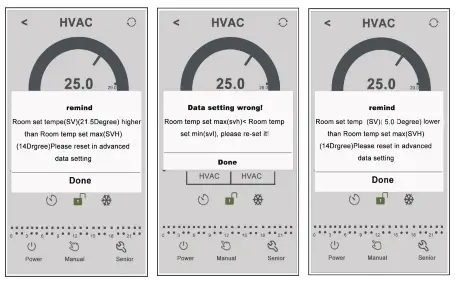
e. Please confirm the wifi password is correctly filled. We recommend you check the password to be visible when it is input. - If it displays the following reminder, please go to Advanced Setting to reset the corresponding setting.

Installation Instruction
This product is suitable for standard 80’80mm wall box and 80 mm European round box.
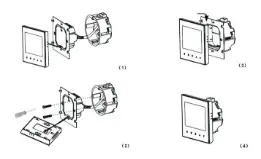
- Connect the line of power and valve into the terminals. Fix the wall plate into the wall box by a screwdriver.
- Connect the lines with the LCD board.
- Connect the LCD board into the wall plate.
NOTICE:
The installation height we suggest is 1.2-1.6m. The installation wire should be 1.5-2.5mm2
XII. ATT:
Thank you for buying this product!
Please read this manual for complete instructions on installing and operating your thermostat. If you require further assistance, please feel free to contact us.
In the box you will find:
| Model | BOT-313WIFI-BL | BOT-313WIFI-WH |
| Thermostat | √ | √ |
| User Manual | √ | √ |
| Screws | √ | √ |
| Dryer | ||
| External Sensor |
Our Service:
We offer a warranty of 24 months from the sales day.
During the warranty, If it Is belongs to the quality Issue, we will fix or replace them for you by free after test them.
If it is not a quality problem or beyond the warranty time, we will charge for the after-sales service.
 Warning:

The symbol means the unit is being installed, it may cause electrical shock hazards during maintenance, so please make sure it is operated by a professional technical worker.