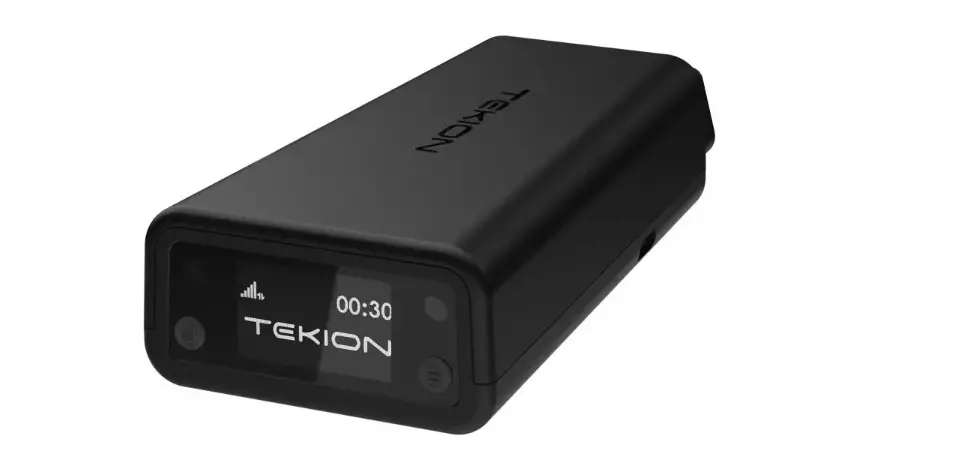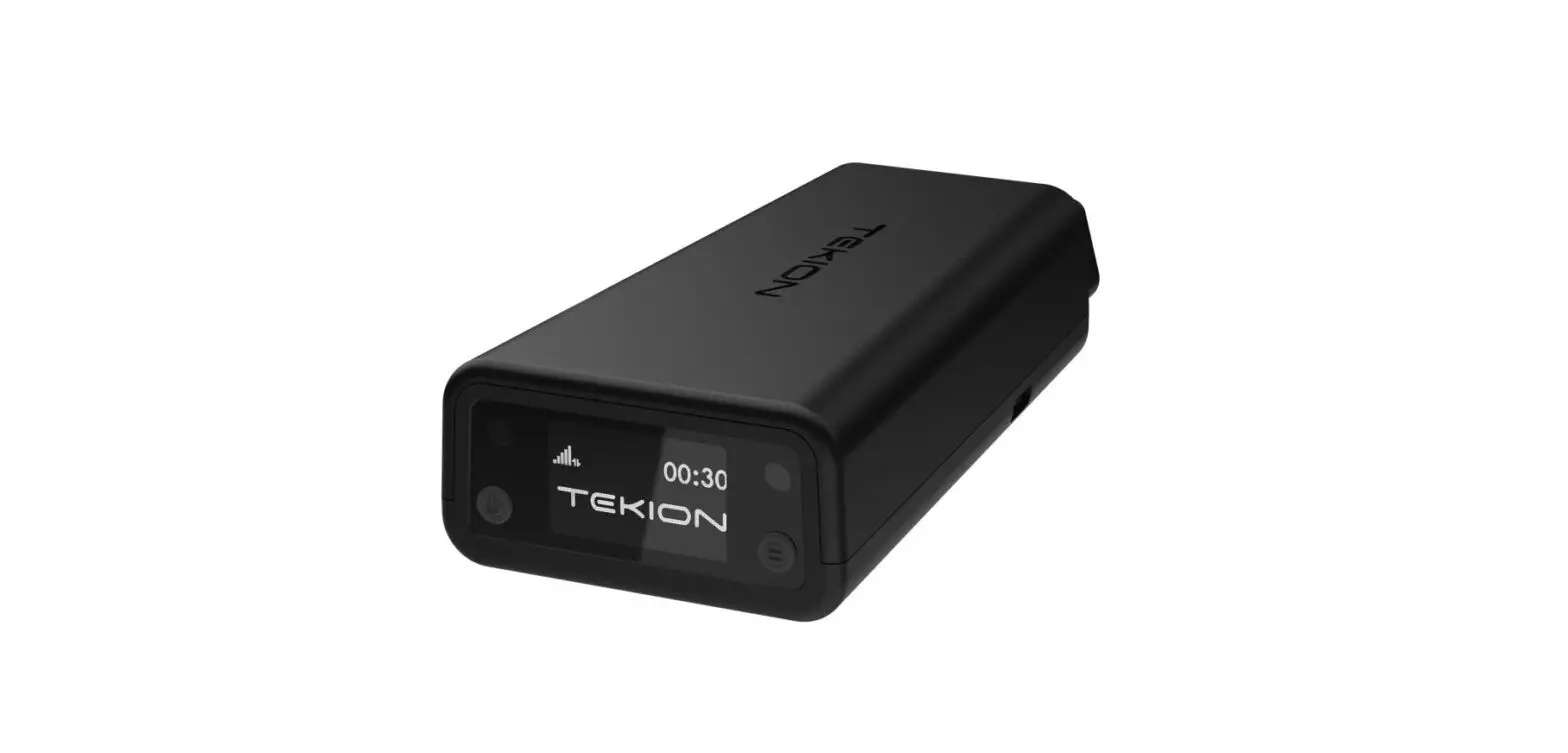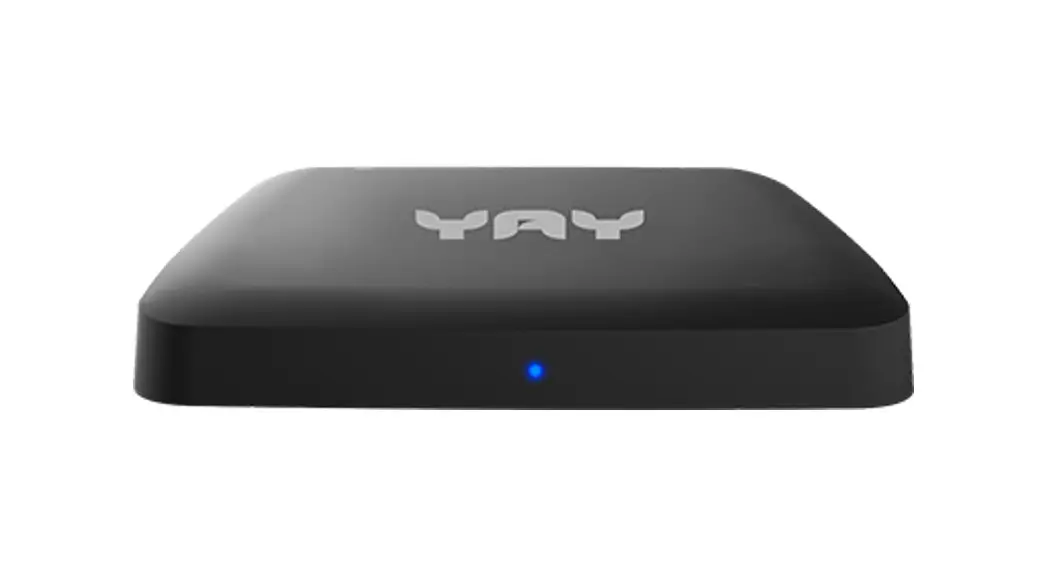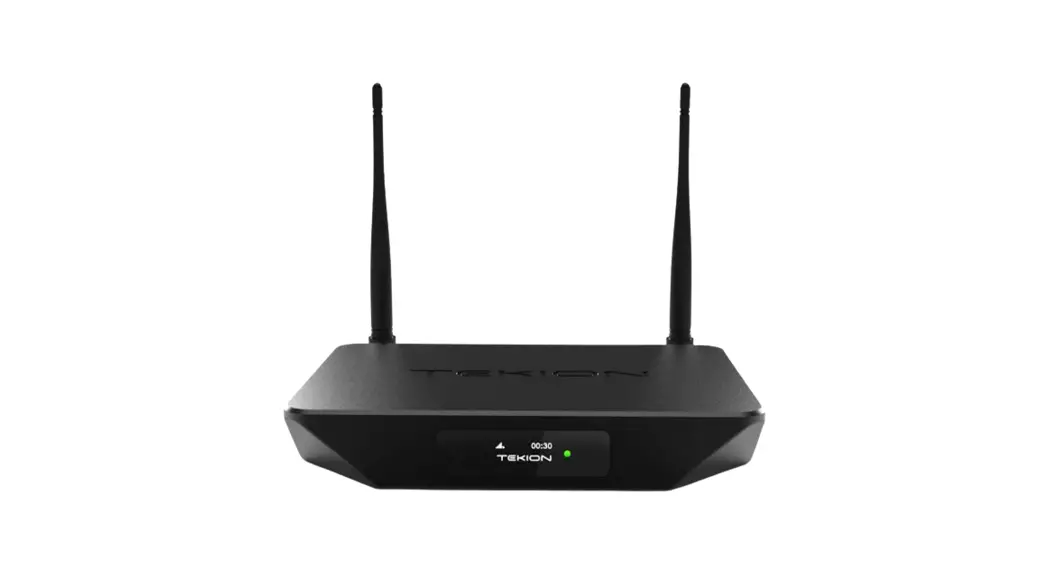

 Digital Displays Model: TDD1
HDMI IN 2.x | 4K | POE | HDCP2.x Encrypted
User Manual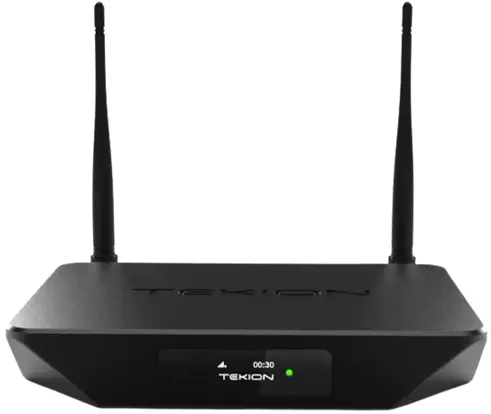
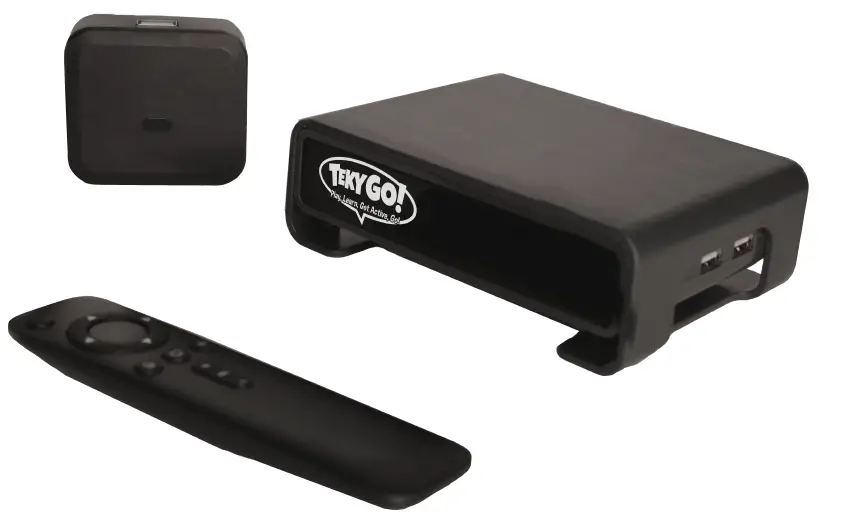
TDD1 Digital Displays Box
Revision History
| Doc Version | Release Date | Remarks |
| 1.0 | 05th Mar 2023 | Initial version |
Introduction
TDD1 is Customized product as per the requirements of Tekion. It is used typically with TVs in the Customer Lounge of various Business to display tailored content. TDD1 is connected though either Ethernet or Wi-Fi to the backend cloud system of Tekion. TDD1 is controlled through the backend, which includes control of apps, settings, content to display, factory reset, OS lockdown etc.
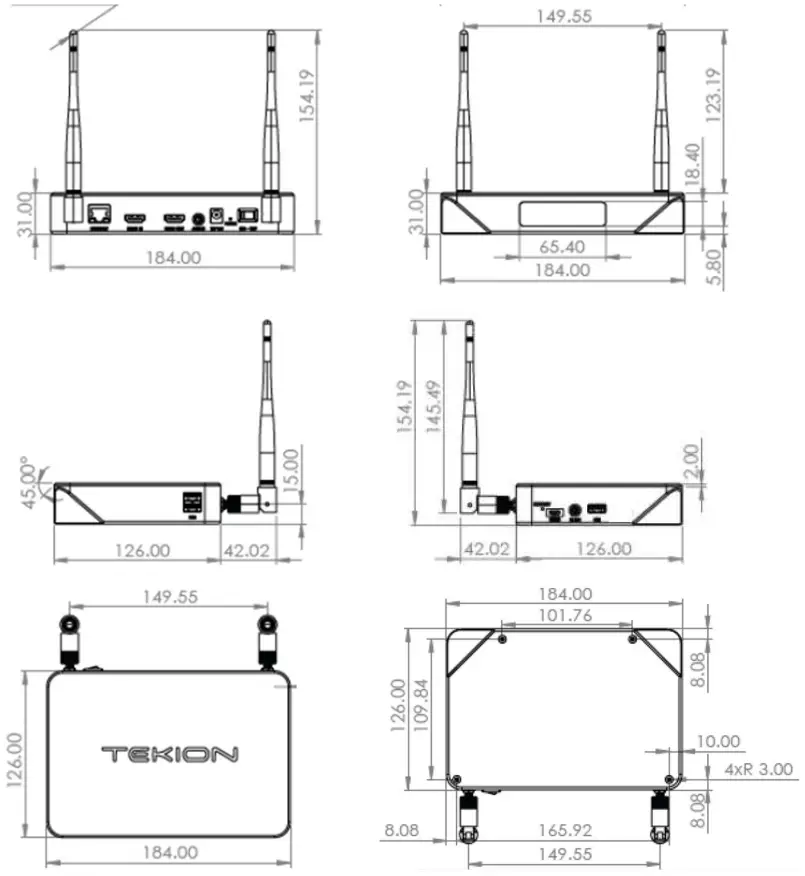
Dimensions
In the Box Content
- TDD1 Box
- Antennas x2
- Remote
- IR Extender
- HDMI IN Cables x2
- AAA Batteries x2
TDD1 Specifications
| Shell Material | Aluminium |
| Front Display | OLED |
| OS | Android 11 |
| CPU | RK3566 ARM Cortex-A55 Quad Core |
| GPU | G52 |
| Memory | 4 GB RAM |
| Internal Storage | 32 GB |
| Wi-Fi Connectivity | 802.11a/n/g/ac Dual Band Wi-Fi |
| Ethernet | Gigabit Ethernet (10/100/1000Mbps) |
| HDMI OUT | HDMI 2.0, Supports 4k@60fps |
| HDMI IN | HDMI 2.0, HDCP 2.x, 1080i, supports 1080p @60fps |
| Video Decoder | HDR, HEVC/H.265, VP9, H.264 & more |
| Audio | 44 KHz, 48 KHz Sample Rates |
| Power | 12V 2A DC Jack, 30W POE+ Input |
| Others | IR Extender, User Configurable GPIOs |
Connectors
Back Side: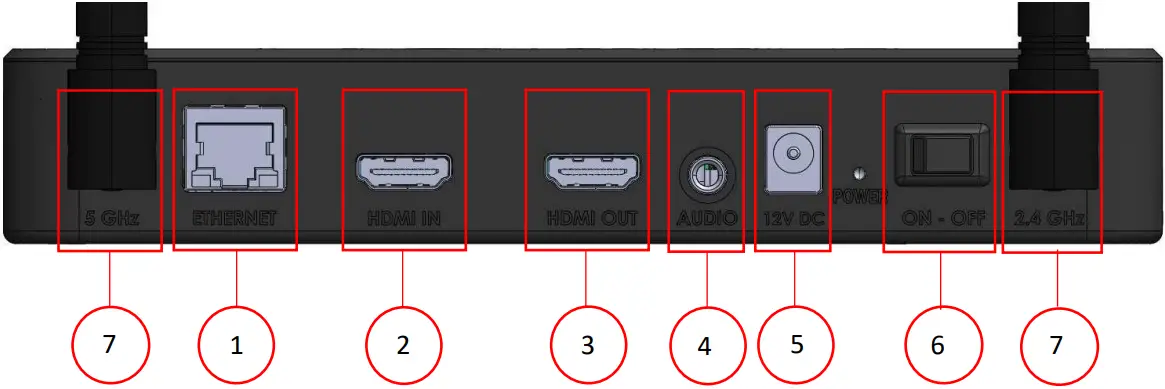
| ID | Connector | Functionality |
| 1 | Ethernet | LAN, POE+ 30W |
| 2 | HDM IN | Source input supports upto 1080p@60, 1080i@60. Can connect HDMI OUT of PC, CableBox etc to this port. |
| 3 | HDMI OUT | Supports upto 4K@60, 1080i@60. Connect this to the HDMI INPUT of the TV or Monitor. |
| 4 | Audio | Disabled |
| 5 | Power Jack | 12V 2A DC Input is required |
| 6 | ON OFF Switch | Power control |
| 7 | 5 Ghz, 2.4Ghz Antenna Connectors | 2.4Ghz and 5Ghz Antennas are connected using Unique Connector |
Side View(Left):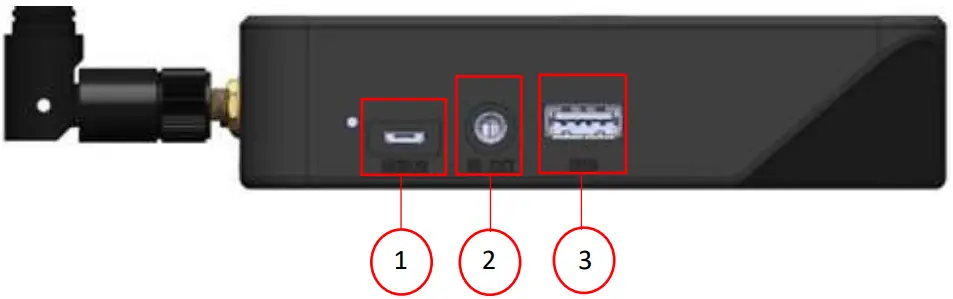
| ID | Connector | Functionality |
| 1 | Micro USB | Disabled |
| 2 | IR EXT | 3.5mm Jack for IR extender |
| 3 | USB | Disabled |
Side View(Right):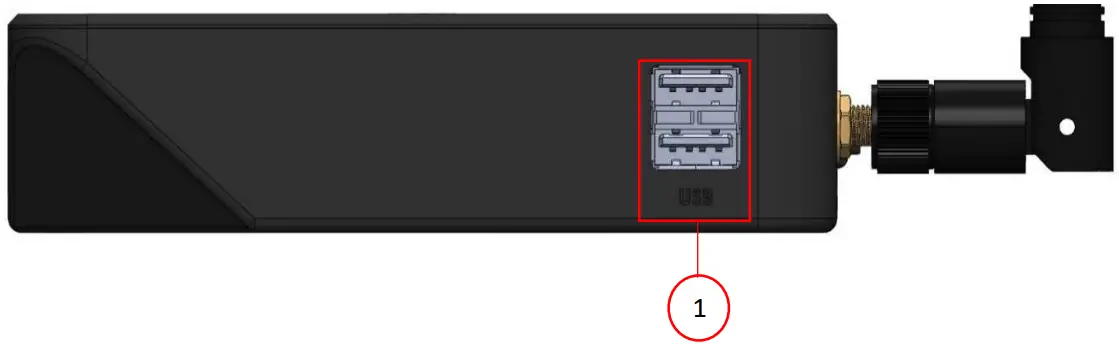
| ID | Connector | Functionality |
| 1 | USB x2 | Disabled |
Remote Interface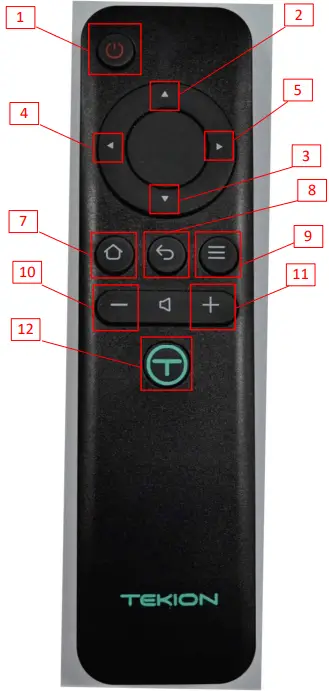
| Keys | Functionality |
| 1 Power | Single Press: Power ON/OFF Power Cycle by holding power button for 5 Seconds. |
| 2 UP | Navigate UP direction in Android UI |
| 3 DOWN | Navigate DOWN direction in Android UI |
| 4 LEFT | Navigate LEFT direction in Android UI |
| 5 RIGHT | Navigate RIGTH direction in Android UI |
| 6 OK | For Selecting |
| 7 HOME | Goes to Android HOME Screen |
| 8 BACK | Goes to previous menu |
| 9 MOUSE | Enable Disable Mouse mode |
| 10 VOL + | Increase volume |
| 11 VOL – | Decrease volume |
| 12 T | Customizable key |
Power
There are 2 ways to power TDD1.
- Using 12V 2A Power Adaptor
- 30W POE+ Connection. Port1/Ethernet port on the back side.
Connecting to Internet
- Connect though Ethernet or Wi-Fi.
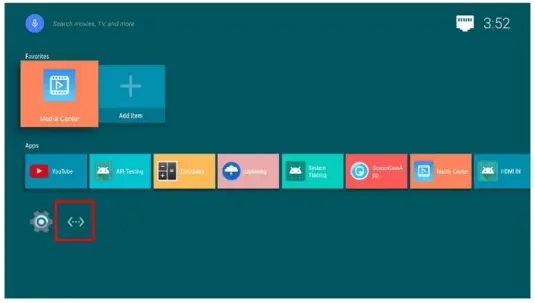
- On connecting Ethernet Cable, the Ethernet Icon appears on Home Screen.

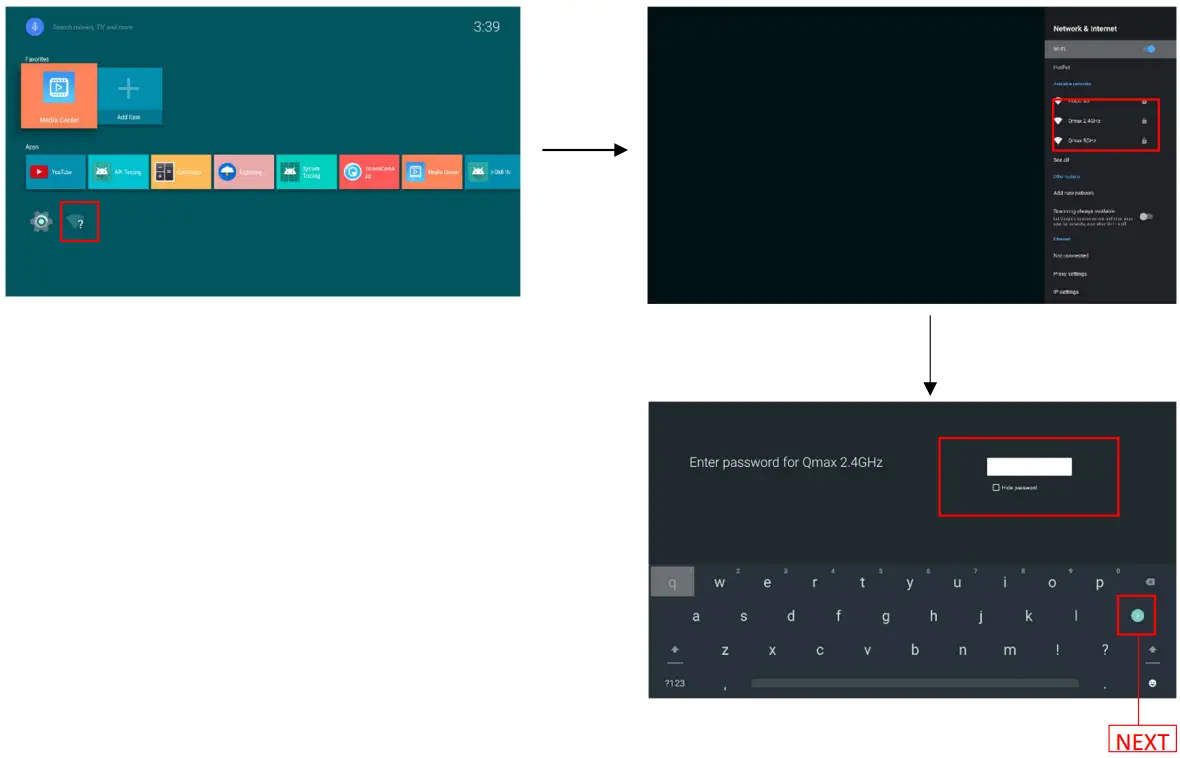
- For Wi-Fi, on the home screen, click on the Wi-Fi ICON.
- It should open Wi-Fi Settings page with list of scanned Wi-Fi networks .
- On Select the Wi-Fi network, a screen for entering password appears. Enter the password and press next in the keyboard.

HDMI IN
HDMI Source Devices include Laptops, PCs, PS ¾, PlayStation, smart box, cable tv boxes, OTTs etc can be connected as HDMI Input to the TDD1 Box on the HDMI IN Port though HDMI Cable.
HDMI Sink Devices include TVs, Monitors, and any other devices capable of accepting HDMI input from external devices, can be connected from HDMI OUT Port of the TDD1 Box though HDMI Cable.
The TDD1 HDMI IN support up to 1080p, 1080i resolution. While the HDMI OUT can be up to 4K, 1080i resolution. 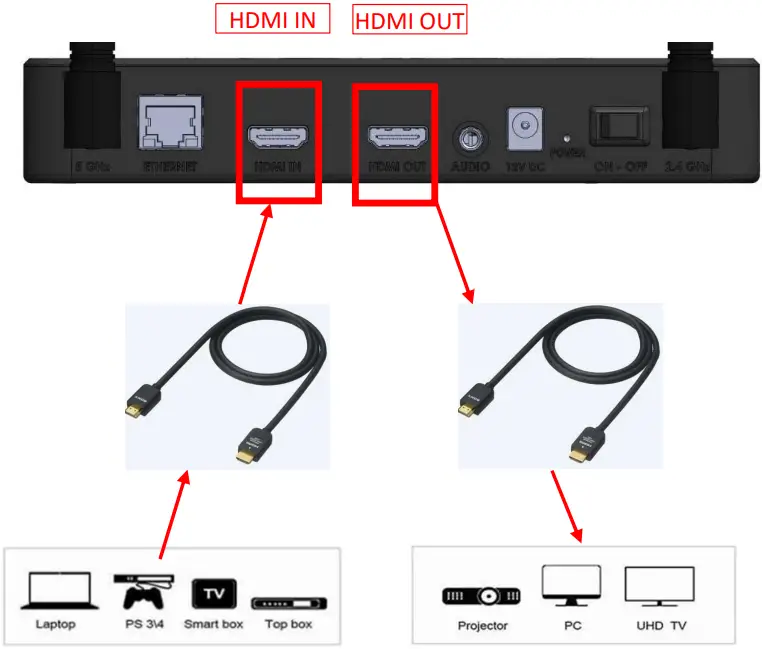 For Viewing the HDMI IN Content in the Android, App named “HDMI-IN” comes installed on Android which can be used to display the HDMI IN content.
Connect a source device to the HDMI IN port of TDD1 as above. Opening the “HDMI-IN” app should start displaying the content of the hdmi source. 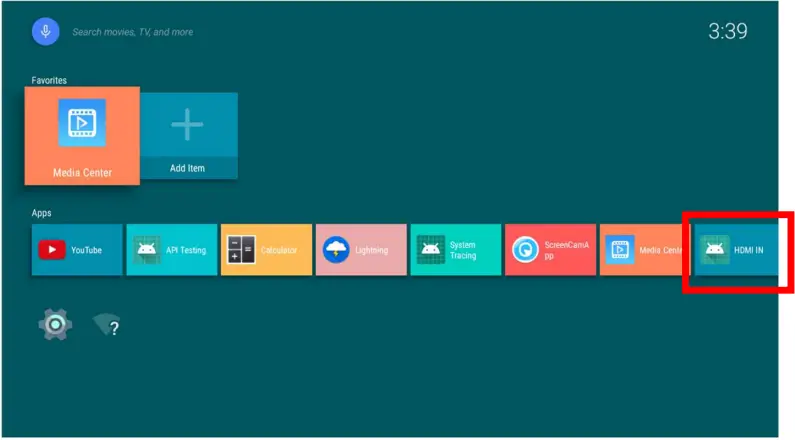 Example here the HDMI IN is connected, and the APP plays the content as below.
HDMI-IN App:
System Update by OTA
Tekion will update the firmware on timely basis. The TDD1 is updated whenever a update is triggered from the backend.
FCC statements
NOTE: This equipment has been tested and found to comply with the limits for a Class A digital device, pursuant to part 15 of the FCC Rules. These limits are designed to provide reasonable protection against harmful interference when the equipment is operated in a commercial environment. This equipment generates, uses, and can radiate radio frequency energy and, if not installed and used in accordance with the instruction manual, may cause harmful interference to radio communications.
Operation of this equipment in a residential area is likely to cause harmful interference in which case the user will be required to correct the interference at his own expense.
This device complies with Part 15 of the FCC Rules. Operation is subject to the following two conditions:
(1) this device may not cause harmful interference, and (2) this device must accept any interference received, including interference that may cause undesired operation.
Warning: Changes or modifications to this unit not expressly approved by the party responsible for compliance could void the user’s authority to operate the equipment.
Shielded cables must be used with this unit to ensure compliance with the FCC limits.
FCC RF Radiation Exposure Statement –
Caution: To maintain compliance with the FCC’s RF exposure guidelines, place the unit at least 20cm from nearby persons.