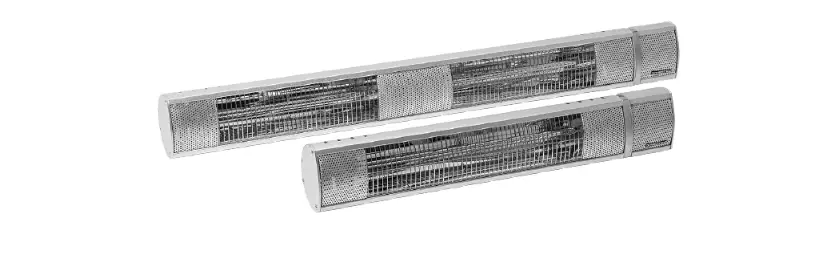
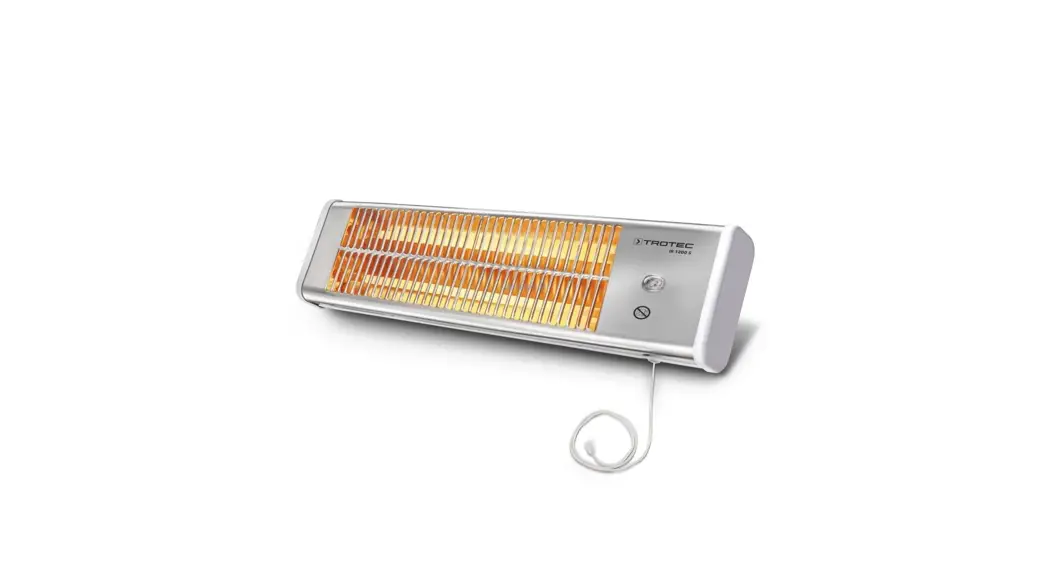
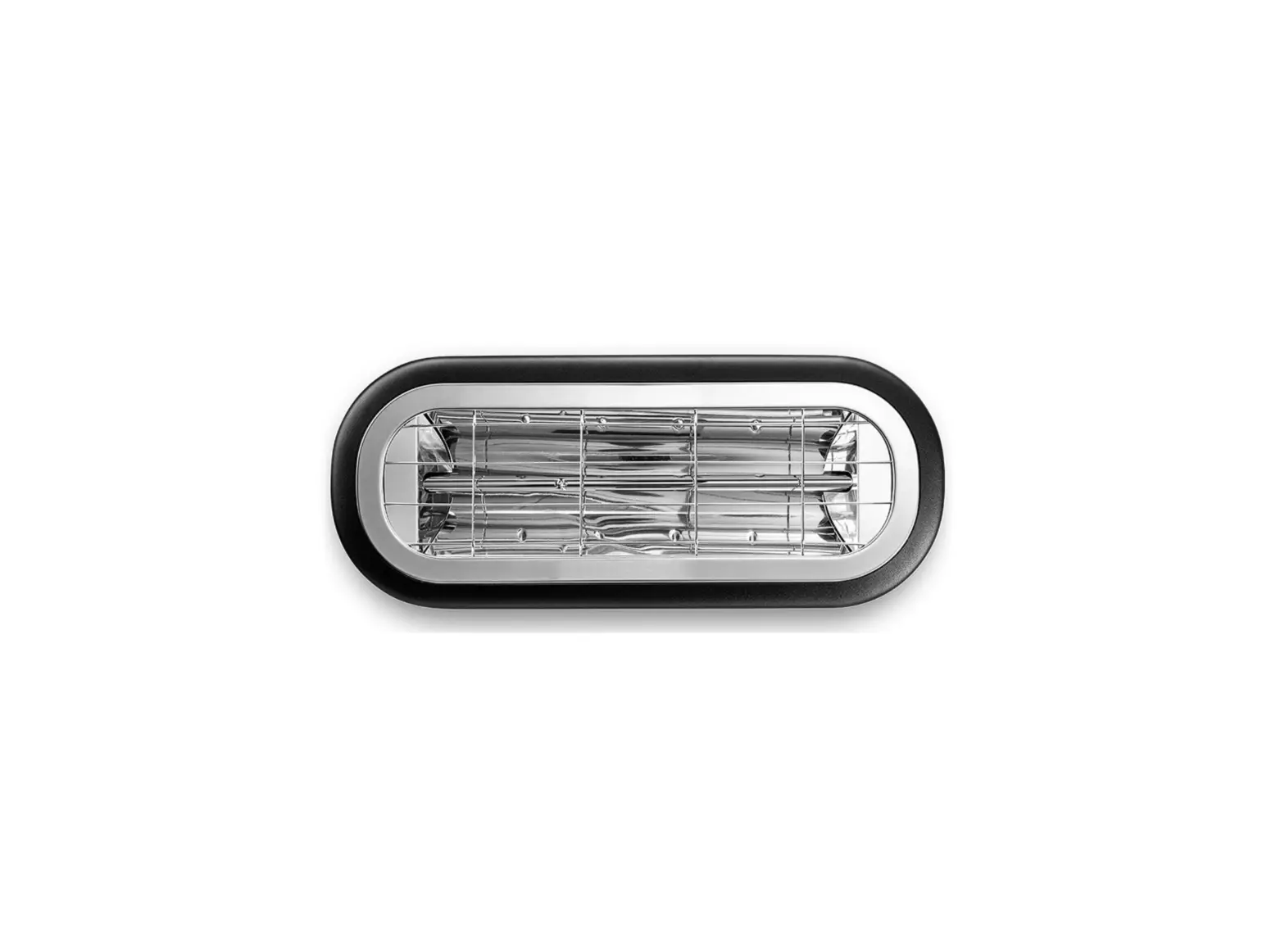
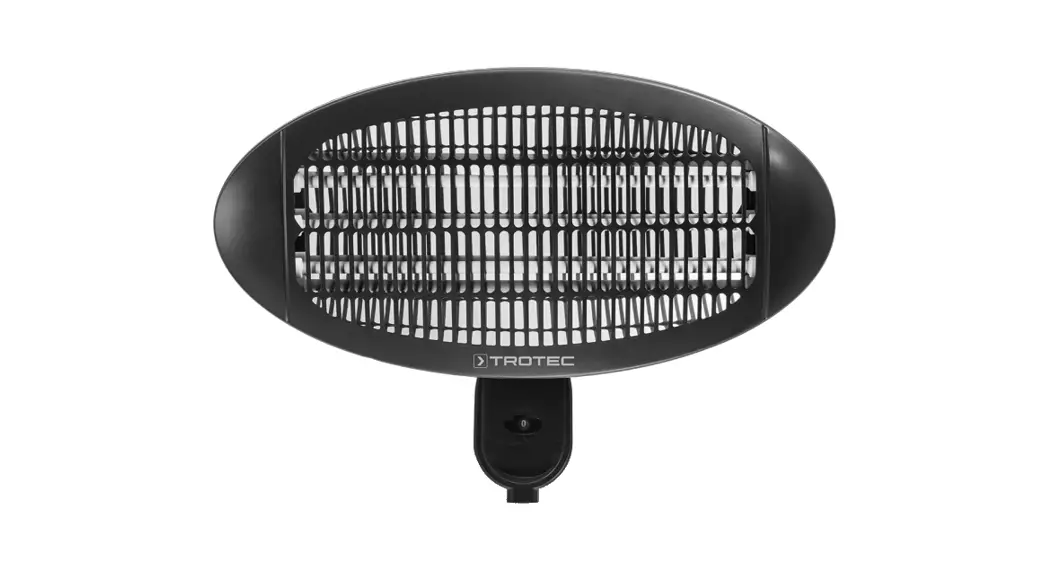
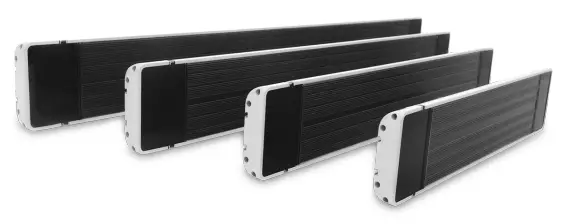
IRD 3200 Infrared Radiant Heater
Instruction Manual
Notes regarding the operating manual
Symbols
 Warning of electrical voltage
This symbol indicates dangers to the life and health of persons due to electrical voltage. Warning of hot surface
This symbol indicates dangers to the life and health of persons due to hot surfaces. Warning
This signal word indicates a hazard with an average risk level which, if not avoided, can result in serious injury or death.Caution
This signal word indicates a hazard with a low-risk level which, if not avoided, can result in minor or moderate injury.
Note
This signal word indicates important information (e.g. material damage), but does not indicate hazards. Info
Info
Information marked with this symbol helps you to carry out your tasks quickly and safely. Follow the manual
Information marked with this symbol indicates that the operating manual must be observed.
You can download the current version of the operating manual and the EU declaration of conformity via the following link:
 |  |
| https://hub.trotec.com/?id=41386 | https://hub.trotec.com/?id=41387 |
 |  |
| https://hub.trotec.com/?id=41388 | https://hub.trotec.com/?id=41389 |
Safety
Read this manual carefully before starting or using the device. Always store the manual in the immediate vicinity of the device or its site of use.
Warning
Read all safety warnings and all instructions.
Failure to follow the warnings and instructions may result in electric shock, fire, and/or serious injury.
Save all warnings and instructions for future reference.
This appliance can be used by children aged 8 years and above and persons with reduced physical, sensory or mental capabilities or lack of experience and knowledge if they have been given supervision or instruction concerning the use of the appliance in a safe way and understand the hazards involved.
Children shall not play with the appliance. Cleaning and user maintenance shall not be made by children without supervision.
Warning
Children of less than 3 years should be kept away from the device unless continuously supervised.
Children aged from 3 years and less than 8 years shall only switch on/off the appliance provided that it has been placed or installed in its intended normal operating position and they have been given supervision or instruction concerning the use of the appliance in a safe way and understand the hazards involved.
Children aged from 3 years and less than 8 years shall not plug in, regulate and clean the appliance or perform user maintenance.
Warning
Do not use the device in small rooms if persons are present who cannot leave the room independently and who are not under constant supervision.
- Do not use the device in potentially explosive rooms or areas and do not install it there.
- Do not use the device in an aggressive atmosphere.
- Let the device dry out after a wet clean. Do not operate it when wet.
- Do not use the device with wet or damp hands.
- Do not expose the device to directly squirting water.
- Never insert any objects or limbs into the device.
- Do not use the device as a source of ignition.
- Do not cover the device during operation.
- This appliance is not a toy. Keep away from children and animals. Do not leave the device unattended during operation.
- Check accessories and connection parts for possible damage prior to every use of the device. Do not use any defective devices or device parts.
- Ensure that all electric cables outside of the device are protected from damage (e.g. caused by animals). Never use the device if electric cables or the power connection are damaged!
- The main connection must correspond to the specifications in the technical annex.
- Insert the mains plug into a properly fused mains socket.
- Observe the device’s power input, cable length, and intended use when selecting extensions to the power cable. Completely unroll extension cables. Avoid electrical overload.
- Before carrying out maintenance, care, or repair work on the device, remove the main plug from the main socket. Hold onto the mains plug while doing so.
- Switch the device off and disconnect the power cable from the main socket when the device is not in use.
- Do not under any circumstances use the device if you detect damages on the mains plug or power cable.
If the power cable is damaged, it must be replaced by the manufacturer, its service agent, or similarly qualified persons in order to avoid a hazard.
Defective power cables pose a serious health risk! - When installing the device, observe the minimum distances from walls and other objects as well as the storage and operating conditions according to the technical data (chapter Technical annex).
- Keep a safe distance of at least 1 m between the device’s radiator side and all combustible materials such as textiles, curtains, beds, and sofas.
- Allow the device to cool down before transport and/or maintenance work.
- The device must not be installed directly beneath a socket.
- Do not use the device if it has been dropped or if it shows visible signs of damage.
- Use the CR 2025 button battery type.
- Never charge batteries that cannot be recharged.
- Different types of batteries and new and used batteries must not be used together.
- Insert the batteries into the battery compartment according to the correct polarity.
- Remove discharged batteries from the device. Batteries contain materials hazardous to the environment. Dispose of the batteries according to the national regulations.
- Remove the batteries from the remote control if you will not be using the device for a longer period of time.
- Never short-circuit the supply terminal in the battery compartment!
- Do not swallow batteries! If a battery is swallowed, it can cause severe internal burns within 2 hours! These burns can lead to death!
- If you think batteries might have been swallowed or otherwise entered the body, seek medical attention immediately!
- Keep new and used batteries and an open battery compartment away from children.
- If the battery compartment does not close securely, stop using the product via the remote control.
Intended use
Use the device IRD 1200 / IRD 1800 / IRD 2400 / IRD 3200 for
heating surfaces in roofed and non-roofed outdoor areas.
Intended use comprises:
- heating surfaces
- in storage facilities,
- in construction areas,
- in containers,
- in the catering trade,
- at trade fairs and events,
- in outdoor areas (e.g. terraces).
Foreseeable misuse
- The device is not intended for industrial use.
- Do not place any objects, e.g. clothing, on the device.
- Do not use the device for heating in vehicles.
- Do not use this device in the vicinity of fuel, solvents, varnishes, or other easily inflammable vapors or in rooms where these substances are stored.
- The device may not be used as a heating device for babies/children or animals.
- Do not install the heating device in immediate proximity to swimming pools!
- Any use other than the intended use is regarded as a reasonably foreseeable misuse.
Any unauthorized changes, modifications, or alterations to the device are forbidden.
Personnel qualifications
People who use this device must:
- be aware of the dangers that occur when working with electric devices in damp areas.
- have read and understood the operating manual, especially the Safety chapter.
Maintenance tasks that require the housing to be opened must only be carried out by specialist electrical companies or by Trotec.
Residual risksWarning of electrical voltage
Work on the electrical components must only be carried out by an authorized specialist company!Warning of electrical voltage
Before any work on the device, remove the main plug from the main socket!
Do not touch the mains plug with wet or damp hands.
Hold onto the mains plug while pulling the power cable out of the mains socket.Warning of electrical voltage
Risk of electric shock!
Risk of an electric shock if the heating device comes into contact with water in swimming pools!
Do not install the heating device in immediate proximity to swimming pools!Warning of hot surface
Parts of this appliance can become very hot and cause burns. Particular attention is to be paid when there are children or vulnerable persons present!Warning
Dangers can occur at the device when it is used by untrained people in an unprofessional or improper way!
Observe the personnel qualifications!Warning
The device is not a toy and does not belong in the hands of children.Warning
Risk of suffocation!
Do not leave the packaging lying around. Children may use it as a dangerous toy.Warning
Improper installation or mounting entails a risk of fire.Warning
Risk of injury due to infrared radiation!
Do not stay in the device’s immediate vicinity for too long. Do not look directly into the device for too long.
Observe the minimum distances.Warning
In order to avoid overheating and fire hazards, the device must not be covered!
Behavior in the event of an emergency
- Switch the device off.
- In an emergency, disconnect the device from the mains feed-in: Hold onto the mains plug while pulling the power cable out of the mains socket.
- Do not reconnect a defective device to the mains.
Information about the device
Device description
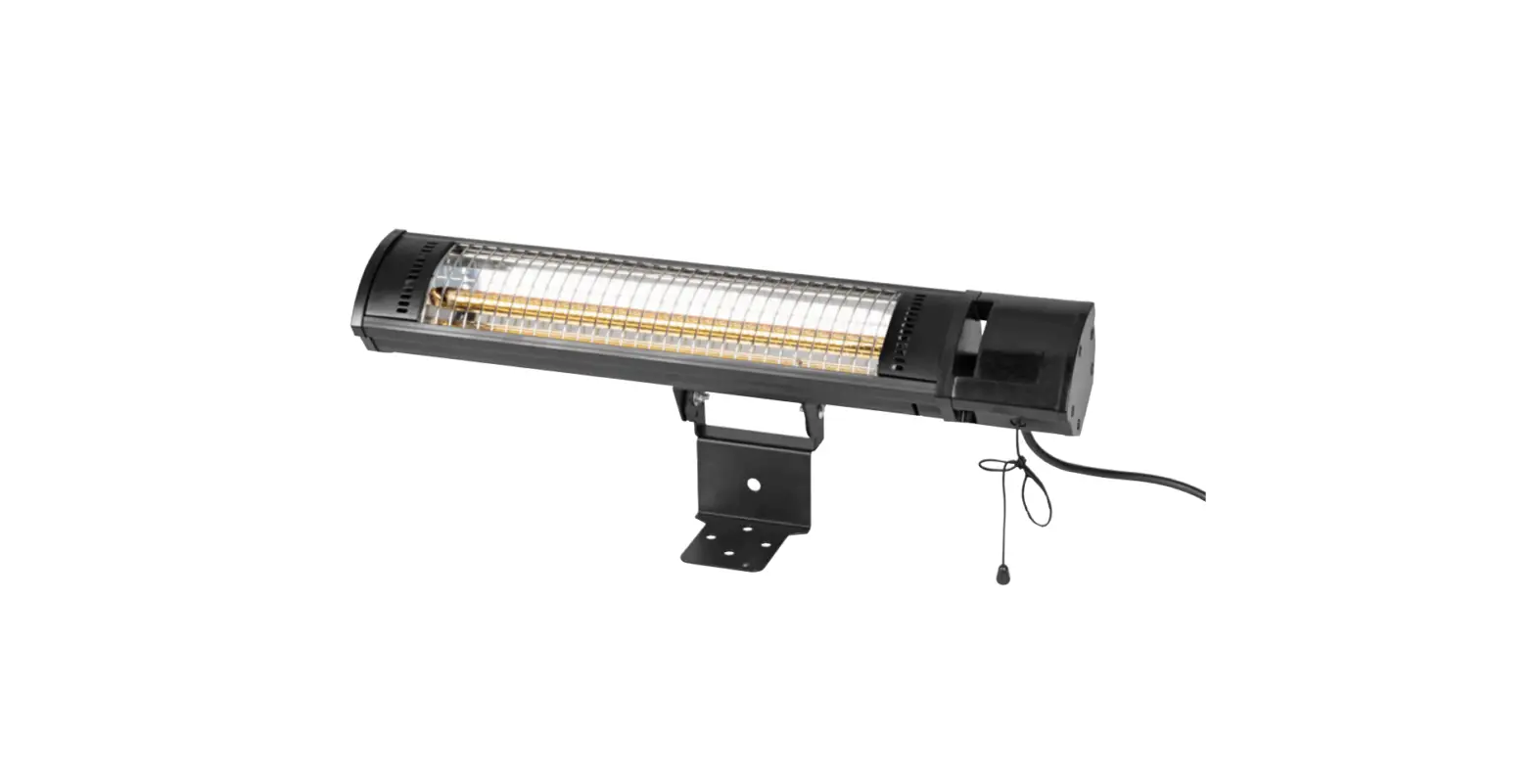
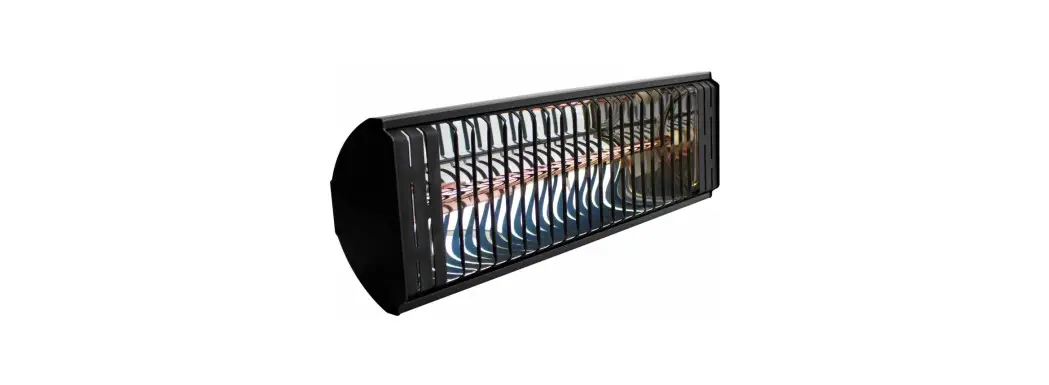
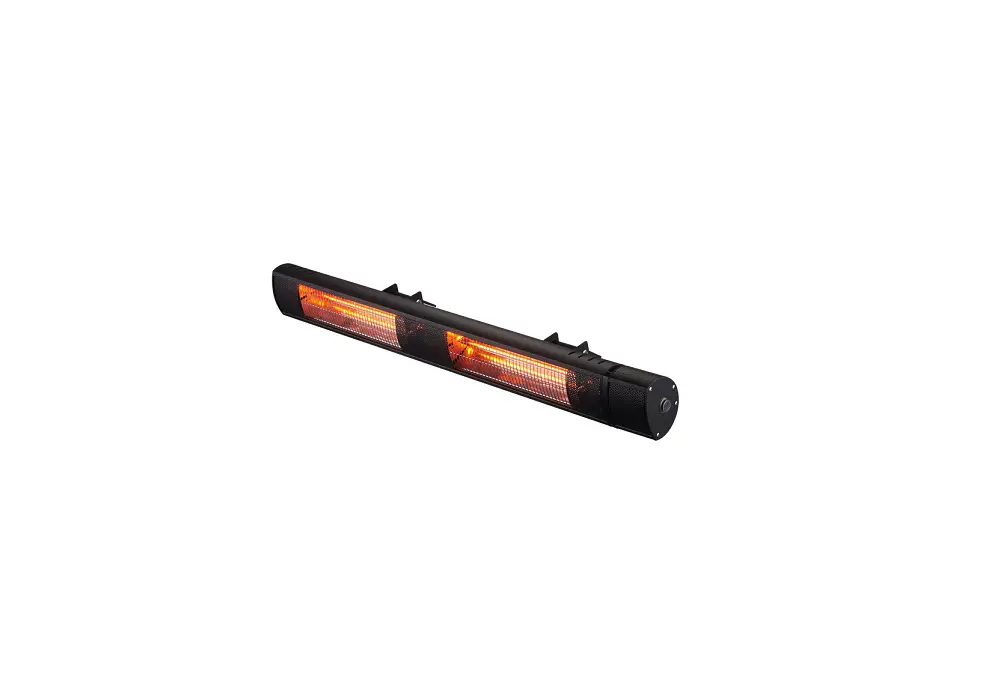
The infrared radiant heater (blacklight) IRD 1200 serves to quickly generate heat without emitting light.
The device is based on the functional principle of heat generation by infrared radiation. Persons or objects are heated directly.
Via a stainless steel heating coil enclosed in aluminum, the device emits most of its radiation energy in the long-wave infrared spectrum. The device does not generate any dazzling red light during operation. In addition, this type of heat generation is also energy-saving. The full heating capacity is only reached after approx. 10 min of operation. This is why the device is classified as slow-acting with regard to its operating principle.
The maximum effective range is approx. 2.7 meters. Wind and draught, however, can reduce this effective range. For this reason, it is recommended to use the device in outdoor areas sheltered from the wind.
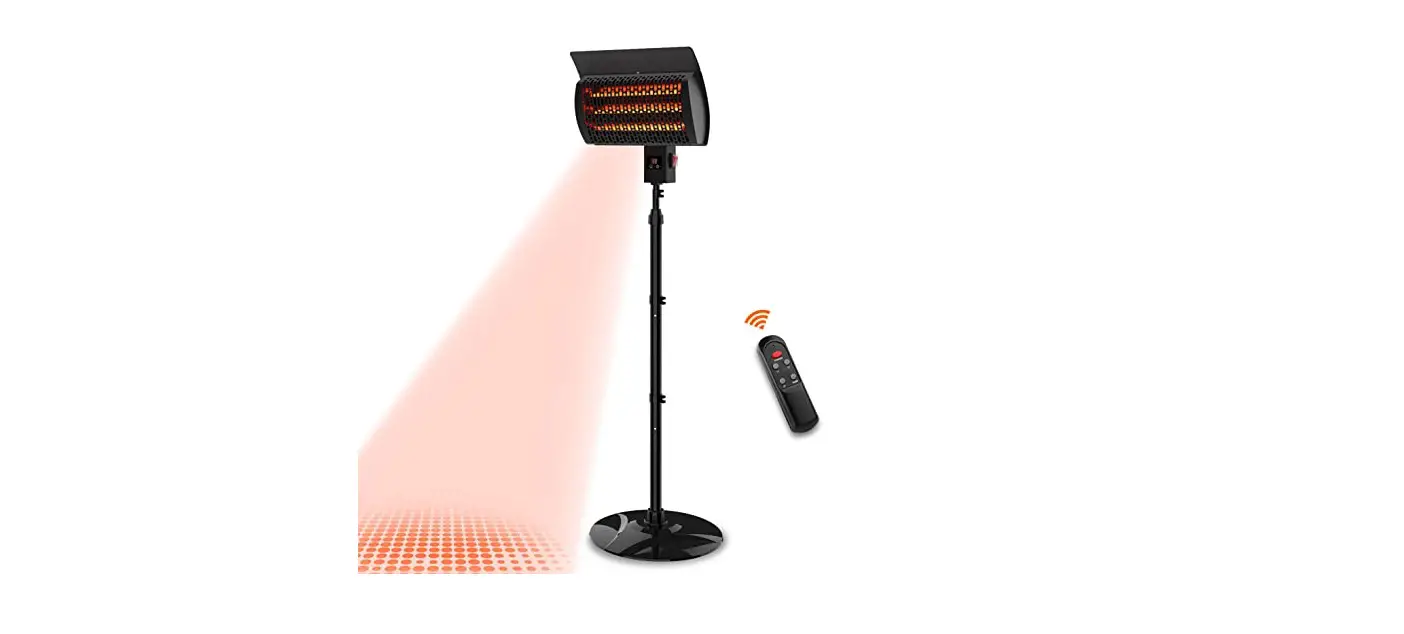
The 3 heating levels can be selected using the remote control.
The device indicates operation by means of two colored LEDs.
Using the timer function the device can be switched off automatically with time delay.
- suitable for outdoor use in areas sheltered from the wind
- IP55 type of protection – splash- and water-jet-proof
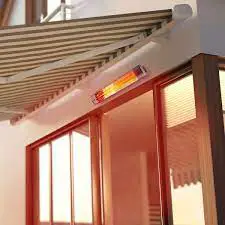
- suitable for mounting on walls and ceilings
- at an adjustable angle
- with no dust circulation (suitable for allergy sufferers)
Device depiction
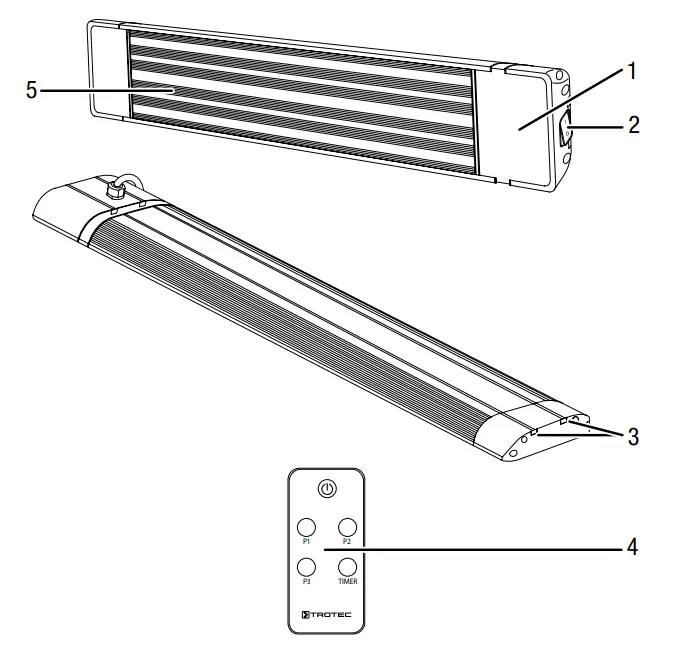
| No. | Designation |
| 1 | Display with infrared receiver for remote control |
| 2 | On/off switch |
| 3 | Guide rail for the device holder |
| 4 | Remote control |
| 5 | Aluminum cover |
Transport and storage
Note
If you store or transport the device improperly, the device may be damaged.
Note the information regarding the transport and storage of the device.
Transport
Before transporting the device, observe the following:
- Switch the device off.
- Hold onto the mains plug while pulling the power cable out of the mains socket.
- Do not use the power cable to drag the device.
- Allow the device to cool down sufficiently.
Storage
When the device is not being used, observe the following storage conditions:
- Store the device in a dry location and protected from frost and heat.
- Store the device in an upright position where it is protected from dust and direct sunlight.
- If required, use a cover to protect the device from invasive dust.
- Remove batteries from the remote control.
Assembly and start-up
Scope of delivery
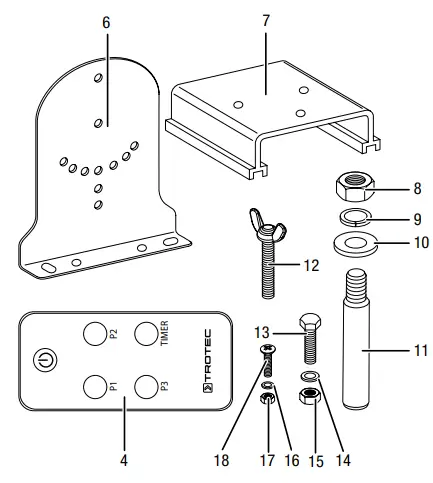
| • 1 x Device (not pictured) | • 4 x Hexagon screw M6 (13) |
| • 4 x Mounting bracket (6) | • 4 x Spring washer Ø 6.1 mm (14) |
| • 2 x Device holder (7) | • 4 x Hexagon nut M6 (15) |
| • 4 x Hexagon nut M8 (8) | • 4 x Spring washer Ø 4.1 mm (16) |
| • 4 x Spring washer Ø 8.1 mm (9) | • 4 x Hexagon nut M4 (17) |
| • 4 x Washer Ø 8.4 mm (10) | • 4 x Phillips screw M4 (18) |
| • 4 x Threaded steel anchor M8 (11) | • 1 x Remote control (4) |
| • 2 x Wing screw M6 (12) | • 1 x Manual (not pictured) |
Unpacking the device
- Open the cardboard box and take the device out.
- Completely remove the packaging.
- Fully unwind the power cable. Make sure that the power cable is not damaged and that you do not damage it during unwinding.
AssemblyWarning of electrical voltage
Risk of injury due to incorrect assembly!
Local or national regulations may apply for installation.
We recommend having the installation carried out by a qualified electrician.
The device is suited for wall and ceiling mounting. Observe the following requirements for the installation:
Warning
Risk of fire due to improper installation!
There is a risk of fire if the required minimum distances are not observed.
Observe the “Installation” section in the “Assembly and start-up” chapter and the technical data in the “Technical annex” chapter.
Mounting the wall/ceiling holderInfo
The mounting procedure is identical for all devices.
ü Use tools suitable for the intended task.
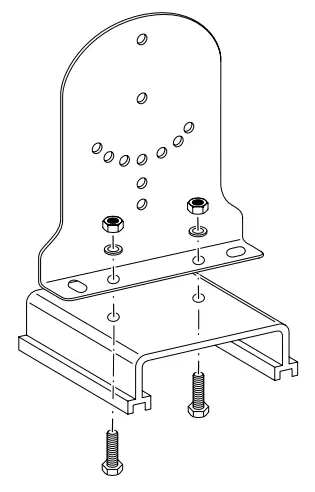
- Connect one device holder and one mounting bracket each using two medium hexagon screws (M6), hexagon nuts (M6), and spring washers (Ø 6.1 mm).

- Connect the second device holder to the second mounting bracket.
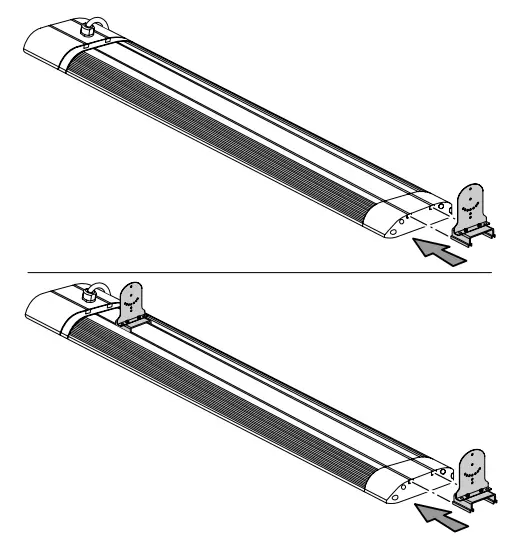
- Push the two device holders into the guide rails one after the other. Pay attention not to push the device holders over the power cable when inserting them into the guide rail.

- The brackets’ position can be freely adjusted. The recommended distances are provided in the table below:
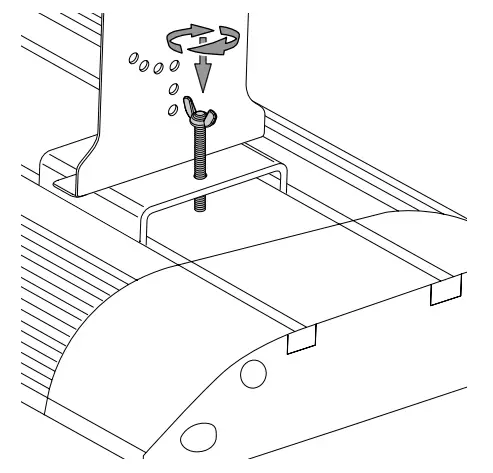
Holder distance IRD 1200 IRD 1800 IRD 2400 IRD 3200 Minimum 400 mm 600 mm 800 mm 1100 mm Maximum 930 mm 1195 mm 1460 mm 1815 mm - Tighten the two wing screws on the device to lock the device holders.

Installation
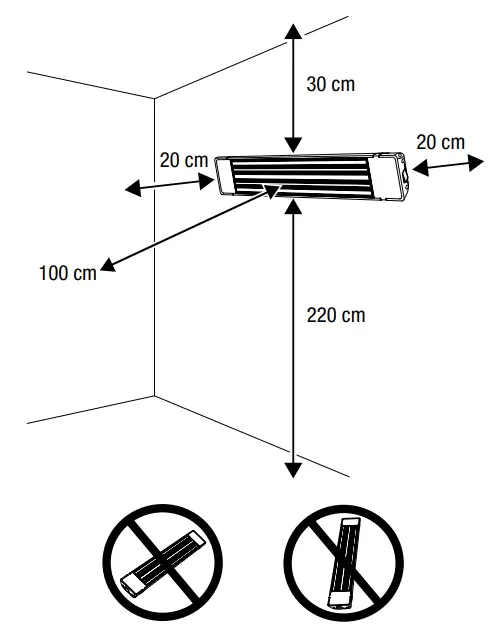
When installing the device, observe the minimum distances from walls and other objects as described in the Technical data chapter.
- A minimum distance of 220 cm and a maximum distance of 270 cm from the floor.
- A minimum distance of 100 cm to the front or from objects.
- A minimum distance of 30 cm from the ceiling in case of wall mounting or, for technical reasons, 19.5 cm in case of ceiling mounting.
- A minimum distance of 20 cm to the sides.
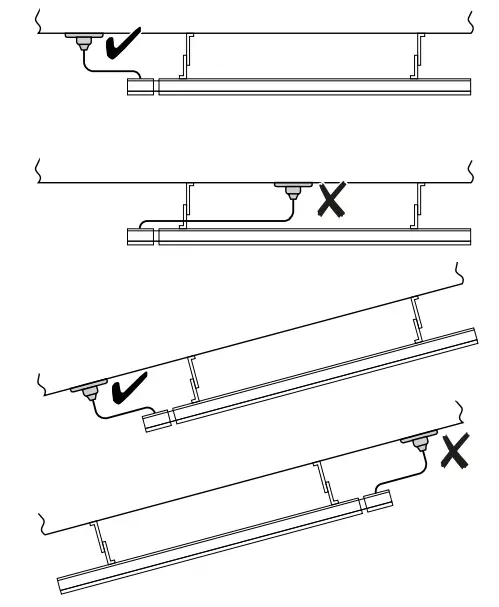
- Do not install the device directly in front of a wall socket.
The socket should be located next to the device. If the device is installed on a pitched ceiling, the socket should be located at the bottom side of the device.
- Do not install the device directly behind a door.
- Please note that the minimum distance to the front also applies to objects mounted on the ceiling, e.g. fans, lamps or sprinkler systems.

Info
Please note that in the case of ceiling mounting the distance from the ceiling is 19.5 cm due to the length of the mounting brackets.
For wall mounting, the minimum distance of 30 cm from the ceiling applies.
The following is required for installation:
- a pencil for marking the drill holes
- a suitable drill
- wall plugs appropriate for the structure of the wall and for the device weight
- a screwdriver
- a spirit level
Note
Always install the device with the help of other persons.
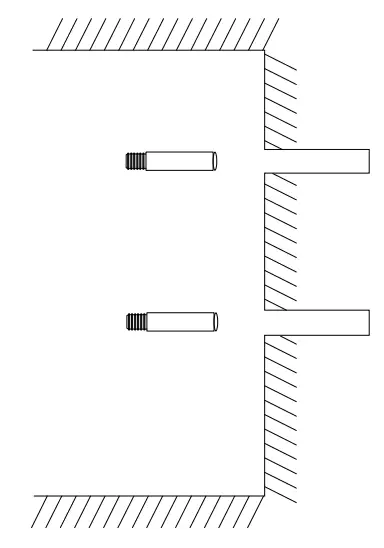
- Measure the distance between the holders on the device and use this value for the distance between the drill holes.
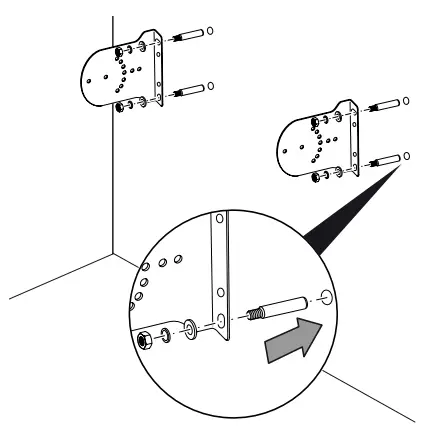
- Mark the drill holes on the wall/ceiling. Please note the mounting brackets must be fastened vertically.
- Drill the holes into the wall/ceiling at the marked positions.

- Insert suitable wall plugs into the drill holes.
- Screw the mounting brackets to the wall/ceiling.

- Check the mounting brackets for a tight fit.
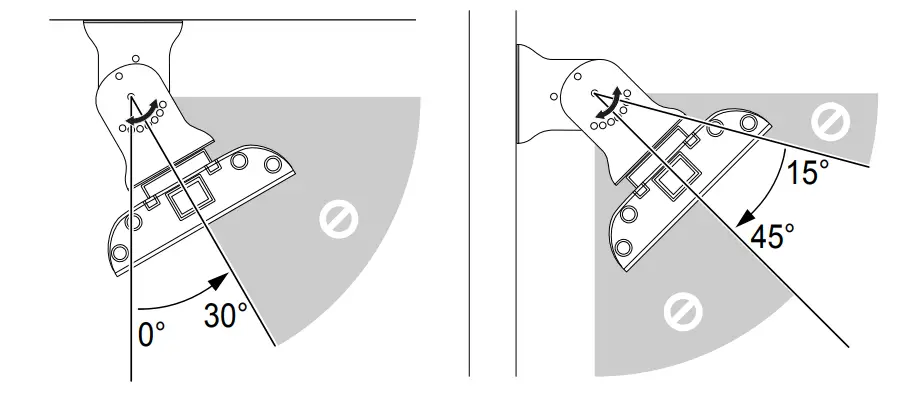
- The device can be installed at an inclination angle of 0°, 15°, 30°, or 45°.
Please note that the inclination angle must be 15°, 30°, or 45° for wall mounting and 0°, 15°, or 30° for ceiling mounting.
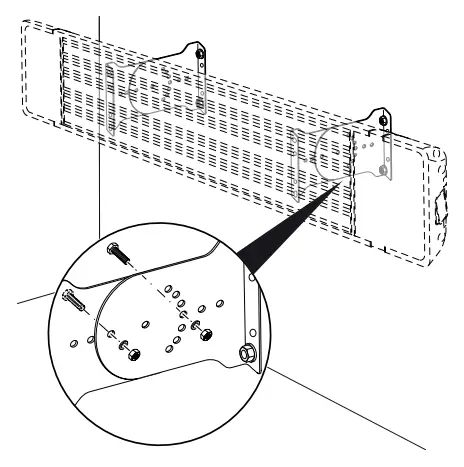
- Connect the mounting brackets on the device to those on the wall/ceiling at the desired inclination angle. For each side, use two Phillips screws, two small hexagon nuts (M4), and spring washers (Ø 4.1 mm).

- Make sure that the device is attached securely.
Effective rangeInfo
Note that in outdoor areas, the effective range is influenced by the weather and may be reduced.
The device heats objects and persons inside a certain effective range.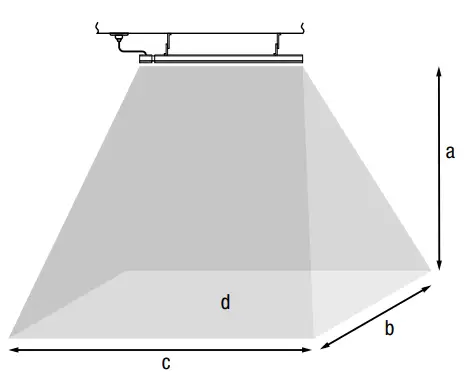
| a Height | b Depth |
| c Width | d Effective range |
| IRD 1200 | IRD 1800 | IRD 2400 | IRD 3200 | |
| a | 2.2 m | 2.2 m | 2.2 m | 2.2 m |
| b | 2.1m | 2.1m | 2.1m | 2.1m |
| c | 1.55 m | 1.95 m | 2.35 m | 2.75 m |
| d | 8m³ | 12 m³ | 16 m³ | 21 m³ |
Info
The values refer to roofed outdoor areas.
Start-up
Info
Odors might arise upon initial start-up or after a longer period of non-use.
- Before restarting the device, check the condition of the power cable. If there are doubts as to the sound condition, contact the customer service.
- Do not create tripping hazards when laying the power cable or other electric cables, especially when positioning the device in the middle of the room. Use cable bridges.
- Make sure that extension cables are completely unrolled.
- Make sure that there are no curtains or similar in the immediate vicinity.
Inserting batteries into the remote controlWarning of electrical voltage
Do not touch the battery compartment with wet or damp hands.
Note
Do not use rechargeable batteries!
Observe the Technical data for a start-up.
- Press the locking at the side of the battery compartment together and pull the battery compartment out of the remote control.
- Insert a type CR 2025 battery into the battery compartment and slide the battery compartment back into the remote control.
Connecting the power cable
- Insert the mains plug into a properly fused mains socket.
- Make sure that the power cable is guided along the back of the device. Never guide the power cable along the front of the device!
Operation
Info
The device will only emit heat if the settings are made via the remote control.
Display
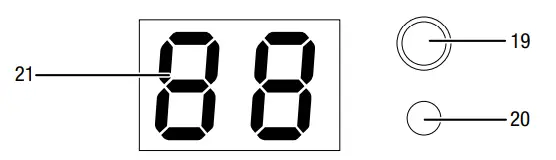
| No. | Designation | Meaning |
| 19 | Operating light | Flashes red when the device has been switched on via the on/off switch. Is permanently illuminated in red when the device has been switched on via the remote control. |
| 20 | Timer LED | Is permanently illuminated in green when the timer is active. |
| 21 | Segment display | Heating level indication: PO = device in standby mode P1 = level 1 P2 = level 2 P3 = level 3 Indication of the number of hours during timer programming |
Info
This heating device does not have a room temperature control function.
Info
An acoustic signal is emitted each time a setting is activated.
Info
If you switch off the device via the remote control, the device will be set to standby mode. If standby operation is not required, you can switch the device off via the on/off switch (2).
Remote control
The device settings can only be made using the remote control included in the scope of delivery.
Therefore, keep the remote control in a safe place, otherwise, the device can no longer be operated. Should you still be unable to find the remote control, you can reorder a new one from Trotec.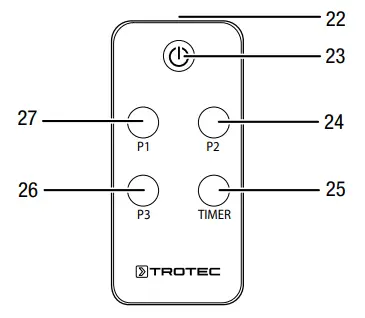
| No. | Designation | Meaning |
| 22 | Transmitter | Sends signals to the device. |
| 23 | Power button | Switching the device on and off |
| 24 | P2 button | Selecting heating capacity level 2 |
| 25 | TIMER button | Timer function Automatic switch-off in increments of 1 hour up to 24 hours |
| 26 | P3 button | Selecting heating capacity level 3 |
| 27 | P1 button | Selecting heating capacity level 1 |
The heating capacity in the individual heating levels is 33 % (level 1), 66 % (level 2), and 100 % (level 3):
| Heating capacity | IRD 1200 | IRD 1800 | IRD 2400 | IRD 3200 |
| P1 = level 1 | 400 W | 600 W | 800 W | 1070 W |
| P2 = level 2 | 800 W | 1200 W | 1600 W | 2140 W |
| P3 = level 3 | 1200 W | 1800 W | 2400 W | 3200 W |
Info
If you switch off the device via the remote control, the device will be set to standby mode. If standby operation is not required, you can switch the device off via the on/off switch (2).
Switching the device on
Once you have completely installed the device as described in the chapter Assembly and start-up, you can switch it on.
- Set the on/off switch (2) on the device to me.
 The operating light (19) flashes.The device is now in standby mode.
 - Press the Power button (23) on the remote control.The segment display (21) indicates P0.The operating light (19) is illuminated.The device is switched on but does not heat yet.
- Press the corresponding button (24, 26, 27) on the remote control to set the desired heating level. The device heats.The selected heating level flashes in the segment display (21).The operating light (19) is permanently illuminated during operation.
 The operating light (19) flashes.
Setting the timer
The timer allows you to program an automatic switch-off time in increments of 1 hour up to 24 hours at any heating level.
You can change the heating level during timer programming.
The timer programming remains activated. The device is switched on.The heating level is set.
- Press the TIMER button (25) several times to set the desired number of hours until the automatic switch-off.The timer LED (20) is illuminated.The segment display (21) indicates the number of hours until the automatic switch-off. The timer has been programmed and the device will switch off after the predefined time.
- In order to delete the setting, select 00 hours using the TIMER button (25).The segment display (21) indicates the number of hours 00.The timer has been deleted.
Shutdown
Warning of electrical voltage
Do not touch the mains plug with wet or damp hands.Info
If you switch off the device via the remote control, the device will be set to standby mode. If standby operation is not required, you can switch the device off via the on/off switch (2).
- Switch off the device by pressing the Power button (23) on the remote control. The operating light flashes. Then set the on/off switch (2) on the device to 0.
- Allow the device to cool down completely.
- Hold onto the mains plug while pulling the power cable out of the mains socket.
- Clean the device according to the Maintenance chapter.
- Store the device according to the Transport and storage chapter.
Errors and faults
Warning of electrical voltage
Tasks that require the device to be opened must only be carried out by authorized specialist companies or by Trotec.
The device has been checked for proper functioning several times during production. If malfunctions occur nonetheless, check the device according to the following list.
Noise generation (clicking) during switch-on or cooling:
- This is not a fault. The device’s metal parts expand when heated and contract when cooling, and thus generate noise. This is a perfectly normal process. No measures are required.
The device does not start:
- Check the power connection.
- Check the power cable and mains plug for damage. If you notice damages, do not try to take the device back into operation.
If the supply cord is damaged, it must be replaced by the manufacturer, its service agent or similarly qualified persons in order to avoid a hazard.
- Check the on-site fusing.
- Wait for 10 minutes before restarting the device. If the device is not starting, have the electrics checked by a specialist company or by Trotec.
The device does not emit heat:
- The heating element may be defective. If the heating element is defective, have it replaced by a specialist electrical company.
- Check the heating level on the segment display. If P0 is displayed, the device is running in standby mode. Switch the device on by selecting another heating level between P1 and P3.
- Check the on/off switch. If the on/off switch is set to the 0 positions, the device is switched off.
Switch the device on. - Check the operating light. If the operating light flashes red, the device is running in standby mode. Switch on the device by selecting a heating level via the remote control.
- Contact a specialist electrical company.
The heat output is low:
- Strong wind or cold temperatures in outdoor areas can impair the device’s heat output.
- Check whether the device is installed in the correct position. The device may be installed too high or the inclination angle may be incorrect.
- The device is undersized for the area to be heated.
- The heating rod might be defective. Have a defective heating rod replaced by a specialist electrical company.
RCD or another fuse trips:
- Check the fuse. Switch off any other devices to reduce the load on the line.
- Contact a specialist electrical company.
The device slightly vibrates during switch-on and then stops vibrating:
- Slight vibrations during switch-on are a normal process.
No measures are required.
The device does not respond to the infrared remote control:
- Check whether the distance between remote control and device is too large and reduce it if necessary.
- Make sure there are no obstacles, such as furniture or walls, between the device and the remote control. Ensure visual contact between the device and remote control.
- Check the charging status of the batteries and change them if required.
- If the batteries have just been changed, check them for correct polarity.
Note
Wait for at least 3 minutes after maintenance and repair work. Only then switch the device back on.
The device still does not operate correctly after these checks:
Please contact customer service. If necessary, bring the device to an authorized specialist electrical company or to Trotec for repair.
Maintenance
Activities required before starting maintenanceWarning of electrical voltage
Do not touch the mains plug with wet or damp hands.
- Switch the device off.
- Hold onto the mains plug while pulling the power cable out of the mains socket.
- Allow the device to cool down completely.
Warning of electrical voltage
Tasks that require the device to be opened must only be carried out by authorized specialist companies or by Trotec.
Cleaning the device
Clean the device with a soft, damp, and lint-free cloth. Ensure that no moisture enters the housing. Protect electrical components from moisture. Do not use any aggressive cleaning agents such as cleaning sprays, solvents, or alcohol-based or abrasive cleaners to dampen the cloth. Wipe
Technical annex
Technical data
| Parameter | Value | |||
| Model | IRD 1200 | IRD 1800 | IRD 2400 | IRD 3200 |
| Heating capacity (level 1 / 2 / 3) | 400 /800 / 1200 W | 600 / 1200 / 1800 W | 800 / 1600 / 2400 W | 1070/2140/ 3200 W |
| Max. heating capacity | 1.2 kW | 1.8 kW | 2.4 kW | 3.2 kW |
| Nominal current consumption | 5.2 A | 7.8 A | 10.4 A | 13.9 A |
| Power supply | 1/N/PE — 220 — 240 V / 50 — 60 Hz | 1/N/PE — 220 — 240 V / 50 — 60 Hz | 1/N/PE — 220 — 240 V / 50 — 60 Hz | 1/N/PE — 220 —240 V / 50 — 60 Hz |
| Plug type | CEE 7/4 | CEE 7/4 | CEE 7/4 | CEE 7/4 |
| Protection class | IP55 | IP55 | IP55 | IP55 |
| Dimensions (depth x width x height) | 55 x 930 x 200 mm | 55 x 1195 x 200 mm | 55 x 1460 x 200 mm | 55 x 1815 x 200 mm |
| Minimum distance to walls and other objects: top (wall mounting): top (ceiling mounting): bottom: sides: front: | 30 cm 19.5 cm 220 cm 20 cm 100 cm | 30 cm 19.5 cm 220 cm 20 cm 100 cm | 30 cm 19.5 cm 220 cm 20 cm 100 cm | 30 cm 19.5 cm 220 cm 20 cm 100 cm |
| Weight | 8 kg | 9.5 kg | 11.5 kg | 13.5 kg |
Disposal
The icon with the crossed-out waste bin on waste electrical or electronic equipment stipulates that this equipment must not be disposed of with the household waste at the end of its life. You will find collection points for free return of waste electrical and electronic equipment in your vicinity. The addresses can be obtained from your municipality or local administration. You can also find out about other return options that apply to many EU countries on the website https://hub.trotec.com/?id=45090. Otherwise, please contact an official recycling center for electronic and electrical equipment authorized in your country.
The separate collection of waste electrical and electronic equipment aims to enable the re-use, recycling, and other forms of recovery of waste equipment as well as to prevent negative effects on the environment and human health caused by the disposal of hazardous substances potentially contained in the equipment.
In the European Union, batteries and accumulators must not be treated as domestic waste but must be disposed of professionally in accordance with Directive 2006/66/EC of the European Parliament and of the Council of 6 September 2006 on batteries and accumulators. Please dispose of batteries and accumulators according to the relevant legal requirements.
Only for the United Kingdom
According to Waste Electrical and Electronic Equipment Regulations, 2013 (2013/3113) power tools that are no longer usable must be collected separately and disposed of in an environmentally friendly manner.
Trotec GmbH
Grebbener Str. 7
D-52525 Heinsberg +49 2452 962-400+49 2452 962-200
[email protected]
www.trotec.com
 The Trotec Group: best conditions for your success - TROTEC
 Infrared radiant heater IRD 1200 - TROTEC