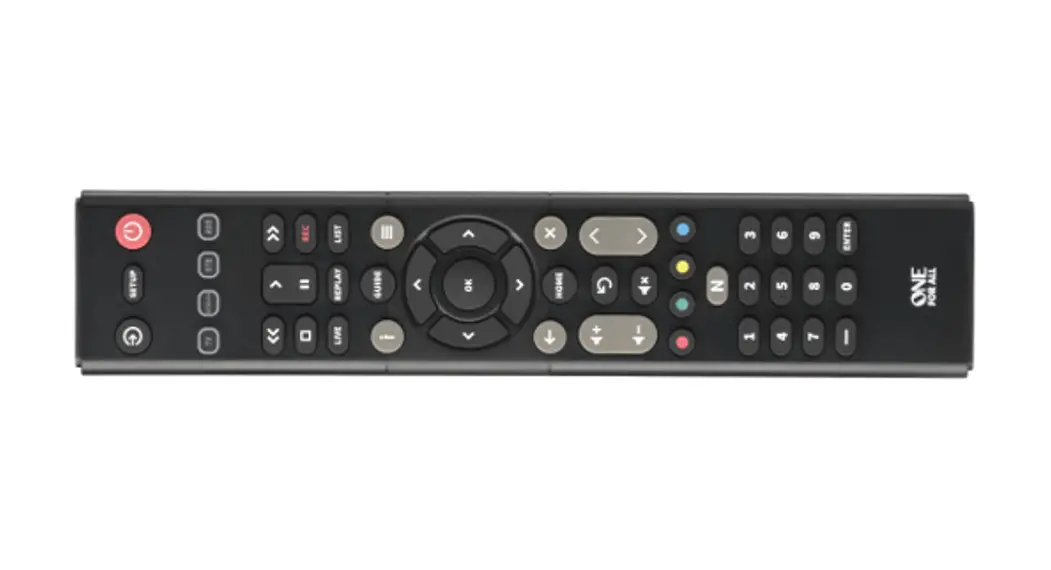
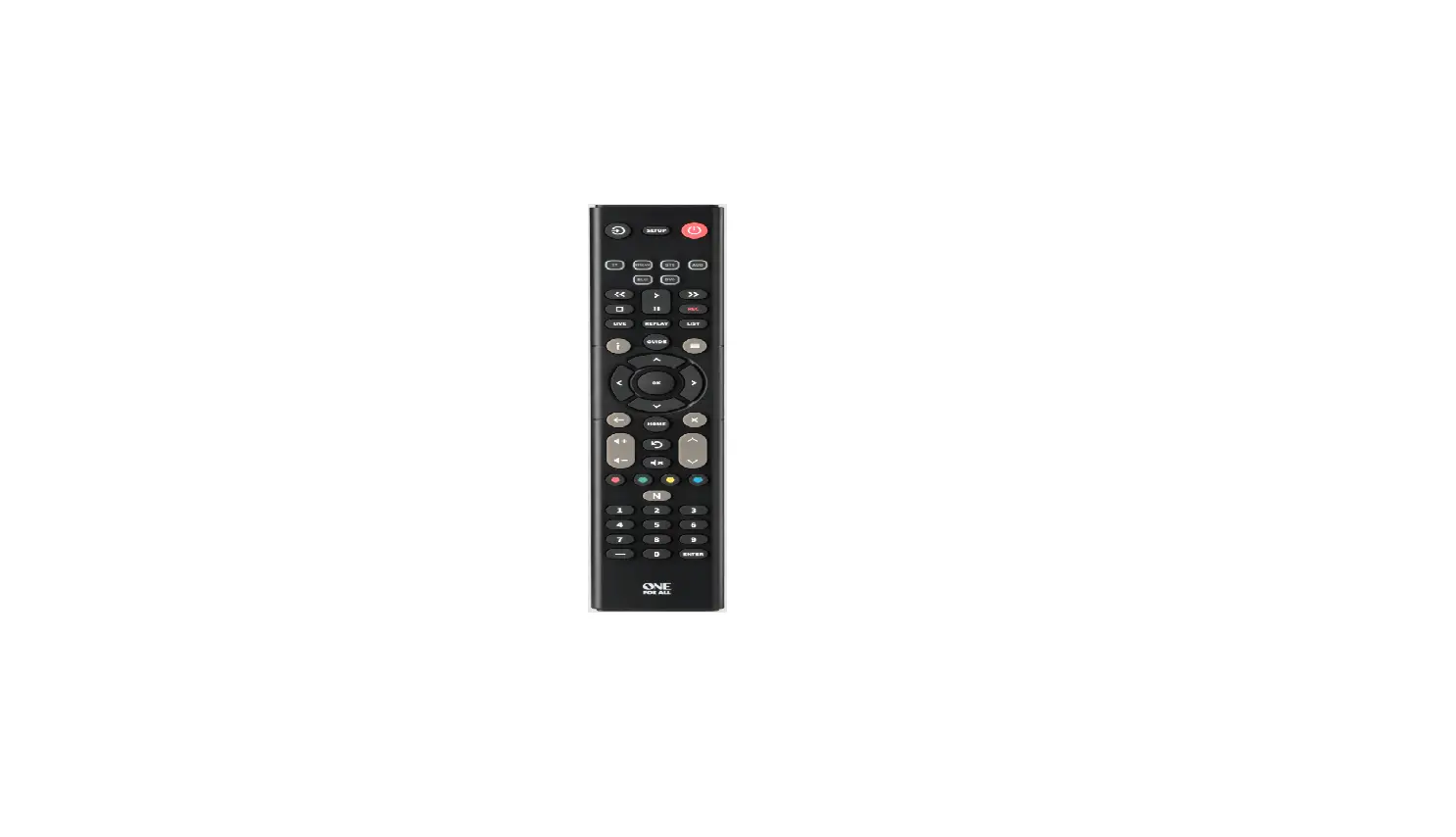
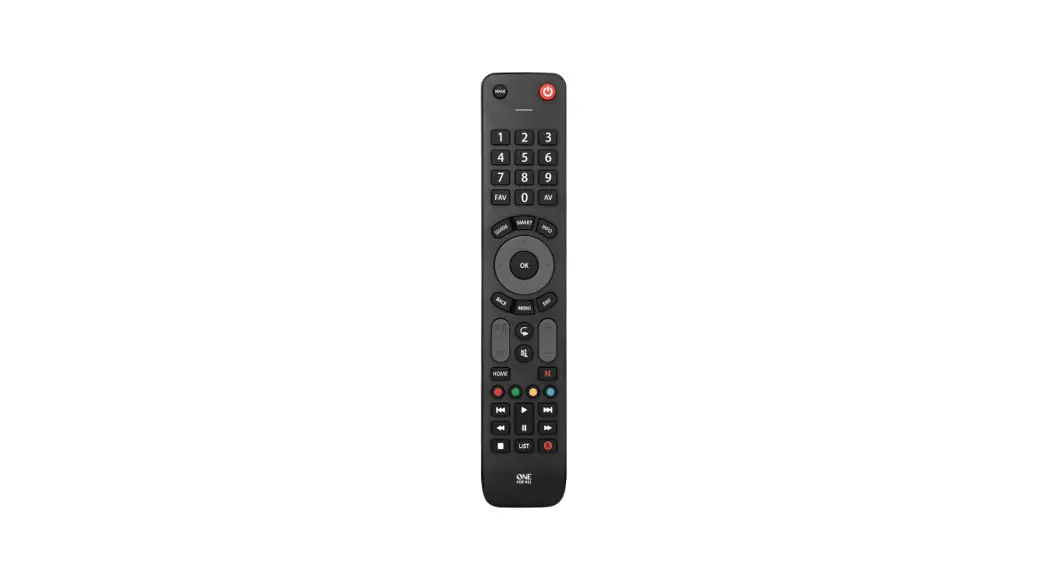
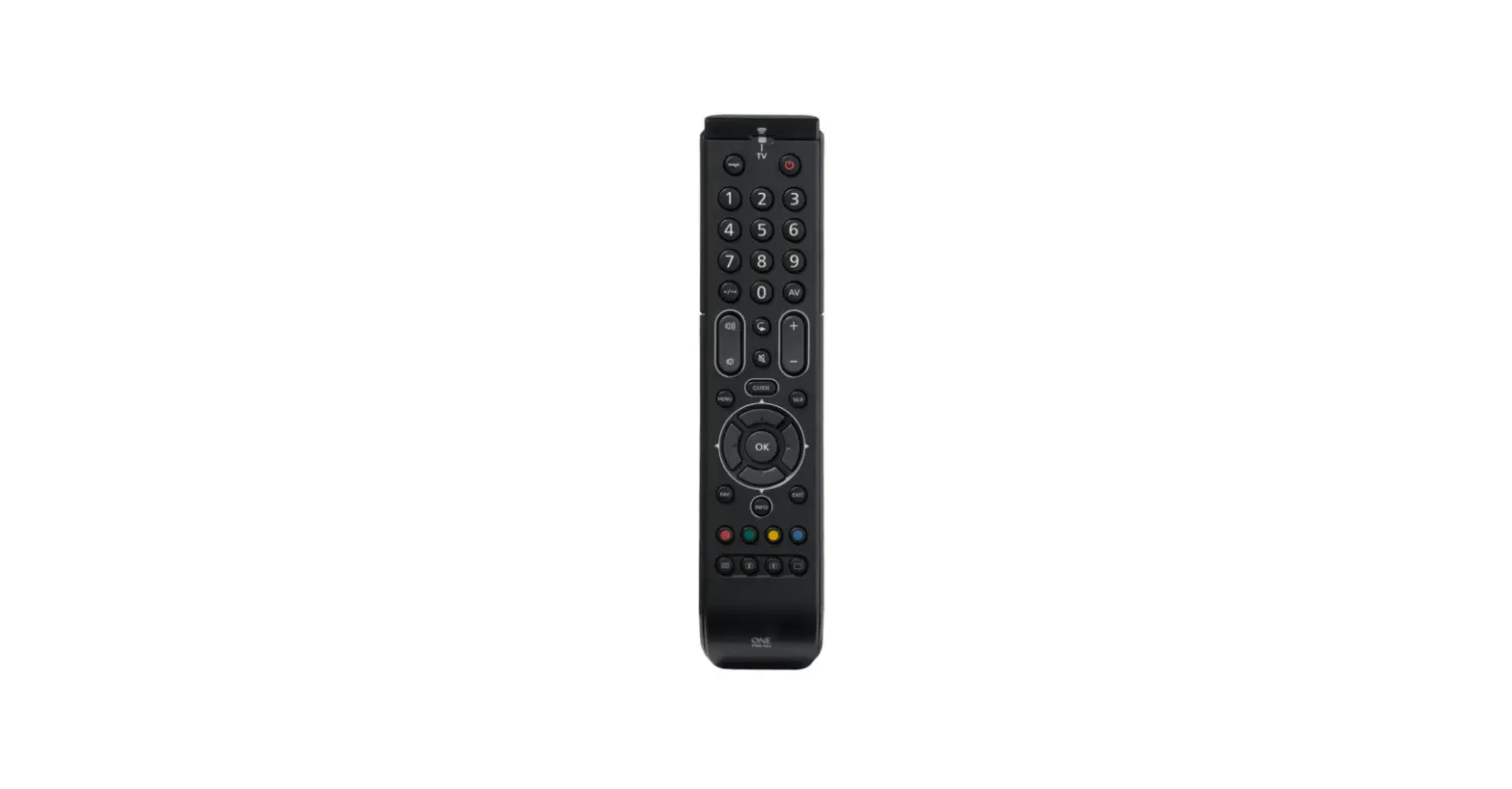
URC1282 Essence 8 Device Universal Remote Control
Product Information:
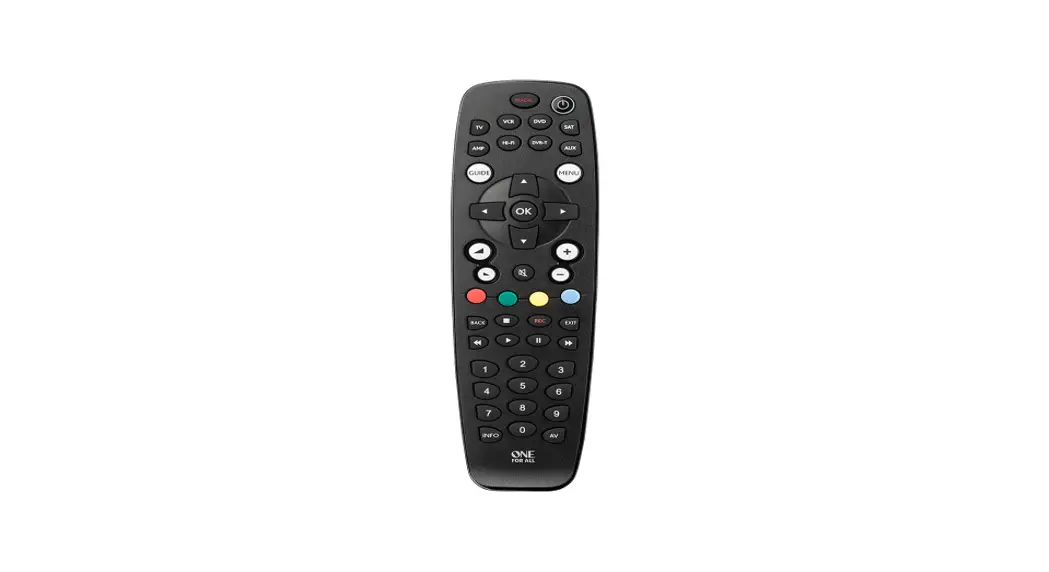
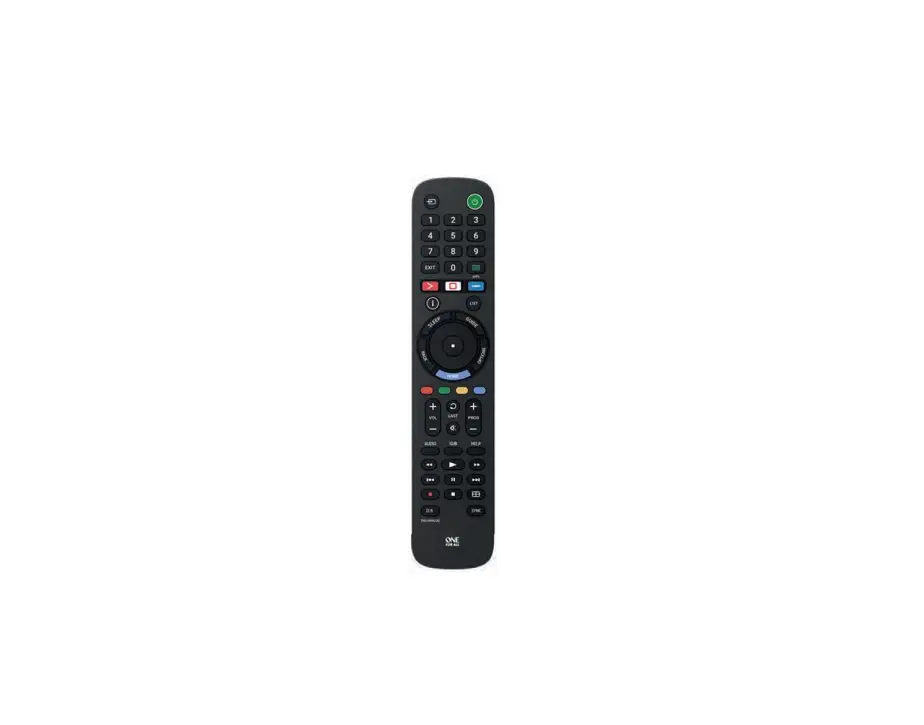
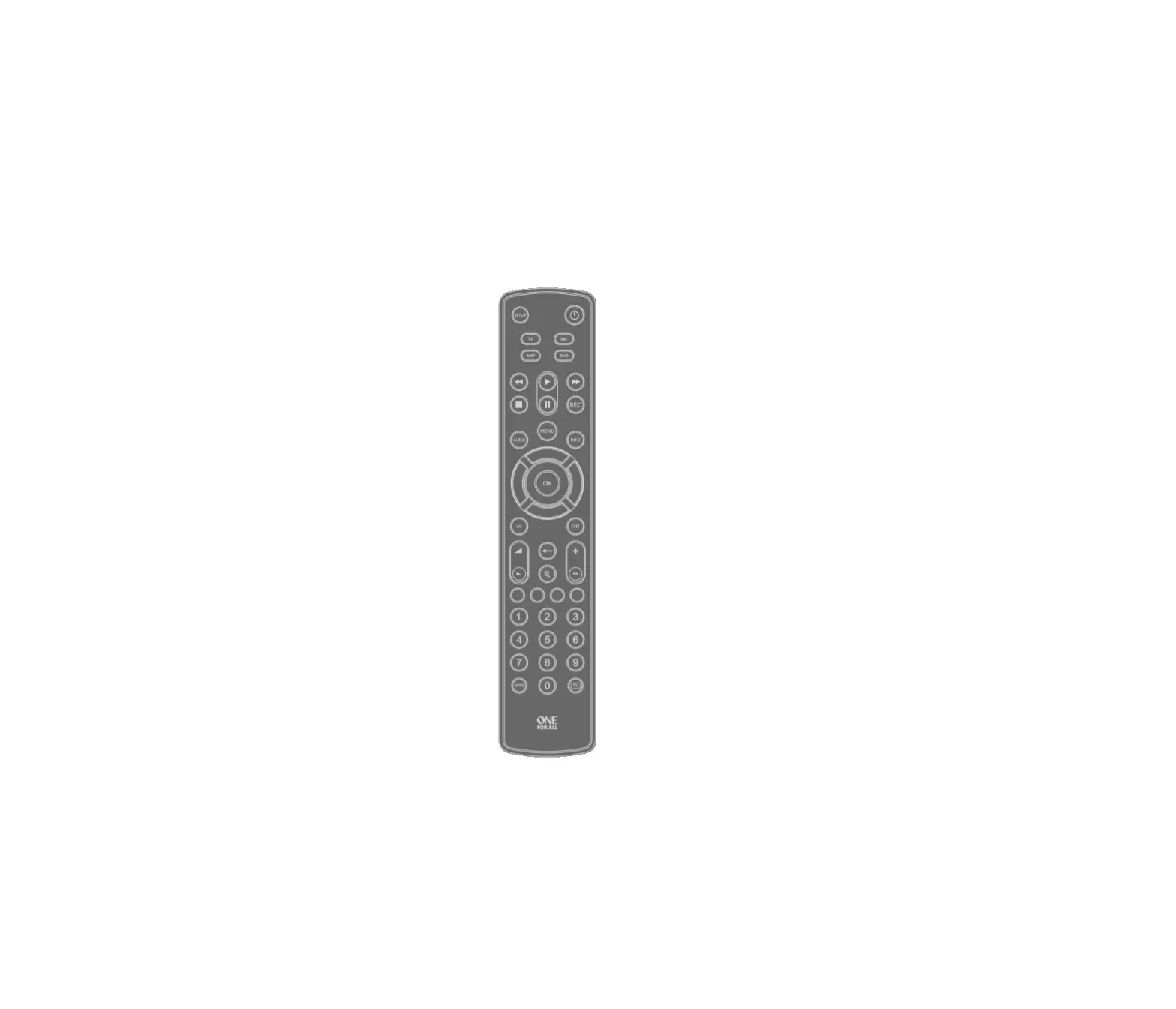
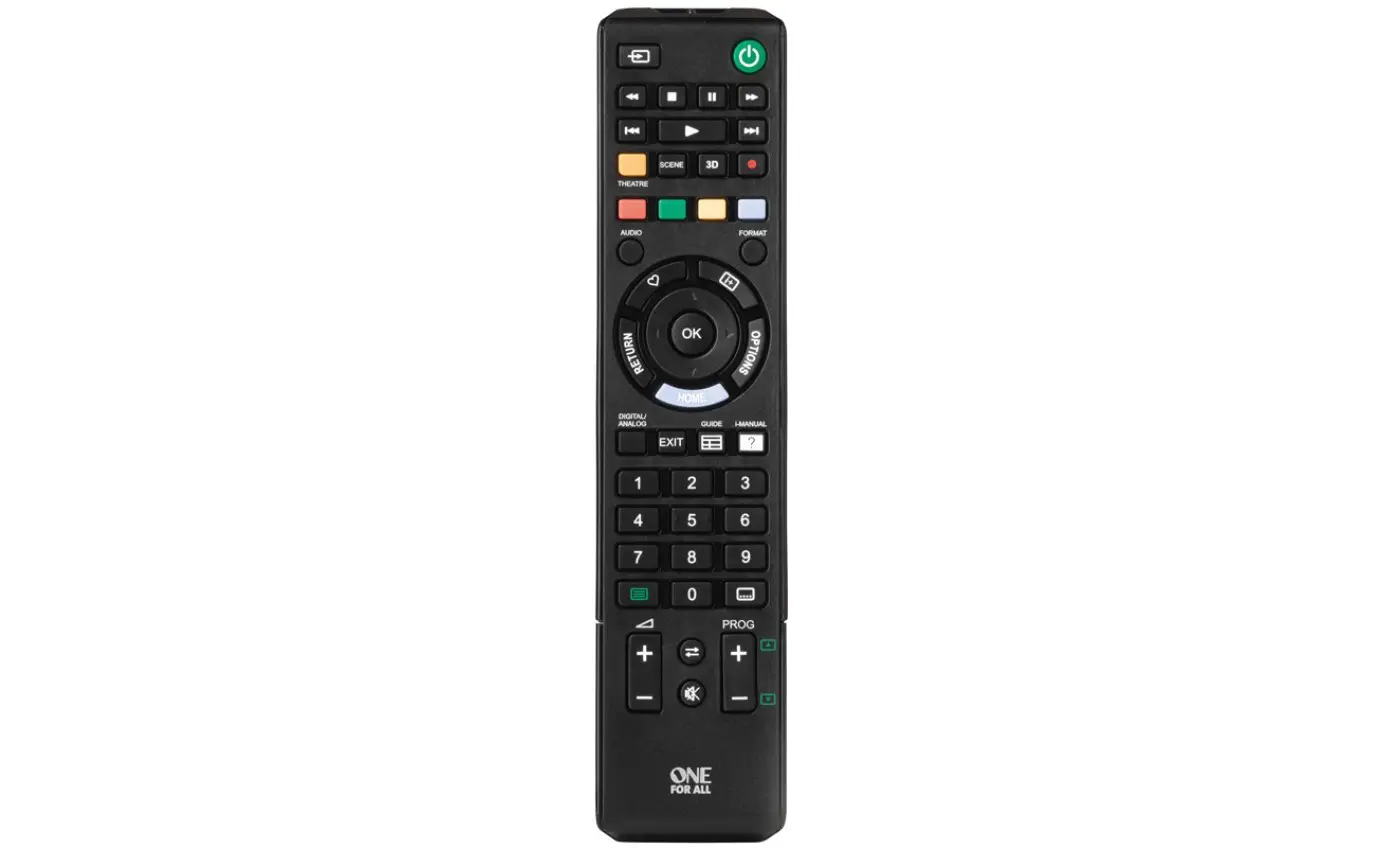
The Essence 8 Device Universal Remote Control (model URC1282) is
a versatile remote that can be used to control up to 8 Audio Video
Devices, including TVs, Set Top Boxes, Blu-ray Players, and Sound
Bars. It comes pre-programmed to control popular devices and offers
a range of key functions for seamless control.
Product Usage Instructions:
Battery Installation:
- Open the battery compartment on the back of the remote.
- Insert two AAA / LR03 batteries, ensuring correct
polarity. - Close the battery compartment securely.
Note: It is recommended to use alkaline batteries for optimal
performance.
Key Descriptions:
- Power: Switches your devices on and off.
- Setup: Used to set up the Essence remote.
- Input: Selects Input on devices.
- Device keys: Selects the device the remote currently
controls. Each key corresponds to a specific type of device, such
as TV, OTT, STB, AUD, AUX, BLU, DVD, or BAR. - Playback Keys: Controls the playback of movies, music,
and TV. - Subt.: Displays subtitles.
- Apps: Brings up the Applications menu on Smart
Devices. - List: Displays a list of recorded programs.
- Info: Displays information about the current program or
channel. - Guide: Accesses the TV Guide.
- Menu: Accesses the installation menu of the current
device. - Menu Directions and OK: Controls the menu of the current
device. - Back: Goes back one step in the Menu.
- Home: Displays the Home Menu.
- Exit: Exits the menu.
- Volume Up and Down: Controls the volume of the current
device. - Last Channel: Changes to the last channel viewed.
- Mute: Mutes the volume of the current device.
- Channel Up and Down: Changes channels on the current
device. - RGYB keys: Quick access buttons for the menu of the
current device. - Netflix: Accesses Netflix.
- Digits: Selects channels on the current device or inputs
on audio devices. - TV: Returns to live TV.
- Search: Searches for media.
Setup:
The Essence 8 remote is pre-programmed to control popular
devices. To check if your device is supported, follow these
steps:
- Insert the batteries into the remote.
- Press the corresponding device key (TV, OTT, STB, AUD, AUX,
BLU, DVD, or BAR). - Try pressing a few keys on the remote to test if it works with
your device.
If the remote works with your device, you can proceed to use it
for controlling all of your devices. If not, further setup may be
required using the manual programming method specified in the user
manual.
ENGLISH DEUTSCH FRANÇAIS ESPAÑOL ITALIANO
PORTUGUÊS NEDERLANDS DANSK NORSK SVERIGE SUOMI TÜRKÇE POLSKI CESKY MAGYAR ROMÂN SLOVENSKY HRVATSKI
CODELIST
Essence 8 Device Universal Remote Control
URC1282
2 6 9 12 15
18
SIMPLESET INSERT
1
2
3
2x AAA 4
1
BATTERIES
Your remote requires 2 x AAA / LR03 batteries. Please insert them as shown below. Alkaline batteries are recommended.
1
2
3
2x AAA 4
CAUTION: Risk of explosion if battery is replaced by an incorrect type. Use quality Alkaline batteries. VORSICHT: Wenn die Batterie durch eine Batterie eines anderen Typs ausgetauscht wird, besteht Explosionsgefahr. Verwenden Sie hochwertige Alkalibatterien. ATTENTION: il existe des risques d’explosion si les piles ne sont pas remplacées par le type approprié. Utilisez des piles alcalines de qualité.
PRECAUCIÓN: Existe un riesgo de explosión si se sustituyen las pilas por otras que no sean del tipo adecuado. Utilice pilas alcalinas de calidad. ATTENZIONE: sussiste il rischio di esplosione se la batteria viene sostituita con una di tipo non corretto. Utilizzare batterie alcaline di qualità.
2
INTRODUCTION | KEY DESCRIPTIONS
Thank you for purchasing the One For All Essence 8 Device Universal Remote Control. The remote can be used to control up to 8 Audio Video Devices such as a TV, Set Top Box, Blu-ray Player or Sound Bar.
This manual will help you to set up the Essence 8 to control all of your devices.
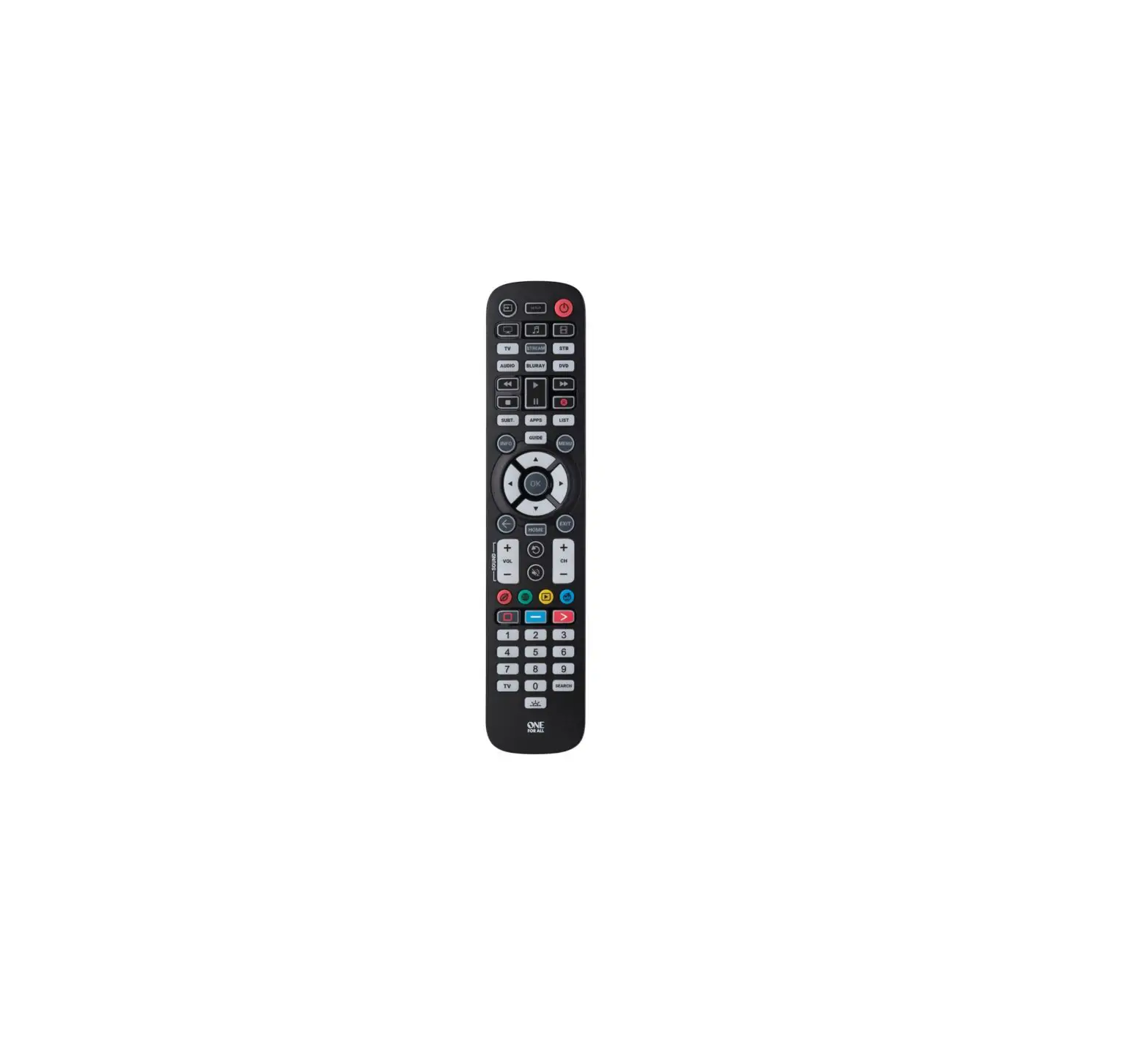
1 Power
Switches your devices on and off.
2 Setup
This key is used to set up the Essence remote.
3 Input
Used to select Input on devices.
4 Device keys
These keys are used to select which device the Essence 8
currently controls. After pressing the TV key, the remote
will control your TV. To switch to controlling another
device, simply press the appropriate key. The devices that
can be programmed to each key are as follows: TV: All televisions such as LED, LCD , Plasma, OLED etc. OTT: Streaming devices such as an Apple TV, Roku Box,
Foxtel Now etc. Also works Xbox 360 and Xbox One. STB: Set Top Boxes, including Satellite, Cable and Freeview. AUD: Audio devices including Sound Bars, AV Receivers
and Hi-Fi. AUX: All televisions such as LED, LCD , Plasma, OLED etc. BLU: Blu-ray Players and DVD Players / Recorders DVD: DVD Players / Recorders and Blu-ray Players. BAR: Audio devices including Sound Bars, AV Receivers
and Hi-Fi.
5 Playback Keys Control the playback of movies, music and TV.
6 Subt.
Display subtitles.
7 Apps
Brings up the Applications menu on Smart Devices such as Smart TVs or Streaming boxes.
8 List
Displays a list of recorded programmes.
9 Info
Displays information about the current programmes or channel.
10 Guide
TV Guide.
11 Menu
Access the installation menu of the current device.
12 Menu Directions and OK Control the menu of the current device.
13 Back
Back one step in the Menu.
14 Home
Displays the Home Menu.
15 Exit
Exits the menu.
16 Volume Up and Down
Control the volume of the current device. You can also set up these keys to always control one device. For details see the Volume Lock feature.
17 Last Channel Changes to the last channel viewed.
18 Mute
Mutes the volume of the current device. You can also set up this key to always control one device. For details see the Volume Lock feature.
19 Channel Up & Down Change channels on the current device.
20 RGYB keys
Quick access buttons for the menu of the current device.
21 Netflix
Netflix
22 Digits
Select channels on the current device. On Audio devices, these keys will select individual inputs.
23 TV
Return to live TV.
24 Search
Search for media.
3
SETUP
The Essence 8 remote is pre-programmed to control some of the most popular devices out of the box. If you have one of the following devices try the putting the batteries in and pressing the device key, and then press a few keys to see if the remote works your device:
Device Key To Press
Device controlled
TV OTT STB AUD AUX BLU DVD BAR
Samsung TV Roku Streaming Box Sky Q Box Onkyo Receiver Vestel TV Samsung Blu-ray Player Sony DVD Player Samsung Sound Bar
If your device is not one of those listed above, or you have extra devices to set up, there are 2 ways to do this. The easiest is SimpleSet which is used for the common brands and devices.
SIMPLESET
If the brand of your device is shown in the SimpleSet picture pointing to a key, you can use the SimpleSet system described in this section, please locate the brand of your device and note the key associated with it.
To set up your device:
1. Turn on your device (not on standby) and point the Essence remote towards it. If you are setting up a Streaming device, make sure a movie or TV show is playing.
2.
Press the Device key you wish to set up (for
example TV).
3.
Hold down the Setup key until the LED under the
Device key blinks twice.
4.
Hold down the digit for your brand and device as
listed in the tables above – e.g. 7 for a Samsung TV.
5. For all devices except OTT the remote will send the Power key every 3 seconds, for a streaming box the remote will send the Play/Pause function.
6. As soon as your device reacts by turning off or Pausing (Streaming box only) release the digit.
7. The LED will blink twice and the remote should now operate your device.
· If you find one or more keys do not work as you expect, start again at step 2 the remote will start with the next code in the memory.
4
SETUP
SETUP BY CODE
If the brand of your device is not listed in the SimpleSet feature, you can set up by trying codes individually. To do this firstly locate your brand in the Code List. Codes are listed by brand and device, and in order of popularity.
1. Turn on your device (not on standby) and point the Essence remote towards it.
2.
Press the Device key you wish to set up (for
example TV).
3.
Hold down the Setup key until the LED under the
Device key blinks twice.
4.
Enter the first 4 digit code listed for your brand
(e.g. 1840 for LG).
5. The LED will blink twice on the last digit of the code.
6.
Now aim the remote towards your device and press
the Power key.*
7. If the device turns off your remote is ready to use. If not, repeat steps 2-6 with the next code in the list.
* Note: If your original remote did not have a Power key, try testing with a different key at step 6. For example try pressing Play or Pause when setting up a streaming box and see if the box responds.
5
DEUTSCH EINFÜHRUNG | TASTENBESCHREIBUNG
Vielen Dank, dass Sie sich für die One For All Essence 8 UniversalFernbedienung entschieden haben. Die Fernbedienung kann verwendet werden, um bis zu 8 Audio-Video-Geräte wie TV, Set-Top-Box, Blu-ray Player oder Soundbar zu steuern.
In dieser Bedienungsanleitung erfahren Sie, wie die Essence 8 Fernbedienung eingerichtet wird, um Ihre Geräte zu steuern.
1 Power Zum Ein- und Ausschalten der Geräte.
2 Setup Mit dieser Taste wird die Fernbedienung eingerichtet.
3 Eingang Zur Auswahl des Eingangs an Geräten.
4 Gerätetasten Mit diesen Tasten kann ausgewählt werden, welches Gerät die Essence-6-Fernbedienung steuern soll. Nach Drücken der TV-Taste steuert die Fernbedienung Ihren Fernseher. Um ein anderes Gerät zu steuern, drücken Sie auf der Fernbedienung auf die entsprechende Taste. Folgende Geräte können für die jeweiligen Tasten programmiert werden: TV: Alle Fernseher wie LED, LCD, Plasma, OLED usw. OTT: Streaming-Geräte wie Apple TV, Roku Box, Foxtel Now usw. Funktioniert ebenfalls mit Xbox 360 und Xbox One. STB: Set-Top-Boxen einschließlich Satellit, Kabel und Freeview AUD: Audiogeräte einschließlich Soundbars, AV-Receiver und Hi-Fi. AUX: Alle Fernseher wie LED, LCD, Plasma, OLED usw. BLU: Blu-ray Player und DVD-Player/-Recorder. DVD: DVD-Player/-Recorder und Blu-ray Player BAR: Audiogeräte einschließlich Soundbars, AV-Receiver und Hi-Fi.
5 Wiedergabetasten Zur Steuerung der Wiedergabe von Filmen, Musik und TV.
6 Untertitel Zur Anzeige von Untertiteln.
7 Apps Zur Anzeige des App-Menüs auf Smart-Geräten wie Smart-TVs oder Streaming-Boxen.
8 Liste Zur Anzeige einer Liste aufgenommener Sendungen.
9 Info Zur Anzeige von Informationen über die aktuellen Programme oder Kanäle.
10 Guide TV Guide
11 MENÜ Zugriff auf das Installationsmenü des aktuellen Geräts.
12 Richtungsmenü und OK Zur Steuerung des Menüs des aktuellen Geräts.
13 Zurück Einen Schritt zurück im Menü.
14 Home Zur Anzeige des Home-Menüs.
15 Verlassen Zum Verlassen des Menüs.
16 Lauter/Leiser Zur Steuerung der Lautstärke des aktuellen Geräts. Die Tasten können auch so eingestellt werden, dass immer ein bestimmtes Gerät gesteuert wird. Details finden Sie unter der Funktion zur Lautstärkesperre.
17 Letzter Sender Für den Wechsel zum zuletzt angesehenen Sender.
18 Stumm Schaltet die Lautstärke des aktuellen Geräts stumm. Die Taste kann auch so eingestellt werden, dass immer ein bestimmtes Gerät gesteuert wird. Details finden Sie unter der Funktion zur Lautstärkesperre.
19 Kanal aufwärts/abwärts Zum Wechseln der Kanäle auf dem aktuellen Gerät.
20 RGYB-Tasten Schnellzugriffstasten für das Menü des aktuellen Geräts.
21 Netflix Netflix
22 Ziffern Zur Auswahl der Kanäle auf dem aktuellen Gerät. Bei Audiogeräten werden mit diesen Tasten individuelle Eingänge ausgewählt.
23 TV Für den Wechsel zum Live-TV.
24 Suchen Für die Suche nach Medien.
6
EINRICHTUNG
Die Essence-8-Fernbedienung ist so vorprogrammiert, dass einige der gängigsten Geräte direkt gesteuert werden können. Wenn Sie über eines der folgenden Geräte verfügen, legen Sie Batterien ein und drücken Sie die entsprechende Gerätetaste. Drücken Sie dann einige Tasten, um festzustellen, ob die Fernbedienung mit dem Gerät funktioniert:
Gerätetaste
Gesteuertes Gerät
TV OTT STB AUD AUX BLU DVD BAR
Samsung TV Roku Streaming Box Sky Q Box Onkyo Receiver Vestel TV Samsung Blu-ray Player Sony DVD Player Samsung Sound Bar
Wenn Sie nicht über eines der aufgeführten Geräte verfügen oder weitere Geräte einrichten möchten, gibt es dafür zwei Möglichkeiten. Die einfachste Möglichkeit ist mit der SimpleSet-Funktion, die für gängige Marken und Geräte verwendet werden kann.
SIMPLESET
Wenn die Marke Ihres Geräts in der SimpleSet-Abbildung mit einer Taste aufgeführt ist, können Sie das in diesem Abschnitt beschriebene SimpleSet-System verwenden. Ermitteln Sie dazu die Marke Ihres Geräts und die entsprechende Taste.
So richten Sie Ihr Gerät ein: 1. Schalten Sie das Gerät ein (kein Standby) und richten Sie
die Essence-Fernbedienung auf das Gerät. Achten Sie beim Einrichten eines Streaming-Geräts darauf, dass ein Film oder eine Fernsehsendung läuft.
2.
Drücken Sie die Gerätetaste, die Sie einrichten
möchten (z. B. TV).
3.
Halten Sie die Setup-Taste gedrückt, bis die LED
unter der Gerätetaste zweimal blinkt.
4.
Halten Sie die Taste mit der für Ihre Marke und Ihr
Gerät aufgeführten Ziffer gedrückt (siehe Tabellen
oben, z. B. 7 für Samsung TV).
5. Bei allen Geräten außer bei OTT-Geräten übermittelt die Fernbedienung alle drei Sekunden das Power-Signal. Bei einer Streaming-Box übermittelt die Fernbedienung das Play-/ Pause-Signal.
6. Wenn sich das Gerät ausschaltet oder in den Pausenmodus übergeht (nur Streaming-Box), lassen Sie die Zifferntaste los.
7. Die LED blinkt zweimal und Ihr Gerät sollte sich nun mit der Fernbedienung steuern lassen.
· Wenn Sie feststellen, dass eine oder mehrere Tasten nicht wie erwartet funktionieren, führen Sie den Vorgang ab Schritt 2 erneut durch. Die Fernbedienung beginnt dann mit dem nächsten Code im Speicher.
7
EINRICHTUNG
EINRICHTEN MIT CODE
Wenn die Marke Ihres Geräts nicht in der SimpleSet-Funktion aufgeführt ist, können Sie das Gerät einrichten, indem Sie einzelne Codes ausprobieren. Ermitteln Sie zuerst Ihre Marke in der Codeliste. Codes sind nach Marke und Gerät sowie in Reihenfolge der Beliebtheit aufgeführt.
1. Schalten Sie das Gerät ein (kein Standby) und richten Sie die Essence-Fernbedienung auf das Gerät.
2.
Drücken Sie die Gerätetaste, die Sie einrichten
möchten (z. B. TV).
3.
Halten Sie die Setup-Taste gedrückt, bis die LED
unter der Gerätetaste zweimal blinkt.
4.
Geben Sie den ersten vierstelligen Code ein,
der für Ihre Marke aufgeführt ist (z. B. 1840 für LG).
5. Die LED blinkt bei der letzten Ziffer des Codes zweimal.
6.
Halten Sie die Fernbedienung nun in Richtung
Ihres Geräts und drücken Sie die Power-Taste*.
7. Wenn das Gerät ausgeschaltet wird, ist die Fernbedienung einsatzbereit. Falls nicht, wiederholen Sie die Schritte 2 bis 6 mit dem nächsten Code in der Liste.
* Hinweis: Wenn Ihre Originalfernbedienung keine Power-Taste hat, versuchen Sie es in Schritt 6 mit einer anderen Taste. Drücken Sie beispielsweise die Play- oder Pause-Taste beim Einrichten einer Streaming-Box und prüfen Sie, ob die Box reagiert.
8
FRANÇAIS INTRODUCTION | DESCRIPTION DES BOUTONS
Nous vous remercions d’avoir fait l’acquisition de la télécommande universelle Essence 8 de One For All. Celle-ci peut être utilisée pour contrôler jusqu’à 8 appareils audio et vidéo, comme un téléviseur, un décodeur, un lecteur Blu-Ray ou une barre de son.
Ce manuel vous explique comment configurer la télécommande Essence 8 afin que vous puissiez en faire usage avec tous vos équipements.
1 Alimentation Permet d’allumer et d’éteindre vos appareils. 2 SETUP Permet de configurer la télécommande Essence 8. 3 Entrée Permet de sélectionner une entrée sur vos appareils. 4 Boutons associés aux appareils Permettent de sélectionner l’appareil
contrôlé actuellement par la télécommande Essence 8. Par exemple, si vous appuyez sur le bouton TV, la télécommande contrôlera votre téléviseur. Pour contrôler un autre appareil, appuyez simplement sur le bouton adéquat. Les appareils suivants peuvent être associés à chacun des boutons dédiés : TV: tous les téléviseurs (LCD, Plasma, OLED, etc.) OTT: les appareils de streaming de type Apple TV, Roku et Foxtel Now, entre autres, et les consoles Xbox 360 et Xbox One STB: les décodeurs, y compris de type Câble, Satellite et Freeview AUD: les périphériques audio tels que les barres de son, les récepteurs A/V et les systèmes hi-fi AUX: tous les téléviseurs (LCD, Plasma, OLED, etc.) BLU: les lecteurs Blu-ray et les lecteurs/enregistreurs DVD DVD: les lecteurs/enregistreurs DVD et les lecteurs Blu-ray BAR: les périphériques audio tels que les barres de son, les récepteurs A/V et les systèmes hi-fi 5 Boutons de lecture Permettent de contrôler la lecture de films, de contenu musical et de contenu télévisuel. 6 SUBT. Permet d’afficher les sous-titres. 7 Apps Permet d’afficher le menu Applications sur des appareils intelligents, comme les smart TV ou les dispositifs de streaming. 8 LIST Permet d’afficher la liste des programmes enregistrés. 9 Info Permet d’afficher des informations au sujet des programmes ou de la chaîne actuellement visionnés. 10 GUIDE Permet d’accéder au programme TV. 11 MENU Permet d’accéder au menu d’installation de l’appareil actuellement contrôlé. 12 Boutons fléchés et bouton OK Permettent d’interagir avec le menu correspondant à l’appareil actuellement contrôlé. 13 Retour Permet de revenir à l’étape précédente dans le menu. 14 HOME Permet d’afficher le menu d’accueil. 15 EXIT Permet de quitter un menu. 16 Augmentation et diminution du volume Permettent d’ajuster le volume de l’appareil actuellement contrôlé. Vous pouvez également faire en sorte que ces boutons soient associés à un seul appareil uniquement. Pour obtenir des détails, consultez la section « Verrouillage de la fonctionnalité de contrôle du volume ». 17 Dernière chaîne Permet de basculer sur la dernière chaîne visionnée. 18 Mode Muet Permet de désactiver le volume de l’appareil actuellement contrôlé. Vous pouvez également faire en sorte qu’il soit associé à un seul appareil uniquement. Pour obtenir des détails, consultez la section « Verrouillage de la fonctionnalité de contrôle du volume ». 19 Parcours des chaînes Permettent de parcourir les chaînes sur l’appareil actuellement contrôlé. 20 Boutons rouge, vert, jaune et bleu Permettent d’accéder rapidement au menu de l’appareil actuellement contrôlé. 21 Netflix Netflix 22 Chiffres Permettent de sélectionner des chaînes sur l’appareil actuellement contrôlé. Avec des périphériques audio, ces boutons permettent de sélectionner des entrées distinctes. 23 TV Permet de revenir en mode Télévision. 24 SEARCH Permet de rechercher du contenu multimédia.
9
CONFIGURATION
La télécommande Essence 8, préprogrammée, permet de contrôler directement certains des appareils les plus populaires. Si vous disposez de l’un des appareils suivants, insérez les piles dans la télécommande, appuyez sur le bouton correspondant à l’appareil en question, puis actionnez d’autres boutons afin de vérifier si la télécommande fonctionne avec l’appareil :
Bouton à actionner
Appareil contrôlé
TV OTT STB AUD AUX BLU DVD BAR
Samsung TV Roku Streaming Box Sky Q Box Onkyo Receiver Vestel TV Samsung Blu-ray Player Sony DVD Player Samsung Sound Bar
Si votre appareil n’est pas listé ci-dessus, ou si vous souhaitez configurer d’autres appareils, vous pouvez procéder de deux façons. L’alternative la plus simple consiste à utiliser le système SimpleSet, compatible avec les marques et appareils courants.
SYSTÈME SIMPLESET
Si la marque de votre appareil est listée ci-dessous, vous pouvez utiliser le système SimpleSet décrit dans cette section. Assurez-vous de prendre note du bouton associé à la marque de votre appareil.
Pour configurer votre appareil : 1. Allumez votre appareil, puis pointez la télécommande Essence
en direction de ce dernier (il ne doit pas être en veille). Si vous configurez un appareil de streaming, assurez-vous qu’un film ou une émission de télévision est en cours de lecture.
2.
Appuyez sur le bouton que vous souhaitez
programmer (par exemple, le bouton TV).
3.
Maintenez le bouton SETUP enfoncé jusqu’à ce que
le voyant situé sous le bouton associé à l’appareil
clignote deux fois.
4.
Maintenez le bouton adéquat enfoncé, conformé-
ment aux indications précédentes (par exemple, le
bouton 7 s’il s’agit d’un téléviseur Samsung).
5. Avec tous les appareils, à l’exception de ceux listés sous « OTT » ci-dessus, un signal est émis par la télécommande toutes les trois secondes. Les appareils de streaming, pour leur part, sont allumés ou mis en pause.
6. Dès que votre appareil s’éteint, ou se met en pause (dans le cas des appareils de streaming uniquement), relâchez le bouton.
7. Le voyant clignote deux fois. La télécommande devrait désormais permettre de contrôler l’appareil.
· Si un ou plusieurs boutons ne fonctionnent pas comme prévu,
reprenez la procédure à partir de l’étape 2. Le dernier code enregistré
sera utilisé.
10
CONFIGURATION
CONFIGURATION À L’AIDE D’UN CODE
Si la marque de votre appareil n’est pas listée dans la section « SYSTÈME SIMPLESET » ci-dessus, vous pouvez procéder à la configuration à l’aide d’un code. Pour ce faire, commencez par localiser la marque de votre appareil dans la liste des codes. Ces derniers sont répertoriés par marque, appareil et ordre de popularité.
1. Allumez votre appareil, puis pointez la télécommande Essence en direction de ce dernier (il ne doit pas être en veille).
2.
Appuyez sur le bouton que vous souhaitez
programmer (par exemple, le bouton TV).
3.
Maintenez le bouton SETUP enfoncé jusqu’à ce que
le voyant situé sous le bouton associé à l’appareil
clignote deux fois.
4.
Saisissez le premier code à quatre chiffres indiqué
pour votre marque (par exemple, 1840 pour LG).
5. Le voyant clignote deux fois lorsque vous saisissez le dernier chiffre du code.
6.
Dirigez la télécommande vers l’appareil et appuyez
sur le bouton d’alimentation*.
7. Si l’appareil s’éteint, votre télécommande est prête à l’emploi. Sinon, répétez les étapes 2 à 6 avec le code suivant dans la liste.
* Remarque : si votre télécommande d’origine ne comportait pas de bouton d’alimentation, essayez d’utiliser un autre bouton à l’étape 6. Par exemple, appuyez sur le bouton de lecture ou de mise en pause lorsque vous configurez un appareil de streaming, puis vérifiez si ce dernier réagit.
11
ESPAÑOL INTRODUCCIÓN | DESCRIPCIÓN DE LOS BOTONES
Gracias por adquirir el mando a distancia universal One For All Essence 8 Device. El mando a distancia puede utilizarse para controlar hasta 8 dispositivos de audio y vídeo, como un televisor, un descodificador, un reproductor de Blu-ray o una barra de sonido.
Este manual le ayudará a configurar el Essence 8 para controlar todos sus dispositivos.
1 Encendido Enciende y apaga sus dispositivos.
2 Setup Este botón se utiliza para configurar el mando a distancia Essence.
3 Entrada Se utiliza para seleccionar la entrada en los dispositivos.
4 Botones de dispositivos Estos botones se utilizan para seleccionar qué dispositivo controla actualmente el Essence 8. Tras pulsar los botones de TV, el mando a distancia controlará su televisor. Para pasar a controlar otro dispositivo, basta con pulsar el botón correspondiente. Los dispositivos que se pueden programar en cada botón son los siguientes: TV: Todos los televisores como LED, LCD, Plasma, OLED, etc. OTT: Dispositivos de streaming como Apple TV, Roku Box, Foxtel Now, etc. También funciona con Xbox 360 y Xbox One. STB: Descodificadores, incluidos los de televisión por satélite, por cable y gratuita. AUD: Dispositivos de audio, incluyendo barras de sonido, receptores AV y Hi-Fi. AUX: Todos los televisores como LED, LCD, Plasma, OLED, etc. BLU: Reproductores de Blu-Ray y reproductores/grabadores de DVD. DVD: Reproductores de DVD/grabadores y reproductores de Blu-Ray. BAR: Dispositivos de audio, incluyendo barras de sonido, receptores AV y Hi-Fi.
5 Botones de reproducción Controla la reproducción de películas, música y televisión.
6 Subt. Muestra los subtítulos.
7 Apps Abre el menú de aplicaciones en los dispositivos inteligentes, como los televisores inteligentes o las cajas de streaming.
8 List Muestra una lista de los programas grabados.
9 Info Muestra información sobre los programas o el canal actual.
10 Guide Guía de televisión.
11 Menu Permite acceder al menú de instalación del dispositivo actual.
12 Direcciones del menú y OK Controla el menú del dispositivo actual
13 Atrás Retrocede un paso en el menú.
14 Home Muestra el menú principal.
15 Exit Sale del menú.
16 Subir/bajar volumen Controla el volumen del dispositivo actual. También puede configurar estos botones para controlar siempre un dispositivo. Para obtener más información, consulte la función de bloqueo de volumen.
17 Último canal Cambia al último canal visualizado.
18 Silenciar Silencia el volumen del dispositivo actual. También puede configurar este botón para controlar siempre un dispositivo. Para obtener más información, consulte la función de bloqueo de volumen.
19 Canal arriba/abajo Cambia de canal en el dispositivo actual.
20 Botones RGYB Botones de acceso rápido al menú del dispositivo actual.
21 Netflix Netflix
22 Dígitos Selecciona el canal en el dispositivo actual. En los dispositivos de audio, estos botones seleccionarán entradas individuales.
23 TV Volver a la TV en directo.
24 Search Busca medios.
12
CONFIGURACIÓN
El mando a distancia Essence 8 está preprogramado para controlar los dispositivos más populares nada más sacarlo de la caja. Si tiene uno de los siguientes dispositivos, pruebe a poner las pilas y a pulsar el botón del dispositivo, y luego pulse algunos botones para ver si el mando funciona con su dispositivo:
Botón del dispositivo que debe pulsar
Dispositivo controlado
TV OTT STB AUD AUX BLU DVD BAR
Samsung TV Roku Streaming Box Sky Q Box Onkyo Receiver Vestel TV Samsung Blu-ray Player Sony DVD Player Samsung Sound Bar
Si su dispositivo no es uno de los enumerados anteriormente, o desea configurar dispositivos adicionales, existen dos maneras de hacerlo. La más sencilla es SimpleSet, que se utiliza para las marcas y dispositivos más comunes.
SIMPLESET
Si la marca de su dispositivo aparece en la imagen de SimpleSet acompañada de un botón, puede utilizar el sistema SimpleSet descrito en esta sección, para lo cual deberá localizar la marca de su dispositivo y anotar el botón asociado a ella.
Cómo configurar su dispositivo: 1. Encienda el dispositivo (no en modo de espera) y apunte el
mando Essence hacia este. Si está configurando un dispositivo de Streaming, asegúrese de que se está reproduciendo una película o un programa de televisión.
2.
Pulse el botón del dispositivo que desee configurar
(por ejemplo, TV).
3.
Mantenga pulsado el botón Setup hasta que el LED
bajo el dispositivo parpadee dos veces.
4.
Mantenga pulsado el dígito correspondiente a
su marca y dispositivo de acuerdo con las tablas
anteriores (p. ej., 7 para un televisor Samsung).
5. Para todos los dispositivos, con excepción de OTT, el mando a distancia enviará el botón de encendido cada 3 segundos; y para una caja de streaming el mando a distancia enviará la función de reproducción/pausa.
6. Tan pronto como su dispositivo reaccione apagándose o poniéndose en pausa (solo en el caso de la caja de streaming) suelte el botón de dígito.
13
CONFIGURACIÓN
SIMPLESET
7. El LED parpadeará dos veces y el mando a distancia ya debería controlar su dispositivo.
· Si observa que uno o más botones no funcionan como es debido, repita el proceso desde el paso 2; el mando empezará a buscar por el siguiente código de la memoria.
CONFIGURACIÓN POR CÓDIGO
Si la marca de su dispositivo no aparece en la función SimpleSet, puede configurarlo probando los códigos individualmente. Para ello, localice primero su marca en la lista de códigos. Los códigos aparecen por marca y dispositivo, y por orden de popularidad.
1. Encienda el dispositivo (no en modo de espera) y apunte el mando Essence hacia este.
2.
Pulse el botón del dispositivo que desee configurar
(por ejemplo, TV).
3.
Mantenga pulsado el botón Setup hasta que el LED
bajo el dispositivo parpadee dos veces.
4.
Introduzca el primer código de 4 dígitos de su
marca (por ej., 1840 para la marca LG).
5. El LED parpadeará dos veces en el último dígito del código.
6.
Oriente el mando hacia su dispositivo y pulse
el botón de encendido (Power)*.
7. Si el dispositivo se apaga, ya puede usar el mando. De lo contrario, repita los pasos 2-6 con el siguiente código de la lista.
* Nota: Si su mando original no tiene un botón de encendido, pruebe con un botón diferente en el paso 6. Por ejemplo, pruebe a pulsar Play o Pause cuando configure una caja de streaming y compruebe si la caja responde.
14
ITALIANO INTRODUZIONE | DESCRIZIONI DEI TASTI
Grazie per aver acquistato il telecomando universale One For All Essence per 8 dispositivi. Può essere utilizzato per controllare fino a 8 dispositivi audio/video come TV, set-top-box, lettore Blu-ray o sound bar.
Questo manuale aiuterà a configurare il telecomando Essence 8 per controllare tutti i dispositivi che si utilizzano.
1 Accensione// spegnimento Accende e spegne i dispositivi.
2 Setup (Configurazione) Questo tasto serve per impostare il telecomando Essence.
3 Ingresso Serve per selezionare i dispositivi di ingresso.
4 Tasti dei dispositivi Questi tasti servono per selezionare il dispositivo controllato da Essence 8. Una volta premuto il tasto TV, ad esempio, il telecomando controllerà il televisore. Per passare al controllo di un altro dispositivo, è sufficiente premere il tasto appropriato. I dispositivi che possono essere programmati per ogni tasto sono: TV: tutti i televisori a LED, LCD, plasma, OLED, ecc. OTT: dispositivi di streaming come Apple TV, Roku Box, Foxtel Now, ecc. Funziona anche con Xbox 360 e Xbox One. STB: set-top-box tra cui satellitari, via cavo e Freeview. AUD: dispositivi audio tra cui sound bar, ricevitori AV e Hi-Fi. AUX: tutti i televisori a LED, LCD, plasma, OLED, ecc. BLU: lettori Blu-ray e lettori/registratori DVD. DVD: lettori/registratori DVD e lettori Blu-ray. BAR: dispositivi audio tra cui sound bar, ricevitori AV e Hi-Fi.
5 Tasti di riproduzione Permettono di controllare la riproduzione di film, musica e TV.
6 SUBT. (Sottotitoli) Consente di vedere i sottotitoli.
7 APPS (Applicazioni) Apre il menu Applicazioni sui dispositivi intelligenti come le Smart TV o le streaming box.
8 LIST (Elenco) Permette di visualizzare un elenco dei programmi registrati.
9 INFO (Informazioni) Consente di visualizzare informazioni sui programmi o canali correnti.
10 GUIDE (Guida) Mostra la Guida della TV.
11 MENU Permette di accedere al menu d’installazione del dispositivo corrente.
12 Direzioni di menu e OK Serve per controllare il menu del dispositivo corrente.
13 Indietro Torna indietro di un passaggio nel menu.
14 HOME Consente di visualizzare il menu Home.
15 EXIT Permette di uscire dal menu.
16 VOL + e – (Volume su e giù) Serve per controllare il volume del dispositivo corrente. È anche possibile impostare questi tasti per controllare sempre un dispositivo. Per i dettagli vedere la funzione Blocco del volume.
17 Ultimo canale Permette di passare all’ultimo canale visualizzato.
18 Muto Serve per disattivare il volume del dispositivo corrente. Questi tasti possono essere configurati anche per controllare sempre un dispositivo. Per i dettagli vedere la funzione Blocco del volume.
19 CH + e – (Canale successivo e precedente) Consente di cambiare i canali sul dispositivo corrente.
20 Tasti RGYB Forniscono l’accesso rapido al menu del dispositivo corrente.
21 Netflix Netflix
22 Numeri Consentono di scegliere i canali sul dispositivo corrente. Sui dispositivi audio, questi tasti selezioneranno i singoli ingressi.
23 TV Permette di tornare alla TV.
24 SEARCH (Ricerca) Consente di cercare i contenuti multimediali.
15
SETUP
Il telecomando Essence 8 è già programmato per controllare alcuni dei dispositivi più diffusi. Se si dispone di uno dei seguenti dispositivi, provare a inserire le batterie e a premere il tasto del dispositivo, quindi premere alcuni tasti per vedere se il telecomando aziona il dispositivo:
Tasto del dispositivo da premere
Dispositivo controllato
TV OTT STB AUD AUX BLU DVD BAR
Samsung TV Roku Streaming Box Sky Q Box Onkyo Receiver Vestel TV Samsung Blu-ray Player Sony DVD Player Samsung Sound Bar
Se il dispositivo non è uno di quelli sopra elencati o si dispone di altri dispositivi da impostare, ci sono due modi per farlo. Il più semplice è SimpleSet che viene utilizzato per le marche e i dispositivi più comuni.
SIMPLESET
Se la marca del dispositivo compare nell’immagine SimpleSet puntando a un tasto, è possibile utilizzare il sistema SimpleSet descritto in questa sezione; individuare la marca del dispositivo e prendere nota del tasto ad esso associata.
Per configurare il dispositivo:
1. Attivare il dispositivo (non in standby) e rivolgere il telecomando Essence verso di esso. Se si sta configurando un dispositivo di streaming, assicurarsi che un film o un programma TV sia in riproduzione.
2.
Premere il tasto del dispositivo che si desidera
configurare (ad esempio il televisore).
3.
Tenere premuto il tasto SETUP fino a quando il LED
sotto il tasto del dispositivo non lampeggia due
volte.
4.
Tenere premuto il numero corrispondente alla
marca e al dispositivo come elencati nelle tabelle
sopra riportate, ad esempio 7 per un televisore
Samsung.
5. Per tutti i dispositivi eccetto quelli di OTT, il telecomando invierà il comando del tasto di accensione/spengimento ogni 3 secondi, per una streaming box invierà la funzione Riproduci/ Pausa.
6. Non appena il dispositivo reagisce spegnendosi o andando in pausa (solo streaming box), rilasciare il numero.
16
SETUP
SIMPLESET
7. Il LED lampeggerà due volte e il telecomando dovrebbe adesso poter controllare il dispositivo.
· Se uno o più tasti non funzionano come previsto, iniziare nuovamente la procedura a partire dal passaggio 2. Il telecomando utilizzerà il codice successivo presente in memoria.
CONFIGURAZIONE PER CODICE
Se la marca del dispositivo non è elencata in SimpleSet, è possibile effettuare l’impostazione provando i codici singolarmente. Per fare questo, innanzitutto individuare la marca nell’elenco dei codici. I codici sono elencati per marca e dispositivo e in ordine di popolarità.
1. Attivare il dispositivo (non in standby) e rivolgere il telecomando Essence verso di esso.
2.
Premere il tasto del dispositivo che si desidera
configurare (ad esempio il televisore).
3.
Tenere premuto il tasto SETUP fino a quando il LED
sotto il tasto del dispositivo non lampeggia due volte.
4.
Immettere il primo codice a 4 cifre elencato per
la marca (ad esempio 1840 per LG).
5. Il LED lampeggerà due volte una volta inserita l’ultima cifra del codice.
6.
Rivolgere adesso il telecomando verso il dispositivo
e premere il tasto di accensione/spegnimento.*
7. Se il dispositivo si spegne, il telecomando è pronto all’uso. In caso contrario, ripetere i passaggi dal 2 al 6 con il codice successivo presente nell’elenco.
* Nota: Se il telecomando originale non aveva un tasto di accensione/ spegnimento, provare con un altro tasto al punto 6. Ad esempio, premere Riproduci o Pausa quando si configura una streaming box e vedere se la box risponde.
17
TV / AUX
TV / AUX A.R. Systems Acer Acoustic Solutions Acronn Adcom AEG Agfaphoto Airis Aiwa Akai
Akira Akura Alba
Allview Altius Altus Amoi AmTRAN Andersson Ankaro Antarion AOC Arcelik Arçelik Ardem Arena Arielli Arise Aristona Art Mito AS Asano Audiosonic Audio-Technica Aukera Autovox Awa Axdia Axxion Axxon Aya B & O Baird Bang & Olufsen Barco Basic Line Bauer Bauhn Baur BBK Beko Belson BenQ Berthen Betfred Blaupunkt Blu:sens Blue Sky BlueDiamond Bluesky Bluetech bogo BPL Brandt BuBuGao
0556 3539, 3630, 2530 1585, 1523, 2676 2561 0625 2530, 2457, 2197, 1585 2719 2561 4542, 3512, 3434 2676, 3611, 1523, 3528, 3512, 3067, 3719, 0714, 1585, 3810, 4022, 0556, 2197, 3434, 3983, 4136 2457, 2530 0714, 1585, 2676, 1983 2676, 3587, 3810, 1585, 0714, 3005, 3067, 2214, 4132, 1523, 2561, 3589, 3964 3611 3611 0714, 2663 3047 2127 2676, 1585, 3719 3528 3719, 2676 2214, 0625 3433 4212, 3433, 2663 0714 2676, 0714 3528 4136 0556 1585 1585, 1523, 2676 4022 0714, 3067, 1983 0653 3572 2676, 1585 3296, 2530, 2457, 3090 2719, 2530, 3512, 2457 4155 0714 2676, 3719, 1585 5295 3090 5295 0556 0556 2197 3611 0195 2530, 1523 0714, 4212, 2125, 3433, 2663 3296 1523 0556 2676, 3719 3810, 2426, 0195, 3611, 4843 4059 0714, 0556, 0625 2426 0714, 0556, 0625 2561 2561, 3512, 3528 4136, 4539 0625, 2676, 3296, 1585, 4542, 3434, 3611, 0714, 3528, 3983 2530, 1523
Bush
Cabletech Caixun Cameron Canox Caratec Celcus cello Changhong Chimei CHL Chromex Clatronic Clayton CMX Condor Conia Conrad Continental Edison CPTEC Cranker Crown Currys Essences Daewoo Daewoo Display Dantax Days Denver DEXP Dgtec Dick Smith Electronics Dicra Differo Digatron Digihome Digitrex Dikom diVision DMTech DNS Doffler Donghai DSE Dual Durabase Durabrand D-Vision DW Display DX Antenna Dyon Easy Living ECG Eco-Star EGL Elbe Elect Electriq Electrolux Electronia Element Elenberg Eletra Elite
2676, 3810, 3719, 2214, 3964, 3005, 3589, 0714, 2530, 2888, 4132, 5201, 3983, 2673, 1585, 3587, 3820, 4346, 1983, 0556, 2125, 1523, 2457, 2719, 4136, 2127 3296 3528 1523 3611 3067 2676, 3719, 1585 3820, 2673 3434, 3296 1852, 1666 3067 1585 0714 3719, 2676 3296, 3067 4136 1523 3719 2676, 3719, 4022, 2530, 3983, 2457, 3512, 1585, 3528, 4132 0625 3719 0714, 2676, 0653, 3434, 3719 2486 2275, 0556, 2125 2275 2676, 0714 2561 3067, 2197, 3515, 4155 3528, 3434, 3572, 4539, 4348, 4136 2457 3296, 2457, 2530, 3572 3528 2676 2890 3719, 2676, 3983, 4501, 5201, 1585 3067 2676, 2561, 3719, 3528 2197 2676 3572, 3528, 3434, 4136 3528, 4539, 4348, 3434 3611, 3528, 3067, 3296 3296, 2457, 2530, 3572 3719, 2197, 2676, 1585, 3067, 3611, 3820, 0714 2676, 3719 1595, 0714 2197, 0556 2275 1817 3512, 3525, 2457, 2530 1666, 2005 2197, 2125, 3528, 3296, 0714, 3067, 3434 3572 3611 2676, 0556 3067 3719, 5201 1585 2676, 3719 4398 3512 3719 1457
18
TV / AUX
Emerson e-motion Engel Enox. Envision Epworth Erisson ESA Essences Essentiel b e-Star Eternity Everest Everline Evesham Technology Evotel Express Luck F&U FairTec Favi Fedders Lloyd Felson Ferguson FFalcon Finlux Firstline Fisher Fox Fujicom Fujitsu Siemens Funai Funai United Fusion Futronic Futura Galatec GE Gelhard General Electric Godrej GoGen GoldStar Goodmans
Gorenje Gradiente Graetz Gran Prix Grandin
Grundig
Grunkel GVA Haier Handic Hannspree Hanseatic Hantarex Harper Harrow HB HB Ingelen Helix Heran Hightong
1595, 0714 2426, 3810, 2106 3512 2673, 3820 1506 4542, 3512, 3434 4542, 3528, 3047, 3434, 4136 1595 2486 2676, 4306 3528 3810, 2426 3528 3512, 3528 1248 2561, 3589 3528 2530, 2676, 3719 1585, 2676, 2561 2676 4136, 4539 3719, 2676 0625, 2676, 3005, 0653, 2426, 0195, 1585, 3874 3047, 4259 3719, 2676, 3983, 1585, 0714, 0556, 5201, 1248 0714, 0556 1585 3528 3719, 2676 1666, 1248 1817, 1595, 3719, 1666, 0714 2530, 2676, 3719 3047, 3528 1585 3296 3528 0625 3719 0625 1585 3719, 2676, 1585 3047, 0714, 3512, 4542, 3434, 3572 3820, 1585, 2393, 1523, 1983, 2223, 2676, 0714, 2125, 2127, 0556, 0625, 2005, 2426, 2214 1585, 2676 0653 1585, 3528, 0714, 4542 2197 3434, 2676, 0714, 3719, 4306, 0556, 1585, 2125, 3983 4212, 0195, 3433, 1223, 2890, 2663, 2125, 3296, 0556, 2127, 1523, 3067, 2676, 2561 3528, 2676, 3512, 1523 3611, 3296, 2561, 3067 2888, 1983, 2214, 2530, 3719, 4398, 2457 2676 2786 0714, 0625, 0556 2197 4542, 3512, 3528 3719, 1585, 2676 0714 0714 3528 1852 4542
Hikona Hi-Level Hisawa Hisense Hitachi
HKC Höher Horizon Horizont Hugoson Hypson Hyundai iFFALCON i-INN i-Joy Infiniton Ingelen Inno Hit Insignia Internal Inves Isis ITT Izumi Jay-tech Jinxing JMB JTC Jubilee JVC
Kaisui Karcher Kathrein Kendo Kenmark Kennex Kenstar Kioto Kneissel Kogan Koncar Konka Krüger&Matz Kunft Küppersbusch L&S Electronic Laurus Lava Lazer Leiker Lenco LG Liberton Lifetec Linden Linetech Linsar Listo Lloyd Loewe
19
1983 3719 0714 4539, 2399, 4348, 4136, 4728, 0556, 5370, 4398, 2197, 3296 2676, 1576, 2207, 3719, 5201, 1585, 1484, 4398, 2214, 3611, 2005, 3512, 2127, 3983 3512 2676, 0714, 2125, 3434 3719, 3528, 2676 0714 1666 0714, 0556 2676, 3719, 1585, 3434, 3528, 4136, 1523, 3512, 3611 4259 3528 3528, 3512, 3067, 1523 3528 0714 2676, 1585, 3528 1423 0556 3528, 3512 2676 3719, 0714, 2399, 2675, 2125, 2676, 1523 3434, 3528 3611, 3067 0556 2676, 3810, 3719, 0556, 2426, 1585 3611, 3067 0556 0653, 2118, 1818, 3719, 2676, 3874, 3802, 2005, 3296, 4398, 3047, 3983, 4244, 3572 3528 2125, 0714 0556 3719, 1585, 2676 2393 3296 2548 0556 0556 3572, 3296, 4291, 3528, 2888, 3434 3719 3572, 0714 3296, 3802 3434, 3719 2676 0714 2676 2197 3719 2676 3515, 4155, 4346, 1983, 2676 1840, 1860, 4397, 1423, 2182, 5168, 0714, 4398, 0556, 1576 2675, 3047 0714 3296, 3528 2676 2676, 3719, 3611, 1585 4306, 2676, 3719, 4155, 4542 4136, 4539 1884
TV / AUX
Logik
Luxor M&S Magnavox Magnum Majestic Manata Manhattan Manta Marantz Mark Marks & Spencer Mascom Master Mastro Matsui Mediator Medion
Meile Melectronic Melody Memory Metronic Metz Micromax Micromaxx Miia Mikomi Minerva Mirai Mitchell & Brown Mitsai Mitsubishi Mitsubishi Electric Mitsun Mivar Mobile Tv Moserbaer mp man MTlogic Murphy Mx Onda My TV Myrica Myryad Mystery Nabo Navon Naxoo NEC Neckermann NEI NEO Neon Nesons Neufunk Nevir New Tech Next Nikkei Nordmende Novex Novita NPG Nu-Tec Ocean Oceanic
3831, 3005, 3802, 2486, 3719, 2673, 1585, 5201, 2530 2676, 3719, 3983, 1585, 5201 2673 1506, 1887, 2800, 2676, 4398 0714 3611, 3512 3512 2676, 3719 3528, 3512 0556 0714 2673 2125, 2197, 2663 4022 0653 0195, 2486, 2676, 1585, 1666, 0714, 0556, 2561 0556 2676, 4447, 4155, 2719, 1248, 0714, 1585, 3067, 3983, 0556, 3515 3047 0195, 0714 3047 1983 0625 1533, 4289, 0195 3572 0714 3512 1585 1248, 0195 1666, 1852 3719 2676, 2106, 3434, 1585 0556 0556 4136 0609 3719 1585 3067, 3296 0714 2676, 2426, 2673, 2005, 1585 1983 3090 1666 0556 3296, 2530, 3047, 3528 3719 3719 3515 0653, 2461, 1852 0556 3611, 3983 2676, 3528, 3719 2673, 3820 3528 0556, 0714 3528, 2676, 3719 0556 2676 2676, 1585, 2197, 3719, 0714, 5201 2676, 2548, 3512, 0195, 1585, 3528, 0714 1523 1585 3434 3090 3434 4022, 3719, 3611
Odys OK. Okano Okeah OKI Onida Onimax Onn Opera Opticum Orava Orima Orion
Osaki Otic Otto Versand Pacific Packard Bell Palladium Palsonic Panasonic Panavideo Pendo Philips Philips Magnavox Phocus Phonola Pioneer PJ Playsonic Polar Polaroid
Powerpoint Prima Princeton Pro Vision ProCaster ProLine Proscan Prosonic
Pulier Pye Q.Bell Q.Media Qilive QONIX Quadro Quelle Radiola Radionette RCA RefleXion Relisys Reoc Roadstar Roku Rolsen Romsat Rowa Rubin Saba
Saga Salora
20
2719, 2530, 3512, 2457 3802, 2676, 3434, 3810, 3719, 3047 3168 3434 2676, 1585, 2125, 3434, 2947 0653 0714 4398, 2125, 1585 0714 3611 3719, 3296, 3528, 3512 3719 4346, 2005, 3874, 2676, 2108, 0714, 0556, 3512, 2197, 3434, 4136, 4542 0556 1983 0556, 0195 0714, 0556 3630 0714, 0556 2461, 3067, 4155, 4291 1636, 3825, 4501, 0653, 3719 3825 3434, 4291 0556, 2800, 3614, 4209, 1887, 1506, 4398 1887 0714 0556 1260, 1457, 1636 1506 0714 2197, 3067 1523, 3296, 2676, 2125, 3611, 4132, 5201, 3719, 4542, 3512, 3589 3296 2461 3719, 3983 0556, 0714, 2197 3719 3434, 0625, 1585, 2676, 2223, 2393, 3528 3512, 2561 2676, 0714, 2426, 2125, 3719, 2197, 2663, 1523, 1585, 2106 3611 0556 2561 3515 3719 3067 2561, 2676, 3719, 3434, 1585, 2197 0195 0556 0714 0625, 4398 3067, 4155 1585 0714, 2197 0714 4398 4136, 3067, 3434 3719 3047 3528 0625, 2676, 3434, 1585, 2005, 3528, 3719, 0714, 2947 2197 2676, 2197, 3983, 3719,
TV / AUX
Samsung Samus Sandstrøm Sansui Sanyo Saturn SBR ScanSonic Schaub Lorenz Schneider Schneider Electric Schöntech Scott Seeltech Seelver SEG Seiki Seizo Selecline Sencor
Sharp
Shinelco Shivaki Siemens Siera Silva Schneider SilverCrest Sinotec Sinudyne Skantic Skyworth Smart Tech Snow Sogo Sonic Soniq Sontech Sony Soundmax Soundwave Sphere Stan Line Starlight Straus Strazus Strong Sunfeel Sungoo Sungpo
Sunkai Sunstech Superior SuperTech Supra Supratech Svan Swisstec Sylvania Symphonic Tatung Tauras TCL
3067, 2125 2051, 3131, 3970, 4096, 0556, 0625 3434 3802, 2399, 3047, 2197 0714, 1248 1585, 2461, 2676, 3096 3067 0556 2676 4022, 2676, 0714, 2125, 1585, 3719, 2197 2676, 0714, 0556, 1585, 3528, 3611, 4501 2676, 0714, 0556, 1585, 3528, 3611, 4501 1585, 2676 3090, 1983 4022, 3067 0556 2673, 2125, 1523, 3434, 2719, 3067, 3719 4346, 4132, 3964 4132, 4346 3719, 3296, 3528 2125, 4132, 4542, 3067, 3296, 2197, 3572, 3434, 0714, 3512 1659, 2951, 3810, 3983, 2676, 4843, 2214, 3719, 0653, 4398, 1423 2530 2197, 3528, 3067, 2561 0195 0556 3719, 2197, 2125, 3067 2676, 1585 4542 2676 3719 4542 3528 1585 3067, 4155, 3611, 3512 3168 3168, 3572, 3005 1983 2778, 1825, 4396, 0653 3528 2673 3067 3611 3528, 3296 3434 3434 4542 2676 1248 1659, 2951, 3810, 3983, 2676, 4843, 2214, 3719, 0653, 4398, 1423 1523 2676, 3719, 3515, 2530, 3528 1585 0556 3512, 2947, 3434, 3047, 4542, 4348, 4136 3067 3719 2106 1595, 1817 1595, 1817 1248 2197, 3067 3047, 4259, 4398, 2675, 2530
TCM TD Systems Teac Tech Line Technica Technical Technics Technika TechniSat Technisson Techno Technosonic Techwood Tecnimagen Teco TELE System Telefunken
Telestar Teletech Terra Terris Tesco Tesla Tevion Thes Thomas Thomas America Thomson Tokai Toshiba Tosonic TRANS-continents Transonic Trevi Triad Trio Tristan Auron Triumph Tucson TV Star TVE TVTEXT 95 Ultravox U-max UMC Uniden United
Universal Universum Utok V7 Videoseven VD-Tech Veltech Venturer VEON Vestel Victor Videocon Videoseven Vigilant VisionPlus
21
0714 3719, 2676, 3512 3158, 2168, 0714, 3005, 3572, 1983, 1248, 2457, 3067 1585, 2676, 1636 2106, 2168, 2426, 2676 2676, 3719, 3983 0556 2426, 3810, 2106, 2168, 2676, 2197, 1585, 1983, 3005, 3067, 2125, 2719 0556 0714 1585 0556, 0625 2676, 3719, 1585, 3983, 5201 0556 0653, 1523 2125, 2676, 3434, 2530, 1585 3719, 2676, 0625, 3528, 3983, 4542, 3296, 1585, 3047, 3434, 0714, 3067, 3589 0556 2676 2888 2530, 3296 2426 4542, 0556, 0714 0714, 1248, 2426, 2125, 2530, 0556, 1523, 1585, 2197, 2461 2947 0625 0625 0625, 3047, 4259, 2675, 0556 3611, 3528, 3067, 3296 1508, 2775, 2676, 4213, 2732, 3296, 2108, 0195 1508 0556 3528 3528 0556 1248 3528 0556 2676, 3719 3528, 3512 3589 0556 1585 3434, 3296 2106, 2426, 2168 2676, 1585, 3047 3434, 3515, 0714, 3296, 2530, 3512, 4542, 2663, 0556, 1523, 1585, 1983, 2125 0714 0195, 1585 4542 1666 3067 4132, 3820 3005 3528, 3296, 3611 3719, 2676, 3983, 1585 0653 2548, 3296 1666 4136 2426, 2106
TV / AUX | OTT | STB
Visitech Visual Innovations Vito Vityas Vivax Vivid VNPT Technology Vortex Vortex View VOX Voxson VR VU Walker Waltham Watson Watsvision WeCube Wellington Welltech Westinghouse Westline Westwood Wharfedale Wilson Windsor Windy Sam Wintel XCanvas XD Xenius Xiahua Xiron Xoceco Xomax Xoro Xpeer Yamaha Yuntu Zanussi Zenith Zephir Zepto Ziggo OTT 3Q A.C.Ryan ABS Acer Alienware Apple ASRock Asus Asustek BSkyB Ceton Claritas Cloud Media CyberPower Daily Media Dell Digitech Digma Dune DVICO DXtreme Econet Econet Media Elonex Eminent Evolve Fantec Ferguson Foxtel Now Fujitsu Siemens
2676, 3719 2106 1852 3067 3296, 4348 3611 3090 3528 3528 3719, 2676 2197 3067 4539, 4136, 2399 2676, 1585, 3719 2676, 3719 0714, 1248 2676 1860 3719, 2676, 1585 0714 3067, 3964, 4132 3719, 2676 1585 1983, 2676, 0556 0556 2676, 3719, 3983, 1585 0556 0714 1840 3719 1585, 2676 2461 1983 2461 3067, 3515 3067 2051 1576 3611 3434, 3528 1423 3611 1585 1818 3350 3350 1272 1272 1272 2615 1272 1272 1272 3061 1272 1272 2260 1272 1272 1272 2260 3350, 4170 3230 3350 3350 3061 3061 1272 3350, 2260 3350 3350, 4170 3350 5517 1272
Gateway GigaTV Gmini Hewlett Packard hFX HiMedia Howard Computers HP Hush iBUYPOWER iconBIT ICY Box iNext Iomega iRIS ISTAR JadooTV Kartina TV KD Links KdLinks Kwesé Lenovo Linksys Mango Hi Q Mede8er Media Center PC Microsoft Mind NiveusMedia Northgate Now TV by Sky NVIDIA Orion Telekom Packard Bell Philips PopBox Popcorn Hour Qwerty Redline Ricavision Roku Rombica Sky Austria Sky Deutschland Sky Ireland Sky Italia Sky Österreich Sky UK Sony Stack 9 Systemax Tagar Systems Telstra Toshiba Touch Trust Uebo VIA Technologies Viewsonic Voodoo Western Digital Woxter Xbox ZT Group STB @Sky 1&1 1TV 4ife AB AB-COM Acoustic Solutions ADB AEG
22
1272 3350 3350 1272 1272 4170 1272 1272 1272 1272 3350, 2260 3350 3350 2558 4848 2260, 4848 2260 3230 3350 3350 3061 1272 1272 4170 3355 1272 4000, 1272, 2049, 1805 1272 1272 1272 3061 4918 3230 1272 1272, 2558 2260 2260 3230 4848 1272 3061 4170 3061 3061 3061 3061 3061 3061 1272 1272 1272 1272 3061 1272 1272 1272 3350 1272 1272 1272 2558 3350 4000, 2049, 1805, 1272 1272 1334 3270 3464 3833 3191 3191 1284 2737, 4291, 1585, 2367, 3799, 3148, 3691 2738, 2813
STB
Agora Airis AirTies Akai Akira Akta Akura Aland Alands Datakommunikation Alba Alcom Alcom Cable Television Alcor Alice AllTele Allvision Altech UEC Altibox Amiko AmiNet Amino Amstrad AMTC Anadol Ansonic Apollo Arcadyan Arcadyan Technology Arris AS ASA ASCI ASDA AstaNet Astrell Astro AT&T Atemio Atevio Atlanta Atom Audiola Audiosonic August Aurora AusIPTV Austar Austriasat Auvisio Avanit Awa AX Axil AZ America B@ytronic Baltcom Balticum Bel Digital Belgacom TV Belson BENsat Best Best Buy Bevcomm BGTCO BIOSTEK BiS Télévisions BiS TV Black Diamond blade Blow
2034, 1284 2813 3290 3148, 3833 2738 4294 2034, 2418 2030, 2437 2030, 2437 1284, 3601, 2034 2030, 2437 2030, 2437 5377 3455, 1585 2957 1334, 1232, 5315 4210, 2059, 3517 3691, 2030, 2437 4197, 3191, 3649 1615 1615, 1898 1662, 0847, 1175, 1693, 2467, 5315 2738, 2813 4227, 5377 2418 3833 2952 2952 6076, 2437, 6174, 3723, 1582, 1585, 6264, 2952 1284 0740 1334 1284 3855, 4291 4294, 5259, 2418, 3417 2026, 1100, 1351, 2928 0099 2928 2928 2418, 3320 1631 2418 5212 5552 0879 3698 0879 1195, 1197, 3190, 2957, 1232, 1561, 1631, 2631 2738, 2813 3365, 1631, 4665 2418, 2813 5328, 4826, 5038 2418, 3148, 1413, 2738, 2813, 3424 1631 0740 3191 1195, 1197, 4294 2513 2047 2418 2957, 4657 3749 3417, 5552 1898, 1615 1898 2738 1232, 4294 1232, 4294 1284 3749 3148
Blue Valley
Telecommunications 1898
Boca
2026, 2458, 2797, 1232,
2813
Bonus
3190
Boshmann
1413, 1631
Botech
2738, 2418, 2813, 3749
Bouygues Telecom 3185, 3007
Boxer
2443, 1692, 2429, 4583
Brandt
2813, 3833
Brantley Telephone
Company
1898
Bredbandsbolaget 4031
Breitband.ch
1195, 3440
British Telecom
4031
Brooke Telecom
1898
BSkyB
1662, 1175, 0847, 4662
BT
4031
BT TV
4031
BT Vision
4031
Bulltech
2738
Burke’s Garden
Telephone Company 1898
Burlington Telecom 1615
Bush
2376, 3652, 1935, 2034,
2813, 1284, 2738, 3601,
2418, 3735, 3827, 4204
Butler Bremer
Mutual Telephone 1898
Cablecom
1582, 2513, 1195, 1197
CableLink
2513, 4665
Cabletech
3148
Cabovisão
2436
Cahors
3688
Caiway
2443, 2015, 2942
Canal Digitaal
2631, 4853, 2466, 2957
Canal Digital
2030, 1334, 4031
Canal+
2657, 4294, 5761, 1195,
1197, 2429
CanalSat
2657, 5761
CDE Lightband
1615
CGV
5145, 2034, 3751, 1232,
1413, 3190, 3753, 4294
Chequamegon
Telephone Cooperative 1898, 1615
Chess
2026, 1334
Cignal
1631
Cisco
2047, 2401, 2589, 1582,
3337, 3265, 3270, 2742,
3451
Citycable
3451, 3477
CityCom
1232, 2957, 4665
Clarke-Tech
3320
Classic
1284
Clatronic
1413, 2738
Cloud-IBox
4015
CMX
2205
Cobra
4294, 5552
ColbaNet
3698
Com Hem
3662, 4926, 2357, 2942,
1915, 4031, 2015
Comag
2797, 2026, 2458, 2813,
1232, 3993, 4795, 5752,
0740, 1413, 2738, 3855,
4227, 5552
Comfort TV
3698, 4860
Comsat
1413
ComSpan
Communications 1898
Connect TV
2957
Consolidated
Communications 1898
Continent
3855, 4294
CoolStream
2863
CoopTel
1898, 1615
Cosmo Sat
2540
Cosmote TV
3615
23
STB
CP-Tel
1615, 1898
Cristor
2257
Croner
2813
Crown
1284
Crypto
5212, 5552
css4you
4665
CST
2863
Cyfra+
1409, 3799
Cyfrowy Polsat
3829
D@tacom
2813, 1413, 1631, 2738
Darty Box
2436
Dautkom
2638, 4197
D-Color
3833
DCR
3517
Delcambre
Communications 1898
Delta
2443, 2015, 2942
Denver
2418, 2738
Deutsche Telekabel 1197, 1195
Deutsche Telekom 3270, 1692
DEXP
3833
Dgtec
1631, 2418
Dick Smith Electronics 2813, 2418
Dicra
2738, 4294
Digenius
0740
DIGI
1195, 1197, 2443, 2026
Digiality
1334, 2813
Digihome
2034, 1284, 1935
DigiLogic
1284, 2034
DigiQuest
2738, 4227, 3833, 5552,
1631, 3148, 4331, 2813
DigiSat
1232
Digital
1334
DigitAlb
1197, 1195, 1232
DigitalBox
3419, 1631, 2540, 3674,
1100
Digiturk
3517
Digiwave
1631
Dilog
2957
Dion
3069
DIRECTV
0099
Dish TV Technologies 5831, 2738
DishTV
2738, 2813, 5831
Diveo
4853
Diverse
Communications 1898
Di-Way
1631, 2957
DMTech
2738
Dmyco
3109
DNA
2357, 3917, 2144, 2030
DNS
3833
Doffler
5212
DragonSat
2928
Dream
1237
Dream Multimedia 1237, 3628, 1652, 1923
Dreambox
1237, 3628, 1652, 1923
DSE
2813, 2418
DStv
4210, 5103, 2059, 2060,
0879
DTK Deutsche Telekabel 1197, 1195
DTVS
3073
du
2401
Dual
1232, 2034
Durabrand
1284, 2034
DVICO
5552
Dynavision
4197
Dyon
2738, 2813, 3688, 3417
e Vision
3637
Easy-One
3688, 4331
ECG
2813, 2738
Echolink
2513
Echostar
2955, 1409
Eco-Star
1413
Edision
5210, 1631, 5141, 3191,
4197
Eir
3637
Elap Elbe eLife TV Elion Elisa Elless Elta Eltax Eltrona Emily Coop Telephone Empire Access Energy Sistem Engel Entertain Entone Ergo esoSAT Essentiel b Etisalat Europhon Europsat Eurosky Eutra Evesham Technology EVO Evo TV Evolveo F&U Ferguson Fetch TV Fiber.nl Finlux Finnet FinnSat FlexBox FMD FoneStar Formuler Fortec Star Foxtel Fransat Free Freebox freenet TV Freesat Freesat+ freeview Fte Maximal Fuba Fuji Onkyo Fulan Funai United Gala Galaxis Galaxy Galaxy Innovations Garant General Satellite Geser Get Gi GigaBlue GigaTV Glandorf Telephone Glashart Media Globo GM Germany Go SAT
1413, 3190, 5212, 5552, 2458 2418 2443 3916, 1615 3637 0740 2738 3833 1195, 1197, 3440, 3441 1615 1898 2418, 1631, 2813 3749, 3148, 5142, 2418, 2813, 5212 3270, 1692 1615, 1898 3833 2797 2813, 4657, 2738, 3905 2443 1334 1413 0740 0740, 4665 2034 4197 4657 3148 5552, 3833 2638, 2034, 1935 5593 1615, 2631 1232, 2034 2357, 2030 4572, 0740, 1195, 1197, 1351 3148 1413 3148 5038 1631 1356, 0879, 6264, 5517, 2211 2443, 5259, 3190, 4657, 4294 1976, 3455, 6224 1976, 3455, 6224 5052 1692, 4204, 2928, 3827, 2376, 3735, 4294 2443, 3827 4204 1631, 3148, 5212 2750, 3726, 4294, 1195 5212, 1631 3649 5552, 3833 2437, 2030 0879 4294 3191, 3649, 4197, 2928, 2799, 3458, 4826 3698, 4860 4626 1631, 2738 2494 3191, 3649, 4197, 2928, 2799, 3458, 4826 3663 2738, 3148 1615, 1898 1615, 1898 3855, 2026, 1334, 0740, 1429, 2957, 3191 3191, 3649, 4197 3190
24
STB
Godigital GoGen Gold Vision Golden Interstar Golden Media GoldMaster Goodmans Gran Prix Grocos Grundig
GTel GVA Haier Hailo Hanseatic Harper HD Box HD+ HD-Line HDThunder Hevet HickoryTech Hightong Hills Hirschmann Hitachi HNE Homebase Huawei Humax
HuronTel Hybroad Hyro Hyundai ibox i-CAN IceCrypt ID Digital ID Sat Illusion Illusion Sat iM Imagin Imperial Inea iNETBOX Infomir Innova Innovative Systems Inotel Interstar Interzet Inverto inVion Invitel InviTV iotronic IQ IQ Prism Irradio i-SET ITT Jaeger Jambox Jameson JP PTT
5212 2738 1631 3749, 3191 3191, 3649, 4197 4294, 1334, 2928, 3148 1284, 2376, 3652, 2034, 2738, 3601 0740, 4665 1409 0847, 2376, 2367, 2034, 1284, 2813, 2738, 3424, 0879, 1429 1898 2813 2418 1631 1100, 1351 5552 2928 2443, 2797, 1429, 2569, 3095, 5052 5315 4291 1334 1898 1631, 4657 1232 1232, 3190, 2026, 4665, 0740, 2513 2034, 1284 1232 2030, 2437 2994, 2995 2443, 4031, 2357, 2754, 4662, 1915, 1808, 2144, 1981, 1983, 3517, 2889, 3514, 5614, 1631, 1232 1898 5593 4331 3833, 2418, 2738, 2813 1652 2737, 2367, 3691, 3148, 5212, 1585 3191, 2928, 3649, 4197, 2838 4294 1631, 1334 2257, 1631 2257 4860, 3698 1195, 1197, 3440, 3441 1195, 1197, 1334, 1429, 3419 4291, 1195, 1197 1652, 1237 4860, 3698 0099 1898 2437 3749, 3191 3698 3095, 1334 2418 2437 2437 1413 2813, 5552 2813, 5552 3726 4331, 3417 2418 2797, 1334 3464, 2030, 3698, 4860 2813 1615
JVC Kabel Deutschland KabelBW KabelNoord Kablo TV Kamosonic Kaon Kaon Media Kathrein Kendo Kiss Kogan Kolin König KPN KPU Telecommunications Kreatel Kyostar L&S Electronic Labgear Lake Connections Lans LaSAT Laser Lattelecom Lava Lazer Lemon Lenson LG Libertview Linden Line@TECH LinkBox Linsar Listo lmt Locus Lodos Logik LogiSat LPC Connect Lumax Luxor M7
Macedonian Telecom MAG Magnet Magyar Telekom Majestic Makedonski Telekom Manhattan Manta Maplin Marubox Marusys Mascom Maskatel Matsui MaxDigital Maximum MAXplus Maxview Mediascape Mediaset
1284 3514, 1981, 1983, 3688, 2443, 1195, 1197, 1915, 2754 2889, 1915, 1981, 1983, 3451, 3477, 1195, 1197, 1429 2015, 2443 4763, 3190 2738 2821, 2494, 2889, 3615, 4853, 2631 2821, 2494, 2889, 3615, 4853, 2631 1561, 2569, 4795 1232 3270 3148 1334 1631 2952, 2437, 4294, 1545 1615, 1898 2030 2026 1334 3424 1898 3833 0740 5552 2030, 2437 1631 2738 1334 4657 3916, 5761 3109 2813 2813 2957 1284 4657, 2738, 2813 5517 3833 1284 2034, 1284, 3652, 3735, 4204 2797, 2026, 2813, 2458 1898 4294 1935, 2034 2631, 4853, 2957, 3190, 1195, 1197, 1615, 2466, 2928, 1232, 1545, 1561, 2443, 1631, 4294, 4657 3270, 2401 4860, 3698 1615 1692, 2367 2738 3270, 2401 4204, 3827, 3735 3833 2034 3833 2799, 3543, 3458, 3544 2738, 2205, 2813 1898 1284 4015 1334, 2813, 2957, 4294 2928 2797 1631 2750, 4294, 2367
25
STB
Medion MegaSat
Meo Metronic
Micro Micro electronic Mid Century Telecom Miraclebox Mirage Mitsai MK Digital Morgan Morgan’s Motorola
Movistar Mtel MTS Multichoice Multimedia Polska Murphy Mut@nt Mysat MySky Italia MySky New Zealand Mystery Nabo NanoXX Naxa NC+ NEMR Telecom NEO NEOTION NET Net+ netBox Netgem Netia Netsat NetTV.Plus Neuling New Line NexPRO Next NextGen Communications NKTelco Noos Northeast Nebraska Telephone Company NOS Not Only TV Nova Nowo NPG NTL NTV Plus Numericable Octagon Olin One Box Home OnLime Online.nl Onn Ono Open IPTV Openbox OpenFox Opensat Opentech
1232, 2797, 0740, 2026, 1334 4665, 1631, 5262, 2813, 2034, 2418, 0740, 5315, 2738 2401, 2466 2738, 4294, 5259, 2418, 1334, 1631, 1413, 1935, 2026, 2443, 3726, 5552 2797, 2458, 2813 2458, 2797, 2813 1615 2928 3365 2738 4015 1232, 2026 1232, 2026 2437, 2030, 2952, 3464, 3691, 3723, 3692, 4926, 2401, 3916, 1585 1585, 1692 3855 1615, 1898 0879, 2059, 2060, 5103, 4210 4291 2034 5328 2738, 2797 2467 1356, 2211 2813 4665 2513, 1631 3833 3799, 1409 1898 3833 1334 2466 3637 3637 3637 3637 0099 2437, 3464, 3698 2458, 1232, 2026 3688 1631, 3191, 3148 4763 3191 1615, 1898 2436 1898 2437, 2160 5212 2475, 0879 2436 1631, 1413 3265 2443, 1692, 3190, 2928 2436 2928, 5038, 4015, 4976 1631 3833 2821 2631, 4853 2034, 1284 3337 1615 2928, 3109, 3833 3833 2957 3190
Opentel Optex Optibox Opticum
Optimus Clix Optimuss Optus Orange Orbis Orbitech Orchid Oriel Orion Express Orton Osio OteTV P&T Luxembourg P/Sat Pace
Pacific Palcom Palsonic Panasat Panasonic peeKTon Penki TV Petrus Philex Philips Phoenix PHOENIX Apollo Pineland Telephone Cooperative Pino Pioneer Long Distance PLDT Pollin Polsat Portugal Telecom Post Luxembourg PostTV Pr telecom Preisner Premier Premiere Primacom Primestar PrimeTel PrimeTV Pro Video Instruments Project Mutual Telephone ProLine Promax Protek Proximus TV PSI PT PVI Pÿur Qviart Qwerty Qwerty.TV Raduga TV Ravo
1232 1232, 1413, 2418, 2813, 5259, 5315 3190, 2928, 2957 3855, 2957, 3688, 3191, 4227, 2928, 4665, 2797, 4331, 3417, 4795, 5038, 5212 2437 3191 1356, 0879 2407, 3290 1232, 1334 1195, 1100, 1197, 1351, 1334 1631 5552, 5212 3855, 4294 3191, 3855, 2957 5552 3615 3637 1232 0847, 1356, 2754, 1682, 1175, 1693, 2475, 2467, 2211, 2466, 2631, 2657, 1582, 1662, 2059, 2060, 2494, 2401, 3451, 3477, 2160, 2443 1284 1409 2813 0879 3494, 3504, 0847 2418 2030 3855, 1195, 1197 1409 0099, 2561, 1582, 2466, 1692, 5377, 2631, 4657, 2211, 3615 2418 3833 1898, 1615 1334 1898 1631 4665 3829 2401, 2466 3637 3637 4197 2458 1429 1429, 2754, 1195, 1197 2889, 1195, 1197, 2443 2030 2030, 2437 2030 3698 1898, 2436 1284 4291 4826 2047 3190 2401, 2466 3698 2889, 1195, 1197, 2443 4795 1898, 1615 1898 2957, 4294 5552
26
STB
Rebox Renkforce Revez RiksTV RIO Media Rollmaster Rolsen Ross Rostelecom Roxxs SAB Saba Sagem Sagemcom Saivod Salora Samsat Samsung
Sansui Sappa Sasag SAT+ Satcom Satelco SatFilm SatHawk Satplus SAT-TN SatyCon Scarlet Schaub Lorenz Schwaiger
Schwaiger CS Scientific Atlanta Scott SCS SCTV Sedea Sedea Electronique SEG Selecline Sencor Servimat Set-One SFR Shark Sharp Sherwood Shinelco Showbox Siemens Sigmatek Signal Silva Schneider SilverCrest SIMAX SimpliTV SiOL SKT Sky Austria Sky Brasil Sky Deutschland Sky Ireland Sky Italia Sky New Zealand
2928 4387 4795 2367, 1692, 2429 2030 1413 5212, 5552 2540 2821 2799 4197, 1631, 3649, 3749 0740, 2205 1692, 2429, 2407, 2436 1692, 3514, 2436, 2407, 2429, 5286, 3799, 3007, 3185, 4583 2418 1232 3191 3063, 2942, 1682, 5052, 2407, 2015, 3451, 2467, 3477, 2955, 3662, 2610, 2889, 1662, 4853, 3265, 3514, 2589, 3185, 1693 1545 2957 2821, 3440, 4665 1409 3833 1232 1195, 1197, 3855 3109 1100 5315 1631 1615, 1898 2034, 2418 0740, 2813, 2928, 1429, 4665, 1631, 2458, 2797, 5752, 3688, 1195, 1334, 2957, 3417, 3749, 3993 1631 2401, 2047, 2436 2738 0740 2821 5212 5212 1284, 4665, 3688, 0740, 2034, 4331 2813 2738, 2813 5259 3688, 4331 2436 1631 1935, 2034 1409 2738 3165 2418, 1429, 2737, 1334 2418, 2813, 2738 3833 0740 2026, 2458, 2797 3833 4498, 4657 3637 4665 2754, 2443, 4662, 1429, 2357, 1915, 1195, 1197 0099 2754, 2443, 4662, 1429, 2357, 1915, 1195, 1197 1662, 1175, 0847, 4662 1693, 2467, 4662 2211, 1356, 5286
Sky Österreich Sky Q Sky UK SkyCable Skylink
Skymaster Skymax Skynet Skypex Skyplus SkySat Skytec Skytech Skyvision SkyWay Skyworth SL SM Electronic Smallworld Cable Smallworld Fibre Smart Smile Content Sogno Sogo Solid Solomend Sonera Sony SPC SPCinternet Star Track Starcom Starman Starmax Steinner Stipte Stofa Strong
Sungpo Sunny Sunray Sunsat Sunstech Supra Supratech Sven Sveon SVT World Swisscom Sydantenn Synaps Synoq Systec Sytech TalkTalk Tattelecom Tatung TBoston Teac Technicolor Technika TechniSat Technotrend Techwood Tecsat TEKCOMM
27
2754, 2443, 4662, 1429, 2357, 1915, 1195, 1197 4662 1662, 1175, 0847, 4662 1631 2957, 3190, 2928, 1545, 2443, 4853, 1195, 1197, 4294, 4657 1409, 2205, 3855, 1545, 1334, 3165 1413 2437, 2030 0740 1334, 2026, 0740, 1175, 1232 1100 2928 5552 2797, 4657, 1334 2928 1631, 4657 0740, 2026, 4665 1409 2837 2837 1631, 3365, 3095, 1413, 0740, 4665, 1232, 4227 2437 2957 5552 3749 3109 3723, 2144, 2030 0847, 3202 3148, 5212 3148, 5212 3191 5259 2821 2638 2738 1615, 1898 3692, 2015 3905, 1409, 4657, 2813, 2418, 0879, 3424, 4498, 5110, 2738, 1284, 1682, 3833, 5212 1935, 2034 3165 2799 3190 2738 5212 1413 3833 5552 2957 4445 2957 3191, 4197 3749 1334 2418 2994, 2995 2429 3270 2418 4386, 2813 5517, 3514, 3185, 5761, 2994, 2995, 3615, 3799 2034, 1284 1195, 1197, 1100, 3440, 3441, 1351, 2540, 2813 1429 1284, 2034, 1935 4294, 5259 2738, 3905
STB
Telasat TELE System Tele2 Telecifra TeleColumbus Teledigital Teledünya Telefonica Telefunken Telekarta Telekom Deutschland Telekom MK Telekom Slovenije Telenet TéléSAT Telestar Televes Telewire Telfort Telia TeliaSonera Telset Telsey TelSKY Telstra Tempo TeNeT Teo Tesler Tevion T-Home Thomson
Thurcom Tiger Titan Tiviar Tividi TiVo TivùSat T-Mobile TNT SAT
Tonna Topfield Toppro Topsham Communications Toshiba TP Transonic TrekStor Triax
Tricolor TV TT-micro Türksat Kablo TV Cabo TV Star TV Vlaanderen TVA Digital TVB TViX UEC UfaNet UltraPlus UNE
2466 2750, 3726, 1409, 2813, 2738, 4294 2144, 1195, 1197 3833 2889 3833 4763, 3190 1585, 1692 3833, 3674, 5212 3855, 4294 3270, 1692 3270, 2401 3637 1582, 3451, 3477 2631, 2466, 4853 1100, 2540, 1351, 4387, 1334, 1195, 1197, 3419 1334 1232 2952, 1615 3723, 6076, 2030, 3916, 1615 6076 4197 2738 2540 3637, 1356 5315 1898 2437, 2030 3833, 5212 2205, 1409, 2026, 2813 3270, 1692 1582, 1935, 4657, 1662, 0847, 1175, 1981, 1983, 3905, 3007, 2160, 2407, 1693, 5110 3494, 2821 3109 2205 2928 1429 3662, 3265, 3337 2737, 4294, 3726, 4031, 2750, 2367 2631, 1615, 2443, 3190, 1545 4657, 3190, 4294, 2443, 1195, 1692, 2429, 5259, 1197 3190, 2458 4294, 1545, 2837, 2838 2838 1898 1284, 2955, 3688, 1195, 1429 2407 4362 2738 4665, 3190, 4657, 2443, 4294, 1351, 1413, 1631, 2513 4626, 1915 1429 4763, 3190 2160 3191, 3649 2631, 4853, 2466 1692 1615 5552 1356, 0879 4294 2928 1692
United UniTV UnityDigital TV Unitymedia Universum Univision Unixbox UPC UPC Cablecom UPC Direct UTStarcom ValueLine Vantage VEA Vector Vectra Venus Telephone Cooperative VEON Vestel Vianet TV Viasat Videofutur Vietnam Television Corporation ViewSat Viken Fibernett Viola Digital Virgin Media Vision Technology VisionNet Visiosat Vistron Vitecom VivaCom Vivax Vivo Vodafone Vodafone Iceland Vodafone Kabel Deutschland
Volcasat Voo VTC VTC Digital VTVcab Vu+ Wabash Mutual Telephone Company Walker Wavelength WayteQ Wbox Welho Wharfedale Wightman Winbox Wisi World Vision Woxter WWiO Xcruiser XDome XeoBox Xoro
XS4ALL
2418 3833 2955, 1429, 2610, 1915, 2513, 2889, 3451, 3477 2955, 1429, 2610, 1915, 2513, 2889, 3451, 3477 0740, 1351 4227, 5212 1652 1582, 3451, 2821, 3477, 2443 1582, 3451, 3477, 2513, 1195, 1197 2443 1232 2813 2513, 2797, 5552, 3855, 5752 2418 2030 4291, 1195, 1197 1898 5831 1284, 2034, 3517 1898 1682, 1197, 2030, 1195 3637 1413, 1631, 2443 1232 2030, 2437, 3691 1195, 1197 3265, 6174, 3451, 3477 3419 1631, 3191, 3649 1413 4665, 0740 1413 2429 2418, 2813, 5212, 5552 1692 3514, 2401, 5286, 1615, 1981, 1983, 5517, 3337 1615, 3917 3514, 1981, 1983, 3688, 2443, 1195, 1197, 1915, 2754 2418 2742 1413, 1631, 2443 1413, 1631, 2443 2443 3458, 3543, 3544, 2799 1615, 1898 2034 1413, 1232 1631 3917, 2357 2357, 3917 1935, 2034, 1284 1898 3726 4665, 0740, 1232, 3190, 2957, 4572, 4294, 5259 3191, 3833, 3688, 3148 2418, 2813 5111 2928, 4197 4294 2928 5111, 3688, 3501, 2813, 3993, 2738, 3165, 2957, 4331 2952
28
STB | BLU / DVD
Xsarius Xtreamer Xtrend Yakumo YouSee Youview ZapMaster Zehnder
ZGemma Ziggo Zircon Zodiac Zon Zon Optimus ZTE ZyXEL
2957 3148 4826, 3794, 3320 1413 5614 2994, 2995, 4031 0740 1334, 1631, 1413, 3417, 3419, 3424, 2034, 0740, 1232 5101, 4015 2443, 2589, 2015, 3477, 1582, 3451, 2942, 2401 2957 3726 2160 2160 2952 1585
BLU / DVD
3D LAB Accurian Acoustic Solutions Admiral AEG Aiwa Akai Akira Akura Alba Allstar Amphion MediaWorks Amstrad AMTC AMW Andersson Ansonic Antarion Arcam Arena Aristona AS ASA Asuka Audiolab Audio-Technica Audiovox Audix Autovox Avol Awa Axxion Aya Basic Line Beko Bel Canto Design Black Diamond Blaupunkt Blue Parade Blue Sky BlueDiamond Bluesky Bose Brandt Bush Byd:sign California Audio Labs Carena Carver Celcus Centrum Changhong Cinea
0539 0675 2966, 0713 3076 0675 0533 2966, 0675 3076 2966 2966, 0713, 3177, 0081, 0539 0081 0872 0713 3076 0872 2966 0831 2966 0732 2966 0081, 0539, 0646 2966, 0713 0081 0081 0081 0059 0675 0713 0713 3076 1663, 0872 3076 2966 0713 0831 1571 0713, 1663 2624, 0081 1531 0713 2624 0713 2023 2966, 0503 2966, 0713, 3177, 0081, 0831 0872 0490 0081 0081 2966 0713, 0675 0081, 0627 0831
Cinetec Clatronic Clayton CME CMX Continental Edison Craig Crosley Crown Cybercom Cyrus Daenyx Daewoo Dantax Daytek Dayton Audio DCE De Graaf Decca Denon Dewo Dgtec Dick Smith Electronics Differo Digihome DigiLogic DiK Dikom Disney DK Digital DMTech Dragon DSE Dual Dumont Durabrand Dyon Electrocompaniet Elfunk Emerson e-motion Epworth Essentiel b Eternity EuroLine FairTec Favi Felson Ferguson Finlandia Finlux Firstline Fujicom Funai GE GEC General Electric GFM Go Video GoGen Goldmund GoldStar Goodmans GPX Gran Prix Granada Grandin Grundig Grunkel H & B Hanseatic Harman/Kardon Harrow Hello Kitty Henß
0713, 0872 0675 0713, 2966 0081 3076 2966, 0831, 0872 0831 0081 0713, 2966 0831 0081 0872 1663, 0872, 0490, 1906 2966, 0713, 0539 0872 0872 0831 0081 0081 1634, 0490, 0059 1634 3076 0675 2966 2966, 0713 0713, 1663 0831 2966 0675, 0831 0831 3154 0831 0675 0831, 0081, 0713, 2966 0081 0675, 0713, 0831, 1663 3076 2545 0713 0675 2624 0533 2966 2624 0675 2966 2966 2966 2966, 3177, 2624, 0713 0081 2966, 0081, 0741 0713 2966 0675 0522 0081 0522 0675 0741 2966, 3076 2545, 1571 0741 0081, 0713, 2966 0741 0831 0081 2966, 0713 0081, 0539, 2966, 0059, 0713 0831, 2966 0713 0081, 0741 0702, 0081, 3402 2966 0831 0713
29
BLU / DVD
Hitachi Höher Hornyphon Humax Hyundai Inno Hit Insignia Integra Interfunk International Irradio Isis JBL JMB JVC jWin Karcher Kendo Kennex Kenwood König Küppersbusch L&S Electronic Laurus Leiker Lenco Lexicon LG Lifetec Linetech Linsar Listo Lodos Loewe Logik Lumatron Lunatron Luxman Luxor Magnavox
Magnum Manesth Manhattan Marantz Mark Matsui Maxim MDS Mediator Medion Memorex Metronic Metz Micromedia Micromega Microsoft Microstar Minax Mitsubishi Mitsubishi Electric Murphy Myryad Mystral NAD Nagsmi NEC Neckermann NEO Nevir New Acoustic Dimension Next Nikai
0573, 2966, 0081, 0675, 0713 0713, 0831, 2966 0081 0646 2966, 1663 2966, 0713 0675, 0741 0627, 1634, 1531, 3787 0081 1663 0081, 0646 2966 0702 2966 0623, 1602, 2966, 0081 0831, 3076 0081, 1663 0713, 0831 0713 0490, 1906 0081 2966 1663 2966 2966, 0872 3076, 0713, 2966 2545 0741, 2811, 3951, 1602, 1906, 2407 0831 2966 2966 2966 0713 0081, 0741, 0539 3681, 3177, 0713 0713, 0741 0741 0573 2966, 0713 0675, 1354, 0081, 0503, 0646, 1846, 1506, 0539, 0713, 2966 1663 0081 2966, 0713 0539, 0081 0713 2966, 0713 0713, 0872 0713 0081 2966, 0831, 2407, 0741 0831 0081 0713, 0081, 1531 0503, 0539 0539 2083, 0522 0831 0713 0081, 0059, 0713 0081, 0059, 0713 2966, 2624 0081 0831 0741, 0059 0059 0741, 1602 0081 2966 0831, 2966 0741, 0059 2966 1663
Noblex Nokia Norcent Nordmende Oceanic OK. OKI Onkyo Oppo Optimus Orava Orbit Orion Ormond Otto Versand Pacific Packard Bell Palladium Panasonic Philco Philips
Philips Magnavox Phonola Pioneer Polaroid Polk Audio Powerpoint Presidian Prinz Prism Profitronic ProLine Proscan Proson Prosonic Protech Pye Quelle Radialva Radiola Radionette Radiotone Ranser RCA REC Roadstar Ronin Rotel Rowa S&V Saba Saivod Salora Samsung
Sansui Sanyo Satforce SBR ScanSonic Schneider Schneider Electric Schöntech Scientific Labs SEG SEI Sei-Sinudyne
30
3076 0081 0872 2966, 0831 0081 3076, 2966 2966 0627, 3787, 0503 2545 0059, 1531 0713 0872 2966, 0713, 1663 0713 0081 0831, 0713 0831 1906, 0713 0490, 1641, 3580, 1579, 3901, 1834, 3641, 3584, 2918, 2584, 0503 0675 0081, 2789, 2056, 3353, 2371, 1354, 1846, 0539, 0646, 3594, 1506, 1813, 0675, 2334, 0503, 0713 0503, 0675 0081 1571, 1531, 0059, 0631, 1965, 2442, 2847, 0081 2966 0539, 0081 0872 0675 0831 0831 0081 2966 0522 0713 2966, 2624 0081 0081, 0675, 0539, 0646 0081 0081 0081 0741, 1906 0713 3154 0522, 1531, 1965 0490 0713, 0081 0872 0623 0872 1663 2966 0831 2966, 0741 0573, 0199, 2951, 0298, 1635, 2113, 2886, 3195, 2329, 2269, 2942, 2833, 4108, 0490 1663 2966, 0675, 0713, 1663 3154 0081 2966 0081, 2966, 0539, 0646, 0831, 0713 0081, 2966, 0539, 0646, 0831, 0713 0713, 2966 3076 0713, 0872, 0081, 1663 0081 0081
BLU / DVD | AUD/BAR
Selecline Semp Semp Toshiba Sharp Sherwood Shinsonic Shivaki Siemens Siera Silva Silva Schneider SilverCrest Sinudyne Skantic Smart Sonashi Soniq Sony
Soundwave Spectra SR Standard Strong Sunfeel Sungpo Sunstech Superior SV2000 Sylvania Symphonic Sytech Tandberg Targa Tashiko Tatung Tchibo TCM Teac Tech Line Technica Technical Technics Technika Techwood Tedelex TELE System Telefunken Teletech Tesco Tesla Tevion Theta Digital Thomson Thurcom Tosaki Toshiba Tradex TRANS-continents Trevi TruTech Tucson TVE U-max UMC United Universum Urban Concepts VDiGi Venturer Vestel Visa VisionPlus Visitech Vitek
3076 0503 0503 0713, 2966, 0675 0741, 3320 0533 1663 0081 0081 0741 0831, 0741 2966 0081 0713, 0539 0713 0831 3177, 0831 1633, 1516, 0533, 3964, 2132, 2861, 1536, 0772, 1981 0713 0872 0831 0713 2966 0713, 2966, 0675 2966, 0831 3076 0675 0675, 0081 0675 0831 0713 0741, 1906 0081 0081 0741 0741 3177, 1531, 3154, 0675, 0741, 1663 1663 0713 2966 0490, 0081 2624, 2966, 3177, 0831 2966, 0713 1663 2966, 3076 2966, 3076, 0059, 1663 0713, 2966 2624 0081 2407, 1663, 2624, 3154 1531 0522, 0831 3580 2006 0503, 2006, 2966, 2705, 2682, 0081 0081 0831, 0872 0831 0675 2966 0713 0081, 0627 2624 0713, 0675 0081, 0713, 0741 0503 3076 3177 0713, 2966 0081 2624 2966 0831
Voxson Walker Waltham Wards Watson Welkin Wellington Weltstar Westline Wharfedale Wilson Windsor Windy Sam Xbox Xenius Xiron Yamada Yamaha Yamakawa YBA Zenith AUD / BAR A.V.International AH! Aiwa Akai Anam Arcam Argos Atoll Atoll Electronique Audio Research Audiolab Audiomeca Audioton Audiotronic AVI Awa B & O Balanced Audio Technology Bang & Olufsen BAT Bose Bush Cairn Cambridge Cambridge Audio Canton Carver CCE Celcus Cyrus Denon
DIKE DKK DMX Electronics Dual Dutch Originals Dynaco Epworth Fine Arts Fonmix Genexxa Goldmund Goodmans Grundig Harman/Kardon HIFIAkademie Hitachi
31
0831 2966 2966, 0713 0059, 0081 0081 0831 2966, 0713 0713 2966 0713 0831 2966, 0713 0573 2083, 0522 2966 0713 0872 0539, 0490, 1354, 3320, 0646 0872 0872 0741, 1906, 0503
0157 0157 0121, 1827, 0157, 0159 0609, 1989 0609 0157, 1189 4122 0157 0157 0157 0157, 1189 0157 0157 1189 0157 1827 0799 0157 0799 0157 3708, 4024, 3832, 5163 4122 0157 0157, 1189 1730, 1647, 0157 3000 0157, 0121, 1189 0157 4146 0157 0004, 1360, 2857, 3347, 0771, 0272, 2516, 3642, 2820, 3380, 3639, 4111, 4551 5070 0000 0157 0004 5070 0157 0121, 1827, 0157, 0159 1189 1360 0000 0157 4146, 0609, 2151 0157, 1189 1304, 0110, 3320, 2443, 0157, 3756, 1189 0157 4590, 3050, 5130
Insten Integra Jay-tech JBL JTC JVC Kenwood Krell LG Linn Loewe Logitech Magnat Magnavox Majority Marantz Matsui Maxell Melectronic Meridian Micromega Miro Mission Musical Fidelity Myryad NAD Naim New Acoustic Dimension Nikko NSM Nubert Onkyo Optimus Orbitsound Panasonic Philips Pioneer Polk Audio Primare Proficient Proson Proton QED Quad
AUD/BAR
2151 1805, 3860, 1320, 0135 4146 3756, 0110, 5070, 1304 4146 0074, 4411 1570, 1027, 0157, 0712 0157 3217, 4043 0157 0157 2436, 1408, 3561 4485 0157, 1269, 3282, 1189 4146 0157, 2114, 2138, 4121, 1189, 1269, 3347 0157 3997 0609 0157 0157, 1189 0000 0157 0688 0157, 1189 0320, 1989, 1093, 0609, 0000 0157 0320, 1989, 1093, 0609, 0000 0609 0157 4331 1805, 0135, 1320, 3860, 3050, 4533 0823, 0000 4098 3323, 1518, 1308 1269, 0157, 4105, 1189, 3282 1935, 1123, 4560, 0823 0157 0157 0609 0609 0157 0157 0157
Radiola RCA Restek Revox Rotel SAE Samsung Samsung Harman/Kardon Sansui Sanyo SAST Schneider Schneider Electric Sentra Sharp Siemens Silsonic Simaudio Sonic Frontiers Sonos Sony Soundwave Sungpo Sylvania T+A TAG McLaren TAG McLaren Audio TCstar Teac Technics TechniSat Techwood Teufel The Gryphon Thorens Thule Audio Toshiba Universum Victor Wards Wharfedale Yamaha Zonda
0157 1123, 0823 0157 0157 0793, 0157 0157 2660, 3320, 2137, 1304 3320 0609, 0157 3282 0157 0110 0110 0688 5070, 0771 0157, 0609 0176 0157 0157 3919 0000, 0159, 1827, 1058, 1759, 1441, 1758, 1158, 3700, 1454 0609 5070, 0771 0157 2302 0157, 1189 0157, 1189 5070 0609, 3860, 0110 1308, 1518 4486 0609 3574, 4159, 4460 0157 1189, 0157 0157 3627, 5070, 1123 0157, 0609 0074 0000, 0157 0609 0176, 1276, 3580, 2116, 2061, 2467, 0712, 3433, 0376, 0354, 0848, 1776, 1949, 3602, 2021 0157
Connect with us
facebook.com/ oneforallworldwide
@oneforall.worldwide
linkedin.com/
youtube.com/
company/one-for-all-worldwide/ user/oneforallproducts
Universal Electronics BV Europe & International P.O. Box 3332, 7500 DH Enschede The Netherlands
32
713440 | 1-2 RDN1010523
 Breitband
 Internet, TV en Bellen via Glasvezel of DSL | Fiber NL
 Internet, TV en Bellen | Online.nl