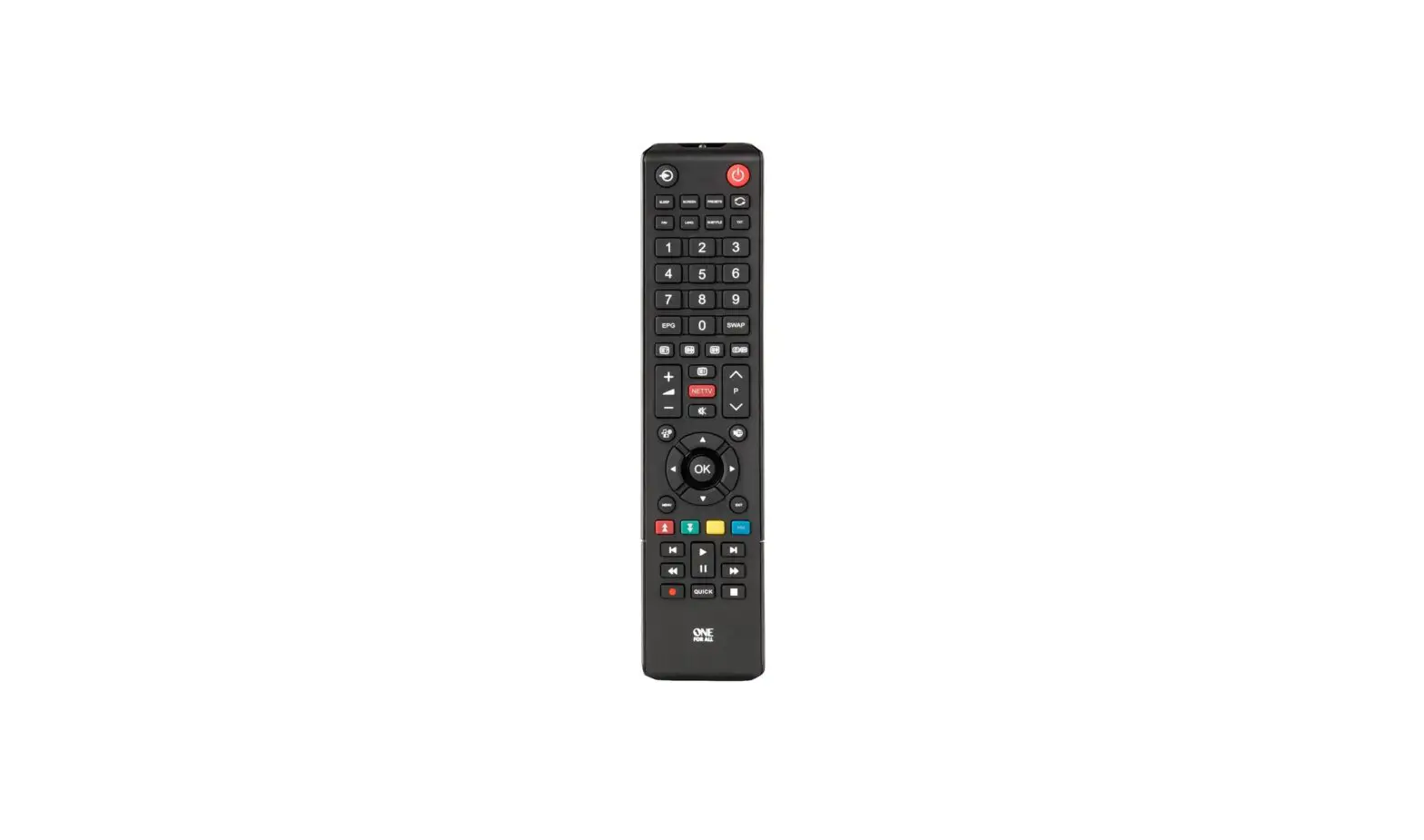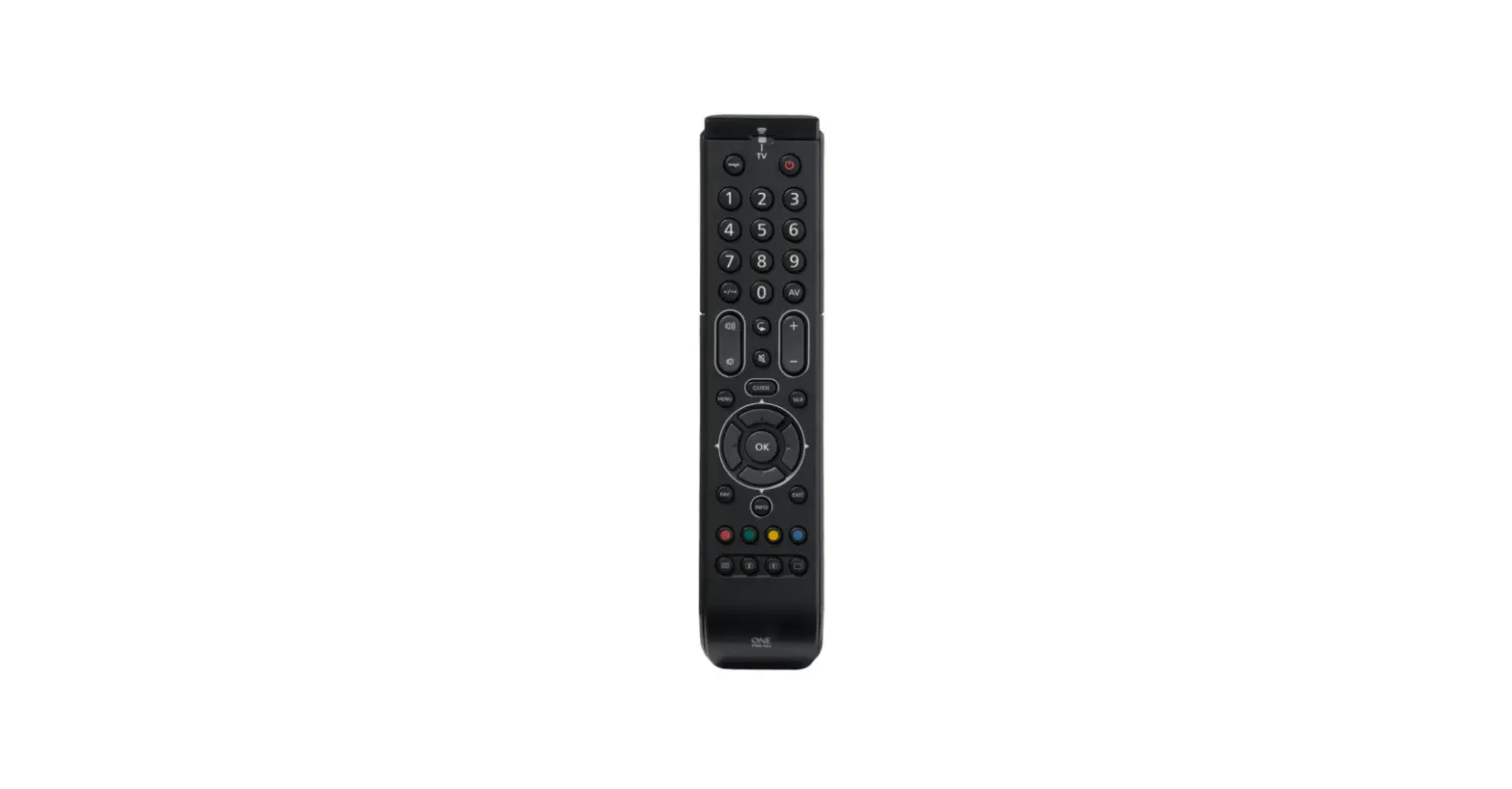

ONE FOR ALL URC2110 Essence TV Universal Remote Control
INTRODUCTION
Thank you for purchasing the One For All Essence TV Universal Remote Control. The remote can be used to control a TV and boasts multiple extra features to make the most of your living room experience. This manual will help you to set up the Essence TV to take advantage of its features.
BATTERIES
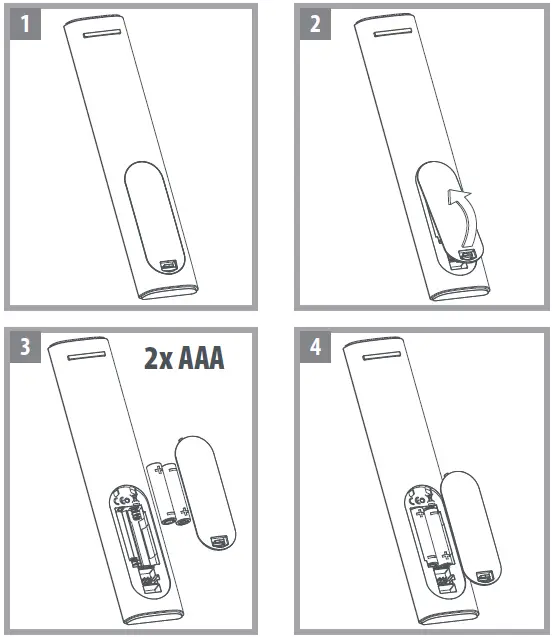
Your remote requires 2 x AAA / LR03 batteries (not Included). Please insert them as shown below. Alkaline batteries are recommended.
CAUTION:
Risk of explosion if the battery is replaced by an incorrect type. Use quality Alkaline batteries.
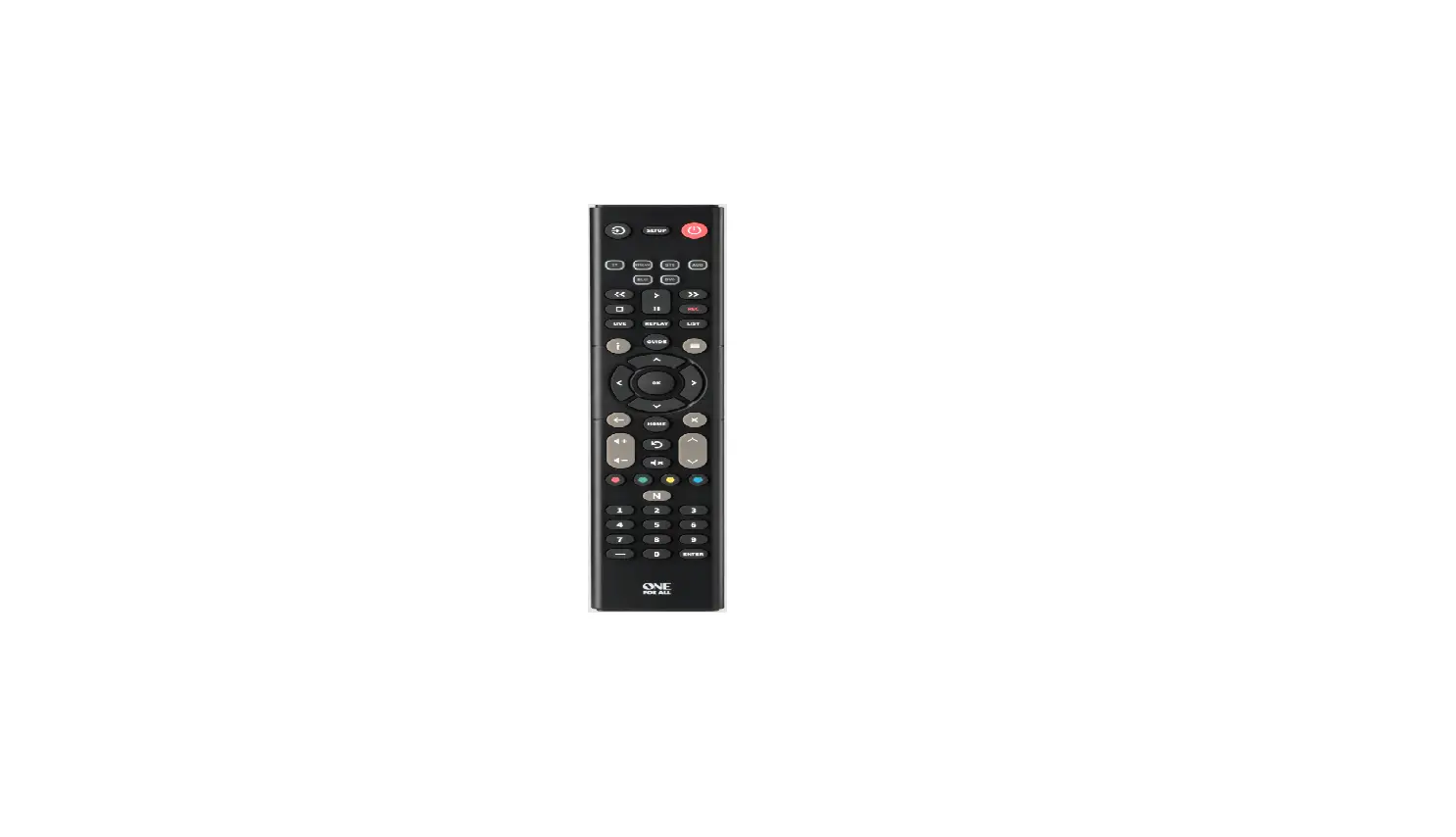
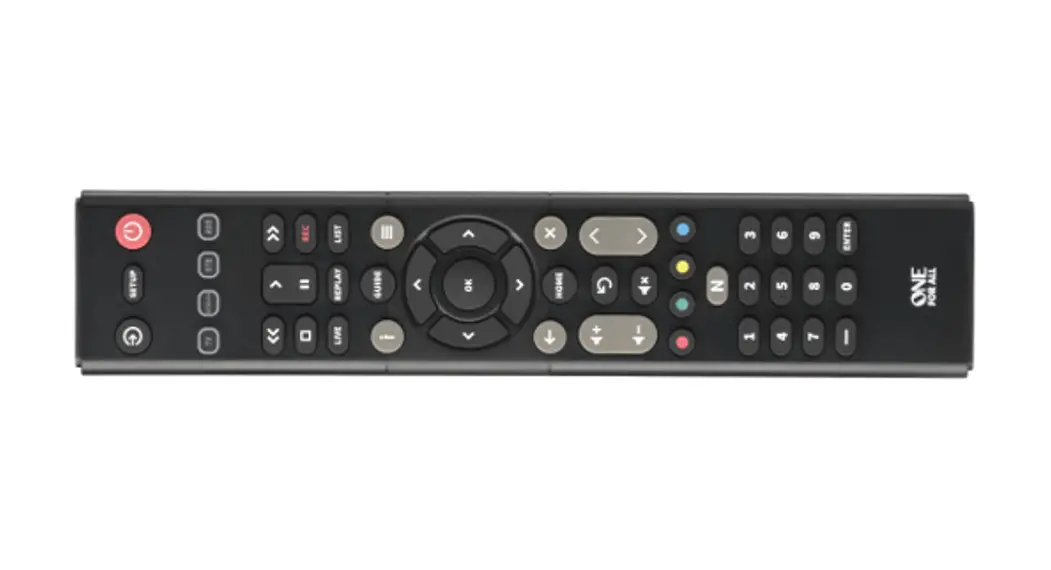
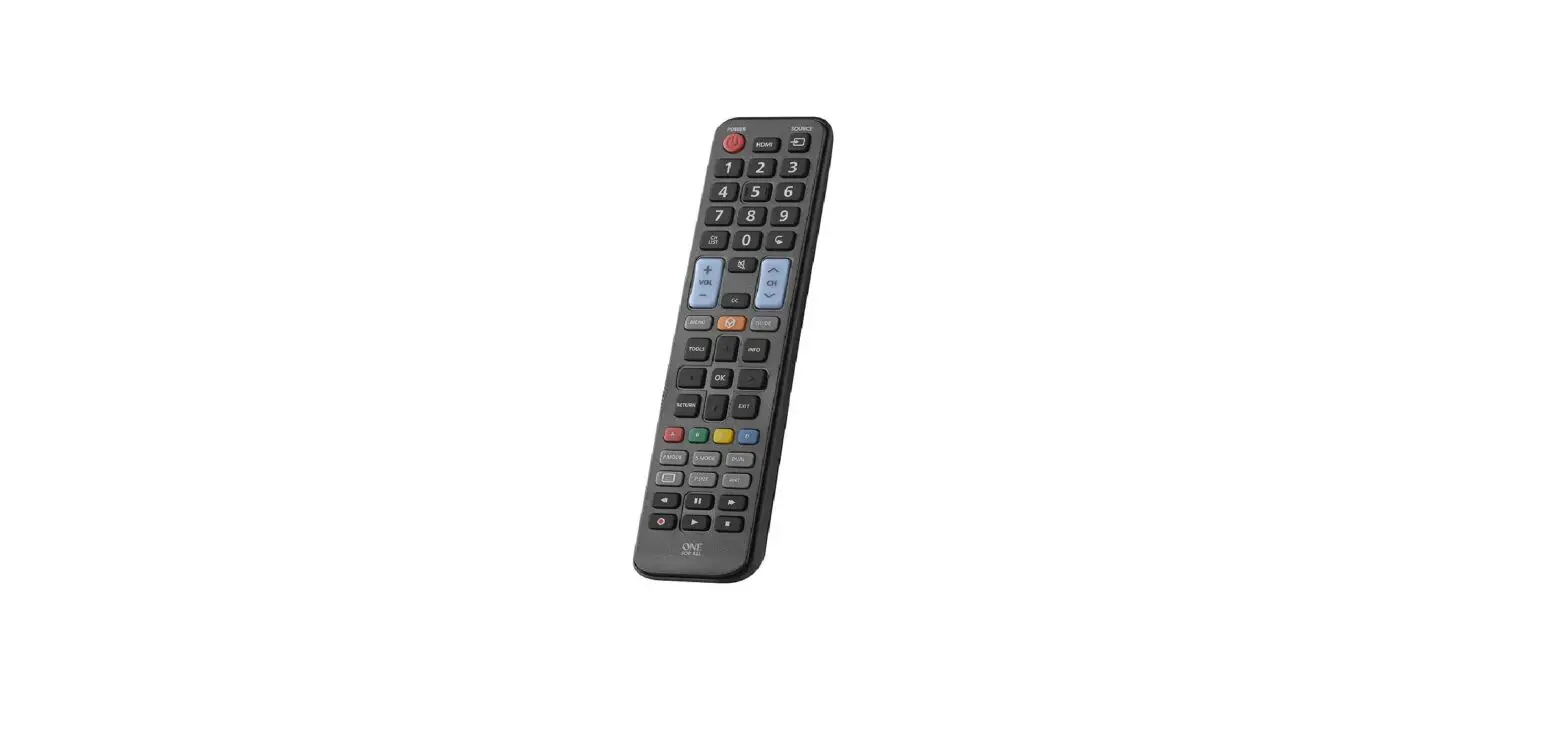
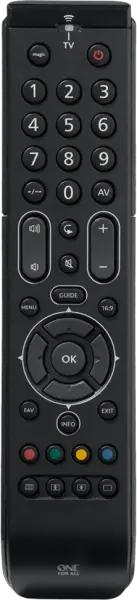
KEY DESCRIPTIONS
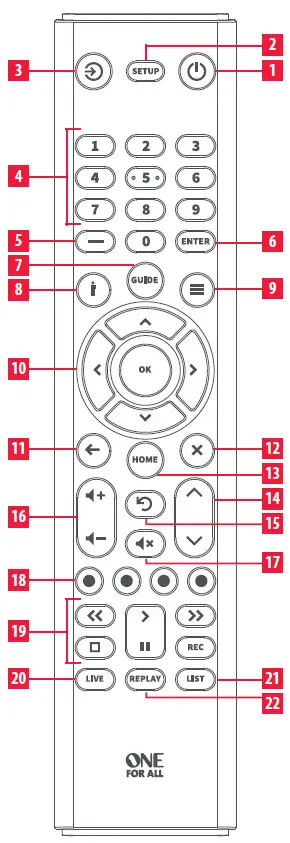
- Power Switches your devices on and off.
- Setup This key is used to set up the Essence remote.
- Input Used to select Input on devices.
- Digits Select channels on the current device.
- Delimiter “Dash” key
Selects sub-channels such as local news. - Channel Enter
On some devices press this key after using the digit keys to enter your channel number. - Guide TV Guide.
- Info Displays information about the current shows or channels.
- Menu Access the installation menu.
- Menu Directions and OK
Control the menu. - Back one step in the Menu.
- Exit Exits the menu.
- Home Displays the Home Menu.
- Channel Up & Down
Change channels on the current device. - Last Channel Changes to the last channel viewed.
- Volume Up and Down
Control the volume. - Mute Mutes the volume..
- RGYB keys Quick access buttons for the menu of the current device.
- Playback Keys
Control the playback of movies, music and TV. - Live Return to live TV from Timeshift or recording.
- List Show list of recordings.
- Replay last 30 seconds.
SETUP
The Essence TV remote is pre-programmed to control a Samsung TV out of the box. If you have a Samsung TV, after you have inserted the batteries, press a few keys to confirm that the remote operate your TV.
SIMPLESET
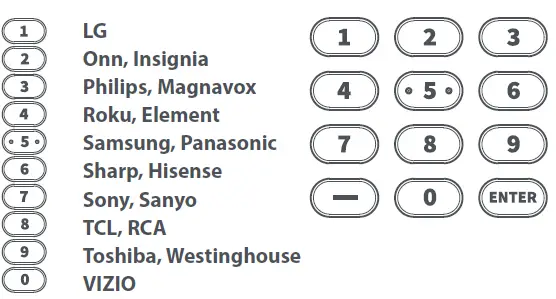
If the brand of your device is shown in the SimpleSet List next to a digit key, you can use the SimpleSet system described in this section, please locate the brand of your device and note the key associated with it.
TV
To set up your device:
- Turn on your device (not on standby) and point the Essence remote towards it.
 Hold down the SETUP key until the LED blinks twice
 Hold down the digit key for your brand as listed in the tables above – e.g. 3 for a Philips TV.
- The remote will send a Power command every 3 seconds.
- As soon as your device reacts by turning off or
- The LED will blink twice and the remote should now operate your device.
 Hold down the SETUP key until the LED blinks twice
 Hold down the digit key for your brand as listed in the tables above – e.g. 3 for a Philips TV.
If you find one or more keys do not work as you expect, start again at step 2 – the remote will start with the next code in the memory.
SETUP BY CODE
If the brand of your device is not listed in the SimpleSet feature, you can set up by trying codes individually. To do this, firstly locate your brand in the Code List. Codes are listed by brand and device, and in order of popularity.
- Turn on your device (not on standby) and point the Essence remote towards it.
- Hold down the SETUP key until the LED blinks twice
 Enter the first 4 digit code listed for your brand (e.g. 1840 for LG).
- The LED will blink twice on the last digit of the code.
 Now aim the remote towards your device and press the POWER key.
- If the device turns off your remote is ready to use. If not, repeat steps 2-5 with the next code in the list.
 Enter the first 4 digit code listed for your brand (e.g. 1840 for LG).
 Now aim the remote towards your device and press the POWER key.
LEARNING
Your Essence remote control can learn any function from any other working remote control. This is a quick and easy one-time setup that allows you to control any infrared controlled device you have in your living room. It also allows you to add a key or keys that may be missing to a spare key on the Essence. To do this, firstly make sure you have all your original remote controls to hand, and that they have working batteries in. To learn functions, the original remote should be approxima-tely 2-5 cm from the Essence remote, pointing towards it:
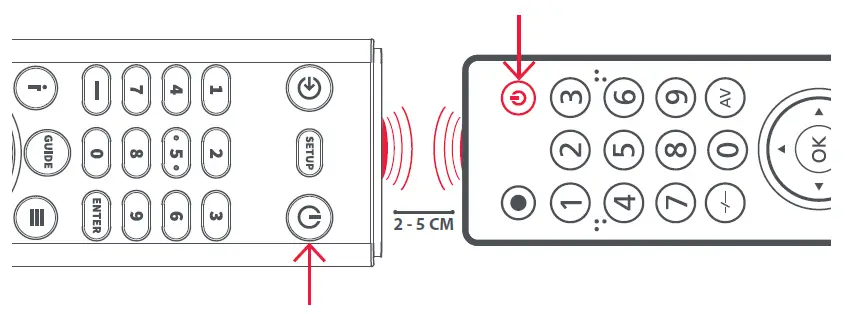
- Hold down the SETUP key until the LED blinks twice.
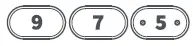
 Press 975 – the LED should blink twice.
- Press and release the key you want to learn a function onto (for example the POWER key) – the LED will begin to flash rapidly.
 Press and release* the corresponding key on the original remote, for example POWER.
- The LED will blink twice to indicate the key has been learned correctly.
- Repeat steps 3 and 4 for each key you want to learn – remember you can learn from multiple remotes, but only one function per key.
 When you have learned all the functions you require, press and hold SETUP key until the LED blinks twice.
 Press 975 – the LED should blink twice.
 Press and release* the corresponding key on the original remote, for example POWER.
 When you have learned all the functions you require, press and hold SETUP key until the LED blinks twice.
Some remotes send commands differently. If you find a function cannot be learned, try holding down the key on the original remote instead of pressing and releasing.
Hints:
- If the LED shows one long blink at step 5, the function was not learned correctly, please try again from step 4.
- If you find one or more keys don’t work properly after set up, you can re-enter the learning mode at any time by repeating the procedure from step 1.
- If one or more of your original remotes aren’t working, you can still set up the Essence remote by SimpleSet or Code Set Up.
Deleting a learned function
If you want to delete a learned function and return that key to its original state, you can use the following procedure:
- Hold down the SETUP key until the LED under the Device key blinks twice
 Press 976 – the LED should blink twice
- Press the key you want to reset twice – the LED should blink twice and the learned function has been deleted.
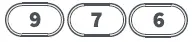 Press 976 – the LED should blink twice
SOUND BAR/AUDIO RECEIVER VOLUME CONTROL
If you have your TV connected to a Sound Bar or Audio Receiver, it’s possible to set up your Essence remote to control the Volume and Mute of this device. There are two ways to do this:
AUDIO SIMPLESET
If you have a Sound Bar or Audio Device from one of the brands listed in the table below, you can use the simplest method to program your remote to control it. If you do not have one of the below brands, please proceed to the next section.
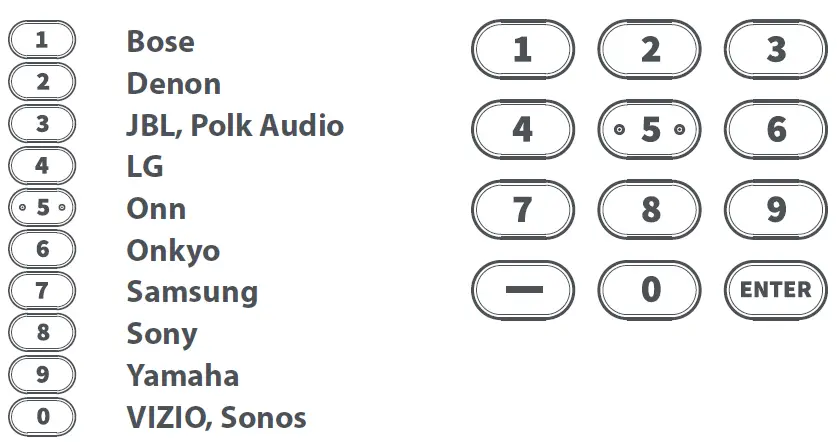
Note that each of the brands has a digit associated with it, for example 4 for LG. To set up your remote to control your sound bar / audio device, first, make sure your TV and sound bar / audio device are both powered on, and that there is something playing that you can hear (this procedure will test the Mute function).
Next:
 Hold down the SETUP and VOLUME UP buttons together until the LED blinks twice.
 Now point the remote towards your sound bar/audio device and hold down the digit key for your brand (for example 4 for LG). The remote will send the Mute command to your device every 3 seconds.
- As soon as your sound bar/audio device mutes the volume, release the digit key. The LED will blink twice. The remote has now found the correct code for your Audio Device.
 Next, hold down the SETUP and VOLUME DOWN keys until the LED blinks twice. The volume up, down and Mute keys should now control your Audio Device.
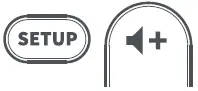 Hold down the SETUP and VOLUME UP buttons together until the LED blinks twice.
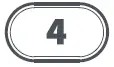 Now point the remote towards your sound bar/audio device and hold down the digit key for your brand (for example 4 for LG). The remote will send the Mute command to your device every 3 seconds.
AUDIO CODE SETUP
If your Sound Bar / Audio Device is not one of the brands listed above, you can also set up the remote to control it by entering a 4 digit code. The codes are listed in the Audio Codelist section of this manual, and are listed by brand and then popularity. Locate the brand of your sound bar / audio system in this code list and then the procedure is:
- Hold down the SETUP and VOLUME DOWN keys until the LED blinks twice.
- Next, hold down the SETUP and VOLUME UP keys until the LED blinks twice The remote is now ready to be programmed and, at this point, the LED will not blink when the Volume up or down keys are pressed.
- Enter the first 4 digit code for your sound bar/audio device. The LED should blink twice on the last digit.
 Now try the VOLUME UP, DOWN and MUTE and see they control your sound bar or audio device.
- If they work, your remote is set up. If not try again from step 1 using the next code in the list.
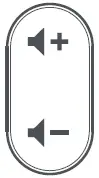 Now try the VOLUME UP, DOWN and MUTE and see they control your sound bar or audio device.
RESET VOLUME CONTROL
To reset the volume control to the original setting:
 Hold down the SETUP and VOLUME DOWN keys until the LED blinks 4 times. Volume control is now reset.
CODE LIST
| TV | Exorvision | 3953 | ||
| Favi | 3382 | |||
| Affinity | 3717, 3870, 3577, | Fisher | 1362 | |
| 3716 | Fluid | 2964, 3559 | ||
| Aiwa | 3332, 1362 | Furrion | 3332, 4093, 5410 | |
| Akai | 1675, 3332 | Gateway | 1755 | |
| AOC | 3720, 2691, 1365, | GE | 1447 | |
| 2014, 2087 | GFM | 1864, 1886, 1963 | ||
| Apex Digital | 2397, 4347, 4350 | GHIA | 5144, 5196 | |
| Ario | 2397 | GPX | 3980, 3977 | |
| Asus | 3340 | Haier | 2309, 1749, 1748, | |
| Atak | 2397 | 3382, 1753, 3429, | ||
| Atvio | 3638, 4398, 3636, | 2293, 4398, 2214 | ||
| 3879 | Haier-Roku | 4398 | ||
| Atyme | 2746 | Hannspree | 1348, 2786 | |
| Audiovox | 1564, 1276, 1769, | Harper | 3332 | |
| 2121 | Hewlett | |||
| Auria | 4748, 2087, 2014, | Packard | 1860 | |
| 2277, 2855 | Hisense | 3519, 4740, 4618, | ||
| Avera | 2397, 2049 | 2183, 5185, 1660, | ||
| Avol | 2735, 4367, 3382, | 3382 | ||
| 3118, 1709 | Hisense-Roku | 4740 | ||
| Axess | 3593 | Hitachi | 1643, 4398, 5102, | |
| Blu:sens | 2735 | 4455, 2214, 3382, | ||
| Bolva | 2397 | 3332, 0679, 5446 | ||
| Broksonic | 1892, 3118 | Hitachi-Roku | 4398 | |
| Calypso | 4748 | Hiteker | 3118 | |
| Champion | 1362 | HKPro | 3879, 2434, 5228 | |
| Changhong | 4629 | HP | 1860 | |
| Citizen | 1892 | iLo | 1463, 1394 | |
| Coby | 3627 | InFocus-Roku | 4398 | |
| Contex | 4053, 4280 | Insignia | 2049, 1780, 4487, | |
| Craig | 3423, 1687 | 3227, 5213, 1564, | ||
| Crosley | 3115 | 1641, 2184, 1892, | ||
| Curtis | 2855, 3577, 2466, | 1423, 1660, 1963 | ||
| 3895, 2352, 2397, | Insignia-Roku | 4487 | ||
| 3939, 4035, 3636, | iSymphony | 3382, 3429, 3118, | ||
| 3382, 3717, 4139 | 3094 | |||
| Curtis Mathes | 1661 | JVC | 1774, 1601, 3393, | |
| Daewoo | 1661, 3115, 3879 | 2321, 2271, 4107, | ||
| Dell | 1749 | 4398, 5182, 4105, | ||
| Digitrex | 4207 | 4053, 1670, 4367, | ||
| Disney | 1892 | 1892, 3879, 4280, | ||
| Durabrand | 1595, 3879 | 5228 | ||
| Dynex | 2049, 1463, 1780, | JVC-Roku | 4398 | |
| 2184 | KC | 4182 | ||
| Electrograph | 1755 | KDS | 1687 | |
| Electrohome | 1670 | Kenmore | 3953 | |
| Electron | 2466, 2855 | LeEco | 4007 | |
| Element | 3559, 1687, 4398, | Legend | 2397, 2352, 1749, | |
| 2183, 2964, 5173, | 2309 | |||
| 4635, 4910, 1886, | Lexus | 3638 | ||
| 4217, 4740 | LG | 1840, 1860, 2731, | ||
| Element-Roku | 4398, 4740 | 1423, 4397, 2358, | ||
| Elite | 1457 | 1749, 4398, 1753 | ||
| Emerson | 1864, 1963, 1394, | MAG | 1687 | |
| 1886, 1595, 3623, | Magnavox | 3623, 1866, 2372, | ||
| 1661, 2183, 3559 | 1963, 1454, 1365, | |||
| Envision | 1365, 2087, 2014 | 1755, 4398, 1867, | ||
| EQD Auria | 2014, 2087, 2277 | 4740, 1394 | ||
| ESA | 1963, 1595 | |||
| eTec | 2397 | |||
| 16 |
TV-AUDIO SOUNDBAR
- Magnavox-
- Roku 4398, 4740
- Marantz 1454
- Maxent 1755
- Memorex 4686, 1892, 1670, 1687, 2049
- Mitsubishi 1250, 1797
- Mitsui 1123, 3638, 3673
- Naxa 4093, 2104, 2735, 3382, 3423
- NEC 3257, 1797, 3000, 2293
- NetTV 1755
- Nexus 1564, 3519, 2183
- Norcent 1365, 2087
- NuVision 1657, 4347
- oCOSMO 3899, 4139
- Ölevia 1610
- Onn 4398, 5348, 1709, 3024, 3078, 5118
- Onn-Roku 4398
- Optimus 0679
- Orion 1463, 1670, 3540, 1892
- Panasonic 1480, 1291
- Philco 1963, 1394, 5377
- Philips 2800, 1867, 2372, 3069, 1454, 3623, 3396, 1866, 1744, 4398, 1963, 1755, 1365, 1394
- Philips
- Magnavox 3396, 1866, 3623
- Philips-Roku 4398
- Pioneer 0679, 1260, 1457, 2434
- Planar 0679
- Polaroid 1523, 4035, 1769, 1276, 1687, 1767, 3942, 2121, 3382, 2434, 3118
- Portland 1661
- Prima 1753, 2049, 1749
- Proscan 1447, 3577, 3382, 2183, 3717, 3332, 4494, 3636, 3895, 3953, 4495, 4035, 4053, 4491, 3939, 4483, 4375, 4500, 2746, 3429, 3559, 4093
- Proview 1687
- Pyle 2196
- QFX 3593
- QuantumFX 3593
- Quasar 1291, 4207, 3899, 4367, 3382, 5221
- RCA 2746, 2434, 2247, 4214, 3577, 1781, 4398, 3382, 4740, 3332, 3717, 2932, 3895, 2187, 4629, 4488, 4494, 3953, 2183, 4623, 3636, 3939, 2855, 4053, 3519, 4491, 4495, 4627, 0679, 4035, 4483, 4625, 5223, 1661, 5377, 3938, 4093, 1670, 5173, 1447
- RCA-Roku 4398, 4740
- Roku 4398, 4740
- Sampo 1755
- Samsung 2051, 1632, 5386, 5371
- Sansui 1892, 3540, 1670, 1463, 4053, 3564, 4280, 3559
- Sanyo 1142, 1362, 4168, 4740, 2049, 4667, 3488, 1480, 1564
- Sanyo-Roku 4740
- Sceptre 3899, 4139, 2528, 5393
- Seiki 3953, 4635, 2964, 3560, 3559, 4217, 3382, 4794
- Seura 4751
- Sharp 2360, 1659, 3519, 3394, 4740, 4618, 3720, 4507, 2214, 4398
- Sharp-Roku 4740, 4398
- Sigmac 3477, 3423
- Silo Digital 3899, 4494, 3477, 4182
- SkyVue 4135, 2360
- Skyworth 5340, 4542
- Sony 0810, 4448, 4189
- Spectroniq 1687
- Speler 4105, 4041, 2434
- SunBriteTV 2528, 4139, 1610
- Superscan 1963
- Supersonic 3593, 2104, 1753
- SVA 1963
- Sylvania 1963, 1864, 1886, 1394, 1595, 3332, 3577, 4053
- Symphonic 1963, 1595, 1394
- TCL 4398, 2434, 3183, 5446, 3879
- TCL-Roku 4398
- Technicolor 3577
- Toshiba 2724, 3945, 5213, 4885, 5394
- Upstar 4182, 4405, 3899
- V7 Videoseven 2087
| Vidao | 2397 | Enclave Audio | 4800 | |
| Videoseven | 2087 | Energy | 4941 | |
| Viewsonic | 2014, 2277, 2087, | Episode | 5107 | |
| 3706, 1755, 2049, | Epworth | 0158, 1243 | ||
| 1860, 1564, 1365 | GE | 3297 | ||
| Viore | 3382, 2352, 3118, | GPX | 5103 | |
| 2104, 3429, 3094 | Haier | 3516 | ||
| VisionQuest | 1687 | Harman/ | ||
| VIZIO | 1758, 3758, 4905, | Kardon | 2241, 0110, 2443, | |
| 5454, 4723, 2707, | 1304, 3320, 4186, | |||
| 2757, 3415, 2512 | 3418, 3756, 3391, | |||
| W Box | 3517 | |||
| Technologies | 4686 | iLive | 3175 | |
| Westinghouse | 1712, 4797, 3559, | Inkel | 3770, 4090, 3793 | |
| 3382, 4398, 5173, | Insignia | 3951, 2169, 2472, | ||
| 4910, 2293, 3094, | 2966, 3770, 4424, | |||
| 4139, 3560, 4635, | 1077 | |||
| 2397, 3908 | Integra | 1805, 3860, 2730, | ||
| Westinghouse- | 4023, 4014, 2503, | |||
| Roku | 4398 | 3992 | ||
| White | Jamo | 4941 | ||
| Westinghouse 1661 JBL 3756, 2241, 3391, | ||||
| Wyse | 1365 | 3535, 5132, 0110 | ||
| Xoceco | 1753, 2049, 1749 | JVC | 1676, 2040, 3049, | |
| Zenith | 1423, 2731, 1661, | 2331 | ||
| 1365, 2358, 1463 | Kenwood | 1570, 1293 | ||
| Klipsch | 4941, 4198, 4200, | |||
| AUDIO SOUNDBAR | 5152 | |||
| LG | 3217, 2676, 3509, | |||
| Acoustic Audio 4683 | 2197, 4043, 3996, | |||
| Aiwa 0158, 1243 | 1293 | |||
| Altec Lansing 4609 | Magnavox | 1831, 1269, 3282 | ||
| AMC 1077 | Majority | 5506 | ||
| Anker 5578 | Marantz | 1289, 2114, 3772, | ||
| Apex Digital 4334 | 1269, 3347 | |||
| Arcam 2241 | McIntosh | 1289 | ||
| Arvani 4293 | Megacra | 5271 | ||
| AudioSource 3721 | Monoprice | 4505 | ||
| Aura 4293 | Monster Cable | 4987 | ||
| Axess 4095 | Onkyo | 1805, 2730, 3860, | ||
| Axiim 4951 | 4023, 2503, 4041, | |||
| Bestisan 5271 | 4014, 3992, 3984, | |||
| BÖHM 4280 | 5094 | |||
| Bose 1933, 1629, 3959, | Onn | 5041, 5412, 5042, | ||
| 4307, 3708, 4024, | 5414, 5415, 5043 | |||
| 3706, 3832, 5163 | Optimus | 1023 | ||
| Boston | Panasonic | 3323, 2967, 3309, | ||
| Acoustics 3698 | 3055, 2452, 3767, | |||
| BYL 5271 | 1676 | |||
| Canston 5138 | Paradigm | 4536, 4846 | ||
| Coby 3654 | Peerless-AV | 5153 | ||
| Craig 4466 | Philco | 1831 | ||
| Current Audio 5190, 5191 | Philips | 1831, 1269, 4105, | ||
| Curtis 3942 | 2459, 3776, 3379, | |||
| Definitive | 3282, 3801, 2311, | |||
| Technology 4415, 4984, 3645 | 3652, 2675, 4012 | |||
| Denon 3347, 2857, 2516, | Pinnacle | |||
| 3380, 4025, 2502 | Speakers | 3774, 3728 | ||
| Dynavox 3231 | Pioneer | 1935, 3057, 2432, | ||
| Dynex 2971, 3951 | 1023, 3956 | |||
| Emotiva 3763 | Polk Audio | 4431, 1289 | ||
| 18 | ||||
AUDIO SOUNDBAR
- Proficient 3661
- Pyle 4333
- RCA 2041, 2611, 3297, 2719, 2655, 3969, 1023, 2544, 5490
- RichSound
- Research 5138
- Roku 5495
- RSR 5138
- Samsung 2660, 1868, 2809, 3320, 3382, 3154, 2137, 1304
- Samsung
- Harman/Kardon 3320
- Sanyo 4176, 3282
- Sceptre 5351
- Sennheiser 5330
- Sharp 3097, 3736, 3929
- Sherbourn 3763
- Sherwood 1077, 1567, 3120, 3136, 2169, 3793, 4090, 3770
- Sherwood
- Newcastle 1567, 2169
- SnapAV 5107
- Sonos 3919
- Sony 1622, 3700, 2172, 4315, 1759, 1822, 2522, 2475, 1758, 3257, 2582, 3487, 4457, 0158, 4285, 4366, 2610
- Soundcore 5578
- SpeakerCraft 3661
- Stereophonics 1023
- TaoTronics 4672
- TCL 4672, 5385
- Toshiba 3627
- VIZIO 3935, 2454, 5095, 4911
- Yamaha 2467, 2116, 3580, 3030, 2458, 3325, 3917, 4269, 2021, 0176
- Zenith 1293, 2197
- ZVOX 2332, 3913, 2334
WARRANTY/GUARANTEE
WARRANTY/GUARANTEE INFORMATION
Terms and Conditions for “100% Guaranteed To Work” policy, and the separate 1 Year Limited Warranty against defects in material and workmanship can be found at www.oneforall.com/remoteguaran-tee, or you may request hard copies via mail to Universal Electronics Inc. 15147 N. Scottsdale Road, Suite H300, Scottsdale, Arizona 85254. Please include your full name, product information, and contact information in your request communication.
www.oneforall.com.
Contact Information
Connect with us on Facebook.
- Rejoignez-nous sur Facebook.
facebook.com/oneforallworldwide
Connect with us on Instagram.
- Rejoignez-nous sur Instagram.
@oneforall.worldwide.
Connect with us on LinkedIn.
- Rejoignez-nous sur Linkedln.
linkedin.com/company/one-for-all-worldwide
Visit our YouTube channel.
- Visitez notre chaîne youtube.
youtube.com/user/oneforallproducts.
Customer Support:
www.oneforall-canada.ca.
OFA warranty/terms & conditions:
www.oneforall-canada.ca.
Industry Canada Regulatory Information
CAN ICES-3 (B)/NMB-3 (B)
Avis d’Industrie Canada CAN ICES-3 (B)/NMB-3 (B)
 Home | One For All
 Home | One For All