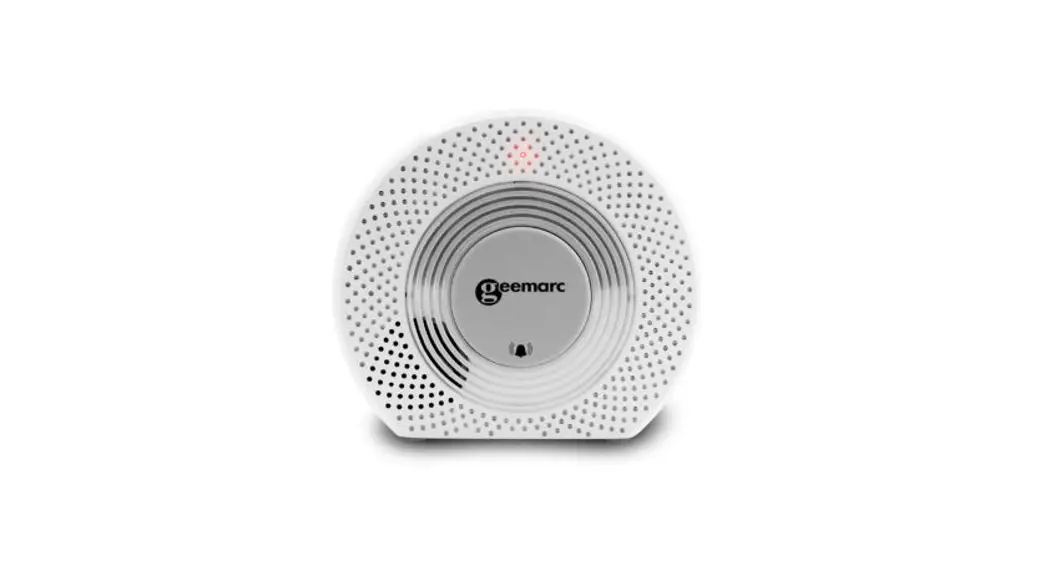
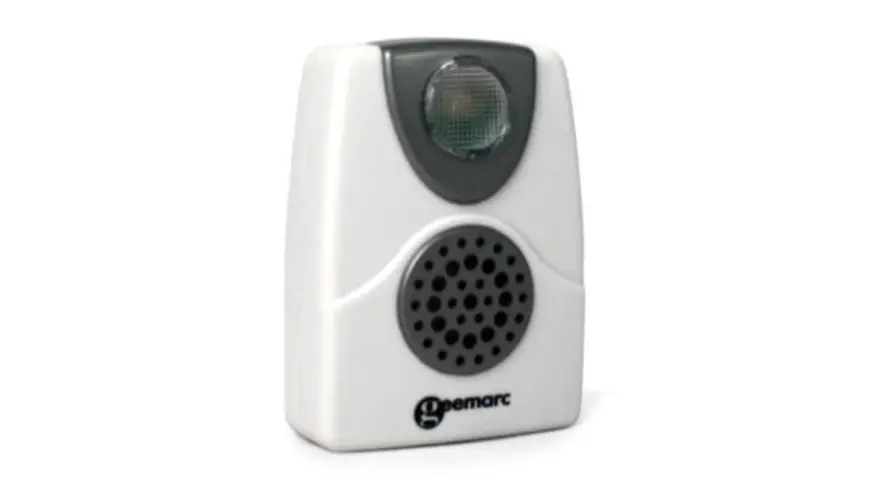
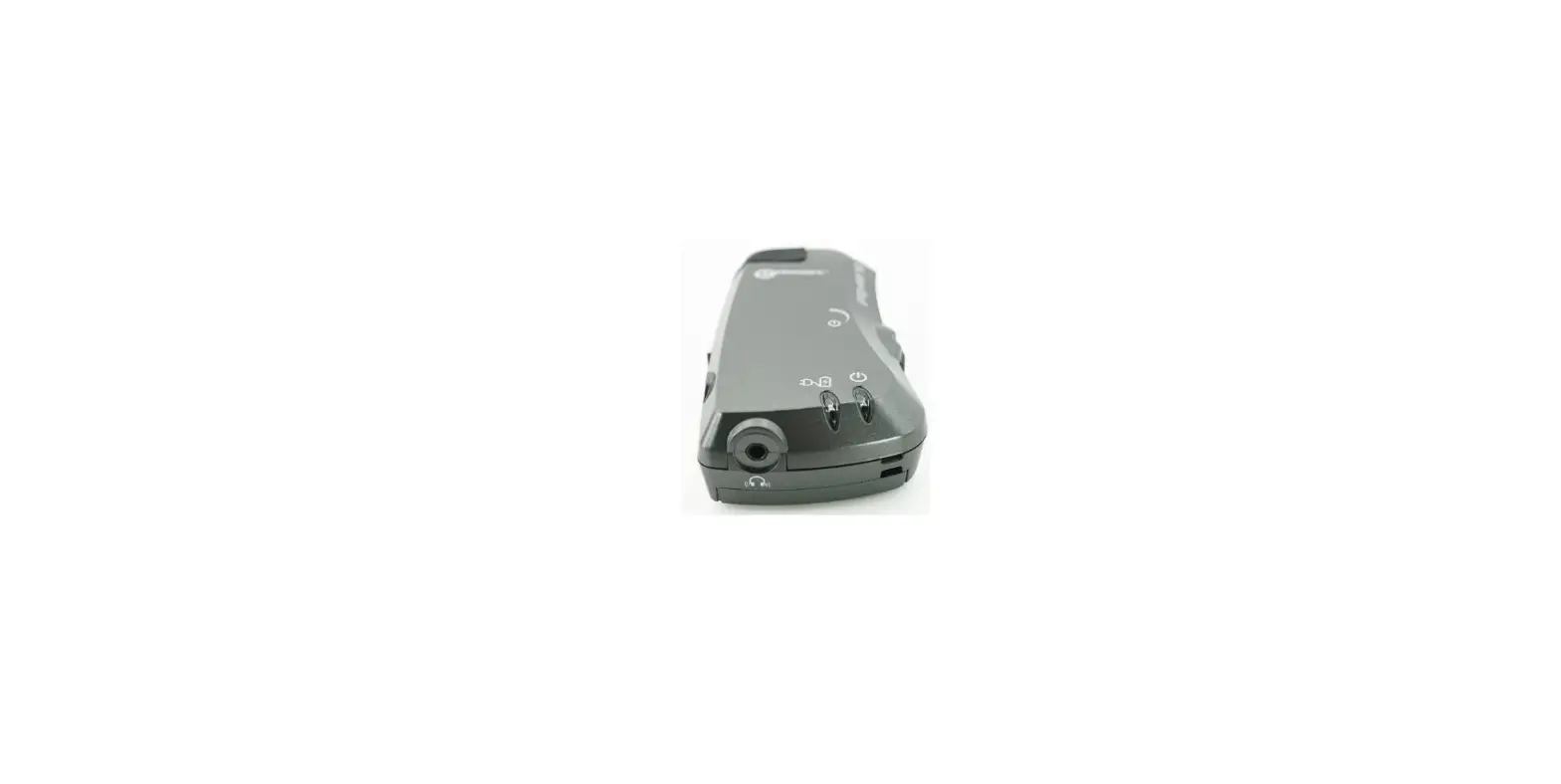
Amplicall 110 Wireless Telephone Signaler
Product Information:
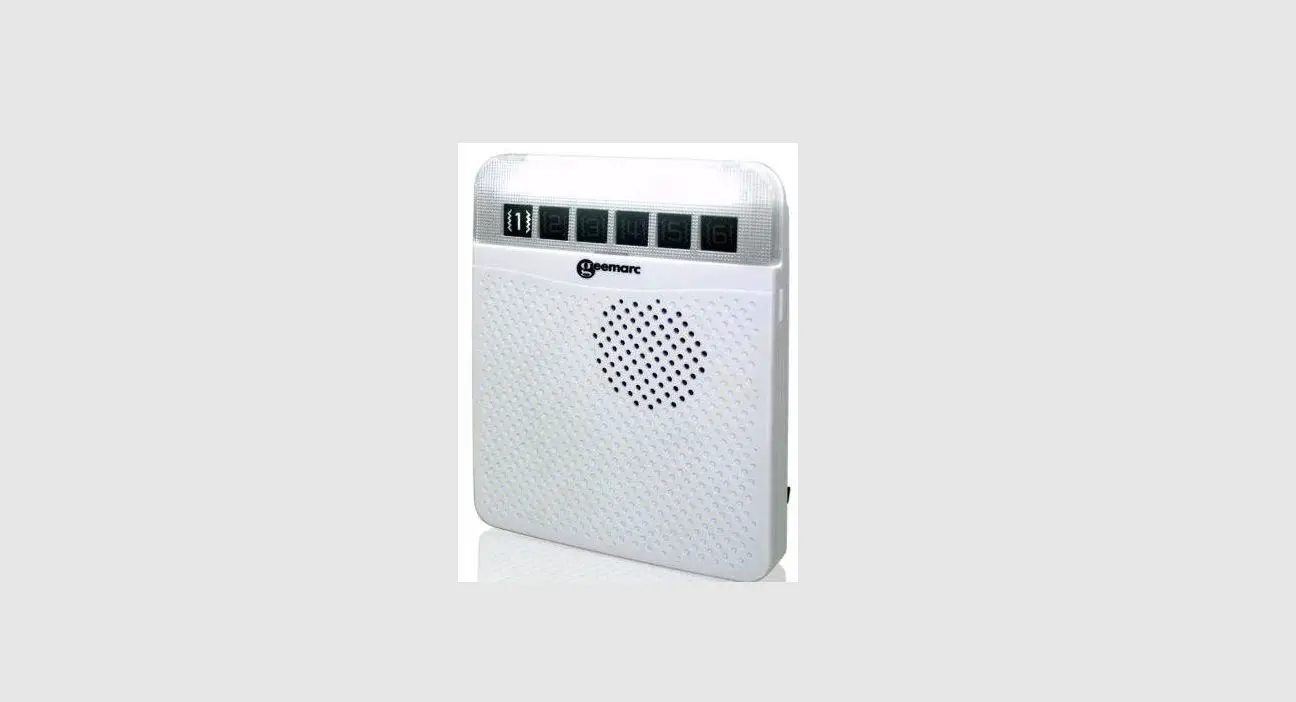
The AC110 (AMPLICALLTM110) is a device designed to amplify the
ringer and provide visual alerts when receiving a call. It can be
paired with AMPLICALL receivers to extend the alert functionality.
The device operates on two AA 1.5V alkaline batteries (not
included) and can also be connected to the mains as a backup power
source. It features an on/off slide button, volume control,
external jack socket, bell button, telephone line input, 5V DC
connector, and a battery compartment with a cover. The AC110 can be
mounted on a wall or placed on a flat surface.
Product Usage Instructions:
- Open the battery cover by unscrewing the screw and insert two
AA 1.5V alkaline batteries into the battery compartment. Close the
battery cover and secure it with the screw. - If the device is running low on battery or no battery is
inserted, the zone icon will light up to indicate a low battery
signal. - (Optional) Connect the type C USB power cable to the DC input
connector if you want to use the device with mains power. Note that
batteries must still be inserted as backup in case of a power
failure. - To pair the AC110 with AMPLICALL receivers:
- Press and hold the LEARNING button for 3 seconds until the LED
in zone icon #1 flashes. - Press the LEARNING button again to select the desired zone icon
to pair with the AC110. Use the melody selection button to scroll
through melodies and choose one by not pressing any button during
that melody. - Press the bell button on the AC110 once to initiate
pairing. - If successful, the AMPLICALL receivers will generate two short
tones.
- Press and hold the LEARNING button for 3 seconds until the LED
- To connect the AC110 to a phone socket:
- Connect one end of the supplied RJ11 cord to the phone socket
and the other end to the Tel input connector on the AC110. - Connect one end of your original phone cord to the Line input
connector on the AC110 and the other end to your wall outlet.
- Connect one end of the supplied RJ11 cord to the phone socket
- (Optional) If you want to mount the AC110 on a wall, mark two
holes on the wall using a pencil and drill hole template. Use the
provided anchors and screws to mount the unit securely. - To charge the settings of your AC110:
- Use the on/off slide button to turn the device on or off. Slide
it to the off position if no receiver is used. - Adjust the volume of the ringer by sliding the volume button.
You can choose between high, low, and silent modes.
- Use the on/off slide button to turn the device on or off. Slide
- The AC110 is compatible with external devices such as fall mats
and sensors. These can be connected to the device for additional
functionality.
Wireless Telephone Signaler Alerteur d’appel Téléphonique Drahtloser Telefonsignalgeber
English P2 Français P9 Deutsch P16
0
1
Please refer to our website: www.geemarc.com for an up to date user guide, as there may be important updates and changes you need to be
aware of.
Box Contents
The AC110 (AMPLICALLTM110) box contains the following items:
1 user’s manual 1 AC110 (AMPLICALLTM110)
2 screws and 2 anchors 2 x AA,1.5V Alkaline batteries
1 RJ11/RJ11 cable
1 Drill hole template
DESCRIPTION
On/Off slide button
Volume
EXT. jack socket
Bell button
Telephone
Line
5V DC Connector
Battery compartment for two 1.5V Alkaline batteries
Battery cover
RJ11/RJ11 Telephone cord
2
BATTERIES INSTALLATION
Your AMPLICALLTM110 works with two Alkaline AA 1.5V batteries (not provided). Please follow the below procedure to insert the batteries.
1.Unscrew the screw on the battery cover. 2.Open the battery cover. 3.Insert the 2 AA batteries into the compartment. 4.Close the battery cover and fix it using the screw.
Low Battery
If your device is running low on battery or if no battery has been inserted, your AMPLICALLTM110 will send a signal to the receiver which will make the zone icon light up.
3
Connecting your AC110 to the mains (Optional)
Even if your AMPLICALLTM110 is plugged into the mains, you must insert batteries, otherwise your device will send a low battery signal to your receiver. Those batteries will however only work as backup batteries in the event of a power failure.
Connect the type C USB power cable to the DC input connector.
Pairing your AC110 with the AMPLICALL receivers
The AC110 can work on its own, it will amplify the ringer and will flash when you receive a call. You also have the possibility to register your AMPLICALLTM110 with the AMPLICALL receivers. If paired, the receivers will receive the information from the AMPLICALLTM110 and ring and flash as well.
Enter pairing mode for the AMPLICALL receivers. 1.Press & hold the LEARNING button () for 3 seconds. The LED in
zone icon #1 will flash 2.Press the LEARNING button () again to move to the zone icon
you wish to pair the AC110 with. Press the melody selection ( ) button to scroll through the melodies. Once you hear a melody you like, do not press any button during the melody. 3.Press once the bell button of the AC110 to pair. 4.If successful, the AMPLICALL receivers will generate two short tones.
4
Connecting your AC110 to a phone socket
1.Connect one end of the supplied RJ11 cord to your phone socket and the other to the “Tel” input connector on your AC110
2.Connect one end of your original phone cord to the “Line” input connector on your AC110 and the other to your wall outlet.
Wall mounting
The AC110 can either be placed on a flat surface or be mounted on a wall.
Mark two holes on the wall using a pencil and drill hole template. Mount the unit to the wall using the provided anchors and screws.
5
Charging the settings of your AC110
On/Off slide button
Volume
On ( ) / Off ( ) slide button: Slide to the Off ( ) position when no receiver is used. Volume ( ): You can adjust the volume of the ringer by sliding this
button, you can switch between the H (high), L (low), and X (silent)
position.
Connecting an External Sensor to your AC110
The AC110 is compatible with external devices such as fall mats and other types of sensors which can be connected to the AC110
using the “EXT” jack socket. Once connected, the device will send
a signal to the receiver every time it is triggered.
6
GUARANTEE
From the moment your Geemarc AMPLICALLTM110 is purchased, Geemarc guarantee is for the period of two years. During this time, all repairs or replacements (at our discretion) are free of charge. Should you experience a problem then contact our help line or visit our website at www.geemarc.com. The guarantee does not cover accidents, negligence or breakages to any parts. The product must not be tampered with or taken apart by anyone who is not an authorized Geemarc representative. The Geemarc guarantee in no way limits your legal rights.
IMPORTANT : YOUR RECEIPT IS PART OF YOUR GUARANTEE AND MUST BE RETAINED AND PRODUCED IN THE EVENT OF A WARRANTY CLAIM. Please note: The guarantee applies to the United Kingdom only.
DECLARATIONS:
UKCA Directives Geemarc Telecom SA hereby declares that this AMPLICALLTM110 is in compliance with the essential requirements and other relevant provisions of the Radio Equipment Directive 2014/53/UE.
The UKCA declaration of conformity may be consulted at www.geemarc.com
RF power : < 250mW
Recycling Directives The WEEE (Waste Electrical and Electronic Equipment) has been put in place for the products at the end of their useful life are recycled in the best way. When this product is finished with, please do not put it in your domestic waste bin. Please use one of the following disposal options: – Remove the batteries and deposit them in an appropriate WEEE
skip. Deposit the product in an appropriate WEEE skip. – Or, hand the old product to the retailer. If you purchase a new one,
they should accept it. Thus if you respect these instructions you ensure human health and environmental protection.
7
For product support and help visit our website at www.geemarc.com
E-mail : [email protected] telephone 01707 387602
lines are open 09h00 to 16h00 Mon to Fri Parc de l’Etoile, 2 Rue Galilée, 59760 Grande-Synthe, France
This product is made in China To Geemarc Telecom
8
Veuillez consulter notre site Web: www.geemarc.com car il peut y avoir des mises à jour importantes et changement dont vous devez être
conscient.
Contenu de la boite
La boite de l’AC110 contient les éléments suivants:
1 guide d’utilisation 1 AC110 (AMPLICALLTM110)
2 vis et 2 chevilles 2 piles Alcalines AA, 1,5 V
1 câble 1 RJ11/RJ11
1 gabarit de perçage
DESCRIPTION
Bouton coulissant Marche/Arrêt
Volume
Prise jack EXT
Bouton de sonnerie
Téléphonique Ligne Connecteur CC 5V
Compartiment pour deux piles alcalines AA de 1,5 V
Couvercle du compartiment des piles
Cordon téléphonique RJ11/RJ11
9
INSTALLATION DES PILES
Votre AmpliCall 110 fonctionne avec deux piles alcalines AA 1,5V (non fournies). Veuillez suivre la procédure ci-dessous pour insérer les piles.
1.Dévisser la vis du couvercle du compartiment des piles. 2.Ouvrez le couvercle du compartiment des piles. 3.Insérez les 2 piles AA dans le compartiment en faisant attention
à la polarité. 4.Fermez le couvercle de la batterie et fixez-le à l’aide de la vis.
Batterie faible
Si la batterie de votre appareil est faible, votre AC110 enverra un signal au récepteur qui déclenchera le clignotement de l’icône de la zone.
10
Branchement de votre AC110 sur le secteur (facultatif)
Même si votre AC110 est branché sur le secteur, vous devez insérer des piles, sinon votre appareil enverra un signal de batterie faible à votre récepteur.
Ces piles ne fonctionneront toutefois qu’en secours en cas de panne de courant.
Branchez le câble d’alimentation USB de type C sur le connecteur d’entrée CC.
Appariement de votre AC110 avec les récepteurs AMPLICALL
L’AC110 peut fonctionner de manière autonome, il amplifiera la sonnerie et clignotera lorsque vous recevrez un appel. Vous avez également la possibilité d’enregistrer votre AMPLICALL110 avec le récepteur AMPLICALL. Lorsque les deux appareils sont appariés, les récepteur AMPLICALL recevra les informations de l’AC110 et sonnera et clignotera également.
Entrez en mode enregistrement pour récepteur AMPLICALL. 1.Appuyez sur le bouton Programmation() et maintenez-le enfoncé
pendant 3 secondes. La LED de l’icône de zone n°1 se met à clignoter. 2.Appuyez une nouvelle fois sur le bouton Programmation() pour vous déplacer vers l’icône de la zone avec laquelle vous souhaitez jumeler l’AC110. Appuyez sur le bouton de sélection de la mélodie( ) pour faire défiler les mélodies. Dès que vous entendez une mélodie qui vous plaît, n’appuyez sur aucun bouton tant que la mélodie est en cours de diffusion. 3.Appuyez une fois sur le bouton de sonnerie de l’AC110 pour effectuer l’enregistrement. 4.Si le résultat est positif, les récepteur AMPLICALL produit deux courtes tonalités.
11
Raccordement de votre AC110 à une prise téléphonique
1.Branchez une extrémité du cordon RJ11 fourni dans la prise de votre téléphone et l’autre dans le connecteur d’entrée « Tel » de votre AC110.
2.Branchez une extrémité de votre cordon téléphonique d’origine au connecteur d’entrée « Ligne » de votre AC110 et l’autre à votre prise murale.
MONTAGE MURAL
L’AC110 peut être placé sur une surface plane ou être monté sur un mur.
Dessinez deux trous sur le mur à l’aide d’un crayon avec le gabarit de perçage. Fixez l’appareil au mur à l’aide des chevilles et des vis fournies.
12
Modification des réglages de votre AC110
Bouton coulissant Marche/Arrêt
Volume
Bouton coulissant Marche ( ) / Arrêt ( ): faire glisser jusqu’en position Arrêt( ) lorsqu’aucun récepteur n’est utilisé(Récepteurs AMPLICALL). Volume ( ) : vous pouvez régler le volume de la sonnerie en déplaçant ce bouton, vous pouvez basculer entre les positions
H (fort), L (faible) et X (silencieux). Connexion d’un capteur externe à votre AC110
L’AC110 est compatible avec les dispositifs externes tels que les tapis de chute et autres types de capteurs qui peuvent être connectés
à l’AC110 en utilisant la prise jack « EXT ». Le dispositif, une fois
connecté, enverra un signal au récepteur chaque fois que celui-ci se déclenche.
13
GARANTIE
Votre produit Geemarc est garanti AMPLICALLTM110 2 ans, suivant la date d’achat. Au cours de cette période, toutes les réparations ou tous les remplacements (à notre seule discrétion) seront effectués sans frais. En cas de problème, contactez notre service d’assistance ou rendez-vous sur notre site Web: www.geemarc.com. La garantie ne couvre pas les accidents, la négligence ou les ruptures de pièces. Le produit ne doit pas être altéré ou démonté par quiconque n’étant pas un représentant agréé de Geemarc. La garantie de Geemarc ne limite en aucun cas vos droits légaux.
IMPORTANT : VOTRE FACTURE FAIT PARTIE DE VOTRE GARANTIE ET DOIT ETRE CONSERVÉE ET PRODUITE LORS D’UNE RÉCLAMATION SOUS GARANTIE.
Veuillez noter: la garantie est applicable en France uniquement.
DÉCLARATION :
Directives CE
Geemarc Telecom SA déclare par la présente que son AMPLICALL110 est conforme aux exigences essentielles ainsi qu’à d’autres directives pertinentes de la norme 2014/53/UE.
La déclaration de conformité peut être consultée sur le site suivant www.geemarc.com
Puissance de la fréquence radio < 250mW
Directives de recyclage
La DEEE (Déchets d’équipements électriques et électroniques) a été créée pour les produits en fin de vie afin de faciliter leur recyclage. Lorsque ce produit est en fin de vie, veuillez ne pas le jeter dans votre poubelle à ordures ménagères.
Veuillez utiliser l’une des options d’élimination suivantes :
– Retirez les piles et déposez-les dans une benne DEEE appropriée. Déposez le produit dans une benne DEEE appropriée.
– Ou alors, remettez l’ancien produit au détaillant. Si vous en achetez un nouveau, ils devraient l’accepter. Ainsi, si vous respectez ces instructions, vous assurez la protection de la santé humaine et de l’environnement.
14
Consulter notre site Internet pour obtenir la notice détaillée ou des informations et de l’aide sur nos produits: www.geemarc.com Email: [email protected] Téléphone: 03 28 58 75 99 Parc de l’Etoile, 2 Rue Galilée, 59760 Grande-Synthe, France
Produit fabriqué en Chine pour Geemarc Telecom
15
Bitte besuchen Sie unsere Website: www.geemarc.com für bis zu Datum Benutzerführung, da es wichtige Updates geben kann und Änderungen, auf die Sie achten müssen!
Paketinhalt
Die AC110(AMPLICALLTM110) Box enthält die folgenden Gegenstände:
1 Bedienungsanleitung
2 Schrauben und 2 Dübel
1 AC110 (AMPLICALLTM110) 2 x AA, 1,5V Alkaline-Batterien
1 RJ11/RJ11 Kabel
1 Bohrlochschablone
BESCHREIBUNG
An-/ Ausschalter
Lautstärke
EXT. Anschluss
Klingeltaste
Telefon
Verbindung
5V DC Konnektor
Batteriefach für zwei 1,5V alkalische Batterien
Batterieabdeckung
RJ11/RJ11 Telefonkabel
16
EINSETZEN DER BATTERIEN
Ihr AMPLICALLTM110 funktioniert mit zwei alkalische AA 1,5V Batterien (nicht mitinbegriffen). Bitte befolgen Sie die unten dargestellten Schritte, um die Batterien einzusetzen.
1. Lösen Sie die Schraube am Batteriedeckel. 2. Nehmen Sie den Batteriedeckel ab. 3. Setzen Sie 2 AA Batterien in das Fach ein. 4. Schließen Sie das Fach, ziehen Sie die Schraube fest.
Niedriger Batteriestand
Sollte der Batteriestand an Ihrem Gerät niedrig sein oder keine Batterien eingesetzt worden sein, sendet Ihr AC110 ein Signal an den Empfänger und die Symbolzone leuchtet auf.
17
Verbindung Ihres AC110 mit dem Stromnetz(optional)
Selbst wenn Ihr AC110 an das Stromnetz angeschlossen ist, müssen Sie Batterien einlegen, sonst sendet Ihr Gerät ein Signal wegen schwacher Batterie an Ihren Empfänger. Die Batterien funktionieren allerdings nur als Backup-Batterien bei Stromausfall.
Verbinden Sie das Typ-C-Stromkabel mit dem DC-Input-Konnektor.
Paarung Ihres AC110 mit dem AMPLICALL-Empfängern
Der AC110 kann allein funktionieren, er verstärkt den Rufton und blinkt, wenn Sie einen Anruf erhalten. Sie haben aber auch die Möglichkeit, Ihr AMPLICALLTM110 an den AMPLICALL-Empfängern anzumelden. Bei einer Kopplung erhält der AMPLICALL-Empfängern die Informationen vom AMPLICALLTM110 und klingelt und blinkt ebenfalls.
Setzen Sie den AMPLICALL-Empfängern in den Paarungsmodus. 1.Halten Sie die LEARNING Taste () 3 Sekunden lang gedrückt.
Die LED-Anzeige in der Symbolzone #1 blinkt auf. 2.Drücken Sie erneut auf die LEARNING Taste () und gehen Sie
auf die Symbolzone, mit der Sie eine Paarung über den AC110 herstellen wollen. Drücken Sie auf die Melody Selector ( ) Taste, um durch die verschiedenen Melodien zu scrollen. Sobald Sie eine Melodie hören, die Ihnen gefällt, drücken Sie während des Abspielens der Melodie keine Taste. 3.Drücken Sie einmal auf die Klingeltaste am AMPLICALLTM110, um eine Paarung herzustellen. 4.Bei erfolgreicher Paarung erzeugt der AMPLICALL-Empfängern zwei kurze Töne.
18
Verbindung Ihres AC110 mit einem Telefonanschluss
1.Verbinden Sie ein Ende des mitgelieferten RJ11 Kabels mit Ihrem Telefonanschluss und das andere mit dem Telefon-Input-Konnektor an Ihrem AC110.
2. Verbinden Sie ein Ende des Originaltelefonkabels mit dem ,,Line”-Input-Konnektor an Ihrem AC110 und das andere Ende mit Ihrem Wandanschluss.
Wandhalterung
Der AC110 kann entweder auf einer flachen Oberfläche aufgestellt oder an der Wand angebracht werden.
Markieren Sie zwei Löcher an der Wand mit einem Stift und Bohrlochschablone. Bringen Sie die Einheit mit den mitgelieferten Dübeln und Schrauben an der Wand an.
19
Einstellungen an Ihrem AC110 ändern
An-/ Ausschalter
Lautstärke
An- ( ) / Ausschalter ( ) : Schieben Sie ihn auf die “Aus” ( ) -Position, wenn kein Receiver benutzt wird. Lautstärke ( ) : Sie können die Lautstärke der Klingel anpassen,
indem Sie diesen Schalter verschieben. Sie können zwischen H (laut), L (leise) und X (stumm) wählen. Verbindung Ihres AC110 mit einem externen Sensor
Der AC110 ist mit externen Geräten, wie Fallmatten und anderen Arten von Sensoren kompatibel, die mit dem AC110 über den
,,EXT”-Anschluss verbunden werden können. Sobald eine Verbindung
besteht, sendet das Gerät bei jedem Auslösen ein Signal an den Receiver.
20
GARANTIE
Geemarc bietet AMPLICALLTM110 eine Garantie für den Zeitraum von zwei Jahre ab Kaufdatum. Während dieser Zeit sind alle Reparaturen oder Ersatzleistungen (nach unserem Ermessen) für Sie kostenlos. Sollten Sie ein Problem feststellen, kontaktieren Sie bitte unsere Hotline oder besuchen Sie unsere Internet-Seite unter www.geemarc.com. Die Garantie deckt weder Unfälle noch Fahrlässigkeit oder Bruchschäden an irgendwelchen Teilen ab. An dem Produkt dürfen weder Änderungen vorgenommen werden, noch darf es von einer Person auseinandergebaut werden, die kein zugelassener Geemarc Vertreter ist. Die Geemarc- Garantie schränkt Ihre gesetzlichen Rechte in keiner Weise ein.
WICHTIG : IHRE QUITTUNG IST TEIL IHRER GARANTIE UND MUSS IM FALLE EINES GARANTIEANSPRUCHS AUFBEWAHRT UND VORGELEGT WERDEN.
ERKLÄRUNGEN :
CE Richtlinien
Geemarc Telecom SA erklärt hiermit, dass dieses AMPLICALLTM110 mit die grundlegenden Anforderungen der RED-Richtlinie 2014/53/UE erfüllt.
Die Konformitätserklärung kann unter www.geemarc.com eingesehen warden
Strahlungsleistung < 250mW
VORSCHRIFTEN FÜR DIE WIEDERVERWERTUNG
Das WEEE (Waste Electrical and Electronic Equipment) wurde festgesetzt, um Geräte am Ende ihres Produktlebenszyklus auf die beste Art und Weise zu recyceln.
Wenn dieses Produkt unverwendbar geworden ist, werfen Sie es bitte nicht in Ihren normalen Hausmüll.
Bitte nutzen Sie eine der folgenden Entsorgungsmöglichkeiten :
– Entfernen Sie die Akkus und werfen Sie sie in den entsprechenden WEEE Müllcontainer. Werfen Sie auch das Gerät selbst in den dafür vorgesehenen WEEE Container.
21
– Ersatzweise können Sie das Gerät an den Verkäufer zurückgeben. Wenn Sie ein neues Gerät kaufen, sollte er das alte zurücknehmen. Indem Sie diese Anweisungen befolgen, gewährleisten Sie die Gesundheit Ihrer Mitmenschen und den Schutz unserer Umwelt.
Produktsupport und Hilfe erhalten Sie auf unserer Webseite unter www.geemarc.com/de
E-mail: [email protected] Telefon: +49(0)30 209 95 789
Parc de l’Etoile, 2 Rue Galilée, 59760 Grande-Synthe, France
Dieses Produkt ist in China für Geemarc Telecom hergestellt
22
UGAMPLICALL110_EnFrGe_v1.1 23
 Home - Geemarc UK