 USER GUIDE

Handset
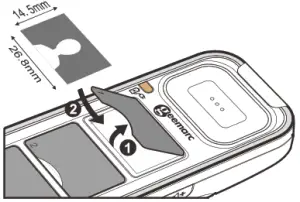
Insert Photos for speed dial keys
!!! Please refer to our website: www.geemarc.com for an up-to-date user guide, as there may be important updates and changes you need to be aware of
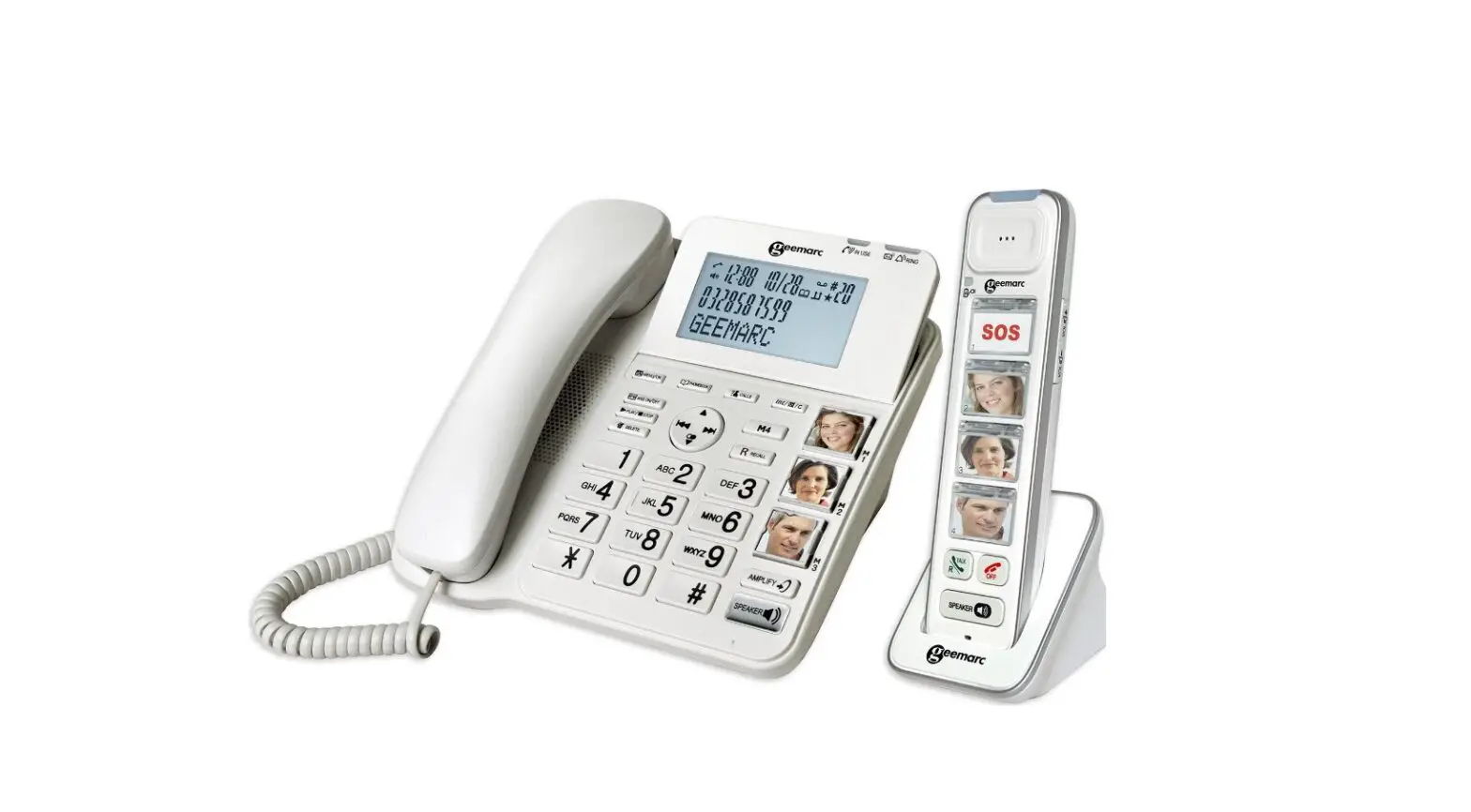
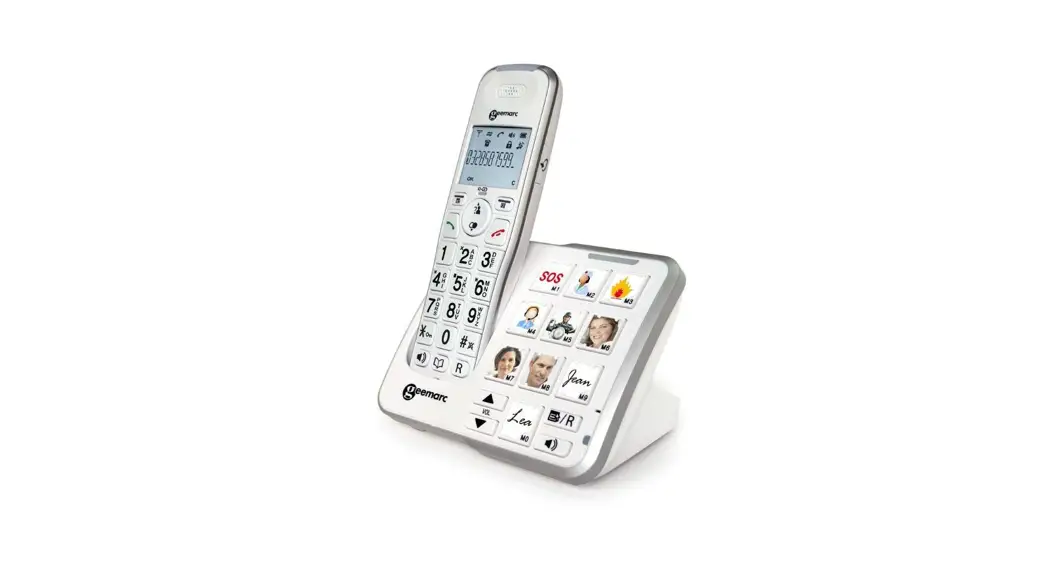
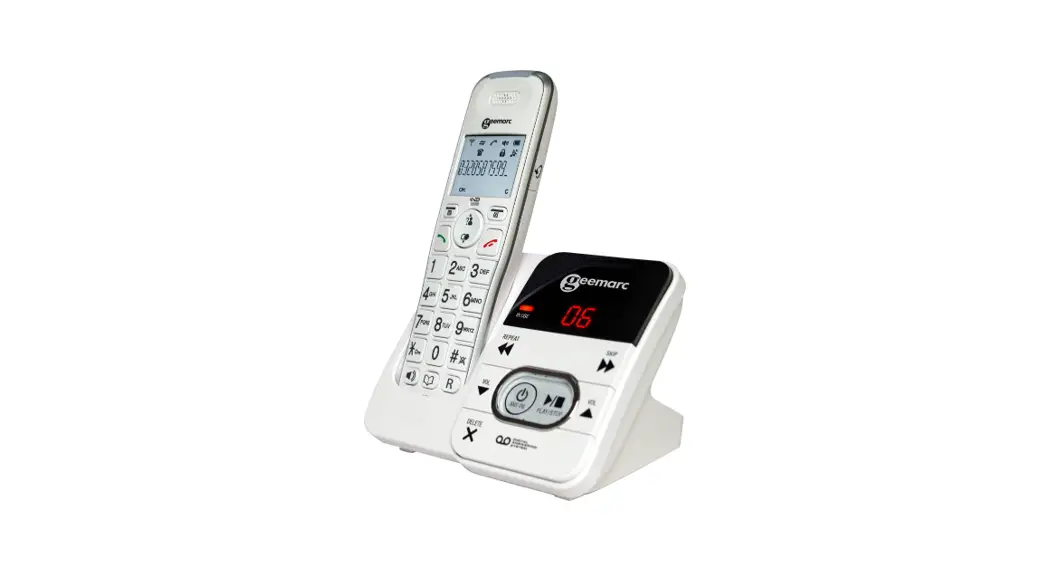
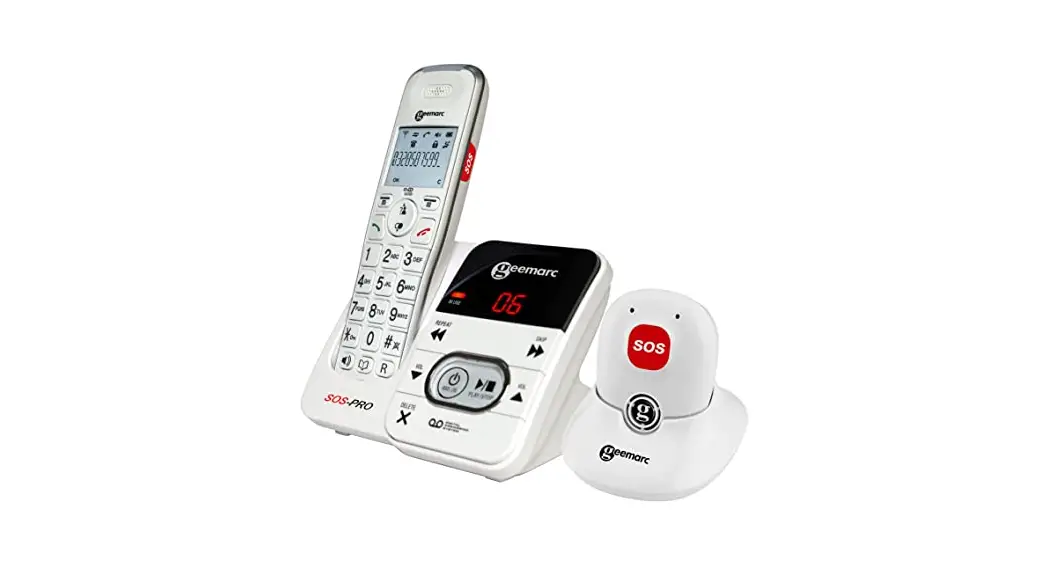
!!! Congratulations on purchasing your Geemarc PhotoDECT295 handset, offering all the advantages of cordless technology (compliant with Digitally Enhanced Cordless Telecommunications-DECT standard). which can be used as an additional handset with our AMPLIDECT295 or AMPLIDECT COMBI 295 phones. This telephone is also hearing aid compatible.
PACKAGE CONTENTS
1 cordless Handset, 1 power adapter, 1 Charger, 1 NiMh battery pack, 1 user guide.
INSTALLATION
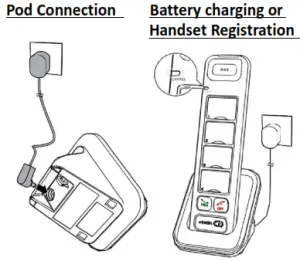
Connect the power adapter jack to the charger then connect the power adapter plug in the mains power. Use only the power adapter supplied with the phone!
Connecting the battery
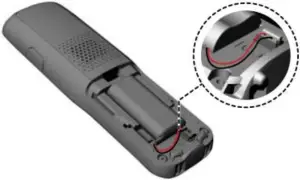
Plug the battery connector securely into the socket inside the handset battery compartment. Insert the supplied battery as indicated. Align the cover flat against the battery compartment, and then slide it upwards until it clicks into place.
Charging the batteries
Charge the batteries for at least 16 hours when charging for the first time.
Note: DO NOT FORGET TO REGISTER YOUR HANDSET WITH DECT BASE (AMPLIDECT COMBI 295 or AMPLIDECT295).
OVERVIEW
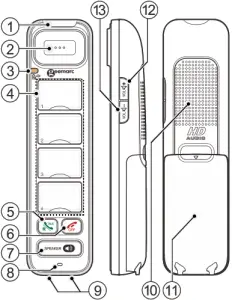
1. Incoming Call light
Flashes red slowly when receiving an incoming call.
2. Earpiece
3. Charger/Booster LED (  )
)
– Steady red when the handset battery is charging.
– Long flashes in red when the handset battery is low.
– Flashes red quickly when handset registration is in progress.
– Flashes red slowly when the handset is not registered or not in the charger.
– Steady blue when the booster function is activated.
4. Photo speed dial keys
Your handset has four photo speed dial keys. It retrieves the same set of photo or Direct Memory speed dial entries stored in the AMPLIDECT295 or AMPLIDECT COMBI
295. Press to dial a preset number.
5. Talk ON / Flash (  )
)
– Make or answer a call.
– Light Green when the handset is on earpiece mode.
– During a call, Press to access Recall feature (R).
6. TALK OFF (  )
)
– Hang up a call.
– Silence the ringer temporarily while the phone is ringing.
– Mute the paging tone.
7. SPEAKER ( )
)
– Make or answer a call using the speakerphone.
– Switch between the speakerphone and the earpiece.
– Light Orange when on speakerphone mode.
8. Microphone
9. Charging pole
10. Speakerphone
11. Battery compartment cover
12. VOL+ (  )
)
– Increase the listening volume up to 30dB amplification,
(Or the ringer Volume when in quiescent mode).
– Switch On/Off the receiver Booster function (LED bleu).
13. VOL- (  )
)
Decrease the listening volume. (Or the ringer volume
when in quiescent mode (until ringer turns OFF)).
HANDSET REGISTRATION
Base: First place the base of the AMPLIDECT295 or AMPLIDECT COMBI 295 in Registration mode.
Handset: Replace the Handset in charge on Pod, the red LED flashes quickly to indicate registration in process. You hear a confirmation tone when the registration process completes. It takes up to 60 seconds to complete the registration.
Note: Make this procedure if you don’t arrive to register your handset. Quickly press [VOL+] [SPK] [VOL-] [SPK] [VOL+] [VOL-] [SPK] in idle mode, then HS will have a
“Bi, Bi” tone.
BOOSTER MODE
During a call, when in boost mode, you can increase the listening volume up to 30dB amplification.
– Press and Hold ( 2 seconds) the VOL+ button to activate Boost mode (LED will be steady blue).
– Press and hold again the VOL+ button to cancel Boost mode. (LED will go Off).
GUARANTEE
From the moment your Geemarc PhotoDECT295 is purchased, Geemarc guarantees it for a period of two years. During this time, all repairs or replacements (at our discretion) are free of charge. Should you experience a problem then contact our helpline or visit our website at www.geemarc.com.
The guarantee does not cover accidents, negligence, or breakages to any parts. The product must not be tampered with or taken apart by anyone who is not an authorized Geemarc representative.
The Geemarc guarantee in no way limits your legal rights.
IMPORTANT: YOUR RECEIPT IS PART OF YOUR GUARANTEE AND MUST BE RETAINED AND PRODUCED IN THE EVENT OF A WARRANTY CLAIM.
Please note: The guarantee applies to the United Kingdom only.
DECLARATIONS:
CE Directives
Geemarc Telecom SA hereby declares that this PhotoDECT295 is in compliance with the essential requirements and other relevant provisions of the Radio Equipment Directive 2014/53/UE. The CE declaration of conformity may be consulted at www.geemarc.com
| RF power | < 250mW |
Power Supply
| Charger | Input 100-240V 50/60Hz; Output DC6V  0.45A, 2.7W adapter 0.45A, 2.7W adapter |
| Handset | 2.4V,500mAH rechargeable NiMh battery pack |
Electrical connection: The apparatus is designed to operate from a 230V 50Hz supply only. (Classified as hazardous voltage according to EN62368-1 standard). The apparatus does not incorporate an integral power on/off switch. To switch off the apparatus, disconnect the power adaptor.
When installing the apparatus, ensure that the mains power socket is readily accessible.
Recycling Directives
The WEEE (Waste Electrical and Electronic Equipment) has been put in place for the products at the end of their useful life to be recycled in the best way.
When this product is finished, please do not put it in your domestic waste bin. Please use one of the following disposal options:
– Remove the batteries and deposit them in an appropriate WEEE skip.
Deposit the product in an appropriate WEEE skip.
– Or, hand the old product to the retailer. If you purchase a new one, they should accept it.
Thus if you respect these instructions you ensure human health and environmental protection.
For product support and help visit our website at
www.geemarc.com
E-mail: [email protected] telephone 01707 387602
lines are open 09h00 to 16h00 Mon to Fri 2 rue Galilée, 59791 GRANDE-SYNTHE CEDEX, FRANCE
This product is made in China To Geemarc Telecom

QUGPhotoDECT295_En_A4_V1.3