 Quick Guide
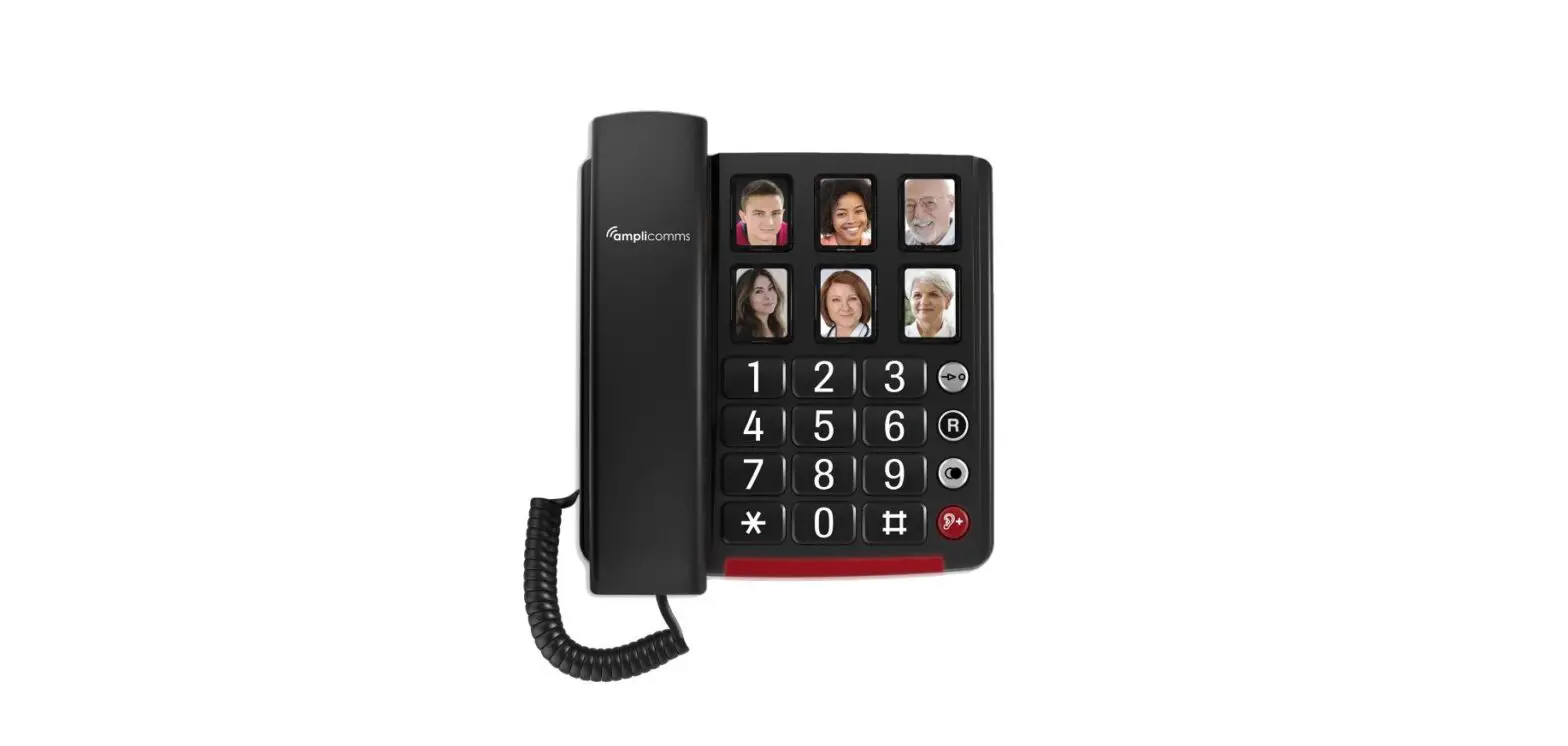
Model CL-30
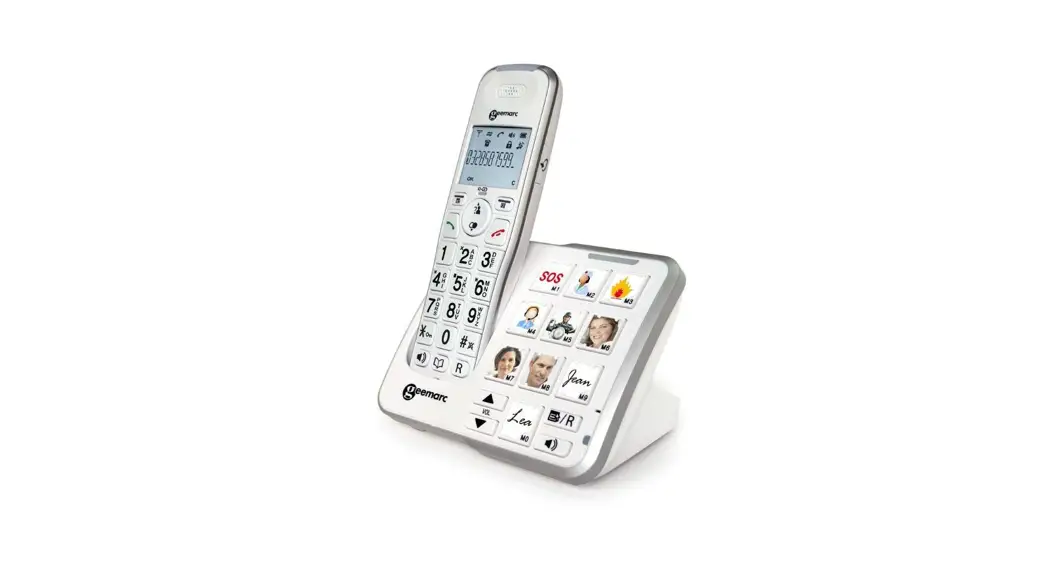
Amplified DECT Telephone with Talking CID & Talk-Back Feature
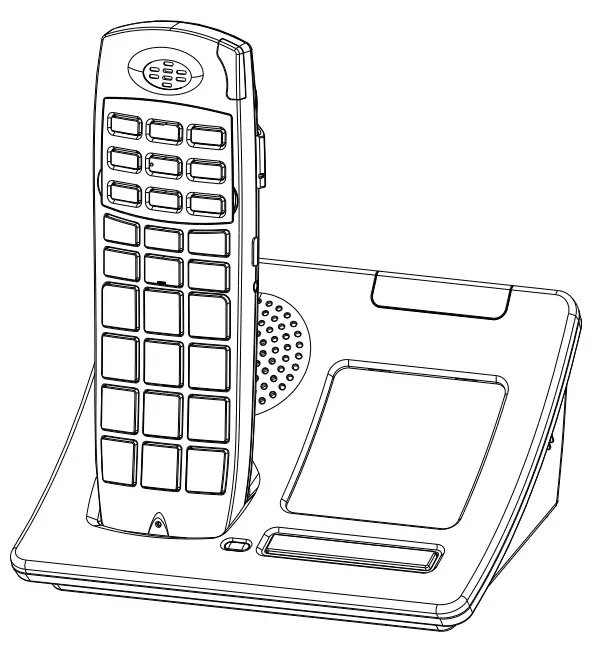
CONTENTS AND PARTS CHECKLIST
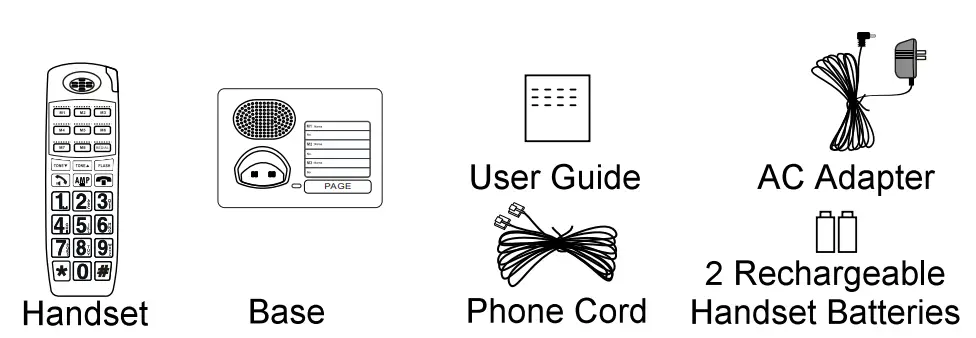
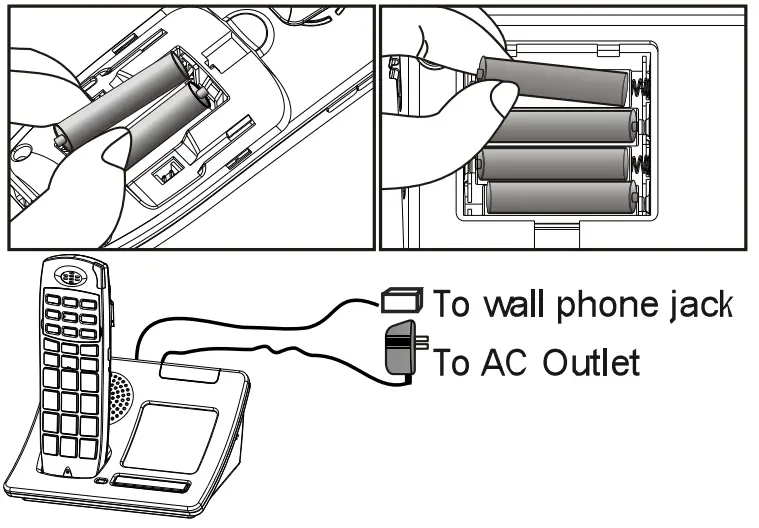
INSTALLATION DIAGRAM
- Install rechargeable batteries in the handset (included) and base( batteries not included) as shown
- Connect the AC adapter and phone cord to the base as shown.
- Charge handset for 24 hours before use.
Answering a call
- Press
 button when the phone rings. (Pressto engage speakerphone if need).
 - Press
 button to end the call.
 button when the phone rings. (Press
 button to end the call.
Making a Call
- Enter a phone number in idle mode.
- Press Button to go online and dial. (Press to engage speakerphone if need).
- Press button to end the call.
 Function, Volume & Tone Controls
- During a call, Press
 the button to toggle amplify function.
Caution: When it is On (illuminated), an extra level of amplification is added to the receiver volume. - Press
 Volume buttons (on the side) to adjust the volume level (5 settings).
 - While is ON, press
 or
or  T° buttons to select a tone setting (4 settings) for best voice clarity.
 Volume buttons (on the side) to adjust the volume level (5 settings).
 or
or  T° buttons to select a tone setting (4 settings) for best voice clarity.
Programming One-Touch Memories
- While off-line, enter your phone number.
- Press and hold
 (or M1 to MO) for 5 seconds to save.
 (or M1 to MO) for 5 seconds to save.
Dial from a One-Touch Memory
- While off-line, press to select.
- Press to go on-line and dial.
- Press to end the call.
FEATURE LIST and OVERVIEW
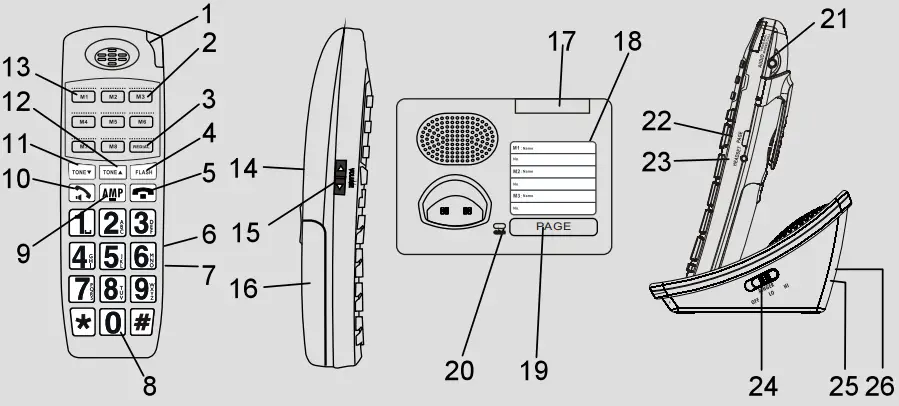
- In-Use / Ring Flasher / Voice mail I Missed Call indicator
- M2 to M8 buttons: One-touch memories
 button: Redial / Pause
 button: Generates a -Flash” signal to activate call waiting
- button: Press to end a call.
- Auto-Amplifier Switch: Enables automatic function.
- Talking CID/ Talking Keypad Switch: (6 & 7 are in the battery compartment)
- Keypad
- (Amplify) button with indicator: Press to engage extra handset receiver amplification.
 button: Press to make or answer a call. During a call, press to engage speakerphone.
- button: For tone control and ringer volume setting.
- button: For tone control and ringer tone setting.
- M1 button: One-touch that activates speakerphone.
- Speaker
- VOLUME Up/Down (side)
- Battery Compartment Cover
- Base Flasher / In-Use Indicator
- One-Touch Memory Directory Label
- Page Button: Press to page all registered handsets
- Charging Indicator
- Audio Jack: For receiver audio ouput.
- Page button: Press to intercom or transfer a call.
- Headset Jack
- Base Ringer Volume Control
- AC Adapter Jack (rear): For connection to power
- Phone JACK (rear): For connection to phone line.
 button: Redial / Pause
 button: Press to make or answer a call. During a call, press to engage speakerphone.
Reset Missed Call Indicator
While off-line, press and hold  button for 5 seconds to reset.
Power Down A handset
- While off-line, hold for 5 seconds to power down.
- To power up. press and hold for 5 seconds.
- Wait for a confirmation tone before using. This indicates handshaking has been established with base.
Register A New Handset
- Press and hold
 the button on the base for 5 seconds so it goes into Registration mode (confirm by a double beep & flashing LED).
 - Press and holdon the handset to register.
- Wait for a confirmation tone.
 the button on the base for 5 seconds so it goes into Registration mode (confirm by a double beep & flashing LED).
Automatic & Talking Switches
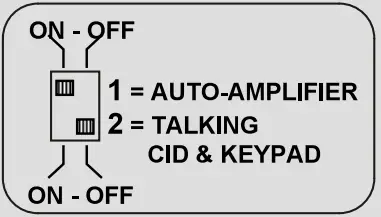
- Open battery compartment and locate two small slide switches.
- Set Switch 1 to ON if you want to be ON every time.
- Set Switch 2 to ON for talking CID and talking keypad.
Language Switch
- Locate Language switch in the battery compartment.
- Move the switch to select English or French.