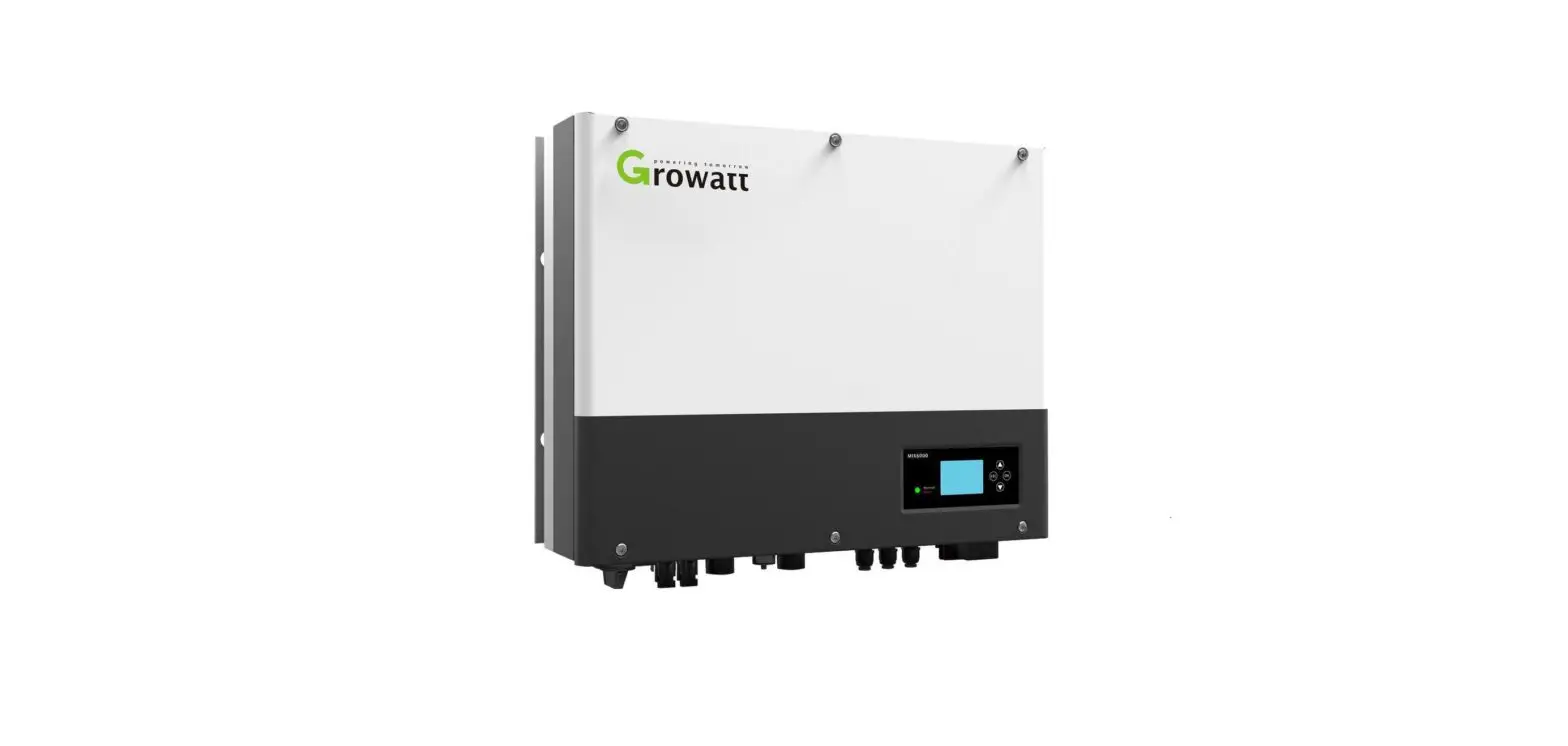
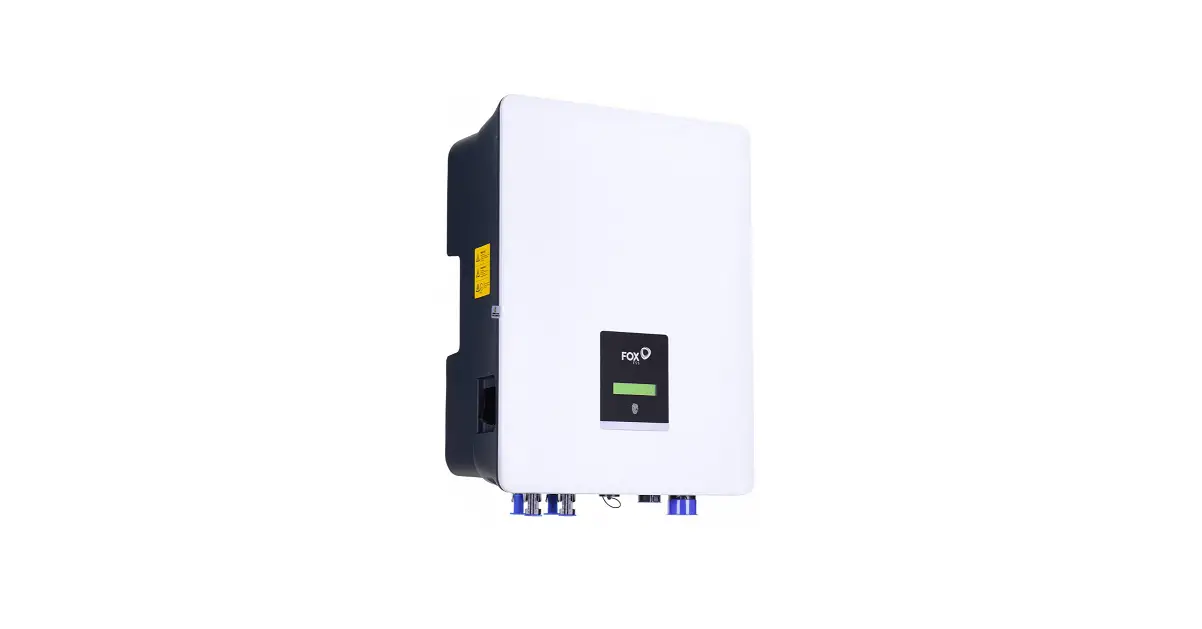
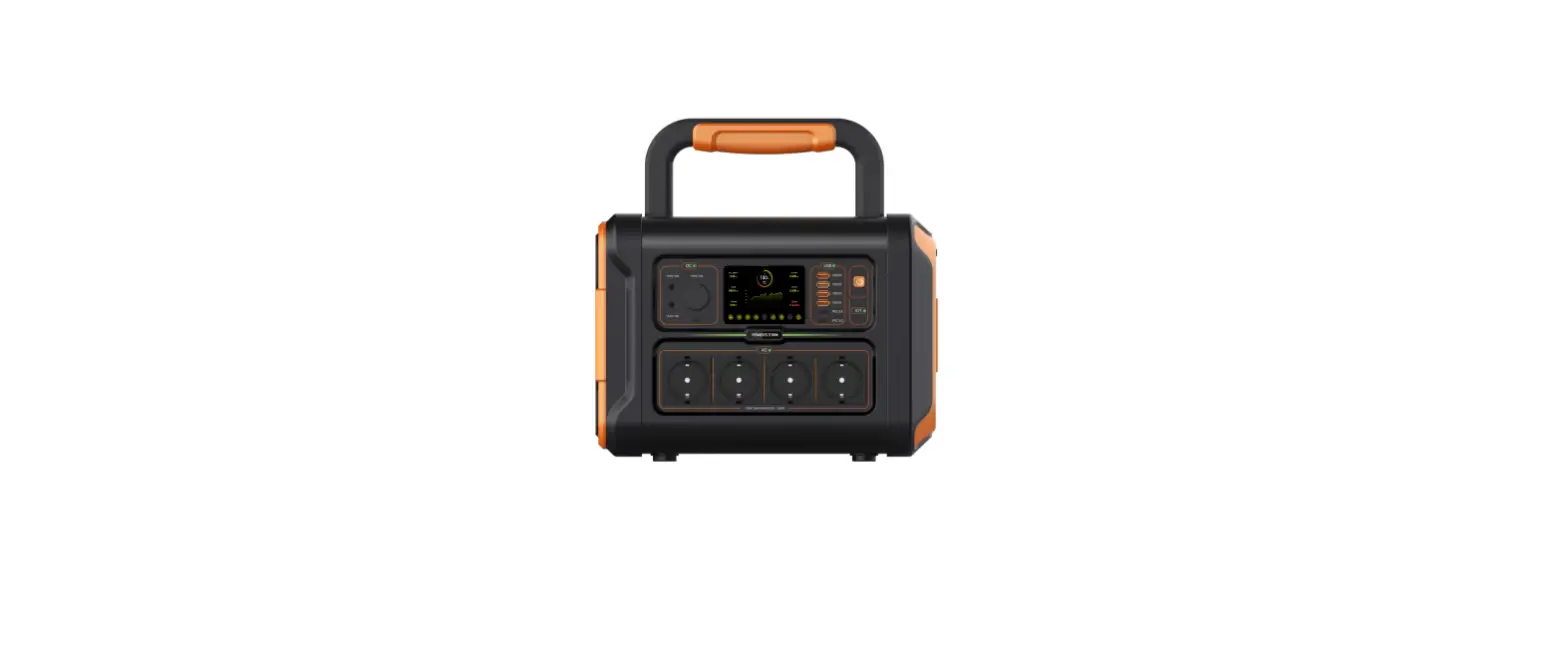
ESS-1KW Energy Storage System
User Manual – ESS-1KW Energy Storage System
Thank you for purchasing the ESS-1KW Energy Storage System. This
manual provides detailed information on the assembly, installation,
operation, and troubleshooting of the energy storage system. Please
read this manual carefully before installation and operation, and
keep it for future reference.
Contents
- 1. About the user manual
- 1-1 Purpose: This manual describes the assembly, installation,
operation, and troubleshooting of the energy storage system. - 1-2 Range: This manual provides safety guidelines and
installation guidelines as well as installation tool specifications
and connection cable specifications.
- 1-1 Purpose: This manual describes the assembly, installation,
- 2. Safety Guidelines: WARNING: This manual contains important
safety and operating instructions, read and save this manual for
future reference. - 3. Introduction: This energy storage system is built inside
with MPPT solar charger, hybrid solar inverter, AC charger, mode
switch, lithium battery pack, LED display, and remote WIFI monitor.
The user can operate and set it on the APP. - 7. Installation
- 7.1 Disassembling and inspection: Before installation, please
check the product and its accessories carefully. Make sure all
components are included without missing. - 7.2 Installation of the energy storage system: Please confirm
the following points before installation:- Do not install the energy storage system on the flammable
materials device. - Install the system on the solid surface to prevent falling
off. - Install the energy storage system at eye level to allow the LCD
display to be read or operated at all times. - For proper air circulation to dissipate heat, minimum clearance
of approx. 20cm to the side, and the ambient temperature should be
between 0~50 to ensure optimal operation. - Install the energy storage system in a dry, cool, and
well-ventilated environment; Make sure this product is free from
rain or wet environment to avoid short circuit or damage.
- Do not install the energy storage system on the flammable
- 7.3 Two installation methods
- 7.3.1 Vertical mounting
- Install the base and base bracket (4 sets of screws with
specification as KM5*10mm). - Place the energy storage system to the base bracket.
- Install the base and base bracket (4 sets of screws with
- 7.3.2 Wall mounted installation
- Fix the hanging bracket to the wall with 3 sets of expansion
screws (M6*60mm) and 3 sets of screws (KM5*10mm). The screws must
be fixed tightly to avoid falling off and hurt others. - Place the energy storage system to hanging bracket. Attention:
When placing the energy system to the hanging bracket, the
suggested distance to both sides is approx. 50cm to dissipate heat
to avoid overheat problems.
- Fix the hanging bracket to the wall with 3 sets of expansion
- 7.3.1 Vertical mounting
- 7.4 The connection ports introduction
- 7.4.1 Back connection ports
- AC input over-current reset breaker.
- AC input port.
- Reserve lithium battery balancing port (If the internal lithium
battery cells get unbalanced after years’ use, they can be balanced
via this port with external balancer). - Battery breaker.
- 7.4.1 Back connection ports
- 7.1 Disassembling and inspection: Before installation, please
Product Usage Instructions
- Before installation, carefully check all components to ensure
that no items are missing. - Choose either vertical mounting or wall-mounted installation
method, ensuring that the energy storage system is installed on a
solid surface and at eye level for easy operation. For proper air
circulation, maintain a minimum clearance of approximately 20cm to
the side and ensure that the ambient temperature is between 0~50 to
ensure optimal operation. - When installing the energy storage system to the hanging
bracket, maintain a suggested distance of approximately 50cm to
both sides to dissipate heat and avoid overheat problems. - Connect the AC input port to the AC cable, and connect the PV
cable to the solar panels. - If the internal lithium battery cells get unbalanced after
years of use, they can be balanced via the reserve lithium battery
balancing port with an external balancer. - Use the WIFI APP to operate and set the energy storage system
remotely.
User Manual
ESS-1KW Energy Storage System
WIFI APP download pageftp-smartree.y66.dnsnd.com/WIFImonitor.apk
Contents
1.About the User Manual…………………………………………………………………………1 2. Safety Instructions…………………………………………………………………………………1 3.Preface………………………………………………………………………………………………………… 1 4.Product Features………………………………………………………………………………………….. 1 5.Warranty Policy……………………………………………………………………………………………. 2 6.Basic System Structure…………………………………………………………………………………..2 7.Installation…………………………………………………………………………………………………3-7 8.WIFI Setting…………………………………………………………………………………………….. 7-10 9.System Wire Connection………………………………………………………………………… 11-13 10.Switching Operation Steps……………………………………………………………………. 13-14 11.Solar Panel Selection………………………………………………………………………………….14 12.Trouble Shooting………………………………………………………………………………………. 15 13. Technical Specification………………………………………………………………………….16-17
1. About the user manual 1-1 Purpose
This manual describes the assembly, installation, operation and troubleshooting of the energy storage system. Please read this manual carefully before installation and operation, and keep this manual for future reference.
1-2 Range This manual provides safety guidelines and installation guidelines as well as installation tool specifications and connection cable specifications.
2.Safety Guidelines WARNING: This manual contains important safety and operating instructions, read and save this manual for future reference.
1). Before using this product, please read all instructions and warnings signs on the case of this product, as well as the battery connection instructions and all relevant sections in this manual. 2). Do not open the case of this product without authorization. If you need maintenance or repair, take it to a professional or qualified service center. Improper reassembly may result in electric shock or fire. 3). To reduce risk of electric shock, disconnect all wires before attempting any maintenance or cleaning. Turning off the unit will not reduce this risk. 4). Caution: Only qualified personnel can install this energy storage system. 5). For optimum operation of this inverter, please follow required specification to select appropriate cable size. It is very important to correctly operate this system. 6). Be very cautious when working with metal tools on or around the energy storage system. Dropping a tool may cause a spark or short circuit in batteries or other electrical parts, even cause an explosion. 7). Please strictly follow installation procedure when you want to disconnect AC or DC terminals. Please refer to “Installation” section of this manual for the details. 8). Never cause AC input/output and DC input short circuited. Do not connect to batteries or solar panel when DC input short circuits. 9). Caution: Only qualified personnel are allowed to repair or test this products. If still problems after troubleshooting, please send the product back to the local dealer or service center for service.
3. Introduction This energy storage system built inside with MPPT solar charger, hybrid solar inverter, AC charger, mode switch, lithium battery pack, LED display and remote WIFI monitor. The user can operate and set on the APP.
4. Product Features Select the work mode as grid-tied or off grid. LED display working mode switch. SOC of energy storage capacity displayed via RGB lights. overload, over temperature, short circuit protection. Remote WIFI function, can check lots of the system’s data such as working status, solar power generation, power consumption,metering power, battery SOC, battery cycle times, voltage of each battery cells through the mobile phone APP. At the same time user can turn on or turn off through the mobile phone APP, whether it is in timing mode or smart mode. It can be used for timing mains charging and timing grid-tied or discharge.
1
5. Warranty Policy 1). This product gets 12 months warranty since the purchasing date. (Except for other warranty agreements or non-standard products). 2). This product enjoys lifetime service from the date of purchase from the manufacturer. 3). Disclaimer: Product failures caused by the following reasons are not covered by free warranty service : (1) The user does not operate this energy system according to the “User Manual”; (2) The user repairs or modifies the product without authorization and leads to the failure; (3) The user doesn’t follow up the technical parameters of this product when they use it; (4) The poor working environment leads to the abnormal aging or failure of product components; (5) Product damage caused by force majeure factors such as earthquakes, fires, wind and water disasters, lightning strikes, abnormal voltage or other natural disasters; (6) The product is damaged due to the improper transportation or other external force intrusion. (The transportation methods should be properly selected by the user, and the seller just assist to send them to the shipment agent). 4. Under the following circumstances, the manufacturer will not provide free warranty service: (1) When the brand, trademark, serial number, nameplate and other marks marked by the manufacturer on the product are damaged or unrecognizable; (2) When the user fails to clear the payment according to the “Sales Contract” signed by both parties; (3) When the user deliberately conceals the improper use of the product during installation, wiring, operation, maintenance or other processes. 6. Basic system structure The following schematic diagram shows the basic application of the energy storage system. It includes the following main components: *Mains, Solar modules. *Output load (light tube, fan, TV, computer, mobile phone charger). You can contact with the system integrator for other accessories such as solar brackets. The energy storage system can provide emergency power supply for home, such as lamp, fans, TV, computers and mobile phone chargers.
2
7. Installation
7.1 Disassembling and inspection
Before installation, please check the product and its accessories carefully. Make sure all components are included
without missing. The following items are included in the package:
* Energy storage
1 SET
* User manual
1PC
* AC cable
1PC
* PV cable
1PC
* Base
1PC
* Base bracket
1PC
* Hanging bracket 1PC
* Screw KM5*10mm 4PCS ( To fix the hanging bracket to the base)
* Expansion screws M6*60mm 3PCS ( To install the system on the wall)
* Screw M6*15mm 3PCS ( To install the system on the wall)
* Antenna
1PC
7.2 Installation of the energy storage system
Please confirm the following points before installation:
* Do not install the energy storage system on the flammable materials device.
* Install the system on the solid surface to prevent falling off.
* Install the energy storage system at eye level to allow the LCD display to be read or operated at all times
* For proper air circulation to dissipate heat, minimum clearance of approx. 20cm to the side, and the ambient
temperature should be between 0~50 to ensure optimal operation.
* Install the energy storage system in a dry, cool, and well ventilated environment; Make sure this product is free from
rain or wet environment to avoid short circuit or damage.
7.3 Two installation methods
7.3.1 Vertical mounting
Step 1 Install the base and base bracket ( 4 sets of screws with specification as KM5*10mm)
3
Step 2 Place the energy storage system to the base bracket
7.3.2 Wall mounted installation Step 1 Fix the hanging bracket to the wall with 3 sets of expansion screws (M6*60mm) and 3 sets of screws ( KM5*10mm). The screws must be fixed tightly to avoid falling off and hurt others.
Step 2 Place the energy storage system to hanging bracket. Attention: When place the energy system to the hanging bracket, the suggested distance to both side is approx. 50cm to dissipate heat to avoid overheat problem.
4
7.4 The connection ports introduction 7.4.1 Back connection ports
1: AC input over-current reset breaker 2: AC input port 3: Reserve lithium battery balancing port (If the internal lithium battery cells get unbalanced after years’ use, they can be balanced via this port with external balancer. 4: Battery breaker
5
7.4.2 Side connection ports
The detail introduction to the button, LED indicator and ports as follows:
Code No.
Name
Function
Function description in details
Smart grid-connected mode (default setting) : 4 conditions must
be met before the smart grid-connected mode is entered.
Grid-connected power is adjusted in real time according to the
solar power generation.
1: The SOC of the battery is more than 90%
On Grid Mode
2: Solar is charging
3: The grid power grid is normal and in the input range
4: Work mode switch is selected to the grid-connected mode
5 Work mode switch
Timing grid-connection mode (can be set via APP) : can set the
start time of grid-connection, grid-connection working time,
grid-connection current, SOC value.
Standby Mode
In this mode, can not work in off grid mode or on grid mode, but the battery will continue to be charged if there is solar energy.
In this mode, the system works in off-grid mode, and the AC
Off Grid Mode
output port have AC power and can power some small AC loads, such as TV sets, fans, LED lights and computers. If there is solar,
the battery will be charged also.
6
Before turning on the power switch, the main battery switch
Power on
must be closed. Touch the power switch, and all the indicators will self-check and light. (if the gird power or PV has been
connected in advance, the power will automatically turn on).
In emergency case, the system can not work normally, can press
Reset
the power button for more than 10 seconds, the system will enter to the reset status, all the indicators will self-check and
6
Power On/Off
light up again. If the settings are out of order in APP and need reset to factory
Button
settings, you can press the button for 8 times continuously, the Reset to factory setting
system will enter the factory restoration mode and restore the
system default parameters.
Press the button for 10Sthe indicator will flash and the system
will be power off. When power off the system, should meet the
Power On/Off
following 3 conditions, otherwise can not be powered off: Condition 1: No Solar
Condition 2: No Grid power
Condition 3: The work mode switch is in standby mode.
1.When it is on grid mode and feeds power to grid, the indicator keeps light.
7
On grid indicator 2.When it is on grid mode and in standby statusit flashes every 3 seconds. 3.When it is on grid mode and AC keeps charging,it flashes every 0.5 second.
8 Off grid indicator The system works in off-grid mode, and the battery is discharging with load.
9
Solar charge indicator
1.In fast charge, it flashes every 0.5 second. 2.It will keep light in float charge. 3.It will not light when no solar charge.
10
Error code
It will be lighted in low battery voltage, over temperature, overload protection or other
indicator
damage.
11
WIFI
WIFI Antenna installation port
12.13 14
AC output Port SOC
The 2 sockets have power only in off grid mode
1.Light in red color 0-25% 2.Light in blue color 26-50% 3.Light in green color 51-75% 4.Light in white color 76-100%
8. WiFi Setting
No.
Item
1 PCS Switch
1ST Start charging 2
Time
Setting format for reference
1Turn on(Default) 2Standby
0000
Explanation
When the system is in on-grid or off-grid work model,if select as “Standby”state, the system will be in standby state and need reset the work model as “Turn On” state before the system re-start work Setting between 0-23 hour and 0-59 minute. For example, set as 07:30, it means that the 1st charge period will start at 7:30
7
3
1st Charge period
4
Max. SOC of 1st Charge period
Charger current of
5
1st Charge period
2nd Start charging
6
Time
7
2nd Charge period
Max. SOC of 2nd 8
Charge period
0000
50%
20.0 0000 0000
70%
Set between 0-11 hour and 0-59 minute. For example, the setting is 01:20, it means the 1st charging period is 1 hour and 20 minutes (if the timing mode is started, but don’t want it charge,change the charge period to 00:00 directly, then 1st charge period will not work) Set between 20%-100%;for example,set as 50% it means the SOC of the 1st charge period will stop working once charging to 50%. The SOC will be compared with the charging time, whichever arrives first and which stops first. For example: SOC is set as 50%, while the charging time is set as 10 minutes and the battery is only charged to 40% in 10 minutes,the system will also stop charging after 10 minutes before SOC reaching to 50%. Another example: SOC is set as 50% and the charging time is set as 10 hours. If the battery is charged to 50% less than 5 hours,the system will also stop charging before reach the set time. (This charging here refers to the mains charging instead of solar charging.For solar charger,it will be automatically charged as long as there is solar power). Set between 1-40A. For example20.0 means the charge current of 1st charging period is 20A. (This charging here refers to the mains charging instead of solar charging.For solar charger,it will be automatically charged as long as there is solar power). Setting between 0-23 hour and 0-59 minute. For example, set as 11:00, it means that the 2nd charge period will start at 11:00. Set between 0-11 hour and 0-59 minute. For example, the setting is 00:20, it means the 2nd charging period is 0 hour and 20 minutes (if the timing mode is started, but don’t want it charge,change the charge period to 00:00 directly, then 2nd charge period will not work) Set between 20%-100%;for example,set as 70% it means the SOC of the 2nd charge period will stop working once charging to 70%. The SOC will be compared with the charging time, whichever arrives first and which stops first. For example: SOC is set as 70%, while the charging time is set as 10 minutes and the battery is only charged to 40% in 10 minutes,the system will also stop charging after 10 minutes before SOC reaching to 70%. Another example: SOC is set as 70% and the charging time is set as 10 hours. If the battery is charged to 70% less than 10 hours,the system will also stop charging before reach the set time.
8
Charger current of
9
2nd Charge period
1st Start discharging 10
Time
11
1st discharge period
Mini. SOC of 1st 12
discharge period
13
Discharge current of 1st discharge period
2nd Start discharging
14
Time
15
2nd discharge period
10.0 0000 0000
50%
20.0 0000 0000
(This charging here refers to the mains charging instead of solar charging.For solar charger,it will be automatically charged as long as there is solar power). Set between 1-40A. For example10.0 means the charge current of 2nd charging period is 10A. (This charging here refers to the mains charging instead of solar charging.For solar charger,it will be automatically charged as long as there is solar power). Setting between 0-23 hour and 0-59 minute. For example, set as 08:00, it means the system will discharge battery power to the grid (feed to grid) from 08:00 in 1st discharging period. Set between 0-11 hour and 0-59 minute. For example, the setting is 03:20, it means the 1st discharging period is 3 hour and 20 minutes (if the timing mode is started, but don’t want it discharge,change the discharge period to 00:00 directly, then 1st discharge period will not work) Set between 20%-100%;for example,set as 50% it means the system will stop discharge battery power to the grid (feed to grid) once the battery SOC reaches to 50% in the 1st discharge period. The SOC will be compared with the discharge time, whichever arrives first and it stops first. For example: SOC is set as 50%, while the discharging(feeding to grid) time is set as 10 minutes. When battery SOC discharges to 60%, but the discharge time already reach to 10 minutes,it will stop discharging(feeding to grid) also. Another example: SOC is set as 50% and the discharging time is set as 10 hours. If the battery is discharged to 50% less than 10 hours,the system will also stop discharging to grid before reach the set time. (This discharging/feeding to grid has nothing to do with solar power.For solar charger,it will be automatically charged as long as there is solar power). Set between 1-20A. For example20.0 means the charge current of 1st discharging period to grid is 20A. (This discharging here refers to battery power feeds to grid.For example,if it set as 20A, the battery power feeds to grid is: 26V*20A=520). Setting between 0-23 hour and 0-59 minute. For example, set as 12:00, it means the system will discharge battery power to the grid (feed to grid) from 12:00 in 2nd discharging period. Set between 0-11 hour and 0-59 minute. For example, the setting is 04:00, it means the 2nd discharging period is 4 hour(if the timing mode is started, but don’t want it
9
16
Discharge current of 2nd discharge period.
30%
Discharge current of
17
2nd discharge period
20.0
18
Year/Month/Day/Hou r/ Minute/Second
2022-12-14 20:34:51
1:Smart Mode
19
Function Switch (Default)
2:Timing Mode
discharge,change the discharge period to 00:00 directly, then 2nd discharge period will not work). Set between 20%-100%;for example,set as 30% it means the system will stop discharge battery power to the grid (feed to grid) once the battery SOC reaches to 30% in the 2nd discharge period. The SOC will be compared with the discharge time, whichever arrives first and it stops first. For example: SOC is set as 30%, while the discharging(feeding to grid) time is set as 10 minutes. When battery SOC discharges to 50%, but the discharge time already reach to 10 minutes,it will stop discharging(feeding to grid) also. Another example: SOC is set as 30% and the discharging time is set as 10 hours. If the battery is discharged to 30% less than 10 hours,the system will also stop discharging to grid before reach the set time. (This discharging/feeding to grid has nothing to do with solar power.For solar charger,it will be automatically charged as long as there is solar power). Set between 1-20A. For example20.0 means the charge current of 2nd discharging period to grid is 20A. (This discharging here refers to battery power feeds to grid.For example,if it set as 20A, the battery power feeds to grid is: 26V*20A=520). Set based on the current time according to the format strictly 1. Intelligent grid-tied mode, this mode is recommended first to ensure that the battery is fully charged; Smart grid-tied mode (default setting): Four conditions need to be met to enter the smart grid-tied mode, and the grid-tied power is adjusted in real time according to the solar power generation. 1) Battery SOC is more than 90% 2) With solar charging 3) The grid power is normal and the voltage is within the input range 4) The mode switch is selected in grid-tied mode
2. Timed grid-tied mode: work according to the set start time, duration, SOC, and current
When you set the parameters in the APP and find that the settings are messed up, you need to restore the factory settings, you can press the ON/OFF button for 8 times, the system will restore the factory settings, and return to the default set
10
9. System Wire Connection 9.1 Disassemble the wiring cover (use a screwdriver to remove the 4 screws on the wiring cover)
9.2. The wiring connection of solar panel with energy storage system. Caution: Do not reverse connect the positive and negative poles of solar panel. Be careful of electric shock. 9.2.1 Place all connection wires at the back side of the energy storage system 9.2.2 Adopts PV cables. Make sure all wires are fixed properly and tightly to avoid heating caused by loose or poor contact.
11
9.3. The wiring connection of AC input with energy storage system. 9.3.1. Before do AC input wire connecting, make sure disconnect all breaker to ensure personal safety. 9.3.2. Connect the AC cable attached in the package to the AC input port of energy system, Make sure all wires are fixed properly and tightly to avoid heating caused by loose or poor contact. 9.3.3 Place all connection wires at the back side of the energy storage system
9.4. The wiring connection of AC output with energy storage system. 9.4.1. Before do AC input wire connecting, make sure disconnect all breaker to ensure personal safety.
12
9.5. The wiring connection of AC output with energy storage system. 9.5.1.Fix the attached antenna to the energy storage system
10. Switching Operation Steps 10.1. Double check if all wires are connected correctly and tightly. 10.2. After double confirmation, turn on the battery breaker.
10.3. Press the power switch, all the LED indicators will be lighted one by one, and then the system can works.
13
10.4 Select the switch to the grid-tied mode or the off-grid mode according to the actual situation. After select the work mode, the corresponding mode indicator will be lighted after 30 seconds, and the system will start working at the same time. If it is the off-grid mode, the AC The output socket will have AC output power.
10.5 Connect with solar panel, the solar charging indicator will be lighted after waiting for about 1 minute, 10.6 Connect with the grid power (if the system meets the conditions of intelligent grid-tied mode, the system will run automatically). 10.7 If the grid power fails or is abnormal, it needs work as off-grid mode, can connect small household loads to the AC output socket (running in off-grid mode). 10.8 Turning off steps are reversed.
11. Solar panel selection Before select the proper solar panel, the following parameters will be considered: 1) . The Voc of solar panel can not exceed the system’s max PV Voc . 2) . The Voc of solar panel should be in the allowable range.
Item Max PV Voltage (Voc) MPPT Voltage Range
ESS-1KW 150dc
36Vdc-150Vdc
Take 400W solar panel for example, the recommend solar panel for ESS 1KW energy storage system is as follows:
Power Output Pmax
370W
Voltage at PmaxVmpp Current at PmaxImpp Open-circuit VoltageVoc
34.4V 10.89A 41.6V
1pc or 2pcs or 3pcs in series connection
Short-circuit CurrentIsc
11.45A
14
12. Trouble Shooting.
Item PCS Warning
Problems
Hardware failure
PCS Over heated AC voltage failure Batter voltage failure The communication of PCS with main control system Battery voltage is low
Possible Reasons The possible reason: The output is overloaded, or the output load is short-circuited, or the battery is low-voltage protected, or the inverter is damaged. Can try to restart it to check if it works normally. The load is too heavy or the system is installed in somewhere with high temperature and bad ventilation The grid power is abnormal The battery voltage is too low or the battery is in low voltage protection
The main control system failed to communicate with PCS
No battery power, need be charged
Solar panel is over-current Connect too much solar panel
MPPT Solar Charger Failure PV input is over-voltage
Controller is over temperature
The LiFePO4 cell is over-voltage protection
Too much panel in series connection, and the PV input voltage exceeds 150Vdc. Check if the solar panel connection and qty are correct. The solar panel power exceeds the max PV input power, or the solar panel is installed in somewhere with high temperature and poor ventilation
The internal cell is over charged. Just disconnect charging, and discharge the battery with the load
The LiFePO4 cell is low-voltage protection
No power in the battery. Need be charged in time or some LiFePO4 cell is damaged.
Lithium Battery Protection
The LiFePO4 pack is over-voltage protection The LiFePO4 pack is low-voltage protection Over temperature protection in charging Low temperature protection in charging
Over temperature protection in discharging
The battery is over charged, just discharge the battery with the load.
No battery power, need be charged in time
The set charge current is too big, or the product is installed in somewhere with high temperature and poor ventilation
The ambient temperature is too low to charge
Too much load or the product is installed in somewhere with high temperature and poor ventilation
Low temperature protection in discharging Over-current protection In charging
The ambient temperature is too low to discharge The charging current setting is too high
Over-current protection In discharging
Too much load
Short circuit protection
The load is too heavy or the battery is short-circuited or the internal BMS is damaged
15
13. Technical Parameters.
Model no.
Storage information
1 Normal Battery Voltage(Vdc)
2 Low Battery Warning Voltage
3 Low Battery Protection Voltage
4 Over Protection Voltage
5 Battery type
6 Cell brand
7 The capacity of each cell
8 Cell QTY
9
Normal Capacity (25 0.2C) (WH)
10
Cells Cycle life (25, 0.2C, 80% SOH
Grid input Parameters
1 Max. Power Feed to Grid 2 AC Input Current 3 AC Input Range
4 AC Input Frequency Range
5 THDI
6 Rectification efficiency Off Grid Output Parameters
1 Continuous AC Output Power 2 Output peak powerW
3 Ac Output Voltage
4 Power factor 5 Output waveform 6 Output frequency
7 Inverter Efficiency
Solar charge controller data 1 Type 2 Rated battery voltage
ESS-1KW
25.6VDC SOC 20% SOC 20% 29.2VDC LiFePO4
CATL 3.2V 20AH
24PCS 1536wh 2000cycles&25 1500cycles&45
600W Max. 0-40A(Adjustable)
90-265VAC 50HZ ±3HZ
3% 90% Max.
1000W If the load 1100W, shut off after 1 minute;
If the load 2000W, shut off after 200ms 220VAC
1.0 Pure sine wave
50HZ
90% max.
MPPT
25.2V
16
3 Charging current
30A max
4 Equalizing charging voltage
29.2V
5 Floating charge voltage
27.6V
6 Overcharge protection
29.4V
7 PV input voltage range
36-150VDC
8 PV input power
1200W max.
9 PV charging power
800W max.
10 Conversion efficiency
96%max
11 PV charging power
1 String
Display
1 LED Display
2
Remote WIFI APP supports Android and Iphone (through the APP, you can check the working parameters and set the system working mode: such as off-grid mode, grid-tied mode) and other functions
Protection Functions
7.1 IP Level 7.2 Protection Environment
IP21
Overcharge protection,Over-discharge protection,Over-current protection, Short-circuit protection, Over-temperature protection, Anti-Islanding Protection
9.1 The noise
60dB Max1 meter
9.2 Operating Temperature
‘0 to 50
9.3 Humidity
5% to 95% Relative Humidity(Non-condensing)
9.4 Operating Temperature
9.5 Altitude SIZE 1 Products sizeL*W*H
‘-10 to 60 Below 1,500 meters above sea level. When the altitude is higher than 1500
m , derating is required.
L794*W420*H160mm
2 Packing sizeL*W*H
L853*W483*H253mm
Weight
1 N.W. (kgs)
28kg
2 G.W. (kgs)
35kg
17
 ftp-smartree.y66.dnsnd.com/WIFImonitor.apk