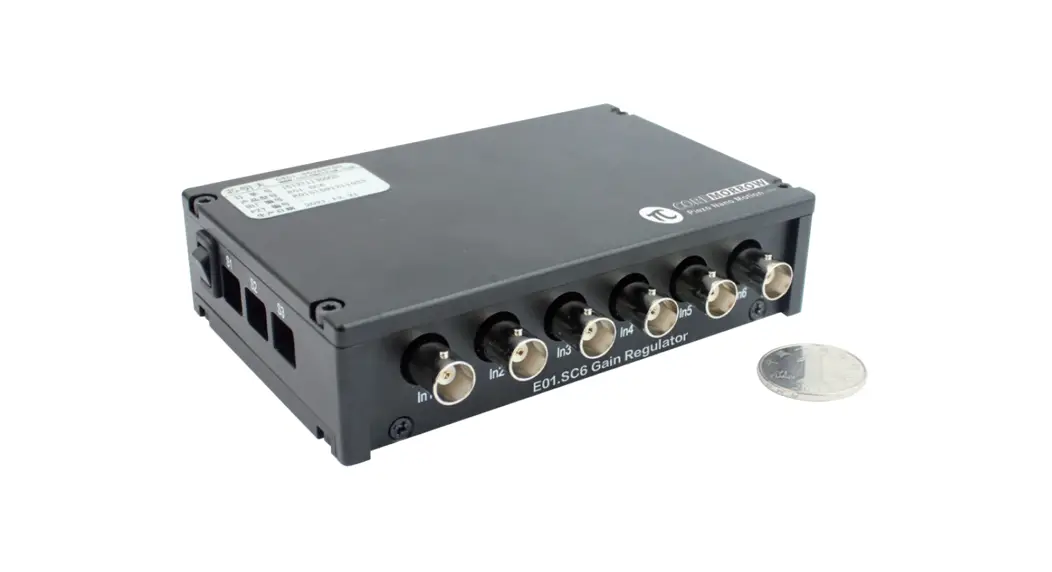
 E01.SC6 Gain Regulator
User Manual
Versions:V1.0 Date:2021-12-29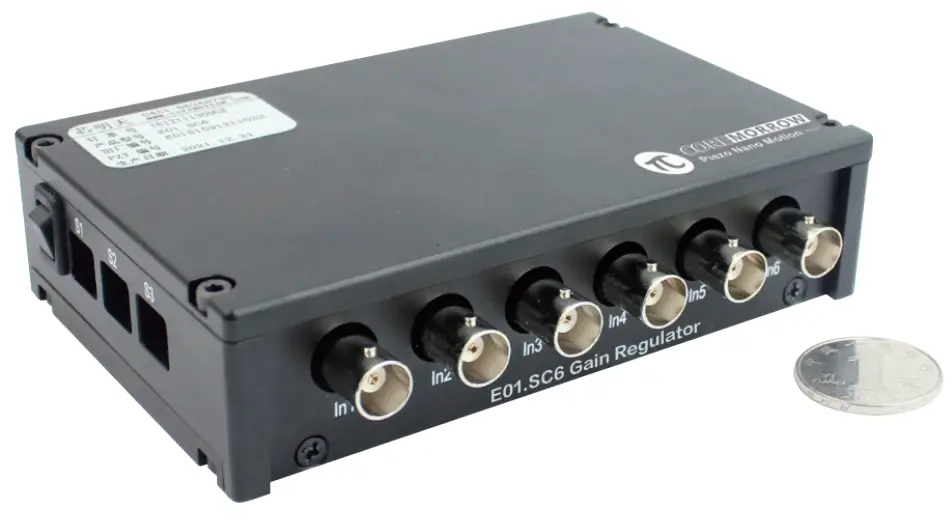 This document introduces below product:
E01.SC6
Declaration
Declaration !
This manual is used for E01.SC6 gain regulator, before use, please read this manual in detail.Please according to this instruction to operate the product, if you have any question, please contact with CoreMorrow for technical support. If you fail to operate in accordance with this manual or disassemble and modify the product yourself, CoreMorrow will not be liable for any consequences arising thereform.
Please read the following to avoid personal injury and prevent damage to this product or any other products connected to it. In order to avoid possible hazards, this product can only be used within the specified range.
Notice !
- Do not touch any exposed ends of the product and its accessories.
- Do not open the case privately.
- Do not plug in or out the input, output, or power cord when the power is on.
- Please keep the surface of the product clean and dry, and do not operate in a high humidity or high static electricity environment.
- When switching the output of the gain regulator, please turn off the power supply of the gain reg- ulator first.
Danger !
- Pay special attention if you connect products other than our company, please follow the general accident prevention regulations.
Warning !
- If the change or maintenance of the instrument is not carried out by the personnel expressly auth
- orized by CoreMorrow, CoreMorrow will not assume any responsibility for improper maintenance or incorrect use.
- Changes or maintenance must and can only be performed by personnel expressly authorized by CoreMorrow. For maintenance, only original parts can be used.
Overview
1.1 Characteristics
- Small size;
- 21.6V to 26.4V power supply;
- Analog input range 0 to 10V;
- 6 channels;
- 4 gain selectors for each channel.
1.2 Application
- Used for gain adjustment of analog input of piezo controller.
1.3 Order information
This product is customized according to user’ s requirements:
- Gain/adjustment 0~10Voutput (in default);
- Gain/adjustment 0~9.33V output;
- Gain/adjustment 0~6.66V output;
- Gain/adjustment 0~2.66V output.
Function
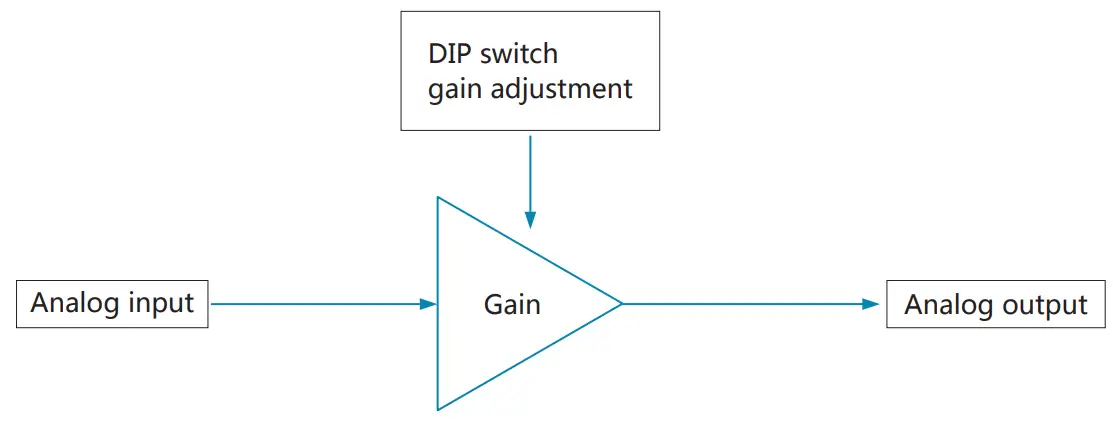
Appearance
Technical Data
| Types | E01.SC6 | |
| Power supply | Input voltage | 24VDC/0.3A(21.6V–26.4V) |
| Static consumption | <1W | |
| Input | Interface | BNC |
| Channels | 6 | |
| Nominal analog input | 0 to 1V | |
| Output | Interface | SMB |
| Channels | 6 | |
| Nominal analog output range (4 gain selectors for each channel) | 1 0-10y; 2 0-9.33V; 3 0-6.66V; 4 0-2.66V; | |
| Appearance | Size | 129mmx84mmx32mm |
| Mass | 485g | |
Interface
Panel Introduction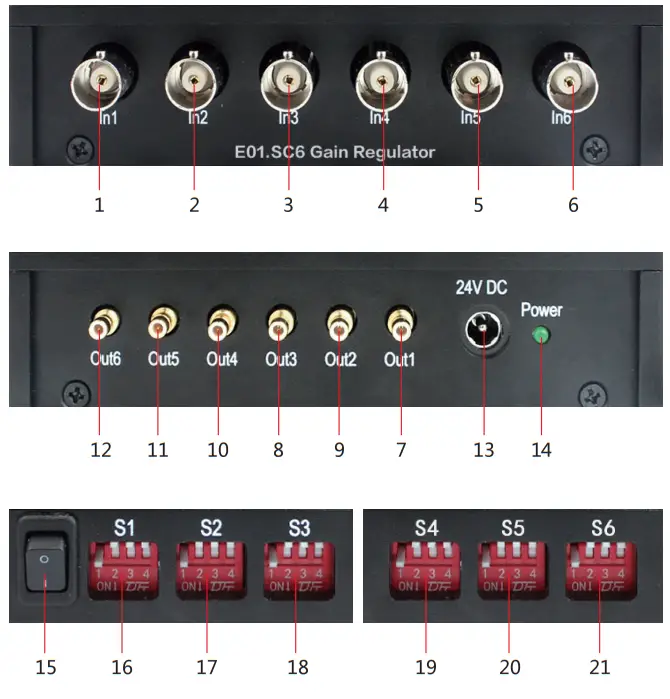
| No. | Function | Description |
| 1~6 | Analog input | 1~6 channel analog input |
| 7~12 | Analog output | 1~6 channel analog output |
| 13 | Power supply | The power connector socket, connected through a power adapter or a DC power supply. |
| 14 | Power indicator | Indicating power supply status |
| 15 | Power switch | Power control, on or off |
| 16~21 | DIP switch | 1~6 channel gain adjustment DIP switch |
Gain Adjustment
E01.SC6 gain regulator features 6 channels input and 6 channels output, there are 4 gain selectors for each channel, and 1 to 6 channel gain DIP switch is in sequence coresponding to S1 to S6. Gain selectors are shown in blow.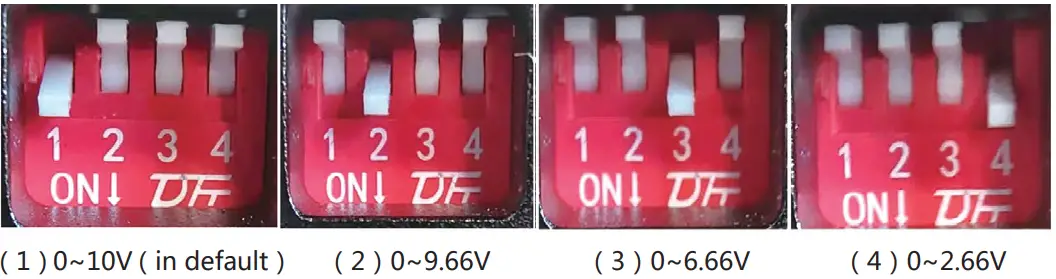
Note: Please shift the gain selector after power off.
Contact Us
Harbin Core Tomorrow Science & Technology Co., Ltd.
Tel: +86-451-86268790/+86-18944636468
Fax: +86-451-86267847
Email: [email protected]
Website: www.coremorrow.com
Address: Building I2, No.191 Xuefu Road, Nangang District, Harbin, HLJ, China
CoreMorrow Official and CTO WeChat are below:
 http://weixin.qq.com/r/PEzawqnEyfS2re2h9xku
https://u.wechat.com/MLGgcibyO7Xk1UpT5uIh4Wc
 产品中心 - 芯明天-压电纳米定位与控制系统制造商