 Doc. No.DIT-69900-OM005-E
PRODUCT NAME
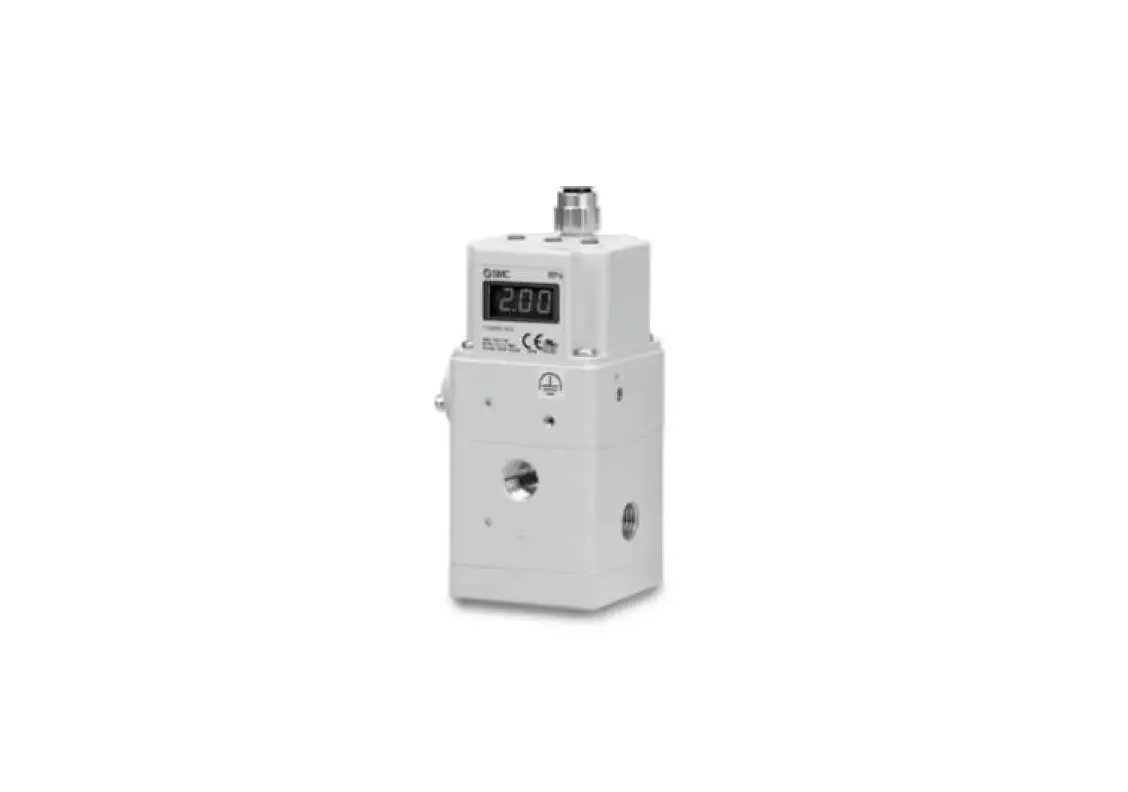
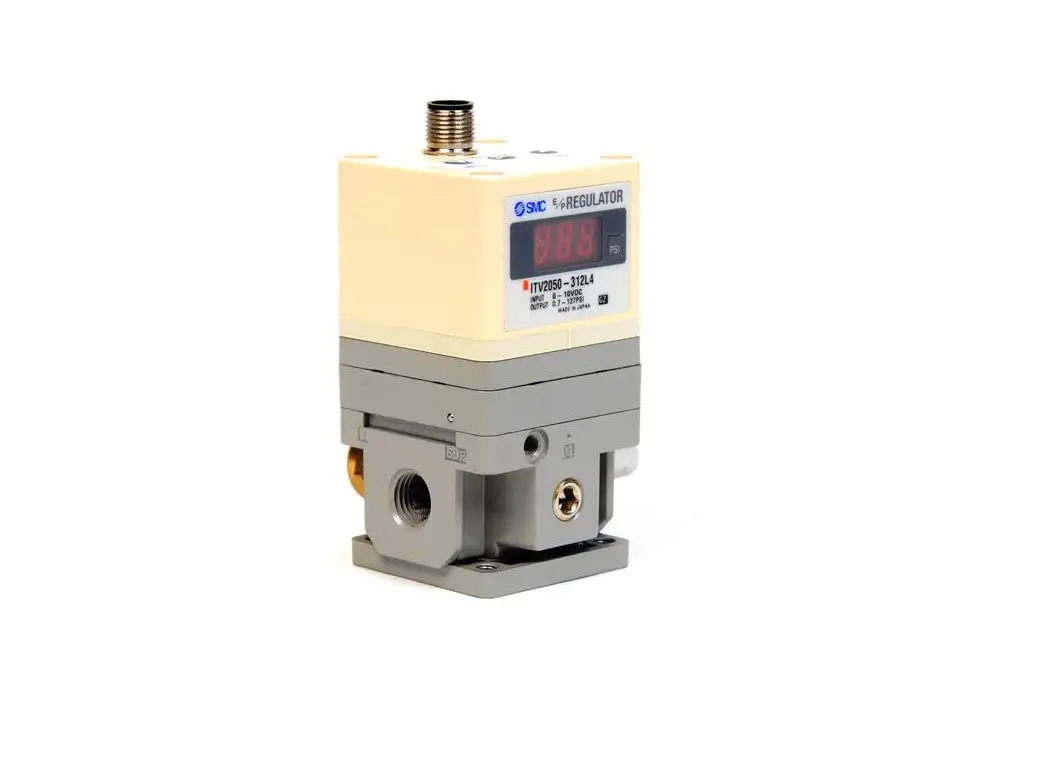
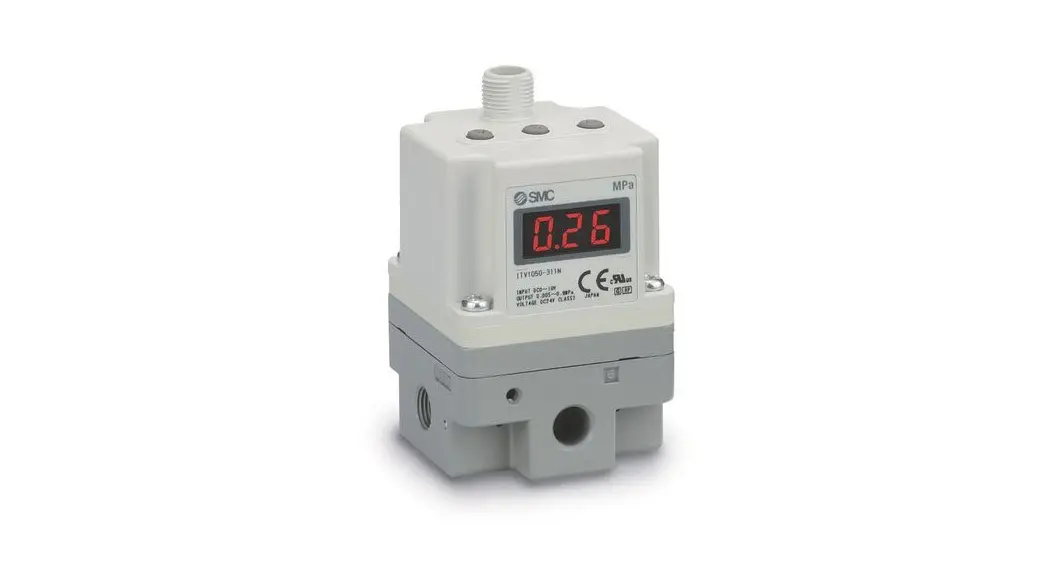
IO-Link/ELECTRO-PNEUMATIC REGULATOR
MODEL / Series / Product Number
ITV1000/2000/3000-IO* Series
Operation Manual
This is the operation manual for the IO-Link compliant ITV.
For other contents which are not described in this manual, please refer to the operation manual for the standard product.
Product Specifications
| Item | Specified value |
| Power supply voltage | DC24 V ±10% F.S. |
| Current consumption | 0.12 ADC or less |
| Communication specifications | IO-Link communication |
| Vendor ID | 131(Dec) |
| Device ID | 272(Dec) |
| ITV FW Version *1 | Version1.2 |
*1 It becomes the FW version of the software of ITV.
Please contact the confirmed method of the FW version of our company.
Safety Instructions, precautions, and other specifications are the same as the standard series.
Wiring
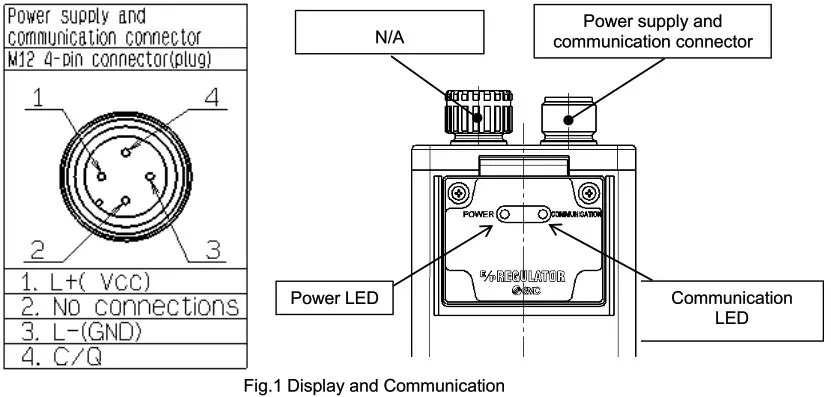
* Please don’t do the insert and remove of live-wire after the power supply is turned on.
It causes the communication abnormality with the master by the situation.
Communication specifications
| Item | Specification | Note |
| Protocol | 10-Link | |
| version | Version 1.1 | |
| Communication speed | 230.4 kbps (COM3) | *1 |
| 10-Link port | Class A | |
| 10-Link type | Device | |
| Process data | 2 bytes IN 2 bytes OUT | Resolution 12 BIT |
*1 If parameters are not saved, it may be improved by changing master cycle time to 3.5msec or more.
Pressure setting method and output monitoring
Pressure can be set by sending input data from the master PLC to the regulator where the F.S is based on a 12 BIT resolution.
Do not operate the product outside of the specifications.
<Relationship between set data and pressure>
| Set data | 0x0000 | 0x7FF8 |
| Output pressure | 0% | 100% |
From the 16 BIT process data (2byte), input the 12BIT resolution starting from 3rd BIT to the 14th BIT.
Refer to the communication data for further details.
Communication data
Process data map
PD OUT (to ITV)
| 15*1 | 14 | 13 | 12 | 11 | 10 | 9 | 8 | 7 | 6 | 5 | 4 | 3 | 2 | 1 | 0 | Bit |
| Set pressure value.(13 BIT) | Disabled*2 | Value | ||||||||||||||
100% F.S.is indicated using 12 BITs, from the 3rd BIT to the 14th BIT.
*1 Setting up to 120% F.S is possible by using the 15th BIT (However this is out of warranty).
*2 Either 0 or 1 will have no effect.
PD IN (from ITV)
| 15*1 | 14 | 13 | 12 | 11 | 10 | 9 | 8 | 7 | 6 | 5 | 4 | 3 | 2 | 1 | 0 | Bit |
| Set pressure value.(13 BIT) | On hold*4 BDC1 | Value | ||||||||||||||
100% F.S. is indicated using 12 BITs, from the 3rd BIT to the 14th BIT.
*3 Setting up to 120% F.S is possible by using the 15th BIT (However this is out of warranty).
*4 0 is returned in an unused area.
Detection of the set pressure
| BDC1 | 1 | When set pressure is reached |
| 0 | When set pressure is not reached |
*It detects when the output pressure reaches within ±10% F.S. of the set pressure.
List of parameters
| INDEX | Name: | Function |
| OxOC | Device access lock | The setting of the device access lock is changed. |
| 0x42 | Gain tuning function | Sets the response time. |
| 0x43 | Sensitivity tuning function | Sets the sensitivity. |
| 0x41 | HOLD/CLEAR setting | Sets the operation in response to a communication error. |
| 0x44 | Initialization | Resets the settings to the default value. |
| 0x46 | Zero adjustment | Sets the minimum pressure. |
| 0x47 | Span adjustment | Sets the maximum pressure. |
| Parameter index | OxOC | ||||
| Parameter name | Device access lock | ||||
| Function | In ITV for 10-Link, you can set “lock / unlock” for the data storage function. Locking data storage functions will invalidate data storage functions. When backing up data storage (Parameter setting data to read) or restoring (Overwriting parameter setting data) is instructed while the data storage function is locked, the access rejection is answered. Default: 0(unlock) | ||||
| Bit | Bit 1, 0 | ||||
| Value | Bit -:- | 1 | 0 | Content | |
| 0 | 0 | Unlocking the data storage function (Available data storage function) | |||
| 1 | 0 | Data storage function lock. (Disable data storage function.) | |||
* indicates the initial shipping value.
| Parameter index | 0x42 | ||||||
| Parameter name | Gain tuning function | ||||||
| Function | The response time can be changed by turning the gain. When the gain is increased, the response time tends to be faster, but stability will be lost, which may cause hunting (unstable pressure). Default: Gain 9 | ||||||
| Bit | Bit 3, 2, 1, 0 | ||||||
| Value | Bit * | 3 | 2 | 1 | 0 | Setting | |
| 0 | 0 | 0 | 0 | Gain 0 | |||
| 0 | 0 | 0 | 1 | Gain 1 | |||
| 0 | 0 | 1 | 0 | Gain 2 | |||
| 0 | 0 | 1 | 1 | Gain 3 | |||
| 0 | 1 | 0 | 0 | Gain 4 | |||
| 0 | 1 | 0 | 1 | Gain 5 | |||
| 0 | 1 | 1 | 0 | Gain 6 | |||
| 0111Gain7 | |||||||
| 1 | 0 | 0 | 0 | Gain 8 | |||
| 1 | 0 | 0 | 1 | Gain 9 | |||
| 1 | 0 | 1 | 0 | Gain A | |||
| 1 | 0 | 1 | 1 | Gain B | |||
| 1 | 1 | 0 | 0 | Gain C | |||
| 1 | 1 | 0 | 1 | Gain D | |||
| 1 | 1 | 1 | 0 | Gain E | |||
| 1 | 1 | 1 | 1 | Gain F | |||
* indicates the initial shipping value.
| Parameter index | 0x43 | |||||
| Parameter name | Sensitivity tuning function | |||||
| Function | Changing the sensitivity will change the pressure correction operation near the set pressure point. When the sensitivity is increased, hunting may occur. When the sensitivity is decreased, hunting will be reduced, but the pressure correction will be reduced, so there may be moderate pressure instability. Default value: Sensitivity 0 | |||||
| Bit | Bit 2, 1, 0 | |||||
| Value | Bit ..- | 2 | 1 | 0 | Setting | |
| 0 | 0 | 0 | Sensitivity – | |||
| 0 | 0 | 1 | Sensitivity | |||
| 0 | 1 | 0 | Sensitivity 0 | |||
| 0 | 1 | 1 | Sensitivity 1 | |||
| 1 | 0 | 0 | Sensitivity 2 | |||
| 1 | 0 | 1 | Sensitivity 3 | |||
| 1 | 1 | 0 | Sensitivity 4 | |||
| 1 | 1 | 1 | Sensitivity 5 | |||
* indicates the initial shipping value.
| Parameter index | 0x41 | |||
| Parameter name | Hold/Clear setting | |||
| Function | Sets the output setting when a communication error occurs. 0: Exhaust completely (Clear). 1: Output pressure is maintained (Hold). Default value: Clear | |||
| Bit | Bit 0 | |||
| Value | Bit | 0 | Setting | |
| 0 | Clear | |||
| 1 | Hold | |||
* indicates the initial shipping value.
| Parameter name | 0x44 |
| Parameter name | Initialization |
| Function | All of the setup including the internal control constant is initialized with this function. Perform this function only when the product is completely stopped due to an error. |
| Bit | BIT 0 to 7 |
| Value | Any value between 0 to 11111111 |
| Parameter index | 0x46(Zero adjusting), 0x47(Span adjusting) | ||||||
| Parameter name | Zero adjusting, Span adjusting | ||||||
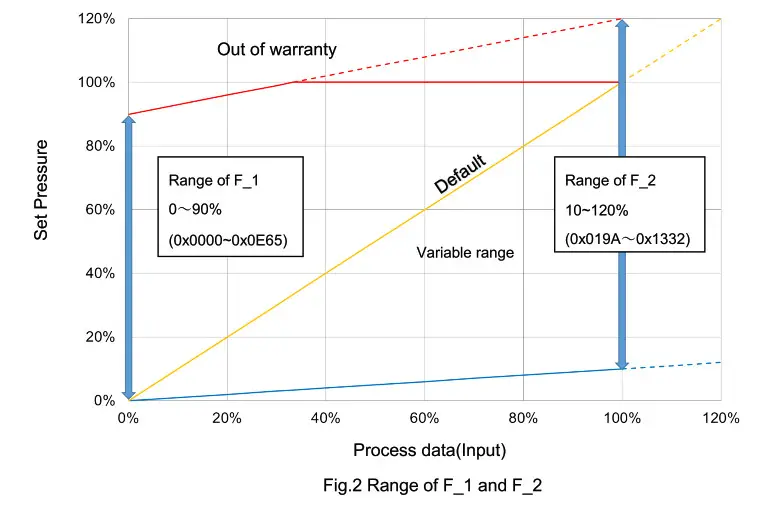
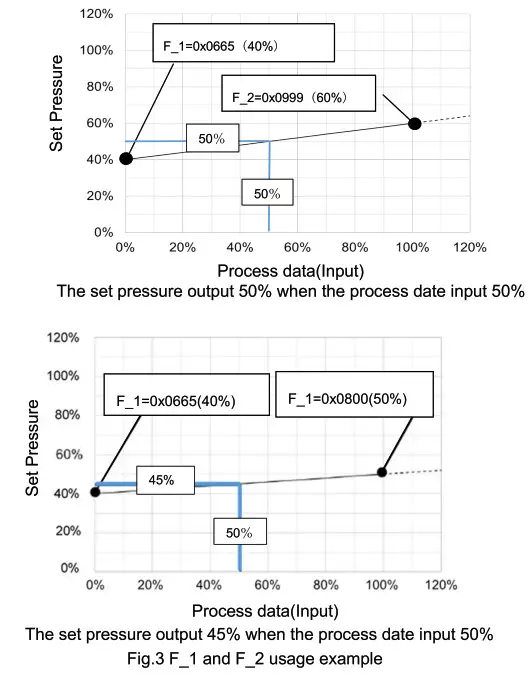
| Function | Zero adjusting (hereinafter referred to as F_1) corresponds to set the minimum pressure, Span adjusting (hereinafter referred to as F_2) to set the maximum pressure. F_1 and F_2 have setting ranges of 0-90%F.S. and 10-120%F.S., respectively. However, the set pressure exceeds the rated output; 100%F.S. is out of warranty. (refer to Fig.2,3) The values are necessary to satisfy “F_1 + 10%F.S. < F2”. If not, the previous values are reflected in this function. Default of Zero adjusting: Ox0000 Default of Span adjusting: OxOFFF(Hexadecimal Number) | ||||||
| Bit | BIT 13 (It is Bit 12 up to 100%.) | ||||||
| Value | Relationship between F1/F2 and the set pressure (Hexadecimal Number) | ||||||
| Zero adjusting F_1 | Span adjusting F_2 | ||||||
| Minimum | Maximum | Minimum | Maximum | ||||
| Input value | Ox0000 | Ox0E65 | Ox019A | 0x1332 | |||
| Set pressure | 0°/0F.S. | 90%F.S. | 10%F.S. | 120%F.S. | |||
Error Message
LED
| Item | ON | OFF | Flashing |
| Power | Power is supplied (Green) Internal diagnosis error (Red) | The power supply is not connected | – |
| Communication | Communication in stand-by mode(Green) | Communication disconnected | Communication exchange (Green) |
Error code
| Error No. | Name: | Description |
| 0x5000 | Internal diagnosis error | ROM read/write error Control depends on the Hold/Clear set. Power LED turned ON Red. If the error is not corrected even after disconnecting the power supply, perform “Initialization”. |
| 0x6320 | Target value over range error | The data of the target value has exceeded the specification (120% F.S. is exceeded). Input a target value within the specification. |
| Ox8C20 | Output pressure value over range error | The data of the output pressure value has exceeded the specification (120% F.S. is exceeded). Adjust the output pressure to within the specification. |
Product ID
When reading the product ID from the master side, the following product ID is readout.
In addition, when selecting a product ID from the IODD file, you will choose from the following.
| Product ID |
| ITV1010-IO-X395 *1 |
| ITV1030-IO-X395 *1 |
| ITV1050-IO-X395 *1 |
| ITV2010-IO-X395 *1 |
| ITV2030-IO-X395 *1 |
| ITV2050-IO-X395 *1 |
| ITV2090-IO-X395 *1 |
| ITV3010-IO-X395 *1 |
| ITV3030-IO-X395 *1 |
| ITV3050-IO-X395 *1 |
| ITV3050-IOF3N-DIT00375 |
*1: This becomes product ID added since FW Ver1.2.
Revision
E: Correction concerning communication data, Product ID addition, and correction by software modification.
SMC Corporation
4-14-1, Sotokanda, Chiyoda-ku, Tokyo 101-0021 JAPANTel: + 81 3 5207 8249 Fax: +81 3 5298 5362
URL http://www.smcworld.com
0120-837-838
Note: Specifications are subject to change without prior notice and any obligation on the part of the manufacturer. © 2012 SMC Corporation All Rights Reserved.