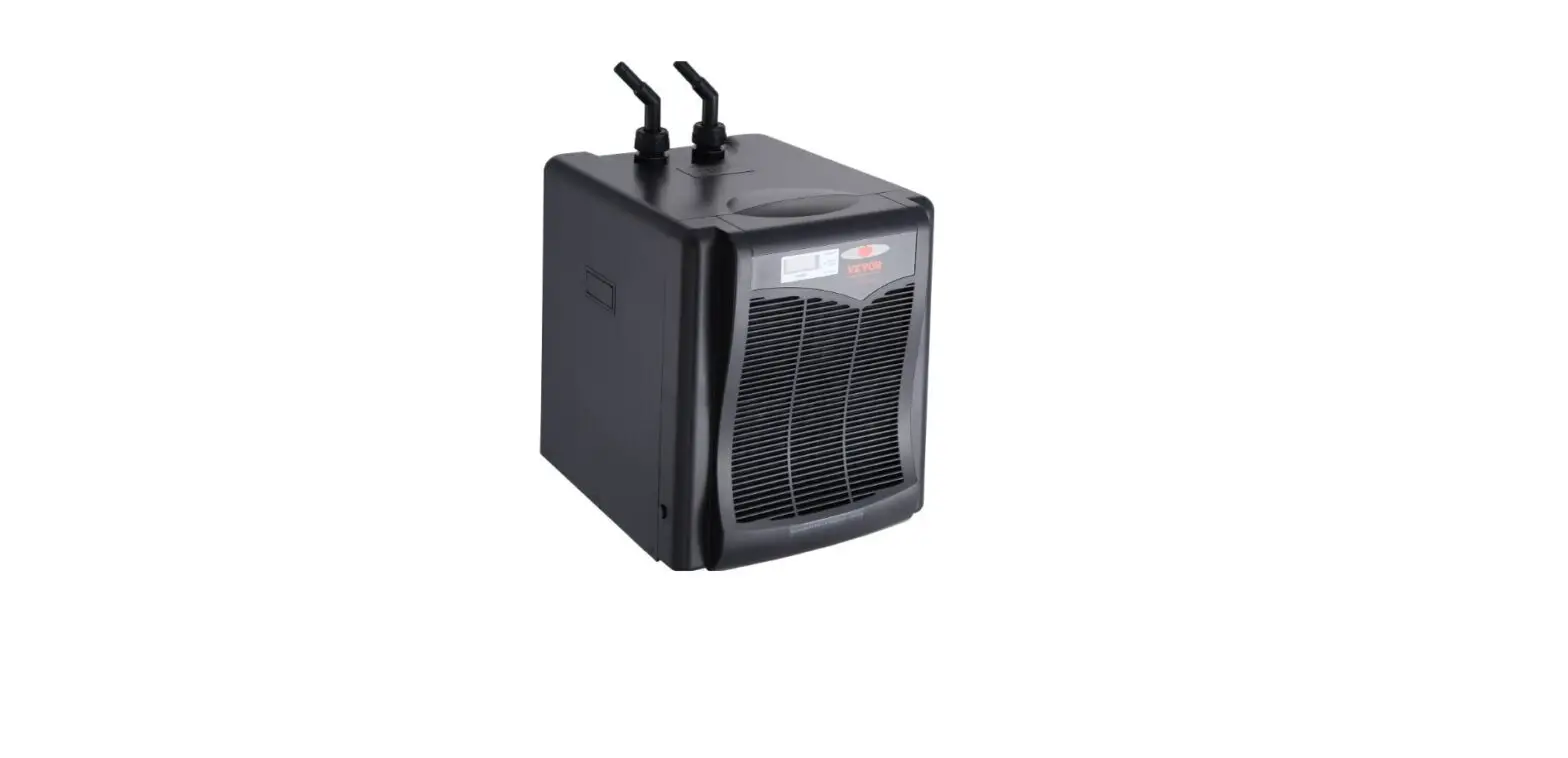
ENT791 Entour Chill
Product Information: Entour Chill
The Entour Chill is a low lying machine designed to perform
reliably for years when the guidelines in the user manual are
followed. It is one of the most reliable low lying machines on the
market today.
The product is manufactured by ADJ Products, LLC and all
affiliated companies. The user manual contains important safety
information regarding the use and maintenance of this unit.
The product comes with a limited warranty and customer support
is available for any product related service and support needs.
Features
- Reliable low lying machine
- Fluid sensor
- Maintenance instructions
- Wired timer remote control
- DMX channel mode
- Breaker reset
- Trouble shooting instructions
Specifications
- DMX channel mode: 1
- Software version: 1.0
- Fluid consumption: 90ml/min
- Warm-up time: 4 minutes
- Output distance: 5 meters (16 feet)
- Power consumption: 1100W maximum
Safety Guidelines
The user manual contains important safety guidelines that must
be followed to ensure safe and proper use of the product. Some of
the safety guidelines include:
- Do not use with dry ice
- Disconnect all electrical equipment from power when not in use
to avoid power consumption in idle mode - Read and understand the instructions in the manual carefully
and thoroughly before attempting to operate the unit - Keep the manual with the unit for future reference
Product Usage Instructions: Entour Chill
Before using the Entour Chill, read and understand the
instructions in the user manual carefully and thoroughly. Follow
the safety guidelines provided in the manual to ensure safe and
proper use of the product.
General Setup
- Place the Entour Chill on a flat, stable surface
- Fill the fluid tank with Entour Chill Fog Fluid
- Connect the unit to a power source using the power cord
provided - Turn on the power switch
- Allow the unit to warm up for 4 minutes before use
The system menu allows you to adjust various settings on the
Entour Chill. To access the system menu:
- Press and hold the menu button for 3 seconds
- Use the up and down buttons to navigate through the menu
options - Press the menu button to select an option
- Use the up and down buttons to adjust the setting
- Press and hold the menu button for 3 seconds to exit the
menu
Wired Timer Remote Control
The Entour Chill comes with a wired timer remote control that
allows you to control the duration of fog output. To use the wired
timer remote control:
- Connect the wired timer remote control to the remote control
input on the rear panel of the Entour Chill - Set the duration of fog output using the timer remote
control - Press the button on the timer remote control to start fog
output
Maintenance
Maintain the Entour Chill by following these instructions:
- Regularly clean the exterior of the unit with a soft, dry
cloth - Empty the fluid tank and clean it thoroughly after each
use - Use only Entour Chill Fog Fluid in the fluid tank
- Regularly check the fluid level and refill as necessary
- Replace the fluid sensor if it becomes damaged or worn
Storage
Store the Entour Chill in a dry, cool place when not in use.
Empty the fluid tank and clean it thoroughly before storing the
unit.
ENTOUR CHILL
User Manual
US SKU#: UPC#: ITF-14#:
ENT791 818651028249 10818651028246
©2022 ADJ Products, LLC all rights reserved. Information, specifications, diagrams, images, and instructions herein are subject to change without notice. ADJ Products, LLC logo and identifying product names and numbers herein are trademarks of ADJ Products, LLC. Copyright protection claimed includes all forms and matters of copyrightable materials and information now allowed by statutory or judicial law or hereinafter granted. Product names used in this document may be trademarks or registered trademarks of their respective companies and are hereby acknowledged. All non-ADJ Products, LLC brands and product names are trademarks or registered trademarks of their respective companies.
ADJ Products, LLC and all affiliated companies hereby disclaim any and all liabilities for property, equipment, building, and electrical damages, injuries to any persons, and direct or indirect economic
loss associated with the use or reliance of any information contained within this document, and/or as
a result of the improper, unsafe, insufficient and negligent assembly, installation, rigging, and operation of this product.
ADJ PRODUCTS LLC World Headquarters 6122 S. Eastern Ave. | Los Angeles, CA 90040 USA Tel: 800-322-6337 | Fax: 323-582-2941 | www.adj.com |[email protected]
ADJ Supply Europe B.V. Junostraat 2 | 6468 EW Kerkrade | Netherlands Tel: +31 45 546 85 00 | Fax: +31 45 546 85 99 | www.americandj.eu | [email protected]
Europe Energy Saving Notice Energy Saving Matters (EuP 2009/125/EC) Saving electric energy is a key to help protecting the environment. Please turn off all electrical products when they are not in use. To avoid power consumption in idle mode, disconnect all electrical equipment from power when not in use. Thank you!
DOCUMENT VERSION
Due to additional product features and/or enhancements, an updated version of this document may be available online. Please check www.adj.com for the latest revision/update of this manual before beginning installation and/or programming.
Date
07/09/20 11/24/20 12/11/20 02/09/21 11/18/22
Document Version 1.0 2.0 3.0 4.0 5.0
Software Version >
1.0 1.0 1.0 1.0 1.0
DMX Channel Mode 1 1 1 1 1
Notes
Initial Release Updated Specifications Updated Specifications
Updated Specifications & Dimensional Drawings Update warnings, cannot use with dry ice
ADJ Products, LLC – www.adj.com – Entour Chill User Manual Page 2
Entour Chill
Table of Contents
Introduction
4
Features | Warranty Registration | Installation
5
Safety Guidelines
6
Overview
7
General Setup
8
System Menu
9
DMX Traits
11
Wired Timer Remote Control
12
Dimensional Drawings
13
Fluid Sensor | Maintenance | Storage
14
Breaker Reset | Trouble Shooting | Error Warnings
15
Limited Warranty
16
Specifications
17
ADJ Products, LLC – www.adj.com – Entour Chill User Manual Page 3
Entour Chill
Introduction
Introduction: Congratulations, you have just purchased one of the most reliable low lying machines on the market today! The Entour Chill machine has been designed to perform reliably for years when the guidelines in this booklet are followed. Please read and understand the instructions in this manual carefully and thoroughly before attempting to operate this unit.
These instructions contain important safety information regarding the use and maintenance of this unit. Please keep this manual with the unit for future reference.
Customer Support: Contact ADJ Service for any product related service and support needs. Also visit forums.adj.com with questions, comments or suggestions.
Parts: To purchase parts online visit: http://parts.adj.com (US) http://www.adjparts.eu (EU)
ADJ SERVICE USA – Monday – Friday 8:00am to 4:30pm PST Voice: 800-322-6337 | Fax: 323-582-2941 | [email protected]
ADJ SERVICE EUROPE – Monday – Friday 08:30 to 17:00 CET Voice: +31 45 546 85 60 | Fax: +31 45 546 85 96 | [email protected]
ADJ PRODUCTS LLC USA 6122 S. Eastern Ave. Los Angeles, CA. 90040 323-582-2650 | Fax 323-532-2941 | www.adj.com | [email protected]
ADJ SUPPLY Europe B.V Junostraat 2 6468 EW Kerkrade, The Netherlands +31 (0)45 546 85 00 | Fax +31 45 546 85 99 www.adj.eu | [email protected]
ADJ PRODUCTS GROUP Mexico AV Santa Ana 30 Parque Industrial Lerma, Lerma, Mexico 52000 +52 (728) 282-7070
WARNING! To prevent or reduce the risk of electrical shock or fire, do not expose this unit to rain or moisture.
CAUTION! There are no user serviceable parts inside this unit. Do not attempt any repairs yourself, doing so will void your manufacturer’s warranty. In the unlikely event your unit may require service, please contact ADJ Products, LLC.
Do not discard the shipping cartoon in the trash. Please recycle when ever possible.
SAFETY ISSUES: NEVER POINT OR AIM A FOG MACHINE TOWARDS PEOPLE OR THEIR CLOTHING. THIS UNIT EMITS HOT VAPOR AND SHOULD BE USED WITH THE SAME CARE THAT YOU WOULD OBSERVE WHEN USING AN ELECTRIC KETTLE OR IRON.
ADJ Products, LLC – www.adj.com – Entour Chill User Manual Page 4
Entour Chill
· DMX-512 protocol (1 DMX Channel) · Locking 3 -Pin XLR Connector In/Out · Locking Power Connector In · Low-Lying Fog Output · Rapid Heater Technology · Automatic Circuit Cut-Off (Protects the pump in the case of no fog fluid) · Low Fluid LED Indicator · Removable Fluid Tank
Included:
1 x Entour Chill
1 x Timer Remote
1 x Locking Power Cable
1 x Drainage Tube
1 x Drainage Bag
Features
Entour Chill
Warranty Registration
The Entour Chill carries a two-year limited warranty. Please fill out the enclosed warranty card to validate your purchase. All returned service items, whether under warranty or not, must be freight prepaid and accompany a return authorization (R.A.) number. The R.A. number must be written on the outside of the return package. A brief description of the problem and R.A. number must also be written down on a paper included in the shipping carton. If the unit is under warranty, you must provide a copy of your proof of purchase invoice. You may obtain an R.A. number by contacting our customer support team on our customer support number. All packages returned to the service department not displaying an R.A. number on the outside of the package will be returned to the shipper.
Entour Chill
Installation
– This device is intended for indoor use only. NEVER operate in the rain or damp conditions! – Disconnect from power before filling the fluid tank and icebox. – The device can be placed directly on the ground, stage, or other flat, stable surface.
– The device must remain upright, with the handle side facing upwards.
– The device must be installed in a place where it is out of the reach of people’s grasp.
ADJ Products, LLC – www.adj.com – Entour Chill User Manual Page 5
Entour Chill
Safety Guidelines
For your own personal safety, please read and understand this manual completely before you attempt to install or operate this unit!
CAUTION: Fog machines may set off smoke alarms! Be sure to save the packing carton in the unlikely event the device may have to b
returned for service Do not spill water or other liquids into or on to the device. Be sure that all the fog fluid
is kept inside the fluid reservoir Do not use dry ice, which can cause the unit to malfunction. Be sure that the local power outlet matches the required voltage for the device Do not remove the top cover under any conditions. There are no user-serviceable
parts inside Disconnect the device’s main power when left unused for long periods Never connect this device to a dimmer pack Do not attempt to operate this device if it has been damaged in any way Never use this device with the cover removed To reduce the risk of electrical shock or fire, do not expose this device to rain or
moisture Do not attempt to operate this device if the power cord has been frayed or broken. Do
not try to remove or break off the ground prong from the electrical cord. This prong is used to reduce the risk of electrical shock and fire in case of an internal short Disconnect from main power before making any connection Never block the ventilation holes. Always be sure to mount this device in an area that will allow proper ventilation. Allow about 6″ (15cm) between this device and a wall This unit is intended for indoor use only. Use of this product outdoors voids all warranties Always mount this unit in a safe and stable matter Please route your power cord out of the way of foot traffic. Power cords should be routed, so they are not likely to be walked on, or pinched by items placed upon or against them The device should be serviced by qualified service personnel when: A. The power-supply cord or the plug has been damaged. B. Objects have fallen on, or liquid has been spilled into the device. C. The device has been exposed to rain or water. D. The appliance does not appear to operate normally or exhibits a marked change in
performance.
ADJ Products, LLC – www.adj.com – Entour Chill User Manual Page 6
Entour Chill
Overview
1. Carrying Handle 2. Fluid Tank 3. Ice Box 4. Smoke Outlet 5. LCD Display 6. LCD Screen Buttons 7. DMX Input
8. DMX Output 9. Remote Control Jack 10. Power Switch 11. No-Fuse Breaker (NFB) 12. Power Input 13. Drain Valve 14. Fluid Level Gauge
ADJ Products, LLC – www.adj.com – Entour Chill User Manual Page 7
Entour Chill
General Setup
1. Open the shipping carton and carefully remove the device from the shipping carton.
2. Be sure to remove ALL the packing material, paying particular attention to the area around the fog outlet vent.
3. Set the device on a flat dry surface. Open the icebox by unscrewing the knob located at the top front of the unit. Once the box is opened, fill the box with ice. The lid should close quickly and securely. Do not overfill the box.
4. After filling the icebox, unscrew and remove the tank reservoir cap. Do not use dry ice, which may cause the unit to malfunction.
5. Fill the reservoir with ADJ brand fog juice only, and replace the reservoir cap. Never run the device on anything other than an approved, ADJ branded water-based fog juice, as doing so can result in severe damage to your device.
6. Connect one end of the drainage tube to the drainage spout on the rear of the unit. Insert the other end of the drainage tube into the drainage bag. When the ice melts, the water will empty into the drainage bag.
7. Remove the timer remote control and firmly attach the remote control to the remote control jack located on the rear unit. Follow the operating instructions in the Wired Timer Remote Control section of this manual.
8. Plug the device into a matching power supply and flip the power switch to the ON position.
9. After power is applied, the device will begin to warm up. The device should be fully warmed up after 180 seconds. “Ready To Fog” will be displayed on the screen once the device is warmed up and ready to emit a fog. Additionally, if the Tank Lamp has been turned on, it will indicate device status by changing colors: red when the device is warming up, and green when ready for use. See the System Menu section for details on how to operate the tank lamp.
NOTE: When more than one means of control is connected to the device, the following command priority applies:
First Priority: DMX Signal Second Priority: Wired Timer Remote Control Third Priority: Control Panel
DMX SIGNAL TAKES PRIORITY OVER ALL OTHER MEANS OF DEVICE CONTROL.
ADJ Products, LLC – www.adj.com – Entour Chill User Manual Page 8
Entour Chill
System Menu
SYSTEM MENU
The fixture includes a user-friendly system menu control display where all necessary settings and adjustments are made. (See image below) During regular operation, pressing the MENU button once
will access the fixture’s main menu. Continue to press the MENU button to cycle through the various menu options. When you reach a field that requires adjusting, use the UP and DOWN buttons to improve the field. Pressing the STOP button to return to the beginning of the menu.
After 10 seconds of non-operation, the system will return to the “Ready to Fog” status screen.
ADJ Products, LLC – www.adj.com – Entour Chill User Manual Page 9
Entour Chill
MENU Interval Duration DMX 512 Add Quick Start Tank Lamp
OPTIONS 10s – 250s 10s – 250s 001 – 512 ON / OFF ON / OFF
System Menu
DESCRIPTION Interval Setting Duration Setting DMX Address Setting Quick Start Setting DMX Address Setting
SYSTEM MENU – The submenus included in the system menu are the settings that are used for Timer fogging. These settings should be set to the desired values before beginning timed fogging operations.
INTERVAL – In this submenu you can adjust the Interval Setting. This setting allows the user to adjust the length of the intervals or breaks between fog outputs, during which the device emits no fog.
DURATION – In this submenu you can adjust the Duration Setting. This setting allows the user to adjust the length of time during which the device emits fog.
DMX512 ADD – In this submenu you can adjust the DMX address of the device. QUICK START – In this submenu you can activate the Quick Start feature. When Quick Start is active,
all settings or adjustments made before shut down will be retained, and can be used immediately when the unit is powered on again. TANK LAMP – In this submenu you can turn the Tank Lamp On/Off to aid in illuminating the tank level indicator. The tank lamp can also indicate the warm-up status of the device: Red indicates that the device us warming up. Green indicates that the device is ready for use. Yellow indicates a fault or abnormal condition. Flashing red and green indicates that the heater is not working.
ADJ Products, LLC – www.adj.com – Entour Chill User Manual Page 10
Entour Chill
Channel 1
ADJ Entour Chill DMX Channel Values / Functions
Supports Software Versions: 1.0 and up Features subject to change without notice
DMX Value 000 – 031 032 – 255
DMX Traits
Function Smoke Off Smoke On
ADJ Products, LLC – www.adj.com – Entour Chill User Manual Page 11
Entour Chill
Wired Timer Remote Control
1. Timer ON/OFF Button – Press this button to activate timed fogging as dictated by the Interval and Duration settings defined in the System Menu or the two control knobs included on this remote. Press button again to deactivate timer fogging.
2. Continuous Button – Press this button to activate continuous fogging. Press this button again to deactivate continuous fogging.
3. Manual Button – Press and hold this button down for full fog output. Fogging stops when this button is released.
4. Duration Control Knob – This knob will adjust the duration time of fog output. 5. Interval Control Knob – This knob will adjust the interval time between fog output.
REMOTE CONTROL OPERATION: 1. Plug the included remote control into 1/4″ jack input located on the rear of the device. 2. Plug the main power cord into a matching power source and move the power switch to the “On”
position. 3. Allow the machine to warm up fully. 4. After the unit has warmed up, the remote’s green indicator LED will glow. This LED indicates that
the unit is ready to emit a low lying fog. 5. Use the control buttons and knobs on the remote to emit fog as desired.
ADJ Products, LLC – www.adj.com – Entour Chill User Manual Page 12
Entour Chill
Dimensional Drawings
ADJ Products, LLC – www.adj.com – Entour Chill User Manual Page 13
Entour Chill
Fluid Sensor
The fluid sensor is a safe-guard feature designed to preserve the machine life and its internal parts. When the fluid sensor determines that the fluid tank is empty, the device will automatically stop working.
Entour Chill
Maintenance
Before performing maintenance, please ensure that the power is “Off” and the power cord is disconnected from the power source. Always make sure the machine has cooled down.
DO NOT let the fog fluid get dirty.
Always keep the air inlet clean and clear of any objects or dust, making sure to clean the air inlet after prolonged periods of use.
Before storing the machine, please drain all liquid from the fluid tank. Disconnect and empty the drainage bag. Follow the instructions detailed in the Storage section of this manual.
Entour Chill
Storage
Drain all liquid and remove all ice from the ice box before storing for a long time. Store the device in
a cool area and cover the device to prevent excessive accumulation of dust. Do not leave the device
out in the sun for long periods.When storing the unit for long periods, it is advised to run the unit at
least once every 3-4 months, as long periods of inactivity can shorten your machine’s life. Only run ADJ-branded water-based fog juice through your unit. Running anything other then water based fog
juice will result in severe damage to your device.
Avoid placing heavy objects on top of the device. Placing heavy objects on top of the device could damage the reservoir tank and ice box/ice box lid.
Do not stack heavy objects or other items on the top
ADJ Products, LLC – www.adj.com – Entour Chill User Manual Page 14
Entour Chill
Breaker Reset
This unit is equipped with a built-in no-fuse breaker (NFB). This breaker is designed to close the power circuit in the event of an internal short or power surge. The fuse will reduce the risk of electrical shock or fire and protect the circuitry. To reset the breaker, push the breaker button in until you hear it “pop” back in to place. If the fuse continues to trip, stop using the unit, and contact our customer support team, it may need to be returned for service.
Entour Chill
Trouble Shooting
Power Connected but No Smoke is Emitted:
1. Check the power supply. Plug the unit into a grounded electric power supply socket with proper voltage.
2. Disconnect the machine from the power supply and reset the built-in breaker. 3. Be sure there is sufficient fluid in the tank.
If you experience low output, pump noise, or no output at all, disconnect and discontinue use immediately. Do not attempt to continue pushing the manual fog button as this may damage the machine. Check the fluid level and the breaker, and be sure the wall outlet is sending power. If all these appear to be operational, and the device still fails to operate correctly, the unit will require service. Please contact ADJ Products, LLC.
Entour Chill
Error Warnings
The following error warning messages may appear on the LCD screen, indicating a problem preventing the device from operating correctly. Do not operate the unit while these error messages are present to avoid further damage to the equipment. If these error messages persist, contact ADJ customer service for help.
Heater Overheat: The heater temperature is excessively high, or the temperature sensor is malfunctioning. The tank light will also flash red and green if this problem occurs.
No Heating: The heater is inoperational. The tank light will also flash red and green if this problem occurs.
No Fluid: The fluid tank is empty, or the pump has stopped. Please note that the pump stops automatically when the fluid tank is empty to avoid damaging the device. After refilling the fluid reservoir, pressing the STOP button will clear this warning.
ADJ Products, LLC – www.adj.com – Entour Chill User Manual Page 15
L I M I T E D WA R R A N T Y ( U S A O N LY )
A. ADJ Products, LLC hereby warrants, to the original purchaser, ADJ Products, LLC products to be free of manufacturing defects in material and workmanship for a prescribed period from the date of purchase (see specific warranty period on reverse). This warranty shall be valid only if the product is purchased within the United States of America, including possessions and territories. It is the owner’s responsibility to establish the date and place of purchase by acceptable evidence, at the time service is sought.
B. For warranty service, you must obtain a Return Authorization number (RA#) before sending back the product-please contact ADJ Products, LLC Service Department at 800-322-6337. Send the product only to the ADJ Products, LLC factory. All shipping charges must be pre-paid. If the requested repairs or service (including parts replacement) are within the terms of this warranty, ADJ Products, LLC will pay return shipping charges only to a designated point within the United States. If the entire instrument is sent, it must be shipped in its original package. No accessories should be shipped with the product. If any accessories are shipped with the product, ADJ Products, LLC shall have no liability whatsoever for loss of or damage to any such accessories, or for the safe return thereof.
C. This warranty is void of the serial number has been altered or removed; if the product is modified in any manner which ADJ Products, LLC concludes, after inspection, affects the reliability of the product, if the product has been repaired or service by anyone other than ADJ Products, LLC factory unless prior written authorization was issued to purchaser by ADJ Products, LLC; if the product is damaged because not properly maintained as set forth in the instruction manual.
D. This is not a service contact, and this warranty does not include maintenance, cleaning or periodic check up. During the period specified above, ADJ Products, LLC will replace defective parts at its expense with new or refurbished parts, and will absorb all expenses for warrant service and repair labor by reason of defects in material or workmanship. The sole responsibility of ADJ Products, LLC under this warranty shall be limited to the repair of the product, or replacement thereof, including parts, at the sole discretion of ADJ Products, LLC. All products covered by this warranty were manufactured after August 15, 2012, and bear identifying marks to that effect.
E. ADJ Products, LLC reserves the right to make changes in design and/or improvements upon its products without any obligation to include these changes in any products theretofore manufactured.
F. No warranty, whether expressed or implied, is given or made with respect to any accessory supplied with products described above. Except to the extent prohibited by applicable law, all implied warranties made by ADJ Products, LLC in connection with this product, including warranties of merchantability or fitness, are limited in duration to the warranty period set forth above. And no warranties, whether expressed or implied, including warranties of merchantability or fitness, shall apply to this product after said period has expired. The consumer’s and/or Dealer’s sole remedy shall be such repair or replacement as is expressly provided above; and under no circumstances shall ADJ Products, LLC be liable for any loss or damage, direct or consequential, arising out of the use of, or inability to use, this product.
G. This warranty is the only written warranty applicable to ADJ Products, LLC Products and supersedes all prior warranties and written descriptions of warranty terms and conditions heretofore published.
LIMITED WARRANTY PERIODS · Non L.E.D. Lighting Products = 1-year (365 days) Limited Warranty (Such as: Special Effect Lighting, Intelligent
Lighting, UV lighting, Strobes, Fog Machines, Bubble Machines, Mirror Balls, Par Cans, Trussing, Lighting Stands etc. excluding LED and lamps) · Laser Products = 1 Year (365 Days) Limited Warranty (excludes laser diodes which have 6 month limited warranty) · L.E.D. Products = 2-year (730 days) Limited Warranty (excluding batteries which have a 180 day limited warranty) Note: 2 Year Warranty only applies to purchases within the United States. · StarTec Series = 1 Year Limited Warranty (excluding batteries which have a 180 day limited warranty) · ADJ DMX Controllers = 2 Year (730 Days) Limited Warranty
ADJ Products, LLC – www.adj.com – Entour Chill User Manual Page 16
Entour Chill
Specifications
Capacities · 800W Low-lying fog stays low to the ground similar to a dry ice effect · Ice tank capacity: 2.5 kg. · Fog Fluid tank: 1-liter internal tank
Features: · New Heater system for continuous output with no additional warm-up time · Fire resistant rugged plastic case · Uses standard water-based fog juice and ice cubes · Continuous output (run-up to one hour) · No need for expensive fog chillers, bulky air conditioning units or dry ice · New sophisticated electronic temperature control: heats up in 3 minutes and stays heated · LED heating indicator system in tank
1. Red = Heating 2. Green = Ready to use 3. Flashing = Fog fluid tank is low
Control: · 1 DMX channel · New LCD Display with 4-button system menu · On-board controls: timer output, continuous output · 3-pin DMX In/Out connections · Locking power connection · Includes ADJ’s FFFTR MK II wired timer remote control
– Features: Timer On/Off, Continuous and manual fog, plug duration and interval potentiometers
Electrical: · Power On/Off switch · Locking power connection · Input Voltage (USA): 120V, 60 Hz · Input Voltage (EU): 230V/240V, 50 Hz · Breaker: 10A (USA) or 5A (EU) · Power consumption: 820W max
Dimensions / Weight: · Dimensions (LxWxH): 18.18″ x 11.81″ x 10.66″ / 461.85mm x 300.00mm x 270.82mm · Weight: 17.25 lbs. / 7.8 kg.
Wired Timer Remote Specifications · Model: FFFTR MKII · Cable Length: 26.2 feet (8 meters) · Connector: 1/4″ stereo jack · Functions: Timer control / Continuous control / Manual control · Dimensions (L x W x H): 4.8 x 2.6 x 1.4 in / 123 x 66 x 35 mm · Weight: 0.79 lb / 0.36 kg
Please Note: Specifications and improvements in the design of this unit and this manual are subject to change without any prior written notice.
ADJ Products, LLC – www.adj.com – Entour Chill User Manual Page 17
ADJ Products, LLC – www.adj.com – Entour Chill User Manual Page 18
 Topics | ADJ Forums
 ADJ Product Parts - Lighting Online Parts Store
 Home
Home adj.eu
 ADJ Partsshop - Service is our passion!
 Home page - ADJ