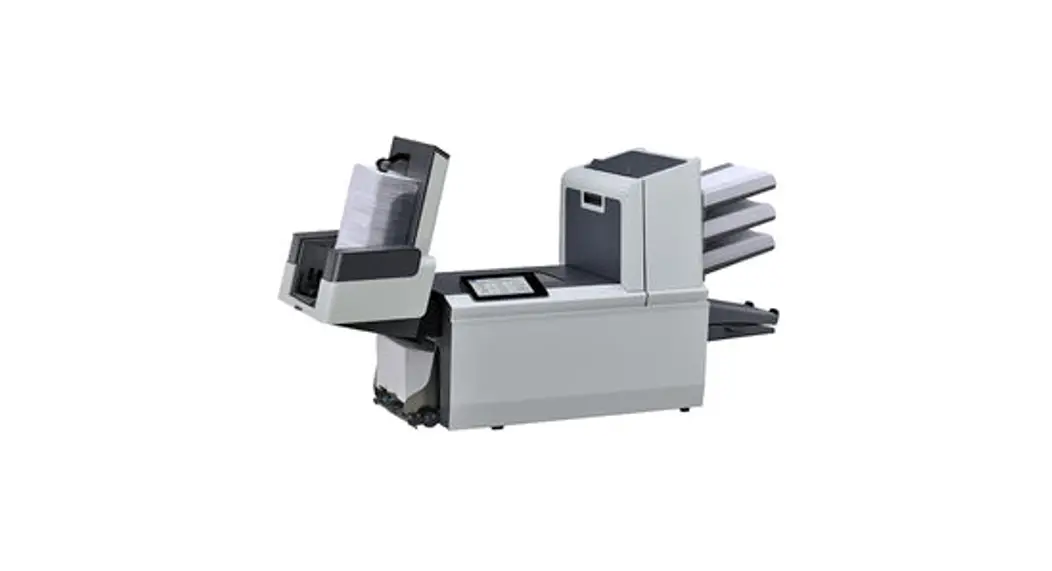
FPi 6700 Folder Inserter
Product Information
The FPi 6700 is a high-performance mailing machine designed for
efficient mail processing. It is equipped with various features to
ensure accurate and reliable operation. The machine comes with an
extra set of brushes and a moistening cloth for convenient
maintenance. It also has photocells that require occasional
calibration.
Maintenance Schedule
It is important to follow the recommended maintenance schedule
to keep the FPi 6700 in optimal condition. The maintenance tasks
and their frequencies are as follows:
- Daily: Check and clean the machine, including the mains power
supply. - Weekly: Soak one set of brushes in water while using the other
set. - When necessary: Clean the sensors and calibrate the photocells
as instructed.
Please note that any servicing beyond what is described in the
operator manual should only be performed by qualified service
personnel. For assistance, contact your authorized distributor.
Product Usage Instructions
Clean and Replace Brushes
- Moisten the new brushes in water.
- Lift the unlocking lever A of the upper unit and pull up the
upper unit. - Remove the brushes one by one by pulling them down from the
brush holder. - Replace the brushes, ensuring that the studs on the brushes fit
into the corresponding holes in the brush holder.
Replace or Clean Moistening Cloth
- Open the front cover A.
- Remove the sealing liquid reservoir B from the system.
- Remove the cover with moistening cloth D.
- Remove clips C to take out the moistening cloth.
- Clean or replace the cloth as needed.
Calibrate Photocells
- Login as supervisor.
- In the settings menu, tap the [Diagnostics] tab.
- Tap [Maintenance].
- Select the photocells you want to calibrate.
- Remove all documents and envelopes and close all covers before
starting the calibration. - Tap [Calibrate photocells].
Following these instructions will help ensure the proper
functioning of your FPi 6700 mailing machine. For more detailed
information, refer to the user guide provided by FP.
9 Operator Maintenance
Maintenance Schedule
Disconnect the mains power supply before performing any maintenance.
The user must not attempt to service the appliance beyond that described in this operator manual. All other servicing must be carried out by qualified service personnel only.
Please contact your authorized distributor.
Maintenance fre- Maintenance quency
Daily
9
· Check the system functions. · Keep the system in proper condition by removing dust, paper re-
mains, etc.
Weekly
The machine is delivered with an extra set of brushes. To always have one clean set available, it is recommended to soak one set in water and use the other set.
· When dirty or saturated, clean the brushes of the envelope sealing or replace them (see Clean and replace brushes).
· When dirty or saturated, clean the moistening cloth or replace if necessary (see Replace moistening cloth).
· Clean feed and insert rollers as instructed by the Service Engineer.
When necessary
When the display warns about dusty sensors, clean the applicable sensors. After cleaning, always calibrate the photocells (see Calibrate photocells).
English
120
Works Cited: FP. “FPi 6700.” User Guide, 2 Feb. 2020,
download.fp-usa.com/product_docs/FPi-6700/FPi-6700-User-Guide-V2-Feb-2-2020.pdf.
Clean and Replace Brushes
When dirty or saturated, clean the brushes of the envelope sealing or replace them as follows:
1. Moisten the new brushes in water. 2. Lift the unlocking lever A of the upper unit and pull up the upper unit.
English
9
3. Remove the brushes one by one by pulling them down from the brush holder.
4. Replace the brushes. Make sure that the studs on the brushes are fitted in the corresponding holes in the brush holder.
Works Cited: FP. “FPi 6700.” User Guide, 2 Feb. 2020,
121
download.fp-usa.com/product_docs/FPi-6700/FPi-6700-User-Guide-V2-Feb-2-2020.pdf.
Replace or Clean Moistening Cloth
When dirty or saturated, clean the moistening cloth or replace if necessary. Proceed as follows: 1. Open the front cover A.
9
2. Remove the sealing liquid reservoir B from the system. 3. Remove the cover with moistening cloth D.
English
4. Remove clips C to remove the moistening cloth. 5. Clean or replace the cloth.
122
Works Cited: FP. “FPi 6700.” User Guide, 2 Feb. 2020,
download.fp-usa.com/product_docs/FPi-6700/FPi-6700-User-Guide-V2-Feb-2-2020.pdf.
Calibrate Photocells
When too much paper dust is built up at the sensors, a warning message is displayed. In that case, calibrate the photocells as follows: 1. Log in as supervisor. 2. In the settings menu, tap the [Diagnostics] tab. 3. Tap [Maintenance].
9
4. Choose which photocells you want to calibrate. 5. Remove all documents and envelopes and close all covers before starting the
calibration. 6. Tap [Calibrate photocells].
English
Works Cited: FP. “FPi 6700.” User Guide, 2 Feb. 2020,
123
download.fp-usa.com/product_docs/FPi-6700/FPi-6700-User-Guide-V2-Feb-2-2020.pdf.