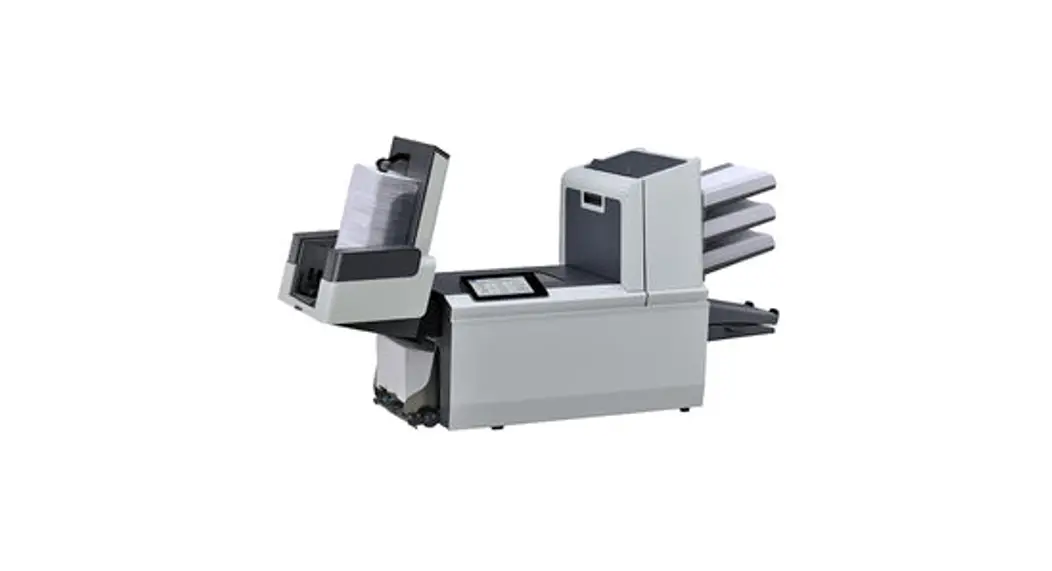
FPi 4700 Folder Inserters
Product Information
The product being referred to in the user manual is the FPi
4700. It is a mailing system that is designed to process mail
efficiently. The manual provides information on various symbols
used in the manual, languages in which the user guide is available,
and software used in the system.
Symbols
- WARNING: Indicates a human safety hazard.
- ATTENTION: A risk to the equipment or mail
could result from an action you may perform. - NOTE: A remark that explains different cases
or specificities. - TIP: Advice to help save you time when
processing your mail. - SUPERVISOR: Indicates that you have to use the
supervisor menu to perform the procedure.
Languages
In accordance with EU regulations, the user guide should be
available in the national language(s) of the country where the
system is delivered. If the User Guide is not available in your
country’s language(s), contact your authorized distributor.
Software
The software used for the reading option is based on the work of
the Independent JPEG Group.
Symbols and Descriptions
- Main document: Shows the correct document
orientation; A represents the address. - Daily mail: Feature to manually insert
mail-sets one by one into the system. - Notification: Next to this symbol, a message
appears, e.g., Sealing liquid low, empty feeder. - Wireless LAN connected: Network connection via
Wi-Fi is available. - Wireless LAN connected, no internet: Network
connection via Wi-Fi is available, but not connected to the
internet. Check with your network administrator. - Envelope, sealing on: Envelopes will be
sealed. The symbol shows the correct envelope orientation. - Feeder linking: When one feeder is empty, the
system automatically starts feeding documents from the other
feeder. This symbol at the feeders shows if the feeders are
linked. - Document with reading: Shows the correct
document orientation; A represents the address. - Enclosure: Indicates the wired LAN connection
is available via a network cable connection. - Wired LAN not connected: Network connection is
not available via a network cable connection. - Wireless LAN not connected: Network connection
via Wi-Fi is not connected or out of range. - Envelope sealing off: Envelopes will not be
sealed. The symbol shows the correct envelope orientation. When
sealing is off, the flap of the envelope is closed but not
moistened. - Change feeder trays: Possibility to change
from one feeder tray to another.
Product Usage Instructions
To use the FPi 4700 mailing system effectively, follow these
instructions:
- Ensure that you are familiar with the symbols used in the user
manual for safety and guidance purposes. - If the user guide is not available in your country’s
language(s), contact your authorized distributor for
assistance. - Make sure the necessary software is installed and up to
date. - Refer to the symbols and their descriptions to understand the
system’s status and functionalities. - For wireless LAN connectivity, ensure that your system is
connected to a Wi-Fi network. If the symbol indicates no internet
connection, consult your network administrator. - For wired LAN connectivity, connect the system to a network
using a network cable. Make sure the symbol indicates a connected
status. - Follow the correct document orientation as indicated by the
symbols for optimal processing. - If using envelopes, ensure that the sealing symbol matches the
desired sealing option. - If feeders are linked, the system will automatically switch to
the other feeder when one is empty. Check the symbol to confirm
feeder linking. - To change feeder trays, refer to the symbol indicating the
possibility to switch between trays. - For specific settings and operations, consult the user manual
for corresponding icons and their meanings. - Use the designated buttons on the system, such as the 1x
button, start button, job list button, and stop button, to perform
various tasks as described in the user manual. - When stopping the system, allow the current mail set to
complete before initiating a new set.
By following these instructions, you can effectively utilize the
features and functionalities of the FPi 4700 mailing system.
English
Symbols
This manual uses the symbols listed below.
1
This symbol… Indicates…
WARNING: Indicates a human safety hazard.
ATTENTION: A risk to the equipment or mail could result from an action you may perform. NOTE: A remark that explains different cases or specificities.
TIP: Advice to help save you time when processing your mail.
SUPERVISOR: Indicates that you have to use the supervisor menu to perform the procedure.
Languages
In the EU the user guide must be available in the national language(s) of the country where the system is delivered. Therefore, if the User Guide is not available in your country’s language(s), contact your authorized distributor.
Software
The software used for the reading option is based in part on the work of the Independent JPEG Group.
2
Works Cited: FP. “FPi 4700.” User Guide, 2 Feb. 2020,
download.fp-usa.com/product_docs/FPi-4700/FPi-4700-User-Guide-EN-Feb-2-2020.pdf.
The following is a list of symbols or icons and their descriptions.
Main document. Shows the correct document orientation; A is the address.
Daily mail Feature to manually insert mail-sets one by one into the system.
Notification Next to this symbol, a message appears, e.g. Sealing liquid low, empty feeder.
Wireless LAN connected Network connection via Wi-Fi is available.
Wireless LAN connected, no internet Network connection via Wi-Fi is available, network is not connected to internet. Check with your network administrator.
Envelope, sealing on Envelopes will be sealed. The symbol shows the correct envelope orientation.
Feeder linking Linking means that when one feeder is empty, the system automatically starts feeding documents from the other feeder. This symbol at the feeders shows if the feeders are linked.
Document with reading Shows the correct document orientation; A is the address.
Enclosure
3
Wired LAN connected Network connection is available via a network cable connection.
Wired LAN not connected Network connection is not available via a network cable connection.
Wireless LAN not connected Network connection via Wi-Fi is not connected or out of range.
Envelope sealing off Envelopes will not be sealed. The symbol shows the correct envelope orientation. When sealing is off, the flap of the envelope is closed but not moistened.
Change feeder trays Possibility to change from one feeder tray to another.
English
Works Cited: FP. “FPi 4700.” User Guide, 2 Feb. 2020,
17
download.fp-usa.com/product_docs/FPi-4700/FPi-4700-User-Guide-EN-Feb-2-2020.pdf.
English
Dfc/mail set thickness de-
Fold type
tection
This icon shows what kind of
Double feed control and/or
fold type has been set.
mail set thickness detection
has been set to ‘off’.
By default the dfc/mail set
thickness detection will be set
3
to ‘on’ and the icon will not be
shown.
Exit setting This icon shows what kind of exit setting has been set.
Counter setting Shows on what number the counter has been set.
1x button After tapping this button the system will create an example mail set.
Start button Tapping this button runs the job.
Job list button After tapping this button the job list screen will be shown.
Stop button Button to stop the system The current mail set will be completed and the system stops, being empty and ready for a new set.
Edit button Gives access for editing a job.
Save button Save the job or changes that have been made to a job.
High Capacity Document Feeder (HCDF)
The High Capacity Document Feeder (HCDF) is an option that can be delivered from factory. The High Capacity Document Feeder has a capacity for up to 725 sheets. The normal document feeder tray has a capacity of 325 sheets.
18
Works Cited: FP. “FPi 4700.” User Guide, 2 Feb. 2020,
download.fp-usa.com/product_docs/FPi-4700/FPi-4700-User-Guide-EN-Feb-2-2020.pdf.