
HDMI 2.0 X8 Splitter 1×8
User Manual
Model NO: 662025
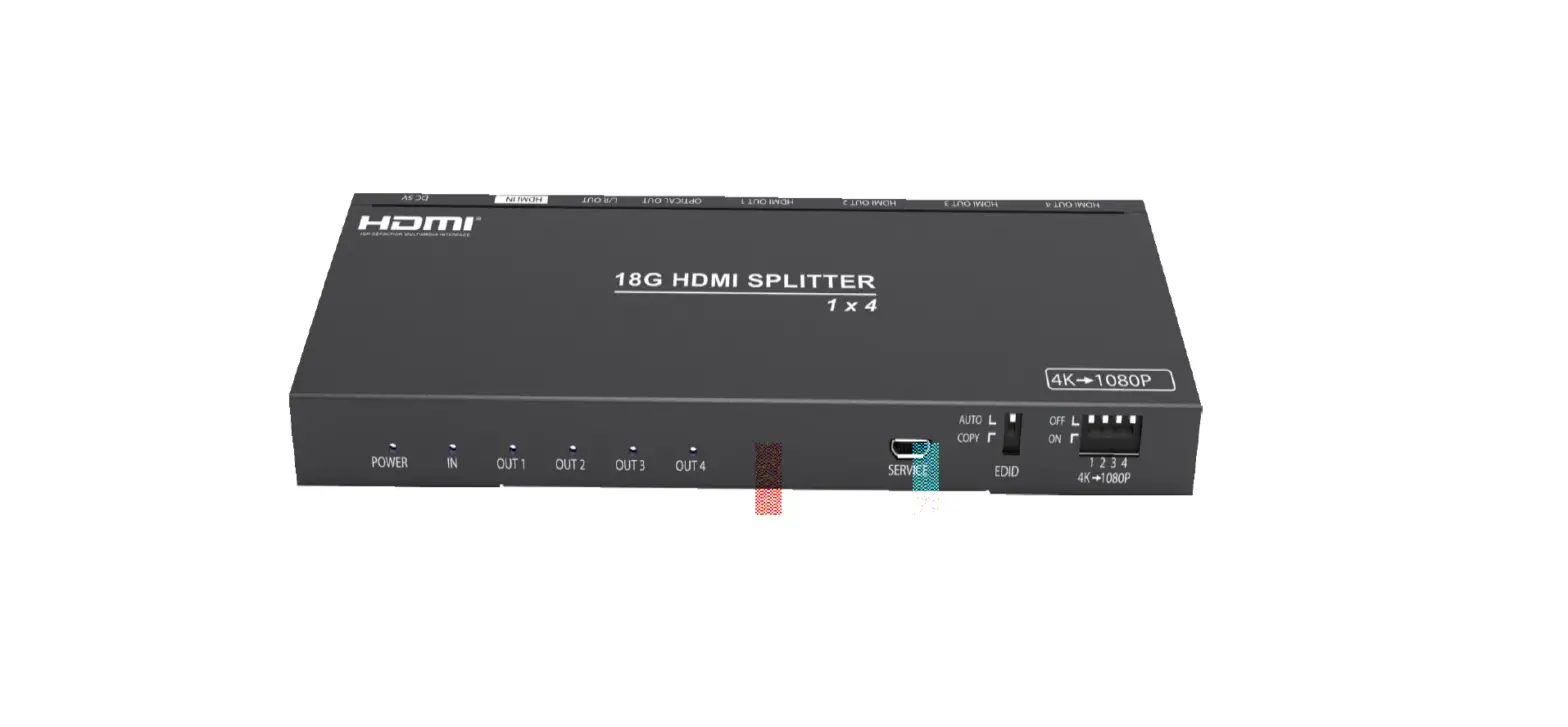
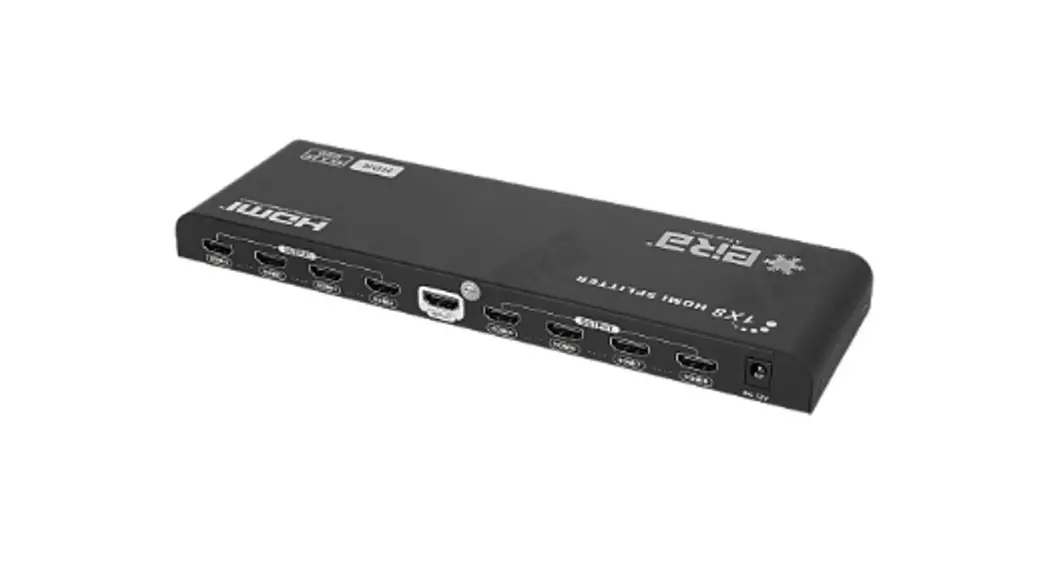
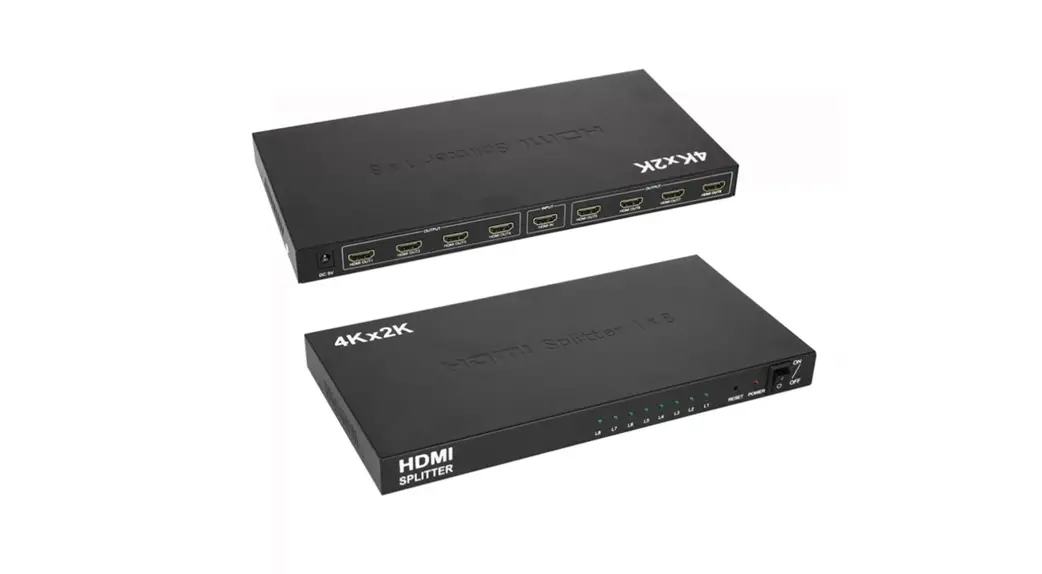
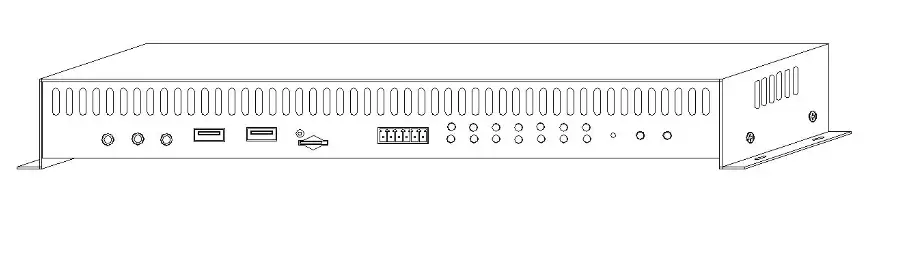
Physical Port Showing Picture:
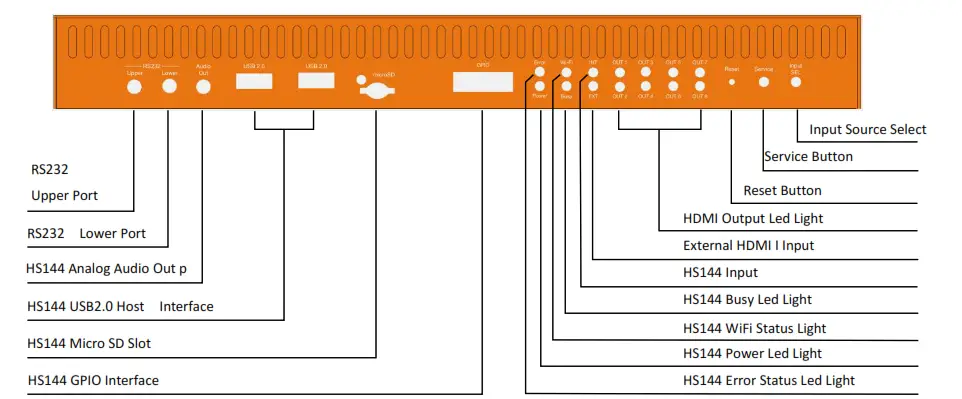
Picture 1.0 Front Panel
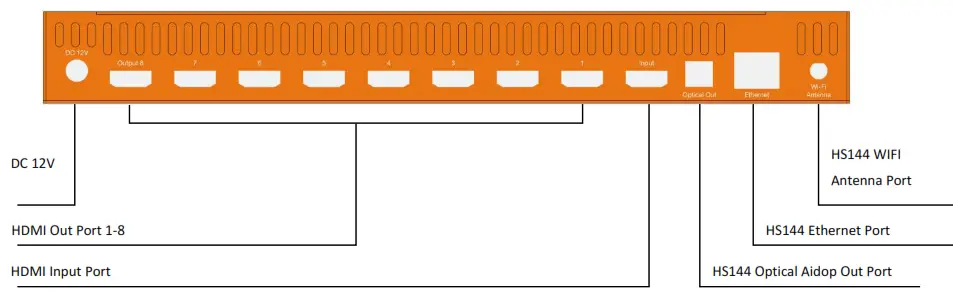
Picture 1.1 Back Panel
Notes:The panel port above that marked HS144 works only when the HS144 is chosen as the Input
Connection and Operation Tips:
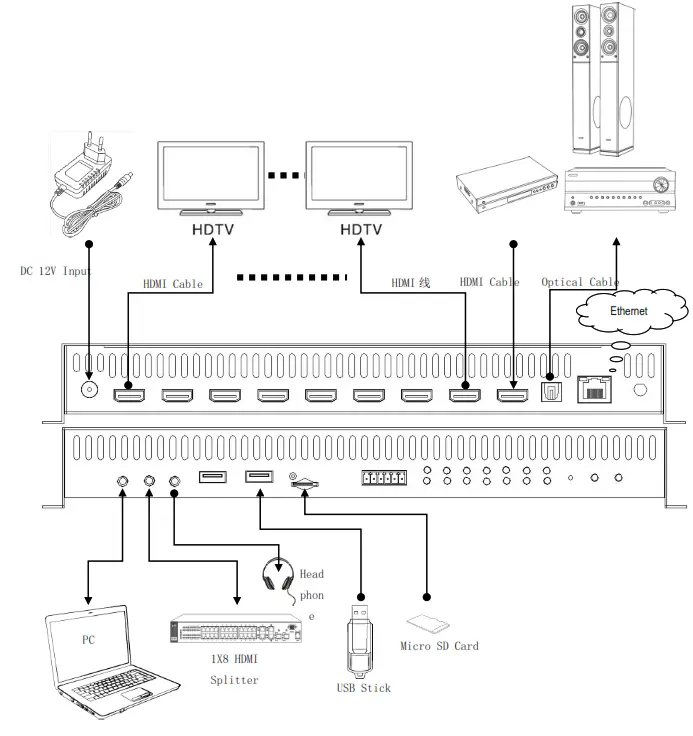
- To connect device like below connection picture.
 1.1 To use HDMI Cable to connect the HDMI Input port of the HDMI Splitter with the HDMI Input port of the HD Signal Source.
1.2 To use HDMI cable to connect the HDMI Output port of the HDMI Splitter with the HDMI Input port of the Display.
1.3 To insert the Micro-SD card or USB Stick that have installed HS144 start software to the slot.
1.4 To connect the power adaptor with the DC port and turn on the power supply. - Operation Tips
2.1 To turn on the power supply and choose the HS144 as input signal source default.
2.2 When the HDMI Output port have Display to connect successfully, the output Led Status Light will go bright. If the output signal is 4K signal, the Led Light will turn on green; if the output signal is not 4K signal, the LED light will turn on red.
2.3“Scale Down”function introductionP: When use the 4K Signal as input, the Output 1 connect to 4K TV and the other Output connect to one HD TV, scale-down function only allow the 4K TV to output 4K signal and the HDTV will down output to 1080P signal. All HDMI Output ports of the splitter can support the Scale Down feature.
2.4 RS232 Serial Communication Parameter Sheet:
If user want to write his own control software, below are data format and baud rate setting. Corn port setting:Baud Rate: 9600 bps Data bits: 8 bits Parity: None Stop bits: 1 bit Flow control: None More detailed info,you can refer to the RS232 operation document.

PIN Define 1 GND 2 3V3 2.5 HS144 GPIO PIN Define
3 GPIO0 4 GPIO1 5 GPIO2 6 GPIO3 The more details related with HS144, please refer to the HS144 operation document.
 1.1 To use HDMI Cable to connect the HDMI Input port of the HDMI Splitter with the HDMI Input port of the HD Signal Source.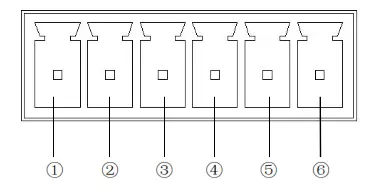
Spec:
| Model NO | HDSP0016M1 |
| Product Name | HDMI 2.0 Splitter 1×8 |
| Input Channel | One HDMI Input |
| Output Channel | Eight HDMI Output |
| HDMI Port Supported Resolution | 480P/720P/1080P/2160P@24/30/50/60(支持 HDR/Dolby Vision) |
| Deep Color | 8/10/12Bit@1080P 8bit@2160P |
| HDMI Supported Audio Format | Dolby HD/DTS HD/Dolby Atoms/Dolby AC3/DTS/LPCM 等 |
| Bandwidth | 25~600MHz |
| Baud Rate | 0.75~18Gbps |
| HDMI Version | HDMI 1.4b/2.0b |
| HDCP Version | HDCP 1.4/2.2 |
| Wi–Fi Working Frequency Range | BT:2.402~2.480 GHz Wi-Fi: 802.11bgn 2.400 ~ 2.4835 GHz/802.11a/ac 5.15 ~ 5.85 GHz |
| Wi–Fi Output Power | ≤16 dBm@MCS0 |
| Antenna Gain | 2.4 ~ 2.5 GHz :2 dBi 5.15 ~ 5.85GHz:3 dBi |
| Input HDMI Cable Length | 2160P/AWG 26 ≤5m;1080P/AWG 26 ≤10m |
| Output HDMI Cable Length | 2160P/AWG 26 ≤8m;1080P/AWG 26 ≤12m |
| Power Adaptor Spec | AC 100~240V/DC 12V/3A |
| Max Working Current | 1A(No connect with USB External Device) |
| Working Temperature | -5~ +40℃ |
| Working Humidity | 5 to 85%RH(No Condensation) |
| Store Temperature | -15 to 55℃ |
| Store Humidity | 5 ~95%RH(No Condensation) |
| Size | 322.4×136.2×40 (mm) |
| Weight | 1010g(Include Wi-Fi Module and Antenna) |
| Package Content | Device, Power Adaptor |
FCC Warning
This device complies with part 15 of the FCC Rules. Operation is subject to the following two conditions: (1) This device may not cause harmful interference, and (2) this device must accept any interference received, including interference that may cause undesired operation.
NOTE: This equipment has been tested and found to comply with the limits for a Class B digital device, pursuant to Part 15 of the FCC Rules. These limits are designed to provide reasonable protection against harmful interference in a residential installation. This equipment generates, uses and can radiate radio frequency energy and, if not installed and used in accordance with the instructions, may cause harmful interference to radio communications. However, there is no guarantee that interference will not occur in a particular installation. If this equipment does cause harmful interference to radio or television reception, which can be determined by turning the equipment off and on, the user is encouraged to try to correct the interference by one or more of the following measures:
— Reorient or relocate the receiving antenna.
— Increase the separation between the equipment and receiver.
— Connect the equipment into an outlet on a circuit different from that to which the receiver is connected.
— Consult the dealer or an experienced radio/TV technician for help.
Note: The manufacturer is not responsible for any radio or TV interference caused by unauthorized modifications to this equipment. such modifications could void the user’s authority to operate this equipment. Changes or modifications not expressly approved by the party responsible for compliance could void the user’s authority to operate the equipment. The distance between user and products should be no less than 20cm.