 MP3766
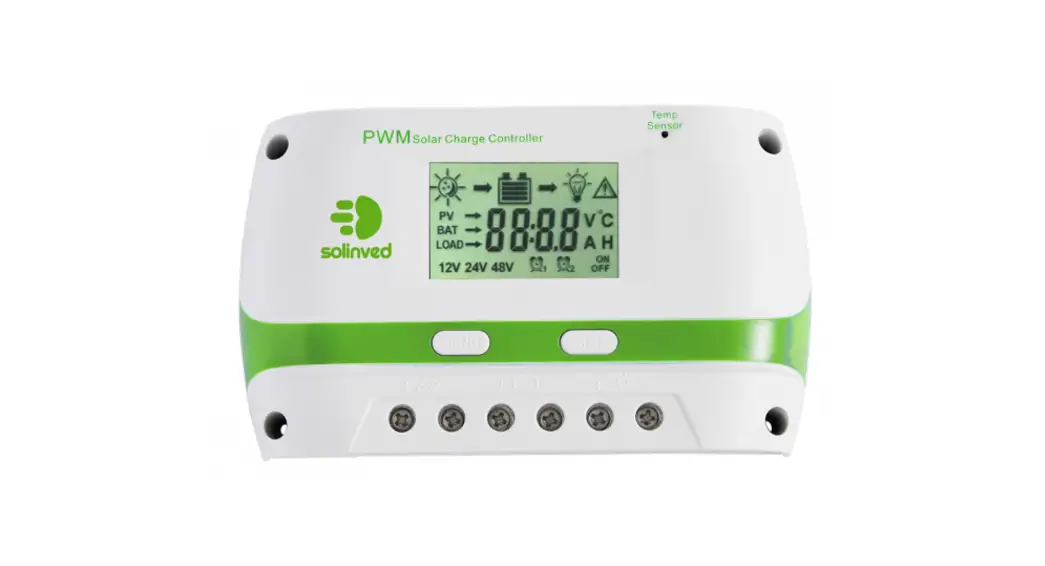
PWM Solar Charge
Controller with
LCD display
for Lead Acid Batteries 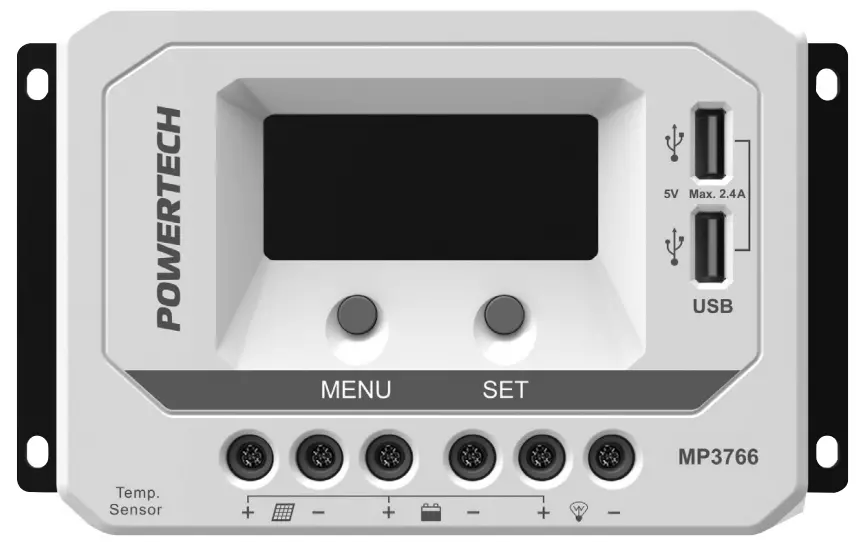 Instruction Manual
OVERVIEW:
Please reserve this manual for future review.
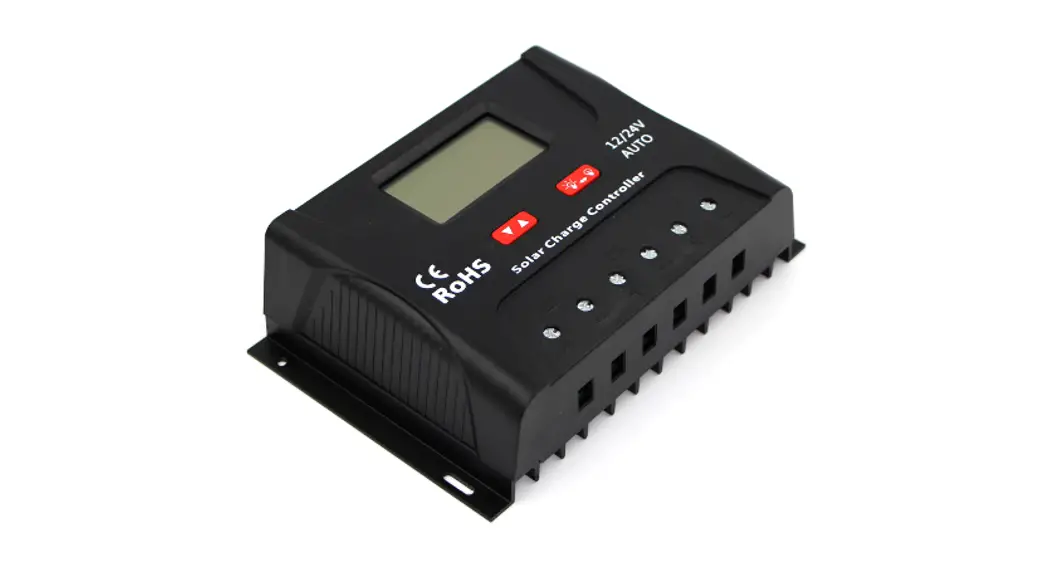
The PWM charge controller with a built-in LCD display that adopts multiple load control modes and can be widely used on solar home systems, traffic signals, solar street lights, solar garden lamps, etc.
The features are listed below:
- High-quality components of ST and IR
- Terminals have UL and VDE certification, the product is safer and more reliable
- A controller can work continuously at full load within an environment temperature range from -25°C to 55°C 3-Stage intelligent PWM charging: Bulk, Boost/Equalize, Float
- Support 3 charging options: Sealed, Gel, and Flooded
- LCD display design dynamically displays the device’s operating data and working condition
- Double USB output
- With simple button settings, the operation will be more comfortable and convenient
- Multiple load control modes
- Energy statistics function
- Battery temperature compensation function
- Extensive Electronic protection
PRODUCT FEATURES:
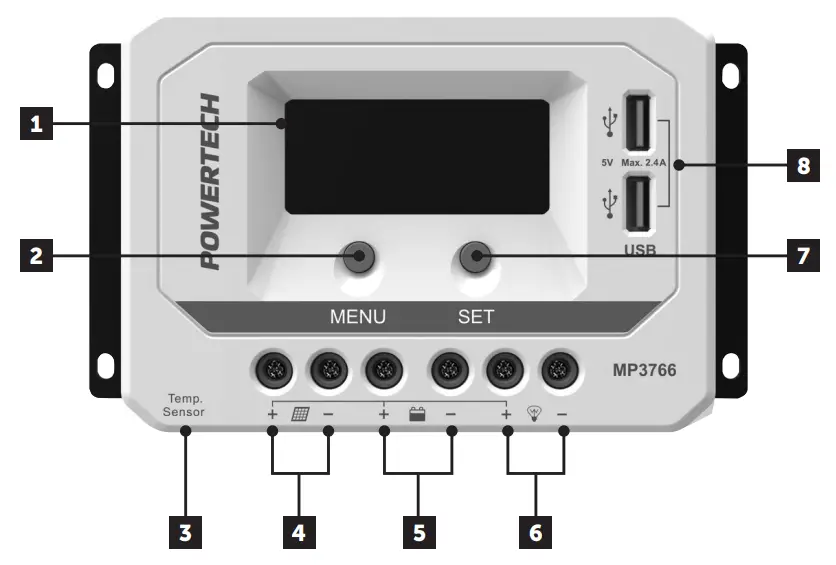
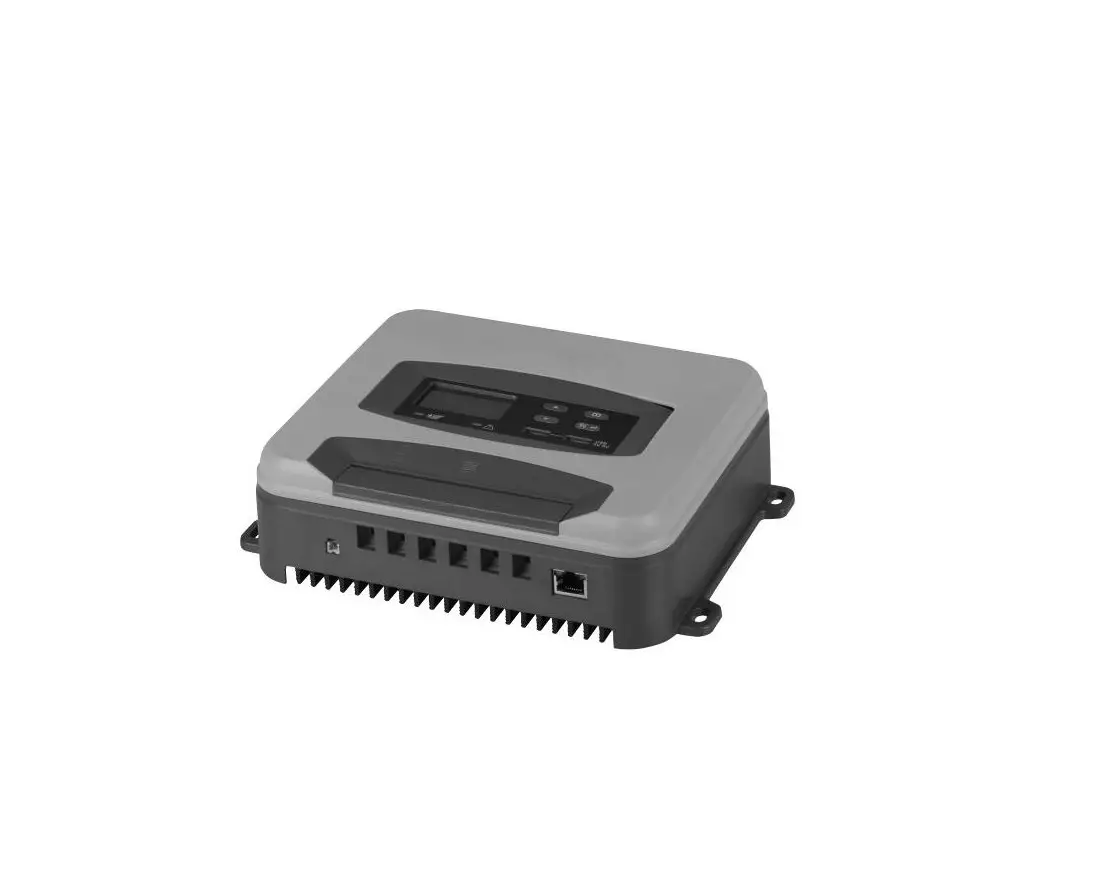
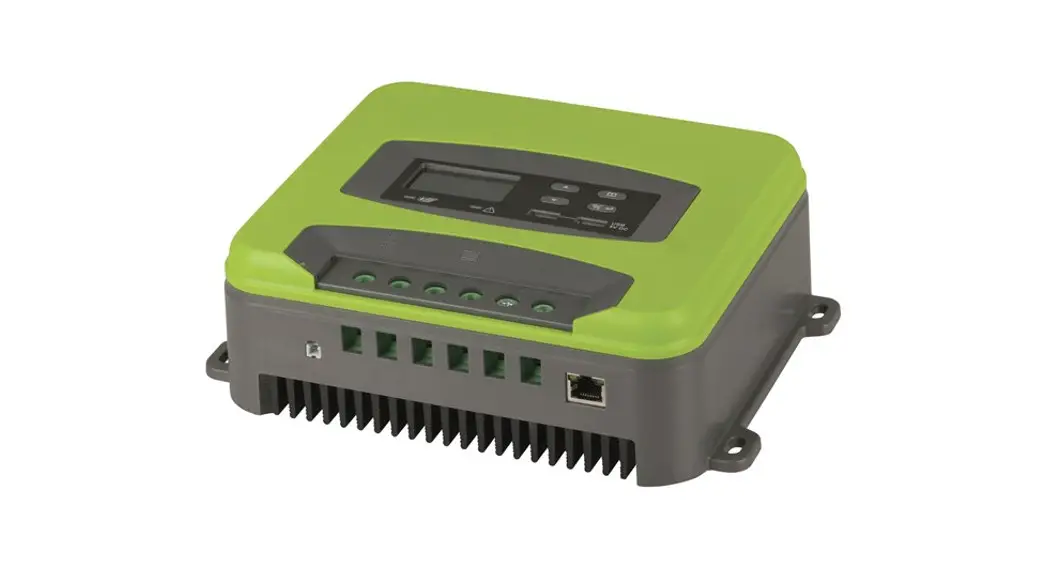
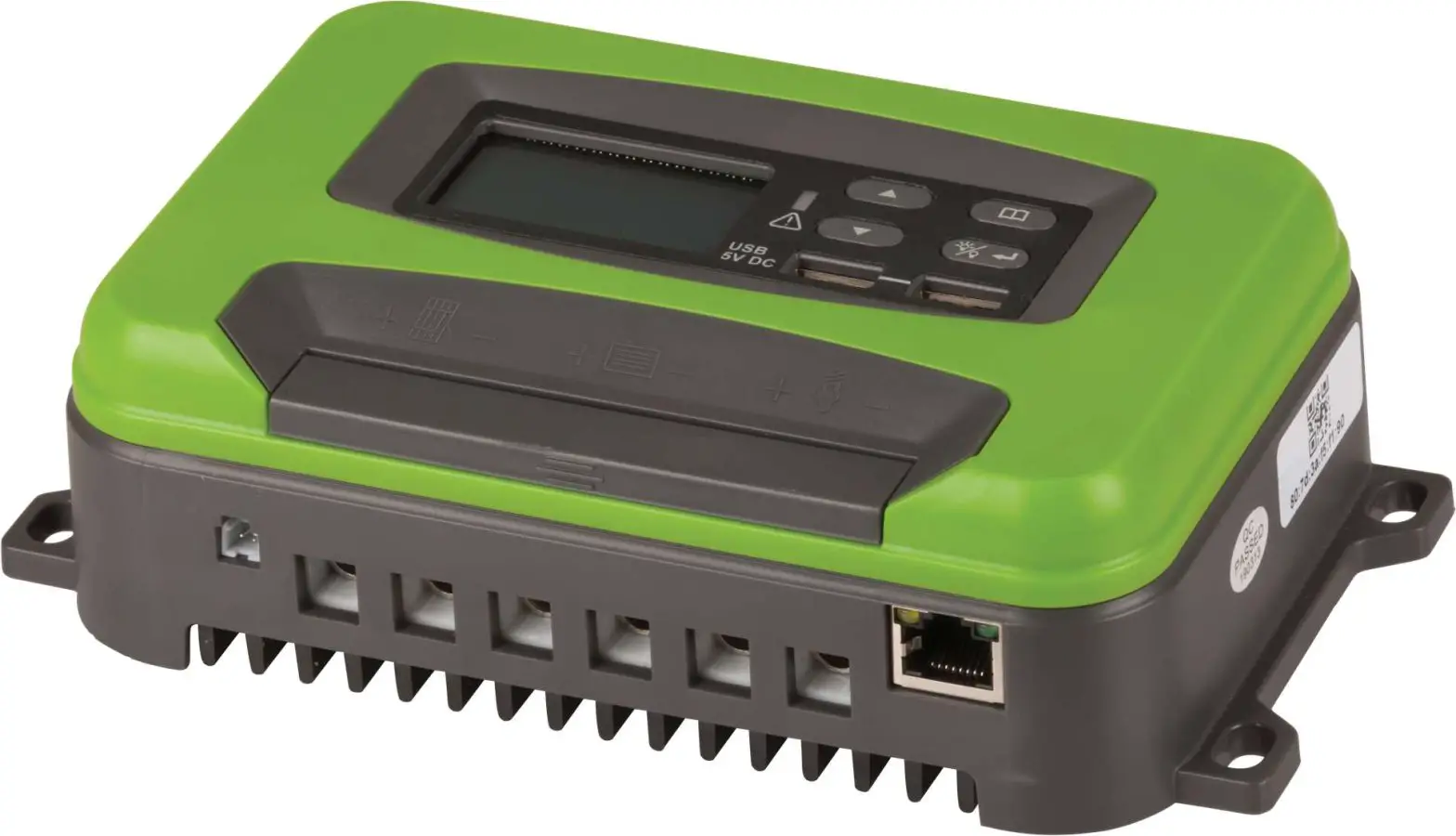
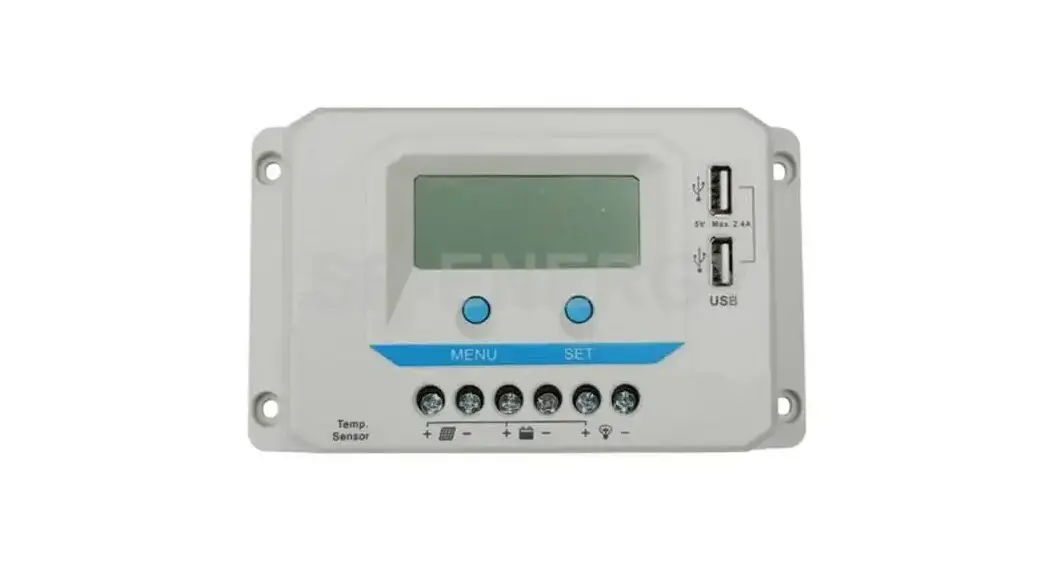
| 1 | LCD | 5 | Battery Terminals |
| 2 | MENU Button | 6 | Load Terminals |
| 3 | RTS Port | 7 | SET Button |
| 4 | PV Terminals | 8 | USB Output Ports* |
*USB output ports provide the power supply of 5VDC/2.4A and have short circuit protection.
CONNECTION DIAGRAM:
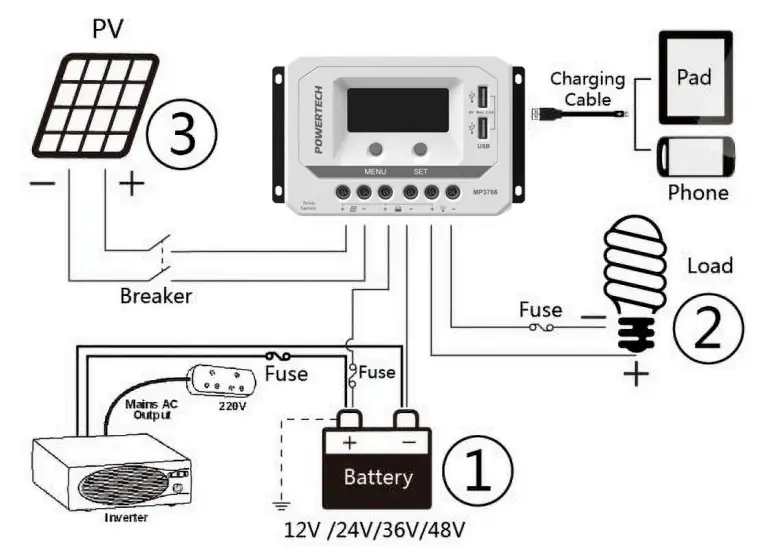
- Connect components to the charge controller in the sequence as shown above and pay attention to the “+” and “-”. Please don’t insert the fuse or turn on the breaker during the installation. When disconnecting the system, the order will be reserved.
- After powering on the controller, check the LCD. Always connect the battery first, in order to allow the controller to recognize the system voltage.
- The battery fuse should be installed as close to battery as possible. The suggested distance is within 150mm.
- This regulator is a positive ground controller. Any positive connection of solar, load, or battery can be earth grounded as required.
 CAUTION
NOTE: Please connect the inverter or other load that has a large start current to the battery rather than to the controller if the inverter or other load is necessary.
OPERATION:
- Battery Function
Button Function MENU button • Browse interface
• Setting parameterSET button • Load ON/OFF
• Clear error
• Enter into Set Mode
• Save data - LCD Display

- status Description
Name Symbol Status PV array 
Day 
Night 
No charge 
Charging 
PV array’s voltage, current, and generate energy Battery 
Battery capacity, In Charging 
Battery Voltage, Current, Temperature 
Battery Type Load 
(Load) dry contact connected 
(Load) dry contact disconnected LOAD Load Voltage, Current, Load mode - Browse Interface

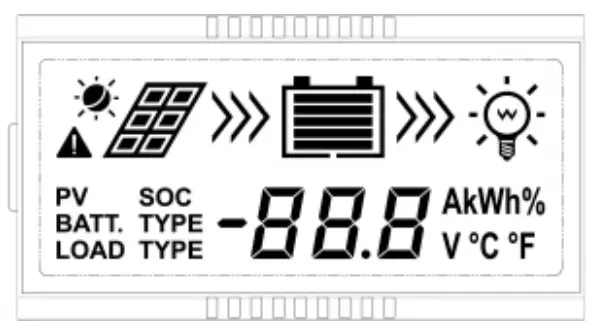






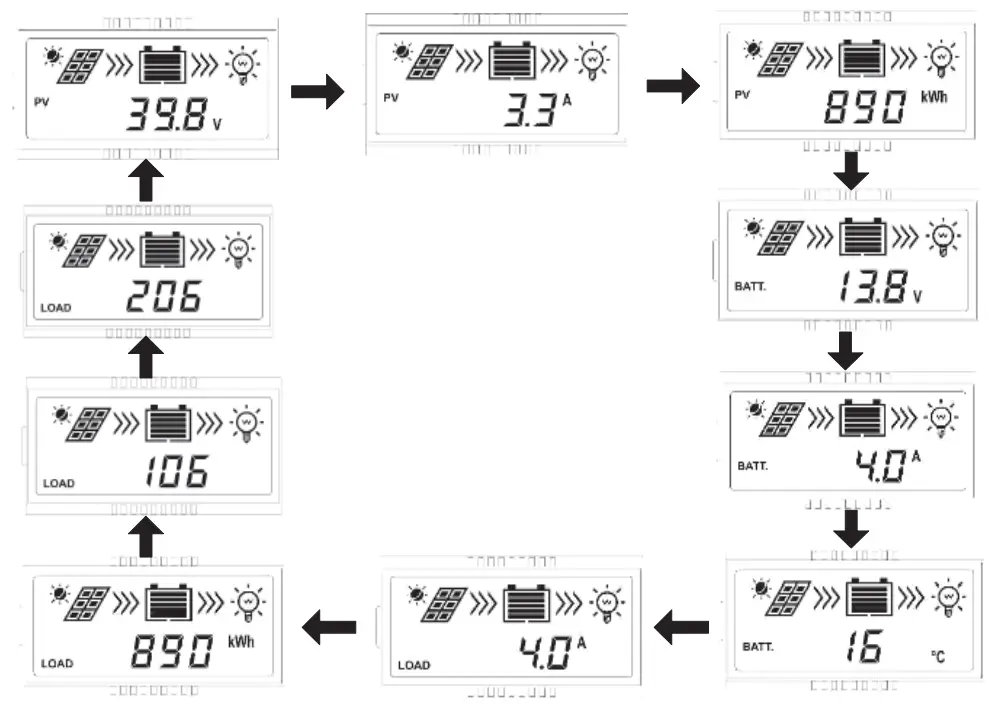
- When no operation, the interface will be an automatic cycle, but the following two interfaces not be displayed.

- Accumulative power zero clearing: Under the PV power interface, press SET button and hold on 5s then the value blink, press SET button again to clear the value.
- Setting temperature unit: Under the battery temperature interface, press the SET button and hold on 5s to switch.
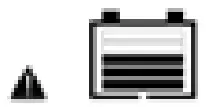
- Fault Indication
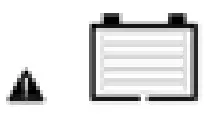
Status Icon Description Battery over-discharged 
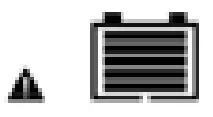
Battery level shows empty, battery frame blink, fault icon blink Battery over voltage 
Battery level shows full, battery frame blink, and fault icon blink. Battery overheating 
Battery level shows current value, battery frame blink, and fault icon blink. Load failure 
Load overloads, Load short circuit 1When load current reaches 1.02-1.05 times, 1.05-1.25 times, 1.25-1.35 times, and 1.35-1.5 times more than the nominal value, the controller will automatically turn off loads in the 50s, 0s, 10s, and 2s respectively
- Load Mode Setting
Operating Steps:
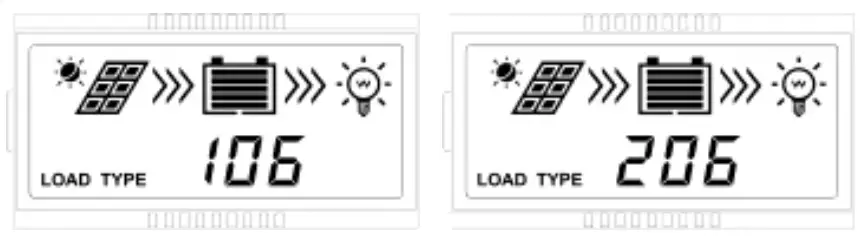
Under the load mode setting interface, press the SET button and hold on 5s till the number begin flashing, then press the MENU button to set the parameter, and press the SET button to confirm.1** Timer 1 2** Timer 2 100 Light ON/OFF 2 n Disabled 101 Load will be on for 1 hour since sunset 201 Load will be on for 1 hour before sunrise 102 Load will be on for 2 hours since sunset 202 Load will be on for 2 hours before sunrise 103-113 Load will be on for 3-13 hours since sunset 203-213 Load will be on for 3-13 hours before sunrise 114 Load will be on for 14 hours since sunset 214 Load will be on for 14 hours before sunrise 115 Load will be on for 15 hours since sunset 215 Load will be on for 15 hours before sunrise 116 Test mode 2 n Disabled 117 Manual mode (Default load ON) 2 n Disabled NOTE: Please set Light ON/OFF, Test mode, and Manual mode via Timer1. Timer2 will be disabled and display “2 n”.
- Battery Type
Operating Steps:
Under the Battery Voltage interface, press the SET button and hold on 5s then enter into the interface of the Battery type setting. After choosing the battery type by pressing the MENU button, waiting for 5s, or pressing the SET button again to modify it successfully. NOTE: Please refer to the battery voltage parameters table for the different battery type.
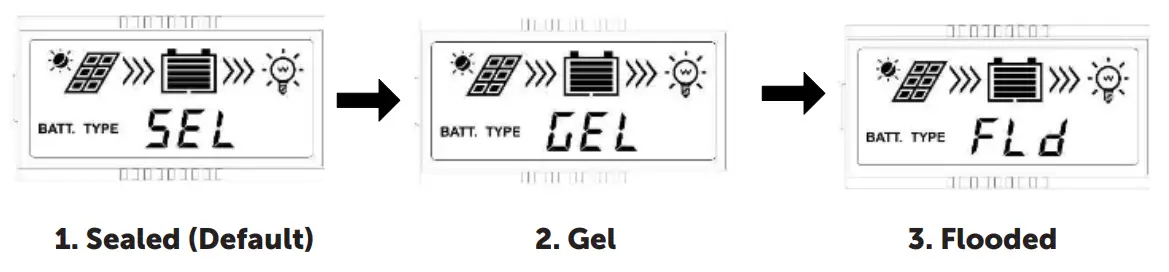 NOTE: Please refer to the battery voltage parameters table for the different battery type.
PROTECTION:
| Protection | Conditions | Status |
| PV Reverse Polarity | When the battery is correct connecting, the PV can be reversed. | The controller is not damaged |
| Battery Reverse Polarity | When the PV is not connecting, the battery can be reversed. | |
| Battery Over Voltage | The battery voltage reaches the OVD | Stop charging |
| Battery Over Discharge | The battery voltage reaches the LVD | Stop discharging |
| Battery Overheating | Temperature sensor is higher than 65°C | Output is OFF |
| Controller Overheating | Temperature sensor is less than 55°C | Output is ON |
| Temperature sensor is higher than 85°C | Output is OFF | |
| Temperature sensor is less than 75°C | Output is ON | |
| Load Short Circuit | Load current >2.5 times rated current In One short circuit, the output is OFF 5s; Two short circuits, the output is OFF 10s; in Three short circuits, the output is OFF 15s; Four short circuits, the output is OFF 20s; Five short circuits, the output is OFF 25s; Six short circuits, the output is OFF | Output is OFF Clear the fault: Restart the controller or wait for one night-day cycle (night time > 3 hours). |
| Load Overload | Load current >2.5 times rated current 1.02-1.05 times, the 50s; 1.05-1.25 times, 30s; 1.25-1.35 times, 10s; 1.35-1.5 times, 2s | Output is OFF Clear the fault: Restart the controller or wait for one night-day cycle (night time > 3 hours). |
| Damaged RTS | The RTS is short-circuited or damaged | Charging or discharging at 25°C |
TROUBLESHOOTING:
| Faults | Possible Reasons | Troubleshooting |
| The LCD is off during the daytime when sunshine falls on PV modules properly | PV array disconnection | Confirm that PV wire connections are correct and tight. |
| The wire connection is correct, LCD does not display | 1) the Battery voltage is lower than 9V 2)PV voltage is less than battery voltage | 1)Please check the voltage of the battery. At least 9V voltage to activate the controller. 2)Check the PV input voltage which should be higher than the batteries. |
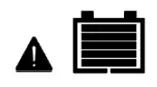 Interface blink Interface blink | overvoltage ge | Check if the battery voltage is higher than the OVD point (over-voltage disconnect voltage), and disconnect the PV. |
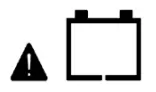 Interface blink Interface blink | Battery over-discharged | When the battery voltage is restored to or above LVR point (low voltage reconnect voltage), the load will recover |
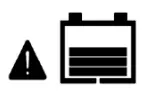 Interface blink Interface blink | Battery overheating | The controller will automatically turn the system off. But while the temperature decline to be below 50°C, the controller will resume. |
 Interface blink Interface blink | Overload or Short circuit | Please reduce the number of electric equipment or check carefully the loads connection. |
SPECIFICATIONS:
| Model: | MP3766 |
| Nominal system voltage | 12/24VDC, Auto |
| Battery input voltage range | 9V-32V |
| Rated charge/discharge current | 30A@55°C |
| Max. PV open circuit voltage | 50V |
| Battery type | Sealed(Default) / Gel / Flooded |
| Equalize Charging Voltage^ | Sealed:14.6V / Gel: No / Flooded:14.8V |
| Boost Charging Voltage^ | Sealed:14.4V / Gel:14.2V / Flooded:14.6V |
| Float Charging Voltage^ | Sealed / Gel / Flooded:13.8V |
| Low Voltage Reconnect Voltage^ | Sealed / Gel / Flooded.12 6V |
| Sealed / Gel / Flooded:12.6V | |
| Low Voltage Disconnect Voltage^ | Sealed / Gel / Flooded:11.1V |
| Self-consumption | <9.2mA/12V;<11.7mA/24V; <14.5mA/36V;<17mA/48V |
| Temperature compensation coefficient | -3mV/°C/2V (25°C) |
| Charge circuit voltage drop | <0.2W |
| Discharge circuit voltage drop | <0.16V |
| LCD temperature range | -20°C-+70°C |
| Working environment temperature | -25°C-i-55°C(Product can work continuously at full load) |
| Relative humidity | 95%, N.C. |
| Enclosure | IP30 |
| Grounding | Common Positive |
| USB output | 5VDC/2.4A(Totan |
| Dimension(mm) | 181×100.9×59.8 |
| Mounting size(mm) | 172×80 |
| Mounting hole size(mm) | 5 |
| Terminals | 16mm2/6AWG |
| Net weight | 0.55kg |
^Above the parameters are in the 12V system at 25°C, twice in the 24V system.
Distributed by:
Electus Distribution Pty. Ltd.
320 Victoria Rd, Rydalmere
NSW 2116 Australia
www.electusdistribution.com.au
Made in China
 Electus Distribution - Home