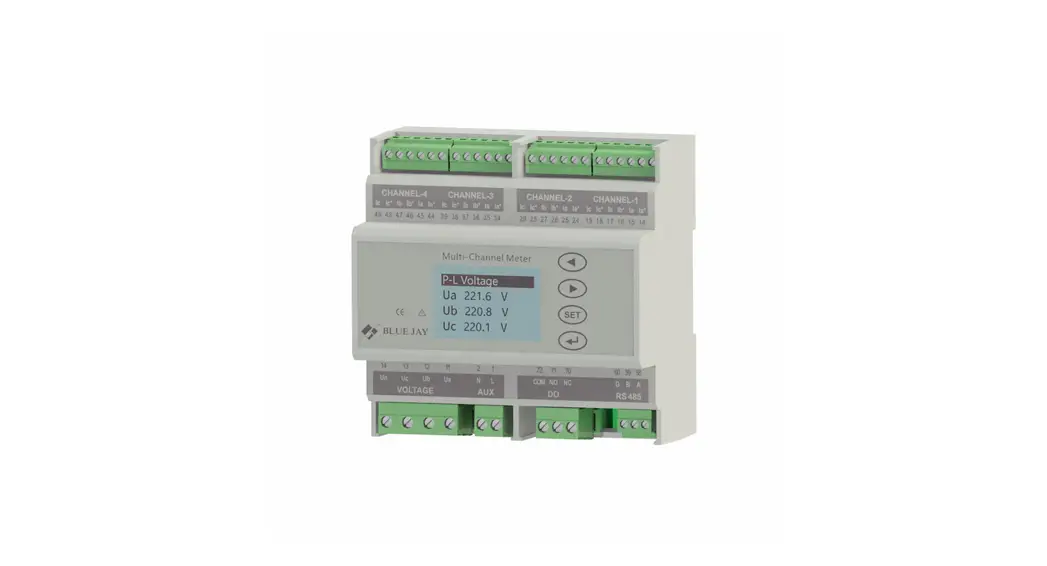
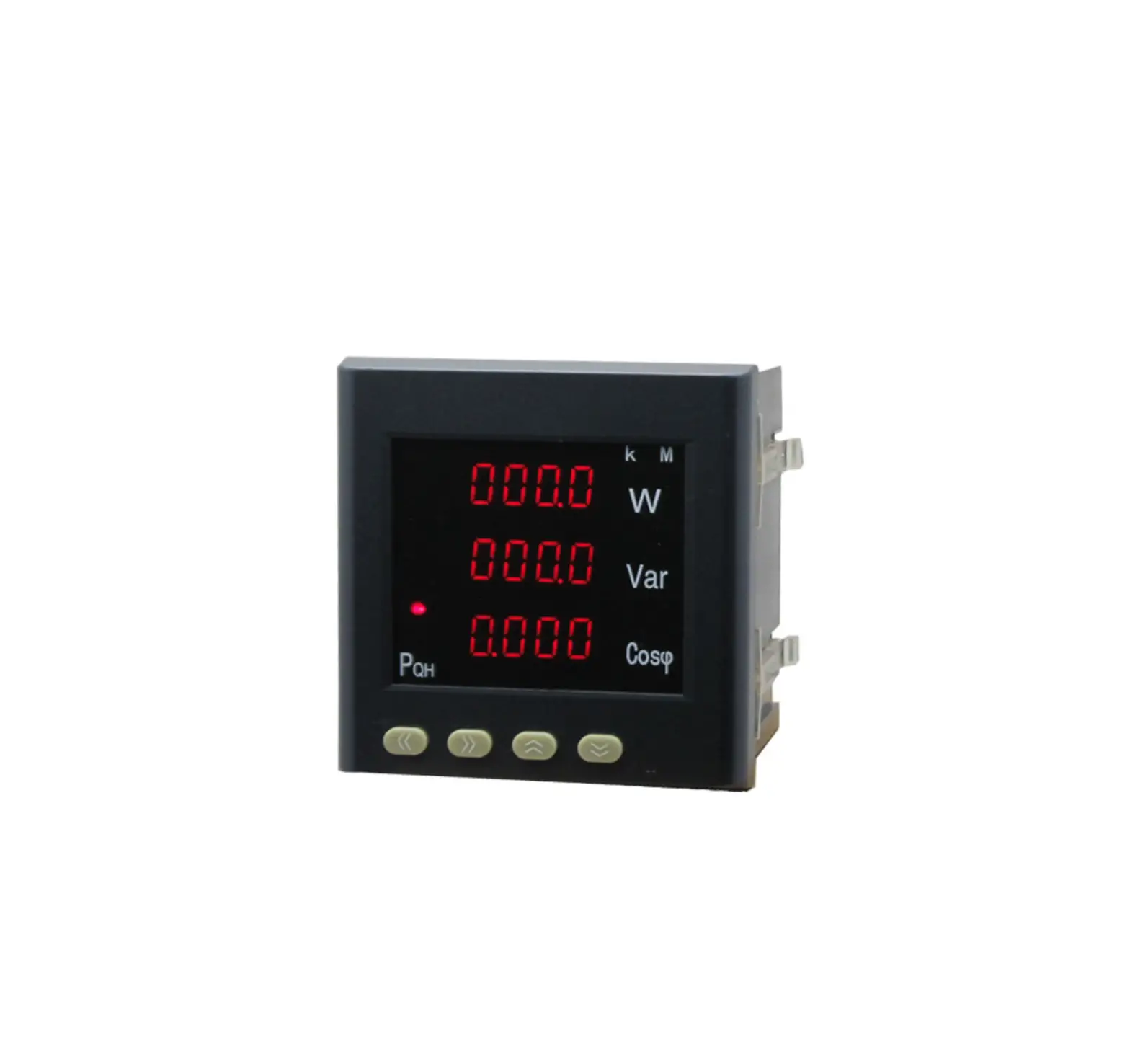
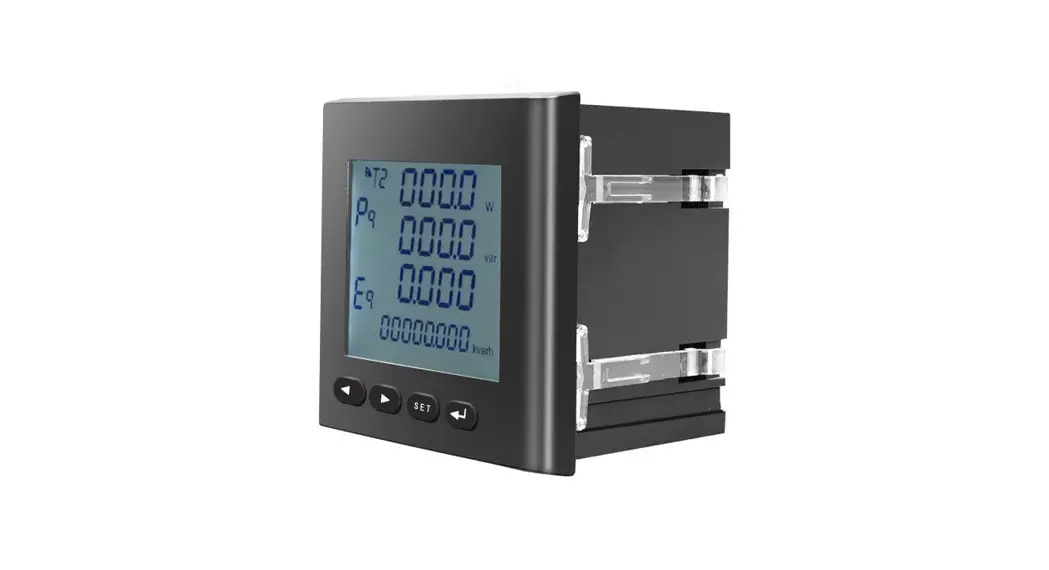
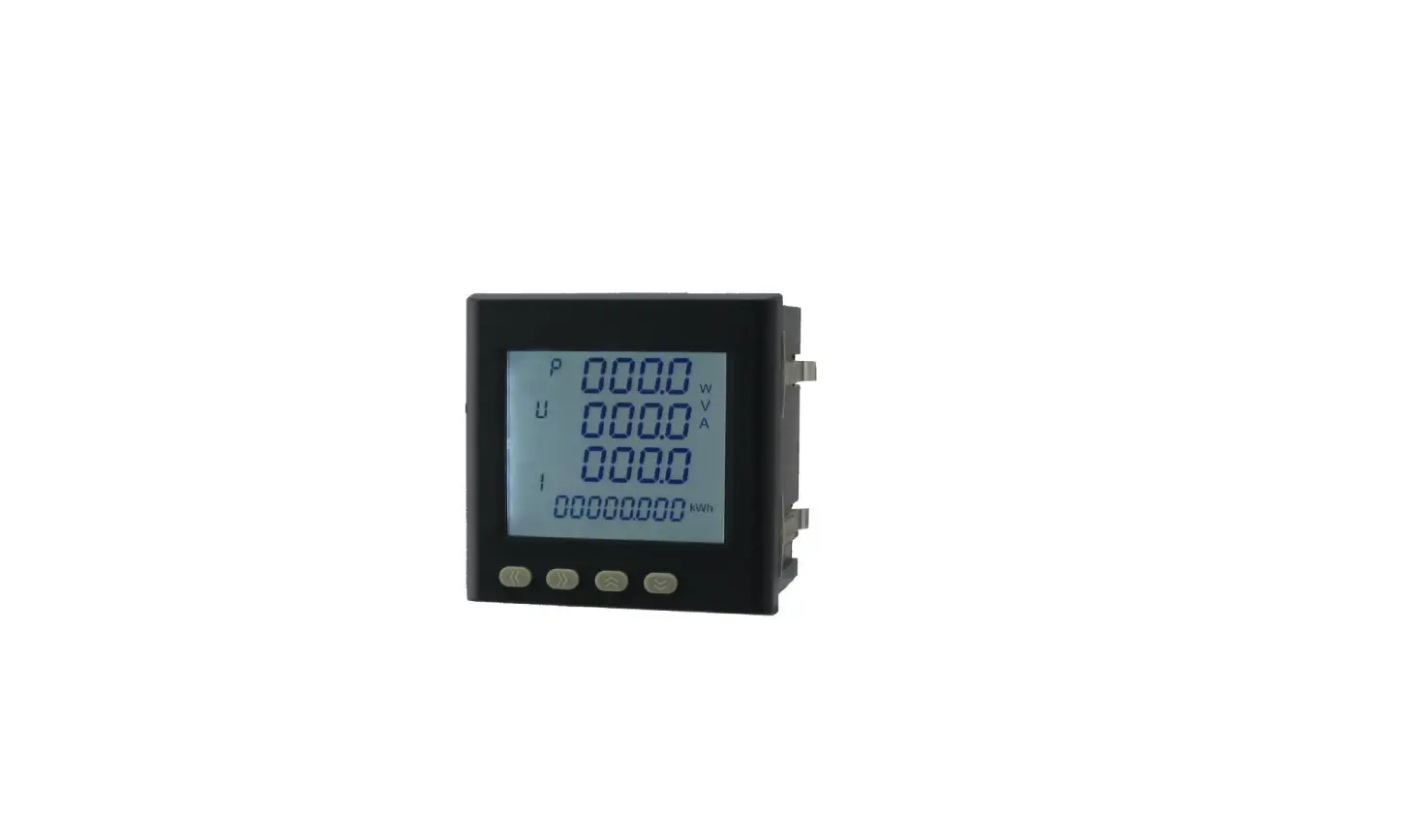
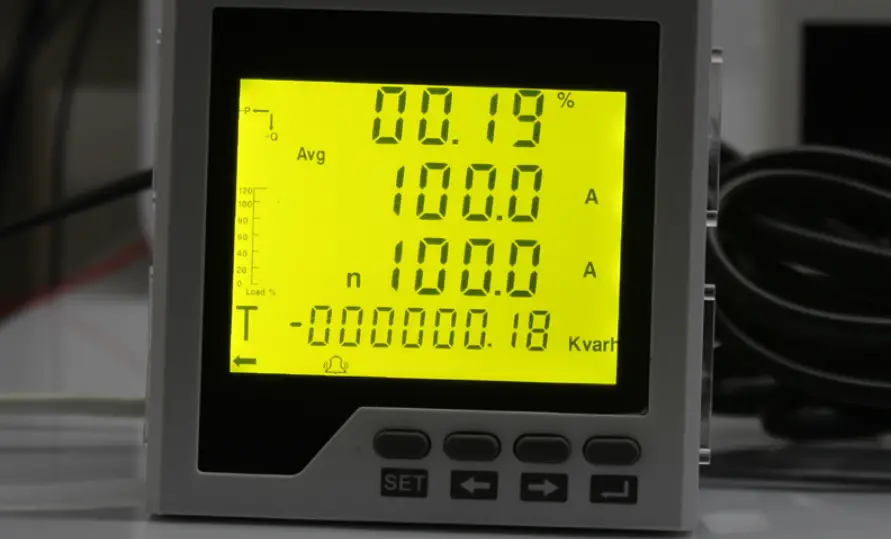
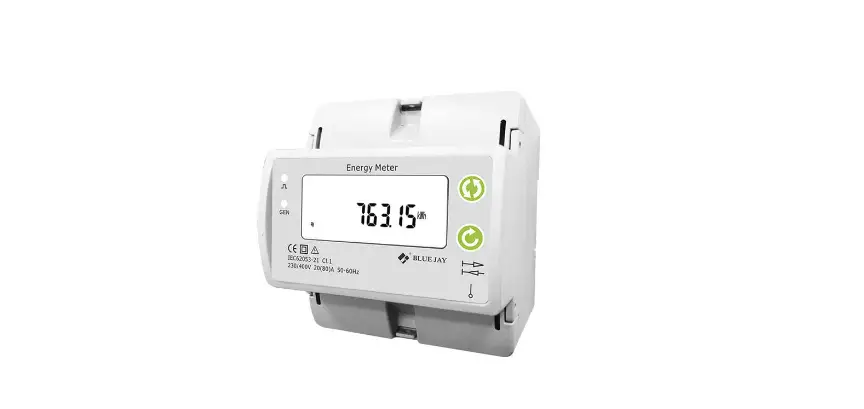
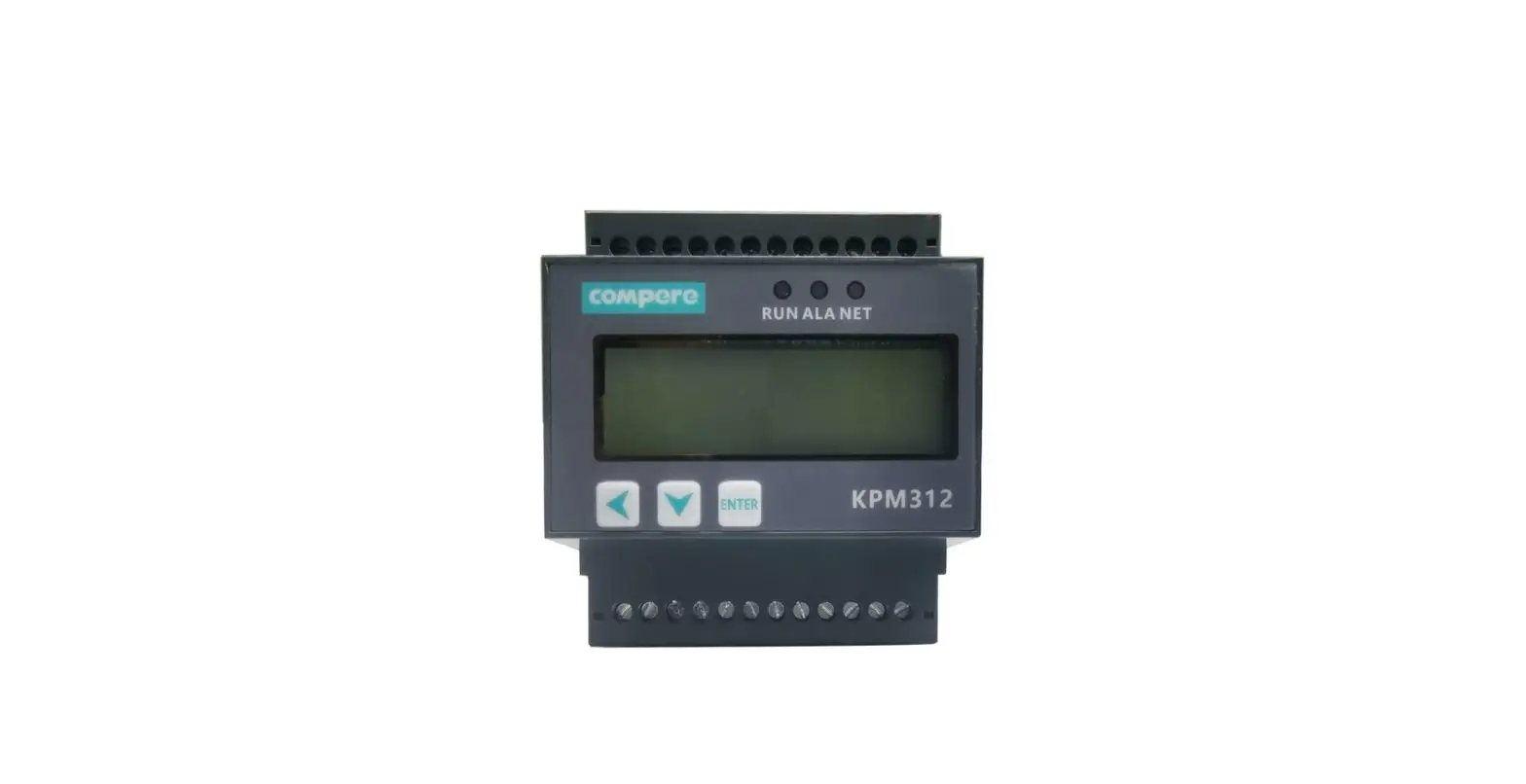
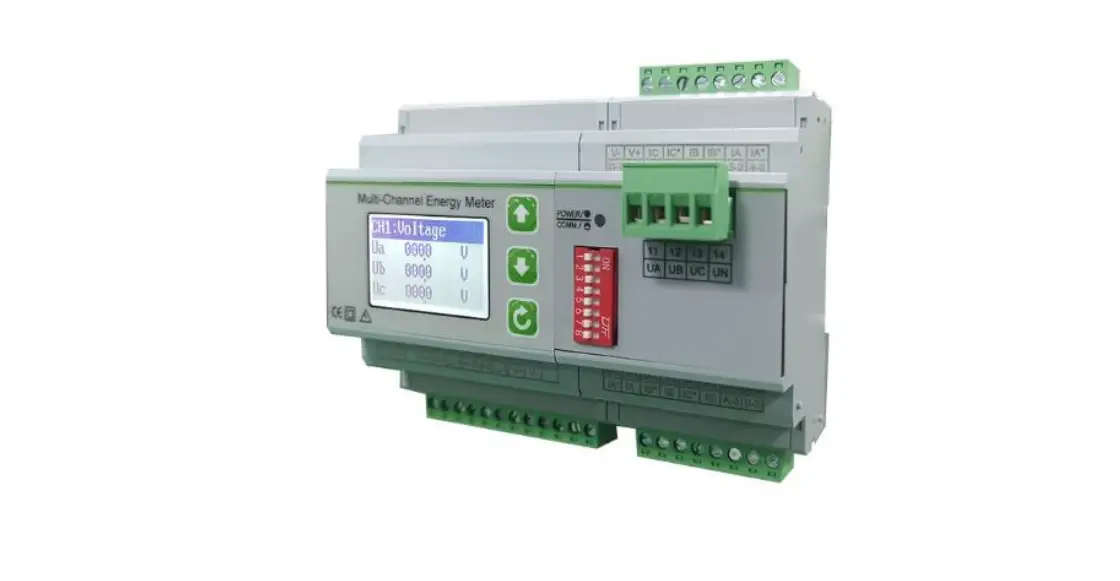
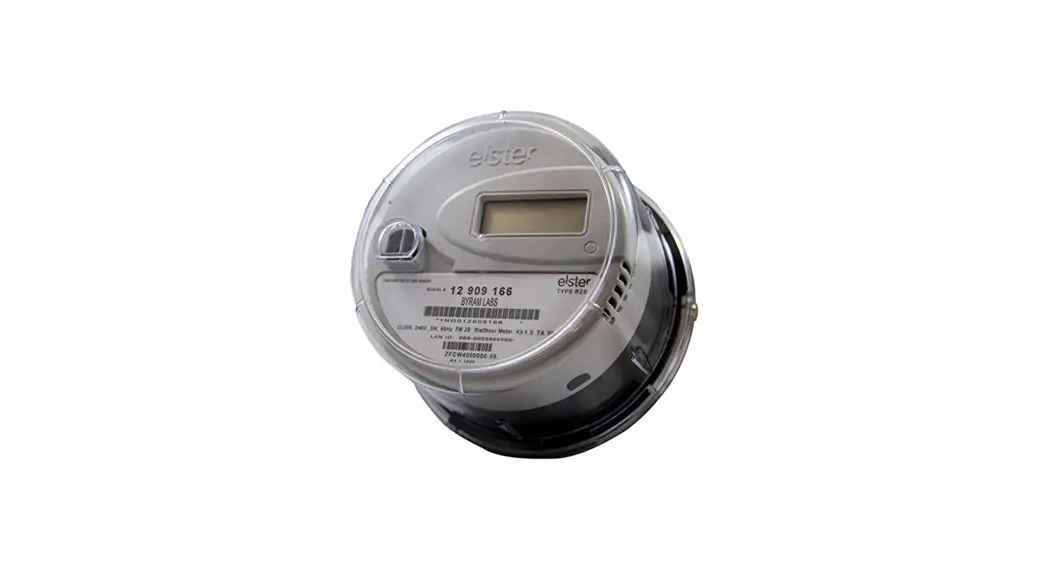
BJ-MCM2403-V Multi Channel Circuit Metering System
Multi-channel Circuit Metering System BJ-MCM2403-V User
Manual
Version 1.4
Tel: +0086-023-67628702
Website: www.cqbluejay.com
Address: 1802, Building 2, No.88, Jianxin East Road, Chongqing,
400020, China
Email: [email protected]
Product Information
The BJ-MCM2403-V Series Multi-Channel Circuit Metering System is
a compact and robust metering solution that provides reliable
monitoring of building electrical loads with a low installation
cost-per-point by combining submetering. The unit performs
real-time metering, measures energy consumption, multi-tariff
time-of-use (TOU), and monitors power quality of 4 channels
circuits for three-phase circuits.
The MCM2403-V Series has advanced communication options,
including Modbus via RS485, I/O communications, providing for
extensive reliable data exchange. Multiple units can be connected
together to meter an unlimited number of circuits. The versatility
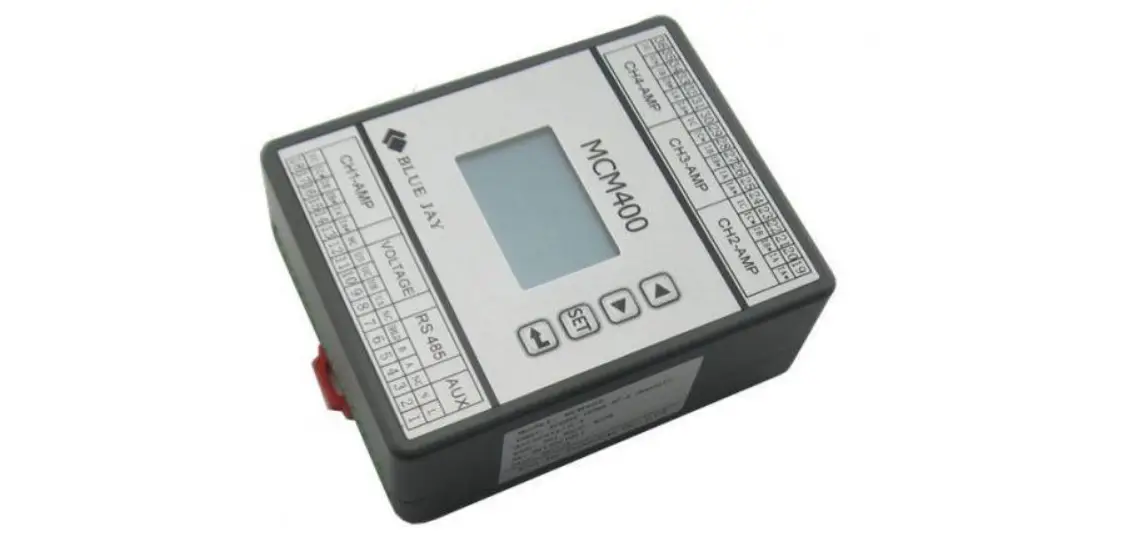
of the MCM400 meters is ideal for multi-tenant or departmental
metering applications within office towers, condominiums, apartment
buildings, shopping centers, and other multi-user environments.
Specifications
The BJ-MCM2403-V Series Multi-Channel Circuit Metering System
has the following specifications:
- Real-time metering of 4 channels circuits for three-phase
circuits - Measures energy consumption and multi-tariff TOU
- Monitors power quality
- Advanced communication options including Modbus via RS485, I/O
communications - Multiple units can be connected together to meter an unlimited
number of circuits
Product Usage Instructions
Before using the BJ-MCM2403-V Series Multi-Channel Circuit
Metering System, carefully read the user manual and fully
understand the implications and correct guidance of operations in
accordance with the user manual. This will help you make better use
of the DC Energy Meter and help to solve various problems at the
scene.
Follow these instructions when using the meter:
- Before turning on the power supply, ensure that the power
supply is within the provisions of the instrument. - During installation, ensure that the current input terminal is
non-open and voltage input terminals are non-short circuit. - Ensure that the instrument wiring is consistent with the
internal system settings. - When communicating with the PC, ensure that instrument
communication parameters are consistent with the PC.
Please read the user manual carefully and save this document for
future reference.
If you have any questions or concerns about the BJ-MCM2403-V
Series Multi-Channel Circuit Metering System, please contact us
at:
Tel: +0086-023-67628702
Website: www.cqbluejay.com
Address: 1802, Building 2, No.88, Jianxin East Road, Chongqing,
400020, China
Email: [email protected]
User Manual
Multi-channel Circuit Metering System BJ-MCM2403-V User Manual
Version1.4
Tel: +0086-023-67628702 www.cqbluejay.com Add: 1802,Building 2,No.88,Jianxin East Road,Chongqing,400020,China
Email:[email protected]
Read me
User Manual
When you use BJ-MCM2403-V Series Multi-Channels Circuit Metering system, be sure to carefully read this user manual, and be able to fully understand the implications, the correct guidance of operations in accordance with user manual, which will help you make better use this DC Energy Meter, and help to solve the various problems at the scene.
1. Before the meter turning on the power supply, be sure that the power supply within the provisions of the instrument;
2. When installation, the current input terminal must non-open, voltage input terminals must Nonshort circuit;
3. Be sure the instrument wiring consistent with the internal system settings;
4. When communicating with the PC, instrument communication parameters must be consistent with the PC
Please read this user manual carefully Please save this document
Tel: +0086-023-67628702 www.cqbluejay.com Add: 1802,Building 2,No.88,Jianxin East Road,Chongqing,400020,China
Email:[email protected]
Directory
User Manual
CONTENTS
Page
1. – SUMMARIZE………………………………………………………………………………………………………………… – 3 –
2. – SPECIFICATIONS ………………………………………………………………………………………………………… – 4 –
3.- INSTALLATION AND START-UP……………………………………………………………………………………. – 6 3.1.- INSTALLATION ……………………………………………………………………………………………………………. – 6 3.2. – CONNECTION TERMINAL OF MCM400 ……………………………………………………………………………. – 7 –
4. – SETUP PROCEDURE …………………………………………………………………………………………………… – 8 4.1. – KEY OPERATION ………………………………………………………………………………………………………… – 8 4.2. – SHOW ELECTRIC PARAMETERS……………………………………………………………………………………… – 8 4.3.- PARAMETERS SETTING………………………………………………………………………………………………. – 10 4.4. – MENU STRUCTURE…………………………………………………………………………………………………….- 11 –
5. – COMMUNICATION PROTOCOL ………………………………………………………………………………….. – 13 5.1. – CONNECTION FOR THE RS485 BUS ……………………………………………………………………………. – 13 5.2. – MODBUS © PROTOCOL……………………………………………………………………………………………. – 14 5.3. – REGISTER ADDRESS TABLE ……………………………………………………………………………………….. – 15 –
6. – SAFETY CONSIDERATIONS ………………………………………………………………………………………. – 19 –
7. – MAINTENANCE………………………………………………………………………………………………………….. – 19 –
Tel: +0086-023-67628702 www.cqbluejay.com Add: 1802,Building 2,No.88,Jianxin East Road,Chongqing,400020,China
Email:[email protected]
1. – SUMMARIZE
User Manual
The MCM2403-V Series provides a compact and robust metering solution, enable reliable monitoring of building electrical loads with a low installation cost-per-point by combining submetering. The unit performs real-time metering, measures energy consumption, multi-tariff time-ofuse (TOU) and monitors power quality of 4 channels circuits for three phase circuits.
Advanced communications options including Modbus via RS485, I/O communications provide for extensive reliable data exchange. Multiple units can be connected together to meter unlimited number of circuits. The versatility of MCM400 meters are ideal for multi-tenant or departmental metering applications within office towers, condominiums, apartment buildings, shopping centers and other multi-user environments.
Measurement Function
Voltage: Line Voltage; Phase Voltage Current: Total Current; Current per channel Power and Power Factor: Total power Reactive Power, Apparent Power, Power Factor and for per channel Frequency: System Frequency
Energy Function
Energy (kWh) measurement meeting international standards, accuracy is Class 1.0. It optional Time of Use feature: 12 Seasons, 4 Tariffs record, max three-month data for each channel.
Over/Under Limit Alarming
Users can select parameters and set their set points. An alarm will be triggered when the set point is reached, user can get the info from MODBUS reading.
Power Quality Analysis
Optional power quality parameters such as voltage and current THD, Odd harmonic distortion (Total Odd HD), even harmonic distortion (Total Even HD), 2 ~ 21 times the harmonic content, Current Kfactor (KF), crest factor (CF), telephone interference factor (THFF), voltage and current unbalance etc.
Communication and Network
Supports RS485 communication open protocol: Modbus RTU;
Tel: +0086-023-67628702 www.cqbluejay.com Add: 1802,Building 2,No.88,Jianxin East Road,Chongqing,400020,China
Email:[email protected]
2. – SPECIFICATIONS
User Manual
Reference standard: IEC60688-2012 IEC62053-21:2003 GBT 22264.1-2008 (IEC61557-12)
Accuracy standards
Parameter
Accuracy
A phase
B phase
C phase
Voltage
0.2
Current
0.2
Active Power
0.5
Reactive Power
0.5
Apparent power
0.5
Power Factor
0.5
Active Energy
1
Reactive Energy
2
Frequency
0.1
Va Aa1-12 Wa1-12 vara1-12 VAa1-12 PFa1-12
Vb Ab1-12 Wb1-12 varb1-12 VAb1-12 PFb1-12
Vc Ac1-12 Wc1-12 varc1-12 VAc1-12 PFc1-12
Notes: final metering accuracy depends one sampling CT and PT accuracy
All
W1-12 var1-12 VA1-12 PF1-12 Wh1-12 varh1-12 Hz1-12
Input Voltage: Rated 20~380V (need confirm before order) Current: Rated ../100mA (optional ../0.333V, need confirm before order) Frequency: 40-65Hz
Overload Current: 1.2 times rated continuous; 5 seconds for 10 times the rated Voltage: 1 seconds for 2 times the rated
Dielectric strength Standard IEC 61010-1 2kV AC RMS 1 minute, between input / output / case / power supply
EMC Test
Electrostatic discharge immunity test: Electrical fast transient burst immunity test
Surge (Shock) immunity test
standard
IEC-61000-4-2 level 4 IEC61000-4-4 level 3
IEC61000-4-5 level 3
Test voltage 8Kv
Input 1kV; Power supply 2kV
common mode test voltage 2kV
Tel: +0086-023-67628702 www.cqbluejay.com Add: 1802,Building 2,No.88,Jianxin East Road,Chongqing,400020,China
Email:[email protected]
Work environment Temperature: -15C~ +55C Humidity: RH 20%~95% (No condensation)
Storage Conditions Temperature: -30C~+70C Humidity: RH 20%~95%
Working Power AC/DC 85-265V, 45-65Hz Maximum power consumption 3W
Dimensions L × H × D =105X104X61.75mm
User Manual
Tel: +0086-023-67628702 www.cqbluejay.com Add: 1802,Building 2,No.88,Jianxin East Road,Chongqing,400020,China
Email:[email protected]
3.- INSTALLATION AND START-UP
User Manual
The manual you hold in your hands contains information and warnings that the user should respect in order to guarantee a proper operation of all the instrument functions and keep its safety conditions. The instrument must not be powered and used until its definitive assembly is on the cabinet’s door.
Whether the instrument is not used as manufacturer’s specifications, the protection of the instrument can be damaged.
When any protection failure is suspected to exist (for example, it presents external visible damages),the instrument must be immediately powered off. In this case contact a qualified service representative.
3.1.- Installation
Mounting
Instrument is to be mounted on 35mm Din-rail. Keep all connections inside the cabinet.
Note that with the instrument powered on, the terminals could be dangerous to touch and cover opening actions or elements removal may allow accessing dangerous parts. Therefore, the instrument must not be used until this is completely installed.
Notes:
Auxiliary power:
MCM2403-V meter with AUX power input, if not for a special statement, we provide the 85265VAC/DC power interface for standard products. Please ensure that the auxiliary power match meter access to prevent damage to the product.
Tel: +0086-023-67628702 www.cqbluejay.com Add: 1802,Building 2,No.88,Jianxin East Road,Chongqing,400020,China
Email:[email protected]
3.2. – Connection terminal of MCM400
User Manual
Notes:
Meter use foolproof design, access terminal uses different styles block:
Terminal Current sampling
Voltage sampling
AUX sampling Digital output terminal
RS485 COMM
Size 3.81mm
7.62mm
5.08mm 5.08mm
3.81mm
Style 6pin
4pin
2pin 3pin
3pin
The current input pin need to access the CT, and output signal of CT is 0-100mA or 0~0.333V, CT access have polarity to power direction. Please confirm your ordering meter types and prepare related CT.
Digital output is passive load, inside relay can drive max 250VAC(3A)/30VDC(3A) load, please make sure connected load do not exceed this capacity.
Wiring diagram may be changed due to the special requirements of customers’ order, please refer the label on the rear part.
If you are or sure or signs unclear, please contact:
Blue Jay Technical Support: [email protected]
Tel: +0086-023-67628702 www.cqbluejay.com Add: 1802,Building 2,No.88,Jianxin East Road,Chongqing,400020,China
Email:[email protected]
4. – SETUP PROCEDURE
User Manual
4.1. – Key operation
“” or “” Screen switch or value increase/decrease
“SET”
Menu enters or exit
“”
Enter next menu or confirm the change
4.2. – Show electric parameters
When the MCM400 in monitor screen, user can use keypad switch shows the electrical parameters, press “” to switch another screen in this channel, press “” to switch parameter for channel 1-4 press ” ” to switch more details parameter in screen screen roller logic as following:
Tel: +0086-023-67628702 www.cqbluejay.com Add: 1802,Building 2,No.88,Jianxin East Road,Chongqing,400020,China
Email:[email protected]
CH1:Voltage Ua 000.0 V Ub 000.0 V Uc 000.0 V
CH1: Amp Ia 0.000 A Ib 0.000 A Ic 0.000 A
CH1:All Power Pz 0000 W Qz 0000 var Pfz 0.000
CH1:Fequency Fr 00.00 Hz
User Manual
CH1:Split Pow Pa 0000 W Pb 0000 W Pc 0000 W
CH1:Voltage Uab 000.0 V Ubc 000.0 V Uca 000.0 V
CH1:Split Pow Pfa 0.000 Pfb 0.000 Pfc 0.000
CH1:Ep C:+ 00000.000kWh
C:- 00000.000 kWh
CH1:Split Pow Sa 0000 VA Sb 0000 VA Sc 0000 VA
CH1:Split Pow Qa 0000 var Qb 0000 var Qc 0000 var
CH1:Ep B:+ 00000.000kWh
B:- 00000.000kWh
CH1:Ep A:+ 00000.000kWh
A:- 00000.000kWh
CH1:Ep Z:+ 00000.000kWh
Z:- 00000.000kWh
CH1:Eq C:+00000.000kvarh
C:-00000.000kvarh
CH1:Eq B:+00000.000kvarh
B:-00000.000kvarh
CH1:Eq A:+00000.000kvarh
A:-00000.000kvarh
CH1:Eq Z:+00000.000kvarh
Z:-00000.000kvarh
CH1:Harm A 000.0% B 000.0%
ITEHD C 000.0%
CH1:Harm A 000.0% B 000.0%
ITOHD C 000.0%
CH1:Harm A 000.0% B 000.0%
ITHD C 000.0%
CH1:Harm A 000.0% B 000.0%
UTEHD C 000.0%
CH1:Harm A 000.0% B 000.0%
UTOHD C 000.0%
CH1:Harm A 000.0% B 000.0%
UTHD C 000.0%
CH1:Harm-U (%)Ua Ub Uc 20 00.0 00.0 00.0 21 00.0 00.0 00.0
CH1:Harm-U (%)Ua Ub Uc 06 00.0 00.0 00.0 07 00.0 00.0 00.0
CH1:Harm-U (%)Ua Ub Uc 04 00.0 00.0 00.0 05 00.0 00.0 00.0
CH1:Harm-U (%)Ua Ub Uc 02 00.0 00.0 00.0 03 00.0 00.0 00.0
CH1:Harm-I (%)Ua Ub Uc 20 00.0 00.0 00.0 21 00.0 00.0 00.0
CH1:Harm-I (%)Ua Ub Uc 06 00.0 00.0 00.0 07 00.0 00.0 00.0
CH1:Harm-I (%)Ua Ub Uc 04 00.0 00.0 00.0 05 00.0 00.0 00.0
CH1:Harm-I (%)Ua Ub Uc 02 00.0 00.0 00.0 03 00.0 00.0 00.0
CH1:DO DO1
Tel: +0086-023-67628702 www.cqbluejay.com Add: 1802,Building 2,No.88,Jianxin East Road,Chongqing,400020,China
Email:[email protected]
4.3.- Parameters Setting
User Manual
The SETUP procedure of the MCM2403-V is performed by means of several SETUP options. When into the SETUP, use the keyboard to select different options and enter required variables:
Press the key SET can enter the parameter setting. the screen ask access password (Default is
0001), then press
can enter the menu.
The operation menu logic as following:
Input set Line: 3P4L Voltage 0220V Amp: 0.100A
Input set PT: 0001 CT1: 0050 CT2: 0050
Input set CT3: 0050 CT4: 0050
Menu 01Input set 02Bus set 03Alarm set
Bus set Address 001 Baud rate 9600 Data form n.8.1
Alarm set Alarm-1 Alarm-2 Alarm-3
Alarm set Alarm-4 Alarm-5
Alarm-1 ModeOFF Delay 000.1S Parameter Ua
Alarm-1 Value 5500 Hysteresis 0050 Channel CH1
Menu 04Relay set 05System set
Relay Set Do-1
Do-1 Mode Remote Time 001.0S
System Set Password 0001 Display MAN Blacklight 5 mi
System Set Clear Energy Contrast 5
Tel: +0086-023-67628702 www.cqbluejay.com Add: 1802,Building 2,No.88,Jianxin East Road,Chongqing,400020,China
Email:[email protected]
4.4. – Menu Structure
User Manual
level 1
Input Setting
Comm Setting
Alarm Setting
Digital output
System Settings
Level 2 Wiring mode Rated volt Rated amp PT ratio CT of CH1 CT of CH2 CT of CH3 CT of CH4 Address Baud Rate Check format
Alarm_1…5
DO
Password Display Backlight
Level 3 3P4L/3P3L2CT/3P3
L3CT 220V 333mV Last time set value Last time set value Last time set value Last time set value Last time set value 1~247 2400 / 4800 / 9600 / 19200 n.8.1 / o.8.1 / e.8.1
Mode
Delay Parameter
Value
hysteresis Related channel
Mode
Time
0~9999 MAN
Number 1~9 1~5
Level 4
1~9999 1~9999 1~9999 1~9999 1~9999
/ / / OFF / Upper Limit / Lower Limit / Ua/Ub/Uc/Uab/Ubc…
0~9999
0~9999 CH1-4 Remote Alarm_1…5
ON OFF
Default 001.0sec / /
/
Description
input signal network measurement
Default setting, cannot be modified
Default setting, cannot be modified
Default 0001 Default 0050 Default 0050 Default 0050 Default 0050 Default 0001
Default is 9600
Factory default (n.8.1)
Total three mode
Alarm triggered time delay, Default 001.0s
Alarm triggered parameters
Default is 5500,value related to secondary side
parameters, unit: Volte – 0.1V; Amp – 0.001A;
Active power – 0.1W; Reactive power – 0.1VAR;
Power factor – 0.001; Frequency – 0.01HZ;
Default is 0050
Default CH1
Remote for RS485 control Alarm_1…5 related to alarm
setting ON/OFF are forced
act/release In Alarm act for delay time, in remote control mode for
pulse time
Reset user password
Manual switching, or automatic switching in
1~9sec LCD backlight duration, unit
is min, default is 5
Tel: +0086-023-67628702 www.cqbluejay.com Add: 1802,Building 2,No.88,Jianxin East Road,Chongqing,400020,China
Email:[email protected]
Clear Contrast
Energy 1~9
User Manual
/
Clear the record in meter
/
LCD display contrast, default is 5
Tel: +0086-023-67628702 www.cqbluejay.com Add: 1802,Building 2,No.88,Jianxin East Road,Chongqing,400020,China
Email:[email protected]
5. – COMMUNICATION PROTOCOL
5.1. – Connection for the RS485 BUS
User Manual
The composition of the RS-485 cabling must be carried out with a meshed screen cable (minimum 3 wire), diameter of not less than 0.5mm2, with a maximum distance of 1,200 m between the BJ194… and the master unit. This Bus may connect a maximum of 32 BJ194…
Note: 1. For communication with the master unit, customers can choose the RS-232 to RS-485 converter to use
2. Full range of BJ-… meter RS485 PIN number is 58,59,60
3. Due to product modifications or custom requirements, the interface pin place may be changed. For details, please refer to product label on the rear board
Tel: +0086-023-67628702 www.cqbluejay.com Add: 1802,Building 2,No.88,Jianxin East Road,Chongqing,400020,China
Email:[email protected]
5.2. – MODBUS © protocol
Modbus RTU Frame Format:
Address code Function code
1 BYTE 1 BYTE
Data code
4 BYTE
Error Check code
2 BYTE
User Manual
Slave device address 1-247 Indicates the function codes like read coils / inputs Starting address, high byte Starting address, low byte Number of registers, high byte Number of registers, low byte Cyclical Redundancy Check ( CRC )
MODBUS FUNCTIONS
Code:
Meaning:
FUNCTION 03
Reading of n Words
FUNCTION 06
Preset single Registers
Description: This function permits to read all the electrical parameters of the BJ194…series. Write value in to the relevant register
Tel: +0086-023-67628702 www.cqbluejay.com Add: 1802,Building 2,No.88,Jianxin East Road,Chongqing,400020,China
Email:[email protected]
5.3. – Register Address Table
User Manual
5.3.1- Basic Power Data–Primary Side (Read only)
Address
Data
Byte mode
Instruction
0
CH1_Ua
2
CH1_Ub
4
CH1_Uc
6
CH1_Uab
8
CH1_Ubc
10
CH1_Uca
12
CH1_Ia
14
CH1_Ib
16
CH1_Ic
18
CH1_Pa
20
CH1_Pb
22
CH1_Pc
24
CH1_P
26
CH1_Qa
28
CH1_Qb
30
CH1_Qc
32
CH1_Q
34
CH1_Sa
36
CH1_Sb
38
CH1_Sc
40
CH1_S
42
CH1_PFa
44
CH1_PFb
46
CH1_PFc
48
CH1_PF
50
CH1_FR
52
CH1_EpZ+
54
CH1_EpZ-
56
CH1_EqZ+
58
CH1_EqZ-
60
CH1_EpA+
float
2
float
2
Channel_1 Phase to Line Voltage, Unit: V
float
2
float
2
float
2
Channel_1 Phase to Phase Voltage, Unit: V
float
2
float
2
float
2
Channel_1 Three phase Current, Unit: A
float
2
float
2 Channel_1 Individual phase active
float
2 power,
float
2 Unit: kW
float
2
Channel_1 Total active power, Unit: kW
float
2
float
2
Channel_1 Individual phase reactive power, Unit: kVar
float
2
float
2
Channel_1 Total reactive power, Unit: kVar
float
2
float
2
Channel_1 Individual apparent power, Unit: kVA
float
2
float
2
Channel_1 Total apparent power, Unit: kVA
float
2
float
2
Channel_1 Individual power factor, 0~1.000
float
2
float
2
Channel_1 Total power factor, 0~1.000
float
2
Channel_1 Frequency, Unit:0.01Hz
float
2
Channel_1 Total positive active energy, Unit: kWh
float
2
Channel_1 Total negative active energy, Unit: kVarh
Channel_1 Total positive reactive
float
2 energy,
Unit: kVarh
Channel_1 Total negative reactive
float
2 energy,
Unit: kWh
Channel_1 A phase positive active
float
2 energy,
Unit: kWh
Status R R R R R R R R R R R R R R R R R R R R R R R R R
R
R
R
R
R
R
Tel: +0086-023-67628702 www.cqbluejay.com Add: 1802,Building 2,No.88,Jianxin East Road,Chongqing,400020,China
Email:[email protected]
User Manual
Channel_1 A phase negative active
62
CH1_EpA-
float
2 energy,
R
Unit: kVarh
Channel_1 A phase positive reactive
64
CH1_EqA+
float
2 energy,
R
Unit: kVarh
Channel_1 A phase negative reactive
66
CH1_EqA-
float
2 energy,
R
Unit: kWh
Channel_1 B phase positive active
68
CH1_EpB+
float
2 energy,
R
Unit: kWh
Channel_1 B phase negative active
70
CH1_EpB-
float
2 energy,
R
Unit: kVarh
Channel_1 B phase positive reactive
72
CH1_EqB+
float
2 energy,
R
Unit: kVarh
Channel_1 B phase negative reactive
74
CH1_EqB-
float
2 energy,
R
Unit: kWh
Channel_1 C phase positive active
76
CH1_EpC+
float
2 energy,
R
Unit: kWh
Channel_1 C phase negative active
78
CH1_EpC-
float
2 energy,
R
Unit: kVarh
Channel_1 C phase positive reactive
80
CH1_EqC+
float
2 energy,
R
Unit: kVarh
Channel_1 C phase negative reactive
82
CH1_EqC-
float
2 energy,
R
Unit: kWh
100-182 CH2_parameter float
2
Channel_2 parameter, structure refer to Channel_1
R
200-282 CH3_parameter float
2
Channel_3 parameter, structure refer to Channel_1
R
300-382 CH4_parameter float
2
Channel_4 parameter, structure refer to Channel_1
R
5.3.2- Meter status data
Address
Data
Byte mode
Instruction
Status
1200
Digital output
int
1
0: without act 1: active for trig
R
1202
Alarm
int
1
0: without alarm 1: Alarm trigged Bit 0~4 show Alarm_1~5 status
R
0: Remote control
1: Related to Alarm_1
1203(R/ W)
DO working mode
int
2: Related to Alarm_2 1 3: Related to Alarm_3
4: Related to Alarm_4
R/W
5: Related to Alarm_5
6: trig to closed
Tel: +0086-023-67628702 www.cqbluejay.com Add: 1802,Building 2,No.88,Jianxin East Road,Chongqing,400020,China
Email:[email protected]
1204
1240
1241 1242 1243 1244 1245 1246 1247
DO time delay int
Wiring mode
int
Voltage range int
Current range int
PT ratio
int
CT of CH1
int
CT of CH2
int
CT of CH3
int
CT of CH4
int
7: trig to opened
User Manual
In alarm mode: 0.0-999.9sec
1
In remote control mode: 0 for Level output:
R/W
other value for pulse width 0.1-999.9sec
0: 3P4W
1 1: 3P3W-2CT
R
2: 3P3W-3CT
1 Unit: V
R
1 Unit: 333mV
R
1 Range: 1-9999
R
1 Range: 1-9999
R
1 Range: 1-9999
R
1 Range: 1-9999
R
1 Range: 1-9999
R
5.3.3 – Voltage harmonic (max 21th)
Address
Data
Byte mode
1300 1301 1302
THDUa THDUb THDUc
int
1
int
1
int
1
1303
TOHDUa
int
1
1304
TOHDUb
int
1
1305
TOHDUc
int
1
1306
TEHDUa
int
1
1307
TEHDUb
int
1
1308
TEHDUc
int
1
1320-1339 HUa
int
20
1340-1359 HUb
int
20
1360-1379 HUc
int
20
Instruction
A-phase Voltage THD, unit 0.1%
B-phase Voltage THD
C-phase Voltage THD
A-phase Voltage odd harmonic total distortion, unit 0.1% B-phase Voltage odd harmonic total distortion C-phase Voltage odd harmonic total distortion A-phase Voltage even harmonic total distortion, unit 0.1% B-phase Voltage even harmonic total distortion C-phase Voltage even harmonic total distortion A phase voltage harmonic ratio for 2 to 21th, unit 0.1% B phase voltage harmonic ratio for 2 to 21th C phase voltage harmonic ratio for 2 to 21th
Status R R R R
R
R
R
R
R
R
R
R
5.3.4 – Current harmonic (max 21th)
Address
Data
Byte mode
1400
THDIa1
int
1
1401 1402
THDIb1 THDIc1
int
1
int
1
1403
TOHDIa1
int
1
Instruction
Channel_1 A-phase Current THD, unit 0.1% Channel_1 B-phase Current THD
Channel_1 C-phase Current THD Channel_1 A-phase Current odd harmonic total distortion, unit 0.1%
Status
R R R R
Tel: +0086-023-67628702 www.cqbluejay.com Add: 1802,Building 2,No.88,Jianxin East Road,Chongqing,400020,China
Email:[email protected]
1404
TOHDIb1
int
1405
TOHDIc1
int
1406
TEHDIa1
int
1407
TEHDIb1
int
1408
TEHDIc1
int
1420-1439 HIa1
int
1440-1459 HIb1
int
1460-1479 Hic1
int
1500-1579 CH2 Harmonic int
1600-1679 CH3 Harmonic int
1700-1779 CH4 Harmonic int
User Manual
1
Channel_1 B-phase Current odd harmonic total distortion
R
1
Channel_1 C-phase Current odd harmonic total distortion
R
1
Channel_1 A-phase Current even harmonic total distortion, unit 0.1%
R
1
Channel_1 B-phase Current even harmonic total distortion
R
1
Channel_1 C-phase Current even harmonic total distortion
R
20
Channel_1 A phase Current harmonic ratio for 2 to 21th, unit 0.1%
R
20
Channel_1 B phase Current harmonic ratio for 2 to 21th
R
20
Channel_1 C phase Current harmonic ratio for 2 to 21th
R
20
Channel_2 harmonic value, structure refer to Channel_1
R
20
Channel_3 harmonic value, structure refer to Channel_1
R
20
Channel_4 harmonic value, structure refer to Channel_1
R
5.3.5 Special operation
Address 3000
Data
Reset energy counter
Byte mode
int
1
Instruction
Send code 0x0A0A (DEC 2570) to clear all the energy counter
Status W
Tel: +0086-023-67628702 www.cqbluejay.com Add: 1802,Building 2,No.88,Jianxin East Road,Chongqing,400020,China
Email:[email protected]
6. – SAFETY CONSIDERATIONS
User Manual
All installation specification described at the previous chapters named: INSTALLATION AND STARTUP, INSTALLATION MODES and SPECIFICATIONS.
Note that with the instrument powered on, the terminals could be dangerous to touching and cover opening actions or elements removal may allow accessing dangerous parts. This instrument is factory-shipped at proper operation condition.
7. – MAINTENANCE
The MCM2403-V does not require any special maintenance. No adjustment, maintenance or repairing action should be done when the instrument open and powered on, should those actions are essential, high-qualified operators must perform them.
Before any adjustment, replacement, maintenance or repairing operation is carried out; the instrument must be disconnected from any power supply source.
When any protection failure is suspected to exist, the instrument must be immediately put out of service. The instrument’s design allows a quick replacement in case of any failure.
Tel: +0086-023-67628702 www.cqbluejay.com Add: 1802,Building 2,No.88,Jianxin East Road,Chongqing,400020,China
Email:[email protected]
 Blue Jay - Development, production and sales of power automation monitoring products and energy metering instruments.