
Off Grid Solar Inverter WIFI Plug Pro
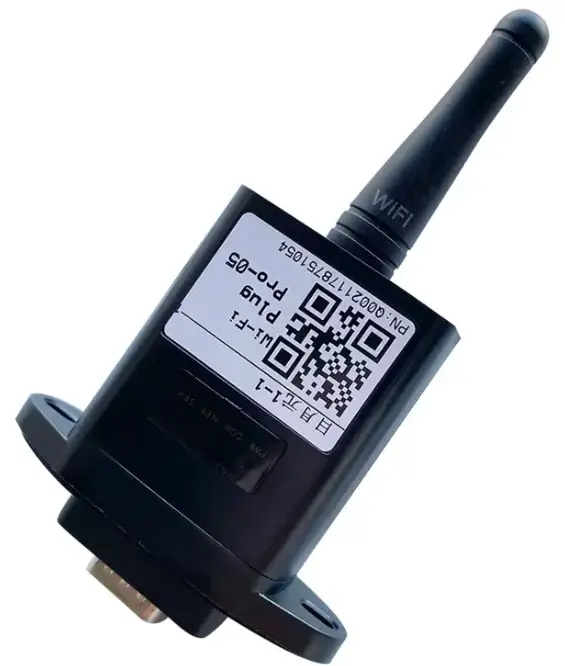
Installation Guide
Off Grid Solar Inverter Wifi Plug Pro
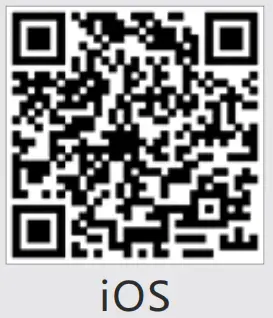 | 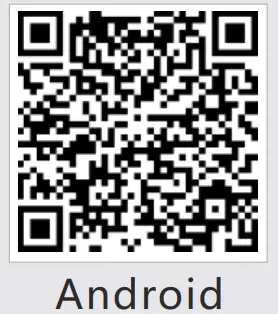 |
| http://itunes.apple.com/cn/app/smartclient-for-solar/id1070155085?l=en&mt=8 | https://play.google.com/store/apps/details?id=com.eybond.smartclient |
Installation
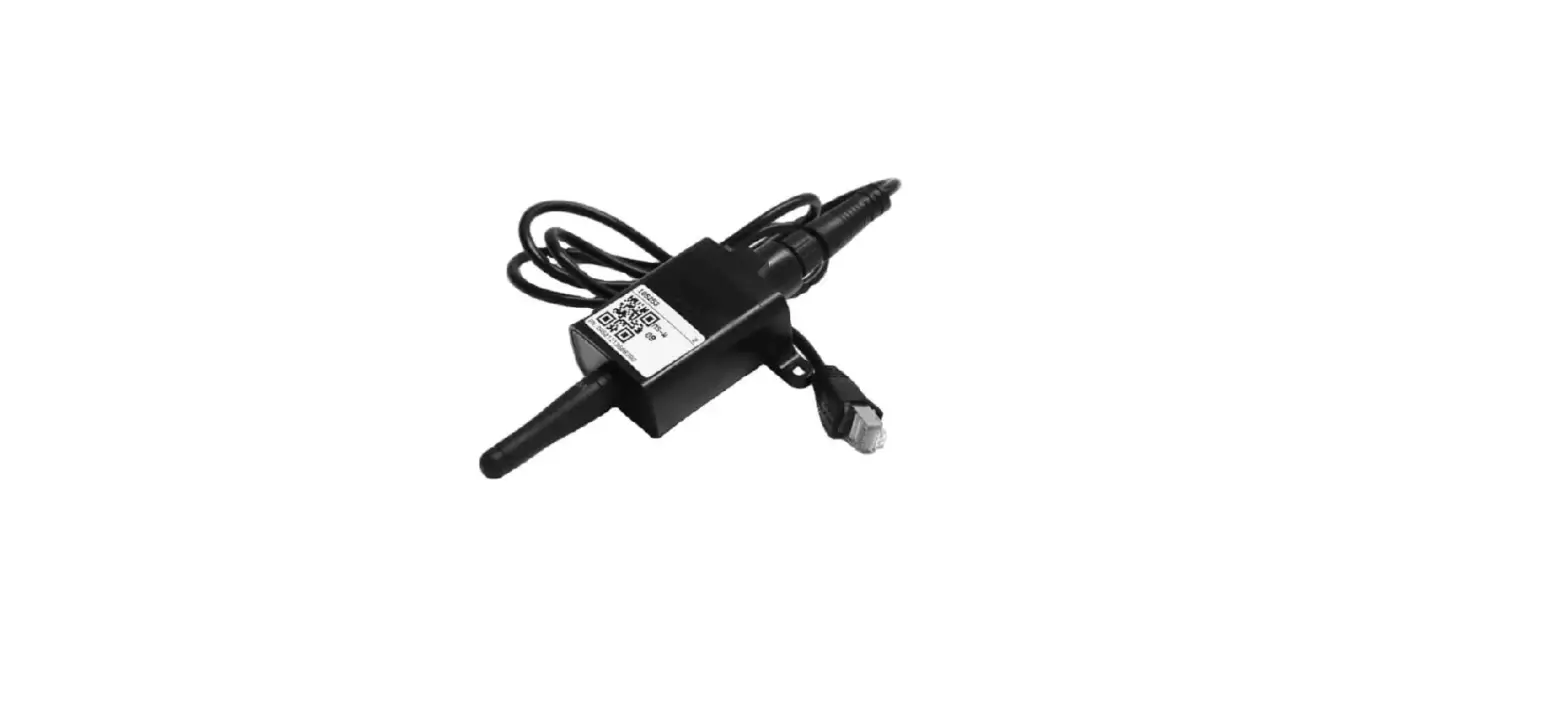
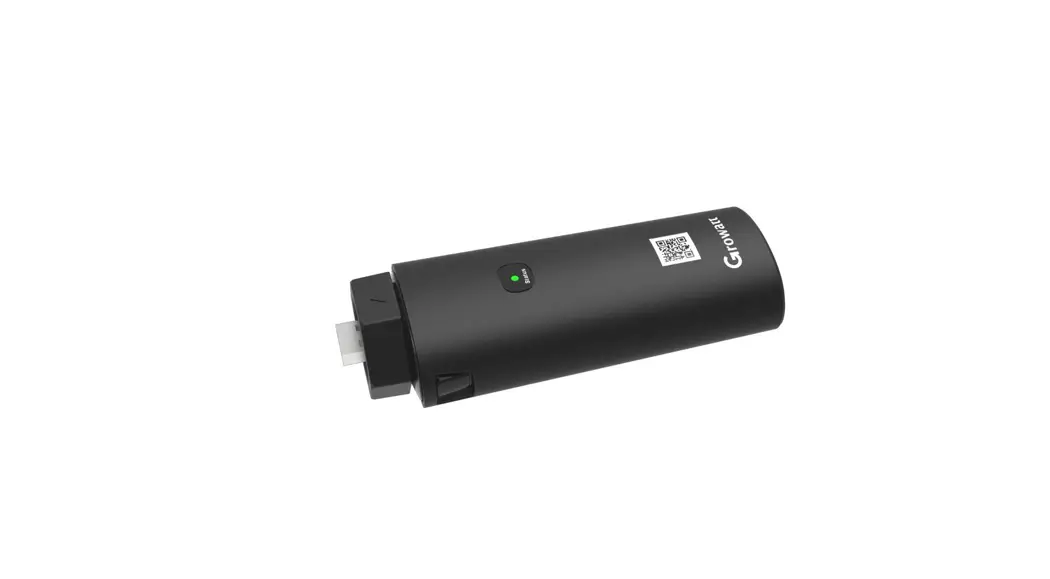
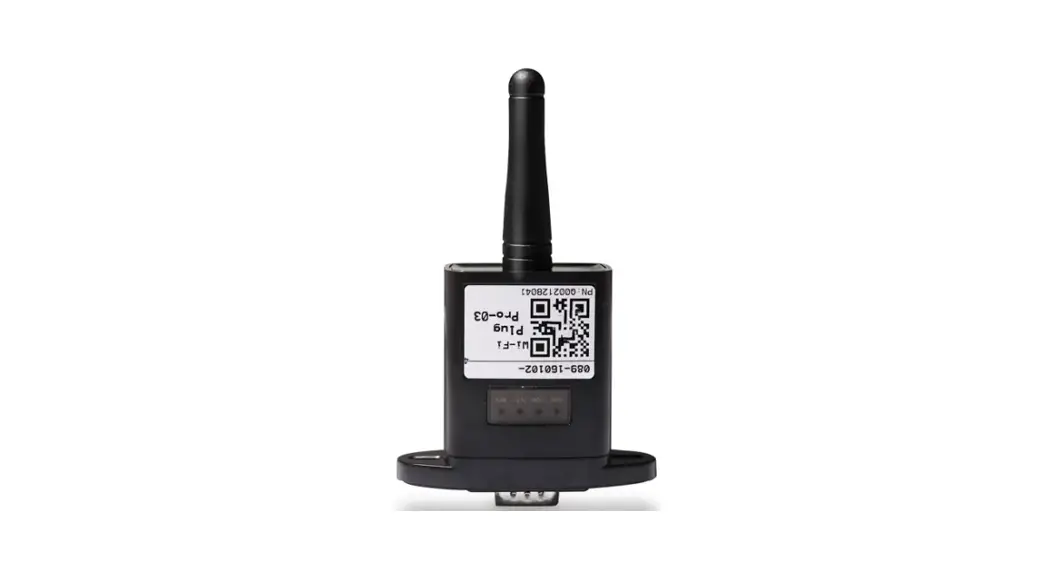
① Align the serial port of the Wi-Fi Plug Pro with the inverter and plug it in tightly.
② Fasten the Wi-Fi Plug Pro to the inverter with the screw.
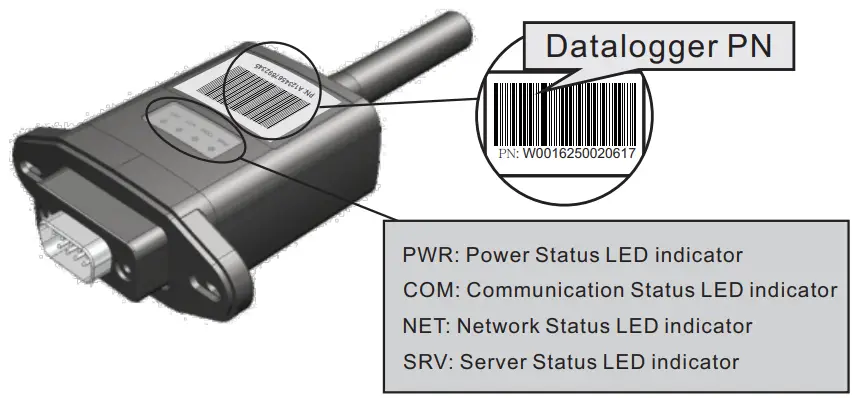
③ Confirm the status of the LED indicator (After step2.3, when 4 LED indicators keep on, showing the normal working status).
Wireless Router Connection
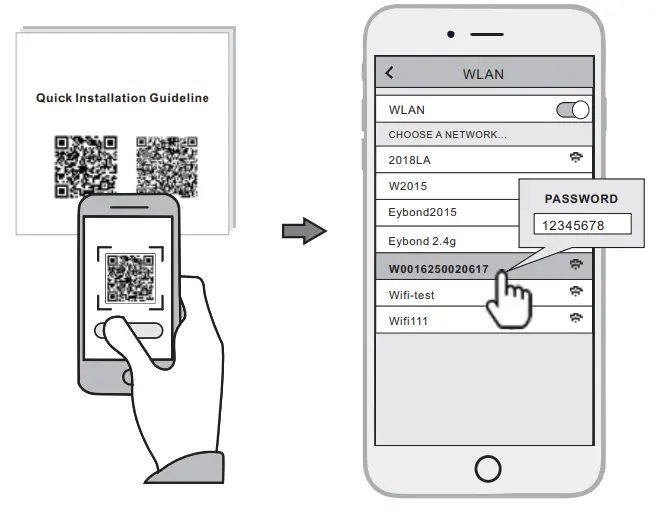
2.1 Download APP and Wi-Fi connection
① Scan the QR Code from the cover of this guideline and download the APP.
② Select the same number of Wi-Fi Plug Pro PN to connect on your phone WLAN.
(Initial Password:12345678)
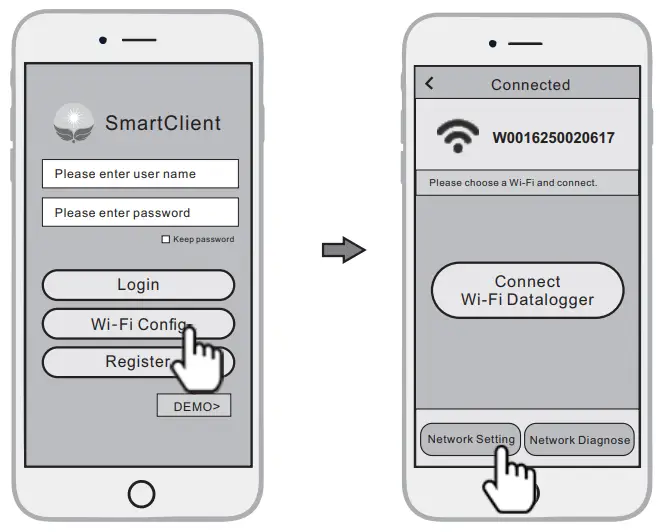
2.2 Wi-Fi Config
① Open the APP, Tap the Wi-Fi Config button to enter this page.
② Then tap the Network Setting button.
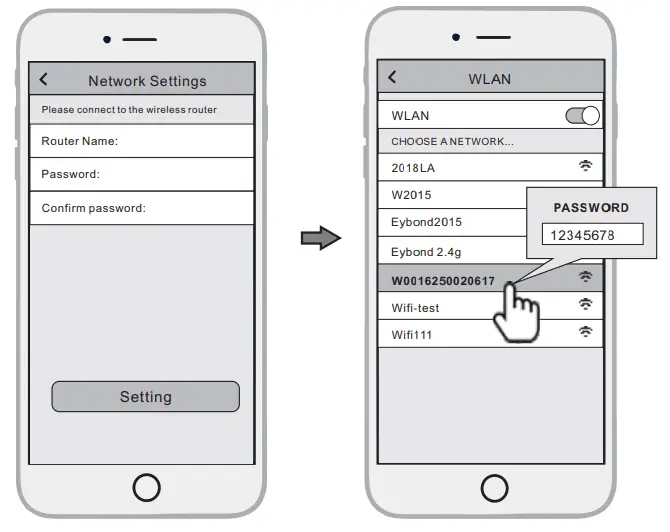
2.3 Network Setting
① According to the prompts, type in the information to finish the network setting.
② After the Wi-Fi Plug Pro is restarted, reconnect the Wi-Fi which connected by step 2.1.
Create Account And Plant
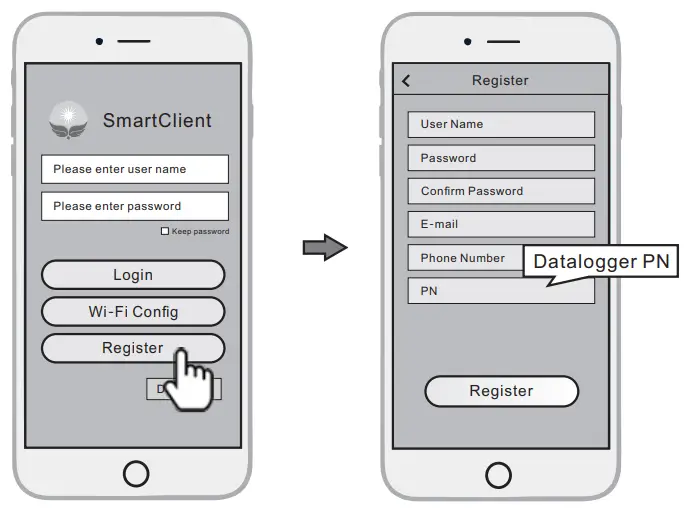
3.1 Create Account
① Open the APP, tap the Register button.
② According to the prompt information, complete creating an account.
3.2 Create Plant
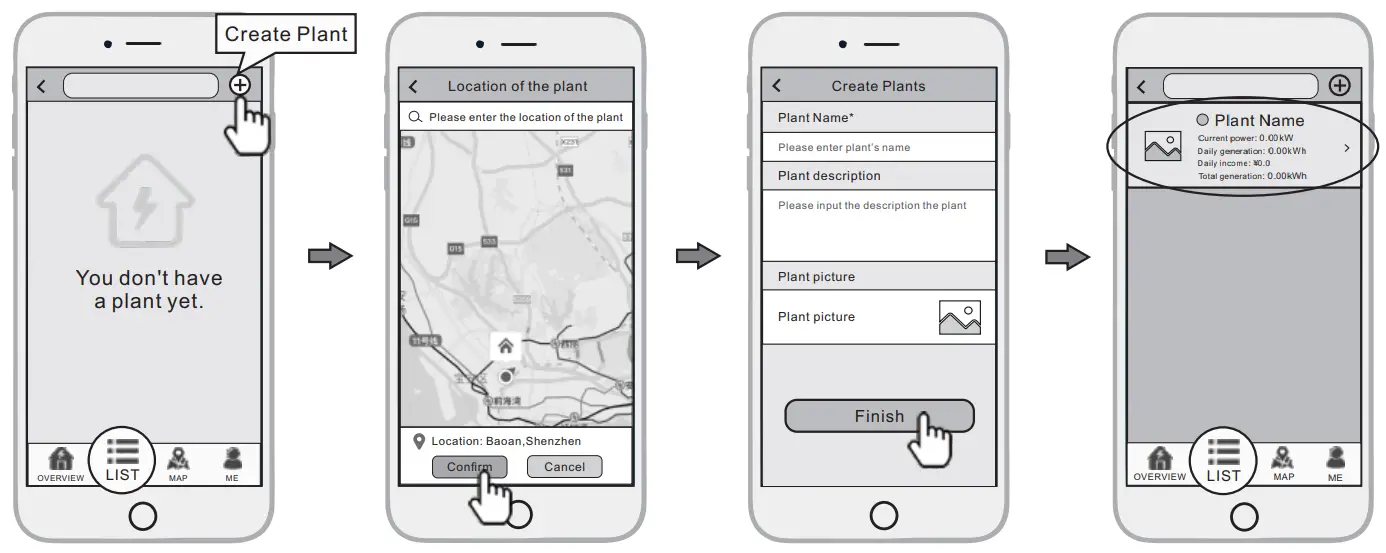
① Login the account and click the list button on the bottom of the home page.
② Tap the “+” button on the top-right corner of the list page.
③ According to the prompts, type in the information to finish creating plant.
3.3 Add Multiple Dataloggers
Note: One account can create multiple plants and one plant can add multiple dataloggers. If you only have one datalogger, you can ignore this step.
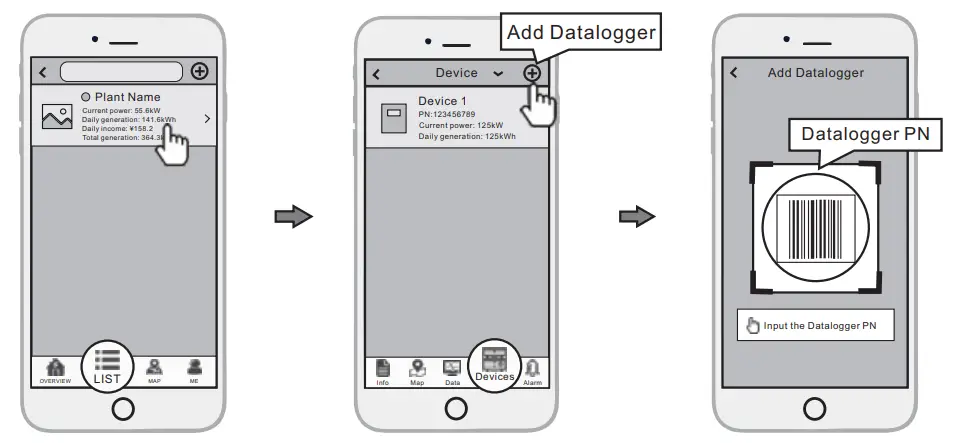
① Tap the new plant you just created, and enter its home page.
② Click the Device button on the bottom of the home page.
③ Tap the “+” button at the top-right corner to add the datalogger.
④ Scan the datalogger PN on the Wi-Fi Plug Pro, or input it manually.
Note: Besides the Smart Client APP, you also can remote monitoring your plants by using WeChat mini program.

Scan the WeChat QR code to use the mini program.