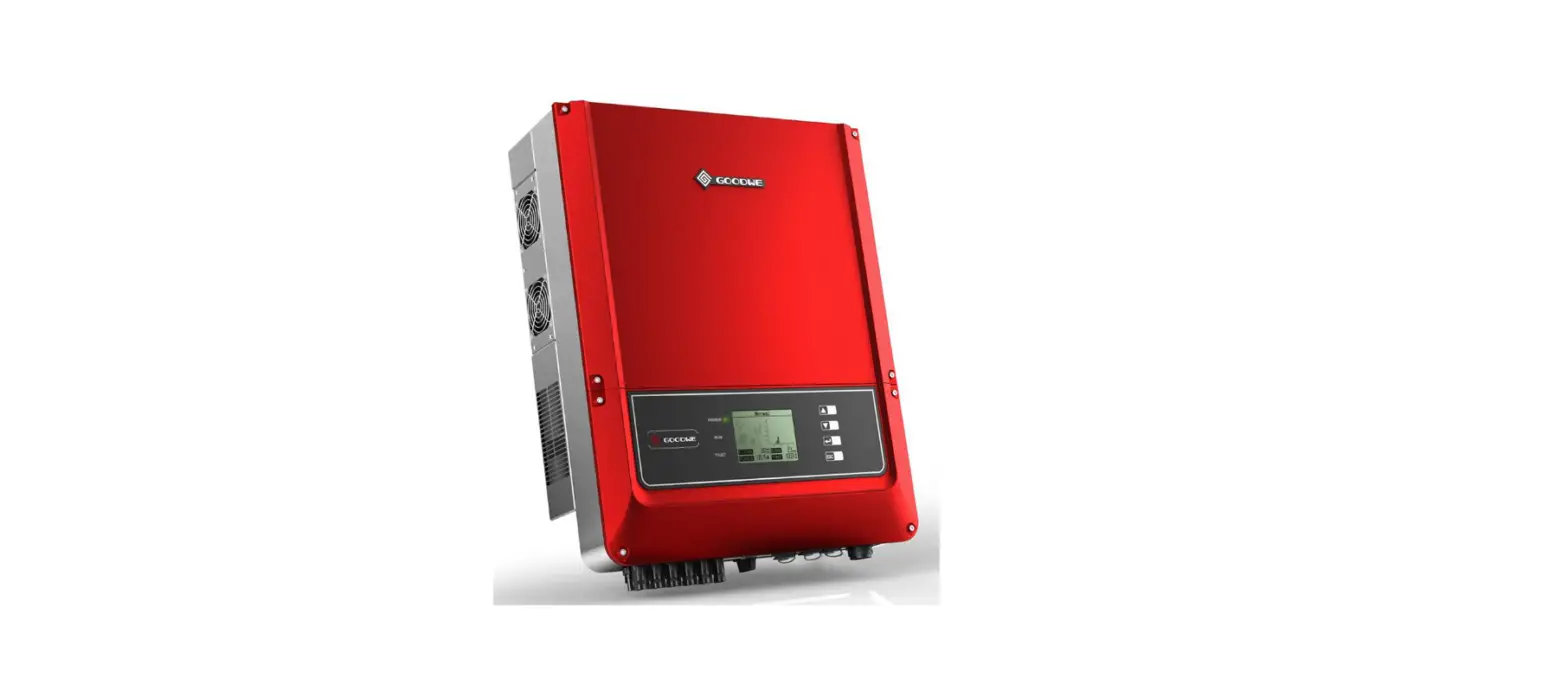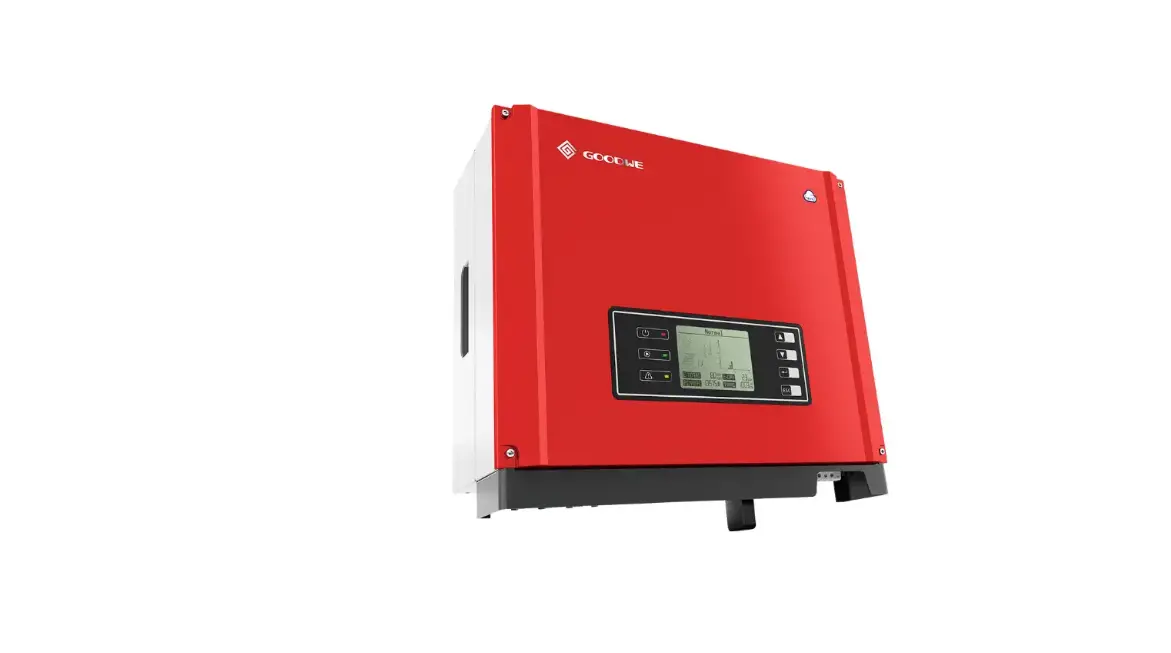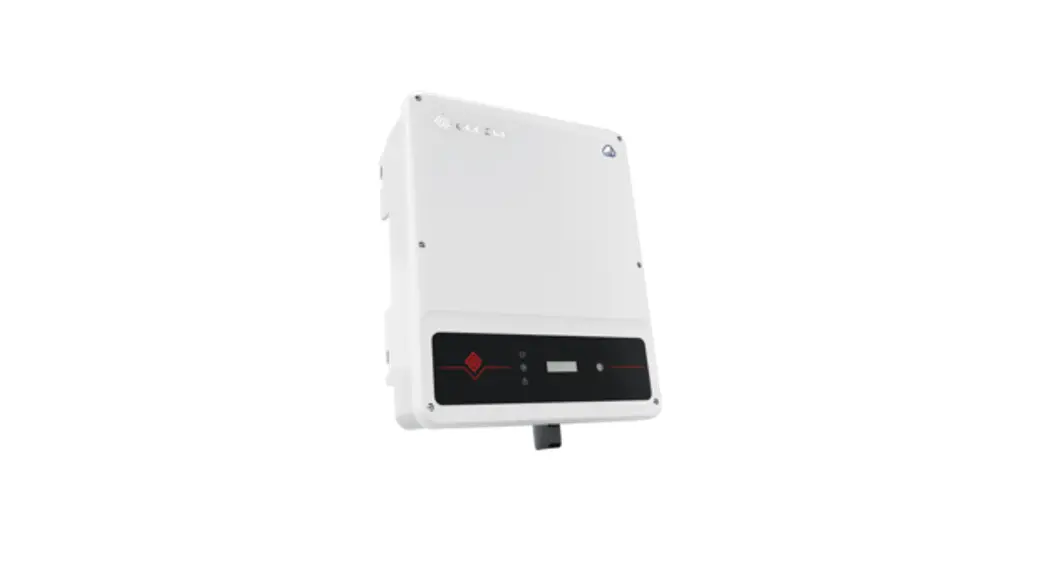
 Quick Installation Guide
Solar Inverter
SDT G2 Series
(GW8KAU-DT/GW10KAU-DT/GW15KAU-DT/GW20KAU-DT/GW17KT-DT/
GW20KT-DT/GW25KT-DT/GW8000-SDT-20/GW10K-SDT-20/GW12K-SDT-20/
GW15K-SDT-20/GW17K-SDT-20/GW20K-SDT-20)
V1.0-2021-10-30
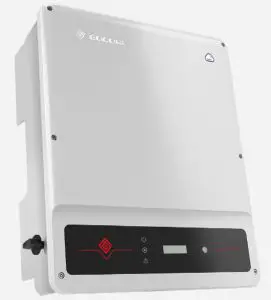
Safety Precautions
General Disclaimer
- The information in this quick installation guide is subject to change due to product updates or other reasons. This guide cannot replace the product labels or the safety precautions in the user manual unless otherwise specified. All descriptions here are for guidance only.
- Before installations, read through the quick installation guide and the user manual to learn about the product and the precautions.
- All installations should be performed by professional and knowledgeable technicians who are familiar with local standards and safety regulations.
- Check the deliverables for correct model, complete contents, and intact appearance. Contact the after-sales service center if any damage is found or any component is missing.
- Use insulating tools and wear personal protective equipment when operating the equipment to ensure personal safety. Wear anti-static gloves, clothes, and wrist strip when touching electron devices to protect the inverter from damage.
- Strictly follow the installation, operation, and configuration instructions in this guide and user manual. The manufacturer shall not be liable for equipment damage or personal injury if you do not follow the instructions. For more warranty details, please visit http://www.goodwe.com.
Safety Disclaimer
 Warning
DC Side
- Ensure the component frames and the bracket system are securely grounded.
- Connect the DC cables using the delivered DC connectors and terminals. The manufacturer shall not be liable for the equipment damage if other connectors or terminals are used.
- Ensure the DC cables are connected tightly and securely.
- Measure the DC cable using the multimeter to avoid reverse polarity connection. Also, the voltage should be under the permissible range.
AC Side
- The voltage and frequency at the connecting point should meet the on-grid requirements.
- An additional protective device like the circuit breaker or fuse is recommended on the AC side. Specification of the protective device should be at least 1.25 times the AC output rated current.
- PE cable of the inverter must be connected firmly. The resistance between the neutral wire and the earth cable is less than 10Ω.
- You are recommended to use copper cables as AC output cables. Contact the manufacturer if you want to use aluminum cables.
Inverter Side
- Terminals at the bottom of the inverter cannot bear much load. Otherwise, the terminals will be damaged.
- All labels and warning marks should be clear after the installation. Do not scrawl, damage, or cover any label on the device.
- Warning labels on the inverter are as follows.
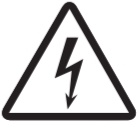 | High Voltage Hazard. Power off the inverter first before any operations. | | Potential risks exist. Wear proper PPE before any operations. |
 | Read through the guide before any operations. | 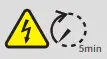 | Delayed discharge. Wait until the components are totally discharged after power off. |
 | High-temperature hazard. Do not touch the equipment to avoid being burnt. | N/A | N/A |
Check Before Power ON
| No. | Check Item |
| 1 | The inverter is firmly installed at a clean place where is well-ventilated and easyto-operate. |
| 2 | The PE cable, DC input cable, AC output cable, and communication cable are connected correctly and securely. |
| 3 | Cable ties are routed properly and evenly, and no burrs. |
| 4 | Unused ports and terminals are sealed. |
| 5 | The voltage and frequency at the connection point meet the on-grid requirements. |
Product Introduction
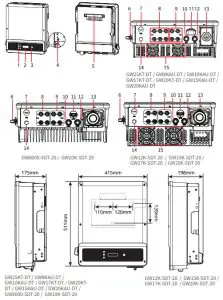
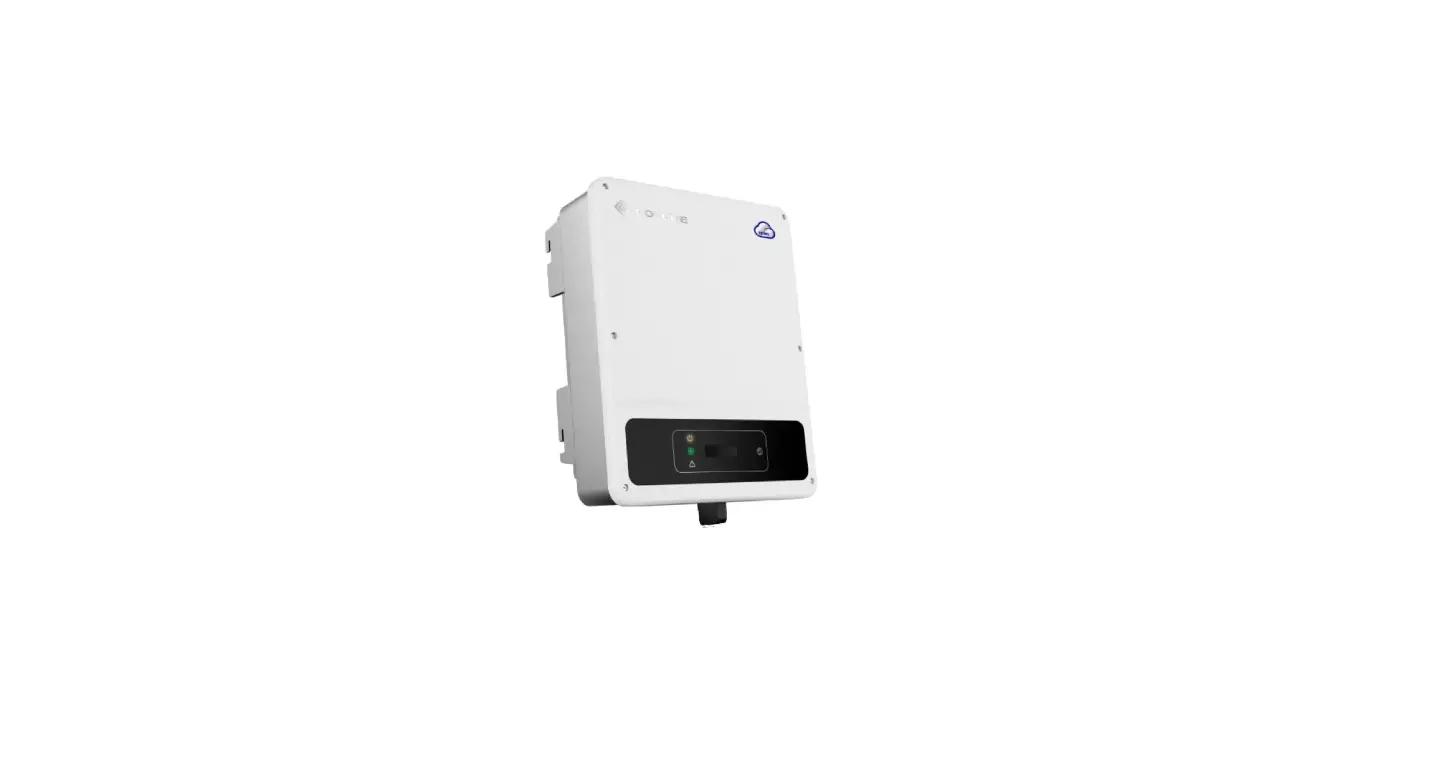
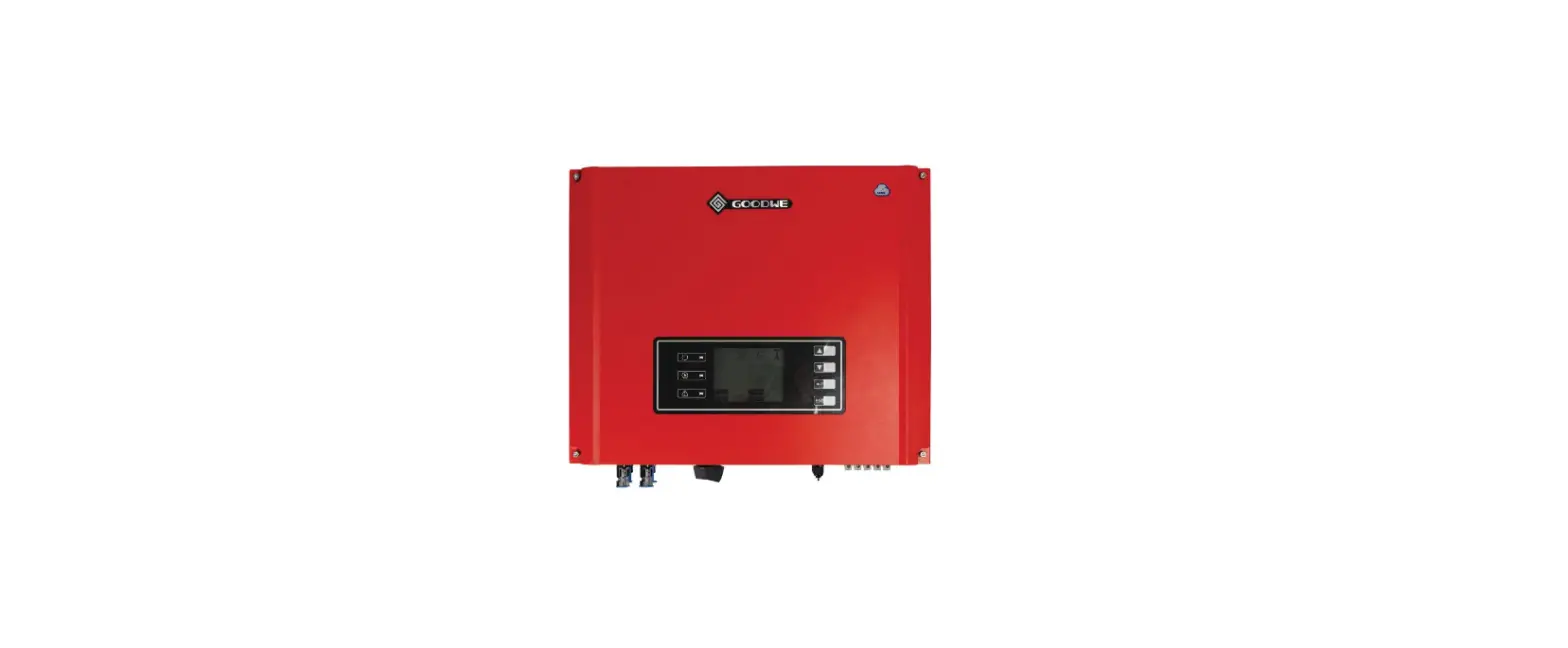
| 1. LED Indicator 4. PE Terminal 7. USB Port (USB) 10. Communication Port(COM2/COM1) 13. AC Output Terminal | 2. LCD [1] 5. Mounting Plate 8. DC Input Terminal (PV1) [2] 11. Communication Port(COM1/COM2) 14. Ventilation Valve | 3. Button 6. DC Switch 9. DC Input Terminal (PV2) 12. Communication Port(COM3) 15. Fan[3] |
Notice:
[1]: The LCD is equipped in some models only.
[2]: GW25KT-DT: 3 x PV+/PV-; other models: 2 x PV+/PV- .
[3]: The Fans is equipped in some models only.
Inverter Installation
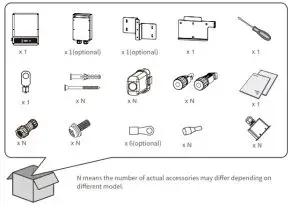
Packing List
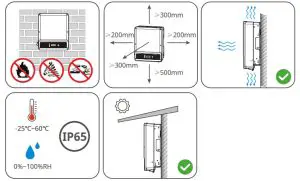
Space Requirements
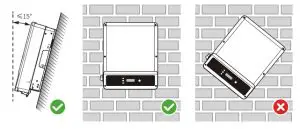
Angle Requirements
Installing the Inverter
Avoid the water pipes and cables buried in the wall when drilling holes.
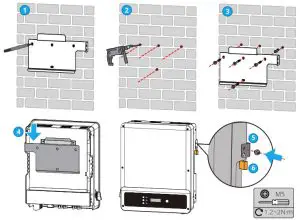
NOTICE
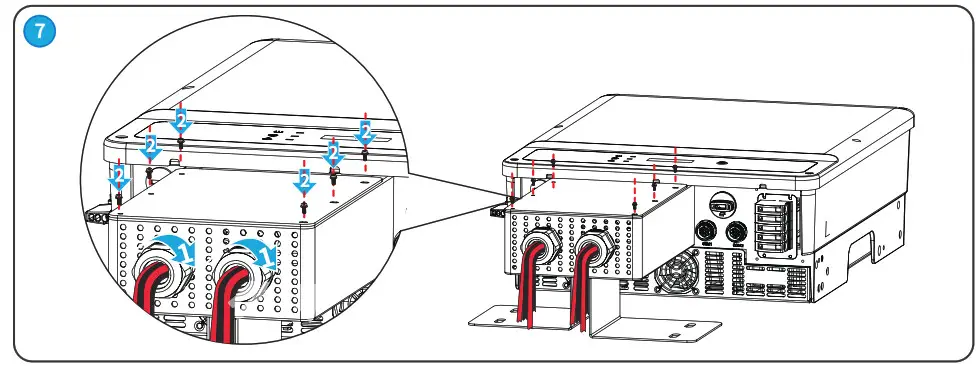
The PV box should be installed when GW15KAU-DT or GW20KAU-DT is used in Australia only. Install the cover of the PV box after connecting the DC input cable to the equipment. Otherwise, the DC input cable cannot be connected.
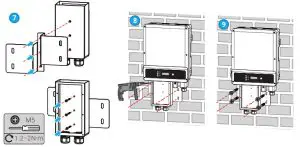
Electrical Connection
Connecting the PE Cable
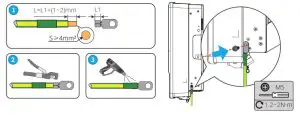
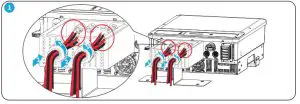
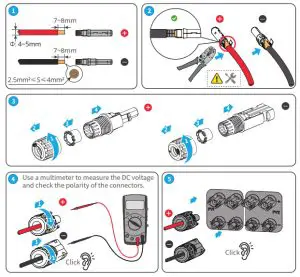
Connecting the DC Cable
NOTICE
The PV box is designed for GW15KAU-DT or GW20KAU-DT in Australia only. Install the cover of the PV box after connecting the DC input cable to the equipment.
Devlin DC Connector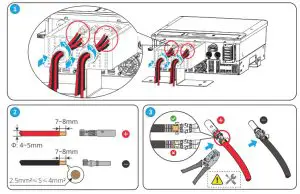
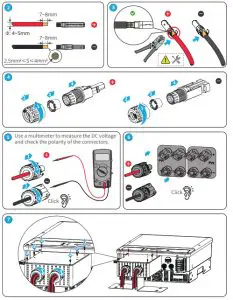 Staubli MC4 DC Connector
Connecting the AC Cable (without PV box)
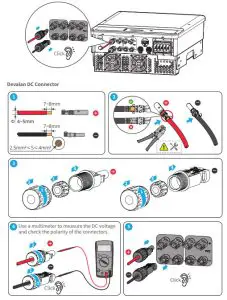
Staubli MC4 DC Connector
Connecting the AC Output Cable
NOTICE
Connecting AC cables of GW8000-SDT-20, GW10K-SDT-20, GW12K-SDT-20, GW15K-SDT-20, GW17K-SDT-20, GW20K-SDT-20 as the following shows.
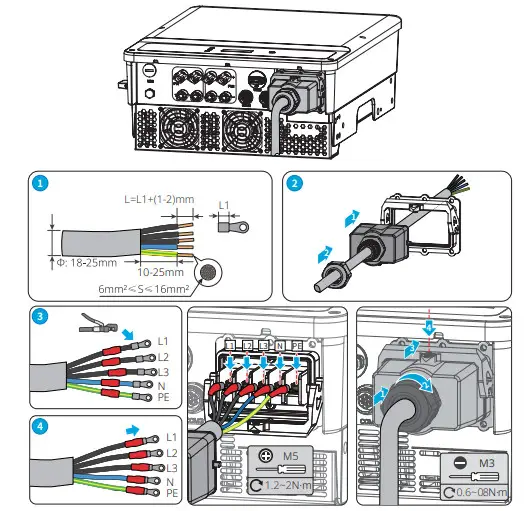
NOTICE
Connecting AC cables of GW8KAU-DT, GW10KAU-DT, GW15KAU-DT, GW20KAU-DT, GW17KT-DT, GW20KT-DT, GW25KT-DT as following shows.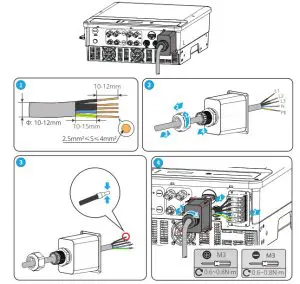
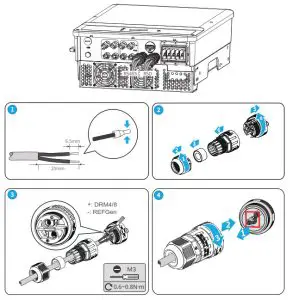
Connecting the Communication Cable (RS485, Meter, and DRED)
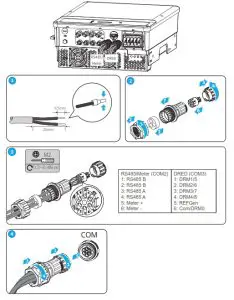
Warning
Do not remove the pre-installed terminal when the DRED function is not applied. Install the terminal back to the inverter when the DRED function is not to be used for the moment. The inverter cannot be grid-tied if the DRED terminal is removed.
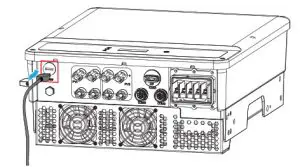
Connecting the Remote Shutdown (RSD) Communication Cable
Connecting the USB Cable
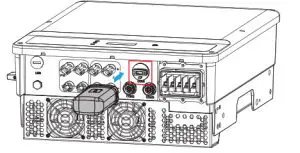
NOTICE
- The communication modules may look different but are installed in the same way. The following figure shows the way to install a WiFi module.
- Refer to the delivered communication module user manual to get more introduction to the module.
- Remove the communication module using the unlock tool. The manufacturer shall not be liable for the port damage if the module is removed without the unlock tool.

Power On
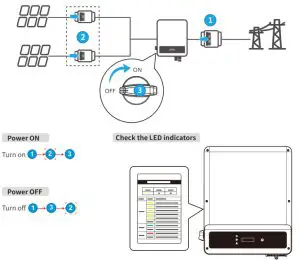
Commissioning
Commissioning via LCD
- Select the right safety country via LCD.

- Wait for 20s, the inverter will set the safety country automatically and go back to the standby interface.

Commissioning via SolarGo APP
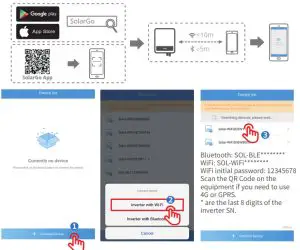
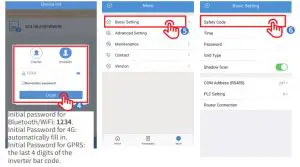
Monitoring via SEMS Portal App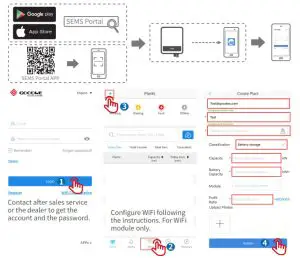
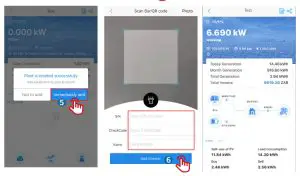
For more detailed instructions, scan the QR code below to see the user manual.
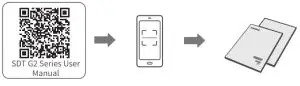
https://en.goodwe.com/Public/Uploads/sersups/GW_SDT%20G2_User%20Manual-EN.pdf
 Offical Website
https://en.goodwe.com/
GoodWe Technologies Co.,Ltd. No. 90 Zijin Rd., New District, Suzhou, 215011, China
 www.goodwe.com
 [email protected]

340-00615-00