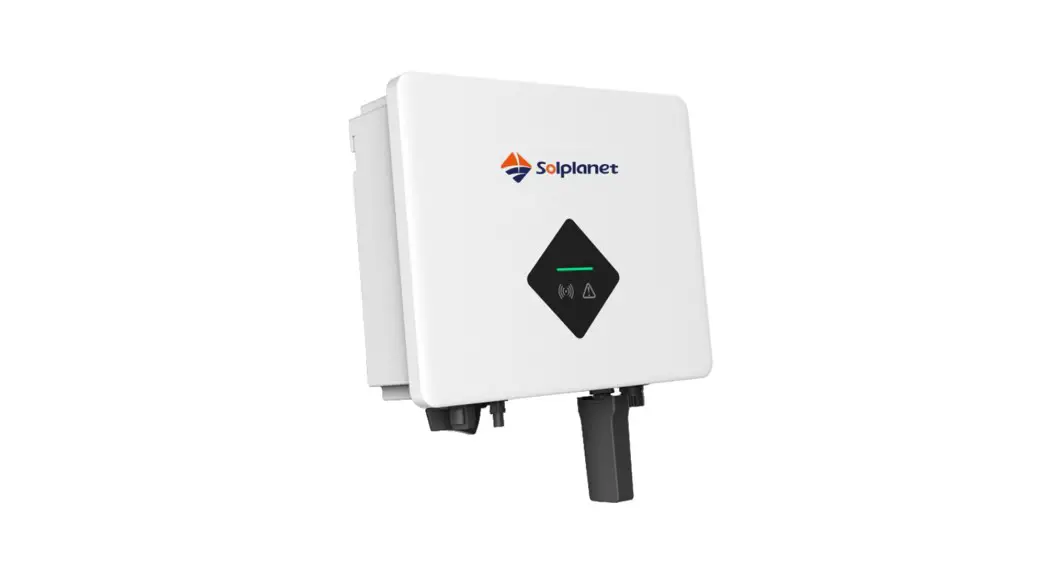
FW MURPHY MDTM89 Production Controls
Safety Instruction
- The contents of this document will be updated irregularly for product version upgrade or otherreasons. Unless otherwise specified, this document only works as guide. All statements,information and suggestions in this document do not constitute any guarantee.
- This product can only be installed, commissioned, operated and maintained by technicians who have carefully read and fully understood the user manual.
- This product must only be connected with PV modules of protection class II ( in accordance with IEC 61730, application class A).PV modules with a high capacitance to ground must only be used if their capacity does not exceed lµF. Do not connect any sources of energy other than PV modules to the product.
- When exposed to sunlight, the PV modules generate dangerous high DC voltage which is presentin the DC cable conductors and live components. Touching live DC cable conductors and the live components result in lethal injuries due to electric shock.
- All components must remain within their permitted operating ranges at all times.
- The product complies with Electromagnetic compatibility 2014/30/EU, Low Voltage Directive 2014/35/EU and Radio Equipment Directive 2014/53/EU.
Mounting environment
- Ensure that the inverter is installed out of the reach of children.
- To ensure best operating status and prolonged service life, the mounting ambient temperature of the inverter should be ≤40°C.

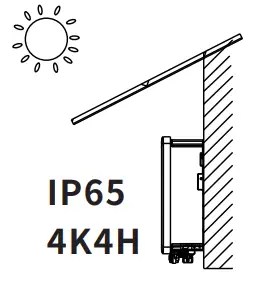
- To avoid direct sunlight, rain, snow, ponding on the inverter, it is suggested to mount the inverter in places with a top protective roof.
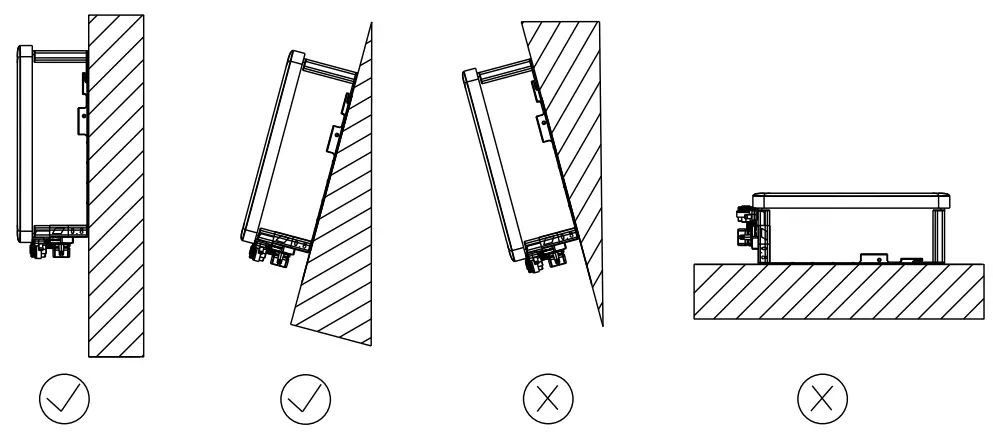
Do not completely cover the top of the inverter. - The mounting condition must be suitable for the weight and size of the inverter. The inverter is suitable to be mounted on solid wall that is vertical or tilted backwards (Max. 15°).
It is not recommended to install the inverter on wall made of plasterboards or similar materials.
The inverter may make noise when working.
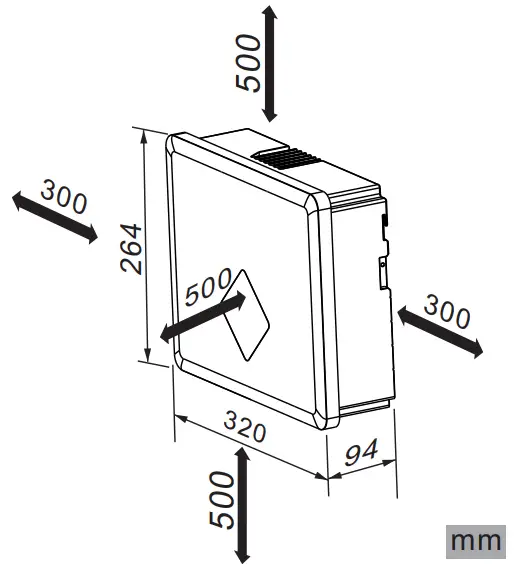
- To ensure adequate heat dissipation, the clearances between the inverter and other objects are recommended as follows:

Scope of delivery
|
|
| |
| |
|
|
|
|
|
|
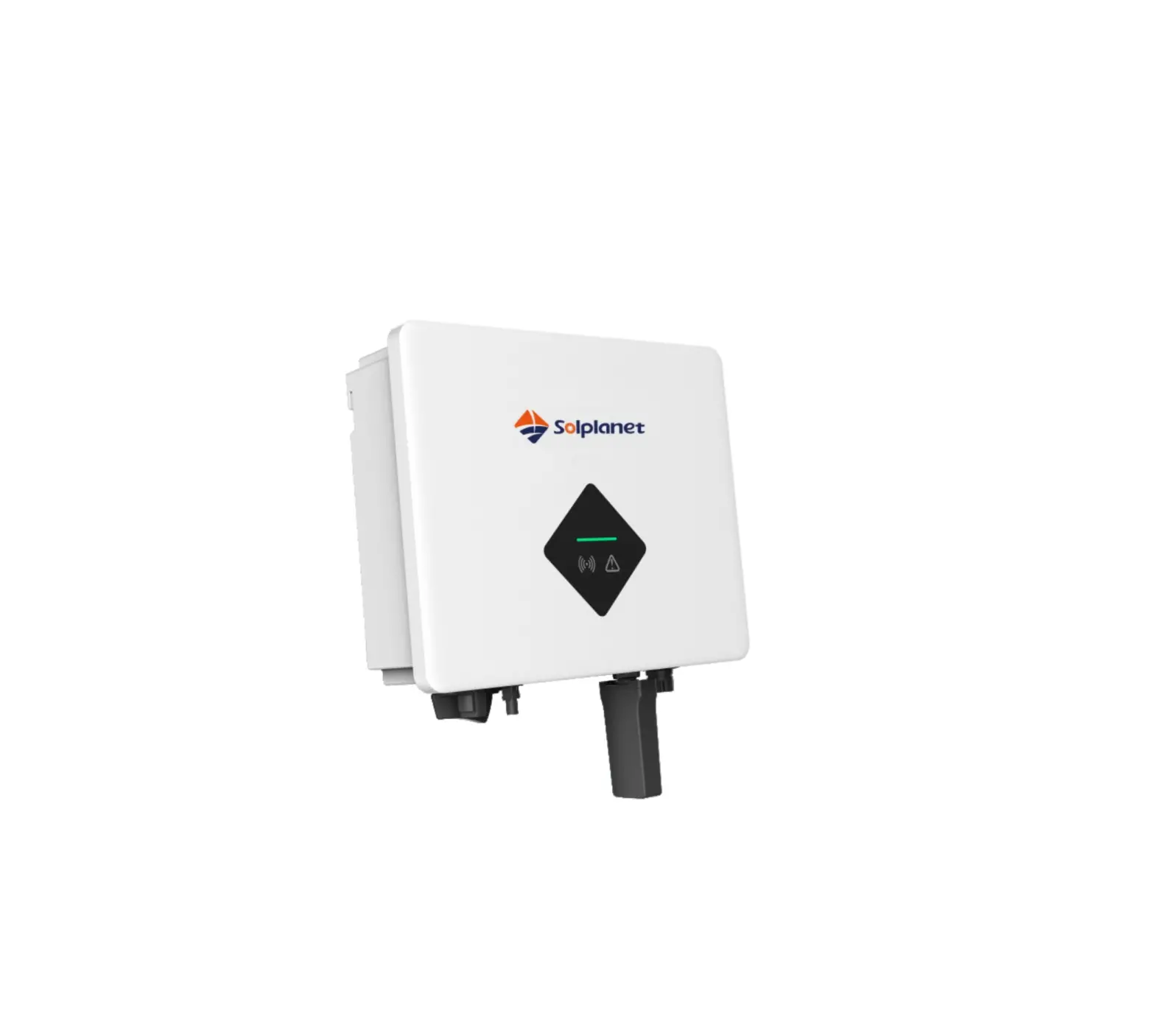
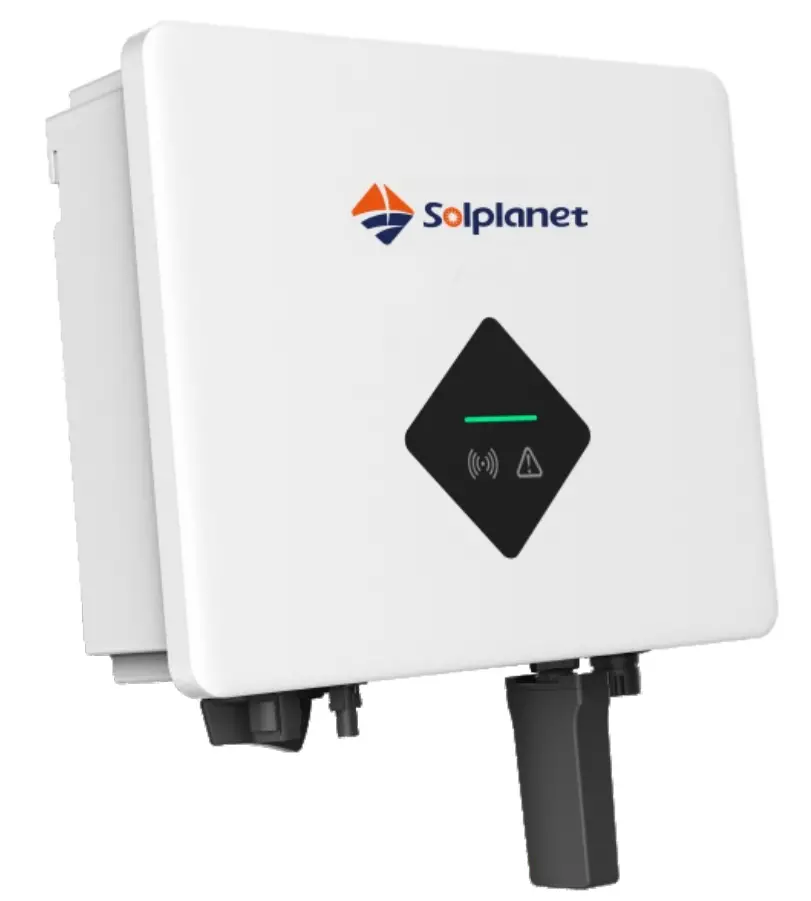
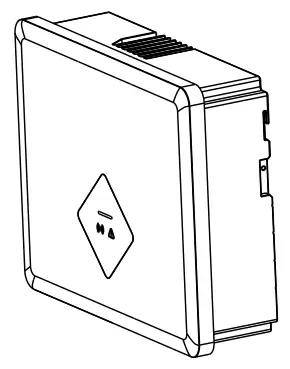 Inverter x1
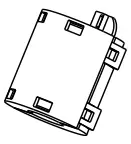 Magnetic ring x1 (optional)
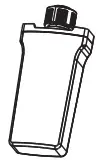 GPRS/WiFi stick x1 (optional)
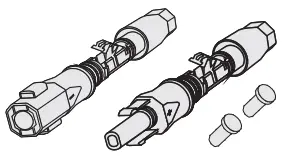 DCconnector x1
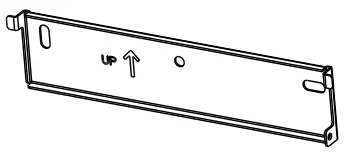 Wall mounting bracket x1
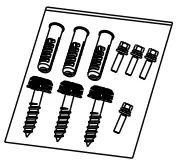 Screw accessory x1
 Documentation x1
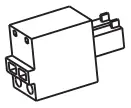 Smart meterterminal x1
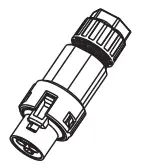 AC connector x1
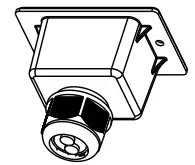 Communication cover x1 (optional)
Inverter’s mounting
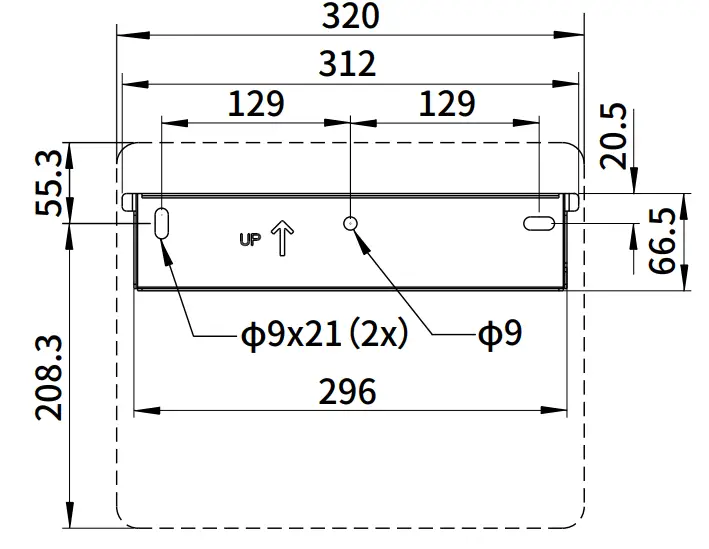
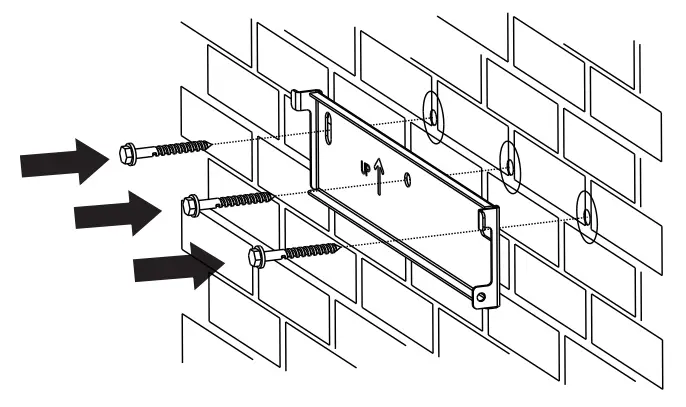
- Use a Φ 10mm bit to drill 3 holes at a depth of about 70mm according to the location of the wall mounting bracket

- Insert wall plugs into the wall and fix the wall mounting bracket to the wall by screwing three self-tapping screws(SW10).

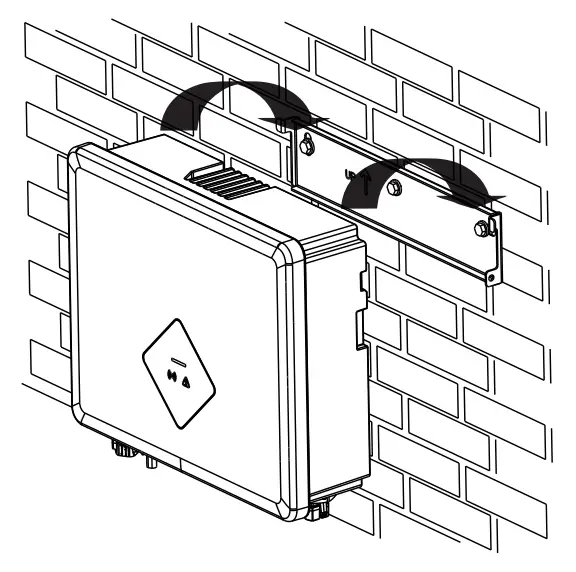
- Hang the inverter to the wall mounting bracket.

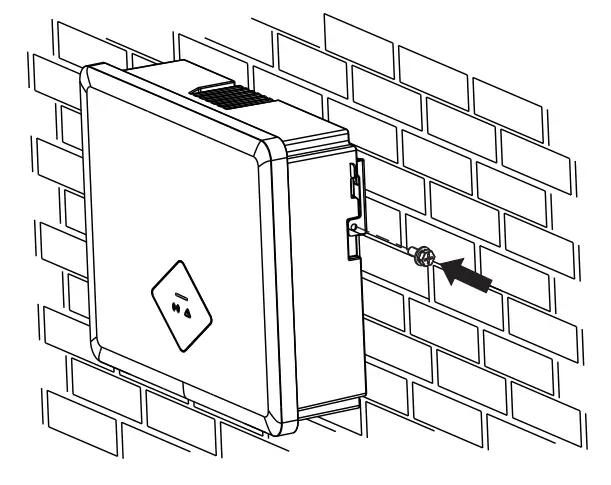
- Secure the inverter to the wall mounting bracket using M4 screw.
Screwdriver type: PH2, torque: 1.6Nm.
AC connection
 |
|
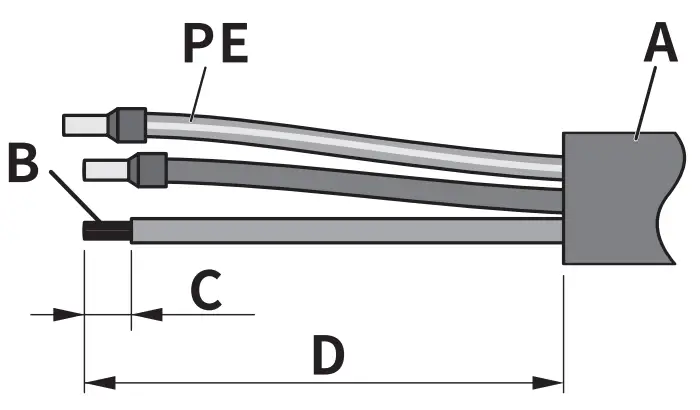
- AC cable requirements are as follows. Insert the conductor into a suitable ferrule acc. to DIN 46228-4 and crimp the contact.

Object Description Value A
External diameter 9-14mm
B
Copper conductor cross-section 2.5-6mm 2
C
Stripping length of the insulated conductors 13mm
D
Stripping length of the cable outer sheath 53mm
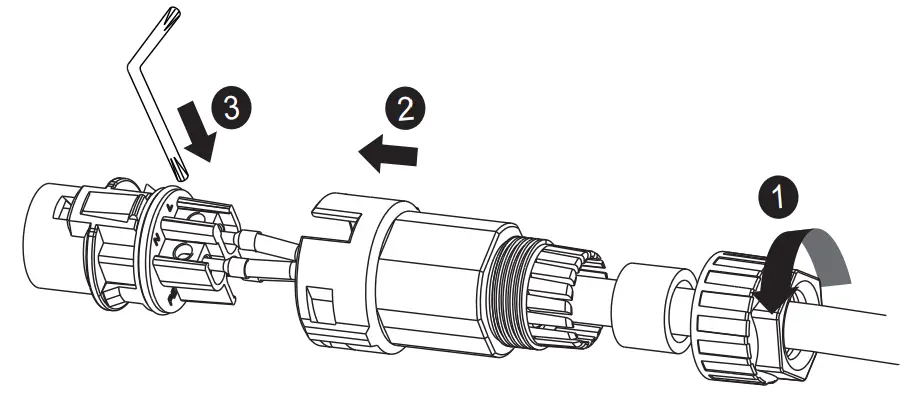
The PE conductor must be 2 mm longer than the Land N conductors. - Loosen the swivel nut of AC connector. Insert the crimped conductors into corresponding terminals and tighten screws with the accompanied Allen key. Torque: 2.0N m

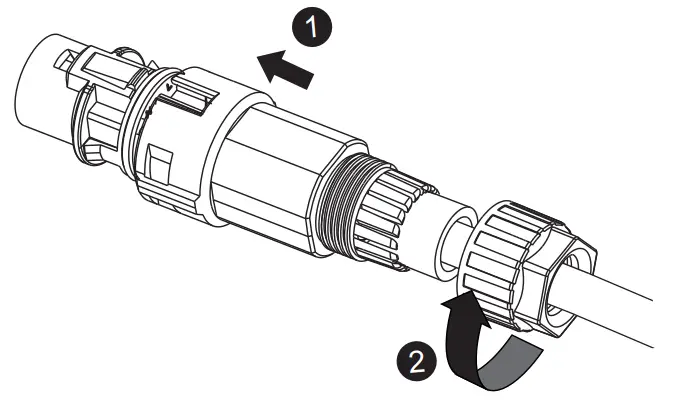
- Insert the adapter to the socket element, stuff the seal ring into the adapter and tighten the swivel nut.

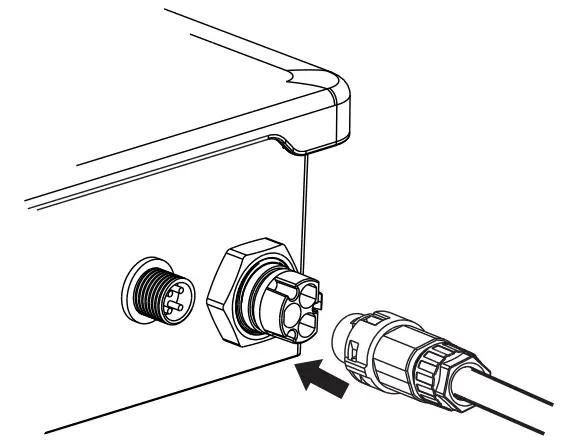
- Plug the AC connector into the socket for the AC connection.

- If required, you can connect a second protective conductor as equipotential bonding.

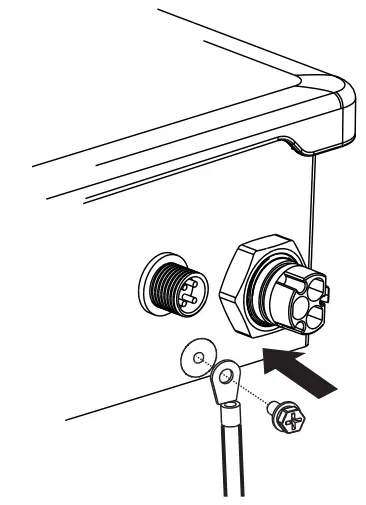
| Object | Explanation |
| M4X10screw | Screwdriver type: PH2, torque: 1.6Nm |
| OT terminal lug | Customer provided, type: M4 |
| Grounding cable | Copper conductor cross-section: 2.5-6mm 2 |
DC connection
|
|
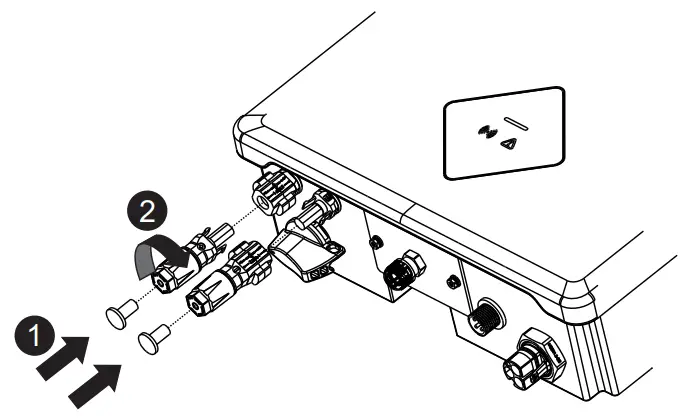
- Please refer to “DC Connector Installation Guide”.
- Before DC connection, insert the DC plug connectors with sealing plugs into DC input connectors of the inverter to ensure protection degree.

Communication setup
|
|
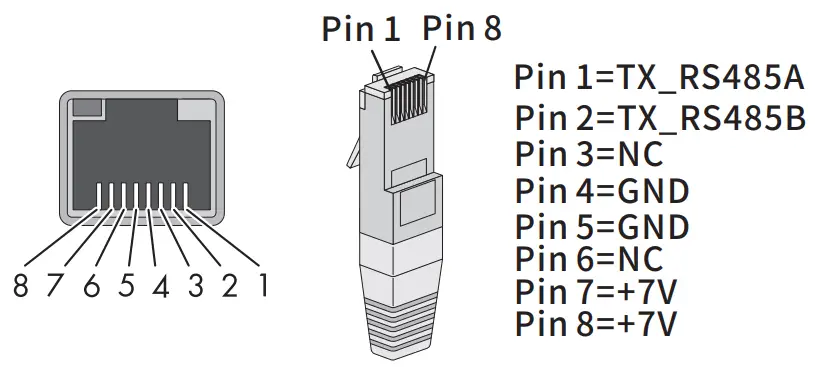
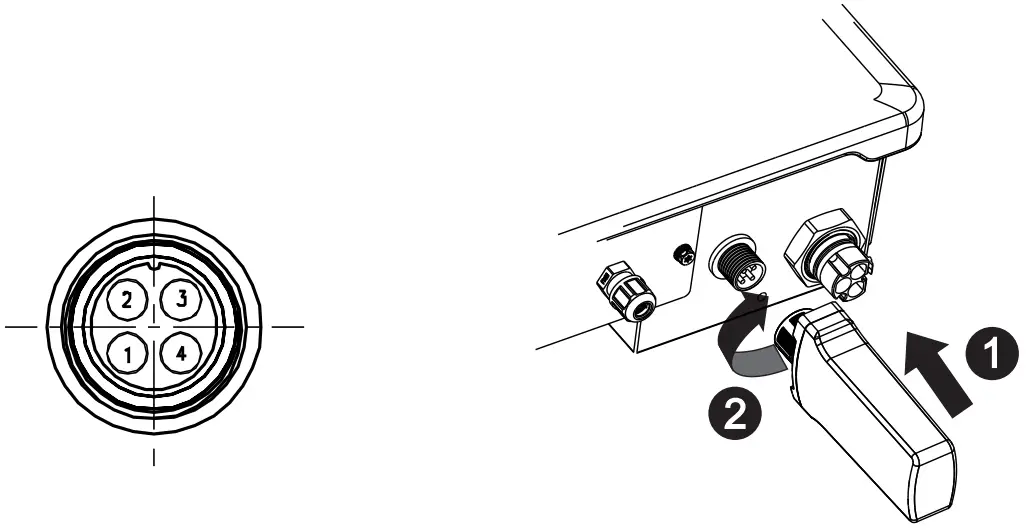
CO Ml: RS485(optional)
- RS485 cable pin assignment as below.

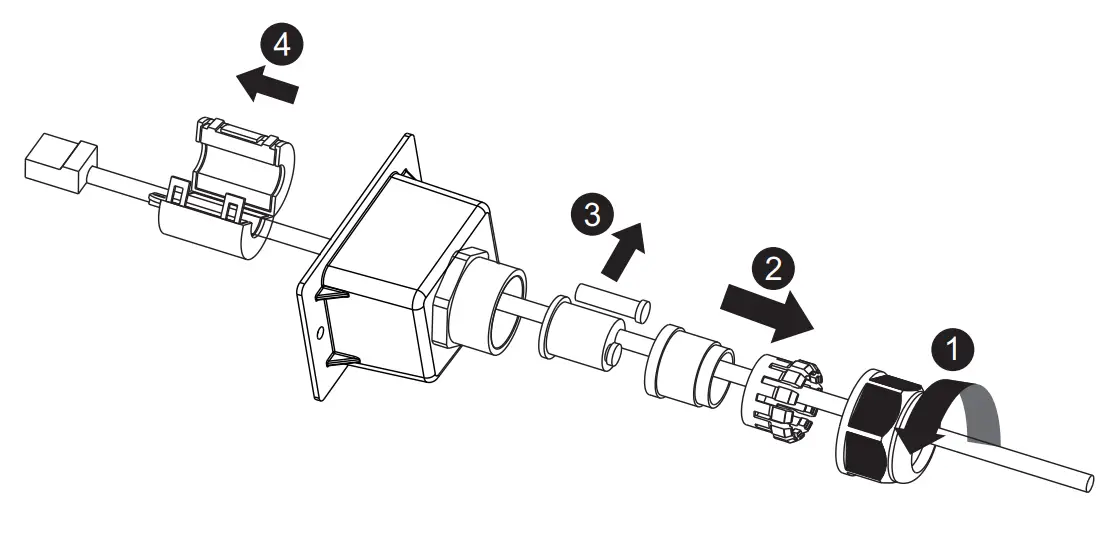
- Loosen the swivel nut of the cable gland on the communication cover, remove sealing plugs and lead the cable through the swivel nut, sealing ring, communication cover and magnetic ring.

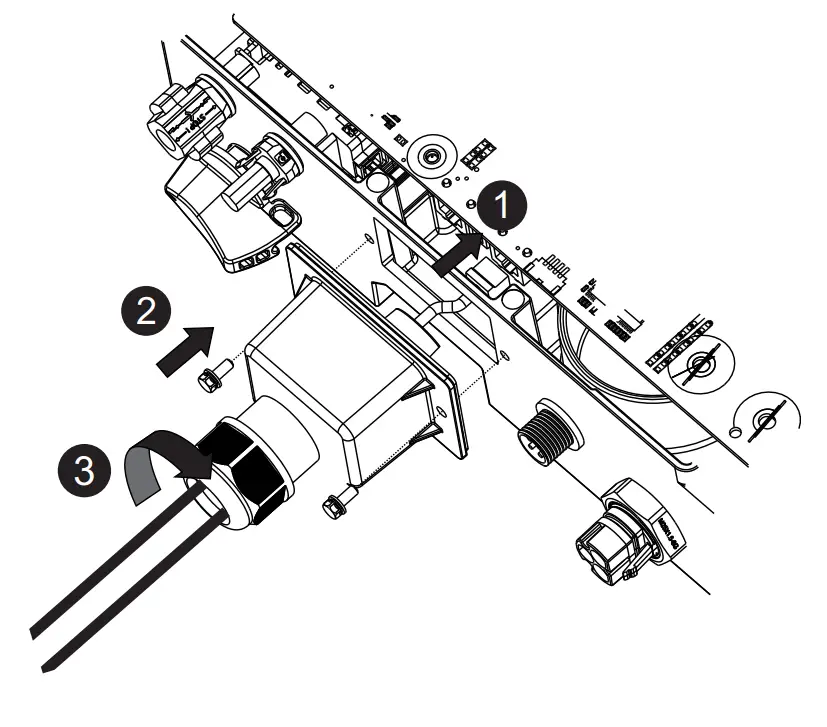
- Insert the cable into the socket, attach the communication cover to inverter with M4 screws, and tighten the swivel nut . Screwdriver type: PH2, torque: 1.6Nm

COM2: GPRS/WiFi
| PIN | PINI | PIN2 | PIN3 | PIN4 |
| Assignment | VCC | GND | RS485A | RS485B |
 |
|
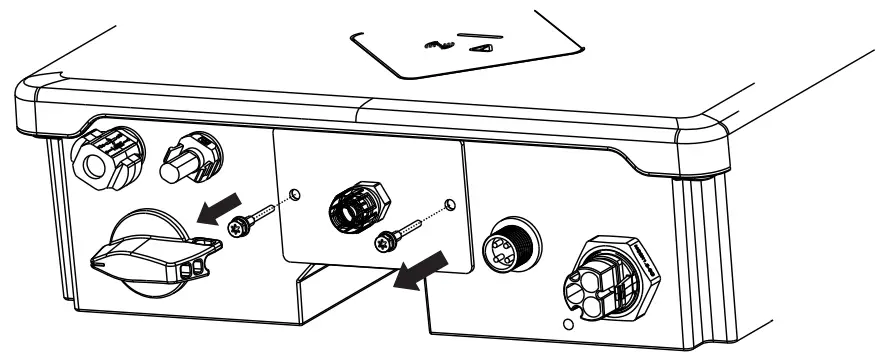
Smart meter
- Remove the communication plate from the inverter.

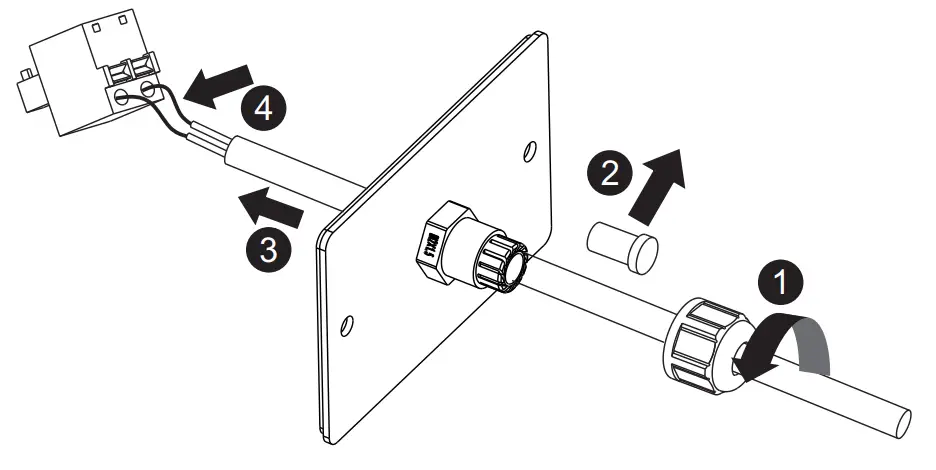
- Loosen the swivel nut of the cable gland on the communication plate, remove the sealing plug and lead the stripped cable through the cable gland and communication plate, press the latch of the smart meter terminal and insert the stripped cable accordingly. Make sure the cable is connected firmly

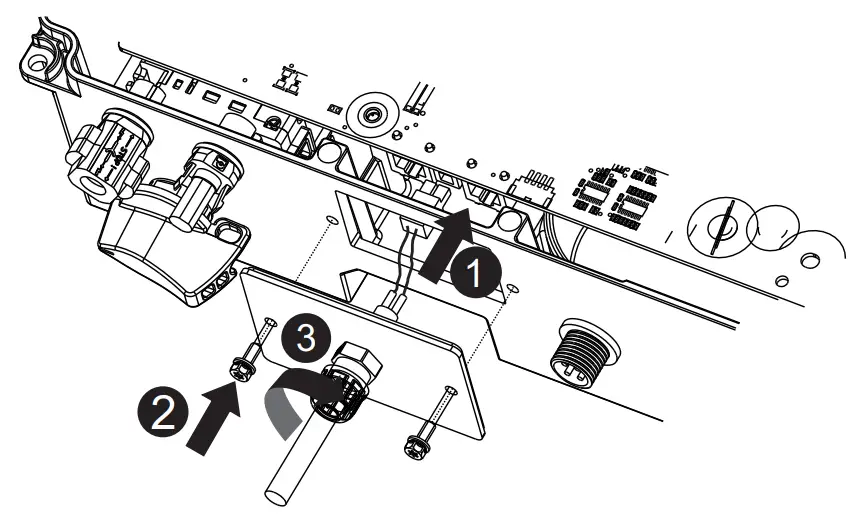
- Insert the smart meter terminal to the socket, attach communication plate to the inverter with M4 screws, and tighten the swivel nut. Screwdriver type: PH2, torque: 1.6Nm.

- If communication cover used, remove only one sealing plug of the cable gland to thread the cable. Detailed installation process follows above steps
Commissioning
|
|
- Switch on AC circuit breaker between the inverter and the grid.
- Switch on DC switch.
- When there is sufficient DC power applied and the grid conditions are met, the inverter will start to operate automatically.
EU Declaration of Conformity
Within the scope of the EU directives:
– Electromagnetic compatibility 2014/30/EU (L 96/79-106, March 29, 2014)(EMC) ( E
– Low voltage directive 2014/35/EU (L 96/357-374, March 29, 2014)(LVD)
– Radio equipment directive 2014/53/EU (L 153/62-106, May 22, 2014)(RED)
AISWEI Technology (Shanghai) Co., Ltd. confirms herewith that the inverters mentioned in this document are in compliance with the fundamental requirements and other relevant provisions of the above mentioned directives.
The entire EU Declaration of Conformity can be found at www.aiswei tech.com.
Technical Data
| Technical Data | ASW1O00S-S | ASW1500S-S | ASW2000S-S | ASW3000S-S |
| DC Input | ||||
| Max. PV modules power(STC) | 1500W | 2250W | 3000W | 4500W |
| Max. DC input voltage | 580V | |||
| MPPvoltage range | 80-550V | |||
| Max. DC input current | 12A | |||
| Max. DC input short current | 18A | |||
| Max. DC input current, per M PPT | 12A | |||
| Number of M PPT/strings per MPPT | 1/1 | |||
| AC Output | ||||
| Rated active power | 1000W | 1500W | 2000W | 3000W |
| Max. apparent power | 1000VA | 1500VA | 2000VA | 3000VA |
| Rated grid voltage | 220/230V | |||
| Rated grid frequency | 50/60Hz | |||
| Max. AC output current | 5A | 7.5A | 10A | 13.6A |
| Adjustable displacement power factor | 0.8 ind… 0.8 cap | |||
| Harmonic distortion (THD) at Pac.r | <3% | |||
| General Data | ||||
| Dimensions (W x H x D) | 320X264X94mm | |||
| Weight | 6.5kg | |||
| Noise emission (typical) | < 25dB(A)@1m | |||
| DC connection | Plug-in DC connector | |||
| AC connection | Plug-in AC connector | |||
| Communication | GPRS/WiFi, RS485(Optional) | |||
| Display | LED | |||
| Mounting | Wall mounting | |||
| Cooling | Convection | |||
| Operating temperature range | -25… +60’C | |||
| Relative humidity (non-condensing) | 0… 100% | |||
| Max. operating altitude | 4000m(Derating above 3000m) | |||
| Degree of protection | IP65 | |||
| Climate Category | 4K4H | |||
| Topology | Transformerless | |||
Contact
If you have any technical problems with our products, please contact our service.
We require the following information in order to provide you with the necessary assistance:
- Inverter device type
- Inverter serial number
- Type and number of connected PV modules
- Error code
- Mounting location
- Warranty card
EMEA
Service email: [email protected]
APAC
Service email: [email protected]
LATAM
Service email: [email protected]
Aiswei GreaterChina
Service email: [email protected]
Hotline: +86 400 8019996
Taiwan
Service email: [email protected]
Hotline: +886 809089212
https://solplanet.net/contact-us/