
Quick Start Guide
Chroma-Q®
Color Span 2™
For a full product manual please visit www.chroma-q.com
Part Number: CHSP2[XXXXX]
Model: 633-XXXX
Overview
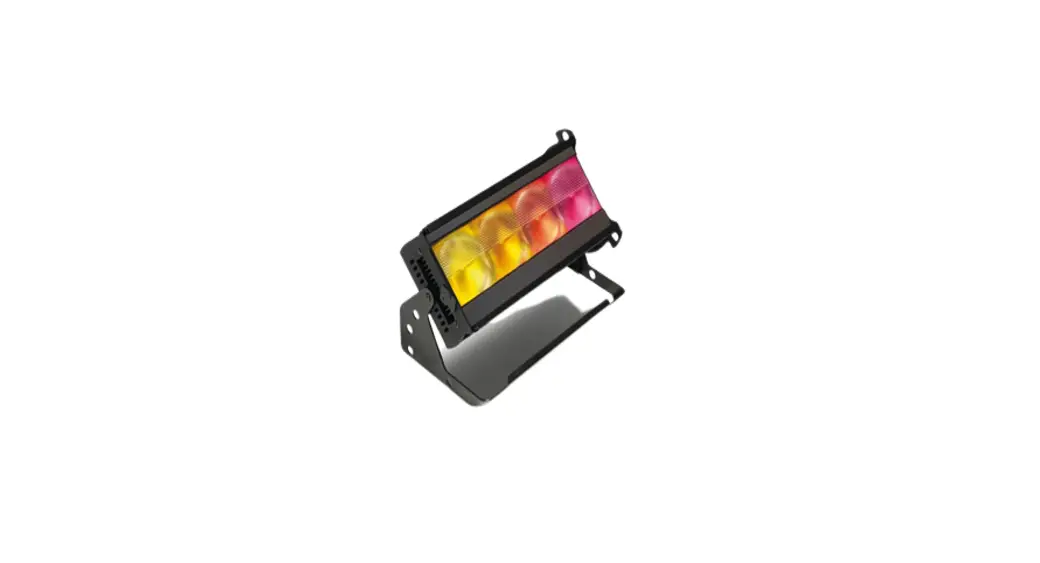
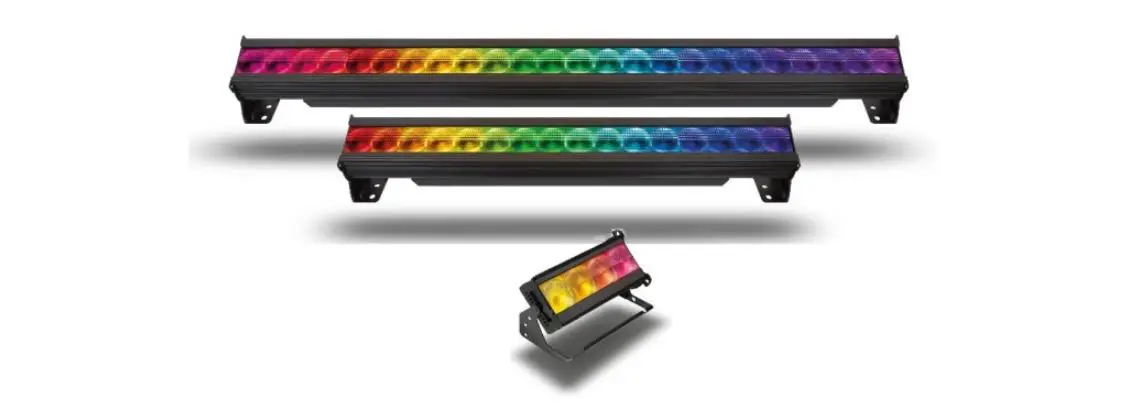
The Chroma-Q Color Span 2™ is a configurable low profile, ultra-bright LED indoor cove lighting and wall wash system for wide-ranging applications.
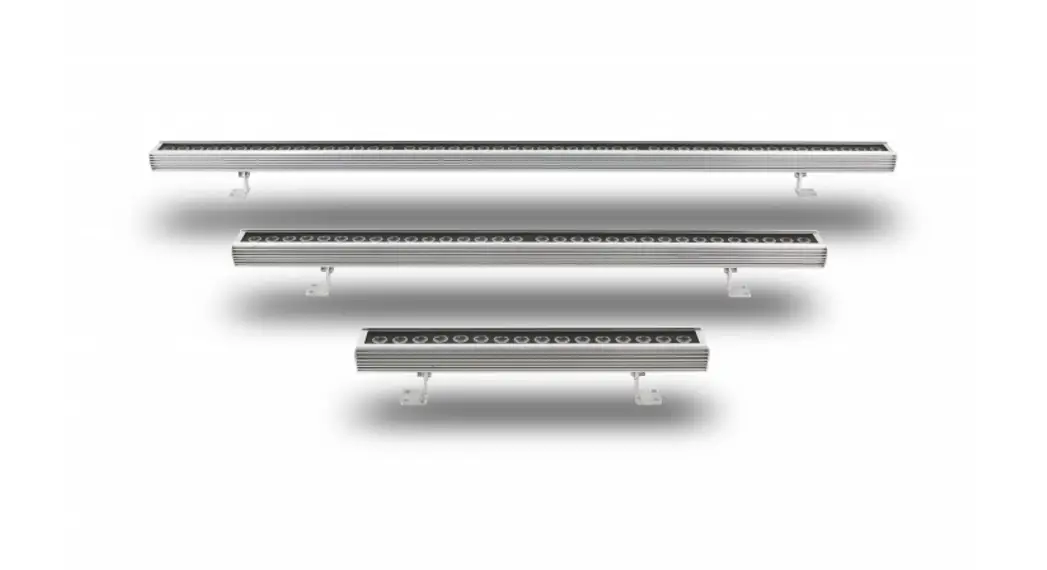
The Color Span 2 ™ fixture comes in lengths of 400mm / 16” with 16 LEDs, 800mm / 32” with 32 LEDs, and 1200mm / 48” with 48 LEDs. The Color Span 2™ fixtures of various lengths can be combined and connected via the RJ45 in/out connectors for power and data. The total lengths of the combined fixtures must match the corresponding power supply output.
Safety
 Caution
- This product is for professional use only. It is NOT intended for domestic or outdoor use.
- The bright flash of light during power-up and continuous strobe effect may cause epileptic seizures.
- Chroma-Q® Color Span 2™ Power Supply Units The Color Span 2™ PS02, PS06, and PS18 are power supply units that can be remotely controlled via ANSI E1.11 USITT DMX 512-A (XLR 5-pin) and available with outputs via an RJ45 connection.
Color Span 2™ PS02 is a power supply with 2 outputs which can be configured for up to 2 full- size (1200mm/48”) 48 LEDs Color Span 2™ fixture units, or 2 (800mm/32”) 32 LEDs Color Span TM™ fixtures, or 2 (400mm/16”) 16 LEDs Color Span 2™ fixtures, or combined (daisy-chained) to match each output.
Color Span 2™ PS06 is a power supply with 6 outputs which can be configured for up to 6 full-size (1200mm/48”) 48 LEDs Color Span 2™ fixture units, or 6 (800mm/32”) 32 LEDs Color Span 2™ fixtures, or 6 (400mm/16”) 16 LEDs Color Span 2™ fixtures, or combined (daisy-chained) to match each output.
Color Span 2™ PS18 is a power supply with 18 outputs which can be configured for up to 18 full-size (1200mm/48”) 48 LEDs Color Span 2™ fixtures, or 18 (800mm/32”) 32 LEDs Color Span 2™ fixtures, or 18 (400mm/16”) 16 LEDs Color Span 2™ fixtures, or combined (daisy-chained) to match each output.
Caution: The total lengths of combined Color Span 2™ fixtures must not be less or more than the power output of the power supply unit. The power supply unit will be damaged if the total length of combined fixtures is not matched to the corresponding output used.
A POWER TERMINATOR must be connected to the last fixture in the combined (daisy-chained) configuration series.
Output and cabling Configuration
The PS02, PS06, and PS18 have 3 output configurations for up to 6 fixture configurations. Each RJ45 output connector of the Color Span 2™ PS02, PS06, and PS18 are color-coded to indicate the appropriate number and/or combination of Color Span 2™ fixture units.
| Output Connector Color Code | Number of LEDs in the fixture | Fixture Length |
| BROWN | 16 | 400mm / 16” |
| ORANGE | 32 | 800mm / 32” |
| YELLOW | 48 | 1200mm / 48” |
Output Configuration:
| PSU | Color Code | Fixture Configuration/Combination |
| PS02/ PS06/ PS18 | Yellow | 2/6/18 outputs x (48 LEDs fixture) or 2/6/18 outputs x (32 LEDs + 16 LEDs fixture) or 2/6/18 outputs x (16 LEDs + 16 LEDs + 16 LEDs fixture) |
| Orange | 2/6/18 outputs x (32 LEDs fixture) or 2/6/18 outputs x (16 LEDs + 16 LEDs fixture) | |
| Brown | 2/6/18 outputs x (16 LEDs fixture) |
Note: Damage may occur to the fixture if the size is not matched to the coded outputs.
Control
The Color Span 2™ system can operate as a stand-alone unit or be controlled remotely via ANSI E1.11 USITT DMX512-A through the power supply. Refer to the user manual for full details. Control Menu is accessed via the LCD display and the following controls: Right-hand button (Arrow) – Enter (hold for 2 seconds to save)
Left-hand button (Exit) – Exit without saving Centre pressure slide pad – Adjusts or scrolls through the menu items
To access Control Menu items,
- Use the slide pad to scroll through the menu items
- Press Enter to select the menu item
- Use the slide pad to scroll through the options
- Press Enter for 2 seconds to save the settings
| Control Menu | Function | ||||||
| Home | Shows the Name, Software Version, current DMX address, control mode, and time. | ||||||
| Control Mode | PS02/PS06/PS18 Power Supply Units — Software Version 1.6 | ||||||
| Mode | Name | Ch | Grouping | Description | |||
| 1 | fxHSl | 13/25/61 | Variable | 7 x effects + 2/6/18 x Hue, Saturation, Intensity | |||
| 2 | HSI | 6/18/54 | Single | 2/6/18 x Hue, Saturation, Intensity | |||
| 3 | RGB | 6/18/54 | Single | 2/6/18 x Red, Green, Blue (w/ *Magic Amber) | |||
| 4 | fxHSl | 9 | All | 6 x effects + Hue, Saturation, Intensity | |||
| 5 | HSI | 3 | All | 1 x Hue, Saturation, Intensity | |||
| 6 | RGB | 3 | All | 1 x Red, Green, Blue (w/ *Magic Amber) | |||
| 7 | RGBA | 8/24/72 | Single | 2/6/18 x Red, Green, Blue, Amber | |||
| 8 | RGBI | 8/24/72 | Single | 2/6/18 x Red, Green, Blue, Intensity | |||
| 9 | RGBA | 4 | All | 1 x Red, Green, Blue, Amber | |||
| 10 | RGBI | 4 | All | 1 x Red, Green, Blue, Intensity | |||
| 11 | LkSel | 1 | Variable | Selection of pre-programmed looks | |||
| 12 | DEMO | Stand-alone effects sequence | |||||
| *Magic Amber is the term used for the unit’s ability to bring in Amber when mixing colors that require it. | |||||||
| When DMX is Lost | In this mode, various options can be selected when DMX is not detected. | ||||||
| Look Store | In this mode, 42 internal FX Looks are available for stand-alone operation, 1-9 are preset. Looks can be recorded to the internal flash memory and will be reserved on power down. Looks will be returned to default upon reset. To record a Look with a DMX console — set the PSU to Control Mode 1, use the DMX console to create the desired effect, scroll to Look Store number, and save the Look to that number. Refer to the Color Span 21-m User Manual to record a Look in Standalone mode. | ||||||
| Time Triggers | Select Time Triggers from the menu, then toggle between Day, Hour (24), Minutes, and the Look to be triggered. | ||||||
| Set Day and Time | Select Set Day and Time from the menu then toggle between Day, Hour (24), Minutes | ||||||
| Display Backlight | Select Displ. Backlight from the menu then toggle between On (permanently) or Off (after 5 seconds) | ||||||
| Reset to Default | Press Enter for 2 seconds to reset all menu items to factory defaults: DMX address=001, Control Mode=1, DMX Lost=Hold, Look Store=default, Time Triqqers=deleted, Display=0n, Frequency=600 | ||||||
| Frequency | In this mode, four frequency settings are available – 360, 600, 1200, 2400, which allow for the LED scan rate to be synchronized with the video camera and avoid a flickering effect. | ||||||
Further Information
Please refer to the Chroma-Q® Color Span 2™ manual for more detailed information. A copy of the manual can be found at the Chroma-Q®
website – www.chroma-q.com/support/downloads
Approvals & Disclaimer

The information contained herein is offered in good faith and is believed to be accurate. However, because conditions and methods of use of our products are beyond our control, this information should not be used in substitution for customer’s tests to ensure that Chroma-Q® products are safe, effective, and fully satisfactory for the intended end-use. Suggestions of use shall not be taken as inducements to infringe any patent. Chroma-Q® sole warranty is that the product will meet the Chroma-Q® sales specifications in effect at the time of shipment. Your exclusive remedy for breach of such warranty is limited to refund of purchase price or replacement of any product shown to be other than as warranted.
Chroma-Q® reserves the right to change or make alterations to devices and their functionality without notice due to ongoing research and development.
The Chroma-Q® Color Span 2™ has been designed specifically for the lighting industry. Regular maintenance should be performed to ensure that the products perform well in the entertainment environment.
If you experience any difficulties with any Chroma-Q® products please contact your selling dealer. If your selling dealer is unable to help, please contact [email protected]. If the selling dealer is unable to satisfy your servicing needs, please contact the following for full factory service:
Outside North America:
Tel: +44 (0)1494 446000
Fax: +44 (0)1494 461024
[email protected]
North America:
Tel: +1 416-255-9494
Fax: +1 416-255-3514
[email protected]
For further information please visit the Chroma-Q® website at www.chroma-q.com.
Chroma-Q® is a trademark, for more information on this visit www.chroma-q.com/trademarks.
The rights and ownership of all trademarks are recognized
 https://chroma-q.com/
Color Span 2™ QSG V2.0
QSG P/N: 633-0501