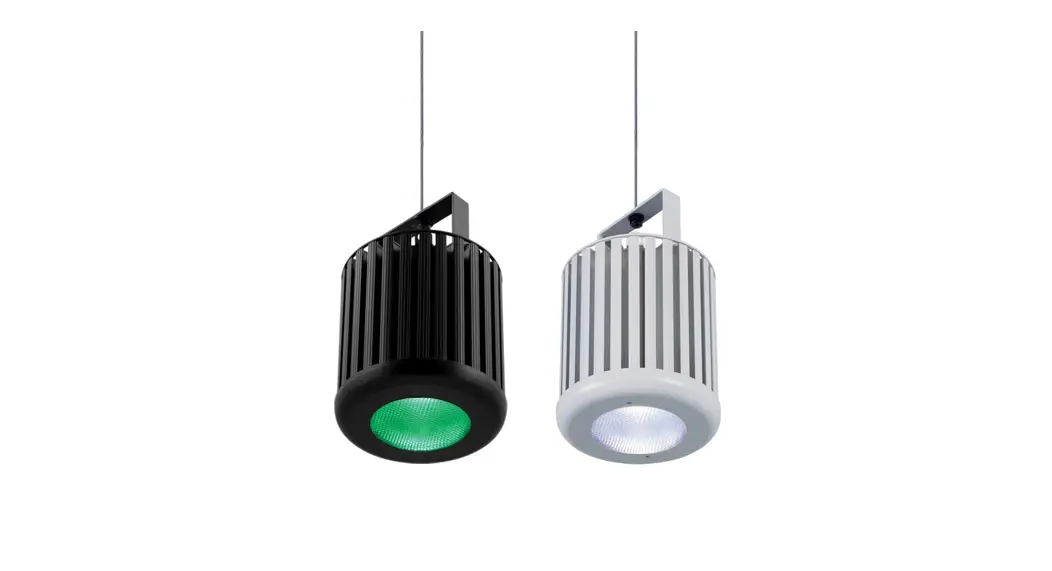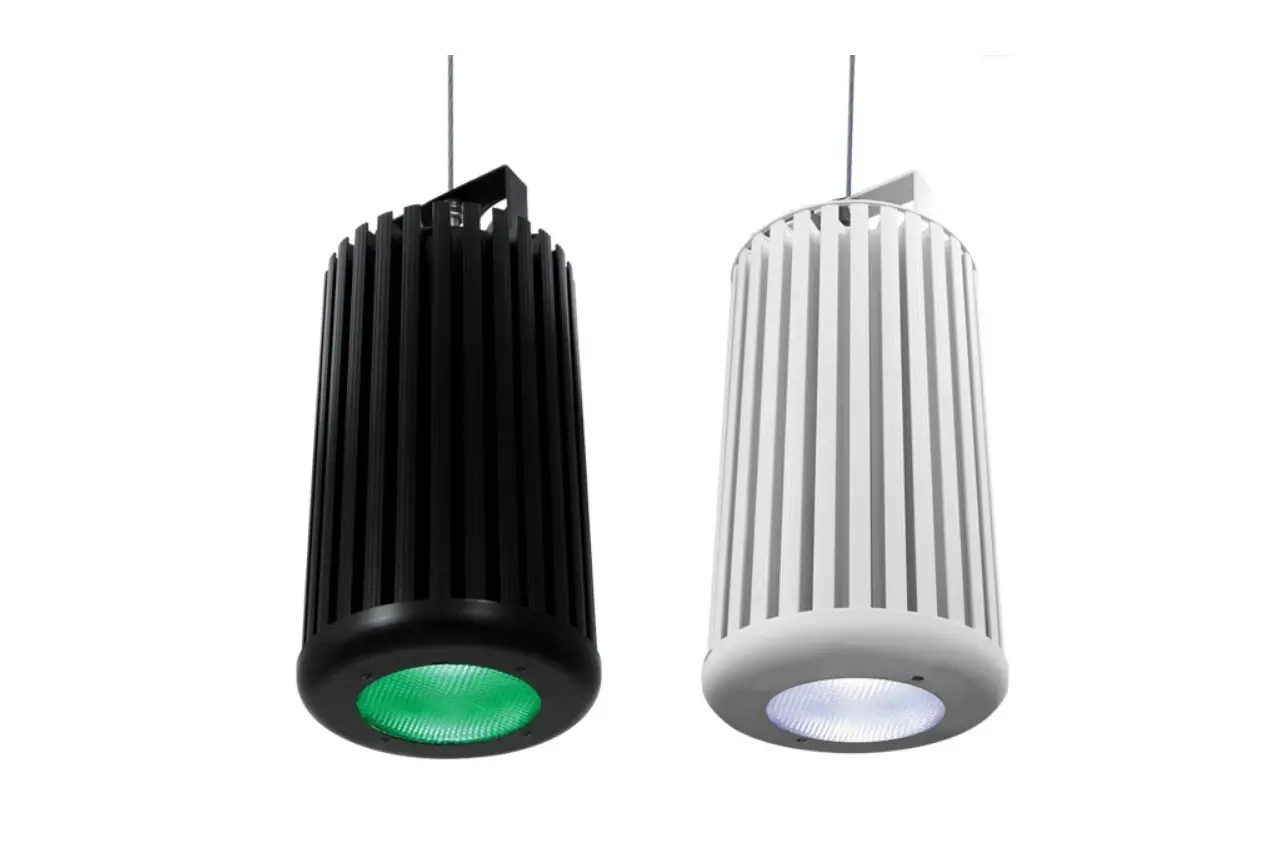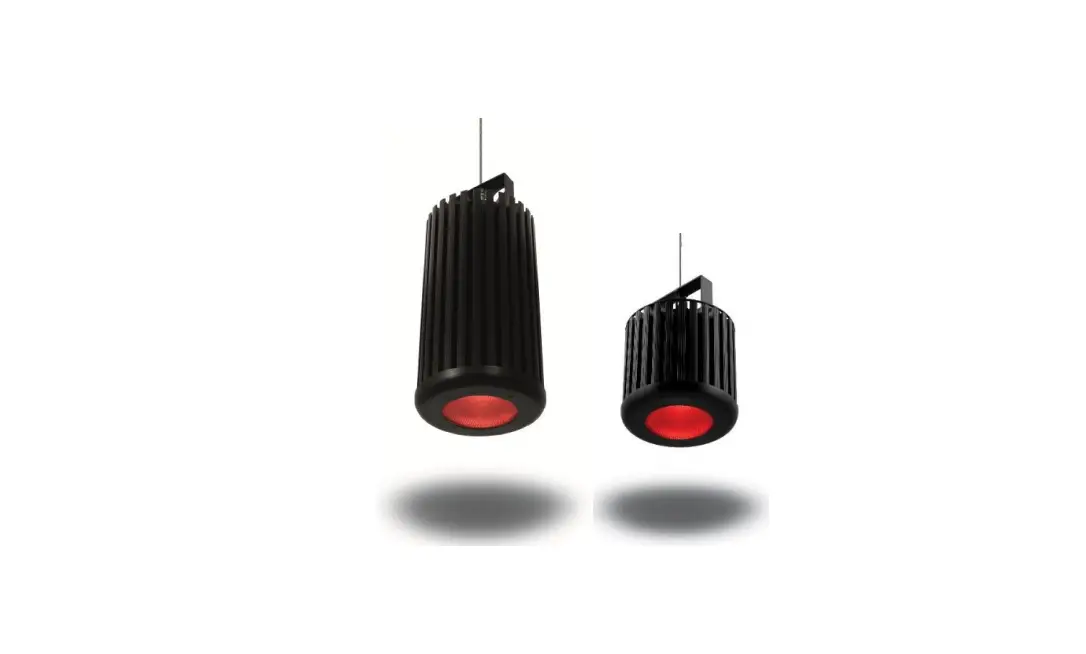
Chroma-Q 632-1000 Inspire RGBW LED House Lighting User Manual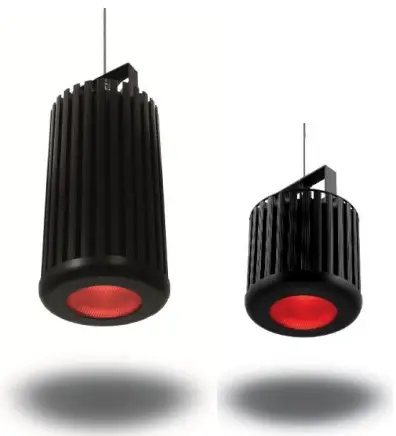
Disclaimer
The information contained herein is offered in good faith and is believed to be accurate. However, because conditions and methods of use of our products are beyond our control, this information should not be used in substitution for customer’s tests to ensure that Chroma Q® products are safe, effective, and fully satisfactory for the intended end use. Suggestions of use shall not be taken as inducements to infringe any patent.
Chroma-Q® sole warranty is that the product will meet the sales specifications in effect at the time of shipment. Your exclusive remedy for breach of such warranty is limited to refund of purchase price or replacement of any product shown to be other than as warranted. Chroma-Q® reserves the right to change or make alteration to devices and their functionality without notice due to our ongoing research and development.
The Chroma-Q® Inspire™ range has been designed specifically for the lighting industry. Regular maintenance should be performed to ensure that the products perform well in the entertainment environment.
If you experience any difficulties with any Chroma-Q® products please contact your selling dealer. If your selling dealer is unable to help, please contact [email protected]. If the selling dealer is unable to satisfy your servicing needs, please contact the following, for full factory service:
Outside North America:
Tel: +44 (0)1494 446000
Fax: +44 (0)1494 461024
[email protected]
North America:
Tel: 416-255-9494
Fax: 416-255-3514
[email protected]
For further information please visit the Chroma-Q® website at
www.chroma-q.com. Chroma-Q® and Inspire™ are trademarks, for more information on this visit www.chromaq.com/trademarks.
The rights and ownership of all trademarks are recognized.
Important Notice:
As per the requirements in the Occupational Safety and Health Administration standards for product approval, please refer to the OSHA web pages http://www.osha.gov/dts/otpca/nrtl/ for information on the list of Nationally Recognized Testing Laboratories (NRTLs) and the scope of recognition.

Safety information
WARNING!
Read the safety precautions in this section before installing, powering, operating or servicing
 Warning! Safety Hazard. Risk of severe injury or death.
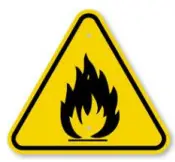 Warning! Fire Hazard.
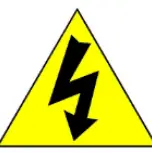 Warning! Hazardous Voltage. Risk of severe lethal electric shock.
 Warning! Refer to User manual.
Warning
- Read the user manual before installing and operating the Chroma-Q® Inspire™. For future reference, keep and use the manual.
- Safety precautions given in user manual must be followed at all times and the manuals of all the devices you connect it to. Observe all the warnings printed on devices and in manuals. Make sure whoever is involved in working on or using the Inspire™ has carefully read and understood all the safety precautions and lasted warnings.
- Install, connect, operate and service devices only as described in this manual and in connected devices’ manuals and only in accordance with local laws and regulations. All Chroma-Q® manuals are available for download from www.chroma-q.com.
- Inspire™ does not have user-serviceable parts. Refer any operation not described in this manual to [email protected].
If you experience difficulties with any Chroma-Q® products please contact your local dealer.
If your local dealer is unable to help then please contact
[email protected]. If you are having trouble finding what you are looking for on our website, then contact our ChromaQ® marketing department by sending an email to [email protected].
PROTECTION FROM ELECTRIC SHOCK
- Use only the cables specified in this manual and on the Chroma-Q® website at www.chromaq.com to interconnect devices in the installation. If the specified cables are not long enough for an intended cable run, consult Chroma-Q® for assistance in finding or creating a safe alternative solution.
- Provide a means of locking out AC mains power that allows power to the installation to be shut down and made impossible to reapply, even accidentally, during work on the installation.
- Shut down power to the installation during service and when it is not in use.
- Before applying power to the installation, check that all power distribution equipment and cables are in perfect condition and rated for the current requirements of all connected devices.
- Isolate the installation from power immediately if any product, power cable or power plug is in any way damaged, defective or wet, or if it shows signs of overheating.
- Do not immerse an Inspire™ fixture in water or expose it to high pressure water jets.
PROTECTION FROM BURNS AND FIRE
- The Inspire™ is cooled passively by natural air convection. Provide adequate clearance for airflow around the fixtures.
- Do not operate the Inspire™ if the ambient temperature (Ta) exceeds 40° C (104° F).
- Do not modify the Inspire™ in any way not described in this manual or install other than genuine Chroma-Q® parts.
- Use only accessories approved by Chroma-Q®.
PROTECTION FROM INJURY
- Ensure that the installation hardware and supporting surface or structure can hold at least 10 times the weight of all the devices they support.
- Block access below the work area and work from a stable platform whenever installing, servicing or moving the Inspire™.
- As soon as work is completed, check that all hardware and components are securely fastened to supporting structures.
- Make sure there are no flammable materials close to the product during operation.
- Avoid direct eye exposure to the light source while the product is on.
- Never try to repair the product. Repairs carried out by unskilled people can lead to damage or malfunction. Please contact the nearest authorized dealer or contact [email protected].
Keep this User Manual for future consultation. If this product is used by another user, be sure that they also receive this document.
Product overview
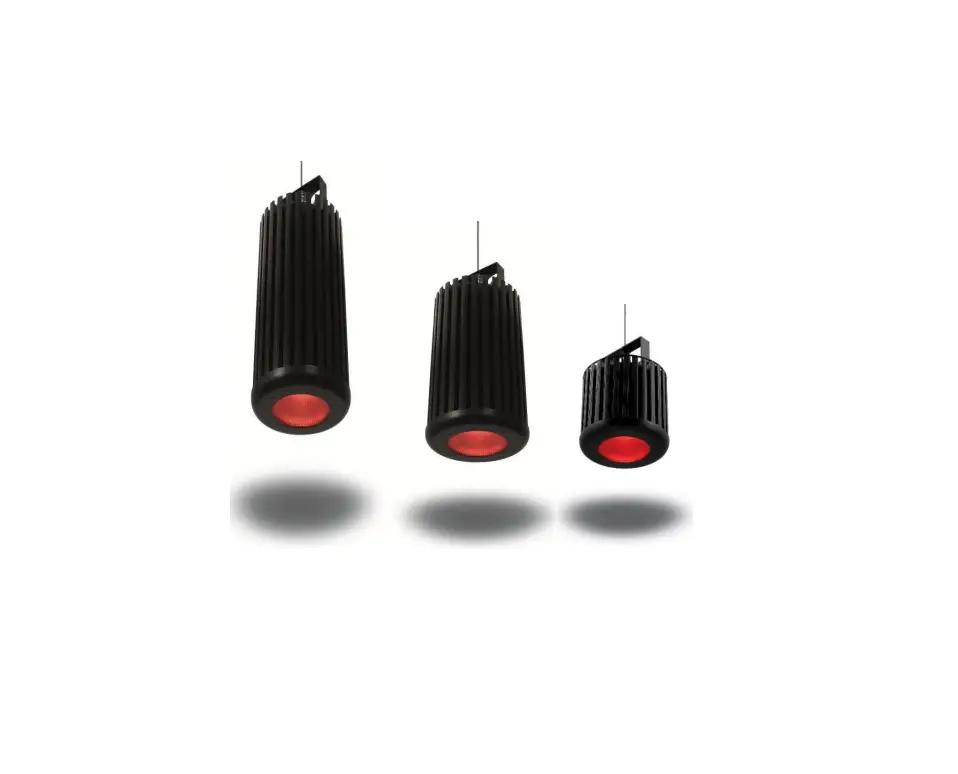
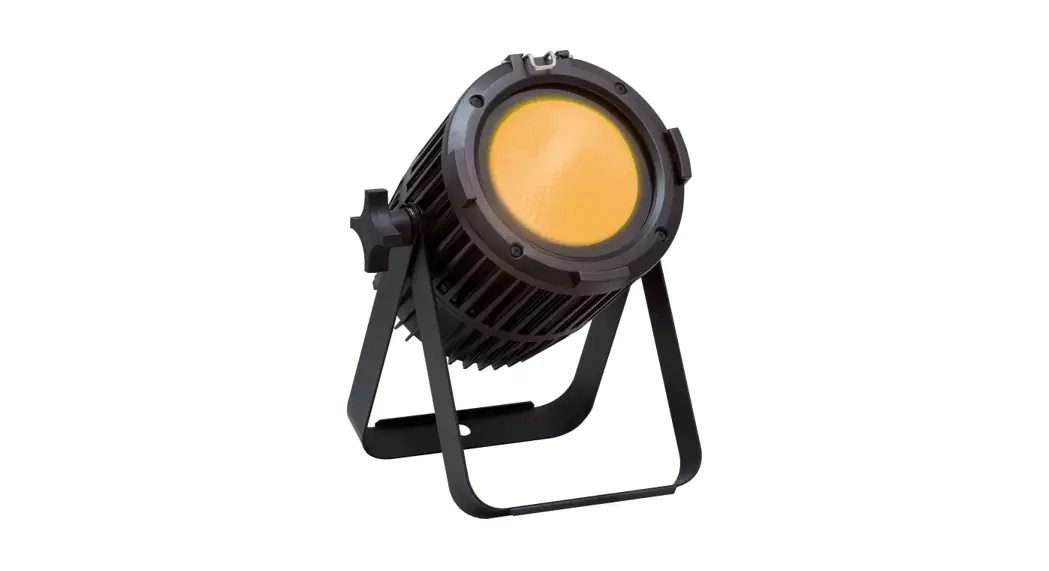
The new Chroma-Q® Inspire™ LED house light is a powerful multi-purpose creative lighting tool that utilises some of the innovative core technologies found in the incredibly popular Chroma-Q® Inspire™ range. The Inspire™ provides a choice of beautiful whites, soft pastels and bold saturates – all from one fixture. By incorporating industry standard DMX-512 control, the Inspire™ is able to integrate seamlessly with an existing DMX infrastructure and can be controlled by any DMX supported lighting console. With fully homogenised colour mixing and a choice of three different lens options, the Inspire™ provides an excellent selection of stunning mixed colours and ‘true’ whites, with no unsightly colour separation shadows. It also features an energy efficient compact LED design providing reduced maintenance and running costs.
The Inspire™ fixture is built with a single light engine featuring 36 high powered LEDs (combination of white, red, green and blue). Each model is equipped with a built-in power supply and can operate as a standalone unit or be remotely controlled through the ANSI E1.11 USITT DMX 512-A protocol. The control options incorporate a choice of multiple channel intensity control, effects and a dynamic Variable Effects Engine integrated in the software, which gives the user full control of the effects combination.
The product’s robust anodised aluminium extruded construction houses a discreet cable management system and additional protection built around the optics.
Operation
Unpacking the Units
Table 1: The Inspire™ package includes:
| Item | Description | Qty. | Model |
| 1 | Light Fixture | 1 | 632-XXXX |
| 2 | Power Connector | 1 | 1889-4006 |
| 3 | Safety Chain | 1 | 900-0649 |
| 4 | Quick Start Guide | 1 | 632-0707 |
We recommend that you keep the original packaging in case the item needs to be returned
Cabling system
The Inspire™ utilises a powerCon connector for power input. The DMX control data input and through connections from an external control console are via two XLR 5-pin connectors. The chassis are ground bonded.
Table 2: Power cable color code
| EU | North America | Connections | |
| Green and Yellow | Green | Earth (E) | Ground (Green) |
| Blue | White | Neutral (N) | Neutral (Silver) |
| Brown | Black | Live (L) | Hot (Gold) |
Table 3: XLR 5-pin Cable:
| Pin# | Function |
| 1 | Common (Screen) |
| 2 | Data Minus |
| 3 | Data Plus |
| 4 | Spare Data Minus |
| 5 | Spare Data Plus |
Note: Refer to ESTA (Entertainment Services and Technology Association) technical standards program (TSP) documents (ANSI E1.27-2 -2009 (R2014)) for more detail about recommended practice for permanently installed control cables for use with ANSI E1.11 (DMX512-A) and USITT
DMX512-1990 products or Click on the link below.
http://tsp.esta.org/tsp/documents/published_docs.php
Important Notice:
The use of an opto-splitter for DMX signal distribution is highly recommended when several control boxes are not plugged into the same power source.
Mounting
The InspireTM fixture is built with a mounting bracket for overhead hanging applications. The mounting bracket has a 1/2″ hole suitable for M10 & M12 bolts. Secure the fixture with a safety cable. A provision for a fixing hold is built into the fixture.
Other mounting options, such as a yoke, or recessing mounting kits are available. Consult your local representative or the Chroma-Q® website for more details.
Table 4: Optional Mounting Kits and Accessories
| Picture | PART NUMBER: Description |
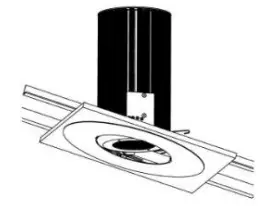 | CHINSIK15B: Blind Sloped Ceiling Kit – 0 TO 15° Angle (Black Trim) CHINSIK15W: Blind Sloped Ceiling Kit – 0 TO 15° Angle (White Trim) CHINSIK30B: Blind Sloped Ceiling Kit – 20 TO 30° Angle (Black Trim) CHINSIK30W: Blind Sloped Ceiling Kit – 20 TO 30° Angle (White Trim) |
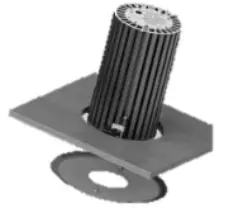 | CQ632-9120: Inspire™ Blind Ceiling Mount Kit (Black Trim) CQ632-9121: Inspire™ Blind Ceiling Mount Kit (White Trim) |
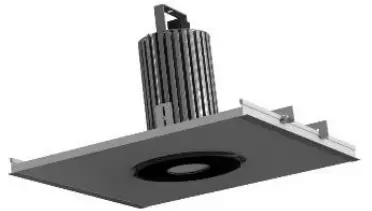 | CQ632-9060: Inspire™ Suspended Ceiling Mount Kit (Black Trim) CQ632-9061: Inspire™ Suspended Ceiling Mount Kit (White Trim) |
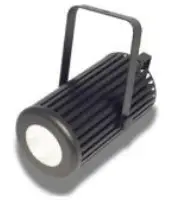 | CHINYK: Yoke Mount Kit for Inspire™ (Black) CHINYKW: Yoke Mount Kit for Inspire™ (White) |
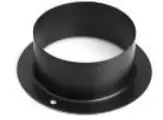 | CHINTHB: Inspire™ Top hat/Snoot (Black) CHINTHW: Inspire™ Top hat/Snoot (White) |
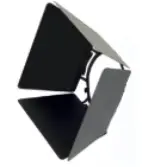 | CHINBDB: Barndoor for Inspire™ (Black) CHINBDW: Barndoor for Inspire™ (White) |
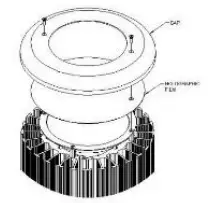
| CH632-9110: Spreader Lens Kit (42/65 DEG) |
Optics
The Inspire™ RGBW can be built with either Narrow, Medium or Wide lens. The beam angles are: Narrow: ~32°; Medium: ~42°; Wide: ~65°.
The Inspire™ Mini is built with wide lens with a beam angle of approximately ~65°.
The Optional Spreader Lens Kit is available for changing the beam angle of any Inspire™ Light Fixture.
Control
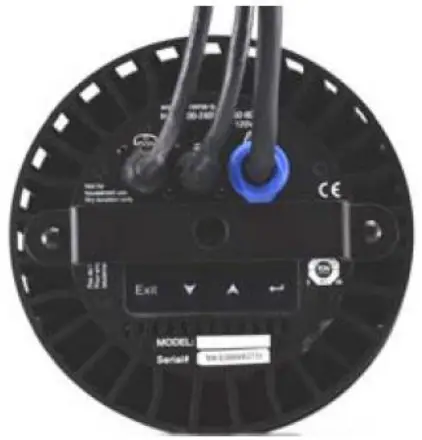
The Inspire™ light fixture can operate as a standalone unit or be controlled remotely via ANSI E1.11 USITT DMX512-A protocol. The control functions can be accessed through the LCD display at the rear of the fixture with 4 push buttons.
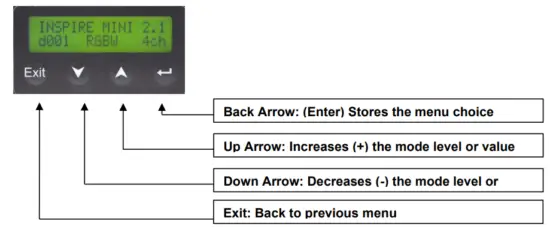
Power-Up Display:
On power-up and home position, the display shows the Main Menu:
- model name
- software version
- the DMX address
- current assigned mode
- number of assigned channels
Display Mode:
The LCD is backlit when you access the menus. This will turn off when left undisturbed for 5 seconds.
Control Modes:
The Inspire™ RGBW consists of a single LED engine with a combination of 6 Red LEDs, 6 Green LEDs, 6 Blue LEDs and 18 Neutral White LEDs for a total of 36 LEDs. The Inspire Mini™ consists of a single LED engine with a combination of 6 Red LEDs, 6 Green LEDs, 6 Blue LEDs and 12 Neutral White LEDs for a total of 30 LEDs. Control of the fixture can be set by selecting a control mode from the list of options below:
| No. | Display | Ch | Description |
| 1 | fxHSI | 7 | 4 x channels for Effects + Hue, Saturation, Intensity |
| 2 | sRGBW | 5 | 1 x Intensity Effects Channel + Red, Green, Blue, White |
| 3 | HSI | 3 | Hue, Saturation & Intensity |
| 4 | RGBW | 4 | Red, Green, Blue, White |
| 11 | Look sel | 1 | Look Select (Effects engine, programmable presets and user programmed Looks) |
| 12 | Mastr StndAlon | / | Assigns the unit as Master in standalone operation |
| 13 | Slave StndAlon | / | Assigns the unit as Slave in standalone operation |
Internal FX engine: integrated in the software is an internal effects engine with variable parameters to create an unlimited amount of unique lighting effects.
Control Menu
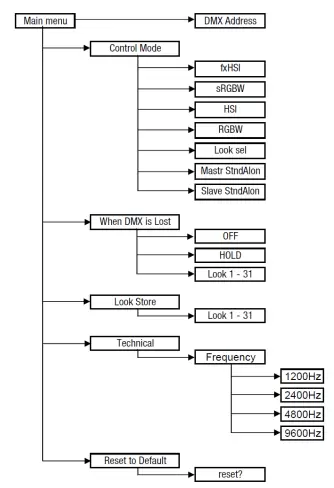
- Use the Up and Down arrows to navigate the control menu options
- Press the Back arrow (Enter) to select a control menu option
- Press and hold the Back arrow (Enter) to save the setting
- Press Exit to return to the Main Menu
Main Menu
The Main Menu displays:
- Model name
- Control software version
- DMX start address
- Control Mode
- Number of channels
DMX Address
To set the DMX start address,
- From the Main Menu, press Enter
- Press Up or Down to adjust DMX start address
- Press Enter for 2 seconds to save and return to the Main Menu.
Control Mode
The Inspire™ can be set to operate in 5 DMX controlled modes and 2 standalone modes. Refer to the list below for details.
To set the Control Mode,
- From the Main Menu, press Up or Down to access the Control Mode
- Press Enter and then Up or Down to select the mode
- Press Enter for 2 seconds to save
The display returns to Control Mode and then the Main Menu.
Control Mode – Software Version 2.1
| Mode | Display | Ch | Description |
| 1 | fxHSI | 7 | 4 x Effects, Hue, Saturation, Intensity |
| 2 | sRGBW | 5 | Intensity Effects, Red, Green, Blue, White |
| 3 | HSI | 3 | Hue, Saturation, Intensity |
| 4 | RGBW | 4 | Red, Green, Blue, White |
| 11 | Look sel | 1 | Look Select |
| 12 | Mastr StndAlon | Unit assigned as Standalone Master | |
| 13 | Slave StndAlon | Unit assigned as Standalone Slave |
When DMX is Lost
If DMX is not detected, various output options can be selected:
| OFF | Fixture has no light output |
| HOLD | Fixture holds the last valid DMX state |
| LOOK 01 – 31 | Fixture snaps to the selected Look |
To set the option When DMX is Lost,
- From the Main Menu, press Up or Down to access When DMX is Lost
- Press Enter, then press Up or Down to select the option
- Press Enter for 2 seconds to save
The display returns to When DMX is Lost and then the Main Menu.
Look Store
The Inspire has 31 internal pre-set FX Looks for standalone operation, 1-23 are preprogrammed.
To replay a Look in standalone operation,
- From the Main Menu, press Up or Down to access Look Store
- Press Enter, press Up or Down to select a Look
- Press Enter for 2 seconds to save
The display returns to Look Store and then the Main Menu.
The fixture plays back the assigned Look.
To replay a Look with a DMX console,
- From the Main Menu, press Up or Down to access Control Mode
- Press Enter, then press Up or Down to select Look sel
- Press Enter for 2 seconds to save
- Use the external DMX console with the assigned DMX channel to playback the various looks stored. (1-31 looks in 1 single channel)
Note: DMX has priority over internal Looks
Recording user programmed Looks:
Looks can be recorded to the internal flash memory by users and will be preserved on power down. However, looks will be returned to default setting if Reset is performed. There are two ways to record a look:
Simple, with DMX console
- Set the fixture to the desired Control Mode.
- Use an external DMX console to adjust the channel levels and create the desired look or effect.
- Press Up or Down to select Look Store
- Press Enter, press Up or Down to select the Look number
- Press Enter for 2 seconds to save the Look
Advanced, standalone (DMX is unplugged)
- From the Main Menu, press Up or Down to select Look Store
- Press Enter, then press Up or Down to select a Look
- Press Enter to access the memory data. The data is presented as two numbers separated by a letter “c”. The number to the left of the “c” is the channel number and to the right is the channel level. Pressing Up or Down up to the far end will show the Mode at which the selected Look was programmed. Proceed to edit the Mode, the channels numbers and levels of a selected Look.
To edit the Mode of a selected Look:
- From the Main Menu, press Up or Down to select Look Store
- Press Enter, then press Up or Down to select a Look
- Press Enter to access the memory data.
- Press Up or Down up to the far end until Mode number is shown
- Press Enter, then press Up or Down to adjust the Mode number
- Press Enter to navigate back to the channel numbers
- When editing is complete, press Enter for 2 seconds to save
The modified Look will be stored in the selected Look Store number.
To edit the channel numbers and levels of a selected Look:
- From the Main Menu, press Up or Down to select Look Store
- Press Enter, then press Up or Down to select a Look
- Press Enter to access the memory data.
- Press Up or Down to select the channel number.
- To edit the channel level, press Enter and Up or Down to adjust the level (shown as 0-255).
- Press Enter to navigate back to the channel number.
- When the desired effect is created press Enter for 2 seconds to save
The modified Look will be stored in the selected Look Store number.
Technical
In this mode, the frequency setting of the fixture can be changed. The Inspire™ has four frequency settings available – 1200, 2400, 4800, 9600. This allows for the LED scan rate to be synchronised with the video camera and avoid a flickering effect. To set the frequency
- From the Main Menu, press Up or Down to select Technical
- Press Enter, then press Up or Down to select the Frequency
- Press Enter for 2 seconds to save
The display returns to Technical and then the Main Menu.
Reset to Default
To reset the fixture to the factory default settings,
- From the Main Menu, press Up or Down to select Reset to Default
- Press Enter, display shows “reset?”
- Press Enter and hold until display shows “resetting” and “done” when complete
The display returns to Reset to Default and then the Main Menu.
All control menu commands are reset to factory defaults:
| DMX address | 001 |
| Control Mode | RGBW |
| When DMX is Lost | HOLD |
| Look Store | 01 |
| Frequency | 1200 |
DMX Protocol
DMX Personality Mode 1-2:
| Inspire™ Mini V2.1 | Control Mode 1 [7ch] fxHSI | Control Mode 2 [5ch] sRGBW |
| Channel 1 | Color Speed 0-255 Variable speed of colour scrolling. Static at 0 to max at 255. | Intensity Effects 0 Static 1-63 Fade on, fade off. Variable, 63 fastest 64-127 Fade on, snap off. Variable, 127 fastest 128-191 Snap on, fade off. Variable, 191 fastest 192-255 Snap on, snap off (strobe). Variable, 255 fastest. |
| Channel 2 | Color Range 0 Full spectrum 1-255 Variable limit of spectrum for color scrolling. Single color at 1, full spectrum at 255. | Red |
| Channel 3 | Color Step 0-255 Variable control of smoothness of color scrolling. Smoothest at 0. Most coarse is at 250. Rate will vary with scrolling speed. 255 will override effects and switch to RGB. | Green |
| Channel 4 | Intensity Effects 0 Static 1-63 Fade on, fade off. Variable, 63 fastest 64-127 Fade on, snap off. Variable, 127 fastest 128-191 Snap on, fade off. Variable, 191 fastest 192-255 Snap on, snap off (strobe). Variable, 255 fastest. | Blue |
| Channel 5 | Hue | White |
| Channel 6 | Saturation | |
| Channel 7 | Intensity | |
| Total | 7 DMX channels | 5 DMX channels |
DMX Personality Mode 3-4:
| Inspire™ V2.1 | Control Mode 3 [3ch] HSI | Control Mode 4 [4ch] RGBW |
| Channel 1 | Hue | Red |
| Channel 2 | Saturation | Green |
| Channel 3 | Intensity | Blue |
| Channel 4 | White | |
| Total | 3 DMX channels | 4 DMX channels |
DMX Personality Mode 11:
| Inspire™ V2.1 | Mode 11 [1ch] Look Select | ||||
| Channel 1 | Channel levels and the corresponding Look numbers: | ||||
| Channel Level (%) | Look | Description | |||
| 0 | OFF | ||||
| 1–2 | 1 | Full Color Scroll (5 sec) | |||
| 3–5 | 2 | Full Color Scroll (10 sec) | |||
| 6–9 | 3 | Full Color Scroll (30 sec) | |||
| 10–11 | 4 | Warm Color Scroll (5 sec) | |||
| 12–15 | 5 | Warm Color Scroll (10 sec) | |||
| 16–19 | 6 | Warm Color Scroll (30 sec) | |||
| 20–22 | 7 | Cold Color Scroll (5 sec) | |||
| 23-25 | 8 | Cold Color Scroll (10 sec) | |||
| 26–27 | 9 | Color Color Scroll (30 sec) | |||
| 29-32 | 10 | Red Full | |||
| 33–35 | 11 | Pink Full | |||
| 36-38 | 12 | Orange Full | |||
| 39-42 | 13 | Light Orange Full | |||
| 43-45 | 14 | Yellow Full | |||
| 46-48 | 15 | Light Yellow Full | |||
| 49-51 | 16 | Green Full | |||
| 52-54 | 17 | Light Green Full | |||
| 56-58 | 18 | Cyan Full | |||
| 59-61 | 19 | Light Cyan Full | |||
| 62-64 | 20 | Blue Full | |||
| 65-68 | 21 | Light Blue Full | |||
| 69-71 | 22 | 3200 White | |||
| 72-74 | 23 | 5600 White | |||
| 75-78 | 24 | Empty | |||
| 79-81 | 25 | Empty | |||
| 83-85 | 26 | Empty | |||
| 86-88 | 27 | Empty | |||
| 89-91 | 28 | Empty | |||
| 92-94 | 29 | Empty | |||
| 95-97 | 30 | Empty | |||
| 98-100 | 31 | Empty | |||
Thermal Performance
The internal cooling system of the Inspire™ Addressing is by convection and the fixture is built with automatic protection. The fixture’s automatic protection reduces the output when the internal temperature reaches the maximum limit due to extreme ambient conditions.
Troubleshooting
Troubleshooting is a process of elimination. First, rule out the other field factors (i.e., bad connections, faulty cables and power supplies). For technical support and/or parts, please contact your selling dealer or the offices listed in this manual.
| Symptom | Possible Cause | Solution |
| Fixture does not respond to DMX control. |
|
|
| Low LED output. |
|
|
Specification
Technical Specifications
| Specification | Inspire™ | Inspire™ Mini |
| Part Number | CHINHLRGBW32A, CHINHLRGBW32AW, CHINHLRGBW42A, CHINHLRGBW42AW, CHINHLRGBW65A, CHINHLRGBW65AW, CHINHLW32A, CHINHLW32AW, CHINHLW42, CHINHLW42W, CHINHLW65, CHINHLW65W | CHINMINIHLRGBWA, CHINMINIHLRGBWAW |
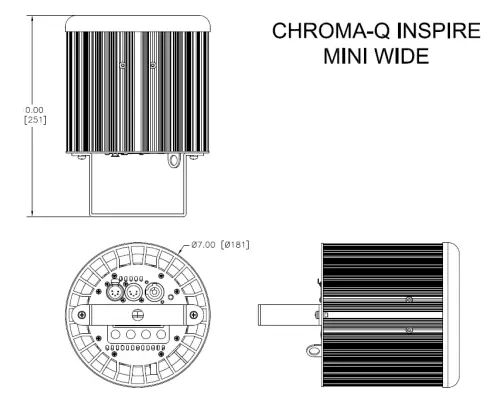
| Net Dimensions** (Without Fixings – W x H x D) | 181mm x 404mm x 181mm / 7″ x 16” x 7″ | 181mm x 251mm x 181mm / 7” x 10” x 7” |
| Net Weight (Without Fixings) | 6 kgs / 13.5 lbs. | 3kgs / 6.7lbs |
| Shipping Dimensions (W x H x D) | 501mm x 380mm x 300mm / 20″ x 15″ x 12″ | 310mm x 390mm x 310mm / 12.25″ x 15.5″ x 12.25″ |
| Shipping Weight | 8 kgs / 18 lbs. | 4.5 kgs / 10 lbs. |
| Construction | Anodized aluminum extrusion | |
| Color | Black / White | |
| Built-In Hardware | Mounting bracket (12.7mm / 1/2” diameter hole) | |
| Power & Connections | ||
| Power Supply | Built-in | |
| Power Input Rating | 100-240V AC 50-60Hz 120VA | |
| Power Factor | 0.9 | 0.9 |
| Maximum Power Consumption | 120W | 75W |
| Idle Power Consumption | 2W | 2W |
| Inrush current | 38A @ 120V AC; 77A @ 230V AC | 32A @ 120V AC; 68A @ 230V AC |
| Typical Power & Current | Measurements done with all LEDs at maximum intensity. Measurements made at nominal voltage. Allow for a deviation of +/- 10%. | |
| Power connector Input | PowerCon (Input only) | |
| Data Connectors In/Out | XLR 5-pin | |
| Control Protocol | ANSI E1.11 USITT DMX 512-A | |
| Cooling System | Convection | |
| Operating Temperature | 0°C to 40°C | |||
| Operating Humidity | Dry location only, non-condensing humidity. | |||
| IP Rating | IP20 | |||
| Approvals | CISPR 22:2008/EN55022:2010 and CISPR 24:2010/EN55024:2010, ICES-003:2012, FCC Part 15 Sub-part B:2012, CSA C22.2 No. 160-M1983 (R2013), UL 1573:2003 (R2014), IEC 60598-2- 17 | |||
| Control & Photometric | ||||
| LEDs | 18 x White + 6 x RGB, total 36 LEDs | 12 x White + 6 x RGB, total 30 LEDs | ||
| LED Engines | 1 | |||
| LEDs Per Engine | 36 | 30 | ||
| Total LEDs | 36 | 30 | ||
| Control Modes | 7 channels fxHSI, 5 channels sRGBW, 3 channels HSI, 4 channels RGBW, 1 channel Look sel, Mastr StndAlon, Slave StndAlon | |||
| Dimming Curve | Theatrical | |||
| Variable Effects Engine | Yes | |||
| Hot Lumen Output (Combined) | 7,534 (M) | 8,436 (W) | 4,390 (W) | 3010 |
| Optics | Fully Homogenized | |||
| Beam Angle | Narrow @ 32° (aprx.) | Med @ 42° (aprx.) | Wide @ 65° (aprx.) | 65° (approx.) |
| Beam Distribution | Symmetrical direct illumination | |||
| CCT | Adjustable 1,000 – 10,000K | |||
| Color Gamut | Performance enhanced | |||
| CRI | 90 | |||
| Lamp Life | L70 at 50,000 hours | |||
**For exact measurements please refer to the line drawings below
Drawings – Dimensions
Figure 11: Line Drawing Inspire™ RGBW
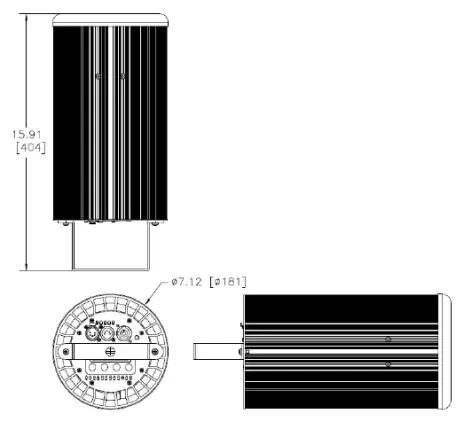
Figure 12: Line Drawing Inspire Mini™
Maintenance
With care, the Inspire™ Addressing fixture and external Control Box requires little maintenance.
However, as the unit is likely to be used in a stage environment, we recommend periodical internal inspection and cleaning of any resulting dust and cracked oil residue.
Do not spray liquids on the front or rear panel. If the front enclosure requires cleaning, wipe with a mild detergent on a damp cloth.
 📧
📧 TSP
TSP