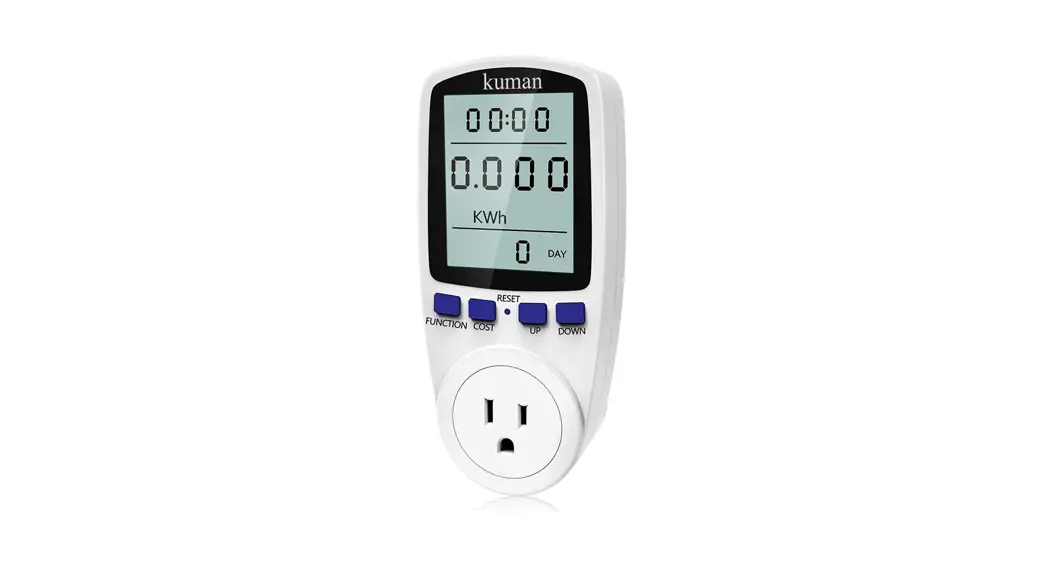

KUMAN Power Meter KW47
User Manual
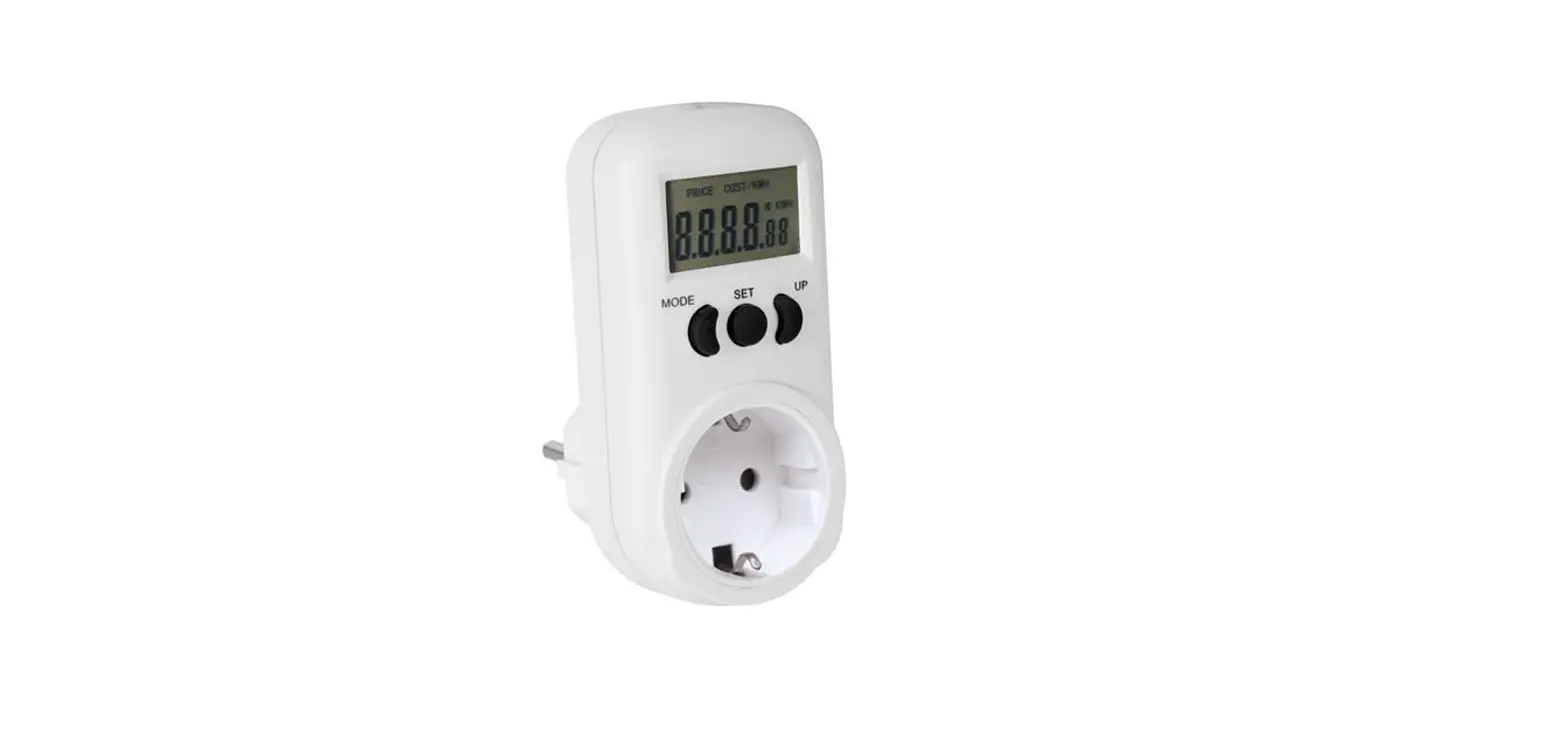
Energy monitors are a gateway to the inner energy workings of your home. Kuman energy usage monitor KW47 helps you to keep track of how much energy your appliance is using and to provide information about how you can make your home more energy-efficient.
Specifications | |
| Operating voltage: AC 120V | Wattage display: OW-9999W |
| Operating Frequency: 60Hz | Voltage display range: OV-9999V |
| Wide voltage range: 110V-130V | Frequency display: OHz-9999Hz |
| Operating current: 15A Max | Current display: 0.0A—15.0A |
| Timing display range: 0 second—9999 days | Cost display range: 0.000cost/kWh—99.99cost/kWh |
| Measurement accuracy: ±2% | Total kWh and cost display: 0.000—999kWh, 0.000—9999cost |
Note
The monitor has a built-in rechargeable battery. For the first time using it, please plug in the power supply to charge.
When you meet problems of no displaying or non-functioning buttons, please “RESET” the monitor to test.
When you press the “RESET” button, all the previous data will be cleared.
Get Start on Using This Power Monitor
- Step 1: Make sure the wattage of the device connecting with this monitor is under 1800W, then connect the device;
- Step 2: Setting the Unit Price of the Electricity.
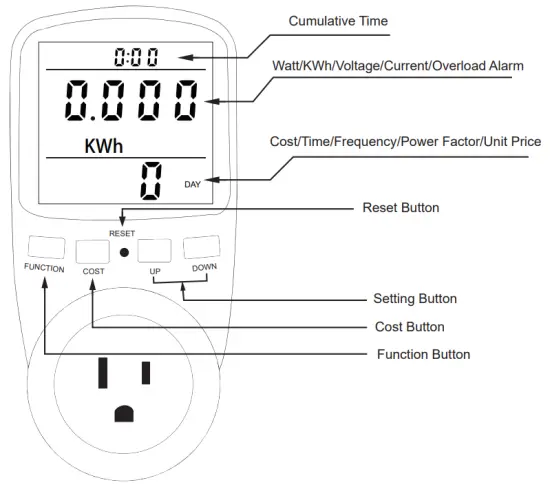
① Long press the “COST” button to get into the unit price-setting;
② Press the “FUNCTION” button to choose the setting position;
③ Press the “+”-” Setting button to choose the number from 0 to 9;
④ Press the “COST” button to confirm the price and exit price setting.
Overload Alarm
When the current exceeds 16A or the power exceeds 3680W, the “overload alarm” icon flashes.
7 Modes on Display
This energy monitor will auto gets into Mode 1 when you reset this monitor.
To change to other modes, please press the “ Function” button.
Time 00:00 Number Displaying Explanation
For the first 0~60 minutes (00:00): The 2 figures on the left mean “minutes”, 2 figures on the right mean “seconds”.
After 60 minutes (00:00): The 2 figures on the left mean “hours”, and the 2 figures on the right mean “minutes”.
Mode 1: Time/ Watt/ Cost
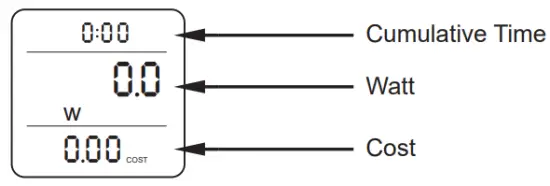 | Cumulative Time: How long you have monitored the device (Shows Hours, Minutes, Seconds) Watt: Real-time current Watt of your device Cost: How much have you cost (based on the unit price you set) |
Mode 2: Time/ Cumulative Electrical Quantity Display/ Time
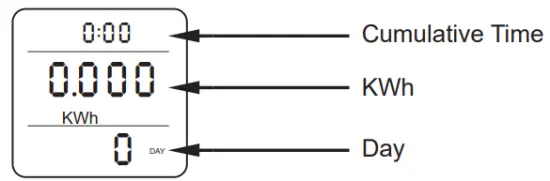 | Cumulative Time: How long you have monitored the device (Shows Hours, Minutes, Seconds) KWh: Cumulative Electrical Quantity Day: How many days you have monitored the device (in Days) |
Mode 3: Time/ Voltage/ Frequency
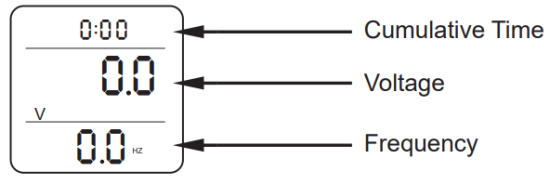 | Cumulative Time: How long you have monitored the device ( Shows Hours, Minutes, Seconds) Voltage: Real-time current Voltage of your device Frequency: AC frequency of the grid (in hertz) |
Mode 4: Time/Current/Power Factor
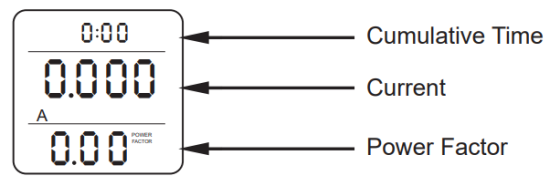 | Cumulative Time: How long you have monitored the device ( Shows Hours, Minutes, Seconds) Current: Real-time electric current of your device (in Amperes) Power Factor: The power factor of the appliance connected to it |
Mode 5: Time/Minimum Power
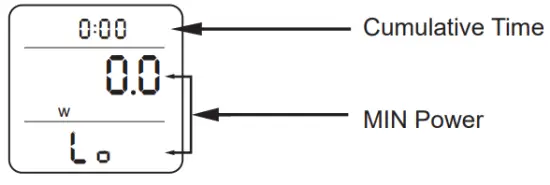 | Cumulative Time: How long you have monitored the device (Shows Hours, Minutes, Seconds) MIN Power: The minimum power recorded during operation (in Watts) |
Mode 6: Time/Maximum Power
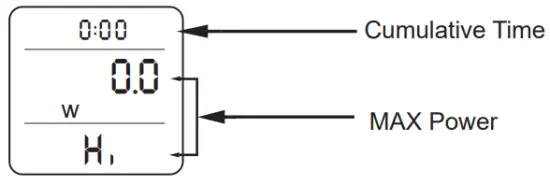 | Cumulative Time: How long you have monitored the device (Shows Hours, Minutes, Seconds) MAX Power: The maximum power recorded during operation (in Watts) |
Mode 7: Time/Unit Price
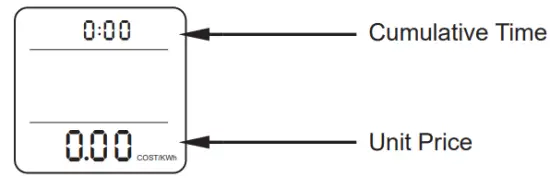 | Cumulative Time: How long you have monitored the device (Shows Hours, Minutes, Seconds) Unit Price: The unit price you were setting ( For how to set the unit price before using, please refer to the part above “ Get Start on Using This Power Monitor”) |