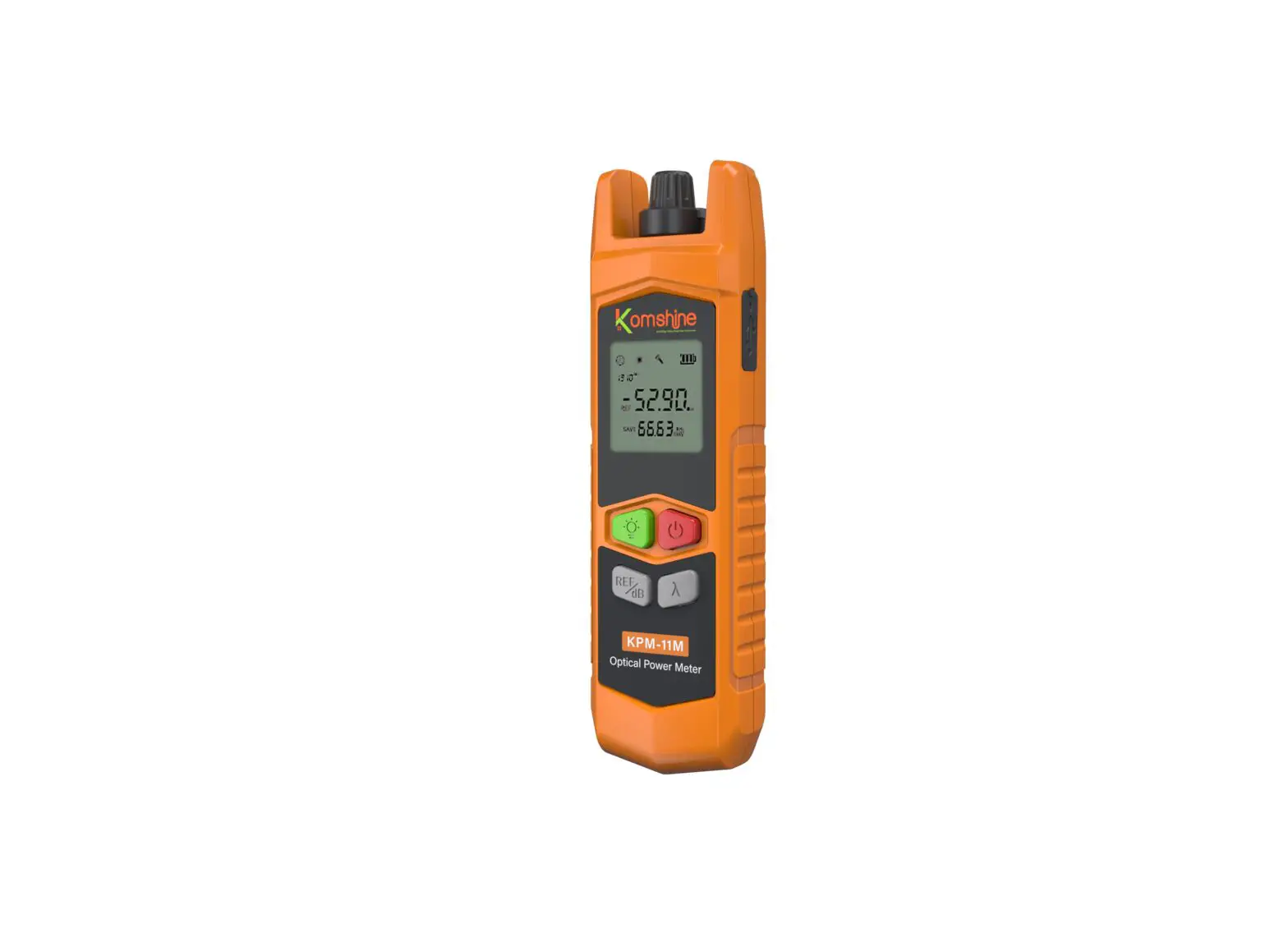

KPM-11M Optical Power Meter User Manual
1 External and key function description
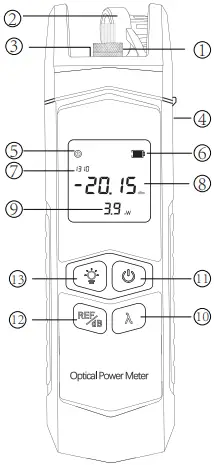
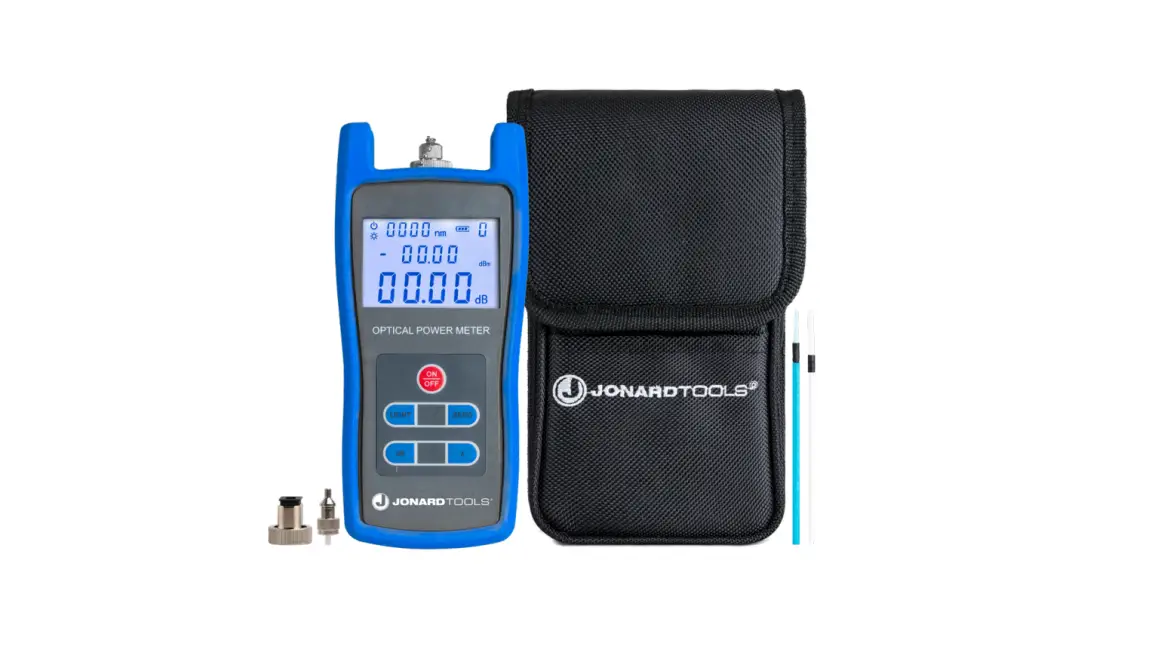
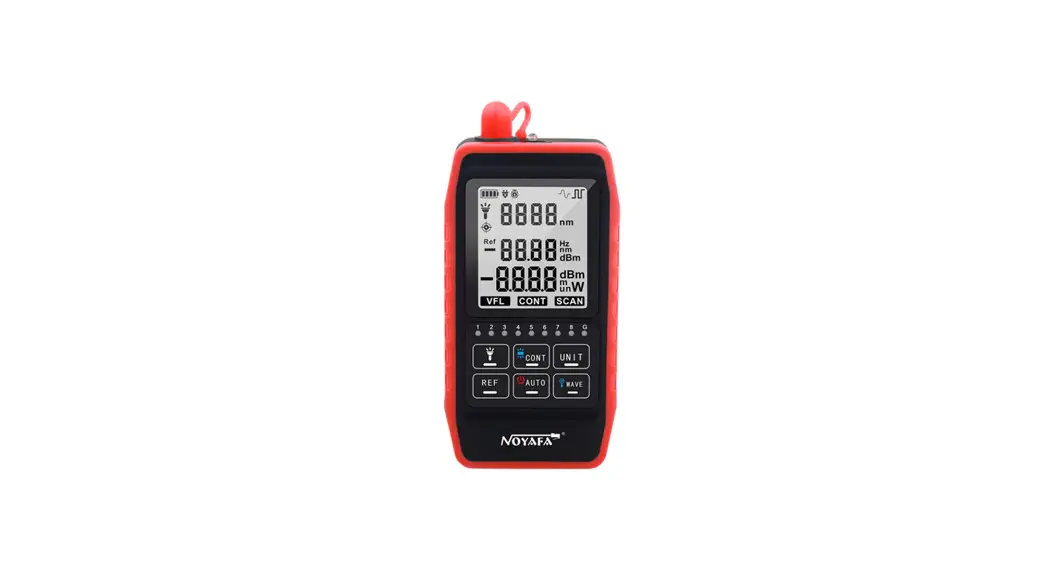
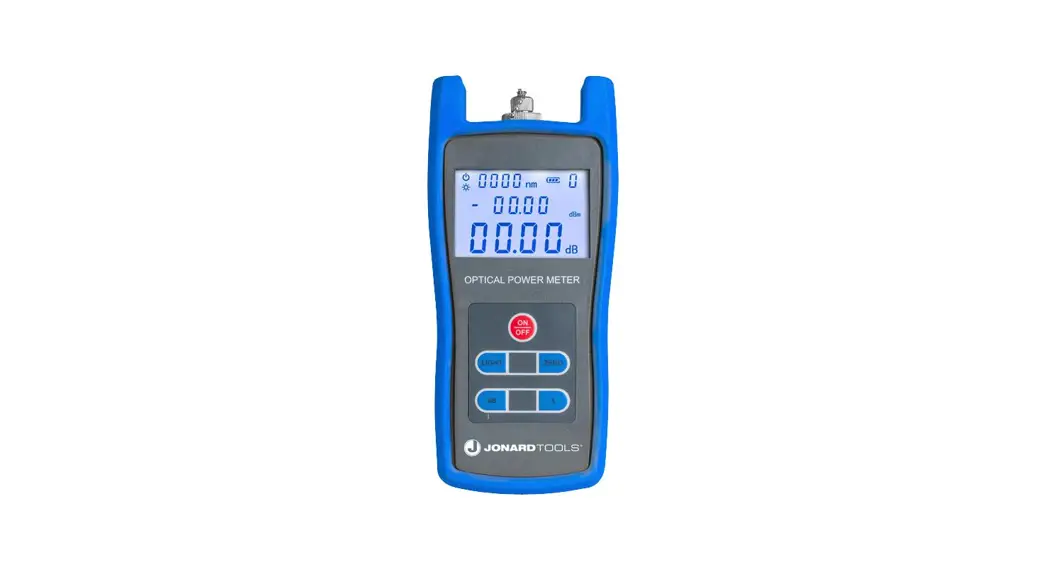
- Ceramic ferrule
- Silicone cap
- LED lighting
- USB charging port
(Dry battery type is not rechargeable) - Auto shutdown icon
- Electricity
- wavelength
- Absolute power value and unit
- Linear power value and unit
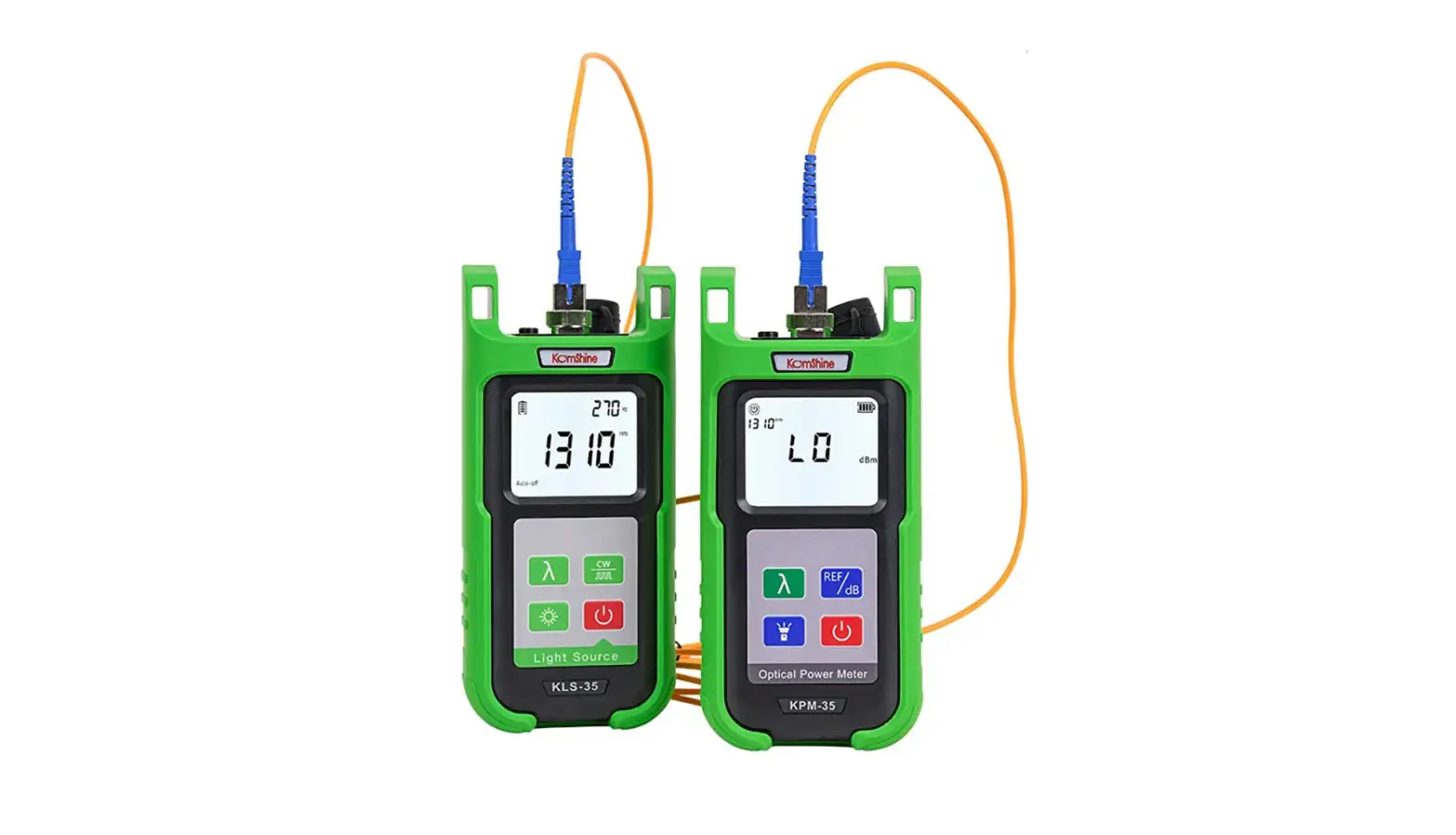
- λ key: 7 kinds of test wavelengths that can switch the optical power
- Power on/off key: turn on/off the device
- REF/dB key: Short press the dB unit to switch, long press until the screen displays REF to enter the relative optical power test mode
- LED light switch key: turn on/off the flashlight, press any key to turn on the backlight

Short press the power button to turn on the meter. The meter has automatic startup and automatic shutdown functions. The default automatic shutdown time is 15 minutes. If you want to cancel this function, press and hold the power button when it is turned on. After turning it on, the ” ” icon on the screen disappears, indicating that the automatic shutdown is canceled.
3 Power reference value setting
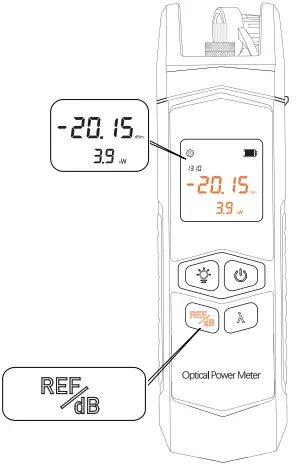
- After booting, enter the optical power meter interface, short press the “REF” key to set the current power value as the reference power, which can achieve relative optical power test (insertion loss test) or absolute power test, enter the relative power test mode at the bottom of the screen. The insertion loss (dB) is displayed, and the screen displays the reference value; short press the “dB” key to switch between linear power and absolute power display.
- The units of linear power, absolute power, and relative power are nW, dBm, and dB respectively.
P absolute power = 10lgP linear power / 1mW
P relative power = P absolute power P reference power
4 Optical power wavelength switching
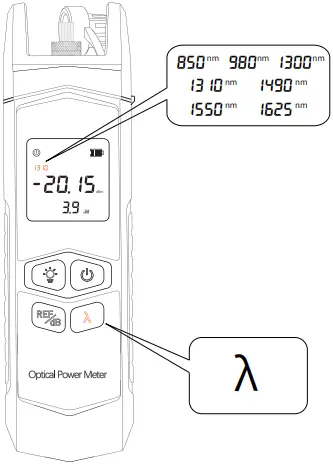
On the optical power meter interface, short press the “λ” key to switch the measurement wavelength, select 7 different test wavelengths, 850nm/980nm/1300nm/1310nm/1490nm/1550nm, 850nm, 1625nm to ensure the accuracy of the test, select the wavelength Must be consistent with the wavelength of the measured optical signal.
5 LED flashlight
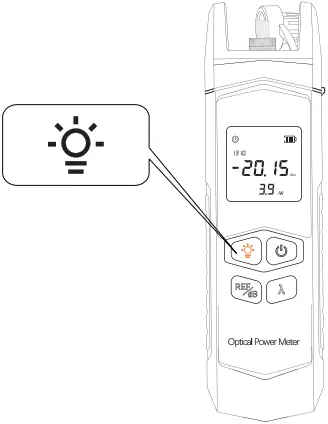
Flashlight switch: Short press the “ ” button to turn on the flashlight, which is convenient for use in a dark environment and realize the lighting function; short press the “” button to turn off the flashlight.
6 Calibration function description
Press REF/dB first, and then press the +REF/dB keys simultaneously to enter the calibration mode. The λ key is to adjust the value down, a nd the REF/dB key is to adjust the value up. Press the power button to save the value and exit the calibration procedure.
| Key | Function |
| REF/dB | Increased by 0.1dB |
| λ | Reduced by 0.1dB |
 |
save |
7 Product description
This product uses a 650nm semiconductor laser as a light-emitting device and is driven by a constant current source to emit a stable red light; it enters a single-mode or multi-mode fiber after being connected to an optical fiber interface to realize the function of fiber fault detection. It is an optical fiber engineering construction and optical fiber network. An indispensable tool for maintenance, optical device production and research.
8 Product features
- Accurate measurement, error less than 0.2dB
- 60 hours continuous use (only in optical power meter mode)
- 7 wavelengths (850/980/1300/1310/1490/1550/1625) nm
- Back clip design, mini compact
- Measuring range -70~+10dBm/-50~+26dBm
- Universal interface design, adapt to SC, ST, FC interface
- Optional lithium battery, USB charging, easy to use
- Equipped with LED lights, it is more convenient to check the line in the dark
9 Product parameter
| Wavelength (nm) | 800~1700nm |
| Power measurement range (dBm) | -70~+10dBm / -50~+26dBm |
| Interface | 2.5mm universal connector |
| Power supply | Rechargeable lithium battery 1000mAh/7 AAA1.5V battery *2 |
| Resolution (dB) | 0.01 |
| Working temperature | -10~+60(℃) |
| Storage temperature | -25~+70(℃) |
| Volume/weight | 127×36.5x28mm /61g |
| Probe type | InGaAs |
| Charging interface | USB charging (only charging models) |
| Working time | 20 hours with battery Charge for 60 hours |
 Use environment
- Operating environment altitude: Area altitude below 2000m
10 Tips
 Please read all instructions and warnings before using this product. Irregular use will cause damage to the product or personal safety.
1) Do not store this product in high temperature, strong light and strong magnetic fields, and do not place it in other harsh environments such as fire sources.
2)Improper use of the product may easily cause the product damage or may endanger personal and property safety.
3) If consumers violate the product manual and improperly use it, the personal and property damage caused by it will bearby yourselve, our company will not bear any legal responsibility.
4) Non-professionals are strictly prohibited from disassembling this product.
5) Avoid using electrical appliances or loads that exceed the output current of this product (the circuit will be protected and there will be no output).
6) Avoid strong physical effects, including knocking, throwing, trampling, squeezing, etc.
Standard configuration
- Packing carton, optical power meter , certificate of conformity, instruction manual.
Contact us:
 KOMSHINE TECHNOLOGIES LIMITED
Tel : +86 25 66047688
Email : [email protected]
Add: 2F Bldg. D Qinheng Tech. Pk. Nanjing,
JS, 210001, China.
Website :www.KomShine.com
 Fusion Splicer,OTDR,Fiber Splicing,Fiber Splicer,KomShine