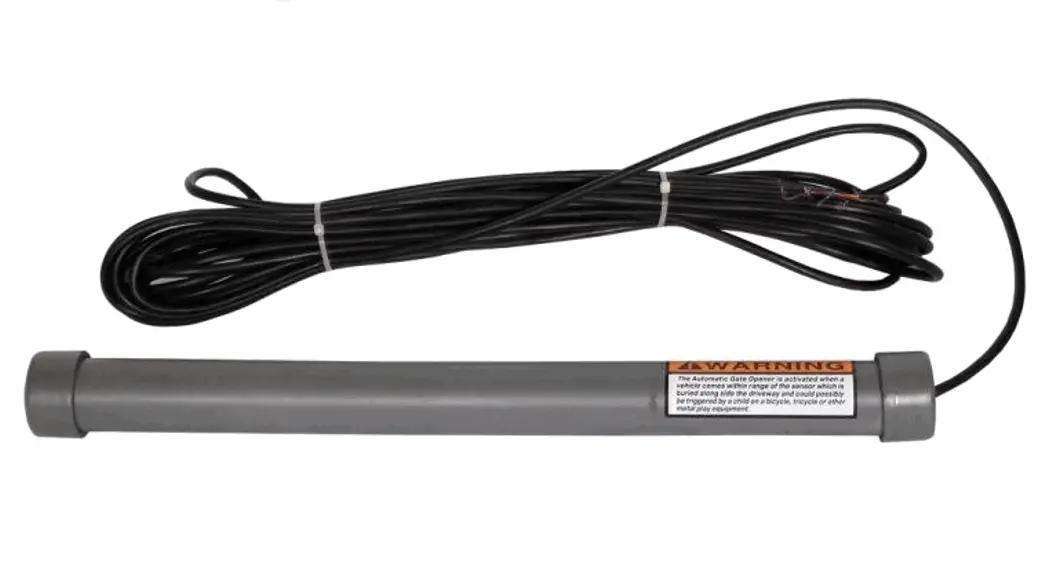
CM9-975 Exit Wand Sensor
Exit Wand Instruction Manual
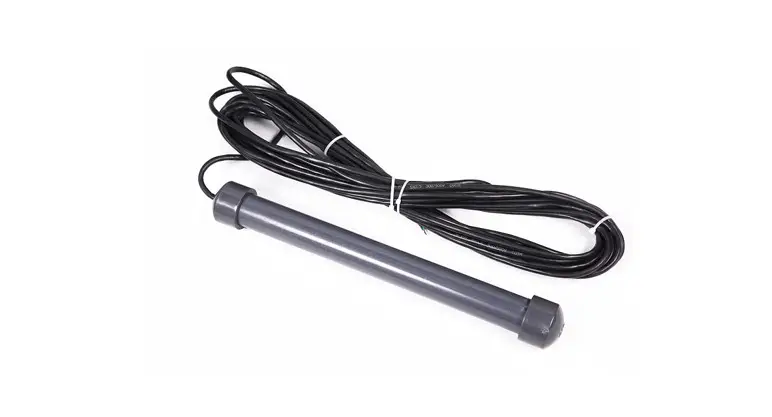
Package Includes
- CM9-975 Exit Wand
Product Information
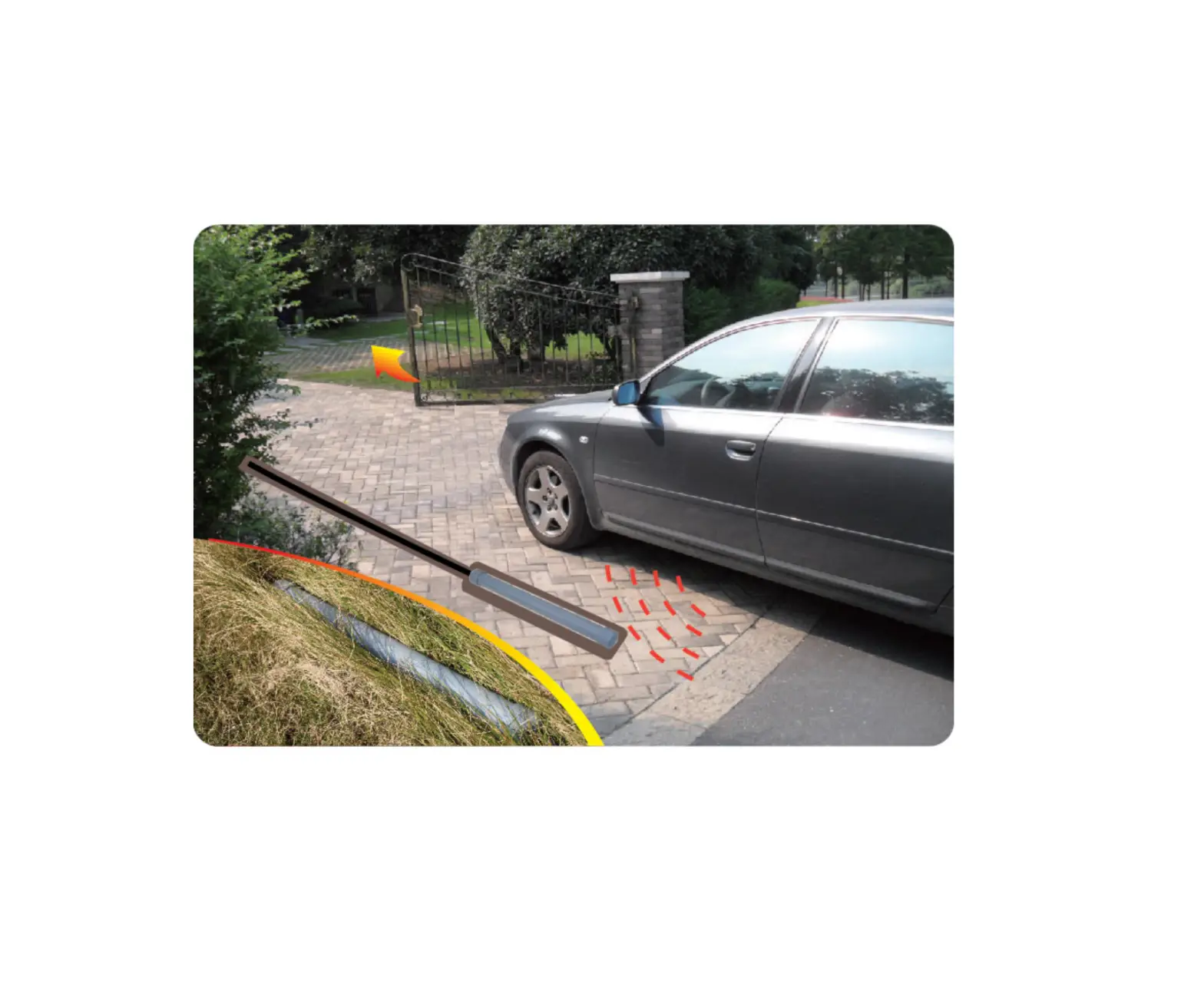
The Exit Wand (CM9-975) is a sensor device used to detect
vehicles and activate gate openers. It is designed to be installed
near the driveway and connected to the gate operator circuit board.
The wand has a sensing range of 4-12 ft and requires a PVC conduit
to protect the cable from external elements.
Product Usage Instructions
- Determine the Location of the Wand
Before permanently installing the exit wand, follow these
steps:- Choose a location within 25 ft of the gate’s full open
position. - Ensure the wand is installed within the 4-12 ft radius of the
sensing range. - Leave a 5 ft cable length from the ground to the gate operator
circuit board, with a maximum distance of 45 ft from the wand to
the control box.
- Choose a location within 25 ft of the gate’s full open
- Installation
Once the location is determined, proceed with the
installation:- Dig a hole approximately 12 inches deep and 24 inches long,
parallel to the edge of the driveway, within 2 ft of the determined
location. - Dig a trench from the hole to a spot under the gate operator
circuit board to run the cable through a PVC conduit. - Keep the wand and cable uncovered until testing is
completed.
- Dig a hole approximately 12 inches deep and 24 inches long,
- Gate Opener Wiring
Connect the wires of the exit wand to the corresponding
terminals on the gate opener circuit board:- Black wire: 24V-COM
- Red wire: 24-VDC
- Blue wire: Exit Loop
- Green wire: SAFETY
- Range Adjustment Board Connection (Optional)
If using a range adjustment board, follow these steps:
- Connect the YELLOW wire of the wand to the yellow wire of the
range adjustment board. - Connect the GREEN wire of the range adjustment board to 24V-COM
on the gate operator circuit board.
- Connect the YELLOW wire of the wand to the yellow wire of the
- Testing
Before covering the wand and cable, perform these tests:
- Ensure there are no moving metal objects within the sensor’s
range during the initial power-up. - Wait for 60 seconds for the wand to calibrate itself.
- Check if the wand is working properly and adjust the range if
necessary.
- Ensure there are no moving metal objects within the sensor’s
- Troubleshooting
If the wand is not working, follow these steps:
- Check all wired connections for correctness.
- Ensure the range adjustment is set to maximum range.
- Disconnect and reconnect the power to the wand.
- Avoid any metal objects or vehicles around the wand for 60
seconds while it is calibrating.
Note: The wand may detect bicycles, tricycles, or other
equipment with a mass of metal that could activate the gate
opener.
Exit Wand Instruction Manual
Package Includes
CM9-975
Determine the Location of the Wand
Note: Before you permanently install the exit wand, you should determine where to place the wand and prepare a PVC conduit to route the cable to the gate operator circuit board. The conduit protects the cable from water, lawn mowers, weed eaters and grazing animals.
The distance from the wand to the gate’s full open position has to be more than 25 ft.
The radius of the sensing range is 4-12 ft, so install the wand near the driveway within that range to ensure the wand can sense the vehicle moving past it.
Leave 5 ft of cable from the ground to the gate operator circuit board. Thus, the distance from the wand to the control box should not exceed 45 ft.
Installation
Once the location of the wand has been determined, you can start installing the wand. Dig a hole approximately 12 inches deep and 24 inches long within 2 ft and parallel to the edge of the driveway.
Next, dig a trench from this hole to a spot under the gate operator circuit board to run the cable from the wand to the circuit board. The size of the trench is related to the size of the PVC conduit.
Keep the wand and the cable uncovered until testing has been completed.
Gate Opener Wiring Diagram
Located on the right side of your gate opener circuit board, connect the wires on the exit wand to the following terminals below.
Black wire 24V-COM Red wire 24-VDC Blue wire Exit Loop Green wire SAFETY
Range Adjustment Board Connection (Optional)
Connect the YELLOW wire of the wand to the yellow wire of the range adjustment board.
Connect the GREEN wire of the range adjustment board to 24V-COM on the gate operator circuit board.
Testing
Please make sure there are no moving metal objects within the range of the sensor when the wand is first powered up and please wait 60 second for the wand to calibrate itself.
After installation and wiring, you must test the wand to see if it is working properly and see if the range needs adjusting for optimal performance.
Cover the wand and the cable (PVC conduit) after testing is finished and everything is working okay.
Troubleshooting
If the wand is not working:
Make sure all wired connections are correct. Make sure the range adjustment is set at maximum range. Disconnect the power to the wand. Reconnect the power to the wand and make sure that no metal object or vehicle is
moving around the wand for 60 seconds while it is calibrating.
NOTE: The wand may sense a bicycle, tricycle, or other equipment that includes a mass of metal that would activate the gate opener.