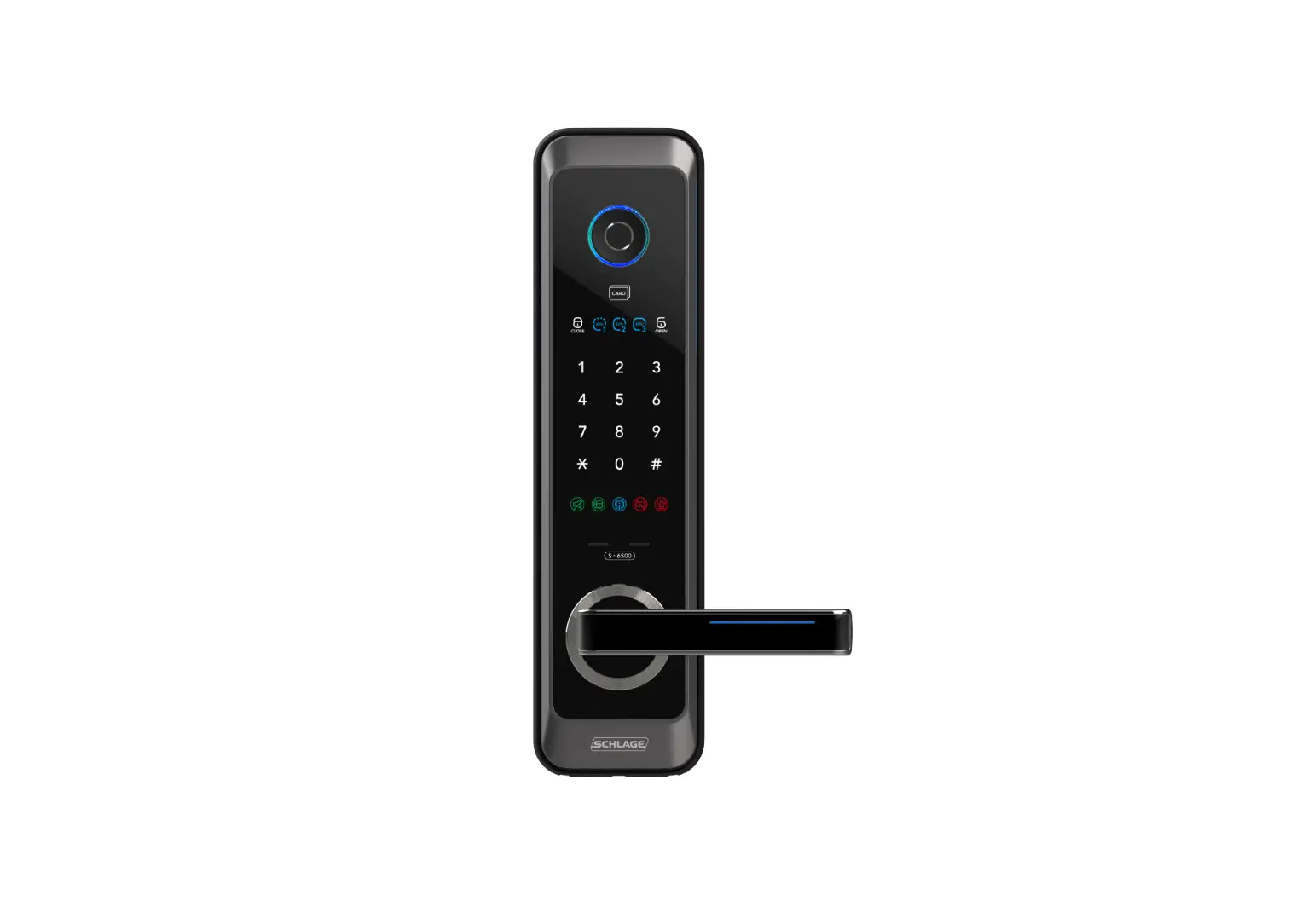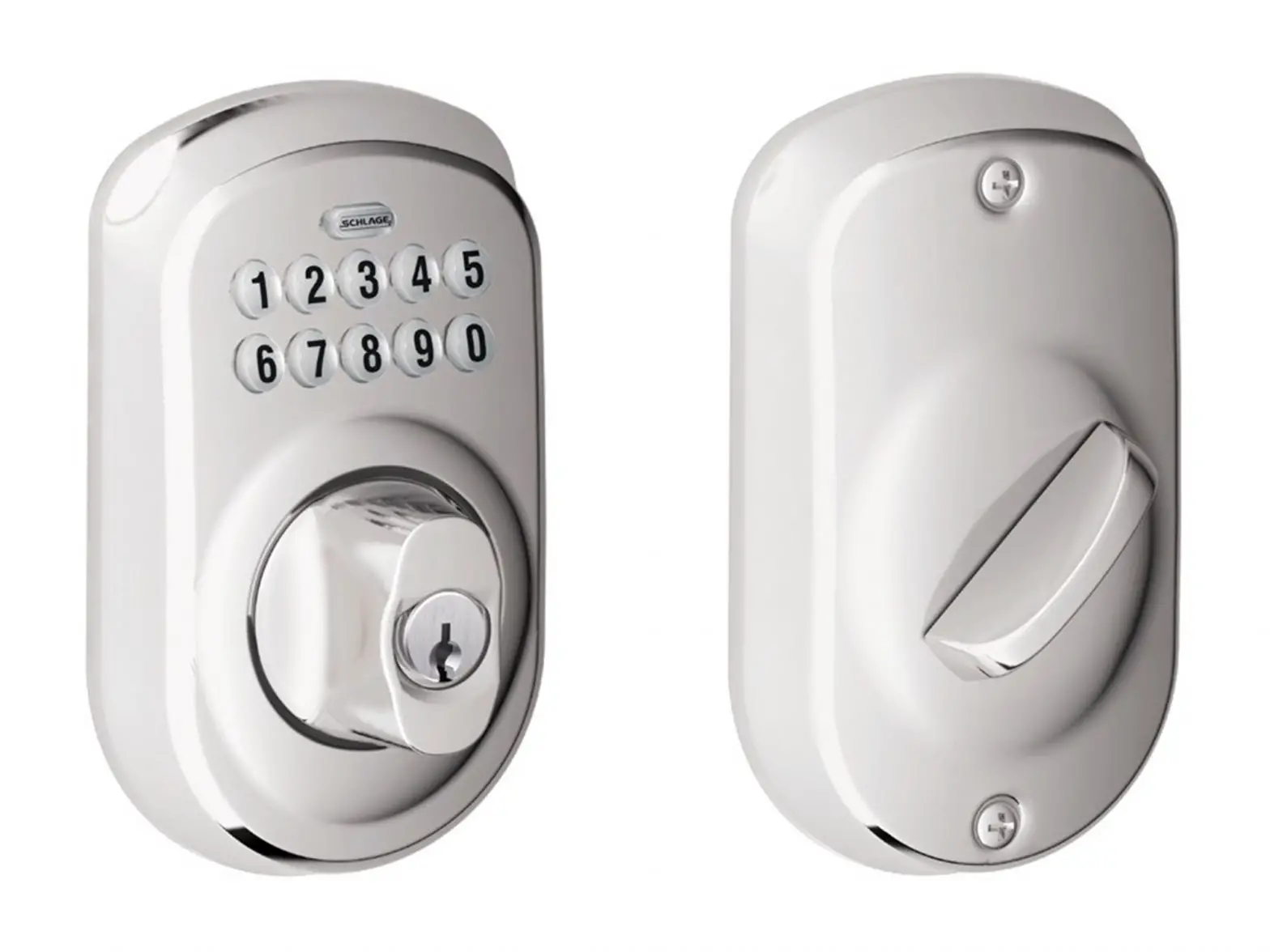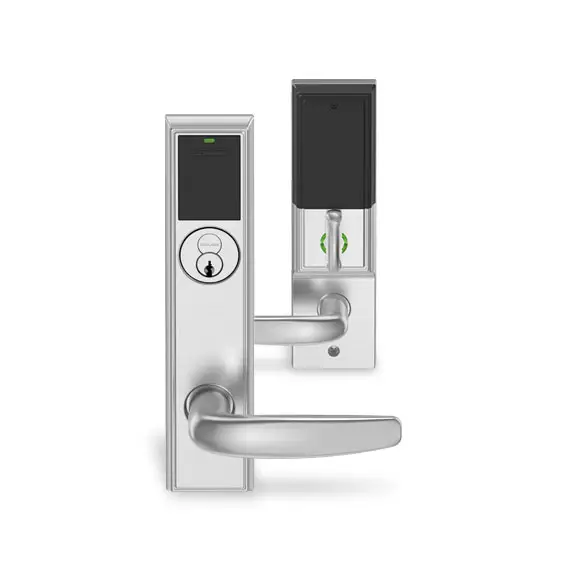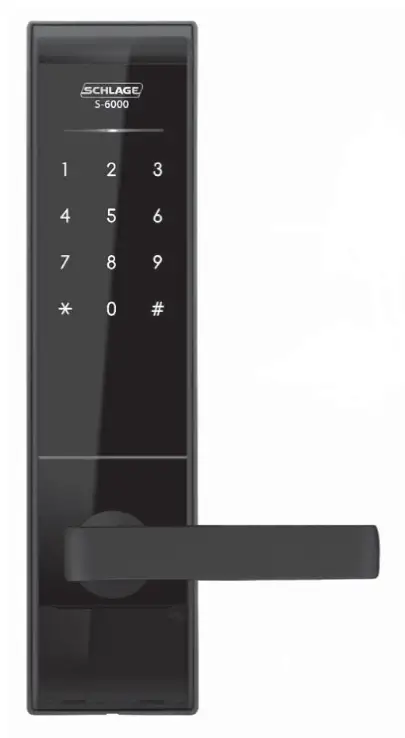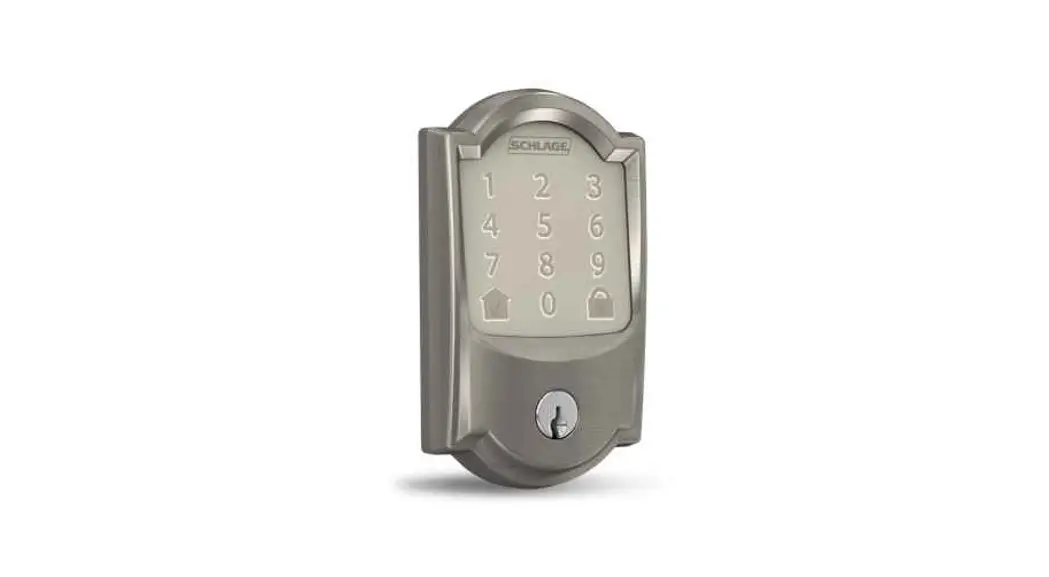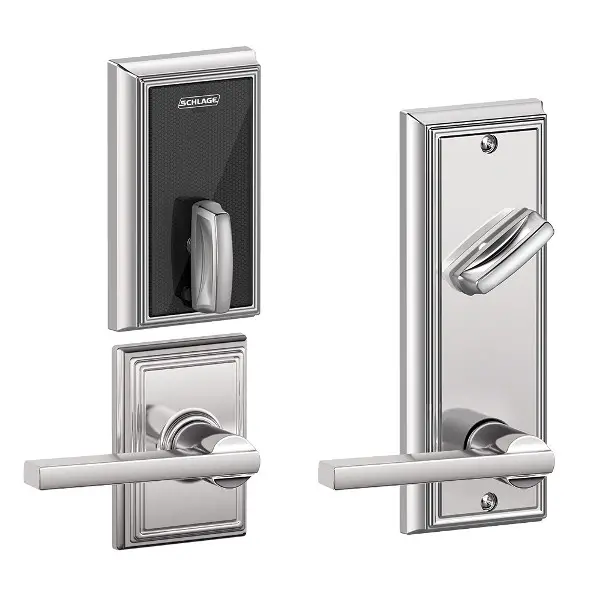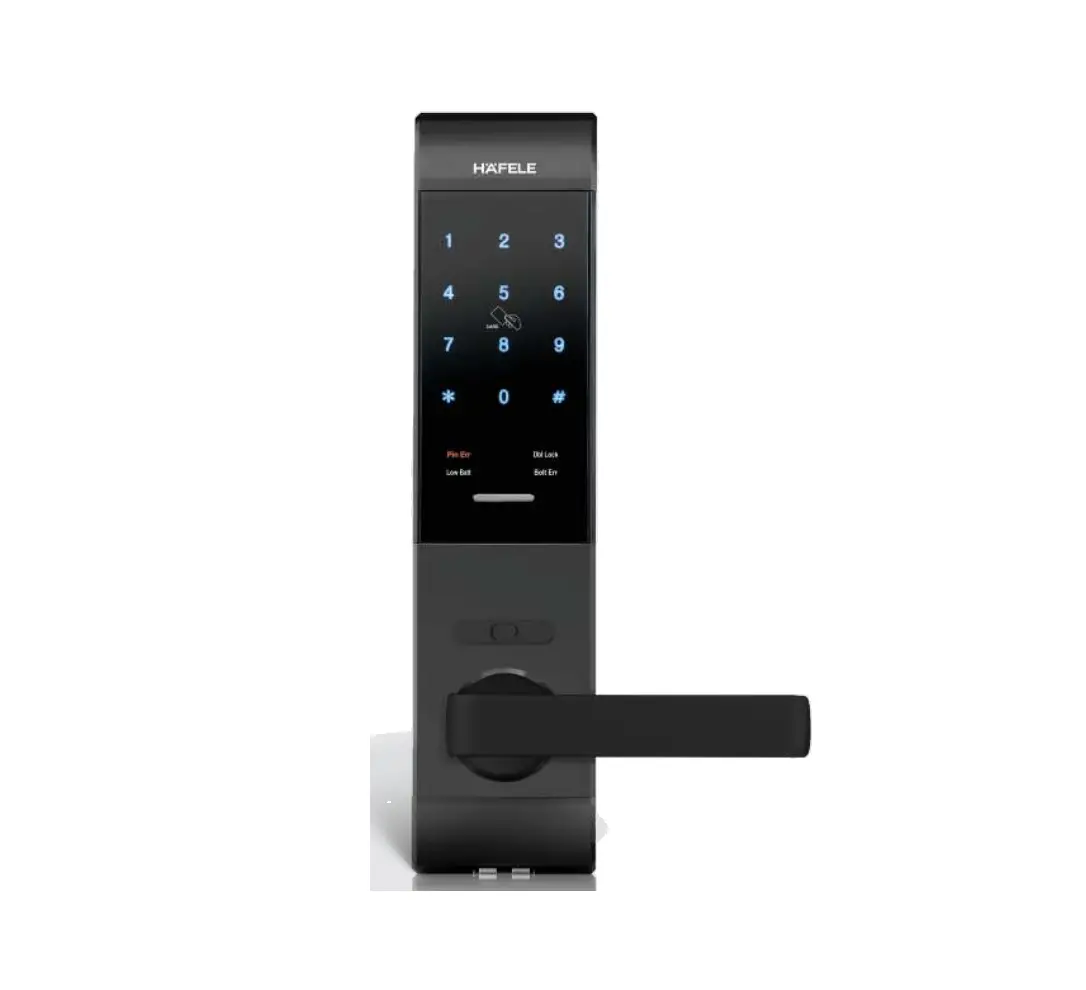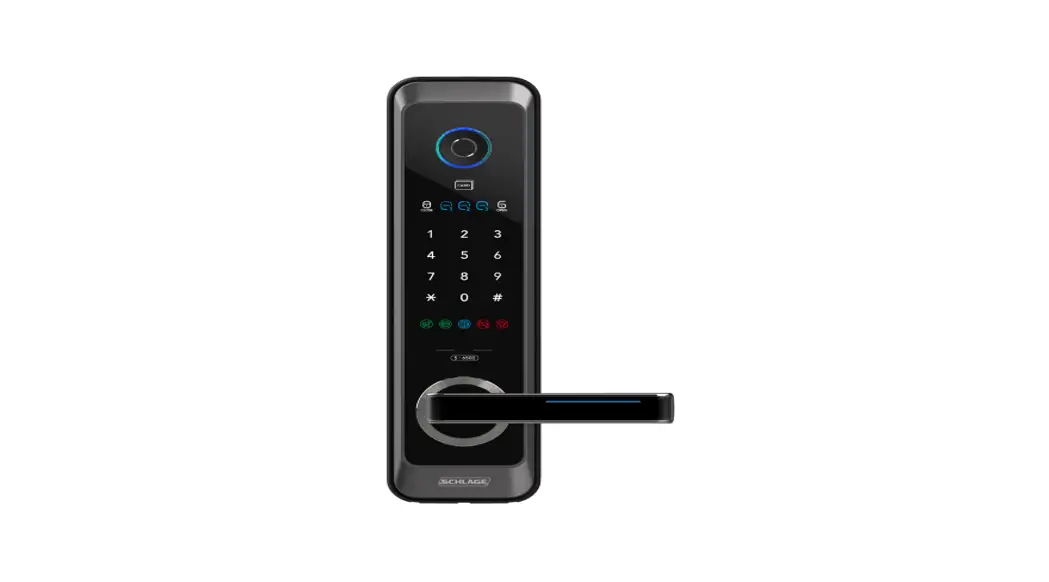

S-6500F, Schlage Z-Wave Mortise Door Locks
Introduction
Schlage Z-Wave Mortise Locks are electronic Mortise locks with Z-Wave Plus™ Communication.
S-6500F lock must be used in conjunction with a Security Enabled Z-Wave™ Controller to fully utilize all implemented functions.
S-6500F lock supports the original Z-Wave Security Standard S0 and the new Security Standard S2 with SmartStart enabled
This product can be operated in any Z-Wave network with other Z-Wave certified devices from other manufacturers. All mains operated nodes within the network will act as repeaters regardless of vendor to increase the reliability of the network.
Components
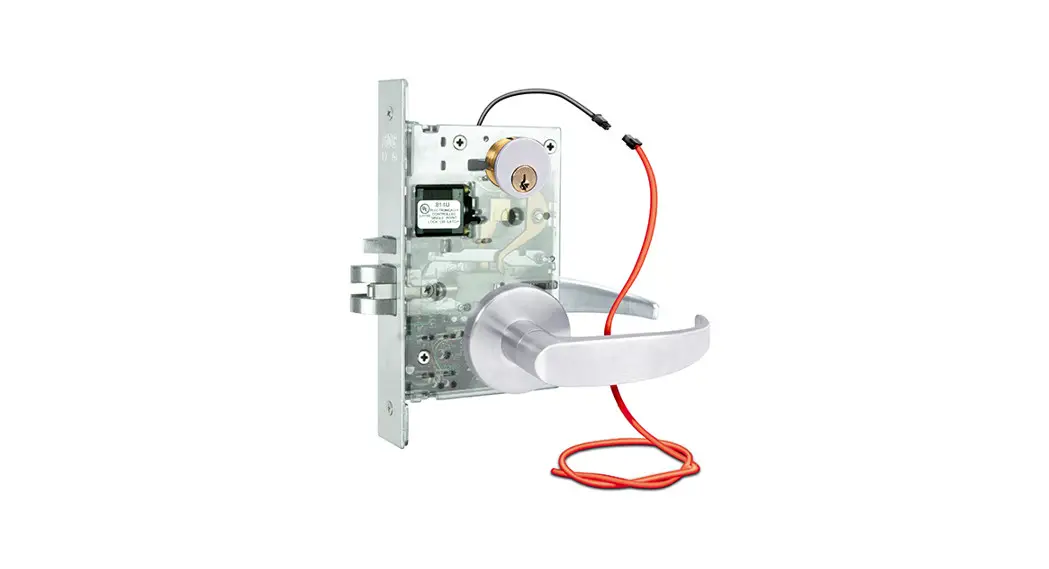
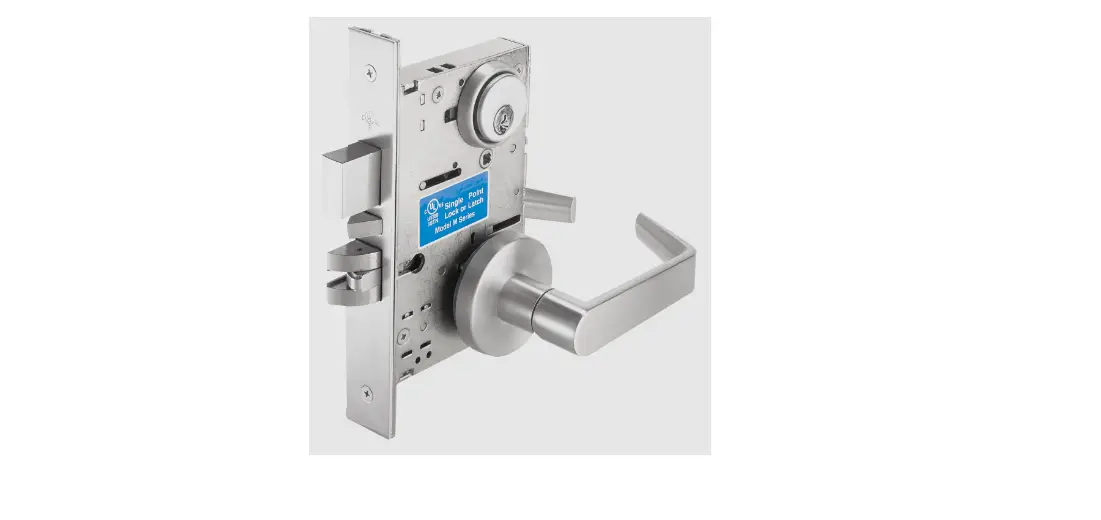
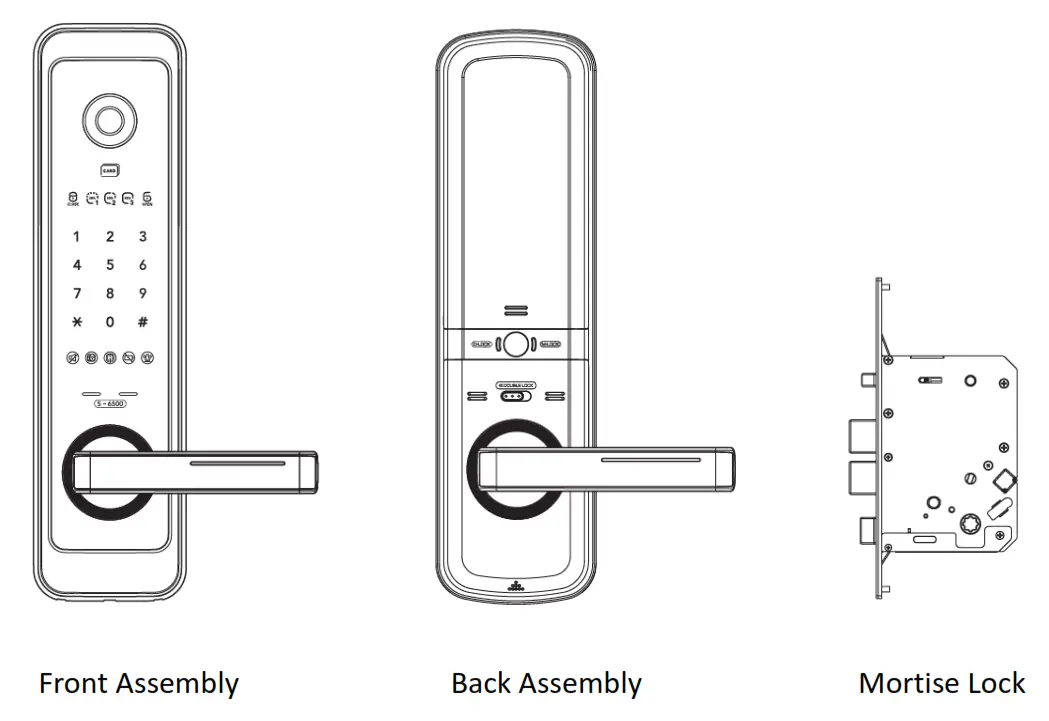
The lock has three major components. Front Assembly, Back Assembly, and Mortise Lock.
3. Z-Wave Specification
- Z-Wave hardware platform: ZM5202
- Z-Wave version: 6.81.03
- Z-Wave library type: 0x03 (slave_enhanced_232)
- Z-Wave Role Type: Listening Sleeping Slave
- Z-Wave Device Type: Door Lock Keypad
- Associated Category: Lock
- Z-Wave Plus: Yes
- Security S2 Classes: S2 Access Control
- SmartStart Compatible: Yes
- Manufacturer ID: 0x003B
- Product Type ID: 0x0003
- Product ID: 0x6500
Network Management Instructions:
After the door lock is included NIF will not be triggered by the user’s inclusion process but NIF will be triggered by the user’s exclusion process.
Always power down e-lock before inserting the Z-Wave Module and then power up.
4.1 Add to Network
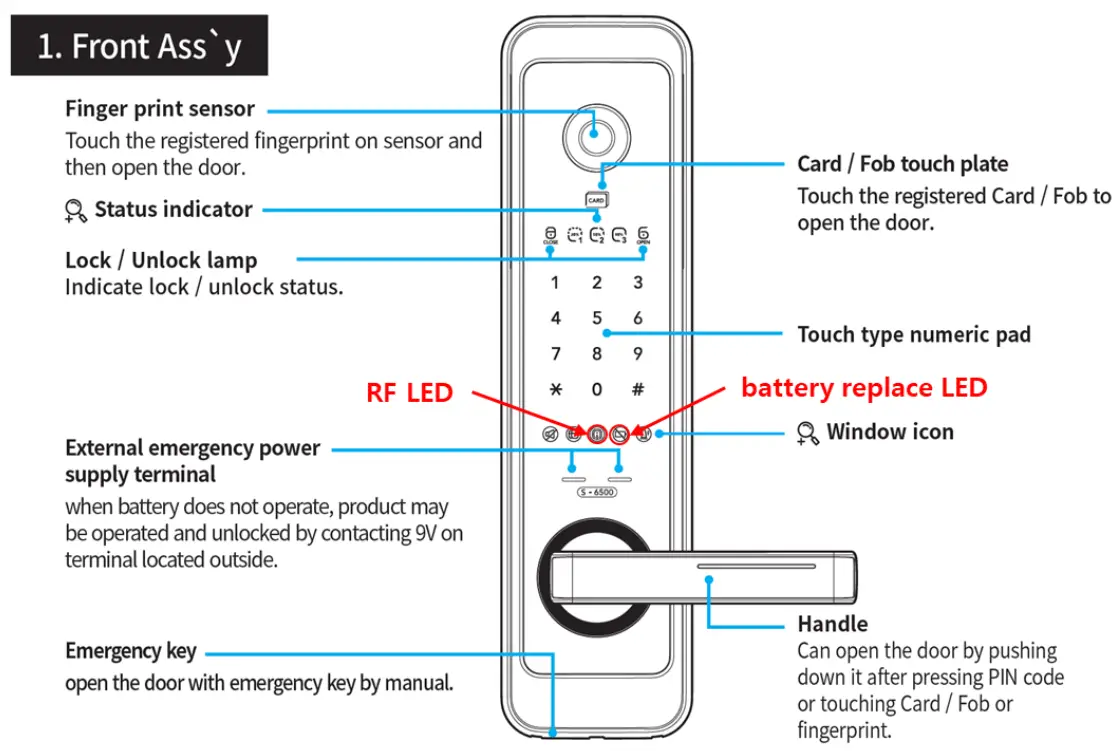
- Place your Z-Wave Controller into the “Add” or Inclusion Mode (Refer to the respective documentation for that specific home automation system or panel device for details).
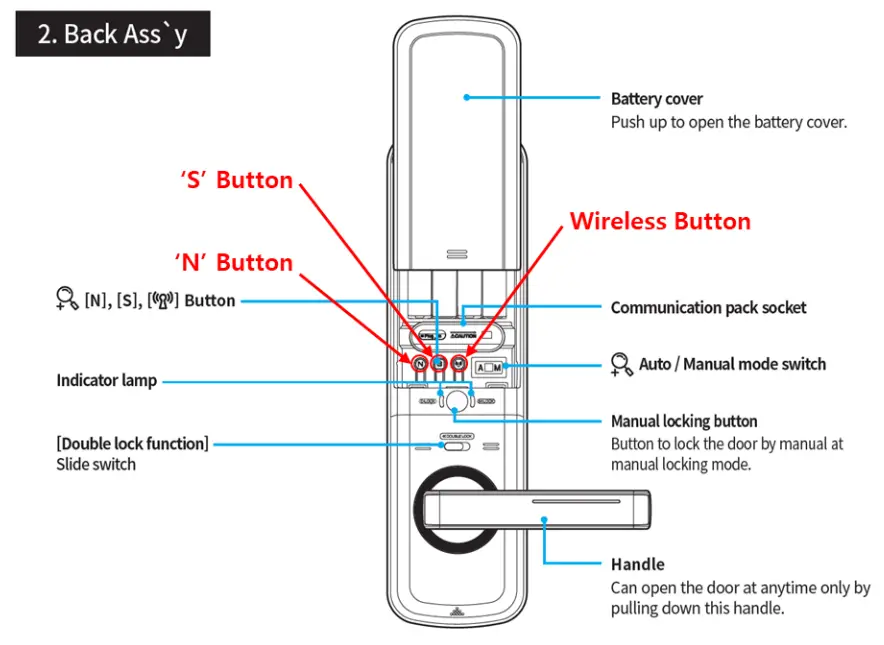
- Slide the battery cover upward.
- Press the wireless button more than 3 seconds.
- Press “1” on the keypad.
- Press “6” on the keypad.
- Press User Code on the keypad.
- Press “#” on the keypad.
- If RF LED flickers, inclusion has been completed successfully.
- If the battery replaces LED flickers(fail), try repeating steps 1-7.
4.2 Remove from Network
- Place your Z-Wave Controller into the “Remove” or Exclusion Mode (Refer to the respective documentation for that specific home automation system or panel device for details).
- Slide the battery cover upward.
- Press the wireless button more than 3 seconds.
- Press “2” on the keypad.
- Press “6” on the keypad.
- Press User Code on the keypad.
- Press “#” on the keypad.
- If RF LED flickers, exclusion has been completed successfully.
- If the battery replaces LED flickers, try repeating steps 1-7.
4.3 Factory Reset of the Lock
Please use this procedure only when the network primary controller is missing or otherwise inoperable.
When the Master code was already registered
- Remove batteries (power off).
- Press the “N” and “S” buttons at the same time and hold.
- Insert batteries (power on).
- Release “N” and “S” buttons.
- Press 3-digit Master code.
- Press “#” on the keypad.
- Press “8” on the keypad.
When the Master code was not registered yet
- Remove batteries (power off).
- Press the “N” button and “S” button at the same time and hold.
- Insert batteries (power on).
- Release “N” and “S” buttons.
- Press the 3-digit Master code to register.
- Press “#” on the keypad.
- Press previous 3-digit Master code.
- Press “#” on the keypad.
SmartStart
S-6500F lock is a SmartStart enabled Z-Wave Plus lock and can be automatically included with a SmartStart enabled Z-Wave Plus Controller on power-up.
S-6500F lock can be added into a Z-Wave network by scanning the Z-Wave QR Code present on the product (inner side of the battery cover) with a controller providing SmartStart inclusion. No further action is required and the SmartStart product will be added automatically.
5.1 Identification of the QR code/DSK on the Product
The DSK of this QR code is “30252-44054-31996-47271-63700-60034-02425-09967”. This DSK is used in the sample for certification.
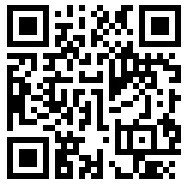
The QR code will be printed on the plug-in Z-Wave module as shown in the picture below:
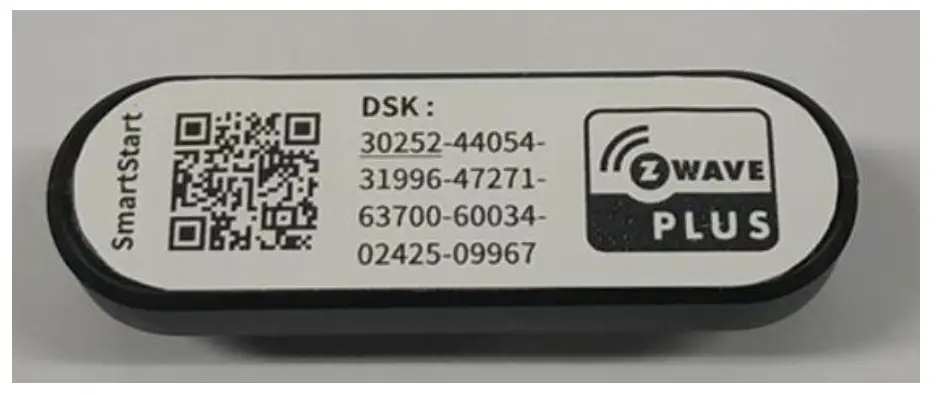 The plug-in module should be inserted in the Communication pack socket. To locate it, remove the battery cover as shown in the image below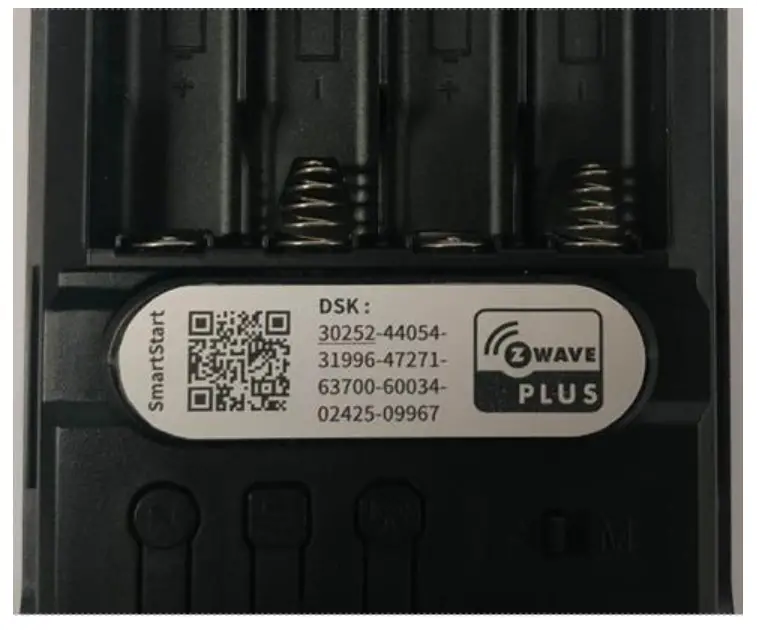
5.2 Identification of the QR code/DSK on the Product and on the packaging
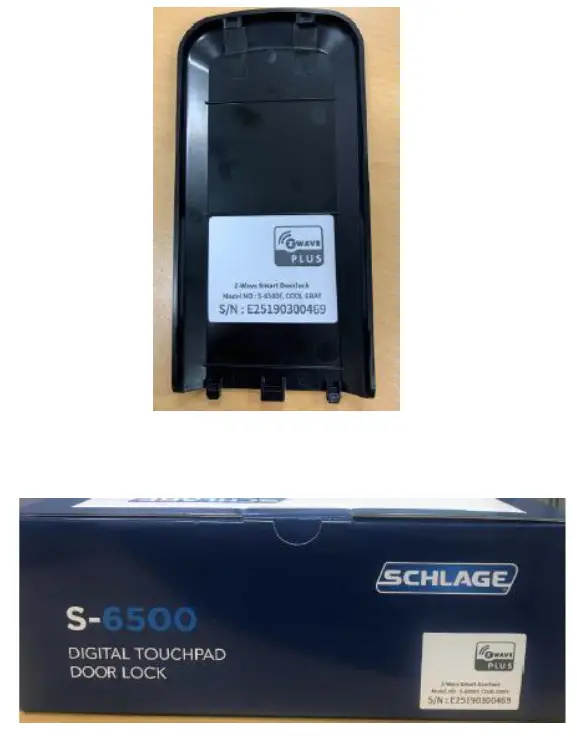
Since the lock uses a plug-in Z-Wave module that can be removed, the packaging will not contain any information about the DSK/QR code. It will, however, contain a Z-Wave
Plus logo on the packaging, as shown below.
Command Classes supported
| Command Class | Ver. | Support/ Control | Non-Secured Added | Secured Added | |
| Non-Secured Command Class | Secured Command Class | ||||
| Application Status | 1 | S | ✓ | ✓ | ✓ |
| Association | 2 | S | ✓ | ||
| Association Group Information | 1 | S | ✓ | ||
| Bask | 1 | S | ✓ | ||
| Battery | 1 | S | ✓ | ||
| Configuration | 1 | S | ✓ | ||
| Device Reset Locally | 1 | S | ✓ | ||
| Door Lock | 2 | S | ✓ | ||
| Firmware Update Metadata | 3 | S | ✓ | ||
| Indicator | 1 | S | ✓ | ||
| Manufacturer Specific | 1 | S | ✓ | ||
| Notification | 8 | S | ✓ | ||
| Power level | 1 | S | ✓ | ||
| Security 0 | 1 | S | ✓ | ✓ | |
| Security 2 | 1 | S | ✓ | ✓ | |
| Supervision | 1 | S | ✓ | ✓ | ✓ |
| Time | 1 | S & C | ✓ | ✓ | ✓ |
| Transport Service | 2 | S | ✓ | ✓ | |
| User Code | 1 | S | ✓ | ||
| Version | 2 | S | ✓ | ||
| Z-Wave Plus Info | 2 | S | ✓ | ✓ | |
6.1 Application Status Command Class V1
Refer Z-Wave Management Command Class Specification
6.1.1 Application Busy Command
If a Z-Wave command is to unlock or lock the door lock while the keypad is active, the lock responds with an Application Busy Command to indicate that it cannot currently process that request. Note that other Z-Wave commands are processed normally even when the keypad is active. The status sent is always 0x00 (try again later).
This command is sent when the lock was woken up by manual operation from its sleep state, be it by keypad, Thumb turn, or inside buttons. The Busy status will be sent to Z- Wave Controller till the local operation on the lock is in progress. However, Z-Wave Controller can retry ideally after 5~12 sec. after receiving the Application Busy Status.
6.1.2 Application Rejected Request Command
The lock would send the Application Reject Request Command in the case of the Z-Wave Controller trying to disable the Power Management (Battery Notifications) by Notification Command Class as these notifications cannot be disabled.
6.2 Association Command Class V2
Refer Z-Wave Management Command Class Specification
The association command class is used to create association groups that allow the lock to push unsolicited notifications (notifications, door lock state changes, etc.) to the gateway, bridge, or another device.
The following command classes are associated with unsolicited reports:
- Battery
- Device Reset Locally Notification
- Door Lock (Door Lock Operation Report Command)
- Notifications (only those with status = active, for a list of notifications with status active by default)
- User code enrollment and delete (User ID, User ID status, User code)
Max Nodes Supported for each Grouping Identifier
| Grouping Identifier | Max Nodes Supported |
| 1 (Lifeline) | 2 |
As per the Command Class Specification, the lock shall respond to any group ID as if it were the first (and only) group.
6.3 Association Group Information Command Class V1
Refer Z-Wave Management Command Class Specification
6.3.1 Association Group Name
| Parameter | Value |
| Grouping Identifier | 0x01 |
| Name Length | 0x08 |
| Group Name | “Lifeline” |
6.3.2 Association Group Info
| Parameter | Value |
| Grouping ID | 0x01 |
| Mode | 0x00 |
| Profile | 0x0001(AGI_PROFILE_GENERAL, AGI_GENERAL_LIFELINE) |
| Reserved | 0x00 |
| Event Code | 0x0000 |
6.3.3 Association Group Command List
| Parameter | Value |
| List Length | 0x0C |
| Command Class 1 | 0x80 (COMMAND_CLASS_BATTERY) |
| Command Class 1 Command Command Class 2 | 0x03 (BATTERY_REPORT) |
| Command Class 2 Command | 0x70 (COMMAND_CLASS_CONFIGURATION) |
| Command Class 3 | 0x06 (CONFIGURATION_REPORT) |
| Command Class 3 Command | 0x5A (COMMAND_CLASS_DEVICE_RESET_LOCALLY) |
| Command Class 4 | 0x01 (DEVICE_RESET_LOCALLY_NOTIFICATION) |
| Command Class 4 Command | 0x71 (COMMAND_CLASS_NOTIFICATION) |
| Command Class 5 | 0x05 (NOTIFICATION_REPORT) |
| Command Class 5 Command | 0x63 (COMMAND_CLASS_USER_CODE) |
| Command Class 6 | 0x03 (USER_CODE_REPORT) |
| Command Class 6 Command | 0x62 (COMMAND_CLASS_DOOR_LOCK) |
| Parameter | 0x03 (DOOR_LOCK_OPERATION_REPORT) |
6.4 Basic Command Class V1
Refer Z-Wave Application Command Class Specification
6.4.1 Basic Set Command
As per Section 5.6.4.3.1.1 of SDS10242-29 Z-Wave Device Class Specification, Basic Set
The command is ignored (no action taken) to avoid unintentional lock operation.
6.4.2 Basic Report
Basic Values Reported
| Value | Description |
| 0x00 | Unsecured |
| 0x01 – 0xFD | Unsupported |
| 0xFE | Unknown/Unhanded |
| 0xFF | Secured |
Reported Door Lock Mode is related to Door status switch condition. The correlation between door status switch, deadbolt, and value to be reported is depicted in the below table.
| Door status switch | Deadbolt | Value to be reported |
| Pressed | Extended | Secured |
| Pressed | Retracted | Unsecured |
| Released | Extended | Unsecured |
| Released | Retracted | Unsecured |
| Pressed | Jammed | Unknown |
| Released | Jammed | Unknown |
6.5 Battery Command Class V1
Refer Z-Wave Management Command Class Specification
The level is reported from 20 – 100%. Below 20% coincides with dead batteries and the lock does not operate once it reaches this level.
When the battery level is equal to or below 50% e-lock reports “replace the battery soon” and when battery level comes to equal to or below 20% door e-lock reports “replace battery now”. Battery status will be updated only when keypad touch or button press happens.
6.6 Configuration Command Class V1
Refer Z-Wave Application Command Class Specification
Refer your controller or gateway documentation for directions to set these parameters.
The configuration class is used to read and write values to configure the lock. The table below defines the values used for these parameters. The read/write column indicates whether the parameters are read/write or read-only. Any attempt to set a read-only parameter is ignored. Any attempt to read a non-implemented parameter is ignored.
Value format (hexadecimal vs signed decimal)
The Values in the table below include hexadecimal and signed decimal values. Controllers may require either hexadecimal or signed decimal format. For more information on what format is required please review the documentation for your controller.
| Parameter | Description Read/ Write | Size(bytes) | Byte | Value (hex) | Value (decimal) | Value Description | Associati on | |
| Hex: 0x03 Decimal: 3 | Beeper | R/W | 1 | 1 | 0x00 | 0 | Disable Beeper | Yes |
| 0xFF | -1 | Enable Beeper (default) | ||||||
| Hex: 0x06 Decimal: 6 | User Slot Bit Field (Occupied slots) | R | 2 | 1- 2 | Ox0000 — Ox03FF | 0 —1,023 | User slots 1-10 This parameter is best used and understood in hexadecimal (default: 0x03 or 3) | No |
| 1 | Ox00 — off | -128 —127 | User Slots 8 — 1 (MSB — LSB) 8,7,6,5,4,3,2,1 | |||||
| 2 | Ox00 — 0x03 | 0 — 3 | User Slots 10 — 9 (MSB — LSB) N/A, N/A, N/A, N/A, N/A, N/A, 10, 9 | |||||
| Hex: Ox05 Decimal: 5 | Auto-Lock | R | 1 | 1 | Ox00 | 0 | Disable Auto-Lock (default) | Yes |
| OxFF | -1 | Enable Auto-Lock | ||||||
| Hex: 0x12 Decimal: 18 | Get Bootloader Version | R | 1 | 1 | Ox00 — Ox7F | 0 — 127 | Get the version of the bootloader | No |
6.7 Device Reset Locally Notification Command Class V1
Refer Z-Wave Management Command Class Specification
The lock will indicate to the Z-Wave Plus Controller that it is going to reset when the FDR is initiated.
After sending out this notification Lock erases the Node ID and Home Id and the rest of the configurations to return to Factory State.
NOTE: Please use this procedure only when the network primary controller is missing or otherwise inoperable.
Refer the section 4.3 Factory Reset of the Lock
6.8 Door Lock Command Class V2
Refer Z-Wave Application Command Class Specification
Door Lock Mode
| Value | Description |
| Ox00 | Unsecured |
| Ox01— OxFD | Unsupported |
| OxFE | Unknown/Unhanded |
| OxFF | Secured |
Reported Door Lock Mode is related to Door status switch condition. The correlation between door status switch, deadbolt, and value to be reported is depicted in the below table.
| Door status switch | Deadbolt | Value to be reported |
| Pressed | Extended | Secured |
| Pressed | Retracted | Unsecured |
| Released | Extended | Unsecured |
| Released | Retracted | Unsecured |
| Pressed | Jammed | Unknown |
| Released | Jammed | Unknown |
Both fields Lock Timeout Minutes and Lock Timeout Seconds report 0xFE (unsupported) as this feature is not included. The operation type field always reports 0x01 (constant operation).
Door handle modes are not supported and always report as 0x00.
Door Condition
This door lock doesn’t have a latch sensor so, the latch bit value in the door condition is always 0.
| Latch | Door Position Switch | Deadbolt | Value to be reported (Bit 2: Latch, Bit 1: Deadbolt, Bit 0: Door Position Switch) |
| Pressed | Pressed | Retracted | Bit 2: 0, Bit 1: 1, Bit 0: 1 |
| Pressed | Pressed | Extended | Bit 2: 0, Bit 1: 0, Bit 0: 1 |
| Pressed | Released | Retracted | Bit 2: 0, Bit 1: 1, Bit 0: 0 |
| Pressed | Released | Extended | Bit 2: 0, Bit 1: 0, Bit 0: 0 |
| Released | Pressed | Retracted | Bit 2: 0, Bit 1: 1, Bit 0: 1 |
| Released | Pressed | Extended | Bit 2: 0, Bit 1: 0, Bit 0: 1 |
| Released | Released | Retracted | Bit 2: 0, Bit 1: 1, Bit 0: 0 |
| Released | Released | Extended | Bit 2: 0, Bit 1: 0, Bit 0: 0 |
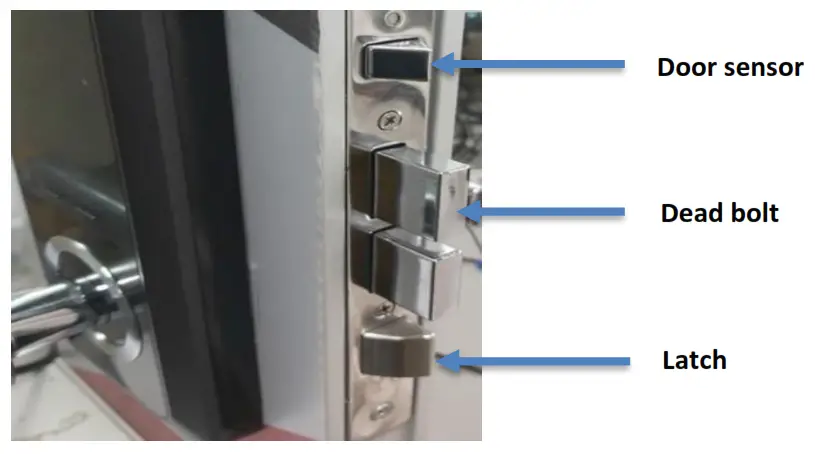
In the case of the motor jammed state, it is considered that the deadbolt is retracted(unlocked). So, in that case, the deadbolt bit value is 1.
Firmware Update Meta Data Command Class V3
Refer Z-Wave Management Command Class Specification
| Parameter | Value |
| Manufacturer ID | Ox003B |
| Firmware 0 ID | 0x4790 |
| Firmware Upgradable | OxFF |
| Number of Firmware Targets | Ox01 |
| Max Fragment Size | 0x14 in SO, Ox1C in 52 |
| Firmware 1 ID | 0x4791 |
| Wait Time | 0x003C (For Host Processor firmware upgrade) 0x00FC (For ZM5202-Wave firmware upgrade) |
6.10 Indicator Command Class V1
Refer Z-Wave Management Command Class Specification
The Z-Wave Controller can Turn ON or OFF the Buzzer on the Z-Wave lock using Indicator Set Command Class. Once the Buzzer is turned ON with Indicator Set Command, the Audible sound will be ON for 180 seconds or the Indicator Set command to Turn OFF.
Indicator Set Values:
| Value | Description |
| 0x00 | Buzzer OFF |
| 0xFF | Buzzer ON |
6.11 Manufacturer Specific Command Class V1
Refer Z-Wave Management Command Class Specification
| Parameter | Value |
| Manufacturer ID | 0x003B |
| Product Type ID | 0x0003 |
| Product ID | 0x6500 |
6.12 Notification Command Class V8
Refer Z-Wave Application Command Class Specification
Refer Z-Wave Notification Command Class, list of assigned Notifications
The table below contains all the version 3 alarm types supported by the lock which is a subset of the types supported by the command class standard. All values not included in the table are unsupported or reserved.
| Z-Wave Notification Type | Z-Wave Alarm Event | Description | Default Status | V1 Alarm | V1 Level | ||
| Access Control | 0x06 | Manual Lock Operation | 0x01 | The device transitioned to the locked state due to manual interaction | 0x15 | 0x01 | |
| Manual Unlock Operation | 0x02 | The device transitioned to the unlocked state due to manual interaction | 0x16 | 0x01 | |||
| Keypad Lock Operation | 0x05 | The device transitioned to the locked state due to keypad interaction | 0x12 | 0 (User ID = 0) | |||
| Keypad Unlock Operation | 0x06 | The device transitioned to the unlocked state due to keypad interaction | 0x13 | User # | |||
| Auto-Lock Locked Operation | 0x09 | The device automatically returned to the locked state by the auto-lock function | 0x1B | 0x01 | |||
| Z-Wave Lock Operation | 0x03 | The device transitioned to the locked state due to Z-Wave interaction | 0x18 | 0x01 | |||
| Z-Wave Unlock Operation | 0x04 | The device transitioned to the unlocked state due to Z-Wave interaction | 0x19 | 0x01 | |||
| Lock Jammed | 0x0B | The lock could not reach the desired position after three attempts. This is also sent if the lock is moved to an unknown region with the thumb turn. This is the general bolt movement error message. This is reported as an unknown state. | 0x09 | 0x00 | |||
| Keypad temporarily disabled | 0x10 | Three invalid user codes were entered. The lock disables the keypad for 3 minutes. | 0xA1 | 0x01 | |||
| Power Management
| 0x08 | Replace battery soon (Reports this notification equal to or lower than 50%) | 0x0A | Sent once when locking transitions to low battery | Active | 0xA7 | 0x01 |
| Replace battery now (Reports this notification equal to or lower than 20%) | 0x0B | Sent once when locking transitions to the critical battery (lock will no longer operate) | 0xA9 | 0x01 | |||
| System | 0x09 | System HW Failure | 0x01 | An HW fault is detected in the lock | Active | 0x09 | 0x00
|
- For Keypad Lock/Unlock Operation Notifications, the event parameter sent is the user code that was accepted at the lock. All notifications are version 8.
- The lock busy notification is not sent; the application status command class is used instead.
- The notification set command allows the different notification types to be enabled or disabled. Setting the status to 0x00 disables and 0xFF enables that alarm type. See the above table for the default state of each notification.
- The Power Management Notifications cannot be disabled for the product. If attempted to disable, Application Reject Request Command will be sent from the Lock.
- An alarm report is sent to the nodes in the association group when the event occurs if it is enabled. All fields (including Notification Type and Notification Level) are set to 0x00. Only fields are included in the above Table.
- If the lock was unable to move to the desired position, the lock responds with a “lock jammed” notification.
- Keypad Temporarily Disabled – The only other persistent notification event is Keypad Temporarily Disabled (3 invalid user codes were entered). This event will expire after 3 minutes. There is no way to remotely clear this event.
- Replace Battery Soon and Replace Battery Now notifications – The persistent notification event is replacing battery soon or replacing battery now. When the battery level is below 50% the notification event Replace Battery Soon will be sent unsolicited. And when the battery level is below 20% the notification event Replace Battery Now will be sent unsolicited.
6.13 Power level Command Class V1
Refer Z-Wave Network-Protocol Command Class Specification
6.14 Security 0 Command Class V1
Refer Z-Wave Transport-Encapsulation Command Class Specification
6.15 Security 2 Command Class V1
Refer Z-Wave Transport-Encapsulation Command Class Specification
6.16 Supervision Command Class V1
Refer Z-Wave Transport-Encapsulation Command Class Specification
Supervision Command Class is Mandatory Command Class for the Z-Wave Plus. It allows to send the next commands without waiting for the first command and update the status response when available. This reduces the network bandwidth and improves the system performance.
The lock supports the following encapsulated commands in S0/S2 via the Supervision Get:
a. Door Lock Operation Set
b. User Code Set
c. Indicator Set
d. Notification Set
e. Association Set
f. Configuration Set
g. Powerlevel Set
h. Powerlevel Test Node Set
For all other encapsulated commands, the Supervision Get will return a NO_SUPPORT value in the Supervision Report.
Also, if the Supervision Get command is issued for the supported CC’s in S0/S2 in an unsecured manner, or, if the DUT is in the unsecured mode, it will respond with a NO_SUPPORT value in the Supervision Report.
6.17 Time Command Class V1
Refer Z-Wave Management Command Class Specification
- This is the only Command Class with Support and Control provision on the lock.
- The Time Command Class is required to provide the Network Time for the lock to support the User Code Access Scheduling.
- Note: At Power Up the Lock is assigned with Default Time (1st Jan 2000) and once the Lock is included in the secured Z-Wave Network, it will use the Time Command services to get the Network Controller Time.
6.18 Transport Service Command Class V2
Refer Z-Wave Transport-Encapsulation Command Class Specification
6.19 User Code Command Class V1
Refer Z-Wave Application Command Class Specification
- The lock supports user codes between 4 and 10 digits in length. Each code in the lock can be a different length.
- If a user code is received that contains an improper number of digits (less than 4 digits or more than 10 digits, for example) the lock returns a user ID status of 0xFE and does not modify the contents of that user code.
- The user-id status is used to indicate the future desired state of the slot. To add a user code, the status is set to 1. To clear the user code, the status is set to 0. Setting the status to 0 and the user identified to 0 clears all the codes in the lock.
- Same user codes can be duplicated on different slots.
- The lock supports 10 users. [Combination of Door lock registered, and Z-Wave registered]
6.20 Version V2
Refer Z-Wave Management Command Class Specification
| Parameter | Value |
| Z-Wave Library Type | 0x03 (slave enhanced 232) |
| Z-Wave Protocol Library-Version | 0x06 |
| Z-Wave Protocol Library SubVersion | 0x04 |
| Firmware 0 Version (ZW ASIC) | Ox01 |
| Firmware 0 Sub Version (ZW ASIC) | 0x05 |
| Hardware Version | Ox01 |
| Number of firmware targets | Ox01 |
| Firmware 1 Version (Host) | 0x02 |
| Firmware 1 Sub Version (Host) | 0x02 |
- The lock reports the version as per the table in Supported Command Classes in section 5. All versions that are not indicated otherwise are version 1. If the command class is not contained in the table, the lock returns 0x00 for the version.
6.21 Z-Wave Plus Info V2
Refer Z-Wave Management Command Class Specification
| Parameter | Value |
| Z-Wave Plus Version | 0x01 |
| Role Type | 0x07 (ROLE_TYPE_SLAVE_SLEEPING_LISTENING) |
| Node Type | Ox00 (NODE_TYPE_ZWAVEPLUS_NODE) |
| Installer Icon Type | 0x0300 (ICON_TYPE_GENERIC_DOOR_LOCK_KEYPAD) |
| User Icon Type | 0x0300 (ICON_TYPE_GENERIC_DOOR_LOCK_KEYPAD) |
Version: 1.1